

Hidden AI Tools That Can Improve Study Performance (2026 Guide)
Last updated: August 2026
Quick Answer
Hidden AI tools that can improve study performance are lesser-known apps — beyond ChatGPT or Grammarly — built for one specific study problem each: NotebookLM for source-grounded summaries, RemNote for notes that turn into flashcards, Recall for remembering what you read, Consensus and SciSpace for research papers, and Goblin Tools for breaking a task down when you’re stuck. Most have real free tiers, and none of them study for you.
📑 Quick Navigation: Jump to Any Hidden AI Tool
- NotebookLM — ⭐ Best Overall
- RemNote — 🧠 Best Memory Tool
- Recall — 📖 Best for Reading Retention
- Goblin Tools — ⚡ Fastest / 💰 Best Free Tool
- Consensus — 🎯 Best for Exam-Relevant Evidence
- SciSpace — 📖 Best Research Companion
- Gamma — 🎨 Best Visual/Presentation Tool
- Mindgrasp — ⏱ Saves the Most Time (Paid)
- Coral AI — ⚠ Best for One-Off Use Only
- Napkin AI — 🎨 Best for Visual Learners
Alex is a second-year engineering student in delhi with a mechanics exam in eleven days. He has four chapters of dense notes, a professor’s PDF slides that don’t match the textbook order, and a WhatsApp group insisting ChatGPT can “just do it.” He tries. ChatGPT gives him a confident summary — and two formulas that are subtly wrong for his syllabus. He has no way to check which ones without re-reading everything anyway.
(alex is an illustrative example, not a real case study.)
This is the real problem with most “AI for students” advice: it stops at the one tool everyone already knows, and never mentions that the popular tool isn’t always the right one for the job. This guide skips those tools and focuses on hidden AI tools that can improve study performance in a narrower, more specific way — reading your own documents without hallucinating, turning notes into flashcards automatically, remembering what you highlighted three weeks ago, or unsticking you when a task feels too big to start.
🧪 Reality Check: No tool below fixes a syllabus you haven’t opened yet. Every one of them speeds up preparation — reading, organizing, summarizing. None of them replace the recall and practice work your brain still has to do.
Before you move on, ask yourself this: do you have a learning system or just good intentions? Discover How to Build a Daily Learning System Using AI (Step-by-Step Guide) to create a simple AI-powered routine that actually sticks.
Who Else Uses Hidden AI Tools to Improve Study Performance?
Ravi isn’t the only profile these tools fit. A few short, illustrative snapshots — not real case studies:
📖 A medical student drowning in anatomy slides uses RemNote’s image occlusion to turn diagrams into self-testing flashcards, instead of retyping labels into Quizlet by hand.
⚖️ A law student preparing for a moot court argument uses Consensus and SciSpace side by side — Consensus for the general weight of evidence on a policy question, SciSpace for close-reading the one dense paper the argument hinges on.
📚 A UPSC aspirant revising current-affairs PDFs downloaded over months uses NotebookLM to keep all of them in one source-grounded notebook, then generates an Audio Overview to review during a commute instead of scrolling PDFs on a phone.
💼 An MBA student building a case-study presentation the night before class uses Napkin AI to turn a dense case narrative into a process diagram, then Gamma to assemble the surrounding slide deck around it.
(All four are illustrative composites, not real users.)
📌 Key Takeaway: The tool that fits depends entirely on the format of what you’re studying — slides, PDFs, papers, or presentations — not on which tool is trending.
The HIDDEN Framework: A System, Not a Shopping List
FutureFastAI’s HIDDEN framework exists to help you find the hidden AI tools that can improve study performance for your specific bottleneck, rather than chasing whichever tool is trending this week:
H — Hunt your learning bottleneck. Is your problem reading speed, memory, organization, or research?
I — Identify the right AI for that one bottleneck — not “the best AI tool” in general.
D — Deep learning workflow. Build it into a repeatable weekly routine, not a one-off experiment.
D — Daily practice. Small, consistent use beats a single marathon session before an exam.
E — Evaluate progress every couple of weeks — is it saving time, or just feeling productive?
N — Never overdepend on AI. These tools speed up notes, recall, and research. They don’t replace understanding.
⚡ Quick Win: Pick just the “H” and “I” steps right now — name your bottleneck, then jump to the matching tool using the navigation list above.

How This Guide Rates Each Hidden AI Tool
Every tool card below uses the same six-part legend so you can scan instead of read:
- ⭐ FutureFastAI Score — our own editorial rating (1–5 stars), based on this verification research, not a third-party benchmark
- 💰 Free Plan — Yes / Limited / Trial only (card required)
- ⏱ Time Saved — a reasonable estimate based on the workflow, not a measured statistic
- Difficulty — ⭐ (1) to ⭐⭐⭐⭐⭐ (5), how easy it is to get useful output on day one
- Learning Curve — 🟢 Easy · 🟡 Moderate · 🔴 Steep
- Platform — 🌐 Browser · 💻 Desktop · 📱 Mobile app
⚠️ Important: Time-saved figures are FutureFastAI’s own conservative estimates for a typical use case, meant as a planning guide — not a guaranteed or measured outcome. Your actual savings depend on your subject, workload, and how consistently you use the tool.
The Hidden AI Tools That Can Improve Study Performance: Full List
Each card follows the same structure:
what it does, who should use it, who should skip it, and one honest recommendation.
1. NotebookLM (Google)
⭐ Best Overall
At a Glance
- ⭐ FutureFastAI Score: ★★★★★
- 💰 Free Plan: Yes — genuinely usable
- 🎯 Best For: Turning your own PDFs/slides into trustworthy notes
- ⏱ Typical Time Saved: ~2–4 hours/week during a heavy reading unit
- Difficulty: ⭐⭐⭐⭐⭐ (very easy)
- Learning Curve: 🟢 Easy
- ⏱ Setup Time: ~5 minutes
- Platform: 🌐 Browser · 📱 Mobile browser
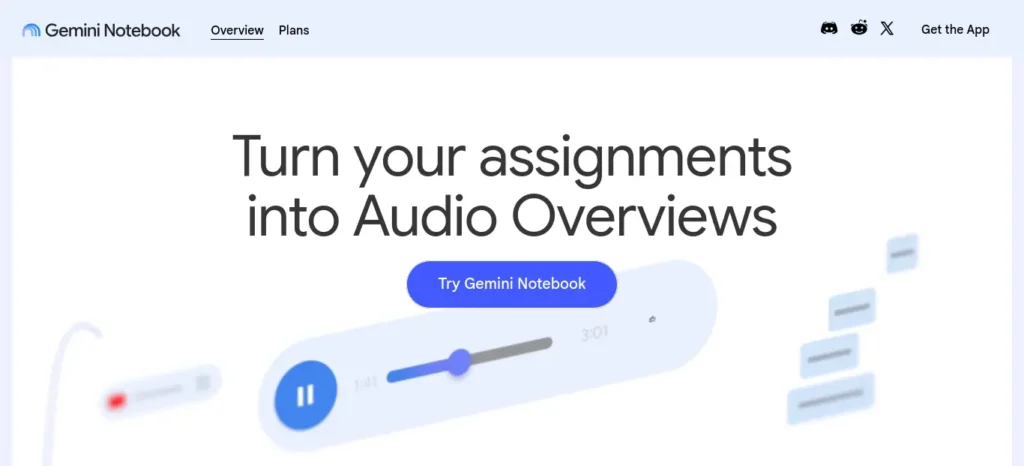
What it does: NotebookLM — recently rebranded by Google as Gemini Notebook, though the product is unchanged — is a “source-grounded” AI notebook. You upload your own PDFs, slides, or lecture recordings, and it answers questions and builds summaries using only what you gave it, not general internet knowledge.
Best use case: Turning your own syllabus material into trustworthy revision notes, without the hallucination risk Ravi ran into in the intro.
Key features: Source-grounded chat and summaries, auto-generated flashcards and quizzes, Audio Overviews (a podcast-style discussion of your material), Video Overviews, mind maps, and a “Learning Guide” tutoring mode.
Free plan: The free tier includes 100 notebooks, up to 50 sources per notebook, and 50 chat questions per day. Core features—including Audio Overviews, Video Overviews, Mind Maps, Flashcards, Quizzes, and Reports—are available on the free plan, although they have daily generation limits.
Paid plans primarily increase these limits and unlock additional premium capabilities.
NotebookLM is not sold as a standalone subscription; upgraded access comes through Google AI plans (or eligible Workspace and Google Cloud plans).
Check Google’s official pricing page for the latest pricing in your region, as costs vary by country and promotions.
Limitations: Each source is limited to 500,000 words or 200 MB. NotebookLM doesn’t currently support linking notebooks together, so knowledge can’t be shared automatically across notebooks. Its YouTube transcription feature is convenient but may occasionally miss or misinterpret portions of a video’s audio, especially when the sound quality is poor, speakers overlap, or captions are unavailable.
💡 Did You Know? Many students default to ChatGPT for reading PDFs, but ChatGPT wasn’t built to stay grounded in an uploaded document — it fills gaps with whatever’s statistically likely.
NotebookLM was designed specifically to answer only from your sources, which is a meaningfully lower hallucination risk for exam-critical material.
Who Should Skip This Tool:
- ❌ Anyone needing live internet research (it only reads what you upload)
- ❌ Students handling genuinely confidential documents (files are processed on Google’s servers)
- ❌ Anyone wanting full offline access
❌ Common Beginner Mistake: Uploading an entire semester’s PDFs into one notebook at once.
✅ Instead: Upload one unit or chapter at a time, so the Audio Overview and flashcards stay focused on what you’re actually revising this week.
💡 Pro Tip: Ask it directly: “Create 20 exam-style questions from this chapter.” This turns a passive summary tool into an active self-testing one.
🎯 One-Sentence Recommendation: If you only install one free AI tool this month, NotebookLM is the safest place to start.
Understanding a lesson is only the first step. The real challenge is turning it into revision material. For that, read How to Turn Class Notes into Exam Revision Notes with AI: Powerful 2026 Student Success Guide and see how students are converting class notes into powerful exam-ready summaries.
2. RemNote
🧠 Best Memory Tool
At a Glance
- ⭐ FutureFastAI Score: ★★★★☆
- 💰 Free Plan: Yes, with real limits
- 🎯 Best For: Students who take notes in one app and rebuild flashcards in another
- ⏱ Typical Time Saved: ~1–3 hours/week (no duplicate flashcard work)
- Difficulty: ⭐⭐⭐☆☆
- Learning Curve: 🟡 Moderate
- ⏱ Setup Time: ~20 minutes to learn the outline structure
- Platform: 🌐 Browser · 💻 Desktop · 📱 iOS/Android
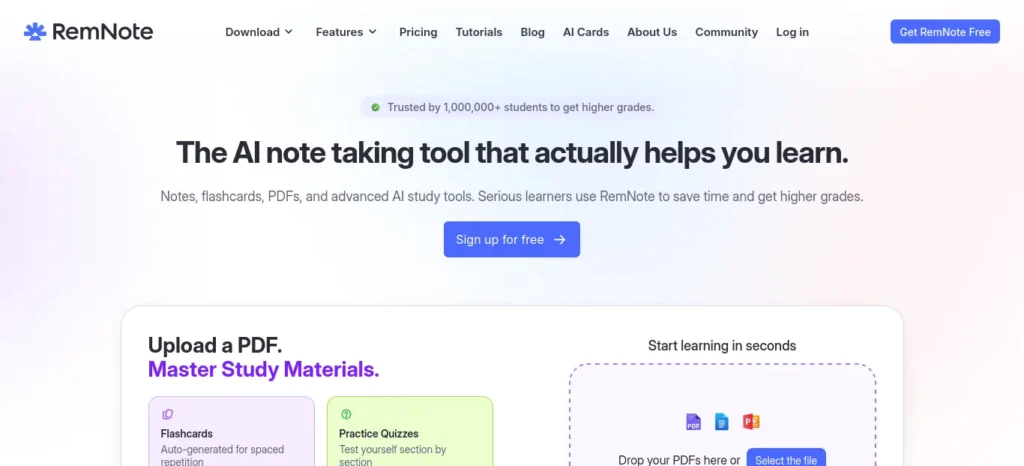
What it does: An outline-based notes app where writing “::” after any line instantly turns it into a spaced-repetition flashcard — so flashcard creation happens while you take notes, not as a separate chore afterward.
Best use case: A common medical-student and language-learner pattern: currently duplicating work between a notes app and a flashcard app.
Key features: Hierarchical outlining with backlinks, built-in spaced repetition, PDF annotation, image occlusion (useful for anatomy diagrams), and AI-generated flashcards from uploaded PDFs or transcripts.
Free plan: It includes unlimited notes, unlimited flashcards, and a basic spaced repetition system at no cost. However, it has practical limits: you’re restricted to three PDF annotations, five image-occlusion cards, and uploads are capped at 8 MB per file. Students who rely heavily on annotating lecture PDFs or creating anatomy-style image flashcards—such as many medical students—may reach these limits quickly.
Limitations: Sources quoted Pro pricing between $6 and $10/month (₹576–₹960/month) depending on billing cycle — verify on remnote.com before subscribing.
Who Should Skip This Tool:
- ❌ Anyone who wants a five-minute setup (the outline system takes real time to learn)
- ❌ Students who need heavy PDF annotation and won’t upgrade past free
- ❌ Anyone already deeply invested in a Notion + Anki workflow that already works
❌ Common Beginner Mistake: Trying to migrate a full semester of existing notes on day one.
✅ Instead: Start fresh with your next lecture only, and build the “::” habit before importing anything old.
💡 Pro Tip: Turn on image occlusion for one diagram-heavy topic first (anatomy, circuit diagrams, maps) — this is where RemNote clearly beats plain flashcards.
🎯 One-Sentence Recommendation: If flashcard duplication is eating your evenings, RemNote removes that step entirely.
If you often forget what you studied after a few days, you are not alone. Our guide on AI Tools for Students Who Struggle to Remember Lessons: 7 Powerful Study Hacks for Better Learning in 2026 shares practical AI-powered methods to improve memory retention and recall
3. Recall
📖 Best for Reading Retention
At a Glance
- ⭐ FutureFastAI Score: ★★★★☆
- 💰 Free Plan: Yes — unlimited saves, limited AI summaries
- 🎯 Best For: Research-heavy subjects with dozens of scattered sources
- ⏱ Typical Time Saved: ~1–2 hours/week during research assignments
- Difficulty: ⭐⭐⭐⭐☆
- Learning Curve: 🟢 Easy
- ⏱ Setup Time: ~5 minutes (browser extension install)
- Platform: 🌐 Browser extension
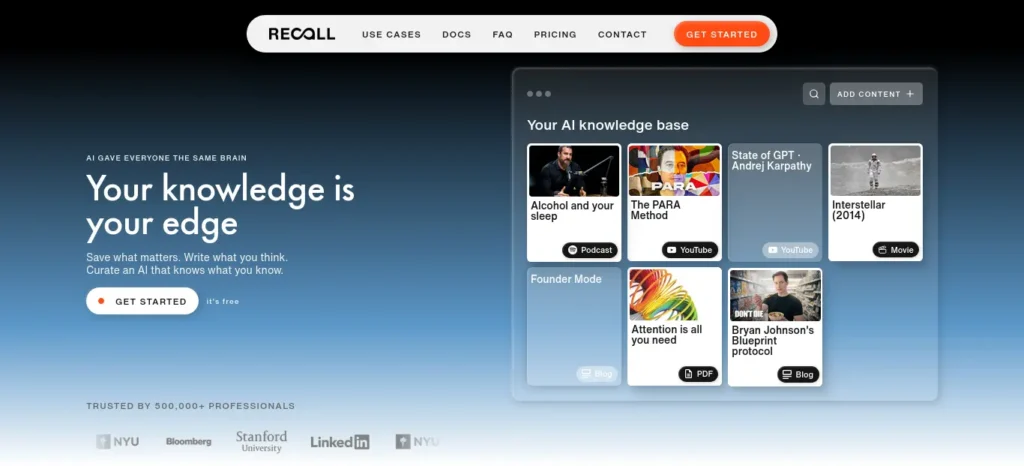
What it does: Saves and summarizes anything you read online — articles, videos, podcasts, PDFs — and connects them into a personal knowledge graph so related material resurfaces while you’re reading something new.
Best use case: History, economics, or social-science assignments where you read dozens of articles and lose track of what you saved two weeks ago.
Key features: One-click summarization, a knowledge graph linking related saves, augmented browsing that surfaces past notes automatically, text-to-speech playback.
Free plan: offers a free-forever plan with no credit card required. It includes unlimited read-later saves, unlimited notes, and 10 AI-generated summaries per month, allowing you to try its AI-powered features before upgrading.
Limitations: Ten AI summaries a month is a hard ceiling for a heavy research week. Paid Plus pricing was cited between $7 and $10/month (₹672–₹960/month) — check recall.it/pricing directly.
Who Should Skip This Tool:
- ❌ Anyone who reads fewer than 5–10 sources a week (the knowledge graph needs volume to be useful)
- ❌ Students wanting deep summarization of every source without paying (10/month free cap)
❌ Common Beginner Mistake: Saving everything and summarizing nothing, so the 10 free AI summaries get used up on low-priority articles.
✅ Instead: Save freely, but spend your monthly AI-summary quota only on the sources you’ll actually cite.
💡 Pro Tip: At the end of a research week, open the knowledge graph view — it often reveals an argument structure across your sources you hadn’t consciously noticed.
🎯 One-Sentence Recommendation: If you forget what you read three articles ago, Recall is built for exactly that gap.
4. Goblin Tools
⚡ Fastest · 💰 Best Free Tool
At a Glance
- ⭐ FutureFastAI Score: ★★★★☆
- 💰 Free Plan: Yes — 100% free, no account needed
- 🎯 Best For: The moment before you start an assignment
- ⏱ Typical Time Saved: ~15 minutes/task (mostly by reducing avoidance, not speed)
- Difficulty: ⭐⭐⭐⭐⭐ (instant)
- Learning Curve: 🟢 Easy
- ⏱ Setup Time: 0 minutes — no signup
- Platform: 🌐 Browser · 📱 Paid iOS/Android app
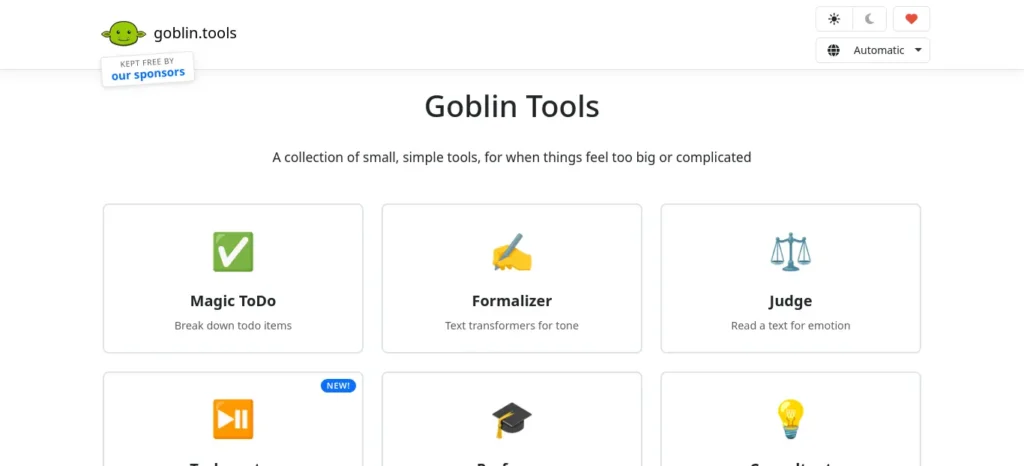
What it does: A set of single-purpose micro-tools originally built for neurodivergent users. The flagship, “Magic ToDo,” breaks an overwhelming task into small, concrete steps with an adjustable “spiciness” slider.
Best use case: The moment “write the lab report” feels too big to start — not the writing itself, but the first step.
Key features: Magic ToDo (task breakdown), Formalizer (rewrites tone), Judge (reads likely tone/intent before you send a message), Estimator (time estimates).
Free plan: completely free to use on the web—there’s no paid subscription, no account required, and no login or payment needed. The web version includes all tools without usage limits.
The only paid offering is the optional iOS and Android app, which requires a small one-time purchase (around $3.99) to help cover development and running costs.
Limitations: focuses on generating text and structured lists to help with everyday tasks. However, it doesn’t integrate with external apps like calendars or task managers, perform actions on your behalf, or remember information between sessions. Each session starts fresh, so you’ll need to re-enter any context you want it to use.
Who Should Skip This Tool:
- ❌ Anyone needing saved task history or reminders over time
- ❌ Students who need a real project tracker, not a one-time unstick
❌ Common Beginner Mistake: Treating Goblin Tools as a planner you check once a day.
✅ Instead: Use it exactly at the moment you’re stuck, do just the first generated step, and close the tab.
💡 Pro Tip: Set “spiciness” to maximum for genuinely dreaded tasks — the more granular the steps, the smaller each one feels.
🎯 One-Sentence Recommendation: If task paralysis is your actual bottleneck — not lack of information — this is the fastest fix on this list.
Struggling to finish assignments before the deadline? Discover the best AI tools for assignment planning and deadline management that help you organize tasks, prioritize work, and submit projects on time.
5. Consensus
🎯 Best for Exam-Relevant Evidence
At a Glance
- ⭐ FutureFastAI Score: ★★★★☆
- 💰 Free Plan: Yes, capped (limits vary — confirm on site)
- 🎯 Best For: Literature reviews and evidence-based claims
- ⏱ Typical Time Saved: ~2–3 hours per research paper
- Difficulty: ⭐⭐⭐⭐☆
- Learning Curve: 🟢 Easy
- ⏱ Setup Time: ~5 minutes
- Platform: 🌐 Browser
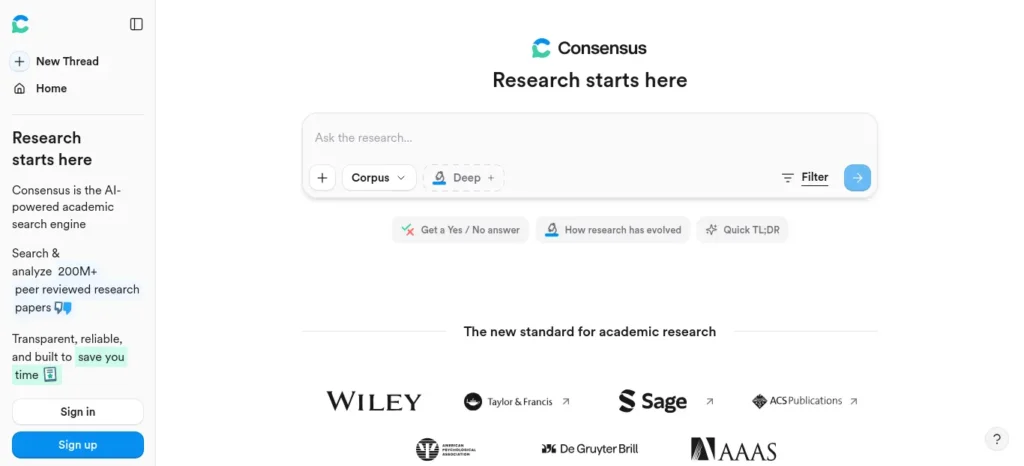
What it does: An AI research search engine that reads peer-reviewed papers and answers a question with a “Consensus Meter” showing what percentage of the evidence agrees, disagrees, or is mixed — instead of a plain list of paper titles.
Best use case: Dissertation background sections, or fact-checking a claim against real published research rather than a blog post.
Key features: Search across 200 million+ peer-reviewed papers, AI-generated study snapshots, the Consensus Meter, a Deep Search mode analyzing ~50 papers per query.
Free plan: Sources described the free tier consistently as usable but capped — figures ranged from 15–20 searches a day up to roughly 10 AI analyses a month, so confirm the exact current limit on consensus.app. A Pro plan around $10/month (₹960/month) was the most consistently cited figure.
Limitations: designed to provide fast, evidence-based answers by searching and summarizing research papers, but it isn’t a substitute for a formal systematic review or an in-depth literature review. Students can receive a discounted subscription with a verified academic email. However, eligibility varies, and not all Indian university email addresses are recognized by academic verification systems, so it’s worth confirming your eligibility before subscribing.
Who Should Skip This Tool:
- ❌ PhD-level systematic reviews needing exhaustive screening tools
- ❌ Non-STEM/social-science essays where peer-reviewed evidence isn’t the main source type
❌ Common Beginner Mistake: Treating a high Consensus Meter percentage as proof, without reading the underlying papers.
✅ Instead: Use the Meter to decide where to focus your reading time, not as a citation by itself.
💡 Pro Tip: A “mixed” result is itself useful — it tells you the topic needs hedged, careful language in your writing rather than a confident claim.
🎯 One-Sentence Recommendation: For “does the evidence actually support this?” questions, Consensus beats a general search engine every time.
Before you start writing your assignment, it’s important to know how to use AI for college research projects effectively. A strong research process helps you find credible sources, organize ideas, and avoid common mistakes that can lower your grades.
6. SciSpace
📖 Best Research Companion
At a Glance
- ⭐ FutureFastAI Score: ★★★★☆
- 💰 Free Plan: Yes, limited AI queries
- 🎯 Best For: Understanding a hard research paper you’re already reading
- ⏱ Typical Time Saved: ~1–2 hours per dense paper
- Difficulty: ⭐⭐⭐⭐☆
- Learning Curve: 🟢 Easy
- ⏱ Setup Time: ~5 minutes (Chrome extension)
- Platform: 🌐 Browser · Chrome extension
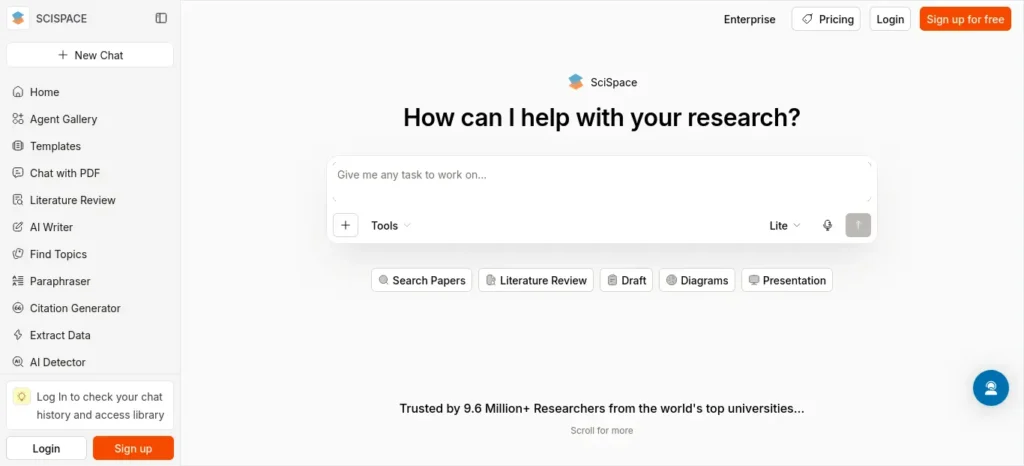
What it does: Lets you highlight any sentence or paragraph in a paper and get a plain-language explanation, plus chat with the full PDF.
Best use case: Undergraduate and postgraduate students who hit a wall reading assigned papers outside their comfort zone.
Key features: offers a free Chrome extension that works directly with Google Scholar, PubMed, and many journal websites. It also includes an AI Copilot for asking questions about research papers, automatic citation extraction, and PDF highlighting to make reading and organizing academic literature easier.
Free plan: SciSpace’s free tier includes a limited number of AI Copilot queries, basic literature review features, citation extraction, and paraphrasing tools. It’s a good starting point for occasional research, but frequent users may reach the usage limits quickly.
Limitations: The free plan provides fewer AI capabilities and lower usage limits than the paid plans, making it less suitable for intensive research projects. SciSpace’s paid plans have historically been priced between $12 and $20 per month (approximately ₹1,150–₹1,920/month), but pricing and features can change, so it’s best to verify the latest details on the official SciSpace website before subscribing.
Who Should Skip This Tool:
- ❌ Students who only occasionally read one paper a semester (free tier is enough — don’t upgrade)
- ❌ Anyone wanting it to replace actually reading the paper
❌ Common Beginner Mistake: Reading only the AI explanation and skipping the original methodology section.
✅ Instead: Use the explanation as a starting point, then return to the original text to form your own critique.
💡 Pro Tip: Highlight the results section first, not the introduction — it’s usually the densest part and benefits most from a plain-language pass.
🎯 One-Sentence Recommendation: When one specific paper is blocking you, SciSpace unblocks it faster than re-reading it a fourth time.
7. Gamma
🎨 Best Visual/Presentation Tool
At a Glance
- ⭐ FutureFastAI Score: ★★★★☆
- 💰 Free Plan: One-time credits, not renewing
- 🎯 Best For: Class presentations and seminar decks
- ⏱ Typical Time Saved: ~45–90 minutes per presentation
- Difficulty: ⭐⭐⭐⭐⭐ (very easy)
- Learning Curve: 🟢 Easy
- ⏱ Setup Time: ~2 minutes
- Platform: 🌐 Browser
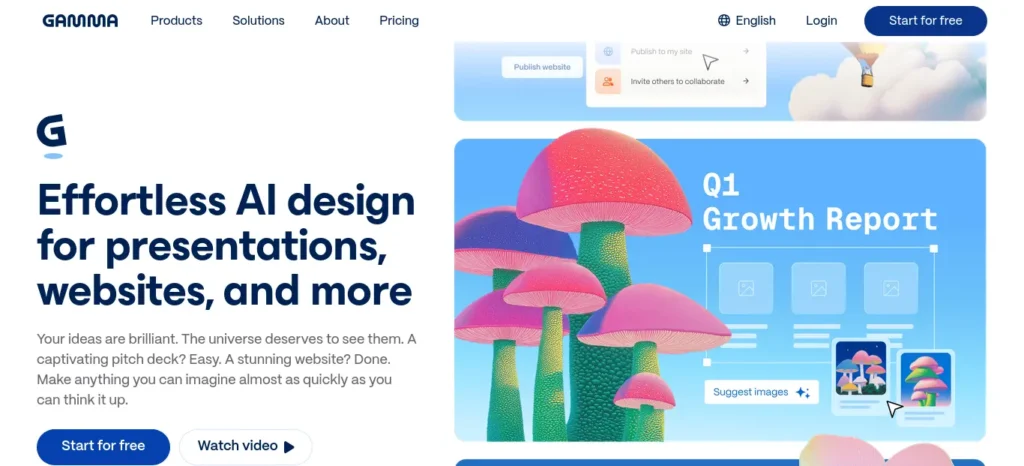
What it does: Generates a full, designed presentation — slides, layout, visuals — from a text prompt or outline in under a minute.
Best use case: Content is ready, design time isn’t.
Key features: Gamma uses AI to generate complete presentation layouts, text, and visuals from a single prompt. It also supports web publishing and, on paid plans, exporting presentations to PDF and Microsoft PowerPoint.
Free plan: The free tier includes a one-time allocation of 400 AI credits (they do not refresh monthly), which is typically enough to create around 8–10 full presentations, depending on how many AI actions you use. Free presentations also include a “Made with Gamma” watermark. While this is usually acceptable for personal study or classroom assignments, it may not be suitable for professional presentations, client work, or public-facing content.
Limitations: Free credits are one-time and don’t renew.
Paid Plus pricing was cited between $8 and $10/month (₹768–₹960/month) — check gamma.app.
Who Should Skip This Tool:
- ❌ Anyone needing precise animation control or a strict corporate template
- ❌ Students who need PowerPoint export without paying (watermark stays on free)
❌ Common Beginner Mistake: Pasting a dense, unformatted paragraph and expecting a clean deck.
✅ Instead: Write your content as a structured outline — headings and bullets — first. Gamma reads structure, not prose.
💡 Pro Tip: Save one custom theme once you find a look you like, so future decks inherit it automatically instead of restyling each time.
🎯 One-Sentence Recommendation: If your content is ready but your evening isn’t long enough to design slides, Gamma closes that gap in minutes.
8. Mindgrasp
⏱ Saves the Most Time (Paid)
At a Glance
- ⭐ FutureFastAI Score: ★★★☆☆
- 💰 Free Plan: No — 4-day trial, credit card required
- 🎯 Best For: Courses where recorded lectures carry more than the slides
- ⏱ Typical Time Saved: ~3–5 hours/week during lecture-heavy weeks
- Difficulty: ⭐⭐⭐⭐☆
- Learning Curve: 🟢 Easy
- ⏱ Setup Time: ~10 minutes
- Platform: 🌐 Browser · 📱 iOS app (Android limited)
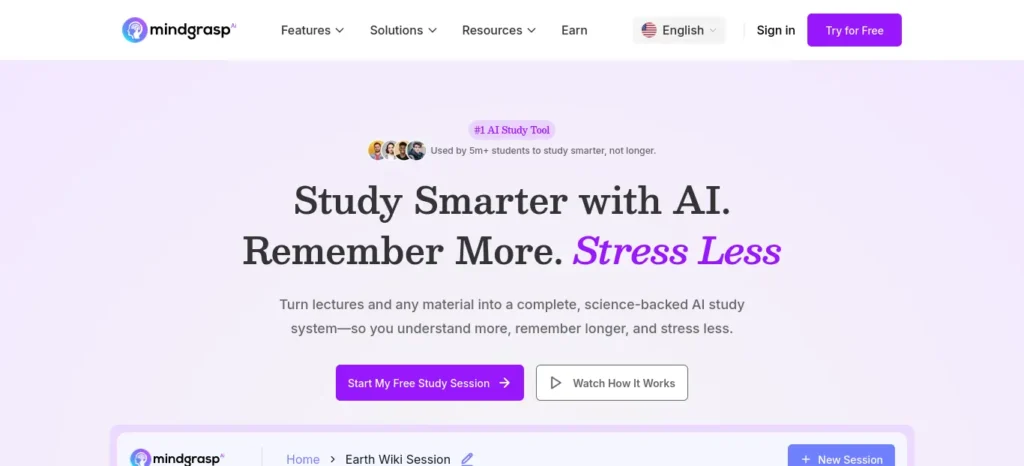
What it does: Converts lecture recordings, YouTube videos, PDFs, and slides into structured notes, flashcards, and quizzes.
Best use case: Courses where a 90-minute recorded lecture carries more information than the slides do.
Key features: Auto-generated notes, flashcards, and quizzes from uploads; an AI tutor for follow-ups; live lecture recording and a Chrome extension on higher tiers.
Free plan: Mindgrasp does not offer a permanent free plan. Instead, it provides a short free trial (around four days) that requires a credit card at sign-up. After the trial ends, the subscription automatically transitions to the Basic plan (historically starting at about $5.99/month when billed annually). It’s best to think of Mindgrasp as a paid tool with a free trial, rather than a free tool with optional upgrades.
Limitations: Because the trial requires a credit card, it’s important to cancel before the renewal date if you don’t plan to continue. Additionally, even the highest-tier subscription includes a monthly limit on live lecture recording (approximately 10 hours per month), which may not be enough for students who attend or record many lectures.
Who Should Skip This Tool:
- ❌ Anyone with zero budget for a subscription (see NotebookLM’s free Audio Overview instead)
- ❌ Students who forget to cancel trials — the card-required signup is a real risk here
❌ Common Beginner Mistake: Starting the trial at the beginning of a semester “to try it out” and forgetting about it.
✅ Instead: Start the trial during one specific lecture-heavy exam week, use it hard, then cancel before renewal if it’s not a long-term budget line.
💡 Pro Tip: Set a calendar reminder the day you sign up, not the day before renewal.
🎯 One-Sentence Recommendation: Worth the trial for exactly one brutal lecture-heavy week — not worth forgetting about.
9. Coral AI

⚠ Best for One-Off Use Only
At a Glance
- ⭐ FutureFastAI Score: ★★★☆☆
- 💰 Free Plan: Trial-level only (1 file, 1 chat)
- 🎯 Best For: Summarizing one specific chapter section
- ⏱ Typical Time Saved: ~30–60 minutes, single use
- Difficulty: ⭐⭐⭐⭐☆
- Learning Curve: 🟢 Easy
- ⏱ Setup Time: ~2 minutes
- Platform: 🌐 Browser
What it does: A document summarizer focused on PDFs — set a page range within a long document and get a summary of just that section.
Best use case: A long textbook chapter or research report where you only need one section summarized.
Key features: Coral AI lets you summarize documents by selecting specific page ranges, supports multiple languages, and processes files quickly. It can also summarize YouTube videos and PowerPoint presentations, making it useful for reviewing lectures, research papers, and presentation decks.
Free plan: Coral AI’s free access is limited to one file upload and one chat session, making it more of a trial experience than a true ongoing free plan. Students who need to summarize multiple documents regularly will need to upgrade to a paid plan.
Limitations:
⚠️ Reality Check: Sources gave conflicting Pro pricing — as low as $5–6/month and as high as $20–30/month — and at least one source claimed the tool has since rebranded under a different name. Treat any price you see quoted online as unverified until you check getcoralai.com directly, and confirm the tool’s current name before subscribing.
Who Should Skip This Tool:
- ❌ Anyone wanting a daily-use tool (the free tier won’t support that)
- ❌ Anyone who wants price certainty before signing up — verify first
❌ Common Beginner Mistake: Subscribing based on a price seen in a third-party review article.
✅ Instead: Confirm the current plan name, price, and rebrand status directly on the official site before entering payment details.
🎯 One-Sentence Recommendation: Use the free single upload for one urgent chapter; don’t build a workflow around it until pricing is confirmed.
10. Napkin AI
🎨 Best for Visual Learners
At a Glance
- ⭐ FutureFastAI Score: ★★★★☆
- 💰 Free Plan: Yes — genuinely usable
- 🎯 Best For: Turning a process explanation into a diagram you’ll remember
- ⏱ Typical Time Saved: ~20–40 minutes per diagram
- Difficulty: ⭐⭐⭐⭐☆
- Learning Curve: 🟢 Easy
- ⏱ Setup Time: ~5 minutes
- Platform: 🌐 Browser
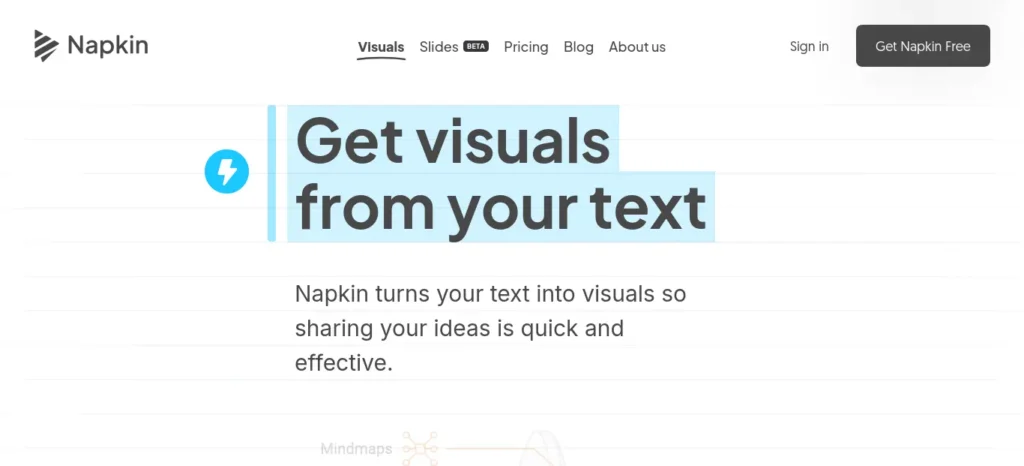
What it does: Converts written text — a paragraph, steps, an outline — into an editable visual: a flowchart, mind map, timeline, or comparison diagram.
Best use case: Turning a dense process (a biology pathway, a historical timeline, a step-by-step procedure) into a diagram, since visual structure tends to stick better than paragraphs for process-based information.
Key features: Napkin AI turns structured text into clear, editable diagrams by understanding the logical relationships between ideas rather than simply matching keywords. It also supports unlimited file imports from PowerPoint, Word (DOC), PDF, HTML, and Markdown, allowing you to quickly convert existing content into visuals.
Free plan: The free tier includes 500 AI credits per week, unlimited visual editing, unlimited file imports, and unlimited PNG and PDF exports. However, exports created on the free plan include a small Napkin AI watermark.
Limitations: Napkin AI performs best with well-structured content, such as outlines, bullet points, or clearly organized text. If you provide a long, unformatted paragraph, the generated diagram may be overly generic or fail to capture the intended structure. It’s also designed for creating diagrams and visual explanations, not for building complete presentation slides.
Who Should Skip This Tool:
- ❌ Anyone wanting a full slide deck built automatically (pair with Gamma instead)
- ❌ Students who paste unformatted prose and expect a clean result
❌ Common Beginner Mistake: Pasting a raw paragraph copied straight from a textbook.
✅ Instead: Rewrite the explanation as a short bulleted outline yourself first — this step alone often clarifies your understanding before the diagram even appears.
💡 Pro Tip: Use it for anything with a clear sequence or hierarchy — processes, timelines, comparisons — and skip it for purely descriptive content.
🎯 One-Sentence Recommendation: If a concept has steps or stages, Napkin turns it into something your memory can actually hold onto.
Before vs. After: What Changes with One Tool
Before (typical PDF-heavy revision workflow): Read PDF → Take notes by hand → Rebuild flashcards separately → Revise from scratch closer to the exam
After (adding NotebookLM): Upload PDF → AI summary + Audio Overview → Auto-generated flashcards → Revise using self-testing, not re-reading
The time saved isn’t really in “reading faster” — it’s in skipping the separate note-rebuilding step entirely.
Your Semester-Long Hidden AI Tools Workflow
Lecture / Reading
↓
NotebookLM (summarize + flashcards)
↓
RemNote (organize + spaced repetition)
↓
Recall (retain what you read outside class)
↓
Practice Test (active recall, done manually)
↓
Exam
🚀 Next Step: Don’t build this whole stack in one week. Add one link in the chain per week, starting with whichever tool matches your current biggest bottleneck.
Most students use AI as a simple chatbot, but the real advantage comes from following a complete workflow. Discover our AI study workflow for students and learn how to capture notes, create quizzes, schedule revision, and prepare for exams more effectively.
Decision Flowchart: Which One First?
Need to summarize your own PDFs/slides reliably?
Need flashcards without double work?
→ RemNote
Need to remember what you read weeks ago?
→ Recall
Need help just starting an assignment?
Need evidence from real research papers?
Need one hard paper explained in plain language?
→ SciSpace
Need a presentation built fast?
→ Gamma
Need long lecture recordings turned into notes (and can budget for it)?
Need one chapter section summarized quickly, one time?
→ Coral AI
Need a process turned into a diagram you’ll remember?
✅ Quick Action: Pick exactly one branch from this flowchart today and use it on one real assignment before adding a second tool.
Best Tool Combinations: Stack Them, Don’t Scatter Them
📖 Research Stack
- NotebookLM → organize your own source PDFs
- Consensus → check the broader evidence
- RemNote → convert findings into flashcards for retention
🎨 Presentation Stack
- NotebookLM → summarize your source material
- Napkin AI → turn key processes into diagrams
- Gamma → assemble the full deck around them
🧠 Revision Stack
- RemNote → notes + flashcards in one place
- Recall → hold onto outside reading and articles
- Goblin Tools → unstick yourself when starting a revision session feels too big
🧠 FutureFastAI Insight: Most students fail not from lacking tools, but from switching between three unrelated ones with no shared workflow. Pick one stack, not one tool at a time.
The 30-Minute Study Workflow
A compact, repeatable session using tools from this guide:
5 min — Upload today’s material to NotebookLM, generate a summary
↓ 10 min — Convert key points into RemNote flashcards ↓
10 min — Self-test using practice questions (manual — this step matters most) ↓ 5 min — Review what you got wrong, flag it for tomorrow’s spaced-repetition pass
Many students struggle because they do not have a structured study schedule. If that sounds familiar, check out AI Tools for Creating a Study Timetable Automatically: 9 Powerful and Smart Solutions for Students in 2026 to learn how AI can create a personalized timetable in just a few minutes.
Micro-Stats: Why This Actually Matters
Reading a 50-page chapter can easily take 2–3 hours, and manually rebuilding that chapter into flashcards afterward can take another hour on top of that. A tool that compresses the note-taking and flashcard-building steps — without skipping the reading itself — is realistically saving 1–2 hours per chapter, not “hours” in the abstract.
What’s New in 2026?
A quick freshness check on what’s changed across this list recently:
- ✓ NotebookLM added Audio Overviews and Video Overviews, and was rebranded to Gemini Notebook (pricing unchanged)
- ✓ Consensus restructured its pricing into a simpler Free / Pro / Student ladder
- ✓ Napkin AI crossed 5 million registered users, growing rapidly as a text-to-visual tool
- ✓ Gamma’s free tier remains one-time credits (400) rather than a monthly renewal — worth knowing before you plan around it
What AI Can’t Replace: Non-Tool Study Techniques
None of the tools above work if the underlying study habits aren’t in place:
Active recall — testing yourself on material instead of re-reading it. This is why flashcard features matter more than summaries: the flashcard forces retrieval, the summary doesn’t.
Spaced repetition — reviewing material at increasing intervals right before you’d naturally forget it, rather than cramming once.
Practice testing — solving past-year questions under timed conditions, a different skill from recognizing an answer when you see it explained.
Teaching it back — explaining a concept out loud to a friend or study group. If you can’t explain it simply, the AI summary didn’t actually transfer into understanding.
💡 Pro Tip: Use AI tools to prepare material faster. Keep the actual recall and testing step manual — that’s the part your brain needs to do for the memory to stick.
Want to learn the practical ways students are already using AI in everyday learning? Read our complete guide on How Students Use AI to Study Smarter (Without Cheating) and discover 12 proven techniques to improve learning, revision, and exam preparation.
Avoid These Mistakes
🚫 Avoid This Mistake 1: Using AI before you’ve actually looked at the syllabus — you’ll summarize the wrong material.
🚫 Avoid This Mistake 2 : Trusting every AI summary as fact, especially from general chatbots not grounded in your own sources.
🚫 Avoid This Mistake 3 : Uploading confidential or sensitive files to any cloud-processed tool.
🚫 Avoid This Mistake 4 : Skipping practice questions because the notes “feel” complete.
🚫 Avoid This Mistake 5 : Subscribing to a card-required trial without a cancellation reminder.
Before submitting your assignment, learn how to use AI ethically for academic writing to avoid plagiarism and create original work.
India-Specific Advice
For engineering, medical, and competitive-exam students (JEE, NEET, UPSC, GATE, CAT):
- Most tools bill in USD through international cards; check whether your bank charges a foreign-transaction fee (often 2–3%) before subscribing.
- Free tiers genuinely cover a full semester’s core use for NotebookLM, RemNote, Recall, Goblin Tools, and Napkin AI — start there before paying for anything.
- Academic discounts (like Consensus’s) are usually built around Western .edu-style email systems; confirm directly whether an Indian college email qualifies before assuming a discount applies.
- Low-end Android phones and mobile data plans make browser-based tools more practical day-to-day than tools that push you toward a heavier native app.
Still struggling to stay consistent once you’ve picked a tool?
That’s less about the AI and more about your daily system — see our guide on building a daily learning system for how these tools fit into a repeatable routine, not just exam week.
New to AI? Start with our Ultimate Beginner Guide to AI Tools for Students to discover the best AI tools for research, note-taking, writing, revision, and productivity—all explained in a beginner-friendly, step-by-step format.
Choose-Your-AI-Tool Checklist
- [ ] I’ve named my specific study bottleneck (notes, memory, research, starting tasks, or visuals)
- [ ] I’ve picked exactly one new tool that matches that bottleneck
- [ ] I’ve checked the tool’s free-tier limits against my actual weekly usage
- [ ] I’ve confirmed current pricing on the tool’s official site, not a third-party roundup
- [ ] I’ve set a calendar reminder if I started a trial that requires a card
- [ ] I’m still doing active recall and practice testing manually, not just reading AI summaries
For a version of this checklist you can print or save, along with a companion weekly study-planner template, sign up for the FutureFastAI newsletter — future guides in this series will link directly to both.
Frequently Asked Questions
What are hidden AI tools that can improve study performance? They’re AI apps built for one narrow study task each — reading your own PDFs accurately, generating flashcards automatically, or breaking an overwhelming assignment into steps — rather than general-purpose chatbots like ChatGPT that most students already use.
Which hidden AI tool is best for college students? It depends on the bottleneck: NotebookLM for reliably summarizing your own course material, RemNote for combining notes and flashcards, and Consensus or SciSpace for research-heavy assignments.
Are these AI study tools free? Most have a genuine, ongoing free tier — NotebookLM, RemNote, Recall, Goblin Tools, and Napkin AI all offer real free usage. A few, like Mindgrasp, only offer a short free trial that requires a credit card, so check before assuming “free” applies.
Can AI actually improve study performance? It can save time on notes, flashcards, and research organization — but the techniques that improve actual retention are active recall and spaced repetition, not passive summarization. AI speeds up preparation; it doesn’t replace the recall step your memory needs.
Which AI tool is best for summarizing textbooks? NotebookLM for staying grounded in your own uploaded material, or Coral AI for a quick single-section summary when you don’t need the full notebook workflow.
Which AI tool helps with research papers? Consensus for finding evidence-based answers across peer-reviewed literature, and SciSpace for getting a plain-language explanation of a specific paper you’re already reading.
Are AI study tools safe to use? Most process your files on the vendor’s servers rather than your device, which is fine for coursework but worth avoiding for anything genuinely sensitive. Check each tool’s privacy policy if you’re uploading anything beyond standard class material.
Should students rely completely on AI? No — every tool in this guide is designed to prepare material faster, not to think or remember on your behalf. Pairing any of them with manual active recall and practice testing is what actually moves the needle on exam performance.
Key Takeaways
- 📌 The hidden AI tools that can improve study performance the most aren’t the famous ones — they’re narrow tools matched to a specific bottleneck: notes, memory, research, task-starting, or visuals.
- 📌 NotebookLM, RemNote, Recall, Goblin Tools, and Napkin AI all have genuinely usable free tiers as of August 2026 — start there.
- 📌 Mindgrasp and some Coral AI tiers require payment or a card-linked trial from day one; know that before you click “start.”
- 📌 AI tools speed up preparation. Active recall, spaced repetition, and practice testing are still the steps that actually build memory — no tool on this list replaces them.
- 📌 Re-verify pricing directly on each tool’s website before subscribing; figures in this guide were checked in August 2026 and are flagged for a 60-day recheck.
About the Author
Hi, I’m Nandhakumar, the creator of FutureFastAI.
I’m passionate about helping students learn smarter with AI. I research, test, and compare AI tools so you don’t have to waste time trying dozens of apps yourself. Every guide on FutureFastAI is written with a practical, student-first approach, focusing on real-world use cases, honest limitations, and actionable advice.
Before recommending any tool, I verify features, pricing, and free-plan limitations using official documentation whenever possible. My goal is to publish clear, trustworthy, and up-to-date resources that help students improve productivity, study more effectively, and make better technology decisions.
Whether you’re looking for AI tools for studying, note-taking, research, writing, presentations, or exam preparation, FutureFastAI is here to help you find the right tool for the job.
Thanks for reading, and I hope FutureFastAI helps you study faster, learn better, and achieve your goals.
FutureFastAI Editorial Policy
Last Updated: August 2026
At FutureFastAI, our mission is simple: help students, educators, and lifelong learners choose the right AI tools with confidence. We strive to publish accurate, practical, and easy-to-understand content based on careful research and hands-on evaluation whenever possible.
Our Editorial Principles
Accuracy First
We verify factual information using official product documentation, pricing pages, release notes, and trusted sources whenever available. If information changes over time, we update our articles to reflect the latest details.
Independent Reviews
Our recommendations are based on our editorial assessment of each tool’s features, usability, value, and suitability for students. Companies cannot pay to influence our rankings or opinions.
Hands-On Evaluation
Whenever possible, we test AI tools ourselves to understand their strengths, limitations, and real-world performance. When direct testing is not possible, we clearly rely on official documentation and reputable sources.
Transparency
We clearly distinguish between facts, opinions, and recommendations. If an article contains affiliate links, we disclose this to readers.
Student-First Approach
Every article is written with students in mind. We prioritize affordability, ease of use, privacy, learning outcomes, and practical value over marketing claims.
How We Research AI Tools
Before publishing a guide, we typically review:
- Official websites and product documentation
- Pricing and subscription details
- Feature announcements and release notes
- User documentation and help centers
- Real-world usage where possible
We also compare tools based on:
- Features
- Ease of use
- Free plan value
- Pricing
- Privacy considerations
- Best use cases
- Limitations
Corrections Policy
Despite our best efforts, mistakes can happen. If you notice an error or outdated information, please contact us. We review correction requests promptly and update verified inaccuracies as quickly as possible.
Content Updates
Because AI products evolve rapidly, we periodically review and update our articles to keep information current. Articles may be revised when features, pricing, or availability change.
Affiliate Disclosure
Some articles may include affiliate links. If you purchase a product through one of these links, FutureFastAI may earn a small commission at no additional cost to you. Affiliate partnerships never influence our editorial recommendations.
Contact
If you have questions, suggestions, or would like to report an error, please contact us through our Contact page.
Thank you for trusting FutureFastAI as your resource for AI tools and learning technology.





2 Comments