
AI Tools for Exam Preparation for Indian Students: 6 Verified Hidden Gems
Your exam is tomorrow. Your notes are scattered across PDFs, YouTube videos, WhatsApp forwards, and half-finished notebooks. The problem isn’t finding an AI tool — it’s knowing which one can actually help you remember what you studied.
That distinction matters. A chatbot can explain photosynthesis, solve a maths problem, or summarize a chapter. But exam preparation needs more than an answer. You need to recall information without looking at your notes, practice at the right difficulty, spot your weak topics, and revisit them before you forget them again.
This guide isn’t another list of the usual ChatGPT–Gemini–Perplexity recommendations. It focuses on six less-obvious AI tools for exam preparation for Indian students that solve specific problems — turning lecture PDFs into flashcards, tracking what you’re forgetting, and practicing JEE-style questions. Genuinely free options are separated from limited free tiers, pricing that needs independent verification is flagged as such, and every tool’s real limitations are stated alongside what it does well.

Quick answer: which AI tool should you actually use?
| Your Main Need | Recommended Tool | Why It Fits |
| Notes → Flashcards + Practice Tests | Knowt or RemNote | Good for turning study notes into flashcards and practicing recall |
| Videos + PDFs + Articles | Recall | Helps organize different types of study material in one place |
| Fast Flashcard Creation | Gizmo | Generates flashcards quickly with minimal setup |
| JEE Main & Advanced | Jeeify | Built specifically around JEE preparation and practice |
| Research-Heavy University Work | Elicit | Better suited to academic research and literature-based assignments |
Simple rule: Don’t use all six. Start with one tool that solves your biggest study bottleneck. Add a second only when you identify a genuine gap in your workflow.
How we evaluated these AI study tools
Each tool was evaluated against the actual tasks a student performs during exam preparation, rather than by counting marketing features. The criteria: ease of getting started, quality of AI-generated study material, flashcard quality, practice-question usefulness, spaced-repetition support, PDF/lecture handling, free-tier usefulness, pricing transparency, exam-specific relevance, stated limitations, source verification, and suitability for Indian students on a tight budget.
To be direct about methodology: this roundup of AI tools for exam preparation for Indian students evaluates each product using publicly documented features, official pricing pages, and available product documentation, cross-checked against independent reviews dated 2026. It does not claim months of first-hand daily use across all six products. Where a claim could not be confirmed against an official source, that uncertainty is stated rather than smoothed over.
What we could not fully verify: Several tools’ third-party reviews report different free-tier limits or subscription prices for the same plan. Where the official pricing page didn’t clearly confirm a figure, this article does not treat the third-party number as definitive — it says so directly in that tool’s section.
How We Verify AI Tools for Exam Preparation
AI study tools can change their features, usage limits, and pricing over time. For that reason, a tool recommendation should be checked against its current documentation rather than relying only on older reviews or promotional claims.
For this guide, readers should distinguish between three types of information:
- Officially documented features: Capabilities described on the tool’s own website or help centre.
- Independent observations: Findings from a clearly described test, review, or comparison.
- Unverified or changing details: Pricing, free-plan limits, supported formats, and features that could not be confirmed from a current official source.
The following sources are useful starting points for verifying specific claims:
| Tool or resource | What to verify | Preferred source |
| Jeeify | JEE question-bank coverage, practice features, topic analytics | Official Jeeify features page |
| Knowt | Free-plan study modes and AI usage limits | Official Knowt free-plan help article |
| Gizmo | Supported import formats, flashcard types, and quiz features | Official Gizmo help centre |
| JEE Main | Official examination information and current instructions | NTA JEE Main information bulletin |
| NEET UG | Official syllabus and examination updates | NTA NEET UG website |
| UPSC | Authentic previous-year question papers | UPSC previous question papers |
A feature listed on an official website does not automatically prove that it works equally well for every subject or exam. Where performance matters, test the tool with a small sample of your own study material and compare its output with the original source.
Pricing and free-plan limits should be checked again before publication because product terms can change. If a detail cannot be verified, state that limitation instead of presenting an estimate as a confirmed fact.
Which AI tool fits which study problem?
Rather than a wide comparison table (which is unreadable on a phone), here’s the same information broken down by the job each tool actually does.
- Gizmo —
main job: fast flashcards and quizzes from raw material. Free option: yes, with daily limits. Exam relevance: general, any subject.
- RemNote —
main job: notes plus spaced repetition for long-term retention. Free option: yes, unlimited notes and flashcards. Exam relevance: general, strong for reading-heavy courses.
- Recall —
main job: organizing videos, articles, and PDFs into one searchable base. Free option: yes, with a monthly AI-summary cap. Exam relevance: general, best for mixed-format learners.
- Knowt —
main job: flashcards and auto-graded practice tests. Free option: yes, unlimited flashcard creation. Exam relevance: general, strong for budget-conscious students.
- Jeeify —
main job: adaptive JEE Main/Advanced practice with mastery analytics. Free option: no confirmed permanent free tier — verify current offer. Exam relevance: JEE-specific.
- Elicit —
main job: academic paper search and evidence extraction. Free option: yes, with a monthly report cap. Exam relevance: university research, not exam cramming.
No tool here is labeled “best overall.” The right question isn’t which product wins — it’s which job you need done right now.
How can AI help with exam preparation?
AI can help students with several parts of exam preparation, from understanding difficult concepts to creating practice questions and reviewing weak topics. The most useful approach is to use AI for specific study tasks rather than relying on it to do all the learning for you.
- Understand difficult concepts: Ask an AI tutor to explain a topic in simpler language or from a different perspective.
- Create revision material: Turn notes, PDFs, and lecture content into flashcards, summaries, or quick-review questions.
- Practice for exams: Generate additional questions or use adaptive practice to test whether you can apply what you studied.
- Find weak topics: Use quiz results, flashcard performance, or mastery tracking to identify areas that need more revision.
- Improve recall: Use active recall and spaced repetition instead of repeatedly reading the same notes.
- Build a revision routine: Use AI-assisted study tools to decide what to review next based on your mistakes and progress.
The important distinction is that AI should support the learning process, not replace it. For high-stakes exams, students should still use their syllabus, textbooks, official previous-year questions, and other authoritative study material as primary references.
Practical AI Prompts for Exam Preparation
The quality of an AI-generated study resource depends partly on the instructions and source material you provide. Instead of asking an AI tool to “help me study,” give it a specific task, identify the syllabus or notes it should use, and ask it to flag uncertainty.
The following prompts can be adapted for school, college, and competitive exam preparation.
1. Explain a Difficult Concept
Prompt:
“Explain [topic name] using the study notes provided below. Start with a simple explanation, then explain the underlying concept step by step. Give one worked example, identify two common misunderstandings, and finish with three questions that test whether I understand the topic. Do not invent facts that are not supported by the source material.”
2. Turn Notes into Active-Recall Questions
Prompt:
“Create 15 active-recall questions from the notes below. Include a mix of definition, explanation, application, and comparison questions. Put the answers in a separate answer key so I can attempt the questions before checking them. Use only information supported by the notes, and mark any question that requires additional information.”
Practical AI Prompts for Exam Preparation
The quality of an AI-generated study resource depends partly on the instructions and source material you provide. Instead of asking an AI tool to “help me study,” give it a specific task, identify the syllabus or notes it should use, and ask it to flag uncertainty.
The following prompts can be adapted for school, college, and competitive exam preparation.
Explain a Difficult Concept
Prompt:
“Explain [topic name] using the study notes provided below. Start with a simple explanation, then explain the underlying concept step by step. Give one worked example, identify two common misunderstandings, and finish with three questions that test whether I understand the topic. Do not invent facts that are not supported by the source material.”
Turn Notes into Active-Recall Questions
Prompt:
“Create 15 active-recall questions from the notes below. Include a mix of definition, explanation, application, and comparison questions. Put the answers in a separate answer key so I can attempt the questions before checking them. Use only information supported by the notes, and mark any question that requires additional information.”
Create Flashcards from a Chapter
Prompt:
“Convert the supplied chapter notes into concise question-and-answer flashcards. Each card should test one important idea. Include key definitions, formulas, conditions, and distinctions where relevant. Avoid duplicate cards and do not remove important qualifications. Keep the answer short enough for revision, and flag anything that needs verification.”
Identify Weak Topics
Prompt:
“Here are my answers to a practice test and the corresponding answer key. Group my mistakes by topic. Separate knowledge gaps, calculation errors, misreading, and time-management mistakes where the evidence supports that distinction. Recommend the three topics I should review first and explain why. Do not estimate my exam score or predict my rank from this limited sample.”
Generate a Revision Plan
Prompt:
“Create a revision plan for [exam name] using this syllabus, my available study time, and the topics I have marked as weak. Include short recall sessions, practice questions, mistake review, and breaks. Prioritise the official syllabus and previous-year papers I provide. Clearly label any assumptions and do not claim that this plan guarantees a particular score.”
Important: Treat AI-generated explanations, flashcards, and questions as study aids, not automatically verified answers. Compare important facts, formulas, and exam-specific claims with your textbook, syllabus, answer key, or another reliable source before memorising them.
3. Create Flashcards from a Chapter
Prompt:
“Convert the supplied chapter notes into concise question-and-answer flashcards. Each card should test one important idea. Include key definitions, formulas, conditions, and distinctions where relevant. Avoid duplicate cards and do not remove important qualifications. Keep the answer short enough for revision, and flag anything that needs verification.”
4. Identify Weak Topics
Prompt:
“Here are my answers to a practice test and the corresponding answer key. Group my mistakes by topic. Separate knowledge gaps, calculation errors, misreading, and time-management mistakes where the evidence supports that distinction. Recommend the three topics I should review first and explain why. Do not estimate my exam score or predict my rank from this limited sample.”
5. Generate a Revision Plan
Prompt:
“Create a revision plan for [exam name] using this syllabus, my available study time, and the topics I have marked as weak. Include short recall sessions, practice questions, mistake review, and breaks. Prioritise the official syllabus and previous-year papers I provide. Clearly label any assumptions and do not claim that this plan guarantees a particular score.”
Important: Treat AI-generated explanations, flashcards, and questions as study aids, not automatically verified answers. Compare important facts, formulas, and exam-specific claims with your textbook, syllabus, answer key, or another reliable source before memorising them.
AI tools vs. traditional study methods: what should students actually use?
AI works best as a layer around proven study methods, not as a replacement for them.
| Study Task | Traditional Method | AI-Assisted Approach |
| Learning a concept | Textbook or teacher explanation | Use AI for an additional explanation, then verify it against the textbook |
| Memorizing facts | Handwritten flashcards | AI-generated flashcards combined with spaced repetition |
| Testing yourself | Previous-year papers | Add AI-generated practice questions alongside PYQs, not instead of them |
| Finding weak areas | Self-assessment | Use performance data from tools like Jeeify to identify areas that need more practice |
| Revising on schedule | Personal timetable | Use spaced-repetition scheduling that adapts to what you are forgetting |
| Verifying information | Textbook or official source | Use AI for assistance, but verify important information with the original source |
The key principle: If an AI tool saves you 30 minutes but causes you to think 30% less, it isn’t automatically improving your studying. The time saved only matters if you use it for active recall, problem-solving, and practice rather than passively reading AI-generated answers.
Here’s the line worth remembering: if an AI tool saves you 30 minutes but causes you to think 30% less, it isn’t automatically improving your studying. The time saved only counts if you spend it on recall and practice, not on passively re-reading AI output.
What is active recall, spaced repetition, and adaptive learning?

A few terms come up throughout this guide. Quick definitions, since the tools only matter if you understand why they’re built this way:
What is active recall? Active recall means trying to retrieve information from memory — answering a question or explaining a concept without looking at your notes — instead of just re-reading them. It’s more effortful than re-reading, and that effort is exactly what makes it more effective for exam retention.
What is spaced repetition? Spaced repetition is a review schedule that shows you a flashcard right before you’re likely to forget it, rather than at a fixed daily interval. Tools like RemNote and Gizmo automate this scheduling so you don’t have to guess when to revisit a topic.
What is adaptive learning? Adaptive learning means the difficulty or selection of practice questions changes based on your performance — harder questions if you’re getting things right, easier or more foundational ones if you’re struggling. Jeeify’s practice engine is built around this idea.
What is an AI study tutor? An AI study tutor is a chat-based feature inside a study app (like Gizmo’s tutor or RemNote’s AI Tutor) that explains a concept in different ways, answers follow-up questions, and sometimes grades your answers — functioning like a patient, always-available teaching assistant for a specific piece of material.
Want to study smarter instead of harder? Discover the best AI tools for creating flashcards automatically and generate personalized study cards from PDFs, notes, and lecture slides in seconds.

Six AI tools for exam preparation for Indian students
Gizmo: what AI tool turns PDFs and lectures into flashcards fast?
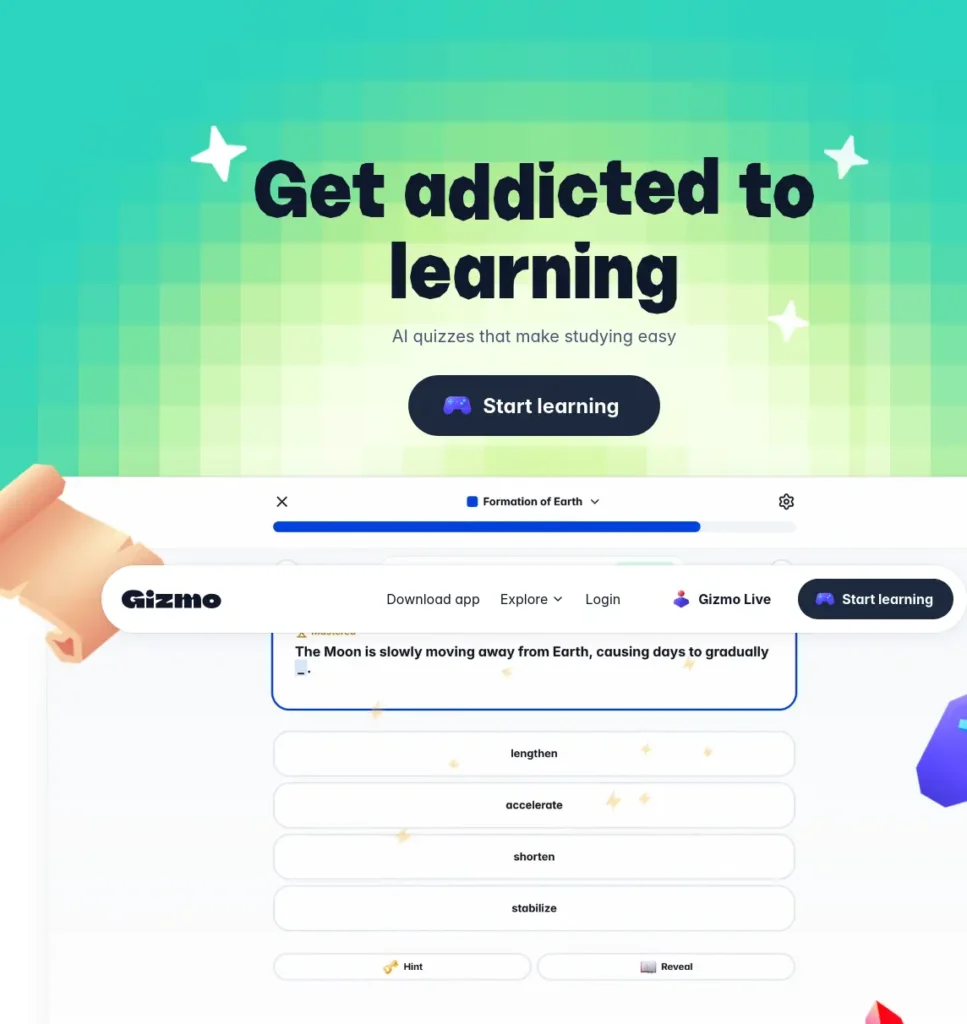
The problem it solves: “I have study material but no flashcards, and I don’t want to build 200 of them by hand.”
Official website: gizmo.ai
What it does: Gizmo converts PDFs, YouTube videos, lecture notes, audio recordings, and PowerPoint slides into flashcards and quizzes through its “Magic Import” feature. It layers spaced repetition on top and includes an AI tutor for step-by-step explanations. You can also import existing decks from Quizlet and Anki.
Why it stands out: Most flashcard tools ask you to build cards manually or start from someone else’s public deck. Gizmo’s Magic Import is built specifically to skip that step — it processes a full PDF and turns it into a ready deck in minutes, which is a meaningfully different workflow than typing cards one at a time.
Key features:
- Magic Import from PDFs, notes, YouTube links, and recorded lectures
- Spaced-repetition scheduling on AI-generated flashcards and quizzes
- AI tutor for step-by-step concept explanations
- Deck import from Quizlet and Anki, plus browsing public decks

Choose this if: you have a backlog of PDFs or recorded lectures and need flashcards immediately, without manually creating a single card.
Free plan: Independent reviews from March 2026 report a daily “lives” system (around 15 per day) and a capped number of AI-generated quizzes per day (around 10). Third-party reported, not independently confirmed on Gizmo’s own pricing page as of this verification — check current limits in-app before relying on them for exam week.
Pricing: Third-party reported: roughly $2.99–$9/month depending on billing term, per reviews from March–April 2026, with a student discount reported to roughly halve the price. Gizmo doesn’t publish INR pricing directly — app-store billing will convert at the exchange rate at time of purchase.
Pros: fastest in this list at turning raw material into a usable flashcard set; works from video and audio, not just text; spaced repetition is built in rather than bolted on.
Cons: the free tier’s “lives” system can end a study session mid-mistake; AI-generated cards sometimes need manual editing for technical depth; no official INR pricing page.
Example: You have a 90-page chemistry PDF and an exam in five days. Instead of asking a general chatbot to “summarize everything,” import the material into Gizmo, let it generate flashcards around the high-value concepts, test yourself daily, and log the ones you keep missing.
Don’t waste hours turning long PDFs into messy notes—learn how to use AI to transform your study materials into clear, exam-ready notes in minutes.
RemNote: which AI study tool is better for long-term revision?
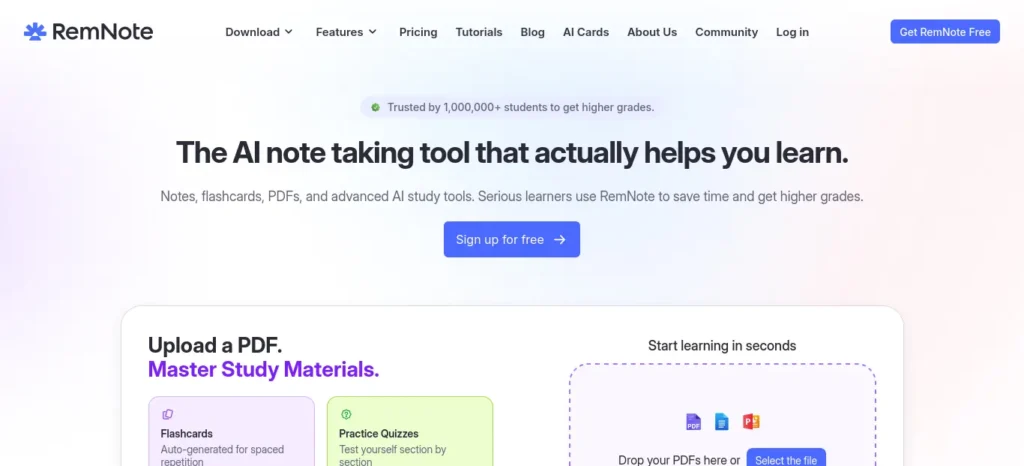
The problem it solves: “I studied this two weeks ago and I’ve already forgotten most of it.”
Official website: remnote.com
What it does: RemNote combines outlined note-taking with automatic flashcard creation — any note line can become a flashcard — reviewed on a spaced-repetition schedule. Its AI Tutor explains difficult concepts, grades answers, and generates quizzes from your own notes.
Why it stands out: Most students keep notes in one app and flashcards in another, then manually copy content between them. RemNote’s notes and flashcards live in the same outline, so the review system is built from material you’re already writing, not a separate task you do afterward.
Key features:
- Notes that double as flashcards, linked to related concepts
- Spaced-repetition scheduling for long-term retention
- AI Tutor for explanations, grading, and quiz generation
- PDF annotation and image occlusion (capped on the free plan)

Choose this if: you want one connected system for notes and flashcards across a whole semester, rather than switching between a notes app and a flashcard app.
Free plan: Officially confirmed on RemNote’s pricing page (checked April 2026): unlimited notes and flashcards. The free tier is capped at roughly 3 annotated PDFs, 5 image-occlusion cards, and 3 handwritten notes per month, plus a monthly AI-credit allowance — confirm current limits before an intensive revision week.
Pricing: Officially confirmed: Pro runs about $8/month billed annually (around $10/month billed monthly) and adds unlimited PDF annotation and larger file uploads; Pro+AI runs about $18/month and adds AI grading, chat, and image-to-text with a monthly AI-credit allowance. RemNote offers a 25% education discount for students, faculty, and staff with a verified academic email — confirm at checkout, since discount terms can change.
Pros: genuinely generous free plan for notes and flashcards; notes and flashcards live in the same place; the education discount is real and easy to claim.
Cons: the PDF-annotation and image-occlusion caps are tight for reading-heavy courses like medicine or law; the outline-based structure has a steeper learning curve than a plain flashcard app; free-tier AI credits run out quickly with daily tutor use.
Example: You watched three hours of recorded lectures but remember very little. Instead of rewatching them, turn the lecture notes into RemNote flashcards, try answering them without reopening the recording, and only rewatch the specific segment behind a card you keep missing.
AI can explain anything, but explanation alone won’t make you remember it—here’s how to turn AI into a tool for stronger memory and better recall.
Recall: what AI tool organizes scattered PDFs, videos, and articles?
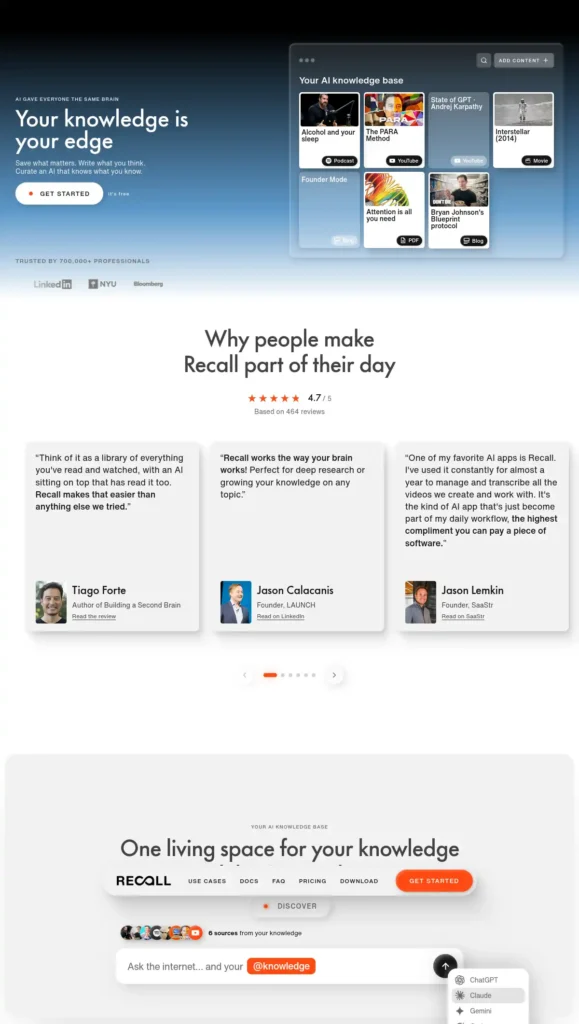
The problem it solves: “My learning material is everywhere — YouTube, PDFs, articles — and none of it talks to each other.”
Official website: recall.it (also listed as getrecall.ai)
What it does: Recall saves articles, YouTube videos, podcasts, and PDFs, then automatically summarizes them and connects related content into a searchable knowledge base you can chat with. It includes spaced repetition for saved material and lets you choose which underlying AI model answers your questions.
Why it stands out: Recall is not a flashcard app first — it’s a knowledge base first, with flashcards and quizzes layered on top. That makes it a better fit for students whose study material is genuinely mixed-format (video lectures plus PDFs plus articles) rather than mostly text notes.
Key features:
- Automatic summarization across articles, YouTube videos, podcasts, and PDFs
- A knowledge graph connecting related saved content
- Spaced-repetition review of saved material
- Cross-library chat with a choice of underlying AI model
Choose this if: your study material spans video lectures, PDFs, and articles, and you want it consolidated into one place instead of summarized separately every time.
Free plan: Officially confirmed via Recall’s FAQ: free forever, no credit card required, with unlimited saved content (articles, videos, podcasts, PDFs) and unlimited notes. Recall’s own pricing page notes a cap on AI summaries per month on the free plan — heavy summarizer use will hit that limit faster than the “unlimited saving” claim suggests.
Pricing: Third-party reported, mid-2026 reviews: Plus starts at roughly $10/month billed annually; Max sits at roughly $38/month for frontier-model access across the library. Officially confirmed via Recall’s FAQ: a 20% student discount is available by emailing support from a verified student email address — this is a manual request, not an automatic checkout discount.
Pros: the free plan is genuinely usable long-term for saving and organizing; it covers more content types (video, podcast, article) than most competitors; model choice on paid tiers is unusual for a study tool.
Cons: the AI-summary cap on the free plan means daily heavy use needs an upgrade; the student discount requires manually emailing support; easy to confuse with the unrelated Recall.ai meeting-transcription tool when searching.
Better suited than Google’s Gemini Notebook when: you want an open-ended, continuously growing knowledge base rather than a fixed set of sources defined upfront for one project — Recall’s own comparison notes that Gemini Notebook (formerly NotebookLM, renamed by Google on July 16, 2026) works best for a bounded research project with sources set in advance.
Knowt: what is the best free AI flashcard and practice-test tool?
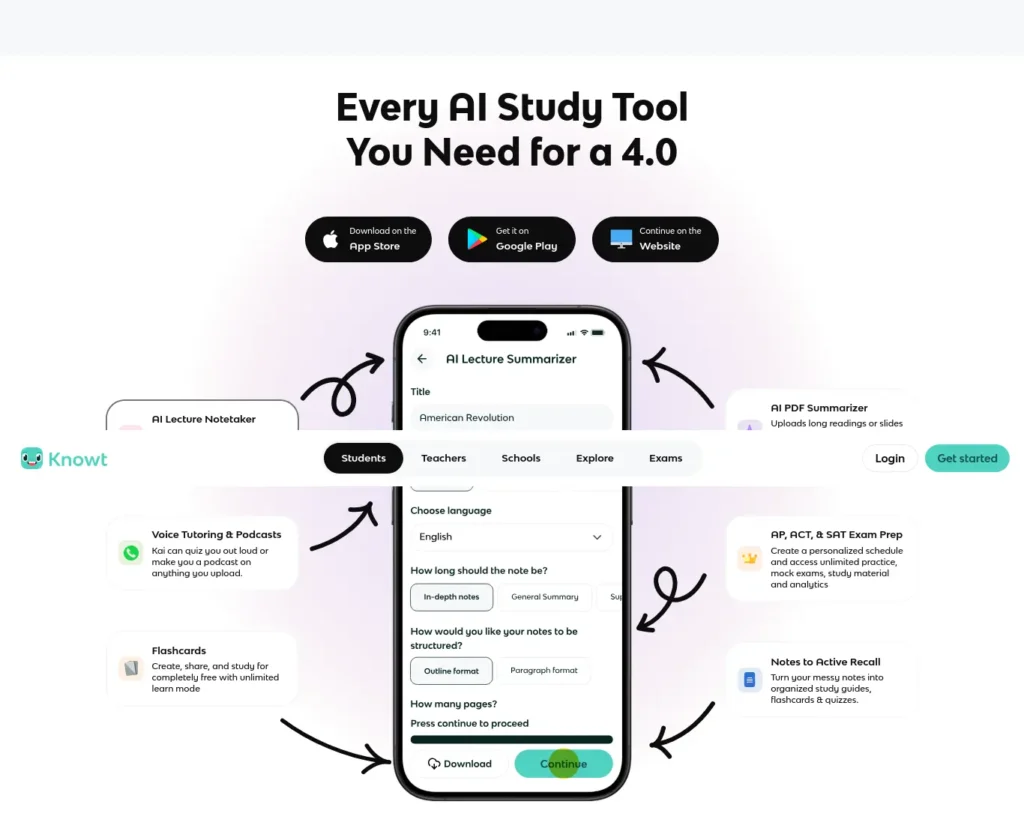
The problem it solves: “I want practice tests and flashcards without paying for anything upfront.”
Official website: knowt.com
What it does: Knowt turns notes, PDFs, lecture videos, and slides into flashcards, summaries, and practice tests, with an AI study chat (Kai) for questions about your material. Its free “Basic” plan covers unlimited flashcard creation and the core study modes.
Why it stands out: Knowt gained most of its traction through student word-of-mouth after Quizlet moved features behind a paywall — it built its free tier specifically to be more generous than Quizlet’s, not just cheaper.
Key features:
- Unlimited AI-generated flashcards from notes, PDFs, and text on the free plan
- Practice-test generator with auto-graded assessments
- Kai, an AI study chat for questions about your own notes
- Quizlet-set import for switching platforms without rebuilding decks
Choose this if: you want to confirm a genuinely free tool covers flashcards and practice tests before considering anything paid.
Free plan: Officially confirmed on Knowt’s plans page: unlimited flashcard creation, free study modes (Learn, matching, practice tests), and AI features with a monthly usage cap. No credit card required.
Pricing: Third-party reported, inconsistent across sources: figures for the paid “Ultra” or “Premium” tier range from roughly $8–$25/month depending on the source and billing term, and some of that spread likely reflects mid-2026 pricing changes. Because the numbers don’t agree closely enough to state with confidence, check Knowt’s official pricing page directly before comparing costs to other tools.
Pros: one of the more generous free flashcard tiers currently available; practice-test generation goes beyond simple flashcards; straightforward Quizlet migration.
Cons: paid-tier pricing is inconsistently reported — verify directly before comparing; a dedicated mobile app was not consistently confirmed across 2026 reviews, so check current availability; its “spaced repetition” is described by at least one competing reviewer as lacking true per-card interval scheduling, which matters less for cramming and more for long-term retention.
Jeeify: which AI tool is specifically designed for JEE preparation?
The problem it solves: “I don’t know which JEE topics deserve my next hour of study.”
Official website: jeeify.com
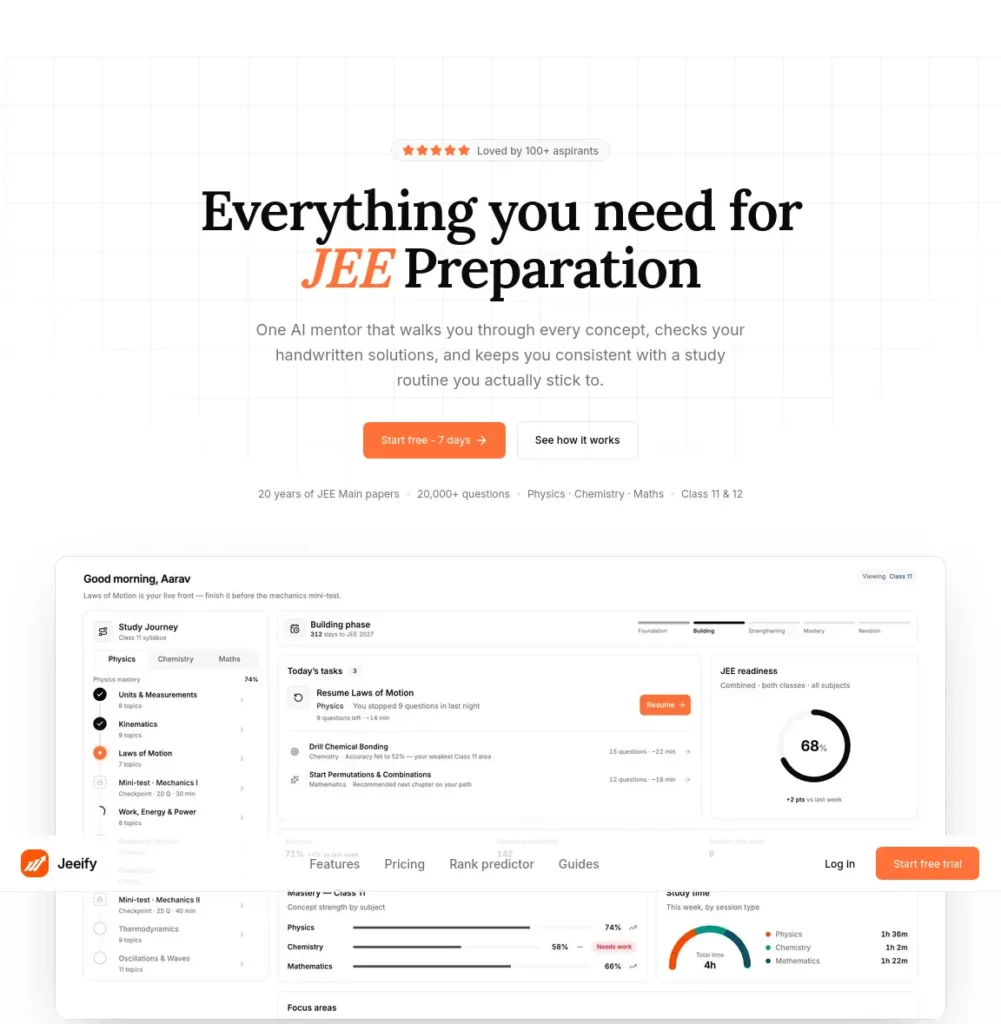
What it does: Jeeify runs adaptive practice sessions from a stated bank of 20,000+ real JEE Main past-paper questions, reordering what you practice next based on low mastery, high exam yield, and revision timing. It includes an AI tutor across Physics, Chemistry, and Mathematics, chapter-level mastery tracking, and analytics estimating JEE Main score, percentile, and rank.
Why it stands out: Global AI-tool lists rarely include exam-specific practice engines, since they’re written for a general audience. Jeeify’s analytics are built entirely around JEE Main weightage and past-paper frequency, which a general-purpose AI chatbot has no equivalent for.
Key features:
- Adaptive practice reordered by mastery, exam yield, and revision timing
- AI tutor giving hints before full step-by-step solutions
- Chapter-level mastery mapped to exam weightage, viewable by Class 11, Class 12, or both
- Score, percentile, and rank predictions based on practice readiness
Choose this if: you’re preparing specifically for JEE Main or Advanced and want a study plan ranked by marks-per-hour rather than syllabus order.
Free plan: Officially confirmed on Jeeify’s pricing page: there is no permanent free tier listed — only a limited-time launch discount for early students. Confirm current trial availability directly, since promotional terms are time-boxed by definition.
Pricing: Officially confirmed on Jeeify’s pricing page (verified September 2026): a monthly “Scholar” plan discounted to ₹399/month (stated reference price ₹799/month) including 500 practice questions and 50 AI tutor sessions per month; a one-time “Ranker 2027” plan discounted to ₹2,999 (reference price ₹5,999) for unlimited access through JEE 2027; a one-time “Ranker 2028” plan discounted to ₹4,999 (reference price ₹9,999) for access through JEE 2028. These are promotional prices at time of verification — confirm current figures before paying.
Pros: genuine JEE-specific analytics (yield-per-topic, rank prediction); hint-first tutoring pushes an attempt before revealing the solution; one-time payment options avoid an ongoing subscription for a fixed exam cycle.
Cons: no confirmed permanent free plan; the question bank is JEE Main-focused, so JEE Advanced-level depth should be verified for your specific needs; a newer, smaller product than established coaching platforms, with a shorter track record.
A 7-day JEE AI revision workflow using Jeeify
- Day 1 — Diagnostic. Run an initial adaptive session to establish a baseline across subjects.
- Day 2 — Identify weak chapters. Check the mastery dashboard for the lowest-scoring, highest-yield topics.
- Day 3 — AI explanation. Use the AI tutor for hint-first explanations on the weakest concepts, plus a general AI tool for a second explanation if the first doesn’t click.
- Day 4 — Previous-year questions. Practice official JEE Main PYQs on those specific chapters, not just app-generated questions.
- Day 5 — Flashcards and formulas. Convert the same weak chapters into flashcards (Gizmo or RemNote) for quick recall.
- Day 6 — Timed practice. Run a timed adaptive session simulating exam conditions.
- Day 7 — Error-log revision. Review every mistake from the week and re-attempt only those questions.
Worth remembering: AI-generated questions should supplement — not replace — actual JEE Main and Advanced previous-year questions. Practice-engine questions are useful for volume and adaptive difficulty; PYQs are the closest available proxy for real exam style.
Struggling to remember what you studied? After improving your focus, the next step is turning your notes into interactive quizzes. Learn how to create practice tests from notes using AI to revise smarter, test yourself faster, and boost exam confidence.
Elicit: what AI tool helps with university research instead of exam cramming?
The problem it solves: “I need academic evidence for my assignment, not another confident-sounding chatbot paragraph.”
Official website: elicit.com
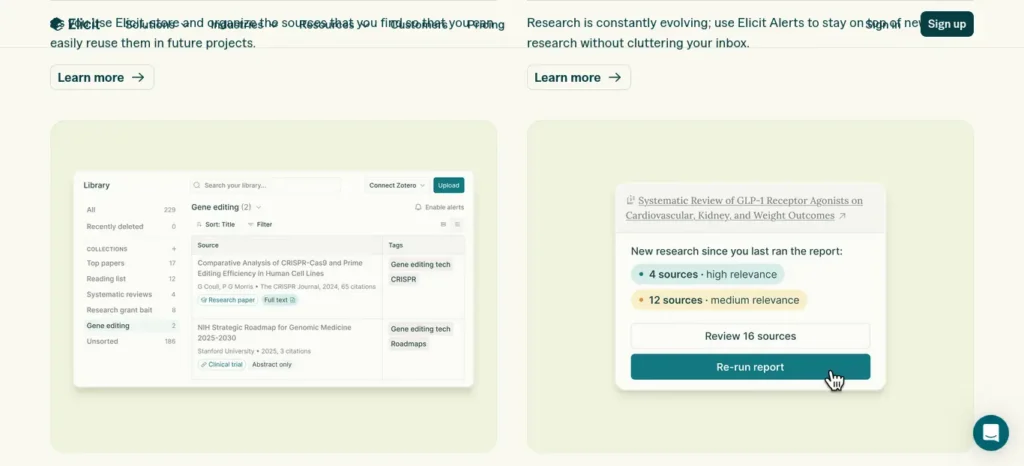
What it does: Elicit searches across a stated 130+ million academic papers, extracts structured data into comparison tables, and can generate automated research reports summarizing findings across multiple studies. It’s built for evidence-gathering, not general Q&A or competitive-exam practice.
Why it stands out: Elicit stays grounded in actual peer-reviewed papers rather than general web content, which matters specifically when an assignment requires citing sources — a general chatbot will happily write a confident paragraph without pointing to a verifiable paper behind it.
Key features:
- Search across a large academic paper database with AI-generated summaries
- Structured data extraction into comparison tables across multiple papers
- Automated research reports synthesizing findings across studies
- Paper chat with full-text access on paid tiers
Choose this if: you’re working on a final-year project, dissertation chapter, or any assignment that requires citing peer-reviewed sources rather than general knowledge — not if you’re studying for JEE, NEET, or board exams.
Free plan: Officially confirmed: a free “Basic” tier with search across the full paper database and a limited number of automated research reports per month. Third-party reported, inconsistent across sources: the exact report cap (some sources report as low as 2/month) and free-plan credit structure vary meaningfully by source, and Elicit itself changed plan names and pricing during 2026 — check elicit.com/pricing directly rather than relying on any single figure here.
Pricing: Third-party reported: entry-level paid plans in the roughly $10–12/month range for individual or student use, with higher professional tiers priced well above that for systematic-review workflows. Given the inconsistency across sources, confirm the exact current tier and price on Elicit’s own pricing page before committing.
Pros: a genuinely useful free tier for occasional research tasks; answers stay grounded in real papers, which matters for academic citation; far faster than manual literature searching for a first pass.
Cons: not built for competitive-exam or board-exam prep; limited to academic and peer-reviewed literature, with no news or general web search; reported accuracy varies by use case, and even source-grounded tools need human verification of key findings before citing them in serious academic work.
What about ChatGPT, Gemini, and Perplexity?
These general-purpose tools are genuinely useful for exam prep — just for a different job than the six above. ChatGPT and Gemini are strong for open-ended concept explanation and answering “explain this from zero.” Perplexity is strong for quick, citation-linked answers to factual questions. Google’s own research tool, previously called NotebookLM, was renamed Gemini Notebook on July 16, 2026, and remains useful for chatting with a fixed, self-defined set of sources — lecture PDFs, a syllabus, a set of readings — with citations for each answer.
None of these three schedule your revision, track what you’re forgetting, or run adaptive practice against exam-style questions. That’s the gap the six tools above are built to fill. Using five different chatbots for the same task usually means more app-switching, not more learning — pick one general-purpose AI for explanations, and pair it with a specialist tool for practice and retention.
Most beginners know ChatGPT and Gemini, but very few take advantage of these free AI tools that can dramatically boost productivity. Don’t miss them.
What are the best AI tools for exam preparation other than ChatGPT?
If you are looking for AI tools for exam preparation other than ChatGPT, the best option depends on what you need help with. Knowt and Gizmo are useful for turning study material into flashcards and practice questions, RemNote focuses on spaced repetition and long-term recall, Recall helps organize mixed-format learning material, and Jeeify is more specialized for JEE practice.
The advantage of using a specialist study tool is that it can handle a specific part of exam preparation — such as recall, practice, or progress tracking — instead of treating every study problem as a chat conversation.
Choose your AI study tool in 60 seconds
- Have study material in PDFs or lecture videos? → Gizmo or Recall
- Want flashcards and practice tests for free? → Knowt
- Want long-term spaced repetition, not just cramming? → RemNote
- Preparing specifically for JEE? → Jeeify, paired with official PYQs
- Writing a research-heavy university assignment? → Elicit
- Just need a concept explained differently? → One general-purpose AI assistant
Don’t install everything. Pick the tool that fixes your biggest bottleneck first, and only add a second once you’ve hit a real limit — not before.
Three simple AI exam-prep setups
Rather than one “recommended stack,” here are three combinations matched to different situations. None is labeled “best” — match the setup to your actual constraint.
- ₹0 setup: Knowt or RemNote (free plan) + one general-purpose AI assistant + official previous-year questions.
- Heavy-notes setup: Recall or Gizmo for consolidating PDFs and lectures + RemNote for spaced-repetition review + official practice material.
- JEE setup: Jeeify for adaptive practice + a flashcard tool (Gizmo or RemNote) for formula recall + official JEE Main/Advanced PYQs.
How to use AI for exam preparation effectively
The most effective AI exam-preparation workflow is not to ask an AI tool for complete answers and read them passively. Instead, use AI at different stages of the study cycle: understand, practice, recall, review, and repeat.
For example, you can use a general AI assistant to explain a difficult concept, a tool such as Knowt or Gizmo to create practice material, RemNote for spaced-repetition review, and an exam-specific platform such as Jeeify for JEE practice. After each session, review your mistakes and use them to decide what to study next.
This approach keeps the student in control while using AI to reduce repetitive work and make revision more targeted.
Best AI tools for JEE preparation
Jeeify is the clearest fit here for adaptive, past-paper-based practice with mastery tracking. Pair it with RemNote or Gizmo for turning coaching-material notes into flashcards, and a general AI tool for explaining a concept a different way when the first explanation doesn’t land. Since Jeeify’s question bank is described as JEE Main-focused, JEE Advanced aspirants should verify Advanced-level coverage directly before relying on it exclusively.
What about AI tools for NEET and UPSC preparation?

None of the six tools verified for this article are NEET- or UPSC-specific in the way Jeeify is for JEE — and this article won’t pretend otherwise just to fill a keyword. Why this matters: exam-specific tools need to be judged against the actual syllabus, question style, previous-year papers, and current exam pattern, not general usefulness. A generic AI tool can be excellent at explaining a topic while still being unsuitable as a primary source of exam-specific practice.
For NEET and UPSC prep right now, the more reliable combination is a general note-to-flashcard tool (RemNote, Knowt, or Gizmo) for building and reviewing subject material, paired with official or coaching-provided previous-year question banks for exam-specific practice. If a verified NEET- or UPSC-specific adaptive tool becomes available, it should be evaluated against the same criteria used in this article — official pricing, dated verification, and a stated limitation — before being trusted with real study time.
Don’t waste hours jumping between AI tools that barely help—discover these powerful AI tools for students in India that can make studying, assignments, and exam prep much easier.
Which AI tools are useful for different Indian exams?
The right AI study tool depends on the exam you are preparing for and the type of work involved.
- JEE Main/Advanced: Use JEE-focused practice such as Jeeify alongside official PYQs, plus a flashcard or spaced-repetition tool for formulas and concepts.
- NEET: Use general AI tools for explanations and revision, but rely on NCERT and authentic NEET previous-year questions for core preparation.
- UPSC: AI can help organize notes, explain concepts, and create revision questions, while official UPSC material and previous-year papers should remain the foundation.
- CBSE and school exams: Note-to-flashcard and practice-test tools such as Knowt, Gizmo, or RemNote can help convert chapters into active-recall material.
- University exams: RemNote, Recall, and Elicit can be useful depending on whether the priority is long-term revision, mixed-format study material, or academic research.
What should Indian students check before choosing an AI study tool?
A tool built for a US or UK student doesn’t automatically fit Indian exam preparation. This is the checklist that separates a genuinely useful AI tool for exam preparation for Indian students from a global product with “India” added to its marketing copy. Before relying on any AI study tool, check:
- Syllabus alignment — does it map to JEE, NEET, UPSC, CBSE, or your specific board, or is it generically “exam prep”?
- NCERT compatibility — can it work directly with NCERT PDFs, which most Indian students study from?
- Previous-year-question availability — does it use real PYQs, or only AI-generated approximations?
- Language support — English is usually solid; Hindi and regional-language support (Tamil, Telugu, and others) varies significantly and should be verified directly, not assumed.
- Mobile usability and Android availability — a large share of Indian students study primarily on Android phones on mobile data.
- Data and privacy when uploading notes — see the section below.
- PDF size limitations — some free tiers cap file size well below a full scanned textbook chapter.
- Indian payment methods — check whether UPI or Indian cards are accepted, or whether you need an international card.
- INR pricing vs. USD conversion — few of these tools publish official INR pricing; most convert at checkout, which can shift with the exchange rate.
- Student discount requirements — most require a verified academic email address, not just a claim of student status.
- Class 11 + 12 combined coverage — relevant for JEE/NEET aspirants tracking a two-year syllabus.
If you’re a college student in India, don’t waste hours jumping between random AI tools—start with these free AI tools that can actually save you time on studying, assignments, research, and everyday college work.
A Verification Checklist for Indian Exam Preparation
Before relying on an AI study tool for an Indian examination, check whether its output fits the actual exam rather than assuming that a general study feature is automatically exam-ready.Stop wasting time on repetitive tasks—discover the best AI tools for everyday tasks that can help you work smarter, simplify daily routines, and get more done with less effort.
Confirm the syllabus: Compare the topics covered by the tool with the current official syllabus for your examination.
- Check the question style: Compare sample questions with authentic previous-year papers to see whether the format and difficulty are relevant.
- Verify answers: Check important facts, formulas, answer keys, and explanations against your prescribed textbooks or reliable official material.
- Check the level of detail: A short explanation may be useful for understanding a concept but insufficient for a written answer that requires steps, reasoning, or specific terminology.
- Review language support: Test the actual language you plan to study in. Do not assume that every feature works equally well across English, Hindi, Tamil, Telugu, or other languages.
- Check access and cost: Confirm the current free-plan limits, device compatibility, and subscription terms before building your routine around a tool.
- Protect personal information: Avoid uploading passwords, identity documents, private student records, or confidential institutional material. Review the tool’s privacy terms before uploading notes.
For JEE Main, use the official NTA information bulletin and relevant official examination resources to verify exam-specific details. For NEET UG, check the current NTA syllabus and official notices. For UPSC, use the official syllabus and previous-year question papers as reference points.Tired of spending hours designing slides? Discover the best AI tools to create polished presentations in minutes—and turn your ideas into impressive slides with far less effort.
A general-purpose AI tool can help explain or organise material, but it should not be treated as the authority on examination dates, eligibility, syllabus changes, or official instructions.
official sources
- JEE Main — NTA official information bulletin
- NEET UG — NTA official website and notices
- UPSC — Official previous-year question papers
What happens to your notes when you upload them to an AI tool?
Before uploading a PDF, lecture recording, or personal notes to any AI study tool, check a few things: whether uploaded files are retained after you delete them, whether your data may be used to improve the company’s AI models, whether you can fully delete your account and data, and what the tool’s privacy policy actually says (not just what the marketing page implies).
One clear line worth following: don’t upload exam papers, personal documents, unpublished research, or confidential institutional material simply because a tool accepts PDF uploads. Convenience isn’t the same as appropriateness — some material shouldn’t leave your device regardless of how useful the AI feature looks.
Where can AI study tools go wrong?
AI-generated study material isn’t uniformly reliable — the risk depends on the task:
- Simple definitions: lower risk, but a quick check against your textbook costs nothing.
- Flashcard generation: medium risk — review AI-generated cards before trusting them under exam pressure, especially for anything numerical.
- Numerical solutions: medium-to-high risk — check the calculation yourself, particularly for JEE/NEET-style problems.
- Medical or scientific facts: medium-to-high risk — verify against a textbook or authoritative source, not the AI’s explanation alone.
- Current information: high risk for any tool without live, cited sources — check an authoritative source directly.
- Exam answers written for submission: high risk — compare against official material before submitting anything AI-assisted as your own work.
- Research claims for assignments: high risk — read the original paper, don’t cite the AI summary as if it were the source.
These are qualitative risk levels based on how these tools function, not measured error rates — treat them as a caution guide, not a statistic.
Five things AI shouldn’t do for your exam preparation
- Solve every problem before you’ve attempted it yourself.
- Write your assignments without your actual involvement.
- Replace your textbook or official syllabus.
- Generate flashcards that you never review critically before trusting them.
- Become your only source for factual or numerical information.
The goal isn’t to make studying effortless. It’s to make your effort more focused.
Before paying for any AI study tool
Ask these five questions before upgrading:
- Does the free version actually solve my problem, or am I assuming a paid tier will?
- Am I hitting the limit because I genuinely need more, or because I’m still experimenting?
- Does it work with the material I actually study from — PDFs, lecture recordings, handwritten notes?
- Does it improve recall and practice, or does it just make summaries faster?
- Can I cancel or downgrade easily if I stop using it regularly?
The 60-minute AI-powered exam revision workflow

- 0–10 min — Identify weak topics. Check mastery tracking (Jeeify) or flagged flashcards (RemNote, Gizmo) to find where you’re actually weak, not where you feel weak.
- 10–20 min — AI explanation. Ask a general AI tool or your study tool’s built-in tutor to explain the weak concept differently than your notes do.
- 20–35 min — Practice questions. Run adaptive practice (Jeeify) or a generated practice test (Knowt) on that specific topic.
- 35–45 min — Active recall. Go through flashcards on the topic without looking at your notes first.
- 45–55 min — Mistake analysis. Review what you got wrong and why — a mistake from rushing is a different problem than a mistake from a real gap.
- 55–60 min — Tomorrow’s list. Note the two or three things to revisit tomorrow before moving on.
Most students focus on studying harder but never measure whether they’re actually improving. If that sounds familiar, learning how to review your progress can help you spot weak areas earlier, stay motivated, and study more efficiently
How to Measure Whether an AI Study Tool Is Actually Helping
A study tool is useful only when it helps you learn, practise, or revise more effectively. A large set of AI-generated notes or flashcards does not, by itself, prove that you understand the material.Free doesn’t always mean useful—and some “free” AI tools come with frustrating limits. See which AI tools for students are actually worth trying before you spend time signing up for the wrong ones.
Use a simple review log to check whether your study sessions are improving.
| What to track | How to measure it | What it can tell you |
| Recall accuracy | Record correct answers out of the questions attempted | Whether you can retrieve the information without notes |
| Repeated mistakes | List concepts missed in more than one session | Which topics need additional review |
| Practice accuracy | Compare correct answers across comparable practice sets | Whether performance is improving on similar questions |
| Time spent | Record the time required for a defined revision task | Whether the workflow is becoming more efficient |
| Source corrections | Record factual errors or misleading AI-generated material | Whether the tool needs closer checking or a different workflow |
For a simple starting point, choose one topic and record your results before using a new AI-assisted workflow. Repeat a comparable practice task after revising the topic, using questions of similar difficulty and checking the answers against the same reliable source.
Do not treat results from one short session as proof of long-term improvement. Question difficulty, prior knowledge, guessing, and repeated exposure can all affect performance. Review the pattern across multiple sessions before deciding whether the tool is worth keeping in your study routine.Most beginners waste more time choosing AI tools than actually using them—see which free AI tools for beginners are worth trying first, without needing any technical skills.
A practical decision rule: Keep using a tool when it helps you identify mistakes, retrieve information more accurately, or complete a clearly defined study task with less wasted effort. Change your workflow when it produces more material but does not help you answer questions independently.
The S.T.U.D.Y. Stack: a simple framework for using AI in exam prep

- S — Source: Put your syllabus, notes, and PDFs into the tool you’re using.
- T — Teach: Ask AI to explain the difficult concept plainly, using your own material as context.
- U — Understand: Keep asking follow-up questions until you could explain the concept yourself, without AI’s help.
- D — Drill: Generate flashcards, quizzes, or practice questions from the material.
- Y — Yield: Review mistakes and redirect the next session toward the weakest topics.
More Questions About AI Tools for Exam Preparation
How can I check whether an AI-generated exam answer is correct?
Compare the answer with your prescribed textbook, official syllabus, a reliable answer key, or another authoritative source. For calculations, verify the steps as well as the final answer. Do not memorise an answer merely because it sounds confident.
Are AI-generated questions enough for competitive exam preparation?
No. AI-generated questions can provide additional practice, but they should not replace authentic previous-year papers or official exam guidance. Use official papers to understand the actual examination format and use generated questions as supplementary practice.
How many AI study tools should a student use?
Start with one tool that solves a specific problem, such as creating flashcards, organising notes, or practising questions. Add another only when it fills a genuine gap. Using more tools does not automatically improve learning.
Can AI help with last-minute exam revision?
Yes. It can help organise topics, explain difficult concepts, and generate recall questions. With limited time, prioritise the syllabus, your weakest topics, and authentic practice material. Do not spend most of the available time experimenting with new tools or reading lengthy AI-generated summaries.
What should I do if an AI tool gives an answer that conflicts with my textbook?
Pause and check the original source, relevant official guidance, and the reasoning behind the answer. If the conflict remains unresolved, do not rely on the AI-generated answer for examination preparation. Record the uncertainty and ask a qualified teacher when necessary.
Can AI tools replace textbooks, coaching, or teachers?
AI tools can supplement explanations, revision, and practice, but they should not be treated as universal replacements for textbooks, teachers, coaching, or official exam resources. Their usefulness depends on the task, the quality of the source material, and how carefully the output is checked.Most students don’t fail because they study less—they fail because they use the wrong AI tools. Discover the hidden AI apps that can instantly boost your focus, memory, and study performance.
Frequently asked questions
What are the best AI tools for exam preparation for Indian students? For most students, a combination works best: RemNote or Knowt for notes-to-flashcards, Recall for consolidating reading and video material, and Jeeify specifically for JEE Main and Advanced practice. Pick based on which study format — notes, video, or past-paper practice — you rely on most.
What is the best free AI tool to make flashcards from PDF notes? Gizmo, RemNote, and Knowt all generate flashcards automatically from uploaded PDFs or notes, although their free-tier limits and supported formats differ. Review AI-generated cards before relying on them for exam revision.
Which AI tool can turn lecture videos into revision notes? Recall and Gizmo can both process video content — Recall through automatic summarization of saved YouTube videos, and Gizmo through its Magic Import feature for recorded lectures.
Which AI tool is useful for JEE Main preparation? Jeeify is built specifically around JEE Main past-paper questions, adaptive difficulty, and chapter-level mastery tracking, which is more targeted than a general AI chatbot for this exam.
Can AI generate practice tests from my study notes? Yes — Knowt and Jeeify both generate practice questions, Knowt from your uploaded notes and Jeeify from its JEE-specific question bank with adaptive difficulty.
Which AI study tool is best for students with a ₹0 budget? RemNote (unlimited notes and flashcards), Recall (unlimited saving with a capped number of AI summaries), and Knowt (unlimited flashcard creation) all have genuinely usable free tiers, though AI-specific features are typically capped until you upgrade.
How can I use active recall with AI before an exam? Generate flashcards or practice questions from your notes using any of the tools above, then answer them without looking at your source material first — that retrieval effort, not the flashcard itself, is what active recall depends on.
Can AI tools help me find my weak chapters? Yes — Jeeify’s mastery-tracking dashboard is built specifically for this, ranking topics by both your current performance and exam weightage. RemNote and Gizmo can show which flashcards you consistently get wrong, which serves a similar purpose at a smaller scale.
Should I use AI-generated questions instead of previous-year papers? No — use them alongside PYQs, not instead of them. AI-generated questions are useful for volume and adaptive difficulty; official previous-year papers remain the closest available proxy for real exam style and difficulty.
Are AI study tools free for Indian students? Several have genuinely usable free tiers — RemNote, Recall, and Knowt among them — though none of the tools reviewed here publish official INR pricing for their paid tiers; expect app-store or website billing to convert at the exchange rate at time of purchase.
Can AI replace coaching or textbooks? No. AI works best as a supplementary layer for explanation, practice generation, and revision scheduling — not as a replacement for structured coaching, textbooks, or official exam guidance.
Are AI-generated practice questions reliable? They’re a useful supplement, but not a guaranteed match for real exam difficulty or style. Cross-check against official previous-year papers, especially for high-stakes competitive exams.
How can AI help students prepare for exams?AI can help students understand difficult concepts, create flashcards and practice questions, identify weak topics, organize revision material, and support active recall. It works best as a study assistant alongside textbooks, official syllabi, and previous-year questions rather than as a replacement for them.
Save this before you forget it
Three things worth screenshotting from this guide, since app pricing changes faster than a workflow does:
- The 60-second decision tree (above) — for choosing a tool without downloading five apps first.
- The 60-minute revision workflow (above) — for turning any of these tools into an actual study session instead of a browsing session.
- The five questions before paying (above) — for deciding whether an upgrade solves a real problem or just feels productive.
Know someone preparing for JEE, NEET, boards, or semester exams? Send them this guide to AI tools for exam preparation for Indian students before they download another five AI apps they’ll open twice.
About the Author
Nandhakumar — Founder & Content Creator at FutureFastAI
Nandhakumar is the founder and content creator behind FutureFastAI, a practical resource focused on AI tools, study workflows, and digital productivity for students and beginners.
He creates easy-to-understand guides that help readers discover useful AI tools, understand their real-world use cases, compare available options, and build more effective workflows for studying and everyday digital tasks.
FutureFastAI follows a practical approach: AI should assist people, not replace their own thinking, learning, or decision-making. Articles are written with a focus on usefulness, clarity, responsible AI use, and information that readers can apply immediately.
Nandhakumar also focuses on keeping tool information, features, pricing, and availability as accurate and current as possible. Because AI products and their plans can change frequently, readers are encouraged to verify important details on the provider’s official website before making purchasing or usage decisions.
Focus areas: AI tools for students · Study productivity · Academic workflows · Beginner-friendly AI guides · Responsible AI use
Editorial Policy
At FutureFastAI, we aim to publish accurate, useful, and easy-to-understand content about AI tools, student productivity, and digital workflows.
Our articles are created and reviewed with a focus on accuracy, originality, clarity, and real user value. We avoid misleading claims, unnecessary hype, and keyword stuffing.
When discussing AI tools, we aim to verify important details such as features, pricing, and availability using reliable or official sources. Because AI products change frequently, some information may become outdated.
We may update articles when significant changes occur. Affiliate relationships, where applicable, are disclosed transparently and do not determine our editorial opinions.
Our goal is simple: help readers make informed decisions and use AI responsibly.