Best AI Website Builder for College Students: 7 Tools Worth Considering
Last verified: October 21, 2026. Plans and prices change, so confirm them on each official page before paying.

The best AI website builder for college students depends on what you need to publish. Framer is the strongest pick for design-led portfolios because enrolled students can apply for a free Basic plan. Hostinger suits students who want hosting and a domain in one paid plan. GitHub Pages is the free route for code portfolios.
Imagine a third-year B.Tech student named Ravi (an illustrative example, not a real person). Placement season starts in three weeks. He has two solid projects, a GitHub profile and a PDF resume, but no single link to send recruiters. He does not need the most famous builder. He needs the one that gets a credible site live this week, costs close to nothing, and does not trap him later.
That is the lens for this guide. Instead of repeating the same big-brand roundup, it compares seven options on what students actually run into: what is really free, what a custom domain costs, what happens at renewal, and whether you can leave later.Stop sending recruiters a plain CV—learn how to create a professional student portfolio website with AI and showcase your skills
Quick Picks: Which Builder Fits Which Student?
These are use-case recommendations based on official pricing and feature pages checked on October 21, 2026. They are not the result of hands-on testing.
Framer: Best Free Option for Design-Led Portfolios
Best for: UI/UX, design and creative students who can upload a school ID.
Strengths:
- Framer’s student program offers a free Basic plan while you study.
- Strong visual layouts and a built-in AI agent.
Watch out:
- Steeper learning curve than a profile-style builder.
- The student plan is limited to personal student sites.
Hostinger AI Website Builder — Best for Students Who Want an All-in-One Website Setup
Hostinger AI Website Builder is worth considering if you want to create a student portfolio, personal website, project showcase, or simple online presence without building every page from scratch. It combines AI-assisted website creation with hosting options, making it a practical choice for students who prefer a guided setup. Before choosing a plan, compare the current price, renewal cost, included features, and publishing limits on Hostinger’s official website.
Best for: Students who want a guided website-building process with hosting.
Consider before buying: Check whether the plan includes the features, storage, domain options, and design flexibility your project needs.If you want AI to do more than just answer questions, discover these AI Tools for People With No Coding Skills
ItIsMe: Best Free, India-First Student Profile
Best for: Beginners who want a simple profile site with a resume PDF.
Strengths:
- A free plan with a contact form and projects section.
- Paid plans start at ₹999 per year.
Watch out:
- Your link is a path on itisme.in, not your own domain.
GitHub Pages: Best Free Choice for Code Portfolios
Best for: CS and engineering students comfortable with Git.
Strengths:
- Free hosting for public repositories on GitHub Free.
- Your projects and your site live side by side.
Watch out:
- It is not an AI builder, and setup takes technical effort.
Dorik: Best if You Want AI Generation Plus Code Export
Best for: Students who want to try a no-code builder and keep the option to leave.
Strengths:
- AI site generation and a free subdomain to start.
- Dorik lists code export for AI-generated sites.
Watch out:
- Custom domains need a paid plan listed from $20.75/month.
If you want to create and host your student portfolio in one place, explore the Hostinger AI Website Builder and compare its current plans before choosing.
Special offer: Eligible customers may receive an extra 20% discount through this link, subject to Hostinger’s current offer terms and checkout eligibility. Check the final price at checkout before purchasing.
coupon code : FUTUREFASTAI10
Disclosure: This article contains affiliate links. FutureFastAI may earn a commission if you purchase through qualifying links, at no additional cost to you. Our recommendations are based on suitability, features, pricing, and limitations; affiliate relationships do not determine which tool is right for every student.
A 60-Second Decision Path
Answer these in order and stop at the first match:
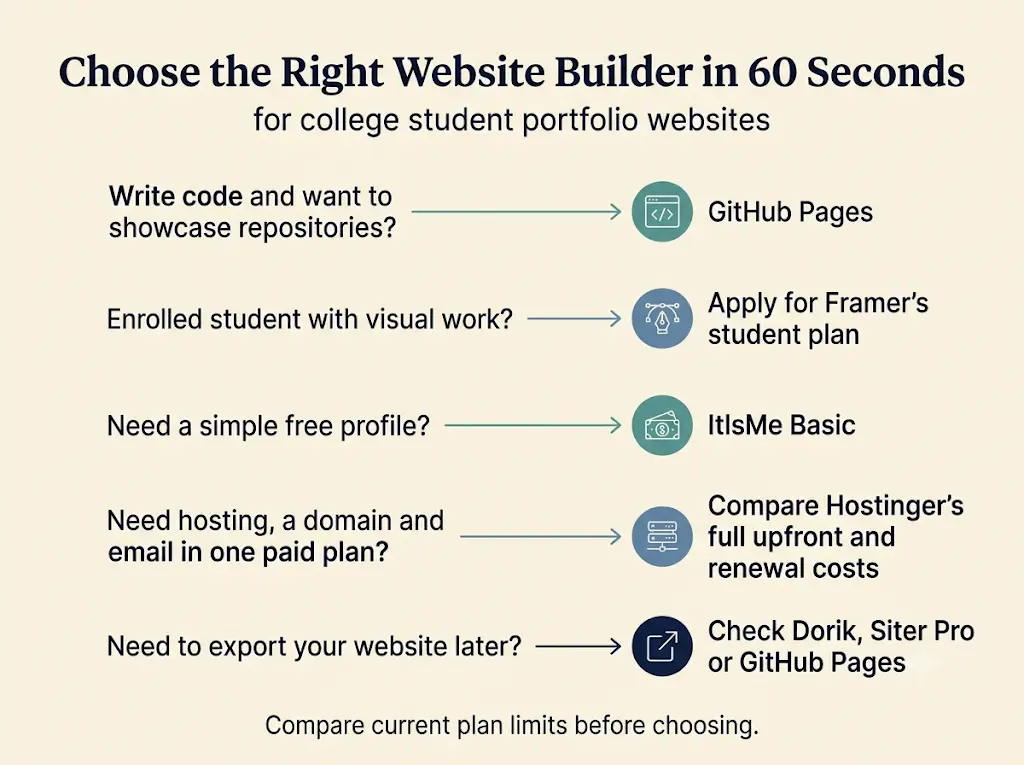
- Do you write code and want recruiters to see your repositories? Use GitHub Pages.
- Are you enrolled, and is your work visual? Apply for the Framer student plan.
- Do you want a simple profile with zero cost and no design effort? Start with ItIsMe’s free plan.
- Do you want your own domain, hosting and email under one bill, and can you pay upfront? Look at Hostinger.
- Do you want to be able to export your site code later? Check Dorik, Siter’s Pro plan or GitHub Pages.
What Is the Best AI Website Builder for College Students?
The best option is the one that matches your portfolio type, your cost over a full degree and your tolerance for setup work. A design student, a computer science student and a first-year fresher need different tools, and the cheapest monthly price is rarely the cheapest total.
What Is an AI Website Builder?
An AI website builder is a platform that generates a site’s layout, text or images from a short description, then lets you edit and publish it, usually without code. Some tools generate the whole site, some add AI inside a visual editor, and some, like GitHub Pages, only host files you create yourself.No AI experience? Start here—these beginner-friendly tools can save you hours of confusion and unnecessary effort.
Four Questions That Narrow the Choice
- What are you showing? Visual work needs layout control. Code needs repositories and demos. A fresher profile needs clean sections and a resume.
- What can you spend? Many students should start with a free option and upgrade only when a real need appears.
- How much setup can you handle? Builders with a visual editor are faster to start. GitHub Pages is free but technical.
- Can you leave later? Check export options before you invest hours in one platform.
Best AI Website Builder for College Students on a Budget
Start free. Framer’s student plan (after school-ID verification), ItIsMe’s Basic plan (₹0) and GitHub Pages (₹0 hosting) all cost nothing to start. If you want your own domain and hosting in one plan, Hostinger Premium is listed at ₹7,152 upfront for 48 months, plus GST. Upgrade only when a free plan’s limits start costing you opportunities.
Best AI Website Builder for College Students Who Code
GitHub Pages is the natural fit because your repositories and your site live in the same place, and the workflow itself shows technical skill. If you would rather skip deployment, Dorik lists AI generation with code export, and Siter’s Pro plan offers HTML download. Neither replaces showing real repositories.
Best AI Website Builder for College Students With a Custom Domain
A custom domain is not free everywhere, so check the first-year offer and the renewal price:
- Hostinger Premium: a free custom domain for the first year, as listed on its official page.
- Framer: the pricing page lists a complimentary domain on yearly billing. Confirm whether it applies to the student plan when you apply.
- Siter Solo: adds a custom domain at about $7 per month, as listed on its pricing page.
- Dorik: custom domains need a paid plan.
- GitHub Pages: supports custom domains, but you register the domain separately.
- ItIsMe: the plans we checked list a path on itisme.in rather than your own domain.
How These Tools Were Compared
Each tool was assessed on the same six points: student fit, how useful the free option really is, total cost over a degree, export and exit options, how current the official documentation is, and stated limitations. Facts come from official pricing and documentation pages checked on October 21, 2026. “Student value” scores are editorial judgments, not hands-on test results.Most people give up on AI because they try everything at once. Learn the best free AI tools for beginners and start with one simple tool that builds real confidence.
The FutureFastAI Exit-Plan Check
Most comparisons rank features and ignore the day you want to leave. Before choosing, ask three things: Can I export my site’s code or content? Does the address belong to me? Can I transfer ownership of the project? The answers differ a lot:
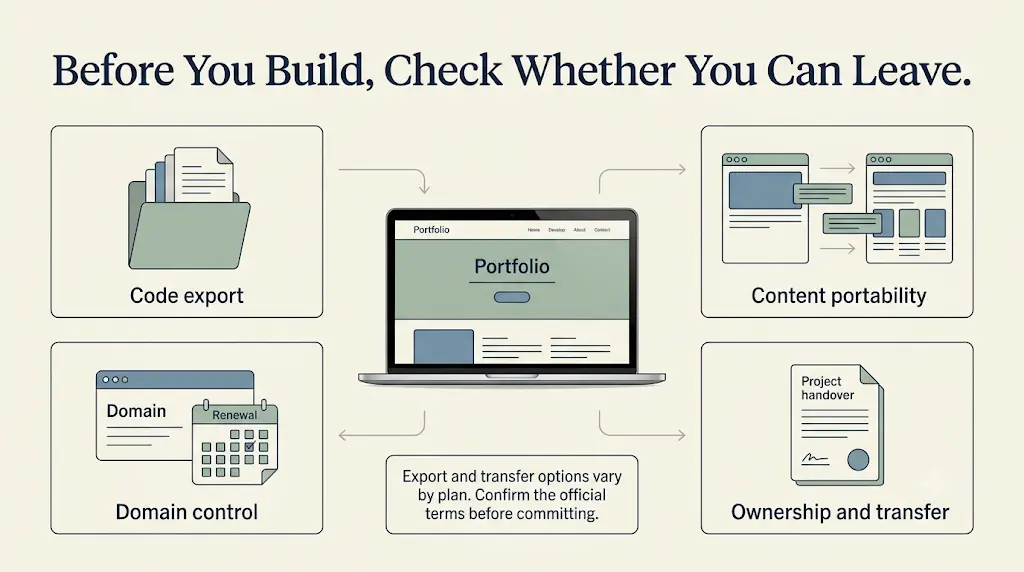
- GitHub Pages: your files live in your own repository, so you keep them.
- Dorik: its homepage lists code export for AI-generated sites.
- Siter: its pricing page lists HTML download only on the Pro plan, and ownership transfer on all plans.
- ItIsMe: your address is a path on itisme.in. The pages we checked did not describe an export option, so ask before relying on it.
- Framer and Hostinger: confirm export terms for your specific plan in the editor or support docs before committing.
What Are the Best Lesser-Known AI Website Builders for Students?
Seven options are worth comparing. Two are not conventional AI builders, and this guide says so: Siter is a hand-designed, no-code tool, and GitHub Pages is a code hosting service. Every card below uses the same checks.
1. Framer
Official site: framer.com | Pricing: framer.com/pricing
Best for: Design portfolios, case studies and creative resumes.
Free plan reality check:
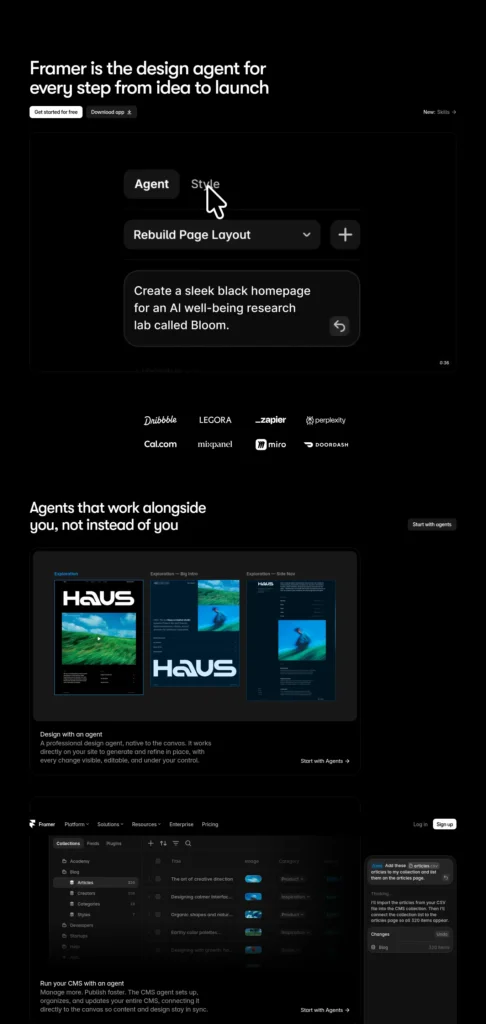
- The Free plan costs $0, includes a free Framer domain, 1 GB bandwidth and 500 AI credits to try.
- A custom domain requires a paid plan.
Cost:
- Basic is listed at $10 per month with yearly billing and includes 1,000 AI credits per month, 30 pages and a custom domain. Yearly billing includes a complimentary domain.
- That is about $120 a year, or roughly ₹11,600 at mid-October 2026 exchange rates, before tax and card fees.
How the Framer Student Plan Works
Framer says enrolled students can get the Basic plan free, with 1,000 AI credits a month, for a personal site, portfolio, class projects or resume. You apply with your school email and a photo of your student ID, review takes around five working days, and you can re-apply every 11 months while studying. The coupon works for new customers only, and sharing or reselling codes is prohibited.
Strengths: Strong visual control, built-in CMS, responsive design, AI agent for layouts and copy.
Watch out: More to learn than a profile builder, and overkill for a text-only resume.
Choose it if: your work is visual and you can apply for the student plan. Skip it if: you only need a quick profile page.
Student value (editorial view): 5/5 for design students, 3/5 for everyone else.
2. Hostinger AI Website Builder
Official site: hostinger.com/in/ai-website-builder
Best for: Students who want one bill for building, hosting and a domain.
Free plan reality check: The official page lists paid plans only, with a 30-day money-back guarantee. Treat it as a paid tool, not a free one.
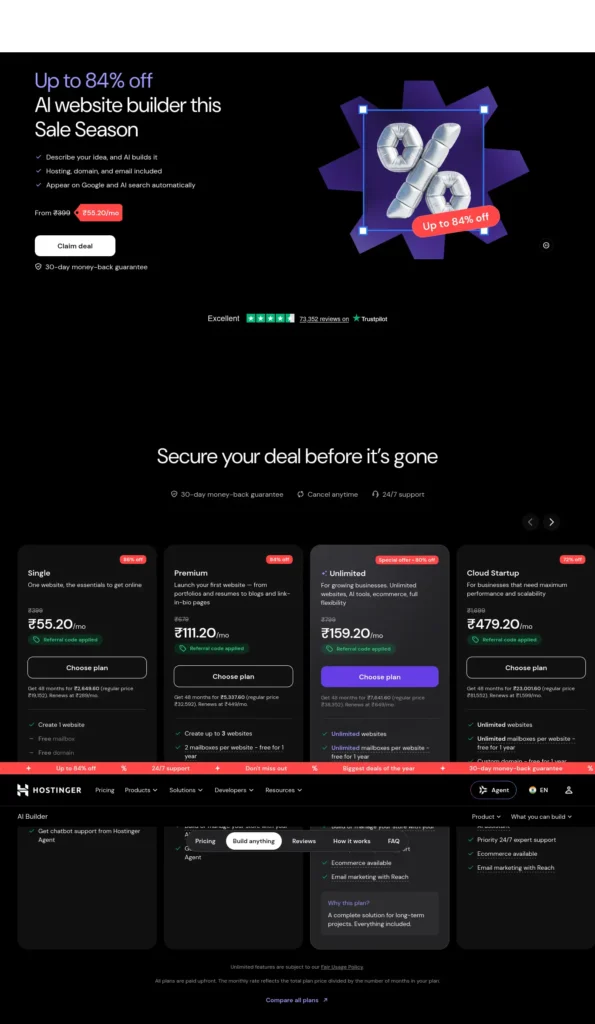
Cost (checked October 21, 2026, prices listed without GST):
- Premium: ₹149/month, charged as ₹7,152 upfront for 48 months. The listed regular price is ₹28,752, and renewal is ₹449/month.
- Includes up to 3 websites, a free custom domain for one year, 2 free mailboxes per site for one year, hosting, 400+ templates and 250 AI credits described as a one-time gift.
Strengths: Everything in one place, a drag-and-drop mode for simple portfolios, and a chat-based “Agentic” mode for more complex sites.
Watch out: The upfront payment is large for a student budget, credits are one-time, and renewal is three times the promotional monthly rate.
Choose it if: you want your own domain and email and can commit for the degree. Skip it if: a free plan would do the job.
Student value (editorial view): 4/5.
3. ItIsMe
Official site: itisme.in
Best for: Freshers and early-career students who want a quick, India-focused profile.
Free plan reality check: Basic costs ₹0 per year and includes 5 projects, 5 blog posts, 2 gallery images, a services page and a contact form. There is no e-commerce on the free plan. Its AI is a chat assistant that answers visitor questions from information you enter, rather than a full site generator.
Cost: Professional is ₹999 per year (50 projects, 100 posts, 200 images). Enterprise is ₹1,999 per year. UPI and bank transfer are accepted for INR payments.
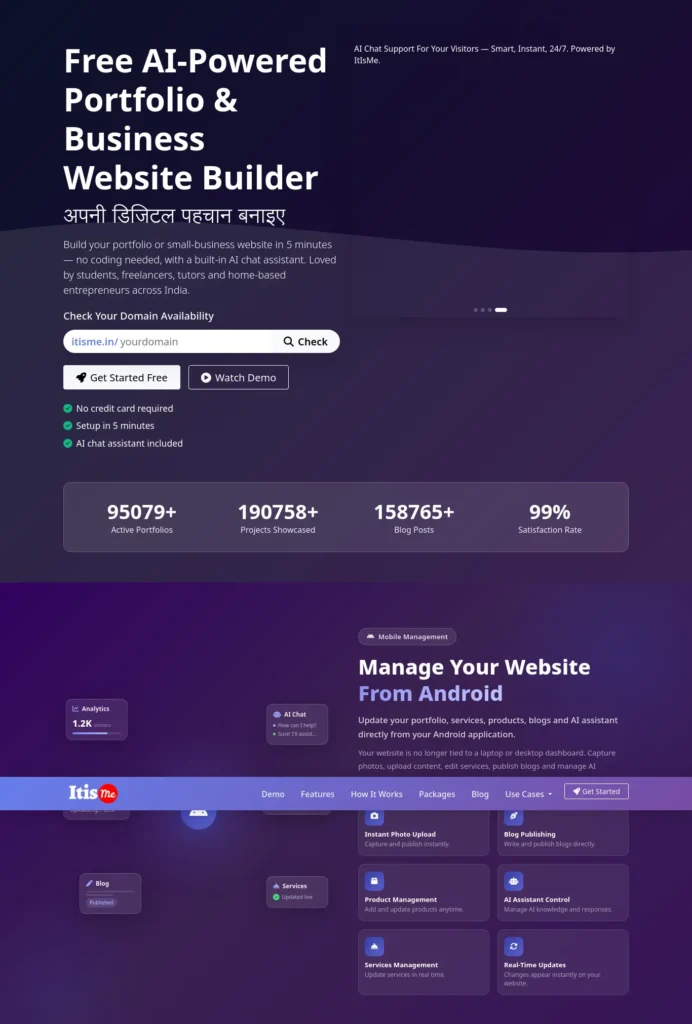
Strengths: Very low cost, a resume PDF generator, Android app management and a simple structure.
Watch out: Your link looks like itisme.in/yourname, so you do not own the address. The free plan’s two gallery images are tight for visual work. Product maturity and long-term support are worth testing before you rely on it for a high-stakes portfolio.
Choose it if: you want a free, simple profile today. Skip it if: you want your own domain or rich visuals.
Student value (editorial view): 4/5 for beginners on a zero budget.
4. GitHub Pages
Official docs: pages.github.com and GitHub Pages limits
Best for: CS and engineering students who want to prove they can ship.
Free plan reality check: Pages is available for public repositories on GitHub Free. Published sites may be no larger than 1 GB, with a soft bandwidth limit of 100 GB per month. It is not allowed as free hosting for an online business or a site mainly for commercial transactions.
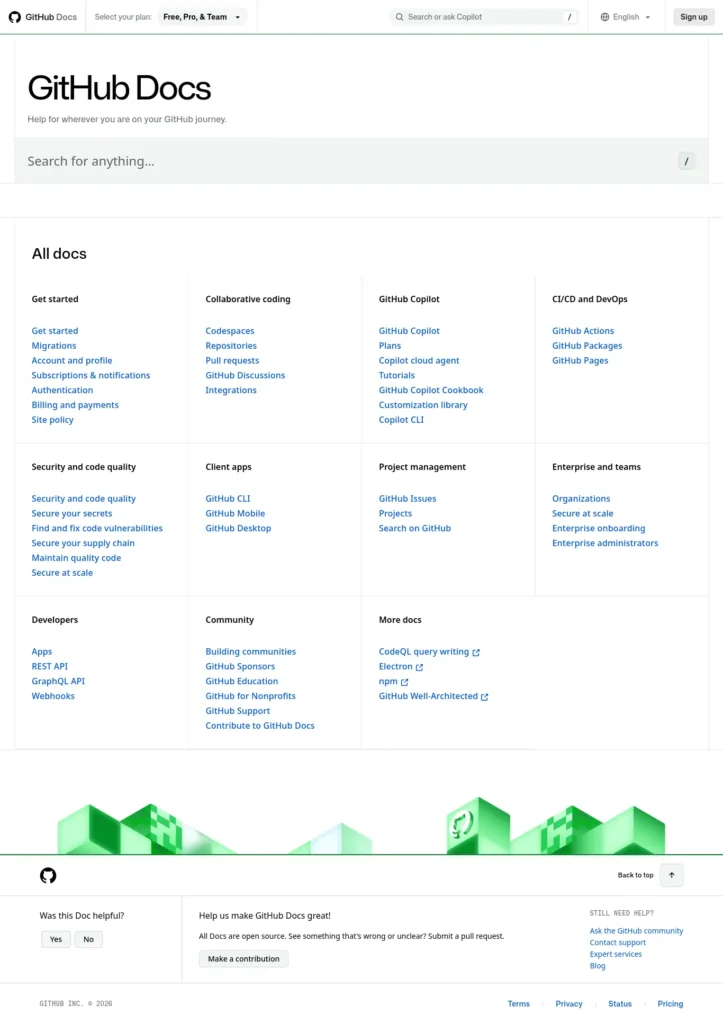
Cost: ₹0 for hosting. A custom domain is optional. The GitHub Student Developer Pack has listed a free one-year .me domain through Namecheap, so check the GitHub Education pack and note the renewal price after year one.
Strengths: You own the files, your repositories sit next to your site, and the workflow itself shows technical skill.
Watch out: No AI generation, no visual editor and a real learning curve. Published sites are public even when the repository is private.
Choose it if: your portfolio is code and demos. Skip it if: you have never used Git and a deadline is close.
Student value (editorial view): 5/5 for developers, 2/5 for non-technical students.
5. Dorik
Official site: dorik.com
Best for: Students who want AI generation, a drag-and-drop editor and an exit route.
Free plan reality check: You can start free and publish on a Dorik subdomain. Custom domains need a paid plan.
Cost: Paid plans are listed as starting at $20.75 per month on the homepage FAQ, roughly ₹2,000 at mid-October rates. Confirm the billing period on the pricing page. The pages we checked mention no student discount.
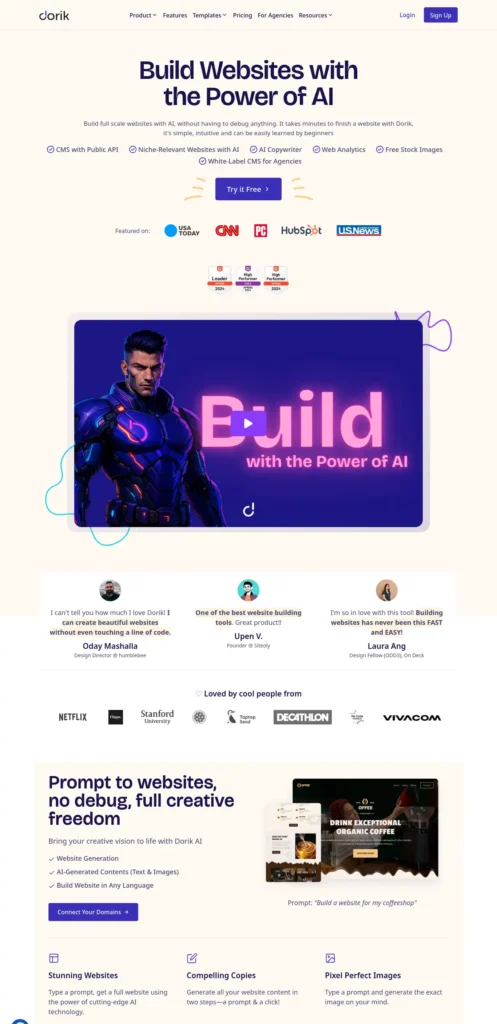
Strengths: AI site generation, 110+ templates, 250+ UI blocks, free SSL and listed code export for AI-generated sites.
Watch out: The paid entry price is high for a student budget, and several features on the homepage are aimed at agencies and clients.
Choose it if: you want a no-code builder with a way out.
Skip it if: a free subdomain is not enough and cost matters.
Student value (editorial view): 3/5.
6. Siter
Official site: siter.io | Pricing: siter.io/pricing
Best for: Designers who already think in Figma and want a freehand, visual editor.
Free plan reality check: Siter describes its sites as designed by people rather than generated from a prompt, so it is not an AI builder. Its free Start plan allows one website with up to 10 pages, but the pricing page shows no live publishing, no free subdomain and no custom domain on that plan.
Cost: Solo is listed at $7 per month (about ₹680 at mid-October rates) and adds live publishing, SEO, a free subdomain and a custom domain. Plus is $12 and Pro is $24. HTML download appears only on Pro.
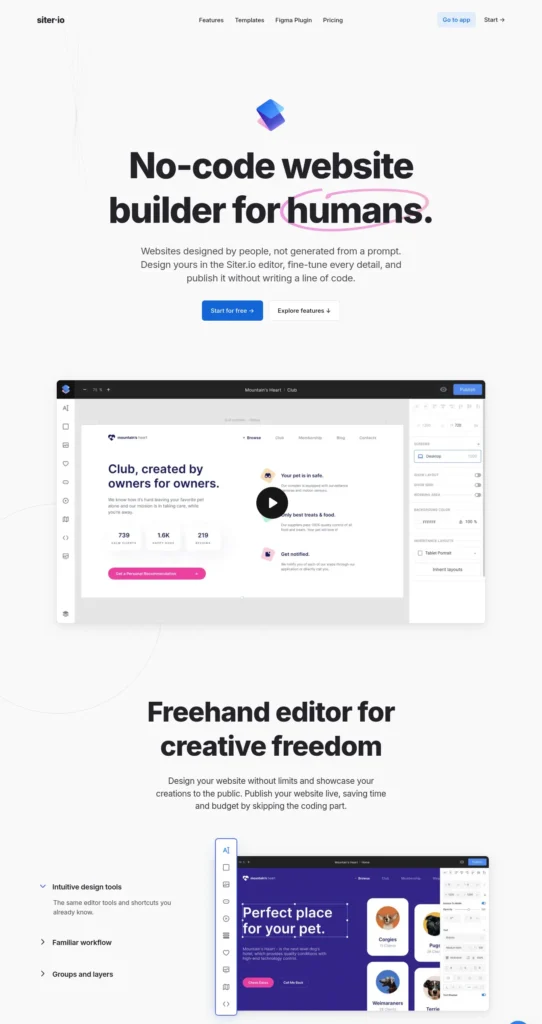
Strengths: Figma plugin on every plan, ownership transfer and a layout workflow familiar to designers.
Watch out: No AI generation, and you cannot publish on the free plan.
Choose it if: you design in Figma and want hand-built control.
Skip it if: you want AI to draft the site for you.
Student value (editorial view): 3/5.
7. Typedream
Official site: typedream.com
Best for: A one-page project, club or event landing page.
Status check: The site is live and states that beehiiv acquired Typedream in June 2024. Its focus leans toward creators selling digital products, link-in-bio pages and landing pages. The only pricing page we could open looked dated (it listed a free plan that publishes one page, then paid plans at $12 and $20 per month billed annually), so check typedream.com/pricing before you rely on any figure.
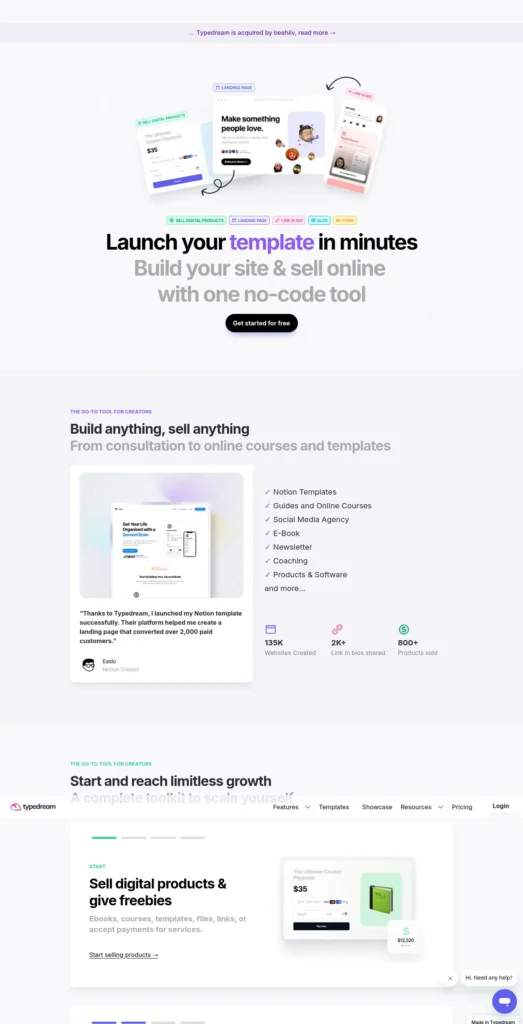
Strengths: Quick landing-page workflow, forms, SEO fields and a Notion-style editor.
Watch out: Creator-oriented, with limited fit for a multi-project portfolio, and the product direction after the acquisition is worth watching.
Choose it if: you need one clean page for a project demo. Skip it if: you want a full portfolio.
Student value (editorial view): 3/5.
Which AI Website Builder Is Best for a Student Portfolio?
The best choice depends on the kind of work you need to show. Hiring managers and faculty look for evidence, so match the tool to your evidence.
- Design portfolio: Framer. You need layout control and large images.
- Developer portfolio: GitHub Pages, with a hosted builder as a backup if setup time is short.
- Fresher profile or early-career resume: ItIsMe’s free plan, or Hostinger if you want your own domain.
- Academic project showcase: A simple builder with a clear page per project and links to reports and demos.
A second-year computer science student, for example, might include a short introduction, a skills list, three substantial projects with GitHub links, one internship, and a contact section. That structure is an illustration, not a real testimonial.
The most common mistake is filling the page with skill claims and no proof. Show finished work, say what you personally did, and attach evidence such as a demo link, a repository or a result you can back up. If you need help turning rough notes into clear project descriptions, our guide to AI tools for writing college assignments covers drafting support, but you must still edit every claim to match what you really did.
Can College Students Build a Website With AI Without Coding?
Yes. Many hosted AI builders can generate a starting site from a short text description and let you edit it visually, with no code. You still need to replace placeholder text, test every link, check the mobile layout, and confirm what your plan allows you to publish.
A Starter Prompt You Can Adapt
Create a clean, mobile-friendly portfolio website for a third-year computer science student applying for software development internships. Include an introduction, technical skills, three project case studies, GitHub links, internship experience, resume download, and contact details. Use a professional layout, accessible typography, clear navigation, and simple colors. Do not invent qualifications, project results, awards, or experience.Using AI for the first time can feel confusing, but you don’t need to be tech-savvy—this beginner-friendly guide shows you exactly where to start.
A Fact-Only Prompt for Your Real Content
Use only the facts below. Do not add skills, numbers or achievements I have not given you. If something is missing, leave a clear placeholder. Facts: [paste your project notes, tools used, your role, and links].
New to prompting? Our AI tools for beginners guide is a good starting point for planning and drafting.
Whatever the tool generates, the content is your responsibility. A recruiter who finds an invented project will remember it.
Best AI Website Builder for College Students: Cost Over a Four-Year Degree
Some tools allow free publishing with restrictions, while custom domains, advanced features and some hosting arrangements require payment. The lowest advertised monthly rate is not always the cheapest total, so compare what you pay across your whole degree.
The Four-Year Cost Test (Estimates)
These estimates assume a 48-month degree and the prices checked on October 21, 2026. Taxes, card fees and future price changes are not included.
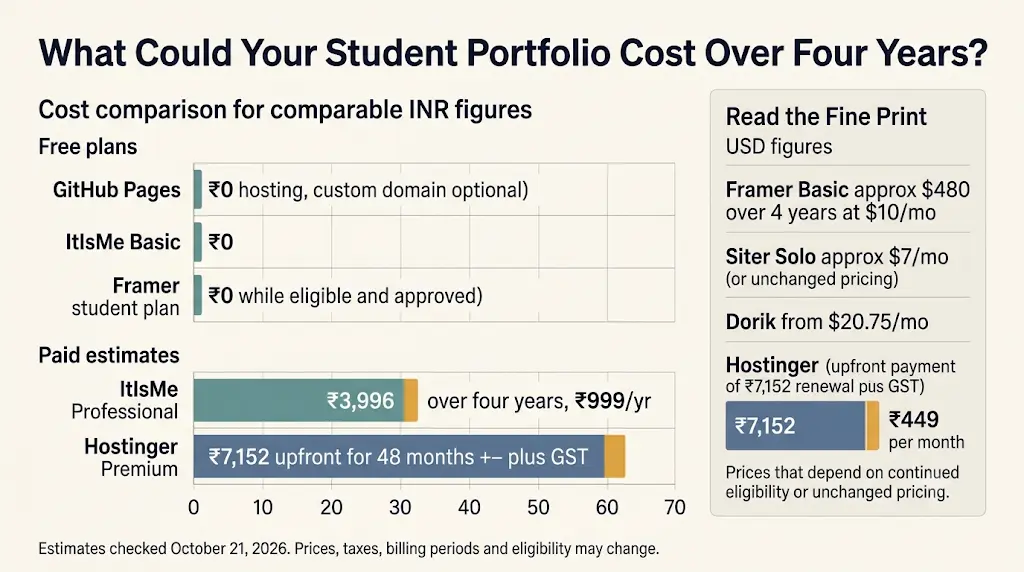
- GitHub Pages: ₹0 for hosting. A domain is optional.
- ItIsMe: ₹0 on Basic, or about ₹3,996 over four years on Professional at ₹999 per year, if the price stays the same.
- Framer: ₹0 on the student plan while you remain eligible, or about $480 over four years on Basic at yearly billing (roughly ₹46,000 at mid-October rates).
- Hostinger Premium: ₹7,152 upfront for the 48-month term, plus GST. Renewal is listed at ₹449/month afterwards.
- Siter Solo: about $84 per year (roughly ₹8,100) if $7 per month is the rate for your billing period.
- Dorik: listed from $20.75 per month, so roughly ₹24,000 for a year at mid-October rates.
Hostinger: Reading the Offer Correctly
If a plan advertises ₹149 per month but charges ₹7,152 upfront for 48 months, you are making a ₹7,152 payment, not paying ₹149 each month. The regular price shown is ₹28,752 for the same term, and renewal is listed at ₹449 per month. Prices on the page are shown without GST.
Compare it against the free options with the same question: do you need your own domain, mailboxes and hosting now, or will a free subdomain do for the first year?
Before paying for a hosted builder, check Hostinger’s current India plans and compare the full upfront amount, renewal price, domain terms, and included features.
A Pricing Checklist Before You Pay
- What is the total upfront charge, and for how many months?
- What is the renewal price, and when does it start?
- Is the domain free only for the first year?
- Are mailboxes or AI credits one-time or monthly?
- What happens to my site and domain if I cancel?
- Can I export my content or code?
- Is GST or another tax added at checkout?
Upgrade Triggers: When Paying Starts to Make Sense
Stay free until one of these is true: you need your own domain for a placement or freelancing profile, you have outgrown a free plan’s page or project limits, or you want business email on your domain. Upgrading earlier rarely improves a portfolio.
India-Specific Advice
- Look for INR pricing and UPI support to avoid card and conversion fees.
- Hostinger runs a student discount page for new customers using Student Beans verification. The page we checked showed conflicting percentages (10% in the title, 25% in the body), so confirm the actual amount at checkout.
- Keep pages light. Many recruiters open links on phones over mobile data, so avoid heavy animations and large uncompressed images.
What Should a Professional Student Portfolio Website Include?
A professional student portfolio is short, specific and easy to scan. Aim for these ten elements:
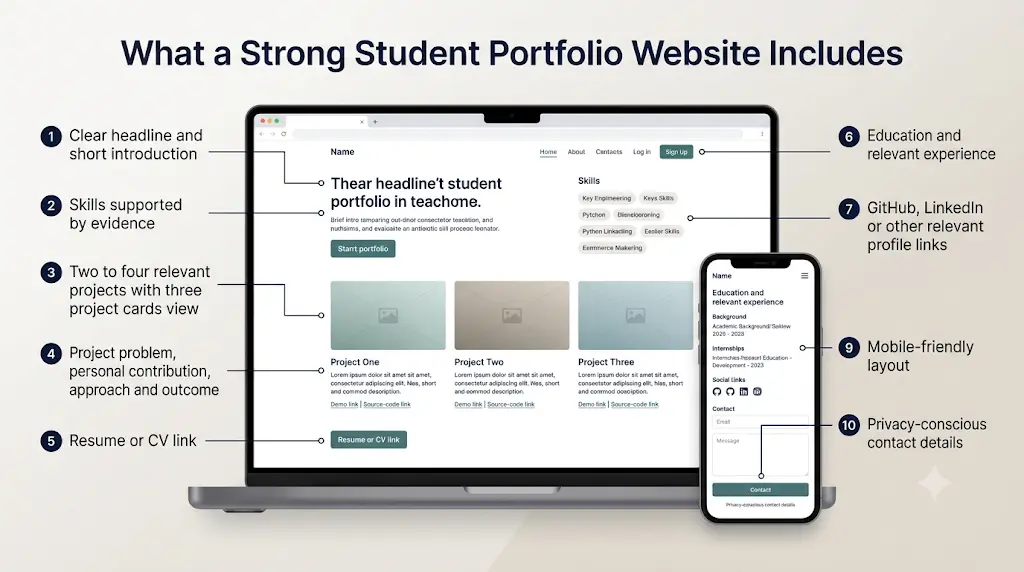
- A clear headline and a two-line introduction.
- Skills supported by evidence.
- Two to four relevant projects.
- For each project: the problem, your contribution, your approach and the outcome.
- A resume or CV link.
- Education and relevant experience.
- Links to GitHub, LinkedIn or other relevant profiles.
- One professional contact method.
- A mobile-friendly layout.
- Privacy-conscious contact details (avoid publishing your home address or personal phone number).
Example Project Structure (Illustrative)
Project title: Student Attendance Dashboard. Problem: Tracking attendance across multiple classes. My contribution: Describe only the work you actually completed. Tools used: List only technologies you used. Outcome: State measurable results only when you have evidence. Demo: Link to a working demo if you have one. Source code: Link to a public repository when appropriate.
How Can Students Create a Portfolio Website With AI, Step by Step?
You can go from nothing to a published portfolio in a weekend if you prepare your content first. For a longer walkthrough, follow our guide to creating a student portfolio website with AI to organize your projects, skills and resume before publishing.
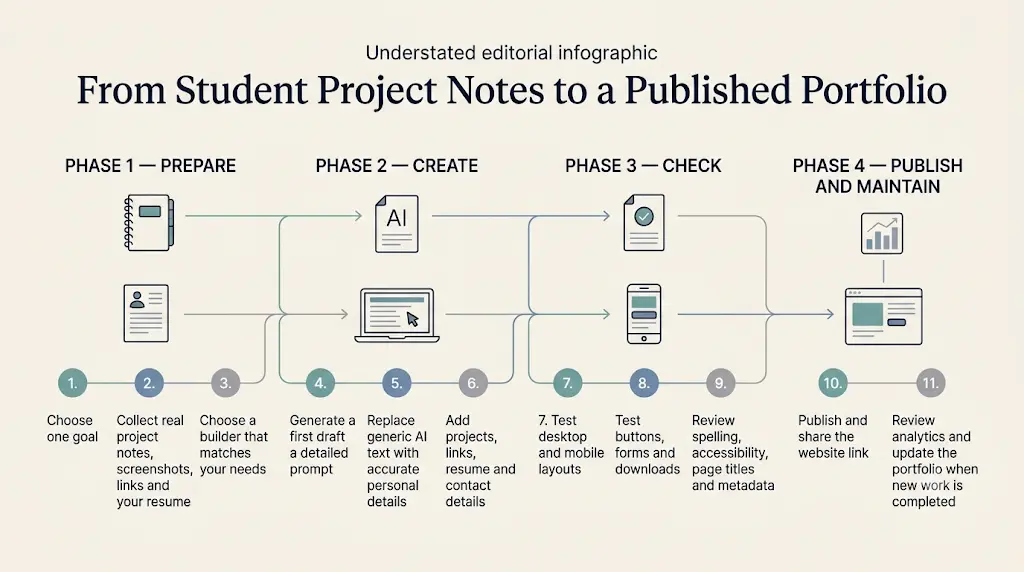
- Choose one goal. Internship applications, freelance work or a design showcase. One goal keeps the site focused.
- Collect real material. Project notes, screenshots, links and your resume.
- Pick a builder using the decision path above.
- Generate a first draft with a detailed prompt.
- Replace generic text with specific details only you can write.
- Add projects, links, resume and contact details.
- Check mobile and desktop layouts.
- Test every button, form and download.
- Review spelling, accessibility, page titles and metadata.
- Publish and share the link in your resume, LinkedIn and applications.
- Review analytics and update the site whenever you finish new work.
Launch Checklist
- [ ] Every claim is true and provable.
- [ ] Links open the right pages.
- [ ] The resume file opens on a phone.
- [ ] Images have short, descriptive alt text.
- [ ] Each page has a clear title and description.
- [ ] Contact form sends a test message to you.
- [ ] The site loads quickly on mobile data.
AI generation is a starting point. The final review is your job.
How Can Students Make an AI-Built Website Appear in Google Search?
A published website is not guaranteed to be indexed or to rank. Google rewards sites that are accessible, useful, original and easy to use on mobile, and its guidance on helpful content focuses on the quality of the content rather than on how it was produced.
For a student portfolio, that means:
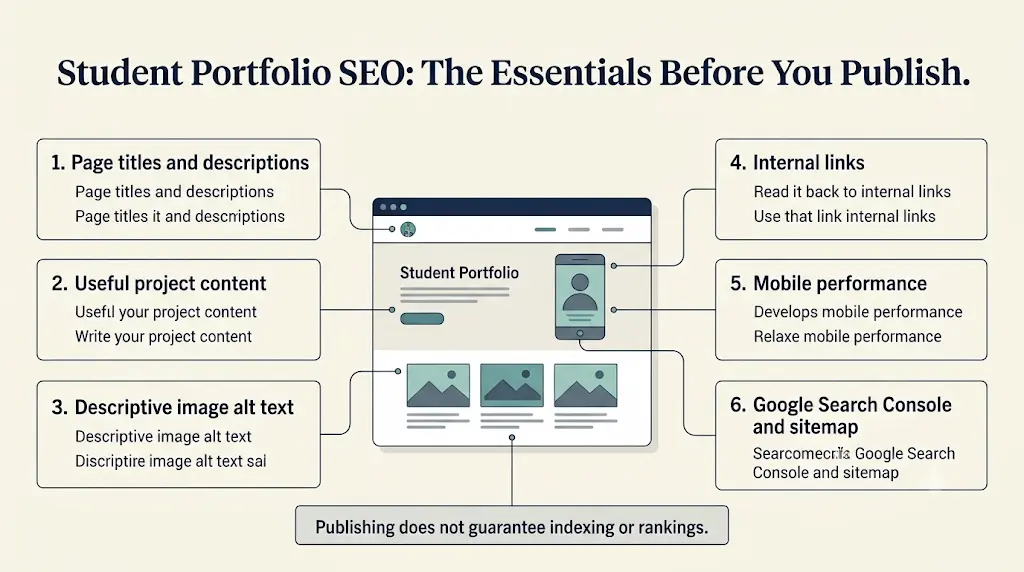
- Unique titles and descriptions for each page.
- A descriptive homepage headline with your name, field and what you do.
- Useful project descriptions instead of one-line summaries.
- Alt text for meaningful images.
- Internal links between your homepage and project pages.
- A sitemap where the builder supports one.
- Google Search Console verification, so you can see indexing and search queries.
- Fast, mobile-friendly pages and regularly updated, genuine content.
Adding AI-related keywords or structured data on its own does not guarantee visibility. Your name searched next to your field is a realistic first goal.
What Are the Limitations of AI Website Builders?
AI builders save time, but they bring trade-offs you should plan for:
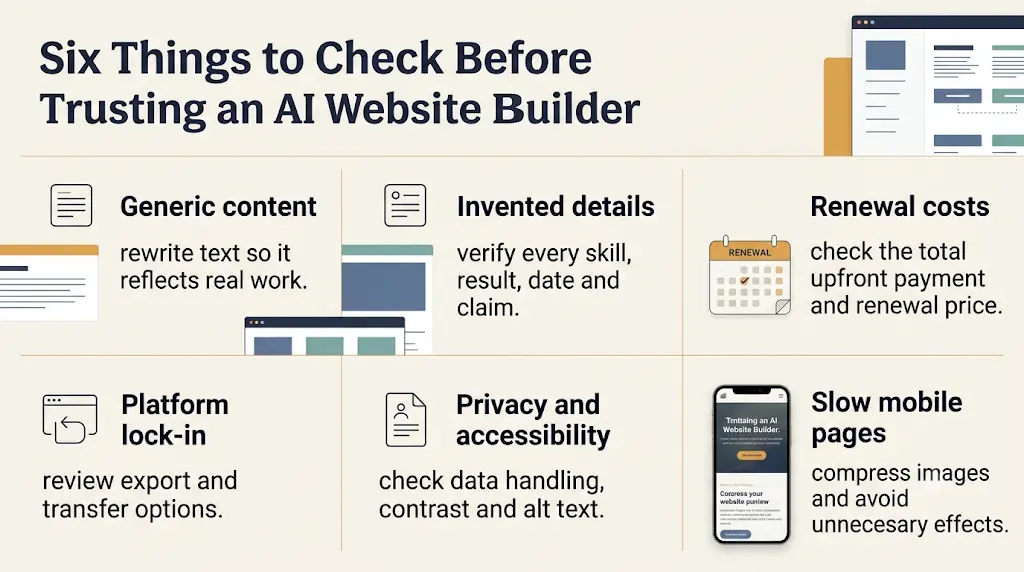
- Generic text and design. Rewrite headlines and descriptions in your own voice.
- Invented details. Check every number, date and claim the AI produced.
- Limited free plans. Count pages, projects and publishing rules before you build.
- Promotional pricing and renewals. Read the renewal price, not just the headline rate.
- Platform lock-in. Use the Exit-Plan Check above before investing hours.
- Customization limits. Test your most important layout before you commit.
- Privacy and data handling. Read the terms and privacy policy, especially if you upload your resume.
- Accessibility. Check contrast, text size and image alt text.
- Slow pages. Heavy animations and scripts hurt mobile performance.
Which Website Builder Should Different Types of Students Choose?
- Design student: Framer’s student plan, or Siter if you work in Figma and are happy to pay to publish.
- Computer science student: GitHub Pages for repositories and live demos.
- Student seeking internships: A clear resume, two or three strong projects and one contact method. ItIsMe’s free plan or a Framer page can do this.
- Student with almost no budget: Start with ItIsMe Basic, GitHub Pages or Framer’s student plan. Upgrade only when a real need appears.
- Student founder: Choose by forms, integrations and domain needs. Dorik or Hostinger may fit, and Typedream works for a single launch page.
- Student building a long-term personal brand: Prioritize content ownership, domain control, portability and renewal cost.
A paid plan is rarely the right first step when a free option meets your needs.
Frequently Asked Questions
What Is the Best AI Website Builder for College Students?
It depends on budget, portfolio type and technical comfort. Framer’s student plan is strong for design portfolios, Hostinger suits an all-in-one paid setup, and GitHub Pages suits code projects. Compare current plans and publishing limits before deciding.
Is There a Free AI Website Builder for College Students?
Yes, with limits. Framer offers a free student plan after verification, ItIsMe has a free Basic plan, and GitHub Pages hosts public repositories for free. Custom domains and advanced features usually cost extra.
Which AI Website Builder Is Best for Student Portfolios?
Framer is a strong fit for visual portfolios, ItIsMe or Hostinger for simple profiles, and GitHub Pages for developer portfolios. Choose by the kind of evidence you need to show.
Can I Create a Portfolio Website Without Coding?
Yes. Many hosted builders generate layouts from a prompt and let you edit visually. You still need to review content, verify links and test the site before publishing.
Is Hostinger AI Website Builder Good for Students?
It is worth considering if you want hosting, a domain and AI building in one plan. Compare the upfront cost (₹7,152 for 48 months on Premium), the renewal rate, the AI credits and the export terms before buying.
Does Hostinger Have a Free Plan?
Not on the official AI website builder page we checked, which lists paid plans with a 30-day money-back guarantee. If you need free, compare Framer’s student plan, ItIsMe Basic or GitHub Pages first.
Is Framer Free for Students?
Framer offers a free Basic plan to enrolled students who apply with a school email and ID photo. It is for personal student sites and can be renewed every 11 months while you study. The standard Free plan has no custom domain.
What Proof Do I Need to Claim Student Discounts?
Framer asks for a school email and a photo of your school ID. Hostinger’s student page uses Student Beans verification for new customers. GitHub’s Student Developer Pack requires proof of enrollment. Requirements can change, so read each form before applying.
Is Siter an AI Website Builder?
No. Siter describes its sites as designed by people rather than generated from a prompt. It suits designers who want hand-built control, and its free plan cannot publish live.
Can I Use AI to Create an Internship Portfolio?
Yes. AI can build the layout and organize your content. Replace generic text with real project details, accurate skills and links, and never invent experience.
Which Website Builder Is Best for Computer Science Students?
GitHub Pages is a natural choice because your code and your site live together. A hosted builder is faster if you want visual editing and do not want to manage deployment.
Do Students Need to Buy a Custom Domain?
No. A free subdomain is enough for a first portfolio. A custom domain looks more professional but adds registration and renewal costs, so buy one when you start applying seriously.
Can AI-Built Websites Rank on Google?
They can be eligible if they are crawlable, useful and original, but rankings are never guaranteed. Content quality, competition and technical setup all matter.
Can I Use AI-Generated Content on My Portfolio Website?
Yes, for drafts and structure. Verify every claim and rewrite generic descriptions so they reflect your real work.
What Should I Check Before Paying for an AI Website Builder?
Check the total upfront payment, renewal rate, domain ownership, free-plan limits, AI credit rules, export options, privacy policy and cancellation terms.
Can I Move My Website to Another Platform Later?
Sometimes. It depends on whether the platform lets you export content or code. Dorik lists code export, Siter offers HTML download on Pro, and GitHub Pages files are yours. Confirm the rules before you commit.
Are AI Website Builders Suitable for Engineering Projects?
They work well for summaries, screenshots, demos and documentation. If your project needs custom back-end features, check the builder’s integrations or host the demo elsewhere and link to it.
How Often Should Students Update Their Portfolio?
Update it when you finish a meaningful project, internship, certification or skill. Check for broken links and outdated details every few months.
Final Recommendation: The Best AI Website Builder for College Students
The best AI website builder for college students is the one that matches your evidence and your budget. If you are a design student, start with Framer’s student plan. If you write code, publish on GitHub Pages. If you want a simple free profile, begin with ItIsMe. If you want your own domain, hosting and email under one bill, a hosted builder such as Hostinger is worth a serious look.
Whatever you choose, check the free-plan limits, the renewal price and the export options first. Free is enough for many students, and paid plans only make sense once you have a clear reason.
If an all-in-one hosted website builder fits your needs, view Hostinger’s current offer here before making your decision.
Choose the builder that fits your current portfolio, publish your strongest projects, and improve the website as your experience grows.
About the Author: Nandhakumar
Nandhakumar is the Founder and Content Creator at FutureFastAI, a platform dedicated to helping students and beginners discover useful AI tools, improve productivity, and develop practical digital skills. He creates educational content focused on AI-powered workflows, website-building tools, student resources, and beginner-friendly technology guides. His goal is to help readers understand how tools work, compare available options, evaluate pricing and limitations, and make informed decisions based on their individual needs and budgets.
At FutureFastAI, the focus is on practical explanations, transparent recommendations, and responsible AI use. Readers are encouraged to verify important information, explore official product documentation, and choose tools that genuinely support their learning and career goals.
FutureFastAI Editorial Policy
FutureFastAI is committed to publishing accurate, useful, original, and reader-focused content about AI tools, website builders, productivity software, and digital resources for students and beginners.
Research and Fact-Checking: We prioritize official product websites, documentation, pricing pages, and other reliable sources when evaluating tools. Product features, free-plan limits, subscription prices, promotional offers, and availability may change. Readers should confirm current details with the provider before making a purchase.
Independent Recommendations: Our recommendations aim to reflect each tool’s usefulness, features, limitations, accessibility, pricing, and suitability for different users. We do not assume that one tool is the best choice for everyone. Where relevant, we explain alternatives and identify situations in which a free solution may be sufficient.
Hands-On Testing and Reviews: We distinguish between information verified through official documentation and observations from actual product testing. We do not claim personal testing, user experiences, or performance results unless they have genuinely been established.
Accuracy and Updates: We review published content when significant product changes, pricing updates, or new information may affect its accuracy. Update dates are provided where appropriate, and time-sensitive information should be rechecked before readers make decisions.
AI-Assisted Content: AI tools may support research, outlining, editing, or content development. Published material is reviewed for clarity, usefulness, factual accuracy, originality, and relevance to the intended audience. AI-generated information is not treated as automatically accurate.
Affiliate Disclosure: Some articles may contain affiliate links. FutureFastAI may earn a commission when readers make qualifying purchases through these links, at no additional cost to them. Affiliate relationships do not remove the need to explain relevant limitations, costs, and alternatives. Commercial relationships should be disclosed clearly wherever applicable.
Corrections and Reader Feedback: We welcome readers who identify factual errors, outdated information, broken links, or misleading statements. Feedback can be submitted through the website’s Contact page so that relevant issues can be reviewed and corrected when necessary.
Our editorial objective is simple: to help readers make informed decisions through practical guidance, transparent research, and responsible recommendations.