
Best AI Tools for Last-Minute Studying: A Practical Exam-Day Guide
AI tools for last minute studying can help you summarise lecture notes, create flashcards, practise exam questions, and understand difficult concepts when time is limited.
If your exam is only hours away, start with ChatGPT for quick explanations, NotebookLM for studying from your own course materials, or Knowt for flashcards and self-testing. The right choice depends on your study task, available features, and the accuracy of your source material.
This guide compares useful AI study tools, explains their limitations, and provides practical revision plans for students preparing under time pressure. Choose the tool that solves your immediate problem, then spend most of your remaining time practising what you need to remember.
Quick Answer: Which AI Tool Is Best for Last-Minute Studying?
The best AI tool for last-minute studying depends on what you need to finish first:
- Quick explanations and revision questions: ChatGPT
- Studying from your own notes, PDFs, and course sources: NotebookLM
- Flashcards and active recall: Knowt
- Turning uploaded study materials into revision resources: StudyFetch
- Breaking a large task into manageable steps: Goblin Tools
If your exam is tomorrow, start with the materials your teacher or course specifically recommends. Use one tool to identify important topics, another only if you need a specific feature, and test yourself before the exam. Do not spend your limited study time comparing too many apps.
Features and free-plan limits can change, so check each tool’s current terms before relying on it.
Best AI Tools by Last-Minute Study Task
| Your immediate need | Tool to consider | Why it fits | Important limitation |
| Understand a difficult concept quickly | ChatGPT | Can explain topics and generate practice questions | Verify facts against your syllabus or textbook |
| Revise your own lecture notes or PDFs | NotebookLM | Helps work with supplied source materials and provides source references | Check whether the relevant information is covered by your sources |
| Memorize definitions and key facts | Knowt | Flashcards and self-testing support recall practice | AI features and free usage are limited by plan |
| Create revision resources from study materials | StudyFetch | Designed around learning materials and study activities | Check current upload, generation, and plan limits |
| Break an overwhelming revision task into steps | Goblin Tools | Can help break a large task into smaller actions | It does not replace subject knowledge or exam practice |
How to choose: Pick the tool that matches your immediate task. If you already have lecture slides, start with those slides instead of spending time collecting new resources.
Who Should Read This Guide?
Use this resource if you are a
- Students studying the night before an exam
- College and university students
- Competitive exam aspirants
- Students with incomplete notes
- Anyone who wants to study efficiently using AI instead of wasting time
The Problem: Why Last-Minute Studying Usually Fails
You open your notes. You start reading. Twenty minutes later, you realize you’ve read the same paragraph twice and retained none of it.
This happens because passive rereading feels productive but isn’t. Your brain recognizes the words as familiar and mistakes that familiarity for understanding. Cognitive scientists call this the “fluency illusion” — and it’s the quiet killer of every all-nighter.
Add sleep deprivation, panic, and a syllabus that suddenly feels three times longer than you remembered, and you have the classic recipe for a study session that feels busy but produces almost nothing.
Common mistake: Highlighting an entire page and calling it “studying.” Highlighting is decoration. Retrieval — testing yourself — is learning. (If your rereading habit is part of a bigger scheduling problem, our guide on building a study schedule that actually works tackles that directly.)
(Want to learn the practical ways students are already using AI in everyday learning? Read our complete guide on How Students Use AI to Study Smarter (Without Cheating) and discover 12 proven techniques to improve learning, revision, and exam preparation.)
Which AI Tool Is Fastest for Last-Minute Study Help?
For general last-minute study help, ChatGPT is a practical starting point because it can explain difficult concepts, summarize supplied notes, generate practice questions, and help structure a revision session in one conversation. However, the fastest option depends on what you need to do.
- Need a quick explanation? Use ChatGPT and ask one specific question at a time.
- Need answers based on lecture PDFs? Try NotebookLM with your course sources.
- Need flashcards? Use Knowt or Jungleai to generate questions from your notes, then check the results.
- Need to decide what to study first? Use ChatGPT to create a short priority list from your syllabus and available study time.
For the quickest workflow, start with material you already have. Ask the tool to identify important concepts, test you on them, and explain only the questions you get wrong. Check important facts and formulas against your course materials before relying on them.If you’re a college student in India, don’t waste hours jumping between random AI tools—start with these free AI tools that can actually save you time on studying, assignments, research, and everyday college work.
When Should You Use AI for Last-Minute Studying?
Use this if your facing this situtions
- 24 hours before exam
- 12 hours before
- 3 hours before
- During revision only
- When not to use AI
Best AI Tools for Studying from PDFs and Lecture Slides
If your notes are already in PDF or presentation format, the most useful tool is one that helps you work with those materials directly. You should not need to rewrite an entire lecture before you can begin revising.Great research can still become a weak assignment if you don’t know how to use it properly—see how AI tools can help you turn your verified sources into better college assignments.
A simple workflow
- Upload your lecture material to a tool that supports your file type and current plan.
- Ask for a summary organised around the topics in your syllabus.
- Request practice questions based on the supplied material.
- Turn important definitions, formulas, and facts into flashcards.
- Answer the questions without looking at the notes, then revisit incorrect answers.
Which tool should you choose?
- NotebookLM: Consider it when you want to study using your supplied sources and inspect source references.
- Knowt: Consider it for flashcards and self-testing.
- StudyFetch: Consider it if you want study resources generated from your learning materials.
Before uploading files, check current file-format support, usage limits, and privacy terms. AI-generated summaries and flashcards can omit details or introduce errors, so compare important answers with the original material.
Prompt to try:
“Use the attached lecture material to create a revision sheet for my upcoming exam. Organise it by topic, list key definitions and formulas, identify points that need memorising, and create 10 practice questions with an answer key. Do not add facts that are unsupported by the source. Flag any information that is unclear or missing.”
Why It Matters: The Psychology of Cramming Under Pressure
When you’re stressed and short on time, your brain narrows its focus to short-term survival, not long-term storage. That’s exactly why generic rereading fails under pressure — your working memory is already overloaded with anxiety.
This is where AI genuinely changes the equation. Instead of asking your exhausted brain to organize, summarize, and memorize all at once, AI tools can handle the organizing and summarizing instantly, freeing your mental energy for the one thing only you can do: actually recalling and understanding the material.
Here’s the psychological reframe that matters most: your goal in a last-minute session isn’t to “know everything.” It’s to maximize the number of points you can realistically earn with the hours you have left. That single shift in mindset — from completeness to triage — is what separates a productive all-nighter from a wasted one. For the research behind why retrieval beats rereading, see our breakdown of active recall vs. rereading.Most beginners waste more time choosing AI tools than actually using them—see which free AI tools for beginners are worth trying first, without needing any technical skills.
Memorable takeaway: You’re not trying to become an expert overnight. You’re running triage on your own brain.
Which AI Can I Use for One-Night Studying?
If you only have one night to study, use AI to reduce preparation time rather than replace active studying. Start with NotebookLM or another tool that can summarize your own notes, use Knowt or Jungle AI to create flashcards and quizzes, and use ChatGPT or YouLearn when you need a difficult concept explained quickly.
Step-by-Step Guide: The 24-Hour AI-Powered Rescue Plan
Step 1: Triage Your Material (60 minutes)
What: Identify the highest-yield content — the stuff most likely to appear on the exam.
Why: Not all material is equally important. Some concepts are foundational; others are footnotes.
How: Upload your lecture notes, slides, or textbook PDF to an AI summarizer (like NotebookLM or ChatGPT) and ask it to extract only the 15–20 most critical definitions, formulas, or concepts — not a full summary.
Example prompt: “Scan these notes and list only the most exam-critical terms, dates, or formulas. Skip anything secondary.”
Action step: Do this for every chapter before you study a single one in depth.
(Feeling overwhelmed by a huge syllabus before exams? Discover How to Revise an Entire Syllabus with AI and learn a step-by-step strategy to revise smarter, faster, and with less stress.)
Step 2: Turn Chaos Into Flashcards (30 minutes)
What: Convert your triaged list into active-recall flashcards.
Why: Testing yourself (retrieval practice) is one of the most well-supported learning techniques in cognitive science — far more effective than rereading.
How: Paste your notes into a flashcard generator like Knowt or Jungle AI. Most tools build a working deck in under two minutes (see the full flashcard tool reviews below).
Example: Instead of a flashcard that says “Photosynthesis = light to energy,” ask the AI to generate an application-style question: “What happens to glucose production if light-independent reactions are blocked?”
Action step: Study the deck twice — once in order, once shuffled.
If you’re cramming the night before an exam, prioritize a tool that can turn your lecture slides or PDF notes into flashcards quickly. Knowt and Jungle AI are useful options when you need to move from uploaded study material to active recall without manually creating every card. Always review the generated cards for accuracy before studying them.
(Preparing for semester exams? Don’t miss our detailed guide on the best AI tools for students that can help you summarize notes, create flashcards, solve doubts, and revise faster before exams.)
Step 3: Use an AI Tutor for the Confusing Parts (45–60 minutes)
What: Get a plain-language explanation for the two or three concepts you genuinely don’t understand.
Why: Confusion compounds. One unclear concept can make three later concepts feel impossible.
How: Ask ChatGPT, Claude, or a dedicated tutoring tool like YouLearn to “explain this as if I’m 16, then quiz me with three questions.” Push it into Socratic mode by asking it to question you instead of just answering.
Example prompt: “Act as my tutor. Don’t give me the answer directly — ask me guiding questions until I figure it out myself.”
Action step: Don’t move on until you can explain the concept out loud, unprompted.
(Learning difficult subjects becomes much easier when you use the right study strategy. If you want a complete exam preparation system, read How to Prepare for Exams Using ChatGPT Step by Step: Powerful 2026 Student Guide and discover how students are using AI to build study plans, revision notes, mock tests, and smarter exam strategies.)
Step 4: Simulate the Real Exam (45 minutes)
What: Take a practice test that mimics your actual exam format.
Why: Practice testing under real conditions reduces anxiety and reveals blind spots before the real thing does.
How: Ask your AI tool to generate a mock quiz from your notes, timed, in the same question format as your course (multiple choice, short answer, etc.). StudyFetch and Jungle AI are both built specifically for this step.
Action step: Review only the questions you got wrong. Don’t waste time re-testing what you already know.
Step 5: Rest Before You Forget Everything (Non-negotiable)
What: Sleep, even briefly.
Why: Memory consolidation happens during sleep. Skipping it can undo hours of review.
How: Aim for at least 4–5 hours if a full night isn’t possible.
Action step: Set a hard stop time for studying, even if you don’t feel “done.” (For the bigger picture on pacing yourself through exam season, see how to avoid burnout during finals week.)
(If you are looking for free AI resources, do not miss Best AI Tools for Students Free in 2026: 10 Powerful Picks to Study Faster and Smarter, which features some of the most useful no-cost tools available for students)
The Best AI Tools for Last Minute Studying (2026)
No single tool does everything well. The strongest last-minute study stack usually combines two or three tools from the list below — one for summarizing, one for flashcards or quizzes, and one for tutoring. Here’s the quick comparison, followed by an honest, individual breakdown of each one.
What Study Platform Is Best for Cramming?
For cramming, the right study platform depends on what is slowing you down. StudyFetch is useful when you want notes, quizzes, and tutoring in one place. Knowt is better suited to fast flashcards and quizzes, while NotebookLM is useful for quickly working through your own PDFs, slides, and lecture material.
⚡ StudyFetch
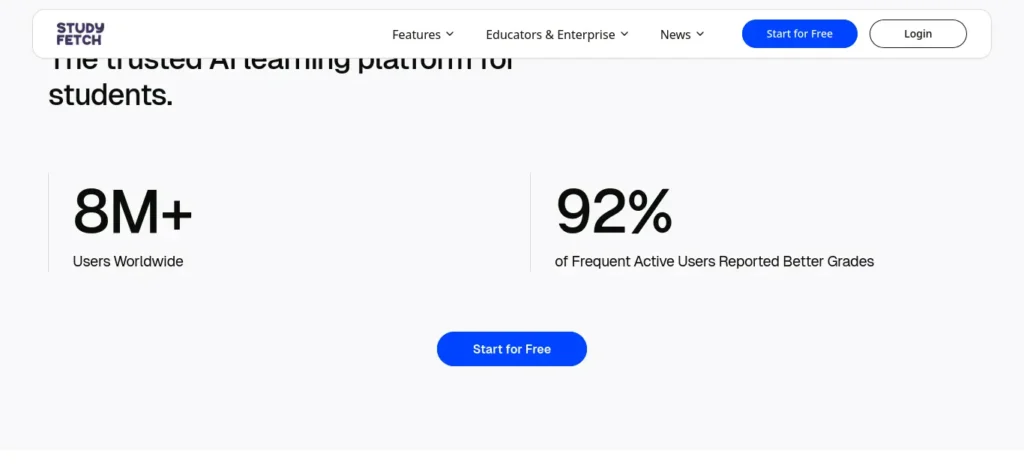
Best For: All-in-one notes, quizzes, and AI tutoring
- Free plan: Yes, very limited
- Cheapest paid plan: ~$7.99/mo (annual)
- Beginner friendly: Yes
🗂️ Knowt
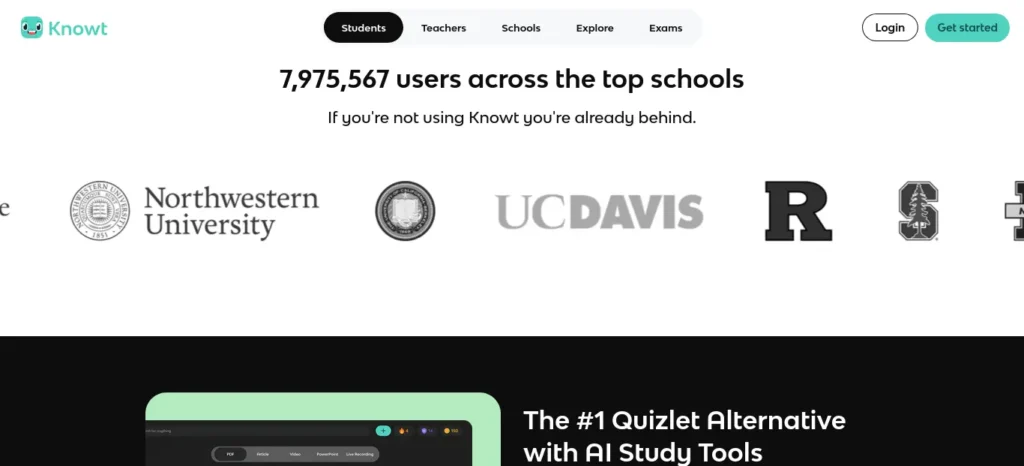
Best For: Free flashcards & quizzes
- Free plan: Yes, generous
- Cheapest paid plan: ~$5–12.49/mo
- Beginner friendly: Yes
📚 NotebookLM
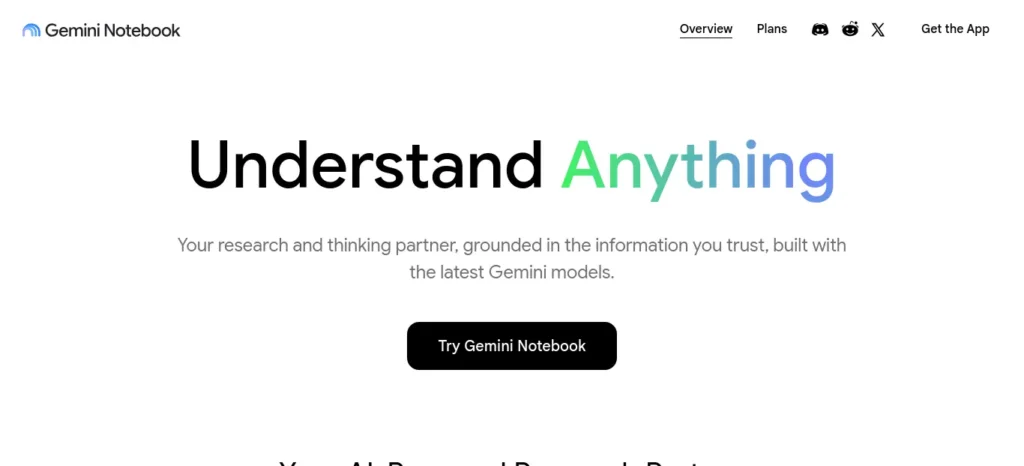
Best For: Source-grounded summaries
- Free plan: Yes (100 notebooks, 50 sources)
- Cheapest paid plan: $7.99/mo (Google AI Plus)
- Beginner friendly: Yes
🌿 Jungle AI
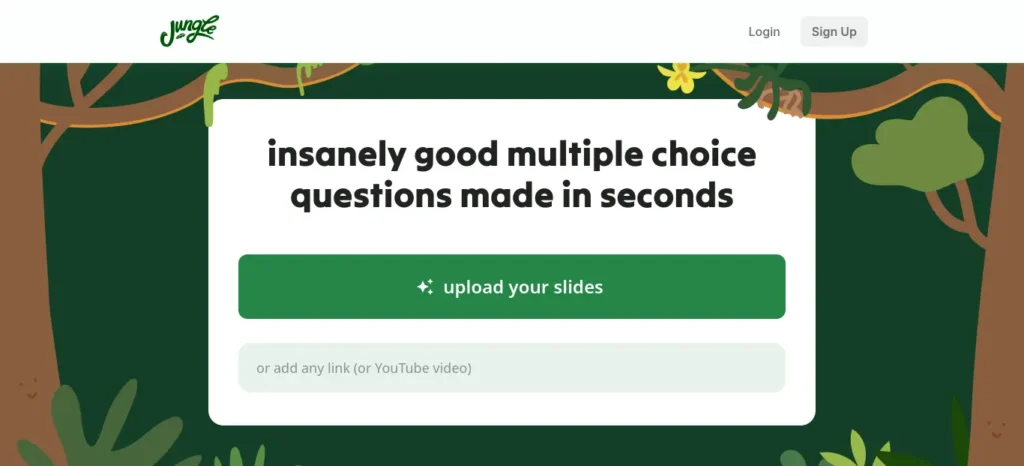
Best For: High-accuracy flashcards & MCQs
- Free plan: Yes, 10 generations/mo
- Cheapest paid plan: ~$5/mo
- Beginner friendly: Yes
🔗 Recall
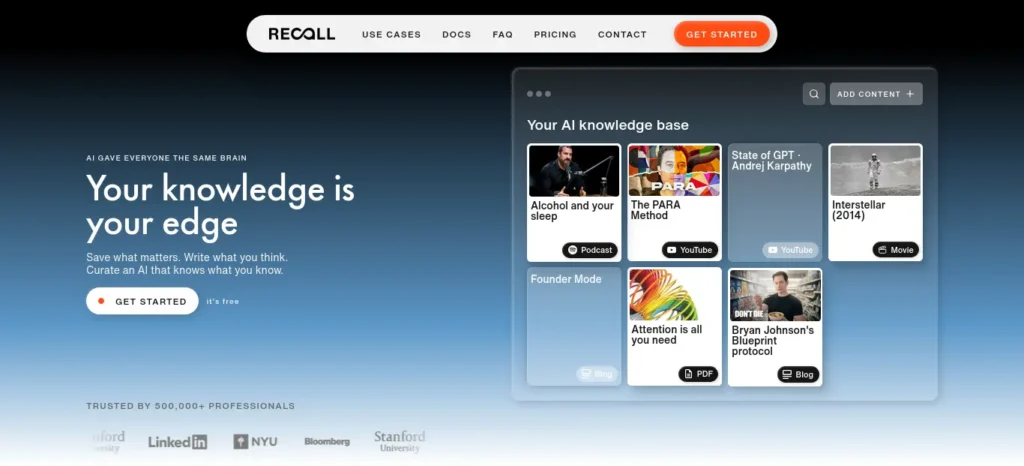
Best For: Saving & summarizing articles/videos
- Free plan: Yes, 10 AI summaries/mo
- Cheapest paid plan: ~$7–10/mo
- Beginner friendly: Yes
🎧 Mindgrasp
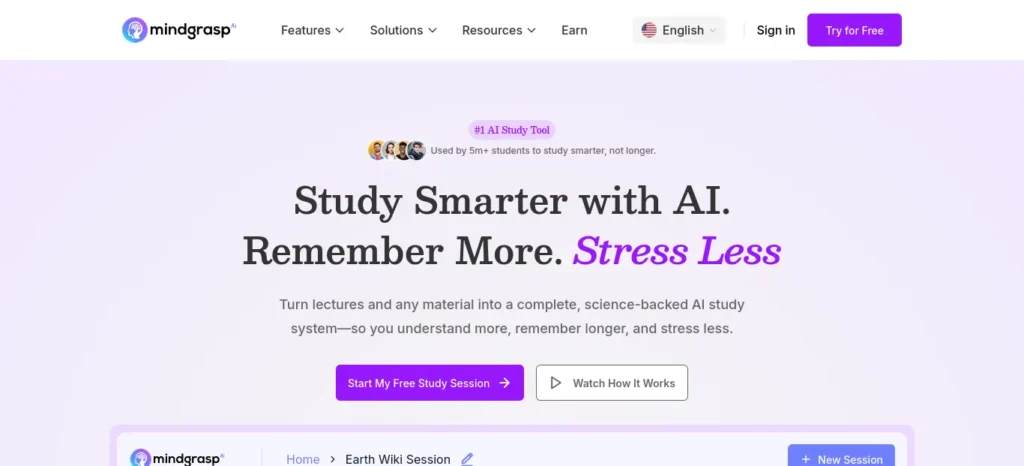
Best For: Fast notes from lectures & video
- Free plan: No permanent free plan (4-day trial only)
- Cheapest paid plan: $5.99/mo
- Beginner friendly: Yes
🎙️ Raena AI
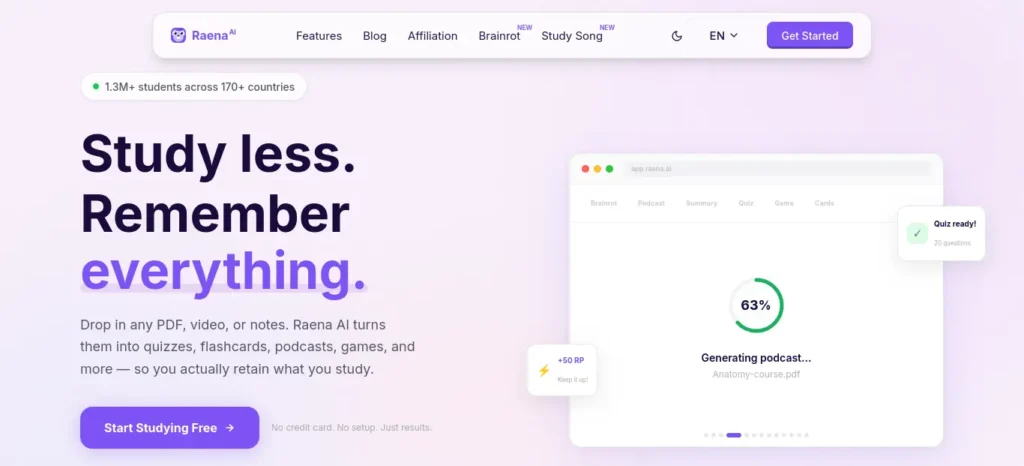
Best For: Multi-format study packs (quiz, podcast, mind map)
- Free plan: Yes, limited
- Cheapest paid plan: Varies by tier
- Beginner friendly: Yes
🎓 YouLearn
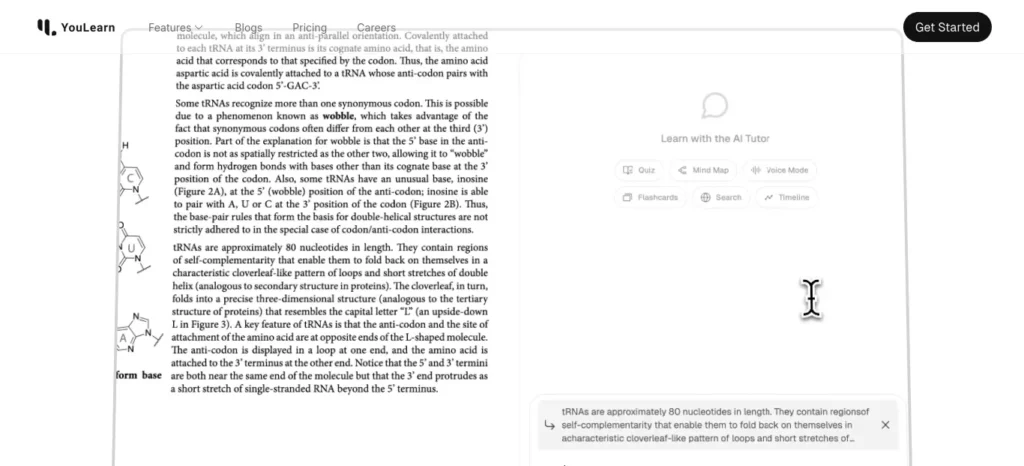
Best For: Chat-based AI tutoring on your material
- Free plan: Yes, limited
- Cheapest paid plan: $12–20/mo
- Beginner friendly: Yes
🧩 Goblin Tools
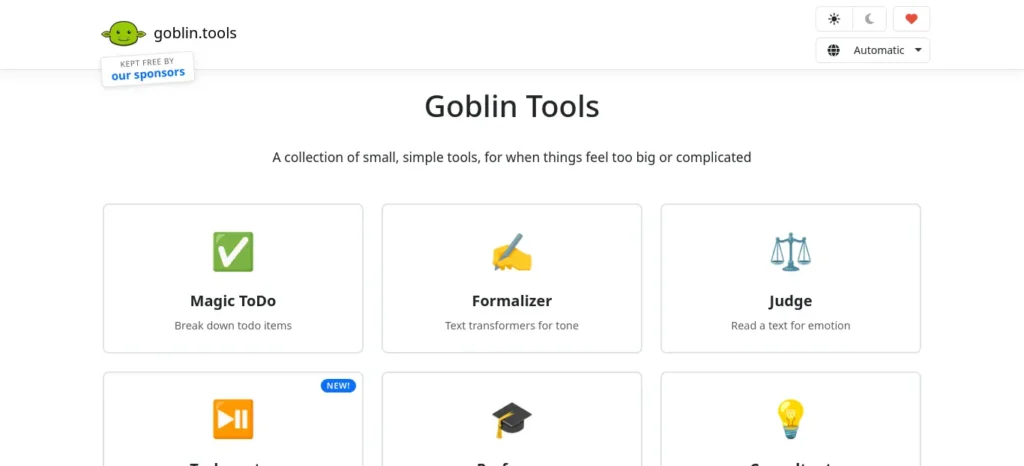
Best For: Breaking overwhelming tasks into steps
- Free plan: Yes, fully free
- Cheapest paid plan: N/A (one-time app fee only)
- Beginner friendly: Yes
🗺️ Mapify
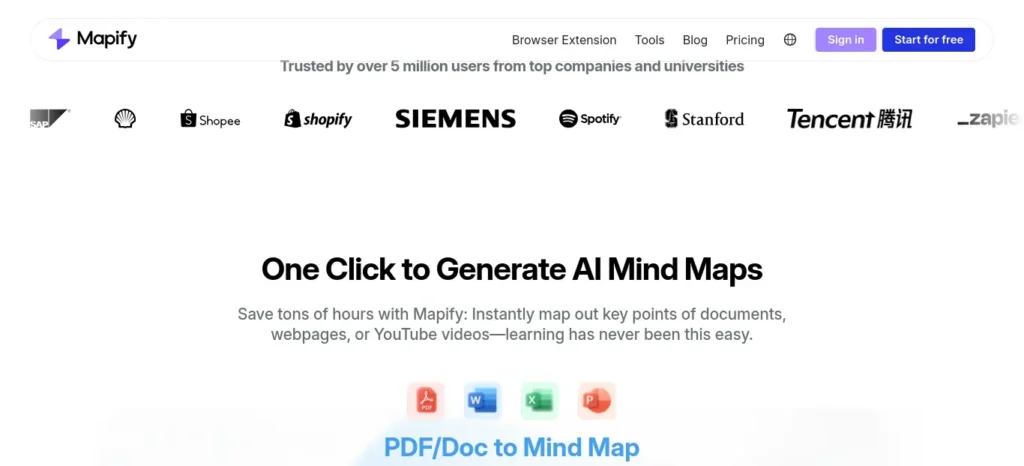
Best For: Visual mind maps from PDFs/videos
- Free plan: Yes, 30 one-time credits
- Cheapest paid plan: ~$6–10/mo
- Beginner friendly: Yes
StudyFetch
Best for: Students who want one platform to handle notes, flashcards, quizzes, and tutoring instead of juggling four separate apps.
Upload a PDF, slide deck, lecture recording, or even a photo of handwritten notes, and StudyFetch generates flashcards, quizzes, and summaries automatically. Its AI tutor, Spark.E, answers questions grounded in your actual course material rather than general web knowledge — so if your professor covered something oddball in lecture, Spark.E can reference it directly instead of guessing.
Pros: Consolidates several study tools into one workflow; contextual tutor is genuinely useful for last-minute confusion; supports PDFs, video, audio, and handwritten notes.
Cons: The free plan is restrictive (around 1–2 study sets and 10 tutor chats), so you’ll likely need to subscribe to properly evaluate it. It’s also worth knowing that a chunk of negative reviews mention surprise renewal charges — set a cancellation reminder if you start a trial.
Free plan: Yes, but limited to a small number of uploads and chats.
Pricing: Roughly $7.99–$11.99/month on annual plans (higher on monthly billing).
Who should use it: Students juggling multiple courses who want a single hub for exam-week prep.
Knowt
Best for: Free flashcards and quizzes without hitting a paywall.
Knowt positions itself as the tool Quizlet used to be before Quizlet locked its best study modes behind a subscription. Paste in your notes and it auto-generates flashcards, a Learn mode, spaced repetition, and even a Kahoot-style game mode — all on the free tier. It also has a one-click Quizlet import tool if you’ve already built decks elsewhere.
Pros: One of the most generous free tiers in this whole category; unlimited flashcard creation even without paying; genuinely useful AI note summarizer from PDFs, slides, and YouTube videos.
Cons: The AI tutor chat (“Kai”) is locked behind the paid Ultra tier; AI-generated cards occasionally need manual editing for accuracy.
Free plan: Yes — unlimited flashcards, study modes, and basic AI summarization.
Pricing: Ultra plan runs roughly $5–12.49/month depending on billing cycle.
Who should use it: Anyone who wants flashcards and quizzing without paying anything at all.
NotebookLM
Best for: Trustworthy summaries that stick strictly to your own uploaded material.
Google’s NotebookLM only answers based on the sources you feed it, which sharply cuts down on made-up facts compared to a general chatbot. Upload a 90-page reading and ask for a one-page cheat sheet, or generate an audio overview you can listen to while you get ready in the morning.
Pros: Source-grounded answers reduce hallucinated facts; handles long PDFs and lecture recordings well; free tier is genuinely usable, not just a teaser.
Cons: Only as good as what you upload — it won’t fill gaps with outside knowledge; no built-in flashcards or spaced repetition, so you’ll want to pair it with Knowt or Jungle AI for that step.
Free plan: Yes — 100 notebooks, 50 sources per notebook, and 50 chats a day.
Pricing: Paid tiers are bundled into Google AI plans starting at $7.99/month.
Who should use it: Anyone who wants a fast, reliable summary of dense material without worrying about AI making things up.
Jungle AI
Best for: High-accuracy flashcards and multiple-choice questions, especially for visual subjects like anatomy or biology.
Jungle turns lecture slides, PDFs, and even YouTube videos into flashcards and MCQs, with a standout AI Image Occlusion feature that automatically hides labels on diagrams — a genuine time-saver for anatomy, biology, or geography students. It also gives immediate feedback and explanations after each question.
Pros: Noticeably more accurate question quality than many competitors, according to third-party comparisons; diagram-to-flashcard feature is rare among competitors; exports to Anki if you prefer that ecosystem.
Cons: Free tier caps out quickly (around 10–15 generations a month); interface has a learning curve because of how feature-rich it is.
Free plan: Yes — limited monthly generations and page/video limits.
Pricing: Around $5/month for the mid tier, up to $12/month for unlimited generation.
Who should use it: STEM, nursing, and medical students who need diagram-heavy flashcards, not just text-based ones.
Recall
Best for: Turning YouTube lectures, articles, and PDFs into a searchable, connected knowledge base you can quiz yourself on later.
Recall automatically summarizes anything you save — a lecture video, a journal article, a podcast — and links related ideas together so you can resurface them later. It also generates quizzes from your saved content, which makes it more than a simple bookmarking tool.
Pros: Genuinely free forever for core saving and unlimited notes; automatic tagging and connections save real organizing time; works well for long YouTube lectures (up to 10 hours) and long PDFs (up to 300 pages).
Cons: Only 10 AI summaries a month on the free plan; better suited to ongoing knowledge-building than a single frantic cram session.
Free plan: Yes — unlimited saves and notes, plus 10 AI summaries a month.
Pricing: Roughly $7–10/month for unlimited AI summaries.
Who should use it: Students who’ve been assigned a stack of readings or lecture videos and need to condense them fast.
Mindgrasp
Best for: Fast, accurate notes from lecture recordings and long videos.
Mindgrasp is particularly strong with audio and video content — upload a recorded lecture or paste a YouTube link and get structured notes back in seconds. It also generates flashcards and quizzes from the same upload.
Pros: Handles multiple content types (PDFs, video, audio, web links) well; notes and summaries are consistently detailed; useful AI Q&A for follow-up questions.
Cons: No permanent free plan — only a short trial, and multiple reviewers report being charged unexpectedly right after signing up. If you try it, use a card you can easily monitor and cancel before the trial period ends.
Free plan: No ongoing free tier; short trial only.
Pricing: Basic plan around $5.99/month, up to roughly $10.99/month for the full-feature tier.
Who should use it: Students with hours of recorded lectures to convert into notes quickly — just watch the billing closely.
Raena AI
Best for: Students who want more than flashcards — quizzes, podcasts, and mind maps from the same notes.
Raena AI converts your notes into eight different formats: quizzes, flashcards, summaries, mind maps, podcasts, and even short-form “study video” content. The variety makes it a good fit for students who retain information differently depending on the format.
Pros: Wide range of output formats from a single upload; useful for auditory learners via the podcast feature; large existing user base for a relatively new tool.
Cons: Several user reviews describe billing friction and unclear free-tier limits — read the fine print on any trial before entering payment details.
Free plan: Yes, with daily/weekly caps on uploads and generations.
Pricing: Tiered, with usage-based limits rather than fixed feature gates — check current pricing before committing to an annual plan.
Who should use it: Students who want to turn one set of notes into several different study formats without extra manual work.
YouLearn
Best for: Chatting with an AI tutor that’s grounded in your specific course material.
YouLearn’s core experience is conversational — upload your material and talk it through with an AI tutor rather than just reading a summary. It also generates flashcards, quizzes, practice exams, and podcasts from the same source material.
Pros: Strong all-in-one output (flashcards, quizzes, practice exams, and tutoring from a single upload); free plan is enough for light, occasional use; 20% student discount available with a valid .edu email.
Cons: Free plan caps daily uploads and chats fairly low (a handful per day); Pro plan pricing ($12–20/month) is on the higher end of this list.
Free plan: Yes — a few uploads, chats, and quiz questions per day.
Pricing: Pro plan runs $12/month billed annually or $20/month billed monthly.
Who should use it: Students who learn best by asking questions and getting explanations back-and-forth, rather than just reading generated notes.
Goblin Tools
Best for: Breaking an overwhelming syllabus or assignment into small, doable steps.
Goblin Tools doesn’t teach content — it teaches you how to start. Describe a vague, intimidating task (“study for my anatomy final”) and its Magic To-Do feature breaks it into specific, concrete micro-steps. Genuinely useful when a huge syllabus feels paralyzing rather than just difficult.
Pros: Completely free on the web with no usage limits and no account required; adjustable “spiciness” setting controls how granular the breakdown is; especially helpful for ADHD or executive-function-related overwhelm.
Cons: Doesn’t teach or quiz you on content — it’s a task-breakdown tool, not a study tool; no history or saved sessions on the free web version, so breakdowns disappear if you close the tab.
Free plan: Yes — fully free on the web, no paywall.
Pricing: Free (mobile apps are a small one-time purchase, not a subscription).
Who should use it: Anyone who freezes up looking at a syllabus and needs the first step spelled out for them.
Mapify
Best for: Turning a dense PDF, video, or article into a visual mind map for quick concept review.
Mapify converts PDFs, YouTube videos, and web pages into structured, colorful mind maps rather than plain text summaries — useful in the last hour before an exam when you want the big picture of a chapter at a glance rather than a wall of bullet points.
Pros: Visual format works well for students who think in diagrams rather than lists; handles a wide range of input types (PDF, video, audio, images of scanned notes); export to PDF, image, or Markdown.
Cons: Free plan gives a one-time batch of credits rather than an ongoing monthly allowance, so it runs out fast; can’t build maps manually from scratch — it’s generation-first, not a blank canvas.
Free plan: Yes — 30 one-time AI credits (roughly 5 PDF or video conversions).
Pricing: Roughly $6–10/month on annual billing for the entry paid tier.
Who should use it: Visual learners who want a one-page overview of a chapter instead of a bulleted summary.
The Best One-Night Study Workflow
When you have only one evening left, your goal is not to learn every topic perfectly. It is to use the remaining time on the material most likely to matter and identify what you can recall independently.
Step 1: Identify your priority topics
Check your syllabus, teacher’s revision guidance, past papers where available, and topics you find difficult. Separate them into high-priority, needs-review, and lower-priority groups.
Step 2: Generate a focused revision sheet
Use your lecture notes or textbook to create concise explanations of the priority topics. Ask the AI to preserve essential definitions, formulas, conditions, and exceptions instead of oversimplifying them.
Step 3: Test yourself
Ask for practice questions, close the notes, and answer from memory. Use your mistakes to decide what to review next.
Step 4: Review only the weak areas
Return to the relevant source material and correct misunderstandings. Avoid repeatedly reading content you already know while ignoring topics you cannot explain.
Step 5: Protect time for rest
Do not let AI-generated summaries, extra app features, or endless question generation consume your entire night. Leave enough time for sleep and a brief review before the exam.
Rule of thumb: Use AI to organise and explain the material; use independent recall to check whether you actually know it.
A 3-Hour Emergency Study Plan
If you have roughly three hours before you need to stop studying, use the following as a flexible starting point—not a guaranteed formula for exam success.
| Time | What to do | How AI can help |
| First 20 minutes | Identify the highest-priority topics | Organise your syllabus and revision notes into a short checklist |
| Next 60 minutes | Review key concepts and worked examples | Explain difficult points and clarify steps you do not understand |
| Next 50 minutes | Practise without looking at your notes | Generate questions and explain your mistakes |
| Next 30 minutes | Revisit weak topics | Summarise the specific concepts you answered incorrectly |
| Final 20 minutes | Review essential facts and prepare for the exam | Create a short checklist from your verified notes |
Adjust the timings to your subject, exam format, and current level of preparation. If the exam requires solving problems, spend more time practising them. If it tests definitions or recall, prioritise retrieval practice.
Do not use this schedule as a reason to skip necessary sleep, meals, or exam preparation logistics.
Other AI Tools for Last Minute Studying Worth Knowing
A few well-known names still deserve a place in your stack, even though this guide focuses on tools that get less spotlight:
- ChatGPT / Claude — best for open-ended explanations and pushing an AI into Socratic “tutor mode” when you’re stuck on a single confusing concept.
- Khanmigo — the cheapest paid AI tutor here at $4/month, built on Khan Academy’s curriculum, though it can’t ingest your own lecture slides.
- Perplexity / Wolfram Alpha — best when you need to fact-check something before it lands on an exam, since both show their sources or reasoning steps.
- Quizlet / Anki — the long-standing default for flashcards, still worth using if you already have decks built there.
Which Study Tool Saves the Most Time?
The biggest time saver depends on the task: NotebookLM can speed up reading and summarizing, Knowt can speed up flashcard creation, and StudyFetch can reduce tool switching by combining several study tasks in one platform.
How to Choose the Right AI Tool in 30 Seconds
If you need summaries → use NotebookLM
Need flashcards → use Knowt
Need tutoring → use ChatGPT
Need mind maps → use Mapify
Need organization → use Goblin Tools
24-Hour AI Study Checklist
Use it because it increase your AI productivity flow in accessing
- ✅ Collect notes
- ✅ Summarize
- ✅ Flashcards
- ✅ Practice quiz
- ✅ Weak topics
- ✅ Sleep
which ai tool is fastest for last-minute study help
If you need fast last-minute study help, ChatGPT is a practical choice because it can quickly:
- Explain difficult topics in simple, beginner-friendly language.
- Summarize long notes or chapters into concise revision points.
- Generate practice questions based on the topic you are studying.
- Create quick revision plans when you have only a few hours left.
- Quiz you interactively so you can use active recall instead of repeatedly rereading notes.
- Give step-by-step explanations for subjects such as mathematics, science, and technical topics.
- Adapt explanations to your level, such as beginner, college student, or exam-focused revision.
- Turn your study material into a focused checklist, helping you decide what to study first when time is limited.
For the fastest results, upload your own notes or syllabus and give ChatGPT a specific task instead of asking a broad question such as “Help me study.” This makes the session more focused and reduces the time spent organizing your material.
Real Examples and Practical Use Cases
Biology exam tomorrow: Upload your lecture slides to NotebookLM, ask it to extract the 20 highest-yield terms, then paste that list into Knowt or Jungle AI to build a flashcard deck. Total time: under 15 minutes.
Confusing economics concept: Ask ChatGPT or YouLearn to explain supply elasticity “like I’m 16,” then immediately generate three practice questions to test whether it actually clicked.
History essay exam: Feed messy notes into Mapify for a hierarchical mind map with 3–5 main themes, then practice explaining each theme out loud without looking at your notes.
Math final: Use Wolfram Alpha to check your work step-by-step, not just the final answer — this reveals exactly where your process breaks down.
Common Mistakes Students Make With AI Tools for Last Minute Studying
- Trusting AI answers without checking them. AI can sound confident and still be wrong, especially with citations, dates, and formulas.
- Using AI to skip understanding, not build it. If you copy an AI-generated answer without processing it, nothing transfers to your exam.
- Over-organizing instead of studying. Spending 40 minutes perfecting a Notion workspace is procrastination wearing a productivity costume. (This is exactly where a tool like Goblin Tools helps — it gives you the next step instead of another thing to organize.)
- Treating every tool as “one-size-fits-all.” ChatGPT is not a flashcard app. Knowt is not a research tool. Pick the right tool for the right job.
- Skipping sleep entirely. An all-nighter without any rest often erases the very information you just crammed.
Best Practices for Using AI Tools for Last Minute Studying
- Set a specific goal for each session (“finish Chapter 5 flashcards,” not “study biology”).
- Triage before you memorize — not everything in the syllabus carries equal exam weight.
- Use retrieval practice (quizzes, flashcards, saying it out loud) instead of passive rereading. See active recall vs. rereading for the research behind this.
- Cross-check anything AI generates against your actual textbook or notes before trusting it on exam day.
- Study in short, focused blocks (25–30 minutes) with real breaks in between.
(Many students struggle because they do not have a structured study schedule. If that sounds familiar, check out AI Tools for Creating a Study Timetable Automatically: 9 Powerful and Smart Solutions for Students in 2026 to learn how AI can create a personalized timetable in just a few minutes)
Pro Tips
- Pro Tip: Ask your AI tool to quiz you in the exact format of your real exam (multiple choice, short answer, essay). Practicing in the wrong format wastes precious time.
- Pro Tip: If a concept won’t click after two different AI explanations, switch tools. Different models explain things differently, and one framing might finally land.
- Pro Tip: Keep a running “confusion list” during your session — the 3–5 things you’re least sure about — and review that list right before the exam starts.
Free AI Study Tools: What to Check Before You Start
A free plan may be enough for a short revision session, but free access does not always include every AI feature.
Before choosing a tool, check:
- Usage limits: How many summaries, flashcards, questions, or generations can you create?
- File support: Can you upload your lecture PDFs, slides, or notes?
- Feature restrictions: Are the study features you need included in the free plan?
- Export options: Can you save or review the material later?
- Privacy: Does the tool’s privacy policy explain how uploaded study materials are handled?
Do not choose a platform solely because it advertises a free plan. Check whether the particular feature you need is available without payment, and verify the current terms on the official website.
What AI Cannot Reliably Do During Last-Minute Studying
AI tools can help organise information and generate revision questions, but they cannot guarantee exam readiness.
- They may make mistakes: Check formulas, dates, definitions, and technical explanations against trusted course material.
- They may miss syllabus details: A general summary may leave out the specific topics your exam covers.
- They cannot guarantee exam predictions: Treat generated predictions about likely questions as suggestions, not confirmed exam content.
- They cannot replace practice: Reading an AI explanation does not prove that you can solve a problem or recall an answer independently.
- They can waste time if overused: Switching between several tools or repeatedly generating summaries may leave less time for actual revision.
The safest approach is to use AI for focused support, verify important information, and test your understanding without assistance.
FAQ
Is it cheating to use AI tools for last minute studying? Generally no, when used to review, quiz, and clarify your own understanding rather than to generate answers for a graded assignment. Always check your specific course or institution’s AI policy, since rules vary widely in 2026.
What is the single best AI tool for last minute studying? There isn’t one universal answer — it depends on your bottleneck. If you need free flashcards fast, Knowt wins. If you need diagram-based questions, Jungle AI wins. If you need grounded, source-based summaries, NotebookLM wins. If you want everything in one place and don’t mind paying, StudyFetch wins.
Can AI tools replace sleep during an all-nighter? No. AI can make your study time more efficient, but it can’t replace the memory consolidation that happens during sleep. Even 4–5 hours of rest improves recall more than extra cramming hours without sleep.
Are free AI tools good enough for last-minute studying? Mostly, yes. Knowt, NotebookLM, Goblin Tools, and Recall all have genuinely usable free tiers. Others, like Mindgrasp, don’t offer an ongoing free plan at all — check the comparison table above before you commit your last few hours to a tool that locks you out mid-session.
How do I know if an AI answer is accurate? Cross-check important facts, dates, and formulas against your textbook or a source-grounded tool like NotebookLM or Perplexity, which link claims back to your actual materials or citations.
Key Takeaways
- Last-minute studying fails most often because of passive rereading, not lack of effort.
- The right AI tools for last minute studying save time on summarizing and organizing, leaving your brain free to actually learn.
- No single tool does everything — combine a summarizer (NotebookLM), a flashcard or quiz generator (Knowt or Jungle AI), and a tutor-style chatbot (ChatGPT or YouLearn) for the best results.
- Retrieval practice (quizzing yourself) beats rereading every time.
- Sleep is not optional. It’s part of the study plan, not a reward for finishing it.
(Struggling with difficult subjects? Explore our complete guide on AI Tools for Learning Difficult Subjects Faster and discover powerful AI tools that make complex topics easy to understand)
Conclusion
A last-minute study session doesn’t have to be a chaotic, caffeine-fueled scramble. With the right AI tools handling the summarizing, sorting, and quizzing, you can spend your limited hours doing the one thing that actually moves the needle: real, active recall.
You don’t need to master an entire semester overnight. You need a focused plan, the right tools, and the discipline to stop “organizing” and start testing yourself. Pick one tool from each category above, follow the 24-hour plan, and walk into that exam with a genuine plan instead of panic.