

11 Best AI Tools for College Assignments (Free & Tested 2026)
Best AI Tools for Writing College Assignments
Introduction:The Blank Page Isn’t the Enemy You Think It Is
Here’s something most guides won’t tell you upfront: the best AI tools for writing college assignments in 2026 aren’t the ones that write your paper for you. They’re the ones that make you a faster, clearer, more confident writer.
That distinction sounds small. It isn’t. It’s the difference between a tool that helps your grades this semester and a tool that quietly erodes the skill you’ll need for the rest of your career.
Picture two students. Both are staring at a blank document at 11 p.m., a paper due in nine hours. Student A pastes the prompt into a chatbot and submits whatever comes out, lightly reworded. Student B uses AI to brainstorm three possible arguments, drafts the paper herself, and uses AI afterward to sharpen weak sentences and check her citations. Six months later, in a timed exam or a job interview, only one of them can still write under pressure.
This guide is for Student B — and for anyone who wants to become her.
Takeaway: AI should shorten the distance between “I don’t know where to start” and “I’m writing,” not replace the writing itself.
New to AI? Start with our Ultimate Beginner Guide to AI Tools for Students to discover the best AI tools for research, note-taking, writing, revision, and productivity—all explained in a beginner-friendly, step-by-step format.
The best AI tool for college assignments depends on the task. General-purpose AI assistants can help with brainstorming and outlining, writing tools can improve clarity and grammar, and research-focused tools can help locate and verify academic sources. Before choosing one, compare its free-plan limits, citation capabilities, privacy terms, and your college’s AI-use policy.
Quick Answer: Which AI Is Best for College Assignments?
There is no single best AI for every college assignment. The right choice depends on whether you need help with ideas, research, course materials, writing quality, or organization.
- For brainstorming and outlines: ChatGPT or Claude can help you explore ideas, understand difficult concepts, and plan your own response.
- For web research with linked sources: Perplexity can help you discover information and identify sources to verify.
- For academic literature searches: Elicit is designed to support research across academic papers.
- For studying your own PDFs and notes: NotebookLM can help you ask questions about materials you provide.
- For grammar and clarity: Grammarly or DeepL Write can help refine a draft you have written.
- For sentence-level paraphrasing: QuillBot can suggest alternative wording, but it should not be used to disguise copied work.
- For managing assignments: Notion can help organize tasks and deadlines; check the current plan before assuming advanced AI features are included.
Best starting point for most students: Choose one tool for planning, one suitable source-discovery method for research, and one editor for proofreading. Verify the sources yourself, follow your institution’s AI policy, and write the final analysis in accordance with your assignment requirements.
Free access and feature limits vary by product and can change. Check the official plan pages before choosing a tool.
If you want one simple starting point, use a general AI assistant for brainstorming and outlining, a research-focused tool for finding and checking sources, and a writing editor for final proofreading. Keep the actual arguments, analysis, and final assignment in your own words.
The best AI for college assignments is therefore not necessarily the tool that can generate the most text. It is the tool that solves the specific part of the assignment you are struggling with.

The Problem: Why Students Are Turning to AI in the First Place
College writing has gotten harder to manage, even though it hasn’t gotten harder to understand. The real issue is volume and time, not intelligence.
- Multiple assignments land in the same week, often from different professors who don’t coordinate deadlines.
- Research now means sifting through more sources than ever, many of them low-quality or paywalled.
- Formatting rules (APA, MLA, Chicago) eat time that has nothing to do with actual thinking.
- Many students juggle jobs, family responsibilities, or long commutes alongside a full course load.
None of that is a character flaw. It’s a scheduling problem — and AI, used correctly, is a scheduling solution disguised as a writing tool.
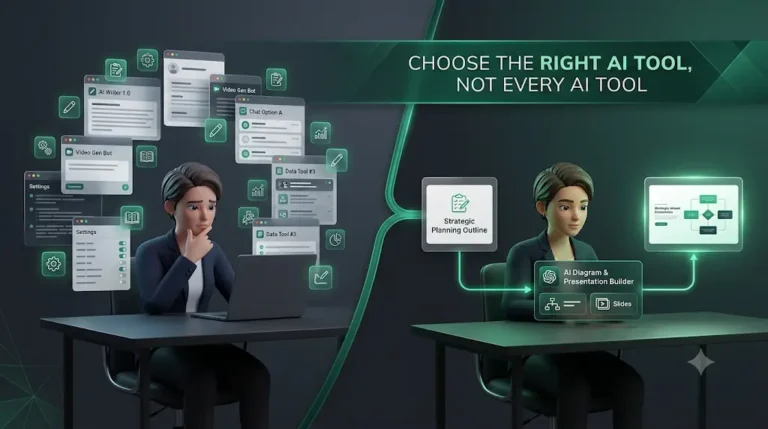
Common mistake: Treating every writing tool as interchangeable. A grammar checker, a research assistant, and a full essay generator solve completely different problems. Using the wrong one for the wrong stage is how students end up with citation-fabrication disasters (more on that shortly).
Why It Matters: Grades, Integrity, and the Skill You’re Actually Building
Every college assignment is doing two jobs at once. The obvious job is producing a grade. The hidden job is training your brain to construct an argument, weigh evidence, and communicate it clearly — a skill that outlasts any transcript.
Retraction Watch’s May 2026 analysis found that roughly 1 in 277 PubMed-indexed papers published that year cited a source that did not actually exist, while separate 2026 research reported that 51% of retracted academic articles involved AI-related issues. This is not just a student problem—it has also affected professional researchers. The key lesson is that AI-generated citations and references should never be accepted without verification. While research-focused tools that provide linked sources are generally more reliable than general-purpose chatbots, every citation should still be opened, checked, and confirmed before it is included in an academic assignment.
Here’s the honest trade-off, framed the way a financial advisor might frame risk: using AI to generate a full paper is a short-term win with a long-tail cost. You save two hours tonight. You risk an academic integrity case, a skill gap you won’t notice until finals, or both.
So what? Use AI where it removes friction (research, structure, editing) and keep yourself in the driver’s seat where it matters (arguments, analysis, final prose).

- Choosing the right AI tool depends on your stage in the assignment writing process. While many students expect one AI platform to handle every task, each tool has its own strengths.
- ChatGPT and Claude are excellent for brainstorming ideas and creating structured outlines, while Perplexity, Elicit, and NotebookLM are better suited for finding reliable academic sources and organizing research.
- Grammarly and DeepL Write help improve grammar, clarity, and academic tone, whereas QuillBot is ideal for paraphrasing and refining sentences without changing their original meaning.
- For students who need help managing assignments, deadlines, and productivity, Microsoft Copilot and Notion AI provide useful organizational features
- Instead of relying on a single AI assistant, combining specialized tools throughout different stages of the writing process helps improve efficiency, supports academic integrity, and produces higher-quality assignments.
Step-by-Step Guide: How to Actually Use AI for a College Assignment
This six-step workflow helps students use AI responsibly while maintaining academic integrity. It reflects the approach consistently recommended across multiple academic writing resources and educational best practices published in 2026. Instead of relying on a single AI tool for everything, the process combines brainstorming, citation-based research, independent outlining, human-written drafting, AI-assisted editing, and manual citation verification. Following this structured workflow helps students produce higher-quality assignments while reducing the risk of factual errors, fabricated citations, and academic integrity issues.
Step 1: Brainstorm, Don’t Outsource
What: Ask AI for multiple angles, not a finished thesis.
Why: A single AI-generated thesis is generic by design — it’s the statistical average of everything the model has seen. Your job is to react to options, not accept the first one.
How: Prompt it for 4–5 possible thesis directions plus counterarguments for each, and explicitly tell it not to write any part of the actual paper.
Example: Instead of “Write me a thesis about climate policy,” try “Give me five distinct argumentative angles on climate policy for a 1,500-word persuasive essay, plus one counterargument for each.
” Action step: Pick the angle that makes you want to argue back. That’s usually the one with real substance.
Step 2: Research With a Citation-Grounded Tool
What: Use AI research tools that link claims to real, retrievable sources — not general chatbots.
Why: General-purpose generation tools are notorious for inventing sources. Research-focused tools that cite from an indexed corpus are dramatically more reliable.
How: Tools built specifically for evidence synthesis pull from actual paper databases and show sentence-level citations you can click through and verify yourself.
Pro tip: Never trust a citation you haven’t personally opened and confirmed exists.
How to Use AI for Assignment Research
AI can make assignment research faster by helping you identify useful topics, discover relevant academic sources, and organize information before you start writing. If you are researching a university assignment, use citation-focused tools to find sources and then open and verify those sources yourself before using them in your work.
For AI assignment research, tools such as Perplexity, Elicit, and NotebookLM can be useful for different research tasks. Perplexity can help you get a quick overview of a topic with linked sources, Elicit can help with academic literature and evidence synthesis, and NotebookLM can help you work directly with documents and course materials that you provide.
If you are wondering what is the best AI for university assignments, there is no single tool that works best for every subject or assignment type. The better approach is to choose a research tool based on whether you need academic papers, source discovery, document analysis, or help understanding the research you have already collected.
Step 3: Build Your Own Outline
What: Structure the paper yourself, using AI’s brainstorm as raw material.
Why: This is where your actual argument takes shape. Skipping it is how “AI-assisted” quietly becomes “AI-written.
” How: Old-fashioned bullet points work fine. This step should take you longer than any AI prompt in this process.
Step 4: Write the First Draft Yourself
What: Actual sentences, actual you.
Why: This is the non-negotiable core of academic integrity. If AI writes the paragraphs and you edit them, you’ve crossed from drafting into dishonesty — a distinction one 2026 academic-writing analysis calls the single most-missed line among students.
Action step: Set a timer, close the AI tab, and write badly for 25 minutes. A messy first draft you wrote beats a polished paragraph you didn’t.
Step 5: Edit and Refine With AI
What: Now bring AI back in — for grammar, tone, and clarity, not content.
Why: This is genuinely low-risk, high-value use. Fixing “I think maybe the data shows” into “The data indicates” is not academic dishonesty; it’s what a good editor does.
How: Run your draft through a grammar and tone tool, and ask it to flag informal phrasing without rewriting your ideas.
Step 6: Verify Every Citation, Manually
What: Cross-check every source AI touched, even indirectly.
Why: This is the step students skip when they’re exhausted — and the step that causes the most damage when skipped.
How: Open every source. Confirm the author, date, and quote actually match. If you can’t find it in two minutes, cut it.

How to Verify AI-Generated Citations Before Submitting
An AI-generated reference should not be treated as reliable simply because it looks correctly formatted. A real paper can also be cited incorrectly, or its findings can be misrepresented.
Use this checklist for every important academic source:
- Find the original record. Search the paper title in the publisher’s website, the journal website, or a recognised academic database.
- Confirm the authors and publication details. Check the title, author names, publication year, journal or conference, and DOI when available.
- Read the relevant passage. Make sure the source actually supports the statement in your assignment.
- Check the study’s limitations. Review its research design, sample, scope, and any caveats relevant to your claim.
- Verify the quotation or page number. Never rely on an AI-generated quotation or pinpoint reference without checking the original document.
- Format the reference correctly. Apply the citation style required by your course, such as APA or MLA, and inspect every field.
- Remove unverified references. If you cannot establish that a source exists and supports your claim, do not cite it as established evidence.
Important: A tool that displays source links can make verification easier, but a linked source is not automatically relevant, accurate, or authoritative. The student remains responsible for the final reference list and the claims made in the assignment.
The Best AI Tools for College Assignments, Organized by Task
Which AI Should You Use for Different College Assignments?
The best AI for an assignment depends on the part of the work you need help with. Instead of asking one tool to handle everything, match the tool to the task.
For Starting an Assignment
If you are stuck on a topic, unsure how to approach the question, or staring at a blank page, ChatGPT or Claude can help you generate possible approaches, explain the topic, and turn your assignment question into a workable outline.
Use the suggestions as starting points rather than submitting AI-generated content as your assignment.
For Assignment Research
If your assignment requires academic sources, research papers, or evidence, Perplexity, Elicit, and NotebookLM can support different parts of the research process.
Perplexity can help you explore a topic and discover sources, Elicit is more focused on academic literature and evidence synthesis, and NotebookLM is particularly useful when you already have PDFs, lecture notes, or other course materials.
Always open and verify the original source before citing it.
For Writing an Assignment
For the writing stage, AI is most useful when it helps you organize your own ideas, identify gaps in your reasoning, improve structure, or explain difficult concepts.
ChatGPT and Claude can be useful for brainstorming and outlining, while Grammarly and DeepL Write can help improve grammar, clarity, and sentence flow after you have written your draft.
For English Assignments
If English is not your strongest writing language, Grammarly and DeepL Write can help identify awkward phrasing, grammar problems, and unclear sentences.
The goal should be to improve the way you communicate your own ideas rather than replacing those ideas with AI-generated writing.
For Free Assignment Help
Students looking for free AI tools can start with the available free tiers of tools such as ChatGPT, Perplexity, Grammarly, and QuillBot. Free features and usage limits can change, so check the tool’s current pricing page before relying on a particular feature.
For most students, combining a few free tools for brainstorming, research, and proofreading is more practical than trying to find one tool that does everything.
Most students use AI as a simple chatbot, but the real advantage comes from following a complete workflow. Discover our AI study workflow for students and learn how to capture notes, create quizzes, schedule revision, and prepare for exams more effectively
Brainstorming & Getting Unstuck
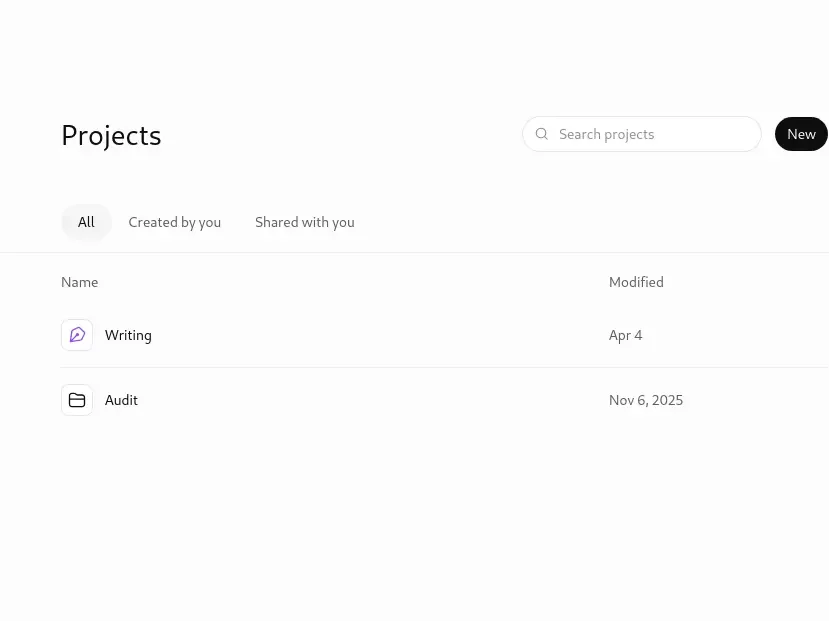
ChatGPT remains the go-to for fast, varied brainstorming. It’s quick at generating many different angles on a topic, which makes it well-suited to the “give me options” stage specifically. It is not well-suited to being your final voice — its output tends toward generic phrasing that professors and AI detectors both recognize easily.
Best for: Brainstorming, understanding topics, and creating assignment outlines.
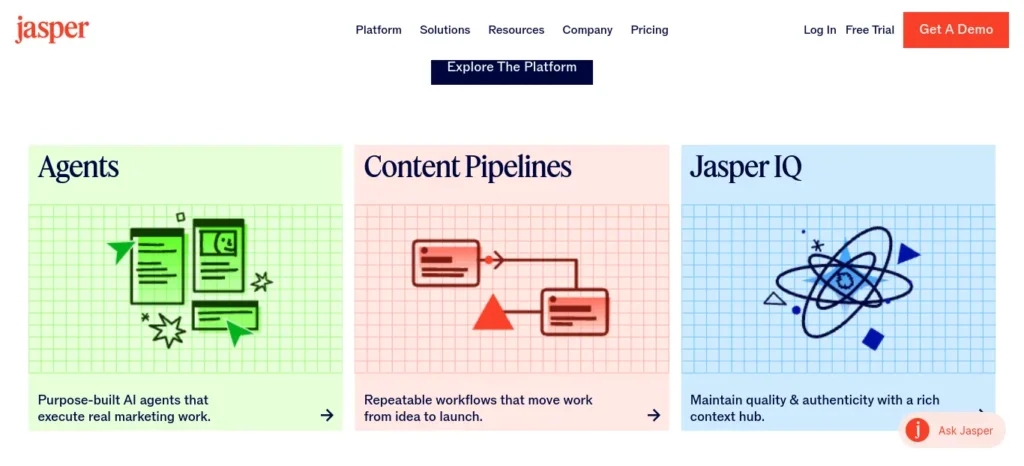
Jasper functions less like a chatbot and more like a creative sparring partner. It’s particularly good at outlines and opening paragraphs for students who freeze at the blank page, using template frameworks built for essay-style writing.
Research With Real Citations
Perplexity answers questions with visible, checkable sources attached, which makes it far safer for research than a standard chatbot. It’s a strong first stop when you’re unfamiliar with a topic and need a fast, sourced overview.
Best for: Finding sources and researching assignment topics.
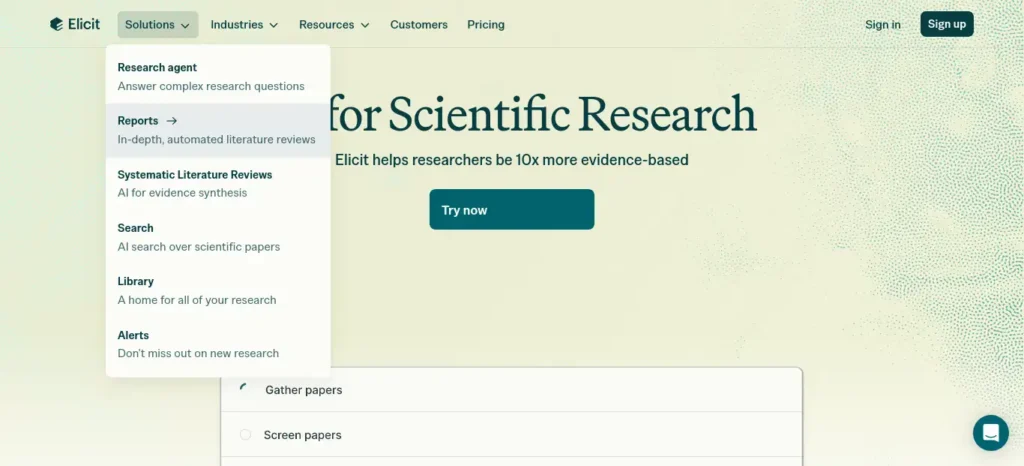
Elicit is built specifically for literature search and evidence synthesis at a level closer to graduate research. Its published benchmarks across a set of Cochrane systematic reviews report search recall around 95% and full-text screening accuracy around 99% — self-reported figures, but methodology-transparent ones, and genuinely useful if your assignment requires a real literature review.
Best for: Academic literature research and evidence synthesis.
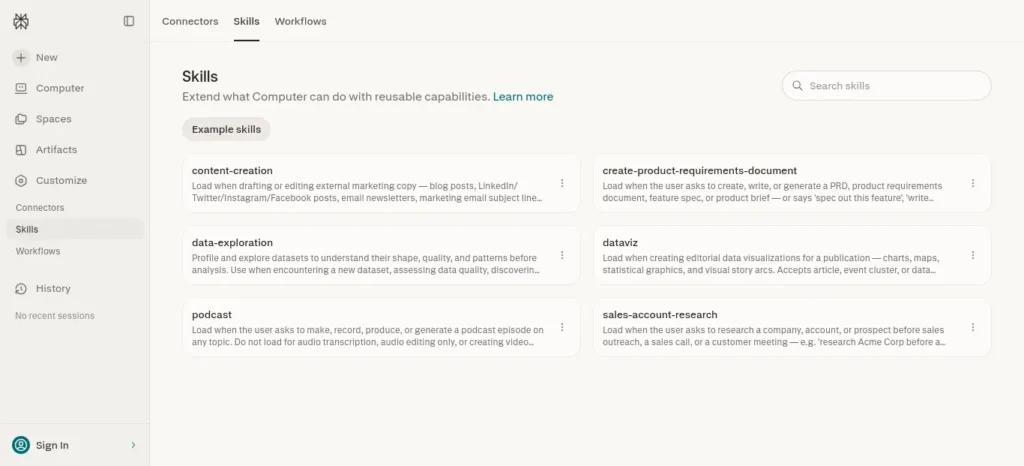
NotebookLM lets you upload your own readings and lecture notes and question them directly, which keeps the AI grounded in material your professor actually assigned rather than the open internet.
Before you start writing your assignment, it’s important to know how to use AI for college research projects effectively. A strong research process helps you find credible sources, organize ideas, and avoid common mistakes that can lower your grades.
Drafting Support for Long Academic Work
Claude and Perplexity are frequently recommended together for combining long-document handling with cited research in one place — useful when a paper requires synthesizing many sources into a coherent argument rather than a single quick answer.
Best AI Tools for Assignment Research and Writing
When choosing the best AI for college assignments, it is important to match the tool to the specific stage of your work rather than relying on one AI platform for everything. AI tools can help with assignment research, brainstorming, outlining, writing improvement, citation-supported research, and final proofreading, but each tool has different strengths.
For assignment research, tools such as Perplexity, Elicit, and NotebookLM can help students explore a topic, find relevant sources, and organize information before they begin writing. For assignment writing, ChatGPT and Claude can be useful for brainstorming ideas, developing an outline, explaining difficult concepts, and improving the structure of your own draft.
Students looking for the best AI for college assignments should therefore choose tools based on the type of assignment and the stage of the writing process. A research paper may require a citation-focused research tool, while a regular college assignment may benefit more from a combination of brainstorming, research, editing, and proofreading tools.
Grammar, Tone, and Final Polish
Grammarly is the most widely used tool in this category, and for good reason: real-time grammar and tone feedback across virtually anywhere you write, plus an AI Grader feature that estimates how your draft aligns with a rubric before you submit, and a Citation Finder for locating and formatting sources. Its free tier covers basic grammar checking; paid tiers add plagiarism detection and unlimited AI suggestions.
Best for: Grammar, clarity, and final proofreading.
QuillBot specializes in paraphrasing and simplifying dense text while preserving meaning — useful for untangling an over-complicated sentence, though it should never be used to disguise someone else’s writing as your own.
DeepL Write stands out for non-native English speakers, catching unnatural phrasing that basic grammar checkers miss, with formal, casual, and business tone options.
Organization and Time Management
Notion AI combines note-taking, deadline tracking, and summarization in one workspace — genuinely useful for managing several assignments across a semester rather than writing any single one.
Microsoft Copilot integrates directly into Word, which helps if your whole workflow already lives there, particularly for drafting reports or structuring data-heavy assignments.
Did you know? According to one 2026 comparison of academic-writing tools, students who write in Google Docs get a meaningfully different AI-assistant experience than those in Microsoft Word — some tools, like certain reference managers, work far better in one ecosystem than the other. Check your platform before committing to a paid plan.
How We Compare AI Tools for College Assignments
FutureFastAI compares AI tools according to their intended use, research support, writing and editing capabilities, free-plan access, practical limitations, and suitability for students.
Product features and plan details should be checked against official documentation. Where independent testing is available, its methods and limitations should be explained. Where hands-on testing has not been conducted, recommendations should be presented as feature-based assessments rather than test results.
No single tool is best for every assignment. The recommendations in this guide are intended to help students choose a suitable starting point, verify evidence, and use AI in accordance with their institution’s requirements.
Comparison Table: Matching Tools to the Job
| Stage of Writing | Best Tool(s) | Strength | Watch Out For |
| Brainstorming | ChatGPT, Jasper | Fast, varied idea generation | Generic thesis statements if you accept the first output |
| Research | Perplexity, Elicit, NotebookLM | Citations link to real sources | Still verify every source manually |
| Drafting long papers | Claude, Perplexity | Handles long documents + citations | Never let it write final paragraphs |
| Grammar & tone | Grammarly, DeepL Write | Real-time, low integrity risk | Doesn’t understand academic register nuance |
| Paraphrasing | QuillBot | Simplifies dense text | Misuse can cross into plagiarism |
| Organization | Notion AI, Copilot | Deadline & note management | Not a writing tool itself |
How to Choose the Best Free AI for Assignments
The best free AI for assignments is the one that covers your immediate need without requiring a paid subscription for essential features. Before signing up, check what the free plan actually includes, how often you can use it, and whether it supports the files or research tasks required for your assignment.New to AI? Start with our Ultimate Beginner Guide to AI Tools for Students to discover the best AI tools for research, note-taking, writing, revision, and productivity—all explained in a beginner-friendly, step-by-step format.
1. If you need help getting started
Use a general-purpose AI assistant to explore possible approaches, understand unfamiliar concepts, or create an outline from your assignment brief. Review the suggestions critically and develop your own argument.
2. If you need academic sources
Use a research-focused tool to discover relevant papers or identify useful starting points. Check whether you can access the original study, read its methods and findings, and confirm that it supports the claim you intend to make.
3. If you already have lecture notes or PDFs
Look for a tool that can work with your own documents. This is particularly useful when an assignment must follow specific course materials. Confirm important answers against the original pages rather than relying on a summary alone.
4. If your draft needs proofreading
A writing assistant may be enough if your main problems are grammar, sentence clarity, or awkward phrasing. Compare suggested edits with your original meaning before accepting them.
5. If you have several assignments due
A task manager or study workspace can help you track deadlines, break work into stages, and plan research time. Do not pay for an AI workspace solely for features you can replace with a simple calendar or checklist.
Before choosing a free tool, check these five things:
- Which features are genuinely available without payment?
- Are there message, word-count, file-upload, or research limits?
- Does it work with the documents and language you need?
- Can you access and verify the original sources?
- Does your college permit the intended use?
A free plan can be sufficient for routine assignments, but no single free tool is guaranteed to cover every research, writing, and editing task. Check the provider’s current terms before relying on a feature.Most students create a weekly plan but still waste hours because their daily study timetable isn’t optimized. Discover AI Tools for Creating a Study Timetable Automatically: 9 Powerful and Smart Solutions for Students in 2026 to build a smarter schedule that actually works.
Example: Choosing AI Tools for a 1,500-Word Research Assignment
Imagine a student preparing a 1,500-word assignment on the effects of social media on university students’ study habits. The brief requires academic references, a clear argument, and a final reference list.
A practical workflow would look like this:
- Understand the brief: Identify the research question, required sources, word count, and assessment criteria.
- Explore the topic: Use a general AI assistant to generate possible research questions and explain unfamiliar concepts.
- Find evidence: Search academic literature and inspect the original studies rather than relying on AI summaries.
- Build an evidence table: Record each source’s research question, method, findings, limitations, and relevance to the assignment.
- Develop the argument: Choose the position best supported by the evidence and create an outline that follows the marking rubric.
- Write the draft: Explain the evidence and develop the student’s own analysis, following the institution’s AI-use policy.
- Review and verify: Use a writing assistant for clarity, check every reference, and confirm that the final work answers the brief.
The advantage of this workflow is not that AI automatically produces a better assignment. It separates research, reasoning, writing, and proofreading so the student can identify errors before submitting the work.
Real Examples and Practical Use Cases
Use case 1 — The literature review. A senior sociology student needs 20 sources synthesized for a research proposal. She uses Elicit to screen abstracts and pull relevant studies, verifies each citation manually, then writes the synthesis paragraphs herself, since this is exactly where her actual analytical skill is being graded.
Use case 2 — The 11 p.m. panic essay. A first-year student has a 1,200-word reflection due in the morning and no ideas. He uses ChatGPT for five possible angles, picks the one that resonates, writes the draft himself in 40 minutes, then runs it through Grammarly for tone before submitting.
Use case 3 — The ESL student polishing a final draft. An international student has strong ideas but worries her phrasing reads as unnatural. She writes the full draft herself, then uses DeepL Write to smooth sentence flow without changing her arguments.
Notice the pattern: in every case, the human writes. AI shortens the setup and cleans the finish.Stop wasting time on repetitive tasks when AI can make everyday work easier—discover the best AI tools to save time for beginners and find simple ways to get more done with less effort.

- Every recommendation in this guide was selected using a practical evaluation framework designed specifically for students. Instead of ranking tools based on popularity alone, we compared them using real academic writing scenarios. Each tool was evaluated for research accuracy, citation reliability, writing quality, ease of use, free plan availability, pricing, privacy, editing capabilities, assignment support, and overall value for students. We also reviewed official documentation, feature updates, pricing information, and independent educational resources to ensure the recommendations remain relevant throughout 2026. This practical approach allows readers to choose tools based on their actual academic needs rather than marketing claims.
Common Mistakes Students Make With AI Writing Tools
- Submitting AI output directly, even with light edits. This is the single most common way academic integrity violations happen, and it’s rarely worth the risk.
- Trusting AI-generated citations without checking them. Testing across several 2026 reviews found that some AI writing platforms fabricated references or attached random URLs that didn’t actually support the claim.
- Using a general chatbot for research instead of a citation-grounded tool. General models predict plausible-sounding text — they don’t retrieve verified sources unless specifically built to.
- Not checking your university’s AI policy. Policies vary widely by school and even by professor; some ban AI assistance entirely for graded work.
- Assuming “undetectable” claims from essay-generation sites. Independent testing in 2026 found these claims wildly inconsistent, and the underlying content often reads as shallow or generic to an experienced grader anyway.
Best Practices for Using AI Ethically and Effectively
- Treat AI as a research assistant and editor, never as a ghostwriter.
- Keep a clear mental (or literal) line between your draft and your prompts — if you can’t tell which words are yours anymore, stop and rewrite from scratch.
- Verify every fact and citation AI gives you, independently, before it goes in your paper.
- Ask your professor directly if you’re unsure what’s allowed — most appreciate the question far more than a guess.
- Use AI earliest in your process (brainstorming, research) and latest (editing), and do the middle — the actual writing — yourself.
Before submitting your assignment, learn how to use AI ethically for academic writing to avoid plagiarism and create original work.
The best AI tool is not necessarily the one with the most features—it is the one that solves your specific problem.
Students starting an assignment from scratch often benefit most from ChatGPT or Claude for brainstorming.
Those writing research-intensive papers should prioritize Perplexity, Elicit, or NotebookLM because they provide stronger evidence and source support.
Grammarly and DeepL Write are better suited for polishing grammar and improving readability, while Notion AI helps students organize deadlines and manage multiple assignments throughout the semester.
Rather than relying on a single platform, combining specialized AI tools throughout different stages of the writing process usually produces the highest-quality results.
Pro Tips From Experienced Users
- Write your prompt like a brief, not a wish. Specify assignment type, course, word count, and what you explicitly don’t want AI to do (e.g., “don’t write any part of the paper”).
- Use AI to explain feedback, not just give it. A good grammar tool should tell you why a sentence is weak, not just flag it — that’s what actually improves your writing over time.
- Run a “voice check.” Read your AI-edited draft aloud. If it doesn’t sound like you anymore, dial the editing back.
- Keep your prompts and AI outputs. Some universities now ask students to show their process; a saved prompt history is your best evidence of legitimate use.
Many students focus entirely on finding the most powerful AI tool but overlook habits that have an even greater impact on assignment quality. Always read the assignment rubric before opening an AI tool, verify every citation manually, keep copies of your prompts and research notes, and review your final draft aloud to ensure it still sounds like your own writing. These simple practices improve originality, reduce mistakes, and help you use AI responsibly without becoming dependent on it.
Frequently Asked Questions
Is it cheating to use AI tools for college assignments? It depends entirely on how you use them and your institution’s specific policy. Using AI to brainstorm, research, or check grammar is generally accepted at most schools. Submitting AI-generated paragraphs as your own original work is considered academic dishonesty almost everywhere. Always check your syllabus or ask your professor directly.
What is the best AI tool for writing college assignments overall? There isn’t one single winner — the best AI tools for writing college assignments work together across different stages: something like ChatGPT for brainstorming, Perplexity or Elicit for cited research, and Grammarly for final polish. Relying on one all-in-one generator is where most integrity problems start.Stop collecting AI tools and start understanding how AI actually works—explore these beginner-friendly tools to move from asking AI questions to training, testing, and building your own models.
Which AI is best for college assignments?
The best AI depends on the type of help you need. ChatGPT and Claude can help with brainstorming and outlining, while Perplexity, Elicit, and NotebookLM are more useful for research and source-based work. Grammarly and DeepL Write can help with grammar, clarity, and final editing. For most assignments, using different tools for different stages is more useful than relying on one tool for everything.
What is the best free AI for assignment writing?
There is no single free AI tool that is best for every assignment. Free versions of tools such as ChatGPT, Perplexity, Grammarly, and QuillBot can cover different parts of the workflow, including brainstorming, research, proofreading, and rewriting. Check each tool’s current free-plan limits because features and usage allowances can change.
Can AI write a college assignment for me?
AI tools can generate assignment-style text, but submitting AI-generated work as your own may conflict with your college or professor’s academic-integrity rules. A safer approach is to use AI for brainstorming, research support, outlining, explanations, and editing while writing the core assignment yourself.
What is the best AI for assignment research?
For assignment research, Perplexity, Elicit, and NotebookLM can be useful for different purposes. Perplexity can help discover information and linked sources, Elicit focuses on academic literature and evidence synthesis, and NotebookLM can help you work with documents and course materials you provide. Always verify the original source before citing it.
What is the best AI writing assistant for students?
The answer depends on the task. ChatGPT and Claude can help with ideas and structure, while Grammarly and DeepL Write are more focused on improving grammar, clarity, and tone. Students doing research-heavy assignments may also benefit from Elicit, Perplexity, or NotebookLM.
Can professors detect AI-written essays? Often, yes — through a mix of AI-detection software, writing-style inconsistency compared to your past work, and simply recognizing generic phrasing and fabricated citations. Detection tools aren’t perfect, but the risk is real and the consequences (failing grades, academic probation) are serious.
Are free AI writing tools good enough for college work? For most undergraduate work, yes. Free tiers of Grammarly, ChatGPT, Perplexity, and QuillBot cover the core workflow. Paid plans become more useful for research-heavy final-year projects, theses, or when you need unlimited usage.
Will using AI tools hurt my writing skills long-term? Only if you let AI do the actual thinking and writing. Used to brainstorm, research, and edit — with you writing the core content — AI can build your skills faster by giving you more time to practice the parts that matter most: argument and analysis.
What Is the Best AI for College Assignments?
The best AI for college assignments depends on what you need help with. ChatGPT and Claude can be useful for brainstorming and outlining, while Perplexity, Elicit, and NotebookLM are better suited to research and source-based tasks. Grammarly and DeepL Write can help improve grammar, clarity, and academic tone. Instead of relying on one tool, combining different AI tools for different stages can create a more effective assignment workflow.
Which AI Is Best for Assignment Research?
For assignment research, Perplexity, Elicit, and NotebookLM are useful options because they can help students find, analyze, or organize information from sources. However, AI-generated sources and citations should always be opened and verified manually before they are included in an academic assignment.
What Is the Best AI for University Assignments?
There is no single best AI tool for every university assignment. The right choice depends on whether you need help with research, brainstorming, outlining, editing, citation-supported information, or organization. A combination of specialized tools is often more useful than depending on one AI assistant for the entire assignment.
Which AI is best for college assignments?
The best AI depends on the task. ChatGPT or Claude can help with brainstorming and outlining, Perplexity can support web research, Elicit can help with academic literature discovery, and Grammarly or DeepL Write can assist with editing. Verify sources and follow your institution’s AI-use policy.
What is the best free AI for assignment writing?
There is no single free tool that is best for every assignment. Start with the free features available in a general AI assistant, a research tool, or a writing editor, depending on your needs. Check current usage limits and paid-feature restrictions before relying on a specific capability.
Which AI is best for university assignment research?
For university research, choose a tool based on whether you need academic paper discovery, web-source discovery, or analysis of documents you already have. Elicit, Perplexity, and NotebookLM support different parts of that process, but none removes the need to assess the original evidence.
Can I use AI to improve my assignment without submitting AI-written work?
Potentially, if your institution and assignment permit the intended use. AI can help explain concepts, suggest an outline, identify unclear sentences, and provide editing feedback. Follow any disclosure requirements and make sure the submitted analysis reflects your own work.
How do I check whether an AI-generated citation is real?
Search for the original paper in a publisher’s website or a recognised academic database. Confirm the authors, title, publication details, and DOI where available, then read the relevant passage to check whether it supports your claim. Do not cite a reference that you cannot verify.
Are free AI tools enough for college assignments?
Free tools may be sufficient for brainstorming, basic research, and proofreading, depending on your workload. More demanding assignments may require features that have usage limits or paid access. Choose based on your actual requirements rather than upgrading automatically.
Can professors detect AI-written assignments?
AI-detection tools and other indicators can raise concerns, but detection results are not definitive proof on their own. Institutions may consider their policies, the student’s writing process, source quality, and other evidence. Do not rely on AI detectors as a way to establish whether work is acceptable; follow the course rules and disclose assistance when required.
Key Takeaways
- The best AI tools for writing college assignments help you think and write faster — they don’t think or write for you.
- Match the tool to the stage: brainstorming, research, drafting, and editing each need a different kind of tool.
- Always verify AI-generated citations manually; fabricated references are a documented, widespread problem in 2026, not a rare edge case.
- The clearest line in academic integrity: if AI wrote the paragraph, it’s not your paper anymore, however light your edits.
- Free tiers of Grammarly, ChatGPT, and Perplexity are enough for most college workloads.
There is no single “best” AI tool for every college assignment because different stages of academic writing require different strengths. Students who combine brainstorming tools, research assistants, grammar editors, and organization platforms consistently produce stronger assignments than those who rely on a single AI chatbot. The goal is not to replace your thinking but to remove unnecessary friction so you can spend more time developing original ideas, evaluating evidence, and communicating your knowledge effectively.
Struggling to finish assignments before the deadline? Discover the best AI tools for assignment planning and deadline management that help you organize tasks, prioritize work, and submit projects on time.
Conclusion: Build the Skill, Not Just the Submission
The students who get the most out of AI in 2026 aren’t the ones who found a shortcut around writing. They’re the ones who found a faster way into writing — a quicker path from blank page to real argument, real evidence, real prose in their own voice.
That’s the whole point of this guide: use AI to clear the friction, and keep the thinking for yourself. Your next paper is a chance to practice a skill that will matter long after the grade is recorded. Start there, and the tools will do exactly what they’re supposed to — support you, not replace you.
Want to learn the practical ways students are already using AI in everyday learning? Read our complete guide on How Students Use AI to Study Smarter (Without Cheating) and discover 12 proven techniques to improve learning, revision, and exam preparation.




6 Comments