
Perplexity vs ChatGPT for Research and Assignments: Which Should Students Use?
Perplexity and ChatGPT can both help students research topics, understand difficult concepts, analyze documents, and prepare assignments. The main difference is how you use them: Perplexity is a useful starting point for discovering sources, while ChatGPT is useful for understanding evidence, organizing ideas, and developing an argument. Both can support research, and neither guarantees that an answer or citation is accurate.
| Student task | Best starting point | What to do next |
|---|---|---|
| Find sources about an unfamiliar topic | Perplexity | Open and evaluate the original sources |
| Check recent facts or developments | Either tool with web search | Confirm dates and claims against reliable sources |
| Understand a difficult research paper | ChatGPT or Perplexity Learn Mode | Compare the explanation with the paper |
| Organize notes and develop an argument | ChatGPT | Build your own interpretation from verified evidence |
| Research a complex topic across multiple sources | Either tool’s research mode | Check source coverage and important claims |
| Verify whether a citation supports a claim | The original source | Read the relevant passage yourself |
The practical recommendation: Start with Perplexity when you need to discover information, use ChatGPT when you need help interpreting and organizing that information, and return to the original sources before citing anything in your assignment.
If you only want one tool, choose the one that solves your current problem. If you need both discovery and analysis, a combination can be more useful than relying on either tool alone.
Before using either tool for graded work, check your institution’s AI policy and follow any disclosure requirements.
Before you start writing your assignment, it’s important to know how to use AI for college research projects effectively. A strong research process helps you find credible sources, organize ideas, and avoid common mistakes that can lower your grades.
👥 Who Should Read This?
This guide is especially useful for:
- Students researching essays, assignments, and projects.
- College and university students comparing AI tools for academic work.
- Students who need credible sources but aren’t sure how to verify AI-generated citations.
- Anyone deciding whether to use Perplexity, ChatGPT, or both for research.
- Students who want a practical AI-assisted research workflow rather than just a feature comparison.
🚫 Who Should Not Read This?
You probably don’t need this guide if:
- You already have a well-established research workflow and know exactly which tools you need.
- You’re looking for a general-purpose AI comparison rather than research and assignment use cases.
- Your institution does not allow AI tools for the type of work you’re doing.
- You’re only looking for pricing or plan details rather than how the tools fit into an academic workflow.
🟣🔵 The Visual Snapshot: Perplexity vs ChatGPT
🟣 Perplexity
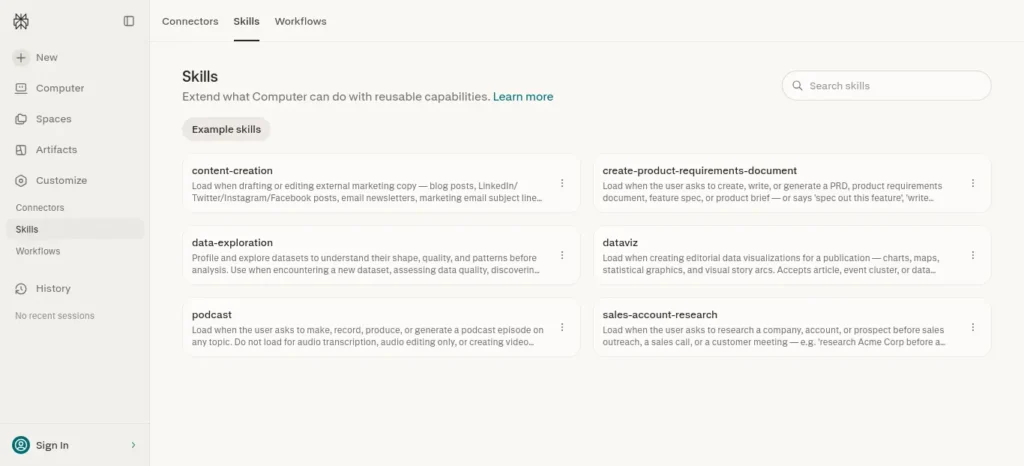
Best thought of as: Find and investigate
- 🔎 Discover — Find relevant information and sources
- 📚 Source — Trace answers back to references
- 🌐 Research — Explore current information and multiple perspectives
- 🧭 Investigate — Follow leads and dig deeper into a topic
🔵 ChatGPT
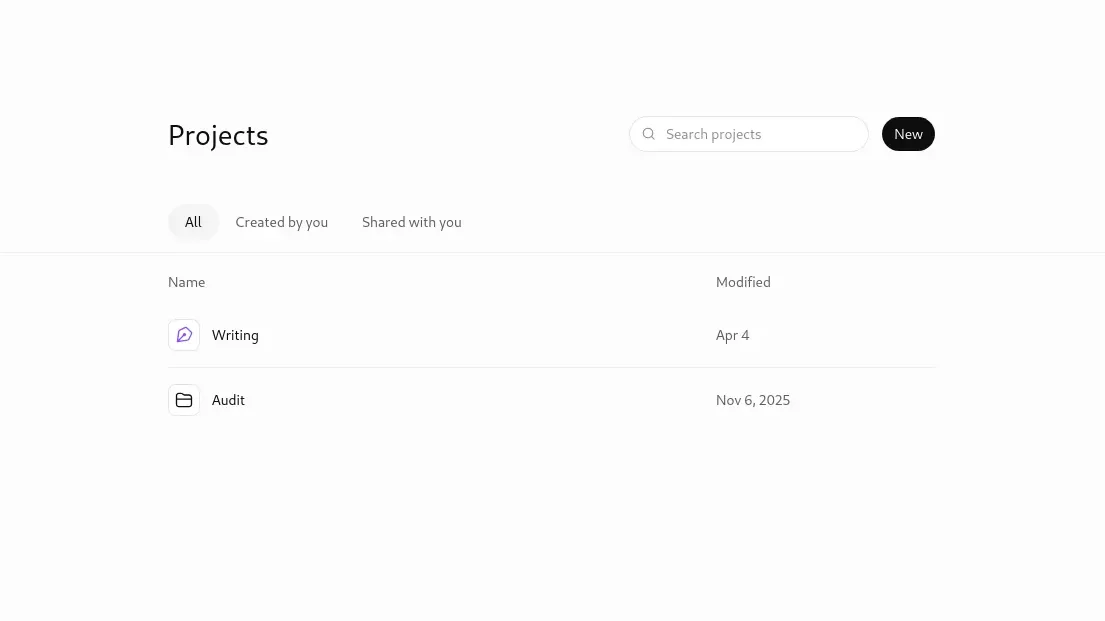
Best thought of as: Understand and develop
- 🧠 Understand — Break down difficult concepts
- 📝 Organize — Turn research into structured notes
- 💡 Brainstorm — Explore ideas and challenge your thinking
- 🎓 Learn — Work through concepts step by step
⚡ The shortcut
Perplexity helps you find and investigate.
ChatGPT helps you understand and develop.
For serious academic work, however, neither replaces checking the original sources and using your own judgment.
Perplexity vs ChatGPT: Task-by-Task Decision Table
| Task | Recommended Tool | Why |
| Finding sources | 🟣 Perplexity | Search-first, cites as it answers |
| Current information | 🟣 Perplexity | Real-time web search |
| Understanding a concept | 🔵 ChatGPT | Conversational, step-by-step explanation |
| Guided learning | 🔵 ChatGPT Study Mode | Built for teaching, not just answering |
| Working through course PDFs | 🟢 Both | See “Perplexity vs ChatGPT for PDFs” below |
| Brainstorming or outlining | 🔵 ChatGPT | Reasoning and structure over retrieval |
| Deep multi-source research | 🟢 Both | Perplexity Research or ChatGPT Deep Research |
| Verifying a citation | ⚪ Neither | That’s your job, against the original source |
| Academic databases | ⚪ Neither replaces them | Use your library alongside either tool |
Perplexity vs ChatGPT for Research and Assignments:
⚡ Quick Answer
Perplexity is usually the better starting point when you need to find sources, explore current information, and compare viewpoints.
ChatGPT is usually more useful when you need to understand concepts, organize research, develop arguments, and improve your writing.
For many assignments, the best approach is not choosing one tool but using both at different stages — while verifying important claims against the original sources.
Is Perplexity Better Than ChatGPT for Research?
Perplexity is a useful starting point when you need to discover sources, explore current information, and follow links to supporting evidence. ChatGPT is useful when you need to interpret research, compare arguments, understand difficult concepts, and organize your findings. For academic research, neither tool should be treated as an authoritative source on its own. Open the original papers, verify the evidence, and use the tool that best fits the task you are trying to complete.
What Is the Difference Between Perplexity and ChatGPT?
Perplexity is an AI-powered search engine that returns cited, real-time answers.
ChatGPT is a broader AI workspace built for reasoning, drafting, and learning across an ongoing conversation.
🔎 Perplexity is built around search-first discovery
You ask a question, Perplexity searches the web in real time, and it returns a synthesized answer with numbered citations pointing back to original sources. It isn’t drawing on a static training set — it’s actively searching — which is why it tends to feel faster for “find me what’s currently true” tasks.
🧠 ChatGPT is a broader research and writing workspace
ChatGPT has grown from a conversational assistant into a wider workspace: file uploads, memory across chats, a dedicated Study Mode, and Deep Research for longer investigations. It’s less a search box and more an ongoing session that remembers what you’ve already given it.
Why “search engine vs chatbot” no longer fits
ChatGPT’s Deep Research can search the public web and return a structured, cited report, and Perplexity’s Pro Search and Research modes now handle multi-step reasoning, code, file analysis, and academic queries well past a simple search box. What actually separates them in 2026 is which one is optimized for discovery and which is optimized for working with what you’ve already found — not “search engine” versus “chatbot.”
Perplexity vs ChatGPT: A Practical Research Quality Test
A useful comparison should examine more than which tool produces the faster or more polished answer. For academic research, the important question is whether the tool helps you find relevant evidence, understand it accurately, and reach a defensible conclusion.
Use the same research question in both tools to make the comparison more meaningful.
Step 1: Use the same research question
For example:
“Does the use of generative AI improve university students’ learning outcomes? Find relevant peer-reviewed studies, explain their main findings, identify limitations, and provide links to the original publications.”
Use the same wording in both tools. If you change the question between tests, differences in the results may reflect the prompts rather than the tools.
Step 2: Evaluate the evidence
Check each response against these criteria:
| Criterion | What to check |
| Source relevance | Does the source directly address the research question? |
| Source authenticity | Can you open the original paper, report, or dataset? |
| Claim accuracy | Does the source support the exact statement made by the AI? |
| Research quality | Are the methods, sample, limitations, and publication context appropriate? |
| Coverage | Does the response include relevant opposing findings or limitations? |
| Traceability | Can you locate the evidence behind the important claims? |
Step 3: Record the results
For each tool, record the sources you could verify, the claims that were accurately supported, the important evidence it missed, and the time you spent checking the results.
Do not award a tool a higher score simply because it provides more citations. Ten loosely relevant links may be less useful than three original studies that directly address your question.
Step 4: Decide which tool helped more
Perplexity may be the more convenient starting point when source discovery is your main task. ChatGPT may be more useful when you need to interpret difficult material, organize verified notes, or examine counterarguments. Either can perform well or poorly depending on the question, available features, and source material.
Important: This is a reproducible evaluation method, not a claim that either product has been independently tested or proven superior here. If you publish numerical scores or performance claims, run the comparison, document the test date and settings, and report the actual results.
Perplexity vs ChatGPT for Academic Research
Perplexity is generally the stronger starting point for discovering sources and current information.
ChatGPT is generally stronger once you’re analyzing and synthesizing what you’ve found.
📚 Finding sources
Best for locating a first set of relevant, current sources without opening a dozen search tabs. If you’ve dropped fifteen sources into a document and don’t know which three actually matter, Perplexity groups and links sources faster than manual search, so you spend your time reading the ones worth reading.
⚠️ Watch out: a citation next to the answer doesn’t guarantee the source actually supports your claim — you still check that yourself.
🎓 Finding academic material
Perplexity’s search supports an Academic focus for scholarly queries, and its research stack draws on a premium data ecosystem that includes publisher content such as Wiley alongside general web sources.
ChatGPT can surface academic material too, mainly through Deep Research, but Perplexity’s search-native design generally makes discovery feel more direct.
🌐 Checking current information
For anything time-sensitive — a recent policy shift, a current-events angle for an essay, the latest figures on a fast-moving topic — Perplexity’s real-time search focus makes it the stronger first stop.
🔍 Comparing and verifying multiple sources
Say three sources give three slightly different numbers for the same statistic. Ask each AI to show exactly where in each source the number comes from, then open those passages and decide which source is more current or authoritative. That judgment stays yours — neither tool resolves the disagreement for you.
Is Perplexity Good for Research Papers?
Perplexity can help you identify potentially relevant research papers, discover related sources, and explore unfamiliar academic topics. However, finding a paper is not the same as completing a reliable literature search. Check the original publication, read the abstract and relevant sections, and confirm that the study supports the claim you want to make. For a more complete literature review, combine AI-assisted discovery with your university library, scholarly databases, and reference lists from relevant papers. Use ChatGPT to explain difficult passages or organize verified notes, but base your conclusions on the original research.
Perplexity vs ChatGPT for PDFs
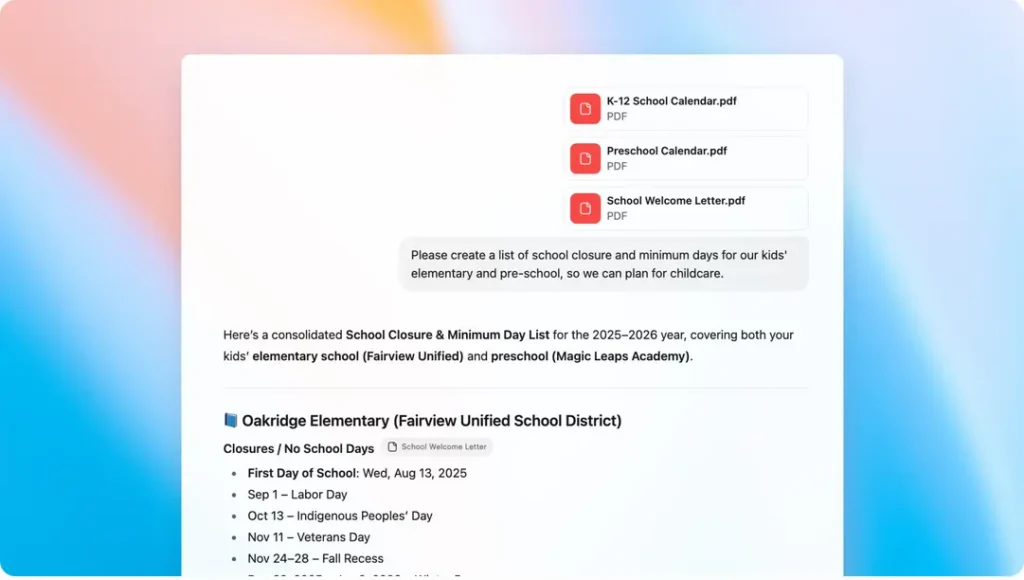
Both tools can read a PDF you upload, but they’re built for different jobs once it’s open.
Understanding a lesson is only the first step. The real challenge is turning it into revision material. For that, read How to Turn Class Notes into Exam Revision Notes with AI: Powerful 2026 Student Success Guide and see how students are converting class notes into powerful exam-ready summaries.
| PDF Task | Better Tool | Why |
| Pulling a fact, figure, or quote out fast | 🟣 Perplexity | Quick extraction plus a follow-up web check |
| Understanding a dense paper in depth | 🔵 ChatGPT (Study Mode) | Stage-by-stage explanation, not just a summary |
| Cross-checking a claim against other sources | 🟣 Perplexity | Search-native follow-up |
| Working through your own course notes | 🔵 ChatGPT | Memory across the conversation |
File upload limits are higher on Perplexity’s Pro and Education Pro tiers than on its free plan, and ChatGPT’s file handling is available across its plans with higher limits on paid tiers.
Example: Researching One Assignment with Both Tools
Imagine you need to write an assignment about how artificial intelligence affects university learning.
- Start with Perplexity: Find relevant reports, academic papers, and different viewpoints. Open the original sources rather than relying on the generated summary.
- Verify the evidence: Record the authors, publication dates, key findings, and limitations of the sources you intend to use.
- Continue with ChatGPT: Ask it to explain unfamiliar concepts, group your verified notes into themes, and identify possible counterarguments.
- Develop your own argument: Decide which evidence is strongest and write a thesis that reflects your interpretation.
- Check before submitting: Verify every important claim, format citations correctly, and follow your institution’s AI-use policy.
This workflow separates source discovery from analysis while keeping the student responsible for the final argument.
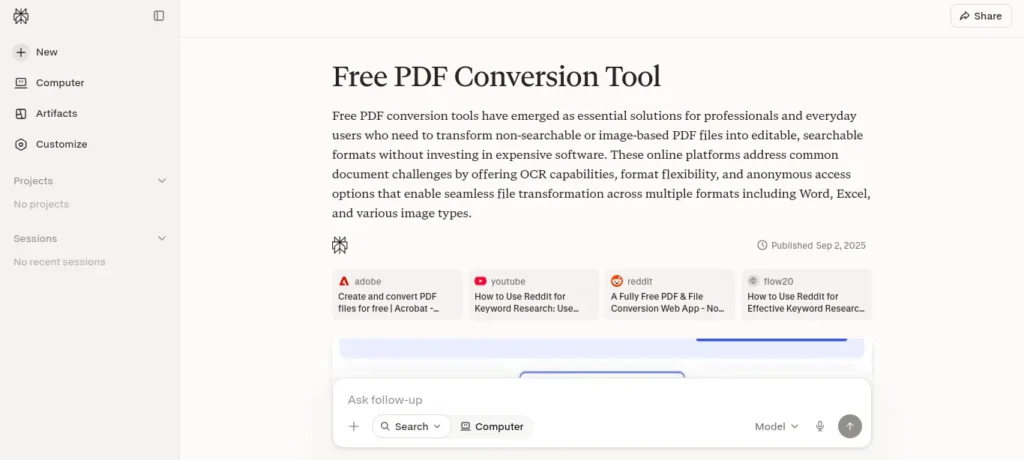
When Perplexity Isn’t the Best First Choice
Perplexity is useful for discovery and research, but it isn’t always the right place to start.
- You already have a specific source and need it explained in depth rather than finding more search results.
- You need to learn and reason through a concept, not simply retrieve information about it.
- Your assignment depends heavily on course-specific material — such as lecture notes, assigned readings, or your professor’s particular framework — rather than information from the open web.
- You already have a collection of notes and need to connect ideas, compare arguments, or develop your reasoning across them.
When ChatGPT Isn’t the Best First Choice
ChatGPT is powerful for understanding and developing ideas, but a search-first tool may be more efficient when discovery is the main problem.
- You need to discover sources you haven’t found yet.
- You need to investigate recent developments in a fast-changing topic.
- You want to explore a broad landscape of viewpoints and sources rather than start with a single synthesized response.
- You’re investigating an unfamiliar claim from scratch and need to trace it back to the evidence behind it.
🪜 A Student’s Source Quality Ladder
Before you cite something an AI tool found, rank the source and verify whether it’s appropriate for your specific claim.
- Primary sources — original studies, peer-reviewed research, official datasets, government documents, and other firsthand evidence.
- High-quality institutional sources — universities, established research organizations, professional bodies, and authoritative institutions.
- Reputable secondary sources — major publications, systematic reviews, and expert analysis that accurately discuss underlying research.
- General websites — useful for background and orientation, but usually weaker choices for important academic claims.
- AI-generated summaries — useful for discovering leads, but not a substitute for the underlying evidence.
AI output should help you find and understand the evidence. It shouldn’t become the evidence itself.
🔎 Should You Trust This Source?
A Quick Decision Tree
Did an AI tool give you this source?
↓
Open the original source — not just the AI’s summary.
↓
What type of source is it?
↓
Levels 1–3 → Potentially strong sources. Verify the author, evidence, date, and whether the source actually supports your claim before citing it.
Level 4 → Useful for orientation or background. Whenever possible, trace important claims back to a stronger primary or secondary source.
Level 5 → Don’t cite the AI output itself. Use it as a starting point to locate and verify the original sources.
One final check:
Does the source actually support the exact claim you’re making?
If not, don’t cite it — find a better source.
Perplexity vs ChatGPT for Citations
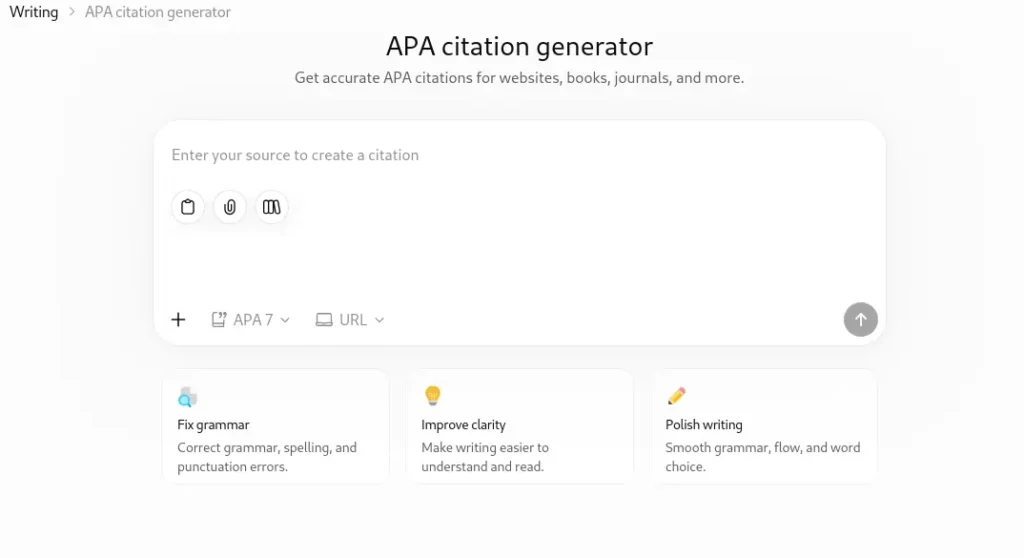
Perplexity generally makes source discovery and citation tracing more visible in its search-oriented experience,
while ChatGPT can provide cited research through features such as Deep Research.
However, citation behavior can vary by feature and may change over time.
More importantly, neither tool’s citation proves that the source actually supports the claim.
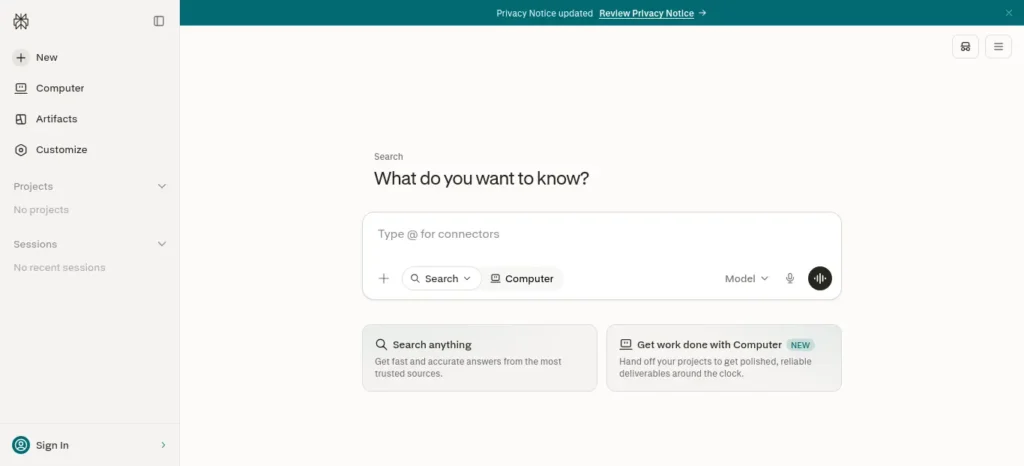
⚠️ Why a Citation Isn’t Proof
A citation next to an AI-generated answer tells you where the tool says a claim came from. It does not automatically mean the claim is represented accurately, remains current, or is appropriate for academic work.
An AI tool can misunderstand a source, rely on a secondary source, miss an important qualification, or surface information that has since changed. That’s why the citation itself isn’t the evidence.
Don’t cite the chatbot’s explanation. Open the original source and cite the source that actually supports your claim.
Example: How to Check an AI-Generated Research Claim
Imagine that an AI tool tells you:
“Generative AI improves academic performance for university students.”
Before using that statement in an assignment, ask whether the cited research actually supports such a broad conclusion.
- Open the original study. Confirm that the publication exists and that its authors, title, and publication details are correct.
- Read the relevant sections. Check the research question, methods, results, and limitations instead of relying only on the abstract or AI-generated summary.
- Check the population. A study of a small group of students in one subject may not justify a conclusion about all university students.
- Check the outcome. Improved task completion, student confidence, and exam performance are different outcomes. Evidence for one does not automatically establish another.
- Check the strength of the conclusion. A correlation or result from a limited experiment may not prove that AI causes better academic performance in every setting.
- Rewrite the claim accurately. Match the scope of your statement to the evidence and cite the original study.
The rule: Do not ask only whether a source mentions your topic. Ask whether its evidence supports the precise claim you intend to make.
If the evidence is mixed, limited, or inconclusive, say so. A carefully qualified conclusion is more credible than a confident statement that goes beyond the research.
🔎 The AI Research Reality Check
Run every important AI-generated claim through these six checks:
1. AI-generated answer
↓
2. Source found by the AI
↓
3. Open the original source
↓
4. Does it actually support the claim?
↓
5. Is it academically appropriate and current?
↓
6. Can you explain the claim in your own words?
If you can’t get through all six checks, don’t use the claim yet. Go back to the source, verify the evidence, or find a stronger source.
A citation is a lead to evidence — not a replacement for checking the evidence.
☑️ How to Verify an AI-Generated Citation
Open the original source instead of relying only on the AI’s summary.
- Check the exact claim and make sure the source actually supports what you’re citing it for.
- Check the publication date and confirm that the information is still current for your topic.
- Verify quotations word for word and make sure the quoted text matches the original source exactly.
- Evaluate the source by checking who published it, what evidence it uses, and whether it is appropriate for academic work.
- Cite the original source using the citation style your course requires, such as APA, MLA, or Chicago.
- Before you trust an AI citation, run this 60-second check. Save it, screenshot it, and use it before every important assignment.
- For research papers, literature reviews, and assignments where source quality matters, cite the original or strongest appropriate source directly — not the AI’s summary of it. If the AI points you to a paper, report, dataset, or official document, evaluate that source yourself before putting it in your bibliography.
What to Check Before Citing an AI-Found Source
Before adding a source to your bibliography, confirm these five details:
- Identity: Does the paper or report exist, and are the author and publisher correct?
- Relevance: Does it address your research question directly?
- Evidence: Does the original source support the exact claim you want to make?
- Currency: Is the publication date appropriate for your topic?
- Citation details: Have you checked the title, DOI or stable URL, publication information, and required citation format?
If any detail cannot be verified, do not rely on the citation until you have checked it further.
ChatGPT Study Mode vs Perplexity Learn Mode
Both companies now build guided learning directly into their products, so this comparison has gotten closer than most articles suggest.
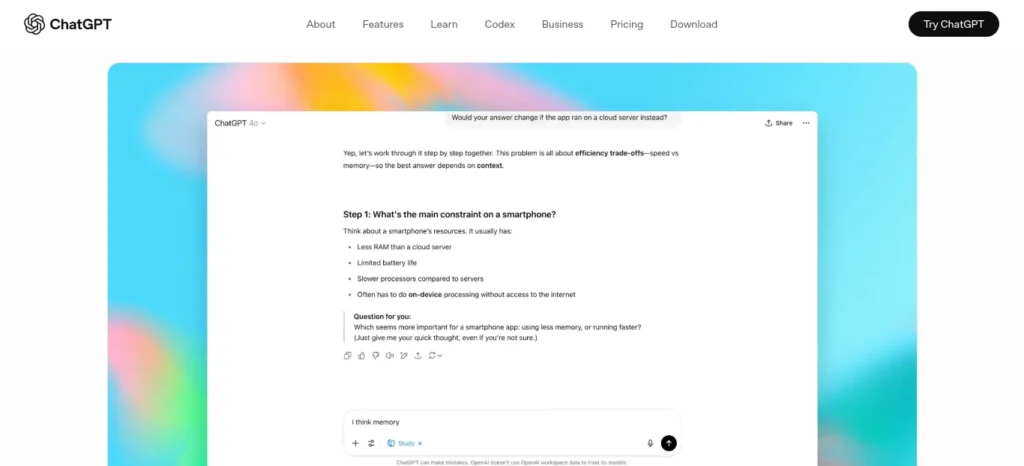
🔵 ChatGPT’s Study Mode, available across ChatGPT’s plans, asks about your goals and current understanding before working through material with you, using a Socratic-style approach that guides you toward an answer instead of handing one over. It breaks concepts into steps, starts simple and adds complexity, checks your understanding with open-ended prompts, and can reference images or PDFs you’ve uploaded from your course.
Struggling with difficult subjects? Explore our complete guide on AI Tools for Learning Difficult Subjects Faster and discover powerful AI tools that make complex topics easy to understand.
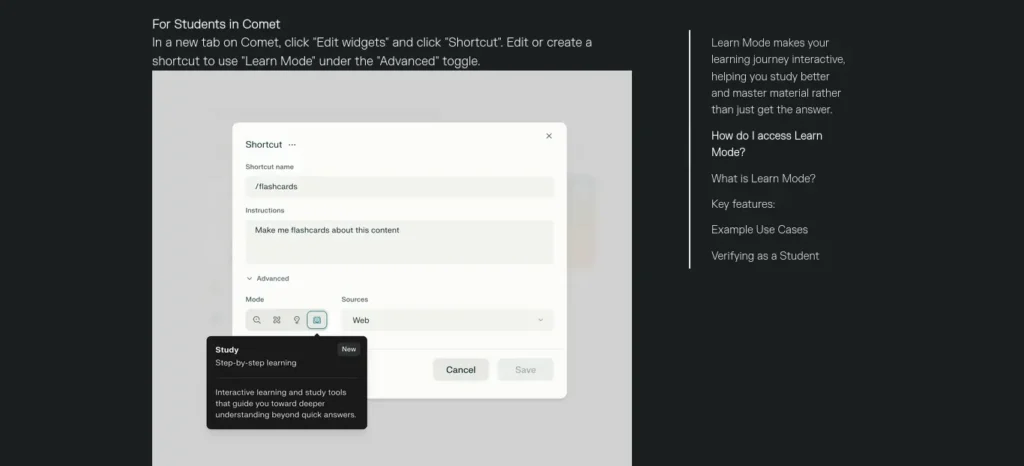
🟣 Perplexity’s Learn Mode (also shown as “Learn Step by Step” in some regions) takes a similar approach inside Perplexity’s search interface — asking guided questions and offering hints rather than a direct answer, and generating custom flashcards, quizzes, and free-response exercises from your course material. According to Perplexity’s help center, Learn Mode is designed to be available to everyone, though the toggle to activate it currently appears reliably for verified student accounts; Education Pro guarantees full access alongside 10x citations and unlimited file uploads. If you don’t see the Learn option on a free account, check your account settings or verify student status — availability has been rolling out gradually.
Say you’ve found a twenty-page paper and still can’t explain its main argument after reading the abstract twice. Upload it into either Study Mode or Learn Mode and ask for a stage-by-stage walkthrough of the argument, rather than asking for a paragraph you could paste straight into your assignment. You come out able to explain it. A pasted summary doesn’t teach you anything.
Best for genuinely learning material you’ll need to explain later, in class or an exam. Not ideal for getting a fast final answer when you already understand the concept and just need the output.
Perplexity Research vs ChatGPT Deep Research
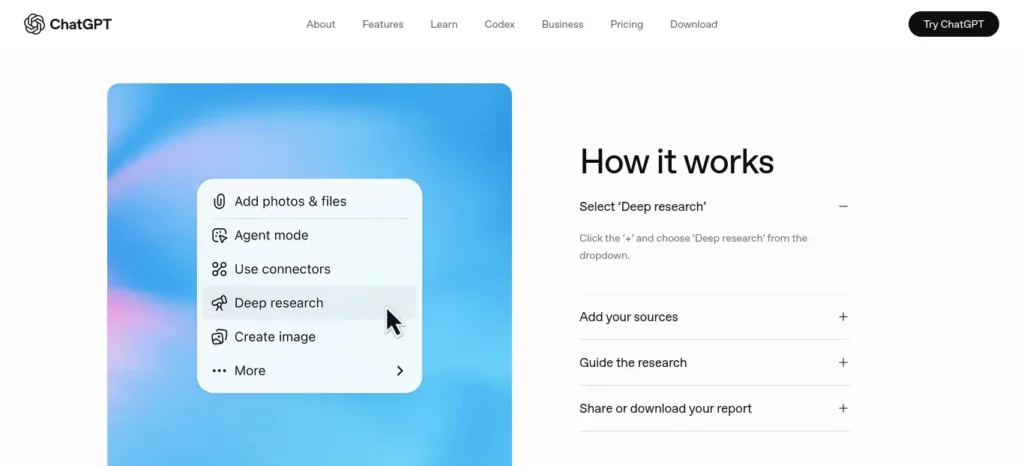
Both products can run a multi-step research project and return a cited report.
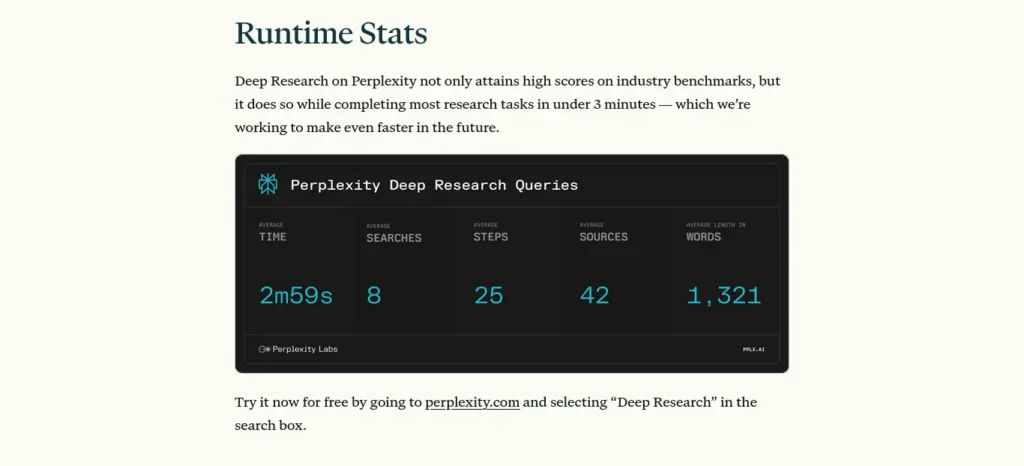
| basics | 🟣 Perplexity Research | 🔵 ChatGPT Deep Research |
| Speed | Typically a few minutes | Longer, plan-driven runs |
| Strength | Faster, citation-dense, open-web | Connects to your uploaded files and chat context |
| Free access | Limited daily/monthly | Available on paid plans only |
| Output | Exportable PDF or Perplexity Page | Structured report with source links |
Perplexity’s version tends to feel faster and more citation-dense for open-web questions;
ChatGPT’s version can connect more directly to files and context you’ve already built up in that conversation.
ChatGPT Deep Research’s monthly run allowance on the Plus tier is reported inconsistently across third-party sources — treat any specific number you see elsewhere as unconfirmed until you check your own account.
For a genuinely high-stakes assignment, running the same research question through both and comparing what each surfaces is worth the extra ten minutes. Neither replaces your university library or approved academic databases for serious research — they’re a faster way to find where to look, not a substitute for the library itself.
Which Tool Is Better for Each Assignment Type?
| Assignment Type | 🟣 Perplexity Role | 🔵 ChatGPT Role |
| Essay | Background, current examples | Structure and drafting |
| Research paper | Source discovery | Explaining material, building the argument |
| Literature review | Discovering papers, Academic focus | Grouping into themes, spotting disagreement |
| Presentation | Current supporting data | Outlining talking points, slide structure |
| Current-events assignment | Real-time search | Framing the analysis |
| Technical assignment | Cross-checking facts | Explaining methods, spotting logic errors |
| Short-answer homework | — | Study Mode, for genuine learning |
🔄 The 8-Stage Workflow for Perplexity vs ChatGPT in Research and Assignments
This framework is the core of this guide — instead of asking which AI is better, walk through these stages and let the right tool handle each one.
- 🔎 Search — Turn the assignment question into two or three concrete research questions before you open anything.
- 📚 Discover — Use Perplexity to find relevant, current sources and see where viewpoints differ.
- ✅ Verify — Open the strongest sources yourself. Check the publisher, the date, and whether the claim holds up.
- 🧠 Understand — Use ChatGPT or Perplexity’s Learn Mode to turn difficult material into something you can actually explain.
- 🗂️ Organize — Group your notes into themes and mark where your sources agree or conflict.
- 💭 Think — Ask ChatGPT to pressure-test your argument and surface missing evidence, then judge for yourself whether the critique is fair.
- ✍️ Write — Draft your own response. Let ChatGPT help with structure, but keep the argument and the voice yours.
- ☑️ Check — Format every citation, then check every one against the original source before you submit.
A ninth step runs underneath all of them:
🎓 Learn. If you can’t explain your own argument without opening either tool, go back a stage.
Most students use AI as a simple chatbot, but the real advantage comes from following a complete workflow. Discover our AI study workflow for students and learn how to capture notes, create quizzes, schedule revision, and prepare for exams more effectively.
Useful AI Prompts for Research and Assignments
The quality of your research depends partly on how clearly you define your question and evaluate the evidence. These prompts can help you use AI tools more purposefully.
Prompt 1: Discover Research Sources with Perplexity
I am researching [your topic] for a university assignment. Find relevant scholarly papers, official reports, and credible sources. For each result, provide the title, author or organization, publication date, original URL, main finding, and any limitations you can identify. Clearly distinguish verified details from information that needs further checking. Do not invent sources or citations.
Prompt 2: Understand a Research Paper with ChatGPT
Help me understand this research paper without writing my assignment for me. Explain the research question, methodology, main findings, limitations, and key terminology in plain English. Identify which points are explicitly supported by the paper and which are interpretations. Refer to relevant sections or page numbers where available, and do not invent quotations or references.
Prompt 3: Compare Findings Across Sources
Using only the sources and notes I provide, compare the main findings, methods, areas of agreement, and disagreements. Organize the comparison into a table and flag claims that need further verification. Do not assume that conflicting findings are necessarily errors; explain what additional evidence I should check.
Prompt 4: Test My Assignment Argument
Review my thesis statement and outline as a critical academic reader. Identify unsupported claims, missing counterarguments, weak logical connections, and evidence gaps. Ask questions that help me improve my reasoning rather than writing the final argument for me.
Important: These prompts are starting points, not guarantees of accurate output. Open original sources and verify important claims before using them in academic work.
Bad Workflow vs. Better Workflow
❌ The lazy version:
Ask AI → copy the answer → add citations → submit.
✅ The workflow that actually builds useful skills:
Question → research → verify → understand → organize → write → critique → cite → submit.
The shortcut may save time on one assignment, but it can leave you with a weaker understanding of the material. The better workflow takes a little more effort upfront and gives you something more valuable: you understand the research, can defend your argument, and are better prepared to build on that knowledge later.
Use AI to accelerate the work — not to skip the thinking.
The 3-Question AI Dependency Test
Before you submit anything you used AI to research or draft, ask yourself:
If any box stays unchecked, pause before submitting. Go back to the underlying sources, fill the gaps in your understanding, and make sure you can explain the work in your own words.
AI can help you research, organize, and improve your work. It shouldn’t become a substitute for understanding it.
⚠️ Common Mistakes Students Make With Both Tools
| Mistake | What Can Go Wrong | Better Approach |
| Trusting a citation without opening it | The source may discuss a related topic without supporting the exact claim. | Open the original and locate the specific evidence yourself. |
| Asking AI to write the entire assignment | You may skip the learning and reasoning the assignment is designed to develop. | Use AI at specific stages, but build and write the argument yourself. |
| Choosing the fastest source instead of the strongest one | Weak evidence can undermine an otherwise well-written argument. | Evaluate the source using the quality ladder above. |
| Confusing a polished answer with a correct one | AI can produce confident, convincing explanations that are still incomplete or wrong. | Verify important claims against the original evidence. |
| Ignoring the assignment instructions | The AI’s approach may not match what your professor actually asked for. | Re-read the assignment prompt and grading requirements before using AI. |
🎓 Using AI Without Risking Academic Integrity
| ✅ Often permitted (policy-dependent) | ⚠️ Be careful with |
| Brainstorming ideas | Generating an entire submission |
| Clarifying a confusing concept | Fabricating or half-checking citations |
| Explaining difficult material | Paraphrasing a source you haven’t read |
| Organizing your notes | Submitting AI-written arguments as your own thinking |
| Reviewing your own reasoning for gaps | Ignoring your instructor’s specific AI-use policy |
There’s a real difference between using AI to assist your thinking and submitting AI-generated work as your own. The first is often accepted when disclosed appropriately; the second carries academic-integrity risk regardless of how good the output is.
Before submitting your assignment, learn how to use AI ethically for academic writing to avoid plagiarism and create original work.
🎓 Your institution’s and instructor’s policy takes priority over anything in this guide — check it before you rely on either tool for graded work.
💰 Perplexity vs ChatGPT Pricing for Students
The best choice for a student depends on the features they actually need, not just the monthly subscription price. Both products offer free access, but search allowances, advanced research features, file handling, and model access can differ by plan and change over time.
Before subscribing, compare the features available in your account, the limits that apply to your intended workload, and the price shown at checkout in your country. Students should also check whether an education discount is available and whether their account meets the eligibility requirements.
For most students, the sensible starting point is to try the free versions, identify the specific limitation that affects their work, and upgrade only if a paid feature solves that problem.
🔵 ChatGPT plans
| Plan | Price | Best For |
| Free | $0 | Web search, file uploads, image analysis, Study Mode |
| Go | $8/month | Budget tier; India pricing varies by source — confirm in-app |
| Plus | $20/month | Flagship model, higher limits, Deep Research |
🟣 Perplexity plans
| Plan | Price | Best For |
| Free | $0 | Unlimited basic search, capped daily Pro Searches |
| Pro | $20/month or $200/year | Unlimited Pro Search, model choice, file analysis |
| Education Pro | $10/month (SheerID-verified) | Learn Mode, 10x citations, unlimited image uploads |
Any INR figure quoted for either tool elsewhere is an approximate conversion (~₹96/USD), not an official India checkout price — confirm the actual number shown at checkout in your account before paying.
📣 Promotional offers (check current status before relying on these)
Perplexity’s partnership with Airtel India, which offered eligible Airtel subscribers a free year of Perplexity Pro, ended for new claims on January 16, 2026, per Perplexity’s own help center. Subscribers who claimed it before that date keep their access for the remaining term; new Airtel customers can no longer activate it. Telecom-linked AI promotions like this change often, so don’t plan around one without checking whether it’s still live.
💰 Should You Pay for Perplexity or ChatGPT?
| Don’t upgrade if… | Consider upgrading if… |
| You use AI only occasionally | You regularly hit free-tier usage limits |
| The free tier handles your normal coursework | Your research requires significantly more usage or deeper research workflows |
| Your assignments are relatively straightforward | You’re working on a thesis, dissertation, or research-heavy project |
| You rarely work with large numbers of documents | You regularly analyze multiple PDFs, papers, or other research materials |
💡 The simplest rule
Start with the free versions of both tools. Upgrade only when a specific limitation is genuinely slowing down your work.
Don’t pay simply because a premium plan has more features. Pay when the extra capability saves you meaningful time or improves a workflow you actually use.
India-Specific Advice for Students
Both ChatGPT’s and Perplexity’s free plans cover a realistic amount of student research and study before you’d need to pay for anything.
Institution AI policies vary widely across India. Some colleges and universities restrict AI use on graded work, some allow it with disclosure, and many leave the decision to individual instructors. There’s no single national rule — check your own department’s and instructor’s policy before using either tool on graded work, and remember that plagiarism and originality checks still apply to AI-assisted drafts that aren’t meaningfully your own thinking.
🎒 The Free Student Workflow
You don’t need two paid AI subscriptions to build a useful research workflow. For many everyday assignments, the free tiers can handle the basics.
- 🟣 Perplexity Free → Find and shortlist relevant sources.
- 🔎 Open the originals → Verify the claims, dates, and evidence yourself.
- 🔵 ChatGPT Free → Explain difficult concepts and organize your verified notes.
- ✍️ Your own writing → Build the argument and write the final assignment.
- ☑️ Final check → Verify citations and follow your instructor’s AI-use policy.
💡 The simplest approach
Don’t upgrade just because you’re writing an assignment. Start with the free workflow and upgrade only when you genuinely need additional research depth, higher usage limits, or features unavailable on the free plans.
The goal isn’t to use the most expensive AI tools. It’s to build a workflow that helps you research better without outsourcing your thinking.
Which Should You Use, Based on Your Situation?
The right call in perplexity vs chatgpt for research and assignments often comes down to your specific situation more than a general rule.
- First-year student, still building the basics — start with the free tiers of both and focus on understanding, not speed.
- Writing a standard research paper — follow the discovery → verification → synthesis sequence in the 8-stage workflow above.
- Writing a thesis or dissertation chapter — prioritize primary sources and institutional databases; use AI for discovery and organization, not as your evidence base.
- Studying for an exam — lean on ChatGPT’s Study Mode or Perplexity’s Learn Mode rather than asking for direct answers; you need to retain the material, not just see it once.
- Working under a tight deadline — skip the feature comparisons. Use the simplest path to verified evidence: Perplexity for sources, ChatGPT for understanding, you for the final judgment call.
Struggling to finish assignments before the deadline? Discover the best AI tools for assignment planning and deadline management that help you organize tasks, prioritize work, and submit projects on time.
How to Choose Between Perplexity and ChatGPT for Academic Research
There is no universally superior AI research tool. The better choice depends on the task, the available features, and the quality of the evidence.
- Choose Perplexity as your starting point when you need to discover sources, investigate recent developments, or follow references to original material.
- Choose ChatGPT as your starting point when you need help understanding difficult concepts, organizing verified notes, testing an argument, or working through a topic step by step.
- Use either research mode when a question requires a more extensive investigation across multiple sources. Evaluate the coverage and quality of the resulting evidence instead of assuming that a longer report is more reliable.
- Use original publications and appropriate academic databases when you need defensible evidence for a research paper or literature review.
For a typical research assignment, the most reliable sequence is to define the question, discover relevant sources, verify the evidence, organize your notes, develop your own argument, and check every citation before submission.
The goal is not to find the AI tool that sounds most convincing. It is to find the evidence that best supports your conclusion and understand why it does so.
Perplexity vs ChatGPT: Final Verdict
If you can only use one tool:
pick Perplexity if your immediate problem is finding and evaluating sources.
Pick ChatGPT if your immediate problem is understanding, organizing, and developing your own work.
You stay responsible for verifying it and producing the actual academic work — no subscription changes that part.
🌳 Quick Decision Tree
What do you need right now?
Need to find sources?
→ 🟣 Perplexity — useful for source discovery and quick reference checking
Need to understand what you found?
→ 🔵 ChatGPT — useful for explanations, questioning, and synthesis
Need guided, step-by-step learning?
→ 🔵 ChatGPT Study Mode or 🟣 Perplexity Learn Mode
Need a deep, multi-source research report?
→ 🟢 Either — Perplexity Research or ChatGPT Deep Research
Need to build or challenge an argument?
→ 🔵 ChatGPT — useful for brainstorming, counterarguments, and structured reasoning
Need to verify evidence?
→ ⚪ The original source + your own judgment — don’t outsource verification to either AI tool
Need all of the above?
→ 🔄 Use the 8-stage workflow instead of relying on one app
⏱️ 30-Minute Starting Workflow
Only have 30 minutes to get organized? Don’t start writing yet. Use the first half-hour to build a reliable foundation.
| Time | What to do |
| 0–5 min | Break the assignment question into 2–3 concrete research questions. |
| 5–15 min | Use Perplexity to find relevant sources, identify key viewpoints, and spot areas that need deeper research. |
| 15–20 min | Open and verify the two or three strongest sources yourself. |
| 20–25 min | Use ChatGPT to explain difficult concepts and organize your verified notes. |
| 25–30 min | Write a working thesis and rough outline before drafting the full assignment. |
🎯 The goal after 30 minutes
You should have a clear research direction, a few verified sources, organized notes, and a working argument — not a half-written essay based on unverified AI output.
Finding ten sources isn’t the goal. Finding three you can defend is.
If that sounds familiar, your study routine—not your motivation—may be holding you back. Learn a smarter daily system in How to Build a Daily Learning System Using AI: 7 Powerful Steps (2026 Guide).
✅ Before You Submit: AI-Assisted Assignment Checklist
Save this checklist and run through it before submitting any assignment that involved AI.
- I understand the assignment question and can explain it in my own words.
- I opened the important sources myself instead of relying only on AI summaries.
- My sources actually support my claims, not just related topics.
- I checked the publication date of every source I’m relying on.
- I removed claims I couldn’t independently verify.
- I checked every quotation against the original source.
- My citations follow the required style, such as APA, MLA, or Chicago.
- The final writing reflects my own understanding rather than simply reproducing AI-generated phrasing.
- I followed my institution’s and instructor’s AI-use policy.
- I can explain and defend my argument without opening an AI tool.
🚦 Final check
If you can’t confidently tick every box, don’t submit yet.
Take a few more minutes to verify the evidence, fix the weak points, and make sure you understand what you’re submitting.
Frequently Asked Questions About Perplexity vs ChatGPT for Research and Assignments
Is Perplexity better than ChatGPT for research? For source discovery and current information, Perplexity is usually the stronger starting point because of its search-native design and inline citations. For analyzing and synthesizing what you’ve found, ChatGPT often works better — so it depends on which stage of research you mean.
Which is better for a literature review? Perplexity’s Academic focus is generally stronger for discovering the relevant papers; ChatGPT is generally stronger for grouping them into themes and identifying where the literature disagrees. Most literature reviews need both stages.
Can I use Perplexity or ChatGPT to work with a PDF of a research paper? Yes, both accept PDF uploads, but ChatGPT — especially in Study Mode — is generally better for working through a dense paper in depth, while Perplexity is faster for cross-checking a claim from that paper against other sources.
Should students use Perplexity and ChatGPT together? For research-heavy assignments, yes. Using Perplexity for discovery and ChatGPT for synthesis tends to outperform relying on either tool alone, which is what the 8-stage workflow above is built around.
Are AI citations the same as primary sources? No. An AI citation points you toward a source; it isn’t itself an academic source, and it doesn’t confirm the claim is accurate. Always cite and verify the original material, not the AI’s summary of it.
Is Perplexity free for students? Perplexity has a genuinely usable free plan, and verified students can get Education Pro at $10/month — confirmed on Perplexity’s own help center — roughly half the standard Pro price.
Is ChatGPT free for students? Yes, ChatGPT’s Free tier includes web search, file uploads, and Study Mode at no cost. Paid tiers add higher usage limits, the flagship model, and Deep Research access.
Which AI is best for finding research sources? Perplexity is generally the stronger choice for quickly finding and citing sources, thanks to its search-first design. Always verify what you find against the original source before relying on it academically.
Is Perplexity good for research papers?Perplexity can help you discover relevant papers, explore academic topics, and locate sources for further reading. It should not replace a systematic search of scholarly databases or direct verification of the original research. Read the relevant papers, check whether their findings support your claims, and cite the original sources according to your institution’s requirements.
Perplexity vs ChatGPT for Literature Reviews A literature review requires more than collecting links or summarizing individual papers. Use Perplexity to discover potentially relevant studies and trace their sources. Then use ChatGPT to help organize your verified notes into themes, compare findings, and identify questions that deserve closer examination. Confirm every interpretation against the original papers, and do not claim that you have covered all relevant research unless you have followed an appropriate search and screening method.
About the Author
Nandhakumar is a digital marketing and AI content creator focused on helping students and beginners understand and use AI tools for research, productivity, learning, and everyday work.
Through FutureFastAI, he researches and explains practical AI tools, workflows, and strategies with an emphasis on accuracy, usefulness, and real-world application.
His work focuses on making emerging AI tools easier to understand, compare, and use effectively — helping readers save time while developing their own skills, critical thinking, and judgment.
Editorial Policy
At FutureFastAI, our goal is to publish practical, accurate, and useful content about AI tools, productivity, research, and digital technology. We aim to help readers make informed decisions rather than simply promote the latest AI product.
🔎 Research & Fact-Checking
We research important claims using reliable sources, prioritizing official product documentation, company websites, research papers, universities, government sources, and other authoritative references where appropriate.
Product features, pricing, availability, and usage limits can change frequently. When relevant, we verify these details against current sources and indicate when information was last checked.
⚖️ Honest Comparisons
Our comparisons are intended to be useful and balanced. We consider both strengths and limitations rather than presenting one tool as universally better.
Recommendations may depend on factors such as use case, budget, features, ease of use, and the reader’s specific needs.
🤖 AI-Assisted Content
AI tools may be used during research, brainstorming, editing, or content development. However, AI-generated information is not treated as automatically accurate.
Important claims, sources, quotations, and product information are reviewed before publication whenever appropriate. We aim to add human judgment, context, and practical analysis rather than simply republish AI-generated output.
🔄 Updates & Corrections
AI products and online information change quickly. We periodically review important articles and update outdated information when necessary.
If we discover a significant factual error, we aim to correct it promptly. Readers can contact us if they notice inaccurate, outdated, or misleading information.
💰 Affiliate Disclosure
Some articles may contain affiliate links. If you purchase a product or service through an affiliate link, FutureFastAI may receive a commission at no additional cost to you.
Affiliate relationships do not determine our editorial conclusions. We aim to recommend products based on their usefulness and relevance to the reader.
🎯 Our Standard
We prioritize accuracy, transparency, usefulness, originality, and reader value over hype, keyword stuffing, or simply publishing content for search traffic.
Our goal is simple: help readers make better decisions about AI and technology with information they can understand and verify.