ChatGPT vs Gemini for Students: Which AI Helps You Get Better Grades(2026)?
It’s 11 p.m. You have a chemistry practical write-up due tomorrow morning, five lecture slides you never opened, and an exam next week you haven’t started revising for. One friend swears by ChatGPT. Another won’t touch anything except Gemini. Neither can really explain why — they just picked one, got used to it, and stopped thinking about it.
That’s usually how students end up with the wrong tool for the job. Not because either AI is bad, but because “which one is better” is the wrong question. The real question is: which one is better for what you’re doing right now — tonight’s homework, next month’s research paper, or a full semester of exam revision?
This guide answers that question task by task, so you’re not wasting time comparing tools instead of studying.
New to AI? Start with our Ultimate Beginner Guide to AI Tools for Students to discover the best AI tools for research, note-taking, writing, revision, and productivity—all explained in a beginner-friendly, step-by-step format.
Quick Answer: ChatGPT vs Gemini for Students
Usually, it depends on the task. ChatGPT tends to be the stronger pick for explanations, essay writing, brainstorming, and step-by-step tutoring-style conversations. Gemini tends to be the stronger pick if you’re already living inside Google Docs, Gmail, and Drive, need current web-connected research, or want the more generous free plan. For most Indian students, the honest answer is to use both, for different jobs — this guide shows you exactly which one to open, and when.
🎓 Homework · 📝 Writing · 🔬 Research · 💻 Coding · 📚 Revision —
each gets its own verdict below.
ChatGPT vs Gemini for Students: Quick Comparison
ChatGPT and Gemini can both help students understand difficult topics, organise study materials, practise questions and improve their writing. The better choice depends on the task, the features available in your account and how accurately each tool handles your subject.
| Student task | What to compare | How to choose |
| Understanding difficult concepts | Explanation clarity and follow-up answers | Use the tool that helps you explain the concept in your own words |
| Exam preparation | Quality of practice questions and feedback | Test both against your syllabus and answer key |
| Essay writing | Argument structure, clarity and revision feedback | Choose the tool that improves your own draft without replacing your thinking |
| Research assignments | Source quality, dates and verifiable references | Prefer answers whose original sources you can check |
| Maths and problem-solving | Step-by-step reasoning and calculation accuracy | Solve the problem independently and verify each step |
| Google Docs-based coursework | Integration with your existing workflow | Check which features are available in your account |
| Study notes and revision | Accuracy against your uploaded material | Use source-grounded notes and test yourself with questions |
The practical verdict: Do not choose a tool simply because it produces a longer answer. Compare the accuracy, clarity, source quality and usefulness of its output for the subject you are studying. Both tools can make mistakes, so verify important facts against your textbooks, course materials or official sources.
For most students, the best starting point is to try the free options with the same study task before deciding whether a paid subscription is necessary.
How to Compare ChatGPT and Gemini Fairly
A useful comparison should evaluate both tools against the same student task instead of relying on broad claims about which AI is better.
Use the following checks:
- Explanation test: Give both tools the same concept and ask for an explanation at your academic level.
- Research test: Ask both to explain a topic and provide sources that can be independently verified.
- Writing test: Submit the same sample paragraph and compare the quality of feedback, clarity and preservation of your original meaning.
- Study-notes test: Provide the same class notes and check whether each tool accurately represents the supplied material.
- Practice-question test: Request questions based on the same syllabus topic and verify their answers against reliable materials.
Record the test date, account tier, available model, prompt and observed result. Features and limits can change, so results should be interpreted in the context in which they were collected.
This is a practical editorial comparison, not a controlled scientific benchmark. We do not assign numerical scores or declare a universal winner without documented results to support those conclusions.
ChatGPT Overview
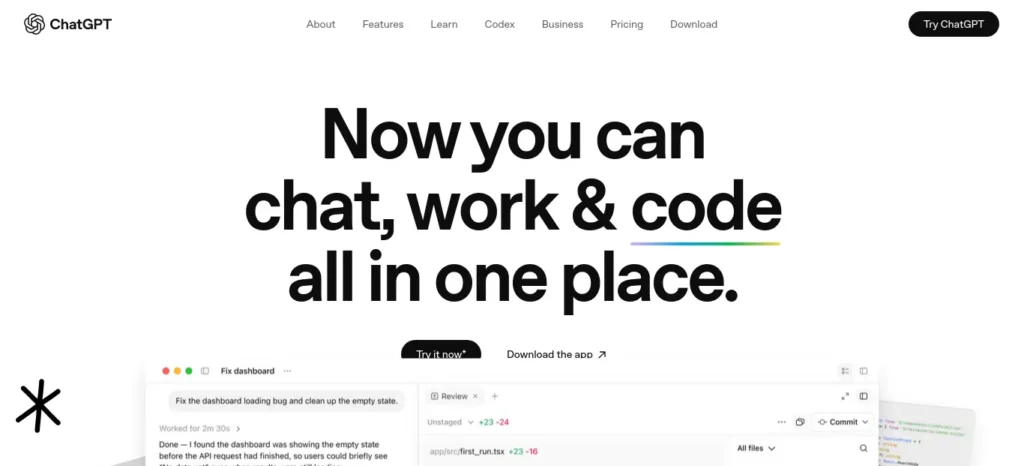
ChatGPT is built by OpenAI. As of August 2026, it runs on a multi-tier structure: a Free plan, a budget Go tier, the popular Plus tier, two Pro tiers, and Business/Enterprise plans for organizations.
- chatgptFree — Limited access to the current GPT model family, limited image generation, limited Deep Research runs, and, in some regions, ads.
- chatgptGo — A budget tier built for markets like India, roughly 10x the message limits of Free, but without access to the top “Thinking” reasoning models.
- chatgptPlus — The tier most individual students land on if they upgrade. Unlocks the full current model family, a set number of Deep Research runs per month, Projects, custom GPTs, Canvas (OpenAI’s collaborative writing and coding workspace), and expanded Codex access.
- chatgptPro — Built for heavy daily users and researchers who exhaust Plus limits; priced well above what most students need.
Want to move beyond simple AI answers? Learn how to use ChatGPT as a personal learning assistant to create study plans, generate quizzes, and master new skills faster.
Pricing in India (August 2026):
📌 Free — ₹0
📌 Go — approximately ₹399/month (India-specific budget tier; OpenAI has run limited-time free promotions on this tier in India before, so confirm the live price at chatgpt.com rather than assuming)
📌 Plus — approximately ₹1,999/month
📌 Pro — approximately ₹19,900/month
Gemini Overview
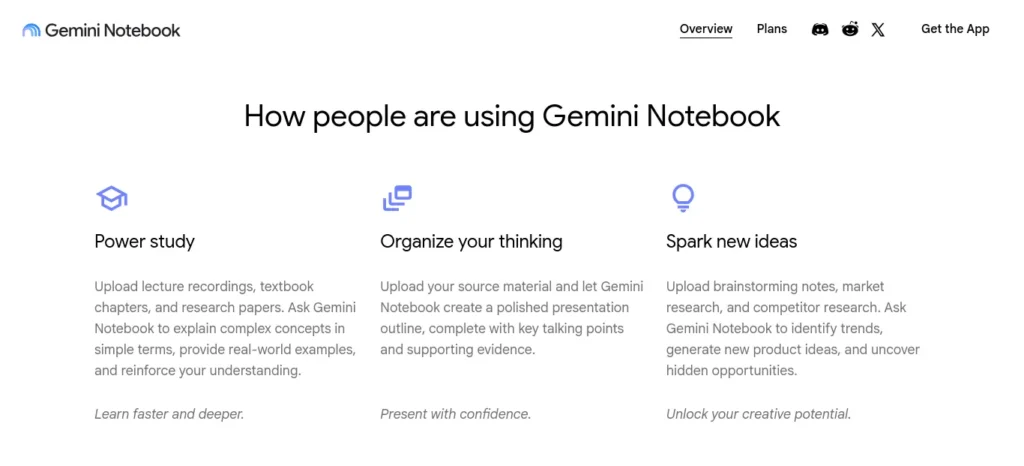
Gemini is built by Google, and it’s already quietly inside products most Indian students use every day — Gmail’s “Help me write,” Google Docs, Search’s AI Overviews, and NotebookLM. As of August 2026, the consumer plans are:
- GeminiFree — Everyday access to Gemini, including the current fast model, varying access to Google’s top-tier model, image generation and editing, Deep Research, Gemini Live (voice conversation mode), and Canvas.
- Google AI Plus — An entry-level paid tier with roughly 2x the usage limits of Free plus more storage.
- Google AI Pro — The main paid tier, roughly 4x Free’s usage limits, a longer context window, and Gemini folded directly into Gmail, Docs, and other Workspace apps.
- Google AI Ultra — Two sub-tiers built for power users and creators, well above what most students need or would use.
Pricing in India (August 2026, verified directly against Google’s official India pricing page):
📌 Free — ₹0/month
📌 Google AI Plus — ₹399/month
📌 Google AI Pro — ₹1,950/month
📌 Google AI Ultra — ₹6,500/month (5x Pro usage) or ₹19,500/month (20x Pro usage)
One thing worth knowing: Google previously offered a free 12-month Google AI Pro plan for verified students, but that promotion has closed across all regions, with the final redemption window ending by mid-2026. If you see “free Google AI Pro for students” advertised anywhere now, it’s outdated — check Google’s official student page before trusting it.
The GRADE Framework: A Faster Way to Decide
Instead of asking “which AI is better,” ask “which AI is better for this task.” We built GRADE to make that decision quickly — run any task through it and a default answer usually falls out fast.
Goal → What are you actually trying to produce — an answer, a draft, or an understanding?
↓
Research → Does this need current, web-connected information, or is it self-contained reasoning?
↓
Assignments → Is this graded work with academic integrity rules attached?
↓
Deep Learning → Do you need to actually understand this, or just get past it tonight?
↓
Exam Revision → Are you building long-term recall, or cramming for tomorrow?
We’ll refer back to GRADE throughout this guide.
ChatGPT vs Gemini for Homework Help
Ever stared at the same paragraph three times and still not understood it? That’s usually the moment students reach for one of these tools — and it’s also the moment the “which one” question actually matters.
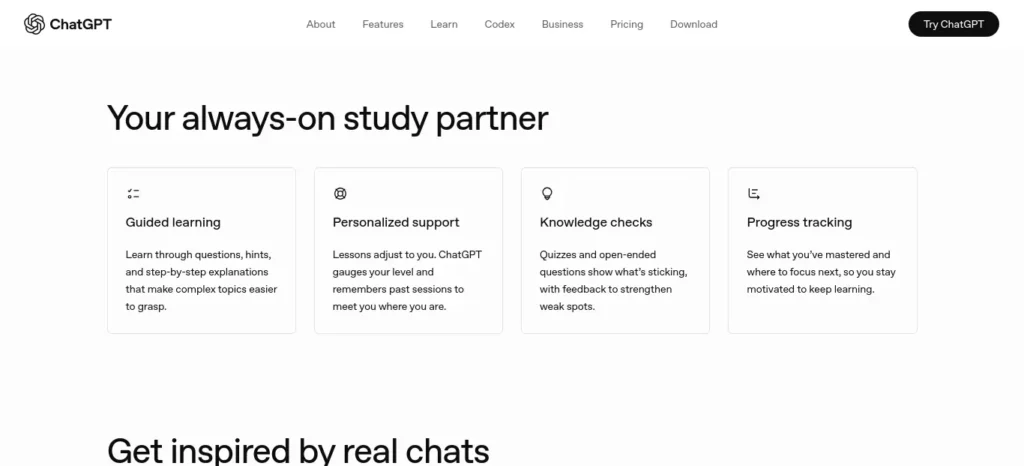
Best for most homework help: ChatGPT. If you’ve ever needed to ask “explain that differently” three times before something clicks, ChatGPT is usually the better tool, because you can keep pushing until the explanation actually lands, instead of getting one shot at it.
ChatGPT for Homework
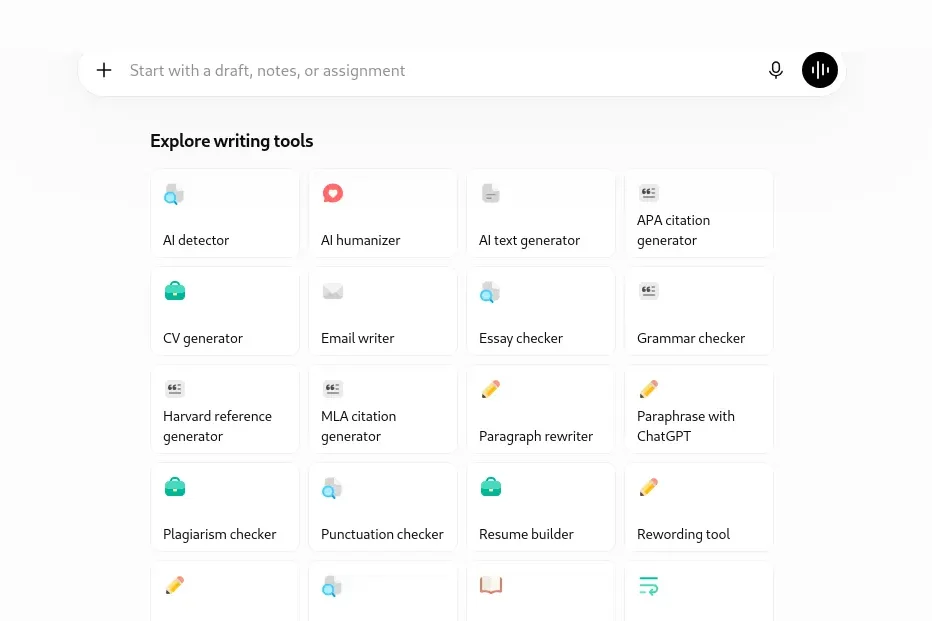
Best For: Working through a problem step-by-step and understanding why an answer is correct, not just what it is.
Strengths:
- Strong at breaking multi-step problems into a clear sequence you can follow
- Canvas lets you edit a draft answer collaboratively rather than starting over each time
- Genuinely good at re-explaining a concept a second or third way when the first explanation doesn’t click — this is the feature students underuse most
Watch Out:
- On Free, message limits can run out mid-session during a long problem set — usually right when you’re closest to actually understanding it
- Confident-sounding wrong answers on niche, syllabus-specific questions still happen. Always double-check the final number
🎯 Bottom line: If your priority is homework explanation, ChatGPT is usually the better choice.
Gemini for Homework
Best For: Homework that involves an image — a photographed textbook problem, a diagram, or handwritten working you want checked.
Strengths:
- Strong multimodal input handling for photos of problems and diagrams, so you’re not retyping a whole equation by hand
- Free tier is generous enough for daily homework use without hitting a paywall quickly
- Solid at factual, Search-grounded questions where you just need a fast, reliable answer
Watch Out:
- Step-by-step math explanations can feel less conversational than ChatGPT’s when you want real back-and-forth clarification
- Some deeper features (longer Deep Research runs, extended context) are noticeably wider on paid tiers than on Free
🎯 Bottom line: If your homework is a photo of a messy handwritten problem, Gemini is usually faster.
Which AI Is Better for Research Projects?
Usually, Gemini. Deep Research is available even on the free tier, and its answers tend to lean more current by default — which matters a lot if your topic touches anything published in the last few months.
Picture this: you’re two weeks into a term paper on recent climate policy, and half of what you found last month is already outdated. That’s a research problem, not a writing problem — and it’s exactly where Gemini’s web-grounding earns its keep.
Before you start writing your assignment, it’s important to know how to use AI for college research projects effectively. A strong research process helps you find credible sources, organize ideas, and avoid common mistakes that can lower your grades.
ChatGPT for Research
Best For: Synthesizing information you’ve already gathered, or getting a fast conceptual overview before you start deeper reading.
Strengths:
- Deep Research produces well-structured reports with a defined number of runs included even on Plus
- Good at turning a rough topic into a workable set of research questions and an outline
- The Projects feature keeps a long research thread organized across multiple sessions, so you’re not re-explaining context every time
Watch Out:
- Free tier’s Deep Research allowance is limited enough that it’s not reliable for a full research assignment
- Citations still need manual verification — never submit an AI-generated citation list without confirming every source actually exists
🎯 Bottom line: If you’re organizing research you already have, ChatGPT is usually the better choice.
Gemini for Research
Best For: Research that depends on current events, recent data, or anything published in the last few months — a climate statistics assignment, say, or a current-affairs essay for a UPSC or civil services prep track.
Strengths:
- Web-grounded by default, so answers tend to reflect more current information without extra prompting
- Deep Research is available even on the Free tier, limited by usage rather than a hard paywall
- Findings drop straight into Google Docs, which most Indian colleges and universities already use for submissions
Watch Out:
- Web-grounded doesn’t mean infallible — verify every factual claim and every source link before citing it in graded work
- Longer research sessions on Free can hit daily caps faster than you’d expect, usually mid-research
🎯 Bottom line: If your topic needs current information, Gemini is usually the better choice.
Writing: Essays, Assignments & Reports
Here’s a myth worth killing early: neither tool “writes your essay for you” in any way that should end up in your submission untouched. What they’re actually good at is different — one helps you build an argument, the other helps you draft inside the document you’re already using.
Best for writing support: ChatGPT, especially for building an argument, working through multiple drafts, or getting honest feedback on structure and tone.
Looking for the best AI tools for writing college assignments? Explore our detailed guide to discover the top AI writing assistants that help you research, draft, edit, and improve academic assignments faster while maintaining quality and originality.
ChatGPT for Writing
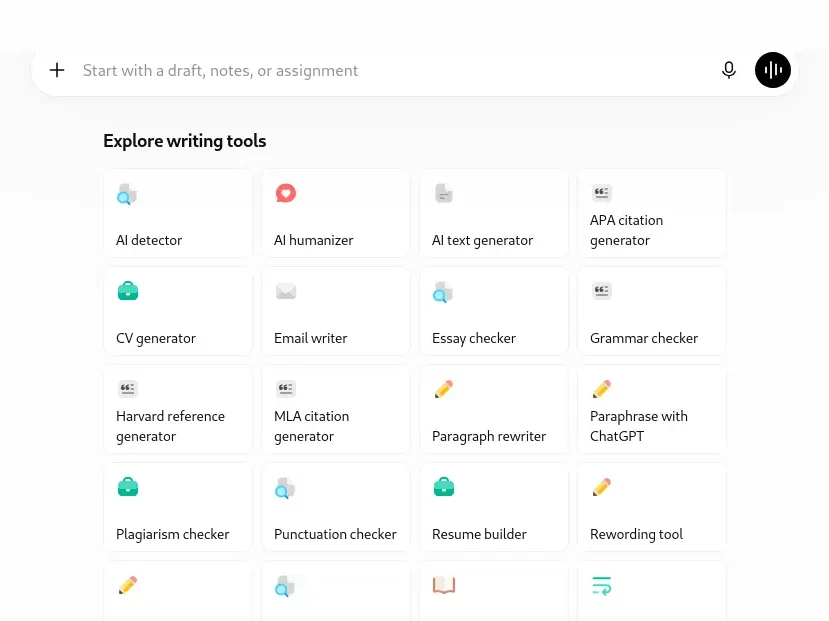
Best For: Developing an argument from a rough idea into a polished draft, and getting real feedback on structure — not just grammar fixes.
Strengths:
- Canvas is purpose-built for iterative editing — highlight one paragraph, ask for a rewrite, and the rest of the document stays untouched
- Maintains a consistent tone across a long document more reliably across multiple revisions, because it holds the fuller conversation context each time you ask for a change
- Good at generating counterarguments, so a 2,000-word history essay actually engages with objections instead of ignoring them
Watch Out:
- Left unchecked, it can produce generic phrasing that reads as “obviously AI-written” — always rewrite the final draft in your own voice before submitting
- Using it to write a full assignment word-for-word, rather than to support your own writing, crosses into academic integrity territory at most Indian institutions. Check your college’s specific AI policy before you rely on it for graded work
🎯 Bottom line: If your priority is building and refining an argument, ChatGPT is usually the better choice.
Gemini for Writing
Best For: Writing directly inside Google Docs, where suggestions and rewrites happen in your actual document instead of a separate chat tab.
Strengths:
- Native Google Docs integration means less copy-pasting between windows
- Good at summarizing long source PDFs into notes you can build a draft around
- Gemini Live’s voice input is useful for talking through an argument out loud before you write a word of it
Watch Out:
- Full in-document integration (Gemini inside Docs) is strongest on the paid AI Pro tier — the free experience leans more toward a separate chat window
- Same academic integrity caution applies: check your institution’s current policy on AI-assisted writing before submitting anything drafted with help
🎯 Bottom line: If you live inside Google Docs already, Gemini is usually the more frictionless choice.
Coding: For CS, Engineering & GATE Aspirants
Debugging a Python assignment at 1 a.m. with an error message that means nothing to you is its own specific kind of stress. This is where both tools genuinely help — just in slightly different ways.
Roughly tied, with a slight edge to ChatGPT for debugging conversations and to Gemini for holding context across a large codebase.
ChatGPT for Coding
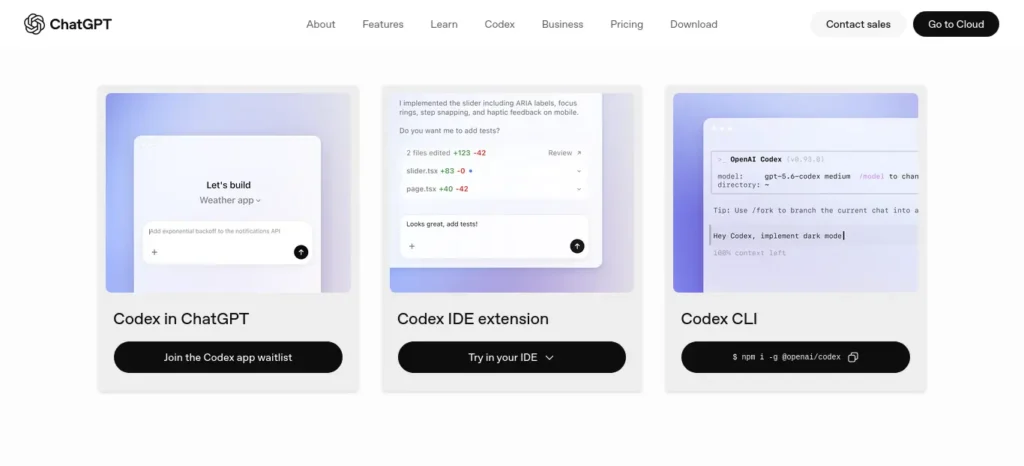
Best For: Debugging a specific error, learning a new language concept, or getting a function explained line by line.
Strengths:
- Canvas renders code blocks and lets you iterate on them directly, without losing your place
- Strong conversational debugging — paste an error, get a diagnosis, ask a follow-up, get a fix
- Codex access, expanded on Plus, is useful once your coding projects grow beyond a single script
Watch Out:
- The context window on Free/Go is smaller, so very large files may need to be broken into chunks
- Always run and test generated code yourself — a plausible-looking function is not the same thing as a correct one
🎯 Bottom line: For a single stubborn bug, ChatGPT is usually faster to talk through.
Gemini for Coding
Best For: Working across a large codebase or a long file where the AI needs to hold more context at once — useful for a final-year engineering project rather than a single homework script.
Strengths:
- Larger context window on paid tiers, useful for reasoning across bigger repositories
- Google Antigravity (Google’s agentic development platform) is bundled into AI Pro and AI Ultra for students moving into more advanced project work
- Solid at explaining errors when you paste a full stack trace, not just a single line
Watch Out:
- The most generous context and agentic coding features sit behind AI Pro, not the free tier
- Like ChatGPT, always test generated code — don’t submit untested code for a graded project
🎯 Bottom line: For a large, messy codebase, Gemini is usually better at holding the whole picture.
Math: Concepts vs. Photographed Problems
Gemini usually wins for photographed or handwritten problems. ChatGPT usually wins for conceptual, step-by-step reasoning — the kind JEE, NEET, and GATE aspirants lean on most.
ChatGPT for Math
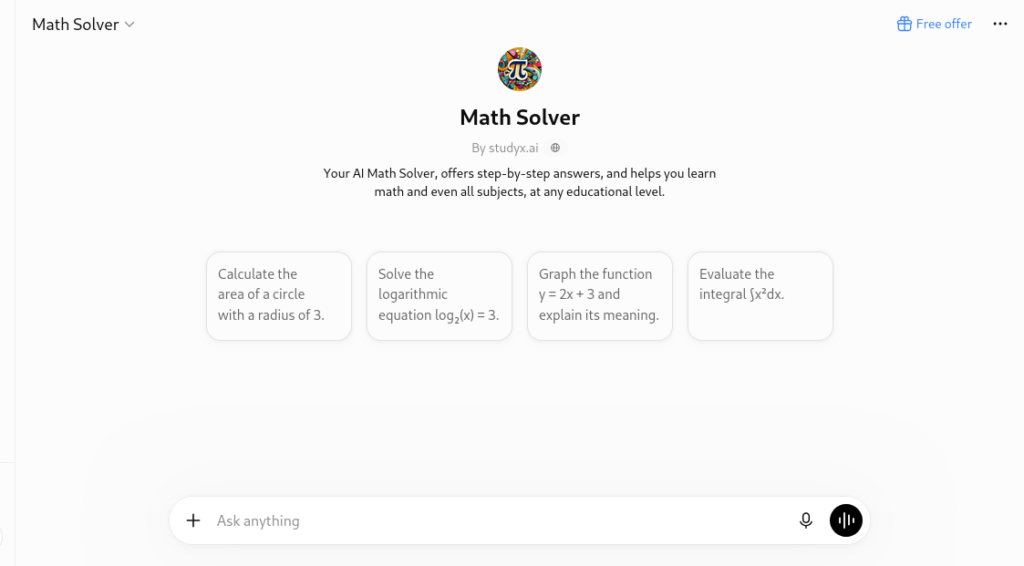
Best For: Understanding why a method works, not just getting the final number — useful for JEE/GATE-style conceptual questions where the exam tests reasoning, not just the answer.
Strengths:
- Strong at walking through multi-step derivations conversationally, one step at a time
- Good at generating practice problems similar to one you’re stuck on, so you can test whether it actually clicked
Watch Out:
- Complex multi-part problems can still contain arithmetic slips — verify the final calculation yourself, every time
- Free tier message caps can interrupt a long problem-solving session right in the middle of a derivation
🎯 Bottom line: For understanding the method, ChatGPT is usually the better tutor.
Gemini for Math
Best For: Snapping a photo of a handwritten or textbook problem and getting it read and solved directly, no retyping required.
Strengths:
- Strong image-to-text handling for handwritten equations and diagrams
- Free tier is usable for regular daily practice without hitting a paywall quickly
Watch Out:
- Occasionally misreads messy handwriting — double-check the AI transcribed your problem correctly before trusting the solution that follows
🎯 Bottom line: For a photo of a problem, Gemini is usually faster to get started.
Revision & Flashcards
Exam-week AI use looks nothing like homework-time AI use. It’s less “explain this once” and more a stream of short, rapid-fire follow-ups — which is exactly why students often hit message limits faster than expected during revision, right when they can least afford an interruption.
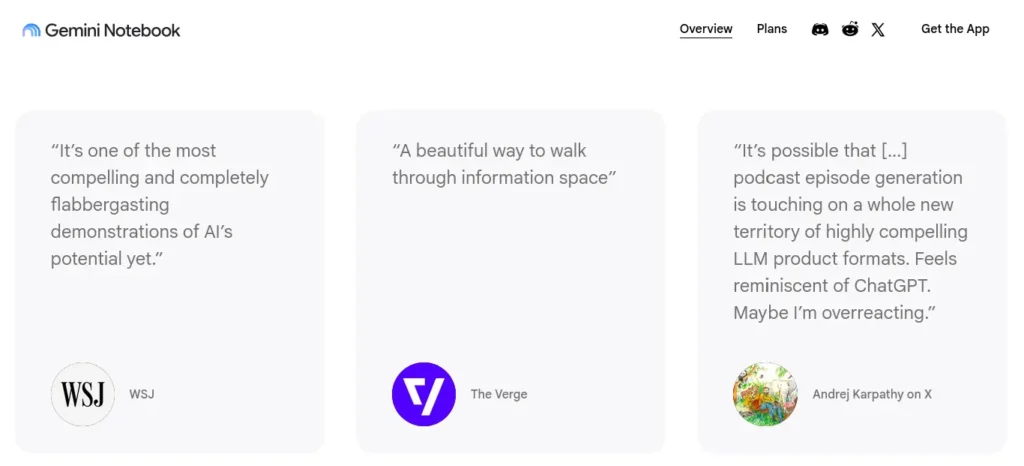
Best for revision workflows: Gemini, mainly through NotebookLM (Google’s free notebook and study tool), which is purpose-built for turning your own notes into study material.
Feeling overwhelmed by a huge syllabus before exams? Discover How to Revise an Entire Syllabus with AI and learn a step-by-step strategy to revise smarter, faster, and with less stress.
ChatGPT vs Gemini for Exam Preparation
For exam preparation, the most useful AI assistant is the one that helps you retrieve information, practise answering questions and identify gaps in your understanding. Neither ChatGPT nor Gemini should be treated as a replacement for your official syllabus, textbooks or teacher’s guidance.Most beginners waste more time choosing AI tools than actually using them—see which free AI tools for beginners are worth trying first, without needing any technical skills.
A practical AI-powered revision workflow
- Start with your syllabus. List the chapters, topics and learning outcomes you need to cover.
- Generate practice questions. Ask ChatGPT or Gemini to create questions at easy, moderate and difficult levels based on a topic you provide.
- Attempt answers without assistance. Test your own understanding before asking the AI to reveal the answer.
- Review your mistakes. Ask the tool to explain the concept behind each incorrect answer and give you a similar practice question.
- Verify important information. Check formulas, dates, definitions and factual claims against your prescribed materials or official answer keys.
- Repeat difficult topics. Revisit the questions you previously missed rather than repeatedly reading summaries you already understand.
A prompt students can use
“Act as a study tutor for [subject and exam]. Use the following syllabus topics: [paste topics]. Create 10 practice questions, progressing from basic to difficult. Ask one question at a time, wait for my answer, explain any mistakes, and give me a similar question to check my understanding. Do not invent syllabus requirements or claim that these questions will appear in the real exam.”
How should you choose between ChatGPT and Gemini?
Run the same prompt in both tools. Compare whether the questions match your syllabus, whether the explanations are accurate and whether the feedback helps you correct your mistakes. Choose the tool that performs better for your subject and available account features, rather than relying on a universal ranking.
For a deeper revision plan, see our guide to revising an entire syllabus with AI.
ChatGPT for Revision
Best For: Generating a quick set of practice questions or a summary of a topic you already understand reasonably well.
Strengths:
- Fast at producing quiz-style questions from a pasted syllabus or topic list
- Good at explaining a concept a second time in a different way if the first explanation didn’t stick
Watch Out:
- No dedicated flashcard or spaced-repetition feature built in — you’ll need to export to a separate tool for that
- Long revision sessions can run into Free tier limits during exam season, exactly when you need it most
🎯 Bottom line: For quick practice questions, ChatGPT is usually enough on its own.
Gemini for Revision
Best For: Turning your own lecture notes, slides, or textbook PDFs into a structured study guide, summary, or even an audio overview — genuinely useful for an AP Biology unit review or a full semester of GATE prep notes.
Strengths:
- NotebookLM (free with any Google account) is specifically built for this — upload your material and generate summaries, FAQs, and practice questions grounded in what you actually gave it
- Reduces the risk of studying hallucinated content, since NotebookLM stays grounded in your uploaded material rather than inventing facts
- The Audio Overview feature turns notes into a podcast-style summary — genuinely useful for revision during a commute or a walk
Watch Out:
- Higher usage limits for NotebookLM’s premium features sit behind Google AI Plus/Pro
- Still pair this with active recall and spaced repetition — a summary you read passively is far weaker than one you actually test yourself on afterward
🎯 Bottom line: For turning your own notes into a study guide, Gemini’s NotebookLM is the clear choice.
ChatGPT vs Gemini: Which Is Better for Students on a Budget?
Students should compare the features they actually need before paying for an AI subscription. A paid plan may provide higher usage limits or additional tools, but that does not automatically mean it will produce more accurate answers for every assignment.
What to check before choosing a plan
- Free access: Check which models, uploads, research features and other tools are currently included.
- Usage limits: Confirm how frequently you can use the features you need. Limits may vary by plan, feature and account.
- Student offers: Check whether an official student promotion is available in your country and whether you meet its eligibility requirements.
- Study workflow: Consider whether the tools work with your existing notes, documents and research process.
- Actual value: Compare the monthly cost with how often you will use the paid features.
Official plan information
- Check current ChatGPT plans and pricing.
- Check Google AI plans and student offers in India.
- Review Gemini usage limits.
Our recommendation: Start with the free access available to your account, test both assistants on the same study task and upgrade only if you repeatedly encounter a specific limitation that a paid plan solves.
Privacy & Limitations
Both tools carry real limitations students should know before relying on either one for graded work.
Shared limitations:
- Both can produce confident-sounding but incorrect answers (hallucinations) — always fact-check anything you plan to cite or submit
- Both process your conversations on the company’s servers; consumer and free plans generally allow your data to be used for model training unless you opt out in account settings — check current settings on each platform, since these policies change
- Neither replaces actually understanding the material. Using either as a substitute for learning, rather than a support for it, tends to show up badly at exam time — the one moment an AI can’t sit the test for you
ChatGPT-specific:
- Free and Go tiers have shown ads in some regions since February 2026
- Deep Research run limits are hard caps even on Plus
Gemini-specific:
- Some of the most powerful features (Deep Think, Gemini Spark) roll out to select countries first — availability in India can lag behind other regions
- Full Workspace-embedded Gemini (in Gmail, Docs) is noticeably more limited on Free than on AI Pro
⚠️ Watch Out: Neither company positions its consumer AI plans as designed specifically for academic submission workflows — both explicitly leave academic integrity judgment calls to individual institutions. That responsibility sits with you and your college’s policy, not the tool.
Want to learn the practical ways students are already using AI in everyday learning? Read our complete guide on How Students Use AI to Study Smarter (Without Cheating) and discover 12 proven techniques to improve learning, revision, and exam preparation.
Common Mistakes Students Make With Both Tools
It’s easy to slip into these without noticing, especially under deadline pressure:
- Copying an AI answer directly into an assignment without rewriting it — many Indian institutions now have explicit AI-use policies, and unedited AI text is often detectable
- Trusting an AI-generated citation without checking it exists — both tools can generate plausible-looking but fabricated sources
- Skipping fact-checking on factual claims, especially dates, statistics, and named sources
- Relying entirely on AI for concepts you’ll be tested on, without notes or a genuine study workflow behind it — the answer disappears exactly when you need it most, in the exam hall, with no AI in sight If you want AI to do more than just answer questions, discover these AI Tools for People With No Coding Skills that can save you at least one hour every day.
ChatGPT vs Gemini: Quick Decision Reference
A fast lookup if you just need the verdict for right now, without reading the full breakdown above.
📌Homework explanations → ChatGPT — stronger step-by-step reasoning
📌Research with current information → Gemini — stronger web grounding
📌Essay writing and argument-building → ChatGPT — stronger drafting flow
📌Large coding projects → Gemini — stronger long-context handling
📌Single coding bugs → ChatGPT — stronger debugging conversation
📌Math concepts → ChatGPT — stronger step-by-step derivations
📌Photographed math problems → Gemini — stronger image reading
📌Turning notes into a study guide → Gemini (via NotebookLM) — purpose-built for this
📌Tightest free plan → Gemini — more generous daily limits
📌Lowest-cost India upgrade → Either — Go and AI Plus are both ~₹399/month
Decision Framework: Which AI Should You Choose?
Choose ChatGPT if:
- You want a conversational partner for writing, brainstorming, and step-by-step explanations
- You’re working heavily in Canvas on essays or code
- You want the India-specific Go tier’s low entry price with higher-than-Free limits
Choose Gemini if:
- You already live inside Gmail, Docs, and Drive for coursework
- You want the more generous free daily-use experience
- You want NotebookLM specifically for turning your own notes into study material
Choose both if:
- You want ChatGPT for explanation-heavy learning and writing support, and Gemini for web-grounded research and Google-ecosystem tasks — this is what most heavy student users of AI actually end up doing, since running both free tiers side by side costs nothing
Need explanations? → ChatGPT
Need current, web-connected information? → Gemini
Need both? → Use both, for different jobs
Can You Use Both? Yes — Here’s the Workflow
Running both costs nothing if you stay on the free tiers of each, and the two genuinely complement each other across a typical assignment’s lifecycle:
Research → Gemini for web-grounded background research and Deep Research reports.
↓
Draft → ChatGPT’s Canvas to build your outline into a full draft, using its stronger conversational feedback loop.
↓
Notes → NotebookLM (Gemini’s notebook tool) to turn your own class notes into summaries and practice questions.
↓
Revision → Either tool, whichever explains what you still don’t understand in a way that finally clicks.
Before you move on, ask yourself this: do you have a learning system or just good intentions? Discover How to Build a Daily Learning System Using AI (Step-by-Step Guide) to create a simple AI-powered routine that actually sticks.
Your First 30 Days: A Simple AI Study Plan
Week 1 — Explore both, free tier only. Try ChatGPT for one homework session and Gemini for one research task. Notice which felt faster and clearer for each, without committing to either yet.
Week 2 — Build your NotebookLM habit. Upload one week of lecture notes and generate a summary. Test yourself on it before your next class, not after.
Week 3 — Draft one assignment start to finish, using Gemini for research and ChatGPT’s Canvas for the writing pass. Always end by rewriting the final draft in your own words.
Week 4 — Revisit your limits. If either free tier blocked you more than twice this month, that’s your signal to look at Go (₹399) or Google AI Plus (₹399) before jumping straight to the full Plus/Pro tiers.
International Student Advice
This guide is written India-first, since that’s where most of our readers are studying. If you’re elsewhere, a few things shift:
Students in India
- Both ChatGPT Go and Google AI Plus sit at roughly ₹399/month — a small step up from Free, worth trying before a full Plus/Pro upgrade
- UPI billing is supported on both: OpenAI added it alongside Go’s launch, and Google bills through Google Play, which is UPI-enabled by default
Students in the US
- Check whether your school issues Google Workspace for Education or a Chromebook-based setup — Gemini’s classroom integration tends to be stronger where that’s already standard
- AP courses and community college writing centers increasingly publish their own specific AI-use guidance — check yours before using either tool on graded work
Students in the UK
- GCSE and A-Level coursework has specific referencing and originality requirements — treat AI-assisted drafts the same way you’d treat any unattributed source
- Confirm your exam board and school’s current AI policy, since these have been updated frequently over the past year
Students in Canada
- Google Workspace is common across Canadian universities, which tends to make Gemini’s Docs integration the more frictionless day-to-day option
- Citation expectations (APA/MLA) still apply in full to any AI-assisted research — verify every source before citing it
Students in Australia
- Most universities route coursework through an LMS (like Canvas or Moodle) with its own explicit academic integrity policy on AI use — check yours before submitting AI-assisted work
- Assignment-specific AI disclosure requirements are becoming more common — when in doubt, disclose
India-Specific Advice
- Mobile data matters. Both apps work well on mid-range Android phones, but Deep Research and Canvas-style features are heavier — use Wi-Fi where possible for research-heavy sessions.
- Google Workspace is already in most Indian colleges. If your institution issues you a Google account for coursework, Gemini’s Docs and Gmail integration will likely feel more native than switching to a separate ChatGPT tab.
- Budget-tier options exist specifically for India. Both ChatGPT Go and Google AI Plus are priced at roughly ₹399/month — a meaningfully smaller jump from Free than the full Plus/Pro tiers, and worth checking before committing to a full paid plan.
- Academic integrity policies vary by institution. Several Indian universities have published specific AI-use guidelines for assignments in the last year — check your own institution’s current policy rather than assuming a blanket rule.
- UPI billing is supported on both. OpenAI added India-specific UPI billing alongside its Go tier launch, and Google bills its AI plans through Google Play, which is UPI-enabled by default.
Final Verdict
There isn’t one universal winner here — only the right choice for your goals, and it’s fine if that answer is “both.” If your studying is mostly writing- and explanation-heavy — essays, brainstorming, working through a concept conversationally — ChatGPT will likely feel like the better daily fit. If you’re already living inside Google Docs and Gmail for coursework, need web-connected research, or want the strongest free note-to-study-guide workflow, Gemini — especially paired with NotebookLM — will likely feel more natural.Great research can still become a weak assignment if you don’t know how to use it properly—see how AI tools can help you turn your verified sources into better college assignments.
The students who get the most out of AI this semester won’t be the ones who picked a side in the ChatGPT vs Gemini debate. They’ll be the ones who learned which tool to reach for, and when — and who still did the thinking themselves.
FAQs: ChatGPT vs Gemini for Students
Is ChatGPT better than Gemini for students? It depends on the task. Neither is universally better — ChatGPT tends to be stronger for writing and conversational explanations; Gemini tends to be stronger for web-grounded research and Google Workspace-integrated work.
Which AI is more accurate for homework? Neither should be trusted blindly. Both can produce incorrect answers with full confidence, so verification matters more than which tool you picked, especially for anything you’ll be graded on.
Can AI actually improve grades? Usually, yes — but only when it’s used as a study aid for explanations, practice questions, and structured revision. Used as a shortcut to skip understanding entirely, it tends to hurt exam performance, since exams test what you actually know, not what an AI can generate for you at the moment.
Is the free version enough for most students? Usually, yes, for light-to-moderate use — Gemini’s free tier in particular is generous enough for regular homework and research support. Heavy daily users, especially during exam season, are more likely to hit Free tier limits on both platforms.
Which AI is better for research projects? Gemini, primarily because Deep Research is available even on the free tier and its answers tend to be more web-grounded by default.
Which AI explains math concepts better? ChatGPT tends to be stronger for conversational, step-by-step conceptual explanations. Gemini tends to be stronger for reading photographed or handwritten problems directly.
Can teachers detect AI-generated assignments? Sometimes. AI-detection tools exist and are used by some institutions, but they aren’t perfectly reliable in either direction. The safer approach is always to use AI as a drafting or study aid and submit work rewritten in your own voice, in line with your institution’s specific AI-use policy.Find reliable answers, compare information from multiple sources, and uncover relevant facts in less time with these AI tools for research, fact-checking, and smarter decision-making.
Is it okay to use AI for studying? Usually, yes. Using AI to understand a concept, generate practice questions, or organize your own notes is generally considered acceptable studying. Using it to generate graded work you submit as entirely your own is where most institutions draw a hard line — check your specific college’s policy.
Which AI is better for coding students? Both are strong, in different ways. ChatGPT tends to be better for conversational debugging; Gemini tends to hold more context for larger codebases on its paid tiers.
Should I pay for ChatGPT or Gemini? Not immediately. Use the free tiers of both for at least a few weeks first. Upgrade only once a specific limit — message caps, Deep Research runs, or context length — is genuinely blocking your work.
Is ChatGPT or Gemini better for students?
Neither tool is best for every student or subject. Compare the accuracy of their explanations, the quality of their feedback and the features available to your account. Verify important information against your course materials.
Which is better for studying: ChatGPT or Gemini?
Both can help explain concepts, create practice questions and organise revision. Give both tools the same task and choose the one that produces more accurate, understandable and useful results for your subject.
Is ChatGPT or Gemini better for exam preparation?
The better option is the one that helps you practise active recall, understand mistakes and work within your official syllabus. Check generated questions and answers before using them for revision.
Should students pay for ChatGPT Plus or a Google AI plan?
Not necessarily. Start with the free access available to you. Consider paying only if you regularly need a feature or higher usage limit that your current plan does not provide. Check official pricing and student eligibility before subscribing.
Can students trust AI answers for assignments and research?
AI-generated answers can contain mistakes, unsupported claims or inaccurate references. Verify citations at their original sources, follow your institution’s academic-integrity rules and make sure the final submission reflects your own understanding.
About the Author
Nandhakumar is the founder of FutureFastAI, an educational website dedicated to helping students use AI more effectively for learning, productivity, and academic success. His work focuses on comparing AI tools through real student workflows rather than marketing claims, with an emphasis on practical advice that students can apply immediately.
Every guide is researched using official documentation, pricing pages, product updates, and hands-on testing of free and paid features whenever possible. Instead of recommending the newest tool by default, Nandhakumar focuses on explaining which AI works best for specific tasks such as homework, research, writing, coding, revision, and exam preparation.
FutureFastAI is written for students worldwide, with a special focus on the needs of Indian students, including local pricing, affordability, and study habits. Because AI products evolve quickly, articles are reviewed and updated regularly to reflect significant changes in features, pricing, and availability.
Nandhakumar believes AI should help students think more clearly, learn more deeply, and save time on repetitive work—not replace genuine understanding or critical thinking. Every recommendation aims to be balanced, practical, transparent, and based on verified information rather than hype.
Editorial Policy
At FutureFastAI, our goal is simple: publish accurate, practical, and trustworthy AI content that genuinely helps students make better decisions. We believe educational content should solve real problems—not chase clicks or repeat marketing claims.
Our Mission
FutureFastAI exists to help students understand, compare, and use AI tools responsibly for learning, productivity, research, writing, coding, and everyday academic tasks. Every article is created with the goal of making complex AI topics easier to understand and more useful in real student workflows.
Our Editorial Principles
Every article published on FutureFastAI follows these principles:
- Accuracy before speed.
- Practical advice over hype.
- Honest comparisons instead of brand favoritism.
- Clear explanations written for real students.
- Regular updates as AI products evolve.
Research & Verification
Before publishing, we verify information using reliable sources whenever possible, including:
- Official product websites
- Official pricing pages
- Product documentation
- Company announcements and release notes
- Official blogs and help centers
For product comparisons, we also review independent sources and publicly available user feedback to identify common strengths and limitations. Whenever possible, we test free features and hands-on workflows ourselves.
If a claim cannot be verified through reliable sources, we either avoid including it or clearly identify it as an opinion rather than a fact.
Product Recommendations
FutureFastAI does not recommend tools simply because they are popular or newly released.
Recommendations are based on factors such as:
- Ease of use for students
- Practical usefulness
- Value for money
- Free plan quality
- Learning experience
- Reliability
- Overall suitability for specific academic tasks
Different tools excel at different jobs, so our comparisons focus on helping readers choose the right tool for the right situation.
AI-Assisted Content
Artificial intelligence may be used during research, brainstorming, outlining, or editing.
However, every article is reviewed, edited, fact-checked, and refined before publication. AI-generated output is never published without human review.
Independence
Our editorial opinions remain independent.
If an article contains affiliate links or sponsored content, it will be clearly disclosed. Partnerships never influence our recommendations or rankings.
Corrections & Updates
AI products change rapidly. Features, pricing, and availability can change within weeks.
We review articles regularly and update them whenever significant changes occur. If you notice outdated or incorrect information, we welcome your feedback and will review it promptly.
Reader-First Philosophy
Every article is written with one question in mind:
Will this genuinely help a student make a better decision?
If the answer is no, we continue improving the content before publishing.
Contact
If you have questions, feedback, or believe we’ve made an error, we’d love to hear from you. Reader feedback helps us improve FutureFastAI and keep our content accurate, practical, and up to date.