

13 Best AI Tools for People With No Coding Skills (2026)
AI tools for people with no coding skills can help beginners build simple applications, create chatbots, automate repetitive tasks, and experiment with machine learning without writing traditional code. The right platform depends on what you want to build, how much control you need, and whether you can work within its free-plan limits.
For a visual machine-learning project, Google Teachable Machine is a practical starting point. For AI-powered workflows, consider Gumloop or Relevance AI. For no-code applications, compare Softr and Glide. If you want to build a chatbot, explore Jotform AI Agents, Botpress, or Voiceflow.
This guide compares 13 tools by their intended use, beginner suitability, practical limitations, and pricing considerations. It also explains which type of project each tool is best suited for, so you can choose a platform based on your actual needs rather than a long list of features.
Quick answer: Start with a tool designed for one specific outcome. Choose a visual machine-learning tool to train a simple classifier, an app builder to create an application, a chatbot platform to answer questions, or an automation builder to connect repetitive tasks. You do not need to learn all four categories at once.

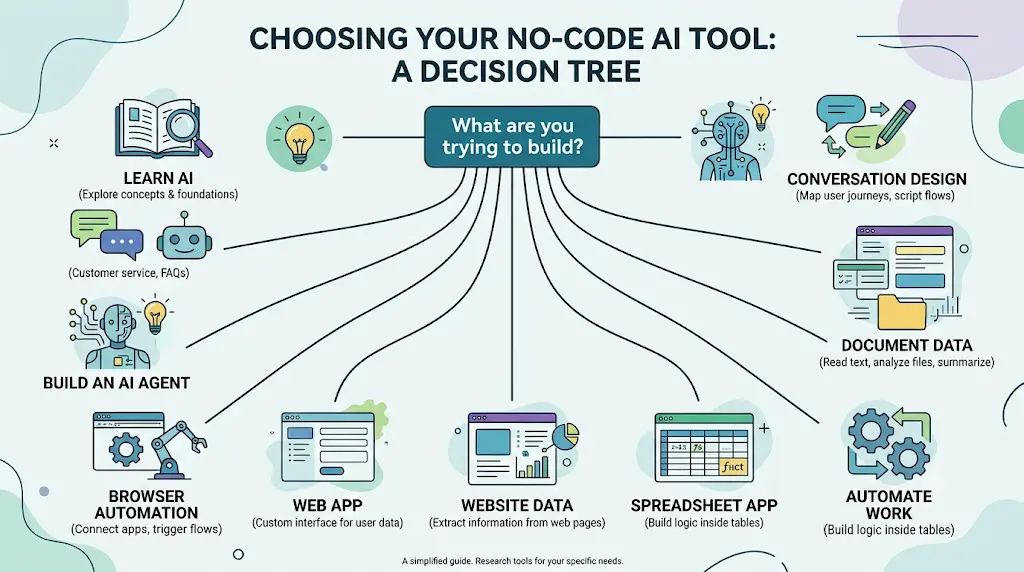
Which No-Code AI Tool Should You Pick? A Decision Tree
Answer one question — what are you actually trying to build? — and go straight to the right tool.
- Learn how AI works → Teachable Machine
- Build an AI chatbot → Jotform AI Agents (fastest) or Botpress (more reasoning power)
- Build an AI agent → Relevance AI (multi-agent teams) or MindStudio (one agent, many deployments)
- Automate repetitive work → Gumloop
- Automate tasks inside your browser → Bardeen
- Extract data from a website → Browse AI
- Extract data from PDFs or documents → Nanonets
- Build a full web app → Softr
- Turn a spreadsheet into an app → Glide
- Design a careful conversation flow → Voiceflow
Everything below expands on this logic — organized by tool, by who you are, by what you’re building, and by what you can afford.
New to AI? Start with our Ultimate Beginner Guide to AI Tools for Students to discover the best AI tools for research, note-taking, writing, revision, and productivity—all explained in a beginner-friendly, step-by-step format.
What Can You Actually Build With No-Code AI Tools?
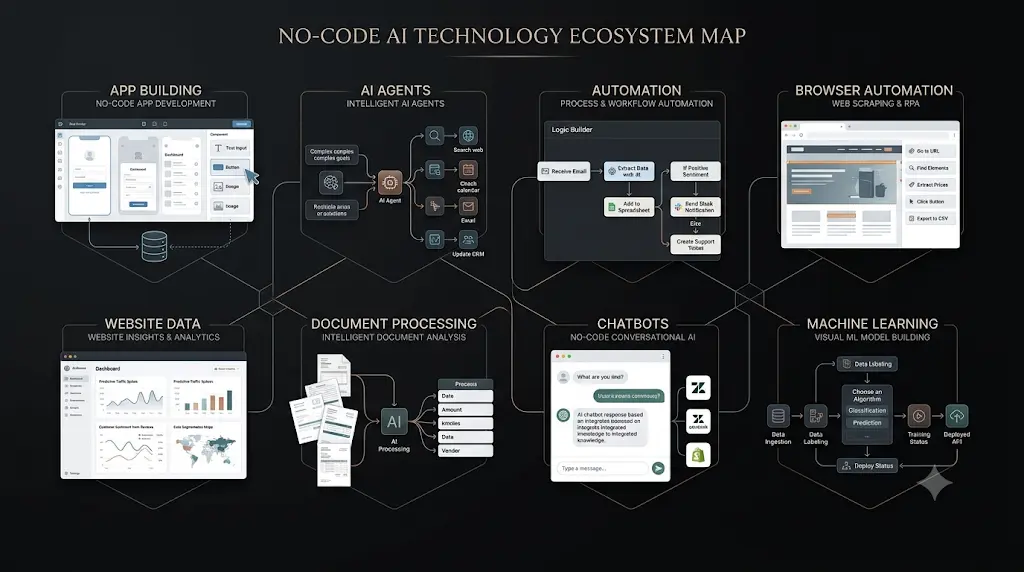
People with no programming background can use AI tools for people with no coding skills to build apps, automate repetitive work, create AI agents, analyze data, extract website information, build chatbots, and train basic machine-learning models — all through visual interfaces or plain-language instructions instead of code.
What Tools Let Non-Programmers Build Machine Learning Models?
Beginners can train simple machine-learning models without writing traditional code. The best starting point depends on the type of data and the result you want.
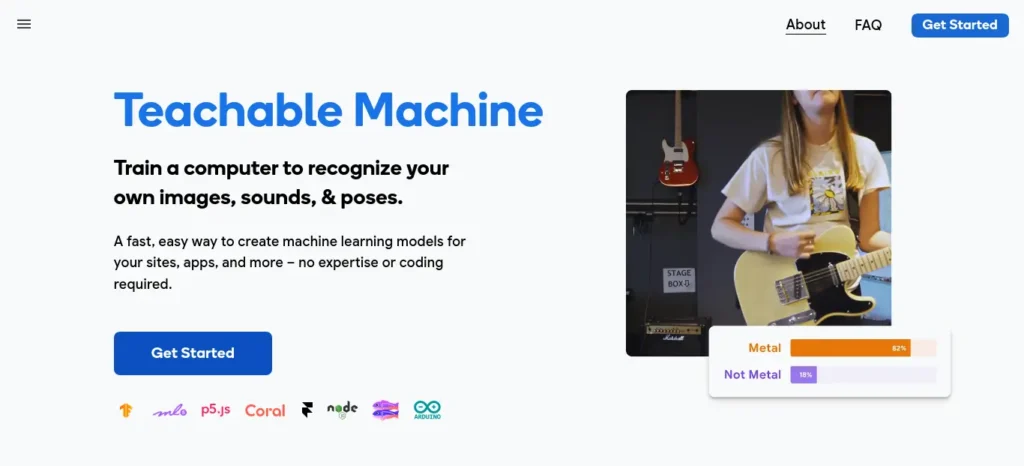
Google Teachable Machine lets you train models that classify images, sounds, or body poses using examples you provide. Its browser-based workflow covers collecting examples, training the model, testing predictions, and exporting the result. See the official Teachable Machine website.
Before choosing a platform, distinguish between three different tasks:
- Learning machine learning: Train a small classifier and see how the examples affect its predictions.
- Using AI inside an application: Build an interface and connect it to an available AI service or model.
- Automating work with AI: Connect multiple steps so information can be processed and passed between applications.
These tasks require different tools. A visual classifier is not a replacement for a chatbot builder, and an app builder does not necessarily let you train a custom machine-learning model.
For a college demonstration, start with a small, clearly defined dataset. Test the model on examples it has not seen during training, and explain where it makes mistakes. A successful demonstration shows how the model behaves, not just that the training button works.
Here’s what that looks like in practice.
- Simple AI/ML experiments: Teachable Machine
- Image classification: Teachable Machine or Lobe
- AI automation: Gumloop or Relevance AI
- AI-powered applications: Softr or Glide
- AI chatbots: Botpress, Voiceflow, or Jotform AI Agents
- AI agents and workflows: MindStudio or Relevance AI
What Can You Build With No-Code AI Tools?
No-code AI platforms can help beginners build working applications, automate tasks, create chatbots, process documents, collect website data, and experiment with machine learning. The features available depend on the platform.
| What you want to do | Tool to consider | Main limitation |
| Train a basic image or sound classifier | Teachable Machine | Not a general-purpose generative AI builder |
| Create a chatbot from FAQs or documents | Jotform AI Agents | Conversation limits and advanced features depend on the plan |
| Automate a multi-step AI workflow | Gumloop | Usage credits and integration requirements matter |
| Build a web app or internal portal | Softr | Complex custom logic may exceed the platform’s capabilities |
| Turn spreadsheet data into an app | Glide | Advanced functionality and publishing options depend on the plan |
| Extract information from websites | Browse AI | Some websites restrict automated access |
| Process invoices and scanned documents | Nanonets | Accuracy and costs depend on document quality and processing volume |
These are starting points, not universal rankings. Choose based on the task you need to complete, the data you will use, the available budget, and the complexity of the finished product.
Build apps
Turn a spreadsheet or a plain-language description into a working web app — a client portal, an internal tool, a small business dashboard — without hiring a developer.
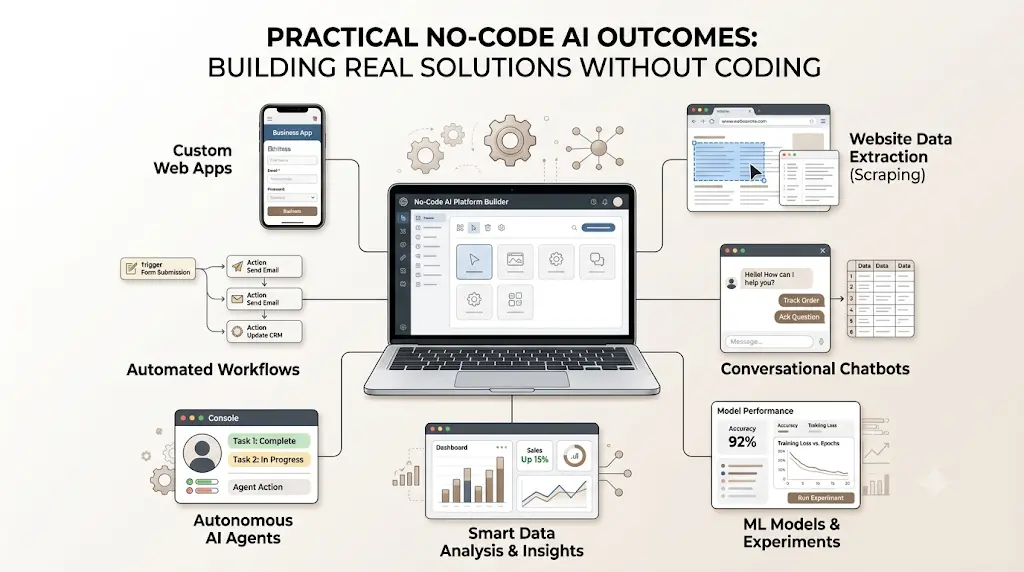
Automate repetitive work
Replace the copy-paste routine (moving leads into a CRM, sorting emails, updating a tracker) with a workflow that runs itself.
Create AI agents
Set up an AI “worker” that researches, drafts, classifies, or responds on your behalf, triggered automatically or on demand.
Analyze data
Ask questions about a dataset in plain English and get charts or predictions back, instead of writing formulas or SQL.
Extract website information
Point a tool at a webpage and have it pull structured data — prices, listings, contact details — on a schedule, without writing a scraper.
Build chatbots
Design a conversational flow visually and deploy it to a website, WhatsApp, or a phone line.
Experiment with machine learning
Train an actual image, sound, or pose-recognition model in your browser to understand how ML works — no math, no code.
Can You Build an AI App Without Coding?
Yes, but it helps to separate an app’s interface from the AI feature inside it. A no-code platform can give you the interface, database, user accounts, and workflows without requiring traditional programming. AI can then be added to handle tasks such as summarizing information, classifying requests, generating text, or answering questions.
For a simple project, the process can look like this:
Data source → App interface → Workflow → AI feature → Final result
For example, a student could turn a spreadsheet into a project tracker, while a small business could build an internal dashboard for managing leads or customer requests. Softr is useful when you want a more complete web app or internal tool, while Glide is a practical option when your starting point is a spreadsheet or database.
The important limitation is complexity. No-code platforms can help you build useful apps quickly, but highly customized business logic, unusual integrations, or large-scale systems may eventually require technical development.
What Does AI Automation Without Coding Look Like?
AI automation without coding usually follows a simple pattern: something triggers the workflow, AI processes the information, and another action happens automatically.
Trigger → AI processing → Decision → Action
For example, a new form submission could trigger an AI workflow that reads the response, extracts the important details, classifies the request, and adds the result to a spreadsheet. An email workflow could summarize incoming messages and route them to the right folder. A research workflow could collect information from several sources, organize it, and prepare a first draft for review.
Tools such as Gumloop, Bardeen, Relevance AI, and MindStudio approach this in different ways.
Gumloop is useful for visual workflows that combine AI with data and web tasks.
Bardeen focuses heavily on browser-based automation.
Relevance AI and MindStudio are more suitable when the workflow needs an AI agent to handle several steps.
The advantage is not simply saving clicks. Good automation removes repetitive work while leaving important decisions with a person. Always review AI-generated results before using them for decisions, customer communication, or other work where mistakes matter.
Which AI Chatbot Tools Work Without Coding?
For beginners who want to create a chatbot without programming, the main decision is whether the bot needs to answer questions from documents, follow a carefully designed conversation, or handle more complex workflows.
- Jotform AI Agents: Consider this for an FAQ assistant or a chatbot that uses your supplied documents and connects with forms.
- Botpress: Consider this when you need more control over conversational logic and AI-powered interactions.
- Voiceflow: Consider this when mapping, testing, and refining conversation flows is central to the project.
Before publishing a chatbot, test questions that are missing from your source documents, questions with multiple interpretations, and requests that require a human response. Check the platform’s usage limits and data-handling terms before uploading private or sensitive information.
For an initial project, a small FAQ bot with a clear handoff to a person is usually easier to evaluate than an unrestricted assistant.Find reliable answers, compare information from multiple sources, and uncover relevant facts in less time with these AI tools for research, fact-checking, and smarter decision-making.
How Can You Automate Tasks With AI Without Coding?
No-code AI automation platforms let you connect apps, create workflows, process information, and trigger actions through visual interfaces instead of writing software manually.
For example, a workflow could take information from a form, use AI to summarize or classify it, and then send the result to another application.
For beginners, the main options in this article serve different purposes:
- Gumloop: visual AI workflows and automation
- Bardeen: browser and repetitive-task automation
- Relevance AI: AI-powered workflows and agents
- MindStudio: creating AI agents and applications
Before choosing a platform, identify the task you want to automate first. A simple workflow may only require a visual automation builder, while more advanced projects may need AI agents, integrations, databases, or APIs.
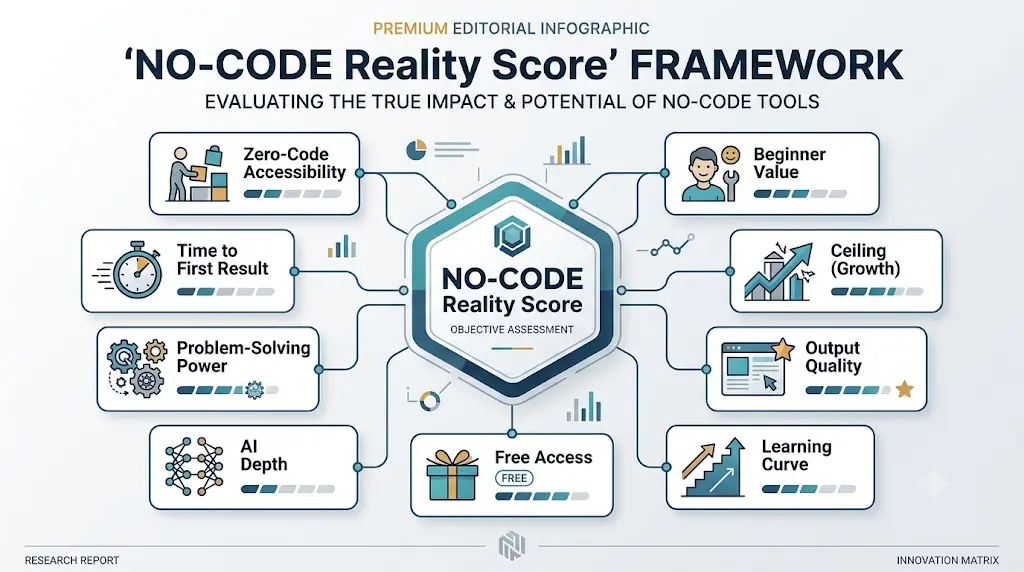
How We Chose These Tools: The NO-CODE Reality Score
Most “best AI tools” lists rank by popularity or affiliate payout. We used a stricter bar — nine questions, asked of every candidate before it made the cut:
- Zero-Code Accessibility — Can a genuine beginner use this unaided?
- Time to First Result — How fast can you produce something usable?
- Problem-Solving Power — Does it solve a real problem, or just look good in a demo?
- AI Depth — Is AI actually doing the work, or is “AI” just marketing?
- Free Access — Can you meaningfully test it without a credit card?
- Learning Curve — How much trial and error does it take?
- Output Quality — Is what comes out actually usable?
- Ceiling — At what point does this stop being enough, and you need real technical help?
- Beginner Value — Would we recommend this to a first-year student, specifically?
We also excluded tools that were discontinued, misleadingly marketed as “no-code,” or that quietly require real programming knowledge to do anything useful. While researching this piece, we ruled out Relay.app — it announced a full shutdown in July 2026 and has already stopped serving free accounts — and downgraded both Akkio and Lindy after confirming their self-serve free tiers have been removed in 2026 in favor of sales-only or trial-only access. Neither is a realistic fit for a beginner starting from zero, whatever a generic listicle from earlier this year might still say.AI can save you hours on assignments, but only if you know where to use it—and where to stop; learn how to use AI for college research projects the smarter way.
The Scores, Side by Side
We turned the framework above into a rough scorecard on five of the nine dimensions that matter most for a beginner deciding where to start. These are our own editorial judgment calls — whole or half points, no false precision — not an industry-standard benchmark.
Pricing and verification note: Plan names, included usage, features, and prices may change. We link to official product pages so readers can verify current terms before signing up. Free access may include usage caps, feature restrictions, or separate AI-processing costs. The comparisons above are editorial assessments, not the results of a controlled benchmark unless explicitly stated.
| Tool | Beginner-Friendly | AI Depth | Free-Tier Value | Ease of Use | Ceiling (headroom before you need code) | Overall |
| Teachable Machine | 10 | 6 | 10 | 10 | 4 | 8.0 |
| MindStudio | 7 | 9 | 8.5 | 7 | 8 | 8.0 |
| Jotform AI Agents | 9 | 7 | 8 | 9 | 5 | 7.5 |
| Relevance AI | 6.5 | 9 | 7 | 6.5 | 8.5 | 7.5 |
| Softr | 8 | 6.5 | 8 | 8 | 6.5 | 7.4 |
| Nanonets | 7 | 7.5 | 8 | 7 | 7 | 7.3 |
| Gumloop | 6 | 8.5 | 7.5 | 6.5 | 8 | 7.3 |
| Browse AI | 8.5 | 6 | 7 | 8.5 | 6 | 7.2 |
| Bardeen | 8 | 6.5 | 7.5 | 8.5 | 5.5 | 7.2 |
| Glide | 8.5 | 5 | 8 | 8.5 | 5.5 | 7.1 |
| Botpress | 6 | 8 | 6.5 | 6 | 8 | 6.9 |
| Voiceflow | 6 | 7.5 | 5 | 6.5 | 8 | 6.6 |
Lobe, our bonus 13th mention, isn’t scored here since it’s a near-duplicate use case of Teachable Machine, not a distinct evaluation.
Can You Build an AI Product Without Coding?
Yes. No-code platforms can be used to prototype and, in some cases, build functional AI-powered applications without writing traditional code.
Depending on the platform, you may be able to combine an interface, database, AI model, workflow, authentication, and integrations using visual builders.
For beginners, tools such as Softr, Glide, Relevance AI, MindStudio, and Botpress can be useful for different types of AI projects.
The important distinction is between building a prototype and building a production-ready software product. No-code tools can significantly reduce the technical barrier, but larger products may still require custom development, security configuration, API knowledge, database management, or other technical work.Don’t waste hours turning long PDFs into messy notes—learn how to use AI to transform your study materials into clear, exam-ready notes in minutes.
How to Start Using No-Code AI With No Experience
If you have never built an AI project, start with one small problem rather than trying several platforms at once.
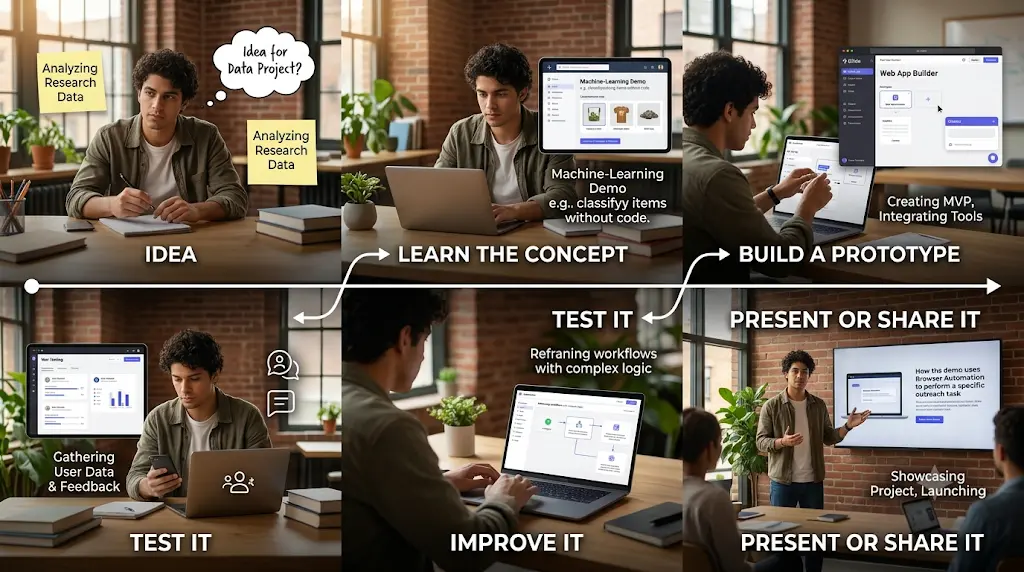
- Choose a specific outcome. For example, build an FAQ chatbot, turn a spreadsheet into a simple app, or classify images for a college demonstration.
- Select a tool for that outcome. Use a machine-learning learning tool for a classification project, an app builder for an application, or a workflow builder for repetitive tasks.
- Prepare your inputs. Organize your spreadsheet, sample images, FAQs, or test documents before building.
- Create the simplest working version. Start with one workflow or a small set of features instead of trying to automate everything.
- Test realistic examples. Include incomplete information, unexpected inputs, and cases where the AI should not make a confident decision.
- Review privacy, permissions and costs. Check what information the service stores, which integrations need access, and how usage is billed.
- Improve only after the first version works. Add more features when you have identified a real limitation.
For a first project, a simple result that you can explain and demonstrate is more valuable than a complicated prototype you cannot reliably operate.Most beginners waste more time choosing AI tools than actually using them—see which free AI tools for beginners are worth trying first, without needing any technical skills.
13 Hidden-Gem AI Tools for People With No Coding Skills
1. Teachable Machine
Best for: students and total beginners who want to understand machine learning, not just use it.
Difficulty: 🟢 Beginner ·
Time to first result: 10–15 minutes ·
Free access type: Free forever (no account, no tiers)
Teachable Machine is a free, browser-based tool from Google Creative Lab that lets you train a real image, sound, or pose-recognition model using your webcam or uploaded files — no installation, no code, no math.
Where it shines: every other tool on this list wraps AI in a finished product. Teachable Machine hands you the raw process — collect examples, train, test, export — which makes it the single best way for a beginner to understand what “training a model” actually means before touching anything more complex.
Real-world scenario: You’re a first-year engineering student assigned a machine-learning demo with zero prior ML coursework. You collect 40 photos each of “clean desk” and “messy desk,” train a model in Teachable Machine in under 20 minutes, and walk into your presentation with something that actually works.
What you’ll learn: the core mechanics of AI classification — training data, model evaluation, why sample diversity matters more than sample count.
What you can build:
- A hand-gesture controller for a browser game
- A recycling-sorting demo that classifies photos by material
- A “messy desk or clean desk” webcam classifier for a class project
- A trained model you export and reuse inside a website later
Key features: image, audio, and pose classification; runs entirely in-browser on TensorFlow.js; exports to TensorFlow.js or TensorFlow Lite; no account needed to train.
Free plan: $0, forever, no paid tier exists.
Pros: free forever, not a trial · teaches real ML concepts instead of just tool operation · nothing leaves your browser unless you choose to save it.
Cons: only handles classification (image, sound, pose) — no text or generative AI · built for learning and prototyping, not production · interface feels dated next to newer AI products.
Use this if: you’ve never trained an AI model and want to understand the concept before anything else.
Skip this if: you need text-based AI, generative output, or a production-ready system.
Popular alternative: compared to training a model in TensorFlow or PyTorch directly, Teachable Machine trades control over network architecture for a working model in minutes instead of days.
The practical takeaway: it’s easy to get a model working — but getting it working well still means understanding why 30 clean, varied photos beat 10 rushed ones. That part still takes a little patience.
What we’d choose for a first project: Teachable Machine, without hesitation. You get a working result fast, without pretending you’ve mastered machine learning.
2. Relevance AI
Best for: anyone who wants a team of AI agents handling different parts of a task, instead of one chatbot doing everything.
Difficulty: 🟡 Intermediate ·
Time to first result: 30–45 minutes ·
Free access type: Free tier (200 Actions/month, permanent)
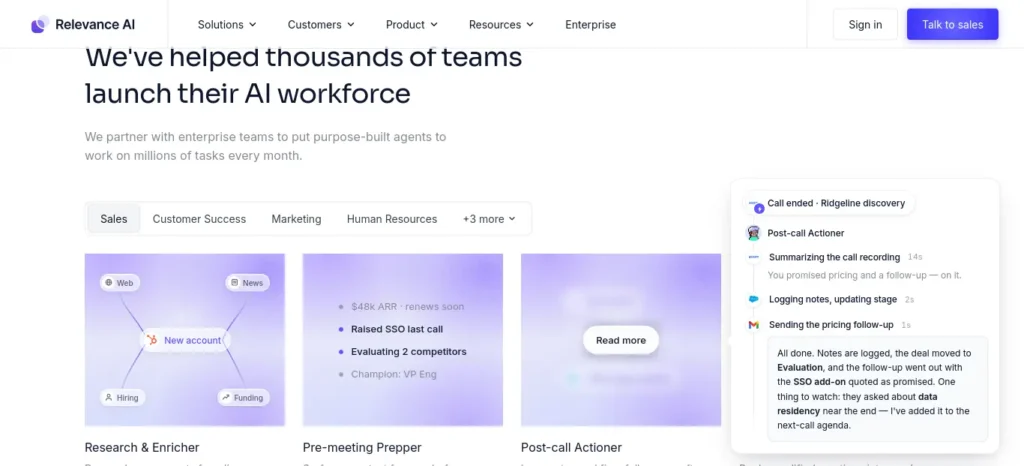
Relevance AI is a visual platform for building and running AI agents — an “AI workforce” — that can use tools, call APIs, and hand tasks to each other, through a no-code builder plus plain-language descriptions.
Where it shines: most agent-builder marketing talks about “AI employees” in the abstract. Relevance AI’s real differentiator is more concrete and more useful: it splits billing into Actions (what the agent does) and Vendor Credits (what the underlying AI model costs), and lets paid plans bring your own OpenAI or Anthropic key to skip the model markup entirely.
Real-world scenario: You run a small tutoring side-business and dread the pre-session research. You build an agent that reads a new student’s intake form, searches for relevant background, and drafts your first-session notes automatically — before you’ve even opened your calendar.
What you’ll learn: how AI agents differ from single chatbots, tool-calling concepts, and how usage-based billing actually works in production AI systems.
What you can build: a meeting-prep research agent · a lead-scoring agent that updates a spreadsheet · two agents chained together (one drafts, one fact-checks) · a workflow built from Relevance AI’s prebuilt agent marketplace.
Key features: visual multi-agent workflow builder · bring-your-own-API-key on paid plans · agent template marketplace · scheduled and triggered runs.
Free plan: 200 Actions/month plus a one-time Vendor Credit allocation — a real, permanent tier. (official pricing)
Pricing: Pro from roughly $19/month billed annually (~2,500 Actions); Team from roughly $234/month billed annually (~7,000 Actions); Enterprise is custom.
Pros: real free tier, not a countdown trial · transparent two-part billing · legitimately capable of multi-step, multi-agent workflows without code.
Cons: 200 free Actions disappear fast once you’re testing multi-step agents · steep jump from free to Team · dual-meter billing takes a session or two to click.
Use this if: you want to prototype an “AI assistant” before ever paying for one.
Skip this if: you want one flat monthly price with no usage math at all.
Popular alternative: Relevance AI vs. Zapier’s AI features — Zapier connects apps first, AI second; Relevance AI puts agents first, with app connections in a supporting role.
Where beginners may struggle: understanding the Action/Vendor Credit split before your first bill surprises you. Budget an hour with the docs before building anything real.
3. Gumloop
Best for: people who’ve outgrown simple trigger-and-action automation and want AI reasoning built into every step.
Difficulty: 🟡 Intermediate ·
Time to first result: 30–60 minutes ·
Free access type: Free tier (credit-based, permanent)
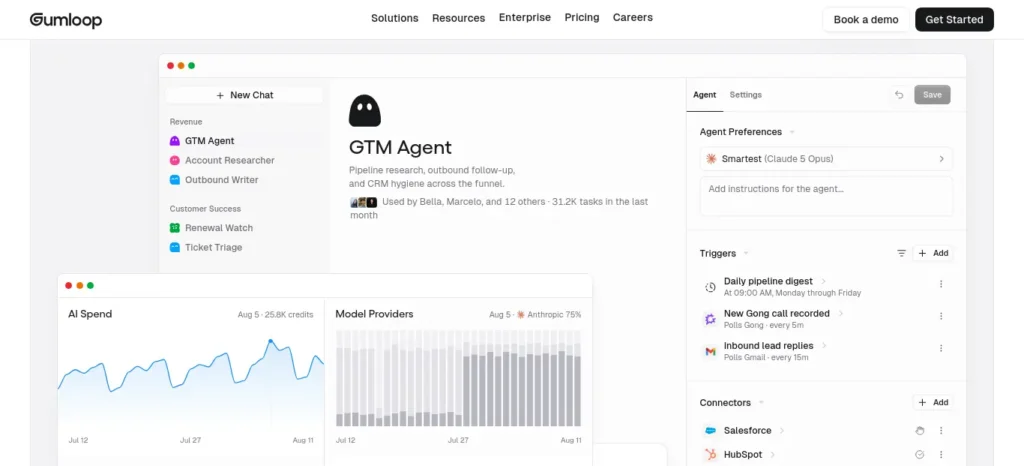
Gumloop is a visual, node-based workflow builder where you drag together steps — AI calls, web scraping, data enrichment — into a working automation, billed by usage credits rather than a flat monthly fee.
Where it shines: tools like Zapier treat AI as one extra “app” you connect. Gumloop treats AI reasoning as a native building block sitting next to scraping, API calls, and spreadsheets, which makes it noticeably stronger for workflows where a step genuinely needs judgment, not just data-moving.
Real-world scenario: You manage inbound inquiries for a small business and manually skim, summarize, and file forty emails a week. A Gumloop workflow reads each one, drafts a one-line summary, and routes it to the right folder — leaving you only the ones that actually need a human decision.
What you’ll learn: workflow logic, how AI reasoning fits into automation pipelines, and credit-based cost forecasting.
What you can build: an inbox summarizer that files by topic · a scraper-plus-AI pipeline that extracts structured facts from a list of company sites · a chained research-then-writing pipeline · a form-triggered AI processing workflow.
Key features: drag-and-drop canvas with AI, scraping, and integration nodes · credit-based usage · API key access on paid plans · prebuilt templates.
Free plan: Gumloop’s official pricing page currently lists a Free tier with roughly 5,000 monthly credits, one seat, and limited concurrent runs. (official pricing)
Pricing: Pro plans start around $37/month with roughly 20,000+ credits, scaling by credit volume; Enterprise is custom.
⚠️ Verification note: Gumloop has repriced multiple times in 2026, and third-party trackers currently disagree on exact credit numbers. Confirm the live figures before you commit.
Pros: AI feels native, not bolted on · free tier is usable for testing real workflows · handles scraping and enrichment better than most general automation tools.
Cons: credit-based pricing is harder to predict than flat subscriptions · pricing has shifted repeatedly in 2026 · advanced AI calls burn credits noticeably faster than simple steps.
Use this if: a workflow step needs judgment, not just a fixed rule.
Skip this if: you want dead-simple, predictable monthly billing above all else.
Popular alternative: Gumloop vs. Zapier — Zapier has more app integrations and a longer track record; Gumloop wins specifically when AI judgment, not just data-moving, is the point of a step.
What surprised us: how much difference “AI-native” makes in practice. A workflow that would need three separate Zapier steps and a Formatter often collapses into one Gumloop AI node.
Want to reclaim at least one extra hour every single day? Check out our detailed guide on the AI tools that can save you at least one hour every day in 2026 before choosing your workflow.
4. Browse AI
Best for: anyone who needs structured data from a website that doesn’t offer one.
Difficulty: 🟢 Beginner ·
Time to first result: 5–15 minutes ·
Free access type: Free tier (limited credits, permanent)
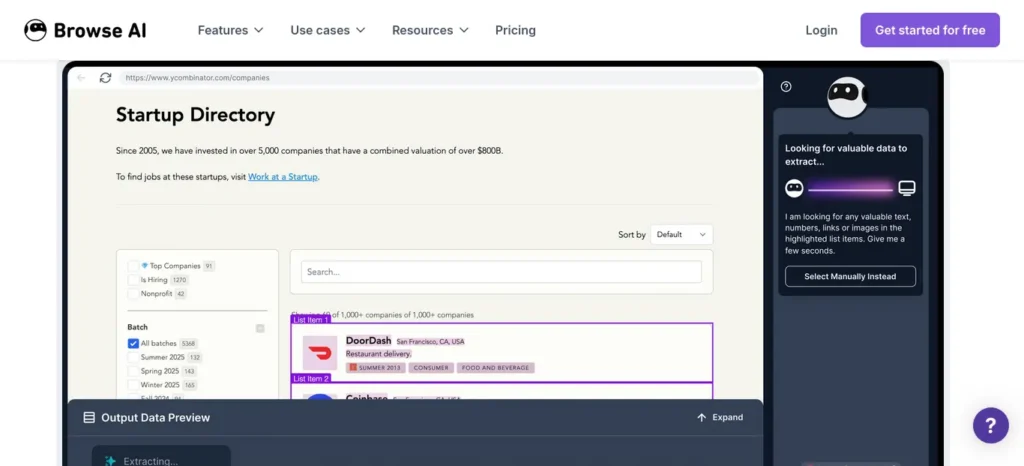
Browse AI lets you “train a robot” by clicking on the data you want on a webpage, then extracts and monitors that data on a schedule — no API, no scraping code.
Where it shines: web scraping has a reputation as a developer-only skill. Browse AI removes that barrier almost entirely — point, click, and the tool learns the pattern, then keeps pulling fresh data even if the page layout shifts slightly.
Real-world scenario: You run a small online store and manually check five competitors’ pricing pages every Monday morning. You set Browse AI to monitor those five pages and notify you the moment a price changes — the Monday check disappears entirely.
What you’ll learn: data extraction fundamentals and how scheduled monitoring workflows are structured, without touching a scraping library.
What you can build: a competitor price tracker · a job-listings scraper into a spreadsheet · a marketplace monitor for new matching listings · an automated lead collector from a public directory.
Key features: point-and-click “robot” training · scheduled monitoring with change alerts · Google Sheets/Airtable/Zapier/Make integrations · basic CAPTCHA and layout-change handling.
Free plan: a free tier with a modest monthly credit allowance — enough to test a couple of robots on a couple of sites.
Pricing: paid plans start in the roughly $39–48/month range depending on billing cycle and current promotions. (official pricing)
Pros: zero coding — no API keys, no scraping libraries · adapts automatically to minor site layout changes · free tier is enough for real personal or small-project use.
Cons: credit-based cost means heavy monitoring gets expensive fast · free tier’s monitoring frequency and retention are limited · aggressive anti-bot sites can still block it.
Use this if: you’ve ever manually copy-pasted website data into a spreadsheet and wished you hadn’t.
Skip this if: you need large-scale, high-frequency scraping — that’s a proper developer stack territory.
Popular alternative: Browse AI vs. writing a Python scraper (BeautifulSoup/Scrapy) — you trade fine-grained control for a working extraction in minutes instead of hours debugging selectors.
The catch: free-tier monitoring frequency is capped, so “real-time” alerts aren’t really real-time until you upgrade.
5. Nanonets
Best for: anyone drowning in invoices, receipts, forms, or scanned documents.
Difficulty: 🟡 Intermediate ·
Time to first result: 15–30 minutes ·
Free access type: Free credits ($200 starting balance, no card required)
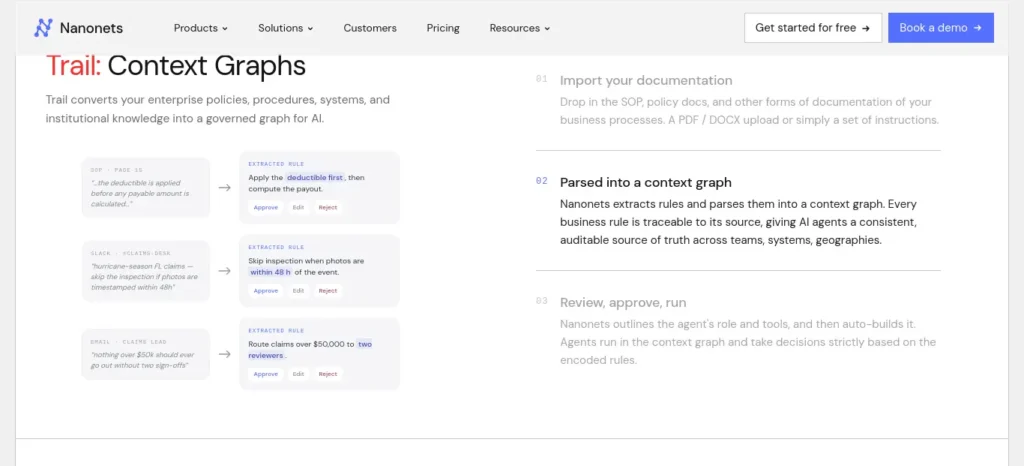
Nanonets uses AI to extract structured data from documents — invoices, receipts, ID cards, contracts — and route it into spreadsheets or business systems, built with visual “blocks” instead of code.
Where it shines: most no-code AI roundups are dominated by writing and app-building tools. Document processing rarely gets covered, even though it’s one of the most tedious tasks AI genuinely handles well — and Nanonets is a mature, legitimate player in that specific space.
Real-world scenario: You’re the treasurer for a college club, sitting on a shoebox of receipts at the end of the semester. Instead of typing every line into a spreadsheet by hand, you feed the scanned receipts through Nanonets and get structured totals back in minutes.
What you’ll learn: how AI-based document extraction and classification pipelines work, and where a human check is still worth the ten seconds it takes.
What you can build: an invoice line-item extractor · a receipt-to-expense-tracker pipeline · a document classifier that routes by type · a workflow posting extracted data straight into accounting software.
Key features: prebuilt models for invoices, receipts, and IDs, plus custom model training · visual “blocks” for multi-step pipelines · API access · pay-per-run pricing.
Free plan: every new account starts with $200 in free credits, per Nanonets’ official pricing page — no card required.
Pricing: pay-as-you-go, roughly $0.02–$0.30 per processing block depending on complexity; Growth and Enterprise are quote-based. (official pricing)
Pros: $200 in free credits is a generous no-card starting point · handles messy, real-world documents (scans, photos) surprisingly well · pay-per-use pricing keeps light users’ costs low.
Cons: per-document cost adds up fast at real business volume · custom model training for unusual document types needs some trial and error · not useful if your task isn’t document-shaped.
Use this if: document busywork is specifically your problem.
Skip this if: your task isn’t fundamentally about extracting data from a document — this is a narrow specialist, not a generalist.
Popular alternative: compared to manually typing data from PDFs, Nanonets turns an hour of data entry into a few minutes of review — the honest trade-off is that AI extraction still benefits from a human glance on edge cases.
What we’d choose for treasurer duty: Nanonets, easily. It’s the most underused category on this entire list.
If your study materials are scattered across notes, PDFs, and screenshots, learn how to organize your study materials using AI in just 7 simple steps.
6. Softr
Best for: non-technical founders and students who want a working app, not a mockup.
Difficulty: 🟡 Intermediate ·
Time to first result: 1–3 hours for a real first version ·
Free access type: Free tier (permanent, 10 app users)
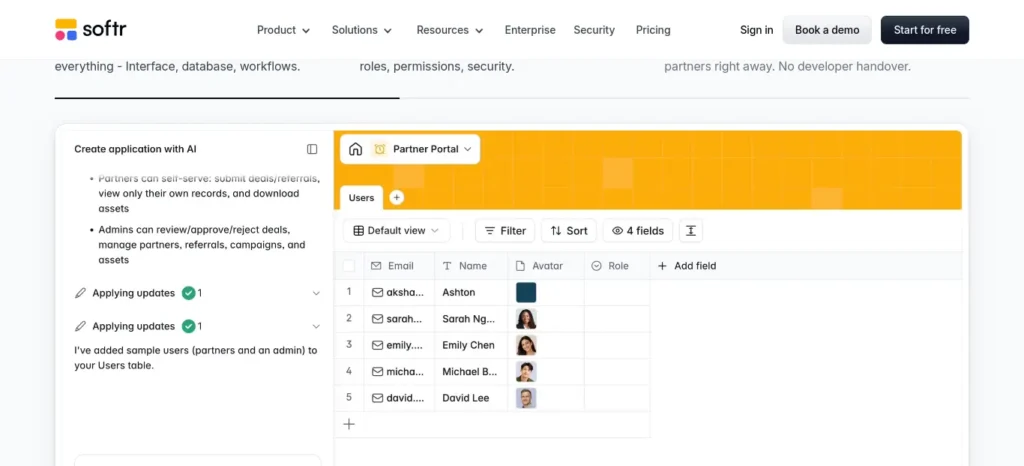
Softr is a no-code app builder that connects to a database (its own, or Airtable/Google Sheets) and turns it into a functioning web app — client portals, internal tools, directories — with an AI “Co-Builder” that can generate the first version from a plain-language description.
Where it shines: plenty of no-code app builders stall at “prototype you can’t actually launch.” Softr’s free plan lets you publish a real app with up to ten logged-in users — enough for an actual small project, not just a demo for your friends.
Real-world scenario: You’re organizing a 200-member college fest and need attendees to log in and check their own registration status. You build the portal in Softr in an afternoon, using a Google Sheet you already had as the database.
What you’ll learn: app-prototyping fundamentals — databases, authentication, permissions — the same concepts that underpin real product development.
What you can build: a client portal with login-based project status · a searchable member directory from a Google Sheet · a small internal task tracker · a startup MVP prototype in a day instead of weeks.
Key features: AI Co-Builder that generates a working app from text · native database plus Airtable/Sheets/Excel connections · built-in authentication, payments, cloud storage · 400+ templates.
Free plan: unlimited published apps, up to 10 app users, roughly 5,000 database records, and a handful of AI credits, per Softr’s official blog.
Pricing: paid plans start around $49/month on the current entry tier, scaling by number of app users, not number of apps. (official pricing)
⚠️ Verification note: Softr has restructured pricing tiers repeatedly in 2026 and sources currently disagree on the exact entry price (reported anywhere from $16 to $49/month). Confirm the live number before publishing or buying.
Pros: free plan is usable for a real small app, not just a draft · AI Co-Builder meaningfully speeds up version one · unlimited published apps and collaborators even for free.
Cons: pricing structure has shifted repeatedly in 2026 · deep custom logic hits a ceiling faster than code-based development · app users, not apps, drive real cost — read the fine print.
Use this if: you want a business-style app with logins and payments, without hiring a developer.
Skip this if: you need complex custom logic or a large user base from day one.
Popular alternative: Softr vs. building an app from scratch — a developer build gives unlimited flexibility for thousands of dollars and weeks of time; Softr gets 80% of the functionality in an afternoon.
The practical takeaway: the most complete “idea to working app” experience on this list for someone with zero development background.
7. Botpress
Best for: builders who want a chatbot with real conversational reasoning, not a rigid decision tree.
Difficulty: 🟡 Intermediate ·
Time to first result: 1–2 hours for a working bot ·
Free access type: Free tier (Pay-as-you-go, $0 base + small usage cost)
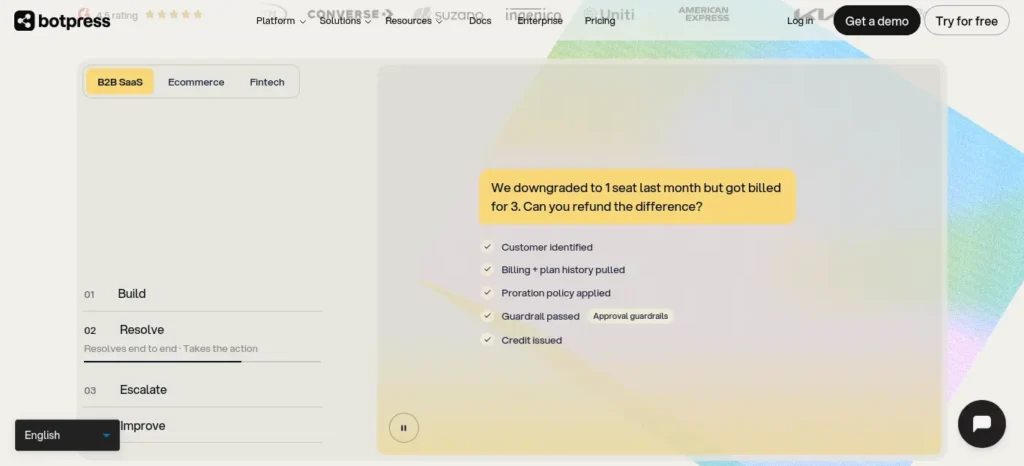
Botpress is a visual platform for building AI-powered chatbots and conversational agents, deployable across a website, WhatsApp, Slack, and other channels.
Where it shines: a lot of “no-code chatbot” tools are really decision trees wearing a chat bubble. Botpress blends deterministic flows with genuine AI reasoning, so the bot can handle questions that don’t fit a preset script.
Real-world scenario: You run a small business and get the same twelve questions in your DMs every day. A Botpress bot answers those automatically and routes anything unusual straight to you — cutting your daily message load by more than half.
What you’ll learn: conversational AI design, the difference between rule-based and reasoning-based bots, and multi-channel deployment concepts.
What you can build: an FAQ bot for a college club or small business site · a WhatsApp bot answering common customer questions · a hybrid bot that routes complex queries to a human · a support-bot prototype before committing to a paid platform.
Key features: visual flow builder combined with LLM-powered reasoning · multi-channel deployment (web, WhatsApp, Slack, more) · custom autonomous agent engine (LLMz) · usage-based AI billing layered on the base plan.
Free plan: the Pay-as-you-go plan has no monthly base fee; you get a small monthly AI credit allowance and pay only for usage beyond that.
Pricing: paid tiers start in the roughly $79–150/month range depending on billing period, plus AI usage costs on every tier including free. (official pricing)
Pros: real $0 base tier, not just a trial · genuine AI reasoning, not just a rules-based flow builder · strong multi-channel deployment.
Cons: “free” still means paying for AI usage once your credit runs out · removing Botpress branding needs a paid plan · steeper learning curve once you go beyond FAQ bots.
Use this if: you want a bot that can actually reason, not just follow a script.
Skip this if: you assumed “free” meant zero cost under all usage — it doesn’t.
Popular alternative: Botpress vs. hand-coding a chatbot — full control takes real engineering time; Botpress gets a working, AI-reasoning bot live in a day.
Who should skip it: anyone who just wants a bot live in the next hour with minimal setup — Jotform AI Agents gets there faster.
8. Voiceflow
Best for: people who want to design a chatbot or voice agent’s conversation flow carefully, before worrying about deployment.
Difficulty: 🟡 Intermediate ·
Time to first result: 1–2 hours to a testable flow ·
Free access type: Free trial (one-time credits, not renewing)
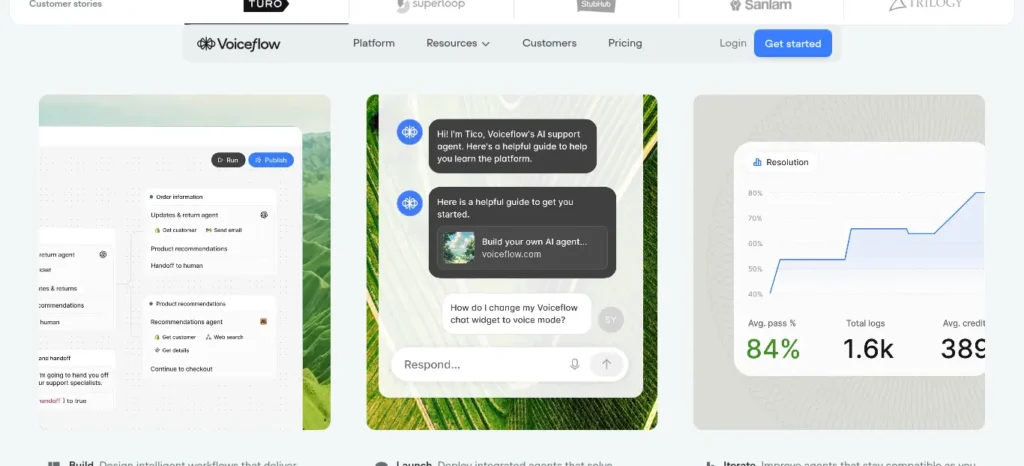
Voiceflow is a visual design tool for building conversational AI — chatbots and voice assistants — letting you map out the entire dialogue flow, connect it to an LLM, and test it before deploying.
Where it shines: Voiceflow’s strength is design, not automation. It’s the tool actual conversation designers use, which means resulting conversations feel noticeably more natural than most “no-code chatbot” output.
Real-world scenario: You’re studying UX and want to compare how a support bot should respond to the same complaint phrased three different ways. Voiceflow’s canvas lets you map, test, and refine all three paths side by side before you ever deploy anything.
What you’ll learn: conversation design principles, dialogue-flow mapping, and how the same underlying LLM behaves differently under different prompt structures.
What you can build: a tested customer-support conversation flow · an IVR (phone menu) voice-assistant prototype · a chatbot for a conversational-UX course project · a comparison of three phrasings of the same question.
Key features: visual conversation-flow canvas · supports both chat and voice deployment · connects to all major LLM providers · built-in testing and analytics.
Free plan: a free Starter tier exists with a one-time credit grant, two agents, and basic-model access — suitable for testing and learning, not ongoing production use.
Pricing: paid plans start around $60/month for Pro, roughly $150/month for Business; each additional editor seat costs roughly $50/month on top. (official pricing)
Pros: best-in-class visual design experience for conversation flows · genuinely useful for learning conversational UX, not just shipping a bot · supports text and voice from one design.
Cons: free-tier credits don’t renew — it’s for testing, not ongoing use · editor-seat pricing gets expensive fast for teams · voice features add real telephony costs on top.
Use this if: the conversation itself is the hard part of your project, not just the automation.
Skip this if: you just want a bot live today with minimal design effort — Botpress or Jotform AI Agents are faster.
Popular alternative: Voiceflow vs. hand-coding conversation logic — full control versus a visual canvas that’s dramatically faster to iterate on.
Where beginners may struggle: the free tier’s one-time credit grant makes it easy to burn through your testing budget before you’ve finished designing.
9. Jotform AI Agents
Best for: someone who wants a functioning AI agent live today, at zero cost, with minimal setup.
Difficulty: 🟢 Beginner ·
Time to first result: 20–40 minutes ·
Free access type: Free tier (permanent, 5 agents, ~100 conversations/month)
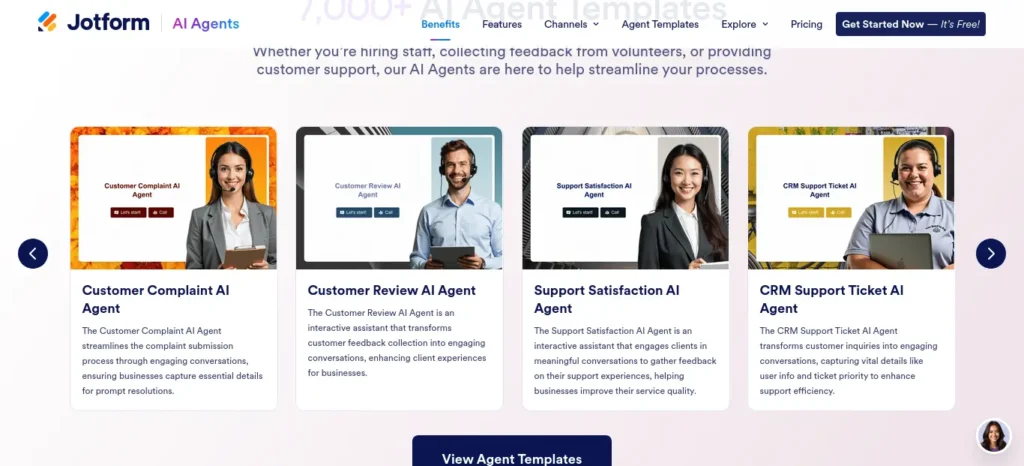
Jotform AI Agents lets you build a conversational agent — trained on your own documents or FAQs — and deploy it as a chatbot, phone agent, or form assistant, built on Jotform’s existing form platform.
Where it shines: it’s easy to overlook a “forms company” as a serious AI agent platform. But Jotform’s free Starter tier is unusually generous for a genuine beginner — five agents and real monthly conversation volume, not a countdown trial.
Real-world scenario: It’s the week before your college’s admissions deadline and the same five questions are flooding your inbox. You upload the FAQ document to Jotform AI Agents, embed the chatbot on the admissions page, and the flood mostly stops within a day.
What you’ll learn: how document-trained conversational agents work, and how quickly a knowledge base becomes a working assistant.
What you can build: an instant chatbot trained on an uploaded document · a small-business support agent for an FAQ page · a course-registration assistant · a guided intake flow combining an AI agent with a Jotform form.
Key features: train an agent from uploaded documents, no scripting · deployable as a chat widget, voice agent, or SMS bot · 7,000+ prebuilt agent templates · multi-channel (web, WhatsApp, Messenger, SMS).
Free plan: the Starter plan is free and includes 5 agents, roughly 100 monthly conversations, and a workable knowledge base, per Jotform’s official pricing.
Pricing: paid tiers start around $34–39/month (Bronze), scaling to $99–129/month (Gold) with more agents, conversations, and voice minutes. (official pricing)
Pros: real free tier with a usable conversation limit, not just a trial · fastest tool on this list from zero to a working chatbot · huge template library shortens setup time.
Cons: free tier’s 100 monthly conversations run out quickly for anything real · branding stays visible until you upgrade · less flexible for complex multi-step reasoning than Botpress or Voiceflow.
Use this if: your only goal is a working chatbot live tonight.
Skip this if: you need high-volume production use without upgrading, or deep custom conversation logic.
Popular alternative: Jotform AI Agents vs. Botpress — Jotform gets a bot live faster with less design control; Botpress offers deeper reasoning once you’re past the beginner stage.
What we’d choose for a same-night deadline: Jotform AI Agents, without much debate.
10. MindStudio
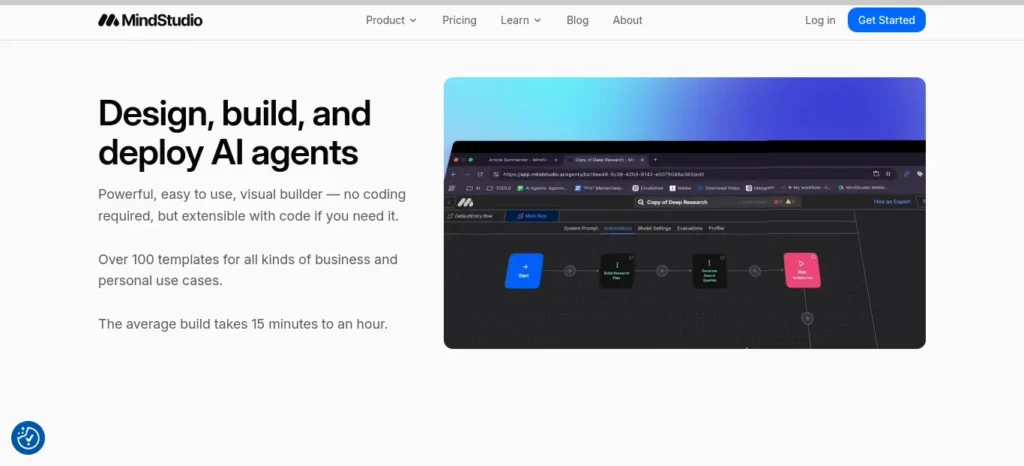
Best for: builders who want one AI agent deployed in multiple places — a web app, a browser extension, a scheduled task — from a single build.
Difficulty: 🟡 Intermediate ·
Time to first result: 45–90 minutes ·
Free access type: Free tier (permanent, 1 agent, ~1,000 runs/month)
MindStudio is a visual block-based builder for AI agents that reason across multiple steps, connect to 200+ AI models at provider cost, and deploy with one click to a web app, browser extension, webhook, or scheduled automation.
Where it shines: most agent builders lock you into one deployment format. MindStudio’s standout feature is genuinely unusual — build an agent once, ship it as six different things, including as an MCP server that other AI tools can call as a tool, a forward-looking feature most competitors don’t offer yet.
Real-world scenario: You want to keep up with a niche topic for a thesis but don’t have time to read ten sources a day. You build one research agent in MindStudio, then deploy it both as a Chrome extension for on-demand summaries and as a scheduled daily digest emailed to yourself.
What you’ll learn: multi-step agent reasoning, deployment-format thinking (where should this agent actually live?), and the basics of the emerging MCP standard for AI-tool interoperability.
What you can build: a research agent deployed as both a web app and a daily digest · a Chrome extension that summarizes any page you’re reading · an email-triggered reply-drafting agent · an agent packaged as an MCP server for other AI tools to use.
Key features: visual block-based agent builder · one build, six deployment formats · 200+ AI models billed at provider cost with no markup, even on the free plan · 1,000+ app integrations.
Free plan: a permanent free plan (not a trial) with one agent and roughly 1,000 runs per month, per MindStudio’s official pricing.
Pricing: Individual plan around $20/month ($16/month billed annually); Business is custom. AI model usage is billed on top at cost, on every tier. (official pricing)
Pros: permanent free tier, not a trial · no markup on AI model costs, on any plan · unmatched deployment flexibility from a single build.
Cons: 1,000 free runs/month go quickly for daily real use · block-based builder has a slightly steeper learning curve than simpler tools · AI usage costs are billed separately from the subscription.
Use this if: you want to build one agent and use it in several places, instead of paying for six separate subscriptions.
Skip this if: you want a single flat price with zero usage tracking.
Popular alternative: MindStudio vs. Voiceflow — Voiceflow is stronger for exact conversation wording; MindStudio is stronger when the deployment format matters as much as the conversation itself.
The catch: the deployment flexibility is real, but it also means more decisions up front about where the agent should live — a small extra step a beginner doesn’t hit with simpler single-format tools.
11. Bardeen
Best for: anyone whose repetitive work happens inside a browser tab — LinkedIn, CRMs, spreadsheets — rather than through an API.
Difficulty: 🟢 Beginner ·
Time to first result: 15–30 minutes ·
Free access type: Free tier (permanent, ~100 credits/month)
Bardeen is a browser extension that automates repetitive tasks — scraping, data entry, cross-app copying — using prebuilt or AI-generated “playbooks,” describable in plain language.
Where it shines: most automation tools connect apps through their APIs, which means they can’t touch anything without one — like many CRMs’ free tiers, or sites with no public API at all. Bardeen works by controlling your actual browser, so it can automate things that live entirely behind a login screen.
Real-world scenario: You’re building a contact list for a college networking event and manually copying names, titles, and companies from LinkedIn into a spreadsheet, one profile at a time. Bardeen’s playbook does the copying for you while you keep browsing.
What you’ll learn: browser-based automation logic and the practical difference between API-based and browser-based tooling.
What you can build: a LinkedIn-profile-to-spreadsheet workflow · a cross-app copy automation with no API in between · a playbook that runs automatically on a specific page type · an AI-generated automation from a plain-English description.
Key features: Chrome extension-based automation, works on any website · AI-generated playbooks from natural language · 1,000+ prebuilt playbook templates · credit-based usage tracking.
Free plan: roughly 100 credits per month at no cost — enough for light scraping and a handful of automations, per Bardeen’s official pricing.
Pricing: paid plans start around $10/month (~500 credits), scaling to roughly $15/user/month for team features. (official pricing)
Pros: works on sites and apps with no public API at all · free tier is enough for genuinely light, regular personal use · natural-language playbook generation lowers the setup barrier further.
Cons: browser-dependent — it only automates what you can see and click · AI enrichment actions burn credits noticeably faster than simple steps · scraped data still needs a human check before you rely on it.
Use this if: “there’s no API for this” is the reason you haven’t automated something yet.
Skip this if: you need server-side or scheduled automation that runs without your browser open.
Popular alternative: Bardeen vs. Zapier — Zapier connects apps through official APIs without needing your browser open; Bardeen reaches data that only lives inside a browser tab, at the cost of needing that tab available.
What surprised us: how much of “browser work” beginners assume can’t be automated actually can, once you stop thinking in terms of APIs.
12. Glide
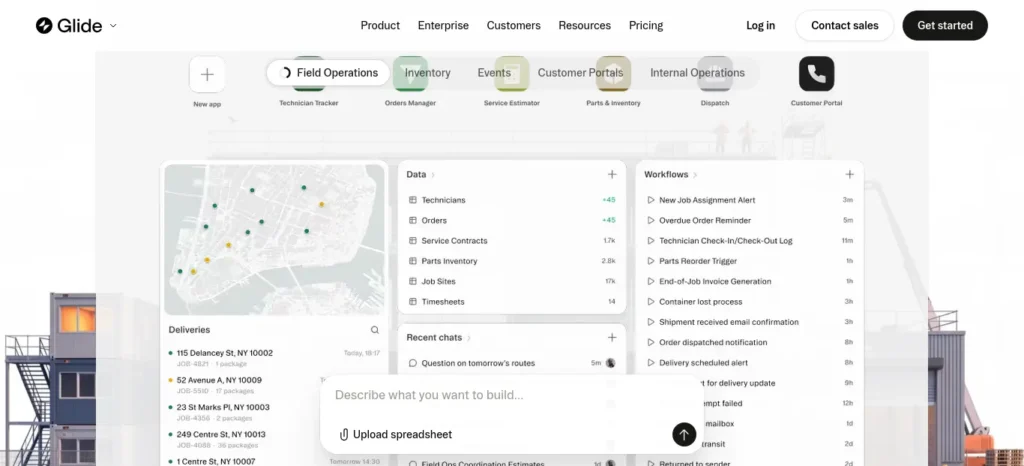
Best for: turning a spreadsheet into an app-like experience fast, especially for personal or small-community use.
Difficulty: 🟢 Beginner ·
Time to first result: 30–60 minutes ·
Free access type: Free tier (permanent, personal-use apps and drafts)
Glide is a no-code app builder that transforms a spreadsheet or database into a mobile-friendly web app, with a genuinely free tier for personal projects and drafts.
Where it shines: Glide gets filed under “just another Bubble alternative,” but its free tier is unusually honest — positioned for real personal use, not a time-limited demo pressuring you to upgrade within a week.
Real-world scenario: You’re organizing a small hostel-wing event and have a Google Sheet of forty RSVPs. In under an hour, Glide turns that sheet into a browsable, searchable event app everyone can check on their phone.
What you’ll learn: app-prototyping basics — how spreadsheets become structured data, and how a data layer maps to a usable interface.
What you can build: a community-events app from a Google Sheet · a personal habit or reading-list tracker · a lightweight directory for a small club or class project · an app-idea prototype before committing to a paid platform.
Key features: spreadsheet-to-app conversion (Google Sheets, Airtable, native database) · AI-assisted building via Glide AI · mobile-optimized interface by default · built-in workflow automation.
Free plan: a genuine Free tier for personal-use apps and drafts, with an Explorer tier as the next step up for published, shareable apps.
Pricing: Explorer plan starts around $19–25/month; Business tier is around $199/month with per-user overage fees above 30 users. (official pricing)
Pros: free tier is honestly usable for a real personal project · fastest path from “I have a spreadsheet” to “I have an app” · clean, mobile-friendly output with zero design work.
Cons: customization is mostly color, text, and layout — not deep logic · syncing external sources (Airtable, Excel) requires a paid tier · update-based metering makes heavy real-time use pricey fast.
Use this if: you have a spreadsheet and want it to feel like an app, today.
Skip this if: you need complex custom logic, a large user base, or native app-store distribution.
Popular alternative: Glide vs. Softr — both turn data into apps, but Glide leans mobile-first and spreadsheet-native, while Softr leans toward business-style portals with built-in payments and authentication.
The practical takeaway: the lowest-friction way to see your own data turned into something app-shaped, without spending a rupee to try it.
13. A bonus mention: Lobe (Microsoft)
Best for: beginners who want a second, offline way to train an image classifier — no browser, no account.
Difficulty: 🟢 Beginner ·
Time to first result: 10–15 minutes ·
Free access type: Free forever (desktop app, no account)
Lobe is a free desktop app from Microsoft that lets you train a custom image-classification model by dragging in labeled photos, with no coding and no cloud account required.
Where it shines: it sits in almost the same space as Teachable Machine but runs entirely offline as a downloadable app — a genuinely useful second option for privacy-conscious beginners or classroom settings with limited or unreliable internet.
What you can build: a model that tells two similar-looking objects apart · a classroom demo that runs with no live internet connection · a trained model exported for a later personal project.
Not scored on the main table: its use case overlaps almost entirely with Teachable Machine above, so we’re counting it as a bonus rather than a full 13th entry with its own comparison weight.
The practical takeaway: not essential if you’ve already used Teachable Machine, but a solid offline-first alternative worth knowing about, especially with an unreliable connection.
Free-Access Terminology, Explained
The word “free” gets used loosely everywhere in this category. Here’s what it actually means for each tier type used above:
- Free forever — no mandatory paid upgrade, ever. (Teachable Machine, Lobe)
- Free tier — a permanent plan with real limits, not a countdown. (Relevance AI, Gumloop, Browse AI, Botpress, Jotform AI Agents, MindStudio, Bardeen, Glide, Softr)
- Free trial — temporary, full-feature access that expires. (Voiceflow’s Starter credits behave this way in practice)
- Free credits — the account itself is free, but usage is capped by a starting credit balance you can exhaust. (Nanonets)
Knowing which category a tool falls into matters more than the word “free” itself — a free-credits tool can feel generous on day one and run dry by week three.
Can Non-Programmers Build Internal Tools and Dashboards?
Yes. Visual app builders can help non-programmers create simple internal tools, forms, dashboards, and workflow interfaces.
Platforms such as Softr and Glide are designed around visual building, while automation-focused platforms can connect these tools to other services and AI workflows.
Common examples include:
- student or team dashboards
- internal request forms
- simple inventory trackers
- project management tools
- data-entry applications
- reporting dashboards
- AI-assisted internal workflows
For a simple internal tool, start with the data and workflow you need rather than choosing a platform based only on its AI features.
Best Free No-Code AI Tools
If your only requirement is genuine, ongoing free access — not a trial you’ll get funneled out of — these are the strongest picks from the 13 above, ranked by how usable the free tier actually is for real work:
- Teachable Machine — 100% free, permanently, no limits at all.
- MindStudio — permanent free plan, 1,000 runs/month, no card required.
- Jotform AI Agents — permanent free Starter tier with real conversation volume.
- Relevance AI — permanent 200 Actions/month, usable for prototyping.
- Nanonets — not permanent, but $200 in starting credits is a generous runway.
- Bardeen and Glide — both offer permanently free, genuinely light-personal-use tiers.
Which No-Code AI Tool Is Best by User Type?
| User Type | Best Pick(s) | Best Use |
| Complete beginners | Teachable Machine,Jotform AI Agents | Start learning AI without technical complexity |
| Students | Teachable Machine, Softr, Glide, Browse AI, Bardeen | Learn AI concepts, build projects, research, and automate tasks |
| Freelancers | Bardeen, MindStudio | Lead research, workflow automation, and AI-agent deployment |
| Small business owners | Jotform AI Agents, Nanonets, Browse AI | Customer support, invoice automation, and competitor tracking |
| Marketers | Browse AI, Relevance AI | Data collection, research, outreach, and AI-powered workflows |
| Researchers | Browse AI, Nanonets, Bardeen | Structured data collection and document/data extraction |
| Teachers | Teachable Machine, Lobe | Classroom AI/ML demonstrations and hands-on learning |
| Startup founders | Softr, Relevance AI, MindStudio | MVP development and early AI-agent prototypes |
| Non-technical employees | Bardeen, Gumloop | Automating repetitive work and everyday workflows |
| AI beginners | Teachable Machine | Understand basic AI/ML concepts through hands-on experiments |
| First-time app builders | Glide, Softr | Build apps quickly without traditional coding |
Quick Take: There isn’t one best no-code AI tool for everyone. Teachable Machine is the strongest starting point for learning, Glide and Softr are better for building apps, while Bardeen, Gumloop, Relevance AI, and MindStudio become more useful when your goal is automation or AI agents.
Tired of spending hours designing slides? Discover the best AI tools to create polished presentations in minutes—and turn your ideas into impressive slides with far less effort.
Best No-Code AI Tools by Project Type
- College project: Teachable Machine or Glide, depending on whether the assignment needs an ML demo or a working app.
- Final-year project: Softr (app-based) or MindStudio (agent-based) for something substantial enough to demo confidently.
- Portfolio project: Softr or Glide — both produce something you can actually share a working link to.
- Startup MVP: Softr, for logins, payments, and a real user base from day one.
- Small business automation: Gumloop or Bardeen, depending on whether the bottleneck is workflow logic or browser-based busywork.
- Research project: Browse AI and Nanonets — one for web data, one for document data.
- Personal productivity: Bardeen or Glide, both useful at small personal scale.
- Customer support: Jotform AI Agents (fast) or Botpress (deeper reasoning).
- Data collection: Browse AI, hands down.
Before you start writing your assignment, it’s important to know how to use AI for college research projects effectively. A strong research process helps you find credible sources, organize ideas, and avoid common mistakes that can lower your grades.
Which No-Code AI Tool Fits Your Budget?
- $0/month: Teachable Machine, MindStudio, Jotform AI Agents, Relevance AI, Bardeen, Glide — all with genuinely usable permanent free tiers.
- ~$10/month: Bardeen’s Professional tier, for anyone who’s outgrown the free 100 credits.
- ~$20–25/month: MindStudio Individual, Glide Explorer — both real upgrades from a solid free base.
- ~$35–50/month: Jotform AI Agents Bronze, Softr’s entry paid tier, Gumloop Pro, Browse AI’s paid tiers.
- ~$60–150/month: Voiceflow Pro/Business, Botpress Plus — once you’re running something closer to production.
- Building for an actual business: budget for usage-based costs on top of any subscription — Gumloop, Nanonets, and Relevance AI all bill AI usage separately from the base plan, and that’s usually where the real monthly number lives.
If you are looking for free AI resources, do not miss Best AI Tools for Students Free in 2026: 10 Powerful Picks to Study Faster and Smarter, which features some of the most useful no-cost tools available for students.
For India-based readers specifically: most of these tools price in USD, so your real INR cost depends on the exchange rate at payment time — budget roughly ₹80–90 per dollar and check your card’s foreign transaction fee, since that adds a real percentage on top. None of the free tiers listed above require a credit card to start, which makes them the most realistic long-term option on a student budget.
No-Code vs. Low-Code vs. Full-Code: What’s the Real Difference?
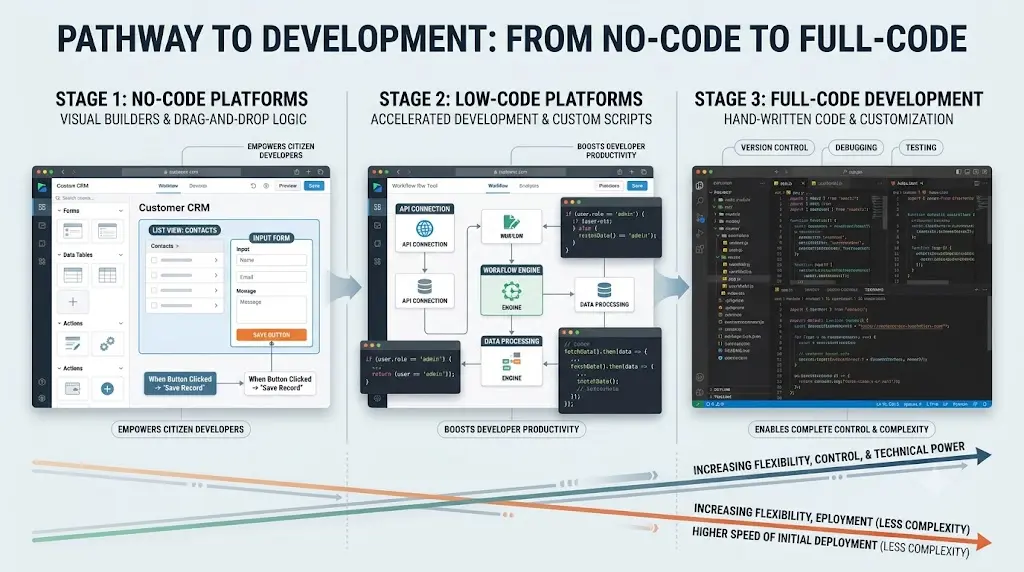
| Approach | Coding required | Flexibility | Speed to first result | Best for |
| No-code | None to minimal | Lower | Very fast | Beginners, prototypes, small projects |
| Low-code | Some | Medium to high | Fast | Technical users extending a platform |
| Full-code | Yes | Highest | Slower to start | Production systems, unusual requirements |
When should you stop using no-code and start learning to code? When you hit the ceiling column in the scorecard above — the point where a tool starts fighting you instead of helping. That usually shows up as: needing logic the visual builder can’t express, needing an integration that doesn’t exist, or watching your monthly usage bill quietly exceed what a simple custom build would have cost.
When No-Code AI Fails: A Quick Checklist
You probably need actual code — or a developer — when:
- You need highly custom backend logic that doesn’t fit a visual builder’s blocks
- You need an unusual API integration the platform doesn’t support
- You need large-scale performance the tool wasn’t built for
- You need complete control over infrastructure or data residency
- You need complex authentication or permission structures
- Your no-code workflow’s running cost has quietly grown past what a custom build would cost
- The platform itself has become your bottleneck, not your skills
This isn’t a failure of no-code tools — it’s the honest edge of what they’re for. None of the 13 tools above pretend to replace a developer forever; they replace one for the part of the journey where you’re still figuring out what you’re building.
Do You Really Need Coding Skills to Use AI?
No — but “no-code” doesn’t mean “no thinking.” AI tools for people with no coding skills still require understanding a few core concepts: what a trigger is, how data moves from one step to the next, what an API does conceptually, how permissions work, and how usage limits or credits are consumed. No-code removes the syntax barrier, not the logical one. A beginner who understands why a workflow works will get dramatically more out of any tool on this list than one who’s just clicking buttons and hoping.
Most people give up on AI because they try everything at once. Learn the best free AI tools for beginners and start with one simple tool that builds real confidence.
How Students Can Start With No-Code AI Tools
No-code AI tools are excellent for prototyping, learning, and building things you can actually show someone — a college project, a portfolio piece, an automation that saves real time before a deadline. What they don’t replace is understanding the concepts a technical course is specifically designed to teach. If your class is teaching you to code, using a no-code tool to skip the assignment defeats the purpose. But using one to prototype an idea before you build it properly is one of the fastest ways to learn what you’re actually trying to build.
If you’re an engineering student, don’t waste hours switching between random AI tools—see which AI tools actually fit your engineering branch, from coding and research to calculations and project work.
Best No-Code AI Tools for Students, at a Glance
| Student goal | Best pick | Why |
| Learn ML concepts | Teachable Machine | Understand training, not just use it |
| Build a working app | Softr | Fastest real prototype with logins |
| Do research or data collection | Browse AI | No-code web data extraction |
| Automate repetitive coursework tasks | Bardeen | Browser-based, no API needed |
| Ship a chatbot fast | Jotform AI Agents | Working bot in under an hour |
| Build an AI agent for a thesis or project | MindStudio | One agent, deployable multiple ways |
Ready to Build? Download the Free No-Code AI Project Checklist
Turn what you learned into action. Use this practical checklist to choose the right tool, define your project, build your first version, test it, and know when you’ve reached the limits of no-code.
Frequently Asked Questions
What are AI tools that don’t require coding? AI tools for people with no coding skills are platforms that let you build, automate, or use AI-powered systems through visual interfaces or plain-language instructions instead of writing code — covering app builders, chatbot platforms, workflow automation, and machine-learning training tools.
Can I use AI without knowing how to code? Yes. Every tool in this article — from Teachable Machine’s browser-based model training to Softr’s app builder — is designed for people with zero programming background, though some do require understanding basic logical concepts like triggers and conditions.
What can you build with no-code AI? Working apps, chatbots, automated workflows, website data extractors, document-processing pipelines, and basic machine-learning models — all through visual builders, no code required.
Can AI build an app without coding? Yes, within limits. Tools like Softr and Glide can turn a plain-language description or a spreadsheet into a working web app with logins, data, and basic logic — but highly complex, custom apps still eventually need a developer.
Can I create an AI agent without programming? Yes. Relevance AI and MindStudio both let you build and deploy multi-step AI agents through a visual builder, with no code required to get a working agent live.
Can I create an AI chatbot without programming? Yes. Jotform AI Agents, Botpress, and Voiceflow all let you build and deploy a chatbot through a visual builder, with Jotform being the fastest route to a working result for a complete beginner.
What is the easiest no-code AI tool for beginners? Teachable Machine for learning core AI concepts, and Jotform AI Agents for a working chatbot — both are genuinely free and produce a real result inside an hour.
What is the best free no-code AI tool? Teachable Machine, since it’s 100% free forever with no limits at all. For a usable AI agent specifically, MindStudio’s permanent free plan is the strongest genuinely-free option.
Are no-code AI tools actually free? Some are, genuinely — Teachable Machine and Lobe are free forever, and MindStudio, Relevance AI, Bardeen, Browse AI, Jotform AI Agents, Botpress, and Glide all have real free tiers, not just trials. Others, like Lindy and Akkio, moved away from free access entirely in 2026 — always check the current pricing page before assuming a “free plan” still exists.
Which no-code AI tools work without an API? Bardeen and Browse AI both operate through the browser or a visual “robot” trainer, so they can automate sites and apps that don’t offer a public API at all.
Which tool is best for automating browser tasks? Bardeen — it controls your actual browser, so it can reach data and actions that live entirely behind a login screen with no API access.
Which tool is best for extracting data from websites? Browse AI, for structured, scheduled extraction with zero scraping code.
What is the difference between no-code AI and low-code AI? No-code requires no programming at all and trades some flexibility for speed; low-code allows some coding for deeper customization while still using visual building blocks for most of the work. Full-code development offers the most flexibility but the slowest start.
When should I learn coding instead of using no-code tools? When you consistently hit the “ceiling” of a no-code platform — needing custom logic, unusual integrations, large-scale performance, or infrastructure control the visual builder can’t express. See the checklist above for the specific signs.
Can no-code AI tools build production apps? Some can, to a real degree — Softr and Botpress are both used in genuine small-business production settings. But most no-code tools are strongest for prototypes, internal tools, and small-to-medium apps rather than large-scale production systems.
Are no-code AI tools suitable for students? Yes, particularly for prototyping, class projects, and learning core AI concepts before a course requires deeper technical skill. They’re a starting point for understanding, not a substitute for the programming knowledge a technical course is specifically trying to teach.
Is Relay.app still a good no-code automation option? No. Relay.app announced its shutdown in July 2026; free accounts were disabled in mid-August 2026, and paid accounts lose access in mid-September 2026. Any recommendation you see elsewhere is out of date.
What are the best AI tools for people with no coding skills?
The best option depends on the task. Teachable Machine is useful for learning basic machine learning, Jotform AI Agents for document-based chatbots, Gumloop for AI workflows, and Softr or Glide for building applications.Free doesn’t always mean useful—and some “free” AI tools come with frustrating limits. See which AI tools for students are actually worth trying before you spend time signing up for the wrong ones.
Can I build an AI app without knowing how to code?
Yes. No-code platforms can help you build functional applications using visual interfaces, data sources, and integrations. Complex requirements, custom logic, and production-scale systems may still require technical expertise.
Which no-code AI tools are free?
Some tools offer free access, but the conditions differ. Check whether a plan is permanently free, a time-limited trial, or a credit-based allowance. Also check publishing restrictions, usage caps, and separate AI-processing costs.Stop downloading random AI apps that promise everything but solve nothing—discover the 5 best AI tools for beginners on mobile in 2026 and find the right tool to simplify your daily tasks, improve your skills, and get started without feeling overwhelmed.
Can beginners build an AI chatbot without programming?
Yes. Visual chatbot builders let beginners create conversational flows and connect knowledge sources without writing traditional code. Test the bot with unexpected questions and establish a human handoff before deploying it for real users.
Can I create an AI agent without coding?
Yes. Some visual agent builders support multi-step workflows, integrations, and automated actions. The complexity of the agent, the available integrations, and the usage limits determine how practical a particular platform will be.
When should I move from no-code tools to programming?
Consider learning to code when your project requires logic, integrations, performance, security controls, or infrastructure management that your current platform cannot support efficiently. No-code is a useful starting point, not a guarantee that development skills will never be needed.
Final Verdict: Choose Based on the Problem, Not Popularity
The goal isn’t finding the tool with the most features — it’s finding the simplest AI tool for people with no coding skills that actually solves the problem you have.
- Completely new to all of this? Start with Teachable Machine — free, real, and impossible to break.
- Want automation? Gumloop for AI-heavy workflows, Bardeen if the task lives inside a browser tab.
- Want to build an app? Softr for something business-shaped, Glide for something spreadsheet-simple.
- Want a chatbot today? Jotform AI Agents gets there fastest; Botpress and Voiceflow go deeper once you outgrow the basics.
- Want to experiment with AI agents? Relevance AI for a multi-agent team, MindStudio for one agent deployed everywhere.
None of these tools will make the decision for you about what to build. That part’s still yours.
About the Author
Nandhakumar is the founder and editor of FutureFastAI, where he researches and writes about AI tools, AI productivity, no-code technology, and practical ways students and beginners can use AI.
His focus is on making fast-changing AI technology easier to understand through practical comparisons, real-world use cases, pricing research, and honest discussions of each tool’s strengths and limitations. At FutureFastAI, he aims to help readers choose tools based on what they actually need—not simply which product is the most popular.
When reviewing AI tools, he prioritizes usefulness, accessibility, current information, and beginner experience over hype or affiliate-driven recommendations.
Editorial Policy
At FutureFastAI, our goal is to publish clear, practical, and trustworthy content about AI tools, productivity, no-code technology, and AI resources for students and beginners.
Accuracy & Research
We research the information included in our articles and aim to keep important details—such as features, pricing, free plans, and tool availability—as current as possible. When information changes frequently, we encourage readers to verify the latest details on the official product website.
Independent Recommendations
Our recommendations are based on factors such as usefulness, ease of use, accessibility, features, limitations, pricing, and suitability for the intended audience. We do not recommend a tool simply because it is popular.
AI-Assisted Content
AI tools may be used during research, drafting, editing, or content organization. However, published content is reviewed and edited to improve accuracy, clarity, usefulness, and readability. We do not publish unreviewed AI-generated content as-is.
Transparency
Some articles may contain affiliate links or other monetization links. If we earn a commission from a qualifying purchase, it does not automatically determine how a tool is evaluated or recommended.
Updates & Corrections
AI products and services change rapidly. We periodically review important articles and update outdated information when necessary. If you notice an error or outdated information, please contact us so we can review and correct it.
Our Standard
We prioritize usefulness, accuracy, transparency, and reader experience over hype. Our aim is to help readers make informed decisions rather than simply promote AI products.
Last Updated: September 2026




3 Comments