

Best AI Tools for Finding Information: 6 Hidden Gems for Beginners
Plan details and prices last checked: October 2026, from each tool’s official page. Plans change often, so confirm before you pay.
Imagine a second-year student, Meera, who has an assignment on whether spaced repetition helps students remember what they study. This is an illustrative scenario, not a real case. She searches Google and ends up with forty tabs. She asks a chatbot and gets a smooth answer with no clear source. She cannot tell which of the two to trust.

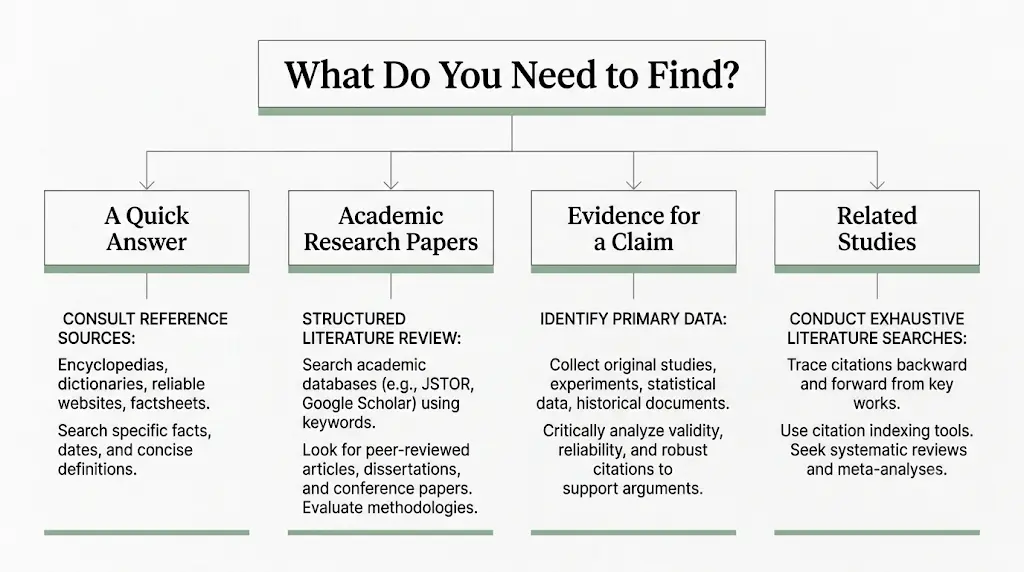
The fix is not one more chatbot. It is choosing the right type of tool for the job. The best AI tools for finding information fall into three groups: web search tools for everyday questions (Google AI Mode, Perplexity), research search tools that find scientific papers (Semantic Scholar, Consensus, Elicit), and discovery or checking tools that map related papers or show how a study has been cited (ResearchRabbit, Connected Papers, Scite). Most have a free plan, and every one has limits you should know before you start.
This guide covers six underrated research tools and two general web-search options. It also gives you a four-step method for checking any answer an AI gives you, ready-to-copy prompts, and a free-first plan for students in India.
Which AI Tools Are Best for Finding Information?
Short answer: For everyday facts, news and prices, use Google AI Mode or Perplexity, then open the official website. For scientific questions, start with Semantic Scholar (free) or Consensus. To discover more papers from one good paper, use ResearchRabbit or Connected Papers. To compare studies, use Elicit. To check how a study has been cited, use Scite.

Quick pick by task:
- Today’s news, a price or an official rule: Google AI Mode or Perplexity, then the official site.
- A scientific answer: Consensus or Semantic Scholar.
- More papers from one paper: ResearchRabbit or Connected Papers.
- Comparing many studies: Elicit.
- Testing a paper before you cite it: Scite.
Start here if you have never used one: open Semantic Scholar, search your topic, and open the first paper that looks relevant. You do not need an account for that.
How Do AI Research Tools Differ From Popular Chatbots?
A chatbot like ChatGPT or a search assistant like Perplexity produces an answer in sentences, often with links. The research tools in this guide do something narrower. They search a collection of research papers, map how papers connect, or show how later papers discuss an earlier one.If you’re a final-year student struggling with research, assignments, or project work, don’t let AI make the process more confusing—see how to use AI tools effectively for college research projects and turn scattered information into a clear, credible workflow.
Two cautions apply to every tool here:
- A cited answer can still misread its source.
- A paper appearing in a database does not mean its findings are reliable.
That is why this guide ends with a verification method, not just a tool list.
Which AI Tools Are Best for Everyday Web Searches?
Short answer: For news, products, local information or official rules, use a general AI search tool and then open the official website. Academic tools like Consensus will not help much with these questions.
Google AI Mode: A Free Starting Point in India
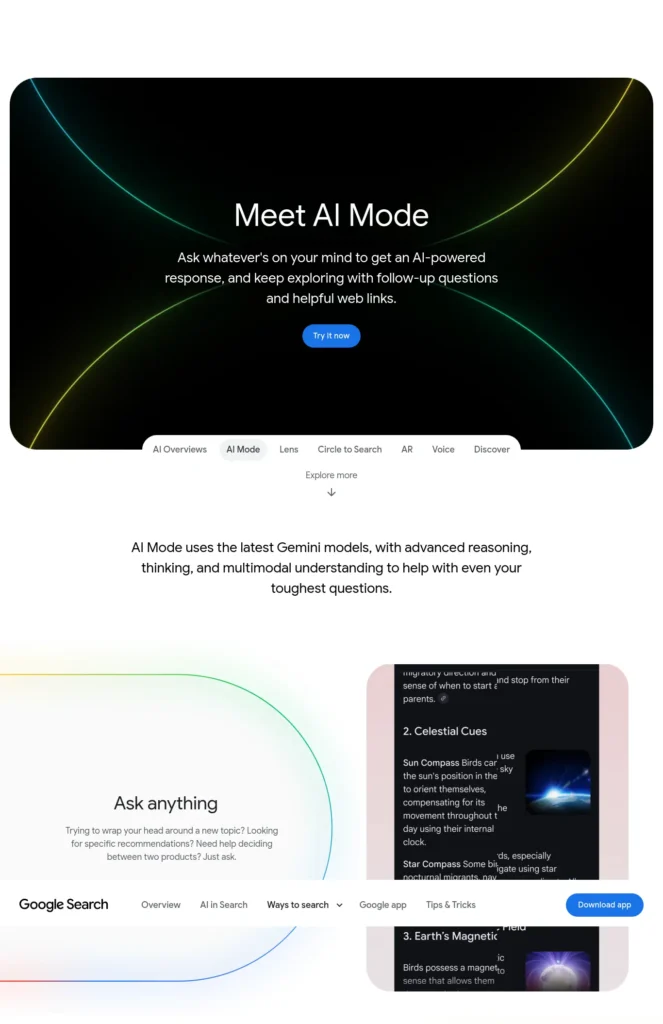
Google AI Mode is a conversational mode inside Google Search. Google’s India announcement says it lets you ask with text, voice or an image, and that it is available in Hindi. Official source: Google’s AI Mode
Best For
- Longer questions that would normally need several searches
- Students who prefer asking in Hindi or by voice
Strengths
- Built into Google Search and the Google app
- Answers come with links you can follow
Watch Out
- It is a summary, so open the linked pages
- Features and availability can change
Choose it if you want a quick, free first look at a topic.
Skip it if you need peer-reviewed evidence.
Perplexity: Best for Cited Answers to General Questions
Perplexity is an AI search tool that gives answers with numbered source links. It offers a free plan and paid plans. Official site: perplexity.ai. Check its pricing page for the current plan limits and price in your region.
Best For
- General questions where you want to see sources next to each claim
- Comparing what several websites say
Strengths
- Sources shown beside the answer
- Free plan to try before paying
Watch Out
- Free-plan limits and paid features change
- A cited answer can still misread its source
Choose it if you want sourced answers on everyday topics.
Skip it if you need to compare scientific studies.
Which Underrated AI Tools Should Beginners Try First?
The six research tools below are ordered by how distinctive they are for beginners, not by popularity or measured quality. Everything is based on each vendor’s official documentation, not on FutureFastAI’s own hands-on testing.
1. ResearchRabbit: Best for Discovering Related Papers
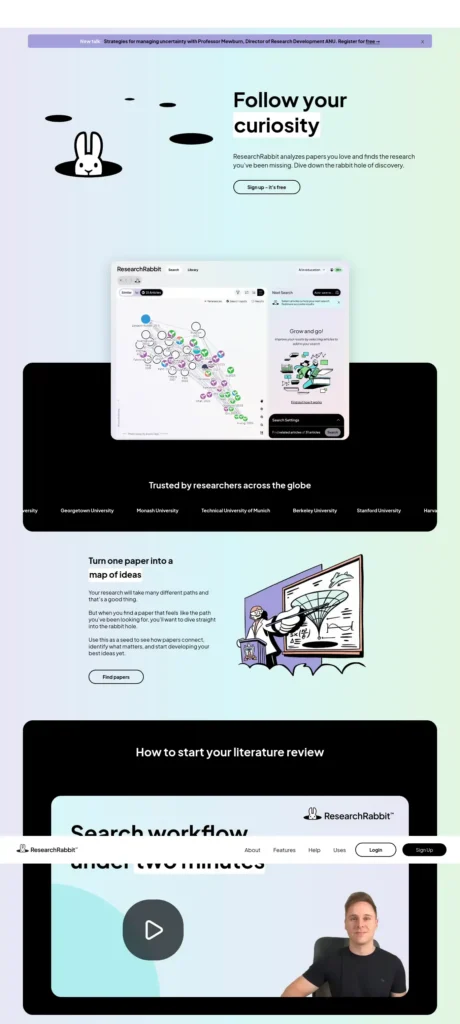
ResearchRabbit is a visual research-discovery tool. You add a paper you already like, and it shows related work and citation connections so you stop guessing keywords. Official site: researchrabbit.ai.
Best For
- Students with one good paper who need more
- Literature reviews and college projects
Strengths
- Visual maps, collections and sharing
- Zotero and BibTeX import and export
- Free tier with unlimited searches and collections, and up to 50 seed articles
Watch Out
- Scholarly papers only, not everyday questions or news
- Maps are only as good as your starting papers
Price (October 2026): Free tier available. ResearchRabbit+ is listed at $10 per month on annual billing or $12.50 on monthly billing. Check your India checkout price.
Choose it if you want to see how papers connect.
Skip it if you need quick answers to general questions.
2. Elicit: Best for Comparing Findings Across Papers
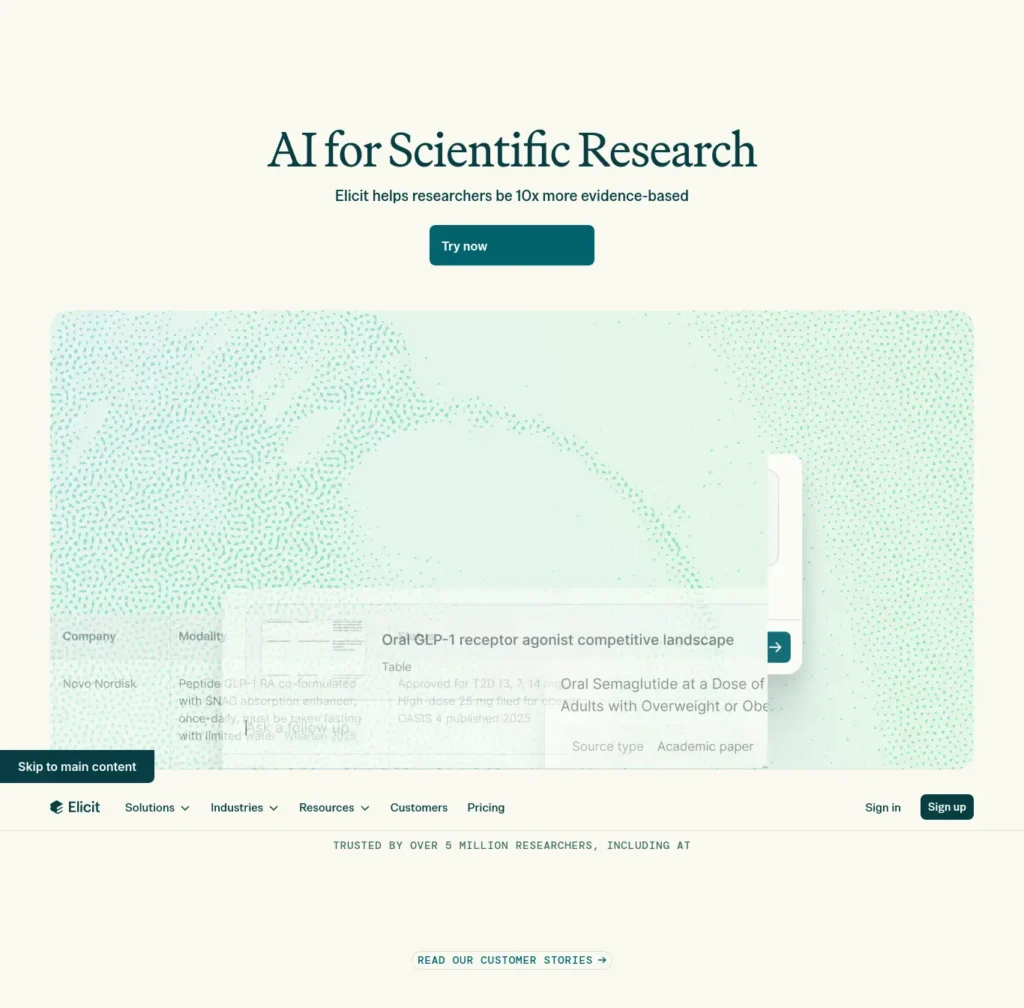
Elicit is an AI research assistant that searches scientific literature and pulls details out of papers into structured tables. Official site: elicit.com.
Best For
- Comparing sample sizes, methods and results across studies
- Structured literature reviews
Strengths
- Free Basic plan with unlimited search across 138 million+ papers, per its pricing page
- Paper summaries and chat with full text where available
- Links back to the underlying papers
Watch Out
- Not a general web search engine
- Extracted details must be checked against the original paper
- Research Agent and Research Reports are limited on the free plan
Price (October 2026): Basic is free. Plus is listed at $11 per user per month on annual billing, Pro at $39 and Scale at $89. Monthly billing may cost more.
Choose it if your project needs evidence from many papers side by side.
Skip it if one or two papers are enough.
3. Consensus: Best for “What Does the Research Say?”
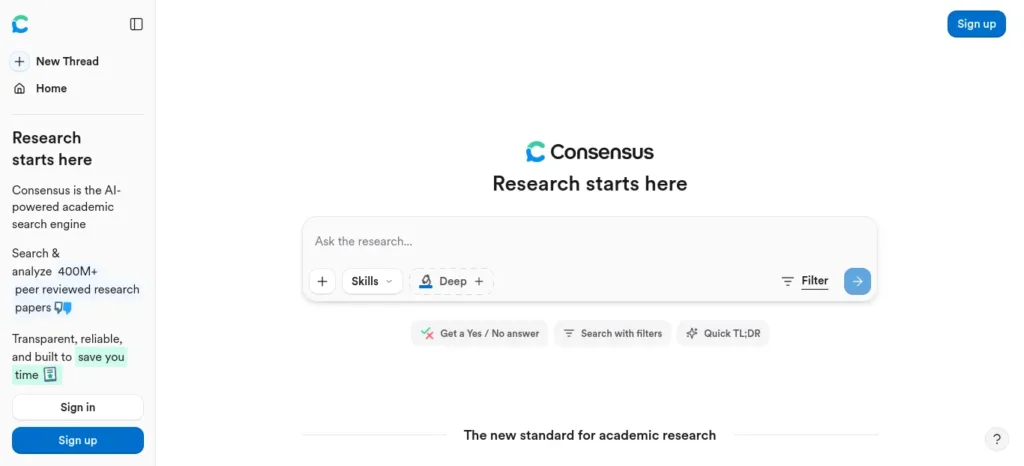
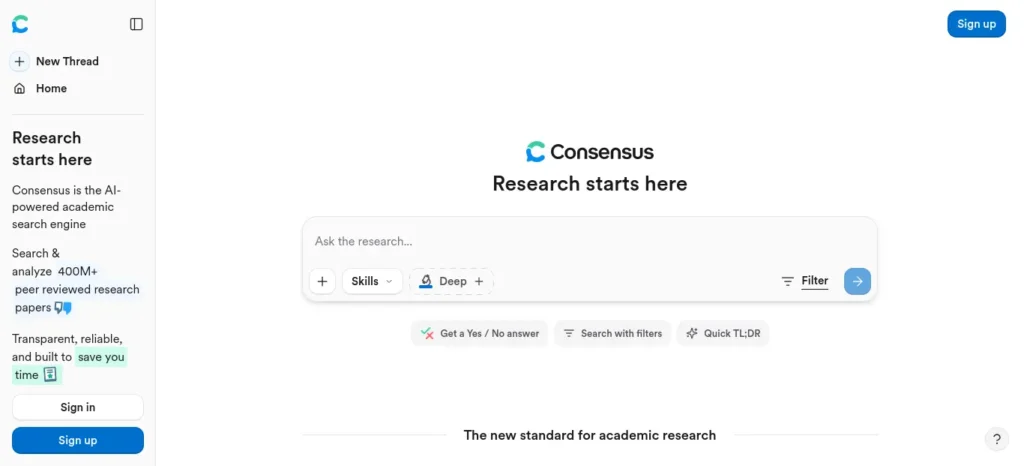
Consensus is an AI academic search engine that answers research questions using published papers. It reports a database of 220 million+ peer-reviewed papers. Official site: consensus.app.
Best For
- Checking scientific claims in health, education or science
- Finding papers for an assignment
Strengths
- Answers tied to papers
- Free tier with unlimited paper searches, plus monthly allowances of 10 Pro messages, three Deep Reviews and 10 Study Snapshots
- Beginner-friendly question format
Watch Out
- A single study can be preliminary or contradicted
- Not suited to current events, local rules or official policies
- Advanced features are limited on free
Price (October 2026): Pro is listed at $20 monthly or $144 annually. Limits change, so check the plan page.
Choose it if you start with a question rather than a paper.
Skip it if you need news or government information.
4. Connected Papers: Best for Seeing a Paper’s Neighbourhood
Connected Papers builds a graph of papers related to one you choose. Papers sit close together when they are similar and share references; they do not have to cite each other. Official site: connectedpapers.com.
Best For
- Thesis beginners and visual learners
- Finding earlier and later work
Strengths
- Similarity graphs, prior and derivative works, multi-origin graphs
- Free plan: five graphs per month with all features, per its pricing page
Watch Out
- Not a conversational search tool
- Graph quality depends on your starting paper
- Closeness on the graph says nothing about study quality
Price (October 2026): Free for five graphs a month. Paid Academic and Business plans offer unlimited graphs; check the pricing page.
Choose it if you have one paper and need a reading list.
Skip it if you have no starting paper yet.
5. Scite: Best for Checking How a Study Has Been Cited
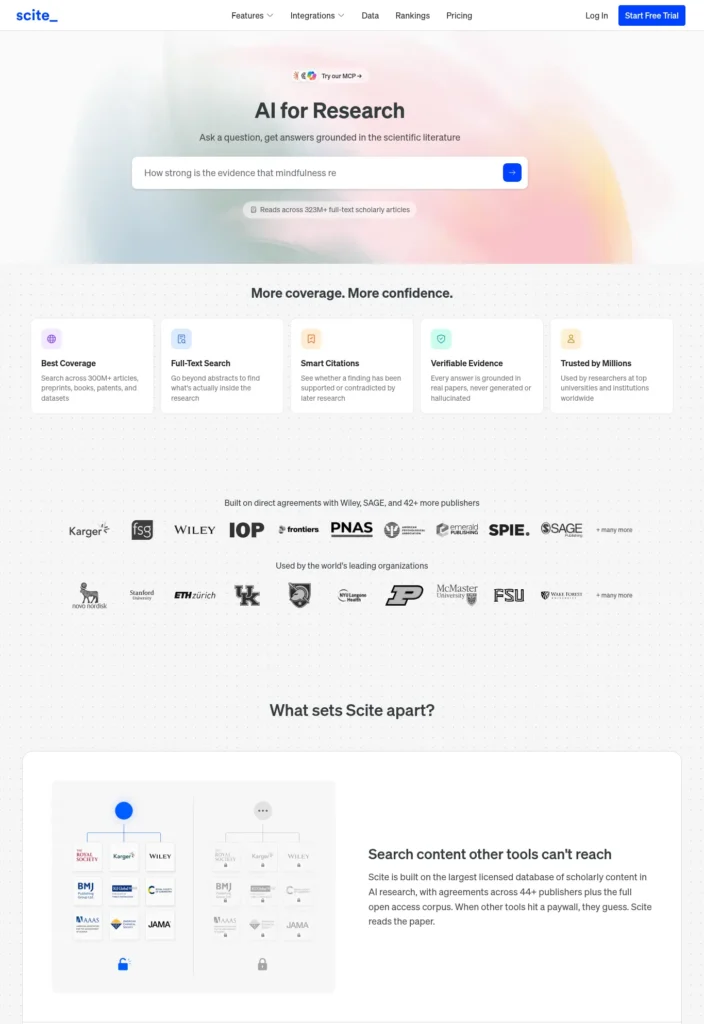
Scite shows the context in which later papers cite a study, labelled as supporting, contrasting or mentioning. That tells you more than a citation count. Official site: scite.ai.
Best For
- Checking references before citing them
- Spotting contrasting evidence
Strengths
- Smart Citations with the actual citing sentence
- Helps you look past raw citation counts
Watch Out
- Labels can be wrong; read the context yourself
- A supporting citation does not prove a claim
- The free Connect plan includes 25 monthly MCP credits but no full Assistant or Search access
Price (October 2026): Basic is listed at $20 per month and Pro at $50 per month on annual billing, with a seven-day trial described. Confirm trial terms before signing up.
Choose it if you already have a paper and want to test it.
Skip it if you only need a free way to find papers.
6. Semantic Scholar: Best Free Starting Point for Papers
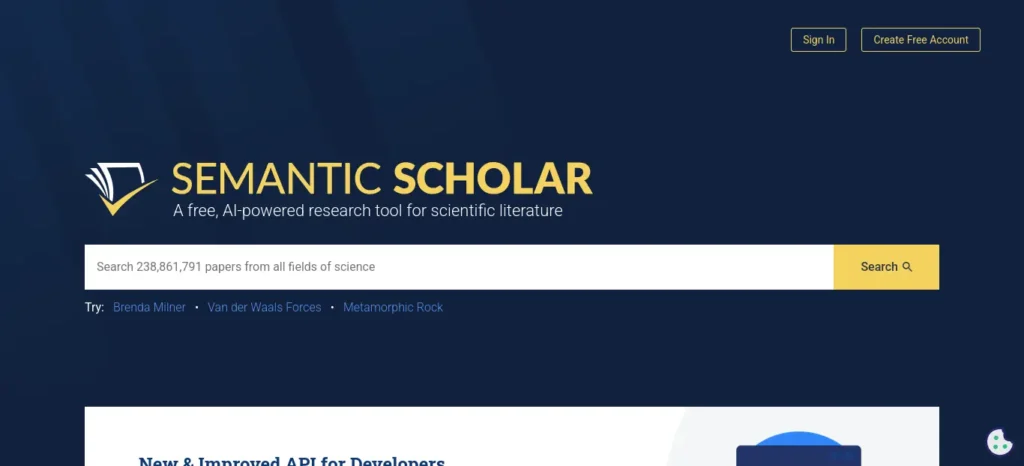
Semantic Scholar is a free AI-powered search service for scientific papers, authors and citations. Official site: semanticscholar.org.
Best For
- First-time users who want papers at zero cost
- Finding authors and original studies
Strengths
- Free core search
- Semantic Reader and “Ask This Paper” on selected papers
Watch Out
- Not a search engine for ordinary websites
- AI features may not be available for every paper or language
Price (October 2026): Core academic search is free.
Choose it if you want a no-cost first stop.
Skip it if you need news or product information.
How Can Students Find Reliable Information Using AI? The Find–Trace–Verify–Learn Method
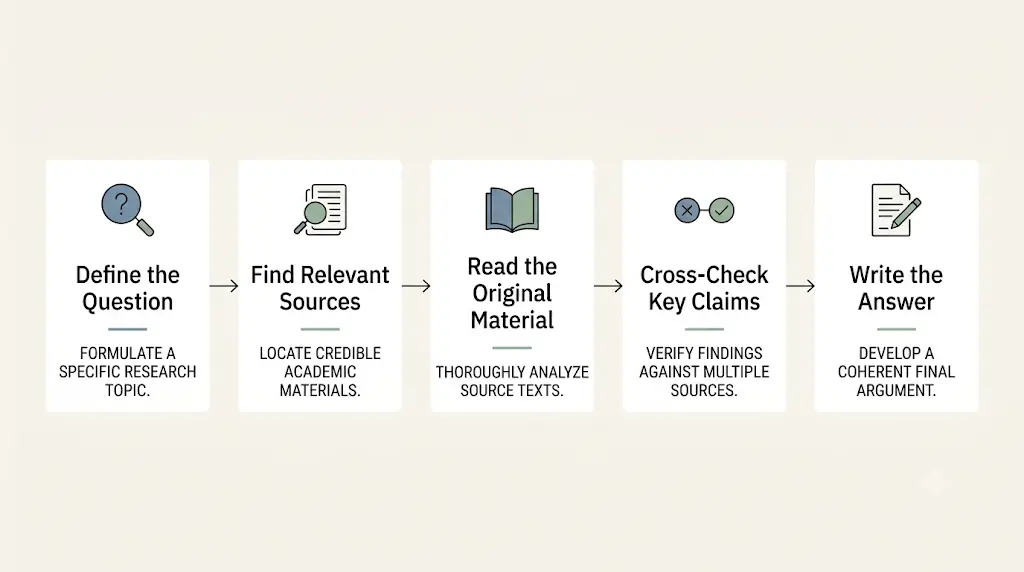
Short answer: Find a source with the right tool, trace it to the original, verify it against other evidence, then learn by summarising it in your own words. This is an editorial workflow from FutureFastAI, not a scientifically validated method.Great research can still become a weak assignment if you don’t know how to use it properly—see how AI tools can help you turn your verified sources into better college assignments.
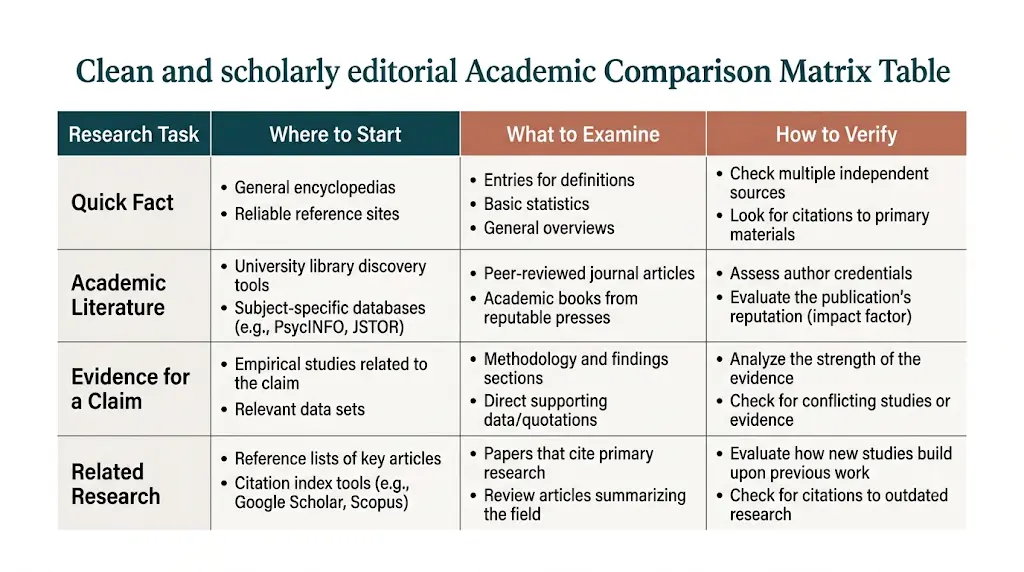
- Find. Use the right tool to locate possible sources.
- Trace. Open the original source. Note the author, date and context.
- Verify. Check the claim against other credible sources, and look for limits or conflicting findings.
- Learn. Write the conclusion in your own words, save the citations, and list what is still unanswered.
Here is how Meera could apply it to her spaced-repetition question. This is a recommended workflow, not a record of a real test.
- Search “spaced repetition and student retention” in Semantic Scholar or Consensus. Shortlist two or three relevant papers.
- Open each paper itself, not just the summary. Note the authors, year and participants.
- Use ResearchRabbit or Connected Papers to find related studies, then Scite to see whether later papers support or contrast with her chosen one. Use Elicit or Consensus to compare results and study sizes.
- Write the conclusion in her own words, save the citations, and list what the evidence does not answer.

Workflow 1: Research a Topic for an Assignment
Recommended workflow, not a test result.
- Ask Google AI Mode or Perplexity for a plain-language overview.
- Search the same topic in Semantic Scholar and save two or three papers.
- Put your best paper into Connected Papers or ResearchRabbit to find related reading.
- Read each paper’s abstract and conclusion.
- Write your summary in your own words and list your sources.
Workflow 2: Check a Claim You Saw Online
- Write the claim as one plain sentence.
- Search Consensus or Semantic Scholar for studies on it.
- Open the best match and read what it actually measured.
- Check whether other studies agree.
- Note the result as “supported”, “mixed” or “unclear”.
Workflow 3: A One-Hour Deadline Plan
- Minutes 1 to 10: Get an overview from a general AI search tool.
- Minutes 10 to 30: Find three papers or official sources.
- Minutes 30 to 45: Read abstracts and conclusions.
- Minutes 45 to 60: Write your summary and list your sources.
How Do You Verify AI Answers and Research Sources?
Short answer: Open the original source, confirm it says what the AI claims, check the date and context, then compare it with an independent source.

Use this checklist:
- Does the link open? Fabricated citations often point nowhere.
- Does the paper say this? Find the exact sentence or result.
- Who wrote it, and when? Old or unsourced work needs extra care.
- What kind of study is it? One small experiment is weaker than several agreeing studies.
- Is there conflicting evidence? Look for contrasting findings, not just agreement.
- Does the source cover the whole claim? Support for one part is not support for all of it.
Copy-and-Paste Prompts for Finding Information
Prompt to check an answer:
List the factual claims in your last answer. For each one, give the source title, author, year and link. Then separate them into three groups: (1) claims directly supported by a source, (2) your interpretations, and (3) questions the evidence does not answer. If you cannot name a real source for a claim, say so.
Prompt for a beginner overview:
Explain [topic] to a first-year student in simple English. Then list five keywords I can search in a paper database.
Prompt to find disagreement:
What do experts disagree about on [topic]? Name the sources for each view and say which are research papers and which are opinion pieces.
Prompt to check your own summary:
Here is a paper’s abstract and my summary. Tell me which sentences in my summary the abstract does not support. Do not add new facts.
Then open every link yourself. Prompts help you organise the check; they do not replace it. Do not paste private or unpublished work into any tool without reading its privacy policy.
Which AI Research Tools Are Free for Students in India?
Not all “free” is the same:
- Free plan, no time limit: Semantic Scholar, plus the free tiers of ResearchRabbit, Elicit and Consensus.
- Free with usage caps: Connected Papers (five graphs a month), Consensus (monthly allowances), Scite (limited credits).
- Free trial: Scite describes a seven-day trial.
- Paid upgrade: Every research tool above has one.
- Institution access: Your college library may provide full-text access to journals. Ask before paying.
Prices above are in US dollars as listed by each vendor. Your final charge in India can differ because of currency conversion, taxes and regional pricing, so check the checkout page and renewal terms. Use legitimate sources only: open-access papers and your library’s subscriptions, not workarounds that bypass publisher restrictions.
A free-first workflow: Google AI Mode for a quick overview, Semantic Scholar to find papers, Connected Papers (five graphs) or ResearchRabbit to expand, and the free tiers of Consensus or Elicit to compare. Consider paying only when a free limit blocks a real project.
Student Offers That Change Often
Some AI plans are offered free to students or telecom customers in India for limited periods. These offers can end without notice, so check the company’s official offer page and the end date before you sign up, and look at the renewal terms.Before you start writing your assignment, it’s important to know how to use AI for college research projects effectively. A strong research process helps you find credible sources, organize ideas, and avoid common mistakes that can lower your grades.
Searching in Hindi and Other Languages
Google says AI Mode works in Hindi. If English results are thin, try your question in Hindi. For papers, search English keywords as well, since most academic databases are in English.
Also check your college’s rules on AI-assisted research, paraphrasing and citation. Cite only sources you actually read.
How Should Beginners Choose the Right AI Tool for Finding Information?
Quick decision tree:
- If you need an everyday fact, news or a price: use Google AI Mode or Perplexity, then open the official site.
- If you need scientific evidence: start with Semantic Scholar or Consensus.
- If you have one paper and want more: use ResearchRabbit or Connected Papers.
- If you need to compare many studies: use Elicit.
- If you want to check how a study is cited: use Scite.
- If your question is about one specific document: use a tool that can read the file you upload, and check the privacy terms first.
Selection checklist: Does it show sources? Can I open the full text? Is the free plan enough? Is it easy to use? What happens to my uploaded files? Is it acceptable for my course?
What Are the Limitations of AI Tools for Finding Information?
- Hallucinations and fake citations. Open every source before you cite it.
- Incomplete coverage. No database holds every paper. Check a second tool if results look thin.
- Paywalls. You may see only abstracts. Use open-access versions or library access.
- Outdated information. Check publication dates, and use official sites for prices and rules.
- Narrow or biased coverage. A database may favour certain languages or fields. Search more than one.
- Privacy. Read the privacy policy before uploading personal or confidential documents.
- Overreliance on summaries. Read at least the abstract, methods and limitations of papers you cite.
Common Mistakes When Using AI Tools for Finding Information
- Copying the summary instead of reading the source. Open the paper.
- Trusting a link you did not open. Click every citation.
- Using only one tool. Cross-check on a second.
- Using an academic tool for news. Use web search plus official sites.
- Citing a paper you only saw in a summary. Cite only what you read.
Frequently Asked Questions
Which AI tool is best for finding information?
It depends on the information. For scientific papers, Semantic Scholar and Consensus are good starting points. For related papers, use ResearchRabbit or Connected Papers. For everyday facts, use Google AI Mode or Perplexity and confirm on official websites.If you’re still unsure whether ChatGPT or Perplexity is the better choice for your next assignment, this side-by-side comparison can help you choose the right tool without wasting time.
What is the difference between AI search tools and AI research tools?
AI search tools like Google AI Mode and Perplexity answer general web questions with links. AI research tools like Consensus, Elicit and Semantic Scholar search scientific papers. Use search tools for news and facts, and research tools for evidence from studies.
Are there free AI research tools for students?
Yes. Semantic Scholar is free, and ResearchRabbit, Elicit, Consensus and Connected Papers have free tiers with limits. Scite’s free plan is very limited. Check each official page for current limits.
Is Google AI Mode available in India?
Google’s India announcement says AI Mode supports Hindi and accepts text, voice and image questions. Availability and features can change, so check the Google app or Google Search for what you can use today.
Is Perplexity free to use?
Perplexity offers a free plan with limits and paid plans above it. Plan limits and prices change, so check Perplexity’s official pricing page before deciding.
Which AI tools provide sources?
All the tools here link results to papers or web pages. Sources can still be misread or incomplete, so open the original before relying on a claim.
Can AI find academic papers?
Yes. Semantic Scholar, Consensus and Elicit search papers directly, and ResearchRabbit and Connected Papers find related ones. None replaces a full database search for a formal review. Google Scholar remains useful for broad searches.If your biggest academic-writing problem is not finding words but finding credible sources, understanding research papers, and backing up every claim, this guide to the best AI tools for academic writing for students can help you build a smarter research-to-writing workflow.
How do I check whether an AI answer is correct?
Open the cited source, confirm it supports the exact claim, check its date, and compare with at least one independent source. Look for studies that disagree.
How do I spot a fake citation?
Search the exact title, author and year. If no real paper appears, or the paper says something different, do not use it. Check the DOI or the publisher’s page.
Can I use AI research tools for college assignments?
Often yes for finding sources, but rules differ by institution. Read your college’s policy, understand the material yourself, and cite the original papers or websites you read, not the AI tool.

Final Recommendation: Which Tool Should You Try First?
If you are new, try Google AI Mode for a quick overview and Semantic Scholar for papers. If you already have a paper, try ResearchRabbit or Connected Papers. If you need to compare studies, try Elicit. Add Scite when you want to test a paper before citing it.
Your 10-minute action: Pick one question you are curious about. Find one paper in Semantic Scholar, open it, then run the verification checklist above. Write two sentences in your own words about what it does and does not show.
Next, read our guide to AI tools for beginners to build a wider toolkit, and compare these tools using your own research question.
About the Author
Nandhakumar — Founder & Content Creator at FutureFastAI
Nandhakumar is the founder and content creator of FutureFastAI, a platform dedicated to helping students and beginners discover practical AI tools, smarter study methods, and productivity solutions. His content focuses on making artificial intelligence easier to understand and more accessible through clear explanations, practical examples, and beginner-friendly guides.
At FutureFastAI, he explores AI tools for studying, research, writing, exam preparation, and everyday productivity, with an emphasis on accessible options for students and beginners. His goal is to help readers understand what each tool can do, where it may be useful, and what limitations they should consider before using it.
He believes AI should support human learning and decision-making—not replace independent thinking, creativity, or genuine understanding.
Explore more at FutureFastAI: https://futurefastai.com/
Editorial Policy
Our Editorial Mission
At FutureFastAI, our mission is to help students and beginners understand and use artificial intelligence through practical, accessible, and informative content. We aim to publish helpful guides about AI tools, study workflows, productivity, research, and responsible AI use.
Our content is designed to help readers make informed decisions rather than simply follow trends or rely on AI-generated answers without verification.
1. Content Research and Development
We develop articles around real questions, learning challenges, and practical needs faced by students and beginners.
Our editorial process may include:
- Researching the topic and identifying the reader’s main question.
- Reviewing official product pages, documentation, pricing pages, and feature descriptions where relevant.
- Comparing tools based on their stated features, accessibility, usability, and suitability for the intended audience.
- Organizing information into clear explanations, practical steps, examples, and useful recommendations.
- Reviewing content for accuracy, clarity, relevance, and readability before publication.
The research process may vary depending on the topic and the type of article.
2. Accuracy and Fact-Checking
We aim to provide accurate, relevant, and useful information. When discussing AI tools, we prioritize official websites and documentation for product features, availability, limitations, pricing, and usage requirements.
Third-party sources may be consulted when they provide relevant supporting information.
Because AI products and services change frequently, some information may become outdated. Readers should check the official source for the latest details, particularly before purchasing a subscription or relying on a specific feature.
We do not intentionally present unverified claims as established facts.
3. AI-Assisted Content
FutureFastAI covers artificial intelligence and may use AI tools to support parts of the editorial process, including research assistance, outlining, drafting, editing, and idea development.
AI-assisted content is reviewed and refined before publication. We aim to ensure that articles provide clear explanations, relevant context, practical value, and appropriate verification rather than simply reproducing generic AI-generated material.
AI is used as an editorial aid, not as a substitute for responsible review, independent judgment, or reader-focused content development.
4. Editorial Independence
Our editorial recommendations are guided by relevance, usefulness, and suitability for our readers.
Commercial relationships, affiliate partnerships, or potential earnings should not be treated as proof that a product is the best choice. We aim to explain relevant limitations and help readers evaluate tools according to their own needs and budgets.
Where applicable, affiliate relationships are disclosed in accordance with our Affiliate Disclosure.
5. Product Reviews and Recommendations
When discussing AI tools, we aim to explain:
- The tool’s main purpose and relevant features.
- Who may benefit from using it.
- Whether free access, paid plans, or usage limits apply.
- Important limitations or considerations.
- How the tool may fit into a student’s or beginner’s workflow.
We distinguish documented product information from our own analysis and illustrative examples.
We do not claim to have personally tested a product, interviewed a developer, or conducted an experiment unless that activity actually took place. Any testing-based conclusions should reflect the testing performed.
6. Originality and Responsible Publishing
We aim to publish original, reader-focused content that adds explanation, context, comparisons, or practical guidance.
We do not intentionally publish plagiarized material or misrepresent another publisher’s work as our own. Sources are referenced or linked where appropriate, especially when an article relies on official documentation, research, or external evidence.
Examples and hypothetical scenarios are used for explanation and should not be interpreted as real case studies unless explicitly identified as such.
7. Updates and Corrections
We review published articles when important information changes, errors are identified, or meaningful improvements are needed.
Updates may include:
- Correcting factual errors.
- Revising outdated product features or pricing information.
- Updating links and official references.
- Improving explanations, examples, and practical instructions.
- Adding relevant information that helps readers make better decisions.
A displayed publication or update date should reflect the article’s actual publishing or updating history.
Readers who identify an error or outdated information can contact us through our website’s contact page.
8. Reader-First Content
We aim to make our articles easy to understand, especially for readers who are new to AI.
Our content prioritizes clear language, meaningful headings, practical explanations, and relevant examples. We avoid unnecessary technical complexity when a simpler explanation can communicate the same idea accurately.
We also encourage readers to verify important information and use AI tools responsibly, protect their personal information, and follow applicable academic or institutional rules.
9. Limitations and Transparency
AI tools may produce inaccurate, incomplete, or misleading outputs. Features, availability, terms, and pricing can vary by product, subscription, location, and date.
Our articles are intended for general educational and informational purposes. They should not replace professional advice where specialized expertise is necessary.
We aim to communicate relevant uncertainties and limitations rather than imply that any AI tool is perfect or suitable for every situation.
10. Contact and Feedback
We value reader feedback and welcome corrections, suggestions, and questions about our published content.
To report an error or suggest an improvement, please contact us through the Contact page on FutureFastAI.
Website: https://futurefastai.com/
Our Commitment
FutureFastAI is committed to publishing helpful, transparent, and responsible content that enables students and beginners to explore AI with confidence, think independently, and make informed decisions.
Our goal is not simply to introduce more AI tools, but to help readers understand when, why, and how to use them effectively.





One Comment