
AI Tools for Research Projects for Indian Students: 7 Useful Picks
You find one good paper on Google Scholar. Ten minutes later, you have 40 open tabs, three spellings of the same concept, and no idea which papers your guide will expect you to cite.
- The best AI tools for research projects for Indian students are specialised ones, not general chatbots: Keenious, Litmaps, ResearchRabbit, Scite, Scholarcy, Connected Papers and Elicit. Each solves a different stage of a research project. This guide shows which tool fits which stage, what is free (with ₹ prices), and how to check what AI tells you.
Last verified: 29 September 2026. Prices come from each tool’s official pricing page. ₹ figures use ₹96 per US dollar, the mid-market rate on the day of checking. They will move, so treat them as estimates.
Quick Answer: The most useful AI research tools help with one job each: finding papers, mapping related research, understanding difficult papers, checking citation context, or screening literature. No single tool does every stage well. Pick the tool for the stage that is slowing you down right now.
By the end of this guide, you will know which tool to use at each stage of your research project, and which tasks you should still handle yourself.

Which AI Tools for Research Projects for Indian Students Are Actually Useful?
Useful AI research tools work with real, published papers and show you where an answer came from. They help you find, filter, understand, connect, verify and organise sources. They should not write your project for you.
One principle runs through this whole guide: an AI tool can help you find evidence, organise evidence or explain evidence. It is not the evidence itself.
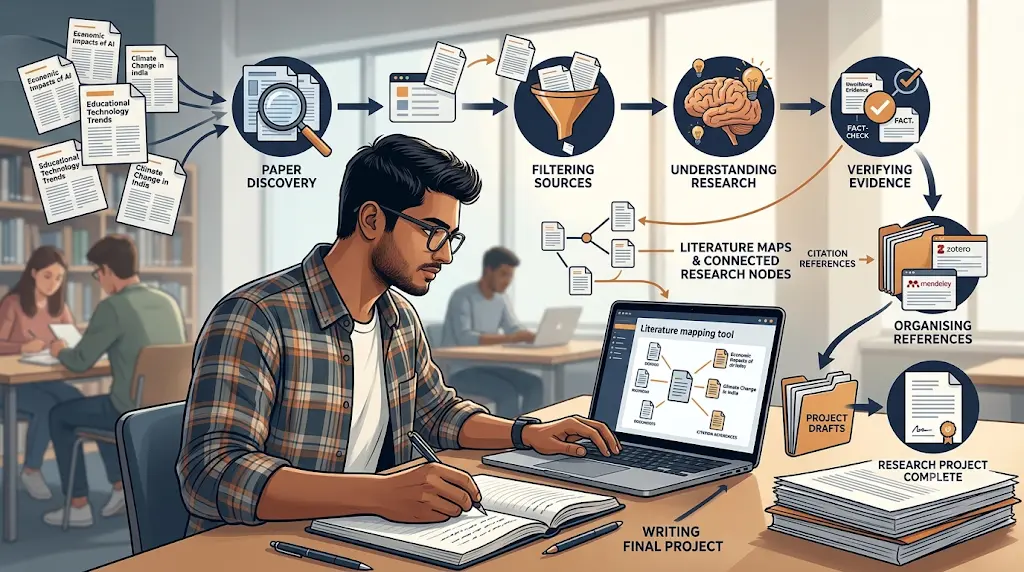
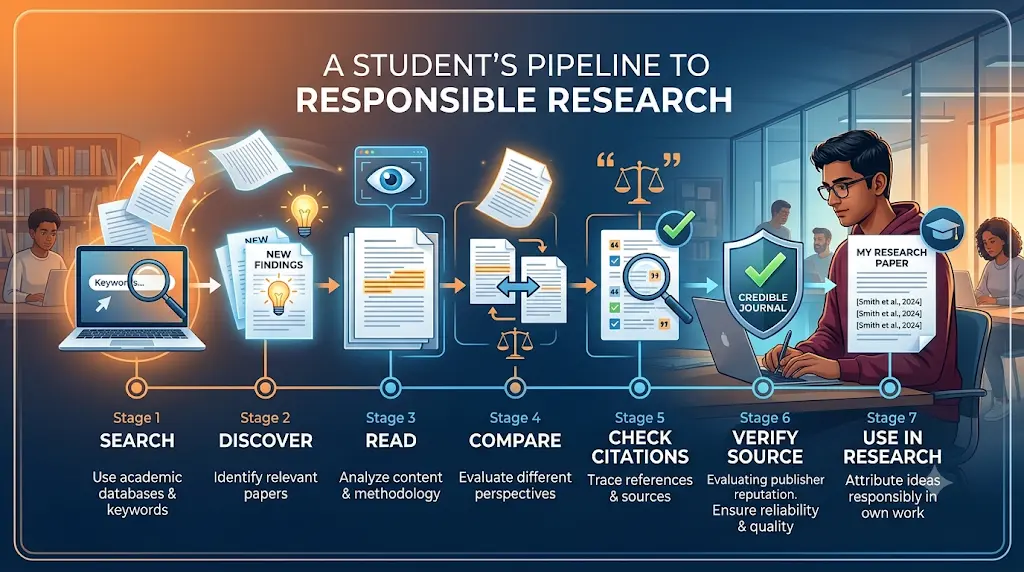
Think of a research project as seven stages. Most students get stuck at one, not all seven.
The 7-Stage AI Research Workflow
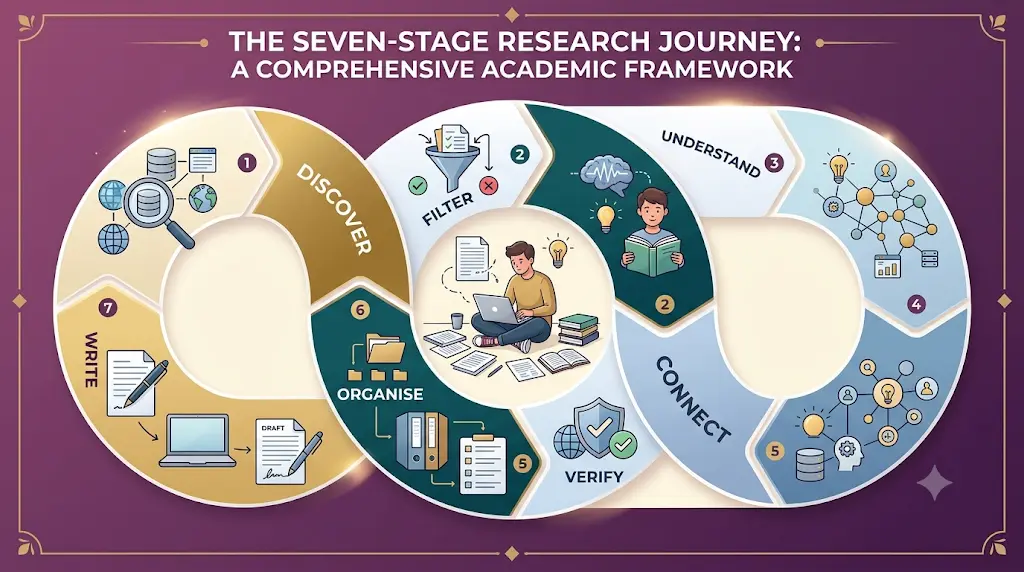
- Discover: “Where do I find relevant papers?” → academic discovery tools
- Filter: “Which papers actually matter?” → evidence screening tools
- Understand: “This paper is too difficult.” → paper summarisation tools
- Connect: “How are these papers related?” → literature mapping tools
- Verify: “Does this citation really support my claim?” → citation analysis tools
- Organise: “How do I manage all of this?” → reference managers such as Zotero
- Write: “How do I turn evidence into my own paper?” → this stage stays yours
The tools below support stages 1 to 6. The writing and the thinking remain your job.
The 7 Tools at a Glance

Keenious
Best for: Finding papers from a topic or your own draft
Strengths:
- Suggests research based on what you have written
- Works inside Word and Google Docs
Watch out:
- Free plan limits AI responses and conversations
Litmaps
Best for: Mapping how papers connect
Strengths:
- Builds visual citation maps from a starting paper
- India is on its country-discount list
Watch out:
- Free plan caps inputs, maps and articles
ResearchRabbit
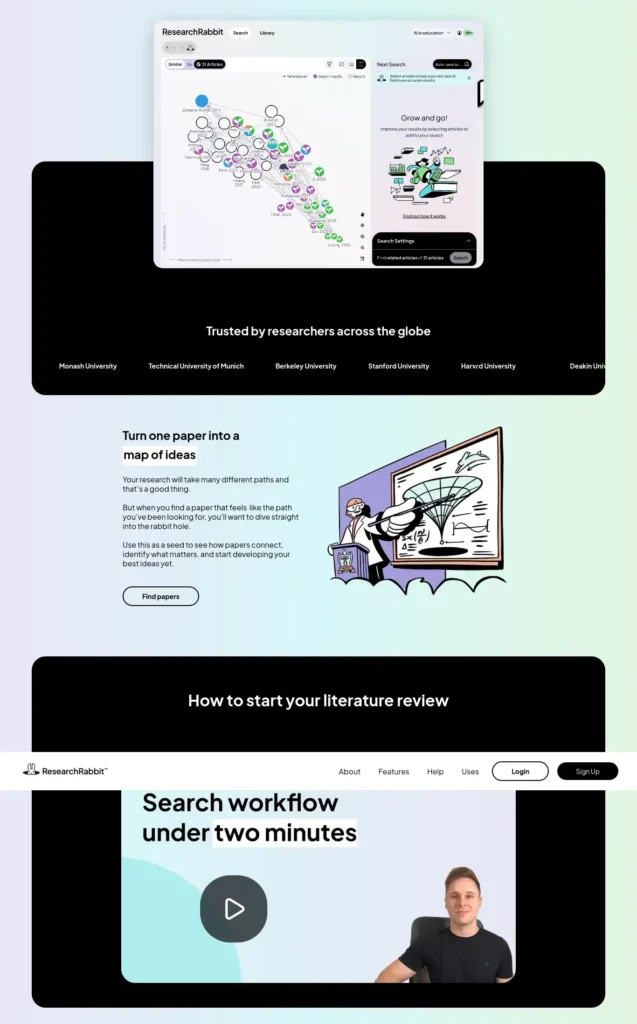
Best for: Expanding one good paper into a reading list
Strengths:
- Free tier has unlimited search and collections
- India qualifies for premium discounts
Watch out:
- Free tier limits starting articles to 50
Scite
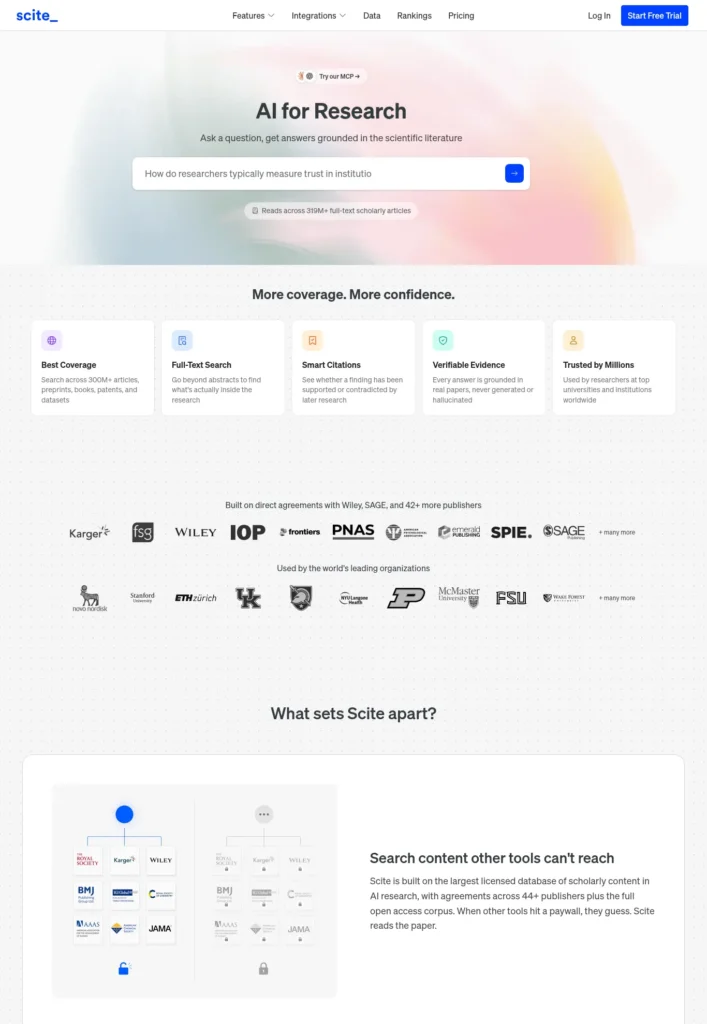
Best for: Checking how later research treats a paper
Strengths:
- Smart Citations show supporting and contrasting evidence
Watch out:
- No free search plan; full platform is paid
Scholarcy
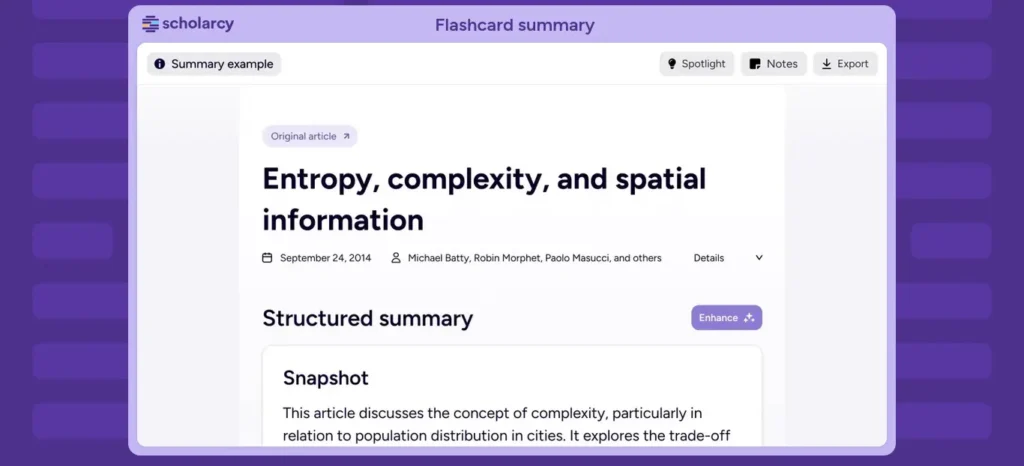
Best for: Turning long papers into structured summaries
Strengths:
- Summary flashcards help you screen quickly
Watch out:
- Free use is tightly capped
Connected Papers
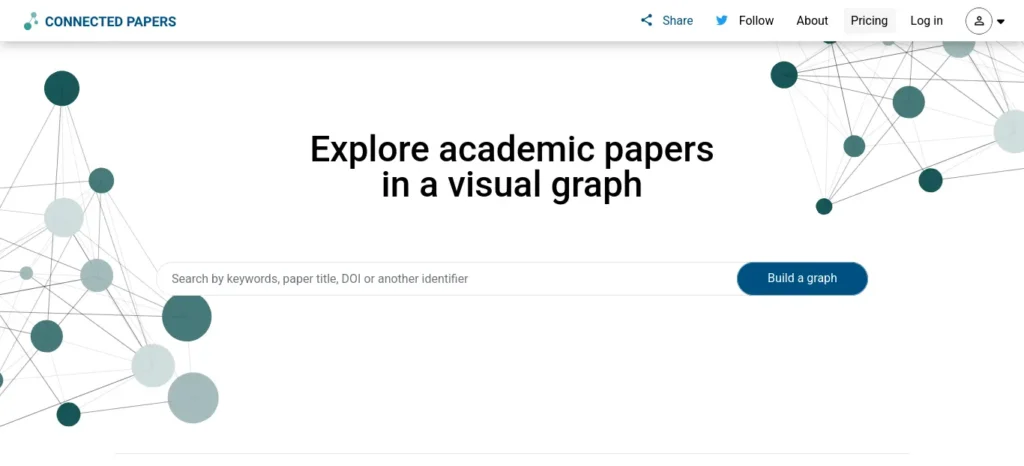
Best for: Seeing a paper’s neighbourhood as a graph
Strengths:
- Simple, visual, fast to learn
Watch out:
- Free plan gives 5 graphs per month
Elicit
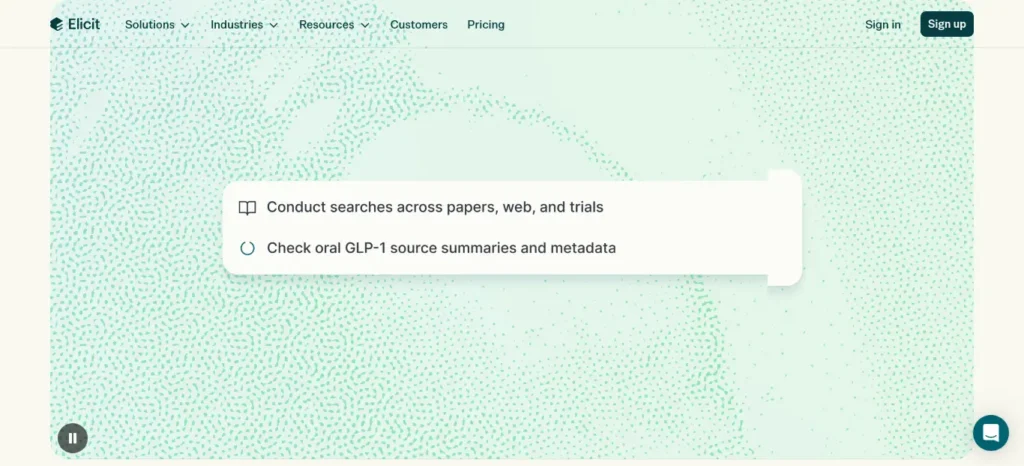
Best for: Literature reviews and extracting data from papers
Strengths:
- Free unlimited search across 138+ million papers
Watch out:
- Deeper research features need paid plans
These tools are listed from “most hidden gem” to “most likely to become mainstream.” That is a discoverability order, not a quality ranking.
Why You Shouldn’t Stop at Google Scholar
Google Scholar is excellent for discovery, and you should keep using it. But its results are a list, not an evaluation.
- A high citation count does not automatically mean high quality.
- One good paper leads you to its references and to later papers that cite it.
- Citation networks reveal related studies your keywords missed.
Specialised tools fill that gap. Litmaps, ResearchRabbit and Connected Papers help you map those connections. Scite helps you see how later work treated a finding. Scholarcy and Elicit help you screen what you find.
What Should You Look For in an AI Research Tool?
Choose by the job you need done, not by hype.
Can It Help With Research Discovery?
Look for tools that search real scholarly databases instead of generating references from memory.
Can It Help You Understand and Map Papers?
A good summariser extracts the question, method and findings. A good mapping tool shows which papers cite each other, so you can spot landmark studies and gaps.
Can It Verify Citations and Organise Sources?
Citation tools show how later research treated a paper. For organisation, look for export options such as RIS or BibTeX so your references can move into Zotero.
How These Tools Are Evaluated
Every tool in this guide is compared on the same eight criteria: source transparency, ease of use, free-tier usefulness, research depth, citation handling, export options, student affordability, and stated limitations.
Facts about pricing, limits and features were checked against each tool’s official pricing and product pages on 29 September 2026. Where official pages disagree with each other or leave out a figure, this guide says so instead of guessing. Pricing, free-plan limits, major features, student discounts and database-size claims are rechecked about every 60 days.
Try the Same-Question Test Yourself
Free plans let you test fairly in about an hour. Pick one real question, such as “What are the barriers to AI adoption among Indian college students?”, and run it through the tools you are considering.
- Can the tool find relevant papers from the question alone?
- Can it start from one paper and find related studies?
- Can you open every original source it shows?
- Can you export the results to Zotero?
Keep the tool that finds papers you can open and verify, not the one with the smoothest summary.
What Are the Best AI Tools for Research Projects?
Each tool has a stated limitation, because no tool is perfect.
1. Keenious — Best for Finding Research From Your Own Draft
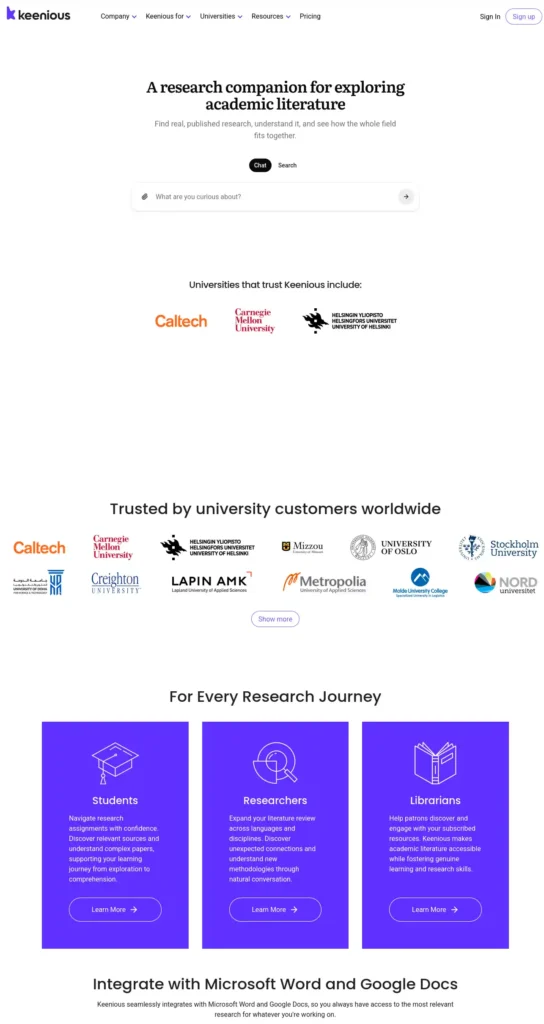
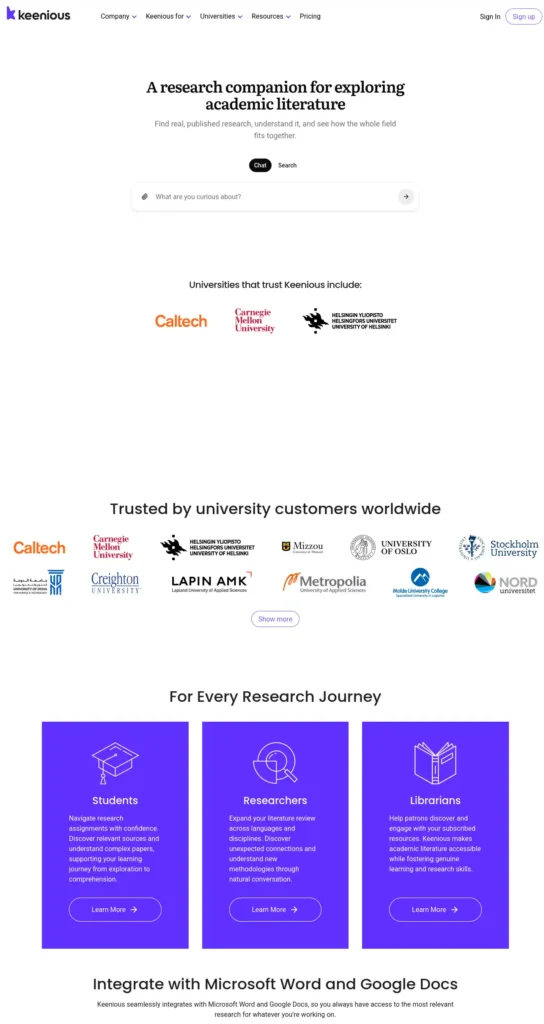
Keenious is a research-discovery tool that analyses a topic or a draft and suggests academic papers to read. Its student page says it draws on 250+ million works, and it has add-ins for Word and Google Docs.
Why students overlook it: Most students search by keywords. Keenious starts from your own writing, which helps when you do not yet know the right keywords.
Mini case study (illustrative): A second-year commerce student writes a rough paragraph on digital payments in small businesses and pastes it in. She gets papers to read instead of guessing search terms.
Free plan (checked 29 Sep 2026): All search results, 5 AI responses per conversation, 3 conversations per day, 3 MB maximum upload.
Pricing: Keenious Plus starts at $10/month billed annually (about ₹960/month), per its official pricing page. Students can request a 30% annual discount by emailing from an institutional address. There is no trial period. Verify before subscribing.
Strengths: Unlimited responses on Plus, RIS and BibTeX export, support for nearly 100 languages.
Watch out: The free plan runs out quickly in long research sessions.
Best fit: You start from a draft or a vague topic.
Weaker fit: You already have a strong seed paper.
2. Litmaps — Best for Mapping Connected Research
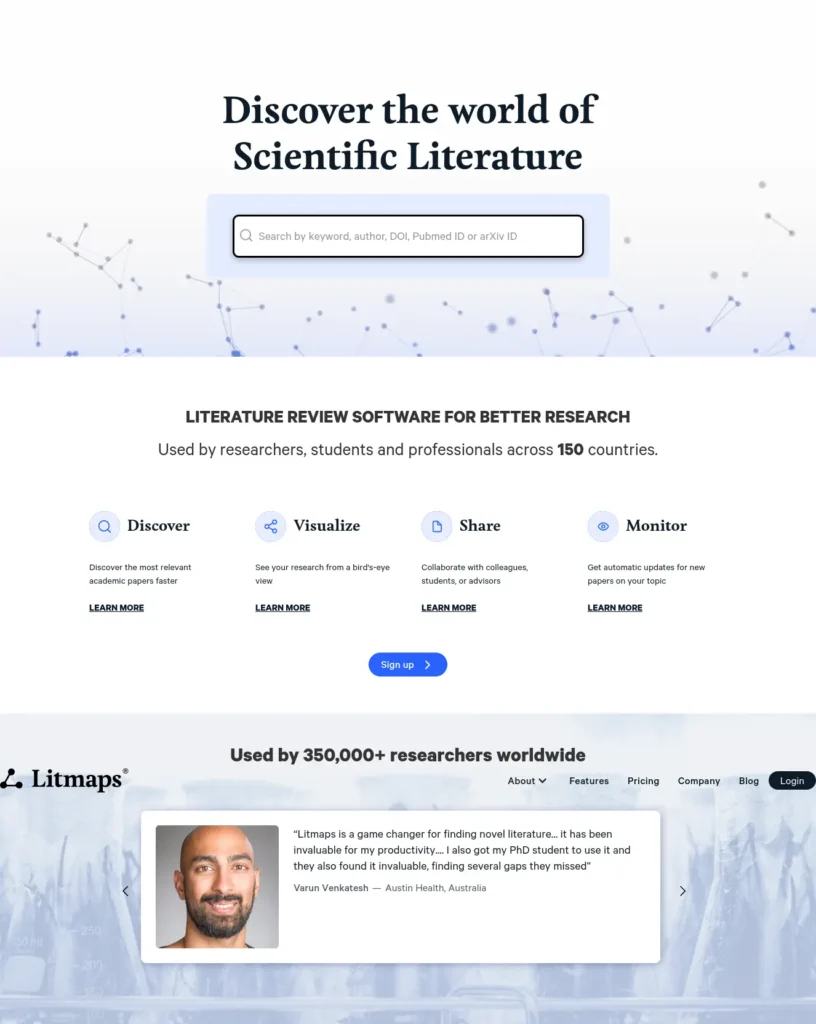
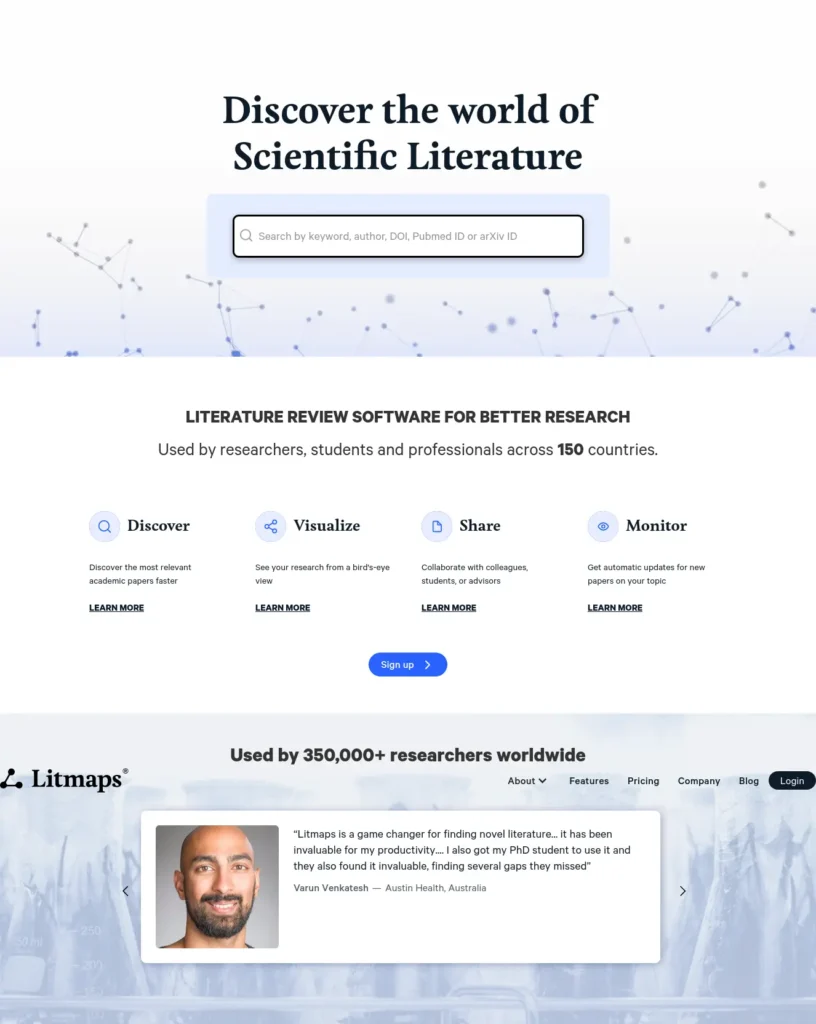
Litmaps is a literature-mapping platform that helps students discover relationships between academic papers through citation networks, shown as a visual map.
When it shines: You have one or two solid papers and ask, “What should I read next?” Litmaps answers with structure instead of a long list, and shows older foundational studies next to newer follow-ups.
Free plan (checked 29 Sep 2026): Basic search with up to 20 inputs, plus a limited number of maps and 100 articles per map. Its own pages describe the map count slightly differently, so check the sign-up screen.
Pricing: Pro (Education) is $10/month billed annually, or $120/year (about ₹960/month), and needs an academic email, per the Litmaps pricing page. India appears as “Allowed” on Litmaps’ country discount list, so you may see a lower price at checkout. Verify before subscribing.
Strengths: Visual maps, weekly or daily alerts for new papers on Pro, unlimited inputs on Pro.
Watch out: Sparse citation networks give weak results, especially for very new topics.
Use it when you have seed papers and need direction.
Look elsewhere when you have no starting paper yet.
3. ResearchRabbit — Best for Building a Reading List From One Good Paper
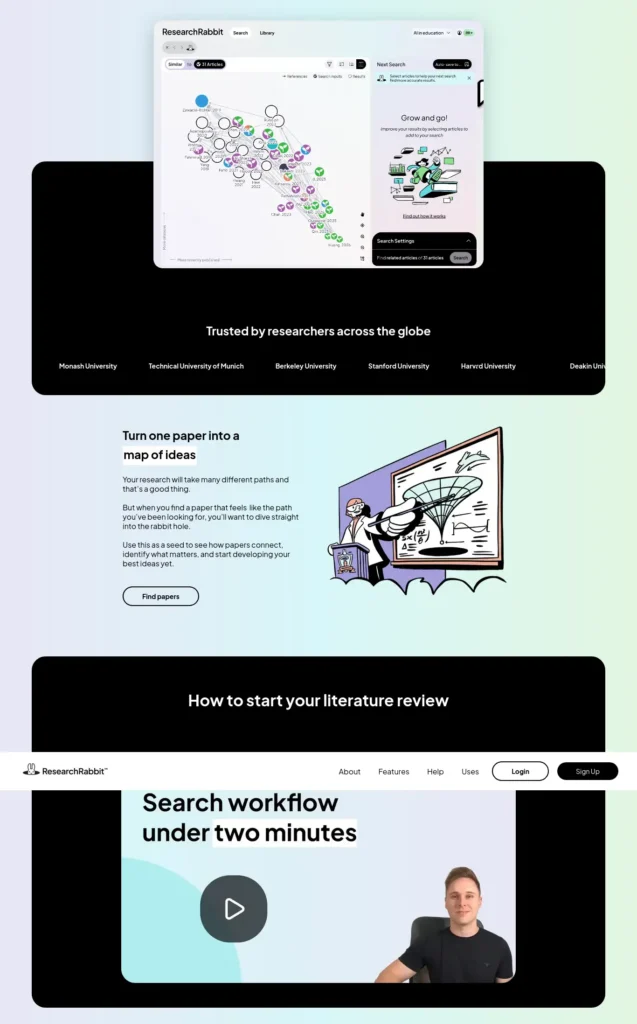
ResearchRabbit is a paper-discovery tool where you add articles to a collection and explore citations, references and similar work. Its site footer lists Litmap Ltd as the copyright holder, so it sits in the same family as Litmaps.
Workflow example (illustrative): A biotechnology student adds three review papers on CRISPR delivery to a collection. She follows the “similar articles” trail, keeps the relevant ones, and ends with a shareable 30-paper collection for her group.
Free plan (checked 29 Sep 2026): Unlimited search, unlimited collections, collaboration, library uploads, and up to 50 seed articles per search.
Pricing: The premium tier, RR+, defaults to $10/month (about ₹960/month). India is on the country parity pricing list, and the in-app upgrade screen shows your discount code. Verify before subscribing.
Strengths: A genuinely usable free tier and shareable collections.
Watch out: The company moved from fully free to free-plus-premium in 2025, so features can shift again. It does not summarise what each paper says.
Where it fits: The strongest free discovery option in this list.
4. Scite — Best for Checking How Papers Have Been Cited
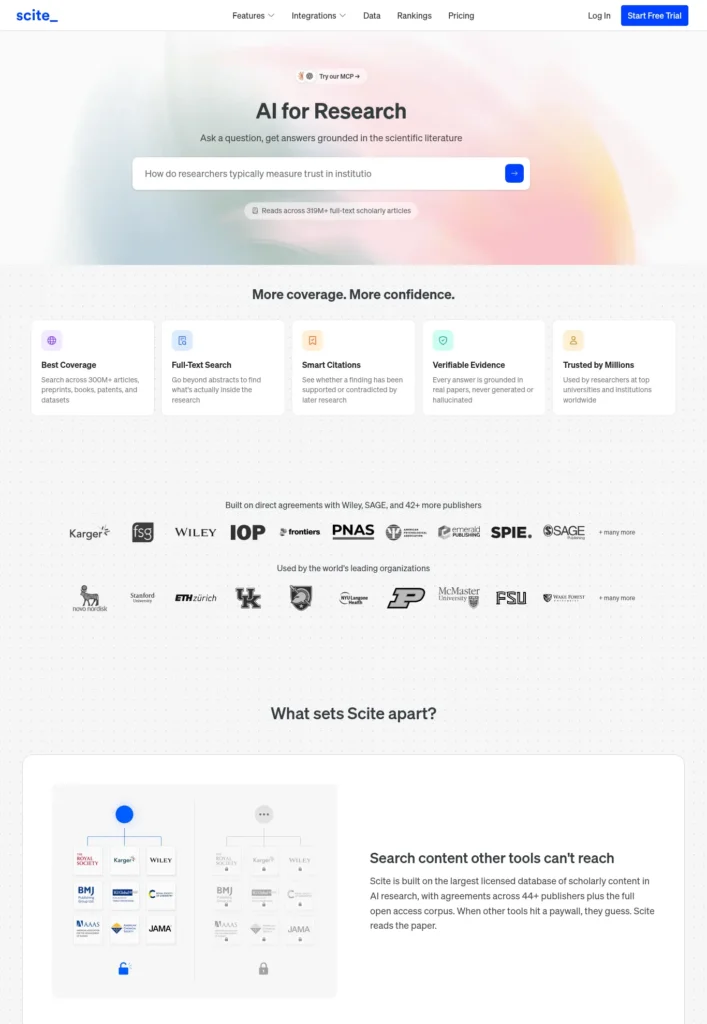
Scite is a research platform that helps users examine how later publications cite a specific study, labelled as supporting, contrasting or mentioning. Its site says it indexes 1.6 billion+ citations and has agreements with 44+ publishers.
Citation verification example (illustrative): A student wants to cite a 2019 study for a claim. Scite shows two later papers contradicting it. She reads those before deciding whether the claim is safe to use.
Free plan (checked 29 Sep 2026): The free plan is limited to Scite’s MCP connector (25 credits/month) inside tools like ChatGPT and Claude. It does not include Scite’s own Assistant or Search. A 7-day free trial covers the full platform.
Pricing: Basic shows $14/month billed yearly (about ₹1,344/month) on the official pricing page, with a 30% fall sale listed as ending 30 September 2026. Pro is $35/month. The regular price may be higher after the sale. Student discounts are available only by recommending Scite to your institution by email.
Strengths: Citation context, Reference Check, Zotero integration.
Watch out: The labels are automated and can miss nuance. Coverage varies by field, so test it on a paper you know well.
Worth paying for if citation accuracy matters to your guide or journal. Not worth it if you only need free discovery.
5. Scholarcy — Best for Screening Papers Faster
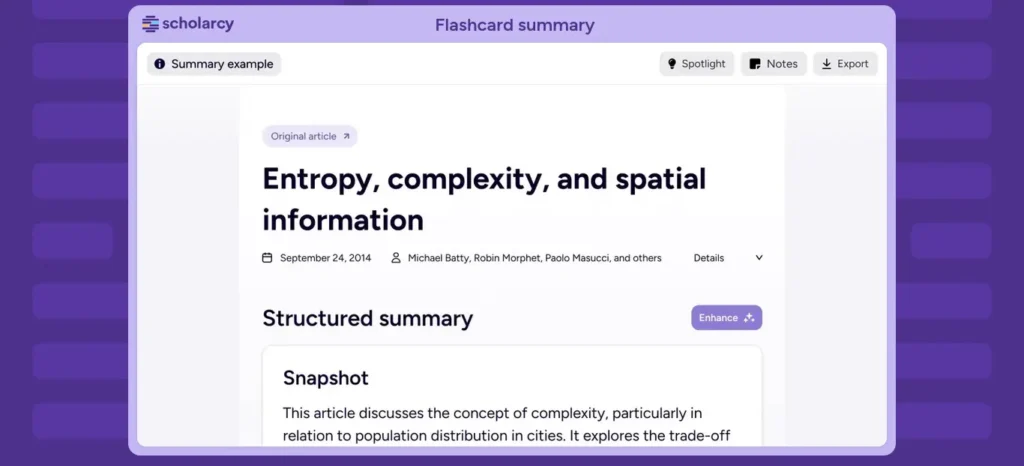
Scholarcy is a paper-summarisation tool that turns articles into structured “summary flashcards” showing key points. Paid plans add enhanced summaries, notes, a literature matrix and one-click bibliographies.
Before and after (illustrative): Before, a postgraduate student reads 15 abstracts and PDFs one by one. After, she scans 15 flashcards in an afternoon and shortlists five for careful reading.
Free plan (checked 29 Sep 2026): The free Article Summarizer lists a limit of 10 summaries and one-at-a-time flashcard export. Its FAQ separately says up to 1 summary per day.
Pricing: Paid plans include a 7-day free trial. The official pricing page did not display a numeric price when checked, so the exact cost is unverified. Third-party sources report about $9.99/month (roughly ₹960); confirm before paying.
Strengths: Consistent structure for every paper, literature matrix, export options.
Watch out: A summary is a screening aid, not a replacement for the paper you plan to cite.
Good for reading speed.
Poor for processing many papers on the free plan.
6. Connected Papers — Best for Seeing a Paper’s Neighbourhood
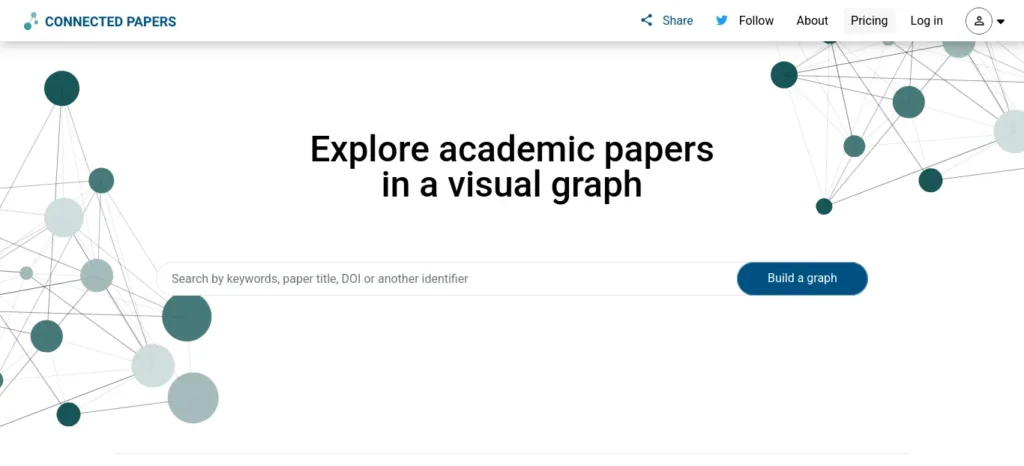
Connected Papers is a visual tool that builds a graph of papers related to one origin paper. You can also combine several origin papers into one graph.
Visual research example (illustrative): A mechanical engineering student enters a key paper on battery thermal management. The graph shows a cluster of newer studies she had not found through keyword search.
Free plan (checked 29 Sep 2026): All features with 5 new graphs per month, per its official pricing page.
Pricing: Paid Academic and Business plans remove the monthly cap. Third-party sites quote different prices for the Academic plan, so this guide prints no figure. Check the official page.
Strengths: Very quick to learn, and graphs you have already built stay viewable.
Watch out: It maps connections but does not summarise papers, and five graphs go fast during an active review.
The overlooked advantage: It is the fastest way to answer “what else is connected to this?”
7. Elicit — Best for Literature Reviews and Data Extraction
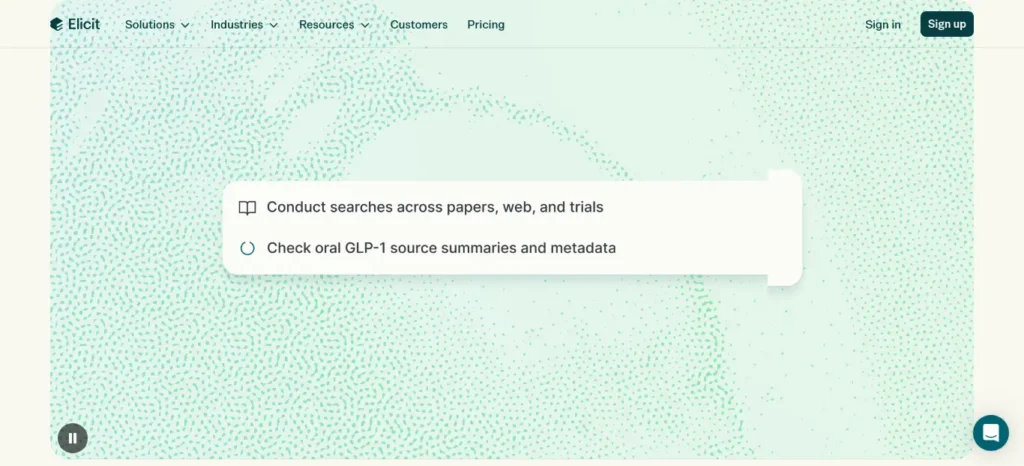
Elicit is an AI research assistant that searches over 138 million papers, summarises them, and extracts details into structured tables. Its paid tiers add a systematic-review workflow. Third-party coverage says Elicit also launched an API in 2026.
Literature-review example (illustrative): A public-health student lists sample size, method and outcome for 12 studies in one table, then checks each entry against the original PDF.
Free plan (checked 29 Sep 2026): The Basic plan includes unlimited search across 138 million+ papers, unlimited summaries, unlimited chat with papers, and Zotero import. Research Agent and Research Reports usage is limited.
Pricing: The official pricing page showed paid plans from about $11/month (Plus, billed annually) to $49/month (Pro, billed annually), roughly ₹1,056 to ₹4,704 per month. The plan lineup differed between page views, so confirm on the page.
Strengths: Source links for answers, table-based extraction, strong free search.
Watch out: AI-extracted data can be wrong. Check every number against the paper.
Best fit: Structured literature reviews.
Overkill for: small projects where one search tool is enough.
Do You Still Need ChatGPT, Gemini, Claude or Perplexity?
Yes, for different jobs. General AI and specialised research tools solve different parts of the workflow.
General AI assistants are good for brainstorming keywords, explaining terminology, turning your own notes into clearer language and creating practice questions. A general assistant such as ChatGPT or Claude can help explain a difficult paper after you have located and verified the source.
Specialised research tools are better for finding actual papers, following citation networks, mapping literature, extracting structured data and checking citation context.
Some AI search tools, including Perplexity, now show source links with their answers. That helps, but cited AI answers still need checking against the original source.
A workflow that combines them: Research tool finds papers → Elicit screens them → Scite checks citation context → ChatGPT explains difficult terms → you verify in the original paper → Zotero stores the reference → you write.
Once you have verified your sources and organised your evidence, learn more about the best AI tools for writing college assignments to build a stronger research-to-writing workflow.
Which AI Research Tool Should You Use for Each Task?
Best tool by task (use-case matches, not rankings):
- Paper discovery from a topic or draft: Keenious
- Paper discovery from a seed paper: ResearchRabbit
- Literature mapping: Litmaps, or Connected Papers for a quick visual
- Citation context: Scite
- Paper summaries: Scholarcy
- Literature-review workflow: Elicit
Decision tree:
- Do you have a paper already?
- No → try Keenious or Elicit.
- Yes → Do you want connected papers?
→ ResearchRabbit, Litmaps or Connected Papers.
- Do you need to understand many papers quickly? → Scholarcy or Elicit.
- Are you checking whether a claim is supported? → Scite, then the original paper.
The Student Research Stack
Individual tools matter less than how they connect. Here are four stacks.
- Free stack: Google Scholar → ResearchRabbit → Elicit → Zotero → original papers
- Literature-review stack: Google Scholar → Litmaps → ResearchRabbit → Elicit → Zotero
- Citation-checking stack: Google Scholar → Elicit → Scite → original paper → Zotero
- Budget stack: free discovery → free screening → Zotero → original sources
Starter Stack: AI Tools for Research Projects for Indian Students on a Budget
Begin with the free stack. Upgrade one tool only when a free limit blocks real work. Because Litmaps, ResearchRabbit and Keenious list discounts that may apply in India, check the upgrade screen before paying full price.
How to Search for Research Papers More Effectively
Better searches give AI tools better starting points.
Try these patterns on Google Scholar or any tool above.
- Broad search: artificial intelligence education India
- Concept + population: “AI adoption” AND “college students” AND India
- Concept + method: “AI literacy” AND “university students” AND survey
- Specific problem: “AI tools” AND “academic writing” AND undergraduate
Refine in rounds. If results are too broad, add a population or method. If they are too narrow, drop one term or use a synonym. Note the vocabulary that appears in good papers and reuse it. Some databases support minus signs or NOT operators to exclude irrelevant terms, but operators vary, so check each tool’s help page.
If you want to explore more no-cost options beyond research-specific tools, see our guide to the best AI tools for students free in 2026.
Useful AI Prompts for Research Projects
Copy these into a general AI assistant, and paste in the paper’s text yourself so the answer stays tied to the source.
Understanding a Paper
“Explain this paper’s research question, methodology, sample, key finding and limitation. Do not add information that is not present in the paper.”
Comparing Papers
“Create a comparison table using only information explicitly stated in these papers.”
Finding Research Gaps
“Based on these five papers, identify areas that appear under-researched. Separate clearly stated research gaps from your own inferences.”
Checking Citations
“Which statements in this paragraph need a source? Do not invent citations.”
A Weak Prompt vs a Better Prompt
Weak: “Tell me everything about AI in education.”
Better: “Find recent peer-reviewed research on AI adoption among undergraduate students in India. Group the evidence by barriers, benefits and concerns, and mark which claims I must verify in the original paper.”
The second prompt sets a source type, a population, a structure and a verification step. That leaves less room for invented detail.
How Can Indian Students Use AI for a Research Project?
Follow these nine steps. AI helps in the middle; you own the start and the finish.
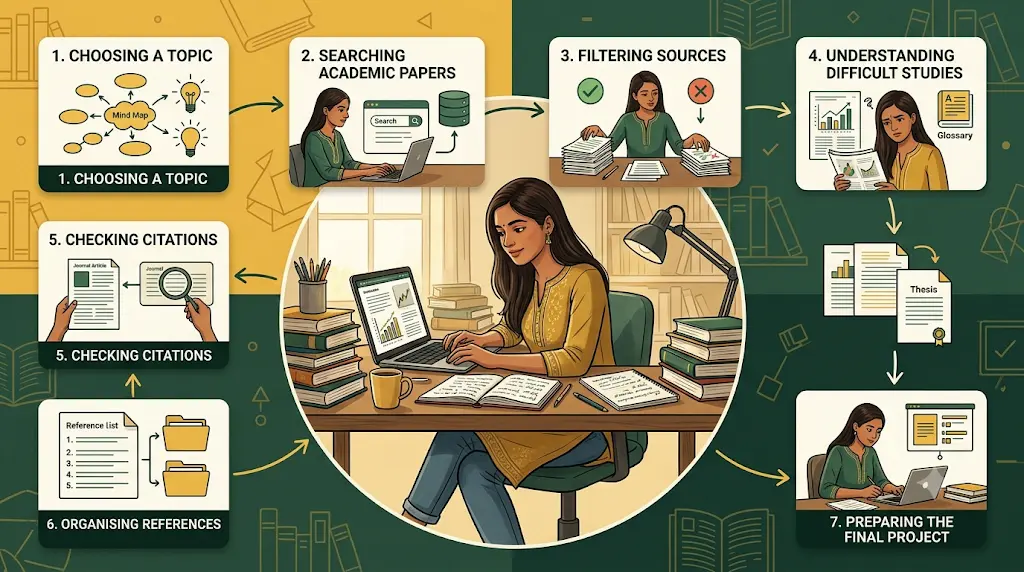
- Define your research question. Write it in one sentence, with your guide’s input.
- Find initial papers. Use Keenious, Elicit or Google Scholar.
- Expand the literature. Use ResearchRabbit, Litmaps or Connected Papers.
- Screen sources. Use Scholarcy or Elicit to shortlist.
- Read the original papers. Read the papers you will cite, not only summaries.
- Organise evidence. Store sources in Zotero.
- Build citations. Export from the source and check the style your department requires.
- Write independently. Explain findings in your own words.
- Verify every important claim. See the verification section below.
Your first week: Day 1, write your question. Days 2 to 3, collect 10 to 15 papers. Day 4, map them. Days 5 to 6, read the top five. Day 7, check the claims you plan to cite.
Before you start writing your assignment, it’s important to know how to use AI for college research projects effectively. A strong research process helps you find credible sources, organize ideas, and avoid common mistakes that can lower your grades.
What Should Indian Students Check Before Choosing an AI Research Tool?
Check these before you pay or commit:
- Price in rupees, and whether a country or student discount applies
- Email eligibility: some discounts need a college email address
- Payment method: confirm the tool accepts your card or UPI-linked option before planning around it
- Free-tier limits against your project length
- Department rules on AI use and required databases
- Citation style: IEEE is commonly used in engineering and technology, APA in psychology and social sciences, MLA in humanities. Always follow your department’s prescribed style if it differs.
Budget Check for AI Tools for Research Projects for Indian Students
If the free tier covers your discovery and screening needs, spend nothing. If you pay for one tool, pay for the one that removes your biggest bottleneck, not the one with the longest feature list.
Why You Still Need a Reference Manager
AI tools find information. Reference managers organise it. Zotero can store papers, group them into collections for each project stage, tag topics, and insert citations while you write. The chain looks like this: AI research tools → academic papers → Zotero → citations → your writing. Do not let an AI tool become your only record of where a source came from.
After reading and extracting important findings, you can also use AI tools to create flashcards automatically from your notes and research material for easier revision.
A Research Project Scenario (Illustrative)
This is a made-up example, not a real case study.
Imagine you are a final-year engineering student in Tamil Nadu working on a renewable-energy project about solar and battery storage for small villages.
- Problem: You do not know the key papers.
- Tool: Keenious finds starting papers from your topic sentence.
- Action: You add three to ResearchRabbit and follow similar articles.
- Result: A handful of studies keep appearing.
- Verification: You read those originals and check two key claims on Scite.
- Organise: You export the sources to Zotero.
The pattern to copy: Problem → Tool → Action → Result → Verification.
Which Sources Should Students Trust First?
Not every source carries equal weight. Use this order as a guide:
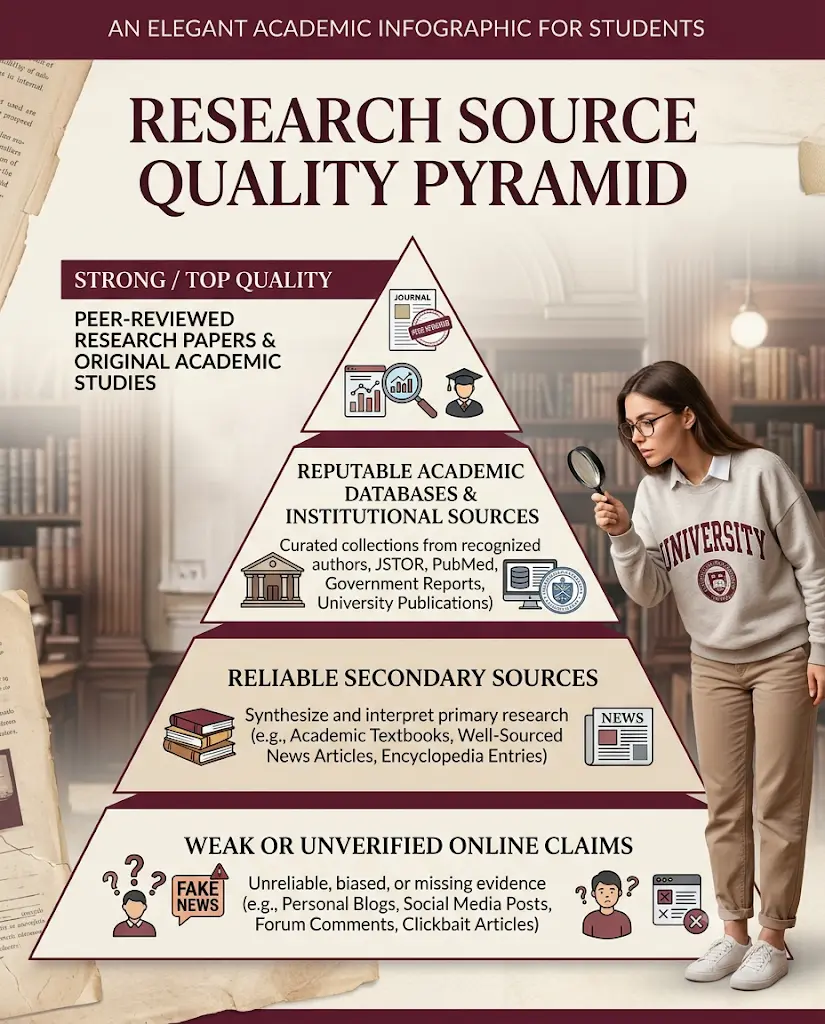
Original research paper → systematic review or meta-analysis → official institutional or government source → academic database record → reputable secondary source → AI-generated summary
Reviews can outrank single studies for broad questions, while original papers are best for specific findings. The AI summary sits last because it is a pointer, not evidence.
A Source Quality Checklist
Before citing a paper, check:
- Authority: Who published it?
- Relevance: Does it answer your question?
- Recency: Is it current enough for your topic?
- Methodology: How was the research done?
- Evidence: Do the data support the conclusions?
- Limitations: What did the authors admit?
- Citations: How has later research treated it?
If you want to explore more tools beyond research workflows, our guide to AI tools for students in India covers options for studying, assignments, research and exam preparation.
How Do You Verify AI-Generated Research Information?
Trace every claim back to its source.
Follow this chain: AI claim → original paper → publisher or database → citation → context.
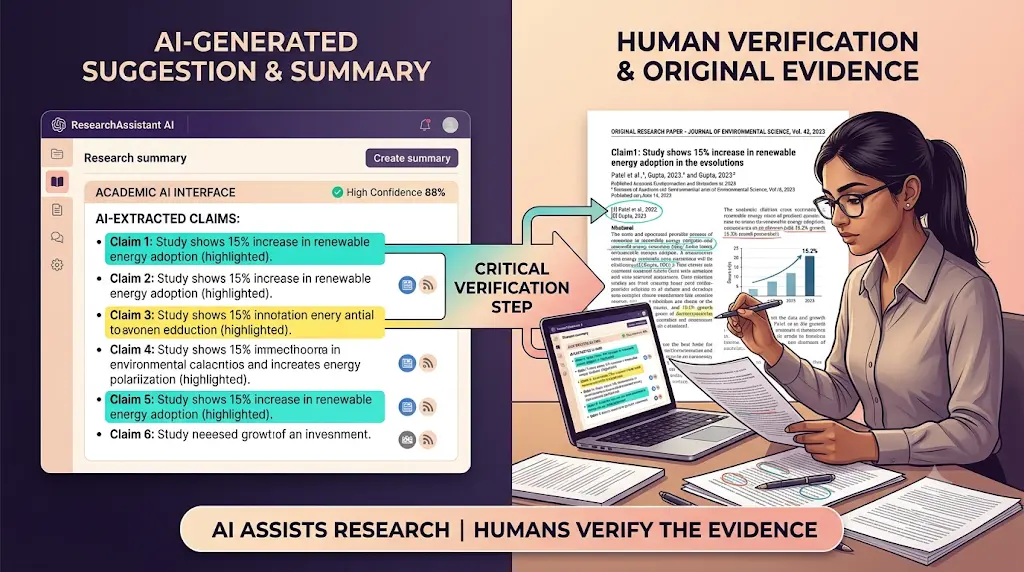
The 5-Question Research Quality Test
- Where did this information come from?
- Can I open the original source?
- Does the original paper actually support the claim?
- Is the source recent enough for my topic?
- Would I still trust this claim if the AI summary disappeared?
When Should You Read the Original Paper?
Use an AI summary to decide relevance, pick up keywords and method terms, and screen quickly. Read the original when you are citing a key finding, quoting the authors, reporting statistics, describing methodology, making a controversial claim, reporting limitations, or using a result as evidence for your conclusion.
Why AI Errors Hurt Research Most
Confident wording is not proof of accuracy. In research, typical errors include fabricated citations, wrong sample sizes, wrong study dates, merged findings and missing limitations.
Watch for two subtle ones:
- Correlation vs causation: “X is associated with Y” can be rewritten as “X causes Y.” Check the paper’s own wording.
- Publication date vs study date: A paper published in 2026 may analyse data collected in 2022. Note the publication date, data collection period and update date separately.
Can AI Find a Research Gap?
AI can help you spot patterns, repeated limitations and less-studied areas, but it cannot prove a gap is genuinely new unless you check the literature yourself.
Use this path: repeated limitation → possible gap → search recent literature → verify → discuss with your guide. If the gap survives those steps, it is worth building your project around.
You can also learn how to create smart revision notes with AI when you need to turn complex research material into structured notes for later review.
Can AI Write a Research Project for You?
AI can assist with research tasks, but you should not treat generated text, facts or citations as reliable or ready to submit.
Submitting AI-written text as your own may break your college’s rules, and policies differ between institutions and departments. Ask your guide or check your college’s policy first. A safe rule: use AI to find and understand sources, and write the project yourself.
When AI Research Tools Can Waste Your Time
Skip the tool when:
- You already know your five core papers.
- Your topic is extremely narrow.
- The tool’s database does not cover your field.
- The paper is too new for citation networks to help.
- The AI summary leaves out methodology details.
- You are using AI instead of reading the source.
- Your college requires a specific research database.
If you’re completely new to AI tools, start with our Ultimate Beginner Guide to AI Tools for Students before building a more advanced research workflow.
Are These AI Research Tools Free for Indian Students?
Most of the AI tools for research projects for Indian students covered here have a usable free tier, but Scite is the exception.
- ResearchRabbit: Search and collections. Good for building a paper library.
- Elicit: Search and summaries. Good for initial research.
- Keenious: Limited AI use. Good for topic discovery.
- Litmaps: Limited mapping. Good for small literature maps.
- Connected Papers: 5 graphs per month. Good for occasional visual discovery.
- Scholarcy: Limited summaries. Good for screening a few papers.
- Scite: No free search plan; 7-day trial, then paid. Good for citation verification.
What Does “Free” Actually Mean?
Free rarely means unlimited. Check which of these you actually get: free search, free summaries, free exports, free AI chat, limited credits, a time-limited trial, a student discount, or institutional access through your college.
Consider a paid plan only when a limit blocks real work. Litmaps Pro and Keenious Plus are both about ₹960/month before discounts.
Which AI Research Tools Suit Different Students?
These are use-case matches, not universal rankings.
- Engineering student: Litmaps or Connected Papers to trace technical lineage.
- Computer science student: Elicit for extracting methods and results.
- Biotechnology student: ResearchRabbit for collections, then Scite for claims.
- Commerce student: Keenious to find studies from your draft.
- Humanities student: Keenious or ResearchRabbit; check Scite’s coverage first.
- Postgraduate student: Elicit and Litmaps for structured reviews.
- Final-year project student: Start free with ResearchRabbit and Elicit.
Two Checklists to Save
Research Project AI Checklist
- ☐ Define the research question
- ☐ Find 3 to 5 seed papers
- ☐ Check they are relevant
- ☐ Expand the literature
- ☐ Screen papers
- ☐ Read the important originals
- ☐ Record methodology and findings
- ☐ Save sources in Zotero
- ☐ Verify citations
- ☐ Write in your own words
- ☐ Check your college’s AI policy
- ☐ Review every AI-generated factual claim
Before You Submit
- ☐ Every cited paper exists
- ☐ Every citation supports its statement
- ☐ Statistics match the original paper
- ☐ References use the required style
- ☐ AI-generated text has been reviewed
- ☐ No fabricated references remain
- ☐ Important limitations are included
- ☐ You have read the original sources
- ☐ Your college’s AI rules are followed
Frequently Asked Questions
Is AI useful for research projects?
Yes, for specific tasks: finding papers, mapping related research, summarising sources and checking citation context. It is much less reliable for writing your final text or supplying references from memory. Use it to speed up searching and reading, then verify everything.
Which AI tool is best for finding research papers?
It depends on your starting point. Keenious works from a topic or draft. ResearchRabbit and Litmaps work from a paper you already have. Elicit searches over 138 million papers with a free tier. Try one from each starting point.
Which AI tool is best for literature reviews?
Elicit is built for structured literature reviews, with table-based extraction. Litmaps and ResearchRabbit help you expand and map the literature. Many students pair one discovery tool with one screening tool.
Are there free AI research tools for students?
Yes. ResearchRabbit, Elicit’s Basic plan, Litmaps, Keenious and Connected Papers all have free tiers with limits. Scite’s free plan does not include its own search, but it offers a 7-day trial. Limits change, so check each pricing page.
Can AI tools summarize research papers?
Yes. Scholarcy and Elicit both produce summaries. Treat them as screening aids and read the original before citing, because summaries can omit caveats or misstate details.
Can AI-generated citations be trusted?
Not without checking. A generated citation can look correct and still be fake or inaccurate. Confirm that the paper exists, the details match, and the claim appears in the text. Tools that draw from real paper databases reduce this risk but do not remove it.
Can students use AI in research projects?
Often yes, within limits set by your college. Policies differ, so ask your guide or check the rules before you start. Using AI to find and understand sources is usually easier to justify than using it to write your text.
Which AI research tools are useful for final-year projects in India?
Start with the free options: ResearchRabbit and Elicit. Add Connected Papers for visual exploration and Zotero for references. Consider Litmaps Pro or Keenious Plus only if free limits slow you down, and check for India-specific discounts.

Final Takeaway
Different research problems need different tools, and the best AI tools for research projects for Indian students reflect that. Discover with Keenious or ResearchRabbit, map with Litmaps or Connected Papers, screen with Scholarcy or Elicit, and check claims with Scite. Then read the original papers and write in your own words.
Your next step: Pick the one stage slowing you down today, run the Same-Question Test on the free plan of the matching tool, and check one claim against its source.
About the Author
Nandhakumar — Founder & Content Creator at FutureFastAI
Nandhakumar is the founder and content creator behind FutureFastAI, a platform focused on helping students and beginners use AI tools for studying, research, writing, and digital productivity.
He researches AI tools from a practical student perspective, focusing on what each tool can actually help with, where its limitations matter, and how students can use AI without depending on it blindly. His content emphasizes source verification, responsible AI use, and practical workflows that students can apply to college assignments, research projects, and everyday learning.
Through FutureFastAI, he aims to make AI easier to understand for students—especially those who are new to AI tools—while encouraging them to treat AI as an assistant rather than a replacement for their own thinking and academic work.
Editorial Policy
At FutureFastAI, our goal is to provide practical, clear, and useful information about AI tools, study workflows, digital productivity, and technology for students and beginners.
We aim to help readers understand what an AI tool can do, where it may be useful, and what limitations they should consider before relying on it.
Our Editorial Principles
Accuracy First
We make reasonable efforts to ensure that factual information is accurate and relevant when an article is published.
When discussing AI tools, we may verify information such as features, availability, pricing, free plans, and official policies using the tool’s official website or other reliable sources.
Because AI products change frequently, some features, pricing, and availability may change after publication.
Source Verification
For research-related content, we encourage readers to check the original source rather than relying solely on an AI-generated summary.
Where appropriate, we refer to:
- Official product documentation
- Official pricing and feature pages
- Academic papers and research publications
- Government or institutional sources
- Reputable industry sources
- Original datasets or reports
We do not treat an AI-generated answer as a primary source.
Practical Experience
Our content focuses on practical use cases rather than simply listing AI tools.
When we personally test or use a tool, we aim to describe the experience accurately. We do not claim to have personally tested a product, feature, or workflow when we have not.
Examples, recommendations, and observations are presented based on the information and testing available at the time of publication.
AI-Assisted Content
AI tools may be used during parts of our content-production process, such as brainstorming, research organization, outlining, editing, or checking clarity.
However, AI-generated information is reviewed before publication. We do not intentionally publish unverified AI-generated claims, fabricated references, or invented personal experiences.
The final responsibility for published content rests with FutureFastAI.
Updates and Corrections
AI tools and technology change quickly. We periodically review important articles to update outdated information, including:
- Tool features
- Pricing
- Free-plan limitations
- Availability
- Links
- Screenshots or examples
- Research references
- Relevant recommendations
If we discover a factual error, we aim to correct it as soon as reasonably possible.
Articles may display a Last Updated or Last Verified date when applicable.
Affiliate Disclosure
Some articles may contain affiliate links. If you purchase a product or service through an eligible affiliate link, FutureFastAI may receive a commission at no additional cost to you.
Affiliate relationships do not determine our factual claims or guarantee a positive recommendation. We aim to clearly distinguish useful information from promotional content.
Editorial Independence
Our content is created to help readers make informed decisions.
We do not guarantee that an AI tool will produce a particular academic, professional, financial, or productivity outcome. Readers should consider their own requirements, institution or workplace policies, and the current terms of the relevant service before making decisions.
Academic Responsibility
FutureFastAI supports responsible use of AI in education.
Students should follow their school’s, college’s, university’s, or instructor’s rules regarding AI use. AI should not be used to fabricate research, citations, data, sources, or academic results.
For academic work, readers should verify important claims against the original sources and complete their work according to the applicable academic requirements.
Feedback and Corrections
If you find outdated information, an incorrect statement, broken link, or other factual issue in one of our articles, please contact us with the article URL and details of the issue.
We welcome constructive feedback that helps us improve the accuracy and usefulness of FutureFastAI.



One Comment