

9 AI Tools for Students Who Want Better Study Habits in 2026
Quick Answer
The best AI tools for students who want better study habits combine three jobs: planning (ChatGPT or Claude for breaking down a syllabus), understanding source material (NotebookLM for turning your own notes and PDFs into summaries and quizzes), and reviewing (Anki or RemNote for spaced repetition).Most students can build a fully working AI study habits system without paying anything — the no-cost plans of ChatGPT, Claude, NotebookLM, and Anki cover the core loop of plan → learn → review.
Last Verified: July 24, 2026 | Reading Time: 12–14 mins | Updated: July 24, 2026
Best Free AI Study Tools for Notes, PDFs, Flashcards, and Quizzes
If you’re a student on a tight budget, you don’t need to pay for several AI subscriptions to study effectively. The best free combination depends on whether you need to understand your notes, generate practice questions, or remember information for exams.
- NotebookLM: Best for working with your own lecture notes, PDFs, and reference materials. Use it to generate source-grounded summaries and study questions, then check important answers against the original material.
- Anki: Best for long-term revision with spaced-repetition flashcards. You can create cards from your notes manually or use an AI assistant to draft question-and-answer pairs for review.
- RemNote: Best for students who want to connect their notes and flashcards in one workspace. Check the current free-plan limits before relying on advanced features.
- ChatGPT: Best for explaining difficult concepts, creating practice questions, and converting pasted notes into structured revision material. Verify important facts against your course materials.
A Simple Free Study Workflow
- Upload your course PDFs or notes to NotebookLM.
- Generate a summary and practice questions based on those sources.
- Review the answers and correct anything that conflicts with your textbook or lecture notes.
- Turn important facts, definitions, and formulas into Anki flashcards.
- Review those cards regularly instead of waiting until the next exam.
Best starting point: Try NotebookLM for source-based study material and Anki for revision. Add another tool only when you identify a specific gap in your study routine.
Free-plan limits, available features, and regional access can change, so confirm the current details on each tool’s official website before subscribing or depending on a feature.
Who Is This Guide For?
✔ College Students
✔ School Students
✔ Competitive Exam Aspirants (JEE, NEET, UPSC)
✔ Self Learners
✔ Working Professionals Learning New Skills
If you’ve ever searched for AI tools for students who want better study habits and come back with a generic “top 10” list, this guide is built to actually answer that — with live-verified pricing, honest limitations, and a system, not just a list. Unlike generic AI tool roundups, this guide focuses on building better study habits through practical workflows, verified pricing, and real-world recommendations.
Want to learn the practical ways students are already using AI in everyday learning? Read our complete guide on How Students Use AI to Study Smarter (Without Cheating) and discover 12 proven techniques to improve learning, revision, and exam preparation.
What You’ll Learn
By the end of this guide, you’ll know:
✔ Which AI tool matches your study style
✔ Which free tools are actually worth using
✔ Which premium plans are worth paying for
✔ How to build a daily AI study system
✔ Common mistakes to avoid

Why Good Study Habits Matter More Than AI Tools Alone
Imagine a second-year engineering student named Ravi. He studies hard the week before exams — long nights, five subjects at once, sticky notes everywhere. He passes, but two months later he can’t remember half of what he crammed. This is a fictional but common pattern: motivation spikes before a deadline and disappears right after, while a habit runs quietly in the background whether you feel like studying or not.
The gap most students hit isn’t intelligence or effort. It’s consistency. A habit-based system — a little bit of planning, a little bit of active recall, done daily — beats an all-nighter almost every time, because memory needs spaced repetition to stick, not a single long session. This is exactly why the right AI tools for students who want better study habits matter more than which single app is “best”: the goal is a system, not a favorite app.
How AI Tools for Students Who Want Better Study Habits Actually Help
AI tools help with study habits in four specific ways:
- Planning — breaking a syllabus or deadline into a realistic daily schedule instead of one intimidating pile of work.
- Explaining — answering “I don’t get this” in plain language, on demand, without waiting for office hours.
- Organizing — turning scattered notes, PDFs, and slides into structured summaries you can actually study from.
- Reviewing — running spaced repetition so information moves from short-term cramming into long-term memory.
The HABIT AI Framework
A simple, branded way to combine these without overcomplicating your routine — think of it as a mini infographic you can sketch on a sticky note:
H → Highlight your learning goals for the week
A → Arrange a realistic study schedule around your actual timetable
B → Break topics into small, manageable sessions
I → Improve understanding with AI explanations when you’re stuck
T → Test yourself using active recall, not re-reading
Choose Your AI Tool: A Quick Decision Tree
Not sure which AI study tool to choose? Start here.
- Need help understanding concepts? → ChatGPT / Claude
- Have PDFs and lecture notes? → NotebookLM
- Forget everything after studying? → Anki
- Need citations for assignments? → Perplexity
- Want grammar improvements? → Grammarly
- Want notes + flashcards together? → RemNote
- Feel overwhelmed before you even start? → Goblin.tools (see the Hidden Tools section below)
Think of these as the four main ways AI can support your study routine. Choose the tool that solves your biggest challenge first.
Is ChatGPT Study Mode Enough, or Do You Need a Dedicated AI Tutor?
For many students, ChatGPT Study Mode is a sensible starting point before paying for a separate AI tutor. It can support guided learning by helping you work through questions step by step rather than simply presenting a final answer.
A dedicated study app may be more useful when you specifically need structured revision schedules, built-in flashcard management, progress tracking, or a subject-focused learning experience.
Choose ChatGPT Study Mode if:
- You want guided explanations and follow-up questions.
- You need help understanding difficult concepts across different subjects.
- You prefer starting with a general-purpose tool before paying for another subscription.
Consider a dedicated study tool if:
- You need regular spaced-repetition reviews and organized flashcard decks.
- You want a consistent revision workflow across a large syllabus.
- You need specific tracking or organization features that your current setup lacks.
Do you need to pay? Not necessarily. Start with the free features available to you. Compare the actual limits and features of each plan, and upgrade only if a limitation repeatedly interrupts your study routine.
Remember that AI-generated explanations and answers can be wrong. Check important facts, calculations, and exam preparation material against your textbooks, lecture notes, and other reliable sources.
A Simple Free Study Workflow
- Upload your course PDFs or notes to NotebookLM.
- Generate a summary and practice questions based on those sources.
- Review the answers and correct anything that conflicts with your textbook or lecture notes.
- Turn important facts, definitions, and formulas into Anki flashcards.
- Review those cards regularly instead of waiting until the next exam.
Best starting point: Try NotebookLM for source-based study material and Anki for revision. Add another tool only when you identify a specific gap in your study routine.
Free-plan limits, available features, and regional access can change, so confirm the current details on each tool’s official website before subscribing or depending on a feature.

How We Evaluated These Tools
We evaluated every tool using the same criteria so our recommendations stay fair and consistent:
- Student affordability (INR pricing, free-tier depth)
- Learning effectiveness (does it support recall, not just convenience?)
- Ease of use for a first-time user
- Free plan quality, not just free plan existence
- Long-term value as coursework gets harder
- AI accuracy and hallucination risk
- Productivity impact on actual study habits, not just “cool factor”
- Privacy (what happens to your notes and documents)
- Update frequency and how current the pricing/feature information is
Every price below was cross-checked against multiple sources and verified July 24, 2026; anywhere sources disagreed, that’s flagged explicitly rather than papered over.
Best AI Tools for Students Who Want Better Study Habits: Tool Rating Cards
Instead of a wide comparison table (bad on mobile), here’s a rating card for each tool. Detailed breakdowns of ChatGPT and NotebookLM appear later in this guide.
ChatGPT — AI Study Habits Tool #1
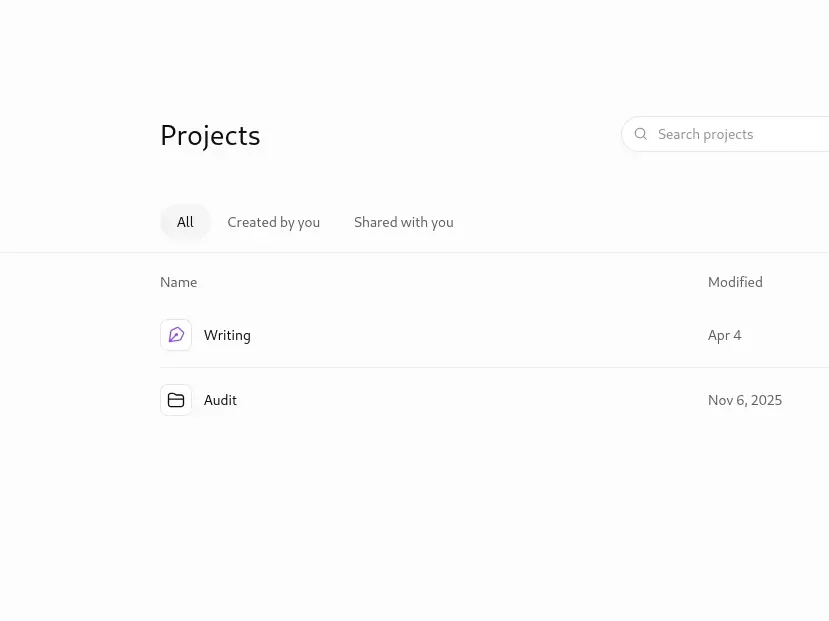
⭐ Overall Rating: 4.3/5
💰 Pricing: Free / ₹768 (Go) / ₹1,920 (Plus) per month
🎓 Best For: Planning, explaining concepts, drafting revision questions
👍 Pros: Free plan genuinely usable daily; explains almost any subject at any level; strong for Deep Research-style prompting
👎 Cons: Free plan shows ads in some regions and runs an older model; doesn’t remember your syllabus across sessions without re-context
🆓 Free Plan: Yes — solid for daily Q&A
💎 Recommended Upgrade Path: Only if you hit daily limits weekly
🇮🇳 India Recommendation: Start free; try Go (₹768) before Plus
✅ Final Verdict: Best all-round planning and explaining tool, but not a complete study system on its own
Claude — AI Study Habits Tool #2
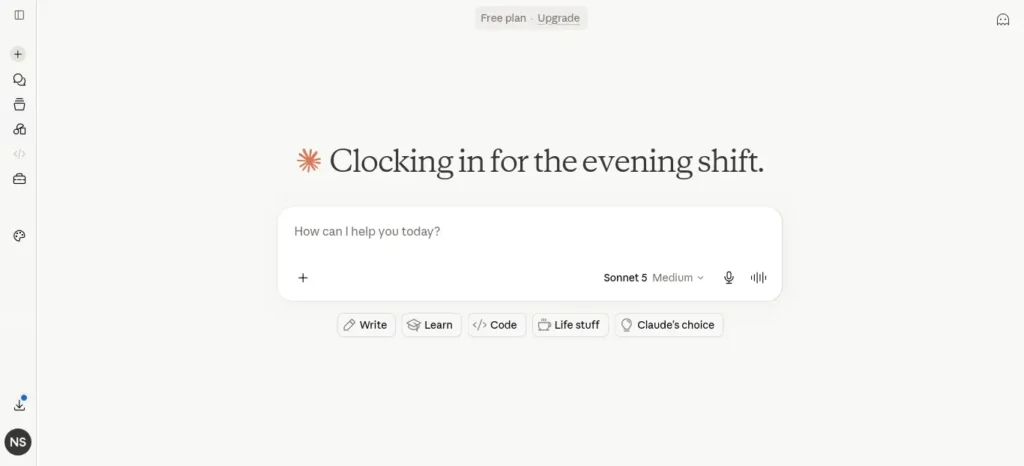
⭐ Overall Rating: 4.2/5
💰 Pricing: Free / ₹1,920 (Pro) per month
🎓 Best For: Long documents, careful writing feedback, patient step-by-step explanations
👍 Pros: Strong at working through long PDFs and messy notes in one go; shows its reasoning, which helps you actually learn the steps
👎 Cons: Free plan has peak-hour usage restrictions on weekdays; no built-in flashcards
🆓 Free Plan: Yes — roughly 30–100 messages/day
💎 Good Value If: If Claude is your daily tool and you hit peak-hour limits
🇮🇳 India Recommendation: Free plan covers most coursework use
✅ Final Verdict: Best for dense reading and careful explanations; pair with Anki or RemNote for review
Perplexity — AI Study Habits Tool #3
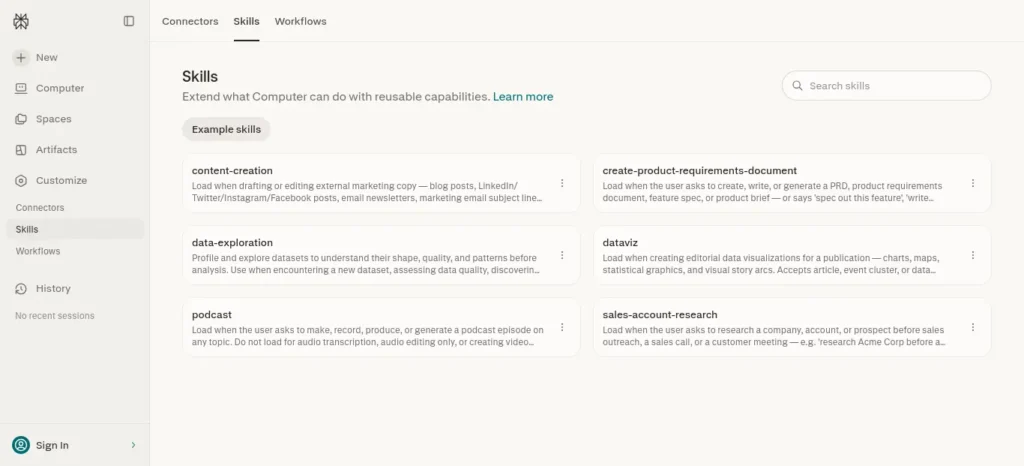
⭐ Overall Rating: 4.0/5
💰 Pricing: Free / ₹960 (Education Pro) / ₹1,920 (Pro) per month
🎓 Best For: Fact-checked research with citations
👍 Pros: Every answer comes with sources; unlimited basic searches free; Education Pro is discounted specifically for verified students
👎 Cons: Only 5 “Pro Searches” a day on free; better for research than tutoring
🆓 Free Plan: Yes — unlimited basic search
💎 Makes Sense For: If your work is genuinely research/citation-heavy
🇮🇳 India Recommendation: Education Pro (₹960) is the best-value paid tier on this list for research-heavy majors
✅ Final Verdict: The right tool when accuracy and sourcing matter more than conversational explanation
NotebookLM — AI Study Habits Tool #4
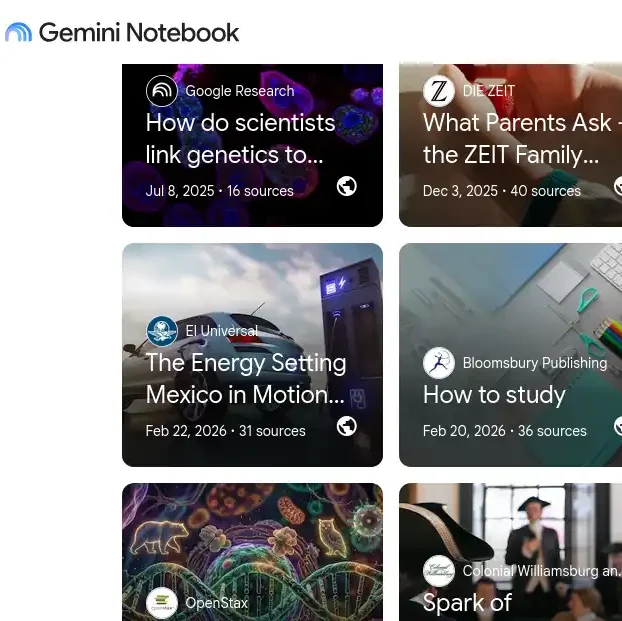
⭐ Overall Rating: 4.7/5
💰 Pricing: Free / ≈₹767 (Plus) / ≈₹1,919 (Pro) per month
🎓 Best For: Turning your own class notes, PDFs, and slides into summaries, quizzes, and audio recaps
👍 Pros: Grounded only in the sources you upload, so it doesn’t invent outside facts; free plan is unusually generous (100 notebooks, 50 sources, 50 chats/day, Audio Overviews included)
👎 Cons: No offline mode; recently rebranded to “Gemini Notebook” in some regions, causing naming confusion
🆓 Free Plan: Yes — the strongest free plan evaluated in this guide
💎 Best Choice For: Rarely needed for typical coursework
🇮🇳 India Recommendation: Stay on free unless you’re running several large research projects in parallel
✅ Final Verdict: If you add only one AI tool to your study habits, make it this one
Creating good revision notes is one of the biggest time-savers during exam preparation. Learn how to create smart revision notes with AI and turn textbooks, PDFs, and class notes into structured, exam-ready study material in minutes.
RemNote — AI Study Habits Tool #5
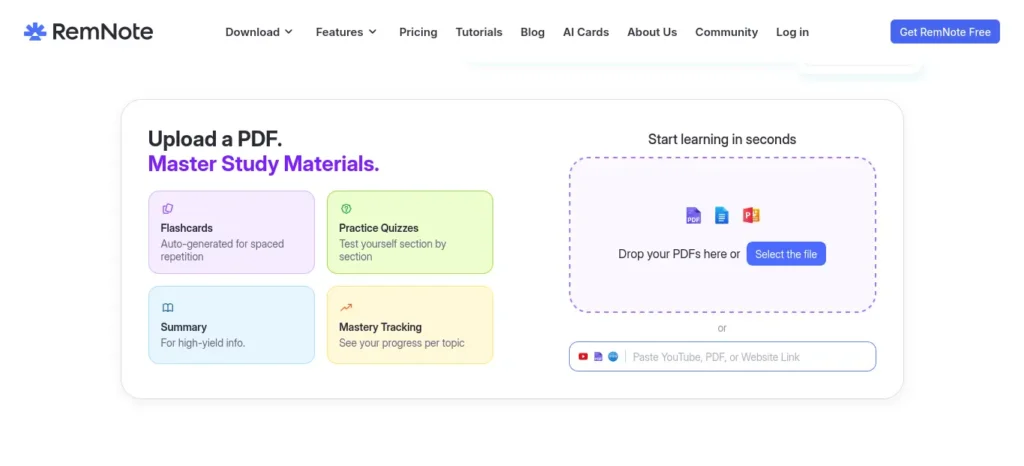
⭐ Overall Rating: 4.0/5
💰 Pricing: Free / ≈₹768–960 (Pro) per month
🎓 Best For: Students who want notes and spaced-repetition flashcards in one connected app
👍 Pros: Free plan includes unlimited notes and flashcards; auto-converts notes into flashcards instead of manual deck-building; popular with medical and language students
👎 Cons: Free plan caps PDF annotation at 3 documents and image occlusion at 5 cards; real learning curve in week one
🆓 Free Plan: Yes — usable but capped on PDFs/image occlusion
💎 Suitable For: If you work with many PDFs or diagrams regularly
🇮🇳 India Recommendation: Ask about the student discount directly — it’s not always advertised
✅ Final Verdict: Best “all-in-one” pick if you want fewer apps rather than a best-in-class single feature
Want to study smarter instead of harder? Discover the best AI tools for creating flashcards automatically and generate personalized study cards from PDFs, notes, and lecture slides in seconds.
Anki — AI Study Habits Tool #6
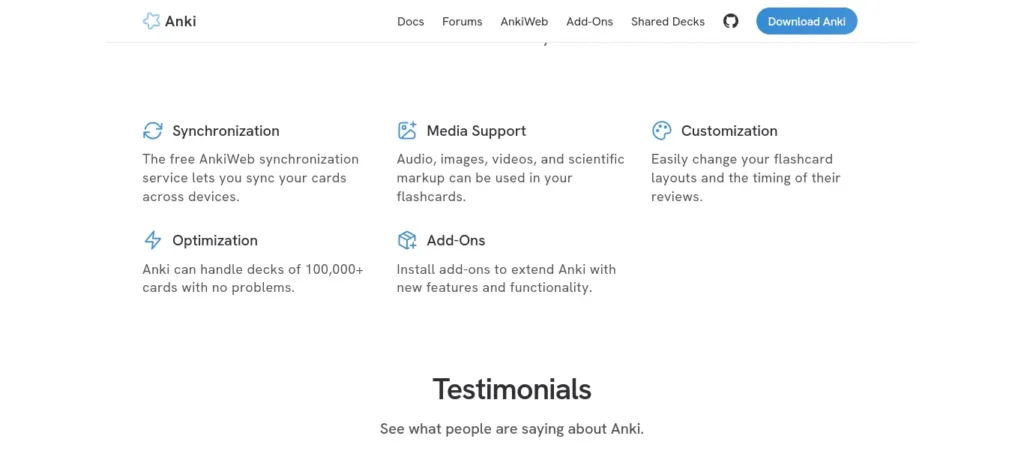
⭐ Overall Rating: 4.5/5
💰 Pricing: Free (Desktop/Web/Android) / ≈₹2,399 one-time (AnkiMobile iOS)
🎓 Best For: Serious, no-frills spaced repetition at zero ongoing cost
👍 Pros: Desktop, AnkiWeb, and AnkiDroid are free forever; huge library of free community decks; the spaced-repetition algorithm this whole category is built on
👎 Cons: iPhone/iPad users need a one-time ~₹2,399 purchase; dated, unfriendly interface on day one 🆓 Free Plan: Yes — full-featured outside iOS
💎 Premium Path: N/A — it’s a one-time purchase, not a subscription, and only needed on iOS
🇮🇳 India Recommendation: Windows/Android students pay nothing, ever
✅ Final Verdict: The most cost-effective spaced-repetition tool on this list, full stop
Grammarly — AI Study Habits Tool #7
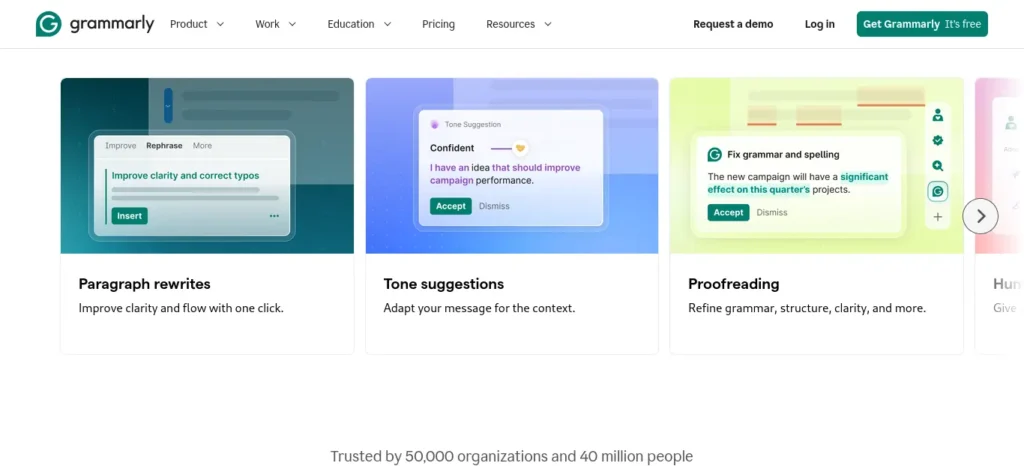
⭐ Overall Rating: 3.8/5
💰 Pricing: Free / ₹1,152 (Premium, annual) / ₹2,880 (monthly)
🎓 Best For: Polishing essays, assignments, and emails to professors
👍 Pros: Free plan catches grammar, spelling, and clarity issues everywhere you type; many universities provide Premium free through institutional licenses
👎 Cons: No official company-wide student discount policy (third-party “student discount” offers are unverified promotions, not confirmed pricing); AI writing prompts are capped even on paid plans
🆓 Free Plan: Yes — solid for basic error-catching
💎 Recommended If: If you write long assignments weekly and want tone/clarity/plagiarism checks
🇮🇳 India Recommendation: Check your university’s Grammarly for Education access before paying anything
✅ Final Verdict: A supporting tool, not a core study-habit tool — use it for the final polish pass
Notion AI — AI Study Habits Tool #8
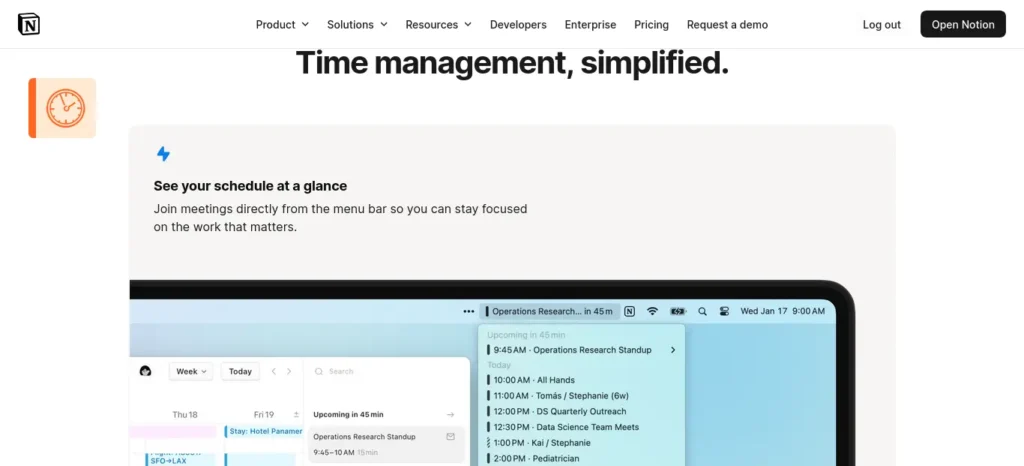
⭐ Overall Rating: 3.2/5 (for AI specifically; the free Notion workspace itself is excellent)
💰 Pricing: Free workspace / ≈₹1,920–2,304 per user/month for full AI (Business plan)
🎓 Best For: Students already living inside Notion for notes, planners, and databases
👍 Pros: The base workspace (notes, databases, calendar views) is free and excellent for organizing a semester
👎 Cons: As of 2026, full Notion AI requires the Business plan — the earlier standalone ₹960 (~$10) AI add-on was retired in May 2025, so it’s no longer a light, affordable AI add-on for solo students
🆓 Free Plan: Yes for the workspace, no for real AI features
💎 Makes Sense If: Only if you need AI specifically and are already committed to Notion as your system
🇮🇳 India Recommendation: Use the free workspace; get AI elsewhere (ChatGPT, Claude) for less money ✅ Final Verdict: A great free organizer, an expensive way to get AI
Hidden Features Most Students Don’t Know About
A few features buried inside tools you may already use:
Hidden Features of ChatGPT
- Study Mode-style step-by-step tutoring prompts
- Voice conversations for hands-free revision while commuting
- Deep Research for multi-source assignment prep
- File upload analysis for PDFs and slide decks
- Memory, so it can recall context across sessions once enabled
- Custom GPTs you can build once for a recurring subject
Hidden Features of Claude
- Long-document analysis across entire textbook chapters in one upload
- Visible step-by-step reasoning you can actually learn from, not just an answer
- Artifacts for turning explanations into structured, reusable study notes
Hidden Features of NotebookLM
- Audio Overviews that turn your notes into a podcast-style recap
- Source-grounded answers that refuse to guess outside your uploaded material
- Study guide and quiz generation directly from your own PDFs, no prompting needed
Hidden AI Tools Worth Discovering
Beyond the famous names, a few underrated tools are worth knowing about for specific study-habit problems.
Goblin.tools
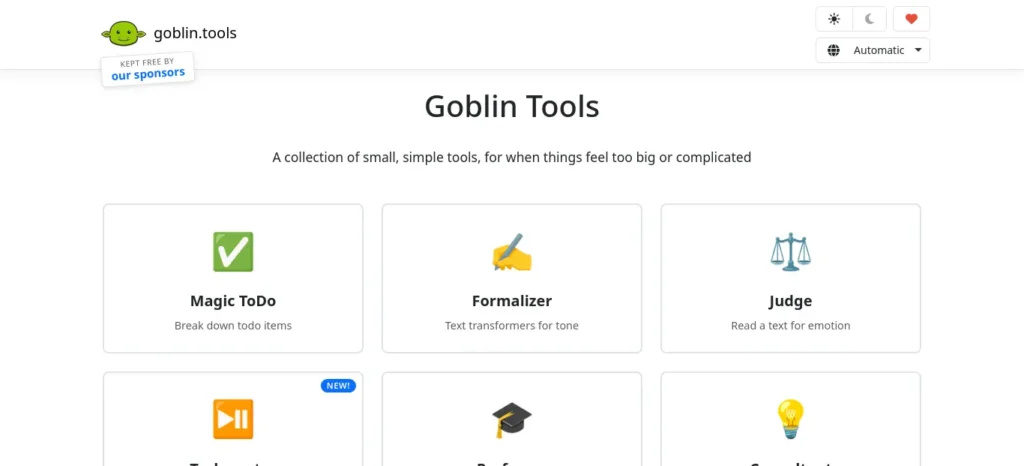
What makes it unique: A free collection of tiny AI tools built specifically for people who freeze when a task feels too big. It’s most famous for “Magic ToDo,” which breaks an overwhelming task into small steps with an adjustable “spiciness” slider.
Best use case: Turning “revise entire semester” into a concrete, doable first step when you don’t know where to start.
Pricing: Free on the web (goblin.tools), no signup required. Official mobile apps are a one-time purchase of roughly ₹190–₹380 (~$1.99–$3.99).
A watch-out worth flagging: a separate, unrelated “Goblin Tools – ADHD Planner” app on some app stores charges a recurring subscription of up to ~$50/year. That is not the official goblin.tools product — treat this pricing conflict as a real trap, not a rounding error.
Free plan: Yes, full-featured, indefinitely.
Rare feature: The “spiciness” slider, which controls how granular a task breakdown gets.
Limitations: Web app only for the free version (no offline mode); no reminders or accountability features.
Who should use it: Students who consistently know what to study but freeze on starting — including students with ADHD or executive-function challenges.
Why it’s underrated: It solves the “task paralysis” problem that sits upstream of every other study-habit tool on this list. Almost no mainstream “best AI tools” list mentions it.
Final recommendation: Free and low-risk — a good first step before assuming you need a full planning app.
Recall
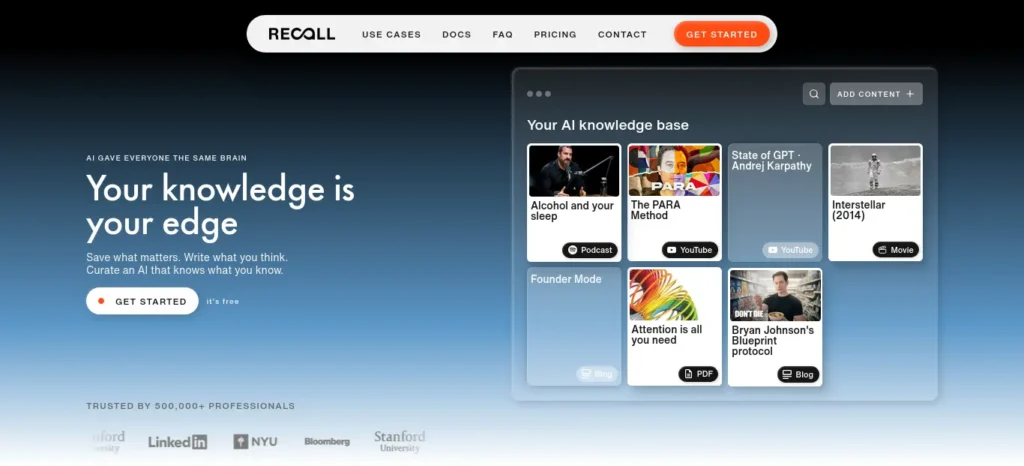
What makes it unique: A personal knowledge base that turns everything you save — articles, YouTube videos, podcasts, PDFs — into summaries and connects them in a knowledge graph. Revision material builds itself as you browse.
Best use case: Students who do a lot of supplementary reading or watching around a subject and want it organized automatically instead of manually.
Pricing: Free forever plan. Plus is roughly $7/month (≈₹672). A 20% student discount is available by emailing support from a student email address.
Free plan: Yes — unlimited saves and notes, plus 10 AI summaries a month to test the AI features.
Rare feature: Automatic knowledge graph connections between saved content across formats — a PDF, a YouTube lecture, and an article can all link automatically.
Limitations: Requires an internet connection, and the AI-summary quota on the free plan is limited to 10/month. It’s also easily confused with the unrelated company Recall.ai, which builds meeting-recording infrastructure — always check you’re on recall.it before signing up.
Who should use it: Students juggling reading lists, recorded lectures, and reference articles across multiple subjects.
Why it’s underrated: Most “AI study tool” roundups only cover note-taking and flashcard apps, missing this category of tool entirely.
Final recommendation: Good to test on the free plan for a semester before deciding if the Plus upgrade earns its keep.
Coconote
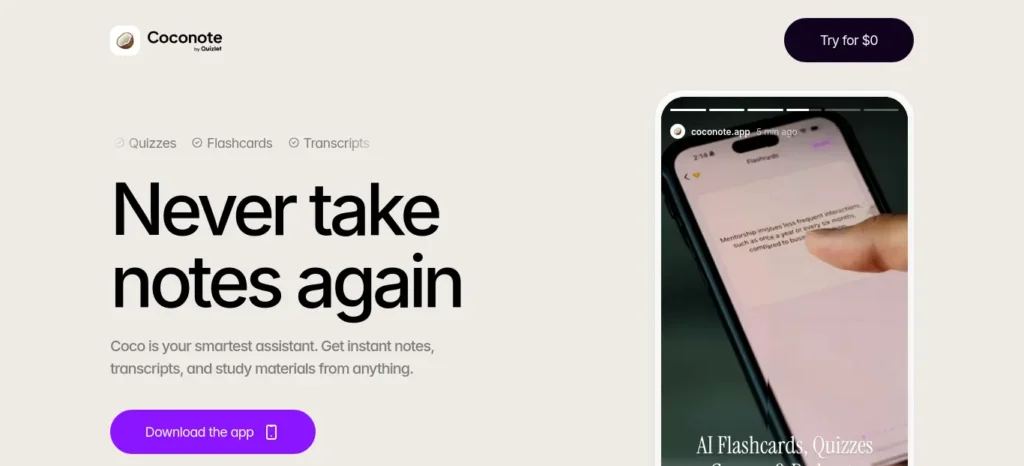
What makes it unique: Records live lectures and automatically turns them into structured notes, study guides, quizzes, and flashcards. It’s built specifically around the “sit in class, get study material out” workflow.
Best use case: Students who attend lectures live and want study material generated automatically instead of writing notes by hand.
Pricing: Verify this one carefully yourself before subscribing. Sources disagree meaningfully, with reported figures ranging from about $4.92/month (annual) to $9–$20/month. At least one source states there’s no permanent free plan (trial only), while others describe an ongoing free plan with usage caps. Flagged as unverified pending direct confirmation on Coconote’s official pricing page at checkout.
Free plan: Reported to exist with caps in most sources, but treat this as unconfirmed given the conflicting reports above.
Rare feature: A live lecture-to-flashcard pipeline in one step, without needing to combine a separate recorder and a separate flashcard app.
Limitations: Reports suggest iOS/macOS-only for the core app, with no YouTube URL processing or photo-of-notes scanning in at least one review.
Who should use it: Students whose main study-habit gap is specifically “I zone out in lectures and have nothing usable afterward.” For everyone else, NotebookLM plus manual note upload covers similar ground for free.
Why it’s underrated: It’s popular on social media but rarely appears in serious “best AI tools” comparisons. The pricing confusion around it means most guides just skip verifying it properly.
Final recommendation: Try the trial, but confirm the actual price in-app before entering payment details. Don’t trust any single source’s number, including this one, without a final checkout-screen check.
ChatGPT for Study Habits: Full Breakdown
Quick Snapshot: A general-purpose AI assistant from OpenAI, best used as your planning and explaining tool — not a dedicated study app, but flexible enough to cover most of one.
Pricing Breakdown (verified July 2026, cross-checked against third-party pricing trackers since OpenAI’s own pricing page wasn’t directly queried for this piece): Free ($0), Go ($8/mo ≈ ₹768), Plus ($20/mo ≈ ₹1,920), Pro ($100–$200/mo). Go is the newer budget tier and is available in India; it adds more messages and uploads than Free but does not unlock the flagship model.
Free Plan Reality Check: The basic plan now runs a capable but not-latest model and, as of February 2026, shows ads in some regions. For daily study Q&A, explanations, and light planning, it’s genuinely enough for most students.
Upgrade : Move to Plus when you’re hitting daily message limits, need Deep Research for longer assignments, or want the newest model for harder problem sets (advanced math, coding, research-heavy subjects).
Value Reasoning: At ₹1,920/month, Plus is one of the more expensive single-tool upgrades in this list — makes sense if ChatGPT is your daily driver, but skip it if you only use AI a few times a week.
Student Example: Illustrative only — not a real case study. A first-year commerce student uses the free plan every evening to turn a lecture recording’s rough notes into a study outline, then asks follow-up questions until the topic makes sense.
Benefits: Wide subject coverage, natural conversational explanations, useful for both planning and understanding.
Limitations: No native spaced-repetition or flashcard system; doesn’t retain your full syllabus between sessions unless you re-share context; free plan ad presence is a real trade-off some students dislike.
Value-for-Money Rating: 4/5 on Free, 3.5/5 on Plus for a student-only budget (strong tool, but ₹1,920/month is a meaningful chunk of a student budget).
Free vs. Premium (India Context):
Free
Best For: Students on a tight budget doing daily Q&A and planning
Strengths:
- No cost, no card required
- Enough for most coursework-level explanations
Watch Out:
- Message caps and, in some regions, ads
Plus (₹1,920/mo)
Best For: Students in heavy research or technical majors hitting daily limits Strengths:
- Latest model, Deep Research, higher usage caps
Watch Out:
- Recurring cost that competes with textbooks and other tools in a student budget
India-Specific Advice: Start free. If you’re prepping for a competitive exam (JEE, NEET, UPSC) with heavy daily usage, the ₹768/month Go tier is a reasonable middle step before committing to Plus.
Buying Recommendation: Stay on Free unless you hit limits weekly for at least a month — then step up to Go before jumping straight to Plus.
Final Takeaway: ChatGPT is the most flexible “explain anything, plan anything” tool on this list, but it’s not a complete study system on its own — pair it with a spaced-repetition tool like Anki or RemNote for the review half of the HABIT AI framework.
NotebookLM for Study Habits: Full Breakdown
Quick Snapshot: Google’s source-grounded research tool. Unlike ChatGPT or Claude, it only answers from documents you upload, which makes it unusually good for turning your own class material into study aids without inventing outside facts.
Pricing Breakdown (verified July 2026, cross-checked against a NotebookLM-specific pricing tracker since Google’s own pricing wasn’t directly queried for this piece): Free/Standard ($0), Plus (~$7.99/mo ≈ ₹767, bundled into Google AI Plus), Pro (~$19.99/mo ≈ ₹1,919, bundled into Google AI Pro). Note: sources disagree on whether a discounted student rate for the Pro-equivalent tier is currently active — one set of sources describes a student offer around $9.99/month, another states Google’s 12-month student offer closed in April 2026.
Free Plan Reality Check: Very generous for coursework: 100 notebooks, 50 sources per notebook, 50 chat questions a day, plus Audio and Video Overviews included at no cost. Most students will not hit these limits during a normal semester.
Upgrade : Only recommended if you’re running multiple large research projects in parallel or need more than 50 AI chat queries a day.
Value Reasoning: Because the no-cost plan already includes Audio Overviews and Deep Research sessions, NotebookLM is arguably the strongest free AI study tool on this list per rupee spent (which is zero for most students).
Student Example: Illustrative only. A final-year student preparing for a board exam uploads a semester’s worth of PDF notes into one notebook, then generates an Audio Overview to review key concepts while walking to class.
Benefits: Source-grounded answers reduce hallucination risk; Audio Overviews turn dense reading into passive review time; starter plan is unusually complete.
Limitations: No offline mode; everything is processed on Google’s servers, so it’s not ideal for sensitive personal material; the mid-2026 rename to “Gemini Notebook” in some regions has created inconsistent naming across guides and even Google’s own materials.
Value-for-Money Rating: 5/5 on Free — one of the strongest free-tier tools evaluated for this article.
Free vs. Premium (India Context):
Free
Best For: Nearly everyone — the default recommendation
Strengths:
- 100 notebooks, 50 sources each, 50 daily chats, Audio/Video Overviews included
Watch Out:
- Deep Research sessions capped per month on Free
Plus/Pro (₹767–₹1,919/mo)
Best For: Students juggling many parallel research projects at once
Strengths:
- Roughly 2–6x higher source and chat limits
Watch Out:
- Bundled through a broader Google AI subscription, not sold as a standalone NotebookLM plan
India-Specific Advice: For nearly all coursework use cases, the free plan is the right call — save the ₹767+/month for a tool where the no-cost version is genuinely limiting, like Grammarly Premium or Perplexity Pro.
Buying Recommendation: Don’t upgrade until the free plan’s daily chat cap actively interrupts your workflow more than a couple of times a week.
Final Takeaway: If you only add one AI tool to your study routine beyond a general chatbot, make it NotebookLM — it’s the closest thing on this list to a dedicated “turn my own notes into a study system” tool, and it’s free for the vast majority of student use cases.
Which AI Study Tools Fit Your Course? Real Student Scenarios
All scenarios below are illustrative examples, not real case studies.
Engineering Student → Heavy on problem sets and long PDFs. Claude for working through dense textbook chapters, NotebookLM for turning lecture slides into revision material, Anki for formula and concept recall.
Medical Student → Massive volume of recall-heavy content. Anki (the category standard for a reason) paired with RemNote for combining notes and flashcards, and NotebookLM for turning long reference material into summaries.
Law Student → Reading-heavy, citation-sensitive. Perplexity for sourced research and case-law fact-checking, NotebookLM for summarizing long readings, Grammarly for polishing written arguments.
Commerce Student → Broad syllabus, frequent case studies. ChatGPT for breaking down case studies and explaining concepts, Grammarly for assignment polish, Anki for terminology and formula recall.
UPSC Aspirant → Long-haul, static-plus-current-affairs preparation. Perplexity for cited current-affairs research, NotebookLM for organizing static-syllabus notes, Anki for daily revision across a huge volume of material.
The AI Study Workflow, Start to Finish
Study Goal
↓
ChatGPT or Claude (plan the topic, get unstuck when confused)
↓
NotebookLM (turn your own notes/PDFs into summaries and quizzes)
↓
Anki or RemNote (daily spaced-repetition review)
↓
Weekly Review (check what’s sticking, replan what isn’t)
↓
Exam Success
Most students use AI as a simple chatbot, but the real advantage comes from following a complete workflow. Discover our AI study workflow for students and learn how to capture notes, create quizzes, schedule revision, and prepare for exams more effectively.
Best Free-Only AI Study Habits Stack
If your budget is ₹0, this combination covers planning, understanding, and review:
- ChatGPT Free or Claude Free — daily planning and explanations
- NotebookLM Free — turning your notes/PDFs into summaries and audio recaps
- Anki (Desktop/AnkiWeb/AnkiDroid) — spaced-repetition review, permanently free outside iOS
- Grammarly Free — grammar and clarity pass on assignments
- Goblin.tools — free task breakdown when a topic feels too big to start
Best Premium AI Study Habits Stack (When Upgrading Makes Sense)
Once free-tier limits are actually interrupting your workflow at least a few times a week — not just “it would be nice to have more” — consider:
- ChatGPT Go (₹768/mo) or Plus (₹1,920/mo) for heavier daily use
- RemNote Pro (≈₹768–960/mo) if you want notes and flashcards merged into one connected system
- Perplexity Education Pro (₹960/mo) if your work is research-heavy and citation accuracy matters
A Simple Daily AI Study Habits Routine
- Morning (5 minutes): Open NotebookLM or your planner and check today’s HABIT AI goals.
- Study block: Use ChatGPT or Claude to get an explanation whenever you get stuck — don’t let confusion sit unresolved for more than a few minutes.
- End of session: Feed today’s notes into NotebookLM or RemNote to auto-generate a short summary.
- Evening review (10–15 minutes): Run your Anki or RemNote deck for spaced repetition — this is the step most students skip, and it’s the one that actually builds long-term memory.
If you often forget what you studied after a few days, you are not alone. Our guide on AI Tools for Students Who Struggle to Remember Lessons: 7 Powerful Study Hacks for Better Learning in 2026 shares practical AI-powered methods to improve memory retention and recall.
Copy-Paste AI Prompts for Better Study Habits
The prompts below are designed to help you get more useful, accurate, and personalized responses from AI study tools. Replace the bracketed placeholders with your own subject, notes, or goals before using them.
Or, my favorite version (best for FutureFastAI):
Planning
“I have an exam on [subject] in [X] days, covering these topics: [list]. Break this into a daily study schedule with time estimates.”
Explaining
“Explain [concept] like I’ve never studied this subject before, then give me one example and one common mistake students make with it.”
Revision
“Summarize these notes into the 10 most exam-relevant points, ranked by how likely they are to appear in a test: [paste notes].”
Active Recall
“Ask me three questions about [topic] one at a time, and tell me honestly if my answers are wrong.”
Mock Tests
“Create a 10-question mock test on [topic] at [difficulty level], with an answer key at the end, not before each question.”
Flashcards
“Turn these notes into flashcard-style question-and-answer pairs I can import into Anki or RemNote: [paste notes].”
Weekly Review
“Based on this week’s topics [list], what am I most likely to forget by next month, and what should I prioritize reviewing this weekend?”
Daily AI Study Checklist
- [ ] Reviewed today’s HABIT AI goals
- [ ] Asked AI to explain at least one confusing concept instead of skipping it
- [ ] Summarized today’s notes into NotebookLM or RemNote
- [ ] Ran an Anki or RemNote review session before ending the day
Weekly Progress Checklist
- [ ] Finished weekly goals
- [ ] Reviewed weak topics flagged by flashcard performance
- [ ] Updated next week’s study plan around actual progress, not the original plan
- [ ] Cleared out any AI free-tier limits that are consistently blocking you (a signal it might be time to upgrade one tool)
Common Study Habits Mistakes Students Make With AI Tools
❌ Mistake: Treating AI as a shortcut instead of a study partner ↓ Why it’s a problem: Asking ChatGPT to “just give me the answer” skips the active-recall step your brain actually needs to retain anything.
✅ Better approach: Ask AI to quiz you or explain the reasoning, not just hand you the final answer.
❌ Mistake: Skipping the review step ↓ Why it’s a problem: Planning and note-taking tools feel productive, but without spaced repetition, most of what you covered won’t stick past a few weeks.
✅ Better approach: Build Anki or RemNote review into your evening routine, not just before exams.
❌ Mistake: Paying for premium tiers before hitting real limits ↓ Why it’s a problem: Most students can run a complete AI study habits system on free plans alone for a full semester.
✅ Better approach: Only upgrade the specific tool that’s actually blocking you, and only after it happens repeatedly, not once.
❌ Mistake: Ignoring institutional access ↓ Why it’s a problem: Many universities already provide free Grammarly, Perplexity, or Google Workspace access, and paying twice for the same tool is wasted money.
✅ Better approach: Check your university’s software/education page before subscribing to anything on this list.
Finding the right AI tools is only part of the equation. If distractions keep interrupting your study sessions, don’t miss our guide on AI Tools for Distracted Students
Final Recommendation: AI Tools for Students Who Want Better Study Habits
🥇 Best Overall: ChatGPT
🥈 Best Free Tool: NotebookLM
🥉 Best for Memory: Anki
🏆 Best Research Tool: Perplexity
💰 Best Value: ChatGPT Go (₹768/mo)
🧩 Best Hidden Gem: Goblin.tools
FAQs
What is the best AI tool for improving study habits? There isn’t one single “best” tool — most students get the best results by combining a planning/explaining tool (ChatGPT or Claude), a note-organizing tool (NotebookLM), and a spaced-repetition tool (Anki or RemNote), most of which are free.
Are AI study tools free? Yes, largely. ChatGPT, Claude, Perplexity, NotebookLM, RemNote, Grammarly, Goblin.tools, and most of Anki (outside the one-time iOS app fee) all offer a usable free plan for typical coursework.
Can AI improve studying, or does it just do the work for you? AI improves studying when it’s used to explain, organize, and generate review material — it undermines studying when it’s used to skip understanding entirely and just produce finished answers.
Which AI is best for exam preparation? NotebookLM for turning your own notes into summaries and audio recaps, paired with Anki or RemNote for spaced-repetition review in the weeks before an exam.
Which AI tools work best for note-taking? NotebookLM (source-grounded summaries) and RemNote (notes plus built-in flashcards) are the strongest fits, with Notion useful as a free general organizer if you don’t need AI features baked in.
Is ChatGPT good for studying? Yes, particularly for explanations and planning, but it isn’t a complete system on its own — it has no built-in spaced-repetition or flashcard feature.
How do I build a daily study routine using AI? Plan in the morning, ask AI tools for explanations whenever you’re stuck during a study block, summarize notes at the end of the session, and run a spaced-repetition review each evening — see the daily routine above.
Are AI study tools safe for students, from an academic integrity standpoint? Using AI to research, understand, and organize is generally fine; submitting AI-generated writing as your own original work usually is not. Always check your specific institution’s AI policy, since rules vary and are still evolving in 2026.
What are good AI tools for students with ADHD specifically? Goblin.tools is built specifically for task paralysis and executive-function challenges, and pairs well with NotebookLM for organizing material once a task feels small enough to start.
Final Verdict
If you build only one habit from this guide, make it the evening review step — spaced repetition through Anki or RemNote is what actually moves information into long-term memory, and it’s also the step every “just list some AI tools” article tends to skip. Start with ChatGPT or Claude’s free plan for daily explanations, add NotebookLM to organize your own material, and layer in Anki once you have your first real exam to prepare for. You can build this entire AI tools for students who want better study habits system for ₹0 — upgrade only the specific piece that starts limiting you, not the whole stack at once. That, more than any single app on this list, is what better study habits actually look like in practice.
Before you move on, ask yourself this: do you have a learning system or just good intentions? Discover How to Build a Daily Learning System Using AI (Step-by-Step Guide) to create a simple AI-powered routine that actually sticks.
About the Author
Nandhakumar is the founder of FutureFastAI, a website dedicated to helping students, beginners, and professionals discover practical AI tools that improve learning, productivity, and everyday workflows. He researches AI platforms, compares features, verifies pricing against official sources, and creates step-by-step guides focused on real-world usability rather than hype.
Every guide on FutureFastAI follows a structured research process that includes verifying features and pricing, evaluating free and paid plans, testing practical use cases, and highlighting both strengths and limitations. The goal is to help readers make informed decisions with accurate, up-to-date information they can trust.
Affiliate Disclosure: This article contains no confirmed affiliate links as of the verification date above. Affiliate program status for the tools covered here has not yet been individually verified — no affiliate links have been added, per the standing rule that disclosure only happens once a program is confirmed, never in advance of it.
Editorial Policy: Every FutureFastAI article is independently researched and regularly reviewed for accuracy. Product pricing, features, and availability are verified using official sources whenever possible and updated as AI tools evolve.





3 Comments