
8 Best AI tools for creating flashcards automatically in 2026 (Free & PDF Tools)
Introduction
The 3 A.M. Flashcard Problem
Here’s a confession every student eventually makes: you didn’t fail the exam because you didn’t study. You failed because you spent four hours making flashcards and forty minutes actually reviewing them.
That ratio is backwards, and it’s the single biggest reason flashcards get a bad reputation. The method isn’t broken — active recall and spaced repetition are two of the most well-supported learning techniques in cognitive science. The bottleneck was always the creation step.
That’s exactly the problem AI tools for creating flashcards automatically were built to solve. Instead of manually typing question-and-answer pairs for hours, you upload a PDF, a set of notes, or even a lecture recording, and the AI extracts the key concepts, questions, and answers for you in seconds.
This guide breaks down the best AI tools for creating flashcards automatically in 2026 — what each one actually does well, where it falls short, and how to pick the right one for your specific situation. No hype, no affiliate spin — just what the tools genuinely deliver.
Quick Answer: What Is the Best AI Flashcard Generator?
The best AI flashcard generator depends on your study material, budget, and revision method. Anki is a strong choice for long-term spaced repetition when paired with a suitable card-creation workflow. Knowt is worth considering for students who want AI-assisted study materials, while Revisely is an option to investigate for PDF-to-flashcard conversion. RemNote suits students who want notes and flashcards together.
- Best for long-term spaced repetition: Anki
- Best free study workflow to investigate: Knowt
- Best for PDF-to-flashcard conversion: Revisely
- Best for notes and flashcards together: RemNote
- Best for interactive study features: StudyFetch
- Best for confidence-based review: Brainscape
Before choosing, compare the current free-plan limits, file support, editing options, export formats, and review system. Feature availability and pricing can change, so confirm them on each tool’s official website.

The Problem: Why Making Flashcards by Hand Doesn’t Scale
If you’ve ever sat down with a 60-page lecture PDF and a stack of blank index cards, you already know the problem. Manually building a deck of 50 well-written cards can take two to three hours. Multiply that by every chapter in every course, and “studying” becomes a full-time job in card production instead of learning.
There’s also a hidden trap: when you’re exhausted from making cards, you start writing lazy ones. Cards that test recognition (“does this word look familiar?”) instead of recall (“can I generate this answer from scratch?”). Weak cards produce weak memories, no matter how good your review schedule is.
So what? The time you save on creation is time you can reinvest in review — which is the part of studying that actually builds long-term memory.
“Who Should Read This?”
This guide is especially useful if:
• You spend more time making flashcards than reviewing them.
• You study from PDFs or lecture slides.
• You prepare for competitive exams.
• You want AI to create flashcards automatically.
• You already use Anki but want faster card creation.
Why It Matters: The Science Behind AI-Generated Flashcards
Two learning techniques explain why flashcards work at all when they’re built and used correctly:
- Active recall — forcing your brain to retrieve an answer strengthens the memory far more than simply re-reading notes.
- Spaced repetition — reviewing a card right before you’re about to forget it, rather than on a fixed daily schedule, dramatically improves long-term retention.
Research comparing spaced-repetition study methods to passive review has consistently found meaningfully higher exam scores for students who use structured recall-based review over cramming or highlighting. The catch is that spaced repetition only works if you actually have cards to review — which is precisely the gap that AI tools for creating flashcards automatically are designed to close.
Memorable takeaway: Flashcards don’t fail because the method is weak. They fail because most people quit during the tedious part — making them — before they ever reach the powerful part — reviewing them.
Step-by-Step Guide: How to Turn Any Material Into Flashcards With AI
Here’s the general workflow across almost every AI flashcard generator on the market today:
- Choose your source material. Most tools accept PDFs, Word docs, PowerPoint slides, plain text, images (including handwritten notes via OCR), and increasingly, YouTube videos or lecture recordings.
- Upload or paste your content. Some tools let you type a specific prompt instead, like “create 40 flashcards about the respiratory system.”
- Let the AI extract key concepts. The model identifies definitions, relationships, and testable facts rather than copying sentences verbatim.
- Choose a card format. Common options include basic question-and-answer, cloze deletion (fill-in-the-blank), multiple choice, and image occlusion for diagrams.
- Review and edit the generated cards. This step is not optional — AI-generated cards can misstate details or test trivia instead of core concepts.
- Export or study directly in-app. Many tools export to Anki’s .apkg format if you want AI generation combined with Anki’s scheduling engine.
Pro tip: Never skip step 5. Treat AI-generated flashcards as a strong first draft, not a finished product.
Best AI Flashcard Generator for PDFs and Lecture Notes
If your study material is stored in PDFs, choose an AI flashcard generator that can extract important concepts, create clear questions, and let you verify each answer against the original document. A tool that accepts PDFs is not automatically the best choice: the quality of its cards and its ability to preserve context matter just as much.Having a backlog is stressful, but studying harder without a clear system can make things worse—learn how to use AI to improve your academic productivity and study smarter, not longer.
How to Turn a PDF Into Accurate AI Flashcards
- Choose one chapter. Start with a manageable section instead of uploading an entire textbook.
- Upload the original file. Check whether the tool supports your PDF and whether scanned pages need optical character recognition (OCR).
- Use a specific prompt. Ask for concise question-and-answer cards based only on the uploaded material.
- Check the generated cards. Compare definitions, formulas, units, exceptions, and important details with the source.
- Edit weak questions. Split questions that test several facts into smaller cards that test one concept at a time.
- Export or organize the verified deck. Check whether the tool supports your preferred format and review workflow.
Example: Turning a Biology PDF Into Better Flashcards
Suppose a 40-page biology chapter covers cellular respiration, ATP production, and the role of mitochondria.
A weak card asks: “Explain cellular respiration.”
A more useful card asks: “Where does the Krebs cycle occur in eukaryotic cells?”
The answer should match the specific course material and explain any necessary context. A second card could test the purpose of the electron transport chain.
Prompt to Generate Better PDF Flashcards
“Create 20 question-and-answer flashcards from the uploaded chapter. Use only information supported by the document. Test key definitions, processes, formulas, and exceptions. Keep each card focused on one concept. Do not invent missing facts. Flag unclear passages and include the relevant page number when available. After generating the cards, list any answers that require manual verification.”
Important: AI-generated cards are drafts, not verified study material. Check them against your textbook before relying on them for exams.Free doesn’t always mean useful—and some “free” AI tools come with frustrating limits. See which AI tools for students are actually worth trying before you spend time signing up for the wrong ones.
Features and Benefits of AI Tools for Creating Flashcards Automatically
The best AI tools for creating flashcards automatically tend to share a common set of features, though the quality of execution varies widely between them:
- Multi-format ingestion — PDFs, slides, images, audio, and video as source material.
- Concept extraction, not copy-paste — good tools generate original questions rather than lifting sentences from your notes.
- Built-in spaced repetition scheduling — some tools pair AI generation with an actual scheduling algorithm; others generate cards but leave scheduling to you.
- Multiple card types — cloze deletion, multiple choice, and image occlusion suit different subjects better than plain Q&A.
- Export flexibility — the ability to move your deck into Anki or another SRS engine protects you from being locked into one app.
Why it matters: Not every tool that says “AI-powered” actually improves retention. Some just automate the typing while skipping the science of spacing entirely — more on that in the comparison table below.
important: AI occasionally creates incorrect definitions or misses important context. Always verify flashcards against your original notes before using them for exam preparation.
Real Examples: What Good AI-Generated Cards Look Like
Weak AI-generated card (recognition, not recall): Front: “Mitochondria is the powerhouse of the cell — true or false?”
Strong AI-generated card (true recall): Front: “What organelle produces ATP through cellular respiration?” Back: “The mitochondria.”
Notice the difference: the second card forces you to generate the answer rather than simply recognize a familiar-sounding statement. When you’re comparing AI tools for creating flashcards automatically, this is exactly the kind of output quality worth testing before committing to a paid plan.
Are AI-Generated Flashcards Accurate Enough for Exams?
AI-generated flashcards can speed up revision, but their accuracy depends on the source material, the generation process, and the way each card is checked. A card can sound convincing while omitting a qualification, mixing up two concepts, or introducing a fact that is not supported by the source.Stop collecting AI tools and start understanding how AI actually works—explore these beginner-friendly tools to move from asking AI questions to training, testing, and building your own models.
A Five-Point Accuracy Check
- Check the source: Can you locate the relevant statement in your notes or textbook?
- Verify the answer: Does it preserve the correct definition, units, and conditions?
- Check for missing context: Has an important exception or limitation been removed?
- Look for duplicates: Are several cards testing the same fact unnecessarily?
- Test recall: Can you answer the question without seeing the back of the card?
Example: Medical and Nursing Study
Imagine that a pharmacology PDF describes a medicine’s mechanism of action, contraindications, and adverse effects. A generated card that asks only for the medicine’s name may miss the details that matter most for revision.
Instead, create separate cards for the mechanism, key contraindications, and relevant adverse effects. Verify each answer against the assigned textbook or trusted clinical reference.
For medical and other high-stakes subjects, never use AI-generated cards as a substitute for authoritative course materials. Correct any errors before adding cards to a long-term review deck.
Prompt for More Reliable Flashcards
“Create flashcards using only the supplied source. Preserve important qualifiers, units, exceptions, and technical terms. Do not fill gaps with guesses. If the source does not contain an answer, mark it for verification instead of inventing one. Keep each card focused on one testable concept.”
Practical Use Cases
- Med and nursing students turning dense textbook chapters or lecture slides into hundreds of exam-ready cards in minutes instead of days.
- Language learners converting vocabulary lists or subtitles from foreign-language videos into review decks.
- Bar exam and certification candidates who need to memorize large volumes of regulation or terminology under time pressure.
- Teachers generating quick review decks for a class from a single set of lecture notes.
- Corporate L&D teams building onboarding or compliance quizzes from training documents.
Preparing for semester exams? Don’t miss our detailed guide on the best AI tools for students that can help you summarize notes, create flashcards, solve doubts, and revise faster before exams.
How Teachers Can Generate Flashcards From Lesson Notes
Teachers can use AI flashcard generators to turn lesson notes into revision cards, but the cards should match the learning objectives rather than simply summarize every paragraph.Most beginners waste more time choosing AI tools than actually using them—see which free AI tools for beginners are worth trying first, without needing any technical skills.
For example, after teaching a lesson on photosynthesis, a teacher could prepare three groups of cards:
- Recall: What is the main function of chlorophyll?
- Process: What are the main inputs and outputs of photosynthesis?
- Application: How might reduced light affect the rate of photosynthesis, and why?
Before sharing the deck, check the answers, remove ambiguous questions, and confirm that the cards match the lesson’s expected level.
If students will study independently, provide clear instructions and a short practice session so they understand how to answer the cards and report any errors.
Teachers should also review file privacy, student-data policies, and classroom-sharing permissions before uploading confidential or identifiable student information.

How We Evaluated AI Flashcard Generators
We compare AI flashcard tools using the same practical criteria so students can choose a tool based on their actual study needs.
- Source support: Can the tool work with PDFs, lecture slides, text, or other relevant study material?
- Card quality: Does it create focused questions that test understanding and recall?
- Source accuracy: Can students check generated answers against the original material?
- Editing controls: Can incorrect, vague, or repetitive cards be corrected easily?
- Spaced repetition: Does the tool schedule reviews, or does it only generate cards?
- Export options: Can students move their cards into another study system?
- Free-plan limits: Are AI generations, uploads, and useful study modes available without payment?
- Cost and accessibility: Does the available plan fit a student’s budget and device?
A fair comparison must distinguish features confirmed by official documentation from editorial judgments. Pricing, upload limits, and AI allowances should be checked against current official pages before publication.Stop downloading random AI apps that promise everything but solve nothing—discover the 5 best AI tools for beginners on mobile in 2026 and find the right tool to simplify your daily tasks, improve your skills, and get started without feeling overwhelmed.
This guide is intended as a practical comparison, not a claim that every tool has undergone identical laboratory testing. Where hands-on testing has not been performed, we rely on documented features and clearly identify the limitations of the comparison.
AI Flashcard Generator Comparison: Which Tool Should You Choose?
The right AI flashcard generator depends on whether you need automatic card creation, reliable long-term review, or a complete study workspace.Having a backlog is stressful, but studying harder without a clear system can make things worse—learn how to use AI to improve your academic productivity and study smarter, not longer.
Choose by Your Study Need
- PDF-to-flashcard conversion: Start by checking Revisely and Knowt’s documented PDF workflows.
- Long-term spaced repetition: Consider Anki if you are comfortable creating or importing cards and configuring your review workflow.
- Notes and flashcards together: Consider RemNote if you prefer to organize learning material and revision in one workspace.
- Ready-made study sets: Consider Quizlet if access to existing study materials is important to you.
- Confidence-based review: Consider Brainscape if you prefer rating how well you know each answer.
- Flashcards with broader study features: Investigate StudyFetch if you also want quizzes and AI study assistance.
Compare These Features Before Paying
Check the same six criteria for every tool: supported source formats, AI-generation limits, editing controls, answer verification, review scheduling, and export options.
Do not assume that two tools offering “AI flashcards” work the same way. One may specialize in generating cards from a file, while another may be more useful for scheduling repeated reviews.If you’re an engineering student, don’t waste hours switching between random AI tools—see which AI tools actually fit your engineering branch, from coding and research to calculations and project work.
Practical decision rule: Test the same short chapter in two tools. Compare the accuracy of the answers, the number of useful cards, editing effort, and the steps required to review the deck. Choose the tool that fits your actual workflow rather than the one with the longest feature list.
Real Examples: How the Top AI Flashcard Tools Compare
Based on current tool behavior and documented user reports as of mid-2026, here’s how the leading options stack up.
1. Anki (+ AI add-ons)
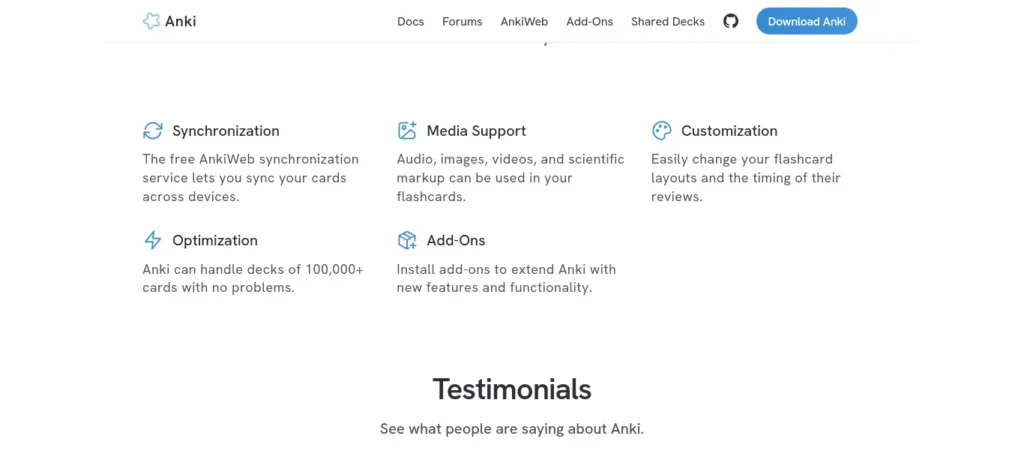
Anki is the open-source gold standard for spaced repetition and has used FSRS (Free Spaced Repetition Scheduler) as its default scheduling algorithm since version 23.10. Developed by Jarrett Ye and trained on more than 700 million review records from over 20,000 users, FSRS has been shown to achieve the same retention level with 20–30% fewer reviews than the older SM-2 algorithm.
Although Anki does not generate flashcards from your notes natively, it works seamlessly with third-party AI tools and add-ons that can automatically create flashcards from PDFs, lecture slides, documents, and other study materials before exporting them into Anki for long-term spaced-repetition review.
- Best for: Power users, especially medical students, who want maximum control over scheduling and add-ons.
- Not ideal for: Anyone who wants AI generation built in without extra setup.
- Pricing: Free on desktop and Android; a one-time paid iOS app.
Real Student Example
A medical student uploads anatomy lecture notes into an AI flashcard generator, exports the deck to Anki, and reviews it using spaced repetition every evening instead of manually creating hundreds of cards.
Final Takeaway
If long-term retention matters more than convenience, Anki remains one of the strongest choices available.
2. Quizlet
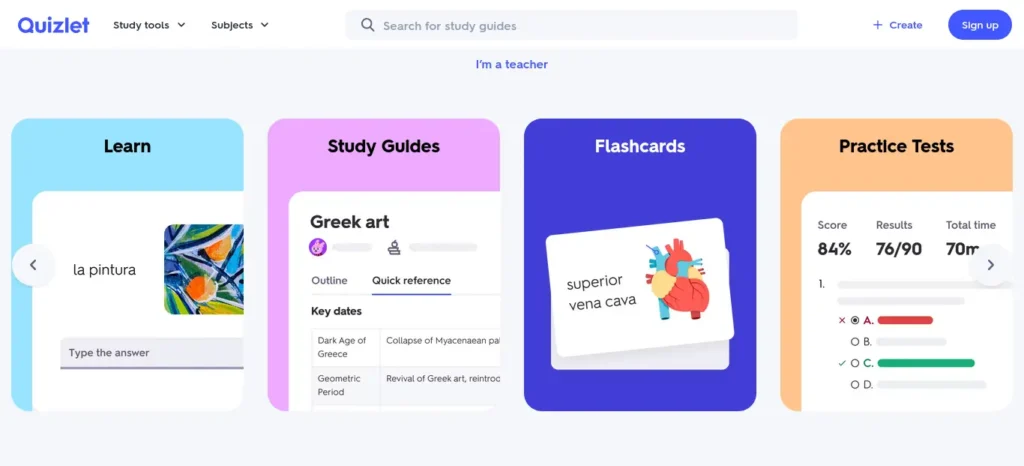
Quizlet is one of the longest-standing and most widely recognized flashcard platforms, with a massive library of community-created study sets covering subjects such as medicine, mathematics, science, languages, and standardized exams like the SAT and MCAT. This extensive collection makes it easy for students to find ready-made study materials instead of creating every flashcard from scratch.
However, while Quizlet offers useful AI-powered features such as automatic explanations and study assistance, most of these advanced capabilities require a paid subscription. If you’re looking for free AI-generated flashcards with more customization, tools like RemNote or Anki paired with AI add-ons may offer better long-term value.
- Best for: Students who want access to millions of pre-made sets with some AI enhancement.
- Not ideal for: Students who want a true spaced-repetition scheduler — Quizlet runs a Leitner-style system, not a full SRS model.
- Pricing: Free with ads; paid tiers remove limits and ads.
Real Student Example
A language learner converts vocabulary from a Spanish PDF into flashcards and studies for ten minutes every morning.
Final Takeaway
Quizlet is ideal if you prefer ready-made study sets over building everything from scratch.
3. Brainscape
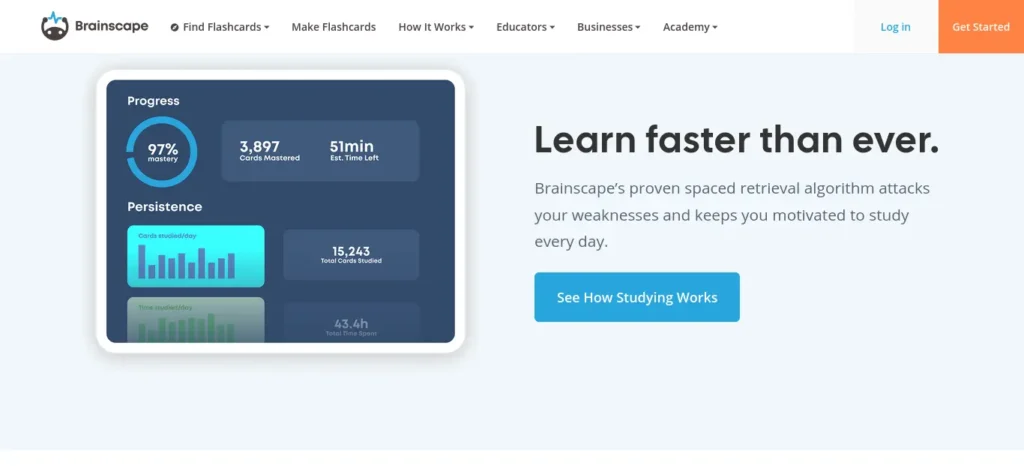
Brainscape is well known for its expert-curated flashcard collections and its proprietary Confidence-Based Repetition (CBR) learning system, which schedules reviews based on how confidently you rate each answer rather than using algorithms like FSRS or SM-2. Instead of simply tracking whether an answer is right or wrong, Brainscape adapts future review intervals according to your self-reported confidence, making it especially useful for students preparing for standardized exams and professional certifications.
- Best for: Standardized test prep (MCAT, LSAT) and professional certifications where curated content matters more than raw generation speed.
- Not ideal for: Students who want AI to build decks from their own specific course material.
- Pricing: Free tier available; paid plans for full deck access.
Final Takeaway
If you’re preparing for competitive exams, Brainscape’s confidence-based review system is worth considering.
4. Revisely
Revisely is a lightweight, beginner-friendly AI flashcard generator designed for students who want fast results without a complicated setup. Simply upload your PDFs, PowerPoint presentations, class notes, images, or other study materials, and the AI automatically identifies key concepts and turns them into ready-to-study flashcards within seconds. Its simple workflow makes it an excellent choice for students who want to spend more time reviewing and less time creating flashcards manually.
- Best for: Quick AI flashcards from a single PDF without extra complexity.
- Not ideal for: Long-term retention planning — it lacks a built-in spaced repetition system.
- Pricing: Limited free tier; paid plans from roughly $7.99/month.
Final Takeaway
Revisely is one of the easiest ways to turn a PDF into flashcards within minutes.
5. StudyFetch (Spark.E)
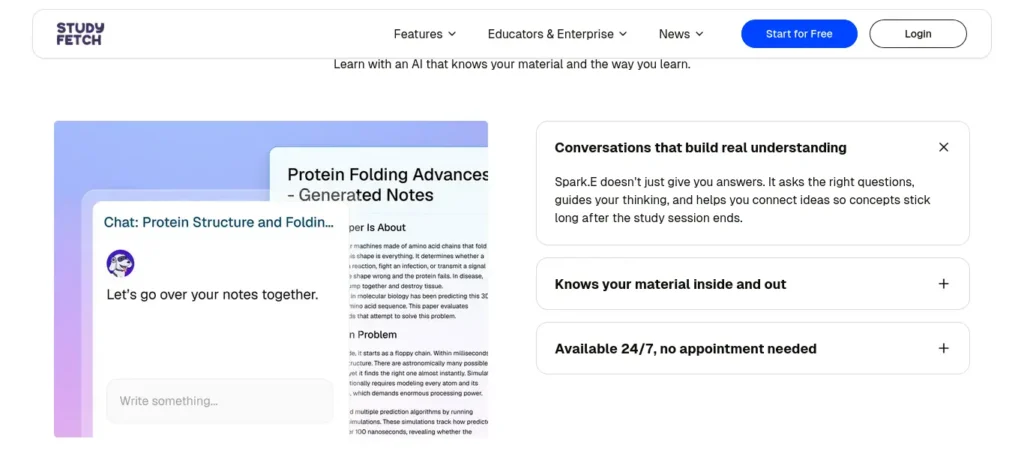
StudyFetch is part of a broader AI-powered study platform designed to help students with note-taking, quizzes, tutoring, and exam preparation. Its Spark.E AI can automatically generate flashcards in multiple formats, including term and definition, multiple-choice, fill-in-the-blank, and audio-based cards, allowing you to combine different question types within a single study set. This flexibility makes it especially useful for students who want a more interactive and engaging revision experience instead of relying on traditional question-and-answer flashcards alone.
- Best for: Students who want flashcards bundled with notes, quizzes, and an AI tutor in one platform.
- Not ideal for: Budget-conscious students — it’s priced at the higher end of the category.
- Pricing: Free tier available; paid plans around $19/month.
Final Takeaway
If you want notes, quizzes, tutoring, and flashcards in one platform, StudyFetch offers one of the most complete ecosystems.
Knowt: AI Flashcards From PDFs, Notes, and Study Materials
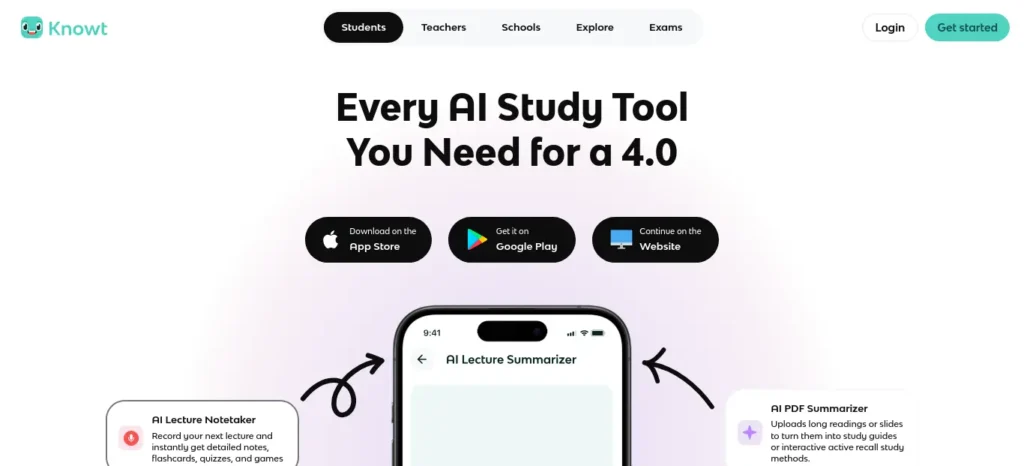
Knowt is worth considering if you want to create and review flashcards within a broader student study platform. Its documented workflows include creating flashcards from PDFs, PowerPoint files, video or audio, and other study materials.
Best for: Students who want flashcards, practice tests, and other study modes in one place.
What to check: AI generation limits, supported file formats, editing controls, and whether your required feature is included in the free student plan.
Practical workflow: Upload a short lecture PDF, generate a small set of cards, check the answers against the source, edit weak questions, and then use the available study modes to review them.
Free-plan note: Knowt’s official student-plan documentation describes free flashcard sets and study modes but also lists limits on certain AI-powered features. Check the current plan details before relying on unlimited AI generation.
Verdict: Consider Knowt if you want a broader study workflow rather than a standalone flashcard generator. Test the specific PDF-to-flashcard workflow you need before choosing a paid plan.
6. RemNote
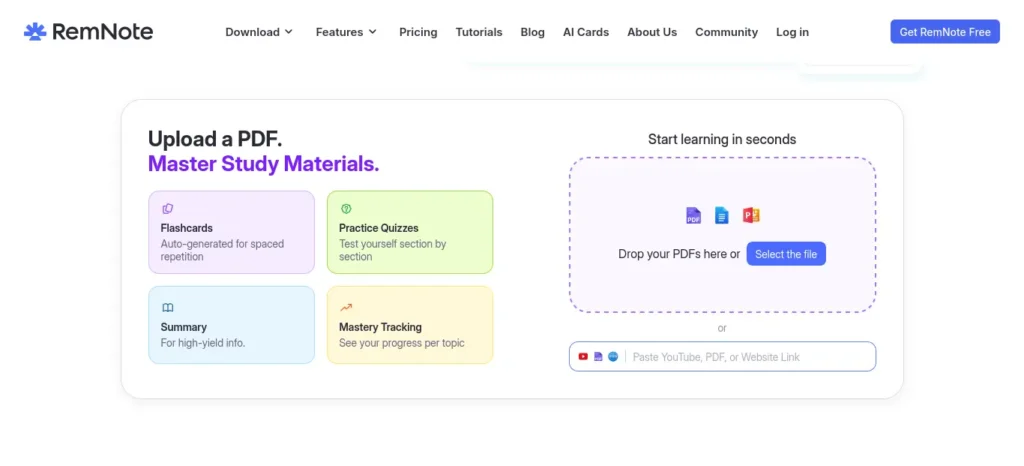
Combines note-taking with automatic flashcard generation, so cards are created as a byproduct of the notes you’re already writing.
- Best for: Students who prefer an integrated note-and-review workflow over a separate flashcard app.
- Not ideal for: Students who just want a fast, standalone generator.
- Pricing: Free tier; Pro around $8/month.
Real Student Example
A college student writes biology notes during class, and RemNote automatically converts important concepts into flashcards without creating a separate deck.
Final Takeaway
RemNote works best for students who want note-taking and revision inside one workflow.
7. AnkiDecks (AI layer for Anki)
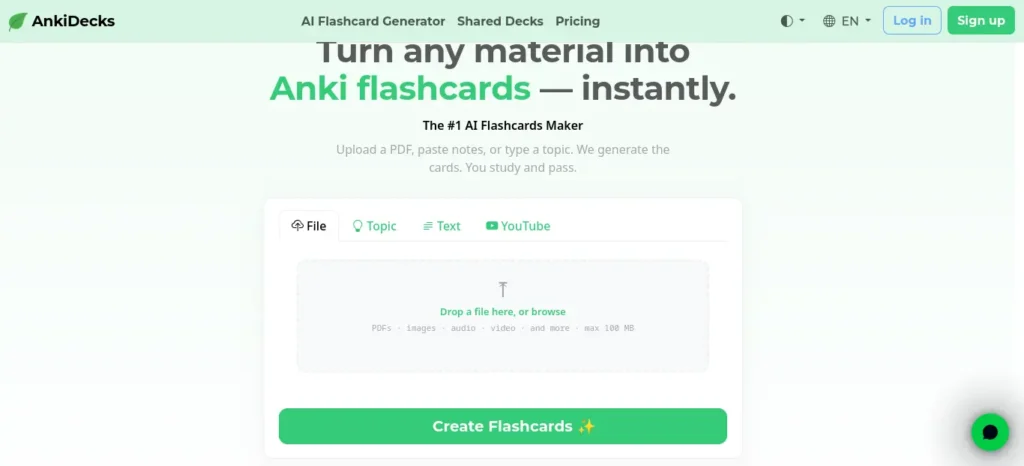
AnkiDecks was built specifically to solve Anki’s biggest limitation: the time it takes to create high-quality flashcards manually. Simply upload lecture slides, textbook chapters, research papers, PDFs, or other study materials, and the AI automatically identifies key concepts and converts them into study-ready flashcards within seconds. It supports multiple file formats, including PowerPoint, Word, Excel, EPUB, and PDFs, while also offering YouTube transcript support and automatic image occlusion for diagrams, making it especially useful for subjects like biology, anatomy, geography, and engineering.
- Best for: Anki loyalists who want AI generation without leaving the Anki ecosystem.
- Not ideal for: Anyone who wants a fully self-contained app outside of Anki.
- Pricing: Free tier available.
Final Takeaway
If you already love Anki but dislike creating cards manually, this fills one of Anki’s biggest gaps.
8. Algor Education
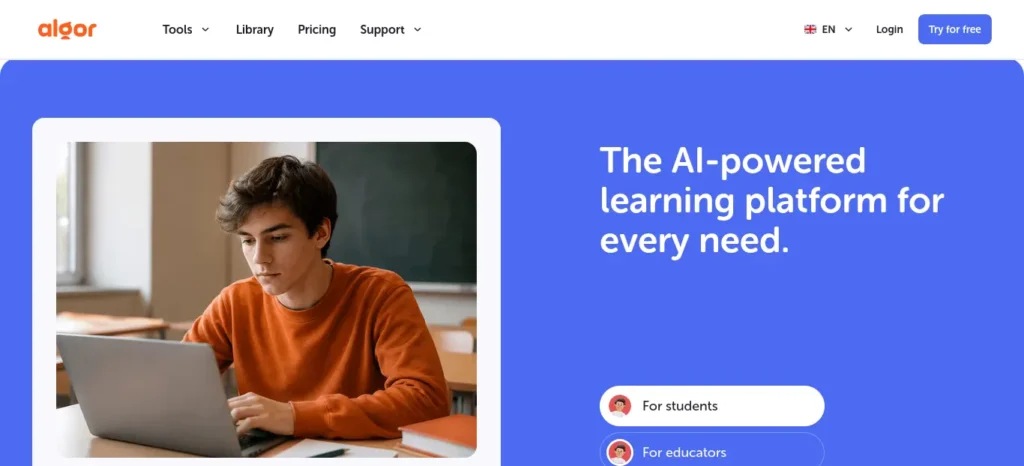
Algor Education goes beyond basic flashcard generation by creating a complete AI-powered study set from a single upload. Instead of producing only question-and-answer flashcards, it can automatically generate flashcards, mind maps, summaries, quizzes, and structured study materials from notes, textbook pages, PDFs, handwritten notes, and other learning resources. This all-in-one approach makes it an excellent choice for students who want to understand, revise, and retain information using multiple study methods within a single platform.
- Best for: Visual learners who want mind maps and summaries alongside flashcards.
- Not ideal for: Students who only want flashcards and nothing else — the extra features can feel like overhead.
Final Takeaway
If you’re a visual learner, Algor offers much more than simple flashcards.
Most students use AI as a simple chatbot, but the real advantage comes from following a complete workflow. Discover our AI study workflow for students and learn how to capture notes, create quizzes, schedule revision, and prepare for exams more effectively.
Still Not Sure?
Choose Anki if:
• You want maximum retention.
Choose Quizlet if:
• You need pre-made study sets.
Choose RemNote if:
• You prefer note-taking and flashcards together.
Choose Revisely if:
• You want instant PDF-to-flashcards.
Choose StudyFetch if:
• You want one AI platform for notes, quizzes, and flashcards.
Common Mistakes When Using AI Flashcard Tools
- Trusting AI output without checking it. AI models can misstate facts or generate cards on irrelevant details. Always proofread before you study from a deck.
- Making cards too broad. A card that asks “explain the French Revolution” isn’t testable in one sitting. Good cards test one atomic fact at a time.
- Skipping spaced repetition entirely. A generated deck without a review schedule behaves like a stack of unsorted index cards — you’ll re-study things you already know and forget things you don’t.
- Uploading entire textbooks at once. Output quality drops with very long, unfocused documents. Chapters or sections generate sharper cards than whole books.
- Choosing a tool based on marketing instead of testing it. Many “best AI flashcard app” articles online are written by the tool’s own company. Try the free tier yourself with real material before paying.
Best Practices for Using AI Tools for Creating Flashcards Automatically
- Feed the AI clean, focused source material — one chapter or lecture at a time, not an entire semester.
- Ask for a mix of card types (cloze, Q&A, image occlusion) rather than one format for everything.
- Edit the first batch of generated cards carefully to calibrate whether the tool matches how you actually get tested.
- Export to a dedicated spaced-repetition engine like Anki if your generator’s built-in scheduling feels weak.
- Review cards daily in short sessions rather than long, infrequent binges — consistency matters more than session length.
Creating good revision notes is one of the biggest time-savers during exam preparation. Learn how to create smart revision notes with AI and turn textbooks, PDFs, and class notes into structured, exam-ready study material in minutes.
Pro Tips
- Combine tools. Many students generate cards quickly with an AI tool, then move the deck into Anki for its stronger scheduling engine.
- Use image occlusion for visual subjects. Anatomy, geography, and chemistry structures are memorized far better with labeled-diagram cards than plain text.
- Turn lecture recordings into decks. Several tools now transcribe audio or video and generate cards directly from the transcript — useful for classes where slides alone don’t capture everything.
- Rate your confidence honestly. In confidence-based tools like Brainscape, under-rating yourself on purpose just wastes review time on material you already know.
Common Buying Mistakes
- Paying before testing card quality
- Uploading entire textbooks
- Never editing AI-generated cards
- Ignoring spaced repetition
- Choosing tools because they’re popular
FAQ
What are the best AI tools for creating flashcards automatically in 2026? Anki (with AI add-ons), Quizlet, Brainscape, RemNote, Knowt, and StudyFetch are among the most widely used, each with different strengths in generation speed, card quality, and spaced repetition.
Are AI-generated flashcards actually accurate? Usually close, but not perfect. Always review AI-generated cards before studying from them — errors and irrelevant details are common enough that skipping this step is risky before an exam.
Do AI flashcard tools support spaced repetition? Some do natively (RemNote, StudyFetch, Brainscape’s confidence-based system); others generate cards but leave true interval-based scheduling to a separate tool like Anki.
Can I create flashcards from a PDF for free? Yes. Most AI tools for creating flashcards automatically offer a free tier or trial that supports PDF uploads, though limits on the number of cards or uploads usually apply.
Is Anki still worth using if it doesn’t generate cards with AI by itself? Yes, especially if you pair it with a third-party AI add-on or generate cards elsewhere and export them into Anki. Its scheduling algorithm remains one of the most rigorously validated for long-term retention.
What Is the Best AI Flashcard Generator for PDFs?
The best option depends on your file format, budget, and review needs. Compare tools such as Revisely and Knowt for PDF-based workflows, and check whether the free plan includes the AI features you need. Test a short chapter before uploading a large textbook.
Can AI Make Flashcards From 100 Pages of Notes?
Some tools can process large study documents, but upload limits, file size, and output quality vary. For better results, divide long notes into chapters or manageable sections, generate cards separately, and check for missing concepts and duplicate questions.
How Can I Prevent AI From Making Up Flashcard Answers?
Ask the tool to use only the supplied source, preserve important qualifications, and flag missing information rather than guessing. Then compare every important answer with the original material before studying from the deck.
Can Teachers Automatically Generate Flashcards From Lesson Plans?
Yes, tools that support document-based card generation can help teachers convert suitable lesson materials into question-and-answer cards. Teachers should verify the answers, align the cards with learning objectives, and check student-data privacy before sharing the deck.
Is a Free AI Flashcard Generator Enough for Exam Preparation?
It may be enough if the free plan supports your file uploads, card generation, editing, and preferred review method. Check monthly AI allowances and export restrictions before choosing a tool for an entire semester.
Is Anki Better Than AI-Native Flashcard Apps?
Neither is best for everyone. Anki is worth considering for customizable long-term spaced repetition, while AI-native tools may offer simpler document-to-card workflows. Some students can combine both by generating cards elsewhere and importing them into Anki.
Should I Upload an Entire Textbook to an AI Flashcard Generator?
Usually, it is more practical to begin with one chapter at a time. Smaller, focused sections are easier to verify, and they help you identify errors or poor questions before generating a much larger deck.Most beginners don’t waste money on AI—they waste time choosing the wrong tools. Discover the free AI tools that beginners can start using today and build confidence from your very first AI experience.
Do AI Flashcard Generators Guarantee Better Exam Scores?
No. AI-generated cards can save preparation time, but exam results depend on card quality, consistent review, understanding, and how well the material matches the exam. Treat automatic generation as a study aid, not a guarantee of improved marks.
Key Takeaways
- Manual flashcard creation is the real bottleneck in studying — AI tools for creating flashcards automatically remove that friction.
- Not all “AI-powered” flashcard tools implement true spaced repetition; check for this specifically before trusting a tool with exam prep.
- Anki remains the strongest scheduling engine; AI-native tools close the generation gap but often cost a monthly fee.
- Always review AI-generated cards before studying — accuracy varies by tool and by source material quality.
- Match the tool to your use case: fast and social (Quizlet), maximum control (Anki), confidence-based review (Brainscape), or notes-plus-flashcards in one place (RemNote).
What Happens After 30 Days?
Students who consistently use AI-generated flashcards usually notice:
- Faster revision
- Better recall
- Less time spent creating notes
- Higher confidence before exams
Before you move on, ask yourself this: do you have a learning system or just good intentions? Discover How to Build a Daily Learning System Using AI (Step-by-Step Guide) to create a simple AI-powered routine that actually sticks.
Conclusion
The best AI tools for creating flashcards automatically won’t make you smarter on their own — but they will hand back the hours you used to lose typing question-and-answer pairs, so you can spend that time actually reviewing and remembering. Start with a tool’s free tier, upload one real chapter of your own material, and judge the card quality yourself before committing to a subscription. The right tool is the one that gets out of your way and gets you reviewing sooner.
Want to learn the practical ways students are already using AI in everyday learning? Read our complete guide on How Students Use AI to Study Smarter (Without Cheating) and discover 12 proven techniques to improve learning, revision, and exam preparation.
About the Author
Nandhakumar is the founder of FutureFastAI, a website dedicated to helping students, beginners, and lifelong learners discover practical AI tools that improve studying, productivity, and everyday learning.
He researches official product documentation, pricing pages, feature updates, independent reviews, and trusted educational resources to create clear, beginner-friendly guides that focus on practical value rather than marketing hype. Every recommendation is written to help readers choose the right AI tool for their specific learning needs.
His content covers AI tools for studying, note-taking, flashcards, research, writing, revision, productivity, and exam preparation. Whenever pricing, features, or availability change, FutureFastAI reviews and updates its guides to keep information as accurate and useful as possible.
The mission of FutureFastAI is simple: make AI easier to understand, easier to use, and genuinely helpful for students around the world.
FutureFastAI Insight
AI should replace typing, not thinking.
The best students still review every generated flashcard before trusting it during exam preparation.
Student Success Reminder
A 20-minute daily review using spaced repetition usually produces better long-term results than creating hundreds of flashcards you never revise.
Last Reviewed
- July 2026
Why You Can Trust FutureFastAI
Every recommendation is based on official documentation, feature comparisons, independent reviews, and transparent research rather than promotional claims.
Privacy Reminder
Before uploading lecture notes or study materials, make sure they don’t contain personal information or copyrighted content that you aren’t allowed to share.
Evidence & Trust
Recommendations are based on official documentation, pricing pages, research papers, and independent user reviews available at the time of writing.




5 Comments