AI Tools for Building Consistency in Studying: Complete 2026 Student Guide
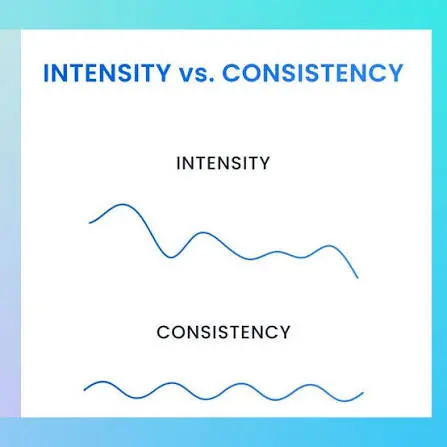
Ravi opens his books at 11 PM, three nights before his GATE mock test, and studies for five straight hours. He feels unstoppable. Then he skips the next four days entirely — no plan, no reminder, no reason to start again until guilt (or another deadline) drags him back. This is the “motivation cycle”: intense bursts followed by long silences, and it’s the single biggest reason talented students underperform.
AI tools for building consistency in studying work differently from a to-do list or a willpower pep talk. The right combination — a planner that schedules your sessions automatically, a spaced-repetition system that tells you exactly what to revise today, and a focus tool that removes the friction of starting — replaces motivation with structure. This guide walks through the CONSISTENT AI Framework™, ten verified tools (including several genuinely underrated ones most “best AI tools” lists miss), a 7-day starter plan, and India-specific advice for NEET, JEE, UPSC, GATE, CA, and semester exam prep.
If that sounds familiar, your study routine—not your motivation—may be holding you back. Learn a smarter daily system in How to Build a Daily Learning System Using AI: 7 Powerful Steps (2026 Guide).
Last verified: July 2026.

Who This Article Is For
This guide to AI tools for building consistency in studying is written for:
- School and college students who study in bursts and want a daily system instead.
- NEET, JEE, UPSC, GATE, CA, and SSC aspirants juggling a long syllabus against a fixed exam date.
- Beginners to AI tools who’ve never used an AI planner, flashcard app, or focus tool before and want a simple starting point, not a wall of jargon.
- Students who’ve already tried and abandoned a to-do list, planner app, or study schedule and want to understand why it didn’t stick.
- Budget-conscious learners who need real INR pricing and honest free-tier limits before committing to anything paid.
If you’re looking for one single “magic” app, this isn’t that guide — it’s a system. If you want a realistic, verified starting point you can act on today, keep reading.
Why Most Students Struggle With Consistency
(IMPORTANT)
Consistency fails for predictable reasons, not a lack of discipline:
- No fixed daily cue. Without a set time and trigger, “study” competes with everything else and usually loses.
- All-or-nothing planning. A missed day feels like a failed system, so students abandon the whole plan instead of just resuming.
- No feedback loop. Without visible streaks or progress, there’s nothing pulling you back the next day.
- Revision gets skipped. Students plan new topics but rarely schedule revisiting old ones, so material fades before exams.
- Decision fatigue. Deciding what to study each day burns the same willpower needed to actually study.
📌 Key Takeaway: Most students don’t need more motivation — they need fewer daily decisions and a system that survives a bad day.
One day failure does not break your confidence and results,learn from it and grow
How AI Helps Build Better Study Habits
AI doesn’t replace discipline; it reduces the number of decisions discipline has to make. This is the core reason purpose-built AI study tools work better than generic productivity apps — they’re solving a narrower, more specific problem. Three things AI genuinely does well for study consistency:
- Auto-scheduling — turning a rough syllabus into a day-by-day plan that adjusts when you fall behind.
- Spaced repetition and active recall support — surfacing exactly what to revise today based on how well you remembered it last time, grounded in established memory research rather than guesswork.
- Friction removal — breaking a vague task (“study Physics”) into a specific, low-resistance first step (“review 12 flashcards on rotational motion”).
🧠 Definition: Spaced repetition is a revision technique where you review material at increasing intervals (1 day, 3 days, 7 days, 14 days) timed to just before you’d naturally forget it. It’s one of the most well-evidenced techniques in learning science for long-term retention, alongside active recall — testing yourself instead of re-reading notes.
AI can’t sit the exam for you, and it can hallucinate facts, so anything it generates (summaries, flashcards, explanations) still needs your own verification before you trust it.
Most students use AI as a simple chatbot, but the real advantage comes from following a complete workflow. Discover our AI study workflow for students and learn how to capture notes, create quizzes, schedule revision, and prepare for exams more effectively.
How We Selected These Tools For Your Success
To find genuinely useful AI tools for building consistency in studying — not just popular names — we scored each tool on nine factors:
- planning ability,
- accountability/reminders,
- daily reminder quality,
- AI intelligence,
- mobile experience,
- free-plan usability,
- ease of use,
- student value for money,
- privacy/offline support.
The CONSISTENT AI Framework™( SAVE FOR LATER)
A FutureFastAI-original system for turning scattered study effort into a daily habit, using AI at each step.
- C — Create one clear study goal (a syllabus, exam date, or skill).
- O — Organize subjects and topics with an AI planner or notebook.
- N — Normalize small daily sessions instead of rare marathons.
- S — Schedule automatically so you’re not deciding “when” every day.
- I — Improve using a weekly AI-generated review of what worked.
- S — Stay accountable with reminders, streaks, or a body-doubling habit tool.
- T — Track study streaks visibly, so missing feels noticeable.
- E — Evaluate weak topics using quiz or flashcard performance data.
- N — Never skip two days in a row — one miss is normal, two starts the old cycle.
- T — Transform the routine into identity (“I’m someone who studies daily”) over 8–12 weeks.
💡 Pro Tip: Pick one tool per framework stage instead of five overlapping apps. Tool-hopping is itself a form of procrastination.
Best AI Tools for Building Consistency in Studying
Quick Answer
- For most students,
- the strongest system pairs a scheduling/planning AI (Notion AI or Tiimo)
- with a spaced-repetition engine (RemNote or Anki) and
- one accountability layer (Rize or Focus Bear)
- It combines daily structure, long-term retention, and follow-through, rather than relying on a single all-in-one app or motivation alone.
The mainstream names — (ChatGPT, Google Gemini, Claude, and NotebookLM — are genuinely useful for explaining concepts, summarizing notes, and generating practice questions, and are worth having in your toolkit.)
But because they’re already well covered elsewhere, this guide focuses on five underrated, purpose-built tools that most “top AI tools for students” lists overlook entirely, ranked from most hidden gem to most likely to go mainstream.
The Hidden Gems: 5 Underrated AI Tools for Study Consistency
1. Rize — AI Focus & Time-Awareness Coach
Most Hidden Gem
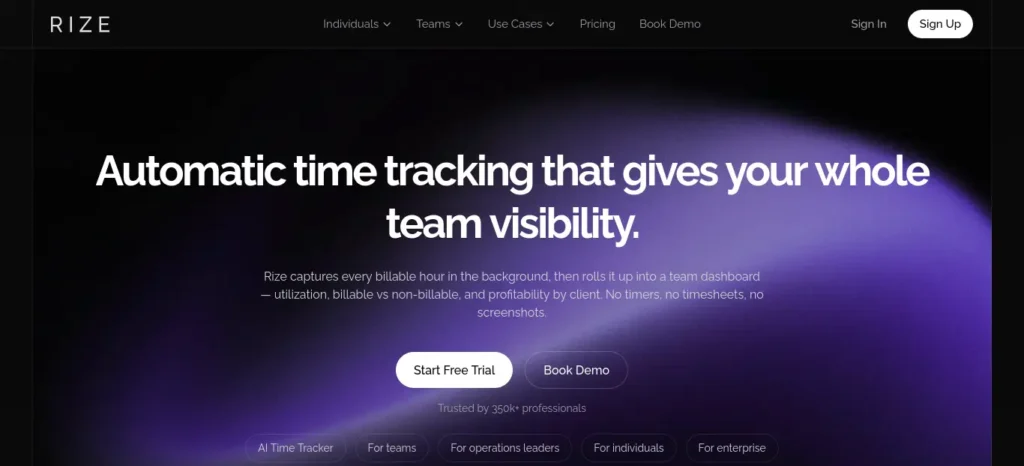
Rize is a background AI time tracker that shows you the truth about your study sessions instead of your guess about them.
- Why it’s underrated: Almost no student-focused “best AI tools” article mentions it, yet it solves the exact problem competitive-exam aspirants have — believing they studied for six hours when it was closer to two, broken up by phone checks.
- Key features: Fully automatic tracking (no manual timers), AI categorization of apps and windows into focused vs. distracted time, daily focus-pattern reports, distraction alerts.
- Best use case: Discovering your real daily study hours and your natural peak-focus window before exam season.
- Ideal users: Laptop-based students (JEE/GATE aspirants doing problem sets, CA students reading case material) who suspect their “study time” is inflated.
- Free plan: 7-day free trial with full features; no permanent free tier.
- Pricing (verified July 2026): Basic ₹959/month (~$9.99, billed annually) or ₹1,247/month (~$12.99) billed monthly; Professional ₹1,438/month (~$14.99) adds project-style breakdowns. Desktop only — macOS and Windows, no mobile app.
- Pros: Zero manual effort, brutally honest focus data, no invasive screenshots or keystroke logging.
- Cons: No free-forever tier, no mobile app, and the insight is only useful if you actually act on the patterns it shows you.
- Better than: Manual Pomodoro trackers, which rely on you remembering to start and stop them.
- Avoid if: You only study on mobile (Rize is desktop-only), you want a permanent free tier, or you’re not ready to look honestly at how little focused time you’re actually getting.
- Why it deserves more attention: It’s one of the only tools that treats “how consistent was I really” as a data question instead of a feelings question — exactly the accountability gap most study-habit advice ignores.
2. Focus Bear — AI Routine & Distraction-Blocking Coach
Rising Hidden Gem
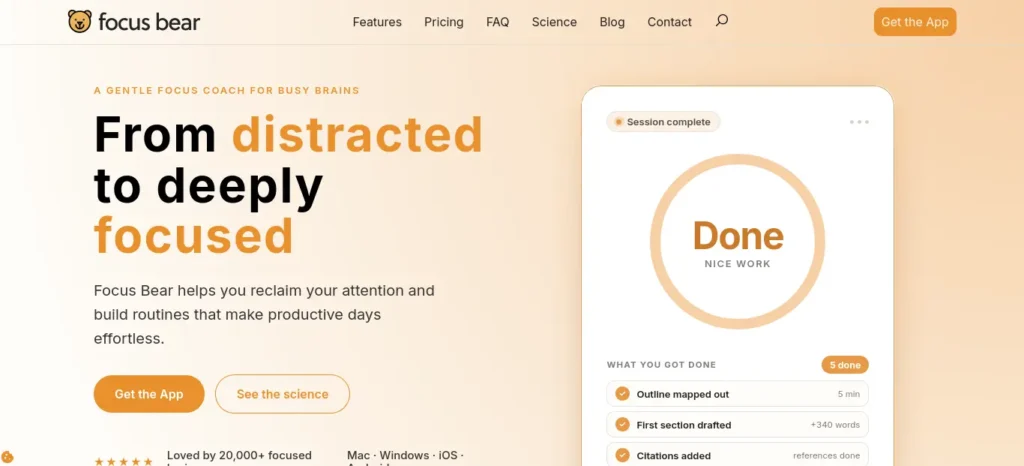
Built by a neurodivergent team, Focus Bear guides you through a fixed morning routine, blocking distractions, then locks in study blocks with AI-driven relevance checks.
- Why it’s underrated: It’s usually filed under “ADHD apps,” so students without a diagnosis skip it — but the routine-guidance and distraction-blocking design helps anyone who struggles with starting a study session.
- Key features: AI blocking that judges whether a site is relevant to your current study intention, cross-device distraction blocking, guided morning/evening routines, smart break detection, accountability-partner mode.
- Best use case: Students who “sit down to study” and end up on their phone within two minutes.
- Ideal users: School and college students building a fixed daily study-and-routine block, especially those who’ve tried and abandoned basic app blockers.
- Free plan: Free tier with basic blocking and routines; 7-day full-feature trial.
- Pricing (verified July 2026): Pro ₹959/month (~$9.99). Student and financial-hardship discounts are available on request via support.
- Pros: Genuinely reduces the “one more scroll” trap, cross-device coverage, student discount available.
- Cons: Setup takes real time to configure well; some users report notification and sync bugs that need patience to work around.
- Better than: Simple website blockers like basic browser extensions, which don’t adapt to what you’re actually trying to focus on.
- Avoid if: You want a five-minute setup, you’re easily frustrated by occasional sync or notification glitches, or you just need a simple timer rather than a full routine system.
- Why it deserves more attention: Most consistency advice assumes you can already start studying — Focus Bear is built specifically for the moment right before you would normally get distracted.
3. RemNote — AI Notes, Flashcards & Spaced Repetition Engine
Rising Hidden Gem
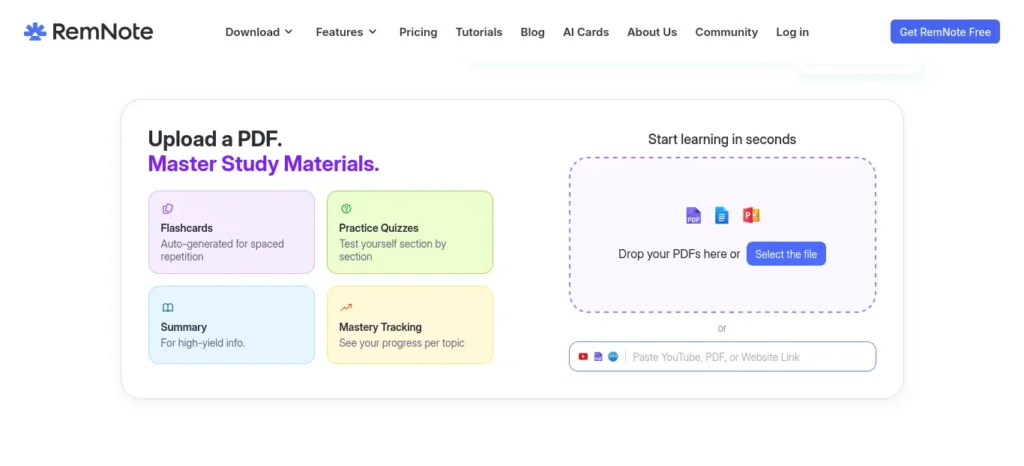
RemNote combines outlining, note-taking, PDF annotation, and spaced-repetition flashcards in one place, with AI features layered on top for generating and explaining cards.
- Why it’s underrated: It’s known in productivity circles but rarely appears in Indian student-focused content, despite being close to purpose-built for exam revision cycles.
- Key features: Unlimited notes and flashcards on the free plan, AI-generated flashcards and quizzes from your own notes, image occlusion for diagrams (useful for Biology/Anatomy-heavy NEET prep), PDF annotation, exam scheduler.
- Best use case: Converting daily class notes directly into a spaced-repetition revision queue without retyping anything into a separate flashcard app.
- Ideal users: NEET, medical, and any diagram-heavy or memorization-heavy exam aspirants; also strong for GATE and UPSC static-portion revision.
- Free plan: Genuinely usable — unlimited notes/flashcards, but capped at roughly 3 PDF annotations and 5 image-occlusion cards, and no AI features.
- Pricing (verified July 2026): Pro around ₹768–₹960/month (~$8–$10) depending on billing cycle; Pro with AI features around ₹1,726/month (~$18); a one-time “Life-Long Learning” license is also offered around ₹28,700 (~$300). Student discounts are available if requested with a student email.
- Pros: Strong free tier for basic revision, genuinely useful image occlusion for diagram-based subjects, works offline.
- Cons: Real learning curve — the outlining and flashcard syntax takes about a week to feel natural; AI features are gated behind the pricier tier.
- Better than: Plain flashcard apps like basic Quizlet decks, because your notes and your revision system live in the same place instead of two disconnected apps.
- Avoid if: You want to be productive within your first 10 minutes with zero learning curve, you rely heavily on AI-generated flashcards (that needs the paid tier), or you work with very few PDFs and diagrams.
- Why it deserves more attention: It directly supports the single most research-backed revision technique — spaced repetition — without forcing you to manually schedule reviews yourself.
Want to study smarter instead of harder? Discover the best AI tools for creating flashcards automatically and generate personalized study cards from PDFs, notes, and lecture slides in seconds.
4. Tiimo — AI Visual Daily Planner
Increasingly Recognized
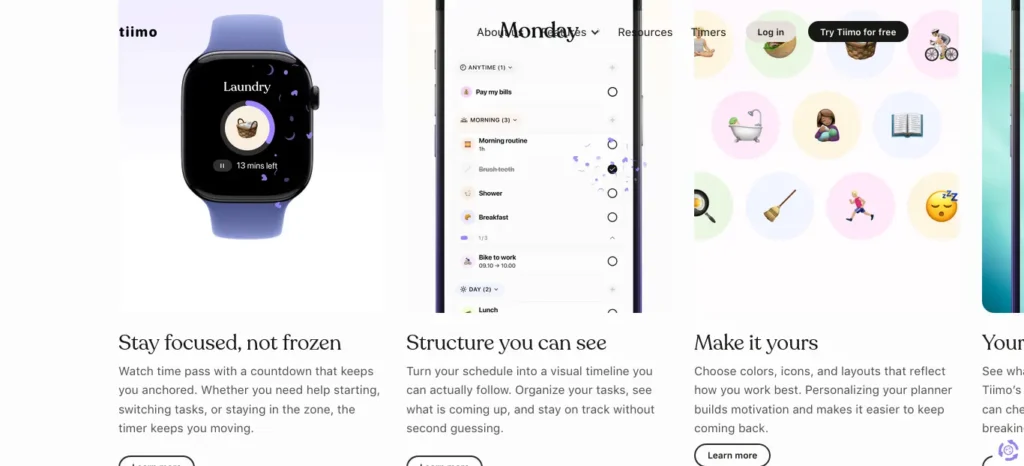
Tiimo turns your day into a visual, color-coded timeline with an AI “Co-Planner” that breaks vague tasks into concrete steps — recently named Apple’s iPhone App of the Year.
- Why it’s still underused by students: It’s marketed toward ADHD/neurodivergent users, so many students who’d benefit from visual time-blocking never try it, despite “I don’t know when I’m supposed to study” being a near-universal complaint.
- Key features: AI Co-Planner that breaks a task like “revise Organic Chemistry” into smaller steps, visual circular timer (addresses time blindness), Google Calendar sync, routine templates, focus timer.
- Best use case: Students who make study plans on paper but then lose track of the day and never follow the plan.
- Ideal users: Visual learners, school students, and anyone who finds text-only planners (plain to-do lists) easy to ignore.
- Free plan: Mobile-only, with basic visual planning; no web planner, AI Co-Planner, or focus timer on the free tier.
- Pricing (verified July 2026): Pro ₹767/month (~$7.99) or ₹7,679/year (~$79.99, roughly ₹640/month);
Family plan ₹11,519/year (~$119.99) for up to 5 profiles.
A 7-day free trial applies to the annual plan.
- Pros: Genuinely reduces planning overwhelm, award-winning design, works across phone, tablet, and web.
- Cons: Core AI features require the paid Pro tier; no meaningful free-plan AI access.
- Better than: Static digital planners or spreadsheet timetables, which don’t adjust when your day changes.
- Avoid if: You want a completely free tool (core AI planning sits behind Pro), you’re not a visual planner, or you already have a system that works and doesn’t need time-blocking.
- Why it deserves more attention: It solves “I made a plan but never look at it again” better than almost any generic to-do app, which is precisely where most student study schedules quietly fail.
5. StudyFetch (Spark.E) — AI Study-Material Generator & Tutor
Most Likely to Go Mainstream
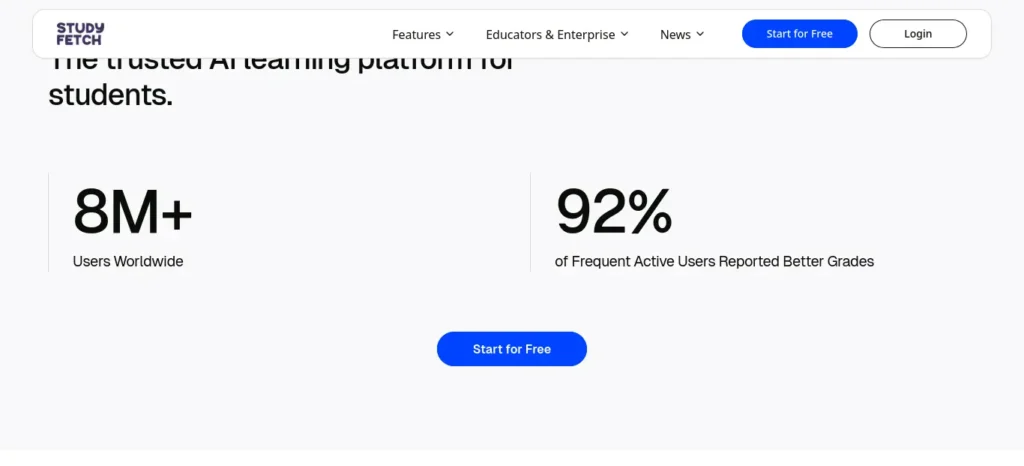
StudyFetch converts your own PDFs, slides, and lecture recordings into flashcards, quizzes, and notes, with an AI tutor (Spark.E) that answers questions from your actual course material.
- Why it’s still a hidden gem in India: Despite over 6 million student users globally and a Series A backed by Owl Ventures and the College Board, it’s barely mentioned in Indian exam-prep content, even though its “your own material in, structured revision out” model fits syllabus-heavy exams like GATE and semester finals well.
- Key features: Spark.E AI tutor answering only from your uploaded materials (not generic internet knowledge), Live Lecture Assistant for real-time class notes, AI-generated flashcards and practice quizzes, an AI Study Calendar, essay grader.
- Best use case: Turning a semester’s worth of PDF slides into an organized revision system in one sitting.
- Ideal users: College students juggling multiple subjects with heavy PDF/slide content; less suited to purely numerical problem-solving subjects, since it makes more errors on equations and diagrams.
- Free plan: Limited — around 10 AI tutor chats, one study set, and two uploads, enough to test it but not to run a semester on.
- Pricing (verified July 2026): Base ₹767/month (~$7.99) or roughly ₹480/month (~$4.99) billed annually;
Premium ₹1,151/month (~$11.99) or roughly ₹767/month (~$7.99) billed annually, with unlimited chats and uploads.
- Pros: Fast conversion of raw course material into study sets, contextual tutor answers, works across PDFs, slides, video, and audio.
- Cons: Free tier burns out within a session or two; accuracy drops noticeably on complex diagrams, chemistry notation, and equations — always verify AI-generated flashcards before trusting them for exam prep.
- Better than: Generic AI chatbots for revision, because Spark.E’s answers are grounded in your actual syllabus material instead of general web knowledge.
- Avoid if: Your subject is mostly numerical problem-solving (equations and circuit diagrams are where it’s weakest), you need a generous free tier, or you can’t spare a few minutes to double-check AI-generated flashcards.
- Why it deserves more attention: It’s one of the few tools built specifically around the “I have 200 slides and three days” problem that Indian college students face every semester — and it’s growing fast enough that it likely won’t stay under the radar much longer.
Creating good revision notes is one of the biggest time-savers during exam preparation. Learn how to create smart revision notes with AI and turn textbooks, PDFs, and class notes into structured, exam-ready study material in minutes.
Free vs. Premium: Quick Snapshot
Rize
Best For: Discovering real focus time Free Option: 7-day trial only Worth Upgrading If: You’ve tried “studying 6 hours a day” and suspect it isn’t true.
Focus Bear
Best For: Blocking distractions during study blocks Free Option: Usable free tier Worth Upgrading If: You need cross-device blocking and consecutive Pomodoro sessions.
RemNote
Best For: Notes + spaced-repetition revision Free Option: Strong free tier, capped PDF/image features Worth Upgrading If: You’re revision-heavy in Biology, Anatomy, or diagram-based subjects.
Tiimo
Best For: Visual daily time-blocking Free Option: Mobile-only, no AI Co-Planner Worth Upgrading If: You keep making plans you never follow.
StudyFetch
Best For: Turning slides/PDFs into study sets fast
Free Option: Very limited (2 uploads)
Worth Upgrading If: You’re managing 3+ subjects’ worth of PDFs each semester.
Best AI Tools for Building Consistency in Studying, by Situation ( Important )
Instead of picking the “most popular” tool, match it to your actual situation:
- “I study intensely for a few days, then vanish for a week.” → Start with Tiimo for daily structure, then add Focus Bear once the plan itself is in place.
- “I forget everything I studied a month ago.” → RemNote (or Anki) for spaced repetition — this is the single highest-leverage fix for forgetting.
- “I sit down to study and end up on Instagram.” → Focus Bear’s AI-driven distraction blocking targets at this exact moment.
- “I think I study 6 hours a day, but I’m not sure that’s true.” → Rize will show you the real number within a week.
- “I have 300 slides and three days before the exam.” → StudyFetch converts raw PDFs and slides into flashcards and quizzes fast.
- “I’m a complete beginner and just want one free tool to start with.” → Anki (fully free) for revision, plus RemNote’s free tier for notes.
- “I’m preparing for NEET/JEE and need a diagram-heavy revision.” → RemNote’s image occlusion feature, paired with daily spaced review.
- “I only have a phone, no laptop.” → RemNote, StudyFetch, or Focus Bear — all have strong Android apps, unlike desktop-only Rize.
How to Combine Multiple AI Tools Into One System
(SAVE IT FOR LATER)
🎯 Decision Point: You don’t need all five tools. Pick based on your bottleneck.
- Need reminders and structure for your day? → Start with Tiimo or a free calendar-based planner.
- Need to actually revise what you already learned? → Add RemNote (or Anki, if you prefer a simpler free tool).
- Need to stop getting distracted mid-session? → Add Focus Bear.
- Need proof you’re actually studying as much as you think? → Add Rize.
- Need to process a pile of PDFs and slides fast? → Add StudyFetch.
A realistic beginner stack: one planner + one spaced-repetition tool.
Add an accountability layer only after the first two become habitual — usually after 2–3 weeks.
7-Day AI Study Consistency Starter Plan (follow this as a beginner)
- Day 1: Pick one subject and one AI planner. Schedule just 25 minutes for tomorrow.
- Day 2: Complete the session. Log it, even if short.
- Day 3: Add a spaced-repetition tool; convert today’s notes into 10 flashcards.
- Day 4: Review yesterday’s flashcards before starting new material (active recall).
- Day 5: If you got distracted twice or more, add a focus-blocking tool for tomorrow.
- Day 6: Do a 10-minute weekly review — what worked, what didn’t.
- Day 7: Rest is allowed. Missing one day is normal — the rule is never miss two in a row.
✅ Quick Action: Right now, open one AI planner and schedule tomorrow’s first 25-minute session before you close this article.
AI Prompts for Building Consistency in Studying
Copy-paste these into ChatGPT, Claude, or Gemini alongside your chosen planner or flashcard tool. Always check the output against your syllabus or textbook before relying on it.
Daily Study Planning Prompt “I have [X hours] free today and need to study [subject/topics]. Break this into 2–3 focused sessions with specific start times, a clear goal for each session, and a 5-minute buffer between them.”
Weekly Review Prompt “Here’s what I studied this week: [list topics/hours]. Identify which topics I likely need to revisit based on spaced repetition principles, and suggest a simple plan for next week that fixes any gaps.”
Procrastination Recovery Prompt “I was supposed to study [subject] today and didn’t start. Give me the smallest possible first step I could do in the next 5 minutes to get moving again, not a full study plan.”
Exam Revision Prompt “My exam on [subject] is in [X days]. Based on spaced repetition, create a day-by-day revision schedule for these topics: [list], prioritizing the topics I’m weakest in: [list].”
Active Recall Prompt “Based on these notes: [paste notes], write 10 short-answer questions that test recall instead of recognition, then quiz me on them one at a time without showing the answer until I respond.”
Mistakes to Avoid
⚠️ Common Mistake 1 : Installing four AI apps in one day. This adds decision fatigue instead of removing it — pick one tool per framework stage and give it two weeks before adding another.
⚠️ Common Mistake 2 : Treating AI-generated flashcards or summaries as automatically correct. AI can hallucinate facts and misread diagrams — always cross-check against your textbook or official source before an exam.
⚠️ Common Mistake 3: Planning new topics every day but never scheduling revision. Without spaced repetition, most of what you study is forgotten within a couple of weeks.
⚠️ Common Mistake 4 : Quitting the whole system after one missed day. One missed day is a blip; treating it as failure is what actually breaks consistency.
What the Research Says
Grounding this in learning science rather than opinion: spaced repetition is consistently associated with stronger long-term retention than massed, last-minute review, and active recall — testing yourself instead of re-reading — is considered one of the more effective study techniques studied by cognitive psychologists. Habit-formation research also points to consistent cues and quick feedback as the two biggest levers for turning an occasional behavior into an automatic one. None of the tools above replace these fundamentals; they exist to make following them easier on a normal, busy week.
India-Specific Advice
- NEET/JEE aspirants: Prioritize RemNote or Anki for spaced-repetition of Biology/Chemistry facts and formulas; add Focus Bear during coaching-plus-school double schedules where distraction is the biggest risk.
- UPSC aspirants: A visual planner (Tiimo) plus a static-portion spaced-repetition system matters more than any single “smart” tool, given the sheer syllabus length.
- GATE/engineering students: StudyFetch is well suited to converting professor slide decks into revision sets quickly during a compressed semester timeline.
- CA students: Rize’s honest time-tracking is particularly useful given how easy it is to overestimate hours spent on dense case material.
- Mobile-first studying: If a laptop isn’t always available, prioritize tools with strong Android apps (RemNote, StudyFetch, Focus Bear) over desktop-only tools like Rize.
- Budget-conscious students: Start with each tool’s free tier and Anki (fully free) before paying for anything; most of these tools offer a discount if you email support with a valid student ID or .edu-equivalent proof.
Many students struggle because they do not have a structured study schedule. If that sounds familiar, check out AI Tools for Creating a Study Timetable Automatically: 9 Powerful and Smart Solutions for Students in 2026 to learn how AI can create a personalized timetable in just a few minutes.
Summary Verdict
Rather than searching for a solitary “perfect” application to establish academic consistency, focus on finding the right mix of AI tools tailored to address your particular obstacle.
If you intend to introduce just a single tool this week, prioritize a spaced-repetition framework such as RemNote or Anki.
This directly confronts the most scientifically documented vulnerability in student methodology: neglecting to revisit acquired knowledge prior to decay. You should integrate planners and behavioral accountability apps only after a standard routine of daily study has firmly crystallized.
New to AI? Start with our Ultimate Beginner Guide to AI Tools for Students to discover the best AI tools for research, note-taking, writing, revision, and productivity—all explained in a beginner-friendly, step-by-step format.
Frequently Asked Questions
What AI tool is best for studying consistently? There’s no single winner — a spaced-repetition tool like RemNote or Anki for retention, paired with a visual planner like Tiimo for daily structure, covers the two biggest consistency gaps for most students.
Can ChatGPT create a study schedule? Yes, ChatGPT can draft a study schedule if you give it your syllabus and exam date, but it won’t remind you, adjust automatically when you fall behind, or track whether you followed it — that’s where a dedicated planner adds value.
Which AI study tool is free? Anki is fully free and open-source; RemNote’s free tier is genuinely usable for basic note-taking and flashcards; Focus Bear also offers a usable free tier for basic distraction blocking.
Can AI reduce procrastination? AI tools can reduce the friction that causes procrastination — by breaking tasks into smaller steps and blocking distracting sites during a study block — but they can’t create motivation on their own; the habit-formation and cue-based structure still needs to come from you.
Is AI safe for students? Reputable study AI tools are generally safe to use, but students should still check each app’s privacy policy for how uploaded notes and documents are stored, and should never upload material containing personal or sensitive information.
Which AI tool works best for exam preparation? It depends on the exam: diagram- and memorization-heavy exams (NEET) benefit most from RemNote’s image occlusion and spaced repetition, while slide-heavy semester exams benefit more from StudyFetch’s material-to-flashcard conversion.
How do I build a daily study habit with AI? Start with one small scheduled session (20–25 minutes) using a planner, log it daily, add a spaced-repetition review the next day, and follow the “never skip two days in a row” rule from the CONSISTENT AI Framework™ above.
Can AI replace traditional study methods? No — AI tools work best as a support system around proven techniques like active recall and spaced repetition, not as a replacement for them.
Which AI tool is best for revision? RemNote and Anki are purpose-built for spaced-repetition revision; StudyFetch is stronger if your revision material starts as unstructured PDFs or slides that need converting first.
Are AI study tools worth paying for? Only once the free tier genuinely limits you — most students should run the free plan of a planner and a spaced-repetition tool for at least two to three weeks before paying for anything, per the Free Plan Reality Check above.
Key Takeaways ( BOOKMARK IT )
- The best AI tools for building consistency in studying aren’t necessarily the most famous ones — they’re the ones that match your specific bottleneck.
- Consistency fails from missing structure and feedback, not lack of willpower — AI’s real job is removing daily decisions, not creating motivation.
- The CONSISTENT AI Framework™ turns scattered effort into a repeatable weekly system: create, organize, normalize, schedule, improve, stay accountable, track, evaluate, never skip two days, transform.
- The most underrated tools for this specific problem — Rize, Focus Bear, RemNote, Tiimo, and StudyFetch — solve narrower problems than ChatGPT or Gemini, which is exactly why they work better for consistency specifically.
- Start with one planner and one spaced-repetition tool; add accountability tools only after the basics become routine.
- Every AI output — flashcards, summaries, generated schedules — should be treated as a first draft to verify, not a finished answer.
About the Author
Nandhakumar is the founder of FutureFastAI, a website dedicated to helping students and beginners discover practical ways to use artificial intelligence for learning, productivity, and academic success.
He researches AI tools, learning science, and productivity systems to create in-depth, unbiased guides that go beyond simple tool lists. Every recommendation is evaluated based on real-world usefulness, ease of use, pricing, and value for students, with information verified against official sources whenever possible.
His content focuses on helping readers build better study habits, improve productivity, prepare for exams more effectively, and make informed decisions about AI tools. Rather than chasing trends, his goal is to publish practical, trustworthy resources that students can confidently apply in their daily learning.
At FutureFastAI, articles are regularly reviewed and updated to reflect the latest AI features, pricing changes, and best practices so readers always have access to accurate and relevant information.
Our Editorial Principles
Every article published on FutureFastAI follows these core principles:
- Accuracy before speed
- Reader-first content
- Honest and balanced recommendations
- Clear and beginner-friendly explanations
- Regular content updates
- Transparency in research and recommendations
We aim to create content that answers real questions, solves practical problems, and helps readers make informed decisions.
Accuracy and Fact Checking
We make every reasonable effort to ensure that published information is accurate at the time of publication.
Before publishing, we review:
- Product features
- Pricing
- Free plan limitations
- Availability
- Supported platforms
- Major updates
Because AI products change frequently, some information may become outdated over time.
If you notice an error, we welcome your feedback so we can review and correct it.