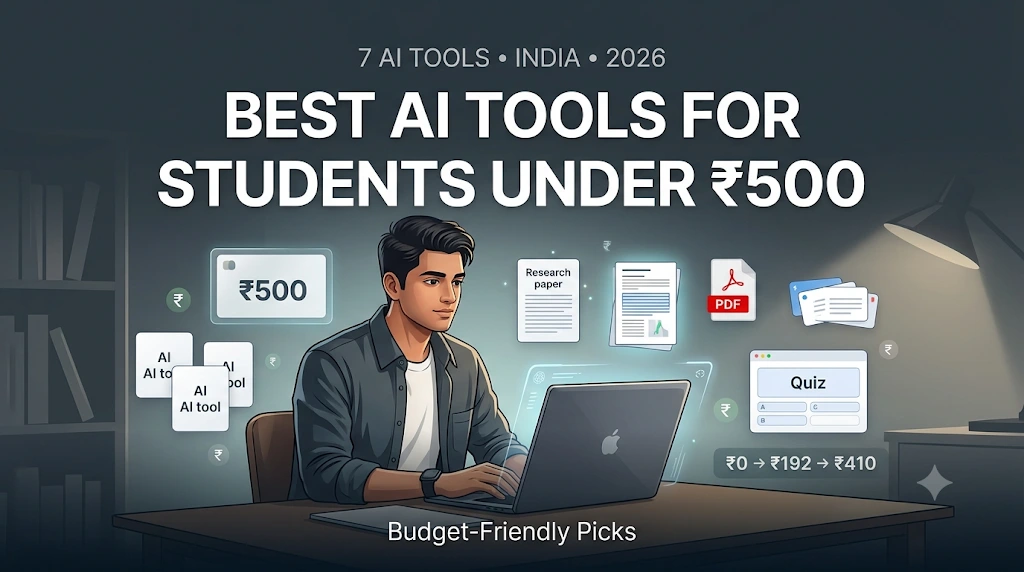
Best AI Tools for Students Under ₹500 in India: 7 Budget-Friendly Picks
You have ₹500 left this month for subscriptions. You need to dig up sources for a project, revise for an exam next week, and turn 80 pages of lecture notes into something you can actually remember. The obvious move is to pay for the most popular AI chatbot. That’s usually the wrong move — and once you actually convert dollar pricing into rupees, most “affordable” AI tools aren’t affordable at all.
The problem most students have isn’t finding AI tools — a search turns up fifty of them in seconds. The real problem is knowing which one actually deserves your money. This guide to the best AI tools for students under ₹500 in India is built around one hard constraint: ₹500 is a monthly ceiling, not a target to spend. Most students don’t need five subscriptions running at once. A free tool plus one carefully chosen upgrade will often out-perform an expensive stack, because the goal isn’t maximum AI access — it’s maximum useful output per rupee.
New to AI? Start with our Ultimate Beginner Guide to AI Tools for Students to discover the best AI tools for research, note-taking, writing, revision, and productivity—all explained in a beginner-friendly, step-by-step format.
Quick answer: At today’s exchange rate (~₹96.5/USD), ₹500 buys you a little over $5 a month. That single fact rules out almost every AI subscription priced in dollars — RemNote Pro, Consensus Pro, and Elicit’s cheapest paid plan all convert to well above ₹500/month. What ₹500 actually buys, as of September 2026, is a strong free-tier stack plus one or two genuinely cheap paid add-ons: Humata’s Student plan (₹192/month) and, if you use annual billing with the student discount, Gizmo’s Unlimited plan (roughly ₹410/month). Everything else on this list is worth using for free.
That’s the real story this guide tells: not “here are 7 AI tools,” but a practical answer to what ₹500 can and can’t buy an Indian student in 2026 — and a system for deciding when to spend it.
Last verified: September 18, 2026. Pricing changes often — check each tool’s official pricing page before you subscribe.
Who This Guide Is For
This guide is written for:

- Indian college and university students on a tight monthly budget
- Undergraduate students preparing assignments and projects
- Students who regularly read research papers or dense PDFs
- Students preparing for exams who need flashcards and practice questions
- Students working through lecture notes and slides
- Anyone who wants useful AI help without taking on a large monthly subscription
In short, if you’ve been searching for the best AI tools for students under ₹500 in India and getting either generic “top 10” lists or US-priced roundups that ignore INR, this guide is built specifically to fix that gap.
It is not written for:
- Students who need full institutional research databases (Scopus, Web of Science, JSTOR access)
- Advanced researchers running large-scale systematic reviews
- Anyone specifically looking for unlimited, no-limits premium AI access — that isn’t realistic inside a ₹500 budget, and this guide won’t pretend otherwise
The Best AI Tools for Students Under ₹500 in India — Cheat Sheet
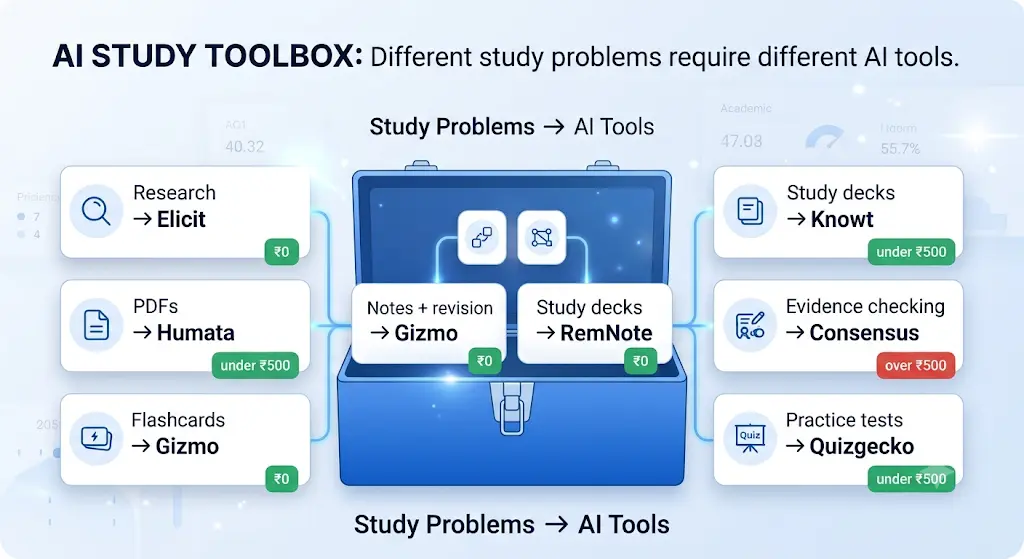
Save this table. It’s the fastest single-glance answer to the search that brought you here — the best AI tools for students under ₹500 in India, mapped to the exact task you need done.
| Need | Start here (free) | Pay only when… | Approx. monthly cost | Main limitation |
| Research & paper search | Elicit | Free search/summary limits become a real bottleneck | ₹0 | Weaker on non-English or niche literature |
| Reading & querying PDFs | Humata | You regularly exceed 60 free pages/month | ₹0 → ₹192 (Student plan) | Free tier’s page cap is small for textbook chapters |
| Flashcards from notes/lectures | Gizmo | Free generation limit isn’t enough | ₹0 → ~₹410 (annual + student discount) | Cards are fill-in-the-blank, not open-ended |
| Notes + long-term revision | RemNote | You need heavier AI features (AI grading, lecture recorder) | ₹0 → ₹770+ (over ₹500) | PDF annotation and image-occlusion capped on free tier |
| Ready-made study decks | Knowt | You need AI-generated quizzes at scale | ₹0 → ₹1,200+ (over ₹500) | Heaviest AI features sit behind Ultra |
| Quick evidence checks | Consensus | You need many Deep Searches per session | ₹0 → ₹965+ (over ₹500) | Small monthly Deep Search allowance |
| One-off quiz generation | Quizgecko | You need more than one AI lesson/month | ₹0 → ~₹580 (just over budget) | Free tier gives only 1 AI lesson/month |
Screenshot this before you read the rest — it answers the question most students actually came here to ask.
What Your First ₹500 Should Actually Do
Before opening your wallet, run the numbers against this framework:
₹0 — the default. If a free tier solves your actual problem, don’t spend anything. Most students never need to leave this tier.
₹192 — the safest upgrade. If PDF processing is your genuine bottleneck, Humata’s Student plan is the clearest, cheapest, most verifiably-priced option on this entire list.
~₹410 — only if the specific feature is worth it. Gizmo’s annual-plus-student-discount plan fits under ₹500, but only makes sense if automated flashcard generation from lecture recordings is a real, recurring need — not because the price happens to fit the budget.
₹500 spent without a bottleneck — no meaningful reason. If you can’t name the specific limit you’re hitting, you’re not ready to pay for anything yet.

How We Calculate the ₹500 Limit
To keep every price comparison honest, here’s exactly how the conversions in this article were done:
- USD → INR conversion: calculated at the live mid-market rate of approximately ₹96.5 per US dollar, checked on the verification date above. Rates move daily — recheck before assuming a number still holds weeks later.
- Monthly-equivalent for annual plans: an annual price is divided by 12 to get a monthly-equivalent figure, since that’s the number most students actually compare against a ₹500 ceiling.
- Taxes: the conversions above are based on listed subscription prices and do not add GST or payment-processing fees, which can push the real cost slightly higher depending on how you pay.
- App Store vs. website pricing: Apple App Store and Google Play prices can differ from a tool’s own website price once local taxes are baked in — always check the price inside the exact app you’ll be charged through.
- Student discounts: treated as conditional, not automatic. A discount only counts toward the ₹500 budget if your specific email domain is accepted at signup.
- Promotional pricing: never treated as the permanent price. An “introductory” rate is the cost for a limited window; the renewal price is what matters for a monthly budget.
Before you start writing your assignment, it’s important to know how to use AI for college research projects effectively. A strong research process helps you find credible sources, organize ideas, and avoid common mistakes that can lower your grades.
Before You Compare Prices, Check the Billing Period
This trips up more students than any other pricing detail on this list, especially with Gizmo. A monthly-equivalent price is not the same as an actual monthly payment.
“$4.29/month equivalent” does not mean you can pay $4.29 this month and cancel. It usually means: you pay the full annual amount upfront, and that lump sum averages out to $4.29 a month over the year. If you only have ₹500 available this specific month, an annual plan with a low monthly-equivalent rate may not actually be payable right now — check the upfront total before assuming the discounted rate applies to your situation.
Understanding a lesson is only the first step. The real challenge is turning it into revision material. For that, read How to Turn Class Notes into Exam Revision Notes with AI: Powerful 2026 Student Success Guide and see how students are converting class notes into powerful exam-ready summaries.
Which AI Tools Can Students Actually Get for Under ₹500?
Here’s the honest breakdown before you read any further.
Fully usable for ₹0 (free tier is genuinely enough for most students):
| Tool | Best For |
| Elicit | Academic paper search and summarization |
| Consensus | Quick evidence-based answers from research |
| RemNote | Notes, unlimited flashcards, and spaced repetition |
| Knowt | Flashcards and study sets |
| Humata | PDF question-answering — 60 free pages/month |
| Gizmo | AI flashcards and quizzes from your own notes |
| Quizgecko | AI-generated quizzes, flashcards, and notes — 1 lesson/month |
Tip: Start with the free tier and upgrade only when a specific limit genuinely becomes a problem in your study workflow.
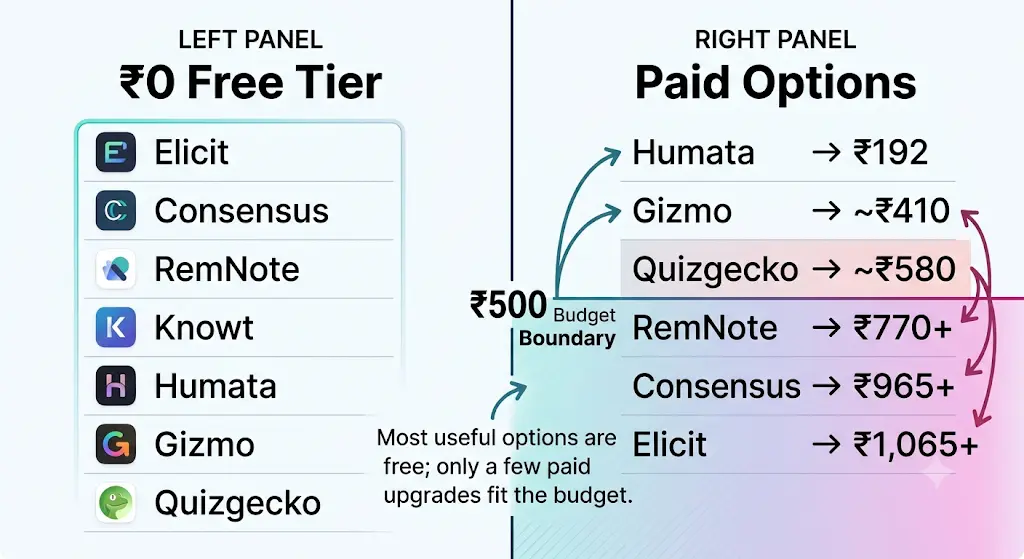
Paid, and verified under ₹500/month:
- Humata Student Plan: If you mainly work with research papers, lecture notes, or other PDFs, Humata’s Student plan is one of the few paid options that fits comfortably within a ₹500 budget. It costs $1.99 per month (about ₹192) and requires a verifiable student email. Humata Student plan
- Gizmo Unlimited: For students who want to turn their notes and study materials into flashcards and quizzes, Gizmo’s student discount can bring the cost to about $4.29 per month (roughly ₹410) with annual billing. This figure is based on Gizmo’s listed weekly rate and is third-party sourced, so check the pricing details and eligibility before purchasing. Gizmo Unlimited
Don’t waste hours turning long PDFs into messy notes—learn how to use AI to transform your study materials into clear, exam-ready notes in minutes.
Not under ₹500 — useful, but only if someone else is paying (an institution, a scholarship, or you personally decide it’s worth more):
| AI Tool | Plan | Price | Billing / Notes |
| RemNote | Pro | $8/month ≈ ₹770 | Monthly pricing |
| Consensus | Pro | $10/month ≈ ₹965 | Billed annually |
| Elicit | Plus | $11/month ≈ ₹1,065 | Billed annually |
| Knowt | Ultra | $12.49–$24.99/month | Price varies by billing option |
| Quizgecko | Premium | $6/month ≈ ₹580 | Billed annually; slightly over ₹500 |
| SciSpace | Paid plans | From ~$12/month | Billed annually; free-tier availability was not reliably confirmed during this verification |
Is ₹500 enough for AI tools as a student? Yes, but mostly because several genuinely useful tools have workable free tiers. A ₹500 budget is realistic for one targeted upgrade — not for stacking several premium subscriptions.
How We Chose These Tools
Every tool here had to clear six bars, not just a price check:
- It solves a specific student task (not “productivity” in the abstract).
- It has a real free tier or a verified price under ₹500/month.
- Its pricing is checkable on an official source.
- It’s actively maintained in 2026.
- It has at least one honest limitation we could name.
- We separate “free” from “actually usable for free.” A tool that technically offers a free tier isn’t automatically useful if it allows only one generation a month, demands a credit card upfront, has an extremely small quota, locks the one feature that matters, or is really just a disguised trial. Every free tier listed in this guide was checked against this stricter bar.
If you are looking for free AI resources, do not miss Best AI Tools for Students Free in 2026: 10 Powerful Picks to Study Faster and Smarter, which features some of the most useful no-cost tools available for students.
Tools that failed on price transparency or had no working free option — Mindgrasp, for instance, offers only a 4-day trial before charging $9.99+/month — were left out rather than force-fit into the list.
We’re not claiming to have used every tool for months on end. Where we describe a feature, it’s based on the tool’s own current documentation and pricing page, checked on the date above, not an invented “we tested this for a semester” narrative. One more principle worth stating plainly: price is not the same as value. A ₹0 tool that solves your actual problem is worth more than a ₹1,000 tool that solves a problem you don’t have.
Best for Research Workflows:
Elicit
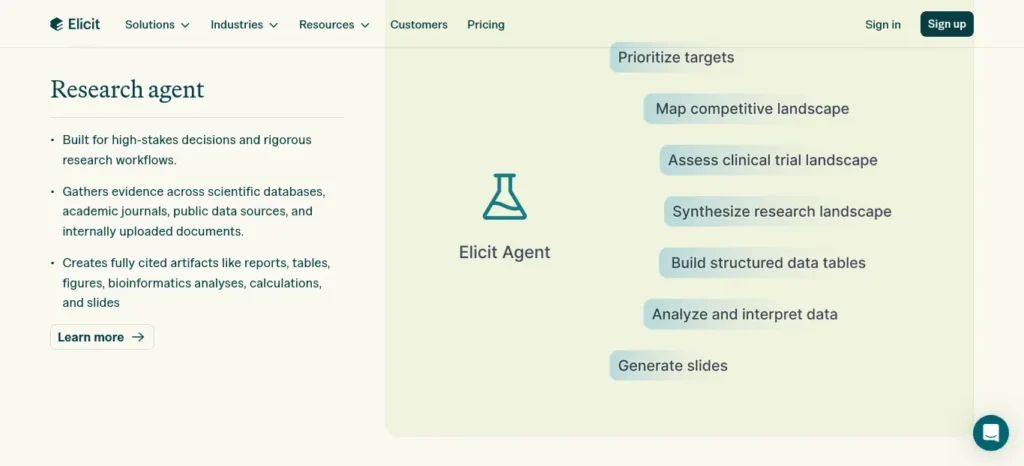
What it does: Elicit is an AI research assistant that searches over 138 million academic papers, summarizes them, and lets you chat with individual papers using their full text.
Free plan: The Basic tier is free and includes unlimited search across its paper index, unlimited summaries, and unlimited chat with papers with full-text access, plus source viewing and Zotero import. Usage of the newer “Research Agent” and automated reports is limited on this tier.
Paid tier: The cheapest paid plan (Plus) runs from roughly $11–12/month when billed annually — about ₹1,050–1,150/month. That’s well past ₹500, so this only belongs on a paid budget if a scholarship, TA stipend, or lab is covering it.
How to use it better: Don’t type vague topic phrases like “find papers about AI in education.” Instead, give Elicit a research-literate query: “Find recent peer-reviewed research on how generative AI affects study habits among university students. Prioritize empirical studies and identify the population, methodology, sample size, and major finding.” Then follow this sequence: search → shortlist the most relevant results → open the original paper, not just the AI summary → verify the specific claim you want to use → cite the original source, not Elicit’s summary of it. That last step matters — a summary is a starting point for reading, not a citation-ready fact.
Where it falls short: Elicit works best on well-digitized academic literature — medicine, psychology, social sciences. It’s weaker on niche or non-English sources, and it can only read papers that are open-access or that your institution already gives you access to.
Best for: A CS, life-sciences, or social-science student who needs to find and skim 20 papers for a literature review without a subscription.
Bottom line: Use the free Basic plan for literature discovery and summarization. Skip the paid tier unless you’re doing a systematic review and someone else is footing the bill.
Best for Evidence Verification:
Consensus
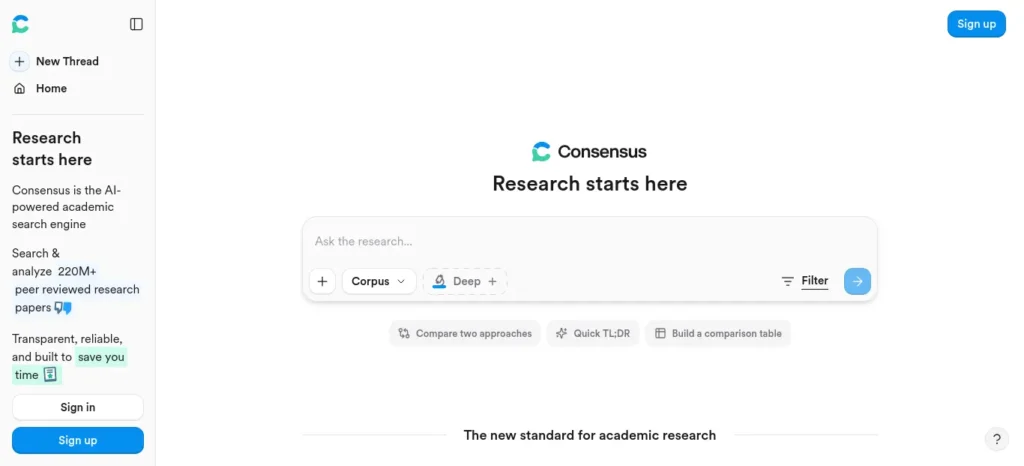
What it does: Consensus searches peer-reviewed research and gives you a distilled, evidence-based answer instead of a list of paper titles, using its “Consensus Meter” to show how much agreement exists across studies.
Free plan: Free tier includes basic Quick Search, abstract summaries, and a handful of Deep Searches per month.
Paid tier: Pro costs around $10/month billed annually (≈₹965/month) or more if billed monthly; Deep is pricier still. Both exceed ₹500.
How to use it better — an evidence-check workflow, not a fact-generator:
- Ask a narrow, specific question rather than a broad topic.
- Check which studies the answer is actually drawn from.
- Look at the agreement/disagreement signal, not just the headline answer.
- Open the underlying papers for anything you plan to cite.
- Don’t treat the AI’s summary sentence as the evidence itself — it’s a pointer to the evidence.
That last point matters for academic integrity as much as accuracy: a professor will ask where a claim comes from, and “Consensus said so” isn’t a source.
Where it falls short: The free plan’s Deep Search allowance is small, so if your research question needs many multi-paper syntheses in one sitting, you’ll hit the limit fast.
Best for: Fast fact-checking a claim for an assignment (“do most studies actually support this?”) without reading five full papers.
When it makes sense to pay: Only if you’re running Deep Searches daily across multiple projects — most undergraduates won’t hit that point.
Best for Long-Term Memory:
RemNote
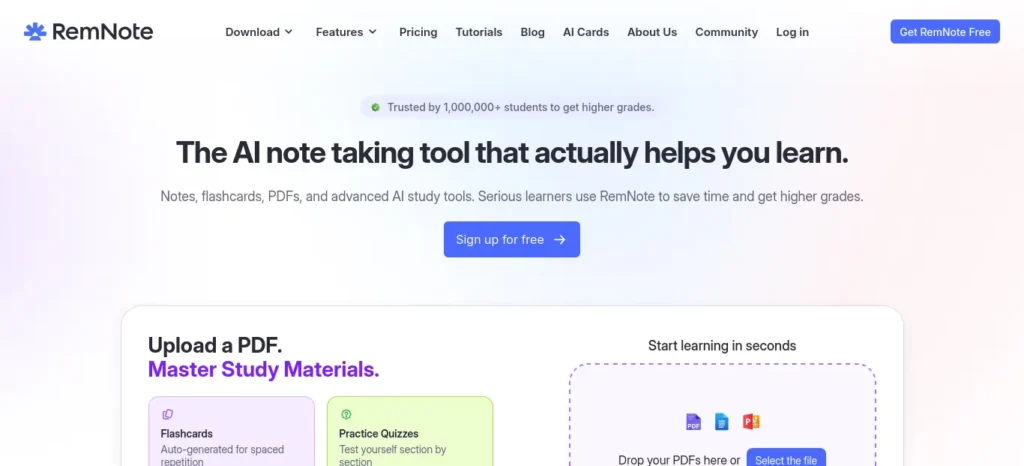
What it does: RemNote combines note-taking with a built-in flashcard system and spaced-repetition scheduling, so the same notes you write for class become your revision material.
Free plan: Unlimited notes and unlimited flashcards, unlimited synced devices, plus a small monthly allowance of annotated PDFs and image-occlusion cards.
Paid tier: Pro is $8/month (≈₹770/month), and Pro with AI is $18/month (≈₹1,740/month) — both over budget for most students.
How to use it better: Follow a simple pipeline — lecture notes → pull out the core concepts → turn only the important concepts into flashcards → run spaced repetition daily → specifically re-review the cards you keep getting wrong, not the ones you already know. A common mistake is converting every single sentence of a lecture into a flashcard; that buries the handful of ideas that actually matter under dozens of trivial ones. Fewer, better cards beat more, weaker cards.
Where it falls short: The free plan caps PDF annotation and image-occlusion cards at a handful per month, which matters if most of your studying is PDF-based rather than typed notes.
Best for: Students who take digital notes anyway and want spaced repetition built in, rather than exporting to a separate flashcard app.
Who should use it: The free tier alone is a legitimate long-term note-and-revision system. This sounds too good to be true for a free plan, but it holds up — the catch is just that the heaviest AI-specific features live behind the pricier tier.
Best for a PDF Workflow on a Real Budget: Humata
What it does: Humata lets you upload PDFs — lecture slides, research papers, textbooks — and ask it questions about the content, with answers that cite the specific page or passage.
Free plan: 60 free pages per month, one user, no additional pages beyond that (per Humata’s official pricing page).
Paid tier — the one that actually fits ₹500: The Student plan is $1.99/month (≈₹192/month at today’s rate), for verified academic email accounts, and raises the monthly page allowance to 200 with extra pages billed at $0.02 each. This is one of only two paid tools on this entire list that comfortably clears the ₹500 bar.
PDF Study Prompt Pack — three prompts worth reusing:
- “Explain this chapter in simple language first. Then identify the 10 concepts most likely to matter for an undergraduate exam.”
- “Create 15 questions from this PDF. Separate factual recall questions from conceptual questions.”
- “Find the exact page where [topic] is discussed and explain the surrounding context.”
Always verify important answers against the cited page before using them in an assignment. Humata’s citations point you to the source — that’s exactly why you should open it, not skip it.
Where it falls short: Eligibility for the Student rate depends on Humata accepting your college email domain at signup — Indian students should confirm their .ac.in or institutional address works before assuming the discount applies. The free tier’s 60-page cap disappears fast if you’re processing full textbook chapters.
Best for: Engineering or law students constantly working through dense PDFs who don’t want to skim manually.
The ₹500 answer: If you’re going to spend any of your ₹500 this month, this is the safest, cheapest, most verifiably-priced place to spend it — provided your student email is accepted.
Best for Automated Flashcards:
Gizmo
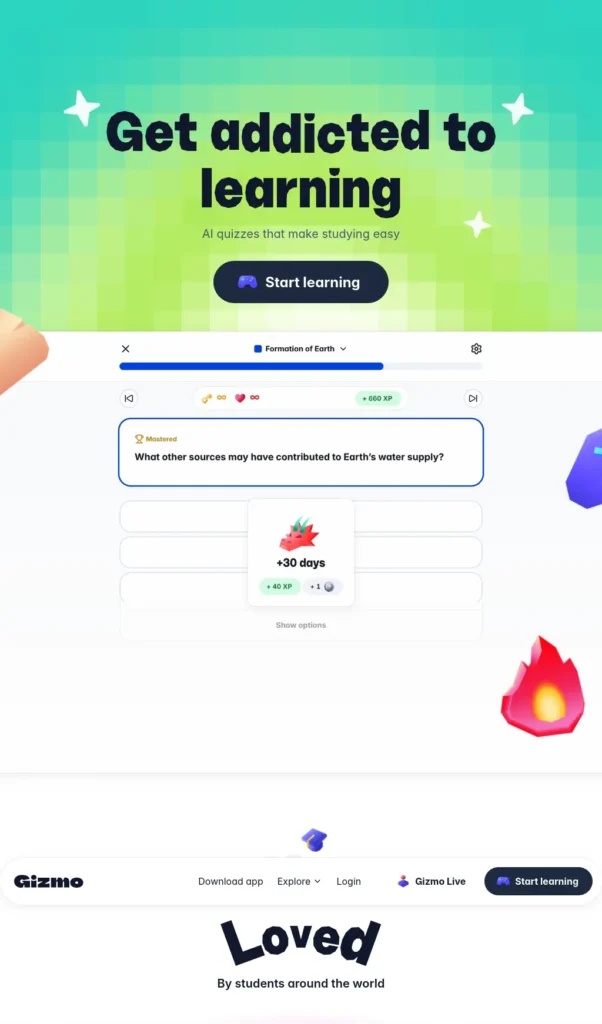
What it does: Gizmo (Save All) converts your notes, PDFs, YouTube videos, and slides into flashcards and quizzes automatically, with spaced repetition and a gamified streak system.
Free plan: The Basic plan allows unlimited cards and decks with limited access to premium features — genuinely usable for regular studying, not just a demo.
Paid tier: Third-party tracking (not Gizmo’s own pricing page, so treat this as a third-party-sourced figure and re-check before paying) lists the “Unlimited” plan at $6.99/week billed weekly, or as low as $0.99/week with a student discount when billed annually — that works out to roughly $4.29/month, or about ₹410/month, comfortably under ₹500. Without the student discount, annual billing is closer to $8.63/month (≈₹833), which is over budget.
How to use it better: Build a simple pipeline — record or upload the lecture → let Gizmo generate a first-pass deck → run spaced repetition → flag the cards you find genuinely difficult for extra review. One warning worth taking seriously: don’t blindly accept every automatically generated flashcard. AI-generated cards can be incomplete, vague, or too easy, especially on complex or nuanced material — skim the generated deck before you trust it as your only revision source.
Where it falls short: Gizmo’s flashcards are fill-in-the-blank style rather than open question-and-answer, which suits vocabulary and fact recall better than concept explanation.
Best for: Students who record lectures or have PDF-heavy courses and want flashcards generated automatically instead of hand-typed.
Where it fits: Worth trying free first. If you decide to pay, look specifically for the annual-plus-student-discount rate — the weekly and unlisted-discount rates are not ₹500-friendly. Because this price comes from a third party rather than Gizmo’s own pricing page, confirm it directly on the app before committing.
Want to study smarter instead of harder? Discover the best AI tools for creating flashcards automatically and generate personalized study cards from PDFs, notes, and lecture slides in seconds.
Best for Testing Yourself:
Quizgecko
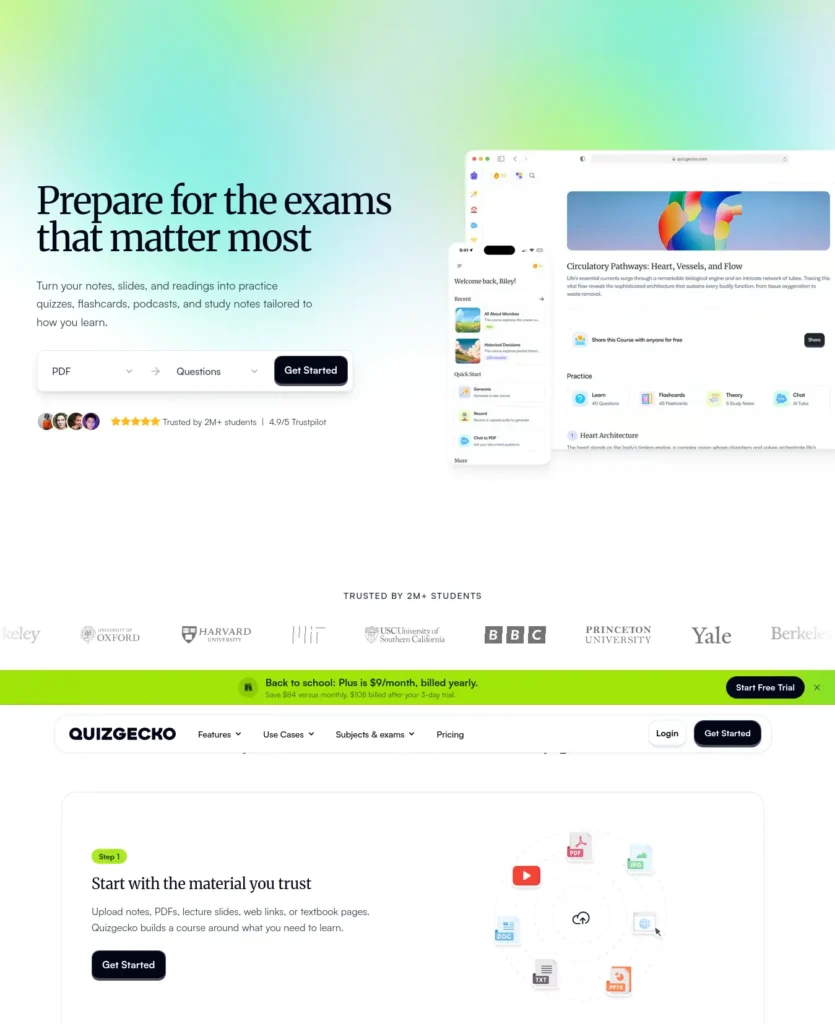
What it does: Quizgecko turns text, documents, or web pages into quizzes, flashcards, and short study podcasts.
Free plan: The Basic tier gives you one full AI-generated lesson (quiz + flashcards + notes) per month, with no credit card required.
Paid tier: Premium is around $6/month when billed annually (≈₹580/month) — just over the ₹500 line, not comfortably under it like Humata or Gizmo. Billed monthly, it jumps to roughly $16/month, well above budget.
Best use case — use it after studying, not instead of studying: Learn the material first → generate a quiz from your notes or textbook → attempt it without looking anything up → identify exactly which areas you got wrong → go back to the source material for those specific gaps. Quizgecko works best as a diagnostic tool, not a replacement for reading.
Where it falls short: One free lesson a month is genuinely thin if you have multiple subjects to prep for; you’ll likely outgrow it within the first exam season.
Best for: Occasional quiz generation from a single dense chapter or PDF, used sparingly on the free tier.
Skip the upgrade if: you only need occasional quizzes — the free tier’s one lesson a month may cover a single exam crunch. Don’t count on the paid tier fitting your ₹500 budget without checking exact billing terms at signup, since it sits right at the edge of the limit.
Struggling to remember what you studied? After improving your focus, the next step is turning your notes into interactive quizzes. Learn how to create practice tests from notes using AI to revise smarter, test yourself faster, and boost exam confidence.
Best for Community Study Decks:
Knowt
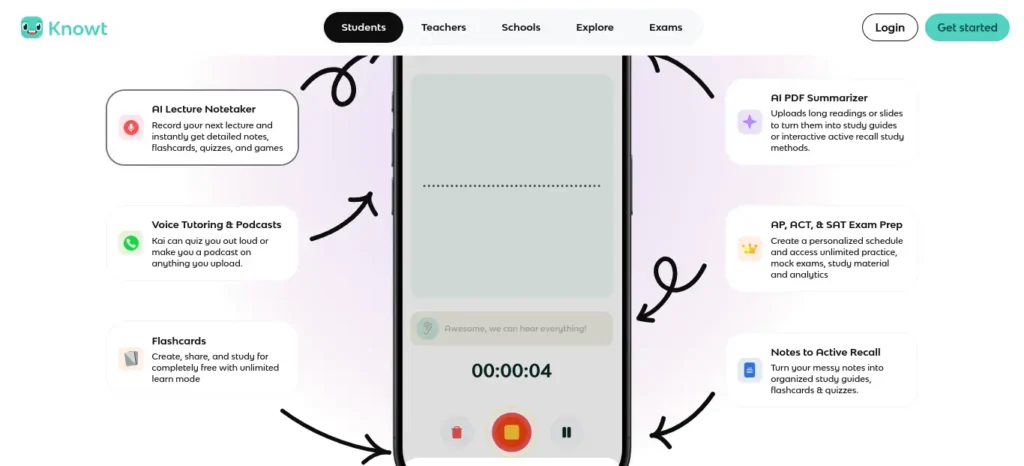
What it does: Knowt lets you build notes and flashcards, offers built-in study modes, and gives you access to a large library of decks made by other students.
Free plan: The Basic tier covers note and flashcard creation, free study modes, and custom flashcard hints — a solid baseline with no AI-generation limits mentioned for manual card creation.
Paid tier: Ultra starts at $12.49/month billed annually and $24.99/month billed monthly — both far above ₹500.
How to use it better: Use other students’ public decks as a starting point, not automatically as authoritative course material. Before an exam, cross-check anything important against your actual lecture notes, the textbook, the syllabus, and any material your instructor has explicitly provided — a stranger’s deck can be outdated, incomplete, or simply wrong for your specific course.
Where it falls short: The heaviest AI features (auto-summaries, AI-generated quizzes at scale) sit behind Ultra, so the free plan is closer to a digital flashcard notebook than an AI study assistant.
Best for: A student who wants to browse existing decks for a course rather than build an AI pipeline from scratch.
Skip the upgrade if: you’re mainly browsing decks rather than generating new AI content — the free tier already covers that use case. Only consider Ultra if it’s parent- or scholarship-funded.
What About SciSpace?
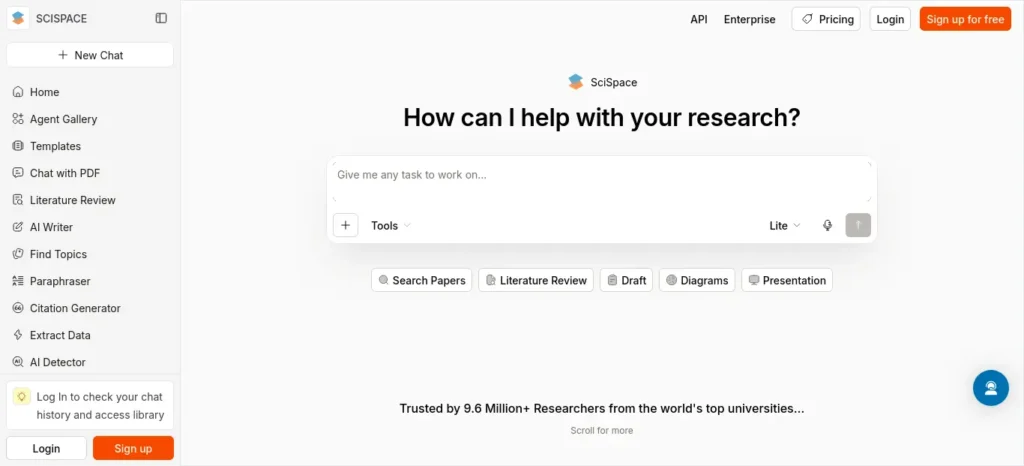
SciSpace shows up in almost every “AI tools for students” list, so it’s worth addressing directly: as of this verification, pricing sources disagree on whether a genuine free tier still exists, and the cheapest confirmed paid plan runs from roughly $12–20/month billed annually (₹1,150–1,930/month) — several times over a ₹500 budget. Unless your university has an institutional license, this isn’t a ₹500-budget tool right now. Check its official pricing page directly before assuming otherwise.
Quick Comparison
This table lines up all seven candidates side by side so you can see, at a glance, which are genuinely the best AI tools for students under ₹500 in India and which only look affordable until you check the real billing terms.
| Tool | Main job | Free tier | Paid under ₹500? | Student discount | Biggest limitation |
| Elicit | Paper search & summaries | Yes, generous | No | Not confirmed | Weaker on niche/non-English sources |
| Consensus | Evidence-based answers | Yes, limited | No | Not confirmed | Small Deep Search allowance |
| RemNote | Notes + spaced repetition | Yes, generous | No | Not confirmed | PDF/image-occlusion capped free |
| Humata | PDF question-answering | Yes (60 pages/mo) | Yes — ₹192/mo | Confirmed | Email domain eligibility varies |
| Gizmo | Auto-flashcards from notes | Yes, generous | Yes — ~₹410/mo* | Reported, verify | Fill-in-the-blank format only |
| Quizgecko | Quizzes from documents | Yes (1 lesson/mo) | Close, ~₹580 | Not confirmed | Free tier very limited |
| Knowt | Community study decks | Yes | No | Not confirmed | AI features behind Ultra |
Third-party sourced; confirm on Gizmo’s own app before paying.
The ₹500 Student AI Stack
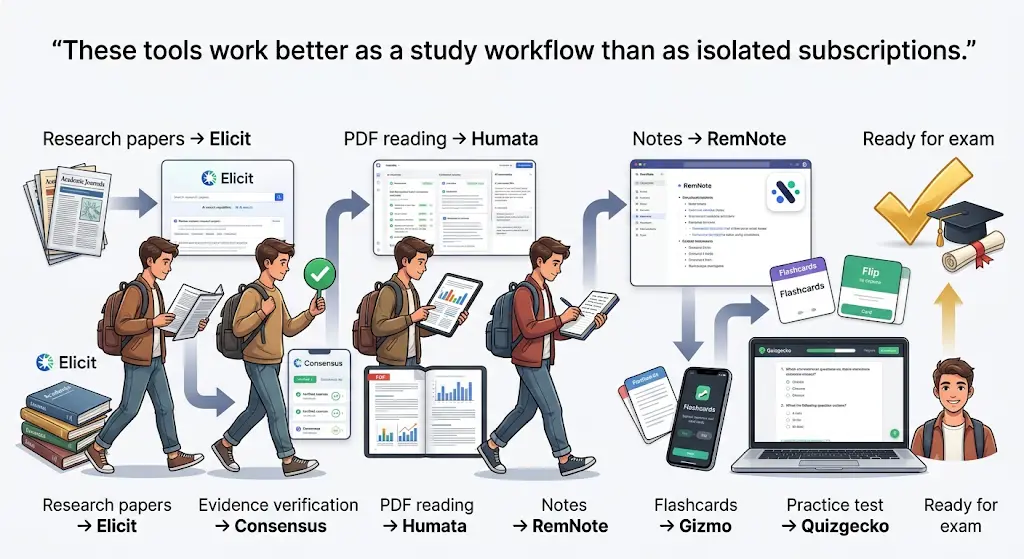
The individual picks above only become the best AI tools for students under ₹500 in India when they’re combined correctly, not used one at a time in isolation. Instead of asking “which single AI tool is best,” ask: how do I build the most useful AI workflow without spending more than ₹500?
Stack A — ₹0 (can’t spend anything this month): Elicit (research) + RemNote (notes and flashcards) + Humata free tier (PDF Q&A, 60 pages/month) + Gizmo free tier (flashcards from notes). This alone covers research, note-taking, PDF reading, and revision — completely free.
Stack B — ₹192 (one small, targeted upgrade): Everything in Stack A, plus Humata Student ($1.99/month) if your PDF workload regularly exceeds 60 pages a month. This is the single best ₹-for-value upgrade on this list.
Stack C — up to ₹500 maximum: Stack B, plus Gizmo Unlimited at the annual-plus-student-discount rate (~₹410/month) if flashcard generation from lecture recordings is your actual bottleneck — not because you have ₹500 left to spend.
Stack D — ₹0 through legitimate student verification: Use your college email wherever a “Student” or “.edu”-style discount is offered (Humata is the clearest confirmed example here). Don’t pay full price for something a verified student account gets cheaper.
Most students use AI as a simple chatbot, but the real advantage comes from following a complete workflow. Discover our AI study workflow for students and learn how to capture notes, create quizzes, schedule revision, and prepare for exams more effectively.
A Realistic Week: The ₹500 Workflow I’d Actually Build
Tool combinations only mean something once they’re mapped onto an actual week. Here’s how a Stack A/B student might actually use this:

- Monday — Research: Use Elicit to find and shortlist papers for the week’s assignment or project.
- Tuesday — Reading: Upload the densest PDFs to Humata and interrogate them with the prompt pack above instead of reading passively cover to cover.
- Wednesday — Notes: Move the concepts that actually matter into RemNote, not every sentence — just the ones you’d struggle to explain cold.
- Thursday — Revision: Turn this week’s notes into flashcards with Gizmo or Knowt’s deck library, and run a first spaced-repetition pass.
- Friday — Testing: Use Quizgecko’s one free monthly lesson (save it for your busiest week) to self-test without notes open.
- Weekend — Verification: Go back to original sources for anything you got wrong, and correct the notes that misled you — this is the step most students skip, and it’s the one that actually protects you from citing or repeating an AI mistake.
This turns the article from “here are seven tools” into a system: budget → bottleneck → tool → workflow → verification → result → upgrade only when necessary.
The biggest mistake isn’t having too much work—it’s managing everything manually. Once your tasks are organized automatically, planning your day becomes much easier. Discover AI Tools for Organizing Daily Tasks Automatically: 6 Best Picks (2026) and build a workflow that saves time every day.
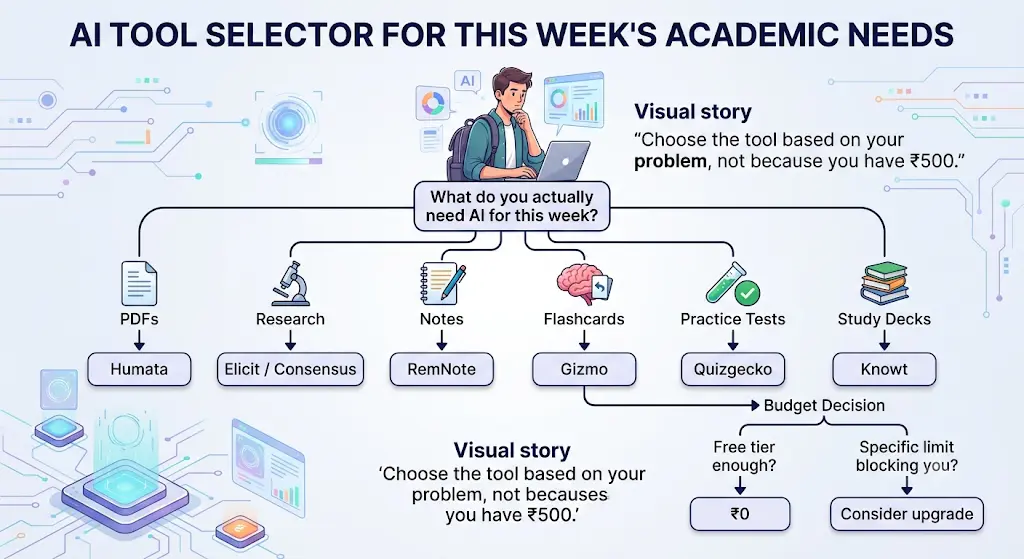
Price-to-Problem, Not Price-to-Tool
The wrong question is “which AI tool should I subscribe to?” The better question is “which specific problem is costing me the most study time right now?”
- PDF overload → Humata
- Research discovery → Elicit
- Evidence checking → Consensus
- Long-term recall → RemNote
- Automatic flashcards → Gizmo
- Practice testing → Quizgecko
- Existing study decks → Knowt
Match the bottleneck to the tool, not the tool to your budget. A ₹500 budget spent on the wrong problem is still a waste, even if the price fits.
A Simple Decision Tree
What do you actually need AI for this week?
- Finding and summarizing research papers → Elicit (free) or Consensus (free) for a quick evidence check
- Reading and querying PDFs/textbooks → Humata (free up to 60 pages; Student plan if you outgrow that)
- Making notes that double as flashcards → RemNote (free tier is enough for most people)
- Turning existing notes into flashcards or quizzes automatically → Gizmo or Quizgecko (free tiers first)
- Browsing ready-made decks for your course → Knowt (free tier)
Do you actually need to pay?
- If a free tier answers the question above → stay free.
- If you’ve hit a real, specific limit (not “more would be nice”) → check whether the upgrade fits ₹500 (Humata Student and Gizmo’s discounted annual plan are the only two paid options that clearly do, as of this verification) → if it doesn’t fit, look for a student-verified discount or stay on free until the limit genuinely blocks your work.
What ₹500 Actually Buys an Indian Student in AI
A few things are easy to miss if you’re converting prices in your head instead of checking them properly:
- Most AI subscriptions are priced in USD, and at today’s rate of roughly ₹96.5 per dollar, even an $8/month tool costs about ₹770 — already over a ₹500 ceiling before tax or app-store fees are added.
- Billing cycle changes the math a lot. RemNote Pro and Consensus Pro both show lower headline numbers when billed annually, but that’s still a monthly-equivalent cost above ₹500 — annual billing lowers the rate, not the fact that it’s over budget.
- App Store and Play Store prices can differ from a tool’s website price once local taxes are applied; always check the price inside the app you’ll actually be charged through, not just the marketing page.
- GST and payment-processing fees can nudge the final charge slightly above the advertised number, depending on how and where you pay — UPI, card, or app-store billing can each land at a slightly different final rupee amount.
- “Student” pricing needs a real student email to activate — a personal Gmail address usually won’t qualify, and Indian .ac.in addresses aren’t always recognized by tools built primarily for US .edu systems. Confirm eligibility before you commit to a plan expecting the discount.
- Promotional prices aren’t permanent prices. If a tool advertises an “introductory” rate, that’s the price for a limited window, not the ongoing cost — factor in the renewal price before deciding it fits your budget long-term.
Check Your College Before You Pay
Before spending any part of your ₹500, check whether your university, department, library, research lab, faculty, or student organization already provides free or discounted access to a research or study tool. Many institutions hold licenses for academic databases and AI research tools that individual students never think to ask about. Paying ₹1,000+ a year for something your college library already gives you for free is the single most avoidable expense on this list.
Common Mistakes Students Make With a ₹500 AI Budget
- Paying for a chatbot subscription before checking if a specialized free tool already does the specific task better. A general-purpose AI chatbot is not automatically the best PDF reader, flashcard generator, or research assistant — specialized free tools frequently outperform a paid general tool at their one job.
- Assuming the advertised headline price is the real price. Weekly billing, annual-only discounts, and region-based pricing can all change what you actually pay by 2–4x.
- Buying a full subscription to solve a one-week problem. If your bottleneck is a single assignment or exam, a free tier’s monthly allowance may cover exactly that without a subscription at all.
- Ignoring student-discount eligibility rules until after paying full price. Check the fine print on the domain requirements before signing up.
- Stacking multiple paid tools that do the same job. RemNote’s free flashcards and Gizmo’s free flashcards can overlap — pick one rather than paying for redundancy.
Where AI Should Not Replace Your Own Work
A budget-friendly AI stack is only genuinely useful if it’s used responsibly. Some lines are worth drawing clearly:
- Don’t submit AI-generated assignment text unchanged as your own work.
- Don’t cite a paper you haven’t actually opened, even if an AI tool summarized it accurately.
- Don’t trust a generated fact or statistic without checking the original source.
- Don’t accept AI-generated flashcards without reviewing them for accuracy.
- Don’t let an AI summary substitute for reading material your course actually requires.
- Don’t use AI to generate references or citations that don’t exist — always verify a citation is real before including it.
- Don’t upload confidential academic documents (unpublished thesis drafts, personal identifiable data) to a tool unless you actually need to.
Before You Trust an AI Answer
Run any important AI-generated claim through this quick checklist before using it in coursework:
- Where did this information come from?
- Can I open the original source myself?
- Does the cited page actually say what the AI claims it says?
- Is the claim recent enough to still be accurate?
- Is the AI summarizing real evidence, or making an inference dressed up as a fact?
- Would I be comfortable defending this claim to my professor if asked where it came from?
That last question is the one worth pausing on — if the honest answer is no, don’t submit it yet.
The 5-Part Student AI Prompt Formula
Most students get weak AI output because their prompts are too vague. This formula works across almost any tool on this list:
Context + Task + Source + Format + Verification
Example: “I am preparing for a second-year engineering exam. Use only the uploaded lecture notes. Explain [topic] in beginner-friendly language. Give the answer as 5 key points followed by 5 exam questions. Cite the relevant page for each major claim and clearly say when the notes don’t contain the answer.”
Notice what this does that “summarize this PDF” doesn’t: it tells the tool exactly whose notes to trust, what to produce, how to format it, and — critically — to admit when it doesn’t know something instead of guessing.
Before Paying ₹1 for an AI Tool
Run through this checklist before you subscribe to anything:
- [ ] I used the free version first
- [ ] I know exactly what limit is blocking me
- [ ] I checked the official pricing page
- [ ] I checked monthly vs. annual billing
- [ ] I checked student eligibility requirements
- [ ] I checked the renewal price, not just the intro price
- [ ] I checked for taxes or app-store price differences
- [ ] I know what happens if I cancel
- [ ] I actually need the feature I’d be paying for
- [ ] I can explain what time or work it will actually save me
Should Students Pay for AI Tools at All?
Only when a free tier has a specific, named limit that’s actually stopping you — not because a subscription feels more “serious” or “official.” The free tiers on this list cover research, note-taking, flashcards, and PDF Q&A well enough for most undergraduate workloads. Paying makes sense the moment you can point to the exact wall you’re hitting: “I process more than 60 PDF pages a month,” for instance, is a real, nameable reason to pay ₹192 for Humata Student. “I have ₹500 and want to use it” is not a reason.
Want to learn the practical ways students are already using AI in everyday learning? Read our complete guide on How Students Use AI to Study Smarter (Without Cheating) and discover 12 proven techniques to improve learning, revision, and exam preparation.
FAQ
What are the best AI tools for students under ₹500 in India? Based on verified pricing as of September 2026, Humata’s Student plan (₹192/month) and Gizmo’s annual student-discounted plan (roughly ₹410/month) are the two paid tools that clearly fit. Elicit, Consensus, RemNote, Knowt, and Quizgecko are all worth using on their free tiers, since their cheapest paid plans convert to well above ₹500.
Is ₹500 enough for a useful AI study setup? Yes, but mostly because the free tiers do the heavy lifting. ₹500 is enough to add one meaningful paid upgrade — Humata Student is the clearest, cheapest, most verifiable option — not enough to buy several premium subscriptions at once.
Are there AI tools that are completely free for students? Yes — Elicit’s Basic plan, Consensus’s free tier, RemNote’s free plan, Knowt’s Basic plan, Gizmo’s free plan, and Humata’s 60-pages-a-month free tier are all genuinely usable without paying, not just short trials.
Can I use AI tools for studying without paying anything? Yes. A student who never pays a rupee can still cover research (Elicit), evidence checks (Consensus), notes and flashcards (RemNote), PDF reading up to 60 pages a month (Humata), and quiz/flashcard generation (Gizmo, Quizgecko) entirely on free tiers.
What is the cheapest AI tool for students in India? Among tools with a confirmed, official paid price, Humata’s Student plan at $1.99/month (≈₹192) is the cheapest verified paid option on this list.
Which AI tool is best for studying PDFs? Humata, for both its free 60-page monthly allowance and its ₹192 Student plan, which raises that limit and adds page-level citations.
Which AI tool can turn lecture notes into flashcards? Gizmo and RemNote both do this on their free tiers — Gizmo leans toward automatic generation from recordings and notes, while RemNote leans toward flashcards built alongside your own typed notes.
Which AI tool is best for research papers? Elicit for finding, summarizing, and chatting with papers; Consensus if you want a quick yes/no-style evidence check across studies rather than a full reading list.
Which AI tool is best for exam preparation? RemNote or Gizmo for spaced-repetition flashcards built from your own notes; Knowt if you’d rather draw from a library of decks other students have already made; Quizgecko for a single practice-test pass before the exam.
Should students pay for AI subscriptions? Only once a free plan’s limit is a real, specific bottleneck in your workflow. Start free, find the actual wall, then pay to remove that one wall.
Should I pay monthly or annually for an AI student subscription? Check what you can actually afford right now, not just the lowest monthly-equivalent number. Annual plans often show a lower per-month rate, but they require the full amount upfront — which may not fit a strict ₹500-per-month budget even if the “monthly equivalent” does.
Are AI student discounts available with an Indian college email? Sometimes, but not guaranteed. Humata’s Student plan is confirmed on its own pricing page, but whether a .ac.in address is accepted depends on the individual tool — verify this before assuming a discount applies to you.
Can I combine multiple free AI tools instead of paying for one premium tool? Yes, and for most students this is the better strategy. Stack A in this guide — Elicit, RemNote, Humata’s free tier, and Gizmo’s free tier — covers research, notes, PDF reading, and flashcards without spending anything.
Are free AI tools enough for college students? For the majority of undergraduate workloads, yes. The main exceptions are heavy PDF processing beyond 60 pages a month and advanced systematic-review-style research, both of which have narrow, affordable paid options (Humata Student) or require an institutional subscription.
Is ₹500 enough for SciSpace or similar research-writing tools? Not currently. Confirmed paid pricing for SciSpace starts well above ₹500/month, and its free-tier availability is unclear as of this verification — check its official pricing page before assuming otherwise.
If You Remember Only 5 Things
- Start free.
- Identify the actual bottleneck before you consider paying.
- Check the official price before subscribing — not a blog post’s guess.
- Verify student-discount eligibility before you commit.
- Never trust an AI-generated academic claim without checking the original source.
Your 10-Minute Setup
- Pick your single biggest study bottleneck right now — research, PDFs, notes, or revision.
- Choose one free tool from this guide that matches it.
- Use it on one real assignment, chapter, or PDF today.
- Honestly measure whether it saved you time or just felt novel.
- Stay on the free tier for at least a week before considering anything else.
- Upgrade only if the free tier’s limit genuinely blocks your work — and even then, start with Humata Student, the cheapest verified option on this list.
The Final ₹500 Decision Framework
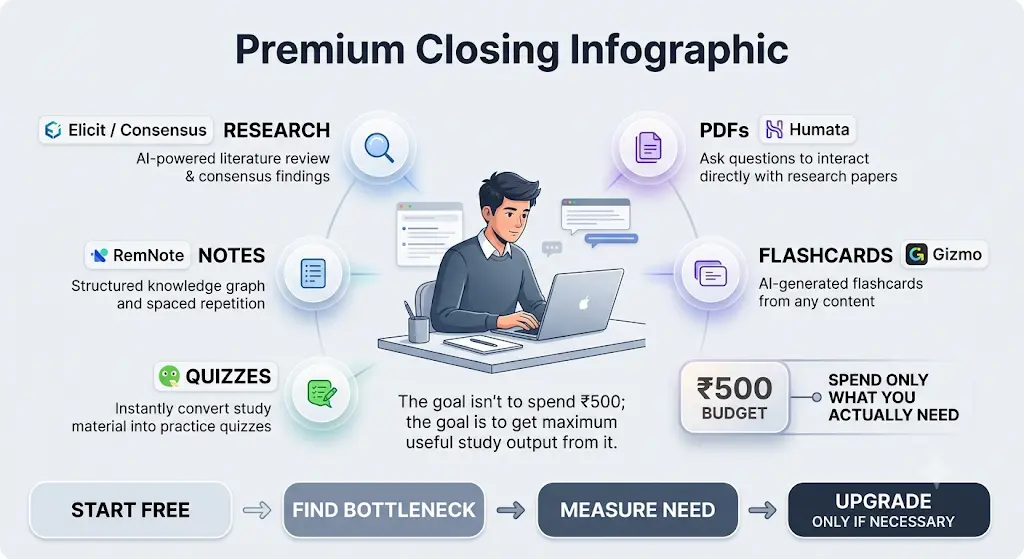
Don’t build an AI subscription collection. Build a study system. Don’t ask “which AI tool is the best” — ask “what is actually slowing me down right now, and does removing it cost anything at all?” For most students, the honest answer this month is: nothing. Build the free stack first — Elicit or Consensus for research, RemNote for notes and flashcards, Humata’s free tier for PDFs, Gizmo or Quizgecko for quiz generation. Only spend your ₹500 when you can name the exact task a free tier can’t finish, and spend it on the one upgrade that removes that specific block — which, as of today’s pricing, is most likely Humata’s Student plan.
That’s the real test of whether this guide to the best AI tools for students under ₹500 in India actually helped: not how many tools you installed, but how little of your ₹500 you needed to spend.
About the Author
Nandhakumar — Founder & Content Creator at FutureFastAI
Nandhakumar is the founder and content creator behind FutureFastAI, a practical resource focused on helping students and beginners understand and use AI tools more effectively.
At FutureFastAI, he researches AI tools, study workflows, productivity solutions, and emerging technologies with a focus on practical use cases, affordability, accessibility, and responsible AI use.
His work is especially focused on helping students discover useful AI tools for studying, research, writing, exam preparation, productivity, and everyday learning. Whenever possible, tool features, pricing, availability, and other important details are checked against official sources before publication or updating.
What FutureFastAI Covers
Through FutureFastAI, Nandhakumar creates and reviews content around:
- AI tools for students and beginners
- AI-powered study and learning workflows
- Academic research and writing tools
- AI tools for exam preparation
- Productivity and time-management tools
- Beginner-friendly AI guides and comparisons
- Practical ways to use AI as a learning assistant—not a replacement for human thinking
The goal is simple: make AI easier to understand, easier to evaluate, and more useful in real-world situations.
Editorial Approach
FutureFastAI aims to prioritize accuracy, transparency, and practical usefulness over hype. Information such as pricing, free-plan limits, and available features can change frequently, so relevant articles are reviewed and updated when significant changes are identified.
Recommendations are based on the information available at the time of publication and are not intended to replace a student’s own judgment. Readers should also verify important pricing, features, and policies directly with the respective AI tool provider before making a purchase or relying on a service.
Nandhakumar
Founder & Content Creator, FutureFastAI