How to Organize Study Materials Using AI: 7 Easy Steps
You download the lecture slides. Save the professor’s PDF. Take a screenshot of the whiteboard. Type a quick note on your phone. Bookmark three YouTube videos “to watch later.” Then, two days before the exam, you can’t remember where any of it went.
That’s the actual problem this guide solves: how to organize study materials using AI in a way that holds up when exam week arrives, not just on the day you set it up. AI is genuinely useful here — but not because it can summarize everything you own. The real advantage is that it can help turn scattered, disconnected information into a system you can actually retrieve and revise from. That’s a different problem than “make my notes shorter,” and most articles on this topic skip straight past it.
Quick answer: AI can organize study materials by collecting your notes and files, grouping them by subject or topic, extracting key concepts, connecting related information, and converting the material into searchable summaries, flashcards, quizzes, or study guides. The most effective approach treats AI as an organization layer — not a replacement for your own understanding of the material.
This guide walks through a repeatable seven-step system, shows you exactly what AI can and can’t be trusted to do, and compares the AI tools actually built for this job — most of which you’ve probably never heard of.

What Is the Best Way to Organize Study Materials Using AI?
The most reliable approach isn’t “upload everything and let AI sort it out.” It’s a five-part sequence — the C.L.E.A.R. Study Material System — that keeps you in control of the structure while AI handles the heavy lifting inside it.
Collect
Bring every piece of study material — notes, PDFs, slides, recordings, screenshots — into one central place before you organize anything.
Label
Apply consistent names for subject, module, and topic so materials from different sources still line up.
Extract
Use AI to pull out definitions, formulas, key concepts, and important details from dense or messy files.
Arrange
Connect related notes, PDFs, and questions to each other instead of just filing them into more folders.
Review
Turn the now-organized information into active-recall material — flashcards, quizzes, and practice questions — so organizing actually leads to learning.
The rest of this guide walks through each stage in practical detail, then shows you exactly where AI should lead and where you should stay in charge.
What Can AI Actually Organize?
Before diving into steps and tools, it helps to know exactly what’s realistic to hand off to AI — and what still needs your eyes on it.
- PDFs — AI can extract, classify, and summarize content well. Verification recommended for anything you’ll rely on directly.
- Lecture slides — AI is strong at identifying topics and key concepts from slide text. Verification recommended.
- Handwritten notes — AI can convert photos into searchable text (OCR) and structure them. Verification strongly recommended — handwriting recognition still makes errors.
- Lecture recordings — AI can transcribe and summarize audio or video well. Verification recommended, especially for technical terms.
- Screenshots — AI can extract text and classify screenshots reasonably well. Verification recommended.
- Research papers — AI can extract arguments and findings, but nuance and methodology often need a human read. Verification strongly recommended.
- Past exam papers — AI is useful for spotting recurring question patterns. Verification recommended before relying on the pattern.
- Textbook chapters — AI can structure concepts into a usable outline well. Verification recommended.
- YouTube lectures — AI can pull a transcript and key points reasonably well. Verification recommended.

Can AI organize PDF study materials?
Yes. AI can classify PDFs by subject and topic, extract key concepts, and summarize dense sections — but always cross-check anything with formulas, dates, or exact figures against the original document.
Can AI organize handwritten study notes?
Yes, if the AI tool supports OCR (optical character recognition) to convert photographed handwriting into text first. This is the category where human verification matters most, since handwriting recognition errors are common.
How can AI organize study materials by subject?
Give AI a basic subject-and-topic structure to work within (see Step 1 below), then ask it to classify each file against that structure rather than inventing categories on its own. This produces far more consistent results than an open-ended “organize my notes” request.
Why Are Study Materials So Difficult to Organize?
Between lecture slides, PDFs, recorded lectures, screenshots, handwritten notes, bookmarks, and half a dozen apps, study material accumulates faster than any single system can keep up with — especially once file names stop meaning anything and duplicates pile up.
Here’s the insight that changes how you approach this: the problem usually isn’t lack of storage. It’s lack of retrieval structure. You don’t need more space for files — you need a system where, three weeks from now, you can find the right piece of information in under a minute. Understanding this is really the starting point for how to organize study materials using AI in a way that actually holds up under exam pressure.
That reframing matters because it changes what “organizing” even means. Organizing isn’t tidying folders. It’s building a structure you can query later, whether that query comes from your own memory or from an AI tool you’ve pointed at your materials.

The AI study organization workflow, visually
YOUR STUDY MATERIALS
↓
PDFs · Slides · Notes · Recordings · Screenshots
↓
AI LAYER
↓
Classify → Extract → Connect → Search
↓
ORGANIZED KNOWLEDGE
↓
Understand → Practice → Review
↓
YOU LEARN
Notice the last box: you learn. AI organizes the information; the understanding still has to happen in your head. Keep that principle in mind through the rest of this guide — it comes back explicitly in a later section.
A Realistic Example: Organizing One Course From Scratch
Imagine you’re a second-year engineering student with six DBMS lectures, two assigned PDFs, a page of handwritten notes, three past assignments, and a handful of screenshots from a study group chat — all sitting in different apps.
Instead of asking AI to summarize everything at once, the more reliable order is: classify the materials into topics first, remove duplicates, connect each lecture to the topic it belongs to, and only then generate recall questions from the finished structure. That sequence — classify before summarize — is the difference between an organized subject and a slightly-shorter pile of the same mess. The steps below walk through exactly how to run it.
Step 1 — Gather All Your Study Materials in One Place
Before you touch AI, consolidate everything: lecture notes, PDFs, slide decks, recordings, assignments, research extracts, and any relevant textbook material. Scattered material can’t be organized — it can only be found and moved, one piece at a time. This step is the actual foundation of how to organize study materials using AI effectively; skipping it is the single biggest reason AI classification produces messy results later.
Create a simple subject structure first
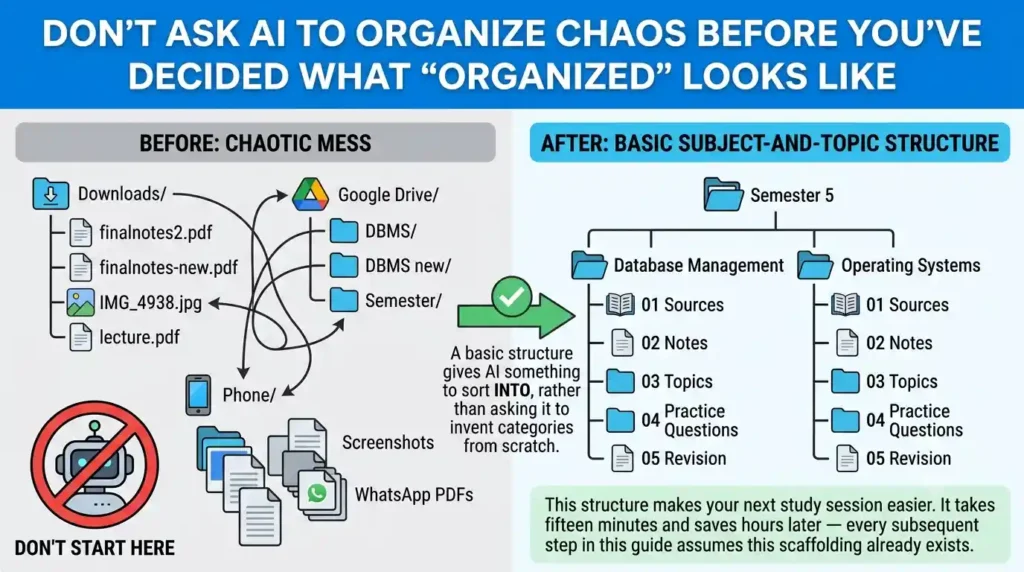
Don’t ask AI to organize chaos before you’ve decided what “organized” looks like. A basic subject-and-topic structure gives AI something to sort into, rather than asking it to invent categories from scratch.
Before:
Downloads/
finalnotes2.pdf
finalnotes-new.pdf
IMG_4938.jpg
lecture.pdf
Google Drive/
DBMS/
DBMS new/
Semester/
Phone/
Screenshots
WhatsApp PDFs
After:
Semester 5
│
├── Database Management
│ ├── 01 Sources
│ ├── 02 Notes
│ ├── 03 Topics
│ ├── 04 Practice Questions
│ └── 05 Revision
│
└── Operating Systems
├── 01 Sources
├── 02 Notes
├── 03 Topics
├── 04 Practice Questions
└── 05 Revision
The goal isn’t to make your files look neat. It’s to make the next study session easier. This takes fifteen minutes and saves hours later — every subsequent step in this guide assumes this scaffolding already exists.
Step 2 — Use AI to Classify Your Notes by Subject and Topic
Once materials are gathered, AI is far more useful for classification than for guessing what matters. Feed it a batch of notes with a specific instruction rather than a vague one.
Prompt:
“Analyze these study materials and identify the subject, module, topic, subtopic, and material type. Do not rewrite the content. Create a structured classification list and flag duplicate or overlapping materials.”
This does two things a generic “organize my notes” prompt won’t: it forces AI to categorize rather than rewrite, and it surfaces duplicates you’d otherwise carry forward unnoticed.
Step 3 — Turn Messy Notes Into Structured Study Materials
This is where AI’s summarization ability actually earns its place — converting raw material into a usable structure:
- Raw handwritten or typed notes → structured notes
- A dense PDF → a study guide
- A recorded lecture → a summary with timestamps
- Slides → a list of key concepts
- Handwritten pages (via photo) → searchable text
One caution worth taking seriously: AI-generated structure should always be checked against the original material. Summarization tools occasionally compress or reorder in ways that lose nuance, especially with formulas, exceptions, or multi-step definitions. Treat the AI output as a first draft of the structure, not a final source.
How to Turn a 300-Page PDF Into Weekly Study Guides
A long course reader is easier to manage when you divide the work into stages instead of asking AI to summarize the entire document in one pass. Start by mapping the chapters, matching them to your syllabus, and then generating a separate study guide for each week.
A practical workflow
- Map the PDF: Identify the table of contents, chapter titles, major topics, and printed page ranges.
- Match the syllabus: Use your instructor’s reading schedule to decide which sections belong to each week.
- Generate weekly guides: Create one guide at a time, preserving important definitions, examples, formulas, and exceptions.
- Add retrieval practice: Include short-answer questions and a few application questions based on the assigned reading.
- Verify the result: Check important claims and page references against the original PDF before studying from the guide.
Example prompt for a long course reader
“Using the uploaded course reader and the syllabus I provide, first create a chapter-by-chapter outline with the original page ranges. Then propose a weekly reading plan that follows the syllabus. For each week, prepare learning objectives, essential concepts, definitions, examples, and five practice questions based on the assigned sections. Keep the original page references wherever they can be verified. Clearly flag missing information, uncertain references, and topics that need manual review. Do not invent facts or assign readings that are not supported by the syllabus.”
Which tool should you try first?
Google NotebookLM is a useful starting point when you want to ask questions about uploaded sources and create study materials grounded in those sources. ChatGPT can also analyze uploaded documents and help structure a reading plan, subject to the current file and usage limits of your account. Neither tool should be assumed to process every scanned page, diagram, or reference perfectly.
Official references: NotebookLM study features and ChatGPT File Uploads FAQ.
Step 4 — Connect Related Notes Instead of Creating More Folders
This is the step most students skip — and it’s arguably the highest-leverage one.
Folders answer “where is the file?” Connections answer “how does this idea relate to something else I’ve already learned?” A folder system tops out at helping you locate things. A connected system helps you actually understand the subject as a whole.
Ways to build connections instead of more folders:
- Backlinks between notes that reference the same concept
- Tags applied consistently across subjects, not just within one
- Mind maps that visualize how topics relate
- Knowledge graphs that surface connections you didn’t manually create
A beautifully summarized PDF is still useless if you can’t remember where the original came from, or how it connects to the three other things you learned that week. This is exactly where tools like Recall, RemNote, and Mapify (covered below) earn their place — they’re built around connection, not just storage.
A Weekly Study Guide Template You Can Reuse
Use this structure for each week of a course. Adjust the reading sections and workload to match your syllabus rather than dividing a document into equal page counts automatically.
Week [Number]: [Topic or Module]
- Assigned reading: Chapter and verified page range
- Learning objectives: Three to five things you should be able to explain or do
- Essential concepts: The main ideas and how they connect
- Key terms: Definitions taken from the course material
- Worked examples: Important examples, equations, or case studies
- Practice questions: Five questions, including at least one application question
- Unclear areas: Concepts to ask your instructor about or review again
- Source check: Original pages used to prepare the guide
Prompt to create a weekly guide
“Use the following template to create a study guide for Week [number]. Base it only on the assigned sections of my course reader. Preserve technical terms, important exceptions, and relevant examples. Include original page references when verifiable. Separate information explicitly stated in the source from your own explanatory suggestions, and flag any gaps instead of guessing.”
Why not divide 300 pages into equal weekly chunks?
Chapter lengths, difficulty, assignments, and learning objectives vary. A syllabus-based schedule is usually more useful than splitting the PDF into equal page counts. Use page counts as a planning aid, not as a substitute for the instructor’s reading sequence.
Step 5 — Turn Organized Materials Into Active-Recall Resources
Organization alone doesn’t create learning — it just makes learning possible. The next move is converting your now-structured material into something you actively practice with:
- Flashcards
- Quizzes
- Practice questions
- Concept maps
- “Explain it yourself” prompts
Simply rereading organized notes is a weak substitute for retrieval practice. Structuring information around meaningful categories — and then testing yourself on it — is what actually moves material from short-term recognition into long-term recall.
Want to study smarter instead of harder? Discover the best AI tools for creating flashcards automatically and generate personalized study cards from PDFs, notes, and lecture slides in seconds.
Step 6 — Build an AI-Powered Exam Revision System
Once your materials are collected, classified, connected, and turned into active-recall resources, the final piece is timing. Here’s a simple structure you can adapt to any exam countdown:
7 days before: AI identifies syllabus topics, checks them against your available materials, and flags missing resources or weak areas.
5 days before: Generate topic-level summaries, flashcards, and practice questions from your organized materials.
3 days before: Shift focus entirely to difficult concepts, questions you got wrong, and topics flagged as weak.
1 day before: Rapid recall only — formulas, definitions, and common mistakes. No new material.
This turns “organizing” from a one-time cleanup task into a system that actively supports the final stretch before an exam.
Feeling overwhelmed by a huge syllabus before exams? Discover How to Revise an Entire Syllabus with AI and learn a step-by-step strategy to revise smarter, faster, and with less stress.
Step 7 — Search Your Study Materials Instead of Searching the Internet First
Once your materials are organized, the habit worth building is asking AI questions about your own material before defaulting to a general web search or a generic AI chat. There are three useful ways to query your own organized knowledge base:
Find mode — locate where something is covered:
“Where in my notes is normalization explained?”
Explain mode — get a source-grounded explanation:
“Explain normalization using only my lecture notes.”
Compare mode — check for gaps or contradictions between sources:
“Compare the definition of normalization in my lecture notes and textbook.”
This matters more than it looks. Without a source-grounded instruction, a general-purpose AI chat will happily blend unrelated internet knowledge into what should be a course-specific answer — which is exactly how students end up “learning” something their professor never actually taught. Source-grounded tools like NotebookLM are built around this exact workflow: keeping answers tied to the documents you’ve actually uploaded rather than the model’s general knowledge.
Want to move beyond simple AI answers? Learn how to use ChatGPT as a personal learning assistant to create study plans, generate quizzes, and master new skills faster.
AI Organizes the Information. You Own the Learning.
This is the principle the rest of this guide is built on, and it’s worth stating directly before you go further.
What AI should handle vs. what you should own
AI is good at:
- Classification and sorting
- Extracting key details from long material
- Searching across everything you’ve uploaded
- Summarizing dense text
- Generating practice questions
- Surfacing connections between notes
You stay responsible for:
- Deciding what’s actually important
- Checking accuracy against the original source
- Understanding difficult concepts, not just recognizing them
- Interpreting professor-specific requirements
- Verifying formulas and exact figures
- Evaluating sources that disagree with each other
- Honestly deciding what you actually know versus what looks familiar
The human-in-the-loop workflow
Rather than a straight line from AI to student, the more reliable workflow adds a checkpoint:
AI → extracts and structures the material
↓
You → check whether the structure makes sense
↓
Source → verify anything important or unfamiliar
↓
You → turn it into your own understanding
Skipping the middle two steps is how AI-organized notes quietly drift from what your professor actually taught.
Want to study smarter instead of studying longer? Discover how to use AI to improve academic productivity and build a simple study system that helps you stay organized, learn faster, and achieve better results.
How to Verify an AI-Generated Study Guide Against the Original PDF
An AI-generated study guide is useful only if it preserves the information you need to learn. Before relying on it for an assignment or exam, check the following:
- Page references: Open the cited page in the original PDF and confirm that it supports the claim.
- Definitions: Check that technical terms retain their intended meaning.
- Formulas and figures: Verify symbols, units, calculations, dates, and numerical values directly against the source.
- Missing content: Compare the guide with the assigned chapter headings and learning objectives.
- Exceptions and context: Make sure the summary has not removed a qualification that changes the meaning.
- Practice questions: Confirm that each answer can be supported by the course material.
- Uncertainty: Mark anything unclear for manual review instead of treating a plausible AI answer as a verified fact.
A simple verification prompt
“Compare this study guide with the original PDF. For each key claim, identify the supporting passage or page reference where available. Flag unsupported claims, omitted qualifications, incorrect numbers, and statements that cannot be verified. Do not silently rewrite uncertain claims as facts. If you cannot locate supporting evidence, label the claim as unverified.”
Important: A citation or page number generated by AI is not proof by itself. Open the original source and confirm it before relying on the information.
The three levels of AI study dependence
- Level 1 — AI-assisted. AI organizes your material; you do the studying. Best starting point for anyone new to this workflow.
- Level 2 — AI-supported. AI organizes, quizzes, explains, and flags weak areas; you still verify and decide what matters. Best for regular, ongoing study.
- Level 3 — AI-dependent. You can’t study without AI and accept its answers without checking them. Worth avoiding.
A simple test: if AI disappeared tomorrow, you should still be able to study from your original materials. If you couldn’t, that’s a sign to pull back toward Level 2.
The source-of-truth hierarchy
Not every piece of information carries equal authority. When sources disagree, this is roughly the order that should win:
- Professor or course material
- Official textbook
- Peer-reviewed academic source
- Trusted reference material
- AI-generated explanation
AI can help you understand the information at any level — but an AI-generated explanation should never quietly replace what your professor or textbook actually says.
4 Advanced Prompts for a Smarter Study System
The four prompts below go beyond basic classification — each targets a different organizational problem.
Find the gaps
“Compare my syllabus with these study materials. Create a list showing each topic, the material available for it, and what appears to be missing. Do not assume a topic is missing unless the source material supports that conclusion.”
Find contradictions
“Compare these sources and identify statements that disagree with each other. Reference the relevant source for each disagreement. Do not decide which statement is correct unless the source provides enough evidence.”
Build a personal knowledge map
“Connect the concepts in these notes. Show prerequisite concepts, related concepts, examples, and concepts that are commonly confused. Do not create connections that aren’t supported by the material.”
Test without helping
“Quiz me using only these materials. Ask one question at a time. Do not give hints unless I ask. After my answer, tell me what I got right, what I missed, and which source supports the correction.”
That last prompt is worth calling out specifically — it’s noticeably more useful for exam prep than simply generating a stack of flashcards, because it forces active recall in real time rather than passive review.
The Best AI Tools for Organizing Study Materials
Most “best AI tools for students” lists default to ChatGPT, Gemini, and Perplexity — useful general-purpose assistants, but not tools built specifically for organizing scattered study material. The tools below are more specialized, and several are genuinely underrated for this exact job. If you’ve already worked through the steps above and want dedicated software to organize study materials using AI rather than piecing the workflow together yourself, this is the shortlist worth trying first.
How this list was verified: Every price, limit, and feature below was checked against each product’s official pricing or documentation page, not third-party roundups. Pricing verified: August 2026. AI tool pricing and free-tier limits change often — confirm current details on the official page before subscribing.
Supastudy
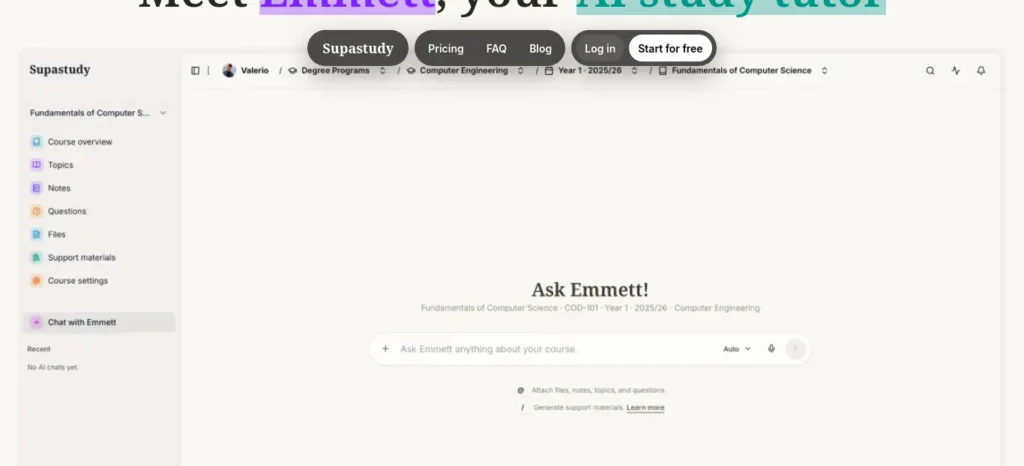
Best For: Organizing an entire university course from the ground up
Strengths:
- Structures material by degree → course → topic, which mirrors how university students actually think about their workload
- Combines notes, files, questions, flashcards, quizzes, and mind maps in one workspace
- Genuinely useful for students juggling several courses at once, not just single-subject users
Watch Out:
- Free plan is limited to one degree program, one course, and 500 MB of storage
- AI features require a paid tier — the free plan is organizational only
- Newer product, so the ecosystem and third-party track record are still developing
Recall
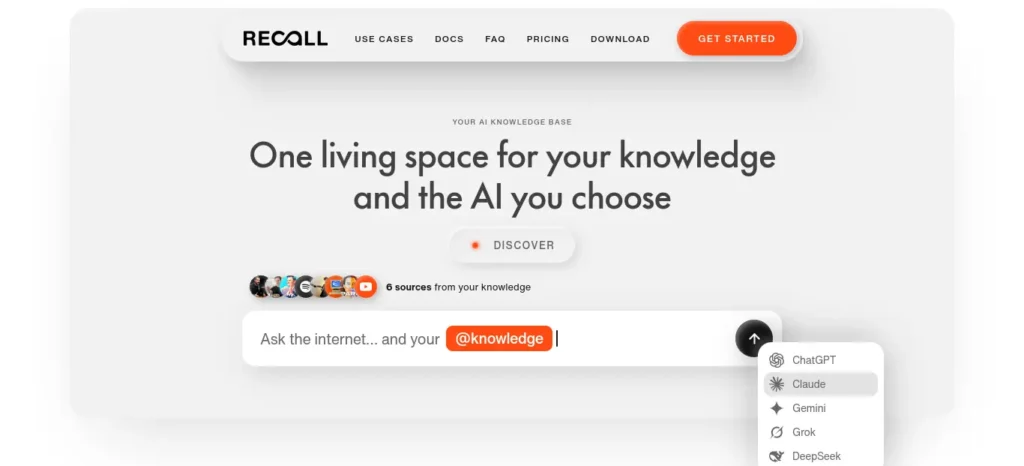
Best For: Building a long-term personal knowledge base across articles, PDFs, and lecture videos
Strengths:
- Automatically organizes saved material and connects related concepts through a knowledge graph
- Works across content types — articles, YouTube lectures, PDFs, and personal notes — not just uploaded documents
- Includes spaced-repetition quizzes generated from your own saved material
Watch Out:
- Free tier includes 10 AI summaries per month, with unlimited saved content and notes
- Several of the strongest organization features (automatic tagging, AI chat) sit behind the Plus tier, priced at $10/month billed yearly (roughly ₹960/month at ~₹96/USD)
- Less course-specific than Supastudy — better suited to general knowledge management than a single semester’s coursework
RemNote
Best For: Students who want notes and memorization built into the same workflow
Strengths:
- Flashcards live inside your notes rather than in a separate app, so review material stays connected to source context
- Includes an exam scheduler and PDF annotation on paid tiers
- A 25% education discount is currently listed on eligible plans
Watch Out:
- Free tier covers unlimited notes and flashcards, but AI features require Pro ($8/month) or Pro with AI ($18/month billed yearly)
- AI usage on the AI tier is credit-metered, not unlimited
- Steeper learning curve than a simple notes app — best suited to students with large, exam-heavy syllabi (medicine, engineering, law) rather than casual note-taking
Mapify
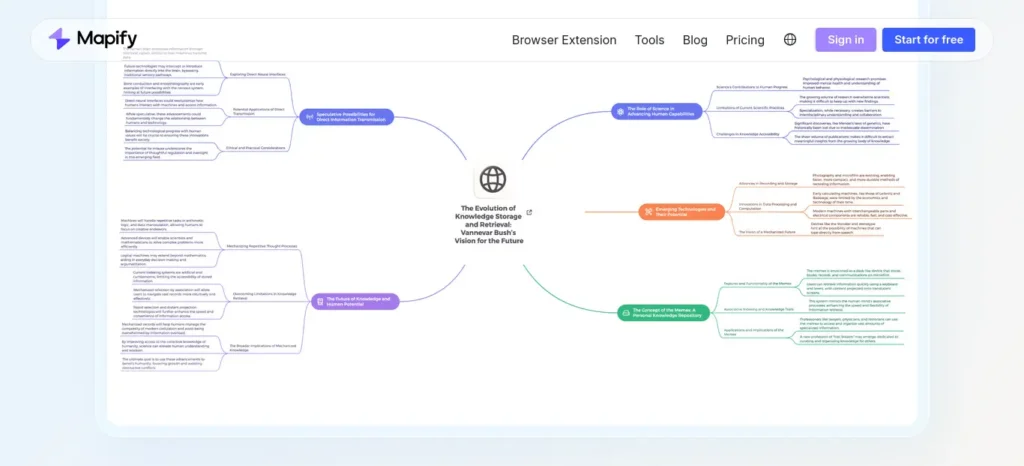
Best For: Students who understand concepts better visually than in text
Strengths:
- Converts PDFs, documents, and even YouTube videos into interactive mind maps
- Strong for concept-heavy subjects like biology, history, or engineering theory where relationships between ideas matter as much as the facts themselves
- A 30% education discount is currently advertised on paid plans
Watch Out:
- Free tier is limited to 30 AI credits
- Paid tiers range from roughly $9.99/month (Basic) to $29.99/month (Unlimited), with lower rates when billed yearly
- Mind maps aren’t the right format for every subject — dense factual recall (like vocabulary or formulas) often works better as flashcards
CogniGuide
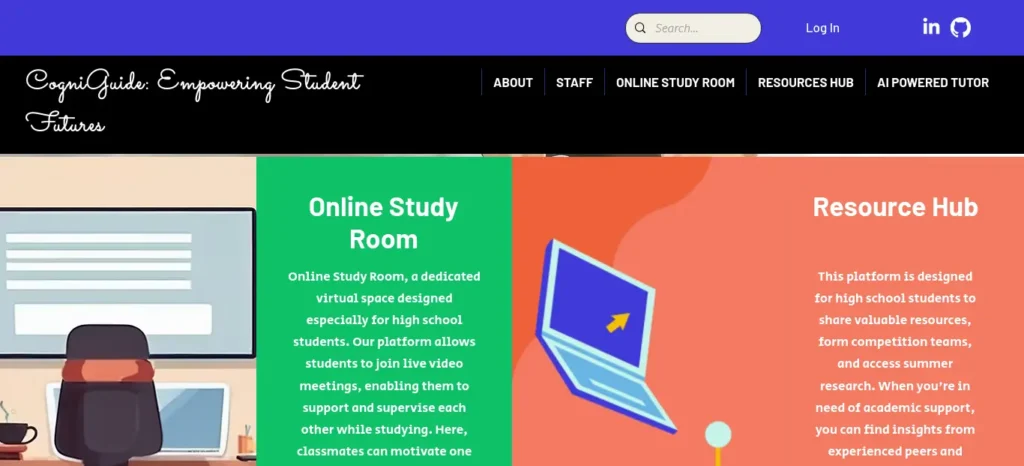
Best For: Converting documents directly into flashcards and concept maps
Strengths:
- Takes PDFs, DOCX files, and presentations and generates mind maps, flashcards, and quizzes with spaced repetition built in
- Combines organization and retrieval practice in one step, rather than requiring a separate flashcard app afterward
- Core generation features are currently advertised as free, without requiring a card on file
Watch Out:
- Smaller, newer ecosystem than RemNote or Recall, with less independent track record
- Advanced models and features sit behind paid tiers
- Generated cards still need to be checked against source material before you trust them for exam prep
Kram AI
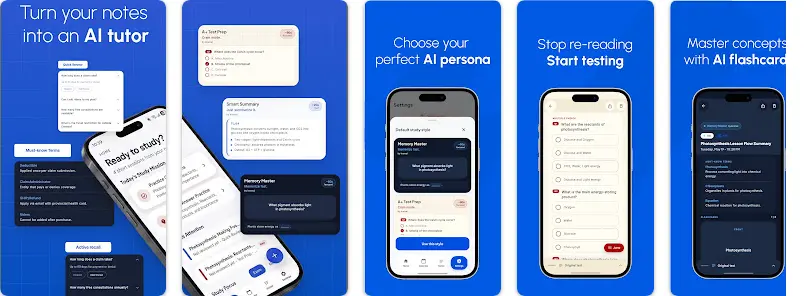
Best For: Students who want guided study workflows instead of writing their own prompts
Strengths:
- Built around “Study Stacks” that convert notes, PDFs, slides, and images into summaries, explanations, quizzes, and test-prep formats through predefined modes
- Removes the need to prompt-engineer — you pick a study mode rather than writing instructions
- Actively maintained, with an Android update as recently as June 2026
Watch Out:
- An emerging tool with a smaller and still-developing ecosystem compared to more established options on this list
- Currently Android-oriented, which limits usefulness for iOS-first students
- Worth trying as a supplementary tool rather than your primary system for now
Which Tool Fits Your Problem?
What’s your biggest problem?
Scattered files across a whole course?
Information saved everywhere, no connections?
→ Recall
Need notes + long-term memorization together?
→ RemNote
Understand concepts better visually?
→ Mapify
Want documents turned into flashcards or maps?
Want guided workflows instead of writing prompts?
→ Kram AI
Quick Reference
For a quick decision:
Supastudy is the strongest fit for whole-course organization;
Recall is best suited to long-term knowledge organization;
RemNote stands out for notes combined with spaced repetition;
Mapify is a strong choice for visual organization;
CogniGuide is useful for turning documents into flashcards.
Each tool has its own trade-offs, so there isn’t a flawless, one-size-fits-all option. More importantly, these tools don’t replace the underlying process for organizing study materials with AI covered earlier in this guide—they help you apply that process more efficiently.
Choose RemNote if you have a large, exam-heavy syllabus and want your revision material connected directly to your notes.
Skip RemNote if you simply want a straightforward place to store PDFs and occasionally summarize them; its broader study system may be more than you need.
Which AI Tool Should You Use for a Long Course PDF?
The right tool depends on what you need to do with the document. No single tool should be assumed to handle every PDF format and study workflow equally well.
- Source-grounded questions and study guides: Try Google NotebookLM when you want to work with your own uploaded course materials.
- Custom outlines and weekly study plans: Try ChatGPT to structure a syllabus-based reading plan and create prompts or practice questions from uploaded files.
- Notes connected to revision and flashcards: Consider RemNote if you want to keep study notes and recall practice in the same workflow.
- Visual summaries: Consider Mapify when a mind map is more useful for understanding relationships between concepts.
Before uploading a 300-page PDF, check three things: whether the tool accepts your file, whether it extracts the document accurately, and whether its current usage limits cover your intended workflow. If the PDF is scanned or contains important diagrams, test a representative section first.
For course-specific study, prioritize preserving the original source and checking the output over generating the largest number of summaries.
Free vs. Paid: Which Should You Use First?
Stay free if:
- You have a small number of courses to organize
- You’re mainly organizing PDFs and text notes
- You don’t need heavy day-to-day AI usage
- You’re still testing whether this workflow fits how you study
Consider paying if:
- You’re processing a large volume of material regularly
- You need advanced AI features (auto-tagging, AI chat, spaced repetition)
- You use the tool every day, not occasionally
- You’re consistently hitting a free-tier storage or credit limit
Should you pay for a study tool yet?
Before paying for anything, try the workflow in this guide for one week using free tools you already have. If it saves you real time and you repeatedly hit a specific feature limit — not just general curiosity — that’s the signal to upgrade, not before.
One tool or two? Building your stack
- Simple student: one tool — NotebookLM or ChatGPT plus a basic folder structure — is often enough.
- Serious exam student: two tools — one for organization, one for flashcards or revision — covers most real gaps.
- Research-heavy student: two or three tools — knowledge organization, academic research, and citation management — starts to make sense.
More tools don’t automatically create a better study system. Add a second tool only when the first one has a specific gap you’ve actually hit, not because a list like this one recommended it.
How to Organize Study Materials Using ChatGPT
ChatGPT’s Study Mode is designed around step-by-step learning rather than instantly returning answers, and it can work with uploaded course materials such as notes, PDFs, slides, and syllabi. It’s a solid general-purpose option if you’d rather not adopt a dedicated organization tool.
Prompt 1 — Classification
“Organize these materials into subject → module → topic → subtopic. Do not invent categories that aren’t supported by the material.”
Prompt 2 — Duplicate detection
“Compare these notes and identify duplicated, overlapping, and contradictory information.”
Prompt 3 — Study guide creation
“Create a study guide from these materials. Preserve important definitions, formulas, examples, and exceptions. Do not introduce unsupported facts.”
Prompt 4 — Exam preparation
“Based only on these materials, identify the 20 concepts I should understand before the exam. Explain why each one matters.”
How to Organize Study Materials With NotebookLM
NotebookLM’s entire workflow is built around source-grounded interaction — you add documents as sources, and it answers questions using only what you’ve uploaded, which makes it particularly well suited to this exact organizing problem.
A simple workflow:
- Create one notebook per course.
- Add lecture slides, PDFs, and your own notes as sources.
- Ask source-grounded questions to check your understanding.
- Generate study resources (summaries, guides) directly from the sources.
- Save the useful outputs back into your organized folder structure — don’t let them live only inside the tool.
Google’s broader Gemini ecosystem also includes notebook-style functionality that can combine your uploaded sources with web search in some configurations, but for exam-specific accuracy, sticking to source-only answers is the safer default.
Common Mistakes When Using AI to Organize Notes
- Uploading everything without structure. AI can classify material, but it works far better with a basic subject/topic scaffold already in place (see Step 1).
- Trusting AI summaries blindly. Always check generated structure against the original material, especially for formulas and exceptions.
- Creating hundreds of folders. More folders isn’t more organization — it’s more places to search. Aim for subject → topic, not subject → topic → sub-sub-sub-topic.
- Using tags inconsistently. A tag only helps if it means the same thing every time you use it.
- Generating flashcards before understanding the material. Flashcards test recall — they don’t build initial understanding. Extract and review the concept first.
- Keeping duplicate files. Duplicates quietly erode trust in your own system; run a duplicate check early (Step 2).
- Treating AI-generated information as a course source. An AI summary is a study aid, not a citation-worthy source — keep the two clearly separate, especially for research or assignments.
- Ignoring privacy. Be cautious about uploading unpublished research, personal data, university-confidential material, copyrighted content, or actual examination papers to any AI tool. Check your institution’s policy before uploading course material to third-party services.
One rule of thumb worth keeping visible: if organizing your notes takes 45 minutes every day, your system is too complicated. Start with one folder structure, one AI tool, and one revision method — and only add complexity once you’ve hit a real problem the simple version can’t solve.
A 15-Minute AI Study Organization Routine
A version of this system you can actually run daily, right after a lecture or reading session:
- 0–3 min: Collect today’s material (notes, slides, PDFs) into the right subject folder.
- 3–5 min: Rename and classify files consistently.
- 5–8 min: Let AI extract key concepts from the day’s material.
- 8–11 min: Connect today’s concepts to related notes from earlier in the course.
- 11–13 min: Generate a handful of recall questions from today’s material.
- 13–15 min: Mark anything that felt unclear as a weak area for later review.
Fifteen minutes a day is a far smaller investment than the multi-hour scramble this system is designed to prevent.
Most students use AI as a simple chatbot, but the real advantage comes from following a complete workflow. Discover our AI study workflow for students and learn how to capture notes, create quizzes, schedule revision, and prepare for exams more effectively.
How to Organize Study Materials Using AI: Start Here
Don’t try to reorganize your entire academic life tonight. Start with one subject.
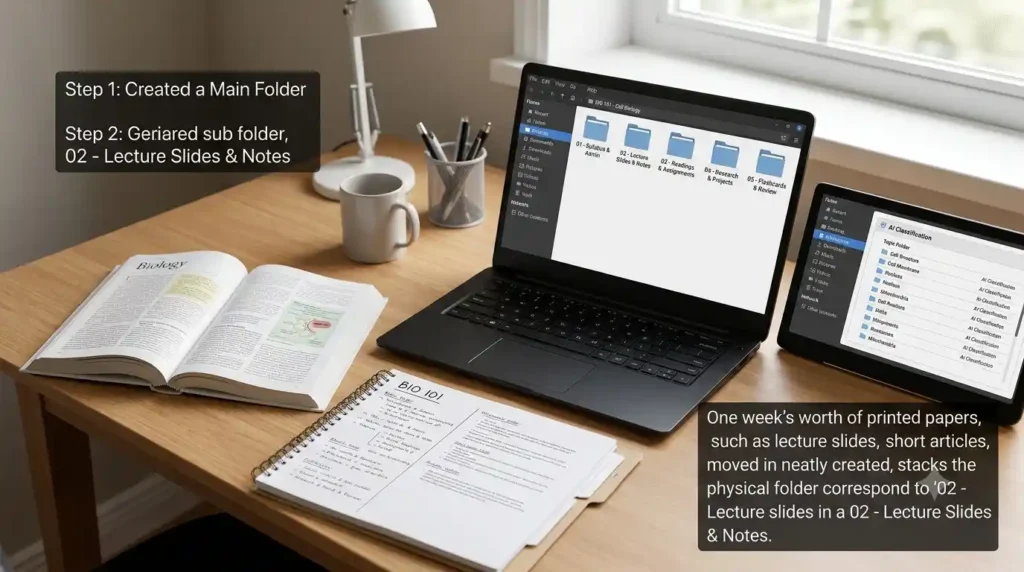
- Today: Create folders for one course only, using the structure from Step 1.
- Next: Move one week’s worth of material into those folders.
- Then: Use an AI tool to classify that material by topic.
- Next: Spot-check the AI’s output against your original notes.
- Finally: Generate ten recall questions from the organized material and try answering them cold.
Once that one course feels manageable, repeat the process for the next one. The system scales; the setup effort per course does not need to. That’s really the whole answer to how to organize study materials using AI in practice — one course, done properly, repeated on a schedule you can actually keep up with.
Want to learn the practical ways students are already using AI in everyday learning? Read our complete guide on How Students Use AI to Study Smarter (Without Cheating) and discover 12 proven techniques to improve learning, revision, and exam preparation.
AI Study Material Organization Checklist
- Every course has one central location
- Files have consistent, meaningful names
- Notes are grouped by topic, not just by date uploaded
- Duplicate files have been identified and removed
- Important original sources are clearly labeled
- AI-generated summaries have been checked against the source
- Related concepts are connected, not just filed separately
- Flashcards exist for the most important concepts
- Weak areas are clearly marked somewhere visible
- Exam revision materials are kept in a separate, dedicated space
- Academic sources retain their original citations
India-Specific Considerations
A few practical notes for students studying in India:
- Mobile-first workflows matter. Most of these tools work reasonably well on mid-range Android phones, but heavier features (large PDF uploads, mind-map rendering) are noticeably smoother on Wi-Fi than mobile data.
- Free-tier-first is a reasonable default. Every tool covered above has a usable free tier for organization even if AI features are metered or paid — start there before upgrading.
- Student discounts exist but vary by tool. RemNote currently lists a 25% education discount and Mapify currently advertises 30% off for eligible students — confirm eligibility and current terms on each tool’s official pricing page before assuming it applies.
- Handwritten and regional-language notes are common in Indian classrooms; tools with OCR-based extraction (turning photographed handwritten pages into searchable text) are worth prioritizing if this describes your workflow.
- Exam-heavy patterns (board exams, entrance exams, semester finals) map well onto the Step 6 revision countdown — the same 7/5/3/1-day structure works whether you’re preparing for a university final or a competitive entrance exam.
Frequently Asked Questions
Can AI organize my study notes automatically? AI can classify and structure notes by subject and topic once you give it a basic framework to work within, but fully automatic organization without any guidance tends to produce inconsistent categories. A short initial structure (Step 1) makes AI classification far more reliable — this is the short version of how to organize study materials using AI without your folders turning into a second mess.
What is the best AI tool for organizing study materials? It depends on the problem you’re solving: Supastudy for whole-course organization, Recall for a personal knowledge base, and RemNote for notes combined with long-term memorization. There isn’t a single “best overall” — fit depends on your specific workflow.
Can AI organize PDF notes? Yes. Most tools covered here — including Supastudy, Mapify, and CogniGuide — can classify, summarize, and extract key concepts directly from uploaded PDFs.
Can AI organize handwritten notes? Yes, if the tool supports OCR (optical character recognition) or image-based extraction to convert photographed handwriting into searchable, classifiable text first.
Can AI turn notes into flashcards? Yes. RemNote and CogniGuide both generate flashcards directly from notes or documents, with spaced-repetition scheduling built in.
Is NotebookLM good for organizing study materials? It’s particularly strong for source-grounded question answering once your materials are uploaded, since it keeps answers tied to your actual documents rather than general internet knowledge. It’s less focused on visual organization or flashcard generation than tools like Mapify or RemNote.
Is it better to use one AI tool or several? Most students end up combining a general-purpose assistant (ChatGPT or NotebookLM) for classification and Q&A with one specialized tool for the format they need most — flashcards, mind maps, or a knowledge graph. Trying to force one tool to do everything usually creates more friction than it saves.
Can AI replace a traditional folder system? No — AI works best on top of a basic folder or subject structure, not as a replacement for one. Skipping Step 1 and uploading everything unsorted tends to produce weaker, less consistent classification.
How do I organize study materials for exams specifically? Use the 7/5/3/1-day countdown in Step 6: identify gaps a week out, generate active-recall material by day five, narrow to weak areas by day three, and switch to rapid recall only on the final day.
Is it safe to upload university notes to AI tools? Avoid uploading unpublished research, confidential university material, copyrighted content, or actual examination papers to third-party AI tools, and check your institution’s specific policy before uploading any course material.
Can AI turn a 300-page PDF into weekly study guides?
Yes. Document-focused AI tools can help outline a long PDF, identify major topics, and create study guides for syllabus-defined reading sections. The result depends on the PDF’s format, the tool’s current capabilities, and the clarity of your instructions. Verify important details against the original document.
How should I divide a long course reader into weekly study guides?
Start with your course syllabus and the reader’s table of contents. Match assigned chapters or sections to each week, then generate one guide at a time with learning objectives, key concepts, important examples, and practice questions. Avoid dividing the document into equal page counts when the course schedule requires a different sequence.
Can AI-generated study guides include accurate PDF page references?
AI tools may identify useful passages or provide page references, but you should verify those references in the original PDF. Printed page numbers can differ from PDF viewer page numbers, particularly when a document includes a cover, contents pages, or unnumbered introductory sections. Mark references that cannot be confirmed as unverified.
Official Documentation and Verification Notes
Tool features, availability, pricing, and usage limits can change. Before choosing a tool, consult its official documentation and confirm that the feature you need is available on your account.
- NotebookLM student features — Google
- ChatGPT file uploads — OpenAI Help Center
- Google Search: Creating helpful, reliable, people-first content
When comparing tools, distinguish between features documented by the provider, features you personally tested, and limitations that still require confirmation. Do not describe a feature as independently tested unless you have actually tested it and recorded the result.
About the Author
Nandhakumar is the founder and writer behind FutureFastAI, a website focused on helping students discover and use AI tools for studying, learning, productivity, research, and everyday academic work.
He researches AI tools and productivity platforms, compares their features and practical use cases, and turns that research into straightforward guides that students can actually use.
At FutureFastAI, his goal is simple: make AI easier to understand and more useful for students—without unnecessary technical jargon or exaggerated claims.
His areas of focus include:
- AI tools for students and education
- AI-powered study and revision workflows
- Academic research and productivity
- AI tool comparisons and practical guides
- Emerging AI tools and their real-world applications
When reviewing or recommending tools, FutureFastAI aims to consider factors such as usefulness, ease of use, pricing, student accessibility, features, limitations, and practical value.
Founder & Writer — FutureFastAI
Editorial Policy
Last updated: August 2026
FutureFastAI publishes clear, practical, and trustworthy content about AI tools, productivity software, study methods, and emerging technology.
We aim to provide:
- Accurate, useful, original, and easy-to-understand information
- Balanced reviews that include both benefits and limitations
- Up-to-date details about features, pricing, and availability
- Fact-checked content based on reliable sources
- Human-reviewed AI-assisted content
Our product recommendations are based on usefulness, features, pricing, ease of use, and student needs. Affiliate links may appear in some articles, but they do not influence our reviews or recommendations. Any sponsored content will be clearly disclosed.
We correct significant errors and update articles when information changes. Readers are welcome to contact us with corrections or feedback.
Our goal is to provide practical, transparent, and reliable information to help students make better technology decisions.
FutureFastAI Editorial Team