

AI Tools for College Students Who Have Backlogs: 4 Proven Recovery Steps

Having one backlog can feel manageable. Having several across different semesters is different — you can spend an entire evening studying and still have no idea whether you moved closer to clearing them.
That’s the real problem with backlogs. It isn’t a lack of effort. It’s the absence of a system: no clear priority, no way to tell if you actually understand a topic, and no plan that fits around your current semester too.
AI tools for college students who have backlogs can help you organize subjects, break difficult concepts into manageable pieces, generate targeted practice, identify knowledge gaps, and structure revision — but they cannot replace the actual learning and exam preparation a backlog requires. This article gives you a complete recovery system: how to prioritize, how to study smarter with AI, and how to know when you’re actually exam-ready.
A backlog is an academic outcome, not a permanent measurement of intelligence or potential. The way out isn’t motivation — it’s diagnosing what broke in your process the first time, changing that specific thing, and measuring whether it improves.
This guide has three layers working together: an academic recovery system (what to actually do), a human learning method (recall, practice, error analysis — the part no app can do for you), and AI leverage (where AI genuinely removes friction from planning, explanation, and practice). The tools show up as supporting examples inside that system, not as the point of the article.
Who This Guide Is For
This guide is for you if you:
- Have 1 or more backlog/arrear subjects and don’t know where to start
- Are preparing for a supplementary, arrear, or re-examination
- Need to balance current-semester subjects with old backlogs
- Study regularly but struggle to retain what you learn
- Don’t know which backlog to prioritize first
Important: This guide focuses on study strategy and AI-assisted preparation, not university regulations. Always check your institution’s official rules for progression requirements, attempt limits, eligibility, or maximum-backlog restrictions.
Start Here: Backlog Emergency Checklist
If you only do one thing from this article today, do this. It takes about 20 minutes and gives you a starting point instead of a vague sense of dread.
- [ ] List every backlog subject you currently have
- [ ] Write down each subject’s exam date
- [ ] Count the number of units or major topics per subject
- [ ] Rate your current understanding of each subject, 1–5
- [ ] Collect previous-year question papers where available
- [ ] Identify the highest-weight (highest-mark) topics in each subject
- [ ] Mark your three weakest topics overall
- [ ] Estimate how many study days you actually have before each exam
- [ ] Choose the one subject you’ll start with tomorrow
- [ ] Write your first 7-day study plan for that subject only
Quick Answer
Yes, AI can help college students clear backlogs, but it cannot clear them for you. The most effective approach is to use AI for planning, syllabus breakdown, concept explanations, practice questions, revision, and error analysis, while you remain responsible for learning and solving.
The simple system:
Audit → Prioritize → Learn → Practice → Recall → Test → Revise → Repeat
Use AI to reduce confusion and save time, not to replace actual studying.
How AI Tools for College Students Who Have Backlogs Can Help

Yes, within limits. AI can realistically help with planning, prioritization, concept explanation, syllabus breakdown, practice generation, self-testing, revision, and error analysis.
It cannot guarantee you pass an exam, give correct answers every time, understand something without your own effort, know your university’s exact marking scheme, or replace a textbook, professor, or actual practice.
AI reduces friction. It does not remove the work. That distinction matters more for backlog recovery than almost anywhere else — because backlog subjects usually failed the first time due to a study process problem, not an intelligence problem.
Why Backlog Students Need a Different Study Strategy
Generic “study everything equally” advice fails backlog students specifically, because:
- You’re managing subjects with unequal difficulty, unequal exam urgency, and unequal prior knowledge
- Daily study hours are limited and shared with current-semester responsibilities
- Random, unstructured studying risks creating new backlogs while you chase old ones
Want to study smarter instead of studying longer? Discover how to use AI to improve academic productivity and build a simple study system that helps you stay organized, learn faster, and achieve better results.
The backlog trap: Backlog → stress → random studying → incomplete preparation → poor exam performance → more backlog.
The system that breaks it: Audit → priority → focused learning → practice → revision → exam readiness → cleared subject.
Reality Check: A perfect AI-generated study plan is useless if you don’t follow it tomorrow. The plan isn’t the hard part — showing up to it daily is.
The BACKLOG Recovery System
This framework structures the rest of this article:
- B — Build your backlog map (subjects, syllabus size, exam dates, current knowledge)
- A — Assess priority (urgency, difficulty, marks potential, preparation level)
- C — Clarify difficult concepts using AI-guided explanation
- K — Know what the exam actually demands (question patterns, formats)
- L — Learn actively, moving from passive reading to recall and explanation
- O — Organize revision into short, repeated cycles
- G — Gauge readiness through timed practice and error analysis
How to Build a Backlog Map Before You Study Anything
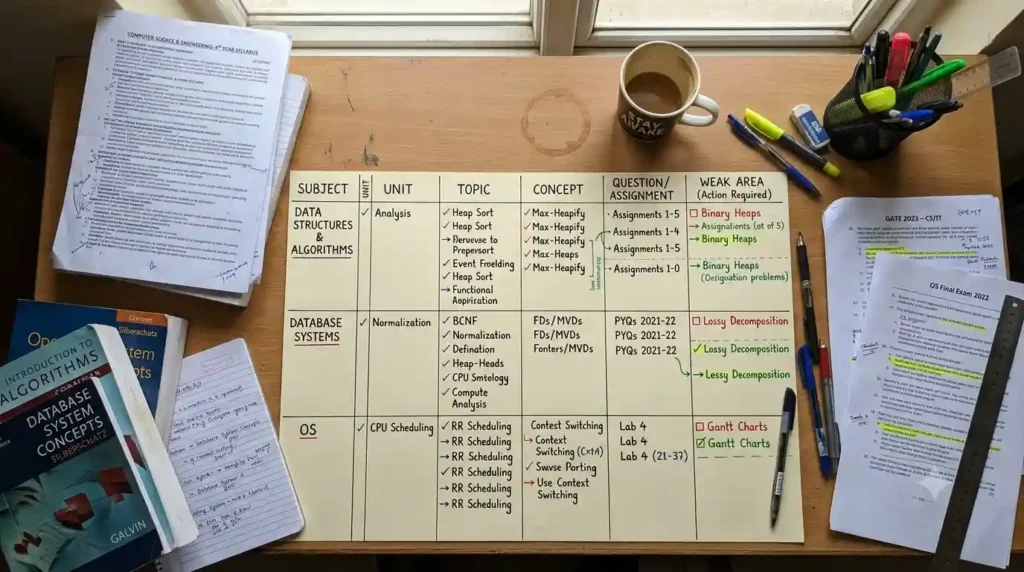
Before opening a single textbook, list every backlog subject with these details:
Subject Snapshot
- Best For: Getting an honest starting picture instead of a vague sense of dread
- Capture: Subject name, semester, exam date, number of units, current understanding, previous marks (if any), difficulty, available study days, confidence score (1–5)
Most students create a weekly plan but still waste hours because their daily study timetable isn’t optimized. Discover AI Tools for Creating a Study Timetable Automatically: 9 Powerful and Smart Solutions for Students in 2026 to build a smarter schedule that actually works.
Backlog Priority Scorecard
A simple, honest prioritization signal — not a scientific formula — is:
Urgency × Difficulty × Knowledge Gap × Exam Weight
Score each factor 1–5 for every subject, then add them up. This isn’t a scientifically validated formula — it’s a decision-making tool for students who don’t know where to begin. Use the total only as a rough sorting signal, not a fixed rule:
- 16–20: Immediate attention
- 11–15: High priority
- 6–10: Moderate priority
- 4–5: Lower priority for now
Don’t treat these bands as scientifically established thresholds — they’re a starting point for a decision you should still sanity-check yourself.
Feed this map into an AI chat tool and ask it to help you rank subjects — it’s genuinely good at organizing messy lists once you’ve supplied the honest inputs. Free alternative: you can do this equally well on paper or in a spreadsheet; the scoring logic matters more than the tool.
If you’re juggling several backlog subjects at once, a running knowledge base helps more than scattered notes across apps.
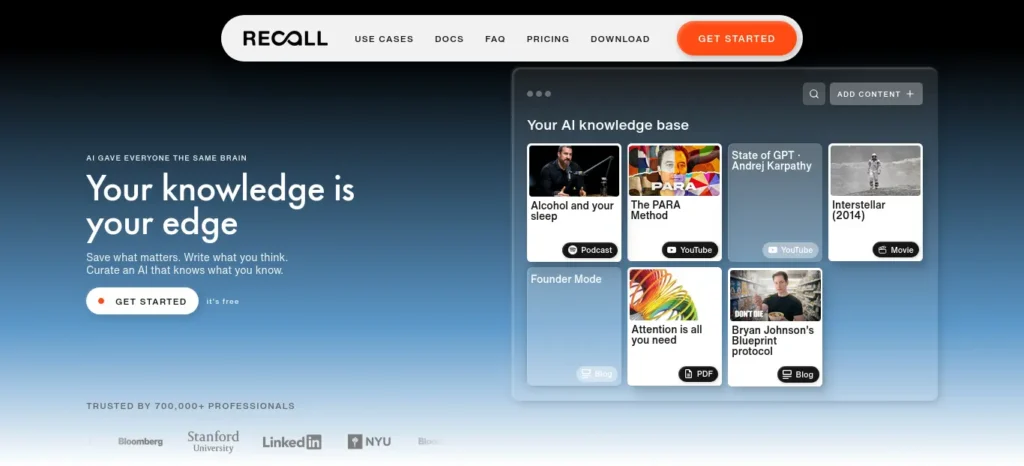
Recall
Best For
Storing, organizing, and resurfacing study material across multiple backlog subjects in one knowledge base.
What It Does
Recall lets students save PDFs, articles, YouTube videos, podcasts, and notes, then uses AI to summarize and organize that material. Its paid plan also adds automatic connections between related content, AI chat across saved knowledge, and spaced-repetition quizzes for revision.
Free Plan
Free forever: unlimited saved content for later, unlimited personal notes, and 10 AI summaries per month. The Plus plan is $10/month when billed annually and adds unlimited AI summaries, automatic organization, AI chat, automatic knowledge connections, and spaced-repetition quizzes. Recall also offers a 20% student discount when requested using a student email address.
Free / Manual Alternative
You can recreate the core workflow with a Google Sheet or notes app + your course PDFs + a fixed weekly review session. You won’t get automatic knowledge linking or AI-powered organization, but the underlying study habit remains the same.
Watch Out
Recall is most useful when you’re actually building a large, ongoing knowledge base. For a student with only one backlog and a small amount of material, a simple folder system, notes app, or previous-year-question workflow may be enough.
Student Tip
Don’t use Recall merely to collect summaries. After saving a chapter or lecture, use the material to create questions, close your notes, and test yourself. The goal is retrieval and application, not building a bigger library.
Last verified: August 2026. Pricing and features can change, so verify the current plan before subscribing.
How to Decide Which Backlog to Study First

Prioritize using:
- Nearest examination date
- Lowest current preparation level
- High-value syllabus areas (topics carrying more marks)
- Subjects with realistic improvement potential in your available time
- Prerequisite relationships (some subjects unlock understanding of others)
- Available preparation time before the exam
Avoid defaulting to: the easiest subject, the subject you like most, the biggest subject, or the subject you failed most recently. Each of these feels productive but usually isn’t the highest-leverage choice — comfort and priority are different things.
What to Do If Your Exam Is in 7, 14, or 30 Days
Different backlog students are working with radically different timelines, and the right approach changes with it. This is time-based prioritization, not a guarantee of clearing the exam.
30+ days away: Learn → Practice → Recall → Revision → Mock tests. You have room to build genuine conceptual foundation before shifting to pure practice.
14–30 days away: Shift weight toward high-value topics → previous-year papers → weak-area repair → timed practice. Conceptual learning continues, but exam format starts driving your schedule.
7–14 days away: Focus on exam patterns → the highest-weight syllabus areas → practice → recall → mock papers. New, unfamiliar topics get lower priority than solidifying what you already partly know.
Under 7 days: Don’t try to learn everything — that’s the single most common mistake at this stage. Do syllabus triage → high-value topics only → previous-year papers → repeated practice → exam strategy (time allocation, question order, what to attempt first).
Backlog Triage Decision Tree
A quick way to decide what to focus on right now:
Do you have an exam within 14 days? → Yes → Prioritize exam-specific preparation (previous papers, timed practice). → No → Continue building conceptual foundation first.
Do you understand more than roughly 70% of the syllabus? → Yes → Move to practice + recall. → No → Focus on concept learning + targeted practice on the gaps.
Can you solve unfamiliar questions on the topic without notes? → Yes → Move to timed exam simulation. → No → Go back and identify the specific knowledge gap before practicing further.
Turning a Large Syllabus Into Smaller Study Targets
The single biggest reason backlog revision stalls is vague targets. “Study Engineering Mathematics” isn’t a task — it’s a mood.
Break it down: Subject → Units → Topics → Concepts → Questions → Weak areas.
A usable daily target looks like this instead: “Today: Differential Equations → first-order equations → understand the method → solve 10 representative problems → review mistakes.”
Ask an AI tool to break your syllabus PDF into this kind of unit-by-unit checklist. It’s a genuinely strong use case — organizing a wall of syllabus text into sequenced, checkable targets.
Once a unit is broken down, you still need a way to review it daily instead of re-reading it from scratch each time.
Creating good revision notes is one of the biggest time-savers during exam preparation. Learn how to create smart revision notes with AI and turn textbooks, PDFs, and class notes into structured, exam-ready study material in minutes.
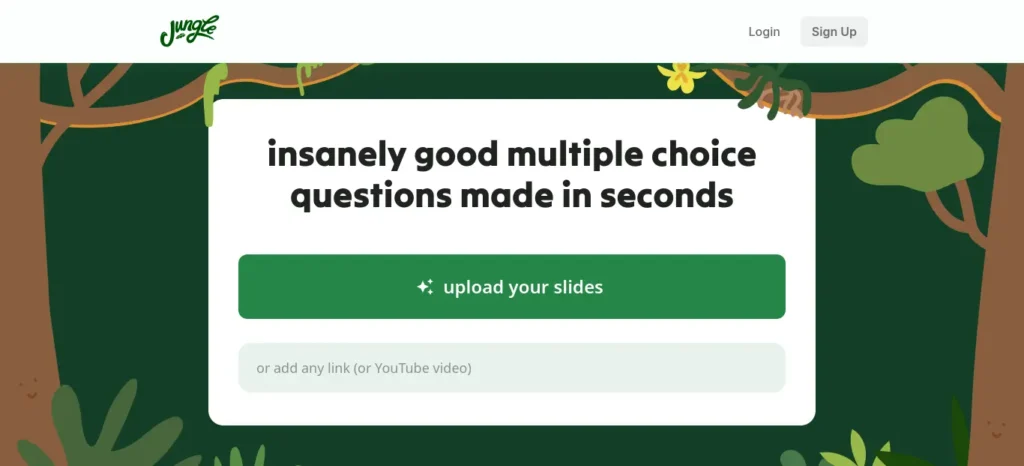
Jungle AI (formerly Wisdolia)
Best For
Turning backlog subject PDFs, lecture slides, and YouTube lectures into flashcards for regular revision and active recall.
What It Does
Jungle AI is a browser-based learning tool that can generate AI-powered flashcards and quizzes from study material such as PDFs and YouTube videos. It is designed to reduce the time students spend manually creating revision cards.
Free Plan
A free option is available, but current usage limits and plan details can change. Because Jungle AI has recently changed from the Wisdolia brand, verify the current limits and pricing directly on the official website before including a specific figure.
Free / Manual Alternative
You can create flashcards manually using Anki, a spreadsheet, or a notes app. The main advantage of Jungle AI is convenience: it can automate much of the initial card creation instead of requiring you to write every question yourself.
Watch Out
AI-generated flashcards still need to be reviewed for accuracy and usefulness. Poorly structured PDFs, diagrams, or technical material may produce weak or incomplete questions. Also, don’t confuse generating flashcards with actually learning the material—the student still needs to retrieve, answer, and correct them.
Student Tip
Don’t generate hundreds of cards just because you can. Start with the most important concepts, formulas, definitions, and mistakes from one backlog unit. Review them repeatedly and remove cards that are too easy or poorly written.
Last verified: August 2026. Jungle AI has recently rebranded from Wisdolia, so check the official website for the latest product name, features, usage limits, and pricing before publishing exact figures.
How to Use AI to Understand Difficult Backlog Subjects
Use this workflow for any difficult topic:
Attempt → Ask → Explain → Question → Recall → Practice → Check
- Attempt: Try the problem or concept yourself first.
- Ask: Tell AI exactly where you got stuck.
- Explain: Ask for a simpler or alternative explanation.
- Question: Ask why each important step works.
- Recall: Close your notes and explain the concept from memory.
- Practice: Solve a fresh problem without AI assistance.
- Check: Compare your work with a trusted source and correct your mistakes.
Key rule: Use AI to shorten the time you spend stuck, not the time you spend thinking.
This applies across subject types differently:
- Mathematics/Engineering: the sticking point is usually a specific step in a derivation — ask for that step alone, not the whole solution
- Programming: the sticking point is usually why code behaves a certain way — ask AI to trace execution line by line
- Science/Theory-heavy subjects: the sticking point is usually connecting a concept to an example — ask for a second, different example
- Commerce/Humanities: the sticking point is usually structuring an answer — ask AI to critique your outline, not write the answer
Reality Check: Watching an AI explanation can feel like learning even when you haven’t tested yourself. Understanding an explanation and being able to reproduce the method are two different skills — only the second one shows up in an exam.
For math-heavy backlogs specifically, the goal is understanding the step you keep getting wrong — not just seeing the final answer.
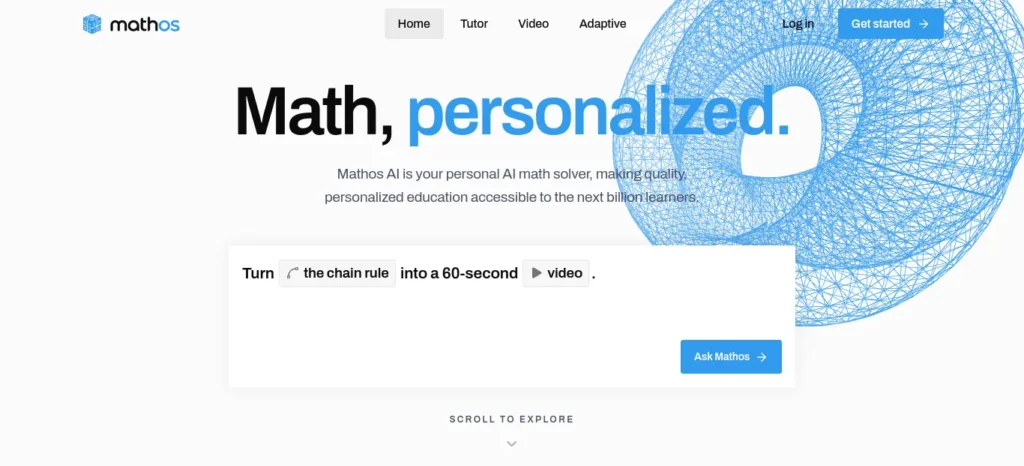
Mathos AI (MathGPT Pro)
Best For
Engineering, statistics, calculus, and other math-heavy backlog subjects where students repeatedly make the same calculation or reasoning mistakes.
What It Does
Mathos AI provides step-by-step assistance for mathematical and STEM problems. Students can enter problems in different formats, including typed or image-based input, and use its tutoring features to work through difficult problems instead of simply receiving a final answer.
Free Plan
A free option is available with limitations, while additional features may require a paid plan. Pricing and plan limits can change, so verify the current plans directly on the official Mathos website before publishing a specific price.
Free / Manual Alternative
A free step-by-step math solver can help with the basic need of seeing how a problem is solved. However, the more important learning method is to attempt the problem yourself first, identify where you got stuck, and then use a tool to check or explain that specific step.
Watch Out
Don’t treat AI-generated mathematical solutions as automatically correct. Complex or unusual problems can sometimes produce incorrect reasoning or steps that look convincing. For important exam preparation, verify the solution against your textbook, lecture material, worked examples, or another trusted source.
Student Tip
Instead of asking:
“Solve this problem.”
try:
“I attempted this problem and got stuck at Step 3. Don’t solve the entire problem. Explain why my Step 3 is wrong and give me a hint so I can continue myself.”
This turns the tool from an answer generator into a learning assistant.
Last verified: August 2026. Pricing, features, and plan limits may change, so check the official Mathos/MathGPT Pro website before relying on current figures.
How to Use AI Without Becoming Dependent on It
This is where backlog recovery quietly fails for a lot of students. There’s a real difference between using AI to learn and using AI to avoid learning.
Productive use: asking for explanations, requesting hints instead of full answers, generating practice questions, checking your own reasoning, finding gaps in your understanding.
Passive use: copying answers directly, asking AI to solve everything, memorizing AI-generated summaries without engaging, submitting AI-written work as your own.
The rule to keep in front of you: Try first. Ask second. Recall third. Verify last.
If you’re reaching for AI before attempting the problem, that’s the signal to pause and reset the habit — not the tool’s fault, but a process worth catching early.
The Human → AI → Human Rule
The safest structure for any study session is this sequence, in order:
Human #1 — Attempt. Try the problem or explain the concept to yourself first, even if you get it wrong. AI — Support. Ask it to explain the specific gap, generate targeted practice, or give a hint — not the full solution. Human #2 — Independent recall. Solve it again yourself, later, without looking at the AI’s explanation.
That’s a fundamentally different loop from AI → answer → copy → forget, which feels productive in the moment and leaves nothing behind by exam day.
What AI Should — and Shouldn’t — Do
| Task | AI’s Role | Your Role |
| Planning | Strong support | Final decision |
| Concept explanation | Strong support | Actually understand it |
| Practice question generation | Strong support | Solve it yourself |
| Answer verification | Support | Final verification against a trusted source |
| Memorization / recall | Support | The actual recall has to be yours |
| Exam question prediction | Weak — don’t depend on it | Cover the full syllabus regardless |
| Final exam answers | Not appropriate | Entirely your responsibility |
Let AI handle planning support, syllabus breakdown, explanation, question generation, feedback, and revision prompts. Keep understanding, solving, memorizing, recall, exam writing, final verification, and decision-making as yours.
Backlog AI Prompt Pack
Generic prompts get generic answers. These are built around specific backlog problems — adapt the details to your subject:
When you’re stuck on a concept: “I attempted this problem and got stuck at this step. Don’t solve the whole problem — explain only why this specific step works.”
When you’re weak in a whole unit: “Based on this syllabus, identify the prerequisite concepts I need to understand before studying Unit 4.”
When you need practice: “Generate 10 questions on this topic that gradually increase in difficulty. Don’t show me the answers until I’ve attempted each one.”
When you’re preparing for the exam itself: “Create a timed practice paper based only on these topics and this exam format — [describe your exam’s question types].”
When you’re reviewing an error: “Here’s a question I got wrong and my working. Don’t just give the correct answer — tell me the specific step where my reasoning went wrong.”
How to Use AI for Backlog Exam Preparation
Once you understand a topic, shift into exam-specific preparation: previous-year questions, common question patterns, short-answer structure, long-answer structure, numerical problems, and timed practice.
AI can help you draft practice questions in the format your exam typically uses, and it can help you review where your answers go wrong. What it cannot do is guarantee which questions will actually appear.
Struggling with difficult subjects? Explore our complete guide on AI Tools for Learning Difficult Subjects Faster and discover powerful AI tools that make complex topics easy to understand.
Important: AI-generated “important questions” should never be treated as guaranteed exam predictions. Treat them as practice material, not a shortcut around covering the syllabus.
Backlog and supplementary exams are often structured differently from regular semester exams, so exam-format practice (not just flashcards) matters here.
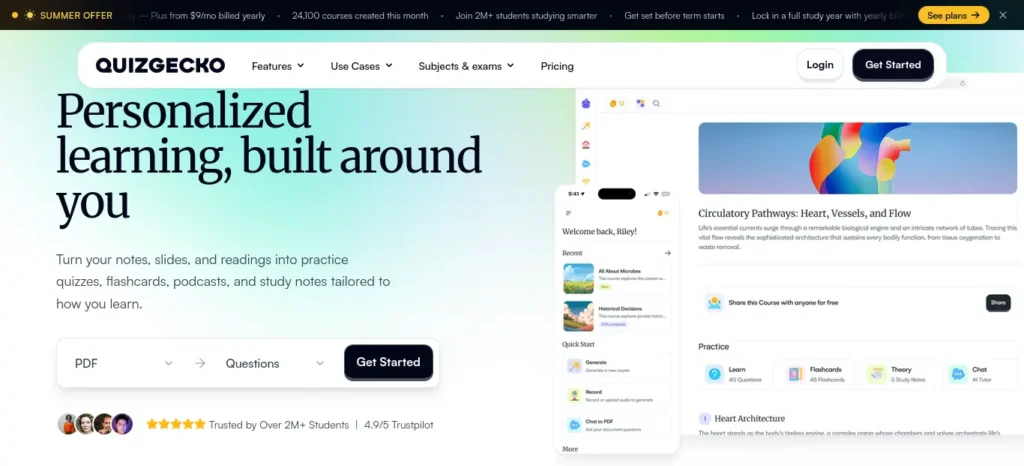
Quizgecko
Best For
Turning your own lecture notes, PDFs, slides, or textbook material into exam-style practice for backlog and supplementary exam preparation.
What It Does
Quizgecko can transform uploaded study material into quizzes, flashcards, study notes, and other revision resources. Its quiz generator supports multiple formats, including multiple choice, true/false, short answer, fill-in-the-blank, and matching, with adjustable difficulty and explanations for answers.
Free Plan
Quizgecko currently offers a 3-day free trial with full access to its features. After the trial, its official pages currently list paid plans starting at $16/month. Because pricing and plan limits can change, verify the current pricing page before publishing or updating this figure.
Free / Manual Alternative
Previous-year question papers are arguably the better free alternative for backlog students because they expose you to the actual question style used by your university. Add a timer and attempt them under exam conditions.
You can also create your own practice questions from your syllabus or notes using a spreadsheet or notebook.
Watch Out
AI-generated questions should not automatically be treated as equivalent to your university’s real exam questions. For specialized engineering, technical, or university-specific material, review generated questions against your original course material. Quizgecko itself allows users to edit or remove generated questions, which is useful for correcting weak questions before relying on them for revision.
Student Tip
Don’t upload your entire syllabus and generate hundreds of questions immediately.
Instead:
Study one topic → generate 10–15 questions → attempt them without notes → identify mistakes → revise weak areas → retest later.
For backlog preparation, combine AI-generated practice with previous-year papers. AI can help you increase the volume of practice, but previous papers should remain closer to the center of your exam strategy.
Last verified: August 2026. Current official information shows a 3-day free trial and paid plans starting at $16/month; features and pricing can change, so verify the official plans page before relying on these figures.
Editorial note: these four tools were researched from public documentation, official pricing pages, and independent reviews as of August 2026 — not hands-on tested by FutureFastAI at time of writing. Where we haven’t personally tested a tool, we say so rather than implying otherwise.
Building a Daily Backlog Study Schedule
A sustainable daily cycle beats a heroic all-nighter:

- Block 1 — Learn: acquire the concept
- Block 2 — Practice: work through problems or questions
- Block 3 — Recall: closed-book retrieval, no notes
- Block 4 — Error review: identify exactly where you went wrong
- Block 5 — Revision: a short review of earlier material
Avoid scheduling unrealistic 10–12 hour marathon sessions. Consistency across shorter, focused blocks beats occasional extreme sessions — this is one of the most consistent findings in how memory actually consolidates.
Struggling to remember what you studied? After improving your focus, the next step is turning your notes into interactive quizzes. Learn how to create practice tests from notes using AI to revise smarter, test yourself faster, and boost exam confidence.
A Sample Daily Backlog Routine
Here’s what those blocks can look like as an actual sequence. Treat the timings as one example, not a universal rule — adjust to your own available hours:
- 10 min — Plan: choose one measurable target for today
- 45–60 min — Learn: study the concept properly, no distractions
- 45 min — Practice: solve questions yourself first, without AI
- 15 min — AI-assisted correction: use AI to analyze where your mistakes happened
- 15 min — Closed-book recall: write down what you remember, unaided
- 10 min — Error log: record what went wrong and why
- 5 min — Tomorrow’s target: decide the next concrete action before you stop
The 5-minute start rule: when the whole plan feels overwhelming, don’t try to plan the entire semester. Start with one 5-minute task — open the syllabus, choose one topic, attempt one question. Momentum usually follows.
The no-zero-days rule: even on a bad day, 10 minutes of recall plus one question plus one error review is better than abandoning the system entirely. It’s a habit worth protecting, not a guaranteed outcome.
The Error Log Framework
Don’t just record that you got something wrong — classify why, or the log won’t actually help you improve:
- Concept gap
- Formula forgotten
- Calculation mistake
- Misread the question
- Wrong method chosen
- Time-management issue
- Careless mistake
For each error, ask: what caused it, and what will I do differently next time? Reviewing this log before an exam is often more useful than another full re-read of your notes.
Studying Multiple Backlogs Without Creating New Ones
This is where a lot of recovery plans quietly break down.
The Current + Backlog rule: current-semester subjects cannot be sacrificed completely while you chase old backlogs — doing so just creates new ones. Backlog subjects need protected, non-negotiable study blocks, but current coursework still needs baseline attention.
There’s no single universal split — the right allocation shifts based on how close your backlog exam is, how many backlogs you’re carrying, your current-semester workload, and how prepared you already are in each. Reassess the balance weekly rather than fixing it once and forgetting it.
Backlog vs. Current Semester: A Quick Decision Matrix
| Situation | Where the priority leans |
| Backlog exam within 7 days | Backlog-heavy for now |
| Current-semester exam within 3 days | Current-semester-heavy for now |
| Both exams still far away | Balanced, roughly even split |
| A current subject is already going weak | Protect the current subject before it becomes a new backlog |
| Backlog subject is nearly exam-ready | Shift to practice rather than relearning it from scratch |
This is more useful than a fixed 70/30 rule, because the right split genuinely changes week to week — recheck it rather than setting it once.
How to Know You’re Actually Ready for a Backlog Exam
Understanding your notes can create a false sense of confidence. Real exam readiness means you can retrieve, apply, and perform under pressure without relying on your notes or AI.
Before you move on, ask yourself this: do you have a learning system or just good intentions? Discover How to Build a Daily Learning System Using AI (Step-by-Step Guide) to create a simple AI-powered routine that actually sticks.
| Readiness Level | What It Means | Quick Self-Test | Ready? |
| Level 1 — Recognition | You understand the topic when you see the explanation. | Read a concept and think, “Yes, I understand this.” | Not yet |
| Level 2 — Recall | You can explain the concept without looking at your notes. | Close your notes and explain the topic from memory. | Getting closer |
| Level 3 — Application | You can use what you learned to solve a new or unfamiliar question. | Attempt a fresh problem without notes or AI. | Strong preparation |
| Level 4 — Exam Performance | You can solve questions accurately within realistic exam time. | Complete unfamiliar, exam-style questions under timed, closed-book conditions. | Exam-ready |
Backlog Readiness Check
Before your exam, ask yourself:
- Can I explain the major concepts without looking at my notes?
- Can I recall important formulas, definitions, or answer structures?
- Can I solve unfamiliar questions independently?
- Can I complete previous-year questions within the expected time?
- Do I know the mistakes I repeatedly make?
- Can I perform without depending on AI?
- Have I completed at least one realistic timed practice session?
The goal is not to feel prepared. The goal is to demonstrate preparation.
If you can only recognize the material when you see it, you’re still at Level 1. If you can recall, apply, and perform under time pressure, you’re much closer to genuine exam readiness.
Backlog Readiness Scorecard
Before the exam, check each of these honestly:
- [ ] I can explain the major concepts without looking at notes
- [ ] I can solve unfamiliar questions on the topic, not just ones I’ve already seen
- [ ] I can solve previous-year questions correctly
- [ ] I can complete questions within the expected exam time
- [ ] I know where I commonly make mistakes on this subject
- [ ] I can reproduce important formulas or structures from memory
- [ ] I have completed at least one realistic, timed mock
If you cannot demonstrate an item without notes, don’t count it as mastered yet — that’s the difference between feeling ready and being ready.
Confidence vs. competence test: rate how confident you feel about a topic, 1–5. Then actually test yourself and count how many questions you can solve unaided. The gap between the two numbers is usually the most honest signal you have — confidence isn’t evidence of mastery.
Common Mistakes Backlog Students Make When Using AI
| Mistake | What Students Often Do | Better Approach |
| 1. Using AI Before Attempting | Ask AI to solve the problem immediately. | Attempt it yourself first, then use AI to explain the specific step where you got stuck. |
| 2. Trusting AI Answers Blindly | Assume every explanation, calculation, or fact is correct. | Verify important answers against textbooks, lecture notes, previous papers, or trusted academic sources. |
| 3. Creating Huge AI Notes | Generate pages of summaries that they rarely revisit. | Create short, exam-focused notes containing only key concepts, formulas, mistakes, and recall points. |
| 4. Using AI to Avoid Thinking | Let AI do the difficult reasoning instead of struggling through the problem. | Use AI for hints, alternative explanations, and feedback while keeping the actual reasoning and solving with yourself. |
| 5. Studying Too Many Backlogs at Once | Switch between several subjects every day without completing meaningful targets. | Prioritize subjects based on exam urgency, preparation level, difficulty, and available study time. |
| 6. Depending on AI “Important Questions” | Study only AI-generated predicted questions and ignore the wider syllabus. | Use previous-year papers and the official syllabus as the foundation; treat AI-generated questions as additional practice. |
| 7. Ignoring University AI Rules | Assume AI use is permitted for every academic task. | Check your university’s rules, especially for assignments, projects, assessments, and examinations. |
| 8. Confusing Activity With Learning | Feel productive because they generated plans, summaries, flashcards, or quizzes. | Measure actual learning through closed-book recall, problem solving, previous-year questions, and timed tests. |
| 9. Overbuilding the AI Workflow | Spend hours comparing tools, creating prompts, and organizing apps instead of studying. | Use the minimum tools necessary and spend most of the available time learning and practicing. |
The Key Reality Check
AI can make studying more efficient, but it can also make procrastination look productive.
A student who spends two hours building the perfect AI study system but completes zero practice questions has optimized the workflow instead of improving exam readiness.
The better rule is:
Attempt → Use AI → Recall → Practice → Verify → Repeat
Using AI Responsibly for College Backlogs
Academic integrity rules vary meaningfully by institution, so treat the following as things to check, not universal facts: whether your university requires AI-use disclosure, what counts as plagiarism in your context, whether fabricated references or incorrect citations carry specific penalties, and whether AI use is restricted during actual examinations.
Never share confidential academic material, personal data, or exam content with AI tools you haven’t verified as compliant with your institution’s policy.
Because backlog and supplementary exam rules genuinely vary by university, confirm the following directly with your own institution rather than assuming they match what you’ve read online: supplementary or arrear exam dates, attempt limits, eligibility rules, attendance requirements, credit requirements, internal-versus-external marks weighting, revaluation rules, academic progression rules, and any specific AI-use policy for coursework or exams. Terminology also varies — some universities use “arrear,” others “backlog” or “supplementary,” and the rules attached to each can differ even within the same country.
AI Verification Rules for Academic Work
Use a simple verification hierarchy, from least to most authoritative: AI answer → your original textbook or course material → official university material → a credible academic source → instructor confirmation.
Never blindly trust AI output for: mathematical derivations, scientific facts, technical definitions, citations, university regulations, exam question predictions, or numerical calculations. For anything that matters academically, the working rule is: AI → Source → Verify.
For research-heavy questions, distinguish between a general search result, a secondary source summarizing someone else’s work, a peer-reviewed academic paper, and a primary source. The closer to the primary source, the more you can trust it — AI output sits at the start of that chain, not the end.
A Realistic 30-Day Backlog Recovery Plan
Week 1 — Audit + Foundation: list every subject, map the syllabus, rank priorities, identify weak concepts, build your schedule, start the highest-priority subject.
Week 2 — Core Learning: work through high-priority concepts, practice immediately after each one, track mistakes as you go.
Week 3 — Application: previous-year questions, timed practice, repair weak areas, mix topics instead of studying them in isolation.
Week 4 — Exam Simulation: full revision pass, mock papers under exam conditions, time management practice, final weak-topic review.
This timeline depends heavily on how many subjects you’re clearing, how large each syllabus is, and your exam schedule — some students will need longer, and that’s normal, not a failure of the plan.
Don’t let another study day disappear without knowing what to do next. Download the printable 30-Day Backlog Recovery Checklist and start tracking your progress today.
Get the Free Checklist PDF →
The Night Before the Exam
Practical, not dramatic:
- Don’t start an entirely new unit unless absolutely necessary
- Review your error log instead of re-reading everything
- Go over key formulas or structures one more time
- Prepare your required materials (admit card, stationery, ID) in advance
- Get adequate sleep — an all-night AI-generated cram session usually costs more than it gives back
- Double-check your exam location, time, and any specific rules
What to Do With 1, 3, 5, or More Backlogs
- One backlog: focused recovery — you can likely follow the 30-day plan directly.
- Two to three backlogs: prioritization becomes essential — you cannot treat them as equally urgent.
- Four to five backlogs: you’ll likely need a longer recovery cycle and deliberate protection of current-semester subjects.
- A large backlog load: shift focus toward a longer-term academic recovery plan rather than attempting everything in one cycle — talk to an academic advisor about sequencing if this applies to you.
These thresholds are practical examples, not fixed academic rules — your university’s specific regulations may differ.
What to Do If You Fail a Backlog Again
If a repeat attempt doesn’t go well, “study harder” isn’t a diagnosis — it’s a way of avoiding one. Ask instead:
- Was the problem conceptual, or was it exam technique?
- Was your preparation genuinely incomplete, or did it just feel incomplete?
- Did you practice enough actual questions, not just re-read notes?
- Did you run out of time during the exam itself?
- Did you misread the question or the exam format?
- Did anxiety affect your performance on the day?
- Were you preparing from the wrong or outdated material?
- Did you rely too heavily on AI-generated answers instead of your own understanding?
Build your next attempt around whichever answer is actually true — a time-management failure and a conceptual gap need completely different fixes, and treating them the same way is why the same mistake often repeats.
Preventing New Backlogs After Clearing the Old Ones
Backlog recovery is incomplete until you have a prevention system, not just a clearance plan. Build in:
- A weekly review of current-semester material
- Early exam preparation instead of last-minute cramming
- Assignment and deadline tracking
- Ongoing weak-topic identification, not just pre-exam
- Consistent, spaced practice rather than binge sessions
- Early conversations with instructors when you’re falling behind
- A monthly academic audit of where you actually stand
Most students focus on studying harder but never measure whether they’re actually improving. If that sounds familiar, learning how to review your progress can help you spot weak areas earlier, stay motivated, and study more efficiently
The Best Free Backlog Stack
You can run this entire system without paying for anything. If budget is a real constraint, this is enough:
- Google Docs/Sheets — syllabus tracking and your priority scorecard
- Your university’s own PDFs and course material — the actual source of truth
- A free-tier AI chat tool — explanation, syllabus breakdown, and planning support
- Anki or handwritten flashcards — spaced recall
- Previous-year question papers — exam-format practice
- A basic timer — focused study blocks and timed mocks
The Minimum Viable Study System
You don’t need seven apps to clear one backlog. The genuine minimum is: one notebook, one syllabus, previous-year papers, one AI assistant, and one timer. Everything else in this article — the named tools included — is an optional upgrade to that core, not a requirement for it.
The Simple AI-Assisted Backlog Workflow
Backlog List → Priority Score → Syllabus Breakdown → Concept Learning → Practice Questions → Recall → Error Analysis → Revision → Timed Mock → Readiness Check → Exam → Post-Exam Review
Each stage uses AI differently: a general AI chat tool for priority mapping and syllabus breakdown, Jungle AI or Recall for turning material into reviewable flashcards and spaced recall, Mathos AI for step-by-step correction in math-heavy subjects, and Quizgecko for exam-format timed practice — with your own judgment throughout for verification. None of these tools are required; they’re examples of where AI can remove friction inside a system you could also run entirely by hand.
Three Backlog Recovery Principles Worth Remembering
Principle 1 — Don’t study by subject; study by gap. “Today I’m studying Physics” is vague. “Today I’m fixing the three concepts I repeatedly get wrong” is a task you can actually finish.
Principle 2 — Measure output, not hours. “I studied for six hours” doesn’t tell you anything useful. “I solved 25 questions and reduced repeated errors from 8 to 3” does.
Principle 3 — AI should shorten confusion, not shorten thinking. The moment AI starts doing the thinking instead of clearing the way for yours, it’s working against your recovery, not for it.
Frequently Asked Questions
Can AI really help clear college backlogs? Yes, indirectly. AI can help you prioritize subjects, break down syllabi, explain difficult concepts, and generate practice questions. It cannot learn the material for you or guarantee exam success — the actual studying and practice still have to happen.
How can I use AI to study backlog subjects? Use it to explain concepts you’re stuck on, generate targeted practice questions from your syllabus, and check your reasoning after you’ve attempted a problem yourself. Attempt first, then use AI to fill specific gaps — not the other way around.
Can AI create a study plan for multiple backlogs? Yes. Give it your subject list with exam dates, difficulty, and current preparation level, and ask it to help rank priorities and build a weekly schedule. Review and adjust the plan weekly rather than treating it as fixed.
Is using AI for exam preparation cheating? It depends on your university’s specific policy and how you use it. Using AI to understand concepts or generate practice questions is generally different from submitting AI-generated work as your own. Check your institution’s rules directly rather than assuming.
Can AI predict backlog exam questions? No tool can reliably predict exact exam questions. AI can highlight commonly tested patterns from previous papers, but treat any “important questions” list as practice material, not a guaranteed prediction.
How can AI help me understand difficult subjects? By re-explaining a concept in a different way when the first explanation doesn’t click, breaking a topic into smaller steps, and answering specific “why” questions about a method — provided you attempt the problem yourself first.
How many hours should I study for a backlog exam? There’s no universal number — it depends on syllabus size, your current preparation level, and days remaining. Consistent, focused daily blocks generally outperform occasional long, unstructured sessions.
Should I focus on current subjects or backlogs first? Neither exclusively. Protect baseline time for current-semester subjects while giving backlog subjects dedicated, protected study blocks — sacrificing one entirely tends to create new problems.
How do I know if I am ready for a backlog exam? If you can solve an unfamiliar question on the topic, under time pressure, without notes, you’re close to ready. Being able to recognize or recall the material without applying it under pressure usually isn’t enough.
Can AI help me revise an entire syllabus? It can help break a syllabus into structured units and generate practice material for each one, but the actual revision work — reviewing, recalling, and testing yourself — has to be done by you.
What should I do if I have several backlogs? Rank them by urgency, difficulty, and available time rather than tackling them in the order they occurred. Trying to treat every backlog as equally important at once usually means none of them get proper attention.
How can I avoid getting another backlog? Keep reviewing current material weekly instead of only before exams, track assignments and deadlines consistently, and flag weak topics early rather than waiting until exam season to address them.
Do I need to pay for AI tools to clear a backlog? No. A free-tier AI chat tool, previous-year papers, handwritten or free flashcards, and a timer cover the core system. Paid tools can add convenience — automated spaced repetition, exam-format grading — but they aren’t required to clear a backlog.
What is backlog recovery, in one definition? Backlog recovery is the structured process of identifying unfinished subjects, prioritizing them by urgency and difficulty, learning the weak areas, practicing exam-style questions, and measuring genuine readiness before the exam — as distinct from simply re-reading material and hoping it sticks.
One-Page Backlog Recovery System
A single view of the whole process, from day one to after the exam:
DAY 1 Audit → Rank → Choose your first subject
↓
DAYS 2–7 Learn → Practice → Recall
↓
WEEK 2 Weak areas → Previous-year papers
↓
WEEK 3 Mixed-topic practice → Timed questions
↓
WEEK 4 Mock exams → Error repair → Final revision
↓
EXAM Recall → Apply → Manage time → Verify your answers
↓
AFTER EXAM Analyze what happened → Fix the process, not just the subject
The Real Recovery System
You don’t need more apps. You need a recovery system you can actually follow.
Audit → Prioritize → Learn → Practice → Recall → Test → Revise → Repeat
AI is the assistant. You remain the learner.
The goal isn’t to use more AI tools. It’s to use AI where it genuinely saves time, reduces confusion, and helps you identify weaknesses—while keeping the actual learning, practice, and exam performance in your hands.
About the Author
Nandhakumar — Founder & Editor, FutureFastAI
Nandhakumar writes practical guides on AI tools, student productivity, study strategies, and emerging AI workflows at FutureFastAI. His focus is on helping students understand where AI can genuinely improve their learning while avoiding over-reliance on AI-generated answers.
For this guide, the emphasis is on practical backlog recovery, active learning, exam preparation, and responsible AI use rather than simply recommending more AI tools.
Editorial Policy
At FutureFastAI, our goal is to provide practical, accurate, and genuinely useful guidance about AI tools and student productivity. We prioritize student outcomes over tool promotion.
Our Editorial Standards
- Accuracy first: We aim to verify important claims, features, pricing, and limitations using reliable or official sources.
- No guaranteed results: AI tools cannot guarantee exam success, higher grades, or specific outcomes.
- AI limitations are disclosed: We clearly acknowledge that AI can produce incorrect, outdated, or misleading information.
- Student-first recommendations: We recommend a tool only when it provides a meaningful benefit for the specific use case.
- Free alternatives matter: When a paid AI tool isn’t necessary, we identify practical free or manual alternatives.
- Independent judgment: We don’t present AI-generated answers as a substitute for textbooks, instructors, official university information, or a student’s own reasoning.
- Academic integrity: Students should follow their institution’s rules regarding AI use, assignments, assessments, and examinations.
- Pricing transparency: AI pricing and features can change, so current prices should be verified on the provider’s official website before making purchasing decisions.
- No fabricated experience: We don’t claim to have personally tested a tool unless it has actually been tested and documented.
- Human learning comes first: AI should support understanding, practice, recall, and revision—not replace them.
For This Backlog Guide
This guide focuses on study strategy and responsible AI-assisted learning. University-specific rules, exam eligibility, attempt limits, and progression requirements can vary, so students should always verify those details with their institution.
Last reviewed: August 2026.





One Comment