

Best AI Tools for Self Learning at Home: 6 Underrated Picks Nobody’s Talking About Yet
Quick Answer
If you want to learn independently at home without relying on the usual ChatGPT, Claude, Gemini, or Perplexity recommendations, these six specialist AI tools are worth exploring:
- Knowt — Best for AI-generated flashcards, active recall, and exam preparation.
- Turbo AI — Best for turning lectures, PDFs, and videos into notes, quizzes, and flashcards.
- Consensus — Best for finding evidence-backed answers from academic research.
- Elicit — Best for comparing and synthesizing findings across multiple research papers.
- Khanmigo — Best for guided, Socratic-style tutoring in school and foundational subjects.
- NotebookLM — Best for learning directly from your own PDFs, notes, slides, and other source material.

Choose the tool that matches the learning task you are actually trying to complete.
Why This List Skips ChatGPT, Claude, Gemini, and Perplexity
Imagine sitting at home with a new subject you genuinely want to learn.
You have a few YouTube videos bookmarked, a folder full of PDFs, several pages of notes, and a dozen questions you want answered. You open ChatGPT, ask a few questions, and get helpful explanations. But after a while, a different problem appears: How do you actually turn all that information into a learning system?
That is where specialist AI tools can be more useful than another general-purpose chatbot.
Search for the best AI tools for self learning at home and you will usually see the same names: ChatGPT, Claude, Gemini, Perplexity, and Copilot. They are powerful, but they are not the only options—and they are not always the best tools for every stage of learning.
The six tools in this guide take a different approach. Instead of trying to do everything, each one focuses on a specific part of the learning process: creating flashcards, converting lectures into study materials, finding research evidence, analyzing academic papers, providing guided tutoring, or helping you learn directly from your own sources.
That specialization matters.
A good self-learning setup is not about finding the one AI tool that does everything. It is about choosing the right tool for the job in front of you.
This guide highlights six lesser-known or under-discussed AI learning tools that are worth considering if you want to build a more focused, practical, and affordable self-learning workflow at home.
New to AI? Start with our Ultimate Beginner Guide to AI Tools for Students to discover the best AI tools for research, note-taking, writing, revision, and productivity—all explained in a beginner-friendly, step-by-step format.
Who Should Read This Guide?
| This guide is for you if… | This guide is probably not for you if… |
| You want to learn a subject independently at home. | You only want a general-purpose chatbot for everyday questions. |
| You already have PDFs, notes, lectures, or videos and want to study them more efficiently. | You are looking for AI tools primarily for coding, business, design, or professional automation. |
| You want specialist tools instead of the usual ChatGPT/Gemini/Claude recommendations. | You want one single AI tool that can handle every learning task. |
| You care about active recall, structured practice, research, or source-grounded learning. | You prefer traditional textbooks, handwritten notes, and manual study methods exclusively. |
| You want free or relatively affordable tools before committing to a subscription. | You need advanced university-level research databases or professional research software only. |
How We Selected These Underrated AI Tools

To make this list, a tool had to clear all of the following:
- Solves a real problem well — not a thin wrapper around a general chatbot.
- Has a genuinely usable free tier, not a 3-day trial that demands a credit card upfront.
- Growing, actively maintained, and reviewed by real users — not a dead landing page.
- Does one specific job better than a general-purpose AI could.
- Names its own limitations honestly — nothing here is presented as flawless.
Tools that failed these checks — including some once-hyped names with no free plan and a pattern of billing complaints — were left off deliberately.
The 6 Best Underrated AI Tools for Self-Learning at Home
Knowt — The Free Quizlet Replacement Built for AI-Generated Flashcards
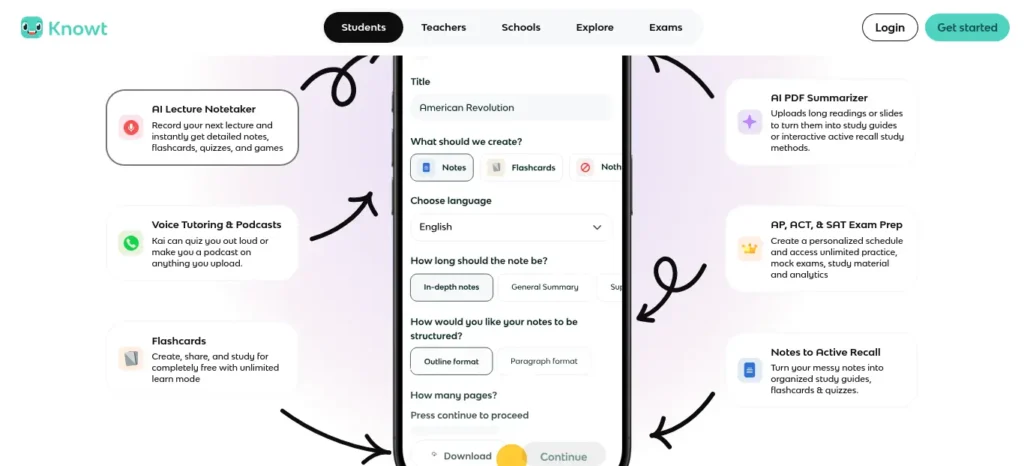
Official website: knowt.com
One-line description: A free, AI-powered flashcard and note platform that turns your own PDFs, lecture recordings, and slides into study sets in seconds — and imports your old Quizlet decks in one click.
Why It’s Underrated
Many students still default to Quizlet out of habit, but Knowt offers a strong free alternative with unlimited Learn Mode, practice tests, spaced repetition, and AI-powered study material generation. Unlike many freemium study platforms, Knowt provides substantial functionality without requiring a credit card.
With 5+ million users, Knowt has also built a growing user base, particularly among students preparing for exams such as AP and IB. Its popularity appears to have grown largely through student recommendations and word of mouth.

Key Features & Best Use Cases
- One-click Quizlet set import, so switching costs nothing.
- AI flashcard and note generation from PDFs, PowerPoint slides, and recorded lectures.
- Kai, a built-in AI chat tutor that answers questions grounded in your own uploaded material.
- Free Learn Mode, Match, spaced repetition, and practice tests — the exact features Quizlet now paywalls.
- Best for: exam-heavy subjects (AP, IB, GCSE, A-Level) where you need to convert dense source material into memorizable cards fast.
- Ideal users: high school and college self-learners on a tight budget who already have their own notes or slides to work from.
Creating good revision notes is one of the biggest time-savers during exam preparation. Learn how to create smart revision notes with AI and turn textbooks, PDFs, and class notes into structured, exam-ready study material in minutes.
Free Plan & Pricing
The core product is free, with no credit card required. The free plan includes unlimited flashcard creation, AI-generated flashcards from notes and PDFs, all study modes, and cross-device sync.
The Premium plan costs $5/month or $35/year, which is roughly ₹420/month or ₹2,940/year, depending on the exchange rate. It adds advanced statistics and priority AI features.
The Ultra plan costs $149.99/year, which is roughly ₹12,600/year or ₹1,050/month. It includes unlimited AI chat and unlimited auto-graded assessments. For most self-learners, the Ultra plan is likely unnecessary unless they specifically need these advanced features.
Pros and Cons
Pros: genuinely free core experience; fast AI card generation; easy migration from Quizlet; strong student review sentiment.
Cons: its “spaced repetition” isn’t a full interval-tracking algorithm the way Anki’s is; AI-generated cards can be shallow on nuanced conceptual material and need manual review; some users report sync glitches between devices.
Better Than Which Popular Tool
Better than Quizlet’s current free tier specifically — Quizlet now caps daily Learn and Test mode rounds and paywalls its AI features, while Knowt’s equivalents remain free.
Want to study smarter instead of harder? Discover the best AI tools for creating flashcards automatically and generate personalized study cards from PDFs, notes, and lecture slides in seconds.
Latest Features (Verified)
A Chrome extension for pulling in YouTube video summaries and Quizlet sets directly, plus an expanding “Kai” AI chat tutor scoped to your uploaded material.
Why It Deserves More Attention
It solves the exact frustration driving students to search “Quizlet alternatives free” in the first place, and does it without the dark-pattern trial signups common elsewhere in this category.
Friendly Summary
Knowt is a free, AI-powered flashcard platform and one of the most underrated AI tools for self learning at home — it converts your notes, PDFs, and lectures into study-ready flashcards, with genuinely free spaced repetition and practice tests that rival paid competitors.
Turbo AI (formerly TurboLearn AI) — Lecture-to-Study-Kit in Under 30 Seconds
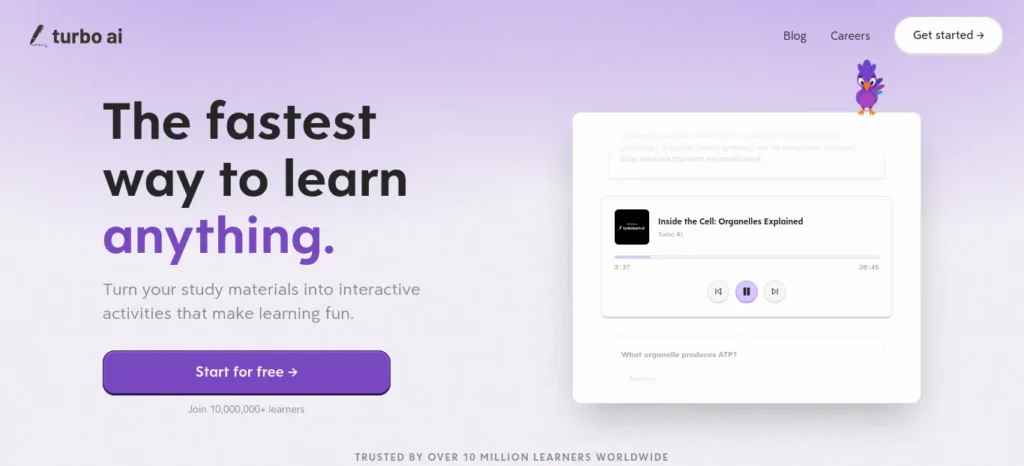
Official website: turbolearn.ai
One-line description: Uploads or live-records a lecture, PDF, or YouTube video and returns structured notes, flashcards, a quiz, and a two-host AI podcast summary — all from one file.
Why It’s Underrated
Founded by two university dropouts and largely driven by campus word-of-mouth, Turbo AI has quietly grown to 5 million users across 5,000+ colleges, despite having less brand recognition than major AI chatbots.
Its standout feature is the ability to turn a 90-minute lecture recording into organized notes, quizzes, and spaced-repetition flashcards in one workflow. For self-learners, this solves a practical problem: turning passive lecture listening into active study materials without spending hours on manual transcription and organization.
Most students use AI as a simple chatbot, but the real advantage comes from following a complete workflow. Discover our AI study workflow for students and learn how to capture notes, create quizzes, schedule revision, and prepare for exams more effectively.
Key Features & Best Use Cases
- Live lecture recording plus upload support for PDFs, audio, video, and YouTube links.
- Simultaneous output: structured notes with tables and diagrams, flashcards with spaced repetition, a quiz, and an audio podcast recap.
- A “Memory Score” that tracks which flashcards you keep getting wrong and resurfaces them more often.
- Best for: converting long-form lecture or video content into a full study kit in one pass.
- Ideal users: self-learners working through recorded lectures, MOOCs, or long YouTube explainer videos who need structure fast.

Free Plan & Pricing
The free Starter tier includes approximately 2 hours of lecture processing, 5 quizzes, 1 PDF upload, and 10 AI chat messages per month, giving you enough access to properly test the platform without a credit card.
Paid plans start at approximately 5.99–8.99/month (roughly ₹573–₹860/month) for the Pro tier. Higher-tier plans cost around 12.99–15/month (roughly ₹1,242–₹1,434/month) and provide higher usage limits. Prices may vary by region and billing period.
Pros and Cons
Pros
- Fast processing, with many uploads taking under 30 seconds
- Supports audio, video, and text in one interface
- Memory Score helps identify areas that need more review
Cons
- Free-tier limits may feel restrictive for heavy daily use
- Some independent reviewers have reported issues such as logouts and slow loading
- Review quality can vary, so it’s worth checking multiple independent sources before paying for a subscription
Better Than Which Popular Tool
For raw lecture-to-flashcard conversion, it moves faster than manually building a NotebookLM notebook and then a separate Quizlet deck — Turbo AI does both steps in one upload.
Latest Features (Verified)
AI-generated podcast-style audio recaps of your notes, and cross-device sync between its web app and mobile apps.
Why It Deserves More Attention
It directly targets the most tedious part of self-directed learning from recorded content — the gap between “I watched the lecture” and “I have something to actually study.”
Friendly Summary
Turbo AI turns lectures, PDFs, and YouTube videos into notes, flashcards, and quizzes in under a minute, making it one of the fastest underrated AI tools for self learning at home for anyone studying from recorded or video content.
Consensus — The AI Search Engine That Only Answers From Peer-Reviewed Research
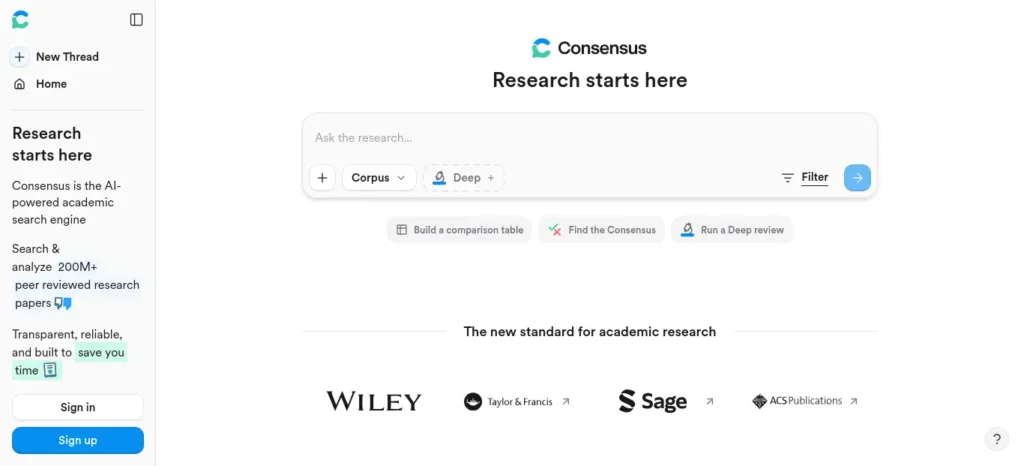
Official website: consensus.app
One-line description: An AI-powered academic search engine that answers questions using only findings from 200+ million peer-reviewed papers, with a visual “Consensus Meter” showing how strongly the science agrees.
Why It’s Underrated
Most self-learners stop at Google or general-purpose chatbots when they need answers backed by scientific research. Questions like “Does sleeping less cause weight gain?”, “Is this supplement supported by evidence?”, or “What does research actually say about spaced repetition?” require more than a quick search.
Consensus is designed specifically for this use case. It searches and summarizes scientific research to help users understand what published studies actually say. Unlike a general-purpose chatbot, its answers are grounded in research papers it retrieves, making it a useful option for self-learners who want evidence-based answers rather than unsupported claims.
Key Features & Best Use Cases
- Natural-language search across 200M+ peer-reviewed papers.
- The Consensus Meter — a visual gauge showing what percentage of relevant studies support, contradict, or are mixed on a claim.
- Pro Analysis and Study Snapshots that summarize individual papers’ findings and methodology.
- Best for: fact-checking a claim, settling a debate with evidence, or getting an evidence-based starting point before a deeper research dive.
- Ideal users: upskillers, pre-health and science students, and any self-learner who wants their understanding grounded in actual research rather than blog-post paraphrasing.

Free Plan & Pricing
The free plan includes a recurring monthly allowance, commonly reported as around 10–20 Pro Analyses and several Deep Searches. The allowance refreshes each month rather than functioning as a one-time trial.
Paid plans start at approximately 8.99–10/month (roughly ₹860–₹956/month) for Premium/Pro access. A discounted student plan of around $9/month may also be available with academic email verification. Higher-tier plans can cost around $45/month (roughly ₹4,302/month) for users with intensive research needs. Pricing and usage limits may vary by plan and region.
Pros and Cons
Pros
- Answers are grounded in retrieved scientific papers, rather than relying solely on general web content
- The Consensus Meter provides a useful visual indication of agreement across research
- The free allowance refreshes monthly instead of being limited to a one-time trial
Cons
- Research coverage may lean toward recent, English-language publications
- Complex or nuanced findings can sometimes be oversimplified in summaries
- It is primarily a research tool, so beginners may need basic subject knowledge to formulate effective questions
Better Than Which Popular Tool
Better than asking ChatGPT or a general search engine for “what does research say about X,” because Consensus can’t invent a citation — every claim traces back to an actual retrieved paper.
Latest Features (Verified)
A multi-agent “Scholar Agent” system that plans, searches, reads, and synthesizes across your private library and the citation graph for complex research questions.
Why It Deserves More Attention
It’s one of the only tools on this list built specifically to fight AI hallucination in research contexts — a growing, well-documented problem even for professionals — while staying usable for a self-learner with zero academic training.
Stuck on a science problem and don’t know where to start? These AI tools can give you quick, step-by-step explanations without simply handing you the answer.
Friendly Summary
Consensus is an AI research search engine that answers questions using only peer-reviewed studies, making it one of the most trustworthy underrated AI tools for self learning at home for anyone who wants evidence-based answers instead of AI-generated guesses.
Elicit — The Systematic Literature Review Assistant
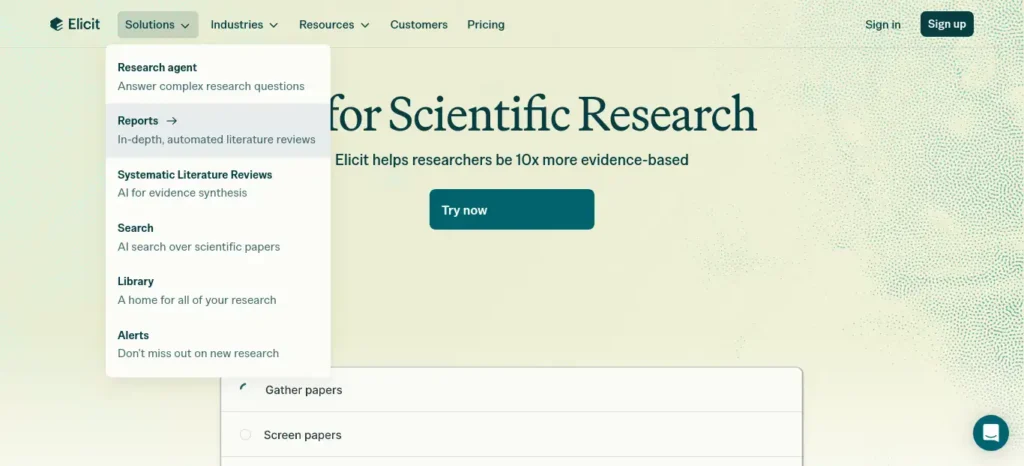
Official website: elicit.com
One-line description: An AI research assistant built specifically to search, extract data from, and summarize findings across academic papers — the step beyond simple fact-checking, for structured literature review.
Why It’s Underrated
Elicit fills a more specialized role than Consensus. Instead of simply answering a single research question, it helps you systematically analyze multiple research papers, extract key information, and organize findings into structured tables.
This makes it particularly useful for advanced self-learners and professionals who want to move beyond simply understanding a topic and start exploring where research agrees, where it differs, and what the current evidence shows. Despite this powerful workflow, Elicit remains relatively unknown outside academic and research circles.
Key Features & Best Use Cases
- Extracts specific data points (sample size, methodology, outcome) across many papers into a comparison table.
- Summarizes and ranks papers by relevance to a specific research question.
- Best for: literature reviews, comparing findings across multiple studies, and any self-learning project that requires synthesizing academic literature rather than a single source.
- Ideal users: upskillers, graduate-adjacent self-learners, and anyone doing a capstone project, thesis-adjacent work, or serious independent research.

Free Plan & Pricing
Elicit offers a usable free plan for searching and summarizing research papers. Its free-tier structure has changed over time, so limits and included credits may vary. Paid plans are available for users who need higher research volume and more advanced capabilities.
Because Elicit’s pricing and free-tier limits can change, check the official pricing page for the latest details before relying on a specific allowance for academic or graded work.
Pros and Cons
Pros
- Useful for comparing information across multiple research papers
- Helps organize findings instead of relying on single-question searches
- Well suited for capstone projects, thesis research, and advanced self-directed learning
Cons
- Has a steeper learning curve than a simple search tool
- Less suitable for complete beginners who are still unfamiliar with the topic
- Free-tier limits may be less generous and less predictable than Consensus’s depending on the current plan structure
Better Than Which Popular Tool
Better than manually building a literature review spreadsheet from Google Scholar results — Elicit automates the extraction step that normally takes hours per paper.
Latest Features (Verified)
Expanded data-extraction templates that let you define exactly which variables to pull from each paper before running the search.
Why It Deserves More Attention
Self-learning content almost always stops at “here’s a tool that explains things.” Elicit is one of the few tools that supports the next stage — actually synthesizing a body of evidence — which matters enormously for anyone whose self-learning is really applied research.
Before you start writing your assignment, it’s important to know how to use AI for college research projects effectively. A strong research process helps you find credible sources, organize ideas, and avoid common mistakes that can lower your grades.
Friendly Summary
Elicit is an AI literature-review assistant that extracts and compares findings across academic papers, making it one of the most underrated AI tools for self learning at home for upskillers and independent researchers moving past beginner-level study.
Khanmigo — The Only AI Tutor Built on the Socratic Method by Design
Official website: khanmigo.ai (content library at khanacademy.org)
One-line description: Khan Academy’s AI tutor, layered on top of its entirely free K-12 content library, that guides students to answers through questions instead of handing them out directly.
Why It’s Underrated
Khan Academy is widely known for its free educational content, but Khanmigo, its AI-powered tutoring layer, receives far less attention outside education circles. Unlike general-purpose chatbots that may simply provide an answer, Khanmigo is designed to guide learners through problems, ask questions, and encourage them to work toward the solution themselves.
Its education-focused approach makes it particularly valuable for self-learners who want to build genuine understanding rather than rely on AI to complete the work for them. Despite this, Khanmigo is often overshadowed by more widely discussed general-purpose AI tools.
Key Features & Best Use Cases
- Socratic questioning that guides you to an answer instead of stating it outright.
- Full integration with Khan Academy’s free K-12 content library across math, science, reading, writing, and computer science.
- Text-to-speech and speech-to-text for lower-friction studying.
- Best for: structured school-subject learning — algebra, physics, grammar, coding fundamentals — where guided practice beats open-ended chat.
- Ideal users: school-age self-learners and parents supporting home study; also useful for adults rebuilding foundational math or science.
Struggling with difficult subjects? Explore our complete guide on AI Tools for Learning Difficult Subjects Faster and discover powerful AI tools that make complex topics easy to understand.
Free Plan & Pricing
Khan Academy’s core learning library—including videos, practice exercises, and full courses—is completely free for learners worldwide, with no ads.
The Khanmigo AI tutor is available to parents and learners for $4/month or $44/year, which is roughly ₹382/month or ₹4,206/year, depending on the exchange rate. Khanmigo is also available free to teachers in 44+ countries. Availability and pricing may vary by location.
Pros and Cons
Pros
- Uses a Socratic tutoring approach that encourages learners to think through problems instead of simply giving answers
- Strong focus on content safety and education-focused AI interactions
- Relatively affordable compared with many AI tutoring tools
Cons
- Paid consumer access to Khanmigo may have regional eligibility and billing restrictions, so availability outside the US should be verified before purchasing
- The AI tutor is primarily designed around Khan Academy’s curriculum
- Less useful for highly specialized professional skills or topics outside K-12 and early college-level subjects
Better Than Which Popular Tool
Better than ChatGPT for structured school-subject tutoring specifically, because it’s built never to just hand over the final answer — a deliberate design choice general chatbots don’t make by default.
Latest Features (Verified)
An engagement-focused redesign is underway for the 2026–27 school year, with Khan Academy publicly acknowledging usage fell short of expectations and reworking the tutoring flows rather than adding surface-level features.
Why It Deserves More Attention
In a field full of tools that optimize for fast answers, Khanmigo is one of the few deliberately optimized for the opposite — making you do the thinking — which is exactly the behavior the rest of this guide’s framework is built around.
Friendly Summary
Khanmigo is Khan Academy’s AI tutor, built on Socratic questioning rather than direct answers, making it one of the most underrated AI tools for self learning at home for structured school-subject practice on a genuinely free foundation.
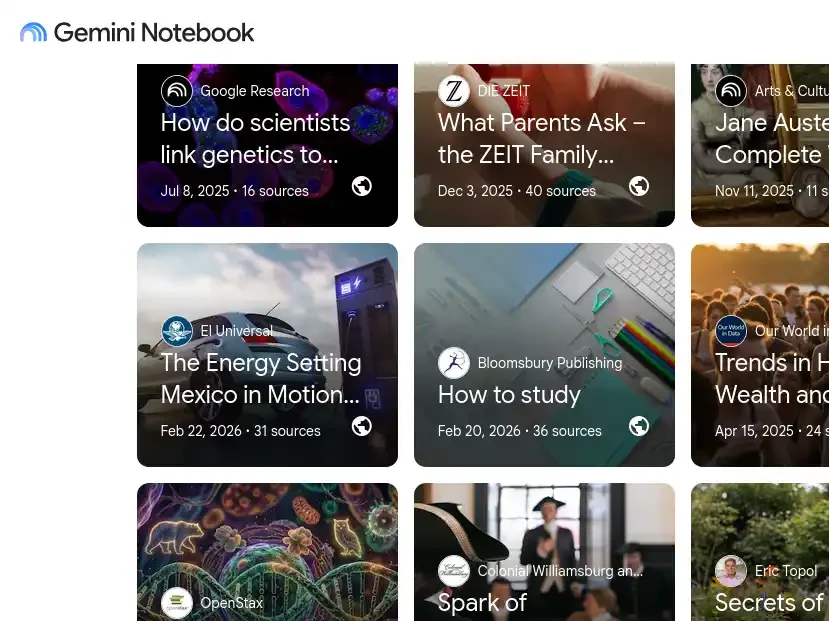
Google NotebookLM (Gemini Notebook) — The Tool Built to Only Answer From Your Own Material
Official website: notebooklm.google.com
One-line description: A source-grounded AI notebook that only answers from documents you upload — your own PDFs, lecture notes, and slides — turning them into summaries, quizzes, flashcards, and audio overviews.
Why It’s Underrated
It is easy to overlook because it is positioned primarily as a note-taking and research tool rather than a traditional AI chatbot. However, its source-grounded approach makes it particularly useful for self-learners who want to study from their own materials instead of relying on general web knowledge.
Now renamed Gemini Notebook, it remains less discussed than mainstream AI chatbots, despite being a strong fit for one of the most common self-learning scenarios: “I have my own study material and want to learn from it.”
Key Features & Best Use Cases
- Source-grounded answers only — it won’t pull in outside information not present in your uploaded material, which sharply cuts hallucination risk.
- Auto-generated flashcards, quizzes, mind maps, and audio “Deep Dive” podcast-style overviews built directly from your sources.
- A built-in Learning Guide tutoring mode.
- Best for: turning your own class notes, a syllabus, or a stack of PDFs into structured study material you can trust.
- Ideal users: any self-learner who already has source material — lecture notes, a textbook chapter, a research packet — and wants AI-generated study tools grounded specifically in that content.
Free Plan & Pricing
The free tier is unusually generous, offering up to 100 notebooks, 50 sources per notebook, and 50 chat questions per day. It also includes features such as audio and video overviews, flashcards, quizzes, and mind maps, with usage limits based primarily on daily volume rather than major feature restrictions.
Paid access is available through broader Google AI subscription plans, with pricing varying by plan and region. These plans mainly become useful when you regularly reach the free tier’s source or daily chat limits. Check Google’s current pricing page for the latest rates and availability, as subscription pricing can change.
Pros and Cons
Pros
- Lower risk of unsupported answers because responses are grounded in the sources you provide
- The free tier includes a wide range of study features
- Can transform the same source material into audio overviews, flashcards, quizzes, and mind maps
Cons
- Uploaded files are processed through Google’s cloud infrastructure, so users should consider privacy requirements before uploading confidential material
- Output quality depends heavily on the accuracy and completeness of the source material
- Recent product naming changes may cause confusion when searching for guides or older references
Better Than Which Popular Tool
Better than asking a general chatbot to explain your own notes, because a general chatbot will happily blend in outside “knowledge” that may not match your specific syllabus or professor’s framing — NotebookLM won’t.
Latest Features (Verified)
A May 2026 restructure introduced four clean tiers (Free, Plus, Pro, Ultra) and a July 2026 rebrand to Gemini Notebook, alongside cinematic Veo-powered video overviews on the top tier.
Why It Deserves More Attention
Of every tool on this list, it’s the closest to becoming mainstream — and deserves to, given how directly it solves the single most common self-learning situation: studying from material you already have.
Friendly Summary
Google’s NotebookLM (now Gemini Notebook) is a source-grounded AI notebook that turns your own PDFs and notes into quizzes, flashcards, and summaries — arguably the most underrated of the best AI tools for self learning at home because it only answers from what you actually uploaded.
| Rank | Tool | Hidden-Gem Level | Best For | Key Advantage |
| 1 | Elicit | Very High | Research | Deep literature review |
| 2 | Consensus | High | Evidence | Research-backed answers |
| 3 | Knowt | High | Students | Flashcards + active recall |
| 4 | Khanmigo | Medium | Learning | Guided AI tutoring |
| 5 | Turbo AI | Medium | Lectures | Lecture → notes + quiz + cards |
| 6 | Gemini Notebook | Growing | Study Materials | Learn directly from your files |
Final Verdict: The Best Tool Depends on How You Learn
There is no single best AI tool for self-learning at home.
The right choice depends on what is slowing your learning down right now. If you have a pile of notes and PDFs, NotebookLM can turn them into a more interactive study environment. If you need better revision and active recall, Knowt is a strong choice. If most of your learning comes from lectures and long videos, Turbo AI can save hours of manual preparation.
For research-heavy learning, Consensus and Elicit become more valuable because they help you move from simply asking questions to examining actual academic evidence. And if you are learning foundational school subjects and want guidance rather than instant answers, Khanmigo offers a more structured tutoring experience.
The bigger lesson is that effective AI-assisted learning is not about collecting as many tools as possible. It is about building a simple workflow where each tool has a clear purpose.
Start with one tool that solves your biggest learning problem. Use it consistently, verify important information, and gradually add another tool only when you actually need it.
The goal is not to let AI do the learning for you. The goal is to use AI to make your own learning more active, organized, and effective.
Want a simpler way to use AI without becoming dependent on it? Download our printable AI Self-Learning Checklist and use it before, during, and after your study sessions.
[Download the Free PDF Checklist]
Frequently Asked Questions
What is the best AI tool for self-learning at home?
NotebookLM is the best overall choice for most self-learners because it lets you learn directly from your own PDFs, notes, slides, and other source materials. However, the best tool depends on your learning task. Knowt is better for flashcards and active recall, while Khanmigo is better for guided tutoring.
What are the best AI tools for self-learning besides ChatGPT?
Some useful alternatives include Knowt, Turbo AI, Consensus, Elicit, Khanmigo, and NotebookLM. Each specializes in a different part of the learning process, from flashcards and lecture conversion to academic research and guided tutoring.
Which AI tool is best for studying PDFs and notes?
NotebookLM is the strongest choice for studying your own PDFs and notes. You can upload source material and use it to generate summaries, quizzes, flashcards, audio overviews, and source-grounded answers.
Which AI tool is best for creating flashcards?
Knowt is one of the strongest options for AI-generated flashcards and active recall. It can turn notes and study materials into flashcards and provide multiple study modes for revision.
Which AI tool is best for learning from lectures?
Turbo AI is particularly useful for lecture-based learning. It can process lectures, audio, videos, PDFs, and YouTube content and turn them into structured notes, quizzes, and flashcards.
Which AI tool is best for academic research?
Consensus is better for quickly finding research-backed answers to specific questions, while Elicit is better for comparing and synthesizing findings across multiple academic papers. For serious research, using both can be more useful than relying on either one alone.
Are these AI learning tools free?
Most of them offer a usable free tier, but the limits differ. Knowt and NotebookLM provide particularly useful free access, while Turbo AI, Consensus, Elicit, and Khanmigo have varying restrictions or paid features. Always check the provider’s current pricing before subscribing.
Do I need all six AI tools for self-learning?
No. Most self-learners only need one or two tools at a time. Start with the tool that solves your biggest learning problem and add another only when it provides a clear benefit.
Can AI tools replace traditional studying?
No. AI tools can make studying faster and more interactive, but they should support active learning rather than replace it. You still need to think, practice, recall information, solve problems, and verify important claims yourself.
Which AI tool should a beginner start with?
NotebookLM is a strong starting point if you already have study materials, while Khanmigo can be a better choice if you need guided help with foundational subjects. If your main problem is memorization, start with Knowt instead.
Before you move on, ask yourself this: do you have a learning system or just good intentions? Discover How to Build a Daily Learning System Using AI (Step-by-Step Guide) to create a simple AI-powered routine that actually sticks.
About the Author
Nandhakumar is an AI tools and digital learning writer focused on helping students and self-learners discover practical technology for studying, productivity, and skill development. His work focuses on testing and comparing AI tools based on real learning use cases rather than simply listing popular platforms.
For FutureFastAI, he researches AI products, compares features and pricing, evaluates free-plan limitations, and explains how each tool can fit into a practical learning workflow. His goal is to make AI tools easier to understand and more useful for students and independent learners.
Editorial Policy
FutureFastAI aims to provide practical, accurate, and transparent information about AI tools and learning technology.
Before recommending a tool, we consider factors such as its core features, learning use cases, free-plan availability, pricing, limitations, usability, and relevance to the reader’s needs. When possible, product information is checked against official sources because AI features, pricing, usage limits, and availability can change frequently.
We do not recommend a tool simply because it is popular. Tools may be included because they solve a specific learning problem particularly well, even if they are less widely known.
Some articles may contain affiliate links. If you purchase a product or subscription through an eligible link, FutureFastAI may earn a commission at no additional cost to you. Affiliate relationships do not determine our editorial recommendations or rankings.
Because AI products change quickly, readers should verify current pricing, features, availability, and terms on the provider’s official website before making a purchase or relying on time-sensitive information.
Our goal is simple: help readers make informed decisions, not promote tools for the sake of promotion.





One Comment