
How to Use AI to Make Better Decisions: 7 Smart Steps
You have two options. Both look reasonable. One is cheaper. The other seems better in the long run. You open an AI chatbot, type the situation in two sentences, and it hands you an answer in ten seconds.
That’s the exact moment most people misuse AI for decision-making.
Quick answer: AI can help you make better decisions — but not by choosing for you. Used well, AI clarifies what you’re actually deciding, generates alternatives you hadn’t considered, compares your options against explicit criteria, surfaces risks and hidden assumptions, argues against its own recommendation, and helps you verify the facts behind it. The final call, and the responsibility for it, stays with you.
This guide shows you exactly how to use AI to make better decisions: a repeatable seven-step framework, the exact prompts to use at each stage, a worked decision-matrix example, a pre-mortem template, a list of common mistakes, and a copy-paste worksheet you can reuse for every decision you face — from choosing a course to comparing two job offers.

The goal isn’t to make AI choose for you. The goal is to make your own thinking harder to fool.
Can AI Really Help You Make Better Decisions?
Yes. AI can support better decision-making by organizing scattered information, generating alternatives you didn’t think of, comparing options against criteria you define, spotting risks and hidden assumptions, and challenging your first conclusion instead of just agreeing with it. It should not be trusted to know your priorities, guarantee facts, predict the future, or take responsibility for the outcome — those parts stay with you.
That split matters more than any single feature. AI is genuinely good at expanding and structuring your thinking. It is not good at deciding what you should value.
if you want AI to do more than just answer questions, discover these AI Tools for People With No Coding Skills that can save you at least one hour every day.
What AI does well

- Organizes information you already have but haven’t structured
- Generates alternatives beyond the two options you started with
- Compares options against criteria you specify
- Summarizes evidence from documents, research, or notes
- Identifies missing factors you didn’t think to weigh
- Challenges assumptions when asked directly to do so
- Runs structured analysis, like scoring a decision matrix or modeling a scenario
What AI cannot reliably do
- Know your true priorities. It can only work with the priorities you state.
- Guarantee factual accuracy. AI models can state something incorrect, outdated, or invented with the same confident tone as something true.
- Predict the future. It can model scenarios, not know outcomes.
- Understand your full circumstances. It only knows what you tell it.
- Take responsibility for consequences. That accountability cannot be outsourced.
This is the central idea behind everything else in this guide: AI can help you build a better decision process. It cannot build a better decision for you.
What Types of Decisions Can AI Help With?
Not every decision benefits equally from AI input. Some are a strong fit; others need a qualified human — a doctor, a lawyer, a financial advisor — with AI playing a supporting, not deciding, role.
| Decision type | AI usefulness | Example |
| Product or tool comparison | High | Comparing three laptops on budget, specs, and repairability |
| Study or course planning | High | Choosing between two certification courses |
| Project or idea selection | High | Picking which content project or side project to prioritize |
| Career planning | Medium–High | Weighing two job offers or a career pivot |
| Business strategy | Medium–High | Comparing go-to-market approaches |
| Financial decisions | Medium | Scenario and trade-off analysis (not investment advice) |
| Medical decisions | Low without professional input | Understanding a diagnosis, then verifying with a doctor |
| Legal decisions | Low without professional input | Understanding a contract clause, then verifying with a lawyer |
The pattern: AI is strongest where the decision is about comparing known options against explicit criteria, and weakest where it requires professional accountability, licensed judgment, or facts about your specific medical, legal, or financial situation that only a qualified professional can verify.
Want to learn the practical ways students are already using AI in everyday learning? Read our complete guide on How Students Use AI to Study Smarter (Without Cheating) and discover 12 proven techniques to improve learning, revision, and exam preparation.
The 7-Step AI Decision-Making Framework
This is the core method for how to use AI to make better decisions, and it’s the part of this guide worth bookmarking. Call it the Define → Expand → Compare → Challenge → Verify → Decide → Review framework — seven stages, each with its own job.
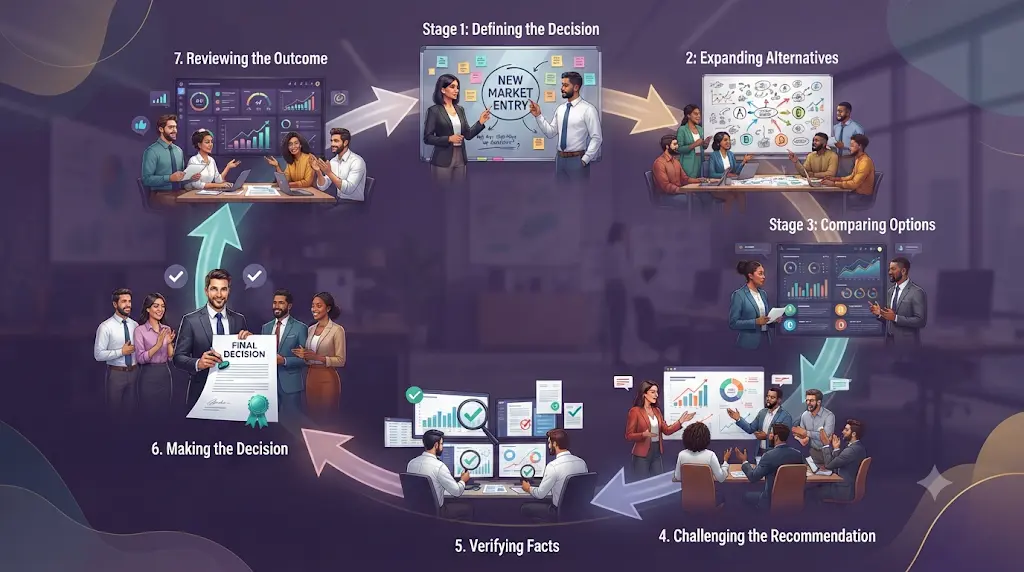
Need to decide right now? The 60-second version
Define the decision in one sentence → list every realistic option → pick 3–5 criteria that matter → ask AI to compare the options against those criteria → ask AI to argue against its own top pick → verify any fact that would change your mind → make the call yourself.
That’s the whole method compressed. The rest of this section unpacks each step with the exact prompts to use.
New to AI? Start with our Ultimate Beginner Guide to AI Tools for Students to discover the best AI tools for research, note-taking, writing, revision, and productivity—all explained in a beginner-friendly, step-by-step format.
1. Define — what are you actually deciding?
Most bad AI-assisted decisions start with a vague question. “Which laptop should I buy?” gives AI almost nothing to work with. Before asking anything, define:
- What am I actually deciding? (Be specific — “which laptop” vs. “which laptop supports three years of video editing on a fixed budget”)
- Why does this decision matter?
- What’s the deadline?
- What can’t change (budget, location, non-negotiables)?
Prompt: “Help me define the actual decision I’m making. Here’s my situation: [describe it]. What am I really choosing between, and what am I missing from this framing?”
2. Expand — what alternatives haven’t you considered?
Most decisions people bring to AI are framed as A-vs-B when a third or fourth option exists — including “do nothing” or “delay.”
Prompt: “Here are the options I’m considering: [list them]. Are there other realistic alternatives I haven’t thought of, including combinations or a ‘wait and gather more information’ option?”
3. Compare — set the criteria, then let AI analyze the trade-offs
This is where a decision matrix earns its place (full worked example below). You decide what matters — cost, time, risk, quality, long-term value, personal interest. AI applies those criteria consistently across every option.
Important editorial rule: the human sets the weights. AI analyzes what follows. If you let AI invent your priorities, you’re not using it to think better — you’re outsourcing the one part of the decision that was always yours.
Prompt: “Compare these options — [list them] — against these criteria: [list them, with weights if you have them]. Show the trade-offs for each, not just a final score.”
4. Challenge — red-team the recommendation
This step is the single biggest difference between people who use AI well and people who don’t. Never accept the first recommendation.
Prompt: “Argue against your own recommendation. What would have to be true for the opposite choice to be better? What’s the strongest case for the option you ranked lowest?”
5. Verify — separate AI reasoning from verified fact
AI reasoning and verified evidence are two different things, and the strongest working principle here is this: treat AI output as a hypothesis to test, not a fact to accept.
Prompt: “What specific facts or numbers in your analysis should I double-check before trusting this recommendation? Where are you least confident?”
6. Decide — you make the final call
AI can optimize a decision against the goals you stated. It cannot decide which goals were worth optimizing in the first place. That judgment is yours, and no amount of analysis replaces it.
7. Review — what happened, and what would you do differently?
This step is the one most generic advice skips, and it’s what turns a single decision into a repeatable system. See the review template further down.
How to Prompt AI for Better Decisions
Each stage above pairs with its own prompt style. Here they are as a standalone reference.
| Stage | Prompt to use |
| Clarify | “Help me define the actual decision I need to make, based on this situation: [describe it].” |
| Expand alternatives | “What realistic alternatives am I not considering, including doing nothing?” |
| Compare | “Compare these options against these criteria: [list]. Show trade-offs, not just a score.” |
| Find risks | “What are the biggest risks or downsides of each option that I might be underweighting?” |
| Red-team | “Argue against your own recommendation. What would make the opposite choice better?” |
| Verify | “What facts here should I independently verify before trusting this analysis?” |
| Pre-mortem | “Assume I chose [option] and it turned out badly six months from now. What most likely went wrong?” |
| Build a matrix | “Turn this into a weighted decision matrix using the criteria and weights I gave you.” |
Using AI for the first time can feel confusing, but you don’t need to be tech-savvy—this beginner-friendly guide shows you exactly where to start.
The Master Decision Prompt
If you want one prompt that walks AI through the whole framework, fill in the blanks below and send it as-is:
I need help thinking through a decision, not an instant answer.
Decision: [what you’re deciding]
Goal: [what a good outcome looks like]
Options: [list every option you’re aware of]
Constraints: [budget, time, non-negotiables]
Criteria that matter to me, in rough order: [list them]
Risk tolerance: [low / medium / high, and why]
Deadline: [when you must decide]
What I’m unsure about: [open questions or missing information]
Please:
1. Point out anything missing from how I’ve framed this decision.
2. Suggest realistic alternatives I haven’t listed.
3. Compare my options against my stated criteria, showing trade-offs.
4. Identify the biggest risks or hidden assumptions in each option.
5. Argue against your own top recommendation.
6. Tell me which facts I should verify independently before deciding.
Save this prompt. It works for course choices, job offers, product comparisons, and business decisions alike — only the details change.
Do this, not that
Don’t ask: “Which laptop should I buy?”
Do ask: “Compare these three laptops against my budget of ₹70,000, three years of expected use for video editing, battery life, and repairability. Show me where each one fails, not just which one wins.”
The first prompt invites a guess. The second gives AI a structure it can actually reason inside — and gives you an answer you can inspect and challenge, rather than one you have to take on faith.
Want to study smarter instead of studying longer? Discover how to use AI to improve academic productivity and build a simple study system that helps you stay organized, learn faster, and achieve better results.
How to Use an AI Decision Matrix (Worked Example)

A decision matrix turns a fuzzy comparison into an explicit one: options → criteria → weights → scores → trade-offs.
Scenario: Choosing between two online courses.
Criteria and weights (you set these, not the AI):
| Criterion | Weight |
| Cost | 20% |
| Career relevance | 35% |
| Time required | 15% |
| Practical projects | 20% |
| Personal interest | 10% |
Scoring each course out of 10, then multiplying by weight:
| Criterion | Weight | Course A score | Course A weighted | Course B score | Course B weighted |
| Cost | 20% | 9 | 1.8 | 6 | 1.2 |
| Career relevance | 35% | 7 | 2.45 | 9 | 3.15 |
| Time required | 15% | 8 | 1.2 | 5 | 0.75 |
| Practical projects | 20% | 6 | 1.2 | 9 | 1.8 |
| Personal interest | 10% | 7 | 0.7 | 8 | 0.8 |
| Total | 7.35 | 7.70 |
Course B scores higher. But here’s the nuance a lot of guides skip:
A score of 7.70 doesn’t mean Course B is objectively 5% better. It means Course B scored better under the weights you chose. Change the weights, and the winner can change too.
If you’re an engineering student, don’t waste hours switching between random AI tools—see which AI tools actually fit your engineering branch, from coding and research to calculations and project work.
Run a sensitivity check before you trust the number
Ask AI directly: “If I increased the weight on cost to 35% and dropped career relevance to 20%, which option wins? What would have to change for the ranking to flip?”
In this example, if cost weight rose enough, Course A would likely win. That’s not a flaw in the matrix — it’s the matrix doing its job. The real question a matrix answers often isn’t “which option wins,” but “which priorities make each option win — and are those the priorities I actually hold?”
Pre-Mortem: Stress-Test the Decision Before You Make It

Before committing, run this prompt:
“Assume I chose [option] and six months from now it turned out to be a bad decision. What most likely went wrong? What early warning signs should I watch for, and what’s a reasonable contingency plan?”
This single step catches risks that a straightforward pros-and-cons comparison usually misses, because it forces AI — and you — to reason backward from failure instead of forward from optimism.
How to Stop AI From Making the Decision for You
AI models are tuned to be agreeable, and that’s precisely the trait to guard against here. A few specific failure patterns to watch for:
- Automation bias — trusting the AI’s answer simply because it sounds confident and well-organized.
- Confirmation bias — asking AI in a way that’s already loaded toward the answer you wanted.
- Anchoring — accepting the first option AI mentions as the frame for everything after.
- Overconfidence — mistaking a fluent, well-formatted answer for a verified one.
- Hallucination — AI stating something incorrect, outdated, or invented with the same tone as something true.
The 5-question AI decision test
Run this checklist before acting on any AI-assisted decision:
- Do I actually know what I’m deciding, in one clear sentence?
- Have I considered at least a third option, including “not yet”?
- Do I know what matters most to me, independent of what AI suggested?
- Have I asked AI to argue against its own recommendation?
- Have I verified the specific facts that could change the outcome?
If any answer is no, pause before deciding.
How to Verify an AI Recommendation
Use three levels of verification, in order:
Level 1 — Check the facts. Is the underlying information — prices, specs, dates, statistics, policies — actually correct?
Level 2 — Check the sources. Can the claims that matter most be traced to something credible: an official product page, a government source, a peer-reviewed study, original research, or established reporting — rather than a secondary summary or the AI’s own unsupported claim?
Level 3 — Check the fit. Even if the facts are correct, does the recommendation actually match your priorities, constraints, and circumstances — or just the priorities you happened to phrase into the prompt?
A useful source hierarchy to keep in mind: official or primary sources first, then government data, original research, company documentation, established institutions and publications — and AI-generated claims last, treated as a starting point for verification rather than a finished answer.
Editorial note: AI recommendations are suggestions, not verified facts. For decisions with real financial, medical, legal, or personal consequences, verify important claims against reliable primary sources and involve a qualified professional where appropriate.
Common Mistakes When Using AI for Decisions
- Asking for a verdict too early, before defining the actual decision.
- Giving incomplete context — AI’s usefulness scales directly with the quality of what you tell it.
- Letting AI choose your criteria, instead of setting the weights yourself.
- Accepting the first recommendation without asking it to argue the other side.
- Skipping verification on facts that materially affect the outcome.
- Ignoring alternatives beyond the two options you started with.
- Confusing confidence with accuracy — fluent phrasing isn’t the same as correct information.
- Using outdated information without checking whether it’s still current.
- Sharing sensitive information — passwords, confidential documents, private financial or academic records — without checking a tool’s current data-handling terms.
- Never reviewing the outcome, so nothing is learned for the next decision.
What Information Should You Give AI Before Asking for Help?
The quality of an AI recommendation depends heavily on the completeness of what you provide. Before asking, have these ready:
- The actual objective (not just the surface question)
- Every realistic option, including ones you’re leaning against
- Budget and deadline
- Hard constraints — things that genuinely can’t change
- Your priorities, roughly ranked
- Your risk tolerance
- Any evidence or data you already have
- What you’re missing or unsure about
Vague input produces a generic answer. Specific, honest context produces genuine analysis.
A privacy note: don’t paste passwords, confidential client data, proprietary business documents, or private financial or academic records into an AI chat without first checking that tool’s current privacy and data-retention settings.
Best Lesser-Known AI Tools for Better Decision Making
General-purpose AI assistants — used with the framework above — are enough for most everyday decisions without needing specialized software. But a handful of purpose-built tools are worth knowing about if you make complex or recurring decisions regularly. These aren’t “the best AI tools” in any tested, ranked sense — they’re a few structurally interesting options worth exploring, based on what’s publicly stated on each product’s own site at the time of writing. Check current pricing and plans directly before relying on any figure mentioned here.
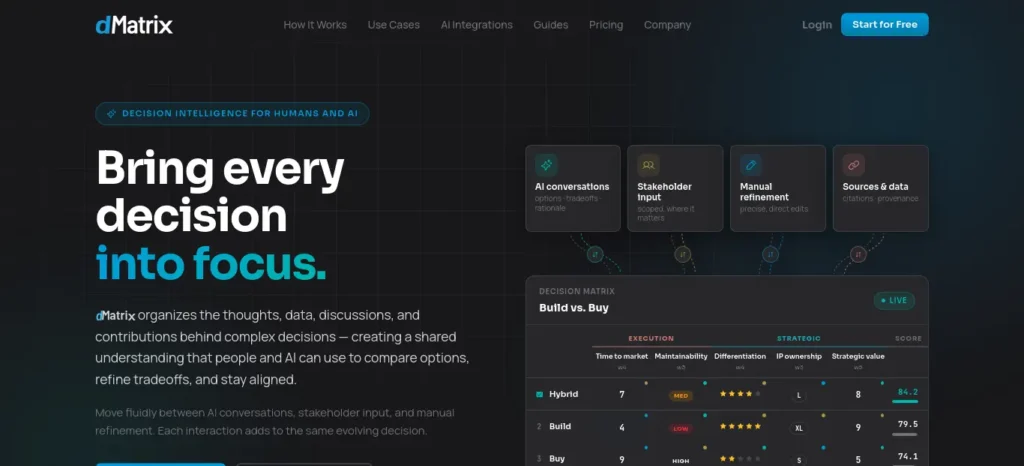
Built specifically around structured decision matrices rather than open-ended chat: options, weighted criteria, scores, and rationale live in one shared workspace, and it can pull decision context out of AI conversations you’ve already had. Its free individual plan currently allows a limited number of decisions per month with no credit card required. Best for: structured comparisons and decisions involving more than one stakeholder. Overkill for a simple personal choice like picking a phone case.
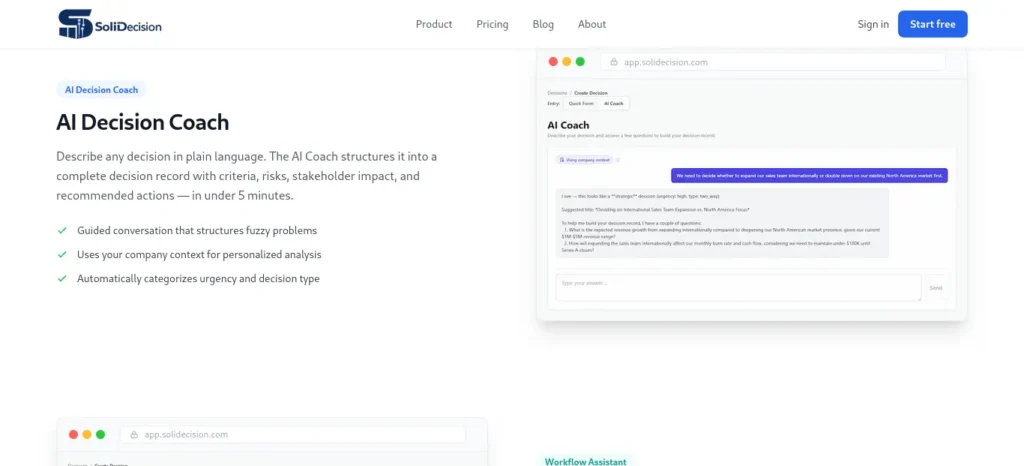
An AI-guided decision coach aimed at founders and operators, built around risk analysis and a running “decision memory” rather than a one-off chat. It structures a fuzzy problem into criteria, risks, and recommended actions, and keeps a record you can review later. Best for: recurring business decisions. Likely more than a casual personal decision needs.
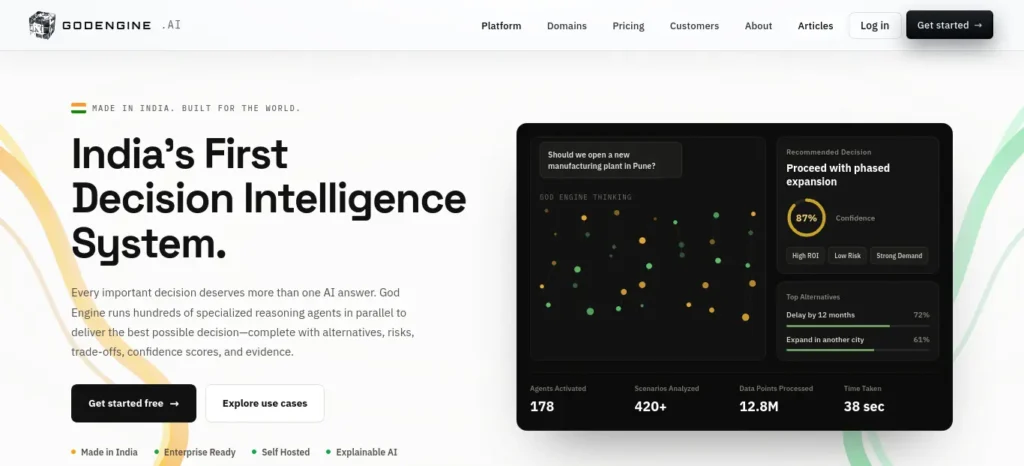
An India-built, self-hosted decision-intelligence platform aimed at organizations rather than individuals, using multiple specialized reasoning components to produce ranked scenarios with stated evidence and confidence levels. Best for: complex organizational decisions with governance requirements. Not designed for everyday personal choices, and pricing is structured around prepaid credits for organizational use.
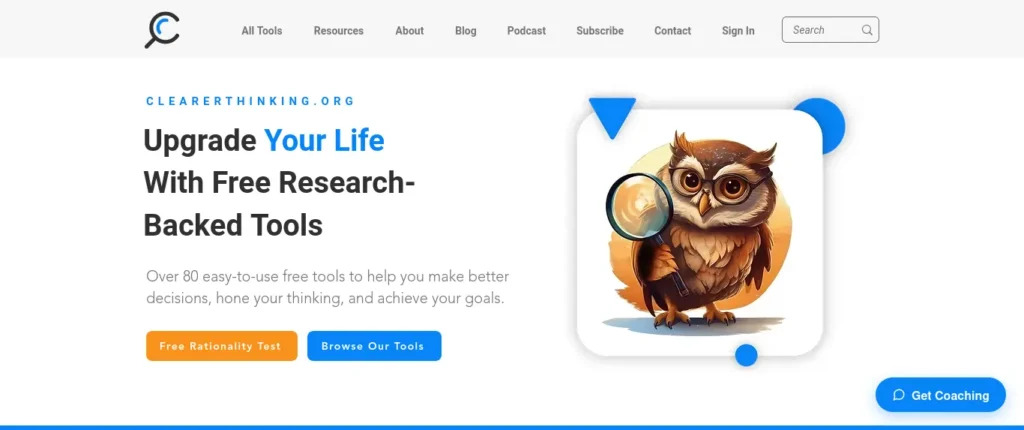
Not primarily an AI decision tool, which is exactly why it’s worth including as a companion resource: it’s a free, research-based set of interactive tools covering decision-making, cognitive bias, and calibrated judgment. Best for: beginners who want to improve the thinking process itself, not just get an answer.
Scite —
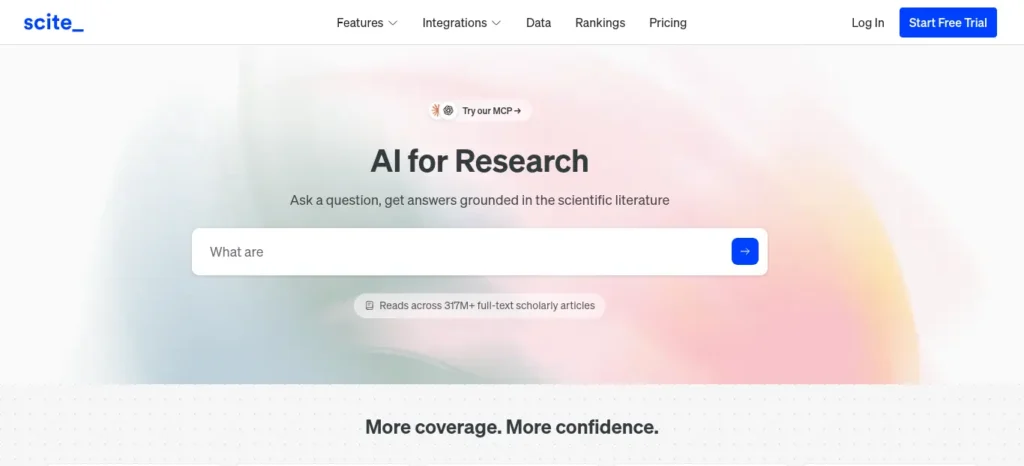
A research-verification tool that shows whether a paper has actually been supported or contradicted by other research citing it. Its best use in this context isn’t “make the decision for me” — it’s checking whether the evidence behind a decision is actually credible, which matters most for decisions leaning on research claims or statistics.
Stay with a free general-purpose AI assistant if your decisions are occasional and personal. Consider a specialized tool only if you’re making decisions frequently, need a saved decision history, need multiple people contributing, or need an audit trail.
If you are looking for free AI resources, do not miss Best AI Tools for Students Free in 2026: 10 Powerful Picks to Study Faster and Smarter, which features some of the most useful no-cost tools available for students.
AI vs. Human Decision-Making: Who Should Do What?

| AI’s role | Human’s role |
| Find and organize information | Judge what actually matters |
| Generate alternatives | Choose which are acceptable |
| Identify risks | Decide which risks are worth taking |
| Compare against criteria | Set the priorities and weights |
| Challenge assumptions | Accept or reject the challenge |
| Analyze evidence | Verify what’s actually credible |
| Model scenarios | Decide which trade-offs are acceptable |
| Track outcomes | Learn from what actually happened |
AI can optimize a decision against the goals you state. It cannot decide which goals were worth optimizing. That’s the line that keeps this whole framework from turning into “let the AI decide.”
How Students Can Use AI for Better Decisions
Because so many decisions in this framework map directly onto student life, a few concrete uses:
- Choosing between two courses or certifications — build the weighted matrix above with your own criteria (cost, relevance, workload, projects, interest).
- Selecting a project or thesis topic — use the Expand step to generate options beyond the first idea you had.
- Comparing internships or part-time roles — apply the Compare and Challenge steps before accepting the first offer.
- Deciding whether a laptop, course, or subscription is worth the cost — run it through the pre-mortem: what would make this purchase a regret in six months?
- Planning a study schedule — use AI to surface conflicts and trade-offs between competing deadlines, then decide the priority order yourself.
Real-World Examples
A freelancer choosing between two client projects used the framework to compare pay, creative fit, and long-term relationship value — and found that red-teaming the AI’s top pick surfaced a scheduling conflict neither had noticed at first.
A job seeker comparing two offers gave AI full context — salary, growth path, commute, team fit — and then asked it to argue for the lower-paying offer. That single step changed the final decision, because the case for growth potential turned out stronger than either offer’s headline number.
A small-business owner evaluating two software vendors used a weighted matrix on cost, support, and integration effort, then ran a sensitivity check — discovering that the “winning” vendor only won if support responsiveness was weighted higher than the owner actually cared about, and switched the decision accordingly.
When You Should NOT Rely on AI for a Decision
- When the decision requires licensed professional judgment — legal, medical, or regulated financial advice.
- When the stakes are high and irreversible, and independent verification isn’t realistically possible.
- When the information involved is confidential or sensitive and shouldn’t be entered into a third-party tool.
- When you need someone to be accountable for the outcome in a way an AI tool cannot be.
In these cases, AI can still help you prepare questions, organize what you know, and understand terminology — but the decision itself belongs with a qualified human.
AI Decision-Making Cheat Sheet
Save or screenshot this before your next hard decision.
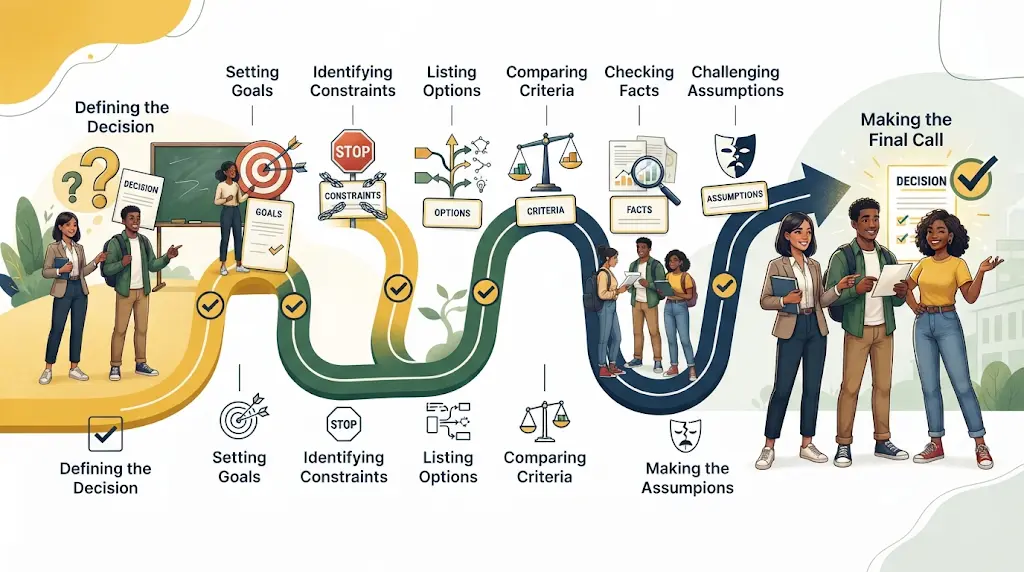
Before asking AI:
- Decision: what am I actually deciding?
- Goal: what does a good outcome look like?
- Constraints: what can’t change?
- Options: what are my realistic choices?
- Criteria: how will I judge them, and in what order of importance?
Ask AI to:
- ☐ Clarify the decision
- ☐ Expand the alternatives
- ☐ Compare against your criteria
- ☐ Find hidden risks
- ☐ Challenge assumptions
- ☐ Red-team its own recommendation
- ☐ Run a pre-mortem
- ☐ Flag facts worth verifying
Before deciding:
- ☐ Check the important facts
- ☐ Check the sources
- ☐ Review the trade-offs, not just the score
- ☐ Consider what would make you regret this in six months
- ☐ Make the final call yourself
- ☐ Set a date to review the outcome
Post-decision review template
Decision:
Why I chose it:
What I expected to happen:
What actually happened:
What I got right:
What I missed:
What I’d do differently next time:
Fill this in a month or two after any significant decision. This is the step most people skip — and the one that turns a single good decision into a genuinely better decision-making process over time.
Frequently Asked Questions
Can AI really help with decision-making? Yes, within limits. AI is genuinely useful for organizing information, generating alternatives, comparing options against your criteria, and challenging your first conclusion. It’s not reliable for knowing your priorities, guaranteeing facts, or taking responsibility for the outcome — those stay with you.
How do I use AI to make better decisions? Define the decision clearly, list every realistic alternative, set your own criteria and weights, ask AI to compare options against them, ask it to argue against its own recommendation, verify the facts that matter most, and then make the final call yourself.
Can ChatGPT make decisions for me? It can generate a recommendation, but it shouldn’t be treated as a final decision-maker. Use it to structure the comparison and stress-test your thinking, then decide based on your own priorities and verified facts.
Can AI compare multiple options at once? Yes. Give it a clear list of options and explicit criteria, and it can compare them side by side, including in a weighted decision matrix. The quality of the comparison depends entirely on how specific your criteria and context are.
What are the risks of using AI for decisions? The main risks are hallucinated facts, automation bias (trusting a confident-sounding answer without checking it), letting AI set your priorities instead of stating your own, and skipping verification on claims that materially affect the outcome.
How can I avoid AI bias when deciding? Ask AI to argue against its own recommendation, explicitly request the strongest case for the option it ranked lowest, and separate what’s AI reasoning from what’s independently verified fact before you act on it.
Should I trust AI recommendations? Treat them as a well-organized hypothesis, not a verified conclusion. Trust the structure of the analysis more than the specific verdict, and verify any fact that would change your decision if it turned out to be wrong.
Can students use AI for decision-making? Yes — for choosing courses, comparing internships, selecting projects, and planning study time. The same framework applies: define the decision, list real alternatives, set your own criteria, and verify before committing.
What decisions should not rely on AI alone? Anything requiring licensed professional judgment — legal, medical, or regulated financial decisions — plus high-stakes, irreversible decisions where facts can’t be independently verified, and anything involving confidential information that shouldn’t be shared with a third-party tool.
What is an AI decision matrix? A structured comparison where you list your options, set criteria and weights based on what matters to you, score each option per criterion, and let AI calculate the weighted totals — while you interpret what the result actually means for your specific priorities.
The Real Point of All This
The goal was never to teach you how to ask AI “what should I choose?” It’s to teach you how to use AI to build a decision process that survives scrutiny — one where the options were genuinely explored, the criteria were yours, the recommendation was challenged, and the facts were checked before you acted on them.
AI can expand your thinking. It can’t define your priorities for you. Use the framework, save the cheat sheet, and the next time you’re stuck between two good options, you’ll have a repeatable way to work through it — instead of just asking AI what to do and hoping it’s right.
About the Author
Written by the FutureFastAI Editorial Team
The FutureFastAI Editorial Team creates practical guides about AI tools, productivity, learning, and digital skills for students, beginners, and everyday users. Our content focuses on explaining how AI can be used in real-world situations without unnecessary technical complexity or hype.
For this guide, the author researched practical AI decision-making methods, structured the Define → Expand → Compare → Challenge → Verify → Decide → Review framework, and developed the prompts, examples, and checklists to help readers use AI as a decision-support tool rather than blindly relying on an AI-generated answer.
Author focus: AI tools, AI productivity, student technology, practical AI use, and beginner-friendly digital skills.
About the Editor
Reviewed by the FutureFastAI Editorial Team
This article was editorially reviewed for clarity, usefulness, search intent, factual accuracy, and responsible use of AI. The review also focused on reducing unnecessary repetition, identifying unsupported claims, improving practical examples, and making the decision-making framework easier for readers to apply.
Because AI tools, features, pricing, and capabilities can change over time, relevant information is reviewed and updated when significant changes could affect the usefulness or accuracy of the article.
Our Editorial Approach
FutureFastAI aims to create content that is useful first and optimized for search second.
When developing and reviewing articles, we focus on:
- Clear answers to the reader’s actual question
- Practical examples readers can apply
- Transparent limitations and risks
- Verification of important factual claims
- Reliable and relevant sources where needed
- Original frameworks, checklists, and practical resources
- Clear separation between information and personal judgment
- Regular updates when important information becomes outdated
AI tools may be used during research, brainstorming, or drafting where appropriate. However, AI output is not treated as automatically accurate. Important claims are reviewed before publication, and readers are encouraged to independently verify information when a decision involves significant financial, medical, legal, professional, or personal consequences.
Published: September 8, 2026
Last updated: September 8, 2026