
Best AI Tools for Engineering Students in India (2026): Branch-Wise & Free Options
Quick answer
There is no single “best” AI tool for engineering students in India — the right one depends on your branch and what you’re doing with it. As a starting point:
- CSE/IT → a coding assistant (GitHub Copilot) plus one general-purpose assistant
- Research-heavy work (any branch) → a citation-based research tool (Perplexity), always cross-checked against the original paper
- Mechanical/Civil → CAD software (AutoCAD) plus your college’s simulation tools where available
- ECE/EEE → simulation software (MATLAB) plus a coding assistant
- Everyone, regardless of branch → claim your free student access first, and check what your college already provides, before paying for anything
The rest of this guide breaks that down tool by tool, branch by branch, and task by task — including what’s genuinely free, what’s worth paying for, and what you can skip.
⏱️ Reading time: 12–15 minutes
📌 What This Guide Covers & 👥 Who Is It For?
| 📌 This Guide Covers | 👥 This Guide Is For |
| 🤖 Best AI tools for engineering students — practical recommendations for 2026 | 🌱 First-year students — understanding difficult subjects and building better study habits |
| 💻 Coding & debugging — AI assistance for programming and troubleshooting | 💻 CSE / IT students — coding, learning, projects and placement preparation |
| 🔬 Research & academic sources — finding and understanding relevant research | 🔧 Mechanical students — CAD, design, simulation and technical coursework |
| 🧮 Engineering calculations — mathematical and technical problem-solving support | 🏗️ Civil students — design, calculations, drafting and technical reports |
| 📐 CAD & technical design — tools for drafting and engineering design workflows | ⚡ ECE / EEE students — coding, circuits, MATLAB and simulation |
| 📊 Simulation & numerical work — support for technical modelling and analysis | 🔬 Final-year students — research, major projects and documentation |
| 🗂️ Project organisation — managing individual and team projects | 🎤 Students preparing for viva & presentations — practising explanations and defending their work |
| 🎤 Viva & presentation preparation — practising questions and communicating your work | 💼 Placement-focused students — technical interviews, coding and career preparation |
| 💼 Placement & interview preparation — coding, communication and interview practice | 💰 Budget-conscious students — finding free or legitimate student-access options |
| 💰 Free & student-access options — what you can use before paying for subscriptions | 🎓 Students from different engineering branches — CSE, IT, Mechanical, Civil, ECE, EEE, AI/ML and more |
| 🎓 Branch-wise recommendations — tools matched to different engineering disciplines | 🧑🎓 Students at different stages — recommendations based on year, goal, budget and project type |
| 🧑🎓 Year, goal, budget & project-based recommendations — build a practical AI stack instead of collecting tools | 🛑 Students who want to use AI responsibly — without fabricating academic or engineering evidence |
Why engineering students need different AI tools
A Computer Science student debugging a React app and a Mechanical students finishing a SolidWorks assembly drawing do not need the same tool.
Neither does a Civil student writing a structural analysis report or an ECE student preparing for a placement interview.
Most “Top AI Tools” lists don’t account for this — they hand every reader the same ten chatbots regardless of branch.
This guide helps you find the best AI tools for engineering students in India based on your branch, coursework, budget, and the task you’re trying to complete.
New to AI? Start with our Ultimate Beginner Guide to AI Tools for Students to discover the best AI tools for research, note-taking, writing, revision, and productivity—all explained in a beginner-friendly, step-by-step format.

🎓 A simple example
Imagine two students working on their final-year projects.
Arun is a CSE student building a React-based web application. He is stuck on a JavaScript error and needs help debugging his code. For him, a coding assistant such as GitHub Copilot can be genuinely useful.
Now imagine Priya is a Mechanical Engineering student working on a CAD assembly. Her problem isn’t debugging code—it is creating and understanding a technical design. A CAD tool such as AutoCAD, along with AI for learning or troubleshooting, makes much more sense for her.
Neither student needs the exact same AI stack.
The same applies to a Civil student working on structural analysis, an ECE student simulating a circuit, or a final-year student searching through research papers. Their branch, coursework, and immediate task change what kind of tool is actually useful.
That’s why this guide doesn’t simply ask, “What are the 8 best AI tools?”
Instead, it asks a more practical question:
“What are you trying to do right now—and which tool can actually help you do it better?”
💡 Once you look at AI tools this way, choosing the right tool becomes much easier.
How we selected and verified these tools
We evaluated each tool against: usefulness for actual engineering coursework, branch relevance, free or student access, India availability, pricing, research or technical capability, project usefulness, placement usefulness, and any educational-use restrictions.
For verification, our process was:
- Check the tool’s official product and pricing pages.
- Check official student/education eligibility pages where they exist.
- Check India-specific availability and pricing where relevant.
- Note the limitations of free and student plans, including licensing restrictions.
- Where an India-specific figure or student-discount claim could not be independently confirmed on an official vendor page, flag it explicitly rather than presenting it as confirmed.
- Record the date each claim was checked.
We use three confidence labels throughout this article:
- ✅ Officially confirmed — the vendor’s own page directly supports the claim
- 🟡 Partially confirmed — the vendor confirms the product/plan, but the exact India-specific figure was not independently verified on an official page
- ⚠️ Third-party reported — sourced from an independent pricing tracker, not the vendor directly; verify before purchase
We do not claim to have personally tested every tool for an extended period. The recommendations below are based on current published features, pricing, and student-access rules, evaluated for how they map onto real engineering coursework — not on invented first-hand usage stories.

🧭 Which tool should you use? — Decision tree
START HERE
│
├─ Need to WRITE code or debug?
│ └─→ GitHub Copilot (free for verified students)
│
├─ Need to RESEARCH with citations (papers, IEEE, thesis work)?
│ └─→ Perplexity (Education Pro) — then verify against the original paper
│
├─ Need to SOLVE math/engineering calculations step-by-step?
│ └─→ Wolfram Alpha — then verify against your textbook/manual
│
├─ Need to DRAFT drawings, layouts, or CAD models?
│ └─→ AutoCAD (free student license)
│
├─ Need to SIMULATE circuits, signals, or control systems?
│ └─→ MATLAB — check your college’s licence before buying one
│
├─ Need to ORGANISE notes, timelines, or a group project?
│ └─→ Notion (free tier, free Plus for verified students)
│
├─ Need to PREPARE FOR A VIVA?
│ └─→ A general assistant, fed your actual project report — not a generic explainer
│
├─ Need to BUILD a technical presentation or seminar deck?
│ └─→ A general assistant for structure + your presentation software for design
│
├─ Need to UNDERSTAND a research paper?
│ └─→ A research tool for the summary + the original paper for the actual claims
│
├─ Need to PRACTISE for a coding interview?
│ └─→ A coding-practice platform + a general assistant to explain what you got wrong
│
└─ Need a GENERAL-PURPOSE assistant for everything else
└─→ ChatGPT or Gemini (compare pricing below)
You probably don’t need all 8
Before the tool-by-tool breakdown: a first-year CSE student doesn’t need every subscription on this page. A Civil student doesn’t need Copilot Pro just because it appears on an “AI tools” list. A Mechanical student shouldn’t buy a MATLAB licence before checking whether their college already provides one. A student doing occasional research doesn’t need a premium research plan.
The real value of this guide isn’t the list of eight tools — it’s figuring out which two or three you actually need. Keep that in mind as you read.
🧭 How to Choose an AI Tool as an Engineering Student
Imagine you’re a second-year CSE student and you see five different AI subscriptions advertised as “essential for students.”
Do you need all five?
Probably not.
Before paying for anything, ask yourself five simple questions.
1. What problem am I actually trying to solve?
Start with the task, not the brand.
If you’re spending hours debugging code, a coding assistant may be useful. If you’re struggling to understand research papers, a research-focused tool makes more sense. If your problem is organising a group project, you probably need a workspace rather than another chatbot.
2. Does my college already give me access?
This is one of the easiest ways to save money.
Before paying for MATLAB, CAD software, or another academic platform, check your department, lab, library, student portal, or college IT team.
You might already have access without realising it.
3. Is there an official student plan?
Don’t assume that a website offering a “student discount” is official.
Check the vendor’s education page, eligibility requirements, renewal conditions, and included features before signing up.
4. Can I check whether the answer is actually correct?
This matters more in engineering than in many casual AI use cases.
A convincing-looking answer can still contain:
- an incorrect equation
- a wrong unit
- a broken piece of code
- a misleading citation
- an incorrect technical assumption
- a fabricated result
For important work, compare the output with the appropriate textbook, paper, documentation, standard, instructor material, or actual project data.
5. Will I use it enough to justify paying?
Here’s the simplest test:
If you cannot name a recurring problem the paid plan solves, don’t rush to buy it.
Use the free version first. If you keep hitting a limitation and that limitation genuinely affects your work, then upgrading starts to make sense.
🎯 Choose the tool because you need its capability—not because everyone online is talking about it.
Most beginners waste hours testing the wrong AI tools before finding what actually works. Save yourself the trial and error by reading our Ultimate Beginner Guide to AI Tools for Students and build a smarter AI workflow
The 8 tools
1. ChatGPT (OpenAI)
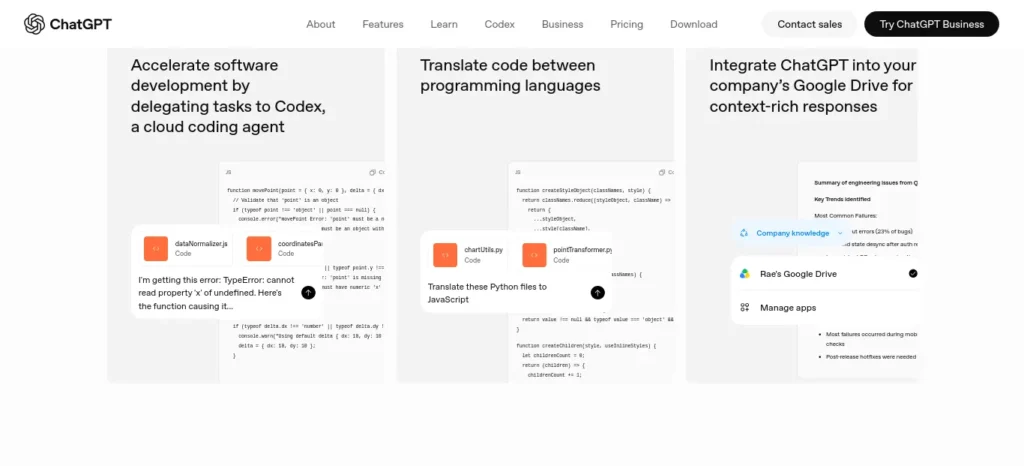
Where it fits: general reasoning, explaining concepts, drafting reports, and — on paid tiers — Deep Research and coding support through Codex.
Pricing:
- Free: usable but rate-limited, drops to a lighter model under heavy load ✅
- ChatGPT Go: launched in India in August 2025 at an introductory $4–5/month, then rolled out worldwide in January 2026 at $8/month ✅ (per OpenAI’s own announcement)
- ChatGPT Plus: $20/month globally; India checkout has been reported at ₹1,999/month by third-party pricing guides 🟡
⚠️ Unresolved conflict: several third-party trackers currently list ChatGPT Go’s current India price as ₹399/month. OpenAI’s own blog post confirms only the original ~$4–5 India launch price (August 2025) and the $8/month global price (January 2026) — it does not publish a standing India-specific Go figure that we could independently verify. Check openai.com/chatgpt/pricing directly before subscribing rather than relying on either figure here.
Student discount: none confirmed on OpenAI’s official pages as of this writing.
The catch: strong at explaining concepts, weak as a source of technical fact you can cite without checking. Treat it as a tutor, not a reference.
Who can skip it: if you’re already using Gemini inside a Google Workspace-heavy workflow, a second general assistant is rarely necessary.
2. Perplexity (Perplexity AI)
Where it fits: research with live citations — literature reviews, final-year project background sections, and IEEE-style papers, since it shows sources instead of making you dig for them.
Pricing:
- PerplexityFree: usable, capped Pro-search count per day ✅
- PerplexityPro: $20/month ✅
- PerplexityEducation Pro: $10/month (50% off), verified via SheerID email or enrolment-document check at perplexity.ai/students ✅
India-specific note: Airtel has run a partnership offering eligible Airtel customers 12 months of Perplexity Pro free — a promotional telco bundle, not a standing Perplexity offer. ⚠️ Check the Airtel Thanks app for current eligibility; telco promotions change without notice.
The catch: it finds sources fast, but the sources still need to be opened and checked — a cited claim is not automatically a correct one.
Who can skip it: if your research is occasional (a few searches a month), the free tier already covers it; Education Pro earns its cost when you’re doing literature-heavy work every week.
3. GitHub Copilot (Microsoft/GitHub)
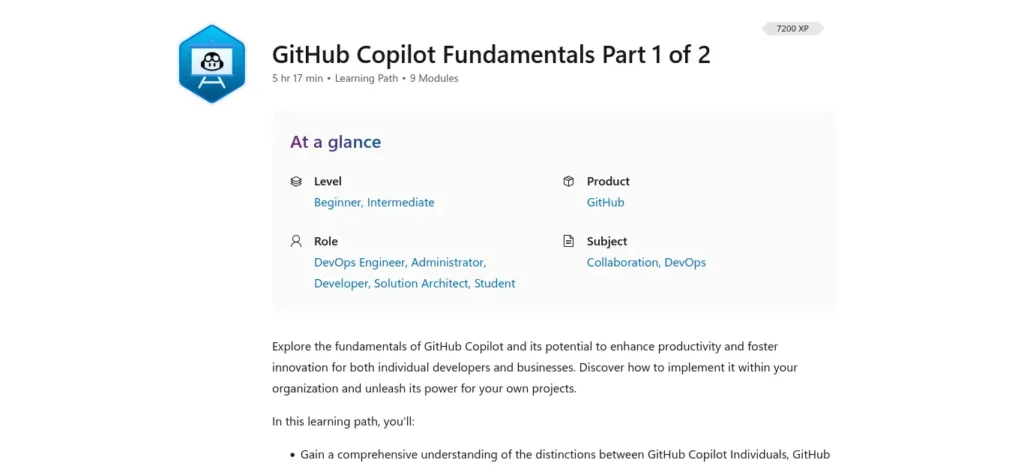
Where it fits: in-editor code completion and chat-based debugging inside VS Code — high-leverage for CSE, IT, ECE (embedded/firmware), and any coding-heavy coursework.
Pricing:
- Free tier: 2,000 completions + 50 chat requests/month, no card required ✅
- Copilot Student: free, unlimited completions plus a monthly AI-credit allowance, through the GitHub Student Developer Pack (verify with your college email at education.github.com) ✅
- Pro: $10/month · Pro+: $39/month, for non-students who outgrow the free/student tier ✅
Good to know: GitHub briefly paused new Pro/Pro+/Student sign-ups earlier in 2026 and reopened them in June 2026. If sign-up looks unavailable, check github.com/features/copilot/plans directly rather than assuming the programme ended.
The catch: it can generate code that’s incorrect or insecure. Submitting generated code you can’t explain, in a course that expects your own work, is a genuine academic-integrity risk — see the integrity section below.
Who can skip it: non-CS branches that code only occasionally rarely need anything beyond the free tier.
4. Google Gemini (Google AI Plus / Pro)
Where it fits: deep integration with Google Docs/Sheets/Slides, which matters if your college workflow already runs on Google Workspace, plus strong long-document summarisation.
Pricing:
- Free tier via the Gemini app ✅
- AI Plus: ₹399/month — Google’s own India-priced tier, GST included, UPI accepted, shareable with up to 5 family members ✅
- AI Pro: $19.99/month globally; an India-specific INR checkout price exists but was not independently confirmed on Google’s own page during this research pass 🟡
Student discount: Google has run a free AI Pro offer for verified students, but as of mid-2026 this appears to be primarily US-focused via SheerID .edu verification. Country-specific telco bundles have appeared periodically in India, but there is no standing, universal India student offer we could confirm. ⚠️
The catch: its biggest advantage — Workspace integration — only matters if you’re already living inside Google Docs/Sheets. If you’re not, the value proposition versus ChatGPT is thinner.
5. Notion (with Notion AI)
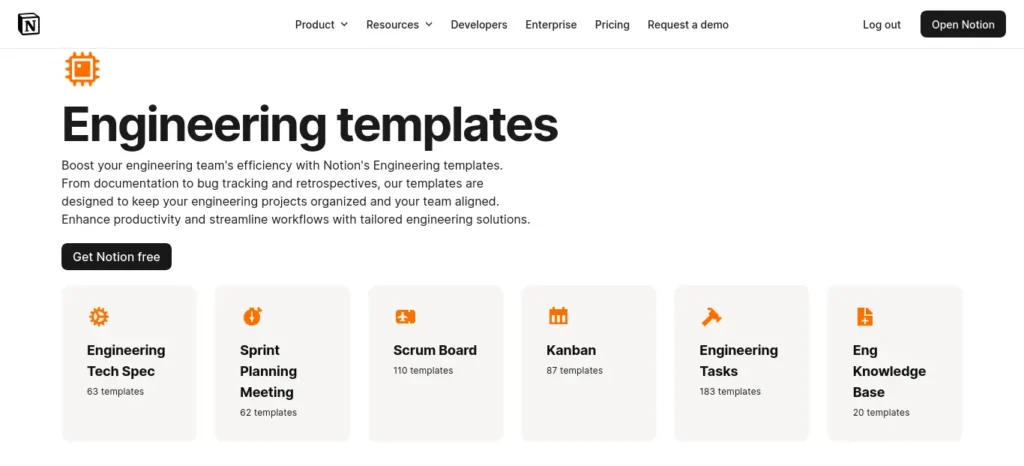
Where it fits: centralising a group project — timelines, shared notes, task boards, and meeting summaries in one workspace instead of scattered WhatsApp messages and disconnected Google Docs.
Pricing:
- Free: solid for individual use ✅
- Verified students: free Notion Plus via Notion for Education (school email required) ✅ — this unlocks the Plus workspace tier, not the full AI agent suite
- Full “Notion AI” (agents, advanced Q&A, meeting notes) requires the Business tier: $20/user/month; a third-party India-pricing tracker cited ~₹1,250/user/month, which we could not independently confirm against notion.com’s live India checkout ⚠️
The catch: unless your project team specifically needs autonomous AI agents, the free-for-students Plus plan plus manual organisation covers most of what a student group project needs. Paying for Business-tier AI is difficult to justify on a student budget.
Who can skip it: if your team already runs efficiently on Google Docs/Sheets, switching tools for the sake of it adds friction, not value.
6. Wolfram Alpha (Wolfram Research)
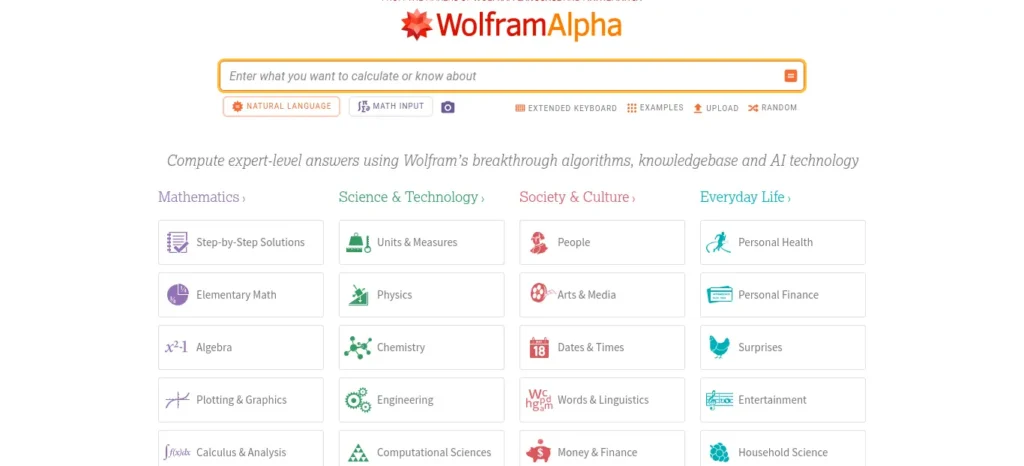
Where it fits: step-by-step solving for calculus, differential equations, and circuit analysis — the free tier gives you the answer, Pro shows the working.
Pricing:
- Free (Basic): computes answers, no step-by-step shown ✅
- Pro: ~$9.99/month or ~$60/year ✅
- Pro Premium: ~$99/year ✅
- A student discount (reportedly around 30% off) has been cited by third-party trackers — we could not confirm the current terms on wolframalpha.com/pro/pricing/students during this pass ⚠️. Check that page directly before paying.
The catch: it computes correctly, but understanding why the result is correct is still your job — don’t submit a step-by-step solution you can’t explain in a viva.
Who can skip it: if your course rarely needs shown working (just the final numeric answer), the free tier is enough.
7. AutoCAD (Autodesk)
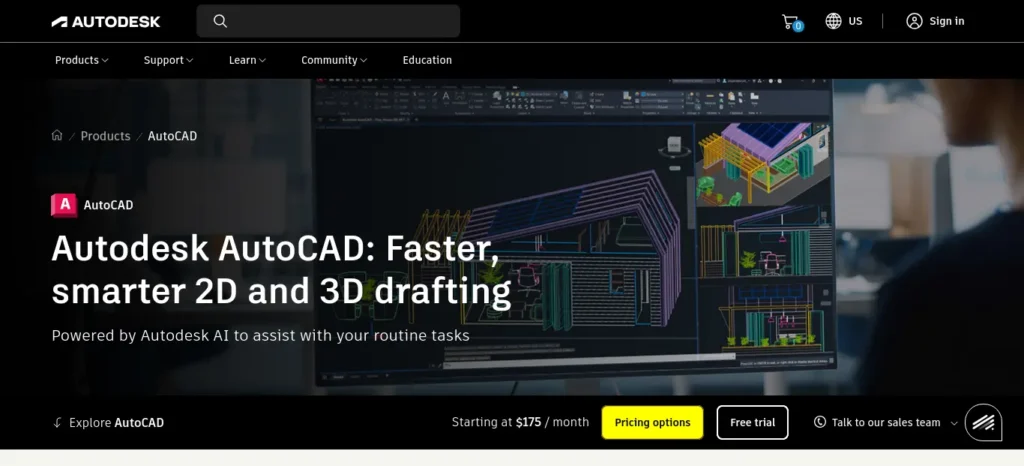
Where it fits: 2D/3D drafting for Civil, Mechanical, and ECE students building drafting and design skills relevant to many technical roles.
Pricing:
- Free for eligible students: 1-year single-user educational licence, renewable annually while enrolled, via the Autodesk Education plan (autodesk.com/education) ✅
- Commercial/professional pricing runs well into six figures in rupees annually — students should never need to pay this
Restriction to know: the educational licence is strictly for coursework and learning, not for freelance or commercial project work; using it for paid client work violates Autodesk’s terms.
The catch: AutoCAD is widely used in many drafting and design workflows and can be a valuable portfolio skill for students targeting design-related roles — but it isn’t universally required, so don’t assume every engineering job expects it.
Who can skip it: CSE, IT, and most non-design branches rarely need it at all.
8. MATLAB (MathWorks)
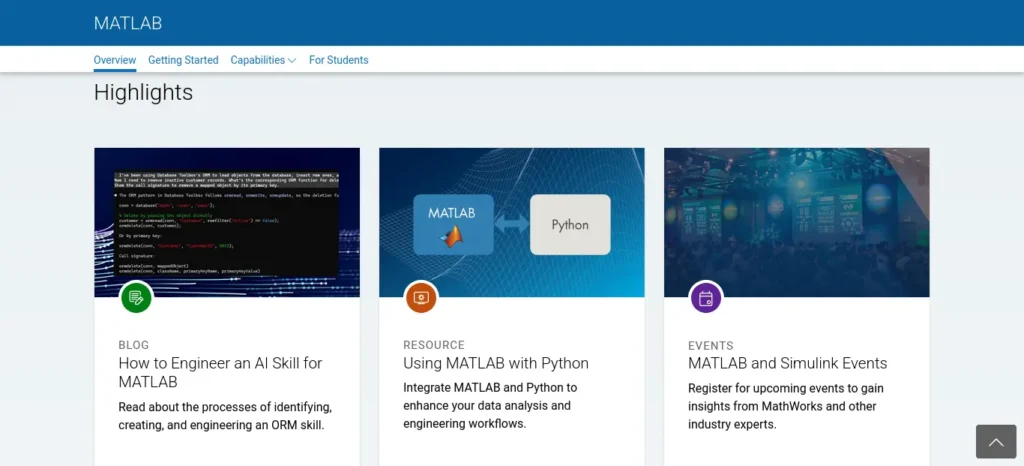
Where it fits: signal processing, control systems, circuit simulation, and numerical computing — common in coursework for ECE, EEE, and many Mechanical programmes.
Pricing:
- No free tier exists for MATLAB ✅
- Check your college first — many engineering institutions in India hold a campus-wide MathWorks licence covering enrolled students at no individual cost. Ask your department’s lab in-charge or library desk before buying anything.
- If your institution has no campus licence: Student licence reportedly ~$49, Student Suite (with Simulink) reportedly ~$99 — sourced from a third-party licensing breakdown, not MathWorks’ own pricing page directly ⚠️. Cross-check mathworks.com/pricing-licensing before paying.
The catch: genuinely useful for simulation-heavy coursework, but potentially an unnecessary expense if your institution already provides access — check before you spend anything.
Why software like AutoCAD and MATLAB is in an “AI tools” article: engineering coursework isn’t solved with chatbots alone. The realistic student workflow combines AI assistants with the engineering software actually used for design, calculation, and simulation — leaving either category out would make the guide less useful, not more focused.
📊 Quick Comparison: Which Tool Is Best for What?
| Tool | Best for | Student access |
| ChatGPT | 📚 Learning, reasoning & explanations🎓 All branches💡 Verify technical claims | 🆓 Free tier |
| Perplexity | 🔬 Research & source discovery🎓 Research-heavy students🔎 Check original sources | 🆓 Free🎓 Education Pro |
| GitHub Copilot | 💻 Coding & debugging🎓 CSE, IT, ECE⚠️ Review generated code | 🆓 Free tier🎓 Student plan |
| Gemini | 📄 Google Docs, Sheets & Slides🎓 Students using Google Workspace💡 Best when you already use Google tools | 🆓 Free tier💳 Paid plans |
| Notion | 🗂️ Notes & project organisation👥 Teams and individual students💡 Best when organisation is the problem | 🆓 Free🎓 Education |
| Wolfram Alpha | 🧮 Maths & engineering calculations🎓 Technical branches⚠️ Understand the method, not just the answer | 🆓 Basic💳 Pro |
| AutoCAD | 📐 CAD & technical drafting🎓 Civil, Mechanical & related branches💡 Not needed by every student | 🎓 Student education licence |
| MATLAB | 📊 Simulation & numerical computing🎓 ECE, EEE, Mechanical & related branches⚠️ Check college access first | 🎓 College licence may apply |
Best AI Tools for Engineering Students in India by Branch
Computer Science / IT — minimum stack: GitHub Copilot (free student) + one general assistant.
Add Perplexity if your coursework involves regular literature review or research writing.
Mechanical Engineering — minimum stack: AutoCAD (free student licence) + your college’s MATLAB access if available.
Add Wolfram Alpha if your coursework is calculation-heavy (thermodynamics, mechanics of materials).
Civil Engineering — minimum stack: AutoCAD (free student licence) + Wolfram Alpha for structural calculations.
Add Notion (free student Plus) if you’re coordinating a site-report or multi-person project.
Electronics & Communication (ECE) / Electrical & Electronics (EEE) — minimum stack:
MATLAB (check college licence first) + GitHub Copilot (free student) for embedded/firmware coding.
Add Wolfram Alpha for circuit-analysis coursework.
AI/ML and allied branches — minimum stack: GitHub Copilot (free student) + Perplexity (Education Pro) for reading papers. Add a general assistant for explaining unfamiliar concepts as you go.
What about other engineering branches?
You don’t need a separate tool list for every specialisation — most map onto the eight tools above:
- Chemical Engineering: MATLAB or equivalent numerical tools + a research assistant for literature
- Biomedical / Biotechnology: a research assistant (papers are central to this coursework) + MATLAB for signal/data work + a general assistant for concept explanation
- Aerospace / Aeronautical: MATLAB + CAD software + numerical/calculation tools
- Mechatronics / Instrumentation: MATLAB + CAD + a coding assistant
- Production / Industrial Engineering: a general assistant for reports and optimisation concepts + spreadsheet/organisation tools (Notion or Sheets)
🎯 Best AI Tools for Engineering Students by Goal
The easiest way to choose a tool is to forget the word “best” for a moment.
Instead, ask:
“What am I trying to get done today?”
That usually gives you a much better answer.
📚 If you’re trying to understand a difficult subject
Start with a general AI assistant such as ChatGPT or Gemini.
Give it the exact topic you’re struggling with and ask it to explain the concept using a simple example, then gradually increase the technical depth.
If mathematics is involved, work through the calculation yourself and use a dedicated calculation tool to check your reasoning.
Struggling with difficult subjects? Explore our complete guide on AI Tools for Learning Difficult Subjects Faster and discover powerful AI tools that make complex topics easy to understand.
💻 If you’re trying to improve your coding
For CSE, IT, and coding-heavy ECE work, GitHub Copilot can be useful inside your development environment.
But don’t let it solve every problem before you think.
A better workflow is:
Try → get stuck → ask for help → understand the explanation → rebuild it yourself.
That way, you’re using AI as a coding partner rather than turning it into a substitute for programming practice.
🔬 If you’re doing research
Start with a research tool such as Perplexity to discover relevant papers and sources quickly.
Then open the actual paper.
Use AI to help you understand difficult terminology, methodology, or background concepts, but keep the original research paper as the authority for the claim you eventually cite.
That small habit can make a big difference in the quality of a final-year project.
Before you start writing your assignment, it’s important to know how to use AI for college research projects effectively. A strong research process helps you find credible sources, organize ideas, and avoid common mistakes that can lower your grades.
📐 If you’re working on CAD or technical drawings
Use the CAD software required by your course or project.
For example, AutoCAD can handle the actual drafting and design work, while an AI assistant can help you understand commands, troubleshoot a workflow, or explain why a particular approach works.
The AI helps you learn the software.
The CAD software produces the actual drawing.
📊 If you’re working on simulations
If your branch uses MATLAB or another simulation platform, use the actual engineering software for the simulation.
AI can help explain equations, troubleshoot code, interpret concepts, or help you document your process.
But your simulation result should come from the simulation—not from an AI-generated number that simply “looks right.”
🎤 If you’re preparing for a viva
This is where AI can become surprisingly useful.
Give it your actual project report and ask it to behave like an examiner.
Then let it question you one question at a time.
If you can’t explain your own methodology, design decision, calculation, or result without looking at the report, you’ve found something worth revising.
That’s much more useful than memorising a list of AI-generated answers.
Want to move beyond simple AI answers? Learn how to use ChatGPT as a personal learning assistant to create study plans, generate quizzes, and master new skills faster.
💼 If you’re preparing for placements
Use AI as a practice partner.
Ask it to interview you, challenge your technical answers, explain concepts you got wrong, review your resume for clarity, or help you practise communication.
For coding rounds, attempt the problem first.
The goal isn’t to arrive at the answer quickly. It’s to become the person who can solve the problem when the interviewer is watching.
💰 If you’re trying to save money
Start with:
- Your college’s existing software access
- Official student programmes
- Free tiers
- Only then, paid subscriptions
If you are looking for free AI resources, do not miss Best AI Tools for Students Free in 2026: 10 Powerful Picks to Study Faster and Smarter, which features some of the most useful no-cost tools available for students.
A student who knows how to combine three free resources intelligently can often get more value than someone paying for eight tools they barely use.
Best AI tools by task
- Coding: GitHub Copilot + a general assistant for explaining errors you don’t understand
- Research: Perplexity + Google Scholar + IEEE Xplore, with every citation opened and checked
- Calculations: Wolfram Alpha + your textbook or reference manual for verification
- CAD / drafting: AutoCAD
- Simulation: MATLAB (college licence first)
- Report drafting: ChatGPT or Gemini, edited and fact-checked by you before submission
- Notes and project organisation: Notion
- Presentations: a general assistant for outline and structure, your presentation software (PowerPoint, Google Slides, or Canva) for the actual design — see the presentation section below
- Viva preparation: a general assistant fed your real project report — see the viva section below
- Placement preparation: a coding-practice platform + a general assistant for explaining concepts, kept separate from viva prep — see below
Building an AI stack on a student budget
₹0 stack — claim these before spending anything
- CSE/IT: GitHub Copilot Student (free) + ChatGPT/Gemini free tier + Perplexity free tier
- Mechanical: AutoCAD Education (free) + your college’s MATLAB licence if available + Wolfram Alpha Basic (free)
- Civil: AutoCAD Education (free) + Wolfram Alpha Basic (free) + Notion free student Plus
- ECE/EEE: your college’s MATLAB licence if available + GitHub Copilot Student (free) + a general assistant’s free tier
The principle: don’t start by buying subscriptions. Claim every legitimate student benefit you’re entitled to first — most of the tools that actually matter for coursework have a genuine free-for-students route.
If you have ₹500/month to spend
This is usually enough for one meaningful upgrade — not several. For most students, that’s Perplexity’s Education Pro (~$10/month, roughly in this range depending on exchange rate) if your coursework is research-heavy, or Wolfram Alpha Pro if you’re in a calculation-heavy first or second year.
If you have ₹1,000/month to spend
You can reasonably stretch to two upgrades — for example, Perplexity Education Pro plus a MATLAB Student Suite instalment budgeted monthly, if your college doesn’t provide institutional access. Prioritise the tool tied to your branch’s core coursework over the most-hyped general chatbot.
If you have ₹2,000+/month to spend
At this point ChatGPT Plus or Gemini AI Pro becomes reasonable to add on top of your branch-specific tool — but only if you’re using it daily for substantive work, not occasional convenience.
The point of these tiers isn’t to encourage spending — it’s to show where the marginal rupee actually helps, instead of spreading a small budget thin across eight subscriptions you’ll barely open.
Best AI stack by year
First year: focus on concept explanation (general assistant), maths/physics support (Wolfram Alpha), and study organisation (Notion free tier). You don’t need CAD or simulation software yet.
Second/third year: add a coding assistant (GitHub Copilot) as coursework gets code-heavy, and introduce your branch’s core software (AutoCAD or MATLAB) as it appears in your syllabus.
Final year: shift toward research (Perplexity), project execution (your branch tools), documentation (Notion), presentations, and viva preparation — covered in detail below.
AI workflow for final-year projects
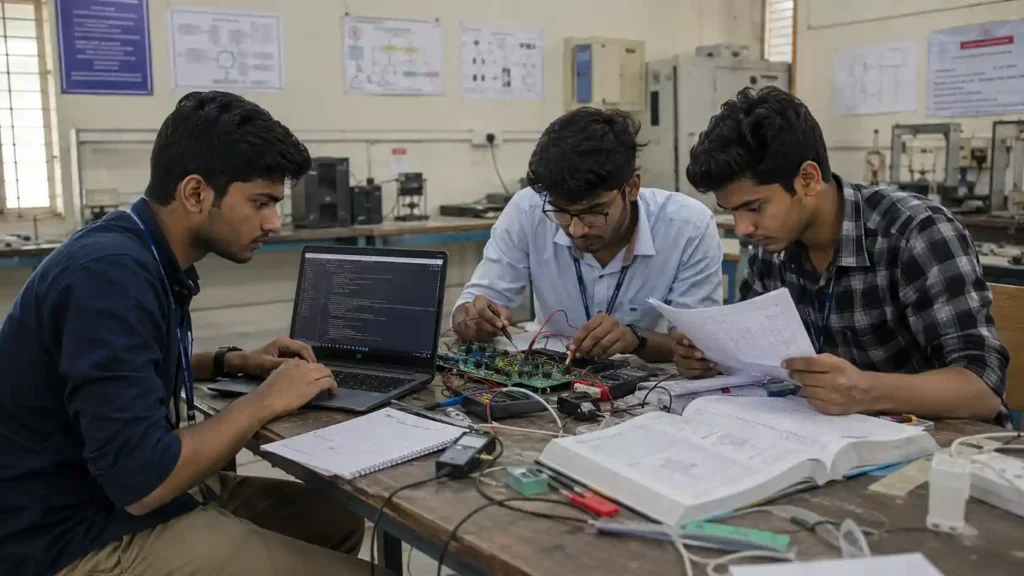
Rather than listing tools separately, here’s how they combine across an actual project:
- Find research — use a research tool (Perplexity) to discover relevant papers.
- Verify the paper — open the original source; don’t rely on an AI summary alone.
- Understand difficult concepts — use a general assistant to explain what’s unclear.
- Build — use GitHub Copilot for code where relevant to your project.
- Simulate — use MATLAB or your branch’s simulation software.
- Design — use AutoCAD or branch-specific design software.
- Document — use Notion or Docs to keep your team’s report and notes organised.
- Verify — check every calculation, reference, and technical claim before it goes in your report.
- Prepare the viva — generate likely questions from your actual project (see below).
- Practise without AI — answer those questions yourself, out loud, before your review.
Never use AI to invent experimental measurements, test results, simulation outputs, survey responses, performance numbers, or citations. AI can help you interpret real data you collected — it should not be the source of the data itself. A fabricated result doesn’t just risk a bad grade; it can invalidate the project.
🛑 What Engineering Students Should NOT Use AI For

AI can make engineering coursework much easier—but there are a few things you should never hand over to it.
The biggest one is evidence.
If something is supposed to come from your experiment, calculation, simulation, survey, or research, AI should never invent it for you.
That means you should never use AI for:
- ❌ Inventing laboratory measurements that you never recorded
- ❌ Creating fake survey responses or participant data
- ❌ Fabricating simulation results that were never actually produced
- ❌ Making up research citations or papers that do not exist
- ❌ Reporting calculations you never performed
- ❌ Creating project performance numbers without real testing
- ❌ Submitting code you cannot explain or defend
- ❌ Using AI during an exam or assessment when your college or instructor prohibits it
💡 A simple rule to remember
AI can help you work with evidence. It should never become the source of evidence that never existed.
Your actual measurements, experiments, simulations, calculations, research papers, textbooks, engineering standards, and official documentation should remain the foundation of your technical work.
For example, imagine your final-year project shows a 92% accuracy rate.
Before putting that number into your report, you should be able to answer:
“Where did 92% come from?”
If the answer is simply “AI generated it,” don’t put it in the report.
If it came from your actual test data, experiment, or validated simulation, you should be able to show how you obtained it and explain why the result is reasonable.
That is the difference between using AI to support engineering work and using AI to manufacture engineering work.
🎯 Use AI to learn, question, practise, organise, and improve your work. Keep the evidence, results, and final technical judgement grounded in reality.
AI for engineering viva preparation
Viva preparation is different from placement preparation — it’s specifically about defending your project: methodology, design decisions, calculations, limitations, and future work.
A workable process: feed a general assistant your actual project report and ask it to question you like an examiner, one question at a time, without giving away the answer. For example:
“Act as my project viva examiner. Ask me one question at a time about my methodology, design decisions, limitations, and results. Don’t give the answer — wait for me to attempt it first.”
Then answer out loud, get critiqued, and repeat the questions you struggled with. The value isn’t the AI generating answers for you to memorise — it’s rehearsing your own explanation until it’s fluent.
AI for placement preparation
Placement prep covers different ground: aptitude, coding rounds, technical interviews, HR questions, resume, and communication.
- Coding-round practice: use GitHub Copilot’s free/student tier to check your own logic after you’ve attempted a problem yourself, not before.
- Concept revision: use a general assistant to explain topics you’re weak in, not to generate memorised answers you’ll repeat verbatim in an interview.
- Resume and cover letters: a general assistant can help with structure and phrasing, but every date, project detail, and skill must be fact-checked by you — never let AI invent achievements on your resume.
AI for engineering presentations
For seminars, project PPTs, and review slides, the useful sequence is: research → outline → slide structure → speaker notes → visual design → rehearsal. A general assistant is genuinely useful for the outline and structure stage.
Don’t ask AI to generate an entire presentation blindly from a one-line prompt — feed it your actual project information and verify every technical claim that ends up on a slide, including numbers, units, and labelled diagrams.
Using AI without becoming dependent on it
Important thing is ai helps for direction in your journey not in your growth
all about your success depends upon how we use and your own ability and thinking decides your growth in your career
A simple framework worth adopting for any technical problem:
- Attempt — try solving it yourself first.
- Ask — use AI to explain the specific part you don’t understand.
- Verify — check the answer against a textbook, official documentation, equation, paper, or your instructor’s material.
- Rebuild — solve or implement it again without looking at the AI’s response.
This isn’t about avoiding AI — it’s about making sure you can still do the work without it when it matters (in an exam, a viva, or an interview).
Academic integrity: safer vs. risky uses
This varies by institution and even by individual instructor, so always check your college’s specific AI-use policy. As general guidance:
Usually safer: concept explanation, debugging your own code, generating practice questions, brainstorming, grammar correction, checking a calculation you already attempted, mock viva practice.
Potentially risky: submitting AI-generated assignments as your own original work, fabricating references, fabricating experiment or simulation results, copying generated code you cannot explain, using AI during an assessment where it’s explicitly prohibited, and submitting AI-generated technical calculations as your own.
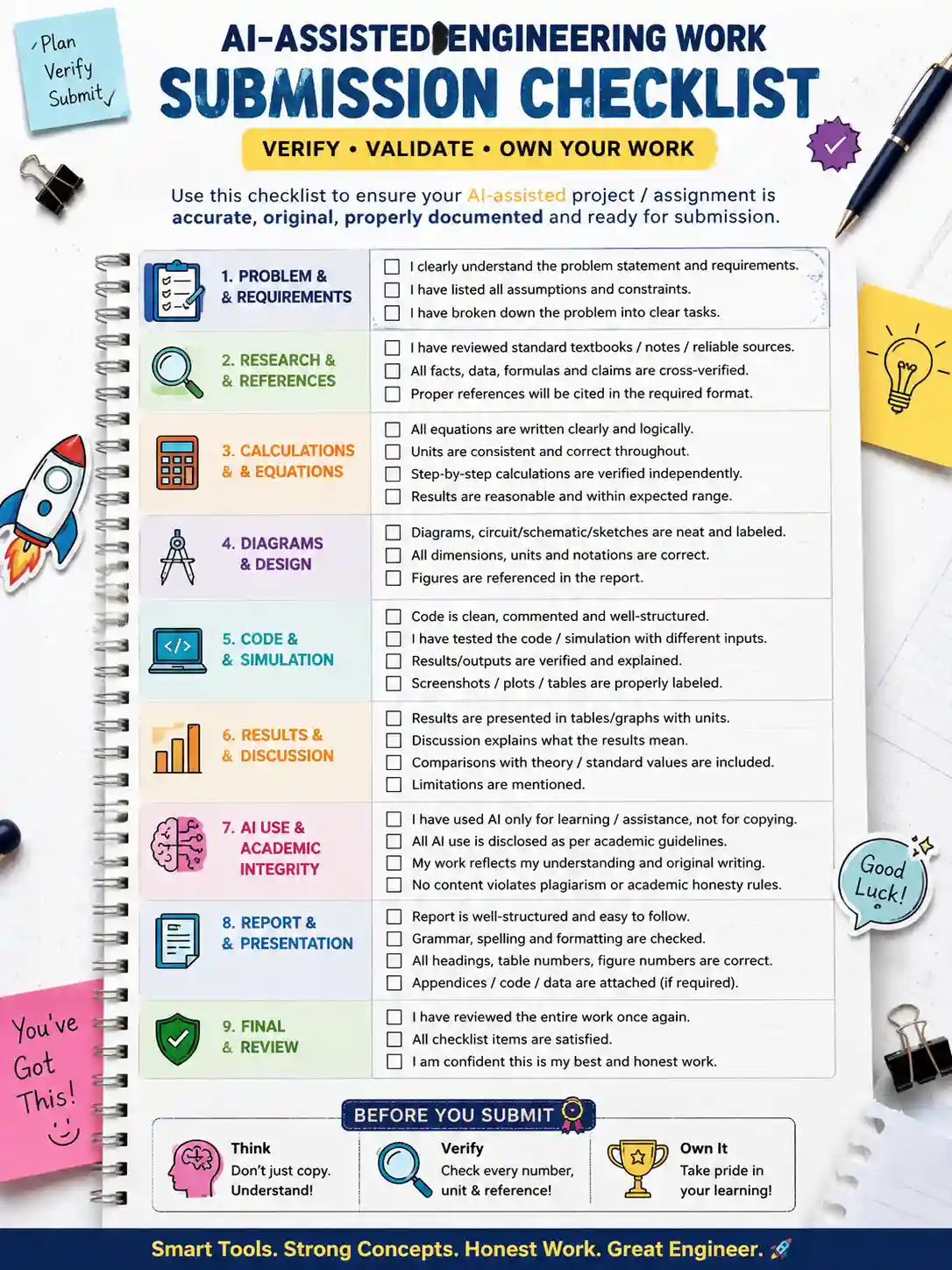
Before you submit AI-assisted work
- [ ] Every equation checked
- [ ] Every unit checked
- [ ] Every citation opened and confirmed to say what you claim it says
- [ ] Every project result matches your actual data
- [ ] Every code output tested, not just pasted
- [ ] Every technical claim verified against a textbook or standard
- [ ] Every diagram label checked
- [ ] Every reference formatted and real
- [ ] Your college’s specific AI-use policy checked
7 mistakes engineering students make with AI tools
- Paying for too many subscriptions instead of one or two tools used well.
- Ignoring college-provided software licences and paying for something already free to them.
- Trusting AI calculations without checking them against a textbook or manual.
- Citing an AI-generated summary instead of the original research paper.
- Letting AI write an entire project report instead of drafting and then editing it.
- Using generated code they can’t explain in a review or viva.
- Treating AI-generated numbers as real experimental or simulation results.
Final verdict: build a stack, not a collection
There is no single best AI tool for engineering students in India. The useful approach is to pick one general-purpose assistant, one research-or-coding tool suited to your coursework, and one branch-specific engineering tool — then claim the free and student-verified versions of each before paying for anything.
The goal isn’t to end up with eight subscriptions. It’s to know, specifically, which two or three tools your branch and your project actually need — and to have a habit of verifying what any of them produce before it goes into your report, your code, or your viva answer.
Frequently asked questions
Which AI tool is best for engineering students in India? There isn’t one. The right choice depends on your branch and task — GitHub Copilot for coding, Perplexity for research, and AutoCAD or MATLAB for your branch’s core technical work that cover most engineering coursework between them.
What is the best free AI tool for engineering students? GitHub Copilot Student, AutoCAD (Autodesk Education), and Notion Plus (Notion for Education) are free with verified student status. Wolfram Alpha and ChatGPT/Gemini offer usable free tiers, though not their full paid feature sets.
Which AI tool is best for final-year engineering projects? No single tool — a combination works best: a research tool for literature, a coding or branch-specific engineering tool for execution, and an organisation tool for documentation, following the workflow outlined above.
Which AI tool is best for CSE students specifically? GitHub Copilot for coding, plus a general assistant for explaining unfamiliar concepts. Add Perplexity if your coursework involves regular literature review.
Can engineering students use ChatGPT for assignments? This depends entirely on your institution’s specific AI-use policy. Using it to understand a concept or check your own work is generally lower-risk; submitting AI-generated content as your own original writing without disclosure is a common integrity violation. Check your college’s rules directly.
Which AI tool is best for engineering calculations? Wolfram Alpha for step-by-step working, always cross-checked against your textbook or reference manual — don’t submit a solution method you can’t explain yourself.
Can I use AI-generated code in my final-year project? Only if you understand it well enough to explain and defend it in a review or viva. Code you can’t explain is a real risk, not just an integrity technicality.
Should engineering students pay for AI tools, or are free tiers enough? For most first- and second-year coursework, free tiers plus your college’s institutional software licences cover the majority of needs. Paying becomes worthwhile once you’re using a specific tool for substantive, weekly work tied to your branch or a final-year project.
What AI tools help with engineering viva preparation? A general assistant, given your actual project report and prompted to question you like an examiner one question at a time — not a generic explainer with no knowledge of your specific project.
Which AI tools should I avoid depending on my branch? Non-CS branches rarely need GitHub Copilot’s paid tiers, and CS/IT students rarely need AutoCAD or MATLAB licences. Match the tool to your branch’s actual coursework rather than subscribing to everything on this list.
About this guide
Nandhakumar is the founder and editor of FutureFastAI,
where he covers AI productivity tools for Indian students preparing for JEE, NEET, UPSC, GATE, CAT, and SSC, alongside campus and career-stage AI tool guidance.
Tools on FutureFastAI are evaluated using the methodology described earlier in this article — official pricing pages checked first, India-specific figures flagged when they couldn’t be independently confirmed, and no recommendation based on invented personal testing.
This article does not claim engineering credentials; its authority rests on transparent research and verification, not on personal engineering coursework experience.





2 Comments