
How to Start Using AI Tools as a Beginner: A Simple and Effective 7-Step Guide
Quick Answer
Yes — you can start using AI tools as a beginner with zero coding or technical background. Pick one small, annoying task rather than a whole subject, open one general-purpose AI assistant, learn a simple four-part prompt structure, check what it gives you before trusting it, and only add a specialised tool once a real task genuinely needs one. That’s the entire starting point for how to start using AI tools as a beginner — everything below fills in the details.

Why Your First AI Session Feels Underwhelming
You type a question. You get a wall of text back. You stare at it, unsure whether it’s brilliant or nonsense, and unsure what you’re even supposed to do with it next.
That flat, slightly disappointing first impression is normal. It doesn’t mean you’re “not techy enough,” and it doesn’t mean AI tools are overhyped. It usually means you started with a vague prompt and no plan for what happens after the answer arrives. This guide fixes both — and by the end, you’ll have a repeatable method rather than a one-off trick.
If you feel a bit embarrassed asking “basic” questions about AI, you’re in the majority, not the minority. Most people using AI tools right now — students included — never read a manual. They just started, made a few bad prompts, and adjusted. You can skip most of that trial and error by starting here.
Can You Use AI Tools Without Any Experience?
Yes. Modern AI assistants are built to be used in plain language, so you don’t need to know how models work, and you don’t need to write a single line of code to get useful results from any tool in this guide.
Struggling with difficult subjects? Explore our complete guide on AI Tools for Learning Difficult Subjects Faster and discover powerful AI tools that make complex topics easy to understand.
Do you need coding skills?
No. Every tool covered here — from general assistants to the specialised picks later on — works through typing or speaking normal sentences. Coding only becomes relevant if you later want to build something with AI (an app, an automation), which is a completely different, optional path.
Do you need to understand how AI works?
Not to start. It helps, eventually, to know that these tools predict likely-sounding text based on patterns in data, and that “likely-sounding” is not the same as “true.” That one idea — covered properly in the verification section below — matters more than any technical detail about how the model was built.
What does a beginner actually need?
Three things: one real task to try it on, a free account with a general-purpose assistant, and about fifteen minutes. That’s the entire barrier to entry.
What Can I Actually Do With AI? A Student Map
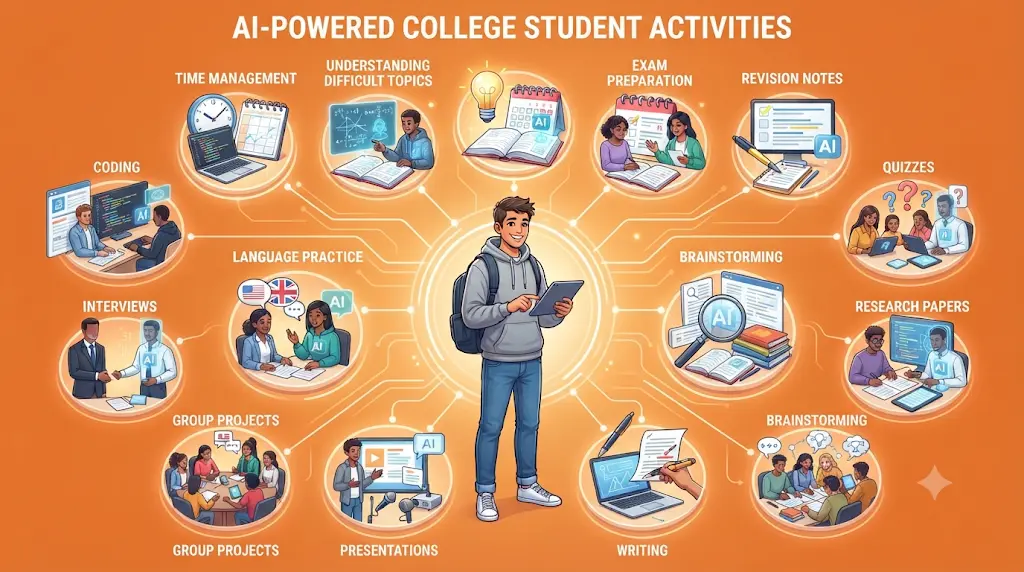
Before you touch a single tool, it helps to see the full range of what’s realistically possible. Most beginners only try two or three of these before deciding whether AI is “useful” — seeing the whole map first gives you a better basis for that decision.
- Understand difficult topics
- Study for exams
- Make revision notes
- Create quizzes to test yourself
- Research academic papers
- Brainstorm assignment ideas
- Improve your writing
- Build presentations
- Organise group projects
- Practice a new language
- Rehearse for interviews
- Prepare for placements and campus recruiting
- Get a first introduction to coding concepts
- Manage your time and deadlines
You don’t need to do all fourteen. Pick the one or two that map to a real problem you have this week — that’s your entry point.
Stuck on a science problem and don’t know where to start? These AI tools can give you quick, step-by-step explanations without simply handing you the answer.
Before You Use AI: A 30-Second Checklist
Screenshot this. Run through it before opening any AI tool, and your results will improve immediately, regardless of which tool you pick.
- What exactly am I trying to accomplish?
- What information does the AI need to know to help me?
- What should the final output actually look like?
- What part of this answer will I need to verify myself?
This checklist is just the Context + Task + Constraints + Output formula (covered fully below) turned into four questions you ask yourself first.
What Should You Use AI For First?
Most beginner guides make the same mistake: they hand you a list of thirty tools before you’ve even used one successfully. That’s backwards. The better starting point — and the real answer to how to start using AI tools as a beginner — is a single framework you can reuse for every task afterward.
Most students use AI as a simple chatbot, but the real advantage comes from following a complete workflow. Discover our AI study workflow for students and learn how to capture notes, create quizzes, schedule revision, and prepare for exams more effectively.
The F.A.S.T. AI Beginner Framework
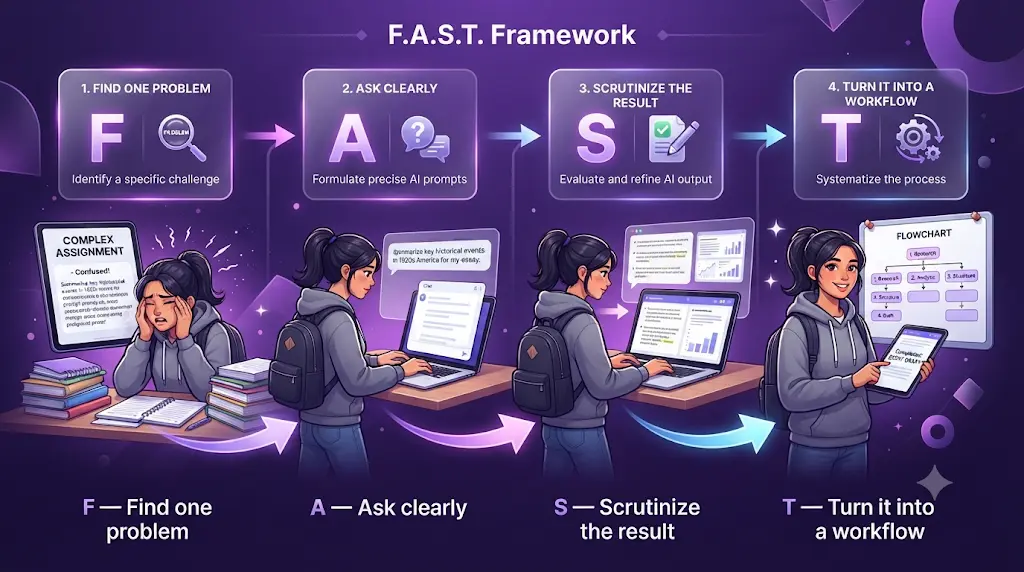
- F — Find one problem. Not “learn AI.” Something specific: “I don’t understand this chapter” or “this email sounds too stiff.”
- A — Ask clearly. Give the AI context, the task, and any constraints, rather than a one-line question.
- S — Scrutinize the result. Read it like you’d read a classmate’s draft: check facts, check assumptions, check whether it actually answered what you asked.
- T — Turn it into a workflow. Once a prompt works well, save it and reuse the pattern instead of reinventing it every time.
F.A.S.T. is the thread running through every example in this guide — you’ll see it applied to real student workflows further down.
Start With a Problem, Not a Tool
Don’t open a general assistant with “what can you do?” Open it with your actual problem. The tool adapts to the task; the task shouldn’t have to bend to fit the tool.
Five Easy First Tasks
- Explain a difficult concept — paste a confusing paragraph from your textbook and ask for a plain-language explanation with one real-world example.
- Rewrite an email — turn a rushed, informal message into something you’d send to a professor or recruiter.
- Summarize notes — condense a lecture’s worth of notes into the five ideas most likely to appear on a test.
- Brainstorm ideas — generate ten angles for an assignment topic, then pick and refine one yourself.
- Create a study plan — turn a syllabus into a week-by-week revision schedule.
Each of these can be done with nothing more than a free-tier general assistant. That’s deliberate — you shouldn’t need to pay anything to find out whether this is useful to you.
Many students struggle because they do not have a structured study schedule. If that sounds familiar, check out AI Tools for Creating a Study Timetable Automatically: 9 Powerful and Smart Solutions for Students in 2026 to learn how AI can create a personalized timetable in just a few minutes.
Which AI Tool Should a Beginner Start With?
Match the type of tool to the type of need, rather than chasing whichever name is trending:
- General questions and everyday writing → a general-purpose AI assistant
- Finding and understanding research papers → an AI research tool
- Systematic academic literature reviews → a research assistant built for that workflow
- Turning ideas into slides → an AI presentation tool
- Turning text into diagrams → an AI visual tool
- Recording and organising meetings or group projects → an AI transcription/notes tool
- Breaking an overwhelming assignment into steps → a task-breakdown tool
A general-purpose assistant is the right first stop for almost everyone, because it covers the widest range of the tasks above. Add a specialised tool only once you hit something a general assistant genuinely struggles with — usually academic search or visual explanation.
Hidden-Gem AI Tools Worth Knowing About
You don’t need twenty tools. You need six to eight that each solve a different kind of problem — and a few of the most useful ones for students barely get mentioned in generic “best AI tools” roundups.
How These Tools Were Evaluated
Each pick below was judged on the same seven criteria: beginner accessibility, student usefulness, free-tier availability, learning curve, a genuinely distinct use case, honest limitations, and current, officially-sourced pricing. The ranking later in this section reflects how directly each tool solves a common student problem — not a claim about overall market share or “best” status in general.
If you are looking for free AI resources, do not miss Best AI Tools for Students Free in 2026: 10 Powerful Picks to Study Faster and Smarter, which features some of the most useful no-cost tools available for students.
Goblin Tools
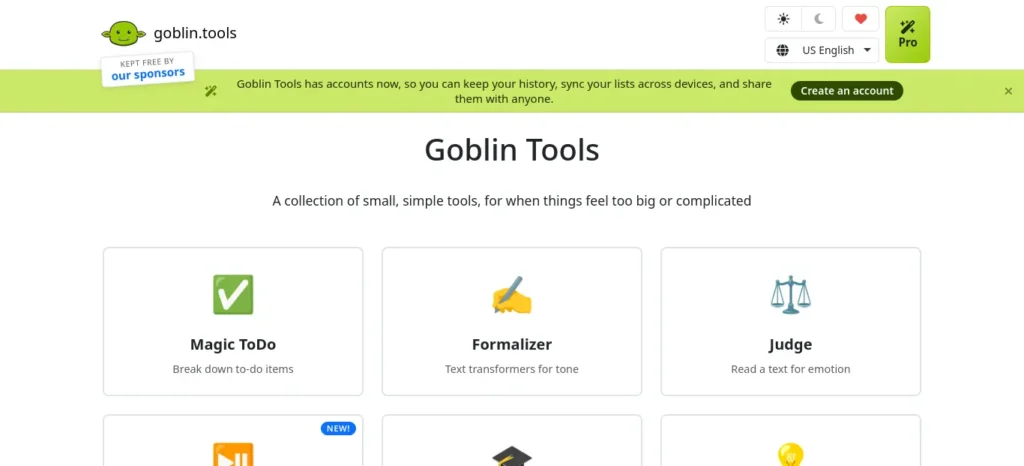
Best for: “I don’t know where to start.”
Goblin Tools is a small set of single-purpose AI utilities — Magic ToDo, Formalizer, Professor, Consultant, Estimator, Compiler, and more — built to turn an overwhelming task into a list of manageable steps. Where most AI tools help you generate an answer, Goblin Tools helps you figure out what to do next, which is a genuinely different and underused use case.
- Best beginner scenario: “I have an assignment due next week and don’t know where to start.” Feed that into Magic ToDo and it breaks the work into a sequence — research, outline, sources, draft, review, submit.
- What surprised me: the useful part isn’t the generated to-do list itself — it’s that having any list at all gets you past the freeze point of not knowing where to begin.
- Free plan: The core site is free with no ads, no paywall, and no account required for basic use.
- Optional cost: Goblin Tools Pro (cross-device sync, history, templates, sharing) is $3/month (~₹284/month); the mobile apps are a one-time $2.99.
- Best for: students who freeze up at the start of a big task.
- Not ideal for: anyone wanting a full AI workspace rather than small, single-purpose tools.
- Main limitation: it’s intentionally simple — it won’t write or research anything for you.
- Privacy note: basic use requires no account; Pro accounts store your lists on Goblin Tools’ servers to sync across devices.
Elicit
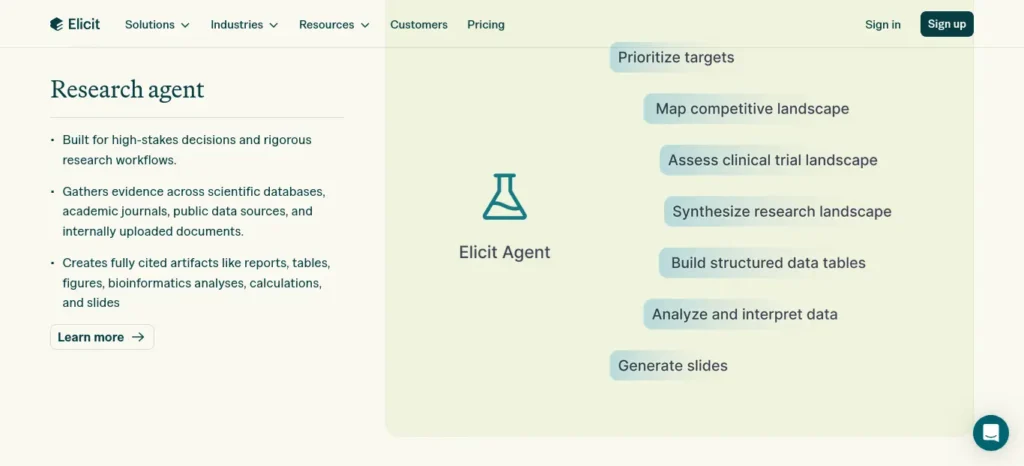
Best for: Literature review and academic paper search.
Elicit is an AI research assistant built around natural-language search across more than 138 million academic papers, with summaries, paper chat, and structured research workflows.
- Best beginner scenario: You have a research topic but no idea which papers to start with — Elicit surfaces relevant studies and summarises them so you can decide which ones are actually worth reading in full.
- What surprised me: the summaries are genuinely useful for triage, but they’re not a substitute for reading the methodology section yourself once you’ve shortlisted a paper.
- Free plan: The Basic tier gives unlimited paper search, unlimited summaries, and unlimited full-text paper chat, with limited use of the more advanced Research Agent and Research Reports features.
- Paid plans: Plus starts at $11/user/month billed annually; Pro is $39/user/month billed annually ($49/month billed monthly); Scale is $89/user/month billed annually ($169/month billed monthly).
- Best for: students doing a real literature review, not casual research.
- Not ideal for: a one-off, casual question — a general assistant is faster for that.
- Main limitation: the free tier’s Research Agent and automated reports are capped, so heavy systematic-review work needs a paid plan.
- Important: don’t treat Elicit’s summaries as a substitute for reading the actual paper. Use it to discover and organise evidence, then check the original source before citing anything important.
Consensus
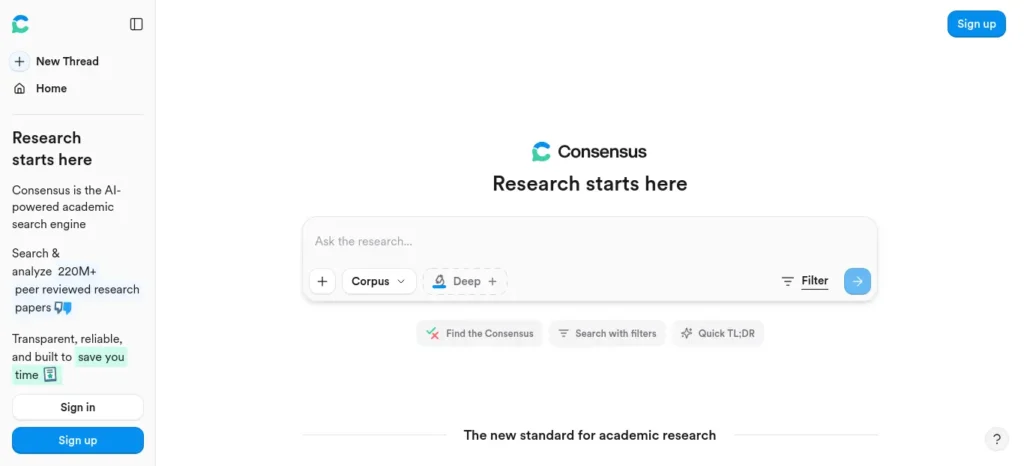
Best for: “What does the actual research say?”
Consensus is an AI-powered academic search engine designed to surface what peer-reviewed research says about a specific question, using a “Consensus Meter” to show where scientific agreement stands.
- Best beginner scenario: You want a fast, evidence-based read on a claim (“does X actually work?”) before writing it into an essay or citing it anywhere.
- What surprised me: the Consensus Meter is more useful as a starting filter than as a final answer — it tells you where to look, not what to believe.
- Free plan: A genuine free tier exists for basic search.
- Paid plan: Consensus Pro is $20/month or $144/year (~₹1,890/month or ~₹13,608/year).
- Best for: students and early-stage researchers who want an evidence-based starting point.
- Not ideal for: general web research or current news — it’s built for peer-reviewed literature specifically.
- Main limitation: deep/advanced searches are rationed even on the paid tier.
Napkin AI
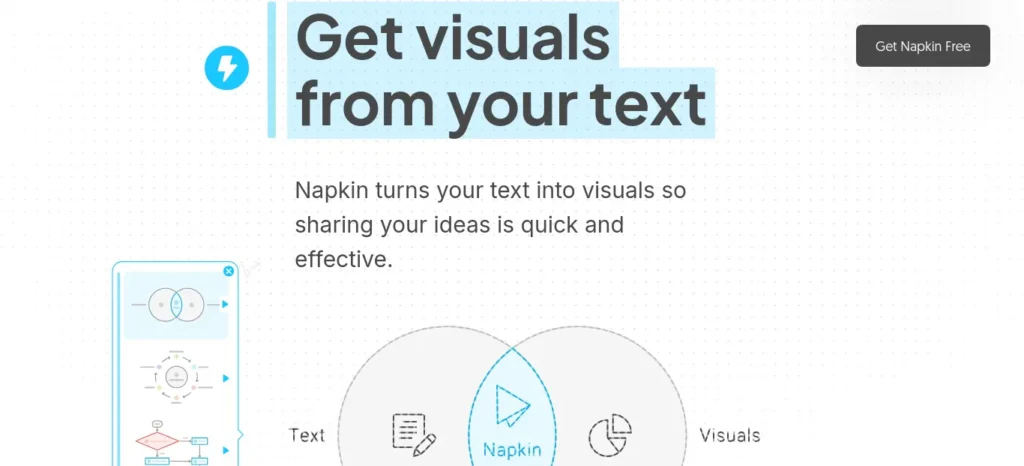
Best for: Understanding ideas visually.
Napkin turns written text — pasted directly, no elaborate prompting needed — into diagrams, flowcharts, mind maps, and infographics.
- Best beginner scenario: Write “explain photosynthesis in five steps,” then convert that explanation into a visual flowchart you’ll actually remember before an exam.
- What surprised me: it chooses the visual type from context automatically, which is faster than expected but means you can’t manually force a specific diagram style.
- Free plan: 500 AI credits per week, unlimited editing, and unlimited PNG/PDF export, though free exports carry Napkin’s branding.
- Paid plan: Plus is roughly $9/person/month and removes the watermark while adding PPT/SVG export.
- Best for: visual learners turning dense text into something memorable.
- Not ideal for: anyone who needs pixel-precise, manually-designed diagrams.
- Main limitation: no manual diagram-type selector — the AI decides the visual format for you.
Gamma
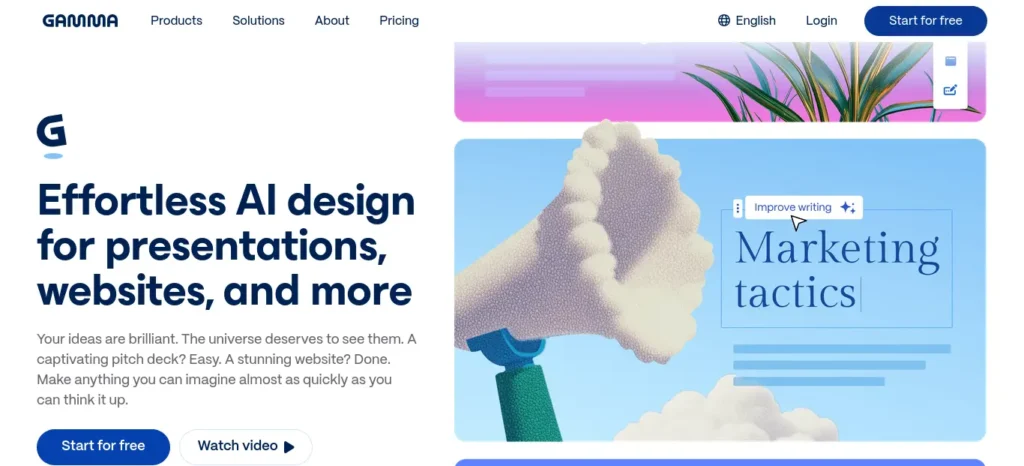
Best for: Turning bullet points into a presentation.
Gamma generates presentations, documents, and simple websites from a prompt, an outline, or pasted text, using a flexible “card” format rather than fixed slides.
- Best beginner scenario: “Turn these 8 bullet points into a 10-slide class presentation.”
- What surprised me: free credits are a one-time allowance at signup, not a weekly or monthly refill — plan your free usage accordingly rather than assuming it resets.
- Free plan: New accounts get 400 AI credits as a one-time allowance, enough for roughly half a dozen to eight generated decks. PDF and PowerPoint export are available even on the free tier.
- Paid plans: Plus and Pro plans generally fall between about $8–20/month depending on billing cycle.
- Best for: turning a rough outline into a presentable first draft fast.
- Not ideal for: final, submission-ready decks without a human editing pass.
- Main limitation: free credits don’t refill, and AI-generated slides always need a fact-check and a human polish pass.
- Important: don’t treat an AI-generated deck as presentation-ready. Check every fact, remove generic filler content, swap in your own examples, and practice saying it out loud before you present it.
Wispr Flow
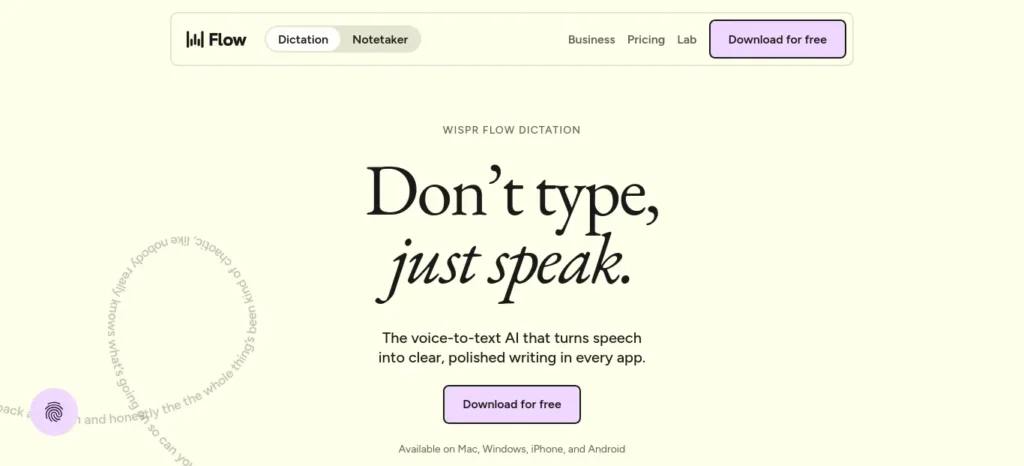
Best for: Writing faster by speaking instead of typing.
Wispr Flow turns speech into polished, punctuated text inside whatever app you’re already using — docs, email, chat, code editors — across Mac, Windows, iOS, and Android.
- Best beginner scenario: Instead of typing a messy first draft, talk through your idea out loud and let Flow transcribe it, then edit the result rather than starting from a blank page.
- What surprised me: the accuracy is identical on free and paid tiers — you’re only paying to remove the weekly word cap, not for better transcription.
- Free plan (Basic): capped at roughly 2,000 words per week on desktop and 1,000 words per week on iPhone.
- Paid plan: Pro is $15/month, or $12/month billed annually. From an India-based visit, Wispr Flow’s own pricing page has shown localised pricing of roughly ₹400/month (monthly) or ₹320/month (billed annually).
- Student discount: verified students currently get three months free, then 50% off Pro going forward.
- Best for: students who think faster out loud than they type.
- Not ideal for: shared or quiet environments where dictation isn’t practical.
- Main limitation: the free tier’s weekly word cap is easy to hit if you dictate daily.
- Privacy note: transcription happens in the cloud, not on-device, so avoid dictating anything confidential.
Granola
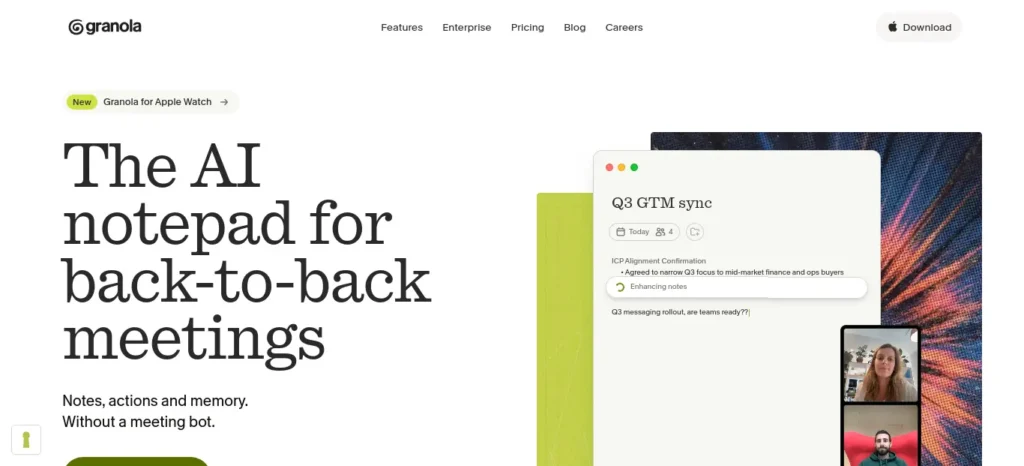
Best for: Meeting and group-project notes.
Granola creates AI-enhanced notes and transcripts from meetings and calls, and lets you chat with your notes afterward — without an obvious recording bot joining the call.
- Best beginner scenario: group projects, structured brainstorming sessions, or recorded interviews for a research assignment — always with the consent of everyone on the call, and in line with your institution’s recording policies.
- What surprised me: it enhances notes you actively type during the call rather than fully automating them — if you don’t type anything, it has far less to work with.
- Free plan (Basic): AI meeting notes and AI chat, but limited to roughly 25 notes for the lifetime of a free account under Granola’s 2026 plan structure.
- Paid plan: Business is $14/user/month; Enterprise is $35/user/month.
- Best for: solo students or small groups on Mac or Windows who take some notes themselves during calls.
- Not ideal for: large group meetings (3+ speakers) where speaker identification matters, or Android-only users.
- Main limitation: the free plan’s 25-note cap is a lifetime limit, not monthly, so it’s better treated as an extended trial than a long-term free tier.
SciSpace
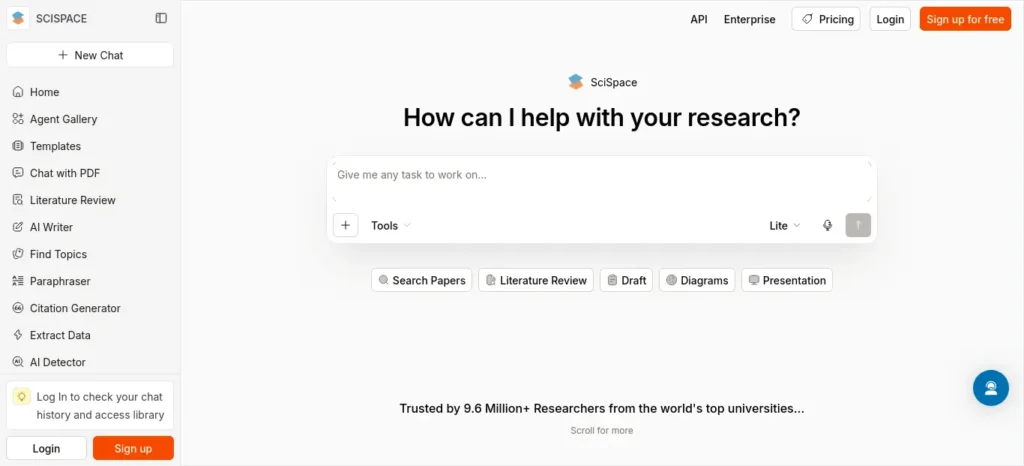
Best for: Understanding a research paper you don’t fully follow.
SciSpace combines paper discovery, a “Chat with PDF” feature, citation tools, and a broader AI Agent for research workflows in one platform.
- Best beginner scenario: “I downloaded a 30-page paper and don’t understand the methodology section” — upload it and ask SciSpace’s Agent to walk through it, rather than asking a general chatbot to summarise a paper it hasn’t actually read in full.
- What surprised me: the free credit allowance resets monthly rather than being a one-time trial, which makes it genuinely usable for light, ongoing research rather than a single demo.
- Free plan: 100 AI Agent credits per month, plus limited literature search and PDF chat.
- Paid plan: Premium is $12/month billed annually, or $20/month billed monthly.
- Best for: students who need help decoding one specific dense paper rather than searching broadly.
- Not ideal for: heavy monthly use — 100 credits get consumed quickly if you upload several long papers.
- Main limitation: the free tier’s monthly credit cap restricts how many papers you can process in depth.
- Good to know: SciSpace also runs a University Program offering free licences to eligible students — worth checking if your institution participates.
Hidden-Gem Ranking
- Goblin Tools — “I don’t know where to start.”
- Elicit — academic research and literature review
- Consensus — evidence-based, peer-reviewed answers
- Napkin AI — understanding ideas visually
- Wispr Flow — writing faster by voice
- SciSpace — understanding a specific paper
- Granola — meeting and project notes
- Gamma — turning notes into a presentation
Which AI Tool Should I Use? A Quick Decision Guide
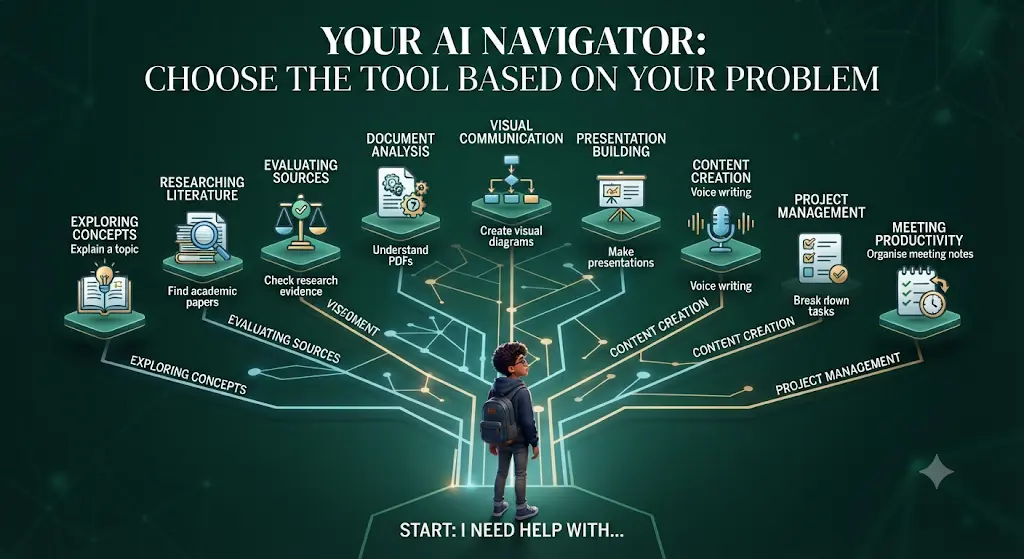
Rather than a dense comparison chart, here’s the fastest way to match your actual problem to a starting tool:
- If your problem is understanding a confusing topic → use a general-purpose AI assistant → because it’s the most flexible, free starting point for explanation.
- If your problem is finding academic papers on a topic → use Elicit → because its search is built specifically for scholarly literature, not general web content.
- If your problem is checking what the evidence actually says → use Consensus → because its Consensus Meter is built to summarise scientific agreement, not opinion.
- If your problem is turning a dense paper into something you understand → use SciSpace → because its Agent works directly with the uploaded PDF, not a generic summary.
- If your problem is remembering a concept better → use Napkin AI → because a visual diagram sticks better than another paragraph of text.
- If your problem is building a presentation fast → use Gamma → because it turns an outline into a structured first draft in minutes.
- If your problem is writing faster than you type → use Whisper Flow → because dictation removes the blank-page friction of typing.
- If your problem is not knowing where to start on a task → use Goblin Tools → because it breaks the task into steps instead of generating content.
- If your problem is organising group-project or meeting notes → use Granola → because it turns your own notes into a structured, searchable summary.
The Beginner Prompt Kit
The Context + Task + Constraints + Output formula (below) is the foundation. But once you understand the formula, the fastest way to build confidence is to reuse a small set of prompts across almost any subject. Save this list.
The Core Formula

Context + Task + Constraints + Output
Context: I’m a first-year engineering student.
Task: Explain Newton’s laws.
Constraints: Assume I know basic physics but struggle with the formulas.
Output: Explain each law with one real-world example, then give me one practice question.
Bad Prompt → Better Prompt
Weak: “Explain thermodynamics.”
Better: “I’m a first-year engineering student. Explain the first law of thermodynamics in simple language, use one everyday example, then give me three questions to test whether I understood it.”
The second version works better for one reason: it tells the AI who you are, what depth to aim for, and what “done” looks like. That’s the whole formula in one sentence.
12 Copy-Paste Prompts for Students
- Explain a difficult concept: “Explain [topic] as if I’m a [your level] student with no prior background. Use one real-world example.”
- Teach me step-by-step: “Walk me through [process/topic] one step at a time. Don’t move to the next step until I confirm I understood the previous one.”
- Quiz me: “Ask me five questions about [topic] one at a time, and tell me if I’m right after each answer, without revealing the next question early.”
- Find my weak areas: “Here are my notes on [topic]. Ask me questions that reveal which parts I don’t actually understand yet.”
- Convert notes into flashcards: “Turn these notes into 15 question-and-answer flashcards, one concept per card.”
- Create a revision plan: “Here’s my syllabus for [subject]. Build me a day-by-day revision schedule for the next [X] days.”
- Compare two concepts: “Compare [concept A] and [concept B]. Explain how they’re different, where they overlap, and give one example of each.”
- Explain a research paper: “Here’s a research paper. Explain the methodology and main finding in plain language, and flag anything that seems ambiguous or under-explained.”
- Improve my writing without changing my meaning: “Improve the clarity and flow of this paragraph without changing what I’m actually saying: [paste text].”
- Generate interview questions: “Give me 10 likely interview questions for a [role/field] position, and explain what each question is really trying to assess.”
- Challenge my argument: “Here’s my argument: [paste it]. Poke holes in it. What’s the strongest counterargument, and where is my reasoning weakest?”
- Find gaps in my understanding: “I think I understand [topic], but I want to check. Ask me to explain it back to you, then tell me what I got wrong or left out.”
Don’t Ask AI to Do Your Thinking
There’s a meaningful difference between using AI as a shortcut and using it as a learning partner — and it comes down to one distinction.
AI as a shortcut: “Write my entire assignment.”
AI as a learning partner: “Challenge my argument, identify gaps in my reasoning, and ask me questions that help me improve it.”
The first produces a document with your name on it that you didn’t actually think through. The second produces a better version of your own thinking — which is the entire point of being a student in the first place. Every prompt in the kit above is built around the second approach, not the first.
How Do You Know Whether an AI Answer Is Trustworthy?
This is the step most beginner guides skip, and it’s the one that matters most.

AI assistants generate the most likely-sounding continuation of your prompt based on patterns in their training data — not a guaranteed fact-check. That means they can sound completely confident while being wrong, a pattern often called “hallucination.”
What AI Commonly Gets Wrong
- Invented citations — references that look properly formatted but don’t actually exist.
- Wrong calculations — especially multi-step arithmetic or unit conversions.
- Outdated information — anything time-sensitive answered from older training data.
- Overconfident explanations — a wrong answer stated with the same tone as a correct one.
- Missing context — technically accurate statements that mislead once the surrounding nuance is dropped.
- Misinterpreting ambiguous questions — answering a slightly different question than the one you meant to ask.
- Incorrect summaries — a summary that quietly drops the one caveat that mattered.
- Fake quotations — a quote attributed to a real person or paper that they never actually said or wrote.
The Verification Habit
- Ask the AI to name its sources or reasoning, and check whether those sources actually exist.
- For anything numeric, historical, or medical, verify independently before repeating it anywhere that matters.
- Treat AI-generated citations with particular suspicion — fabricated references are one of the most common failure modes.
- If a claim would be embarrassing or costly to get wrong, don’t rely on a single AI answer for it.
Verification isn’t a sign you don’t trust AI — it’s the difference between using it as a research assistant and using it as an oracle.
Privacy: Before You Paste
Before pasting anything into an AI tool, ask whether you’d be comfortable with it sitting on a company’s server indefinitely. Never paste:
- Passwords
- One-time passcodes (OTPs)
- API keys or account credentials
- Private student records
- Unpublished research data
- Someone else’s personal information
- Confidential college or company documents
If a task requires any of the above, do that part yourself and only hand the AI the parts that don’t involve sensitive data.
Common Beginner Mistakes to Avoid
- Asking one huge, vague question instead of a specific one.
- Accepting the first answer without checking it against anything.
- Assuming every tool is free, or that free tiers never have hidden limits.
- Trying ten tools in one week instead of getting comfortable with one.
- Copying AI output directly into an assignment without adding your own thinking on top.
- Believing an AI-generated citation exists just because it looks properly formatted.
- Feeling stupid because the first answer you get back is generic — that’s a prompt problem, not a “you” problem.
- Chasing the “perfect prompt” instead of just iterating on an okay one.
- Switching tools constantly instead of getting good at one first.
- Assuming that using more tools automatically means more productivity.
- Getting overwhelmed trying to keep up with every new AI tool in the news.
- Using a tool just because everyone else is, rather than because it solves your actual problem.
Tired of doing the same tasks over and over? Learn how to automate repetitive work with AI—without writing a single line of code.
When NOT to Use AI
AI assistants are genuinely useful for explanation, drafting, and organisation — and genuinely unsuited to some decisions:
- Medical questions — symptoms, diagnoses, medication interactions. See an actual clinician; a wrong guess here has real consequences.
- Legal or financial decisions — contracts, tax filings, investment choices. These need a qualified professional, not a best-guess model.
- Submitting fabricated citations — never include an AI-suggested source in academic work without verifying it exists and says what you think it says.
- Replacing your own original academic work — using AI to explain a concept is different from having it write the assignment for you.
- Confidential or sensitive information — see the privacy checklist above.
Check Your Institution’s Policy First
Academic-integrity rules around AI vary a lot between colleges, and even between individual professors and assignments. Before using AI for coursework, check your institution’s specific AI policy. Some allow AI for brainstorming, outlining, or tutoring-style explanation while restricting it for generating a final graded submission; others draw the line differently. “AI is allowed” and “AI-generated text can be submitted as your own work” are two very different rules — don’t assume one means the other.
Real Student Workflows
Generic advice like “use AI for studying” doesn’t tell you much. Here’s what the F.A.S.T. framework looks like applied to specific, common student situations.
Exam in 3 Days
Situation: Six chapters to revise, limited time.
Workflow: Summarize each chapter → ask the AI to identify your weak areas by quizzing you → build a focused revision plan around just those weak areas → retest yourself the night before.
Starting a Research Paper
Situation: A broad topic, no idea where to begin.
Workflow: Use Elicit or Consensus to find 8–10 relevant papers → ask a general assistant to summarise the common themes across your reading notes → identify where the sources disagree → build your outline around that disagreement, since that’s usually where the interesting argument lives.
Building a Presentation Overnight
Situation: A presentation due tomorrow morning, only rough notes.
Workflow: Turn your notes into 8–10 clear bullet points yourself first → feed those into Gamma for a first-draft deck → fact-check every slide → replace at least one generic AI-suggested example with your own → rehearse out loud at least twice.
An Overwhelming Group Assignment
Situation: A multi-week project with vague instructions and three teammates.
Workflow: Use Goblin Tools to break the brief into a sequence of concrete steps → use Granola during team calls to keep a shared, searchable record of decisions → assign steps based on that broken-down list instead of arguing about “who does what.”
Struggling With a Dense Research Paper
Situation: A 30-page paper full of jargon, due to be discussed in class tomorrow.
Workflow: Upload it to SciSpace and ask it to explain the methodology and main finding in plain language → cross-check the AI’s summary against the paper’s own abstract and conclusion → note anything that seems to not match, and bring that specific question to class.
The AI Beginner Cheat Sheet
Save or screenshot this one line — it’s the entire guide compressed:
Problem → Context → Task → Constraints → Output → Verify → Improve → Save
Find one problem, give the AI context, state the task and constraints, define the output you want, verify what comes back, improve the prompt if it’s off, and save the version that worked so you’re not starting from zero next time.
Know someone who’s still confused about where to start with AI? Send them this guide: “This explains how to start using AI tools as a beginner without needing coding skills — plus practical prompts, tool picks, and safety tips.”
Ready to put AI into practice? Download the free AI Beginner Toolkit and turn what you learned into a simple daily workflow.
Your 7-Day Beginner Plan
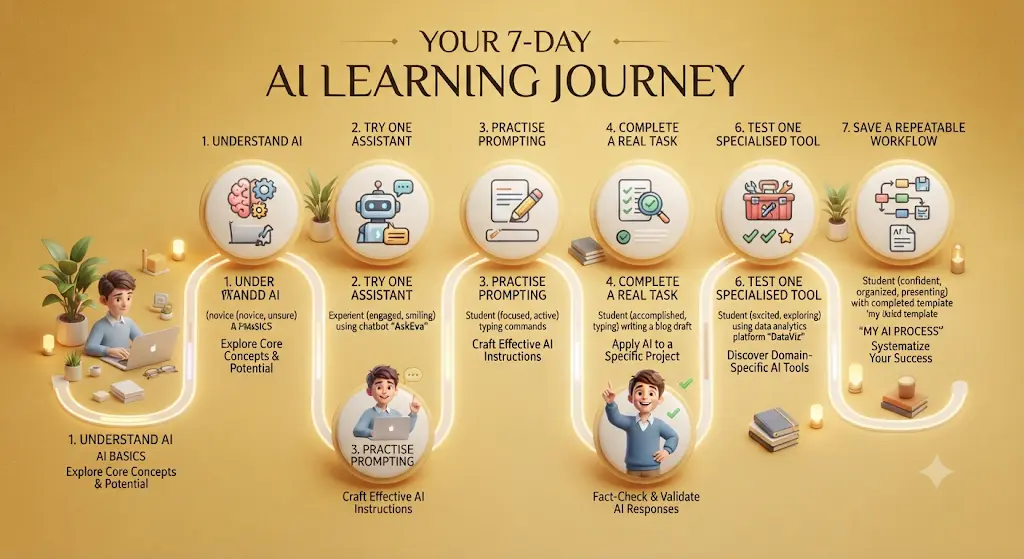
- ☐ Day 1 — Understand what AI can actually do. No tool use yet, just read and get oriented.
- ☐ Day 2 — Sign up for one general AI assistant and try one of the five easy first tasks above.
- ☐ Day 3 — Practice the Context + Task + Constraints + Output prompt formula on a real task.
- ☐ Day 4 — Use AI for one real study or work task, start to finish.
- ☐ Day 5 — Practice verifying an AI answer: check a fact, a source, or a citation it gave you.
- ☐ Day 6 — Try exactly one specialised tool from the list above, matched to a real need you have.
- ☐ Day 7 — Turn your best-performing prompt into a saved, repeatable workflow.
My First AI Workflow (Fill This In)
Copy this into a notes app and fill it in the first time you try a real task — it turns passive reading into an actual habit.
- My problem:
- Tool I’m using:
- Information I have:
- My prompt:
- AI’s answer:
- What I verified:
- What I changed:
- Final result:
India-Specific Notes for Students
- Most of the tools above have a genuinely usable free tier — start there before spending anything.
- Where INR pricing is confirmed directly (like Wispr Flow’s localised India pricing), it’s noted above; for everything else, check the live pricing page before paying, since currency conversion and regional pricing both shift.
- Look specifically for verified student discounts (Wispr Flow’s is confirmed above) and university-specific programs (SciSpace’s University Program, for instance) — these aren’t always advertised on the main pricing page.
- If you’re on a slower or capped mobile data connection, prioritise browser-based tools with lightweight interfaces over heavier desktop-only apps, and check Android availability before assuming a tool works on your phone.
- Don’t assume a discount applies to your specific college or country just because it’s mentioned somewhere online — verify it on the tool’s own site before signing up.
Beginner AI Questions
Can beginners use AI without coding? Yes. Every tool in this guide works entirely through typed or spoken natural language — no programming knowledge is required to get started.
What AI tool should beginners learn first? Start with one general-purpose AI assistant for everyday tasks. Once you’re comfortable prompting, reviewing, and refining its answers, add a specialised tool only when a specific task genuinely calls for one.
What is the easiest AI tool for students? A general-purpose AI assistant is the easiest starting point, since it handles the widest range of everyday student tasks — explanation, drafting, planning, and brainstorming — without needing a separate app for each.
How do I write a good AI prompt? Use the Context + Task + Constraints + Output formula: state who you are, what you want, any limits or assumptions, and exactly what the final answer should look like.
How can students use AI without cheating? Use it to explain, quiz, challenge, and organise your own thinking rather than to generate a final submission. Always check your specific institution’s AI policy first, since rules vary by college and even by assignment.
How do I check whether an AI answer is correct? Ask it to name its sources, verify anything numeric or factual independently, and treat AI-generated citations as unverified until you’ve confirmed they actually exist.
Which AI tools are free for students? Goblin Tools, Elicit, Consensus, Napkin AI, Gamma, Wispr Flow, Granola, and SciSpace all have usable free tiers, though each has different limits — see the tool breakdowns above for specifics.
Which AI tools are useful for research? Elicit and Consensus are built specifically for academic and evidence-based research; SciSpace is best once you already have a specific paper to work through.
How many AI tools should a beginner learn? Start with one. Add a second only once you’ve hit a specific limitation the first tool can’t solve — usually academic research or visual explanation.
Are AI tools safe for beginners? They’re safe to experiment with for everyday tasks like explanations, drafts, and study plans. Avoid pasting confidential information, and never rely on an AI tool alone for medical, legal, or financial decisions.
Do AI tools work well on a slow mobile connection? Browser-based tools generally work fine on mobile data, though heavier features like presentation generation or long document uploads will be slower on a weak connection — check a tool’s mobile experience before relying on it during an exam-week crunch.
Can AI tools replace a tutor? Not fully. They’re strong at explaining concepts and quizzing you, but they can’t replace the judgment, accountability, and personalised feedback of an actual tutor or professor — especially for anything you’ll be graded on.
If I Were Starting From Zero Today
I’d learn one general AI assistant, practice five prompts from the kit above, spend a day specifically on verification, solve one real study problem start to finish, and only then start exploring the specialised tools. Skipping straight to “which tool is best” before you’ve done that first loop is the single most common reason people bounce off AI tools and conclude they’re not useful.
AI Isn’t Magic
AI is most useful when you bring the problem, the context, the judgment, and the curiosity. The tool can accelerate the work — draft faster, explain clearer, organise quicker — but it doesn’t remove the need to think. The students who get the most out of AI tools aren’t the ones who found the “best” tool; they’re the ones who got good at asking clear questions and checking the answers.
Your Next Step
You now know how to start using AI tools as a beginner: pick one problem, write one prompt, inspect the answer, verify one claim, improve the prompt, save the workflow, and use it again tomorrow. That loop — repeated a handful of times — is worth more than reading every AI tool review on the internet. Start today, with the one task from this guide that matches something you actually need to get done this week.
About the Author
Nandhakumar is the founder and creator of FutureFastAI, a website focused on helping students and beginners understand and use AI tools in practical, everyday situations.
His work focuses on discovering useful AI tools, simplifying complex AI concepts, and showing beginners how AI can be applied to studying, research, productivity, content creation, and learning. Rather than simply listing popular tools, he focuses on practical use cases, beginner-friendly workflows, limitations, and responsible AI use.
Through FutureFastAI, Nandhakumar aims to help students move beyond the hype around AI and learn how to use these tools thoughtfully—while understanding when to verify information, protect personal data, and rely on their own judgment.
His goal is simple: make AI easier to understand, easier to use, and genuinely useful for students and beginners.
Editorial Policy
FutureFastAI publishes practical, accurate, and beginner-friendly AI content for students and new users.
We research information using reliable sources, especially official websites and documentation. Articles are reviewed for accuracy, clarity, originality, and usefulness.
AI tools may assist with research, drafting, or editing, but all content is reviewed by humans before publication. We do not publish unverified AI-generated material.
Tool reviews consider features, pricing, ease of use, limitations, and suitability for readers. We do not claim to have tested products unless we actually have.
Because AI tools change frequently, we update articles when necessary. Pricing and features should always be verified on official websites.
Some articles may contain affiliate links. We may earn a commission at no extra cost to you, but affiliate relationships do not determine our recommendations.
We encourage responsible AI use. Readers should verify important information and avoid sharing sensitive data with AI tools.
If you find an error or outdated information, please contact us so we can review and correct it.






2 Comments