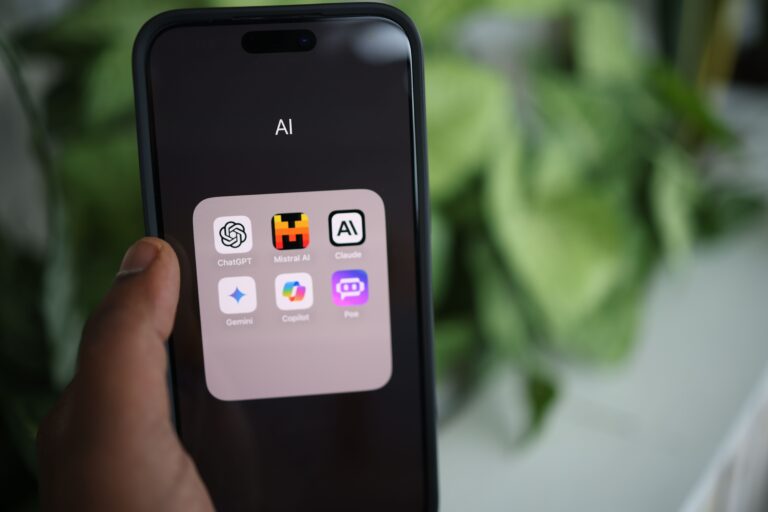
How to Create a Student Portfolio Website with AI: 7 Easy Steps
Last verified: October 20, 2026. Prices, free-plan limits and student offers change often, so confirm each one on the tool’s official page before you pay. Rupee figures are approximate, using a mid-market rate of roughly ₹96.5 per US dollar.
How to create a student portfolio website with AI without coding or work experience? If you’re a student with projects to showcase but no professional portfolio, AI can help you build a website that highlights your skills, academic work, and potential. In this beginner-friendly guide, you’ll learn how to choose the right AI website builder, create your portfolio step by step, and present your projects professionally without spending more than necessary.
Imagine a second-year student named Meera (an illustrative example, not a real person). She has three class projects, no internship, and an application due Friday. Her resume fits on one page. Her best work doesn’t.
So, can you create a student portfolio website with AI, without coding? Yes. AI can draft your site structure, text, layout and even code in minutes, and some builders publish it for you. But AI cannot know what you actually did. You supply the facts, test every link, and check each tool’s free-plan limits. This guide shows you how, step by step, with copyable prompts.If you want AI to do more than just answer questions, discover these AI Tools for People With No Coding Skills that can save you at least one hour every day.
Can You Create a Student Portfolio Website with AI Without Coding?

Yes. Describe your field, projects and goal to an AI website builder, and it can generate pages, text and layout in minutes. You then edit the draft, add real evidence, test it on a phone, and publish. Free plans and student offers exist, but custom domains, unlimited publishing and some AI features often need a paid plan.
There are three ways to do it, and the difference matters:
- No-code AI builders (Framer, Grigora, Dorik, Hostinger) generate a site you edit visually. Easiest for beginners.
- AI app builders that write code (Google AI Studio, Kleap) give you more control and more responsibility.
- Conventional hosting with AI-written code (for example, a static site on a free host) is the cheapest, but you manage everything yourself.
The limitation: AI tends to fill gaps with confident-sounding filler, including skills you don’t have. Treat every AI draft as a first draft that you must verify.
What Is a Student Portfolio Website, and Why Do You Need One?
A student portfolio website is a personal site that shows your projects, skills and learning with proof, such as demos, code, designs or research. It is different from a resume, which summarizes you in one page, and from LinkedIn, which shows you inside someone else’s layout.
A portfolio helps most when you have little formal experience, because it lets reviewers see how you think. It is useful for:
- Internship and entry-level job applications
- Scholarship and university applications
- Research or lab positions
- Freelance work and collaborations
- A single link you can put on your resume, email signature and LinkedIn
You still need a resume. Send the PDF when someone asks for one, and use the portfolio to show the work behind it.Using AI for the first time can feel confusing, but you don’t need to be tech-savvy—this beginner-friendly guide shows you exactly where to start.
What Should a Student Include in a Portfolio Website?
Start small. One well-explained project beats ten unexplained ones.
Essential sections
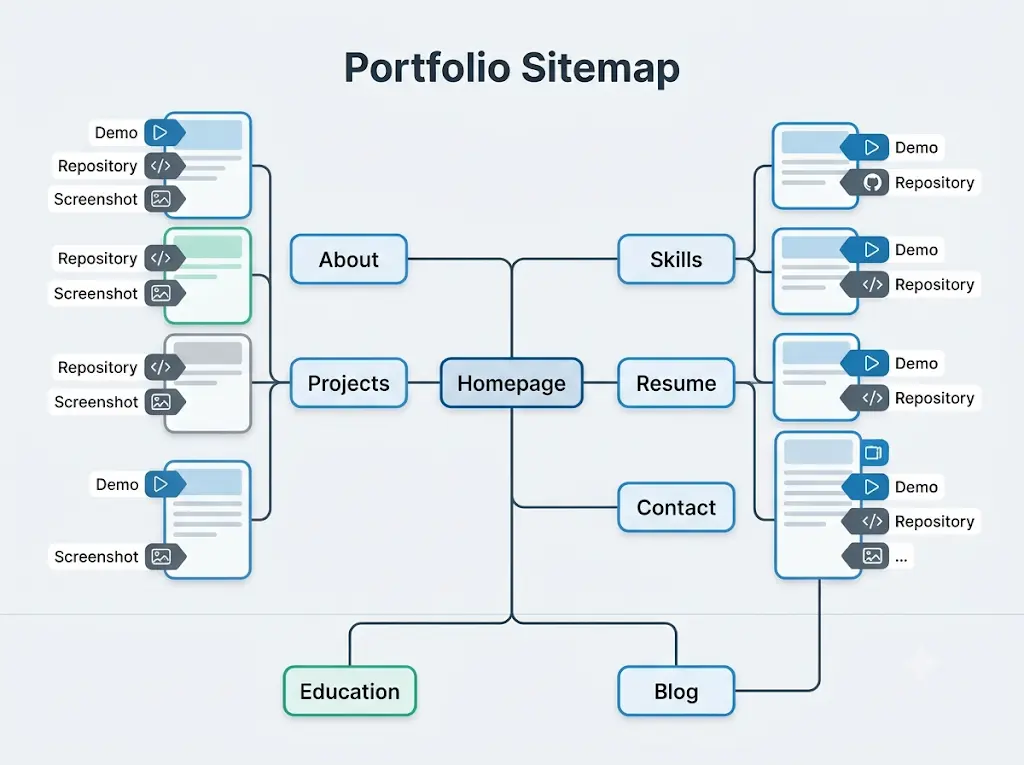
- Homepage introduction: your name, field, and what you are looking for, in two lines.
- Projects: three or four, each with a short summary and a link to a full case study.
- About: 100–150 words on who you are and what you build.
- Skills: only the tools you can show in a project.
- Resume: a downloadable PDF.
- Contact: a professional email and relevant profile links (GitHub, LinkedIn, Behance).
Optional sections
- Education and verified achievements
- A short blog or learning log
- Research papers, posters or writing samples
- Volunteer work and hackathons
Leave out: your phone number, home address, ID numbers, mark sheets and anything confidential. A contact form or email is enough.
Which AI Website Builder Is Best for Students?
There is no single best tool. There is a best fit for your field, budget and comfort with code. Our default for eligible design-minded students is Framer’s student program. Our default for computer science students who want real code is Google AI Studio. Everyone else can start with a free trial of a template-led builder.
How this comparison was built: from each tool’s official pages and Google’s own codelab, checked on October 20, 2026. We have not hands-on tested these tools for this article. Where only third-party listings were available, we say so.No AI experience? Start here—these beginner-friendly tools can save you hours of confusion and unnecessary effort.
Framer
Best for: Design-minded students enrolled in a certified program, who want the best free option.
Strengths:
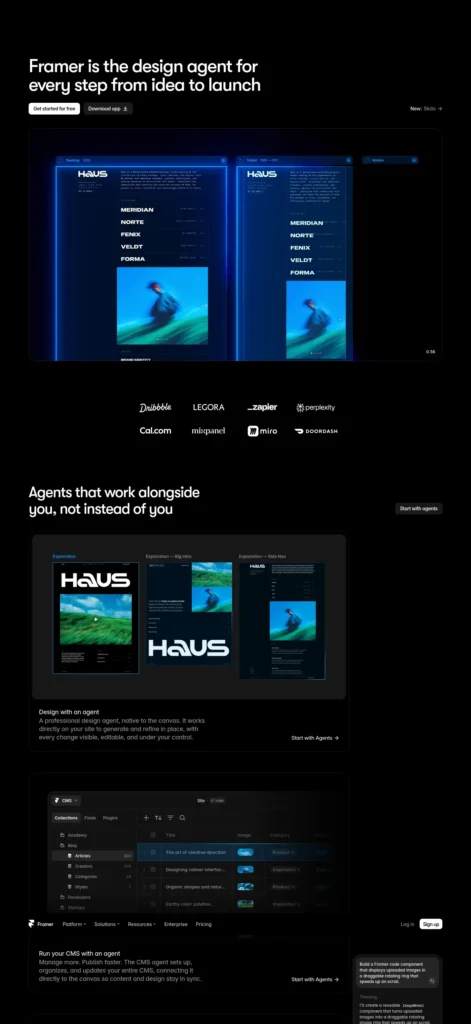
- The official student page lists a free Basic plan (worth $120), 1,000 free AI credits a month and thousands of templates.
- Strong visual control.
Watch out:
- You must prove enrolment. A third-party summary says the free year must be renewed and the plan is not for client work. Verify on Framer’s page.
- A steeper learning curve than prompt-only tools.
Google AI Studio
Best for: Computer science and engineering students comfortable with debugging.
Strengths:
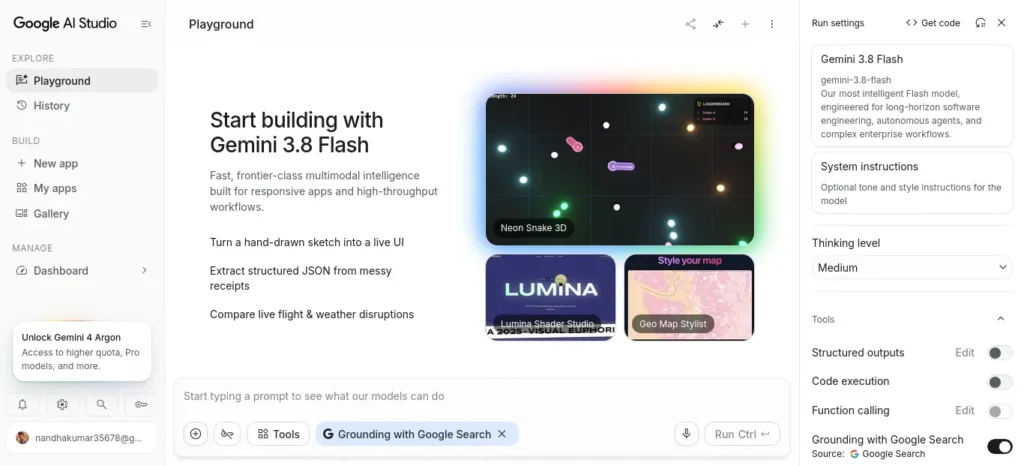
- Google’s codelab shows prompting a portfolio in Build mode and deploying it to Cloud Run, which gives a run.app address.
- You can map a custom domain through Cloud Run.
- The codelab says the Starter Tier allows up to two full-stack apps at no cost.
Watch out:
- This is app deployment, not a website builder, and domain mapping needs DNS records.
- Check Google Cloud pricing and unpublish apps you no longer need.
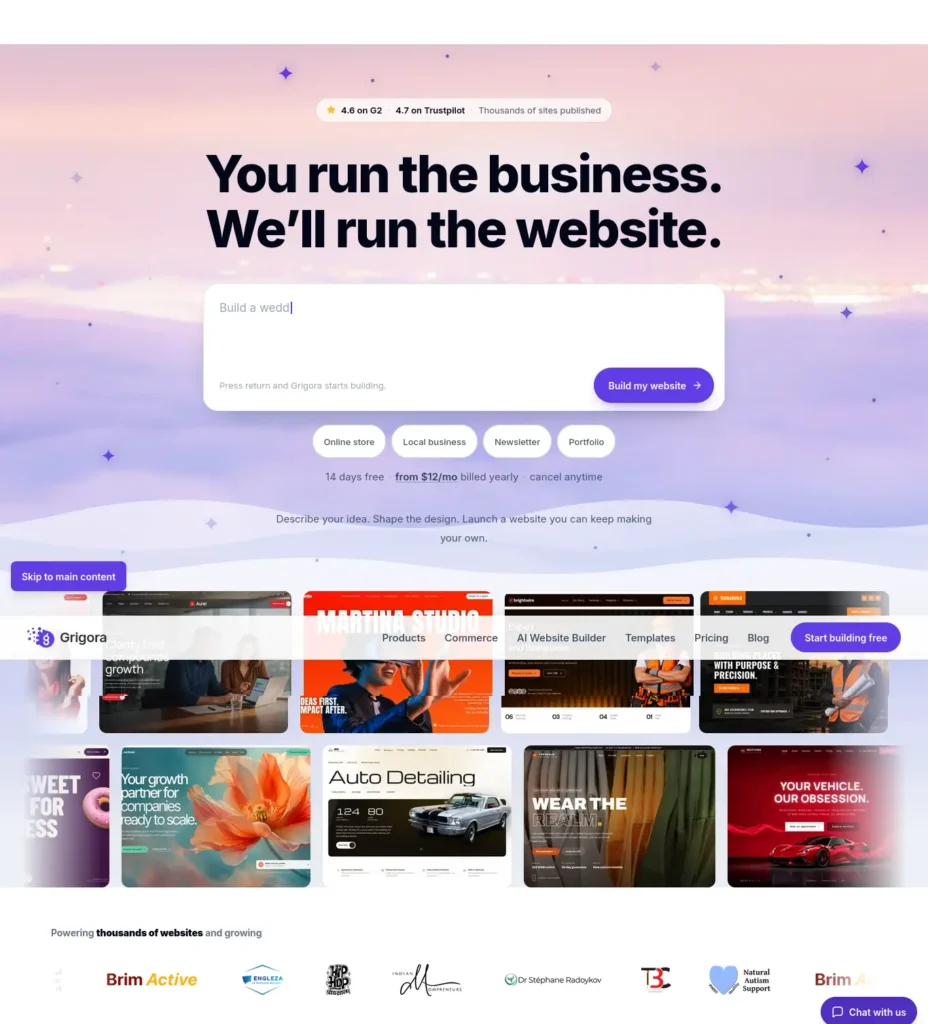
Grigora
Best for: Students who want a template-led builder with a project directory and blog.
Strengths:
- Has a dedicated student-portfolio page, a 14-day free trial with no card, and hosting, SSL and CDN included.
- Directories keep many projects organized.
Watch out:
- No free-forever tier. Starter is $15/month, or $144/year (about ₹1,450/month or ₹13,900/year).
- Custom domains need a paid plan, and there is no importer from other builders.
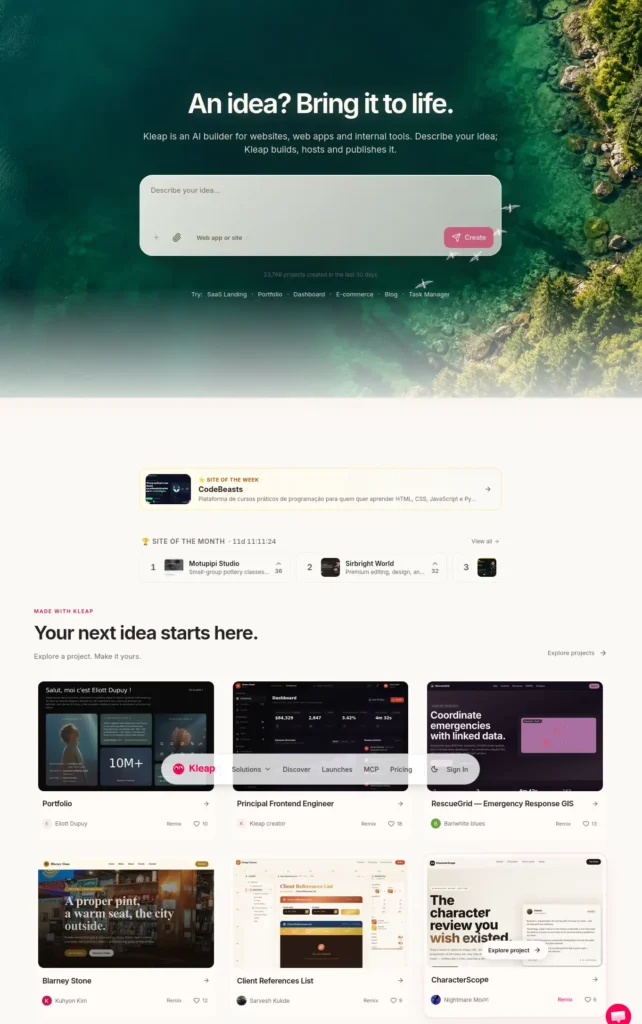
Kleap
Best for: Students with interactive demos who want prompt-to-app publishing.
Strengths:
- The official student page says free to start, no coding, GitHub connection, your code kept, and an optional custom domain.
- A post-launch checker flags broken links.
Watch out:
- Usage-based: the page itself says free to start does not mean unlimited.
- We could not verify current plan prices; third-party listings conflict. Check kleap.co/pricing.
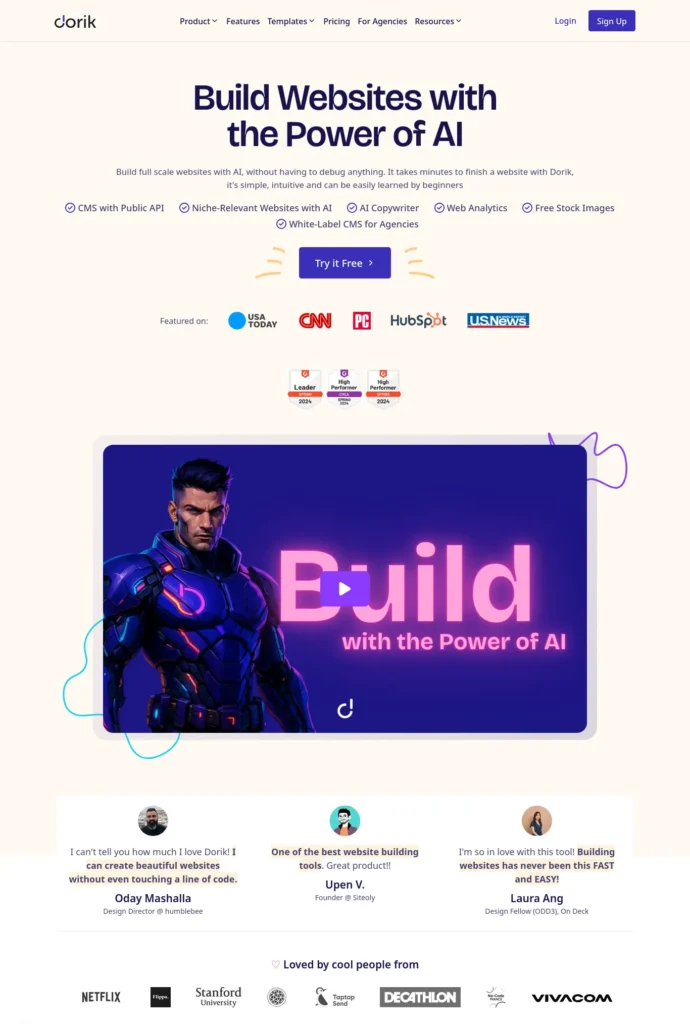
Dorik
Best for: Students who want AI generation plus a CMS and can pay.
Strengths:
- AI site generation, a CMS, and SEO controls such as sitemap and robots.txt editing.
- The feature comparison lists static-site export.
Watch out:
- The official pricing page shows a 7-day trial and paid plans (Personal: $29/month, or $249 billed yearly, about ₹24,000). Some directories still describe a free plan, so confirm at signup.
- It does not sell domains.
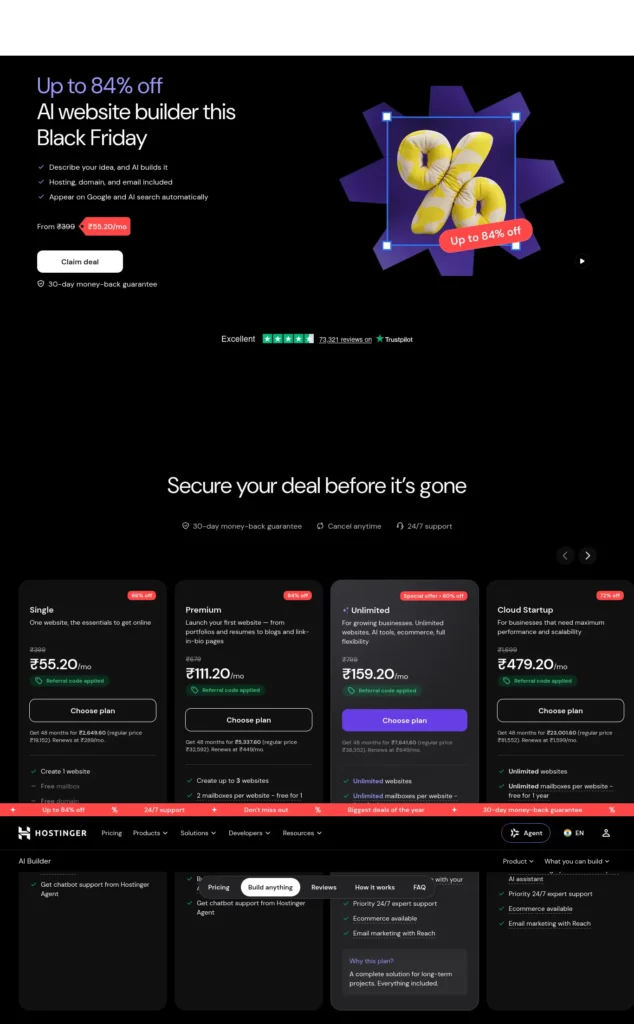
Hostinger AI Website Builder
Best for: Students ready to pay for builder, hosting and domain in one place.
Strengths:
- The India page lists Premium at ₹149/month on a 48-month term (₹7,152 upfront, excluding GST), up to 3 sites, a free domain for one year, and 250 one-time AI credits.
- Offers drag-and-drop and chat-based modes, plus a 30-day money-back guarantee.
Watch out:
- It renews at ₹449/month, and the 48-month upfront payment is large for a student.
- No free plan.
How Do You Choose the Right AI Portfolio Builder?
First, run the Free-Plan Reality Check. Ask four questions of any tool:
- Does the free plan publish a public site, or only a preview?
- Does it include a custom domain, or only a subdomain?
- When does the free period end, and what happens to my site then?
- Can I export my content or code if I leave?
Then match yourself to a default:
- No coding experience: a template-led builder such as Grigora or Hostinger, or Framer if you qualify for the student plan.
- Design or UI/UX student: Framer first.
- Computer science student: Google AI Studio, or a simple static site linked to your GitHub.
- Interactive projects: Kleap or Google AI Studio.
- Very limited budget: a student program or free trial first, and no annual plan until you have tested it.
- Need a custom domain: check which plan includes it, and what it costs in year two.
- Want code control: Google AI Studio, or any tool that lists code export on your plan.
Choose a paid builder if you want hosting, domain and support in one place.
Skip it if a free student offer covers your needs.
How to Create a Student Portfolio Website with AI, Step by Step
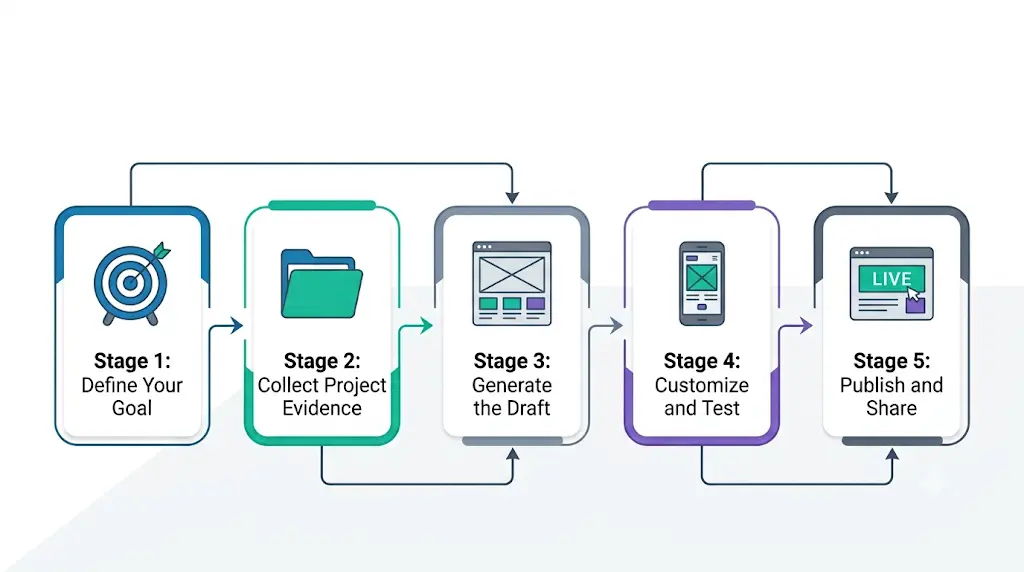
Step 1 — Define the Purpose of Your Portfolio
Action: Pick one main audience (internship recruiters, an admissions panel, a professor) and one action you want them to take.
Example: Aditi, a third-year computer science student (illustrative), wants backend internships. Her action: open her GitHub repository.
Common mistake: Building for “everyone,” which produces a site that speaks to no one.
Checkpoint: Complete this sentence: “This site helps [audience] to [action].”
Step 2 — Collect Your Project Information and Evidence
Action: For three or four projects, gather the problem, your role, tools, screenshots, links and any outcome you can verify. Add a resume PDF and a professional email address.
Example: One folder per project, with a short notes file, screenshots, and the repository or demo link.
Common mistake: Opening the AI tool first, so it invents details to fill the gaps.
Checkpoint: Every project has at least one piece of proof: a demo, repository, screenshot set or report.Most beginners waste more time choosing AI tools than actually using them—see which free AI tools for beginners are worth trying first, without needing any technical skills.
Step 3 — Choose a Suitable AI Website Builder
Action: Apply the Free-Plan Reality Check, shortlist two tools, and give both the same prompt.
Example: A design student compares Framer and Grigora. A computer science student compares Google AI Studio and a template builder.
Common mistake: Paying for a multi-year plan before testing the editor.
Checkpoint: You know your site’s address, who hosts it, and what it costs in month 13.
Step 4 — Generate Your Initial Website
Action: Paste the master prompt from the next section, filled in with your real details.
Example: The tool returns a homepage, project pages, an About page and a contact section.
Common mistake: Keeping placeholder text, stock testimonials or invented achievements the AI added.
Checkpoint: Read every sentence and delete any claim you cannot prove.
Step 5 — Customize the Design and Navigation
Action: Limit navigation to five items: Home, Projects, About, Resume, Contact. Use one or two fonts and readable colors.
Example: A developer portfolio with a dark-on-light layout, one accent color and a pinned “Featured projects” row.
Common mistake: Heavy animation and many sections, which slow the page on a mid-range phone.
Checkpoint: A visitor reaches your best project within two clicks from the homepage.Still avoiding AI because it looks too complicated? These easy-to-use tools can change that in just a few minutes.
Step 6 — Write an Authentic About Me Section
Action: Write 100–150 words covering who you are, what you study, what you have built and what you want next.
Example:
- Before: “I am a passionate and hardworking student with a strong passion for technology.”
- After: “I’m a second-year computer science student at [college] building small web tools. This year I built an expense tracker in React, and I’m looking for a frontend internship.”
Common mistake: Stacking adjectives that nobody can verify.
Checkpoint: Each sentence is specific and true.
Step 7 — Create Detailed Project Case Studies
Action: Use the case-study template in the project section below for each featured project.
Example: A one-page write-up with the problem, your role, the process, a screenshot and a link.
Common mistake: Presenting a team’s work as only yours.
Checkpoint: The first three lines of each case study say what you did.
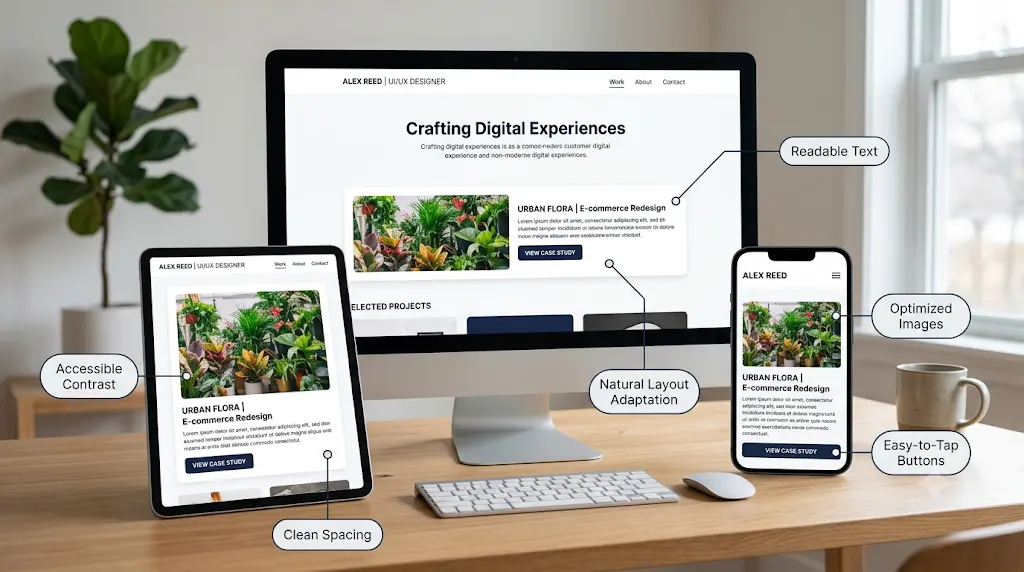
Step 8 — Improve Mobile Responsiveness and Accessibility
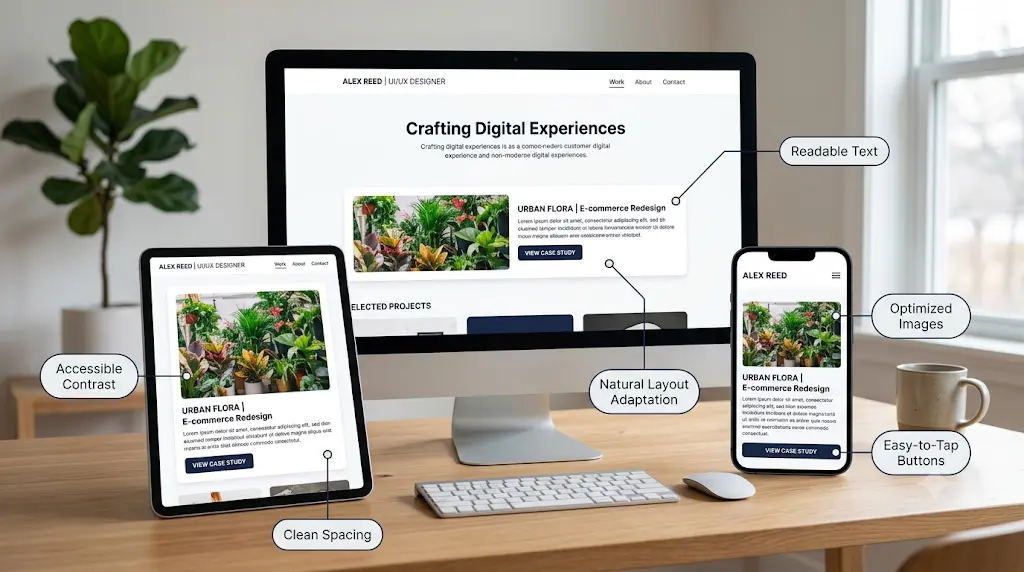
Action: Open the site on your phone. Check text contrast (WCAG suggests at least 4.5:1 for normal text), add alt text to images, keep headings in order, and make sure buttons are easy to tap.
Example: Compress a 4 MB screenshot to a few hundred KB so the page loads on mobile data.
Common mistake: Checking only on a laptop.
Checkpoint: You can navigate the whole site one-handed on your phone, and the Tab key reaches every link on desktop.
Step 9 — Add SEO Metadata and Descriptive Content
Action: Give each page a unique title and a short description, use descriptive page names, and write alt text that describes the image.
Example: Title: “Meera S | Frontend Developer Portfolio.” Page name: /projects/expense-tracker.
Common mistake: Leaving every page titled “Home.”
Checkpoint: Each page title tells a stranger what the page contains.
Step 10 — Publish, Test, and Share Your Portfolio
Action: Publish, then open the live link in a private window and on your phone. Click every link and send yourself a test message through the contact form.
Example: Add the link to your resume header, LinkedIn, GitHub profile and email signature.
Common mistake: Sharing a preview link that expires or needs a login.
Checkpoint: The address opens for someone who is not signed in to the builder.
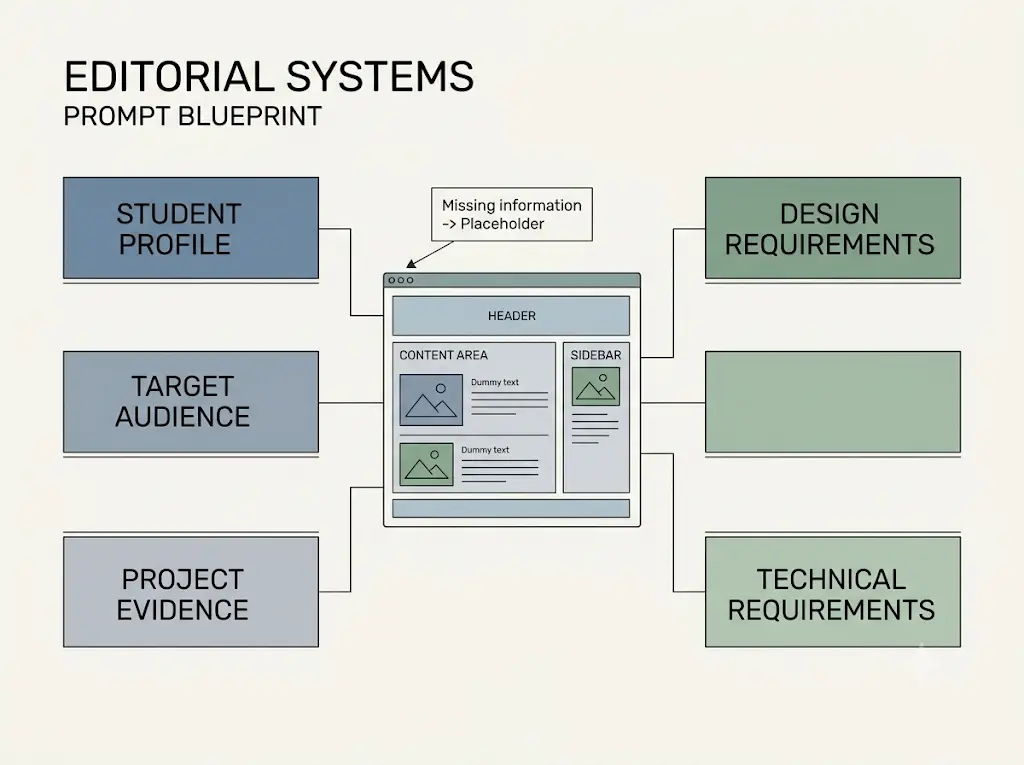
What Prompt Should You Use to Build a Student Portfolio Website?
Copy this master prompt, replace every [BRACKET] with your real details, and paste it into your chosen builder. It tells the AI not to invent anything and to flag what is missing.
Create a professional, responsive student portfolio website for a [FIELD OF STUDY] student named [NAME], studying at [INSTITUTION OR EDUCATION LEVEL]. The goal is to show genuine academic projects, practical skills and learning progress to [TARGET AUDIENCE: internship recruiters, employers, admissions teams or clients].
Sections: a clear homepage introduction, a short personal profile, skills, selected projects, a detailed case study for each project, education, verified achievements, a resume link and a contact section. Add GitHub, LinkedIn or other profile links only where relevant.
Project information: [PROJECT TITLES, PROBLEM SOLVED, MY ROLE, TOOLS USED, WORK COMPLETED, VERIFIED OUTCOMES].
Rules: Do not invent qualifications, work experience, awards, project results, testimonials or statistics. If information is missing, insert a clearly labelled placeholder for me to complete.
Design: clean and professional for my field, clear navigation, readable typography, accessible color contrast, responsive layouts, optimized images and consistent spacing. Make my best projects easy to find. Avoid heavy animation, generic stock photos, unnecessary sections and exaggerated marketing language.
Writing: natural first-person voice and specific language. Explain what I actually did, why my decisions mattered, what I learned and what I would improve. Avoid repetitive AI phrases and unsupported claims.
Technical: working navigation and buttons, mobile responsiveness, descriptive page titles and headings, meaningful image alt text, basic SEO metadata and a usable contact method. Tell me which features need a paid plan, an external service, an API key or extra setup.
Before you finish, give me a checklist of missing information, accessibility issues, untested functionality, privacy concerns and publishing requirements. Do not say the site is live until it has been published and verified.
Use these follow-up prompts for specific jobs. After any rewrite, compare it with your original to make sure no new facts crept in.
Homepage:
Write a homepage for a [FIELD] student seeking [ROLE]. Use a two-line introduction, three featured projects with one-sentence summaries, and one clear call to action. Use only the facts below: [FACTS]
About Me:
Write a 120-word About Me in first person from these notes: [NOTES]. Use plain words, avoid clichés such as “passionate,” and add nothing I did not say.
Project description:
Rewrite this project description to be specific and clear. Keep every fact, add no new claims, and mark anything unclear with [CLARIFY]: [TEXT]
Case study:
Turn these notes into a case study with Problem, Objective, My Role, Process, Tools, Challenges, Outcome, What I Learned and What I Would Improve. Write [MISSING] for any gap and do not invent results: [NOTES]
Mobile review:
Review this page for mobile problems: text size, tap targets, image size, horizontal scrolling and menu behavior. List fixes in order of impact.
Accessibility check:
Check this page for accessibility: color contrast, heading order, image alt text, link text and keyboard navigation. Explain each issue in plain language and suggest a fix.
Titles and metadata:
Write a page title under 60 characters and a meta description under 160 characters for each page below. Be accurate and avoid keyword stuffing: [PAGES]
Proofreading:
Proofread this text. Remove repeated phrases, vague adjectives and generic wording. Keep my meaning and facts unchanged and vary the sentence length: [TEXT]
How Can Students Showcase Projects Without Work Experience?
Treat coursework, personal projects, hackathons, research, open-source contributions, volunteer work and documented learning projects as evidence. Explain the context, your role and what you can prove. Reviewers don’t expect job experience from a student. They look for honesty, clarity and proof that you can finish something.
Use this case-study template for every featured project:
Project Title:
Problem:
Objective:
My Role:
Process:
Tools and Technologies:
Challenges:
Outcome:
What I Learned:
What I Would Improve:
Evidence or Demonstration:
How to Present Academic Projects Professionally
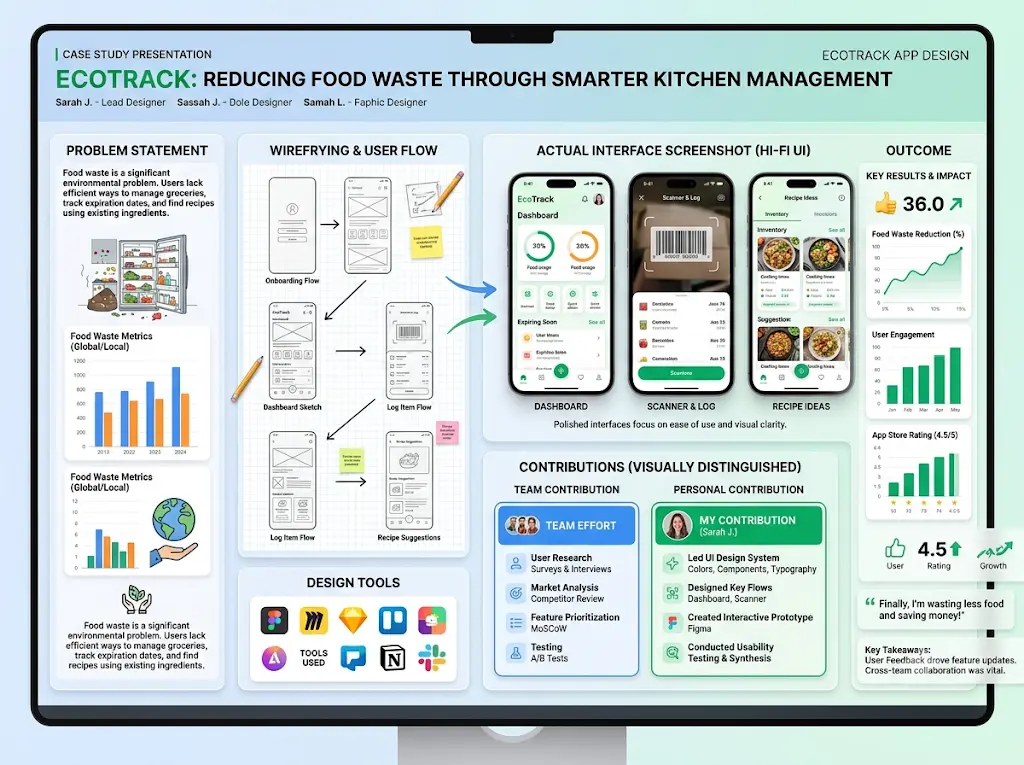
Lead with the problem, not the assignment name. Mention the course in one line, show the final result near the top, and keep the write-up to one screen of reading. Before publishing, check your institution’s and instructor’s rules, and remove confidential or sponsor data.
How to Explain Your Personal Contribution
Use “I” for your work and “we” for the team, and credit teammates with their permission. A strong sentence looks like this: “In a team of four, I built the login and expense-entry screens and wrote the database schema.”Stop downloading random AI apps that promise everything but solve nothing—discover the 5 best AI tools for beginners on mobile in 2026 and find the right tool to simplify your daily tasks, improve your skills, and get started without feeling overwhelmed.
How to Demonstrate Skills Without Inventing Experience
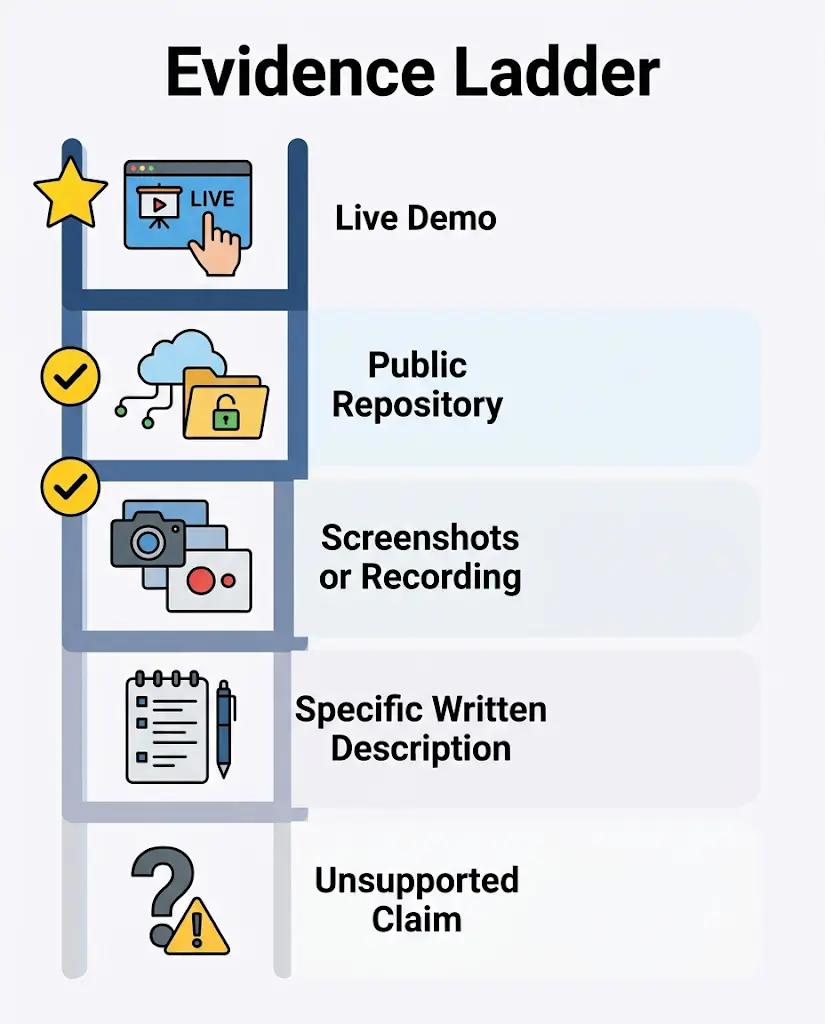
Use the Proof Ladder. Rank every claim by how easily a stranger can check it:
- A live demo anyone can click
- A public repository with a clear README
- Screenshots or a short screen recording
- A specific written description
- A claim with no evidence (avoid this)
Every skill on your list should reach step 1, 2 or 3 in at least one project. If you are still learning something, say so honestly: “Learning Docker (one tutorial project, linked).”
How to Use Screenshots, Demos, Repositories, and Research Evidence
- Show real screens, not mockups presented as real products.
- Add a README to each repository that explains what the project does and how to run it.
- Link a short demo video if the project is hard to host.
- For research, link the abstract, poster or report, and separate finished results from work in progress.
Student Portfolio Website Examples by Field
These are illustrative examples to show you how to write. They are not real students, projects or results.
Computer Science Student Portfolio
Project Title: Expense Tracker Web App
Problem: Friends sharing trip and hostel costs lose track of who owes what in chat messages.
Objective: Build a simple app to log shared expenses and show balances.
My Role: Solo project. I designed the screens, wrote the logic and set up storage.
Process: Sketched three screens, built them in React, added a small database, and tested the split calculation with sample data.
Tools: React, a hosted database, GitHub.
Challenges: Splitting an expense unevenly produced rounding errors, which I fixed by working in the smallest currency unit.
Outcome: A working demo that adds expenses, splits them equally or unevenly, and shows balances. It has not been tested with real users, so the write-up makes no claim about time saved.
What I Learned / What I Would Improve: Handling money safely in code. Next: add automated tests, user login, and a trial with five classmates.
Evidence: Live demo link, repository with README, three screenshots.
Notice what is missing: invented numbers. An honest “not yet tested with users” is more credible than an unsupported claim.
Engineering Student Portfolio
Example: a temperature-monitoring circuit for a lab course. Show the circuit diagram, your code and calibration notes. State which parts you built and which the lab provided, and name the limits, such as “checked against only one reference thermometer.”
Graphic Design Student Portfolio
Project Title: Concept Redesign of a City Transport App. Label it clearly: a concept project, not commissioned work.
Problem: The route-planning screen is crowded, and key actions are hard to find.
Audience: Daily commuters and students.
My Role: Research, wireframes, visual design and prototype.
Process: Wireframed three layouts, chose one type scale and a limited color palette, and checked contrast and tap-target size.
Outcome: Five final screens and a clickable prototype. Not tested with real commuters, and not affiliated with the operator.
Evidence: Before-and-after screens, wireframes, and a short note on accessibility decisions. Avoid using a real company’s logo in a way that suggests client work.
UI/UX Design Student Portfolio
Show the chain from research to decisions: the question, what you learned, what you changed and why. Mention a usability test only if you ran one, with the real number of participants. Otherwise call it a heuristic review of your own work.
Business Student Portfolio
Project Title: Student Demand for Campus Food Delivery
Research question: Would students at one college use a pre-order service, and what would they pay?
Data sources: A short survey, with the real number of responses stated.
Method: Simple counts and averages, with open answers grouped into themes.
Findings: Report only what the data shows, with ranges where responses vary.
Limitations: A small, convenience sample from one campus, so results may not generalize.
Recommendations: A small pilot before any launch.
Privacy: Never publish names or identifiable responses, or confidential company data, without permission.
Research Student Portfolio
State the question, your method and your exact part in the work. Separate what is published from what is in progress, and credit supervisors and co-authors. Do not present preliminary results as findings.
How Do You Publish a Portfolio Website for Free?
You can publish for free through a builder’s free plan or trial, a student program such as Framer’s, a free static host such as GitHub Pages (check its current terms), or Google’s Starter Tier for AI Studio apps. “Free” usually means a subdomain, usage caps or a time limit. A custom domain is usually the first thing that costs money.
Subdomain vs custom domain. A subdomain looks like yourname.toolname.com. A custom domain is yourname.com. Subdomains are fine for applications. A custom domain is easier to remember, looks cleaner on a resume, and stays yours if you switch tools, but you pay for it every year.Stop collecting AI tools and start understanding how AI actually works—explore these beginner-friendly tools to move from asking AI questions to training, testing, and building your own models.
HTTPS. Most builders include it. Check for the padlock in the browser.
Free preview vs public site. A preview link may expire or require login. Always open the live address in a private window to be sure.
Upgrade triggers. Paying starts to make sense when:
- Your free student year or trial is about to end.
- You want a custom domain on your resume.
- You hit a page, blog or storage limit.
- You want an email address at your own domain (Grigora lists its mail add-on from $5/month).
If you want to publish with a website builder and hosting in one place, Hostinger is one option worth comparing. Its AI website builder supports portfolio websites, and its India page currently lists the Premium plan at ₹149/month on a 48-month term (₹7,152 upfront, excluding GST), renewing at ₹449/month, with a free domain for the first year and one-time AI credits. Before choosing a plan, check the renewal price, domain terms, AI credits and the features you actually need. If a free student offer or another builder suits your budget better, compare that first. Explore the Hostinger AI Website Builder.
Extra 20% Off with Coupon Code FUTUREFASTAI10! Ready to launch your student portfolio website? Use coupon code FUTUREFASTAI10 at checkout to save an extra 20% on your Hostinger purchase, subject to coupon eligibility and terms. Explore Hostinger Plans and take the next step toward building your online portfolio.
Disclosure: this is an affiliate link, so FutureFastAI may earn a commission if you buy through it. It does not change the comparison above, and you do not need to buy hosting to have a strong portfolio.
How Can You Optimize a Student Portfolio Website for Google and AI Search?
Make each page clearly about one thing, with real descriptive text, working links and fast mobile loading. Don’t expect a new personal site to rank for broad phrases. A realistic goal is being found when someone searches your name and field.
- Titles and descriptions: unique for every page, and accurate.
- Useful project pages: write real text, not only images, so search engines and AI answer tools have something to quote.
- Crawlable links: use normal links, not content hidden behind buttons or logins.
- Mobile and speed: compress images and avoid heavy scripts.
- Sitemap and Search Console: many builders generate a sitemap. Add your site to Google Search Console and submit it. Indexing takes time and is never guaranteed.
- Consistent identity: use the same name and professional photo on your site, LinkedIn and GitHub, and link them to each other.
- Structured data: add Person or Article markup only if it matches what is visible on the page, and don’t expect special results from it.
Google’s guidance focuses on helpful, original content made for people rather than on whether AI helped write it. Read the Google SEO Starter Guide and guidance on creating helpful content.
Common AI Portfolio Website Mistakes and How to Fix Them
- Generic AI copy: replace vague lines with specifics about what you built and decided.
- Invented achievements: delete anything you cannot prove, including fake testimonials.
- Unverified claims: attach a demo, repository or screenshot to every skill (see the Proof Ladder).
- Broken links: click every button and link on the live site.
- Poor mobile layout: test on a real phone before sharing.
- Low-contrast colors: aim for at least 4.5:1 for body text.
- Oversized images: compress them so the page loads on mobile data.
- Unnecessary subscriptions: run the Free-Plan Reality Check before any annual or multi-year plan.
- Privacy risks: keep phone numbers, addresses, ID documents and mark sheets off the site, and never paste confidential data into an AI tool.
- Unsupported features: AI may add a login, form or chatbot that does not work. Test each one or remove it.
How Can a Student Use a Portfolio to Get Internships and Job Opportunities?
A portfolio helps when it is aimed at a specific role. It does not guarantee an offer. Here is how to use it well:
- Tailor it. Put the two or three projects most relevant to the role in a “Featured” row.
- Put the full link on your resume, near your email, and on LinkedIn and GitHub.
- Share the right page. Send the link to the relevant case study, not just the homepage.
- Mention one project in your application, in one line, with what you built and learned.
- Update before you apply. Remove weak projects and fix broken links.
- Use honest verbs. “Built,” “learning” and “familiar with” are better than “expert.”
- Keep it alive after graduation, adding internships and new work.
Frequently Asked Questions About AI Student Portfolio Websites
Can I create a portfolio website with AI for free?
Often yes, within limits. Framer lists a free Basic plan for enrolled students, and Grigora offers a 14-day trial. Free access rarely includes everything, so check public publishing, custom domain, expiry date and export options on the official page before you invest time.
Which AI website builder is best for students?
It depends on your field and budget. Framer suits eligible design-minded students, Google AI Studio suits computer science students who want code, and Grigora or Hostinger suit beginners who prefer templates. Run the Free-Plan Reality Check and test two tools with the same prompt.
What should a student portfolio include if I have no work experience?
Three or four projects with case studies, a short About section, skills backed by evidence, a resume PDF and a contact method. Coursework, personal projects, hackathons, research and volunteer work all count. Explain your role honestly, and never replace missing experience with invented achievements.
Do I need a custom domain for my portfolio?
No. A free subdomain works for applications. A custom domain such as yourname.com is easier to remember and stays yours if you switch tools, but it costs money every year. Consider one when you start applying widely or when your free student plan ends.
Can I publish an AI-generated website for free?
Yes, with limits. Free plans, student offers, static hosting and Google’s Starter Tier (per its codelab) can publish a site at no cost. Expect subdomains, trial periods, usage caps and fewer features. A preview link is not a public site, so test the live address while signed out.
Is AI-generated portfolio content safe to publish?
Only after you check it. AI can add false claims, generic phrasing or a wrong description of your role. Verify every fact, rewrite in your own voice, never paste private or confidential data into an AI tool, and remove personal details before publishing.
Can I use academic projects in a professional portfolio?
Usually, but check first. Confirm your institution’s and instructor’s rules, get teammates’ consent before naming them, credit group work accurately, and remove confidential or sponsor data. Present it as a student project and say which parts you did yourself.
How do I make my portfolio mobile-friendly?
Choose a responsive template, open the site on a real phone, and fix text size, tap targets, sideways scrolling and heavy images. Compress images for mobile data. Builders usually create responsive layouts, but you still have to check what the AI produced.
How can I get my portfolio website indexed by Google?
Publish a public site with clear titles and working links, add it to Google Search Console, and submit your sitemap if your builder creates one. Indexing takes time and is not guaranteed. Linking to the site from LinkedIn and GitHub gives crawlers and people a path to it.
Can I move my portfolio to another tool later?
Sometimes. Dorik’s feature list includes static-site export, Kleap says you keep your code, Hostinger lists code export, and Grigora says it has no importer for other builders. Keep your text, images and case studies in your own folder so you can rebuild anywhere.
Final Student Portfolio Website Launch Checklist
☐ One-sentence goal written (audience and action)
☐ Three or four projects, each with at least one proof
☐ About section is specific and true
☐ No invented achievements, testimonials or statistics
☐ Resume PDF uploaded and opens
☐ Every link, button and contact form tested on the live site
☐ Tested on a phone and in a private window
☐ Text contrast and image alt text checked
☐ Images compressed
☐ Unique page titles and descriptions added
☐ Phone number, address and ID details kept off the site
☐ Hosting, domain and renewal cost understood
☐ Link added to resume, LinkedIn, GitHub and email signature
If you have decided that a paid builder and hosting in one place fits your needs, Hostinger’s AI Website Builder is one option to check against your free alternatives.
Extra 20% Off with Coupon Code FUTUREFASTAI10! Ready to launch your student portfolio website? Use coupon code FUTUREFASTAI10 at checkout to save an extra 20% on your Hostinger purchase, subject to coupon eligibility and terms. Explore Hostinger Plans and take the next step toward building your online portfolio.
(Affiliate link: FutureFastAI may earn a commission if you buy through it.)
Final Takeaway
You can create a student portfolio website with AI in an afternoon, but the draft is only as honest as the facts you feed it. Gather proof first, choose a tool with the Free-Plan Reality Check, generate the draft with the master prompt, and test everything on the live site.
Your first step today: write your one-sentence goal and list three projects, each with one piece of proof. Tomorrow, paste them into the master prompt.
Sources and Official Documentation
Checked October 20, 2026. Recheck before relying on prices or limits.
- Framer for Students
- Grigora student portfolio builder
- Kleap for students
- Dorik pricing
- Hostinger AI Website Builder (India)
- Google codelab: Launch your portfolio website with AI
- Google Search: SEO Starter Guide
- Google Search: Creating helpful content
- Google Search: Structured data policies
About the Author
Nandhakumar — Founder & Content Creator at FutureFastAI
Nandhakumar is the founder and content creator of FutureFastAI, a platform focused on helping students and beginners discover practical AI tools, improve their learning workflows, and use technology more effectively. His content focuses on explaining AI tools in clear, accessible language, with an emphasis on real-world use cases, productivity, study support, and beginner-friendly guidance.
Through FutureFastAI, he aims to help readers understand what different AI tools can do, how to get started, and which options may suit their needs and budgets. The goal is to make AI easier to understand and use responsibly—as a tool to support learning, creativity, and independent thinking, rather than replace them.
Learn more: FutureFastAI
FutureFastAI Editorial Policy
At FutureFastAI, our goal is to publish useful, accurate, clear, and trustworthy content that helps students and beginners make informed decisions about AI tools and technology. We prioritize readers’ needs over search engine rankings and aim to make every article practical, accessible, and relevant.
1. Research and Accuracy
We research topics using relevant documentation, official product websites, published feature details, and other credible sources. When discussing an AI tool, we aim to explain its main features, use cases, limitations, and pricing as accurately as possible. Since AI products and their plans can change, readers should check the provider’s official website for the latest information.
2. Content Creation and Review
Our articles are developed around specific reader questions, problems, and practical needs. We review content for clarity, usefulness, structure, and factual consistency before publication. We aim to update existing articles when important product features, pricing, availability, or recommendations change.
3. Responsible Use of AI
AI tools may assist with research, brainstorming, outlining, editing, and content development. However, AI-generated information is not automatically treated as accurate. Content should be reviewed and edited to improve clarity, check factual claims, and provide meaningful value to readers. We do not intend to publish unverified AI output as established fact.
4. Independent and Balanced Recommendations
We aim to explain the benefits and limitations of the tools we cover so readers can compare options and choose what fits their needs. Recommendations should consider factors such as usability, available features, pricing, accessibility, and suitability for students and beginners. We do not claim that a tool is the best for everyone.
5. Affiliate Disclosure
Some articles may contain affiliate links. If readers purchase a product or service through certain links, FutureFastAI may earn a commission at no additional cost to them. Affiliate relationships may influence which products we choose to cover, but our goal is to provide useful, relevant information and make commercial relationships clear to readers.
6. Sources and Transparency
When appropriate, we link to official documentation, product pages, and other relevant sources so readers can verify important information. We aim to distinguish confirmed facts from opinions, recommendations, and information that may change over time.
7. Updates and Corrections
We may revise articles to correct factual errors, improve explanations, add relevant information, and reflect significant changes to products or services. If you identify an error or believe an article needs clarification, please contact us so we can review it.
8. Reader-First Approach
We aim to create content that is easy to understand, genuinely useful, and suitable for the intended audience. Our content is designed to support learning and decision-making, not to replace independent research, professional advice, or the reader’s own judgment.
9. Contact Us
For editorial questions, corrections, or feedback, contact:
Email: nandhakumar91790@gmail.com
Website: https://futurefastai.com/
Our commitment: FutureFastAI strives to make AI tools easier to understand through clear explanations, practical guidance, and responsible content creation.