How to Use AI to Understand Difficult Topics: 5 Powerful C.L.E.A.R. Steps
Quick answer: How to use AI to understand difficult topics AI can help you break complex ideas into smaller pieces, adjust explanations to your level, generate examples and analogies, answer follow-up questions, and test whether you actually understand the material.. The catch is that this only works if you use AI as a tutor, not as an answer machine. The moment you just copy the explanation and move on, the understanding stops with the AI, not with you.
Struggling with difficult subjects? Explore our complete guide on AI Tools for Learning Difficult Subjects Faster and discover powerful AI tools that make complex topics easy to understand.

You’ve read the same paragraph three times. The words are familiar — you know what a mitochondrion is, you know what elasticity of demand means, you’ve seen “wave-particle duality” written a dozen times — but the idea still won’t click into place. You close the textbook, open ChatGPT, and type: “Explain this simply.” Ten seconds later you have a tidy paragraph. It sounds right. You nod, move on to the next topic — and an hour later, when someone asks you to explain it back, you can’t.
That gap between “I read an explanation” and “I understand this” is the whole problem this guide solves. Below is a repeatable method — built around a framework called C.L.E.A.R. — for using AI to actually close that gap, instead of just papering over it with a well-written paragraph.
The method works across every subject, but it matters most in the subjects where getting stuck is common and a human tutor isn’t always sitting next to you. Math is the clearest example of that — it’s the single subject students search for most when they want a self-study alternative to paid tutoring. If that’s specifically why you’re here, jump ahead to the dedicated math section; everyone else, keep reading from here — the underlying method is identical.
Can AI Actually Help You Understand Difficult Topics?
What AI is genuinely good at
- Breaking a dense idea into smaller, ordered steps
- Re-explaining the same concept at a different difficulty level on request
- Generating fresh examples, analogies, and counterexamples on demand
- Answering the specific follow-up question a textbook can’t respond to
- Spotting the gap in your reasoning when you explain something back to it
- Turning a concept into practice questions instantly
What AI cannot reliably do
- Guarantee that its explanation is factually correct
- Know whether you actually understood it, unless you test yourself
- Replace an instructor who understands your syllabus, your exam pattern, or where your class left off
- Substitute for the effort of retrieval — recalling something without help is what makes it stick, and no tool can do that step for you
What the Research Actually Says
This isn’t just a matter of opinion. AI companies are increasingly designing their educational tools around guided learning rather than answer delivery.
OpenAI introduced Study Mode in ChatGPT in 2025, with an approach designed to work through problems step by step, ask questions, encourage active participation, and check understanding instead of simply providing the final answer. Google also introduced Guided Learning in Gemini, which similarly breaks complex topics into manageable steps and can use explanations, diagrams, and interactive learning activities.
The broader direction is clear: educational AI is moving toward scaffolding the learning process, rather than simply generating an answer and moving on.
Academic research provides some support for this approach, but the evidence needs to be interpreted carefully. Recent research on AI-assisted university learning has found positive effects on outcomes such as academic achievement in some settings. However, the results vary considerably depending on the subject, the technology being used, the learning design, and—most importantly—how students use AI.
That distinction matters.
Using AI to retrieve an answer can save time without necessarily improving your understanding. Using it to ask questions, explain difficult concepts, challenge your reasoning, generate practice problems, and provide feedback can make it a much more useful learning partner.
So the honest, non-hyped conclusion is:
AI can accelerate learning, but it cannot do the learning for you.
The strongest results come when you remain mentally involved: attempt → question → understand → practice → verify → recall.
AI should make that process more effective—not replace it.
If you’re still unsure whether ChatGPT or Perplexity is the better choice for your next assignment, this side-by-side comparison can help you choose the right tool without wasting time.
Why Asking AI to “Explain This” Often Doesn’t Work
Most disappointing AI explanations fail for one of four reasons, and every one of them is fixable by how you prompt.
The context problem. “Explain entropy” gets a generic textbook-style answer, because the AI has no idea whether you’re in Class 11 or a thermodynamics postgrad. It has to guess your level, and it usually guesses wrong.
The level problem. A single explanation rarely fits. Jumping straight into technical vocabulary before you have the intuitive picture just adds cognitive load on top of confusion.
The verification problem. A confident, fluent explanation and a correct one look identical on the page. Nothing about the tone of an AI answer tells you whether the underlying fact is right.
The passive-learning problem. Reading an explanation is comprehension, not learning. If you never have to produce the idea yourself — explain it, apply it, defend it — nothing moves into long-term memory.
The fix for all four is the same: give AI more to work with, and don’t stop at the explanation.
How to Use AI to Understand Difficult Topics Faster: The C.L.E.A.R. Method
C.L.E.A.R. stands for Context, Layer, Examples, Apply, Recall — five steps that move you from confusion to genuine, testable understanding.

Step 1 — Context: Tell AI What You Already Know
Before asking for an explanation, give the AI four things: your subject and level, what you already understand, exactly what’s confusing you, and the source material if you have it (a textbook chapter, lecture slide, or problem statement).
Prompt to copy:
“I’m a [year/level] [subject] student. I understand [what you already know], but I don’t understand [the specific confusion]. Here’s the exact material I’m working from: [paste or describe it]. Explain this in a way that connects to what I already know.”
This single change — adding context instead of asking a bare question — is the biggest quality jump available in AI-assisted learning.
Step 2 — Layer: Ask for Multiple Levels of Explanation
Ask for the same idea at three depths, in order: a 30-second version, an intermediate version, and a technical version. Jumping straight to the technical layer is what makes topics feel harder than they are — you’re trying to hold new vocabulary and a new concept in your head at the same time.
Prompt to copy:
“Explain [topic] in three stages: first a 30-second plain-language overview, then an intermediate explanation with the key mechanism, then the full technical version with correct terminology. Don’t skip to stage three.”
Step 3 — Examples: Make the Abstract Concrete
Ask specifically for an analogy, a real-world example, a counterexample (a case where the concept doesn’t apply, which sharpens the boundary of the idea), and, where relevant, a worked example you can follow line by line.
Prompt to copy:
“Give me one everyday analogy for this, one real academic or real-world example, and one counterexample — a situation where this concept does NOT apply and why.”
Step 4 — Apply: Stop Reading, Start Using It

This is the step most students skip, and it’s the one that separates real understanding from a good explanation. Don’t move on until you’ve done at least one of the following: predicted an outcome, solved a new problem using the concept, compared it to a similar concept it’s often confused with, or spotted the error in a wrong explanation.
Prompt to copy:
“Give me a new problem that uses this concept, without solving it. After I attempt it, tell me what I got right and wrong — don’t just give me the correct answer first.”
Step 5 — Recall: Make AI Test You, Not Tell You
Close the AI tab, or at least stop reading its explanations, and try to explain the concept out loud or on paper from memory. Then go back and ask AI to test what’s left.
Prompt to copy:
“Quiz me on [topic] with three questions, starting easy and getting harder. Don’t reveal the answer — give me a hint first if I get it wrong, and only explain the full answer after my second attempt.”
If you only take one rule from this entire method: don’t let AI reveal the answer before you’ve attempted it yourself. That single habit is the difference between a study session that builds understanding and one that just feels productive.
Struggling to remember what you studied? After improving your focus, the next step is turning your notes into interactive quizzes. Learn how to create practice tests from notes using AI to revise smarter, test yourself faster, and boost exam confidence.
Hidden Tip: Don’t Ask AI to Make a Topic Shorter. Ask It to Reduce the Number of Unknowns.
Most students ask AI to “make this simpler” or “make this shorter.” That’s the wrong lever. A topic doesn’t feel hard because it’s long — it feels hard because it contains several unknowns stacked on top of each other at once: unfamiliar terminology, an unstated prerequisite, an unclear mechanism, and no example to anchor it to.
Instead of asking for a shorter explanation, ask AI to separate the unknowns:
“Before explaining [topic], list every prerequisite concept, term, or skill I need to already understand. Number them. Then tell me which ones you think I’m missing based on what I’ve told you about myself.”
This reframes the whole session around a chain rather than a wall of text:
Unknown → prerequisite → explanation → example → self-test → correction → application
Once you can name exactly which link in that chain is broken, the topic stops feeling “hard” in a vague, overwhelming way and starts feeling like a specific, solvable gap. That reframing — from “I don’t get this” to “I’m missing step 3 of 6” — is usually worth more than any explanation AI can generate.
How to Prompt When a Topic Is Extremely Difficult
For topics that resist a single pass through C.L.E.A.R., a short “prompt ladder” — a sequence of increasingly specific prompts — usually gets you there faster than one long prompt.
- Beginner prompt: “Explain [topic] assuming I know nothing about it.”
- Prerequisite-gap prompt: “What do I need to already understand before [topic] makes sense? List the prerequisite ideas.”
- “Where am I confused?” prompt: “Here’s my attempt to explain [topic] in my own words: [paste it]. Tell me exactly where my understanding breaks down.”
- Socratic tutor prompt: “Don’t explain this to me directly. Ask me questions one at a time that lead me to figure it out myself.”
- Exam-application prompt: “Give me a [board/university] exam-style question on this topic and grade my answer the way an examiner would.”
Notice what’s missing from that list: “Explain this simply.” Generic prompts get generic answers. Specific prompts get useful ones.
Why the Strongest Prompt Wins: A Side-by-Side
It helps to see the gap directly, not just as advice but as three actual prompts for the same topic:
Weak: “Explain quantum mechanics.” Result: a generic, textbook-flavored paragraph that could have been written for anyone, at any level, with no way to check whether it landed.
Better: “Explain quantum mechanics in simple language and identify the prerequisite concepts I need first.” Result: closer, because it surfaces gaps — but it still ends the moment the explanation is delivered, with no built-in check on whether you actually absorbed it.
Strong: “Teach me quantum mechanics progressively. First identify my prerequisite gaps, then explain the core concepts using simple analogies, connect them to the technical definitions, test me after each section, and correct my misunderstandings before moving forward.” Result: this prompt builds in every stage of C.L.E.A.R. — context-gathering, layered explanation, examples, and testing — inside a single instruction, so the AI can’t skip straight to a monologue.
The difference isn’t politeness or length. The strong prompt works because it removes the AI’s easiest default behavior — dumping one long explanation — and forces a back-and-forth structure instead. That structure is what turns a static answer into something closer to tutoring.
How to Use AI Without Believing Everything It Says
AI models can sound completely confident while stating something false — this is usually called a hallucination, and it’s a structural feature of how these systems generate text, not a rare glitch. That matters more for learning than for almost any other use case, because a wrong explanation you believe is worse than no explanation at all.

Treat AI as a first draft of understanding, not a final source, especially for:
- Formulas, dates, and statistics — verify against your textbook or a primary source before writing them into notes.
- Anything you plan to write in a graded assignment — cross-check with your course material or a subject database.
- Academic claims — Semantic Scholar is a free, AI-powered research discovery tool that lets you search a large academic literature database, scan AI-generated one-sentence TLDR summaries, explore citation relationships, and inspect the underlying papers.
- This makes it useful for checking whether an AI-generated claim is supported by actual academic literature. Don’t stop at the summary: open the paper, check the relevant section or result, and verify that the evidence really supports the claim you’re making. Semantic Scholar also cautions that its AI-generated features can contain errors.
- Citations AI offers you — don’t cite a source unless you’ve opened it yourself. AI-generated citations occasionally point to papers that don’t say what the AI claims, or don’t exist at all.
A useful habit: after any AI explanation you plan to rely on, ask it directly, “What part of this explanation are you least certain about?” It won’t always know, but it’s a fast way to catch the shakiest claims before they end up in your notes.
How Do You Know If You Actually Understand the Topic?
Run this five-question test before you consider a topic “done.” If you can’t answer yes to all five, you’re not finished — you’ve just read about it.
- Can I explain it without looking anything up?
- Can I give my own example, not the one AI gave me?
- Can I tell it apart from a similar concept it’s often confused with?
- Can I solve a new problem that uses this idea, one I haven’t seen before?
- Can I explain why the answer is correct, not just state that it is?
This is deliberately closer to how a viva or an oral exam works than how a multiple-choice quiz works — because that’s the standard that actually predicts whether you’ll remember it next month.
Want to learn the practical ways students are already using AI in everyday learning? Read our complete guide on How Students Use AI to Study Smarter (Without Cheating) and discover 12 proven techniques to improve learning, revision, and exam preparation.
📚 AI Workflow by Subject
| Subject | 🎯 Best AI Use | ⚠️ Key Watch-out | 🧠 Best Workflow |
| ➗ Mathematics | Step-by-step problem solving, checking working, finding errors | AI can make confident calculation or algebra mistakes | Solve → Check → Find first error → Try a similar problem |
| ⚙️ Physics | Connecting concepts, formulas, assumptions, and applications | Formulas often depend on specific conditions or assumptions | Understand → Identify principle → Check assumptions → Apply → Verify |
| 🧪 Chemistry | Reactions, mechanisms, structures, and chemical notation | Reaction conditions, catalysts, and exceptions must be verified | Understand → Visualize → Apply notation → Test yourself |
| 🧬 Biology | Explaining complex processes and connecting structure with function | General rules often have important exceptions | Structure → Function → Process → Connect → Recall |
| 💻 Programming | Debugging, code explanations, examples, and alternative solutions | AI-generated code can still be incorrect or insecure | Predict → Run → Compare → Ask → Modify yourself |
| 📈 Economics & Commerce | Explaining abstract concepts through real-world examples | Standard economic assumptions may not always apply | Definition → Example → Assumption → Exception → Apply |
| ⚖️ Law | Understanding principles, cases, exceptions, and hypothetical applications | Never trust AI-generated citations without verification | Principle → Authority → Exception → Apply → Verify |
💡 Key idea: Don’t use the same AI workflow for every subject. Change how you prompt AI based on what the subject actually requires—calculation, concepts, memorization, application, or verification.
Stuck on a science problem and don’t know where to start? These AI tools can give you quick, step-by-step explanations without simply handing you the answer.
The Key Principle
Don’t use the same AI prompt for every subject.
Math needs verification. Physics needs assumptions. Chemistry needs conditions. Biology needs exceptions. Programming needs execution. Economics needs counterexamples. Law needs authoritative sources.
The more closely your AI workflow matches the way the subject actually works, the more useful AI becomes as a learning assistant rather than an answer generator.
AI Tools for Learning Math Without a Tutor: A Focused Workflow

Getting answers from AI is easy, but truly understanding math without a tutor is the real challenge—learn how to use AI tools to master difficult math concepts faster instead of just copying solutions.
Math deserves its own section because it behaves differently from every other subject on this list. In history or economics, a plausible-sounding explanation is usually a good sign. In math, a plausible-sounding explanation can still contain a wrong number — and unlike a vague essay answer, a wrong number in math is unambiguously, checkably wrong. That single difference changes how you should use AI tools for learning math without a tutor.
Why Math Needs a Slightly Different AI Workflow
Three things make math a special case for AI-assisted self-study:
- Right and wrong are binary. There’s no partial credit for a fluent-sounding but incorrect derivative. This makes verification non-negotiable in a way it isn’t for a history essay.
- Chat-based AI models can make arithmetic slips. Large language models predict likely next tokens; they don’t run a calculator behind the scenes unless the tool explicitly connects to one. That means a long multi-step calculation is exactly where a conversational AI is most likely to quietly drop a sign or miscarry a digit.
- Math skill is built by doing, not by reading. More than any other subject on this page, math understanding comes from repetition — solving problems yourself, not watching someone else solve them.
The practical consequence: when you’re using AI tools for learning math without a tutor, you generally want two tools working together, not one — a computation engine for accuracy, and a conversational AI for the “why.”
The Two Kinds of Math Tools You Need
Computation tools (Wolfram Alpha, Microsoft Math Solver, Symbolab, Photomath) compute the answer symbolically rather than predicting it from text patterns. They don’t hallucinate arithmetic the way a chat model occasionally can, and most show full working. Use these to check whether your own attempt was correct.
Conversational tools (ChatGPT, Claude, Gemini) are better at the “why” — explaining the reasoning behind a method, connecting a formula to intuition, or answering an open-ended “what if” question a computation engine can’t parse. Use these for the Context, Layer, Examples, and Recall steps of C.L.E.A.R.; use a computation tool to validate the Apply step.
Step-by-Step: Learning Math Without a Tutor Using AI
- Attempt the problem yourself first, even badly. A wrong attempt gives AI something concrete to correct — “explain this from scratch” gives it nothing to anchor to.
- Ask a conversational AI to identify the concept, not solve the problem: “What concept or method does this problem require? Don’t solve it yet — just name what I need to know.”
- Ask for the method in isolation, using a simpler example than your actual problem, so you learn the technique before applying it to the harder case.
- Solve your original problem using that method, showing your own working.
- Verify your final answer with a computation tool (Wolfram Alpha, Microsoft Math Solver, or Symbolab) rather than asking the same conversational AI to check its own work.
- If your answer is wrong, ask where the error happened, not what the right answer is: “Here’s my working: [paste it]. Don’t give me the correct answer — tell me the exact step where my reasoning went wrong.”
- Repeat with a new, unseen problem using the same method before considering the concept learned.
Best AI Tools for Learning Math Without a Tutor
If you’re learning math without a tutor, the best AI tool depends on what you need most: step-by-step explanations, answer verification, handwritten-problem solving, or deeper conceptual guidance.
Here are three of the most useful options for students.
1. Wolfram Alpha
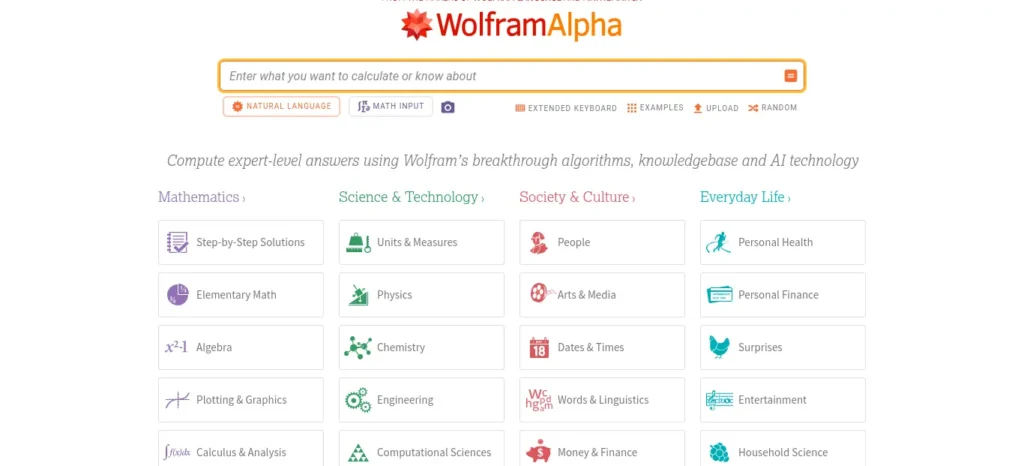
Best for: Verifying answers and solving advanced math problems such as calculus, differential equations, statistics, and algebra.
Strengths
- Uses computational methods rather than relying purely on conversational prediction, making it particularly useful for checking calculations.
- Handles complex symbolic mathematics more reliably than general-purpose chatbots.
- Can provide step-by-step solutions with its paid plan.
- Useful for checking your final answer after solving a problem yourself.
Watch out
- The free version has limitations on step-by-step solutions.
- Wolfram|Alpha Pro costs around $5/month when billed annually (approximately ₹480/month), based on pricing checked in August 2026.
- Best use: Try solving the problem yourself first, then use Wolfram Alpha to verify your answer and identify calculation errors.
2. Microsoft Math Solver
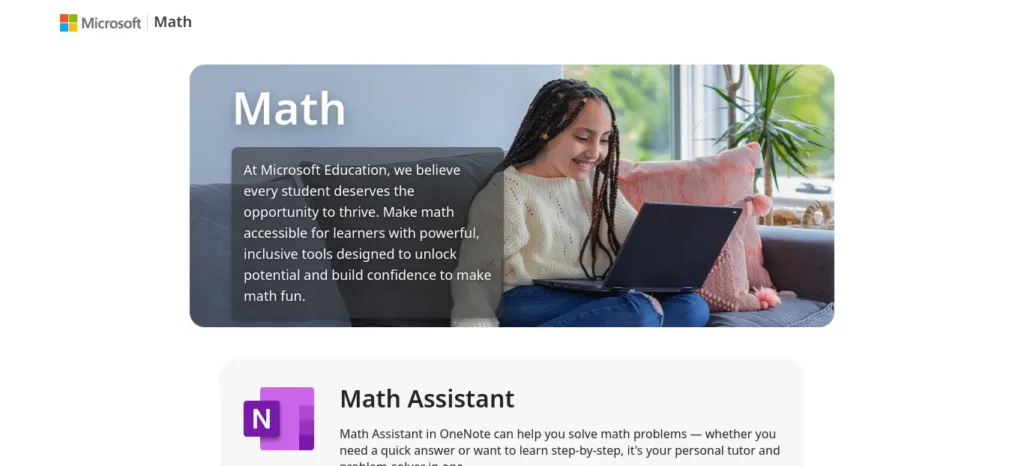
Best for: Students who want free, step-by-step solutions without paying for a premium plan.
Strengths
- Provides step-by-step solutions at no cost.
- Covers topics ranging from basic arithmetic and algebra to calculus.
- Accepts typed equations, handwritten input, and camera-scanned problems.
- Particularly convenient for textbook and worksheet questions.
- The web version remains available at math.microsoft.com.
Watch out
- Its explanations are generally better at showing what happened in each calculation step than explaining why that mathematical step works.
- If you understand the calculation but not the underlying concept, pair it with a conversational AI tutor that can explain the reasoning in simpler language.
- Best use: Use Microsoft Math Solver when you want a free way to work through or check a specific problem step by step.
3. Photomath
Best for: Quickly solving and checking handwritten or printed math problems using your phone’s camera.
Strengths
- Strong handwriting and equation recognition.
- Lets you scan problems instead of typing them manually.
- Provides step-by-step explanations for many problems.
- Can sometimes show multiple solution methods, which is useful when your teacher or textbook uses a particular approach.
- The free tier covers core scanning and step-by-step solving features.
Watch out
- The Photomath Plus plan is needed for some advanced features, including animated explanations and deeper explanations for certain problems.
- Pricing is approximately $9.99/month or $69.99/year, based on pricing checked in August 2026.
- Photomath can also be less dependable with complicated word problems than with clearly written equations.
- Best use: Take a photo of a difficult equation, review the solution steps, and then try solving a similar problem without the app.
Quick Comparison
| Tool | Best For | Free Step-by-Step? | Best Level |
| Wolfram Alpha | Advanced math & answer verification | Limited | Intermediate–Advanced |
| Microsoft Math Solver | Free step-by-step solutions | Yes | Beginner–Advanced |
| Photomath | Scanning handwritten/printed problems | Yes | Beginner–Intermediate |
Which One Should You Choose?
- Want advanced calculations and reliable answer checking? → Wolfram Alpha
- Want completely free step-by-step solutions? → Microsoft Math Solver
- Want to scan a problem with your phone? → Photomath
If you are looking for free AI resources, do not miss Best AI Tools for Students Free in 2026: 10 Powerful Picks to Study Faster and Smarter, which features some of the most useful no-cost tools available for students.
Quick Recommendation
- If you’re learning math without a tutor, Microsoft Math Solver is the best starting point if your priority is free, step-by-step help.
- Choose Wolfram Alpha when you need advanced mathematical computation, symbolic math, or answer verification.
- Choose Photomath when you want the convenience of scanning handwritten or printed problems with your phone.
- The important point is that these tools should support your learning, not replace the learning process.
- A good workflow is to attempt the problem yourself first, use AI to identify where you went wrong, and then solve a similar problem independently.
Learning difficult subjects becomes much easier when you use the right study strategy. If you want a complete exam preparation system, read How to Prepare for Exams Using ChatGPT Step by Step: Powerful 2026 Student Guide and discover how students are using AI to build study plans, revision notes, mock tests, and smarter exam strategies.
Symbolab
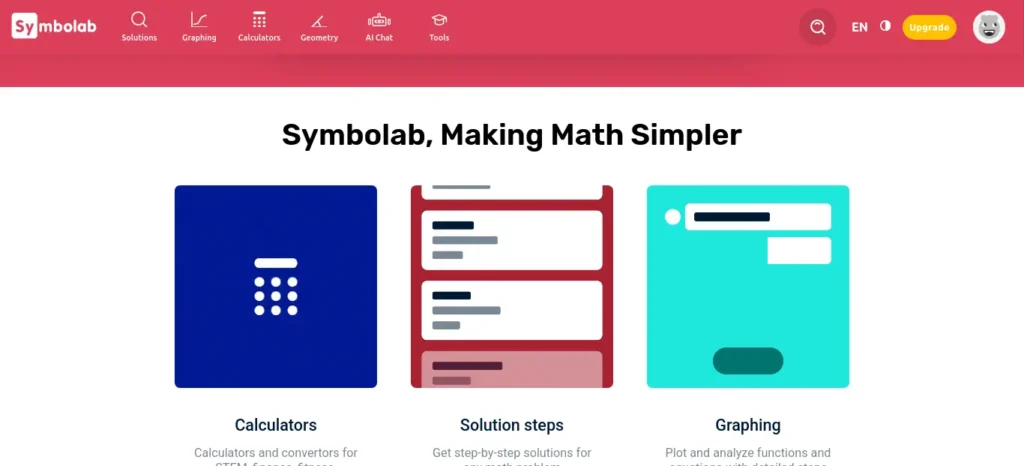
Best for: Algebra through calculus, especially students who want built-in practice and repetition alongside problem solving.
Strengths
- Provides step-by-step solutions for a wide range of math problems.
- Includes a “Chat with Symbo” assistant for asking follow-up questions about individual solution steps.
- Offers practice and quiz features that can help reinforce concepts after solving examples.
- Includes progress tracking by topic, making it easier to identify areas that need more practice.
Watch out
Some detailed solution steps and advanced learning features are restricted to the paid plan. Before subscribing, check the current pricing and cancellation terms carefully, particularly if you’re choosing a monthly or annual plan.
Best use: Use Symbolab not just to get the solution, but to study the steps, ask about anything you don’t understand, and then complete similar practice problems without AI.
A Sample Self-Study Session: Learning Derivatives Without a Tutor
This is an illustrative example scenario, not a documented case study — it’s meant to show the workflow in action, not report on a real learner.
A student is stuck on finding the derivative of a product of two functions and has never used the product rule before.
- They attempt the problem with a guess, applying the power rule incorrectly to both factors at once.
- They ask a conversational AI: “What method does this problem need? Don’t solve it — just tell me the name and the general idea.”
- AI responds: the product rule, and explains the intuition (that both factors are changing simultaneously, so the rate of change has two contributing parts) using a plain-language example — a rectangle whose width and height both change over time.
- The student practices the product rule on a simpler, unrelated example first, then reattempts the original problem with their own working.
- They verify their final answer with Wolfram Alpha, which confirms it’s correct.
- On the next practice problem, they get a sign wrong. Instead of asking for the answer, they ask: “Here’s my working. Tell me exactly where the sign error happened.” AI identifies the specific line.
- They solve one more unseen product-rule problem unaided before moving on.
The lesson: the AI never solved the actual assigned problem for the student. It supplied the concept, the intuition, and the diagnosis of the specific mistake — three things a tutor would normally provide, and three things a plain “give me the answer” prompt never would have surfaced.
Common Mistakes When Learning Math With AI Instead of a Tutor
- Pasting a whole problem set and asking for all the answers. This produces answers, not method — and defeats the entire point of skipping a tutor to learn independently.
- Trusting a conversational AI’s arithmetic on a long calculation without cross-checking. Always verify final numeric answers with a computation tool for anything graded or exam-relevant.
- Asking for the answer before attempting the problem. The single biggest difference between AI-assisted math learning that works and AI-assisted math learning that doesn’t.
- Skipping the “why” and only using computation tools. Wolfram Alpha and Microsoft Math Solver are excellent at showing steps, but a student who only ever reads steps without a conversational “why” pass tends to struggle the moment a problem is phrased differently from the practice version.
- Assuming one AI math tool covers everything. Computation tools and conversational tools solve different problems; relying on only one leaves either accuracy or understanding underserved.
When AI Can’t Fully Replace a Tutor
Being honest about the limits matters here more than almost anywhere else in this guide. AI tools for learning math without a tutor work well for practice, verification, and explaining a method you’ve already been introduced to. They’re weaker at:
- Diagnosing a deep conceptual misunderstanding that’s been building for weeks, which usually needs a human noticing a pattern across many sessions.
- Adapting to a specific syllabus, exam board, or the exact notation your teacher expects.
- Providing accountability and pacing — a tutor with a fixed weekly session creates a structure that self-directed AI study requires real self-discipline to replicate.
If a topic still doesn’t click after two or three honest attempts using the workflow above, that’s a legitimate signal to bring in a teacher, senior, or tutor for that specific concept — not a failure of the method.
🧰 Which AI Tool Should You Use?
You don’t need twenty AI tools. Choose the tool based on the learning task you’re doing right now.
| AI Tool | 🎯 Best For | 💪 Main Strength | ⚠️ Watch Out |
| Wolfram Alpha | ➗ Math, physics, chemistry & engineering calculations | Symbolic math, calculations, graphs, units & step-by-step computation | Better for “How do I calculate this?” than “Why does this work?” |
| NotebookLM | 📚 Textbooks, PDFs, lecture notes & research papers | Answers and study materials grounded in your own sources | It can still misunderstand content and cannot fill gaps missing from your sources |
| Khanmigo | 🎓 Guided learning & problem-solving | Uses hints and questions to help you arrive at the answer yourself | Availability and pricing vary by country |
| Consensus | 🔎 Academic research & claim verification | Finds relevant research papers and helps assess evidence | A research consensus isn’t automatically proof; check the underlying papers |
Quick Decision Tree: What Should You Ask AI For?
Not every learning problem needs the full C.L.E.A.R. cycle. Start by identifying exactly where you’re stuck, then use the smallest intervention that solves that problem.
Start Here
What is stopping you from learning right now?
↓
1. “I don’t understand what this means.”
→ Ask for a simple explanation
Use C.L.E.A.R. — Step 2: Learn
Ask AI to:
- Explain the concept in simple language.
- Define unfamiliar terms.
- Give one concrete example.
- Then explain the same idea at a slightly deeper level.
Goal: Understand the basic meaning before moving on.
2. “I understand the individual pieces, but I don’t see how they connect.”
→ Ask for a concept map or prerequisite chain
Ask AI to show:
Concept A → Concept B → Concept C → Final Concept
You can also ask:
“What do I need to understand first before I can fully understand this topic?”
Goal: Identify missing connections rather than repeatedly rereading the same explanation.
3. “I understand the idea, but I don’t understand the process.”
→ Ask for a step-by-step breakdown
Ask AI to explain the process in a fixed sequence:
Step 1 → Step 2 → Step 3 → Step 4
Then ask:
“Why does each step lead to the next one?”
Goal: Understand the sequence and the reasoning behind it—not just memorize the steps.
4. “I understand the explanation, but I can’t solve problems.”
→ Stop asking for more explanations. Move to Apply.
Use C.L.E.A.R. — Step 4: Apply
Ask AI for:
- One easy practice problem.
- Then a slightly harder one.
- Hints instead of immediate solutions.
- Feedback on your working.
- A similar problem to solve independently.
Goal: Convert understanding → ability.
5. “I can solve problems, but I can’t explain the concept.”
→ Move to Recall.
Use C.L.E.A.R. — Step 5: Recall
Try:
- Teach-back exercises.
- Closed-book explanations.
- Short quizzes.
- “Explain this as if you’re teaching a beginner.”
- Retrieval questions without looking at your notes.
Goal: Test whether you actually understand the concept rather than simply recognizing it.
6. “The AI’s answer feels wrong or contradicts my textbook.”
→ Stop. Verify before continuing.
Don’t try to make the AI’s explanation fit.
Instead:
AI claim → Primary/authoritative source → Compare → Correct your notes
For academic claims, check your textbook, lecture material, official documentation, or relevant primary research depending on the subject.
Goal: Prevent a confident AI error from becoming something you memorize.
7. “It’s a math problem, and the idea is correct—but the number looks wrong.”
→ Switch from conversational AI to a computation tool.
For numerical verification, use tools such as Wolfram Alpha or Microsoft Math Solver.
The workflow becomes:
Solve yourself → Check computation → Find the error → Understand the correction → Solve again
Goal: Separate a conceptual mistake from a calculation mistake.
Most students use AI as a simple chatbot, but the real advantage comes from following a complete workflow. Discover our AI study workflow for students and learn how to capture notes, create quizzes, schedule revision, and prepare for exams more effectively.
The 10-Second Version
| If you’re stuck because… | Start with… |
| You don’t know what something means | Simple explanation |
| You can’t connect the ideas | Concept map |
| You don’t understand the sequence | Step-by-step breakdown |
| You understand but can’t solve | Practice problems |
| You can solve but can’t explain | Teach-back / quiz |
| AI contradicts your textbook | Verify the source |
| Your math idea is right but the number is wrong | Computation tool |
How to Use AI When a Topic Is Extremely Difficult
Minutes 0–2 — Define the confusion. Write one sentence naming exactly what doesn’t make sense. Vague confusion produces vague prompts.
Minutes 2–5 — Get the layered explanation. Run the Step 2 (Layer) prompt: 30-second, intermediate, technical.
Minutes 5–8 — Work through examples. Run the Step 3 (Examples) prompt and read the analogy and counterexample carefully.
Minutes 8–11 — Ask follow-up questions. Pin down anything still fuzzy with specific “why” or “what if” questions.
Minutes 11–14 — Solve independently. Attempt the Step 4 (Apply) problem without help.
Minutes 14–15 — Teach it back. Explain the concept out loud in one breath, as if to a classmate. If you stumble, that’s exactly where to focus your next session.
Before submitting your assignment, learn how to use AI ethically for academic writing to avoid plagiarism and create original work.
Common Mistakes When Using AI to Learn Difficult Topics
- Asking vague questions (“explain this”) instead of giving context and a specific confusion
- Copying the explanation straight into your notes without rewriting it in your own words
- Accepting the first explanation instead of asking for a second angle when something still feels off
- Never testing yourself — reading is not the same as retrieving
- Trusting an unverified fact, formula, or citation because it was stated confidently
- Replacing your textbook or syllabus entirely — AI is a supplement to your official material, not a substitute for it
- Using graded or exam-restricted work as a testing ground — always check your institution’s AI policy first
- Switching between five different AI tools mid-session — tool-hopping is often procrastination wearing a productivity costume; pick one and finish the C.L.E.A.R. cycle before trying another
How to Use AI Without Becoming Dependent on It
The goal of using AI for learning is not to make AI a permanent part of every study session. The goal is to understand the material well enough that you gradually need it less.
A healthy progression looks like this:
AI explanation → Guided practice → Independent practice → Independent recall
1. Start With AI Explanation
Use AI when you’re genuinely stuck on a concept.
Ask it to explain the idea, break down difficult terminology, or show you a worked example.
Goal: Build initial understanding—not memorize the AI’s answer.
↓
2. Move to Guided Practice
Once you understand the basic idea, stop asking AI to solve everything.
Try the problem yourself and use AI only for:
- Hints
- Feedback on your working
- Identifying the step where you went wrong
- Explaining a specific concept you don’t understand
Goal: Gradually take control of the problem-solving process.
↓
3. Practice Independently
Now close the AI.
Solve several problems without assistance. If you get stuck, resist the urge to immediately ask for the complete solution.
First ask yourself:
What do I already know? What formula, principle, or method might apply here?
Goal: Build problem-solving ability without external support.
↓
4. Recall Without AI
Finally, close your notes and AI tools completely.
Try to:
- Explain the concept from memory.
- Recreate the important steps.
- Solve a new problem.
- Teach the concept as if you’re explaining it to someone else.
Goal: Make sure the knowledge is actually stored in your memory.
Want to study smarter instead of studying longer? Discover how to use AI to improve academic productivity and build a simple study system that helps you stay organized, learn faster, and achieve better results.
The Dependency Warning Sign
If you find yourself opening AI for every single practice problem, that’s a signal to step back.
Don’t respond by using AI even more. Go back to C.L.E.A.R. — Recall and test what you can remember without assistance.
A useful rule is:
Use AI when you’re stuck. Don’t use AI simply because it’s available.
Over time, the amount of help you need should decrease:
More AI support → Less AI support → Independent performance
That’s the real measure of whether AI is helping you learn.
Is Using AI to Learn Difficult Topics Cheating?
It depends entirely on what you’re using it for, and there’s no honest way to give a single blanket answer.
Generally lower-risk: using AI to get a concept explained, to generate extra practice questions, to clarify a confusing textbook passage, or to test your own understanding after you’ve already attempted something yourself.
Requires real caution: using AI to produce graded assignments, take-home exam answers, essays submitted as your own work, or code you’re meant to write and understand independently. Academic integrity policies vary significantly by institution and even by instructor — when in doubt, ask directly rather than assume.
A useful personal rule: if removing AI from the process would mean you couldn’t produce the same output, you were probably outsourcing rather than learning.
Try This Now: A 9-Step Practice Round
Reading a method is not the same as running it. Before you close this guide, pick one topic you’re currently stuck on — it can be the math problem you didn’t finish, or a concept from any other subject — and run this once:
- Choose one difficult concept you’re stuck on right now.
- Ask AI for the prerequisite concepts you need first.
- Ask for a simple, 30-second explanation.
- Ask for one analogy and one counterexample.
- Ask for the full technical explanation, now that the simple version is in place.
- Ask AI to quiz you with three questions, hardest last.
- Explain the concept back in your own words, out loud or on paper, without looking at the chat.
- Solve or apply one new problem using the concept, unaided.
- If it’s math or another verifiable subject, check your final answer with a computation tool before trusting it.
This is the entire C.L.E.A.R. method compressed into one sitting. Doing it once, deliberately, teaches the pattern faster than reading about it does.
Want a simple way to put the C.L.E.A.R. method into practice? Download the free printable checklist below, save it to your device, or print it and keep it beside your study desk for your next difficult topic.
AI Learning Checklist
Save or screenshot this before your next study session.
The goal isn’t to ask AI more questions. It’s to use AI at the right moment and gradually become more independent.
Before You Ask AI
- Define the problem — Write exactly what you don’t understand in one sentence.
- Give context — Tell AI your subject, current level, and what you already know.
- Identify the gap — Ask yourself: What specifically am I missing?
While Learning
- Start simple — Ask for a beginner-friendly explanation before the technical version.
- Build connections — Ask for an analogy, a real-world example, and a counterexample.
- Check prerequisites — Ask which concepts you need to understand first.
- Ask targeted questions — Keep asking until the confusing part becomes clear.
When Practicing
- Try first — Attempt a new problem before asking AI for the solution.
- Use hints before answers — Ask AI to identify your mistake or give you the next step instead of solving everything.
- Verify important information — Independently check formulas, dates, statistics, citations, and other factual claims.
Before You Finish
- Recall from memory — Close AI and explain the concept out loud or on paper.
- Test yourself — Use AI for a quiz or practice questions only after making your own attempt.
- Repeat independently — Solve one more related problem without AI.
The C.L.E.A.R. Flow
┌──────────────┐
│ CONTEXT │ → Tell AI where you’re starting
└──────┬───────┘
↓
┌──────────────┐
│ LAYER │ → Start simple → go deeper
└──────┬───────┘
↓
┌──────────────┐
│ EXAMPLES │ → Analogy → example → counterexample
└──────┬───────┘
↓
┌──────────────┐
│ APPLY │ → Solve it yourself
└──────┬───────┘
↓
┌──────────────┐
│ RECALL │ → Close AI → explain from memory
└──────────────┘

The Golden Rule
Don’t let AI do the part of learning that you are capable of doing yourself.
Use AI to clarify → guide → challenge → verify.
Then close it and prove that you can do it alone.
Frequently Asked Questions
Can AI help me understand difficult topics? Yes, when used as a tutor rather than an answer machine — asking for layered explanations, examples, and self-testing rather than a single final answer.
What is the best AI for understanding complex concepts? There isn’t one universal best tool. General chat assistants with study-focused modes work well for most subjects; Wolfram Alpha is stronger for computable math and science problems; source-grounded tools like NotebookLM work best when you’re studying from a specific document.
How should I prompt ChatGPT to explain a difficult topic? Give it your level, what you already know, and the exact source of your confusion, then ask for a layered explanation (simple, intermediate, technical) followed by an example and a follow-up quiz — this is the core of the C.L.E.A.R. method above.
Is ChatGPT good for learning difficult subjects? It can be, especially with Study Mode enabled, which is designed to guide you through questions rather than hand you a direct answer. Its usefulness still depends heavily on how specifically you prompt it.
Can AI explain a topic at different levels? Yes — this is one of the most reliable uses of AI for learning. Explicitly ask for a beginner version, an intermediate version, and a technical version, in that order, rather than accepting whatever level it defaults to.
How do I know whether an AI explanation is correct? Cross-check formulas, dates, statistics, and citations against your textbook, lecture notes, or an academic search tool before relying on them, and be especially cautious with anything AI states with total confidence but you can’t independently verify.
How can I use AI without becoming dependent on it? Deliberately move down the ladder from AI explanation to guided practice to independent recall each time you revisit a topic, and treat needing AI less over time as the actual measure of progress.
What are the best AI tools for learning math without a tutor? Pair a computation tool for accuracy (Wolfram Alpha, Microsoft Math Solver, or Symbolab) with a conversational AI for understanding the reasoning (ChatGPT, Claude, or Gemini). Using only one type leaves either accuracy or understanding underserved — see the dedicated math section above for a full step-by-step workflow.
Can AI fully replace a math tutor? Not entirely. AI tools for learning math without a tutor work well for practice, step verification, and explaining a method you’ve already been introduced to, but they’re weaker at diagnosing a conceptual gap that’s built up over weeks or adapting to your exact syllabus and exam board — situations where a human tutor still has a real advantage.
Is it safe to trust AI’s math calculations? Not automatically. Conversational AI models predict text rather than compute symbolically, which means they can make arithmetic slips on long calculations. Always verify a final numeric answer with a computation engine like Wolfram Alpha or Microsoft Math Solver before treating it as correct, especially for anything graded.
About the Author
Nandhakumar is the creator of FutureFastAI, a website focused on helping students and beginners understand and use AI tools more effectively.
His work focuses on AI tools for students, AI-powered learning, productivity, study workflows, and practical ways to use emerging technology without becoming overly dependent on it.
Through FutureFastAI, he researches AI tools, compares their practical strengths and limitations, and turns complex AI topics into straightforward, actionable guides for students.
His approach is simple: AI should help people learn, think, and work better—not replace the thinking itself.
Follow FutureFastAI for practical guides on AI tools, learning, productivity, and emerging AI technologies.
Editorial Policy
At FutureFastAI, our goal is to publish practical, accurate, and genuinely useful content about AI tools, learning, productivity, and emerging technology.
How We Create Our Content
We research each topic using a combination of official product documentation, primary sources, academic research, reputable publications, and hands-on evaluation where possible.
When reviewing AI tools, we consider factors such as:
- Features and practical usefulness
- Accuracy and reliability
- Ease of use
- Free vs. paid features
- Pricing and availability
- Limitations and potential drawbacks
- Suitability for different types of users
We aim to explain both the benefits and limitations of a tool rather than presenting every product as universally useful.
Fact-Checking and Sources
We make reasonable efforts to verify important factual claims before publication.
For claims involving pricing, product features, availability, research findings, or company policies, we prefer official sources whenever possible. Academic claims are checked against the underlying research rather than relying solely on AI-generated summaries.
Because AI products and pricing can change quickly, information that was accurate when published may become outdated. We therefore review important articles periodically and update information when significant changes occur.
Use of AI in Our Content
AI tools may be used during parts of our research, brainstorming, editing, or content-development process.
However, AI-generated information is not treated as automatically accurate. Important claims are reviewed and fact-checked before publication, and AI is used as an assistance tool rather than as a substitute for editorial judgment.
Our aim is to add human analysis, practical context, comparisons, and original conclusions rather than simply republishing AI-generated information.
Corrections and Updates
If we discover a factual error or outdated information, we aim to correct or update the relevant content.
When an article contains information that changes frequently—such as pricing, product availability, or features—we may include an “Updated” or “Verified” date so readers can understand when the information was last reviewed.
If you notice an error, you can contact us with the relevant article and the information that should be corrected.
Recommendations and Reviews
Our recommendations are based on the usefulness and suitability of a tool for the specific use case discussed.
A tool mentioned in an article is not automatically an endorsement. We highlight limitations and alternatives where appropriate so readers can make their own decisions.
Affiliate Disclosure
Some FutureFastAI articles may contain affiliate links. If you purchase a product or service through an affiliate link, we may receive a commission at no additional cost to you.
Affiliate relationships do not determine our editorial conclusions. We aim to evaluate tools based on their usefulness and relevance to readers.
Our Commitment
Our standard is simple:
Useful information over hype. Evidence over assumptions. Honest limitations over exaggerated promises.
As AI changes rapidly, we will continue updating our content to keep it as accurate, practical, and useful as possible.
Last updated: August 2026