

7 Best Free AI Tools for Beginners With No Experience
Last verified: October 5, 2026 · Prices converted at about ₹96 per US dollar (mid-market rate, October 2026)
Free AI tools for beginners are AI-powered websites that help with specific tasks, such as planning, research, learning, PDF analysis, visual explanations, and presentations, without requiring any coding experience.
Picture this. It’s 11 p.m. A 40-page PDF is open in one tab. A presentation is due tomorrow. Your to-do list has turned into a wall of text. Everyone says “just use AI,” but nobody says where to start.
If you’re searching for the best free AI tools for beginners with no experience, here’s the good news: you don’t need 20 tools. You need the right free tool for the job.
Most lists repeat the same famous chatbots. This guide starts with the problem you need to solve, then points you to a lesser-known tool built for that exact job. Every tool has a free option, a named limitation, and a prompt you can copy today.Most beginners don’t waste money on AI—they waste time choosing the wrong tools. Discover the free AI tools that beginners can start using today and build confidence from your very first AI experience.
Best Free AI Tools for Beginners With No Experience:
Quick Answer
The best free AI tools for beginners with no experience are Goblin Tools (breaking tasks into steps),
Napkin AI (turning text into visuals),
Glasp (learning from videos and web pages),
Elicit and Consensus (research),
Humata (questions about PDFs), and Gamma (presentations).
If you’re unsure, start with Goblin Tools. It is free, needs no coding, and gives a useful result in under a minute.

At a glance
- Best overall starting point: Goblin Tools, for planning
- Best for research: Elicit
- Best for PDFs: Humata
- Best for visuals: Napkin AI
- Best for presentations: Gamma
Which free AI tool should you start with?
Find your problem, then jump to that tool.
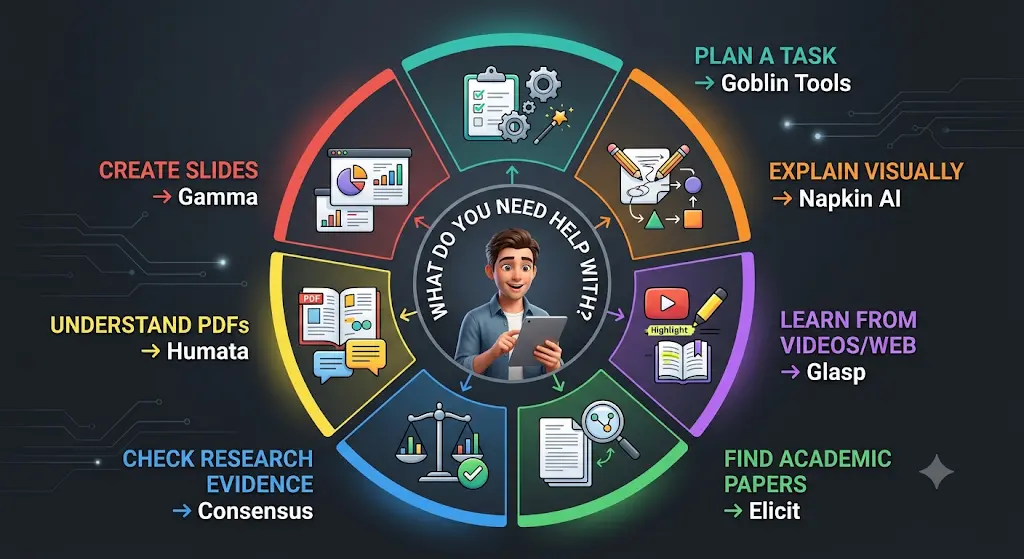
- “I don’t know where to start on this task.” → Goblin Tools
- “I have an idea but can’t explain it visually.” → Napkin AI
- “I watch or read too much and remember too little.” → Glasp
- “I need real academic papers.” → Elicit
- “What does the research actually say?” → Consensus
- “I can’t make sense of this PDF.” → Humata
- “I need slides and I’m staring at a blank page.” → Gamma
Free AI tools comparison: all seven at a glance
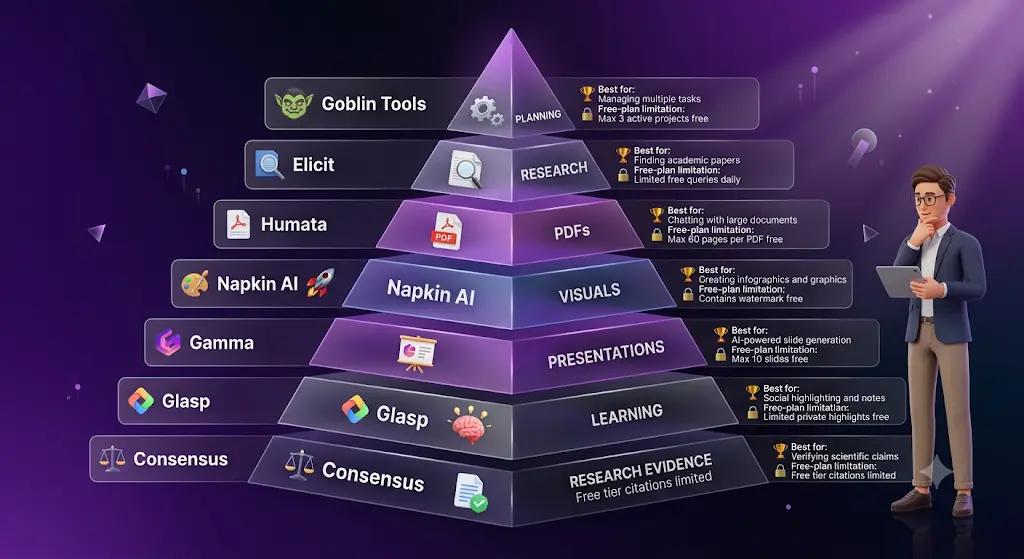
| Tool | Best For | Difficulty | Free Model | Main Limitation |
| Goblin Tools | Task planning | Very easy | Free web version | Narrow purpose |
| Napkin AI | Diagrams and visuals | Easy | Freemium | Credits and branding |
| Glasp | Videos and web learning | Easy | Freemium | AI usage limits |
| Elicit | Academic research | Easy to medium | Basic plan | Advanced research limits |
| Consensus | Evidence search | Easy to medium | Freemium | Deep analysis limits |
| Humata | PDF questions | Easy | Freemium | Small free allowance |
| Gamma | Presentations | Easy | Starter credits | Credits don’t refill |
Who this guide is for
This guide is for students, first-time job seekers, and anyone new to AI who wants useful results without paying. If you already pay for an AI assistant, these tools still help. Each one does a narrow job better than a general chatbot.Most people give up on AI because they try everything at once. Learn the best free AI tools for beginners and start with one simple tool that builds real confidence.
How these tools were chosen
These tools were evaluated against official pricing pages, published feature lists, and recent coverage. They were not hands-on tested for this article. Each one was judged on six points:
- Beginner ease: can you get a result with no training?
- Free-plan usefulness: is the free plan genuinely usable, or only a trial?
- Practical value: does it solve a common, real problem?
- Unique capability: does it do something a general chatbot does less well?
- First-result speed: how fast do you get something useful?
- Limitation severity: what will frustrate you?
Free plans change often, so check the official page before relying on any number.
The 7 Best Free AI Tools for Beginners, Reviewed
These seven tools are not necessarily the biggest names in AI. Each one earned its place by solving one beginner problem particularly well.
How we ranked these free AI tools
The order reflects beginner usefulness, not popularity. A tool ranks higher when its free version solves a real problem, delivers a useful first result quickly, has a clear edge over a general chatbot, and needs no technical knowledge.
1. Goblin Tools: Best for Breaking Down Overwhelming Tasks
Goblin Tools is a free collection of small AI tools that turns a big, vague task into smaller steps you can start right away.
Quick facts
- Developer: Bram De Buyser (independent developer)
- Category: AI task-planning and writing helpers
- Best for: Assignment planning and task paralysis
- Works on: Web; paid iOS and Android apps
- Free-plan type: Free forever on the web
- Difficulty: Very easy
- Main limitation: Not a general-purpose chatbot
The problem it solves
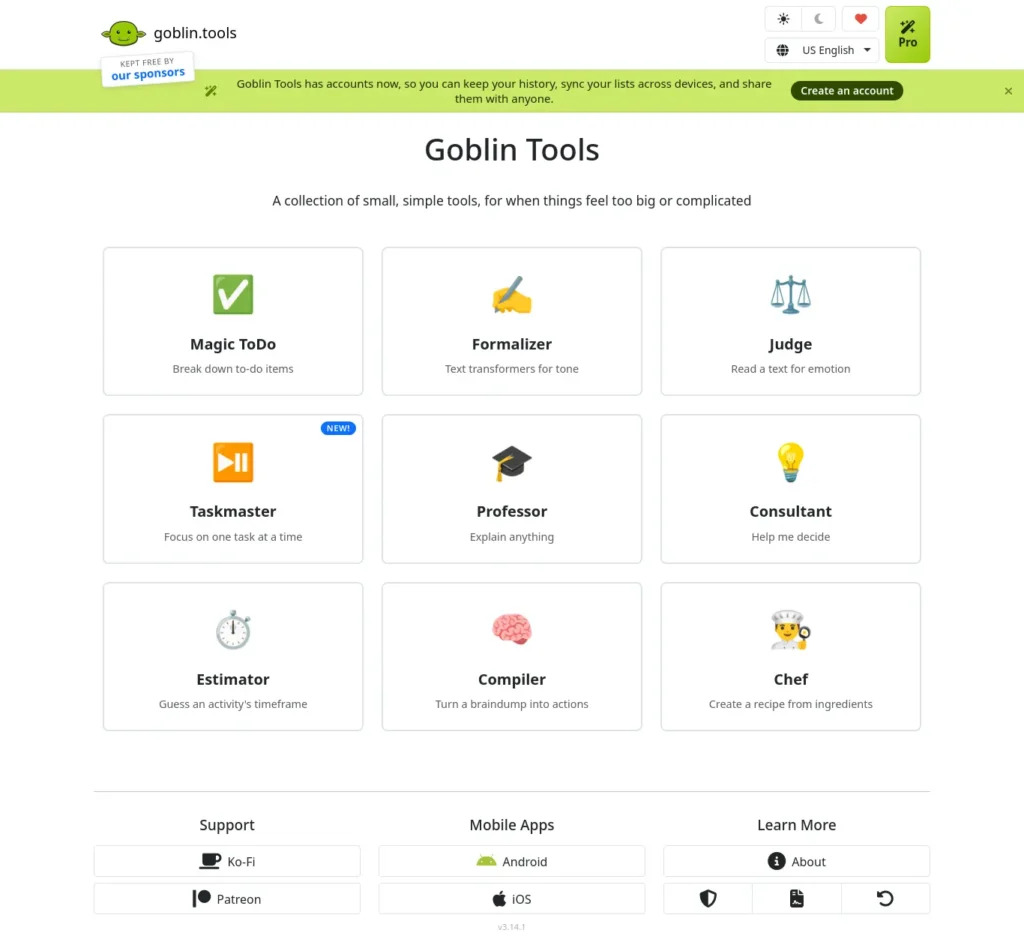
Most to-do apps hand you an empty list. Goblin Tools starts one step earlier and helps you work out what the tasks should be. Its main tool, Magic ToDo, has a “spiciness” slider that controls how detailed the steps get. The Estimator guesses how long a task takes. The Formalizer rewrites text in a different tone. The Judge reads the tone of a message.
Best beginner use case: an assignment that feels too big to begin.
What it does especially well: it turns a vague goal into concrete first steps.
One reason not to rely on it: its output comes from third-party language models, so it can be wrong or oddly sequenced.
What it is not
Goblin Tools is not a replacement for a general AI assistant. Its strength is making vague tasks manageable.
Illustrative scenario (not a real case): Imagine a second-year student with a 10-page assignment due Friday and no plan. Magic ToDo can split it into research, outline, drafting, editing, and a final check. The Estimator can then suggest time for each step.
Try this prompt:
“Write a 10-page assignment on the causes of inflation, due in three days.”
Raise the spiciness slider if the steps feel too big.
Free plan and pricing
- Officially listed: the website is free with no ads or paywalls, per the About page as reported by reviewers.
- Third-party reported: paid mobile apps cost a small one-time fee, around $4 (about ₹385).
Consider a general chatbot instead if you need open-ended writing or conversation. Choose Goblin Tools over one when you want a ready-made breakdown without crafting a prompt.
Official sources: goblin.tools
2. Napkin AI: Best for Turning Text Into Visuals
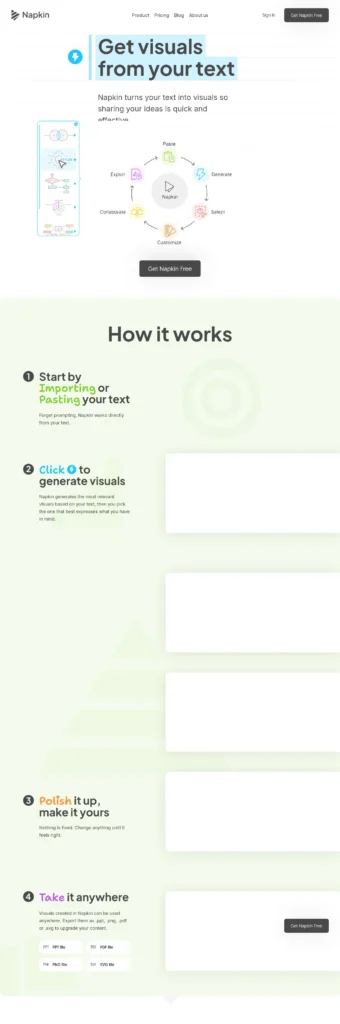
Napkin AI is a text-to-visual tool that turns written ideas into editable diagrams, flowcharts, mind maps, and infographics.
Quick facts
- Developer: Napkin AI
- Category: AI visual and diagram generator
- Best for: Explaining ideas visually
- Works on: Web
- Free-plan type: Freemium with weekly credits
- Difficulty: Easy
- Main limitation: Free visuals carry Napkin branding
Where it becomes useful
Many beginners assume “AI visuals” means AI pictures. Napkin works differently. You paste text and it builds an explanatory visual, such as a process flow or a comparison. That suits assignments, revision notes, and presentations.
Best beginner use case: turning a written paragraph into a diagram for notes or slides.
What it does especially well: it lets you edit the result freely, and editing does not use credits.
One reason not to rely on it: the visual can misread your text, so check that the structure matches your meaning.
Illustrative scenario (not a real case): A student has a paragraph on how a bill becomes law. Pasted into Napkin, it can become a step-by-step flow they can edit.
Try this prompt: Paste a paragraph from your notes, such as:
“Photosynthesis has two stages. First, light reactions capture sunlight. Then the Calvin cycle uses that energy to build sugar.”
Then pick one of the visual options Napkin suggests.
Free plan and pricing
- Officially listed: Napkin’s site says the free plan includes weekly AI credits, unlimited editing, unlimited file imports, and unlimited PNG and PDF export. Paid Plus and Pro plans add more credits and features such as PPT and SVG export.
- Third-party reported: 500 AI credits per week; Plus about $9 per person per month (about ₹865); Pro about $22 (about ₹2,115). Free visuals carry Napkin branding.
Choose Napkin AI over Canva when you already have written information and want AI to turn it into a diagram. Choose Canva instead when you need broader design control.
Official sources: napkin.ai
3. Glasp: Best for Learning From Videos and Web Pages
Glasp is a free highlighter and AI summarizer that helps you capture and review what you learn from web pages, PDFs, and YouTube videos.
Quick facts
- Developer: Glasp
- Category: AI learning and note-capture tool
- Best for: Learning from videos and articles
- Works on: Web, Chrome and Safari extensions, mobile apps
- Free-plan type: Freemium
- Difficulty: Easy
- Main limitation: AI summaries, PDF chat, and audio minutes are capped
Why beginners may find it useful
Learning online is easy. Remembering it is hard. Glasp lets you highlight text and keep everything in one place. It can also summarize YouTube videos and articles so you decide faster what deserves your attention.
Best beginner use case: a long lecture video the night before revision.
What it does especially well: it combines highlighting, summaries, and saved notes in one workflow.
One reason not to rely on it: free highlights are public, so private study notes need a paid plan.
Illustrative scenario (not a real case): A student has a one-hour lecture on YouTube and a test tomorrow. A summary shows the main ideas first, so they know which parts to watch closely.
Try this prompt: In a video summary, ask:
“List the five key concepts in this video and one example for each.”
Free plan and pricing
- Officially listed: Glasp’s pricing page says free highlighting is unlimited and public, with no credit card or trial clock. The free plan also includes basic YouTube summaries, 30 PDF uploads, 20 PDF chat messages per month, and 30 minutes of audio transcription per month.
- Third-party reported: Pro at about $10 per month on annual billing (about ₹960). Pricing checked: October 5, 2026.
Consider copying transcripts into a general chatbot instead if you rarely watch videos. Choose Glasp when you learn online every day and want everything saved in one place.
Official sources: Glasp · Pricing
4. Elicit: Best for Finding Research Papers
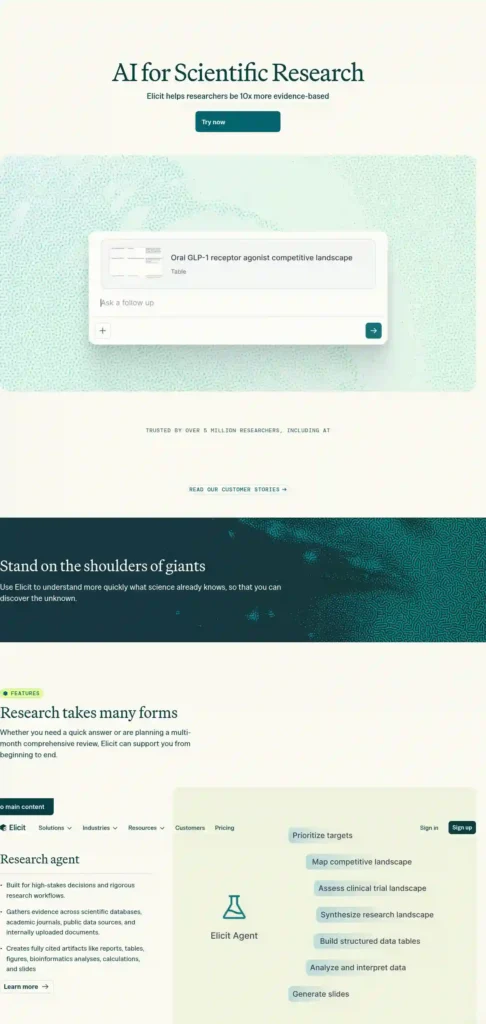
Elicit is an AI literature-discovery tool for students and researchers who need help finding, screening, and understanding academic papers.
Quick facts
- Developer: Elicit
- Category: AI research assistant
- Best for: Academic literature discovery
- Works on: Web
- Free-plan type: Free Basic plan with limits
- Difficulty: Easy to medium
- Main limitation: Advanced reports and extraction are tightly limited
When this saves time
A general chatbot can sound confident about research it cannot point to. Elicit’s workflow centers on scholarly literature instead. You ask a research question, and it searches an academic database and shows papers with summaries.
Best beginner use case: finding your first five credible sources for an essay.
What it does especially well: it keeps the answer tied to real papers.
One reason not to rely on it: summaries can miss nuance, so open the paper itself.
What it is not
Elicit is not a substitute for reading the original research papers.
Illustrative scenario (not a real case): A final-year student needs sources on sleep and exam performance. Elicit can surface relevant studies, so they start reading the right ones.
Try this prompt:
“Does sleep affect exam performance in college students?”
Free plan and pricing
- Third-party reported: the Basic plan offers search across more than 138 million papers, summaries, paper chat, and Zotero import, with limited automated reports (reported as about two a month). Sources disagree on paid pricing; one recent review lists Pro near $49 per month on annual billing (about ₹4,700). Verify on Elicit’s pricing page before upgrading.
Choose Elicit when you want AI help screening papers. Consider Google Scholar instead if you want a broad search with full control over results.
Official sources: elicit.com
5. Consensus: Best for Checking What Research Says
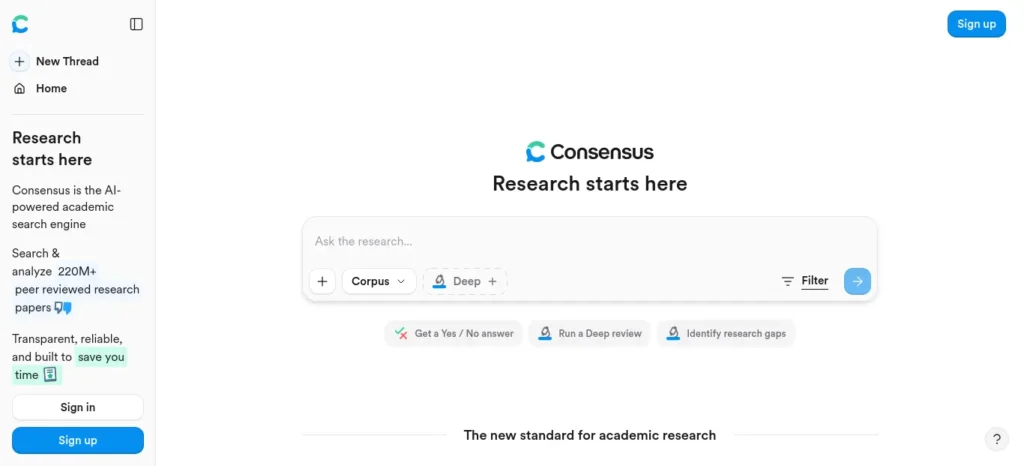
Consensus is an AI-powered academic search engine, developed by Consensus NLP, Inc., that answers science questions using findings from peer-reviewed papers.
Quick facts
- Developer: Consensus NLP, Inc.
- Category: AI evidence-search tool
- Best for: Yes-or-no research questions
- Works on: Web
- Free-plan type: Freemium
- Difficulty: Easy to medium
- Main limitation: Deep analysis is limited each month on the free plan
What makes it different
Some questions take the form “Does X improve Y?” Consensus is built for those. It searches papers and shows what the evidence suggests, with links to the studies. It is closer to a research search engine than a writing assistant.
Best beginner use case: checking the evidence before choosing an essay thesis.
What it does especially well: it points you to studies rather than just producing prose.
One reason not to rely on it: a simple summary can flatten a complicated debate.
What it is not
Consensus should not be treated as a final scientific authority. It is a research-discovery and evidence-synthesis tool.
Illustrative scenario (not a real case): A student writing about screen time and attention wants a quick map of the evidence before committing to an argument.
Try this prompt:
“Does regular exercise improve concentration in students?”
Free plan and pricing
- Third-party reported: unlimited paper searches, limited Pro messages (reported as 15 a month), and 3 Deep reviews a month. Pro is listed at about $20 per month, or roughly $12 per month billed annually (about ₹1,920 or ₹1,150). Pricing checked: October 5, 2026; confirm on Consensus’s pricing page.
Choose Consensus when you need evidence-linked answers. Consider a general chatbot instead if your topic isn’t scientific research.
Official sources: consensus.app · Pricing
6. Humata: Best for Asking Questions About PDFs
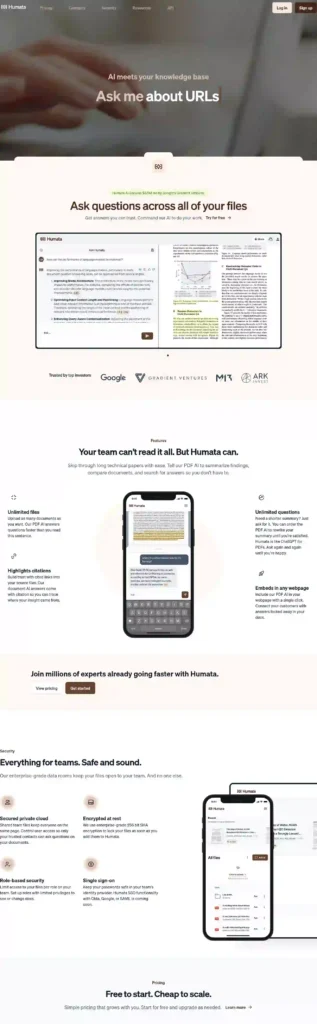
Humata is an AI document tool that lets you upload a PDF and ask questions about it in plain language, with answers that point back to the source.
Quick facts
- Developer: Humata
- Category: AI document Q&A tool
- Best for: Long PDFs, reports, and papers
- Works on: Web
- Free-plan type: Freemium with a monthly page cap
- Difficulty: Easy
- Main limitation: Small free allowance
Where it earns its place
Long documents hide their answers. Instead of scrolling for 20 minutes, you ask, “Where does this report discuss costs?” and get an answer with the matching passage.
Best beginner use case: finding one section inside a long report.
What it does especially well: it ties answers to the source text so you can check them.
One reason not to rely on it: the free page limit is small, so large files can use it up quickly.
Illustrative scenario (not a real case): A student has a 70-page report and needs only the methodology section. One question can show where it sits.
Try this prompt: Upload a short document and ask:
“Summarize the main argument in five bullet points and show which pages they come from.”
Free plan and pricing
- Third-party reported: the free plan is listed at about 60 pages per month, with a Student plan near $1.99 per month (about ₹190) and Expert near $9.99 (about ₹960). I could not confirm these on an official page, so verify on Humata’s own site before uploading large files.
Choose Humata when your work revolves around one long document. Skip it, or use another tool, if the file is private or sensitive. Don’t upload confidential files to any free tool you haven’t vetted.
Official sources: humata.ai
7. Gamma: Best for Making Presentations From an Idea
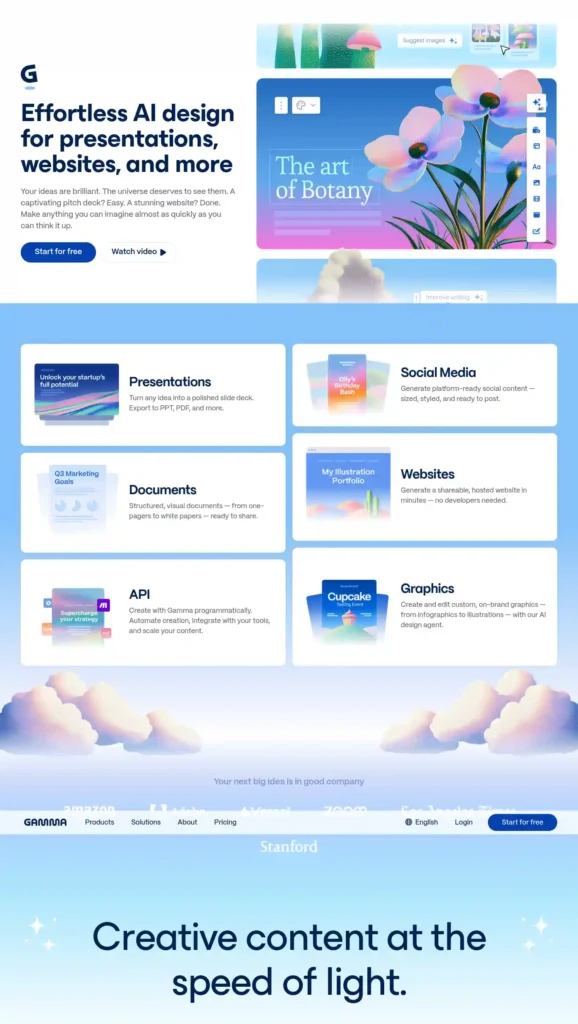
Gamma is an AI presentation maker that turns a short prompt or outline into a structured slide deck, document, or simple web page.
Quick facts
- Developer: Gamma
- Category: AI presentation and document tool
- Best for: First drafts of slide decks
- Works on: Web
- Free-plan type: One-time starter credits
- Difficulty: Easy
- Main limitation: Free credits don’t refill, and free decks carry a Gamma badge
Why a beginner might choose it
The hardest slide is the first one. Gamma gives you a full draft to edit, so you start with a structure instead of a blank page.
Best beginner use case: a short talk where you need a first draft in minutes.
What it does especially well: it organizes an idea into a clean slide flow.
One reason not to rely on it: AI-written slides can sound generic and may contain mistakes.
What it is not
Gamma is not a replacement for reviewing and editing your presentation before you submit or present it.
Illustrative scenario (not a real case): A student has a 10-minute talk on renewable energy. They get a draft deck, then rewrite each slide in their own words.
Try this prompt:
“Create a 10-slide presentation on renewable energy for first-year college students, with one key idea per slide.”
Free plan and pricing
- Third-party reported: 400 one-time AI credits that never refresh, up to 10 cards per prompt, and a “Made with Gamma” badge. That is roughly 10 AI-made decks. Plus plans are listed between about $8 and $12 per month depending on billing (about ₹770 to ₹1,150). Pricing checked: October 5, 2026; confirm on Gamma’s pricing page.
Choose Gamma over starting in PowerPoint when you want a quick, structured draft. Choose PowerPoint instead when you need precise control or offline work.
Official sources: gamma.app · Pricing
What Does “Free AI Tool” Actually Mean?
A free AI tool may be a genuinely free service, a limited freemium plan, a credit-based allowance, or a temporary trial. Here are the types you’ll meet.
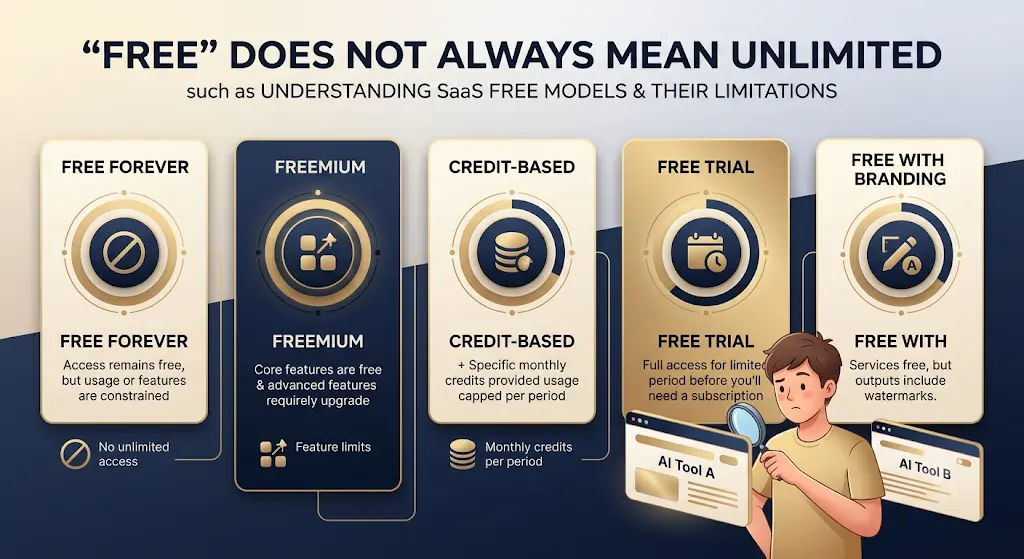
| Free Model | What It Means |
| Free forever | Core service available without payment |
| Freemium | Useful free tier with paid upgrades |
| Free credits | Usage stops once credits are used |
| Free trial | Temporary access to paid features |
| Free with branding | Free output carries a watermark or badge |
Goblin Tools’ website is closest to free forever. Napkin AI and Glasp are freemium. Gamma’s 400 credits are one-time. Free-plan outputs may also lack commercial rights, so read the terms before using them for client work.
Free does not mean unlimited, and it doesn’t mean every feature is included.
What Is the Best Free AI Tool for Each Job?
Short answers to the questions beginners search most.
What is the best free AI tool for research?
Elicit is the best free option for finding academic papers, and Consensus is best for checking what studies say about a yes-or-no question. Both have free plans with monthly limits on advanced features.
What is the best free AI tool for PDFs?
Humata is built for asking questions about uploaded PDFs, with answers that point to the source. Its free plan is reported at about 60 pages per month, so it suits occasional use.
What is the best free AI tool for presentations?
Gamma creates a draft slide deck from a short prompt. The free plan gives 400 one-time credits, enough for roughly 10 AI-made decks, with a Gamma badge on shared work.
What is the best free AI tool for planning and productivity?
Goblin Tools. Magic ToDo breaks big tasks into steps, and the Estimator guesses how long each step takes. The website is free with no ads or paywalls.
What is the best free AI tool for learning from videos?
Glasp. It summarizes YouTube videos and lets you highlight and save key ideas. Free accounts have limits on summaries, PDF chat, and audio minutes.
What is the best free AI tool for diagrams and visuals?
Napkin AI turns text into editable diagrams and infographics. The free plan includes weekly credits and PNG and PDF export, with Napkin branding on visuals.
What is the best free AI tool for assignments?
Goblin Tools helps break an assignment into manageable stages, while Elicit or Consensus can support research-heavy work. AI should support planning and research, not replace your own reasoning or final submission.
What is the best free AI tool for studying?
Glasp suits learning from online videos and articles, and Humata helps when your study material is a long PDF. Napkin AI can turn written concepts into visual explanations.
Which Free AI Tool Should You Use?
A Quick Decision Path
- Need help planning a task? → Goblin Tools
- Need to find academic papers? → Elicit
- Need evidence from research? → Consensus
- Have a long PDF? → Humata
- Learning from YouTube or web pages? → Glasp
- Need a visual explanation? → Napkin AI
- Need presentation slides? → Gamma
Which Free AI Tools Are Best for Students?
The best free AI tools for beginners with no experience also work well for students when they match the stage of the work. Use Goblin Tools for assignment planning, Elicit or Consensus for research, Humata for understanding PDFs, Glasp for lecture videos, Napkin AI for visual notes, and Gamma for presentations.If you want AI to do more than just answer questions, discover these AI Tools for People With No Coding Skills that can save you at least one hour every day. 53
The best student AI stack is usually not the one with the most tools. It is the smallest combination that removes repeated friction from studying.
Are these free AI tools useful for Indian students?
Yes, mainly because every tool has a free option, which matters on a student budget. They also fit common Indian student work: college assignments, English-medium coursework, long lecture PDFs, and presentation projects. For exam-style research and revision, such as GATE, CAT, or UPSC preparation, Glasp, Humata, and Consensus can help you process reading material faster. Check paid-plan prices in INR before upgrading, since dollar pricing moves with the exchange rate.Tired of doing the same tasks over and over? Learn how to automate repetitive work with AI—without writing a single line of code.
A Practical Beginner AI Workflow
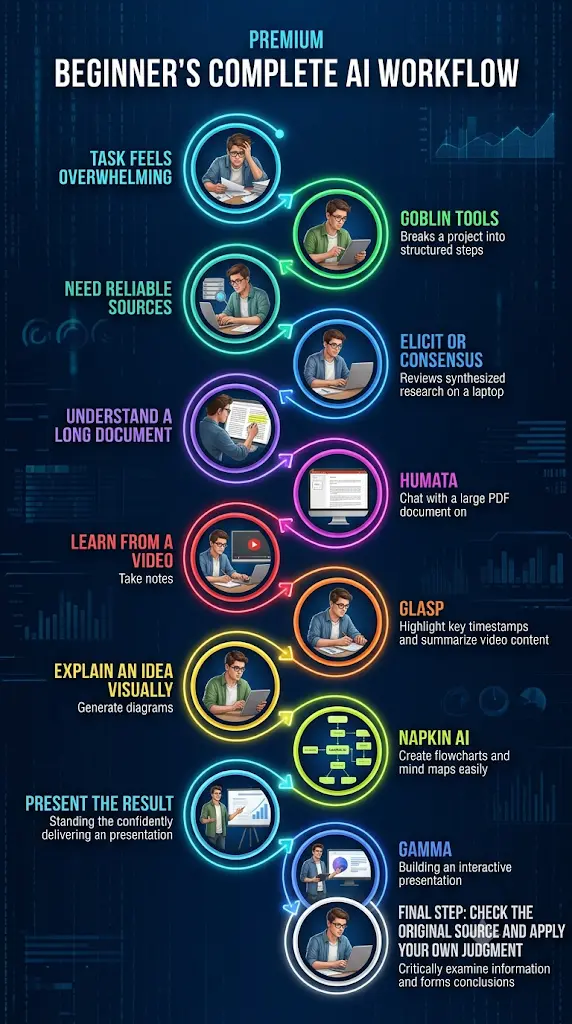
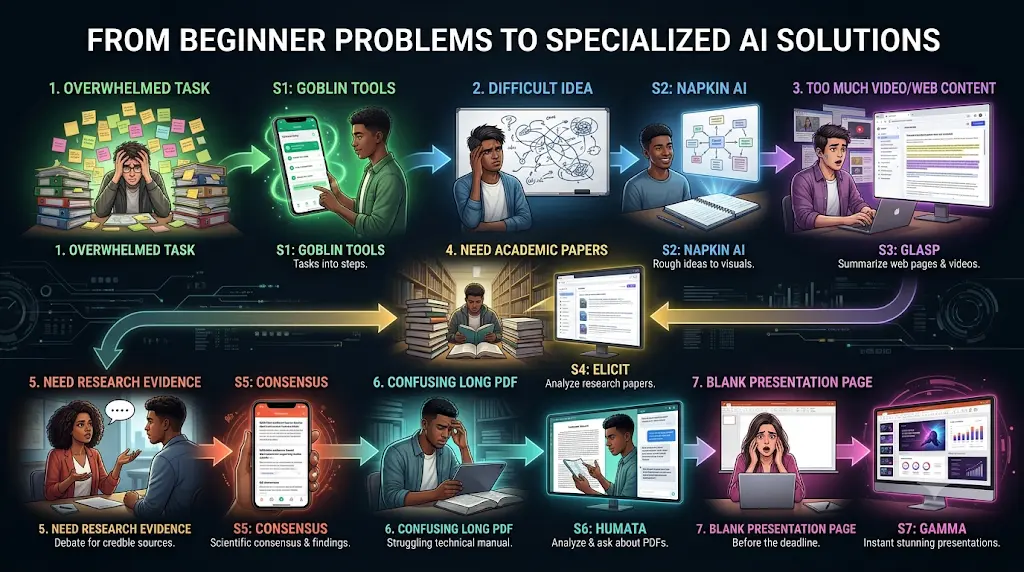
- Task feels overwhelming → Goblin Tools
- Need reliable sources → Elicit or Consensus
- Need to understand a long document → Humata
- Need to learn from a video → Glasp
- Need to explain an idea visually → Napkin AI
- Need to present the result → Gamma
The important part is not the sequence. It is knowing when to stop using AI and check the underlying source, or do the work yourself.
The goal is not to automate your thinking. It is to remove the repetitive parts that keep you from thinking clearly.
How Do These Free AI Tools Compare to Popular Ones?
Read this as “better suited for one job,” not “better overall.”
Goblin Tools vs. a general chatbot
- Choose Goblin Tools when: you want a task broken into steps fast.
- Choose a chatbot when: you need open-ended writing or conversation.
- Choose Napkin when: you want text turned into a diagram.
- Choose Canva when: you want full control over a layout.
Elicit vs. Google Scholar
- Choose Elicit when: you want AI help screening papers.
- Choose Google Scholar when: you want a broad search with full control.
Gamma vs. PowerPoint
- Choose Gamma when: you want a fast draft.
- Choose PowerPoint when: you need precise control or offline work.
What Should Beginners Avoid When Using Free AI Tools?
A few habits prevent the most common problems.
- Don’t trust facts blindly. AI can sound sure and be wrong.
- Don’t submit AI work without checking your rules. Colleges and employers differ.
- Don’t upload sensitive files. Avoid ID documents, private reports, and confidential work.
- Don’t assume “free” is unlimited. Check limits before building a workflow around a tool.
- Don’t enter payment details on lookalike sites. Use only the official website.
- Don’t collect tools. One tool you use well beats five you never open.
- Don’t assume commercial rights. Free outputs may not be cleared for paid or client work.
When should you not use an AI tool?
You don’t need AI for every task. If the answer is faster to find in an official document, if the task needs your personal judgment, or if the information is sensitive, an AI tool can add risk instead of saving time.Using AI for the first time can feel confusing, but you don’t need to be tech-savvy—this beginner-friendly guide shows you exactly where to start.
- When you already know the answer
- When the source document is confidential
- When accuracy matters more than speed
- When your school or workplace prohibits AI assistance
A simple rule for checking AI answers
Follow this chain: AI summary → original source → your own judgment.
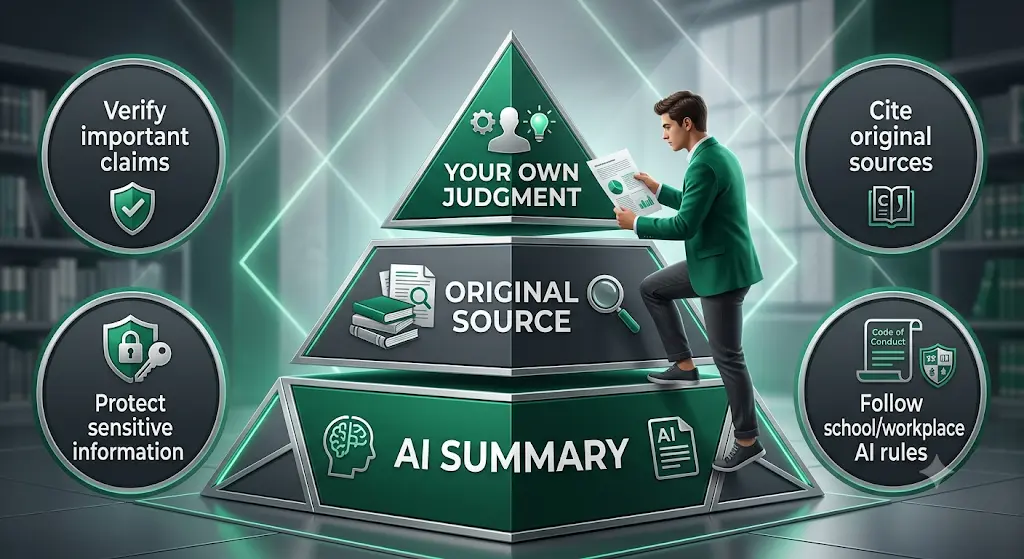
- Read the AI summary.
- Open the source behind it.
- Verify the important claim.
- Cite the original source, not the AI tool, for academic information.
A Simple 7-Day Plan to Start Using Free AI Tools
Keep each day to 20 minutes.

- Day 1: Open Goblin Tools and break down one real task from your week.
- Day 2: Ask Elicit or Consensus one question you care about, then open two papers.
- Day 3: Upload a short document to Humata and ask for a five-point summary.
- Day 4: Watch one video with Glasp and save three highlights.
- Day 5: Paste a paragraph into Napkin AI and export one visual.
- Day 6: Build a short Gamma deck, then rewrite the slides in your own words.
- Day 7: Decide which two or three tools earned a place in your routine. Drop the rest.
You Don’t Need 20 AI Tools
Beginners often collect tools instead of learning one properly. That is the real trap.
A simple beginner AI stack
If you are completely new to AI, start with three:
- Goblin Tools: learn AI-assisted planning.
- Glasp: learn how AI can help you process information.
- One specialist tool: Elicit, Humata, Napkin AI, or Gamma, depending on your work.
Add a fourth only when a real task calls for it.
Frequently Asked Questions
What are the best free AI tools for beginners with no experience?
The best free AI tools for complete beginners are Goblin Tools for planning, Napkin AI for visuals, Glasp for learning, Elicit and Consensus for research, Humata for PDFs, and Gamma for presentations. Each has a free option, though limits vary and can change.
What are the best free AI tools for students?
For students, Goblin Tools helps plan assignments, Elicit and Consensus support research, Humata handles long PDFs, Glasp helps with lecture videos, Napkin AI builds visual notes, and Gamma drafts presentations. Start with two or three, not all seven.
What is the easiest AI tool for a complete beginner?
Goblin Tools is the easiest to start with. It is free on the web, needs no technical knowledge, and gives a useful result quickly. Paste in a task that feels too big, then adjust the detail slider until the steps feel doable.
Can I use AI tools without knowing how to code?
Yes. All seven tools run in a browser, and you work by typing plain-language instructions or pasting text. No coding, setup, or technical background is needed. Some also offer browser extensions or mobile apps.
Can I use these AI tools for college assignments?
They can support planning, research, and understanding, but rules vary by college. Check your institution’s AI policy first. Use tools for structure and sources, and write and verify the final submission yourself.AI can save you hours on assignments, but only if you know where to use it—and where to stop; learn how to use AI for college research projects the smarter way.
Which free AI tool can summarize a PDF?
Humata is built for asking questions about PDFs, and Glasp also supports PDF uploads and chat on its free plan. Humata suits longer documents, while Glasp suits readers who also save highlights. Both have monthly limits.
Are free AI tools really free?
Some are, and some are limited. Goblin Tools’ website is free with no paywall, while Gamma’s free plan uses one-time credits that don’t refill. Napkin AI adds branding on free outputs. Check each pricing page for current limits.
Do free AI tools require a credit card?
Often not. Glasp states its free plan needs no credit card, and Gamma’s free sign-up has been reported as card-free. Policies can change, so check the sign-up page. Be careful with free trials, which often ask for payment details.
Which free AI tool is best for research?
Elicit is best for finding and screening academic papers, and Consensus is best for checking what studies say about a specific question. Both have free plans with limits on deeper features. Always read the original papers before citing them.
Are free AI tools safe to use?
They can be, with care. Use only official websites, avoid uploading private documents, and read each tool’s privacy and terms pages. Treat AI answers as drafts to verify, not final facts.
Do I need to pay for AI tools to learn AI?
No. All seven tools have free options that are enough to learn what AI can do. Upgrade only when a limit blocks a real task, not because a tool nudges you to.
Your Next Step
Don’t try all seven tools today. Start with the problem that is actually slowing you down right now, choose the tool that fits it, and complete one small task.
If Goblin Tools helps you plan, Elicit helps you find a useful paper, Humata helps you understand a long PDF, or Gamma helps you create a first presentation draft, you have already learned something practical.
The goal isn’t to collect AI tools. It’s to find the two or three that genuinely make your work easier.
Pricing, free-plan limits, and features change frequently. The details in this guide were checked on October 5, 2026, using official sources where available and recent third-party coverage where official information could not be confirmed. Always check each tool’s official website for the latest pricing, limits, features, and usage terms before relying on them.
About the Author
Nandhakumar — Founder & Content Creator at FutureFastAI
Nandhakumar is the founder and content creator behind FutureFastAI, a platform focused on helping students, beginners, and everyday users understand and use AI tools more effectively.
His work focuses on practical AI tools for study, research, productivity, writing, learning, and everyday tasks, with an emphasis on explaining what each tool can actually do, where its free plan is useful, and where its limitations matter.
At FutureFastAI, the goal is simple: help people choose the right AI tool for a specific problem instead of overwhelming them with endless tool lists. The platform also emphasizes responsible AI use—using AI to reduce repetitive work while keeping human judgment, verification, and original thinking at the center.
For tool recommendations and pricing information, FutureFastAI reviews official product information where available and uses reputable secondary sources when necessary. Features, pricing, and free-plan limits can change, so readers are encouraged to verify current details on the tool’s official website.
Editorial Policy
FutureFastAI prioritizes accurate, practical, and transparent AI tool information. We verify features, pricing, and limitations using official sources where available and reputable sources when needed. We avoid unsupported claims and distinguish verified information from reported or estimated details. As AI tools change frequently, articles are reviewed and updated when significant information changes.





4 Comments