5 Best AI Tools for Beginners on Mobile in 2026
Last verified: 13 October 2026. Prices and limits change, so check the in-app price before you pay.
Priya has a project report due Friday and a blank page. She opens a chatbot, types “help me with my report,” and gets back a long, generic answer. She closes the app, no closer to starting.
If that sounds familiar, the fix is often not a smarter chatbot. It is a smaller tool built for one job.
The best AI tools for beginners on mobile are the ones that solve one clear problem and work without setup. For most beginners, these five are a good place to start:
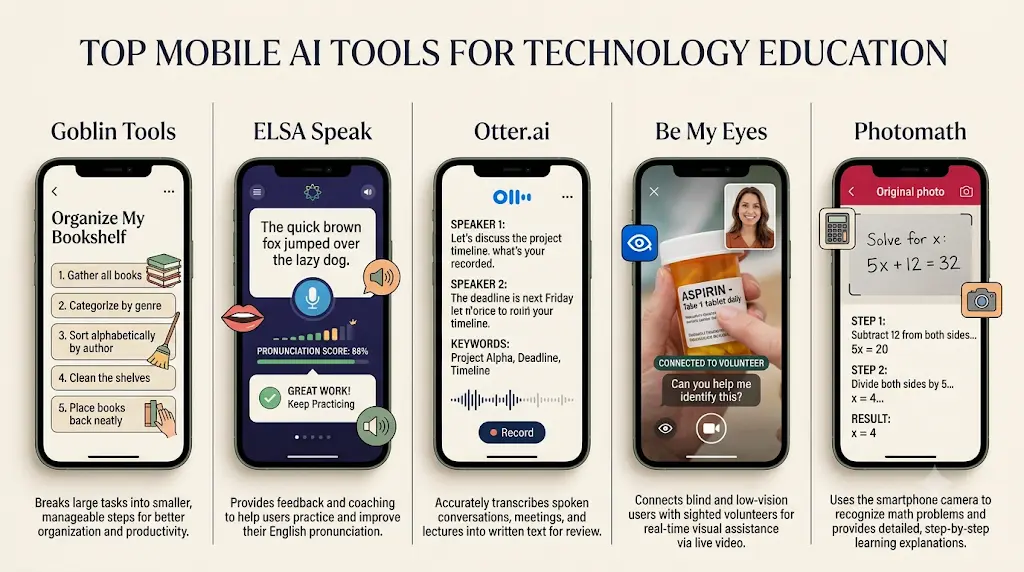
- Goblin Tools for breaking big tasks into steps
- ELSA Speak for spoken English
- Otter.ai for turning speech into text
- Be My Eyes for visual assistance for blind and low-vision users
- Photomath for step-by-step math help
The right pick depends on your task, your phone and your budget. Start with one.
This guide skips the usual chatbot list. Chatbots are useful, but a focused tool often gets a beginner to a result faster.Most people give up on AI because they try everything at once. Learn the best free AI tools for beginners and start with one simple tool that builds real confidence.
Which Are the Best AI Tools for Beginners on Mobile? A Quick Comparison
Pick the tool that matches your task, not the one with the most features. Here is each tool at a glance.
Goblin Tools
- Best for: Breaking a vague task into steps
- Mobile access: Mobile website (free) and iOS and Android apps
- Free access: Website is free
- Watch out: App is a paid one-time purchase
ELSA Speak
- Best for: Pronunciation and speaking practice
- Mobile access: Mobile app
- Free access: Limited free version
- Watch out: Full access needs a subscription
Otter.ai
- Best for: Transcripts and searchable notes
- Mobile access: Mobile app and web
- Free access: Free Basic plan with monthly limits
- Watch out: Reported language support is limited [VERIFY]
Be My Eyes
- Best for: Visual assistance for blind and low-vision users
- Mobile access: iOS and Android apps
- Free access: Free
- Watch out: AI descriptions can be wrong
Photomath
- Best for: Camera-based math help
- Mobile access: iOS and Android apps
- Free access: Free core features
- Watch out: Extras need a Plus subscription
How to read this: If your problem is “I don’t know where to start,” pick Goblin Tools. If it is “I need to speak better English,” pick ELSA Speak. For recordings, pick Otter.ai. For math homework, pick Photomath. Be My Eyes serves a different need, covered below.
How These Tools Were Chosen and Verified
These five tools were picked with one set of criteria, and none was hands-on tested for this article. The assessment rests on official listings, documented features and the sources linked in each section. It is not a controlled test of how each app performs.Most beginners don’t waste money on AI—they waste time choosing the wrong tools. Discover the free AI tools that beginners can start using today and build confidence from your very first AI experience
Selection criteria (editorial weights, not an industry standard):
- Beginner ease (25%): Can a first-time user start without setup or jargon?
- Mobile usefulness (25%): Does the main task work on a phone?
- Free-plan value (20%): Is there a genuinely usable free option?
- Distinct use case (15%): Does it solve one clear problem better than a general chatbot?
- Clear, trustworthy product information (15%): Are plans, limits and developer easy to confirm?
Sources used: Official websites (goblin.tools, elsaspeak.com, otter.ai, bemyeyes.com, photomath.com), App Store listings, and a Google support page for Photomath. Where an official page was not available, the figure comes from a third-party review and is labelled that way.
Limits of this comparison: Prices and plan limits differ by country and change often. The App Store listings checked were not all India listings, so rupee prices must be confirmed in the app. This is a ranking for beginners on phones, not a verdict on every use case. Details I could not confirm are marked [VERIFY].
What Are the Best Lesser-Known AI Tools for Beginners on Mobile?
Goblin Tools: Best for Breaking Down Everyday Tasks
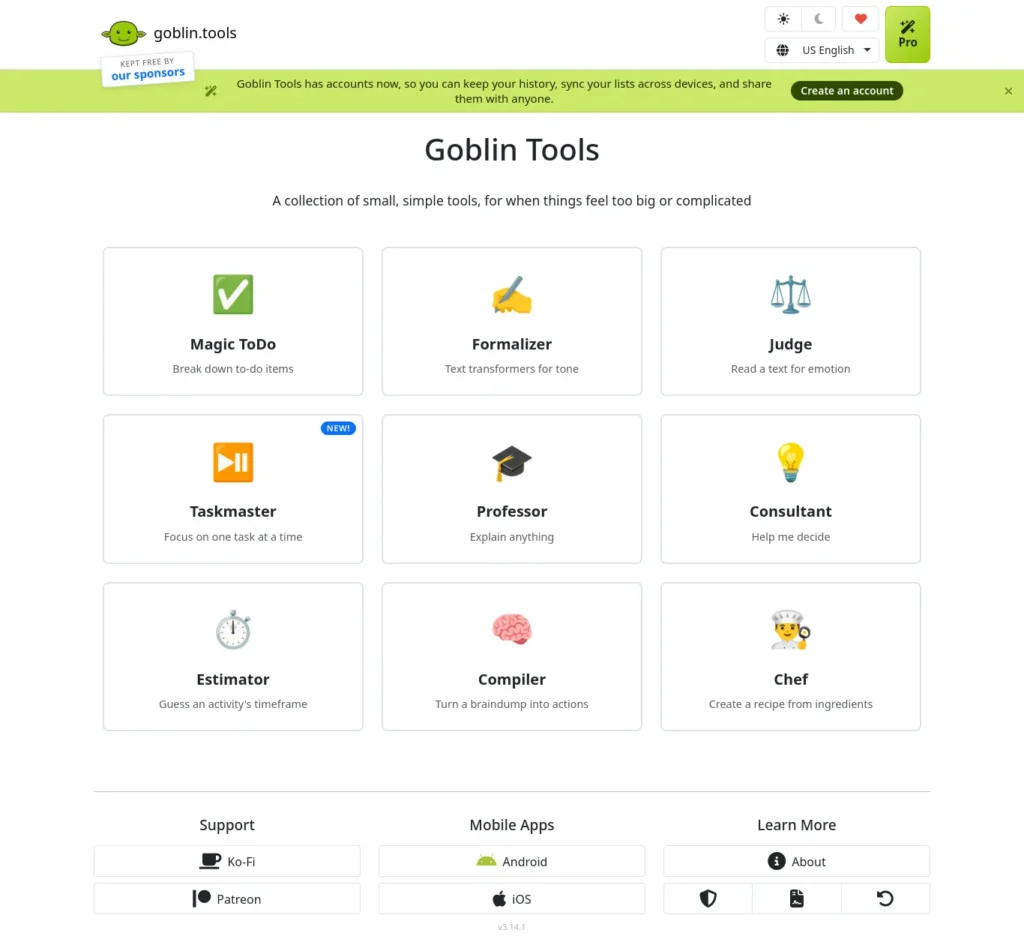
Goblin Tools is useful for beginners who need to turn one big task into small steps. Its Magic ToDo feature takes a task description and generates a checklist you can review and edit.
The developer, Skyhook, describes it as a set of single-purpose tools, mostly designed for neurodivergent people who find some tasks overwhelming. Anyone who freezes when facing a big task can use it. Other tools in the collection include:
- The Formalizer, which changes the tone of your writing
- The Compiler, which turns a messy brain dump into actionable tasks
- The Estimator, which guesses how long an activity might take
Access and cost: goblin.tools is a free website that works in a phone browser. According to its App Store listing, the iOS app is a paid purchase, shown at USD 2.99 in one store. The listing says purchases first go toward keeping the site free and ad-free. A university library guide describes the app as a one-time purchase with no subscription, on both iOS and Android. The listings also mention 70+ interface languages.
Example (illustrative): A student types “finish my 2,000-word sociology assignment.” Magic ToDo returns steps such as choosing a topic, outlining and drafting. She deletes the ones that don’t fit.
Main limitation: The steps and time estimates are AI-generated suggestions, so treat them as a starting draft. It also won’t do research or write your assignment.
Choose this if you know the goal but not the first step. Skip it if you need a full to-do app with reminders. For a ready-made breakdown, any chatbot can do something similar, but Goblin Tools is built for exactly this task.
ELSA Speak: Best for English Speaking Practice
ELSA Speak helps you practise spoken English with feedback on your pronunciation. The app is made by ELSA Corp. Its App Store listing shows it as free with in-app purchases and describes AI conversation practice and thousands of lessons.
Pronunciation feedback is a different job from chatting with an AI. A chatbot answers your questions, while ELSA is designed to coach how you sound.
Free plan and pricing: The free version has limited features, and fuller access needs a Pro or Premium subscription. Third-party sites report a 7-day free trial, and their price figures disagree with each other. Do not rely on any figure you read online. Open the app’s subscription screen, check the rupee price and the renewal terms, and only then start a trial.
Example (illustrative): A final-year student preparing for placement interviews records a short self-introduction. The app flags words she mispronounced so she can repeat them.
Main limitation: The score is feedback from software, not a verdict on how well you communicate. Progress depends on daily practice.
Choose this if pronunciation is your main weakness. Skip it if you mainly need grammar or writing help.
Otter.ai: Best for Speech Transcription and Notes
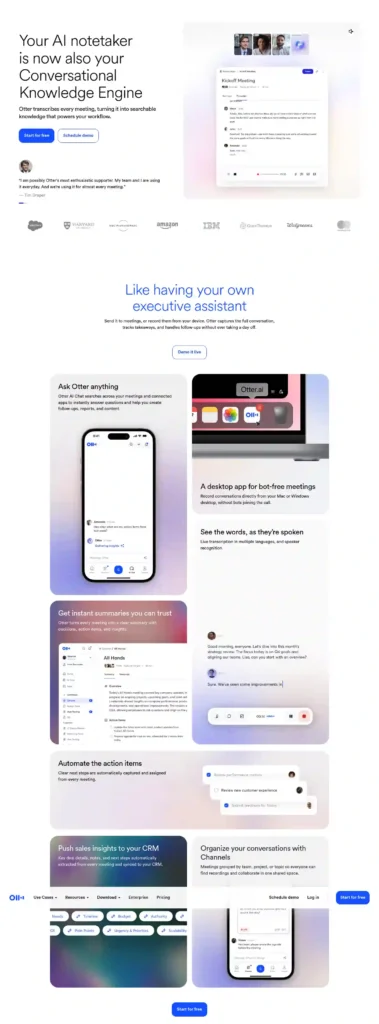
Otter.ai turns spoken audio into searchable text transcripts. It suits meetings, interviews and online lectures where typing notes by hand is slow.
According to a third-party pricing review, the free Basic plan gives 300 minutes per month, with a 30-minute cap per conversation and a limit on file imports. The same review lists Pro at 8.33permonthonannualbilling(16.99 monthly), roughly ₹800 per month at about ₹96 per dollar. That is an approximate conversion that excludes taxes. The review’s publisher sells a competing transcription service, so confirm every figure on the official Otter pricing page before relying on it.
Example (illustrative): A freelancer records a 25-minute client call, with permission. She gets a transcript she can search for the budget discussion instead of replaying the whole recording.
Main limitation for Indian users: The same review says Otter supports English, French and Spanish. If that is still true, it won’t transcribe Hindi, Tamil or other Indian languages. Check the current language list before you rely on it. Accuracy can also drop with background noise and strong accents.
Choose this if you transcribe English meetings or lectures. Skip it if you need Indian-language transcription.
Be My Eyes: Best for Accessibility-Focused Visual Assistance
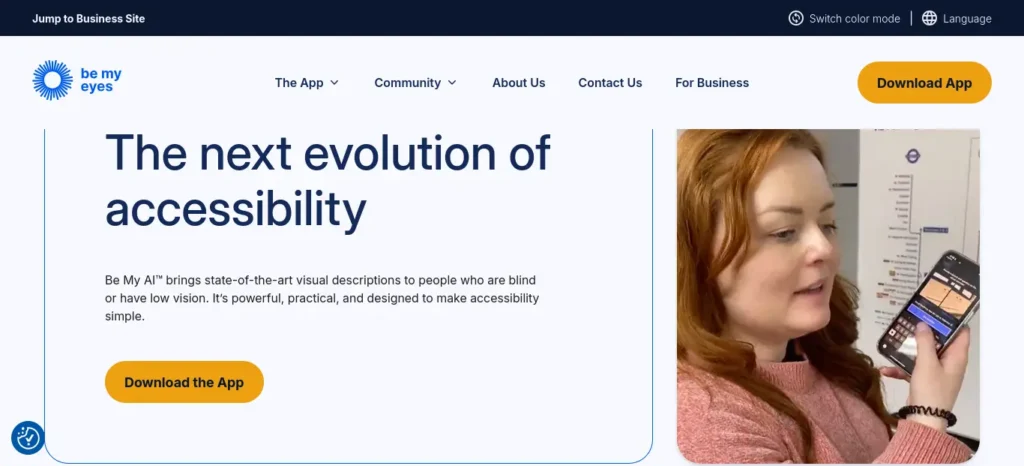
Be My Eyes is a free app that gives visual help to blind and low-vision people. The Danish developer, Be My Eyes ApS, offers three kinds of help, according to its App Store listing:
- Live calls with sighted volunteers
- Be My AI, which describes photos and answers questions about them
- Contact with company support
The listing says Be My AI works in 36 languages and volunteers speak 185. It describes the service as always free. A software catalogue lists it on iOS and Android.
Example: A user photographs a food package and asks Be My AI for the cooking instructions. A volunteer can step in if she wants a second opinion.
Main limitation: AI image descriptions can be wrong. Do not use them alone for safety-critical decisions such as medication labels. Confirm with a volunteer or another reliable source. I could not verify which Indian languages Be My AI supports [VERIFY].
Choose this if you or someone you know is blind or has low vision. Skip it if you simply want a general image-chat tool. The app is not a productivity shortcut, and it doesn’t need to be.
Photomath: Best for Step-by-Step Math Help
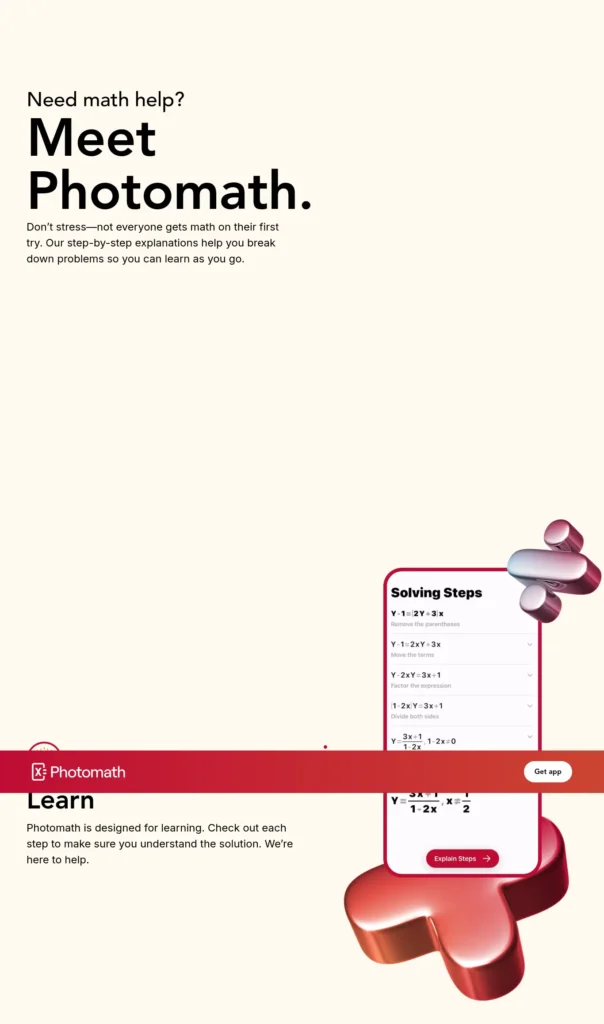
Photomath lets you scan a math problem with your camera and see the solution step by step. Google acquired Photomath in 2023, and the App Store listing names Google as the developer. The app is free, with Photomath Plus as an in-app subscription.
A Google support page states that core step-by-step solutions to symbolic math stay free. Plus adds extras such as animated tutorials and textbook solutions. Plus is billed through Google Play or the App Store, so you must cancel it yourself. A third-party review lists Plus at $9.99 per month. I found no confirmed India price [VERIFY], so check the in-app rupee price.
Example (illustrative): A school student gets a different answer from her textbook for a quadratic equation. She scans her working, sees where she went wrong and corrects it.
Main limitation: The tool can’t replace understanding. Copying the answer teaches nothing, so try the problem first and use the steps to check your reasoning. It is also focused on math.
Choose this if you are stuck on school math. Skip it if your subject isn’t math.
How Can Students Use the Best AI Tools for Beginners on Mobile? Five Practical Workflows
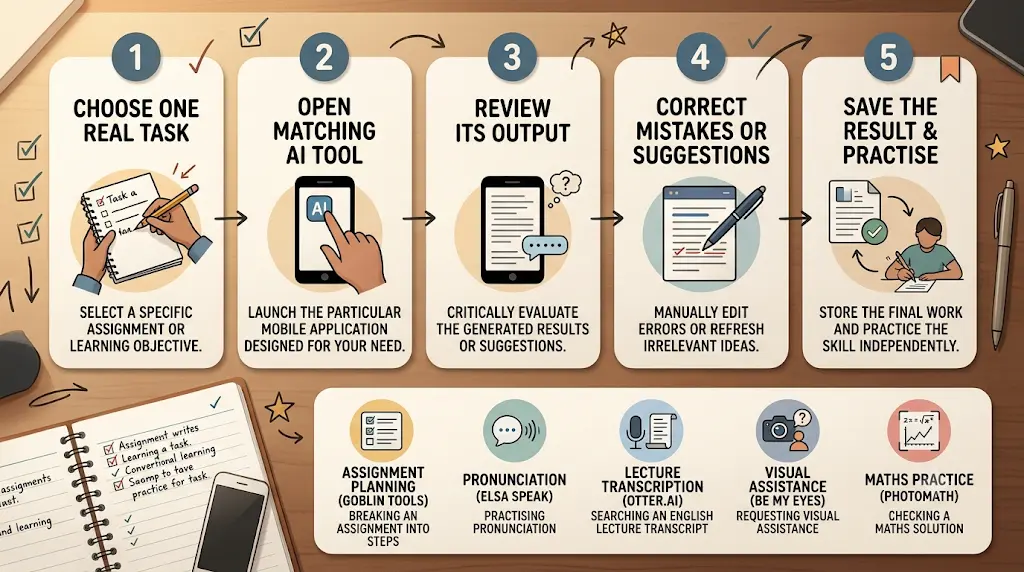
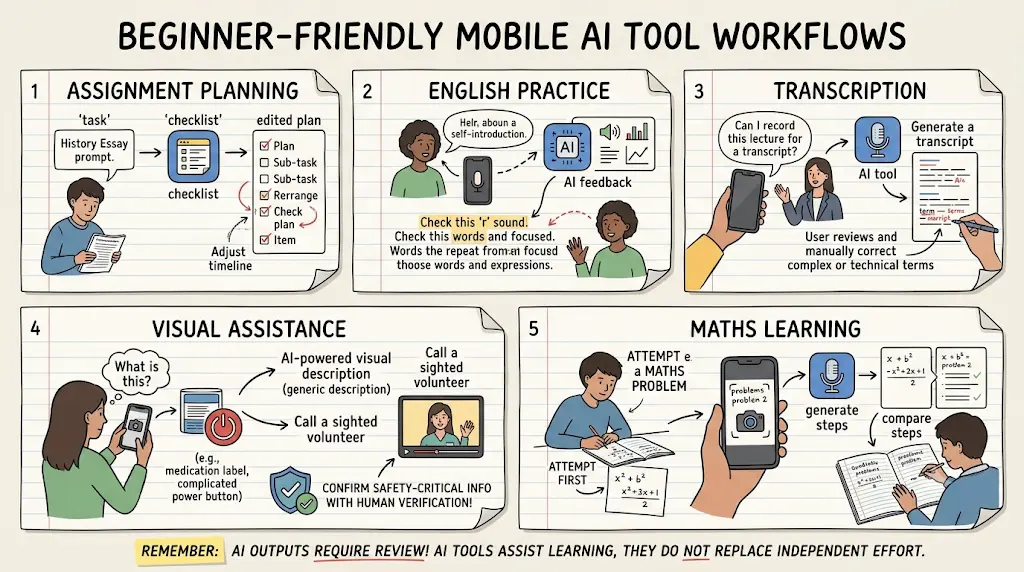
Each workflow below takes about 10 minutes, uses one tool and works on a real task. The scenarios are illustrative, not case studies.
Workflow 1: Plan an Assignment With Goblin Tools
- Type the assignment brief into Magic ToDo, for example “write a 1,500-word report on renewable energy.”
- Delete steps that don’t fit and add any your teacher requires.
- Put the final list in your notes app with dates beside each step.
What to check
Review any time estimates against your own pace. They are guesses.
Workflow 2: Practise English Speaking With ELSA Speak
- Say a 60-second self-introduction aloud in the app.
- Note the three words it flags most often.
- Repeat only those words for five days, then record the introduction again.
What to check
Use the app’s feedback as a guide. A friend or teacher can tell you how natural you sound.Using AI for the first time can feel confusing, but you don’t need to be tech-savvy—this beginner-friendly guide shows you exactly where to start.
Workflow 3: Turn a Lecture Into Searchable Text With Otter.ai
- Ask permission before recording a lecture or discussion.
- Record in English and keep each session short. The free plan has a reported 30-minute limit per conversation, so confirm it on the official pricing page.
- Search the transcript for key terms, then compare it with your slides.
What to check
Transcripts can miss technical terms and names, so correct them before you study from them.
Workflow 4: Get Visual Help With Be My Eyes
- Open the app and choose whether to ask Be My AI about a photo or call a volunteer.
- Describe what you need, such as reading a label or sorting items.
- For anything safety-related, ask a volunteer or another trusted person to confirm.
What to check
This workflow is designed for blind and low-vision users. Sighted readers who want to help can look for the volunteer option in the app.
Workflow 5: Learn Math With Photomath
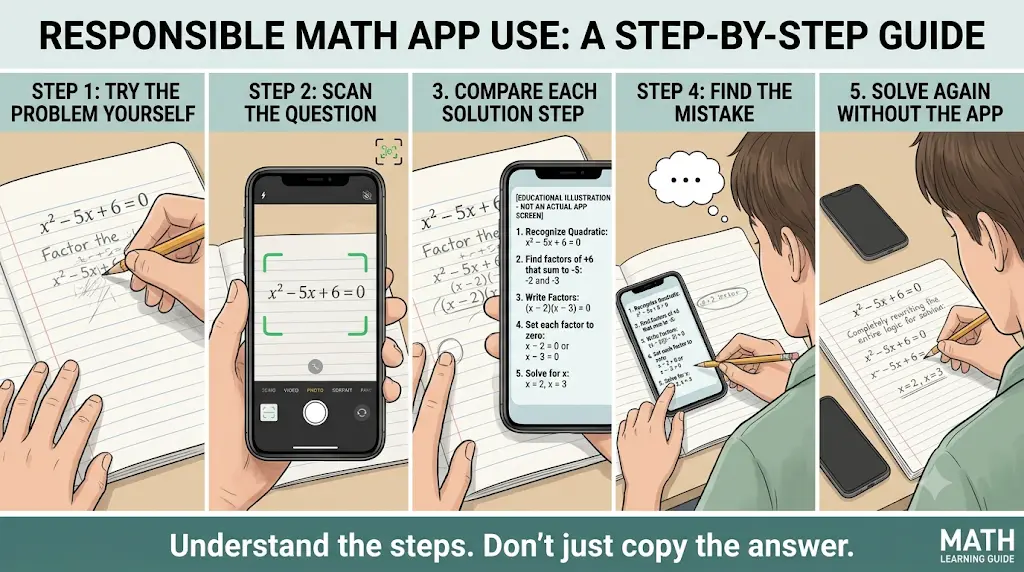
- Try the problem on paper first.
- Scan it and compare each step with your own.
- Close the app and solve the problem again without looking.
What to check
If you only copy the steps, you will not be ready for an exam where the app isn’t allowed.
Which AI Apps Work Best on Android and iPhone?
Most tools here have a native app, but some also work in a browser. Do not assume a website has an app, or that an app has the same features on both phones.
- Goblin Tools: Browser (free) plus iOS and Android apps
- ELSA Speak, Be My Eyes, Photomath: Mobile apps (iOS listings confirmed)
- Otter.ai: App and web, so confirm your phone’s version in its store
Before installing, open the app’s store page and check three things: your OS version is supported, the app is available in India, and the in-app purchase prices are in rupees.New to AI? Start with our Ultimate Beginner Guide to AI Tools for Students to discover the best AI tools for research, note-taking, writing, revision, and productivity—all explained in a beginner-friendly, step-by-step format.
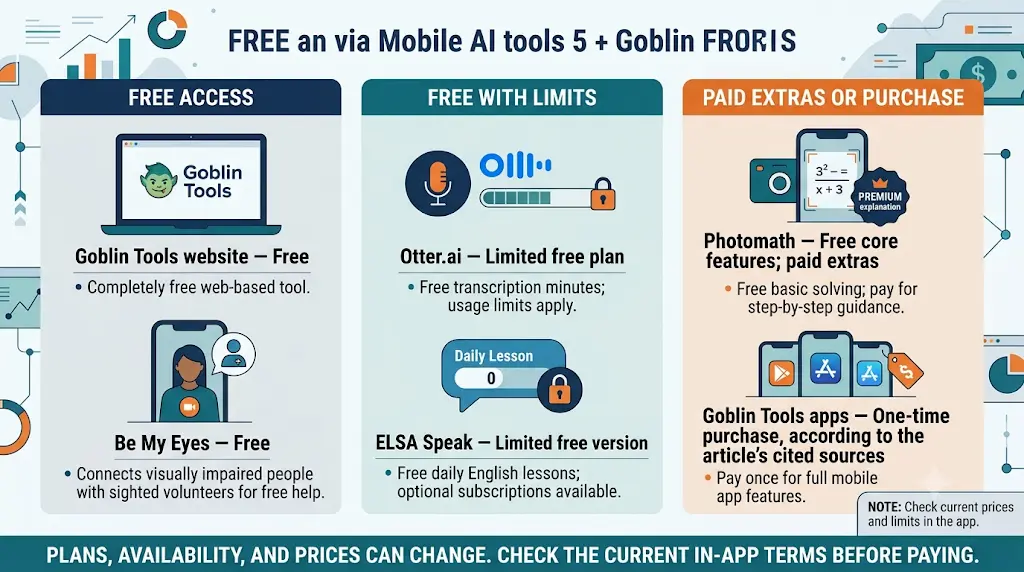
Which of the Best AI Tools for Beginners on Mobile Are Free?
Free means different things. Here is how these tools differ.
- Free to use: Be My Eyes, and the Goblin Tools website
- Free core with paid extras: Photomath (Plus adds extras)
- Free with monthly limits: Otter.ai Basic (minutes and import limits)
- Free with restricted features: ELSA Speak (full access is paid)
- One-time purchase: Goblin Tools apps (no subscription, per the sources above)
A free trial is not a free plan. It ends, and the subscription may start automatically.
When is paying worth it? Pay only when you hit a limit you actually face. That could be Otter’s minute cap, ELSA’s locked lessons or Photomath’s textbook solutions. Until then, the free plan is enough.No AI experience? Start here—these beginner-friendly tools can save you hours of confusion and unnecessary effort.
How Do You Evaluate an App Before Paying?
Test the free version on one real task for a week before you upgrade. Then ask four questions:
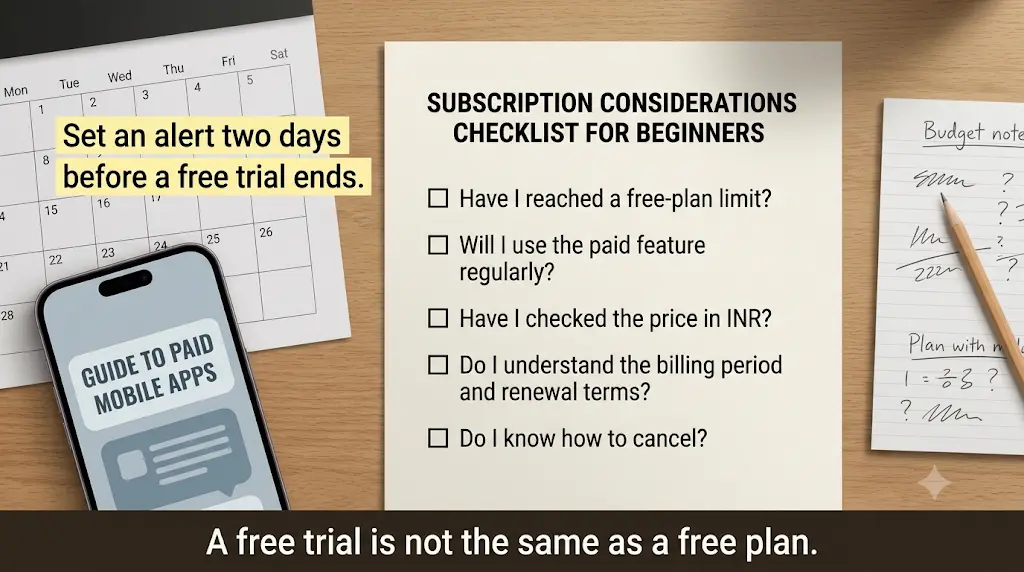
- Did I hit a free limit more than once?
- Is the paid feature one I will use weekly?
- Do I know the price in rupees and the billing period?
- Do I know how to cancel?
If you answer “no” to any of these, keep using the free plan.
How Do You Avoid Unwanted Subscription Renewals?
Set a reminder two days before a free trial ends and check the subscription settings in your app store. Photomath’s Google support page notes that Plus is billed through Google Play or the App Store and that you must cancel at least a day before the period ends. The same habit applies to every app here. Compare monthly and annual prices too, because a cheaper annual price still means a larger upfront payment.Still avoiding AI because it looks too complicated? These easy-to-use tools can change that in just a few minutes.
What Should Indian Users Know About the Best AI Tools for Beginners on Mobile?
Indian users should check language support, rupee pricing and renewal terms before relying on any of these apps. Here is what to confirm for each point.
Language Compatibility
Be My Eyes lists 36 languages for Be My AI, and Goblin Tools lists 70+ interface languages. Otter.ai reportedly supports English, French and Spanish, which means Indian-language transcription may not be available [VERIFY]. ELSA Speak focuses on English pronunciation. Check each app’s language list before you start.
INR Pricing and Currency
Prices vary by country. The figures quoted in this article are in dollars from third-party sources or foreign store listings, so treat them as rough guides. Open the subscription screen in the app, read the rupee price and look for taxes before you confirm.
Android, iPhone and Internet Needs
I confirmed iOS listings for most of these apps and Android availability for Goblin Tools, Be My Eyes and Photomath. Check the Play Store or App Store for your phone’s version. Most of these tools process data online, so expect them to need a mobile data or Wi-Fi connection. Offline use was not verified [VERIFY].
Privacy and Subscriptions
Avoid uploading identity documents or confidential college material. Read each app’s privacy policy and check whether you can delete your data. Before you start a trial, note the renewal date and where to cancel.
How Can You Use an AI Tool on Your Phone for the First Time?
Try one tool on one real task. Here is how to start with Goblin Tools, which needs no download.
- Open goblin.tools in your phone browser.
- Open Magic ToDo.
- Type a real task, such as “prepare for Monday’s viva.”
- Read each suggested step and delete the ones that don’t apply.
- Save the list somewhere you will see it, such as a screenshot.
Tip: Start with a task you care about. A real task shows you quickly whether the tool is worth keeping.
How Do You Choose From the Best AI Tools for Beginners on Mobile?
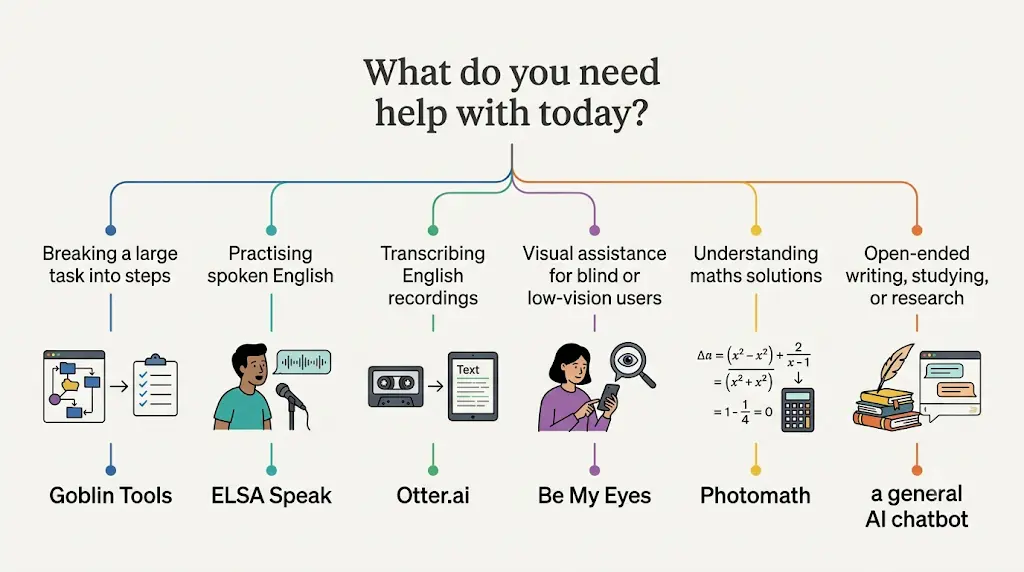
Match the tool to the problem.
- Overwhelmed by a big task? Goblin Tools
- Need better spoken English? ELSA Speak
- Need notes from English recordings? Otter.ai
- Need visual help as a blind or low-vision user? Be My Eyes
- Stuck on math? Photomath
- Need open-ended help with writing, studying or research? A general chatbot is often more flexible than any specialist tool
How specialised tools differ from chatbots: A chatbot can do many jobs but needs good prompts. A specialised tool does one job with little setup. Beginners often prefer the second kind.
Are AI Tools on Mobile Safe to Use?
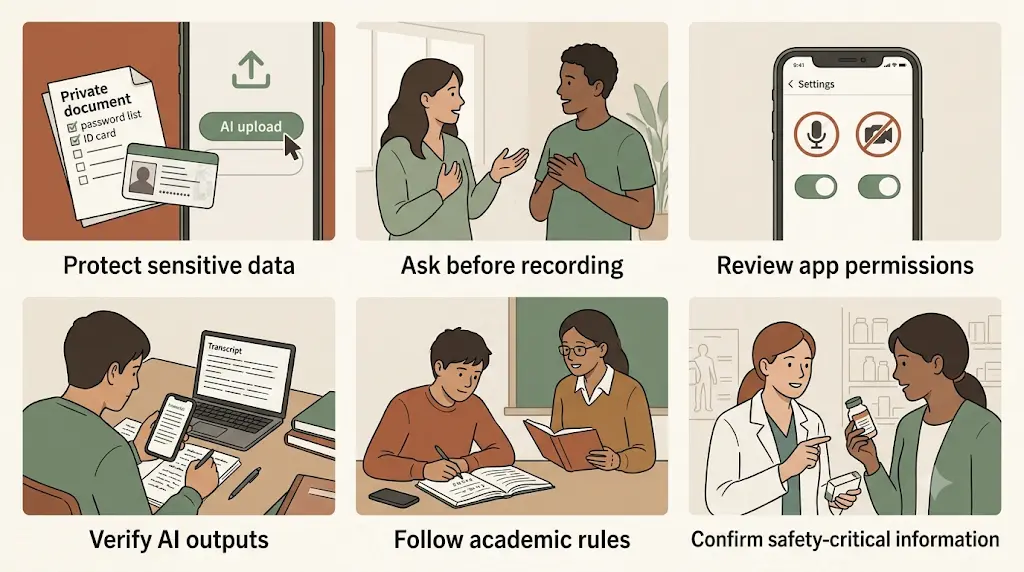
They can be used safely if you manage what you share. No app is risk-free, so apply these habits:
- Protect sensitive information. Do not upload passwords, ID documents or financial details.
- Get consent before recording. Always ask before recording another person.
- Check permissions. Only allow the microphone or camera for the apps that need them.
- Read the privacy policy. Check what is stored and what you can delete.
- Verify the output. AI can be incomplete or wrong, so check calculations, transcripts and key facts.
- Follow your institution’s rules. Some schools and employers restrict AI use for assessed work.
- Watch subscriptions. Note the renewal date and how to cancel before starting a trial.
What Are the Limitations of Beginner-Friendly AI Apps?
These tools help, but they have clear limits.
- Accuracy: Outputs can be wrong, so review them.
- Internet: Most rely on cloud processing, so expect them to need a connection. I could not verify offline support for every tool [VERIFY].
- Language: Support for Indian languages varies. Check before you rely on it.
- Subscriptions: Free plans have caps, and paid plans may renew automatically.
- Learning: Using tools such as Photomath without trying the problem first won’t build skills.
Frequently Asked Questions
What are the best AI tools for beginners on mobile?
Goblin Tools, ELSA Speak, Otter.ai, Be My Eyes and Photomath are strong starting points. Each solves one clear problem and offers a free way to try it. The best choice depends on whether you need task planning, English practice, transcription, accessibility help or math support.Stop wasting time on repetitive tasks—discover the best AI tools for everyday tasks that can help you work smarter, simplify daily routines, and get more done with less effort.
Which free AI apps are useful for beginners?
Be My Eyes is free, Photomath’s core step-by-step features are free, and the Goblin Tools website is free. Otter.ai and ELSA Speak have limited free versions. Free plans change, so check each app’s current terms.
Are there beginner-friendly AI apps for Android and iPhone?
Yes. Photomath and Be My Eyes are listed on both platforms, and Goblin Tools has apps for both. Confirm your phone’s OS requirements and India availability in the store listing before downloading.
Can I use AI tools without installing an app?
Sometimes. The Goblin Tools website is free and works in a phone browser. Others are mainly app-based. Check each tool’s website for a web version.
Which AI tool is best for everyday tasks?
Goblin Tools is a good first choice for planning everyday tasks because it breaks a large task into steps you can edit. For open-ended questions, a general chatbot may suit you better.
Which AI app can help me improve my English speaking?
ELSA Speak is built for spoken English and pronunciation feedback. The free version is limited, so check the in-app rupee price and renewal terms before subscribing.
Are AI apps safe to use on mobile phones?
They can be, with care. Avoid uploading sensitive documents, limit app permissions, read privacy policies and verify AI output. Never record people without their consent.
Do AI tools work without an internet connection?
Most need a connection because they process data in the cloud. Support for offline use varies, so check each app’s official description rather than assuming it works offline.
What is the difference between a specialised AI app and a general AI assistant?
A specialised app does one job, such as pronunciation feedback or math steps, with little setup. A general assistant can handle many tasks but usually needs you to write good instructions. Beginners often get faster results from a focused tool.
How do I avoid being charged after a free trial?
Note the trial end date, set a reminder two days before and cancel in your app store’s subscription settings before the period ends. Photomath’s support page says cancellation must happen at least a day before the current period ends.
Do these AI apps support Hindi or other Indian languages?
It depends on the tool. Be My AI lists 36 languages and Goblin Tools lists 70+ interface languages, but I could not confirm which Indian languages each supports. Otter.ai reportedly supports English, French and Spanish. Check each app’s language list first.
Is it acceptable to use AI apps for college assignments?
That depends on your institution’s rules. Many allow AI for planning or practice but not for submitting generated work as your own. Check your course policy, and use these tools to learn, not to copy.
Conclusion: Which of the Best AI Tools for Beginners on Mobile Should You Try First?
Start with one tool that matches your biggest problem right now. If you are not sure, try Goblin Tools on a task you have been avoiding. It is free in a browser, and it will show you in five minutes whether AI helps you.
Install a second tool only when the first one leaves a gap. For most beginners, one well-chosen app beats five half-used ones.
Next step: Open your phone, pick one real task, and try the matching tool today.
About the Author
Nandhakumar is the Founder and Content Creator at FutureFastAI, a platform dedicated to helping students and beginners discover practical AI tools for studying, productivity, communication, and everyday tasks. He focuses on explaining AI tools in clear, beginner-friendly language, comparing their features and limitations, and helping readers understand free and paid options before choosing a tool. Through FutureFastAI, he aims to make AI technology more accessible while encouraging responsible use of AI as a learning assistant—not a replacement for independent thinking, creativity, or human judgment. His content prioritizes practical use cases, transparent information, and useful guidance to help readers make informed decisions.