Hidden AI Tools That Most Students Are Not Using Yet (2026 Guide)
Last Verified: August 2026 |
⚡ 60-Second Summary
Most students only use ChatGPT. The smartest students combine NotebookLM + a diagram tool (Napkin AI) + one academic-search specialist (Elicit or Consensus) — three free tools, three different jobs. That combination alone covers most of what a general chatbot handles poorly. Everything else in this guide is about finding which other gap you personally have.
Quick Answer
The AI tools that most students are not using yet solve narrow, specific study problems that ChatGPT handles poorly:
turning your own PDFs into a searchable notebook (NotebookLM), converting text into diagrams (Napkin AI),
extracting structured findings from academic papers (Elicit, Consensus)
building a personal knowledge base from saved content (Recall)
breaking an overwhelming task into a first step (Goblin Tools)
turning notes into slides (Gamma)
and converting recorded lectures into flashcards (Mindgrasp).
All eight have usable free tiers, and none require dropping ChatGPT — they sit alongside it.

A Second-Year Engineering Student, One Week Before Finals
The following is an illustrative scenario, not a real case study.
Imagine a second-year engineering student named ravi, sitting cross-legged on his hostel bed at 11 p.m., three subjects deep into a syllabus he hasn’t fully read yet. His laptop has nineteen browser tabs open. Half are lecture PDFs he downloaded and never opened again.
He has ChatGPT open in one tab, typing the same kind of question he’s typed all semester: “explain thermodynamics simply.” It works, sort of. But it doesn’t know what his professor actually covered. It can’t turn his 40-slide deck into a diagram he can glance at before the exam. It definitely can’t tell him which of his six overdue assignments to start first.
Ravi isn’t lazy. He’s using the one AI tool everyone talks about, in the one way everyone uses it — as a general-purpose question-answering machine. What he doesn’t know yet is that a small set of other tools exist specifically for the problem he’s stuck in: too many sources, too little structure, and a brain too tired to organize any of it.
That gap is exactly where the AI tools that most students are not using yet live — and it’s what this guide closes.
Most students don’t fail because they study less—they fail because they use the wrong AI tools. Discover the hidden AI apps that can instantly boost your focus, memory, and study performance.
Why Most Students Only Use ChatGPT
There’s nothing wrong with ChatGPT. It’s the tool students hear about first, so it becomes the only tool they ever reach for — the same way “Google it” became shorthand for “search,” regardless of which engine you actually opened.
The real problem isn’t ChatGPT itself. It’s that one general-purpose chatbot is being asked to do the job of eight specialized tools, and it does most of those jobs adequately rather than well.
A general chatbot doesn’t know what’s inside your 60-page lecture PDF unless you paste it in manually — and even then it can drift from your source and start guessing. It can’t natively turn a wall of text into a diagram you’d glance at the night before an exam. It won’t break “finish my research methodology chapter” into a first physical step when your brain has hit a wall.
🧠 Common Myth Myth: “ChatGPT is enough — I don’t need anything else.
” Reality: Specialized AI tools usually outperform a general chatbot for the one specific task they were built around, precisely because they aren’t trying to do everything at once.

What Makes an AI Tool Actually Underrated (Not Just Obscure)
Being unknown isn’t the same as being useful. This is the filter used to decide which AI tools that most students are not using yet actually earned a spot on this list, and which loud-on-social-media tools didn’t. Before anything made it in, three questions were applied:
- Does it solve a problem a general chatbot handles poorly?
- Does it have a free tier a student can actually rely on — not just a seven-day trial?
- Is every pricing and feature claim checked against the tool’s own site, not copied from another roundup?
Tools that failed any of these were left out, even the ones with the loudest social media buzz.
This is also why ChatGPT, Claude, Gemini, and Perplexity don’t get full write-ups here — they’re already mainstream enough that most students have heard of them.
(If you want an open-web research tool with citations alongside the picks below, Perplexity is still excellent — it’s just not hidden.)
The S.M.A.R.T. AI Learning Framework™
Instead of a random list, tools here are sorted by the study stage they actually support:
- S — Search smarter. Find and verify information with citations instead of guessing.
- M — Master concepts. Turn dense material into something you can picture.
- A — Automate notes. Let AI extract structure from lectures, PDFs, and recordings.
- R — Retain with revision. Convert notes into spaced, testable review material.
- T — Test yourself. Use active recall and quizzes rather than re-reading.
Every tool below is tagged with the S.M.A.R.T. stage it fits best.
Hidden AI Toolkit: Ranked, Most Hidden Gem → Most Likely to Go Mainstream
- 🥇 Goblin Tools — Most Hidden Gem (viral in ADHD communities, still unknown to most students)
- 🥈 Napkin AI — Rapidly growing, still under most students’ radar
- 🥉 Recall — Niche but loyal user base, name confusion keeps it under-discovered
- Consensus — Gaining traction among grad students, not yet mainstream
- Elicit — Well known in research circles, unknown outside them
- Mindgrasp — Smaller player, use with the trial caution noted below
- Gamma — Fast-growing, closest to breaking into mainstream awareness
- NotebookLM — Most Likely to Become Mainstream (Google’s backing means broader awareness is only a matter of time)
AI Tools That Most Students Are Not Using Yet: The Full Toolkit
🏆 NotebookLM — Best Overall
S.M.A.R.T. stage: Master concepts + Automate notes
| ⭐⭐⭐⭐⭐ Overall
| ⭐⭐⭐⭐⭐ Free Plan |
Difficulty: 🟢
Beginner Site: notebooklm.google.com
| ⏱ Read this card in 2 min
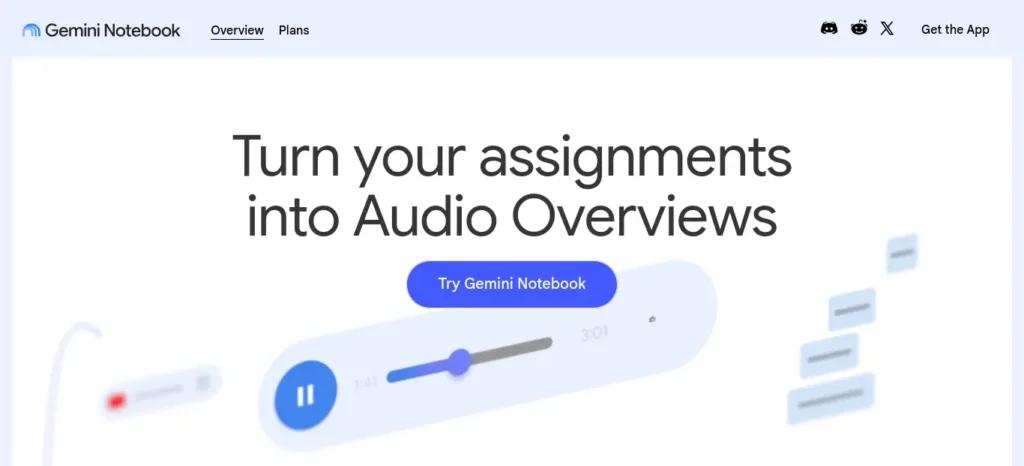
Turns a pile of lecture PDFs, slides, and readings into one searchable, source-grounded notebook that answers questions using only what you uploaded, with citations pointing to the exact source.
- Key Features: Source-grounded Q&A, auto-generated audio overviews, mind maps, flashcards, and quizzes built directly from your uploads.
- 🎯 Best For: Consolidating one course’s scattered PDFs and slides into a single revision-ready notebook.
- 👤 Ideal Users: Anyone drowning in lecture PDFs who wants answers grounded in their own syllabus, not the open internet.
- 🙈 Why It’s Hidden: Google rarely promotes it directly, it sits inside the broader Google AI ecosystem rather than as its own headline product, and “everyone talks about ChatGPT” crowds it out of casual conversation.
- 💰 Pricing & Free Plan: Free tier is genuinely usable — around 100 notebooks, 50 sources per notebook, ~50 chat queries a day.
Paid tiers ride inside a Google AI subscription: entry tier around $4.99/month (~₹480/month), higher tiers around $19.99/month (~₹1,920/month) and up for heavier daily limits.
- 👍 Pros: Rarely hallucinates because it only reasons over your own sources; generates multiple study formats (audio, flashcards, mind maps) from one upload.
- 👎 Cons: Files are processed on Google’s servers, so it’s not the place for sensitive documents; won’t independently research beyond what you feed it unless explicitly asked to search.
- ❌ Skip If: You don’t study from PDFs or slides, you rarely take structured notes, or you only ever need quick one-off answers rather than a revision bank.
- 🆚 Better Than: A general chatbot for anything grounded in your actual course material — it won’t drift or invent details the way a plain chatbot summary sometimes can.
- ⭐ Final Verdict: If you study from PDFs, NotebookLM is close to the single best free AI tool available for turning them into something exam-ready.
Creating good revision notes is one of the biggest time-savers during exam preparation. Learn how to create smart revision notes with AI and turn textbooks, PDFs, and class notes into structured, exam-ready study material in minutes.
💰 Napkin AI — Best Free Diagram Tool
S.M.A.R.T. stage: Master concepts |
⭐⭐⭐⭐☆ Overall |
⭐⭐⭐⭐⭐ Free Plan |
Difficulty: 🟢 Beginner
Site: napkin.ai |
⏱ Read in 2 min
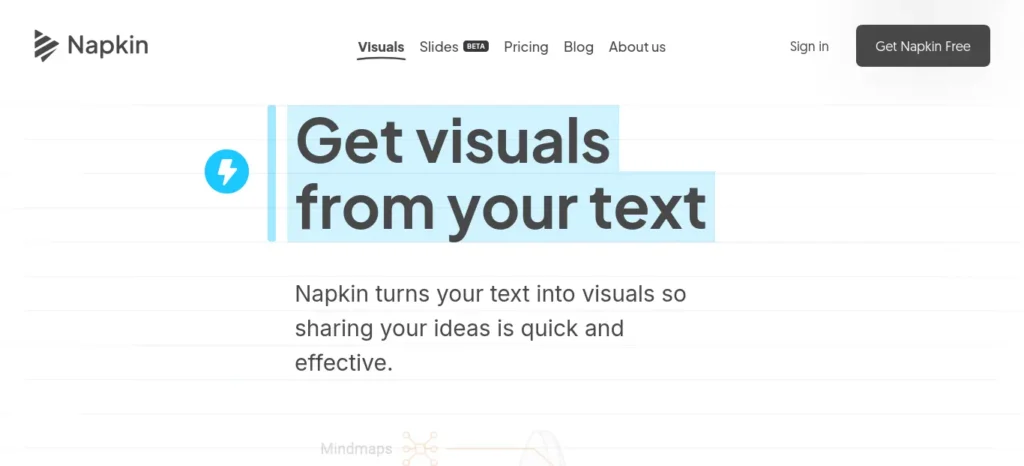
Paste in typed notes and Napkin suggests a visual layout — flowchart, comparison grid, or timeline — built from the structure already implied in your text. No design skill needed.
- Key Features: Text-to-diagram generation, editable icon and color libraries, export to PNG/SVG/PDF/PowerPoint.
- 🎯 Best For: Visual learners revising process-heavy subjects — biology pathways, engineering workflows, historical timelines.
- 👤 Ideal Users: Anyone who understands a concept better as a picture than as a paragraph.
- 🙈 Why It’s Hidden: It’s still officially in beta-adjacent growth mode, has no mobile app, and gets far less social buzz than general-purpose design tools like Canva.
- 💰 Pricing & Free Plan: Free plan includes roughly 500 AI credits a week — enough for regular light use.
Paid tiers begin around $9/month (~₹865/month) for more credits and extra export formats, up to roughly $22/month (~₹2,110/month) for heavier, branding-focused use.
- 👍 Pros: Genuinely fast — a paragraph becomes a usable diagram in seconds; weekly credit reset suits exam-season bursts of use.
- 👎 Cons: Struggles with vague or unstructured input; layouts can feel template-y with repeated use.
- ❌ Skip If: Your notes are already unstructured paragraphs with no headings, or you need pixel-level design control Napkin’s automated layouts don’t offer.
- 🆚 Better Than: Manually building a diagram in Canva or PowerPoint from scratch, in terms of speed.
- ⭐ Final Verdict: The fastest way to turn a dense paragraph into something you’ll actually glance at the night before an exam.
💡 Student Tip Don’t install every AI tool at once. Choose ONE tool that fixes your biggest study problem first, use it for a week, then decide if you need a second.
📊 Quick Recommendation
| If you need… | Use… |
| 📚 Notes from your own PDFs → | NotebookLM |
| 📊 A diagram from a paragraph → | Napkin AI |
🎓 Elicit — Best for Academic Papers
S.M.A.R.T. stage: Search smarter + Master concepts |
⭐⭐⭐⭐☆ Overall |
⭐⭐⭐⭐☆ Free Plan |
Difficulty: 🟡 Intermediate
Site: elicit.com |
⏱ Read in 2 min
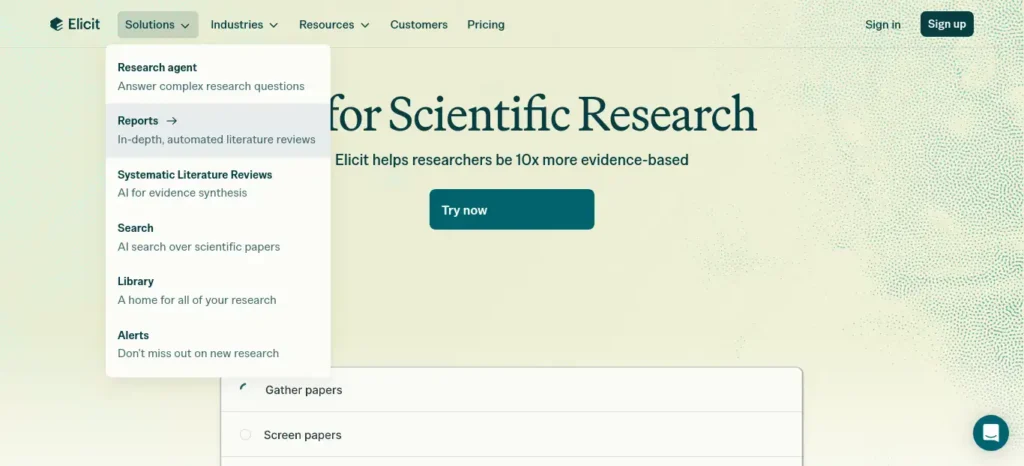
Searches a database of well over 100 million academic papers, summarizes individual studies, and can extract specific data points — sample size, method, findings — across many papers into one organized table.
- Key Features: Unlimited paper search on the free tier, AI paper summaries, structured data extraction across multiple studies at once.
- 🎯 Best For: Literature reviews and any assignment that needs findings pulled from multiple academic papers rather than general web content.
- 👤 Ideal Users: Final-year students, thesis writers, and anyone doing an optional subject with a heavy research component.
- 🙈 Why It’s Hidden: It’s built for a research audience first, so it rarely shows up in general “AI tools for students” content — most students have never heard of it outside academic circles.
- 💰 Pricing & Free Plan: Free Basic tier includes unlimited search, summaries, and full-text paper chat — genuinely enough for a standard assignment.
paid-tier pricing was reported very inconsistently across sources during research (roughly $10 to $49/month depending on source and billing cycle) — confirm the exact current figure directly on elicit.com before budgeting for it.
- 👍 Pros: Massive time saver on literature reviews; free tier alone usually covers undergraduate coursework.
- 👎 Cons: Limited strictly to peer-reviewed academic literature — no news, market data, or general web content.
- ❌ Skip If: Your assignment doesn’t involve academic papers at all, or you need current-events / non-academic sources.
- 🆚 Better Than: Manually scanning Google Scholar results one abstract at a time.
- ⭐ Final Verdict: If your coursework leans research-heavy, Elicit’s free tier alone can cut a literature review from hours to minutes.
🔬 Consensus — Best for “What Does the Science Say”
S.M.A.R.T. stage: Search smarter |
⭐⭐⭐⭐☆ Overall |
⭐⭐⭐⭐☆ Free Plan |
Difficulty: 🟢 Beginner
Site: consensus.app |
⏱ Read in 2 min
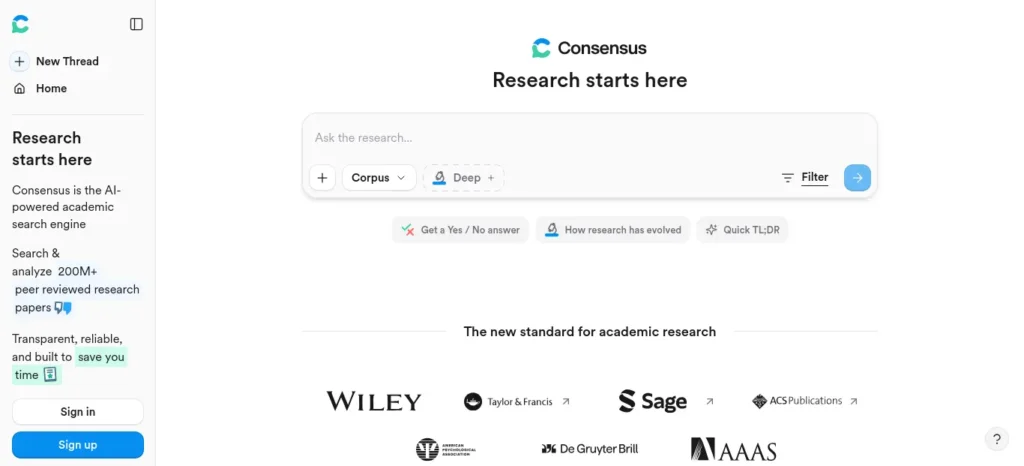
Searches over 200 million peer-reviewed papers and answers a plain-language question with a synthesized, cited summary, plus a distinctive “Consensus Meter” showing how much scientific agreement exists on the topic.
- Key Features: Consensus Meter (agreement level across studies), unlimited basic search, monthly allowance of deeper AI analyses on the free plan.
- 🎯 Best For: Fast, evidence-based answers for essays, dissertations, or debate prep without reading twenty papers yourself.
- 👤 Ideal Users: Students who need a quick, citable read on scientific consensus rather than a full systematic review.
- 🙈 Why It’s Hidden: It’s often mentioned only in “best AI research tools” roundups aimed at professional researchers, not general student content.
- 💰 Pricing & Free Plan: Free tier includes unlimited basic search plus a monthly allowance of deeper analyses and study snapshots.
paid-tier pricing conflicted across sources (roughly $9–$13/month, with a separately reported student discount) — confirm on consensus.app before subscribing.
- 👍 Pros: The agreement meter is a genuinely unique feature — nothing else on this list visualizes scientific consensus this way.
- 👎 Cons: Peer-reviewed literature only; occasional synthesis errors mean citations should still be spot-checked.
- ❌ Skip If: You need unpublished, breaking, or non-academic information.
- 🆚 Better Than: A plain web search for “is X actually true scientifically” — you get the agreement level, not just one article’s opinion.
- ⭐ Final Verdict: The single fastest way to check whether a claim is scientifically well-supported before you write it into an assignment.
🧵 Recall — Best Personal Knowledge Base
S.M.A.R.T. stage: Retain with revision |
⭐⭐⭐⭐☆ Overall |
⭐⭐⭐☆☆ Free Plan |
Difficulty: 🟡 Intermediate
Site: getrecall.ai | ⏱ Read in 2 min
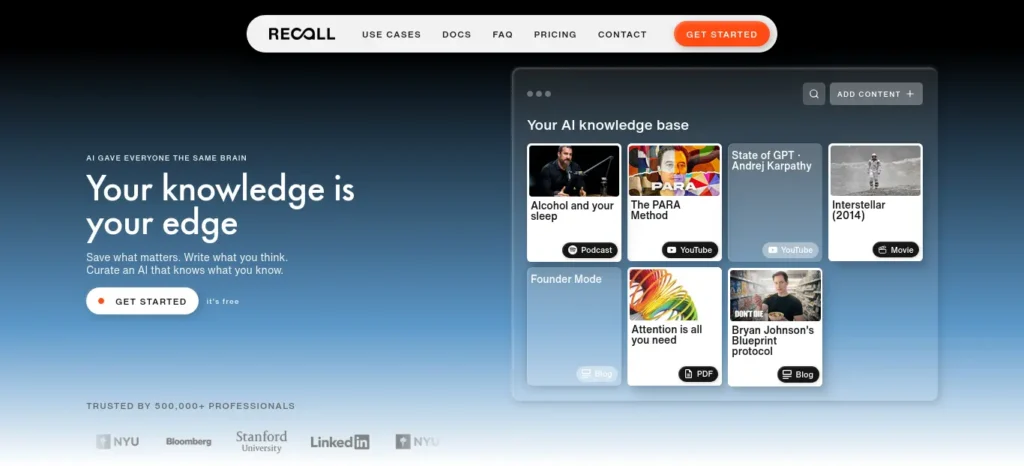
Save an article, YouTube video, podcast, or PDF, and Recall generates a summary and links it to related items you’ve saved before — gradually building a connected “second brain” instead of a graveyard of open tabs.
- Key Features: Auto-summarization on save, knowledge-graph linking between saved items, broad format support (video, podcast, PDF, articles).
- 🎯 Best For: Students who save YouTube lectures and articles and then completely forget they exist.
- 👤 Ideal Users: Heavy “read it later” hoarders who never actually go back and read it later.
- 🙈 Why It’s Hidden: Confusing branding — it shares a name with an unrelated developer API — which makes it hard to search for and easy to give up on finding.
- 💰 Pricing & Free Plan: Free “Lite” tier covers core saving and summarizing.
paid tiers were reported at roughly $10/month (~₹960/month) for unlimited summaries and ~$38/month (~₹3,650/month) for a heavier tier, with a student discount mentioned only in third-party reviews — confirm directly before relying on it.
- 👍 Pros: Turns passive saving into something you’ll actually revisit; knowledge-graph linking surfaces connections you’d otherwise miss.
- 👎 Cons: Name confusion with an unrelated product; free tier is the most limited of any tool on this list.
- ❌ Skip If: You rarely save content for later, or a plain bookmarks folder already works fine for you.
- 🆚 Better Than: A bookmarks folder you never open again.
- ⭐ Final Verdict: Worth testing only if forgetting saved content is a genuine, recurring problem for you — not a general-purpose must-have.
📊 Quick Recommendation
| If you need… | Use… |
| 🔬 Evidence-based research → | Elicit or Consensus |
| 🧠 A second brain for saved content → | Recall |
🐙 Goblin Tools — Best for Task Paralysis
S.M.A.R.T. stage: Automate notes (task-level) |
⭐⭐⭐⭐⭐ Overall |
⭐⭐⭐⭐⭐ Free Plan |
Difficulty: 🟢 Beginner
Site: goblin.tools |
⏱ Read in 1 min
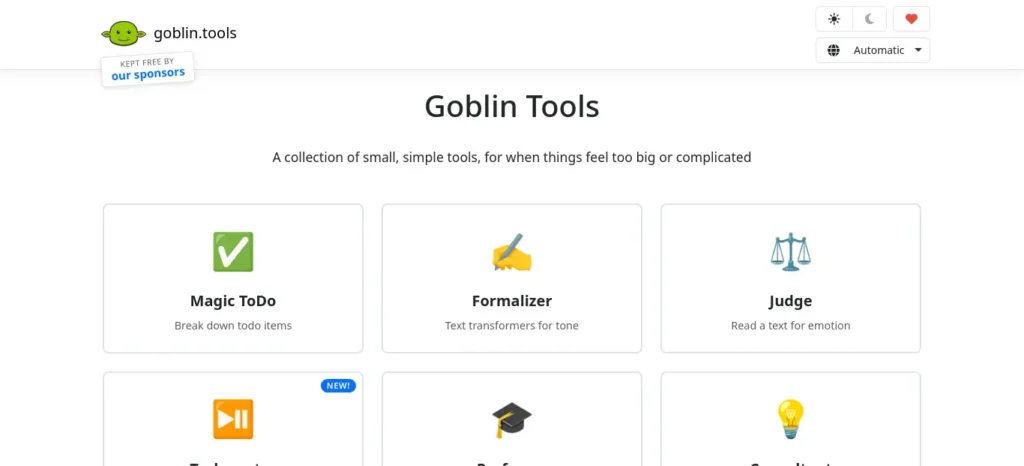
Its flagship feature, Magic ToDo, takes an overwhelming task — “finish my research methodology chapter” — and breaks it into small, concrete steps, with an adjustable “spiciness” dial controlling how granular the breakdown gets.
- Key Features: Magic ToDo task breakdown, Formalizer (tone rewriting), Estimator (realistic time estimates), no account required.
- 🎯 Best For: The moment before studying even starts, when an assignment feels too big to begin.
- 👤 Ideal Users: Anyone who freezes in front of a large task, not just students with diagnosed ADHD.
- 🙈 Why It’s Hidden: It went viral once on TikTok in 2023–24 within ADHD communities specifically, and never crossed over into general student-productivity content.
- 💰 Pricing & Free Plan: The core web tools are entirely free, no account or paid tier of any kind.
⚠️ Note: a separate, similarly named mobile app (“Goblin Tools – ADHD Planner”) from an unrelated developer has drawn complaints about unclear subscription billing — stick to the official goblin.tools website.
- 👍 Pros: Zero friction — no signup, no cost, no ceiling to hit.
- 👎 Cons: Makes a task feel smaller; doesn’t do the task for you.
- ❌ Skip If: Your blocker is genuine confusion about the material rather than task size — pair it with NotebookLM instead, or on top of it.
- 🆚 Better Than: Staring at a blank to-do list app hoping motivation shows up.
- ⭐ Final Verdict: The single best free tool on this list for getting unstuck, not for learning anything new.
Don’t make the mistake of managing every task manually—it quickly becomes overwhelming as your workload grows.explore AI Tools for Organizing Daily Tasks Automatically: 6 Best Picks (2026) before choosing your next productivity app.
🎨 Gamma — Best for Presentations
S.M.A.R.T. stage: Automate notes (output) |
⭐⭐⭐⭐☆ Overall |
⭐⭐⭐☆☆ Free Plan |
Difficulty: 🟢 Beginner
Site: gamma.app |
⏱ Read in 2 min
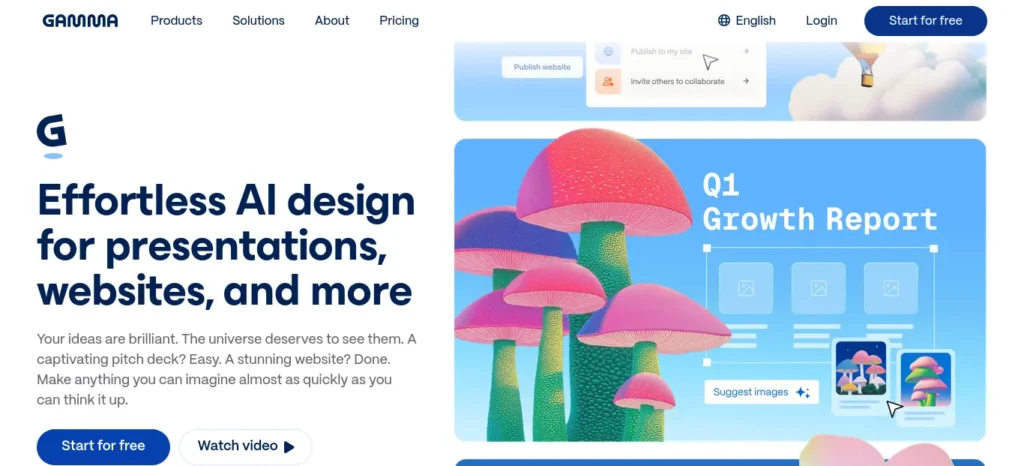
Paste in an outline, a document, or raw notes, and Gamma generates a formatted deck — layout, icons, suggested images — that you can still edit like a normal presentation.
- Key Features: Prompt-to-deck generation, smart layouts, chart and data visualization, export to multiple formats on paid tiers.
- 🎯 Best For: Turning revision notes into a class presentation or viva deck without touching a design tool.
- 👤 Ideal Users: Students who need to present regularly but don’t want to spend an evening formatting slides.
- 🙈 Why It’s Hidden: Growing fast, but still gets overshadowed by Canva and PowerPoint in general “presentation tool” conversations.
- 💰 Pricing & Free Plan: Free plan gives 400 one-time AI credits (roughly 8–10 full decks), with Gamma branding shown on shared or exported work.
Paid plans begin around $8/month (~₹770/month, billed annually) for unlimited generation and branding removal, rising to roughly $18–20/month (~₹1,730–1,920/month) for a higher tier.
- 👍 Pros: Genuinely fast first draft of a deck; smart layouts look professional with almost no manual formatting.
- 👎 Cons: Free-tier credits don’t refresh monthly; free exports carry visible branding, which matters for professor- or panel-facing decks.
- ❌ Skip If: You present rarely enough that Google Slides’ free, unlimited option already does the job.
- 🆚 Better Than: Manually formatting a PowerPoint deck from a bullet-point outline.
- ⭐ Final Verdict: Worth the free credits during exam-season presentation crunch, but budget carefully — they don’t renew monthly.
🎧 Mindgrasp — Use With Caution
S.M.A.R.T. stage: Automate notes + Test yourself |
⭐⭐⭐☆☆ Overall |
⭐⭐☆☆☆ Free Plan |
Difficulty: 🟡 Intermediate
Site: mindgrasp.ai |
⏱ Read in 2 min
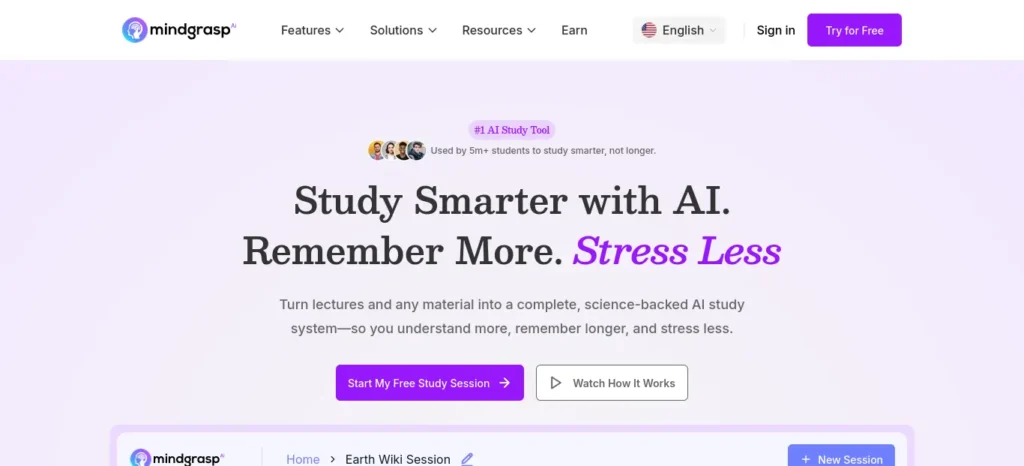
Upload a lecture recording, PDF, PowerPoint, or YouTube link and Mindgrasp generates structured notes, auto-built flashcards, and short quizzes, plus an AI tutor for follow-up questions.
- Key Features: Multi-format upload (video, audio, PDF, slides), auto-generated flashcards and quizzes, AI tutor for follow-up questions.
- 🎯 Best For: Converting long recorded lectures into notes and testable material automatically.
- 👤 Ideal Users: Students who record every class and never rewatch the footage.
- 🙈 Why It’s Hidden: Small player, thin independent coverage, and its trial-billing structure keeps casual users from sticking around long enough to talk about it.
- 💰 Pricing & Free Plan: ⚠️ Unverified claim flagged: Mindgrasp does not appear to offer an ongoing free plan — only a short (roughly 4-day) trial that several independent reviews say requires card details upfront, with billing starting automatically once the trial ends.
Reported paid pricing ranged from roughly $5.99 to $14.99/month depending on tier and source — verify exact current pricing at checkout.
- 👍 Pros: Handles a wide range of upload formats; genuinely useful for students with hours of recorded lecture content.
- 👎 Cons: Struggled in independent reviews with visually dense content like charts and diagrams; the card-required trial is a real risk for a tight student budget.
- ❌ Skip If: You’re not comfortable entering card details for a short trial, or your material is mostly visual/diagram-heavy rather than spoken.
- 🆚 Better Than: Nothing on this list outright — it’s a narrower, riskier option than NotebookLM for most students’ actual needs.
- ⭐ Final Verdict: Only worth testing if you specifically need lecture-audio-to-flashcard conversion, and only with a calendar reminder set to cancel before billing starts.
⚠️ Common Mistake Signing up for a free trial that requires a card (like Mindgrasp’s) without immediately setting a cancellation reminder. This is the single most avoidable mistake on this entire list.
Best Combinations: Chaining Tools by Workflow
No single tool covers a full study session. The real gain comes from chaining two or three together around the stage you’re actually stuck on.
For a science subject with diagrams and processes:
Lecture PDF → NotebookLM (summary) → Napkin AI (diagram) → Flashcards → Exam
For a research-heavy assignment:
Research question → Elicit or Consensus (evidence) → NotebookLM (organize into notes) → Draft
For presentation-based coursework:
Notes → Goblin Tools (break the prep into steps) → Gamma (build the deck)
📊 Quick Recommendation
| If you need… | Use… |
| 🎬 Presentations from notes → | Gamma |
| 😰 Help starting an overwhelming task → | Goblin Tools |
| 🎧 Lecture-to-flashcard conversion → | Mindgrasp (with trial caution) |
Most students use AI as a simple chatbot, but the real advantage comes from following a complete workflow. Discover our AI study workflow for students and learn how to capture notes, create quizzes, schedule revision, and prepare for exams more effectively.
Study Systems Beyond the Tools Themselves
No AI tool, hidden or otherwise, replaces the study methods that actually build memory. Active recall — testing yourself instead of re-reading — is still the most evidence-backed revision technique, which is exactly why tools that auto-generate quizzes and flashcards earn a spot on this list: they make active recall less effortful to set up, not less necessary.
Spaced repetition pairs naturally with any flashcard-generating tool above. The Pomodoro technique solves a different problem entirely — it manages attention, not information. And no summarizer compensates for lost sleep before an exam; if it’s a choice between one more revision pass and rest, the research consistently favors rest.
Common Mistakes Students Make With These Tools
The most common mistake is treating every tool here as a ChatGPT replacement rather than a specialist for one job — asking Napkin AI to do research, or expecting Goblin Tools to explain a concept it was never built to explain.
The second is uploading source material to a document tool and trusting the output without checking it against the actual reading. Every tool on this list can still misread a chart, drop a nuance, or misquote a source — and a wrong answer confidently stated in your own exam is still your mistake, not the tool’s.
India-Specific Advice
Every tool on this list works from a mobile browser, which matters given how much studying in India now happens on a phone between classes and hostel wifi outages. On low-bandwidth days, text-based tools like Goblin Tools and Napkin AI load faster and cost less data than video-heavy tools like Gamma or Mindgrasp’s lecture recording feature.
For exam-focused streams — UPSC, NEET, JEE, GATE, CAT, or SSC — NotebookLM and Elicit are the most directly useful: NotebookLM for turning coaching-class PDFs into a searchable revision bank, and Elicit for aspirants working through research-heavy optional subjects.
Where a paid tier is billed in USD, the INR figures above are approximate at roughly ₹96 to the dollar and will shift with the exchange rate — always check the number shown at checkout, since some platforms apply India-specific pricing rather than a straight conversion.
New to AI? Start with our Ultimate Beginner Guide to AI Tools for Students to discover the best AI tools for research, note-taking, writing, revision, and productivity—all explained in a beginner-friendly, step-by-step format.
Final Decision Guide: Matching Your Bottleneck to the Right Tool
This is the shortest possible summary of every AI tool that most students are not using yet, covered above.
(Presented as a scannable list rather than a wide table, per this site’s mobile-first formatting standard.)
- Study from PDFs → NotebookLM
- Need a diagram fast → Napkin AI
- Research an assignment (academic) → Elicit or Consensus
- Keep forgetting saved content → Recall
- Can’t start a task → Goblin Tools
- Building a presentation → Gamma
- Converting recorded lectures → Mindgrasp (with trial caution)
Frequently Asked Questions
Which hidden AI tool is best for students? No single “best” — it depends on your bottleneck. For most students, NotebookLM is the strongest starting point: free, source-grounded, and immediately usable with existing course material.
Are these AI tools free? Six of the eight — NotebookLM, Napkin AI, Elicit, Consensus, Recall, and Goblin Tools — have a genuinely usable free tier with no card required upfront. Gamma’s free tier is credit-limited rather than ongoing, and Mindgrasp currently offers only a short, card-required trial.
Can these AI tools improve exam scores? They can improve study efficiency — faster revision, better-organized notes, more consistent self-testing. No AI tool guarantees a specific score outcome, and any claim that it does should be treated skeptically.
Which AI tool is best for research? Elicit for structured extraction across academic papers; Consensus for a fast, evidence-based read on scientific consensus.
Which AI tool is best for note-taking? NotebookLM, for source-grounded notes built from your own uploaded material.
Which AI tool replaces ChatGPT? None of them are designed to fully replace a general chatbot — they handle one task better than a general chatbot does, which is exactly why they’re worth using alongside it.
Are these tools safe for students? All eight are legitimate, actively maintained products. Avoid uploading sensitive personal documents to any of them, and read trial-billing terms carefully before entering payment information, particularly with Mindgrasp.
Which AI tools support PDFs? NotebookLM, Elicit, Recall, and Mindgrasp all accept direct PDF uploads.
Key Takeaways
📌 Key Takeaway: ChatGPT is a generalist; the tools most students haven’t discovered yet are specialists — and specialists usually win on the one job they were built for.
💡 Pro Tip: Pick one tool that matches your single biggest bottleneck this week rather than adopting all eight at once.
⚠️ Common Mistake: Signing up for a card-required free trial (Mindgrasp) without setting a cancellation reminder.
✅ Quick Action: Upload this week’s lecture slides into NotebookLM’s free tier tonight, before the next lecture adds to the pile.
🎯 Decision Point: If you only try one tool from this guide, make it the one matched to your current biggest bottleneck above — not the one with the most social media buzz. That’s the entire point of a guide to AI tools that most students are not using yet: not adoption for its own sake, but matching the right specialist to the right problem.
Before you move on, ask yourself this: do you have a learning system or just good intentions? Discover How to Build a Daily Learning System Using AI (Step-by-Step Guide) to create a simple AI-powered routine that actually sticks.
About the Author
FutureFastAI is an independent educational platform dedicated to helping students discover practical AI tools, smarter study methods, and productivity strategies. Every guide is thoroughly researched, with a focus on accuracy, transparency, and real-world usefulness.
Before publishing, tool features, pricing, and free plans are verified against official sources whenever possible. When information cannot be confirmed directly, it is clearly identified so readers can make informed decisions.
Our goal is simple: help students spend less time searching for the right tools and more time learning, creating, and achieving better results with AI.
Editorial Policy
Last Updated: August 2026
At FutureFastAI, our mission is to help students discover practical AI tools, smarter study methods, and trustworthy technology insights. Every article is created with accuracy, transparency, and user value as the highest priorities.
Our Editorial Principles
Accuracy First
We strive to provide accurate and up-to-date information in every article. Features, pricing, free plans, and product details are verified using official sources whenever possible before publication.
Independent Research
Our content is created independently and is not influenced by software companies, advertisers, or affiliate partners. Recommendations are based on research, educational value, and relevance to students.
Transparency
Technology changes quickly. If information cannot be confirmed from an official source, we clearly state that it is unverified rather than presenting it as fact.
When an article includes estimated pricing or information that may change over time, readers are encouraged to verify the latest details on the product’s official website before making purchasing decisions.
Regular Updates
We regularly review and update published content to reflect new features, pricing changes, product updates, and industry developments. Articles include a “Last Updated” or “Last Verified” date whenever appropriate.
Human-Written, AI-Assisted
Artificial intelligence may be used to assist with research, outlining, editing, grammar improvement, and content organization. However, every article is reviewed, refined, and published only after human editorial oversight to ensure clarity, accuracy, and usefulness.
Honest Recommendations
We recommend tools because they solve real student problems—not because they are popular. Every tool has strengths and limitations, and we aim to explain both so readers can make informed decisions.
Corrections
Despite careful review, mistakes can occasionally happen. If you notice inaccurate or outdated information, we welcome your feedback and will investigate and update the content when appropriate.
Affiliate Disclosure
Some articles may contain affiliate links. If you purchase a product through these links, FutureFastAI may earn a small commission at no additional cost to you.
Affiliate partnerships never influence our editorial decisions. We only recommend products that we believe provide genuine value to students and learners.
Contact
If you have questions, suggestions, or would like to report an error, please contact us through the contact page on FutureFastAI.
Thank you for trusting FutureFastAI as your learning resource.