

AI Tools for Learning Math Without a Tutor: A Smarter Way to Study Alone
Quick Answer
AI tools for learning math without a tutor can help students understand difficult concepts, check algebra solutions, identify mistakes, and practise independently without relying on a private tutor. The best tool depends on whether you need step-by-step explanations, help with a specific equation, or additional practice.
For students learning math independently, the most useful tools are those that explain why a solution works instead of simply displaying the final answer.
Best AI math tools by learning goal:
- Step-by-step math help: Mathos AI — explore its guided problem-solving features.
- Checking mathematical work: GeoGebra Math Solver — useful for working through supported equations and mathematical problems.
- Additional practice: Wolfram Problem Generator — useful for practising topics supported by its problem sets.
- Video-based explanations: Numerade — explore its available educational videos and AI tutoring features.
- Building foundational skills: Elephant Learning — consider it for structured foundational math practice, particularly for younger learners.
The best way to use AI for math: Attempt the problem yourself, request a hint when stuck, check the reasoning, and solve a similar problem without AI.
Tool features, free access, and limitations can change. Check each provider’s official website before relying on a particular feature or purchasing a subscription.
🧠 The Golden Rule
ATTEMPT FIRST → ASK FOR HELP → VERIFY → PRACTICE ALONE
AI should guide your thinking—not replace it.
Best for targeted help: Mathos AI
Best for verification: GeoGebra Math Solver
Best for independent practice: Wolfram Problem Generator

🎯 Is This Guide Right for You?
| ✅ This Guide Is For You If… | 🚫 This Guide Isn’t For You If… |
| You want to learn math independently | You only want final answers |
| You need help understanding difficult steps | You want AI to do your homework |
| You want to catch mistakes in your working | You don’t want to practice on your own |
| You are comfortable trying first | You need constant human supervision |
| You want to use AI without becoming dependent on it | You are looking for a replacement for a teacher |
🧠 Best fit: Students who want AI as a math tutor—not an answer machine.
🧠 LEARN FIRST → VERIFY SECOND → PRACTICE ALONE
Attempt → You solve, AI stays out.
Teach → You show your stuck step, AI gives a targeted hint.
Explain → You ask “why,” AI explains the concept.
Verify → You check the reasoning, AI cross-checks the result.
Practice → You solve again alone, AI steps away.
The entire method in one line: Solve first → Get targeted help → Understand why → Verify independently → Prove you can do it alone.
It’s 10:30 PM. You understand the formula, but step three of the problem makes no sense. Nobody’s awake to ask. You search the exact question and get five different explanations, none matching how your textbook wrote it.
This is the moment AI tools are supposed to help with — but most don’t, not really. They give you an answer. What you needed was someone to point at line three and say, “here’s where it broke.”
AI can help you learn math without a tutor — but only if you use it as a tutor, not an answer generator. That one distinction shapes everything below.
Solving ≠ Learning
A solver and a tutor look identical from the outside: problem in, response out. But a solver closes the loop fast and teaches you almost nothing reusable. A tutor slows the loop down just enough that you understand why a step works, so the next similar problem doesn’t need help at all.
⚠️ FAST ANSWER ≠ STRONG UNDERSTANDING
- Answer-first AI use gives the final answer, rewrites the whole solution, and removes the struggle — it finishes one problem and teaches you to read passively.
- Tutor-style AI use gives a targeted hint, finds the first mistake, and treats the struggle as feedback — it helps you solve the next problem without help.
Struggling with difficult subjects? Explore our complete guide on AI Tools for Learning Difficult Subjects Faster and discover powerful AI tools that make complex topics easy to understand.
Most “best AI math apps” lists only evaluate tools as solvers. This guide asks a different question: which tools make you better at doing math yourself?
The S.T.E.P. Math Method (An Original FutureFastAI Framework)
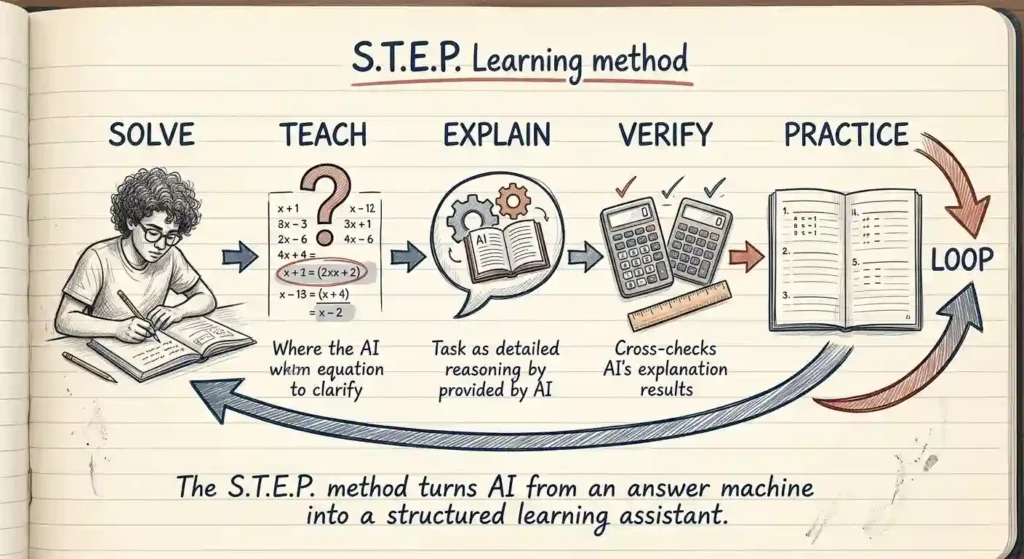
Underneath every AI-assisted study session is a simple loop:
Understand → Attempt → Ask → Verify → Retry → Reflect.
S.T.E.P. turns that loop into something you can actually run in five minutes.
🧠 THE S.T.E.P. MATH METHOD
🟢 SOLVE
(Try it yourself first)
↓
🔴 TEACH (Find missing step)
↓
🟡 EXPLAIN (Understand why it works)
↓
🔍 VERIFY (Check with another tool)
↓
🔵 PRACTICE (Do a similar problem alone)
↓
↺ LOOP BACK
(Repeat until no AI needed)
The goal is not to complete one problem faster. The goal is to need less help on the next one.
S — Solve first. Attempt the full problem before opening any AI tool, even if you’re sure you’ll get it wrong. Your wrong attempt is data — it shows exactly where the gap is.
T — Teach the missing step. Ask the AI to identify the exact line where your reasoning broke, not the full solution. Most tools default to giving everything at once; you have to ask for one step.
E — Explain and verify. Ask for the underlying concept in plain language, then verify the final result on a second, independent tool. Never trust one AI output as automatically correct.
P — Practice independently. Close the AI tool and solve a similar problem alone. This is the step almost everyone skips, and it’s the one that builds the skill.
Example: You’re integrating by parts and keep mixing up which function to differentiate first. Solve: you freeze two lines in. Teach: ask “which exact line did I go wrong on, and why?” Explain: ask for the LIATE ordering rule in one sentence, then check the final integral on a separate solver. Practice: close everything and do one more integration-by-parts problem cold. That’s a complete 15-minute loop — not a homework shortcut.
Want to learn the practical ways students are already using AI in everyday learning? Read our complete guide on How Students Use AI to Study Smarter (Without Cheating) and discover 12 proven techniques to improve learning, revision, and exam preparation.
How to Prompt AI So It Teaches Instead of Answers

Better input produces better explanations, and better explanations produce actual learning.
💡 Don’t ask “what’s the answer?” — ask “what should I notice next?”
- Completely stuck? Use a Socratic Hint — goal: get one useful next step.
- Unsure where you went wrong? Use Error Detection — goal: find the first broken step.
- Finished but not confident? Use Verification — goal: check the reasoning holds.
- Already understand the solution? Use a Practice Prompt — goal: test yourself without AI.
Socratic hint prompt: “I’m stuck at this step: [step]. Don’t solve the problem for me — ask me one question that helps me figure out what to do next.”
Error-detection prompt: “Here’s my solution: [your working]. Find the first step where my reasoning goes wrong. Don’t give me the full solution yet — just explain what I misunderstood.”
Verification prompt: “Check my reasoning step by step. Tell me if the logic holds, and flag any incorrect assumption. Don’t rewrite the whole solution unless the reasoning actually breaks.”
Notice what all three have in common: they give the AI your attempt, name exactly where you’re stuck, and explicitly ask it to withhold the full answer. That last instruction matters more than the other two — most tools default to over-explaining unless you tell them not to.
Want to move beyond simple AI answers? Learn how to use ChatGPT as a personal learning assistant to create study plans, generate quizzes, and master new skills faster.
How to Use an AI Math Tutor for Algebra Homework Without Copying Answers
AI can help students work through algebra homework without taking over the thinking process. The key is to ask for feedback on your reasoning instead of requesting a complete solution immediately.
Consider this example:
Problem: Solve 3x+5=203x + 5 = 20.
Step 1: Attempt the equation yourself.
Subtract 5 from both sides:
3x=153x = 15
Step 2: Ask for a hint if you get stuck.
Use this prompt:
“Act as an algebra tutor. I am learning how to solve linear equations. Give me one hint at a time, ask me questions that help me reason through each step, and do not reveal the final answer unless I request it after attempting the problem.”
Step 3: Explain your reasoning.
Tell the AI why you subtracted 5 from both sides. Ask it to identify any incorrect reasoning rather than rewriting the entire solution.
Step 4: Verify the answer.
Once you have solved the equation, substitute your result back into the original expression to check whether both sides are equal.
Step 5: Practise without assistance.
Try a similar equation, such as 4x+3=194x + 3 = 19, without opening the AI tool. If you can solve it independently and explain why your steps work, you have practised the underlying skill rather than simply copied an answer.
What should parents and teachers look for?
A useful AI math tutor should encourage students to explain their reasoning, recognise mistakes, and attempt similar problems independently. It should not automatically complete every homework question.
For younger learners, parents and teachers should also check that explanations are age-appropriate and that students understand the mathematical steps being taught.
The goal is simple: use AI to make the next step clearer, not to remove the need to think.
5 Underrated AI Tools for Learning Math Without a Tutor
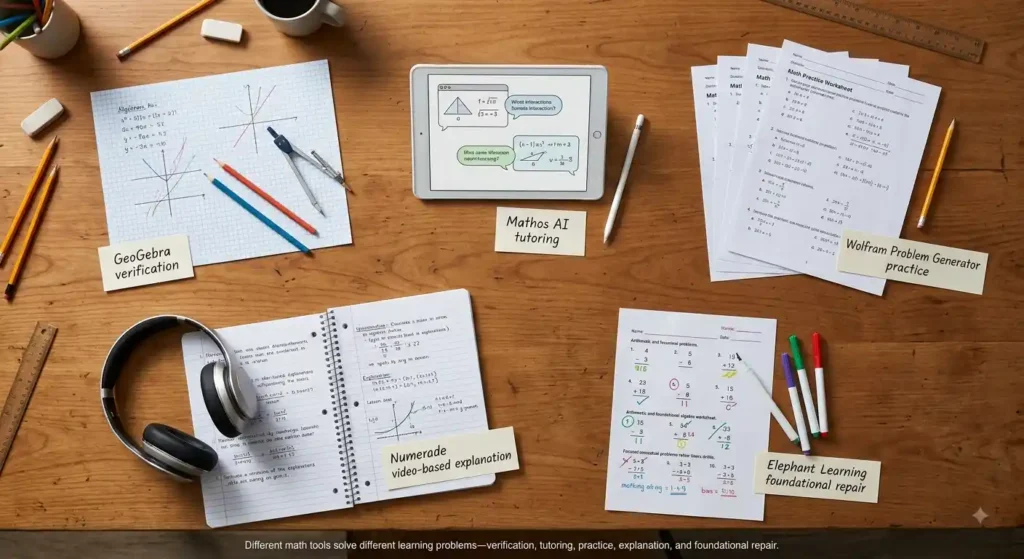
You already know ChatGPT, Gemini, and Perplexity can solve equations. This list skips those and covers tools built specifically for math learning — ranked most hidden gem → most likely to go mainstream. None of these are affiliate placements.
If you are looking for free AI resources, do not miss Best AI Tools for Students Free in 2026: 10 Powerful Picks to Study Faster and Smarter, which features some of the most useful no-cost tools available for students.
At a glance:
🔍 Check your working → GeoGebra Math Solver ·
🧑🏫 Interactive tutoring → Mathos AI ·
🔁 Fresh practice → Wolfram Problem Generator ·
🎥 Video explanations → Numerade ·
🧱 Rebuild fundamentals → Elephant Learning
🏆 Best overall for verification: GeoGebra Math Solver ·
🎓 Best for interactive tutoring: Mathos AI ·
🔁 Best for repeated practice: Wolfram Problem Generator
1. GeoGebra Math Solver — Most Hidden Gem
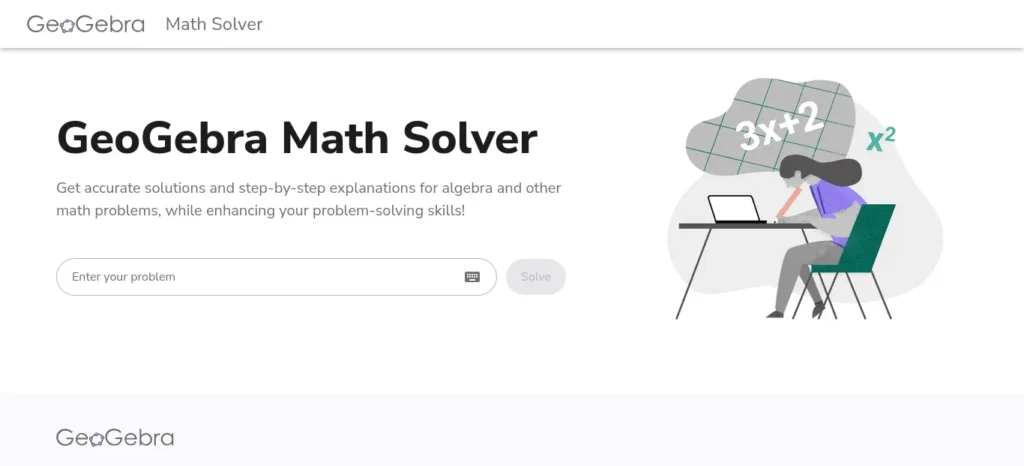
Best for: free step-by-step checking that shows exactly where your own working went wrong, not just a fresh solution.Most students know GeoGebra as a school graphing tool. Almost nobody knows its homework-checker scans your handwritten steps, confirms which are correct, and continues the solution from your mistake — not from scratch.
- Use it when: you’ve already attempted a problem and want to know precisely which line failed.
- Avoid it for: differential equations or advanced linear algebra — coverage thins out fast.
- Pricing: ₹0 for non-commercial student use, no daily cap, no paywalled steps.
- Pro tip: photograph your own attempt, not the blank problem — that’s what triggers the error-locator.
2. Mathos AI (MathGPT Pro) — Runner-Up Hidden Gem
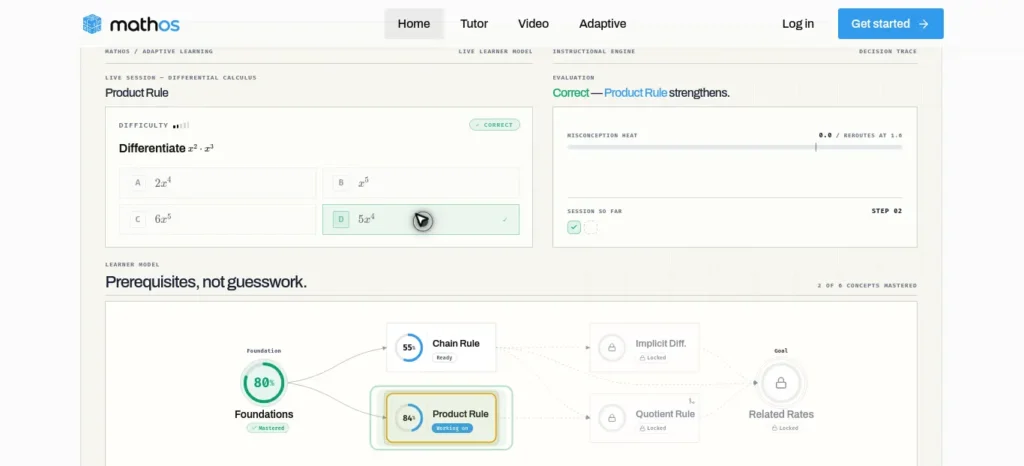
Best for: a conversational tutor that watches your work on a live whiteboard and interrupts at the exact moment you slip, closer to how a human tutor catches a mistake mid-sentence.
- Use it when: you want correction while solving, not only after submitting a final answer.
- Avoid it for: casual, occasional use — the pricing only makes sense if you’ll use it most days.
- Pricing (official pricing page, verified): Free tier with limited daily use; Basic $5.98/week (~₹2,480/month); Prime $9.98/week (~₹4,150/month), 3-day trial. The weekly framing understates the real monthly cost — do the multiplication before subscribing.
- Pro tip: use its real-time mode for the “Teach” step of S.T.E.P., not for full problem sets — that’s where the mid-work correction actually earns its price.
3. Wolfram Problem Generator — The Practice Engine
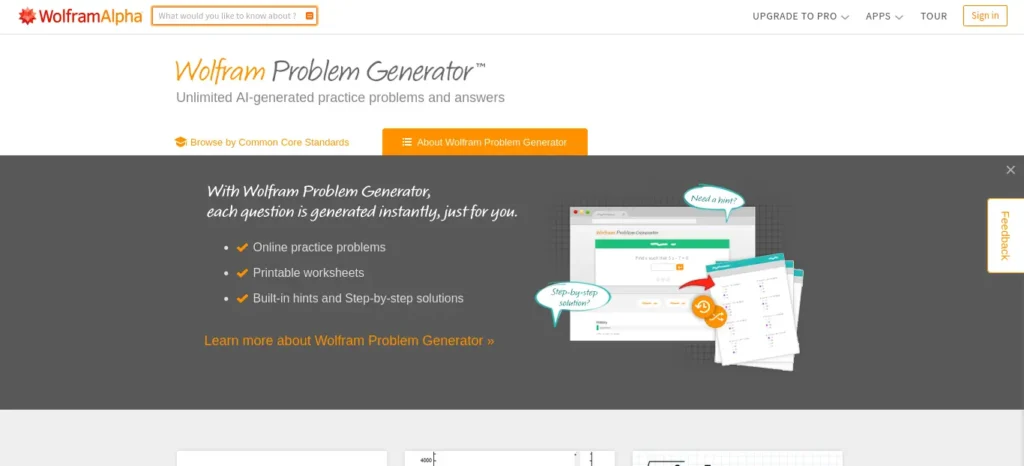
Best for: unlimited fresh practice problems for the “Retry/Practice” step, across arithmetic through college calculus, with adjustable difficulty.
- Use it when: you understand a concept after one explanation but need volume to make it stick.
- Avoid it for: understanding why you’re wrong — the free tier tells you only whether an answer is correct.
- Pricing (official pricing page, verified): Free to attempt problems; step-by-step solutions need Wolfram|Alpha Pro at $9.99/month (~₹958/month) or $59.99/year (~₹480/month equivalent); student discount available.
- Pro tip: generate five problems at once and do them cold before checking any solution — that mirrors an exam better than solving one at a time.
4. Numerade (Ace AI Tutor) — The Video-Explanation Option
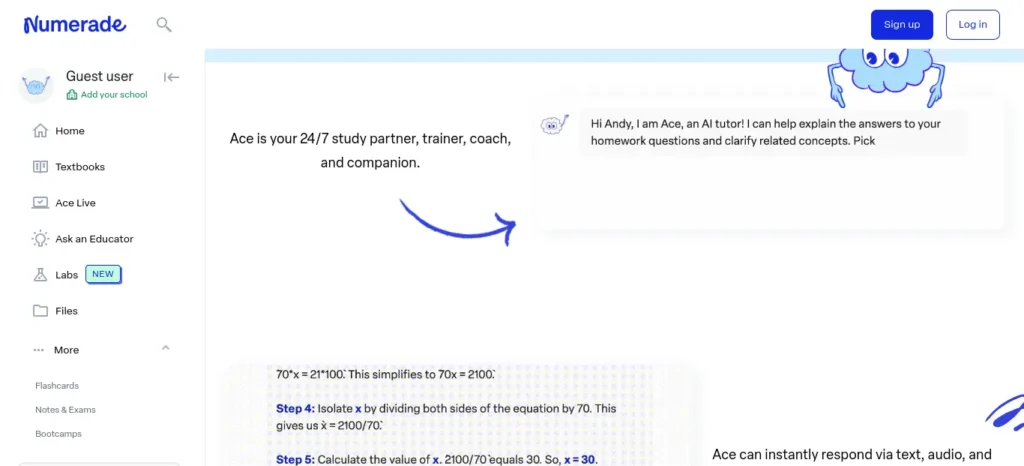
Best for: students who understand a concept faster when it’s spoken by an educator, not read as text — pairs an AI tutor with over a million educator-made video solutions.
- Use it when: a written explanation isn’t landing and you want the same concept walked through out loud.
- Avoid it for: anything requiring a saved card without reading the cancellation terms first.
- Pricing: freemium; paid tiers reportedly $10–20/month (~₹960–1,920/month) — confirm current plans on Numerade’s own page. Multiple recent reviews describe surprise charges after a “free trial” and slow cancellation support, so set a reminder before any trial ends.
- Pro tip: use the free, ad-supported video library first — it covers most standard textbook problem sets without ever adding a card.
5. Elephant Learning Math Academy — The Foundation-Rebuilder
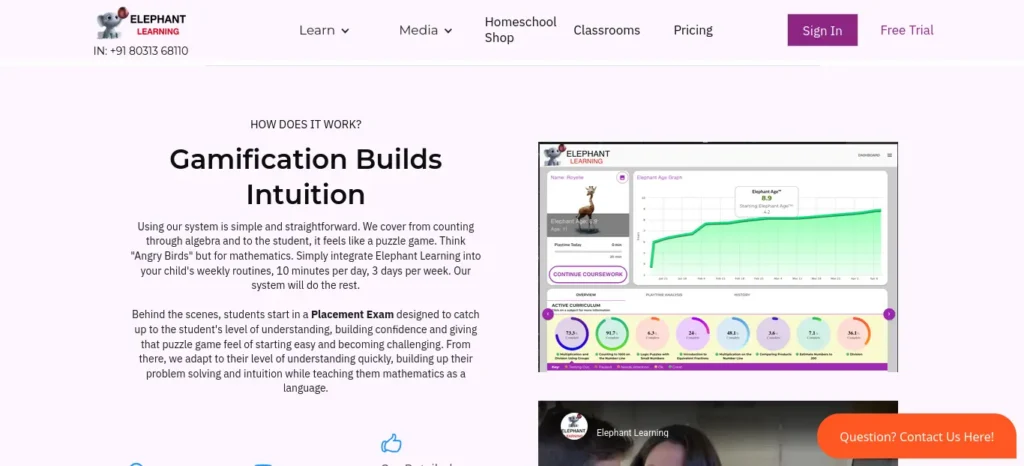
Best for: rebuilding shaky basics — arithmetic through algebra — when this week’s homework struggle is actually a two-year-old gap, including a track built for university students remediating algebra.
- Use it when: you keep failing calculus problems for reasons that trace back to algebra, not calculus.
- Avoid it for: quick homework help — it’s a rebuild program, not a same-night solver.
- Pricing (third-party-sourced, verify current rate on their page): roughly $35–50/month per student; family and scholarship-discounted rates reported as low as $10/month for eligible applicants. No native INR billing found.
- Pro tip: take the free placement exam before paying anything — it tells you if the gap is even where you think it is.
Ranking summary: GeoGebra Math Solver → Mathos AI → Wolfram Problem Generator → Numerade → Elephant Learning Math Academy.
Best AI Math Tools for College Students
College students often need more than a calculator. Depending on their course, they may need to understand calculus, linear algebra, functions, statistics, or other mathematical topics while preparing for assignments and examinations.
The right AI math tool should help you understand the reasoning behind a solution and identify gaps in your knowledge.
1. For understanding difficult mathematical steps
Use a math tutoring tool when you understand the question but cannot work out the next step. Ask it to explain one step at a time and identify the mathematical rule behind each transformation.
2. For checking equations and mathematical reasoning
Use a suitable symbolic mathematics or equation-solving tool to cross-check your own work. Verify that the tool supports your particular topic and does not merely return a result without the explanation you need.
3. For practising before an examination
Use a problem generator to create additional questions on topics you have already studied. Attempt the questions without assistance before checking your answers.
4. For learning advanced topics
For calculus, linear algebra, and other advanced subjects, compare the tool’s explanation with your lecture notes, prescribed textbook, or instructor’s method. Do not assume that an AI-generated derivation is correct simply because it looks convincing.
How can college students choose a dependable math tool?
Before relying on any tool, check whether it supports your course topics, explains its working, offers sufficient free access for your needs, and allows you to verify the result independently.
Study recommendation: Use AI for clarification and feedback, but complete graded work according to your institution’s academic-integrity rules.
What Should I Do When I’m Stuck?
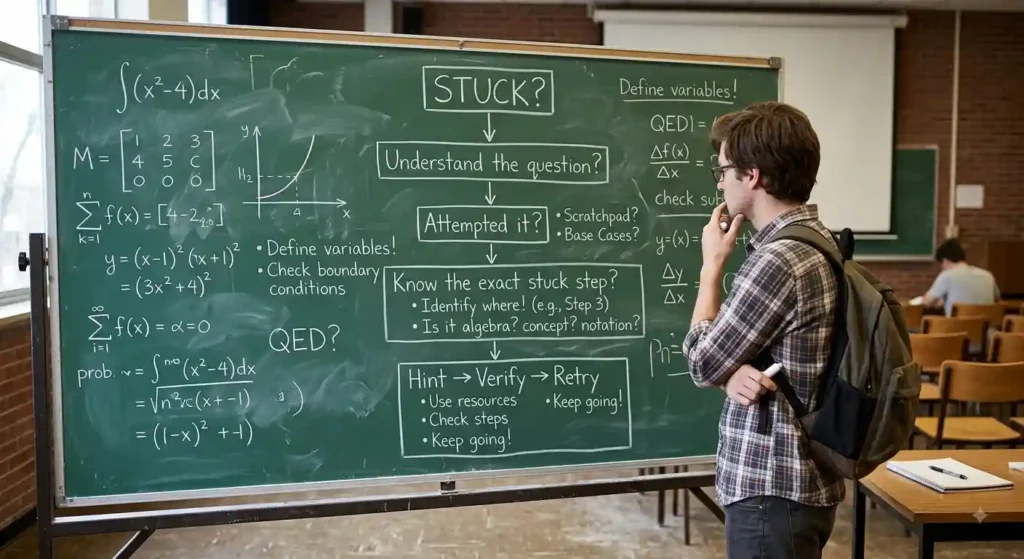
🚫 Stuck ≠ ask for the answer.
🧩 STUCK?
┌────────────┴────────────┐
Understand the question? Don’t understand it?
│ │
YES NO → ask AI to restate it simply
│
Have you attempted it?
┌──────┴──────┐
YES NO → try it yourself first
│
Know the exact stuck step?
┌──────┴──────┐
YES NO
│ │
Ask for a hint Ask AI to name the
(Socratic prompt) concept, not solve it
│
▼
🔍 Verify → ✍️ Solve again → 🔁 Try a similar problem
Struggling with difficult subjects? Explore our complete guide on AI Tools for Learning Difficult Subjects Faster and discover powerful AI tools that make complex topics easy to understand.
Verification Checklist — Because AI Gets Math Wrong Too
No AI math tool is 100% accurate, including ones built specifically for mathematics. Photomath’s own support pages have a dedicated section for incorrect steps, and OpenAI has publicly acknowledged that Study Mode can make mistakes. Treat every AI-generated solution as a draft, not a final authority.
✍️ Solve → 💡 Ask for a hint → 🔎 Find the first error
→ 🧠 Understand why → ✅ Verify independently → 🔁 Similar problem
⚠️ If two tools disagree, don’t choose the answer you like — go back to the mathematics.
The 30-Minute AI-Assisted Math Study Session
0 5 15 20 25 30 min
│────────│──────────────│─────────│
REVIEW SOLVE HELP RETRY PRACTICE
🟡 🔴 🟢 🔴 🔴
(AI optional) (AI: no) (AI: yes) (AI: no) (AI: no)
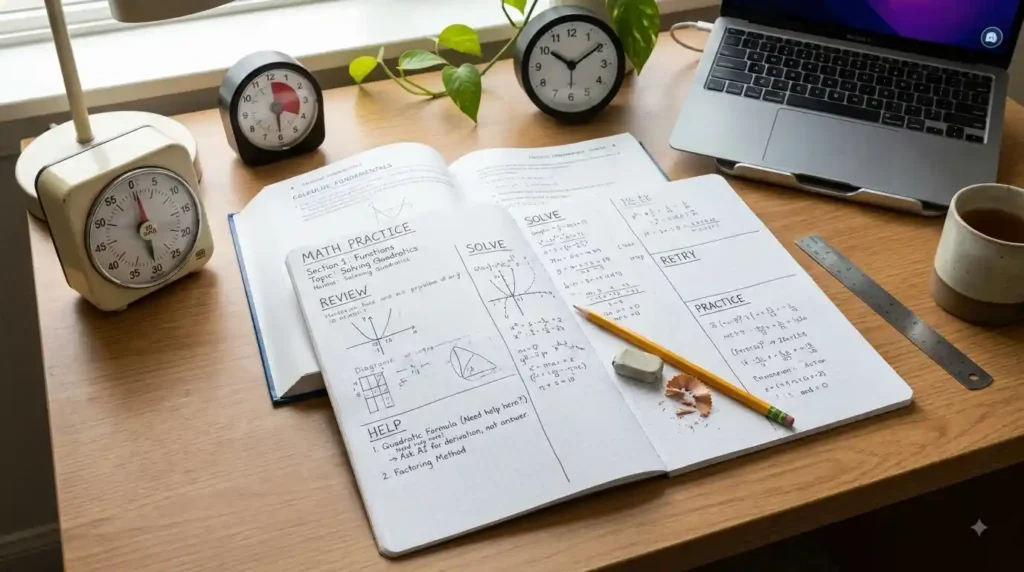
Review the concept (5 min) → solve independently (10 min) → get targeted AI help on the exact stuck step (5 min) → solve the same problem again unaided (5 min) → attempt one new, similar problem alone (5 min).
⏱️ 30 minutes • 1 concept • 2 independent attempts.
Run this once per topic per day rather than one long cram session. Short, verified reps beat long, answer-copying ones.
Most students use AI as a simple chatbot, but the real advantage comes from following a complete workflow. Discover our AI study workflow for students and learn how to capture notes, create quizzes, schedule revision, and prepare for exams more effectively.
The AI Dependency Test
🧠 The real test: can you do it without AI after the explanation?
- Healthy: you attempt first → Dependency: you open AI first
- Healthy: you ask for hints → Dependency: you ask for answers
- Healthy: you can explain the solution five minutes later → Dependency: you only understand it while reading
- Healthy: you verify results → Dependency: you trust the first response
- Healthy: you solve similar problems alone → Dependency: you need AI for every problem
The correction is one line: attempt first → ask for help → close the tool → solve again.
Most students focus on studying harder but never measure whether they’re actually improving. If that sounds familiar, learning how to review your progress can help you spot weak areas earlier, stay motivated, and study more efficiently
Mistakes That Turn a Tutor into a Copy-Paste Machine
The tools above only work if you avoid a handful of habits that quietly cancel out the learning:
- Copying the final answer without reading the explanation. This finishes tonight’s homework and costs you next week’s exam question.
- Asking AI to solve every problem in a set, including the ones you could actually do yourself. Reserve it for the ones where you’re genuinely stuck.
- Trusting the first explanation without checking it, especially when the tone is confident — a confident-sounding AI answer is not the same thing as a correct one.
- Skipping your own attempt and opening the AI tool first. The Solve step in S.T.E.P. exists because your wrong attempt is what makes the AI’s explanation useful — without it, you’re just reading a lecture with no context.
- Practicing only the problems AI solves cleanly and quietly avoiding the messy ones. Those messy problems are usually the ones your exam will actually ask.
None of these mistakes are unusual — they’re the default behavior of any tool built to be fast. Slowing down at exactly these five points is what keeps AI in the tutor role instead of the answer-key role.
Before submitting your assignment, learn how to use AI ethically for academic writing to avoid plagiarism and create original work.
When AI Isn’t the Right First Move
AI is most useful as an explanation and feedback layer — not as the starting point for every problem.
- 🧮 Building fluency — practice without AI, focus on speed. It’s in the room to explain, not to make you faster at raw recall.
- 📝 Exam practice — simulate the real exam and remove assistance entirely. The AI tool won’t be in the room on exam day.
- 🔁 Repeated confusion — if you’ve asked the same type of question three times this week, stop repeating the AI question and find the underlying gap instead.
- 🧑🏫 Deep confusion — when you can’t tell what you don’t understand, that’s a signal to talk to a teacher, not open the app again.
AI is a support layer — not the default first move.
When You Still Need a Human
AI explains concepts and generates practice, but it doesn’t replace a teacher’s judgment, accountability, or personalization for a student who’s genuinely stuck.
- AI is strong at: instant explanations, step-by-step feedback, generating practice, rephrasing concepts, 24/7 availability.
- A human is strong at: understanding your long-term struggles, adapting to your personality, accountability, detecting confusion you can’t describe yourself, building confidence and motivation.
🤝 AI + human guidance beats AI alone.
Reach for a human tutor or teacher when an AI explanation hasn’t worked after two or three different phrasings, you can’t tell what you don’t understand (not just which step), the topic is advanced enough that even correct AI steps don’t add up to intuition, or you need someone checking in on your progress, not just answering on demand.
Where This Is Headed
AI math tools are moving toward more granular, step-level error diagnosis and adaptive difficulty rather than flat answer generation — Mathos AI’s real-time whiteboard tracking and GeoGebra’s error-locator are early versions of that shift. What’s usable today is explanation, hints, verification, and practice generation. Fully personalized, teacher-quality Socratic tutoring isn’t there yet — treat any tool claiming otherwise with the same skepticism you’d apply to a “guaranteed” tutor.
FAQ
Can AI teach me math without a tutor? For many students, yes — AI can explain concepts, generate practice, and give feedback, but it shouldn’t replace independent problem-solving or a teacher’s guidance on genuinely difficult topics.
Should I ask AI for the answer or a hint? Ask for a hint first, always. Requesting the final answer immediately is the single habit most likely to turn a learning tool into a copying tool.
Can AI check my math solution? Yes — paste your working and ask it to find the first incorrect step rather than regenerate the whole solution. GeoGebra Math Solver and Mathos AI are both built specifically for this.
How do I verify an AI-generated math solution? Run it through a second, independent tool and check whether both agree. If they don’t, work the problem by hand — don’t guess which one is right.
Is AI reliable enough to trust for math? Not automatically. Even math-specific tools occasionally produce incorrect steps. Verify before treating any result as final, especially for graded work.
Which AI tools are free for learning math, not just solving it? GeoGebra Math Solver is fully free with no daily cap. Mathos AI and Wolfram Problem Generator offer limited free tiers; full step-by-step access needs a paid plan.
How do I use AI without becoming dependent on it? Run the S.T.E.P. method: solve first, ask for the missing step only, verify separately, then practice a similar problem with no AI help at all. Run the AI Dependency Test above once a week.
Can I learn math with AI without a private tutor?
Yes. AI math tools can help you understand concepts, work through problems, check answers, and generate practice questions. Progress still depends on independent practice, accurate explanations, and seeking help from a teacher when necessary.
What is the best AI math tutor for students?
The best option depends on your learning goal. Consider GeoGebra Math Solver for supported mathematical problems, Mathos AI for guided problem-solving, and Wolfram Problem Generator for additional practice. Compare their current features and limitations before choosing.
Is there a free AI math tutor?
Some math tools provide free access or limited free features. Availability and usage limits vary, so check each provider’s official website before assuming a feature is free or unlimited.
Can AI help with algebra homework without giving away the answer?
Yes, if you ask it to provide hints, identify mistakes, and explain mathematical rules instead of immediately generating a complete solution. Attempt the problem first and solve a similar question independently afterwards.
Are AI math tools suitable for college students?
They can be useful for supported topics such as algebra, calculus, and other mathematical subjects. However, students should verify the tool’s coverage, check the accuracy of its explanations, and follow their institution’s academic-integrity requirements.
Can AI math solvers make mistakes?
Yes. AI systems and mathematical software can misinterpret inputs, provide incomplete explanations, or make errors. Check the steps, verify the result independently, and consult a reliable source when the reasoning is unclear.
How can I use AI to improve my math skills?
Attempt a problem first, ask for a targeted hint when stuck, explain the reasoning in your own words, verify the solution, and solve a similar problem without AI. Repeat this process until you can apply the concept independently.
Final Takeaway: Learn Math With AI, Not Through AI Alone
The best AI math tutor is not necessarily the tool that produces an answer fastest. It is the tool that helps you understand the method, recognise mistakes, and solve similar problems independently.
Choose a tool based on your immediate need: guided explanations, checking mathematical work, additional practice, video lessons, or rebuilding foundational skills. Confirm its current features and pricing before committing to a paid plan.
Use the S.T.E.P. approach throughout your study session:
Solve first → Get targeted help → Explain and verify → Practise independently.
Over time, measure your progress by how much you can solve without assistance—not by how many answers an AI tool can generate.
Put the S.T.E.P. Method Into Practice
Use the free AI Math Study Checklist to organise your next study session. Before publishing this download, confirm that the PDF opens correctly, works on mobile, and contains the checklist described on this page.
Download the Free AI Math Study Checklist (PDF)
Open the AI Math Study Checklist
📥 Download the Free Checklist & Start Your Next Math Session
About the Author
Nandhakumar — Founder & Content Creator at FutureFastAI
Nandhakumar writes practical guides on AI tools, study workflows, and digital productivity for students. Through FutureFastAI, he focuses on helping students use AI as a learning assistant—not as a replacement for their own thinking.
His approach emphasizes practical testing, clear explanations, responsible AI use, and workflows that students can actually apply to their studies.
Explore more student-focused AI guides at FutureFastAI.
Editorial Policy
At FutureFastAI, we aim to publish practical, accurate, and genuinely useful content for students. Our articles are written and reviewed with a focus on real-world usefulness, clarity, originality, and responsible AI use.
Our content standards:
- Accuracy: We verify important facts, tool features, pricing, and availability before publication whenever possible.
- Freshness: AI tools, features, and pricing change frequently, so time-sensitive information is reviewed and updated regularly.
- Independent recommendations: We do not recommend a tool simply because it is popular. Recommendations are based on usefulness, features, learning value, and suitability for the intended audience.
- Transparency: When information comes from third-party sources or requires additional verification, we aim to make that clear.
- Student-first approach: Our content prioritizes practical guidance that helps students learn, work, and make better decisions.
- Responsible AI use: We encourage students to use AI to understand concepts, practice skills, and verify their work—not to blindly copy answers.
- Human oversight: AI may assist with research or content development, but published content is reviewed and shaped with human judgment.
We continuously improve our articles as tools, technology, and student needs evolve.






One Comment