
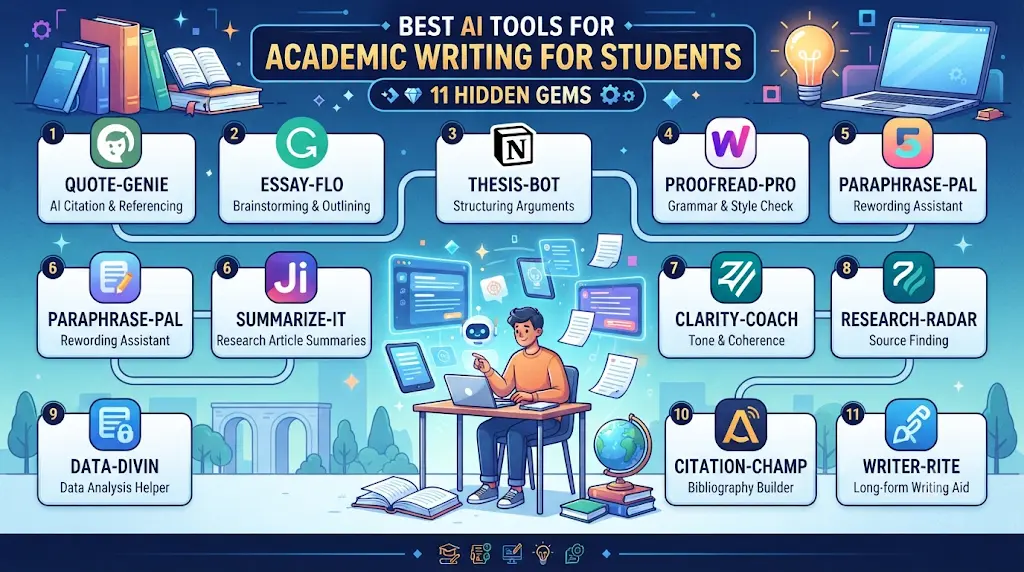
Best AI Tools for Academic Writing for Students: 11 Hidden Gems
You’ve got twelve research papers open across browser tabs, a citation generator in a thirteenth, and you’re still not sure whether the source you just cited actually supports the claim you wrote. This is illustrative — no single student’s exact story — but it’s a familiar moment for anyone deep in a research paper or thesis. The problem was never “I need AI to write my paper.” The problem is that academic writing has several distinct bottlenecks, and each one needs a different kind of help.
Looking for the best AI tools for writing college assignments? Explore our detailed guide to discover the top AI writing assistants that help you research, draft, edit, and improve academic assignments faster while maintaining quality and originality.
That’s the angle this guide takes. Instead of another list dominated by ChatGPT, Grammarly, and Gemini, it focuses on specialist, often underrated tools built specifically around academic and research workflows. This is a practical guide to the best AI tools for academic writing for students — organized by task, by budget, and by discipline, so you can find the one or two tools that actually solve your bottleneck instead of skimming an 11-item list hoping something sticks.

Who This Guide Is For
This guide is for undergraduate and postgraduate students, thesis writers, and early-career researchers who want to know which AI tools genuinely help with academic writing — not a generic list of chatbots. If you’re choosing between the best AI tools for academic writing for students on a tight budget, comparing free tiers, or trying to figure out which tool matches your specific task (research, comprehension, drafting, editing, or citation checking), the sections below are built around exactly that decision.
Quick Answer
There is no single best AI tool for academic writing. Elicit and Consensus are strongest for research discovery, SciSpace and Scholarcy help you understand dense papers, Jenni AI assists with source-aware drafting, Writefull, Trinka, and Paperpal improve academic language, and Scite helps verify whether a citation actually supports your claim. Most students combining the best AI tools for academic writing for students end up using two or three tools, not one.
Best AI Tools for Academic Writing: Quick Comparison by Task
The best AI tool for academic writing depends on what you need to do. A literature-search tool, an academic language editor, and a citation-analysis platform solve different problems, so students should compare tools by task rather than choose one tool for everything.
- Finding research papers: Elicit can help you search academic literature and explore relevant studies.
- Understanding research papers: SciSpace can help you explore and understand research articles.
- Improving academic English: Writefull offers tools designed for academic language editing.
- Checking citation context: Scite helps users examine how research papers are cited, including supporting or contrasting citation contexts.
- Discovering related papers: ResearchRabbit can help you explore connections between research papers and authors.
- Preparing academic manuscripts: Paperpal provides academic writing and editing assistance.
These tools support different stages of research and writing. They do not replace reading the original papers, checking whether evidence supports your claims, or following your institution’s academic-integrity rules. Features, access limits, and prices can change, so check each provider’s current official information before choosing a tool.
Which AI Academic Writing Tool Should You Use? (Decision Tree)
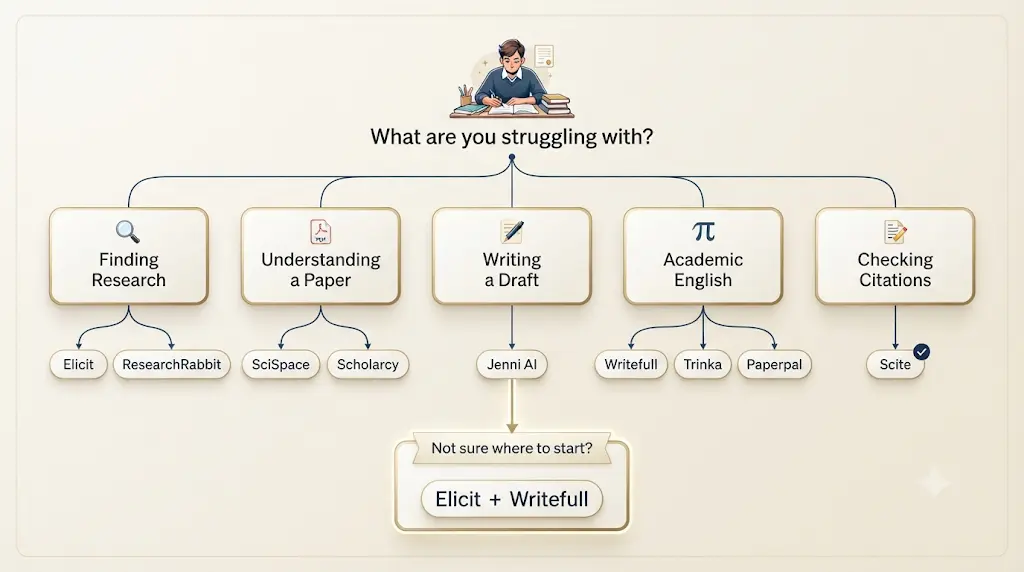
What are you struggling with?
Finding research?
├── Yes → Elicit
└── Need citation connections? → ResearchRabbit
Understanding a paper?
├── Yes → SciSpace
└── Need quick summaries? → Scholarcy
Writing a draft?
└── Yes → Jenni AI
Improving academic English?
├── General academic writing → Writefull
├── Technical/STEM → Trinka
└── Submission preparation → Paperpal
Checking citations?
└── Yes → Scite
Not sure where to start?
└── Start with Elicit + Writefull
Which AI Tool Can Build an Academic Argument Outline and Critique Its Logic?
Students writing essays or research assignments may need more than grammar correction. They may need help checking whether their thesis is clear, whether each paragraph supports the central argument, and whether important counterarguments are missing.
A general-purpose AI assistant can provide a preliminary critique when you supply your assignment question, proposed thesis, outline, and relevant source notes. A research tool such as Elicit can help you locate potentially relevant academic papers, but finding a paper does not automatically prove that your argument is correct.Tired of spending hours designing slides? Discover the best AI tools to create polished presentations in minutes—and turn your ideas into impressive slides with far less effort.
A practical workflow
- Write your own research question and provisional thesis.
- Draft a paragraph-by-paragraph outline.
- Ask an AI assistant to identify unsupported claims, logical gaps, repeated points, and missing counterarguments.
- Check each criticism against your actual sources and assignment requirements.
- Revise the outline yourself before drafting the full essay.
Copy-and-use prompt
“Review the academic argument outline below. Do not rewrite the essay for me. Identify (1) the central claim, (2) the role of each paragraph, (3) unsupported or weakly supported claims, (4) logical gaps, (5) plausible counterarguments, and (6) places where stronger evidence is needed. Distinguish what can be assessed from the outline from what requires checking the original sources. Do not invent research findings, quotations, or citations.
Assignment question:
[Paste question]
My provisional thesis:
[Paste thesis]
My outline:
[Paste outline]
My verified source notes:
[Paste notes]”
Important limitation: AI feedback is a starting point, not proof that an argument is logically sound or factually accurate. Verify evidence and revise the final work yourself.
The ACADEMIC AI Writing Stack
Rather than ranking 15 tools by vague “overall quality,” it helps to map them to the actual stages of academic writing. That’s the idea behind the ACADEMIC AI Writing Stack, an original framework for this guide:
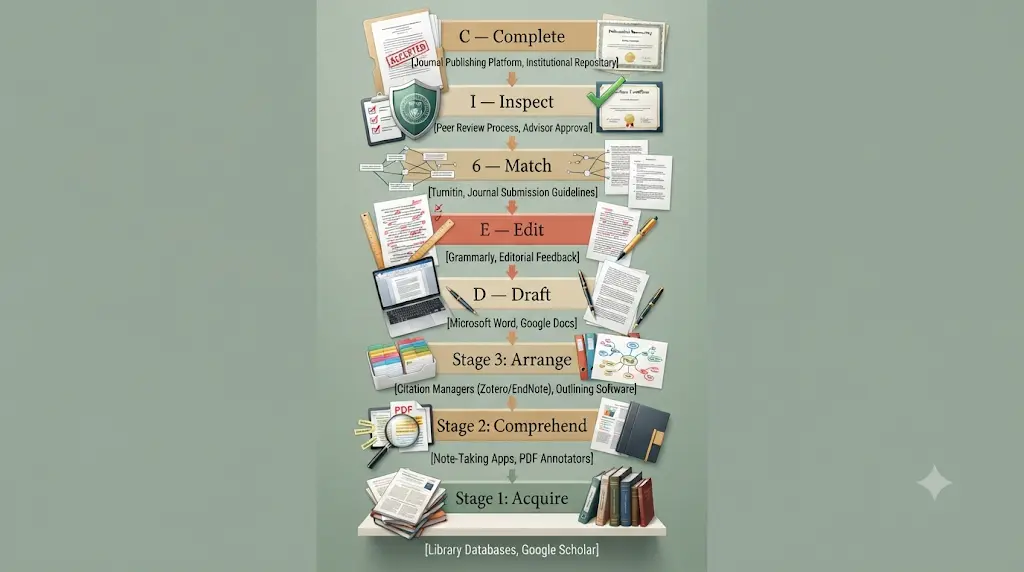
- A — Acquire: find relevant research (Elicit, Consensus, ResearchRabbit)
- C — Comprehend: understand dense or unfamiliar papers (SciSpace, Scholarcy)
- A — Arrange: organize notes and evidence
- D — Draft: build the first version of the argument (Jenni AI)
- E — Edit: fix academic English and phrasing (Writefull, Trinka, Paperpal)
- M — Match: check that citations actually match your claims
- I — Inspect: verify evidence and accuracy (Scite)
- C — Complete: prepare the final document for submission
Every tool below is placed against this stack, so you can see exactly where it fits instead of treating all 11 as interchangeable.
How We Selected These Tools
Each tool on this list was checked against ten criteria: academic-writing fit, research quality, citation reliability, evidence handling, editing quality, ease of use, free-tier value, student value, workflow integration, and transparency about data privacy. Pricing and feature claims were checked against each company’s official pricing and product pages as of September 2026, and flagged where third-party sources disagreed. No tool here is presented as flawless — every recommendation below comes with a stated limitation, because that’s the honest way to evaluate software you might build actual coursework around.Using AI for the first time can feel confusing, but you don’t need to be tech-savvy—this beginner-friendly guide shows you exactly where to start.
How We Evaluated These AI Tools for Academic Writing
We compared these tools according to their stated purpose, relevance to student research and writing tasks, access model, available source-verification features, workflow fit, and practical limitations.
The comparison is intended to help students choose a suitable tool for a particular task. It is an editorial comparison, not a controlled performance benchmark. Features and plan limits may change, and the tools should not be assumed to have been independently tested unless specific testing methods and results are documented.Don’t waste hours jumping between AI tools that barely help—discover these powerful AI tools for students in India that can make studying, assignments, and exam prep much easier.
When choosing a tool, students should consider the quality of its source links, whether they can inspect the original research, how well it fits their writing task, the limits of its free plan, and their institution’s rules for AI use.
Official product pages are the primary reference for current features and pricing. Students should confirm important research claims using original academic papers rather than relying only on a tool’s description of its own capabilities.
11 Underrated AI Tools for Academic Writing
Writefull — Best for Academic Language Editing
Stack stage: Edit
Writefull is built directly for academic and scientific writing rather than general content. Its language models are trained on a large corpus of published journal articles, and it plugs into Word and Overleaf so feedback appears where you’re already writing.
Key features: sentence-level language correction, an Academizer tool for tightening informal phrasing, title and abstract generators, LaTeX-aware feedback in Overleaf, and a citation-related add-on called Writefull Cite.
Best for: researchers and postgraduate students revising a thesis chapter or manuscript who need phrasing that reads as genuinely academic English, not just grammatically correct.
Free plan: yes — a daily quota of suggestions with no card required.
Pricing: individual Premium plans have been listed anywhere from about $8 to $21 per month depending on billing term and current promotions; confirm the live number on writefull.com/plans before subscribing, since third-party trackers disagree on the exact figure.
Good at: academic phrasing and Overleaf/LaTeX-native feedback.
Not good at: research strategy or judging whether your literature review is missing a key study.
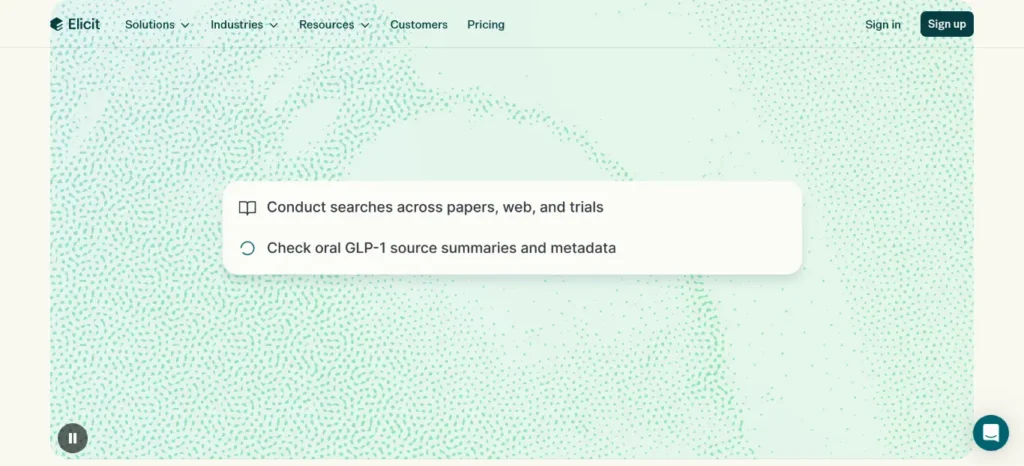
Elicit — Best for Literature Research and Evidence Extraction
Stack stage: Acquire
Elicit is not an essay generator — its strength is finding, summarizing, and extracting data from research papers at a scale no student could do manually. The free Basic plan gives unlimited search across more than 138 million papers, unlimited paper summaries, and full-text chat with individual papers.
Key features: semantic search across a huge paper database, automated data extraction into tables, a systematic-review workflow, and Zotero import.
Best for: literature reviews, systematic reviews, and any assignment where you need to survey what the existing research actually says before you write a word.
Free plan: yes — genuinely usable, not just a demo, with unlimited search and summaries.
Pricing (official, verified September 2026): Plus from $11/user/month billed annually (about ₹1,045); Pro from $39/user/month billed annually; Scale from $89/user/month billed annually. Monthly billing costs more per month than the annual rate.
Good at: literature discovery and evidence extraction at scale.
Not good at: replacing critical reading — it surfaces and summarizes papers, but judging whether a study’s methodology is sound is still your job. It also indexes academic literature only, with limited full text for paywalled journal articles.
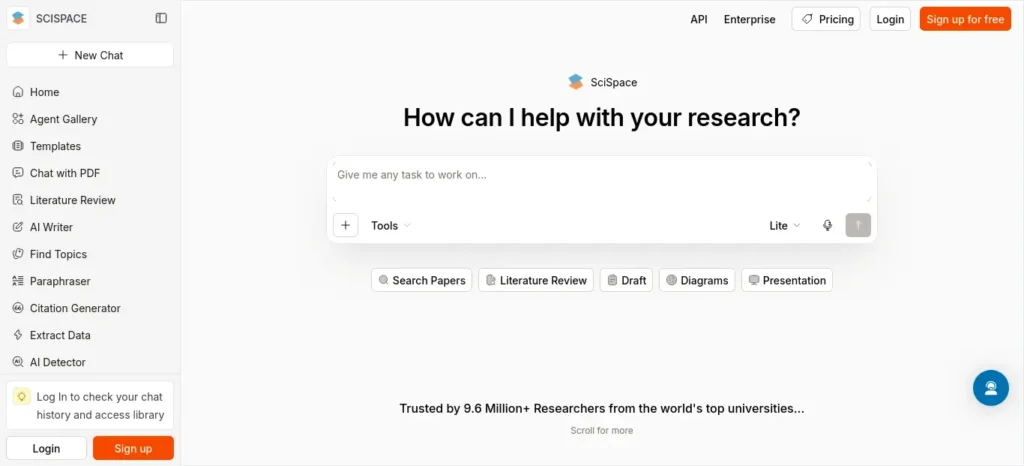
SciSpace — Best for Understanding Research Papers
Stack stage: Comprehend
SciSpace combines paper search, a “chat with PDF” feature, a paraphraser, a citation generator, and an AI writer in one workspace, which makes it useful across several stages at once rather than a single-purpose tool.
Key features: Chat with PDF for asking questions about a dense paper in plain language, a literature-review assistant, citation generation, and slide/summary generation from an uploaded PDF.
Best for: students who understand what a paper is about but struggle with dense methodology sections, statistics, or jargon-heavy writing.
Free plan: yes, with daily usage limits that are reached quickly during heavy research sessions — treat it as a trial rather than a full workflow.
Pricing: third-party trackers place Premium/Plus somewhere between roughly $12 and $20 per month depending on billing cycle, with higher Advanced and Max tiers for teams; SciSpace also advertises a student/university discount program, so check scispace.com/pricing for your current eligible rate.
Good at: turning a dense paper into a plain-language conversation.
Not good at: independently validating every interpretation it gives you — treat its explanations as a starting point, not a final read.
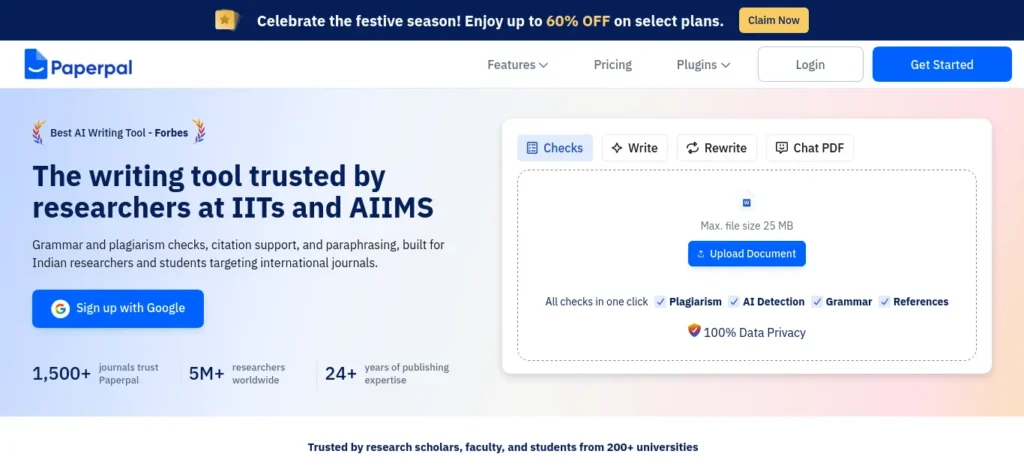
Paperpal — Best for Academic English and Submission Readiness
Stack stage: Edit / Complete
Paperpal, built by Cactus Communications (Editage), is aimed squarely at the point where a draft becomes a submission-ready manuscript: language correction, citation generation, plagiarism and AI-detection scanning, and dozens of journal submission checks.
Key features: generative AI rewrite/translate/research tools, a citation library with generation in thousands of styles, a PDF chat feature, and 30+ automated submission-readiness checks.
Best for: non-native English writers, thesis and dissertation authors, and anyone preparing a manuscript for journal submission rather than a general assignment.
Free plan: yes — around 200 language suggestions per month, 5 generative AI uses per day, unlimited citation generation, and plagiarism checking on a limited word count.
Pricing (official, verified via Paperpal’s help center): Prime at $144/year (~$12/month billed annually, about ₹1,140) or $25/month billed monthly; Pro at $348/year (~$29/month billed annually) or $59/month billed monthly. Student discounts of roughly 30–40% are available in some regions through Student Beans — confirm current eligibility on paperpal.com.
Good at: language polish and submission-readiness checks in one workspace.
Not good at: telling you whether your methodology would survive peer review — it’s a writing and technical-compliance tool, not a scientific reviewer.
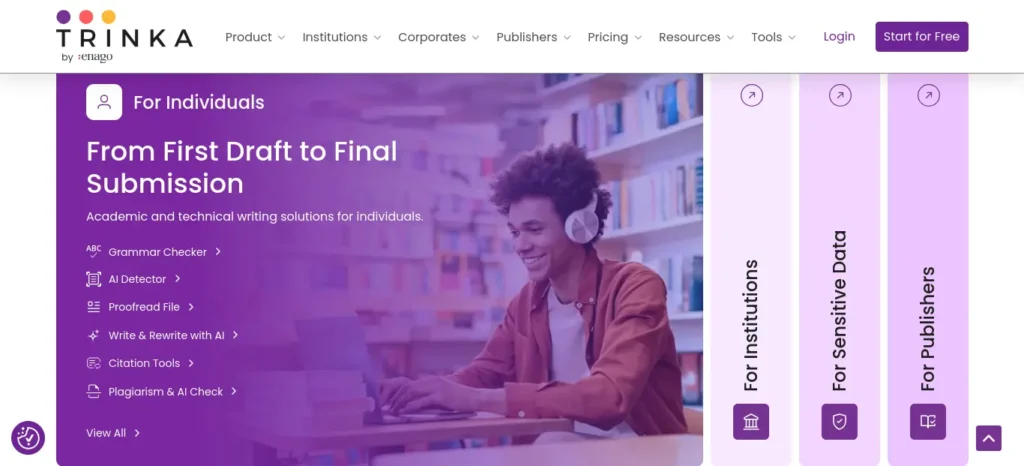
Trinka — Best for Technical and Privacy-Conscious Academic Editing
Stack stage: Edit
Trinka focuses on academic, technical, and formal writing, with particular strength in STEM and medical terminology, plus a stated emphasis on data privacy for sensitive manuscripts.
Key features: unlimited grammar and style checks on the free plan, a medical-terminology dictionary, AMA/APA style-aware suggestions, plagiarism and AI-content detection add-ons, and a confidential-data mode for sensitive research.
Best for: engineering, medical, and technical-discipline students who need domain-aware grammar checking, not generic suggestions built for blog posts.
Free plan: yes, free-forever with limited monthly credits, unlimited grammar checking in the browser and Word add-in, and two free plagiarism score checks.
Pricing: Premium plans have been listed at roughly $20/month by resellers, with lower promotional rates sometimes advertised; confirm the current figure at trinka.ai/pricing, since Trinka runs frequent regional pricing.
Good at: domain-aware grammar for STEM and medical writing.
Not good at: drafting or generating new content — its writing-generation features are lighter than Jenni AI or Paperpal.
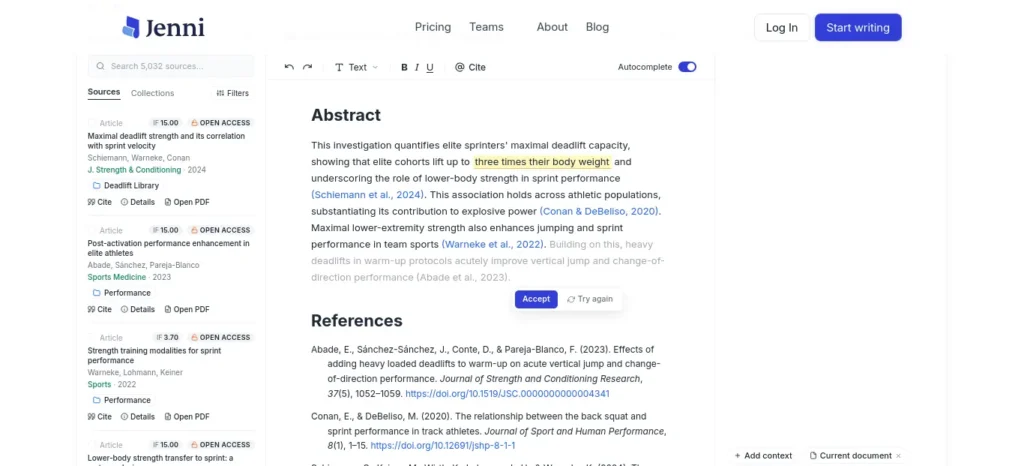
Jenni AI — Best for Structured, Citation-Aware Drafting
Stack stage: Draft
Jenni AI is built around an autocomplete-style drafting editor that links AI-suggested sentences back to a specific page and paragraph of an uploaded source, which is a meaningfully different approach from a generic chatbot pasting unsourced text into your document.
Key features: AI autocomplete grounded in uploaded PDFs, an AI Chat that references your own sources, citation support across thousands of styles, and PDF-based research chat.
Best for: students drafting an essay or literature review who want suggestions traceable to a real source rather than invented text.
Free plan: yes, but genuinely limited — around 10 autocompletes and a handful of AI edits and chat messages per day, enough to test the tool but not to draft a full paper.
Pricing: Plus around $12/month for higher monthly limits; Pro around $29/month for unlimited autocomplete, chat, and edits. Confirm current figures at jenni.ai, since the pricing page’s annual discount is not always shown alongside the headline monthly price.
Good at: source-traceable drafting.
Not good at: replacing your own argument — the free tier is closer to a demo than a workflow, and most students who rely on it move to Plus within the first week or two.
Scite — Best for Checking Whether Citations Actually Support a Claim
Stack stage: Inspect
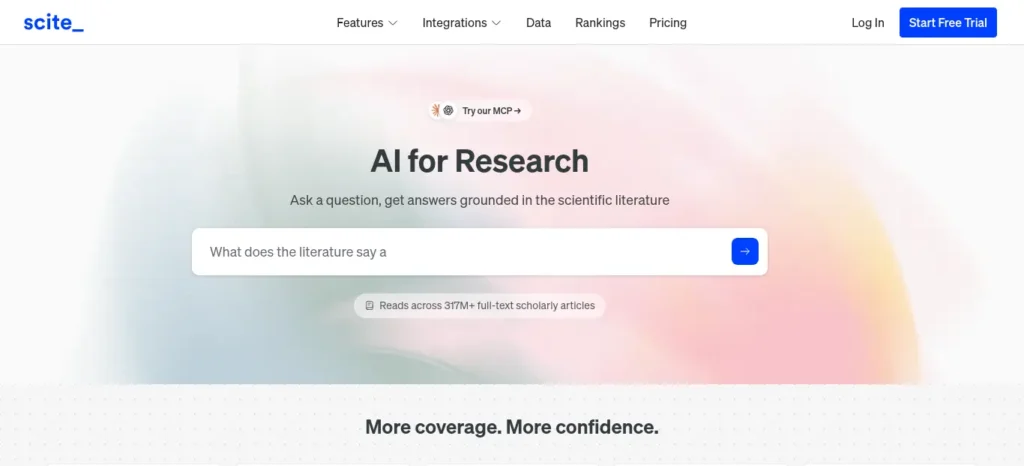
Scite’s core idea is different from a search tool: instead of just counting citations, it classifies how a paper is cited elsewhere — as supporting, contrasting, or simply mentioning — which is directly useful for checking whether a source you want to cite has since been challenged or contradicted.
Key features: Smart Citations showing citation context, a Reference Check tool that flags cited papers with retractions or editorial notices, and full-text search across scholarly literature including preprints.
Best for: the “Inspect” stage of writing — verifying that the sources in your reference list still hold up, especially before submitting a thesis or manuscript.
Free plan: sources disagree here. Some trackers describe only a short free trial; others describe a limited free tier. Treat Scite as effectively a paid tool and confirm current free access at scite.ai before relying on it.
Pricing: individual plans have been listed anywhere from about $12/month (annual billing) to $20/month (monthly billing) across different trackers as of mid-2026.
Good at: citation verification and catching retracted or contradicted sources.
Not good at: writing or drafting — pair it with a drafting or editing tool rather than expecting it to do both jobs.
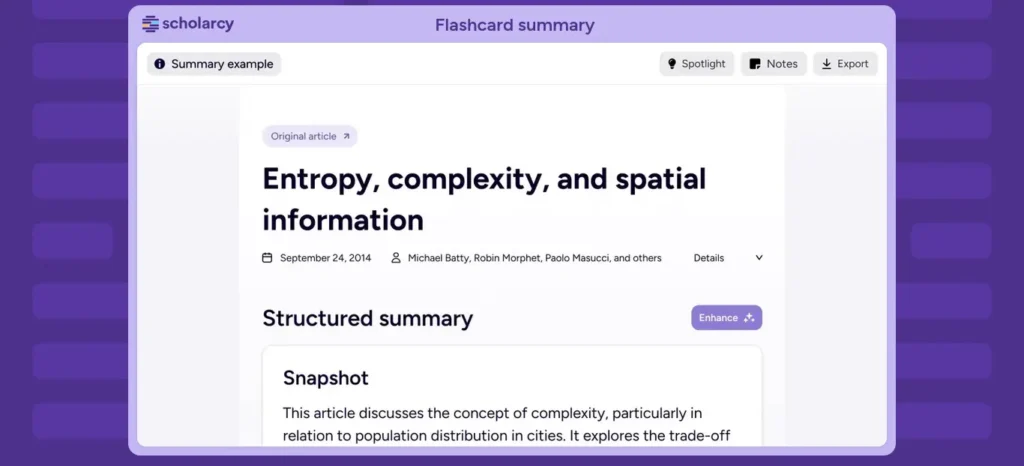
Scholarcy — Best for Fast Paper Summaries and Flashcards
Stack stage: Comprehend
Scholarcy turns a dense paper into a structured summary — background, methodology, results, conclusions — plus flashcard-style key points, which is useful when you need to triage a large stack of papers before deciding which ones deserve a full read.
Key features: automatic summary generation, flashcard creation for revision, a browser extension that works with open-access repositories like arXiv, and an institutional “Scholarcy Library” option.
Best for: the early triage stage of a literature review, when you have far more papers than time to read them properly.
Free plan: yes, but capped at roughly 10 summaries per month, which runs out fast during an active literature review.
Pricing: individual plans have been quoted around $8–10/month depending on billing term (some sources cite $9.99 monthly, $7.99/month billed annually); check scholarcy.com for the current figure.
Good at: rapid triage of a large stack of papers.
Not good at: poorly scanned or unusually formatted PDFs — accuracy drops noticeably, and it does not replace actually reading your core sources closely.
Consensus — Best for Quick, Evidence-Based Answers
Stack stage: Acquire
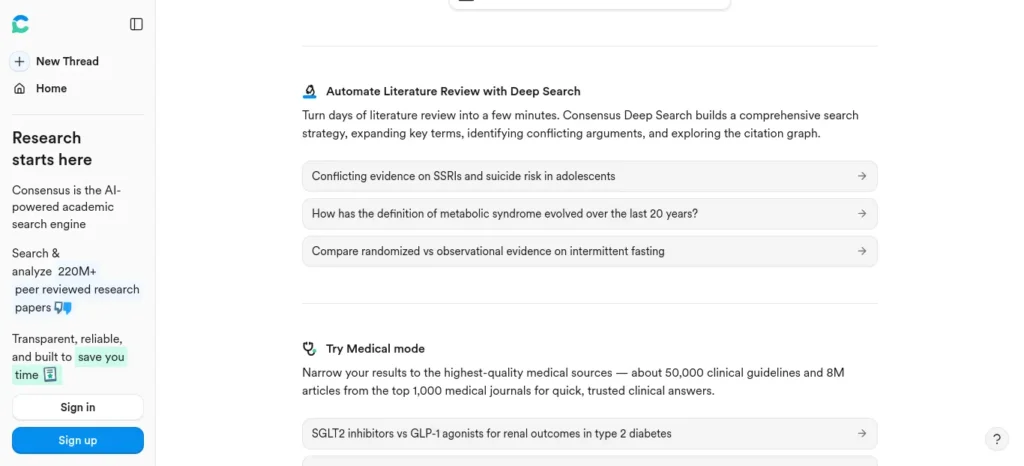
Consensus is a search engine built specifically to answer yes/no or directional research questions using peer-reviewed literature, with a visual “Consensus Meter” showing how much agreement exists across studies on a given claim.
Key features: Deep Search with filters for study design, population, and time period; a study-agreement visualization; and evidence summaries pulled directly from indexed papers.
Best for: quickly checking what the existing evidence says on a specific claim before you commit to citing it — especially useful for introductions and discussion sections.
Free plan: yes, with basic search and limited Deep Search access.
Pricing: Pro listed at roughly $10/month (or around $120/year) with unlimited search and a monthly allowance of Deep Search reviews; confirm at consensus.app/pricing.
Good at: fast, evidence-based answers to a specific claim.
Not good at: deep systematic-review workflows — for that, Elicit is the stronger choice.
ResearchRabbit — Best Free Tool for Mapping Literature
Stack stage: Acquire
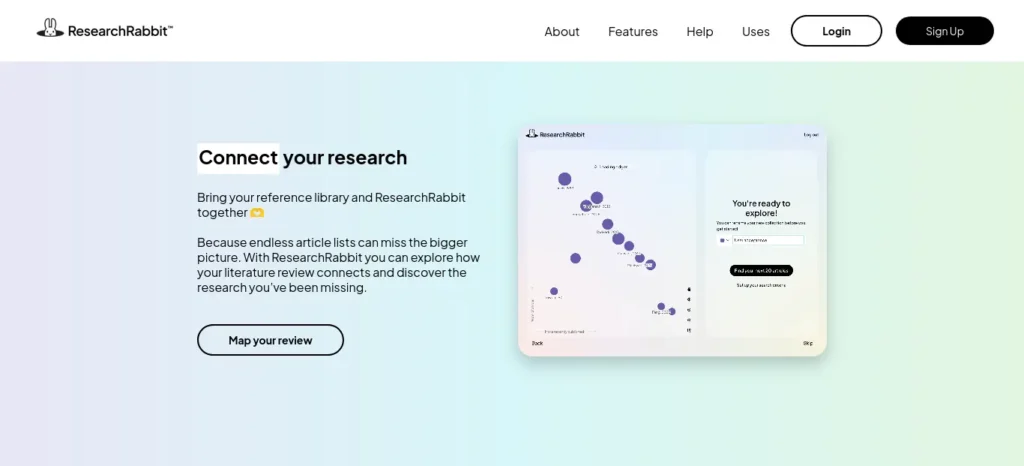
ResearchRabbit starts from one or more “seed” papers you already have and builds a visual map of related authors, papers, and citation networks — a genuinely different way of discovering literature compared to keyword search.
Key features: citation and topic-evolution maps, unlimited search and collections on the free tier, Zotero sync, and collaborative library uploads.
Best for: the early discovery phase of a literature review, when you have one strong paper and need to find everything connected to it.
Free plan: yes — a genuinely generous “Free Forever” tier covering unlimited search, unlimited collections, collaboration, and up to 50 seed articles per search.
Pricing: RR+, the premium tier, has been listed at roughly $10–12.50/month for higher-volume advanced search and organizational features; confirm at researchrabbit.ai/pricing. Note that ResearchRabbit was acquired by Litmaps in 2025 and now runs on Litmaps’ infrastructure.
Good at: citation-network discovery, completely free.
Not good at: surfacing the very newest publications — its underlying academic graph data has known gaps for recent papers, so pair it with a live search tool like Consensus or Elicit.
Best AI Academic Writing Tools by Student Type
| Student type | Best starting point |
| Undergraduate | Elicit + Writefull |
| Engineering student | Elicit + Trinka |
| Medical student | Elicit + Trinka |
| Master’s student | Elicit + Scite |
| PhD researcher | Elicit + Scite + ResearchRabbit |
| Non-native English writer | Paperpal or Writefull |
| Literature-review-heavy student | Elicit + ResearchRabbit |
| Thesis writer | Elicit + Scite + Paperpal |
If you’re an engineering student, don’t waste hours switching between random AI tools—see which AI tools actually fit your engineering branch, from coding and research to calculations and project work.
Tool Overlap: You Don’t Need All 11
Several tools on this list do overlap, and that’s worth naming plainly rather than pretending each one is essential:
- Discovery: Elicit / Consensus / ResearchRabbit
- Comprehension: SciSpace / Scholarcy
- Editing: Writefull / Trinka / Paperpal
You don’t need Elicit and Consensus and ResearchRabbit and SciSpace and Scholarcy just because they all appear on this list. Pick one from each category based on your discipline and budget.
You Probably Don’t Need All 11
If you’re a student on a budget, paying for five academic AI subscriptions is usually unnecessary. Start with one research tool and one editing tool. Upgrade only when a specific limitation is genuinely costing you time — not because a list like this one implies you need everything on it.
The Best Free AI Academic Writing Stack
You do not need a single paid subscription to build a working academic AI stack:
Research: Elicit (free Basic plan)
↓
Discover related papers: ResearchRabbit (Free Forever)
↓
Understand difficult papers: Scholarcy or SciSpace (free tier)
↓
Write: your normal editor + AI for brainstorming only
↓
Edit: Writefull or Trinka (free tier)
↓
Verify: original paper + DOI + Scite where available
Free vs Paid AI Tools for Academic Writing
Every tool on this list has a usable free tier, though “usable” varies a lot. ResearchRabbit’s Free Forever plan and Elicit’s Basic plan are genuinely strong enough for regular use without paying. Writefull, SciSpace, Paperpal, Trinka, and Jenni AI all cap free usage tightly enough that an active thesis or dissertation will hit the ceiling within days.
Stay free if: you’re working on a single assignment, doing occasional research, or still deciding whether a tool fits your workflow.
Consider paying if: you’re drafting a thesis, dissertation, or multiple manuscripts a year and are hitting free-tier limits weekly — at that point, the time saved usually outweighs a $10–25/month subscription.
Before paying for any of these tools, check whether your university already provides access through its library, institutional email, research department, or student software program. Many universities have existing licenses for tools like Paperpal, Scite, or Grammarly-adjacent products — a personal subscription may be unnecessary.
Are Free AI Tools Enough for Academic Writing?
For many students, a free research-and-writing workflow is a sensible starting point. However, a tool’s free plan may include usage limits, fewer advanced features, or restrictions on exports and research workflows. A free trial is also different from a permanent free plan.If you’re a final-year student struggling with research, assignments, or project work, don’t let AI make the process more confusing—see how to use AI tools effectively for college research projects and turn scattered information into a clear, credible workflow.
Before paying for an academic AI tool, check:
- Free access: Is there a continuing free plan, a limited allowance, or only a trial?
- Research needs: Can you find and open the papers required for your assignment?
- Verification: Can you inspect the original sources behind AI-generated claims?
- Export options: Can you export references or notes in the format you need?
- Institutional access: Does your college or university already provide access?
- Total cost: Check the current billing period, currency conversion, applicable taxes, and any payment fees before subscribing.
For example, Elicit lists a free Basic plan with usage limits on some research features, while Scite lists paid subscriptions and a free trial on its official pricing page. These are different access models, so do not describe every tool as having a permanent free plan.
Start with the features you genuinely need. Upgrade only when a specific limit is preventing you from completing your research workflow. Always check the provider’s current pricing and terms before making a payment.
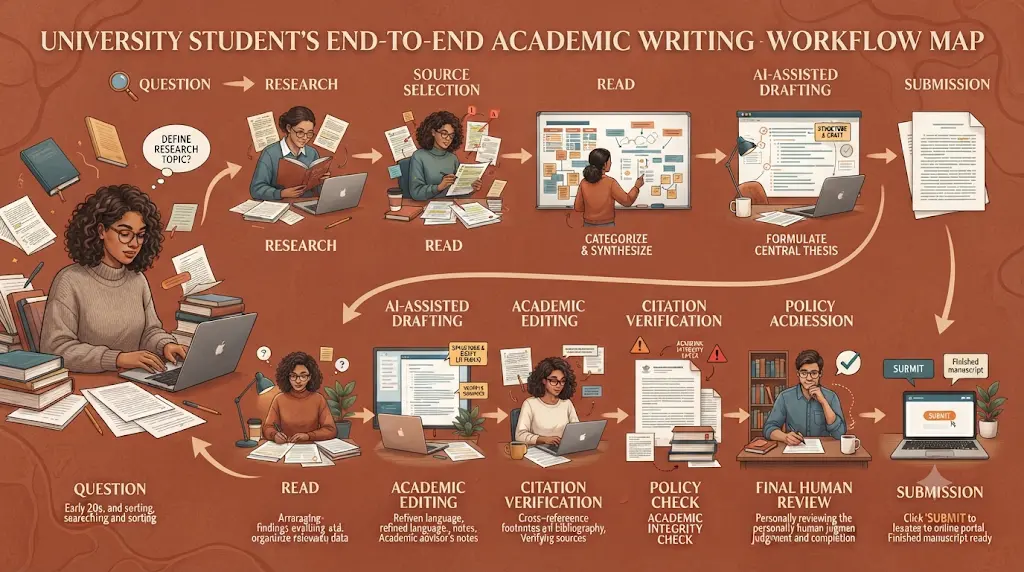
The Academic Writing AI Workflow Map
QUESTION
↓
RESEARCH
↓
SOURCE SELECTION
↓
READ + UNDERSTAND
↓
EVIDENCE MATRIX
↓
YOUR ARGUMENT
↓
AI-ASSISTED DRAFTING
↓
ACADEMIC EDITING
↓
CITATION VERIFICATION
↓
POLICY CHECK
↓
FINAL HUMAN REVIEW
Best Workflow by Assignment Type
- A normal college assignment: Research → Understand → Outline → Draft → Edit → Citation check
- A literature review: Elicit → ResearchRabbit → SciSpace → Evidence matrix → Synthesis → Scite
- A thesis: Research → Literature map → Evidence extraction → Writing → Editing → Citation audit → Supervisor review
- A journal manuscript: Research → Draft → Technical editing → Citation audit → Journal requirements → Final submission checks
When You Should NOT Use AI Yet
AI is genuinely useful for the tasks described throughout this guide, but it’s not always the right first step. Hold off on opening any AI tool if:
- You haven’t understood the assignment question yet.
- You haven’t read the core papers your argument depends on.
- You don’t yet know your own thesis or argument.
- You haven’t checked your university’s current AI-use policy.
- You haven’t defined what specific evidence you actually need.
Opening an AI tool before any of these is settled tends to produce generic, ungrounded writing that you’ll have to redo anyway.
The 70/30 Academic AI Rule
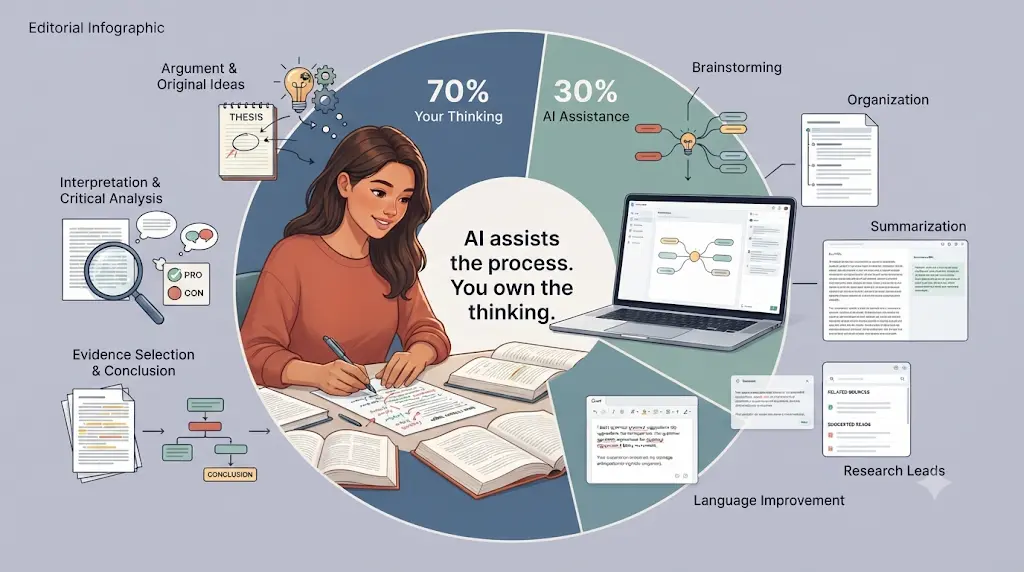
This is a practical framework we recommend for this guide, not an established academic rule — treat it as a starting ratio to adjust for your own course requirements.
70% — Your thinking: argument, interpretation, evidence selection, critical analysis, conclusions.
30% — AI assistance: brainstorming, organization, language improvement, summarization, finding possible research leads.
How to Use AI Without Losing Your Voice
Weak workflow: “Write my literature review about renewable energy.” → a generic AI paragraph you then have to rewrite anyway.
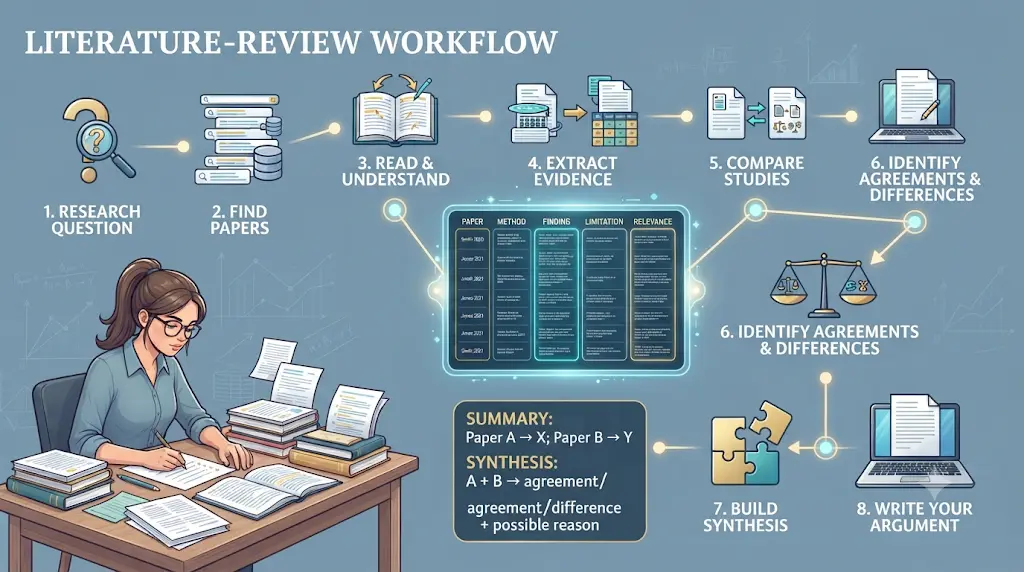
Better workflow: “Here are six papers. Extract each paper’s research question, methodology, findings, and limitations, and note where they disagree with each other. Do not write the literature review yet.” → an evidence matrix → you identify the pattern → AI helps organize it → you write and edit the final version.
The difference is sequencing: your rough idea → AI feedback → your revision → evidence check → final writing, rather than prompt → AI paragraph → submit.
Before submitting your assignment, learn how to use AI ethically for academic writing to avoid plagiarism and create original work.
Research Synthesis vs. Summary
Students often confuse these two, and it’s worth spelling out because it’s one of the most common feedback comments on literature reviews.
Summary: Paper A says X. Paper B says Y.
Synthesis: Papers A and B agree on X, but differ on Y — likely because they used different populations or methodologies.
AI tools are good at producing summaries quickly. Synthesis — connecting, contrasting, and explaining why studies disagree — is still primarily your job as the writer.
How to Avoid AI-Sounding Academic Writing
If your draft leans on AI output too heavily, it tends to show up as repetitive transitions (“Moreover,” “Furthermore,” “In conclusion”), generic introductions, unnecessary restatement, inflated vocabulary, vague claims, and unnaturally symmetrical paragraphs. Write clearly first. Make it academic second.Stop wasting time on repetitive tasks when AI can make everyday work easier—discover the best AI tools to save time for beginners and find simple ways to get more done with less effort.
Ready-to-Save Academic Prompts
Generic prompts produce generic output. These are more controlled and reusable.
Understand a research paper: “I am reading this research paper for academic study. Do not invent information or fill missing gaps. Explain the paper using only the uploaded text. Break your response into: research question, hypothesis, methodology, sample/data, key findings, limitations, and what the authors actually conclude. For every important claim, point me to the relevant section or page. Clearly label anything that is uncertain or not stated in the paper.”
Find research gaps: “Analyze these papers only from the evidence provided. Identify recurring findings, disagreements, methodological limitations, under-researched populations, and questions the authors explicitly identify as unresolved. Separate author-stated research gaps from your inferred potential gaps. Do not invent a gap simply because one seems interesting.”
Other prompts worth adapting for your own work: understanding a specific methodology, comparing two papers side by side, building a literature-review matrix, extracting evidence for a specific claim, checking whether a paragraph is logically structured, finding unsupported claims in your own draft, and preparing likely viva or defense questions.
Literature Review Matrix Template
Don’t ask AI to “write my literature review” as a first step. Ask it to help you build the evidence table first — then write the synthesis yourself from the table.
| Paper | Research question | Method | Sample | Key finding | Limitation | Relevance |
Do You Actually Need ChatGPT for Academic Writing?
General-purpose AI systems — ChatGPT, Claude, Gemini, Perplexity — are genuinely useful for brainstorming an outline, explaining a concept you’re stuck on, or getting feedback on structure. Several now include research-oriented modes (for example, “Deep Research” style features) that can search the web and summarize findings.
Where they fall short for serious academic work is citation reliability and academic-language precision. A general chatbot can produce a citation that looks completely real — correct formatting, plausible author names, a believable title — and still be entirely fabricated.
Specialist academic search tools built on indexed paper databases (Elicit, Consensus, Scite, ResearchRabbit) can reduce some of this citation-fabrication risk, because they retrieve identifiable papers from real, indexed literature rather than generating plausible-sounding references from a language model’s memory. That said, these tools are not immune to error either — they can still misinterpret a paper, summarize it incorrectly, extract incomplete data, or surface a study that isn’t actually a good fit for your claim. Their outputs still need to be checked against the original source; they simply start from a more verifiable place than a general chatbot does.
If you’re still unsure whether ChatGPT or Perplexity is the better choice for your next assignment, this side-by-side comparison can help you choose the right tool without wasting time.
The honest framing: use general AI for structure, explanation, and brainstorming. Use specialist academic tools for anything that touches a real citation, a real dataset, or a real published claim — and verify either way.
AI Hallucination Red Flags
Watch for these signs that an AI answer needs independent verification before you use it:
- Very specific statistics offered without a named, checkable source.
- A perfectly formatted citation that seems suspiciously complete.
- A DOI that looks plausible but doesn’t actually resolve when you check it.
- A claim stated more strongly than the underlying evidence supports.
- Phrases like “research proves…” without naming the specific studies.
- Studies described in detail without any mention of their methodology.
- Confident, unqualified statements on a topic where the actual evidence is mixed.
- A “recent” paper you cannot independently locate.
What Should Indian Students Look For in an Academic AI Tool?
For Indian students working on limited budgets, a few things matter more than they do for a US-based reviewer:
- INR pricing and card compatibility. Most of these tools bill in USD; check whether your card supports international transactions and factor in the current exchange rate (roughly ₹95 per dollar as of September 2026) rather than assuming a round number.
- Free-tier durability, since many students will realistically stay on free plans through an entire semester.
- Student discounts, which several of these tools (Paperpal, for instance) offer through third-party student-verification services — eligibility and percentage vary by country, so confirm directly rather than assuming a blanket discount applies in India.
- Discipline fit — engineering and medical students benefit more from Trinka’s technical dictionaries, while humanities and social science students may get more value from Writefull or Paperpal’s general academic phrasing.
- APA, MLA, Chicago, and IEEE support, since Indian universities and engineering programs often specify different citation styles by department.
Before you start writing your assignment, it’s important to know how to use AI for college research projects effectively. A strong research process helps you find credible sources, organize ideas, and avoid common mistakes that can lower your grades.
What to Check Before You Pay (India-Specific Checklist)
- Does your card support international transactions?
- Is billing monthly or annual, and which is actually cheaper for how you’ll use it?
- Is there a genuine student-verification discount available in India?
- What’s the cancellation policy if you stop needing the tool mid-semester?
- What are the free-tier limits, realistically, for a full semester of use?
- Does your university already provide institutional access to this tool or an equivalent?
No tool on this list should be assumed to comply with a specific university’s AI-use policy just because it’s marketed for students — that’s a university-by-university decision, not a product feature.
Can You Use AI for Academic Writing Without Breaking University Rules?
AI is broadly useful for brainstorming, outlining, explaining a concept, improving grammar, summarizing papers, and discovering research. Where it becomes risky is when it’s used to generate content submitted as entirely your own original work, without disclosure, in violation of your specific university’s or course’s policy.Stop downloading random AI apps that promise everything but solve nothing—discover the 5 best AI tools for beginners on mobile in 2026 and find the right tool to simplify your daily tasks, improve your skills, and get started without feeling overwhelmed.
Academic Integrity: Lower-Risk vs. Higher-Risk Uses
| Use | Generally lower risk | Always check your policy |
| Brainstorming | ✓ | Yes |
| Grammar correction | ✓ | Yes |
| Explaining a concept | ✓ | Yes |
| Paper summarization | ✓ | Yes |
| Generating submitted paragraphs | ⚠ | Yes |
| Generating an entire assignment | ⚠⚠ | Definitely |
| Fabricating references | ✕ | Never acceptable |
This table describes general risk patterns, not a universal rule — policies differ by university, department, and even individual instructor.
Before using any of these tools for graded work:
- Check your university’s and your specific course’s current AI-use policy — these vary significantly even within the same institution.
- Disclose AI use where your institution requires it.
- Verify every citation an AI tool surfaces or generates against the original source before including it in your reference list.
- Treat AI-generated summaries and drafts as a starting point you substantially revise, not a final submission.
Privacy: What Should You Never Upload?
Be cautious about uploading sensitive material to any AI tool, academic or otherwise, without first checking that tool’s current data-retention and privacy policy. This includes unpublished manuscripts, confidential research data, participant or patient information, proprietary datasets, exam papers not meant for external systems, and research still under an NDA. Policies differ by provider and change over time, so check the specific tool’s current terms rather than assuming a standard.
The Citation Warning
Never assume an AI-generated citation is real just because it looks academic. A fabricated citation can have the correct format, a plausible journal name, and authors who genuinely exist — while the specific paper doesn’t. The safe sequence is: AI output → treat it as a candidate source → verify the DOI, title, and author list independently → open the original paper → confirm it actually says what you’re citing it for → cite the original, verified source. This one habit prevents the single most damaging mistake students make with AI-assisted research.
Citation Verification Workflow
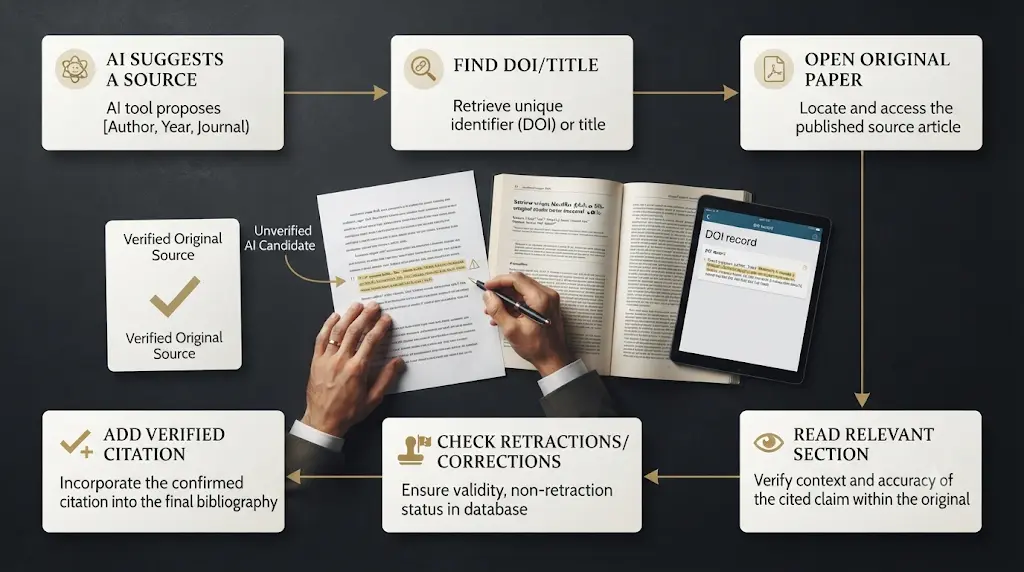
AI suggests a source
↓
Find the DOI/title
↓
Open the original paper
↓
Read the relevant section
↓
Compare the claim against the actual evidence
↓
Check for retractions or corrections
↓
Add the citation
How to Verify AI-Generated Academic Citations Before Submission
An AI-generated reference should never be treated as verified simply because it looks realistic or includes a DOI. Before citing a source in an assignment, literature review, or thesis, check that the source exists and that it supports the exact claim you want to make.
Citation verification checklist
- Find the original record. Search the paper title in the publisher’s website, the journal website, or a recognised scholarly database.
- Confirm the bibliographic details. Check the author names, title, publication year, journal or conference, volume, pages, and DOI where available.
- Open the original paper. Do not rely solely on an AI-generated summary or a search-result snippet.
- Locate the supporting evidence. Find the relevant paragraph, table, figure, or results section.
- Check the claim’s meaning. Make sure the paper supports your statement and does not merely mention the same topic.
- Check contradictory evidence. Look for limitations, later findings, or studies that reach a different conclusion.
- Format the reference. Apply the citation style required by your institution, then check the final reference list.
A simple evidence-tracking table
For each important claim, record the claim, the original source, the page or section containing the evidence, what the source actually shows, and whether the evidence is strong enough for your argument.
If you cannot locate the original source or confirm the claim, do not present the citation as verified. Find a reliable replacement or remove the unsupported statement.
Before Citing Any AI-Suggested Source, Check:
- Does the paper actually exist?
- Is the title correct?
- Are the authors correct?
- Is the journal correct?
- Does the DOI resolve?
- Did you open the original paper yourself?
- Does the paper actually support your specific claim?
- Is the source current enough for this topic?
- Has it been retracted or corrected since publication?
- Are you citing the original source rather than an AI-generated summary of it?
Using AI for the first time can feel confusing, but you don’t need to be tech-savvy—this beginner-friendly guide shows you exactly where to start.
Common Mistakes Students Make With Academic AI Tools
- Trusting a citation because it “looks right,” instead of verifying the DOI or opening the original paper.
- Using a general chatbot for literature discovery instead of a tool actually indexed against real academic databases.
- Submitting AI-drafted text without disclosure when a course explicitly requires it.
- Relying entirely on one free tier and hitting a usage wall mid-deadline instead of testing two or three tools early.
- Assuming a paraphrasing tool alone resolves a plagiarism concern, rather than treating it as a language-quality tool.
- Asking AI to write before you’ve actually understood the source material.
- Treating an AI summary as a substitute for reading the primary paper.
- Using a single source to support an overly broad claim.
- Asking AI to manufacture a research gap instead of identifying one grounded in the actual literature.
- Ignoring evidence that contradicts the argument you’d already decided to make.
Human Review Checklist Before Submission
- Can you explain your argument without relying on AI?
- Have you personally read the important sources, not just their summaries?
- Does every major claim have appropriate, verified evidence behind it?
- Are all citations accurate and checked against the original source?
- Did you preserve each source’s intended meaning rather than overstating it?
- Did you disclose AI use if your course requires it?
- Does the final writing sound like you?
- Did you re-check the original assignment instructions?
- Did you manually review the entire final document before submitting?
How AI May Change Academic Work
AI is likely to take over more of the repetitive parts of academic work: searching, summarizing, organizing notes, checking language, comparing documents, and preparing first-pass research materials. The valuable human skills become more important, not less: asking good questions, judging evidence, spotting weak methodology, connecting ideas across sources, forming original arguments, and making the ethical calls a piece of software can’t make for you. The advantage won’t belong to students who use the most AI. It will belong to students who know how to use AI without outsourcing their thinking.
30-Second Tool Selection
- Need papers? → Elicit
- Need connected papers? → ResearchRabbit
- Need to understand a PDF? → SciSpace
- Need quick paper summaries? → Scholarcy
- Need academic English? → Writefull
- Need technical English? → Trinka
- Need submission checks? → Paperpal
- Need citation verification? → Scite
- Need source-aware drafting? → Jenni AI
If You Remember Only 5 Things
- AI can accelerate academic work; it cannot replace academic judgment.
- Never trust a citation just because it looks real.
- Read the important primary sources yourself.
- Use specialist tools for specialist tasks.
- Check your university’s AI policy before submitting AI-assisted work.
Frequently Asked Questions
What are the best AI tools for academic writing for students? There isn’t one single best tool — Writefull leads for language editing, Elicit for literature research, SciSpace for understanding papers, and Paperpal for submission-ready manuscripts. Most students combine two or three of the best AI tools for academic writing for students rather than relying on just one.
Which AI is best for writing research papers? Jenni AI for structured, citation-aware drafting; Elicit or Consensus for the research that goes into the paper; Paperpal or Writefull for the language pass afterward.
What is the best free AI tool for academic writing? ResearchRabbit’s Free Forever plan and Elicit’s Basic plan are the two most usable free tiers on this list for actual research work, not just a demo.
Which AI tool is best for literature reviews? Elicit, for its automated data extraction and systematic-review workflow, paired with ResearchRabbit for citation-network discovery.
What is the best AI tool for engineering students? Trinka, for its technical and STEM-aware grammar checking, paired with Elicit for literature discovery.
What is the best AI tool for thesis writing? Elicit for research, Scite for citation verification, and Paperpal for language polish and submission-readiness checks.
What AI tool can summarize research papers? Scholarcy and SciSpace both specialize in turning dense papers into structured summaries and flashcard-style key points.
Can AI tools write academic papers? They can draft text, but submitting AI-generated writing as entirely your own work may violate your university’s academic integrity policy. Check your specific institution’s current rules before relying on AI beyond brainstorming, editing, and research support.
Are AI-generated citations reliable? Not automatically. Always verify the DOI, title, and authors of any AI-suggested citation against the original source before using it.
Which AI tool is best for academic proofreading? Writefull and Trinka for language-level correction; Paperpal if you also need plagiarism and submission-readiness checks in the same workflow.
Is using AI for academic writing plagiarism? Not inherently — using AI to brainstorm, outline, or edit is different from submitting AI-generated text as your own original work without disclosure. The distinction depends on your specific university’s and course’s policy.
How can students use AI without violating academic integrity? Disclose AI use where required, verify every citation against the original source, and treat AI drafts as a starting point you substantially revise rather than a final submission.
Should I use ChatGPT or a specialized academic AI tool? Use general AI for structure and brainstorming; use specialist tools for anything touching a real citation, dataset, or published claim, since specialist tools retrieve from actual paper databases rather than a language model’s memory — though their outputs still need verification.
Final Takeaway
No single AI tool covers the entire academic writing process well, and any article claiming otherwise is oversimplifying. The more useful question isn’t “which AI tool is best” — it’s “which stage of my writing is actually slowing me down right now.” Match that stage to the right tool from the ACADEMIC stack above, verify every citation before it goes in your reference list, and treat AI as a research and editing accelerator rather than a replacement for your own analysis. Whichever combination you choose, the goal is the same: find the best AI tools for academic writing for students that fit your specific task, your budget, and your discipline — not the longest possible list of subscriptions.
About the Author
Nandhakumar — Founder & Content Creator at FutureFastAI
Nandhakumar is the founder and content creator behind FutureFastAI, a website focused on helping students and beginners understand and use AI tools more effectively.
FutureFastAI covers practical topics around AI tools, academic productivity, study workflows, AI writing, research tools, and digital productivity. The goal is simple: make useful AI technology easier to understand and apply in real student and beginner workflows.
Rather than treating AI as a replacement for human thinking, Nandhakumar focuses on practical ways to use AI as an assistant and productivity accelerator—while encouraging users to verify important information, understand the limitations of AI, and follow responsible-use guidelines.
Articles published on FutureFastAI are researched, reviewed, and updated when important information such as tool features, pricing, availability, or policies changes.
The goal is not to recommend every AI tool available. It is to help readers understand which tool fits a particular problem, what it does well, where it falls short, and when it may not be worth using or paying for.
Our Mission
FutureFastAI aims to make AI more practical and accessible for students and beginners—without unnecessary hype, complicated explanations, or unrealistic promises.
AI should help you work smarter. It should not replace your judgment.
Editorial Policy
FutureFastAI publishes practical and accurate information about AI tools and digital productivity for students and beginners.
We choose topics based on readers’ needs, not just search keywords. Our reviews consider features, limitations, pricing, ease of use, privacy, and overall usefulness.
AI tools may assist with research, writing, or editing, but all content is reviewed for accuracy and clarity. We do not claim personal testing or experience unless it actually occurred.
Prices, features, and availability may change, so readers should verify important details on official websites. Academic information and citations should also be independently checked.
Some articles may contain affiliate links. We may earn a commission from eligible purchases at no extra cost to the reader. Affiliate relationships do not influence our recommendations.
We welcome corrections and update content when necessary.
Useful over promotional. Accurate over sensational. Transparent over vague. Human judgment over blind AI output.





One Comment