

Best AI Tools for Students in India: 11 Hidden Gems Worth Trying
It’s 11 p.m., the assignment is due tomorrow morning, you’ve got four PDFs open in four tabs, two of them cite a paper you can’t find, and you still don’t fully understand the methodology section that your whole argument depends on. This is the exact moment most “best AI tools for students” articles fail you — they hand you a list of five famous chatbots you already know about and call it a day.
This article does something different. It’s built around one idea: the best AI tool for a student is rarely the most famous one — it’s the one that removes the specific step that’s wasting your time right now. So instead of ranking ChatGPT, Gemini, Claude, and Perplexity against each other again, this guide goes looking for the specialized, lesser-known tools that solve one academic problem unusually well, and checks each one against a simple question — would this genuinely help an Indian student on a tight budget and a tighter deadline?
By the end of this article, you’ll know:
- Which tool solves which specific student problem
- Which tools are genuinely free, and which only pretend to be
- Which tools are actually worth paying for, and when
- Which habits turn AI into a study crutch instead of a study aid
- How to combine two or three tools into a workflow that fits your course, not someone else’s
This is one of the most detailed breakdowns of best AI tools for students in India you’ll find, precisely because it refuses to stop at “here are 10 apps.” Let’s start with the short version.
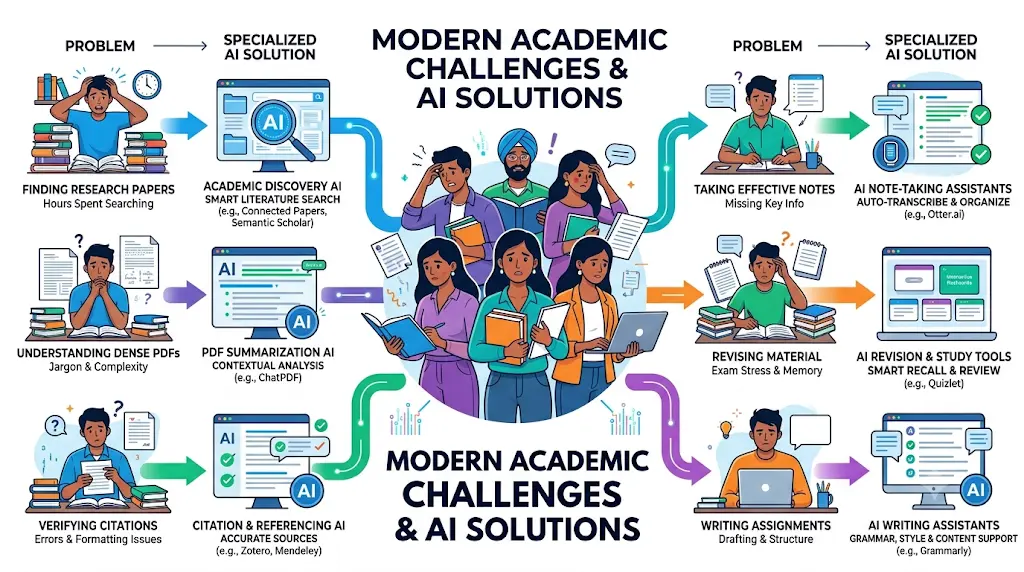
If You Only Have 5 Minutes
If you’re skimming, here’s the fast version of best AI tools for students in India, matched to what you’re actually trying to do:
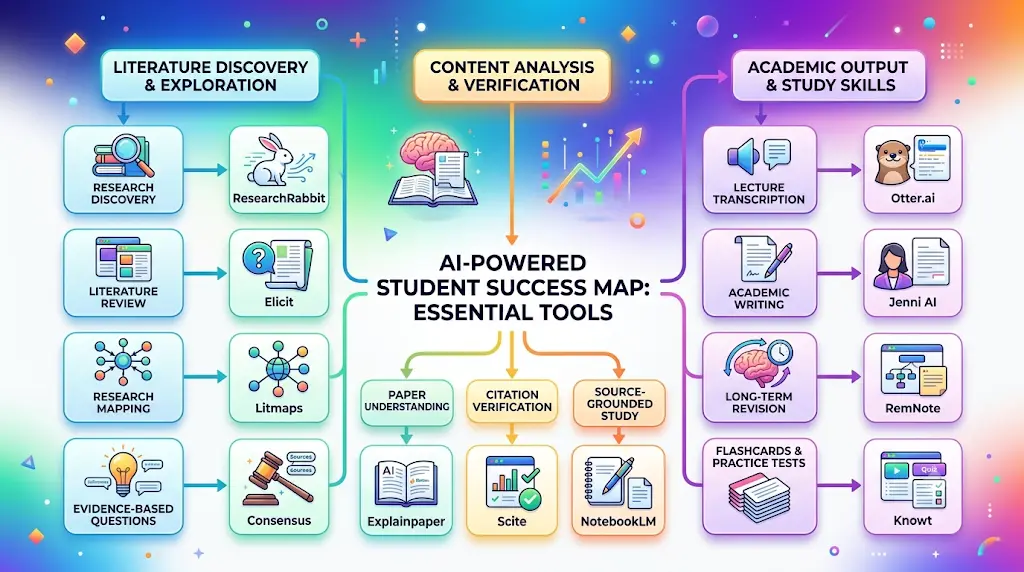
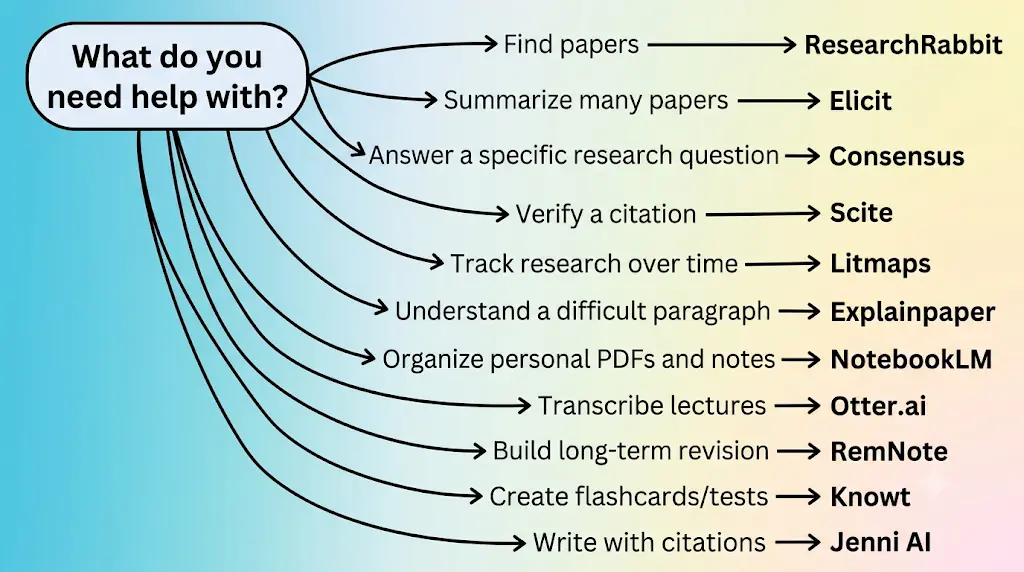
- Research? → ResearchRabbit, Elicit, or Consensus
- Verify a citation? → Scite
- Track how a research field evolves? → Litmaps
- Understand one confusing paragraph? → Explainpaper
- Turn sources into a study notebook? → NotebookLM
- Turn lectures into text? → Otter.ai
- Revise long-term? → RemNote
- Drill flashcards and practice tests? → Knowt
- Write an academic assignment with citations? → Jenni AI
Before you start writing your assignment, it’s important to know how to use AI for college research projects effectively. A strong research process helps you find credible sources, organize ideas, and avoid common mistakes that can lower your grades.
Best AI Tools for Students in India at a Glance
| Tool | Best For | Free? | Main Limitation |
| ResearchRabbit | Discovering related papers | Yes, unlimited search | No writing or citation tools |
| Elicit | Literature reviews & summaries | Yes, unlimited search/chat | Academic sources only |
| Scite | Citation verification | No — 7-day trial only | No permanent free tier |
| Litmaps | Mapping research over time | Yes, capped at 20 inputs | Free tier map/article caps |
| Explainpaper | Explaining one paragraph | Yes, limited monthly uses | Doesn’t help you write |
| NotebookLM | Source-grounded study notebook | Yes, generous daily caps | Files processed on Google servers |
| Otter.ai | Lecture transcription | Yes, 300 min/month | Only 3 lifetime file imports free |
| RemNote | Notes + spaced-repetition revision | Yes, unlimited notes/cards | Capped PDF annotation free |
| Jenni AI | Academic writing with citations | Yes, tight daily caps | Free tier is a demo, not a workspace |
| Knowt | AI flashcards & practice tests | Yes, unlimited flashcards | AI generation capped monthly |
| Consensus | Quick evidence-based answers | Yes, ~10–20 analyses/month | Not built for full systematic reviews |
Every price in this article is billed in USD by the vendor; expect roughly ₹950–₹1,900 a month once you convert and add your bank’s currency-conversion charge. None of these eleven tools currently publish India-specific INR pricing on their official sites — budget using the USD figure and your card’s actual conversion rate, not a flat multiplication.
How We Selected These 11 Tools
This list of the best AI tools for students in India wasn’t built by ranking brand recognition or by checking which name shows up first on Google. Each tool below was checked against its own official pricing and product page as of September 2026, scored on how directly it solves a specific student workflow, and required to have either a genuinely usable free tier or, where it doesn’t (Scite is the one exception on this list), a clearly disclosed reason it’s still worth knowing about. Where a vendor’s own pricing page showed conflicting numbers between monthly and annual billing, we say so rather than quietly picking whichever figure looked cleanest.
One honest disclosure: nobody on this team ran a formal, controlled test of all eleven tools side by side for months. What follows is built from verified product documentation and official pricing pages, not invented “I used this for a semester” testimonials.
The STUDY Stack: A Framework for Matching Tools to Your Bottleneck
Instead of asking “which AI tool is best,” ask “which stage of my work am I actually stuck on.” That’s the STUDY Stack:
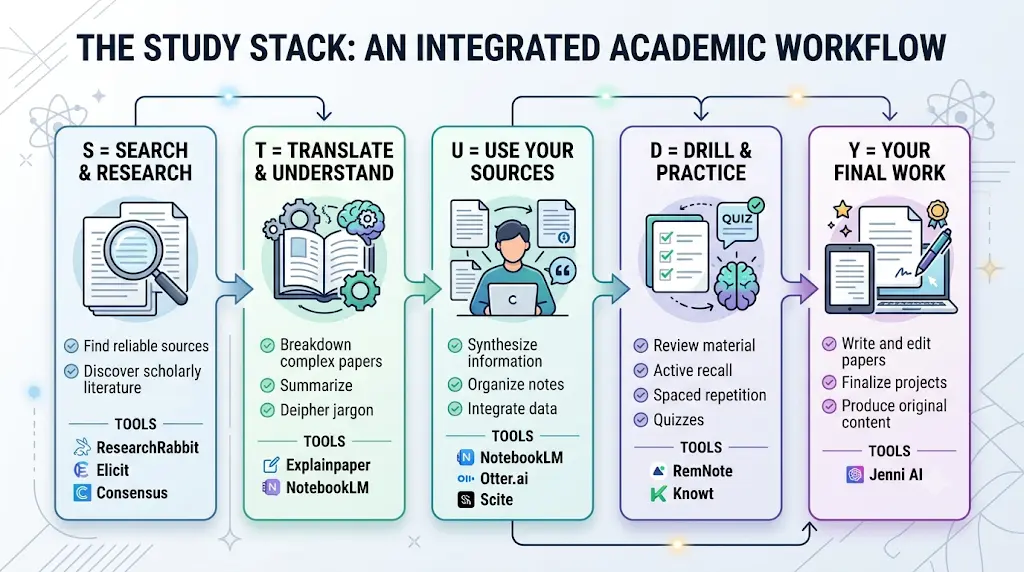
- S — Search & Research: find reliable sources instead of guessing keywords. (ResearchRabbit, Elicit, Consensus)
- T — Translate & Understand: turn a dense paragraph into something you can explain back in your own words. (Explainpaper, NotebookLM)
- U — Use Your Sources: work with PDFs and lecture recordings without losing track of where a claim came from. (NotebookLM, Otter.ai, Scite)
- D — Drill & Practice: flashcards, quizzes, and active recall instead of re-reading the same page five times. (RemNote, Knowt)
- Y — Your Final Work: writing, citing, and verifying before you submit anything. (Jenni AI, Litmaps for context)
Most students use AI as a simple chatbot, but the real advantage comes from following a complete workflow. Discover our AI study workflow for students and learn how to capture notes, create quizzes, schedule revision, and prepare for exams more effectively.
Most students only need two or three tools from this stack, matched to whichever stage is genuinely slowing them down — not all eleven at once.
The Student Problems These Tools Actually Solve
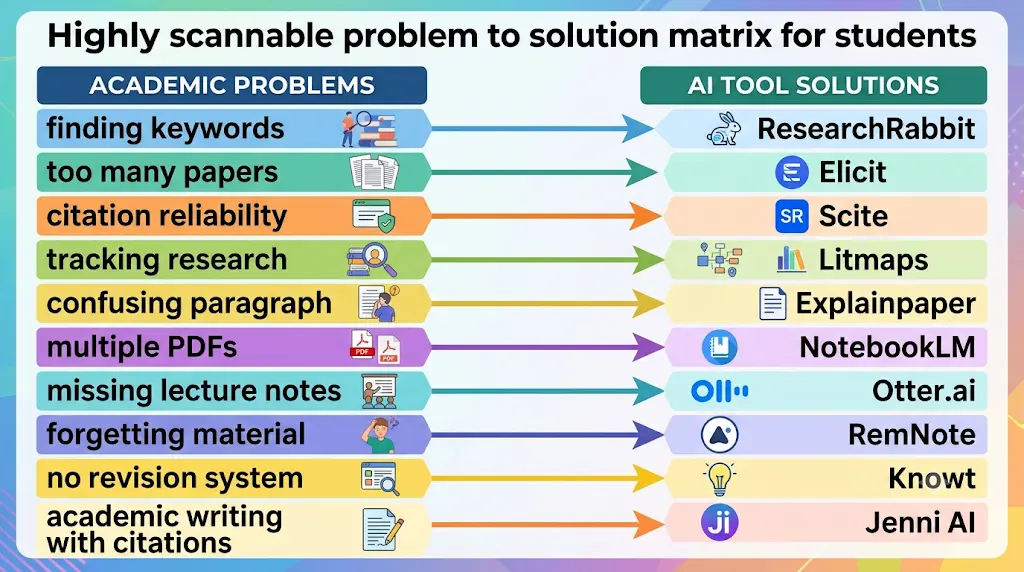
Every tool in this article maps back to a real, specific frustration. If you recognize your own situation in this list, the matching tool is worth trying first.
- “I don’t know what keywords to search.” → ResearchRabbit builds a citation map from one seed paper instead of making you guess search terms.
- “I have too many papers and not enough time to read them all.” → Elicit and Consensus summarize and synthesize across dozens of papers at once.
- “I don’t know whether this citation actually supports my point.” → Scite classifies citations as supporting, contrasting, or merely mentioning a claim.
- “I can’t tell if this field has moved on since this paper was published.” → Litmaps tracks how a topic has evolved and alerts you to new related work.
- “I can’t understand this one methodology paragraph.” → Explainpaper explains exactly the sentence you highlight, not the whole paper.
- “I have five PDFs and a lecture recording and no single place to keep them straight.” → NotebookLM turns your own sources into a source-grounded notebook with citations back to the original text.
- “I missed part of the lecture and my notes have gaps.” → Otter.ai transcribes the lecture so you’re not relying on memory.
- “I keep forgetting what I studied two weeks ago.” → RemNote’s spaced-repetition scheduler is built around long-term retention, not last-minute cramming.
- “I have notes but no actual revision system.” → Knowt turns notes and PDFs into flashcards and practice tests automatically.
- “I have an assignment due and citations to manage.” → Jenni AI drafts with citations traceable to the exact page they came from.
- “I keep getting AI answers but still don’t really understand the topic.” → This isn’t a tool problem — see the AI Study Loop section below.
The AI Study Loop: Where AI Fits (and Where It Doesn’t)
The STUDY Stack tells you which tool to reach for. The AI Study Loop tells you how to actually use it without letting it think for you:
Learn → Question → Practice → Check → Recall → Explain → Repeat
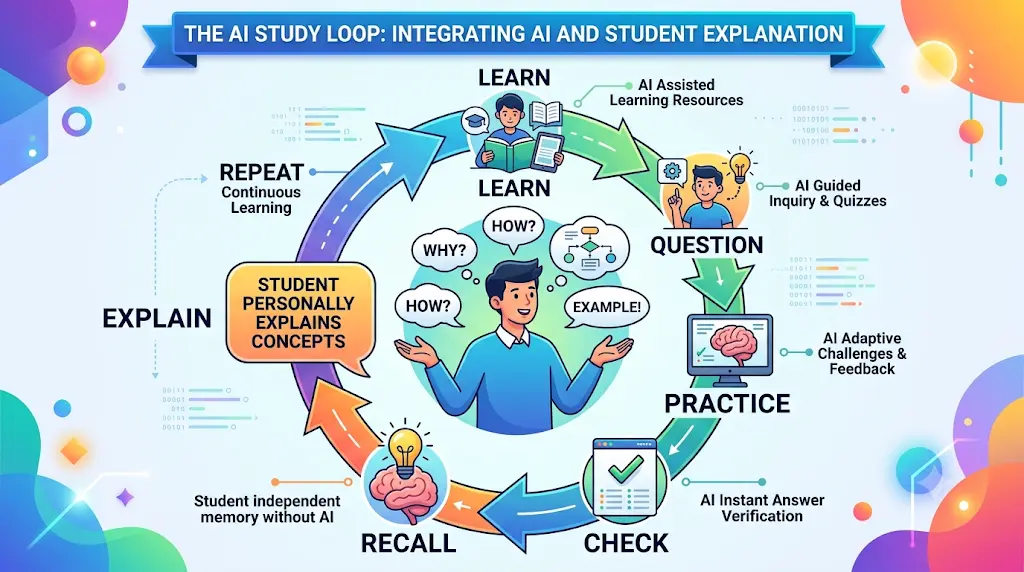
AI belongs inside several of these steps — helping you learn a concept, generating practice questions, checking your answers — but it cannot do the “Explain” step for you. If you can’t explain a concept back in your own words without looking at the AI’s output, you haven’t actually learned it; you’ve just borrowed an explanation for as long as it takes to close the tab. Every tool recommended in this article works best when it sits inside this loop, not when it replaces a step of it entirely.
Want to learn the practical ways students are already using AI in everyday learning? Read our complete guide on How Students Use AI to Study Smarter (Without Cheating) and discover 12 proven techniques to improve learning, revision, and exam preparation
The 11 Best AI Tools for Students in India, by Academic Job
1. ResearchRabbit — Best for Discovering Related Papers
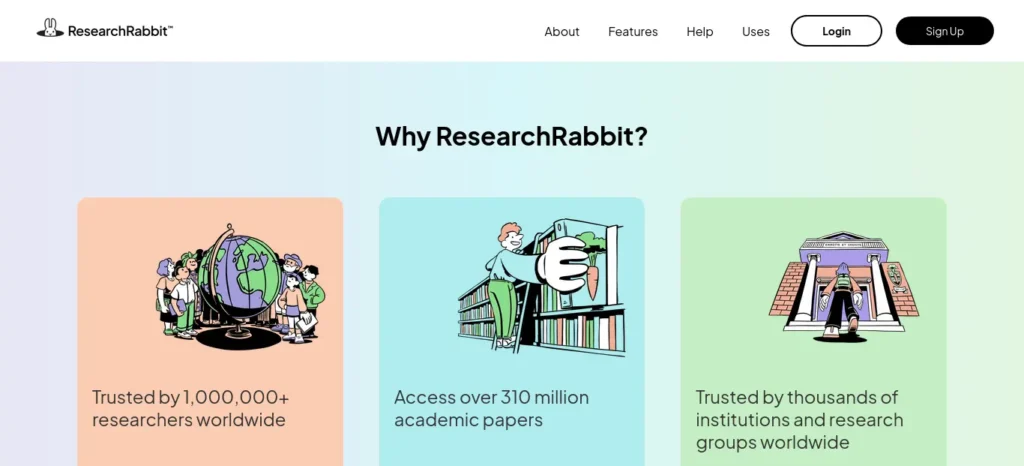
What it solves: the “I don’t know what to search for” problem. You give it one or two papers you already have, and it builds a visual map of related work, connected authors, and citation links — the context a flat keyword search doesn’t show you.
How to use it: feed it your one assigned reading or a paper you already found useful, let it surface related and citing papers, then shortlist five to ten that keep showing up across different branches of the map.
- Free plan: unlimited search across 310+ million articles, unlimited collections, up to 50 seed articles per collection, Zotero sync.
- Paid plan: RR+ at $10/month by default, with country-based discount pricing available at checkout for many regions.
- Biggest mistake: treating every paper on the map as equally relevant instead of shortlisting the ones that appear repeatedly across branches.
- Better than: a blank Google Scholar search box when you don’t yet know the right keywords.
- Who should skip it: students with a short assignment and 3–4 sources already assigned by a professor — the visual-mapping workflow pays off most on multi-week research projects.
- Verdict: the strongest free starting point for open-ended research on this whole list.
2. Elicit — Best for Literature Reviews
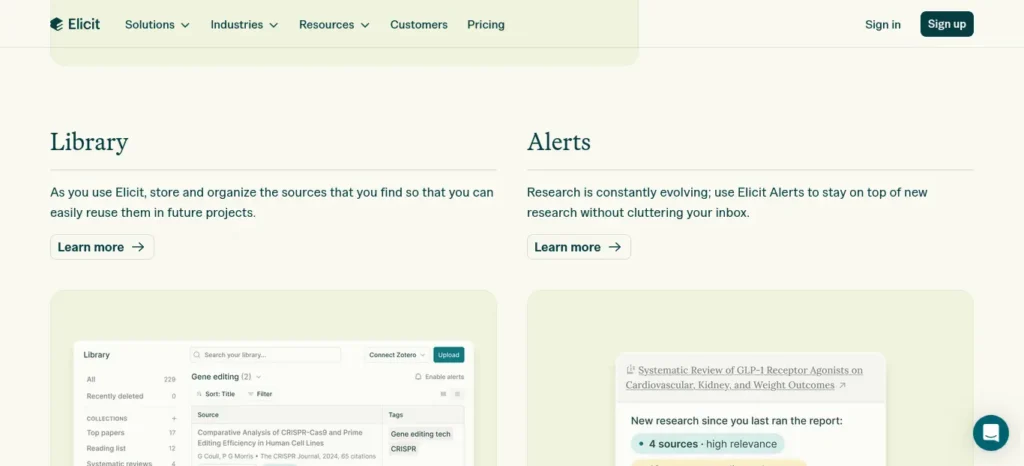
What it solves: reading 20 abstracts manually to figure out which five papers actually matter for your thesis question.
How to use it: ask it to compare the sample size, methodology, and key findings across five papers you’ve already shortlisted, rather than reading each one cover to cover first.
- Free plan: unlimited search across 138+ million papers, unlimited summaries, unlimited paper chat, with limited usage on the newer Research Agent and Research Reports features.
- Paid plan: Elicit’s own pricing page shows different numbers depending on the monthly vs. annual billing toggle — Plus starts somewhere in the $11–19/month range, with Pro and Scale above that for systematic-review workflows. Check elicit.com/pricing directly before subscribing.
- Biggest mistake: accepting an AI-generated summary as fact without opening the source paper it came from.
- Better than: a manual literature review spreadsheet you update by hand.
- Who should skip it: first-year students writing a two-page response paper — Elicit’s strength is systematic review across many papers, which is overkill here.
- Verdict: the closest thing to a research assistant that stays inside academic literature specifically.
3. Scite — Best for Citation Verification
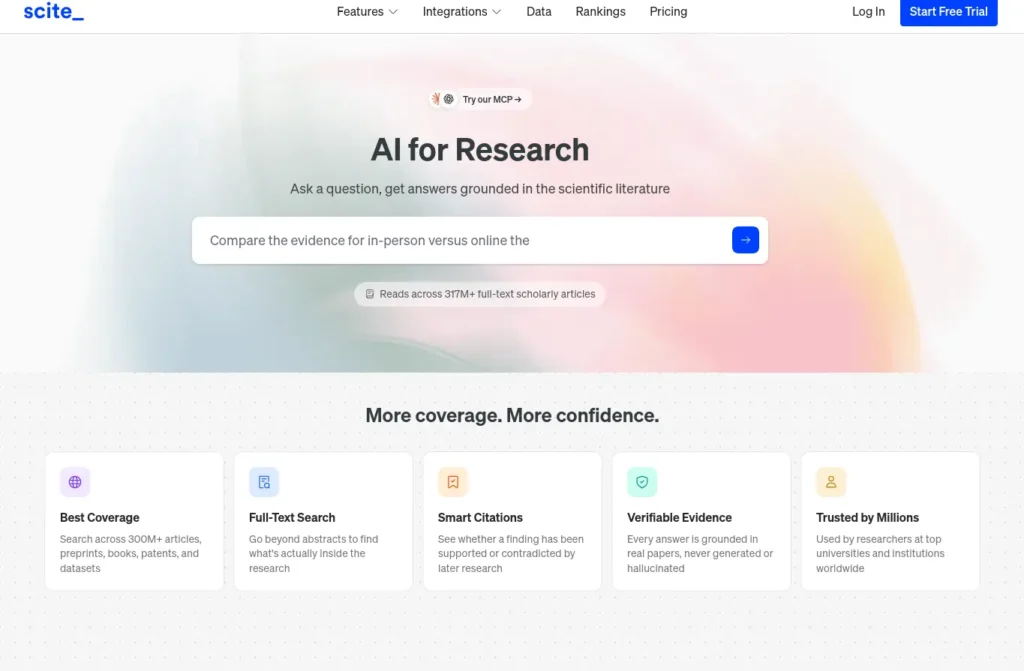
What it solves: citing a finding that’s since been contradicted by later research, without realizing it.
How to use it: before you cite a paper’s central claim in your own writing, check whether later research supports, contrasts with, or just mentions that claim — not just how many times it’s been cited.
- Free plan: none. Scite offers a 7-day free trial rather than a permanent free tier — the one honest exception on this list.
- Paid plan: individual plans run roughly $12–20/month depending on monthly vs. annual billing; Scite has previously offered student discount codes through institutional email verification.
- Biggest mistake: assuming a high citation count means a finding still holds up.
- Better than: trusting citation count alone as a proxy for reliability.
- Who should skip it: anyone not doing formal academic writing, or on a strict zero-budget month — start with free ResearchRabbit or Elicit and add Scite only if a thesis genuinely needs citation-context checking.
- Verdict: the most academically serious tool here, and the one most “best AI tools” lists skip entirely.
4. Litmaps — Best for Mapping Research Over Time
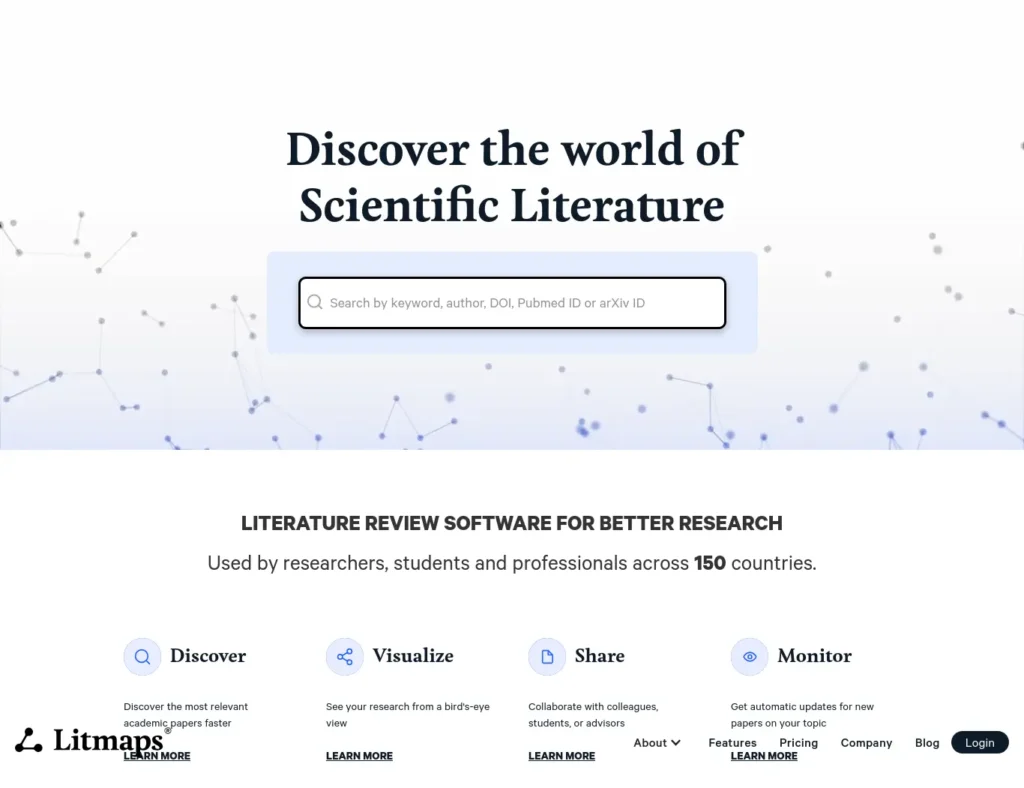
What it solves: manually re-running the same search every month to check if new papers have appeared in your field.
How to use it: build a map from your core sources, then let Monitor alerts notify you when new matching papers publish — useful across a multi-month thesis timeline.
- Free plan: basic search capped at 20 inputs, two maps of up to 100 articles each, default alert scheduling.
- Paid plan: Pro starts at $10/month billed monthly (roughly $120/year annually), with an education-rate discount of around 75% off for verified students — confirm the exact discount at checkout.
- Biggest mistake: using it as a citation manager — it isn’t one, and it won’t format your bibliography.
- Better than: manually re-searching every few weeks to stay current on a fast-moving topic.
- Who should skip it: anyone on a single-semester project where the field isn’t changing week to week.
- Verdict: the closest thing to an “early warning system” for your research area.
5. Explainpaper — Best for Understanding One Confusing Paragraph
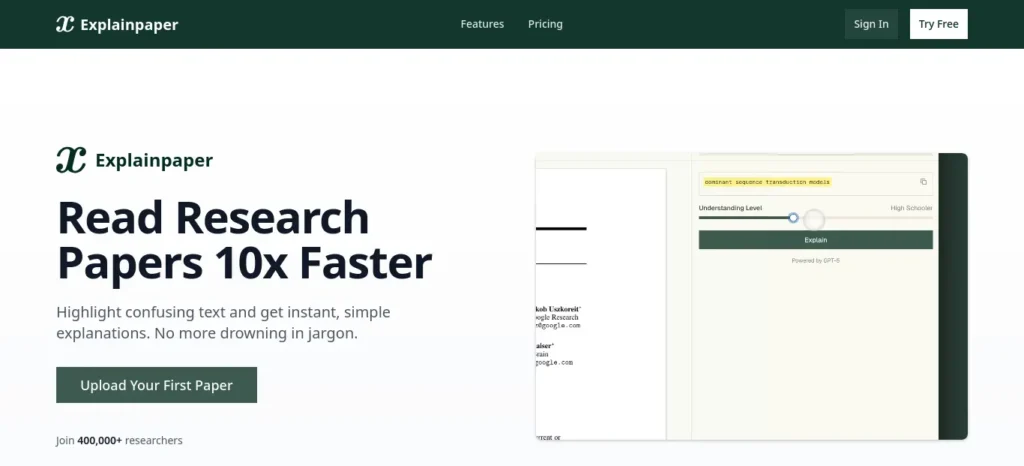
What it solves: asking an AI to summarize an entire 20-page paper and losing the exact nuance you were actually stuck on.
How to use it: upload the paper, highlight only the specific sentence or paragraph that’s confusing you — not the whole document — and ask follow-up questions in that same context.
- Free plan: limited highlight-and-explain interactions and follow-up questions per month.
- Paid plan: a Plus tier starts around $12/month, with a higher Pro tier adding deeper analysis.
- Biggest mistake: pasting the whole paper in and asking for a general summary instead of targeting the one paragraph you’re stuck on.
- Better than: a full-paper AI summary that flattens the one specific point you needed clarified.
- Who should skip it: confident readers in their own field who only occasionally hit a hard paragraph — the monthly cap makes more sense for students regularly working outside their usual subject area.
- Verdict: narrow by design, and better for it.
6. NotebookLM — Best for Turning Your Own Sources Into a Study Notebook
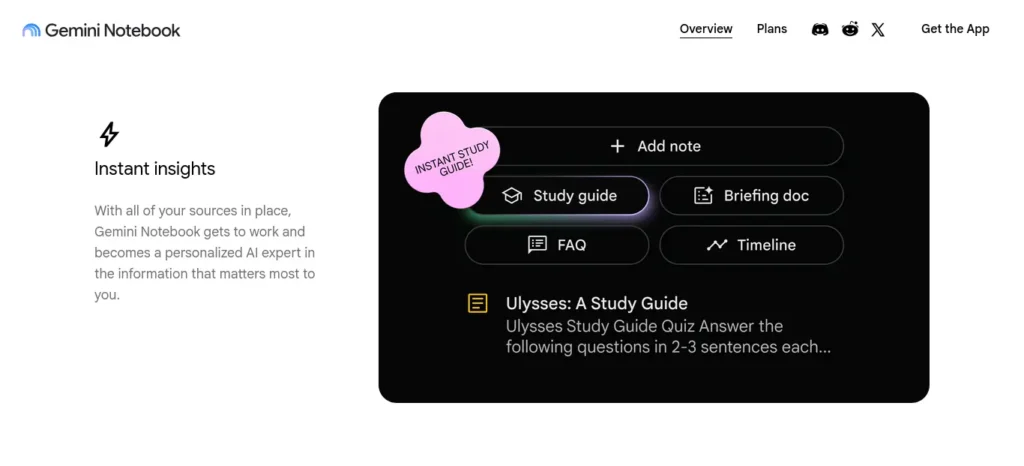
What it solves: having five PDFs, a set of lecture notes, and a recording, with no single place that keeps all of it straight and grounded in what you actually uploaded.
How to use it: upload your syllabus readings, lecture notes, and any recordings for one module, then ask it to generate a quiz, a mind map, or an audio overview built only from what you gave it — not general web knowledge.
- Free plan: 100 notebooks, 50 sources per notebook, roughly 50 chat questions a day, plus audio and video overviews, flashcards, quizzes, and mind maps at no cost. Google relaunched a student offer in August 2026 giving eligible students free access to higher (Plus/Pro-level) caps for a year.
- Paid plan: bundled into Google AI plans — Plus around $4.99/month, Pro around $19.99/month, Ultra around $99.99/month — rather than sold as a standalone subscription.
- Biggest mistake: uploading confidential or sensitive documents — files are processed on Google’s servers, so this isn’t the right tool for anything you wouldn’t want stored off your own device.
- Better than: a general chatbot that answers from general training data instead of the specific sources you actually uploaded.
- Who should skip it: nobody, really — it’s free, from Google, and directly source-grounded. The main caution is data sensitivity, not cost or usefulness.
- Verdict: arguably the single most underused free tool on this entire list for Indian students.
7. Otter.ai — Best for Turning Lectures Into Text
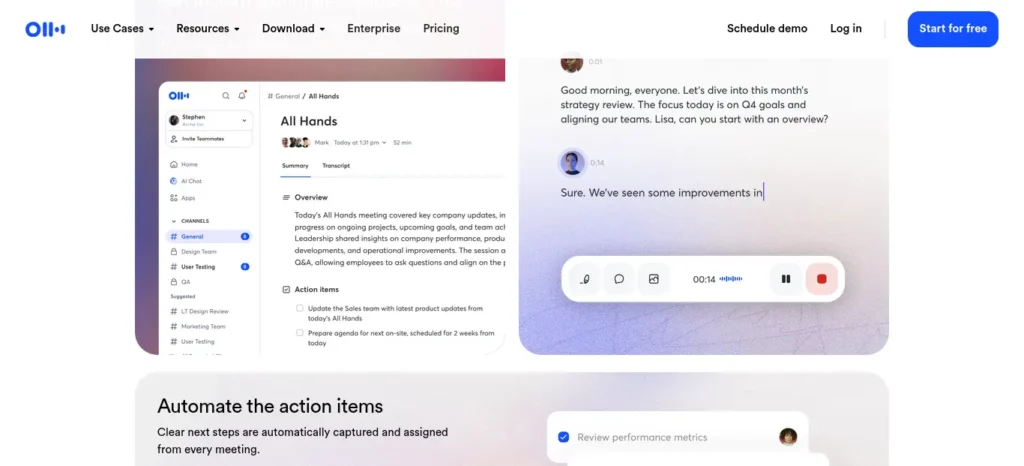
What it solves: missing part of a lecture, or realizing afterward that your handwritten notes have gaps exactly where the professor said something important.
How to use it: record the lecture with Otter running, then use its AI chat to ask questions about the transcript afterward instead of re-listening to the whole recording.
- Free plan: 300 transcription minutes a month, capped at 30 minutes per session, with three lifetime file imports.
- Paid plan: Pro runs $16.99/month billed monthly, or about $8.33/month billed annually, with a 20% student discount available through an eligible student email.
- Biggest mistake: relying on the transcript instead of actually listening in class — Otter is a backup for gaps, not a replacement for attention.
- Better than: trying to reconstruct a lecture from memory the night before an exam.
- Who should skip it: students whose classes run consistently over 30 minutes without a break, since the free tier’s per-session cap will feel restrictive fast.
- Verdict: the only tool on this list solving the “I have gaps in my notes” problem specifically.
8. RemNote — Best for Long-Term Revision
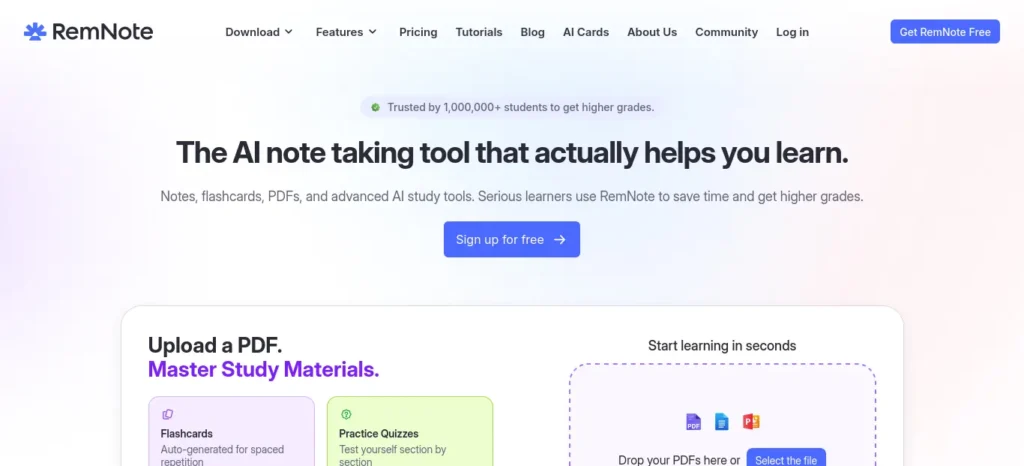
What it solves: re-reading the same notes the night before an exam because there’s no actual spaced-repetition system behind them.
How to use it: take lecture notes directly in RemNote’s outline format, tag key facts as flashcards as you go, then let the spaced-repetition scheduler decide when you need to see each one again.
- Free plan: unlimited notes and unlimited flashcards, capped at roughly 3 PDF annotations and 5 image-occlusion cards, with no AI-generation features included.
- Paid plan: Pro runs around $8–10/month depending on billing cycle, with a Pro+AI tier around $18/month; a documented student discount of roughly 25% off the Pro portion is available.
- Biggest mistake: dumping a semester’s PDFs into the free tier and hitting the 3-annotation cap in the first week.
- Better than: three separate apps for notes, flashcards, and revision scheduling.
- Who should skip it: students who prefer simple, linear notes and don’t want RemNote’s outline-and-reference learning curve.
- Verdict: the strongest long-term memory system on this list, if you’re willing to learn its structure.
9. Jenni AI — Best for Academic Writing With Citations
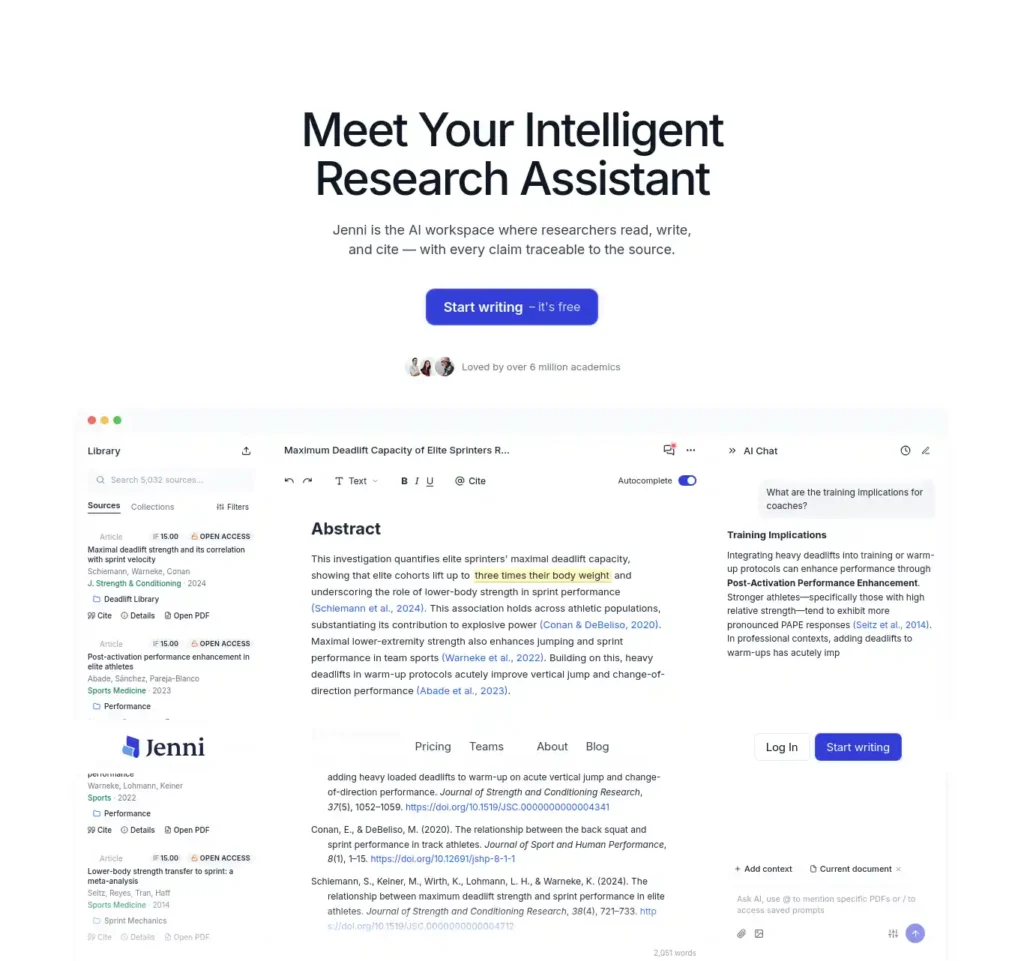
What it solves: writing a full draft first and discovering afterward that half your citations don’t actually support the sentence you attached them to.
How to use it: upload your source PDFs first, then draft with Jenni’s autocomplete pulling citations that link back to the exact page and paragraph in your source — check every citation link before you submit, not after.
- Free plan: around 10 AI autocompletes a day, 10 PDF uploads, a handful of daily AI edits and chat messages, and unlimited citation formatting.
- Paid plan: Plus runs roughly $12/month billed annually (higher if billed monthly), with a Pro tier around $29/month for unlimited usage.
- Biggest mistake: submitting AI-drafted text unchanged without checking your institution’s specific policy on AI-assisted writing for graded work.
- Better than: writing first and citing afterward.
- Who should skip it: students who only need occasional grammar help — a simpler proofreading tool covers that without the subscription.
- Verdict: the most useful of the writing-specific tools here, provided you actually verify what it cites.
10. Knowt — Best for AI-Generated Flashcards and Practice Tests
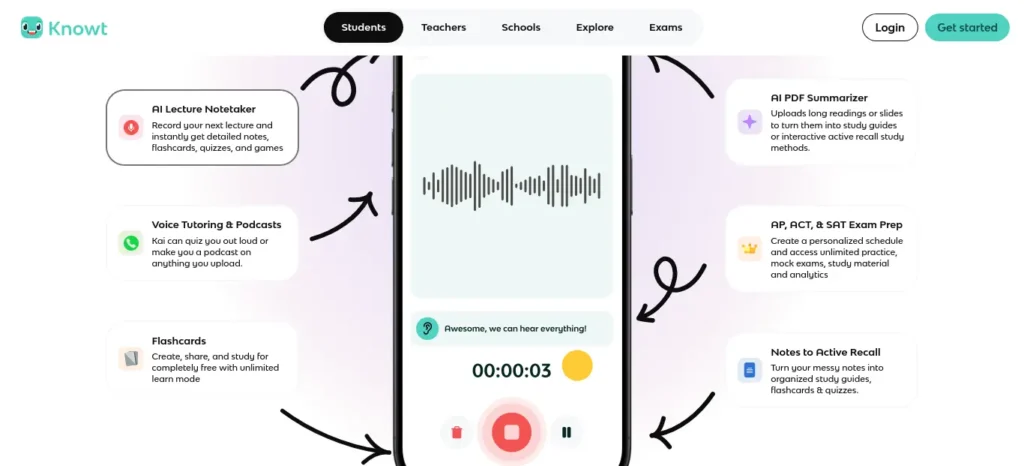
What it solves: manually typing out 100 flashcards from a lecture PDF the night before a test.
How to use it: upload your notes or a PDF, let it auto-generate a flashcard deck and a practice test, then actually check each generated card against your source material before trusting it for revision.
- Free plan: unlimited flashcard creation, all core study modes (Learn, practice tests, Match, spaced repetition), and AI-generated flashcards from notes or PDFs up to a monthly usage limit.
- Paid plan: Ultra costs $24.99/month billed monthly, or $149.99/year (about $12.49/month) billed annually.
- Biggest mistake: trusting AI-generated flashcards without checking them against the source material first — auto-generated cards can misstate a fact.
- Better than: typing out an entire deck by hand.
- Who should skip it: students who already have a working deck in another app and don’t need to migrate.
- Verdict: the most generous free flashcard tool on this list, with one real catch — verify what it generates.
11. Consensus — Best for Quick, Evidence-Based Answers
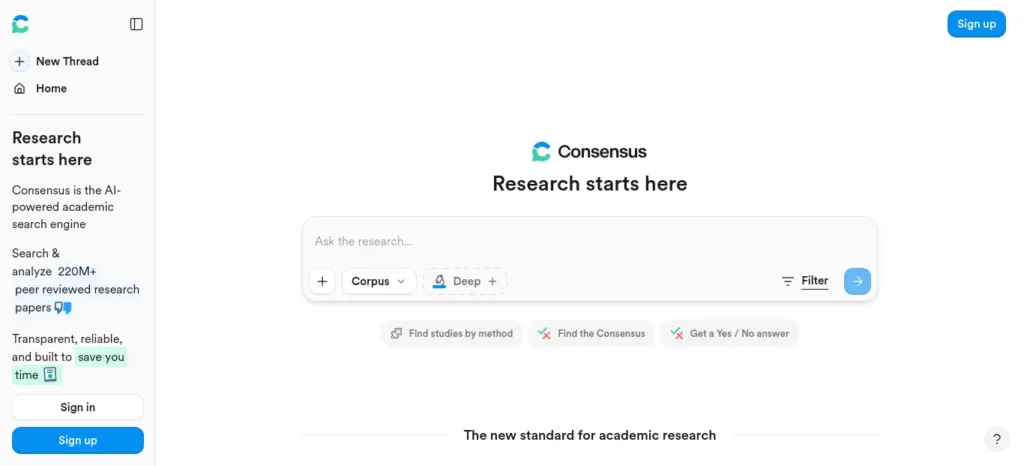
What it solves: needing a fast, citation-backed answer to a specific research question without running a full literature review for it.
How to use it: ask a direct yes/no or agreement-level question — “does spaced repetition improve long-term retention compared to re-reading” — and use the Consensus Meter to see how much peer-reviewed research actually agrees.
- Free plan: unlimited basic search with roughly 10–20 AI-powered Pro Analyses and Study Snapshots per month, refreshing monthly rather than a one-time credit.
- Paid plan: Premium runs roughly $9–10/month billed monthly (lower with annual billing), with student discounts reported around 40% off in some regions — verify the current student rate at checkout, since Indian university email domains aren’t always recognized by every vendor’s student-verification system.
- Biggest mistake: using it for a formal systematic review — it’s built for quick evidence checks, not comprehensive screening.
- Better than: searching a general web engine and hoping the top result is peer-reviewed.
- Who should skip it: students running a full systematic review — Elicit’s structured workflow is the better fit there.
- Verdict: the fastest way to get a citation-backed answer to a narrow, specific research question.
What About ChatGPT, Gemini, and Perplexity?
These general-purpose tools aren’t going anywhere, and they still have a real role — just a different one than the specialists above.
- ChatGPT added a dedicated Study Mode, now available across all ChatGPT plans, built specifically to guide you through a problem step by step with Socratic questioning instead of just handing you an answer — a genuinely useful free option for concept explanation and practice problems.
- Gemini is the practical choice if your workflow already lives in Google Docs, Drive, or Sheets — its strength is working with documents you already have, not discovering new ones. (Its NotebookLM sibling, covered above, is arguably the more specialized and underused half of Google’s student toolkit.)
- Perplexity is a research-and-current-affairs tool with citations attached to its answers, useful for UPSC-style current-affairs prep. Its earlier free-for-a-year offer through Airtel closed to new signups in January 2026, but its Student Referral Program (through SheerID student verification) can still get eligible Indian students extended free access to Perplexity Pro.
Use a general chatbot for explanation and quick tutoring, and use a specialized tool for the specific research, citation, or revision task it was actually built around — they’re not competing for the same job.
New to AI? Start with our Ultimate Beginner Guide to AI Tools for Students to discover the best AI tools for research, note-taking, writing, revision, and productivity—all explained in a beginner-friendly, step-by-step format.
Building an AI Study Stack: Three Realistic Workflows
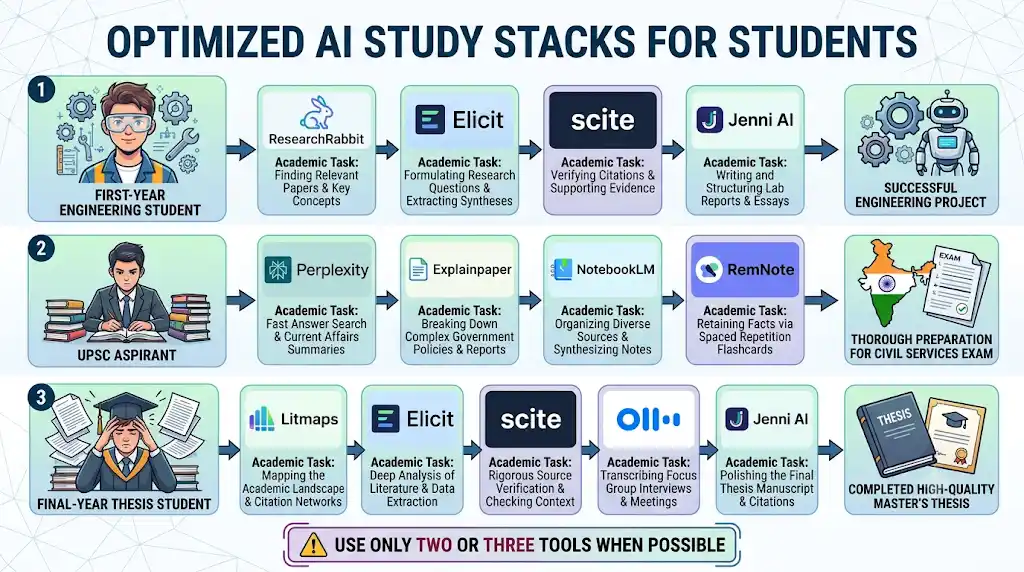
First-year engineering student, research assignment:
ResearchRabbit to find related papers → Elicit to summarize the strongest five → Scite to check the key claims still hold up → Jenni AI to draft with citations already attached.
UPSC aspirant, heavy daily reading load:
Perplexity each morning for current-affairs sourcing → Explainpaper for any dense policy document that doesn’t make sense on first read → NotebookLM to consolidate readings into one source-grounded notebook → RemNote to turn it all into a spaced-repetition revision deck.
Final-year student writing a thesis:
Litmaps to map how the field has evolved → Elicit for structured data extraction across the source set → Scite to verify the most-cited claims → Otter.ai to transcribe supervisor meetings → Jenni AI alongside a reference manager for the actual draft.
None of these require all eleven tools at once. Most students land on two or three that fit their actual workflow.
Which AI Tools Are Most Useful for Indian Students, by Exam and Course?
- JEE and NEET: general AI tutors (like ChatGPT’s Study Mode) matter more here than the research tools above, since these exams test concept mastery and practice-problem speed rather than literature review. RemNote or Knowt can turn NCERT-based notes into a spaced-repetition revision system in the final months before the exam.
- UPSC: Perplexity for daily current-affairs sourcing, NotebookLM to consolidate readings into one grounded notebook, and RemNote for the static-portion syllabus.
- Engineering coursework: ResearchRabbit and Elicit for project and paper-based assignments; Explainpaper when a referenced paper’s methodology section is genuinely hard to parse.
- Medical and life-sciences coursework: Scite is particularly relevant, since citation reliability matters more in clinical and biomedical literature than almost any other field — but budget for it deliberately, since it has no permanent free tier.
- General college coursework (assignments, presentations, exam revision): Knowt, RemNote, and Otter.ai cover most of this without any paid upgrade required.
One important boundary: none of these tools replace your textbooks, your syllabus, your teachers, or your coaching material. They’re aids for research, understanding, and revision — not a substitute for the actual curriculum you’re being examined on.
If you’re an engineering student, don’t waste hours switching between random AI tools—see which AI tools actually fit your engineering branch, from coding and research to calculations and project work.
Do Students Really Need Paid AI Tools?
Usually, no — not on day one. Every tool on this list except Scite has a usable free tier, and the practical approach is:
- Start with the free plan for whichever tool matches your current bottleneck.
- Use it for a few weeks and notice specifically where the free-tier limit gets in your way — a PDF cap, a monthly credit limit, a missing feature.
- Only then consider upgrading, and only for the one specific limitation that’s actually slowing you down.
Before submitting your assignment, learn how to use AI ethically for academic writing to avoid plagiarism and create original work.
A useful gut-check: you probably don’t need Elicit’s paid tier for a single college assignment, but a paid plan starts making sense once you’re repeatedly running literature reviews across a whole semester or thesis. The same logic applies to every tool on this list — the free tier is where almost everyone should start.
Don’t Use AI Like This
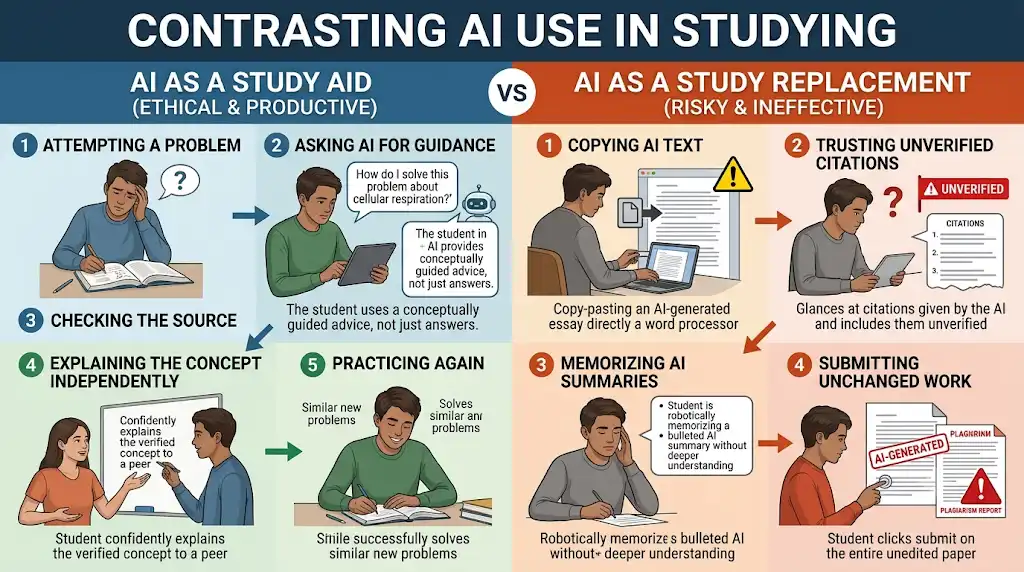
This section matters more than any pricing detail on this page. There’s a real difference between AI that supports your learning and AI that quietly replaces the effort of learning — and that difference shows up in specific, avoidable habits:
- Copying AI-generated text into a graded assignment unchanged, instead of using it as a starting draft you revise in your own words.
- Accepting a citation without checking the original source — AI tools can attach a citation to a claim it doesn’t actually support.
- Studying an AI-generated summary instead of the original material, especially for anything you’ll be tested on in detail.
- Using auto-generated flashcards without checking them against your notes first — an unchecked error in a flashcard deck gets memorized just as easily as a correct fact.
- Asking AI to solve a problem before you’ve attempted it yourself, which skips the exact step where actual learning happens.
- Uploading confidential university documents or exam material to tools that process files on external servers.
- Using AI in situations your institution’s academic-integrity policy explicitly prohibits — these rules vary by university and even by course, so check your own institution’s specific policy rather than assuming a general answer applies.
The better pattern, matching the AI Study Loop above: attempt it yourself first → ask AI for a second explanation or a check → verify what it tells you → explain the concept back in your own words → practice independently → repeat. AI sits inside that loop as a support at several steps. It cannot do the “explain it back” step for you, and no tool on this list is built to.
Getting answers from AI is easy, but truly understanding math without a tutor is the real challenge—learn how to use AI tools to master difficult math concepts faster instead of just copying solutions.
Frequently Asked Questions
Is ChatGPT still useful for students in India? Yes — particularly its free Study Mode, built for step-by-step concept learning rather than instant answers. It complements the specialized research and revision tools in this article rather than replacing them.
Which AI tools are free for Indian students? Every tool on this list except Scite has a genuinely usable free tier. NotebookLM, ResearchRabbit, Elicit, and RemNote are the most generous of the group before you hit a real paywall.
What is the best AI tool for research papers? It depends on the task: ResearchRabbit and Elicit for finding and summarizing papers, Consensus for a fast evidence-backed answer, Scite for checking whether a citation still holds up, and Litmaps for tracking how a field has evolved over time.
Which AI tool is best for exam preparation? For concept explanation and practice questions, ChatGPT’s Study Mode is a strong free starting point. For turning notes into a spaced-repetition revision system ahead of an exam, RemNote or Knowt.
Can AI tools help with JEE and NEET preparation? Yes, mainly for explanation and revision — general AI tutors and spaced-repetition tools like RemNote or Knowt are more relevant here than the literature-review tools on this list, since these exams test concept mastery rather than research skills.
Which AI tool can summarize PDFs? Elicit summarizes across many academic PDFs at once; NotebookLM builds a single source-grounded notebook from PDFs, notes, and recordings together; Explainpaper is built specifically for explaining one confusing paragraph rather than the whole document.
Which AI tools help with literature reviews? Elicit is built specifically for this. ResearchRabbit and Litmaps help you find the papers in the first place; Scite helps verify the strongest ones are still supported by later research.
Which AI tool can turn my lectures into notes? Otter.ai transcribes lecture audio directly. NotebookLM can then consolidate that transcript alongside your PDFs and readings into one source-grounded study notebook.
Should students pay for AI tools? Not immediately. Start free, notice your specific bottleneck, and upgrade only for the one limitation that’s actually in your way — most students find the free tiers on this list cover their needs for at least a semester.
Final Takeaway
Don’t collect AI tools — build a small stack that solves your actual problems, one bottleneck at a time. This roundup of the best AI tools for students in India was built around that idea deliberately: start with whichever free tier matches where you’re stuck this week — research, understanding, revision, or writing — verify what it gives you before you trust it, and only add a second tool once you’ve genuinely outgrown the first one.
About the Author
Nandhakumar — Founder & Content Creator at FutureFastAI
Nandhakumar is the founder and content creator behind FutureFastAI, a website focused on helping students and beginners use AI tools more effectively for learning, research, productivity, and everyday digital work.
His approach is simple: AI should work as a learning assistant, not a replacement for learning.
At FutureFastAI, Nandhakumar researches AI tools and student workflows with a practical focus on questions that matter in the real world: What problem does a tool actually solve? Is the free version useful? Is it worth paying for? What are its limitations? And how can students use it without becoming dependent on AI?
His content particularly focuses on AI tools for students, academic workflows, research, writing, exam preparation, productivity, and beginner-friendly technology.
For software and AI-tool articles, FutureFastAI prioritizes information from official product documentation, pricing pages, and other reliable sources. When a tool has important limitations, pricing differences, usage restrictions, or academic-integrity considerations, those details are highlighted rather than hidden.
Nandhakumar does not claim personal hands-on experience with a product unless the product has actually been tested. This helps keep recommendations transparent and avoids presenting simulated experiences as firsthand reviews.
What FutureFastAI Aims to Provide
- Practical explanations instead of unnecessary technical jargon
- Clear comparisons between AI tools
- Transparent discussion of free and paid features
- Student-focused workflows and examples
- Responsible guidance on using AI for learning
- Regular updates when important product information changes
The goal is not to recommend the largest number of AI tools. It is to help readers find the right tool for the specific problem they are trying to solve.
Editorial Policy
At FutureFastAI, we aim to publish accurate, useful, and transparent content about AI tools, student technology, productivity, and learning.
Our Standards
- Accuracy: We verify important product features, pricing, and limitations using official websites, documentation, and other reliable sources where possible.
- Honest Experience: We never present simulated testing, invented experiences, or fictional stories as firsthand experience.
- Balanced Reviews: We explain both benefits and limitations so readers can make informed decisions.
- Student-Focused: Our recommendations consider usefulness, ease of use, free options, affordability, and practical student needs.
- Responsible AI Use: We encourage students to use AI to support learning—not replace their own thinking, research, or academic work.
- Fact Checking: AI-generated information can be inaccurate. Important claims, citations, and academic information should always be checked against the original source.
- Updates: AI tools and pricing change frequently. We review and update content when significant changes become known.
- Affiliate Disclosure: Some articles may contain affiliate links. We may earn a commission if you purchase through an eligible link, at no additional cost to you. Affiliate relationships do not guarantee a positive recommendation.
- Editorial Independence: We recommend tools based on their usefulness and relevance, not simply because they offer affiliate programs.
- AI-Assisted Content: AI tools may assist with research, drafting, or editing, but content is reviewed for accuracy, clarity, usefulness, and originality before publication.
- Corrections: If we identify a significant factual error or outdated claim, we aim to correct it promptly.
Our Principle
We don’t simply tell students which AI tools to use. We help them understand what each tool can—and cannot—do so they can make better decisions.






2 Comments