

Best Free AI Tools for Indian College Students: 9 Hidden Gems
You probably don’t need another chatbot. You already have one, maybe three. The harder problem shows up the night before a submission: twelve papers to read, a professor asking you to defend a methodology you don’t fully understand, or a 70-minute group discussion you need turned into usable notes by morning.
This guide skips the usual ChatGPT-Gemini-Claude-Perplexity roundup and focuses on the best free AI tools for Indian college students who need something built for the parts of college that general chatbots handle badly — finding connected research, checking whether a paper pool is worth screening, drafting with citations you can actually verify, and turning a wall of text into a diagram you can present. Every tool below has a real free tier, not a seven-day trial dressed up as one, and we tell you upfront where each one is a poor fit, not just where it shines.
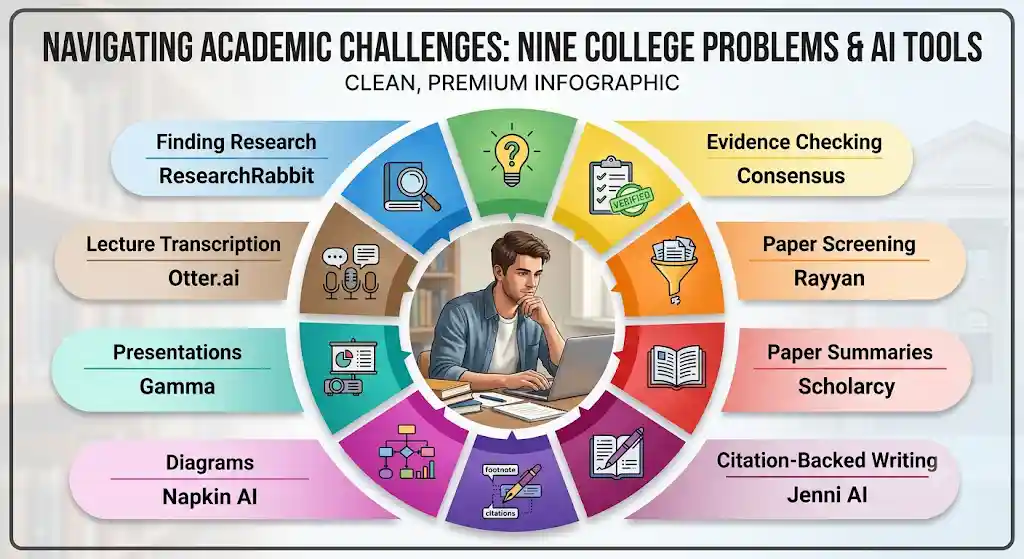
Which Are the Best Free AI Tools for Indian College Students?

Short answer: ResearchRabbit and Elicit for finding and reading papers, Consensus for evidence-based questions, Rayyan for screening sources in a project or thesis, Scholarcy for fast paper summaries, Jenni for citation-backed writing, Napkin and Gamma for turning your work into visuals and slides, and Otter for lecture and group-project transcription.
- Literature discovery: ResearchRabbit — free forever, unlimited searches
- Research questions and summaries: Elicit — free tier, unlimited search across 138M+ papers
- Evidence-based yes/no questions: Consensus — free tier, limited Deep Search
- Screening papers for a review or project: Rayyan — free for up to 3 active reviews
- Fast paper-to-flashcard summaries: Scholarcy — free, 10 summaries
- Academic writing with traceable citations: Jenni AI — free, low daily limit
- Turning explanations into diagrams: Napkin AI — free, 500 credits/week
- Presentation decks: Gamma — free, 400 one-time credits
- Lecture and meeting transcription: Otter.ai — free, 300 minutes/month
How We Evaluated These Tools
This list was built specifically to surface the best free AI tools for Indian college students, not simply the most popular AI brands. Before anything went into this list, we checked it against five questions, in this order of weight:
- Does the free tier actually let you finish something, or is it just a demo? This is why Scite didn’t make the final list — its current pricing page (scite.ai/pricing) shows a 7-day trial rather than a standing free plan, so calling it “free” would misrepresent what a student can actually do with it.
- Does it solve a problem a general chatbot handles badly? Discovery, citation verification, and screening large paper sets are weak spots for ChatGPT/Gemini/Claude/Perplexity. Tools that just repackage a chatbot with a study skin were excluded.
- Is it still actively maintained? We checked each provider’s pricing page, help center, and (where available) changelog for 2026 activity, not a 2023 screenshot circulating on other blogs.
- Does the provider publish its limits, or hide them behind “contact sales”? Consensus and Rayyan both publish free-tier limits directly on their help pages; that transparency itself was a positive signal.
- Is it realistically usable from India? No mandatory US-only payment methods, no VPN requirement to sign up, and reasonable performance on a typical college broadband or mobile-data connection.
What’s ours and what isn’t:
Every number in “Free plan,” “Paid plan,” and the linked source is pulled directly from the provider’s own pricing or help page, checked in September 2026. Everything under “Our take,” “Why it’s underrated,” “Choose this if / Skip this if,” and the workflow sections is our own editorial judgment, based on using each tool’s public product and reading its documentation — not a paid or sponsored placement. Where third-party trackers disagreed with the official page (this happened often — see the Sources section at the end), we went with the official page every time and noted the discrepancy.
None of these tools should replace reading your sources. They’re built to help you find, organize, and understand research faster — not to write your assignment for you.
9 Underrated Free AI Tools for Indian College Students
1. ResearchRabbit — Best for Finding Connected Research
ResearchRabbit helps students discover related academic papers through citation networks and connected research.
It works especially well when you already have one strong paper and want to find similar studies without manually searching through dozens of results.
However, it should not replace detailed reading or critical evaluation of the papers you find.
Free plan: $0 forever. Unlimited searches across 310+ million articles, unlimited collections and library, collection sharing, and up to 50 seed articles per project — enough for a full thesis chapter or course literature review. [Source: researchrabbit.ai/pricing]
Paid plan (RR+): From $10/month (₹960), with country-based discounted pricing in many regions including India. RR+ raises the seed-article limit for large-scale systematic reviews; most undergraduates will never need it.
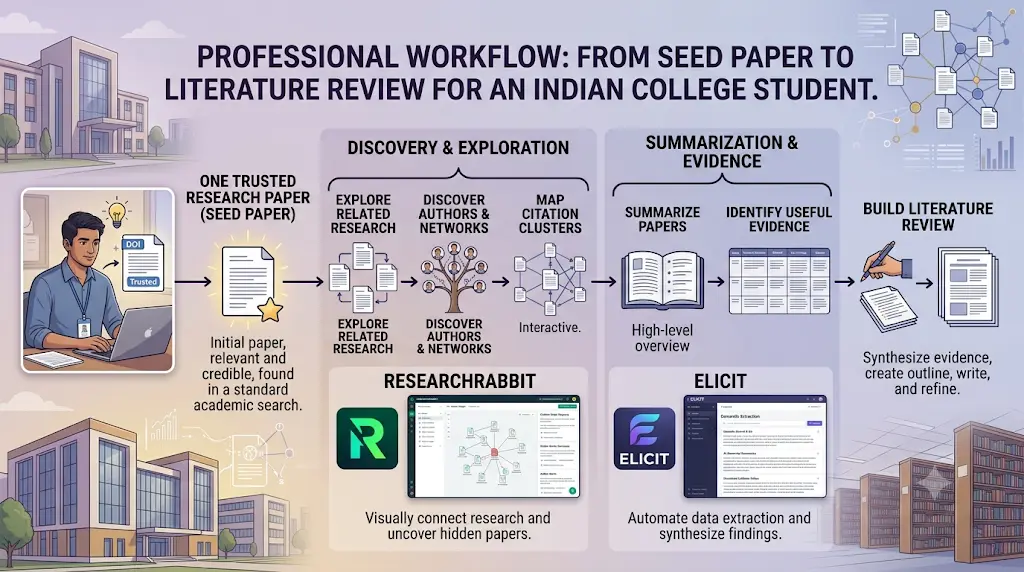
Our take: ResearchRabbit is a discovery layer, not a research assistant — it doesn’t summarize what it finds, so pair it with Elicit or Scholarcy once you’ve built your reading list. It’s also not built for non-academic sources like news, government reports, or industry data, so don’t reach for it on a business-case or current-affairs assignment.
Student use case: You found one strong paper for your final-year project. Add it as a seed, explore the “related work” map, note which authors keep reappearing, and export the useful ones to Zotero — done in an afternoon instead of a week of scattered searching.
Choose this if: You’re starting a literature review from a thin base of one or two papers.
Skip this if: You need AI-generated summaries, not just discovery.
.Before you start writing your assignment, it’s important to know how to use AI for college research projects effectively. A strong research process helps you find credible sources, organize ideas, and avoid common mistakes that can lower your grades.
2. Elicit — Best for Research Questions and Paper Summaries
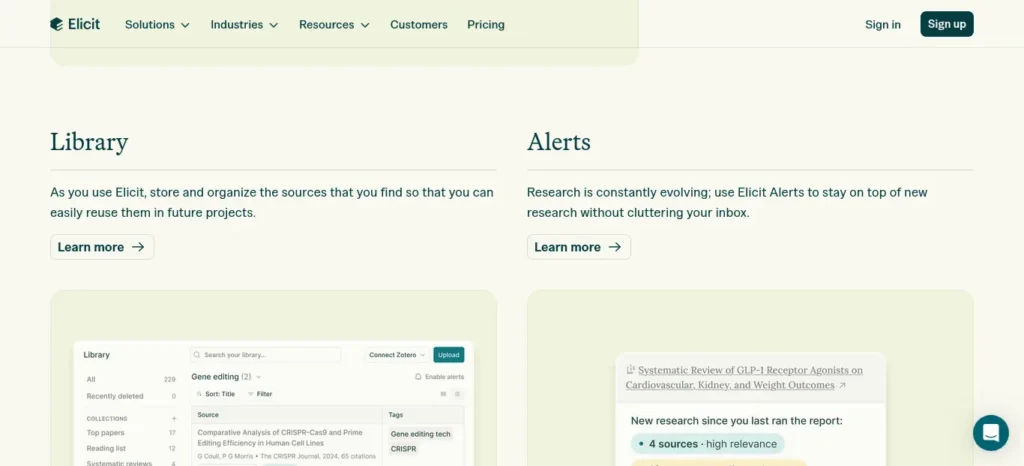
Where ResearchRabbit maps connections, Elicit answers questions. Type a research question in plain language and it pulls relevant papers, summarizes each one’s finding, and shows you exactly which paper each claim comes from — a meaningfully different experience from a chatbot confidently guessing at an answer.
Free plan (Basic): $0. Unlimited search across more than 138 million papers, unlimited AI summaries, unlimited chat with individual papers including full-text access, source viewing, and Zotero import. Its automated Research Agent and Research Report features carry limited usage on the free tier. [Source: elicit.com/pricing]
Paid plan: Plus starts at $11/month (₹1,056) billed annually, adding higher-volume report generation, more table columns, and export to RIS/CSV/BIB/DOCX. Pro and Scale tiers exist for systematic-review-scale work most students won’t need.
Our take: The reason Elicit is safer than a general chatbot for research questions isn’t that it’s “smarter” — it’s that every claim is traceable to a real paper you can open and check. That traceability is the entire value proposition; if you skip the verification step, you’ve thrown away the one advantage Elicit has over ChatGPT.
Student use case: “Does regular exercise improve exam performance in college students?” — Elicit pulls the relevant studies, summarizes each one’s finding, and lets you open the source to check for yourself.
Choose this if: You need to answer a specific research question with real evidence, fast.
Skip this if: You already know exactly which paper you need — go straight to ResearchRabbit or Google Scholar.
3. Consensus — Best for Evidence-Based Yes/No Questions
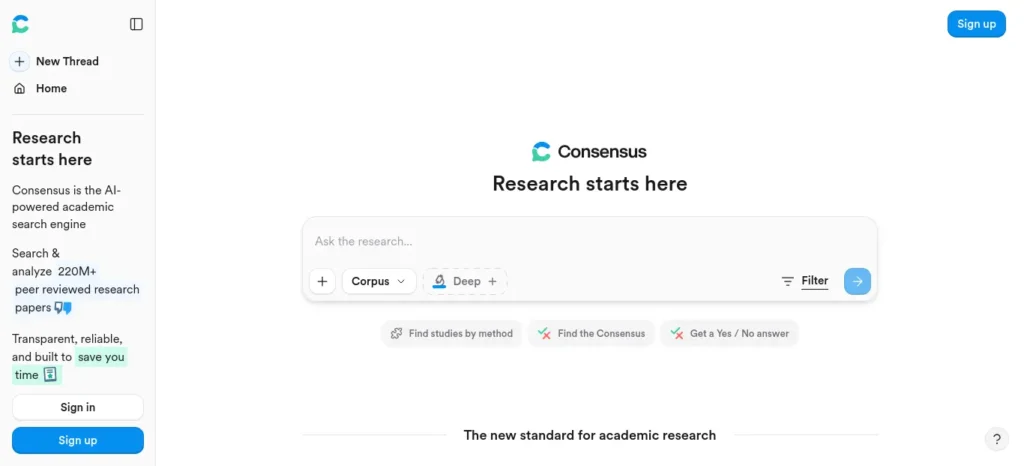
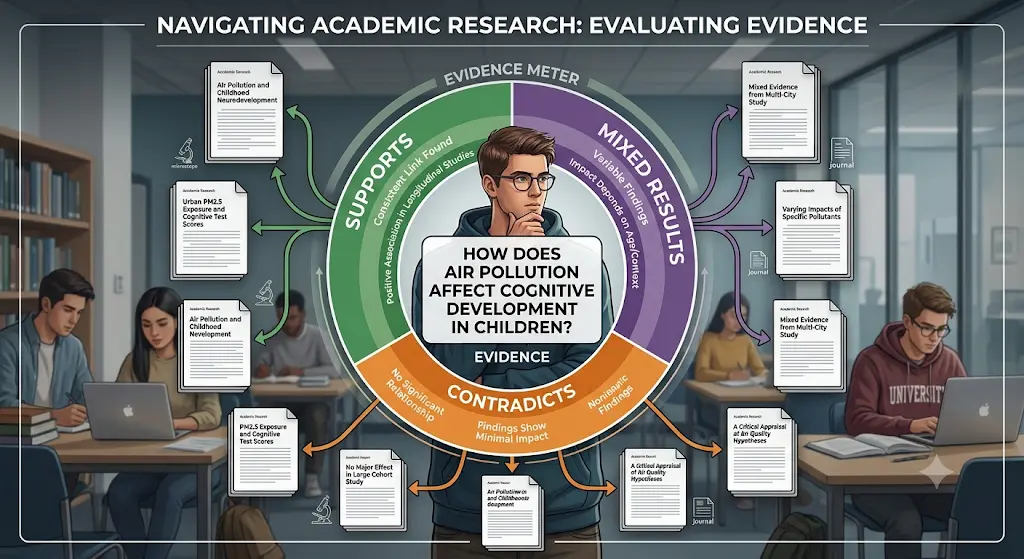
Consensus’s Consensus Meter shows what share of relevant studies support, contradict, or return mixed results on a claim — a genuinely original way to visualize scientific agreement that neither a search engine nor a general chatbot attempts.
Free plan: $0, permanent. Consensus’s own help center states plainly that “Consensus is free to use, with optional subscription plans available for additional features.” The free tier includes standard search plus a limited number of higher-precision Deep Search reports per month; check consensus.app directly for the current monthly cap before starting a big project, since this is one of the numbers third-party trackers disagree on most. [Source: help.consensus.app]
Paid plan: Premium runs roughly $10/month (₹960), around $120/year billed annually, unlocking unlimited Deep Search and higher-precision synthesis. Consensus has offered discounts of up to 40% for verified student or faculty email addresses in some regions; whether an .ac.in address currently qualifies is worth confirming directly on their site rather than assuming, since eligibility rules change.
Our take: Consensus is at its best on quantitative, health- or science-adjacent questions with an existing evidence base. It’s noticeably weaker on humanities, policy debates, or anything where the “evidence” is interpretive rather than measurable — don’t force it onto a topic it wasn’t built for.
Student use case: “Is there evidence that caffeine improves short-term memory?” gives you a synthesized answer plus the percentage of studies in agreement, rather than one cherry-picked source.
Choose this if: Your assignment asks “what does the research say,” not “what do people think.”
Skip this if: You’re researching a humanities or opinion-based topic with little quantitative literature.
4. Rayyan — Best for Screening Papers in a Project or Thesis
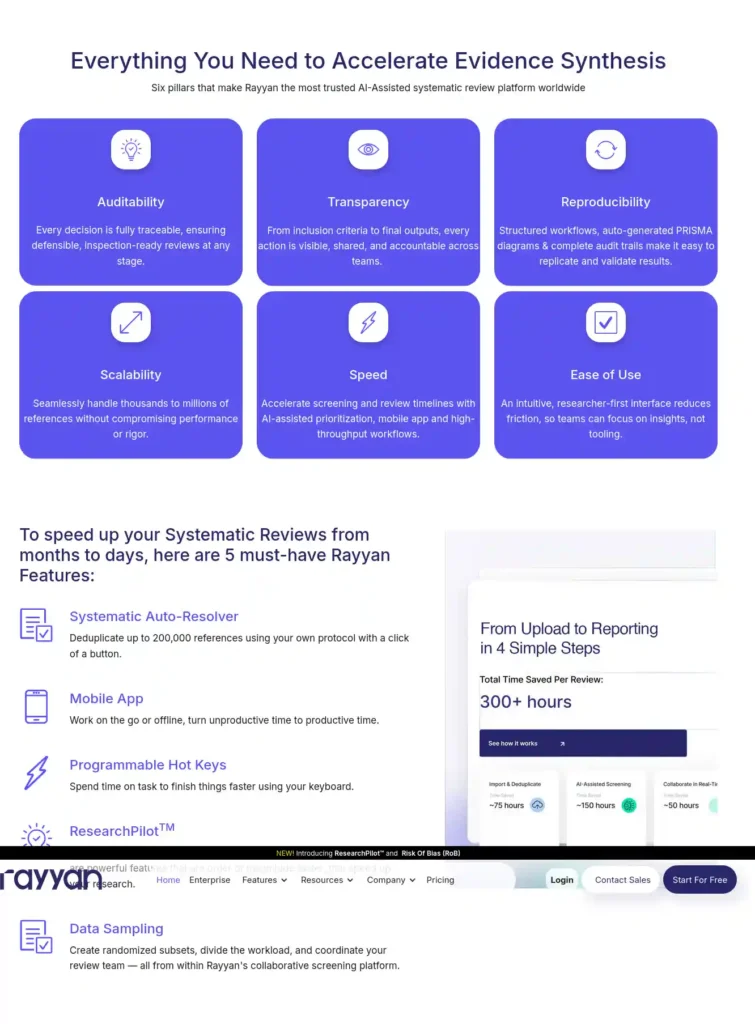
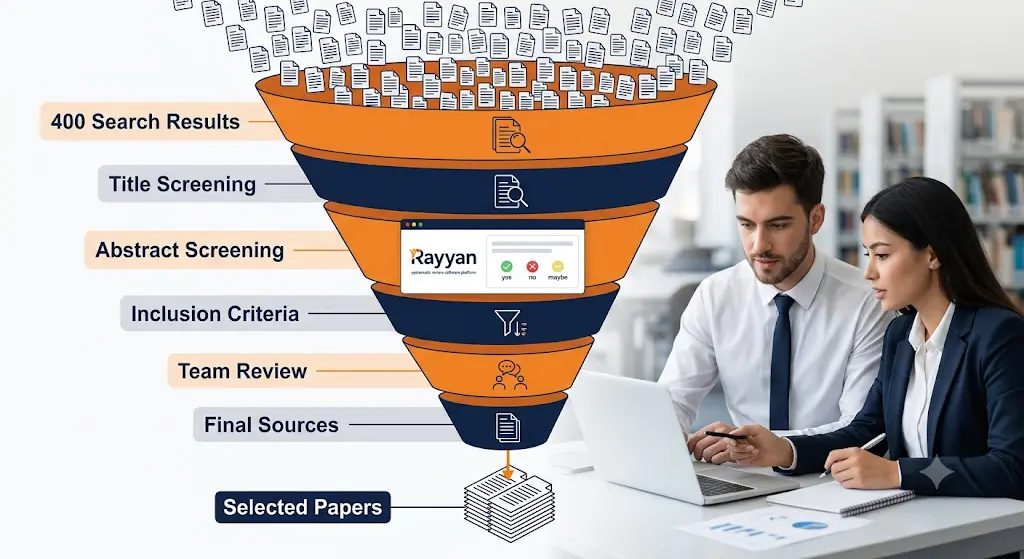
Almost no student-facing “AI tools” roundup mentions Rayyan, yet it’s used by over a million researchers for exactly the unglamorous task final-year and postgraduate students dread: going through hundreds of search results and deciding include, exclude, or maybe, ideally with a second reviewer checking your judgment.
Free plan: $0, for up to 3 active reviews. Includes dual-reviewer screening, deduplication support, and a mobile app for screening on the go — genuinely ongoing access, not a countdown trial. [Source: rayyan.ai/pricing, help.rayyan.ai]
Paid plan: Individual plans (Essential/Advanced) run roughly $5–8/month depending on tier and billing cycle, with student-discounted annual pricing in some listings around $48/year. Its AI-assisted “ResearchPilot” screening feature is currently restricted to institutional plans, so individuals mostly pay for faster manual screening tools, not deeper AI — worth knowing before you upgrade expecting AI screening you don’t actually get.
Our take: Rayyan is a workflow tool, not a discovery or writing tool, and it shows — the interface is built around a screening queue, not a chat box. That focus is exactly why it’s useful: it replaces a shared spreadsheet of “include/exclude” decisions with something built specifically for that job, with audit trails a supervisor can actually check.
Student use case: Your dissertation search returns 400 abstracts. Import them into Rayyan, screen title/abstract against your inclusion criteria with a teammate, and resolve disagreements — in days, not weeks.
Choose this if: You’re doing a systematic review, scoping review, or any project with a large paper pool to filter.
Skip this if: You only have a handful of sources — this is overkill for a 10-paper essay.
5. Scholarcy — Best for Fast Paper Summaries
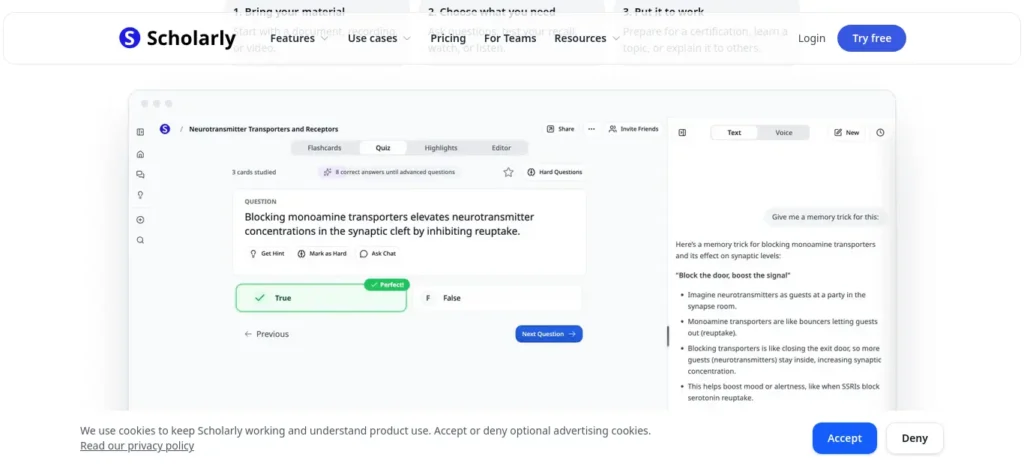
Scholarcy doesn’t try to be a research assistant or a writing tool — it does one job, converting papers into structured, skimmable summaries and flashcards, and does it fast.
Free plan: $0. Ten article summaries, with flashcard export one at a time — enough to test a stack of readings before deciding whether to commit further. [Source: scholarcy.com pricing page]
Paid plan: Around $9.99/month, with a one-week free trial, unlocking unlimited summaries and bulk flashcard export.
Our take: The honest limitation here is the 10-summary cap, which a real literature review will burn through in days, not weeks. Use Scholarcy specifically for triage — deciding which of 20 papers deserve a full read — rather than trying to run your entire reading list through it on the free tier.
Student use case: You have 15 papers to read before tomorrow’s seminar. Run the most important ones through Scholarcy first to triage which actually need a full read.
Choose this if: You need to triage a stack of readings fast.
Skip this if: You need summaries of more than 10 papers a month — the free tier won’t stretch that far.
6. Jenni AI — Best for Citation-Backed Academic Writing
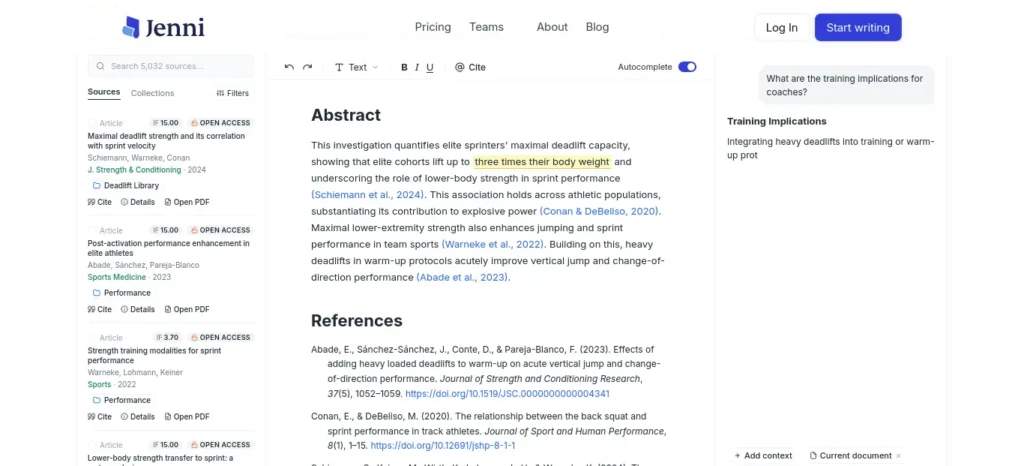
Jenni’s most useful feature isn’t the writing itself — it’s that suggested sentences link back to the exact page and paragraph of the uploaded PDF, turning “did the AI make this up” into a one-click check.
Free plan: $0, but limited to a small daily allowance of AI autocomplete suggestions and a handful of PDF uploads, edits, and chat messages per day — genuinely enough to evaluate the tool, not to draft a full paper. [Source: jenni.ai/pricing]
Paid plan: Plans generally start around $12–20/month depending on billing cycle and current promotions, rising toward $29/month for unlimited usage. Different aggregators quote different numbers for this one more than any other tool on this list — check jenni.ai/pricing directly rather than trusting a screenshot.
Our take: Treat the free tier as a test drive, not a workspace. If you’re a heavy note-taker who wants unlimited drafting help with citations attached, budget for Plus; if you just want to see whether the traceable-citation approach works for your writing style, the free tier is enough to decide.
Student use case: Drafting a literature review section with in-text citations that you can verify against the original PDF instead of taking the AI’s word for it.
Choose this if: Your writing is citation-heavy and you want to verify every AI suggestion against a real source.
Skip this if: You need unrestricted daily writing help — the free tier’s limits will frustrate you fast.
Don’t waste hours jumping between AI tools that barely help—discover these powerful AI tools for academic writing for students that can help you build a smarter research-to-writing workflow.
7. Napkin AI — Best for Turning Text into Diagrams
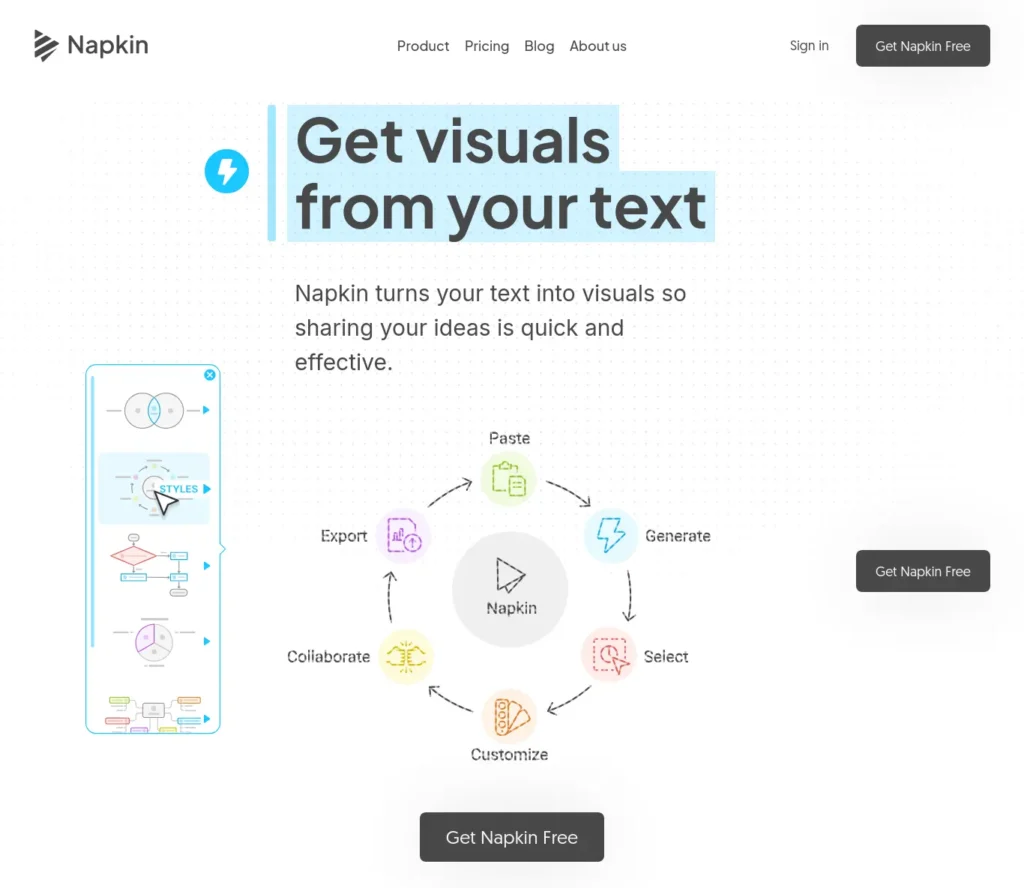
Most students reach for Canva or PowerPoint’s built-in shapes when they need a diagram. Napkin reads the structure of your pasted text and proposes a matching flowchart, timeline, or comparison diagram automatically, and the output stays editable rather than becoming one flattened image.
Free plan: $0 forever, with 500 AI credits per week, unlimited visual editing, unlimited file import, and unlimited PNG/PDF export. Free exports carry a small Napkin watermark. [Source: help.napkin.ai]
Paid plan: Plus at roughly $9/seat/month unlocks 10,000 monthly credits, PPT and SVG export, and removes the watermark — worth it only if you’re submitting polished, brandless visuals regularly.
Our take: The watermark is the real dividing line, not the credit count. 500 credits a week is genuinely generous for occasional use, but any visual headed for a formal submission or a published report needs the paid tier to look presentable.
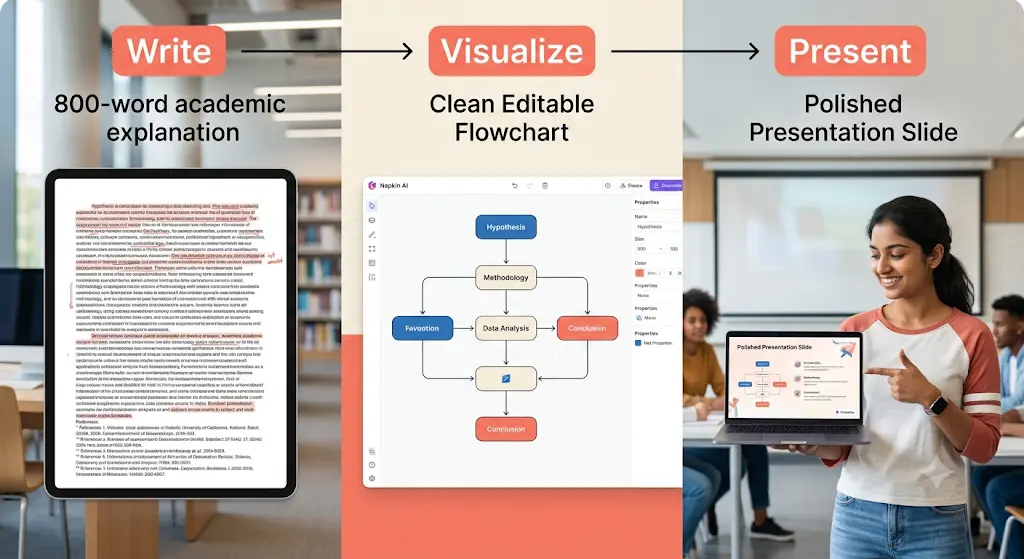
Student use case: You’ve written 800 words explaining a process for a seminar. Paste it into Napkin, get a clean flowchart back, and drop it straight into your slide instead of manually drawing boxes and arrows.
Choose this if: You already have the explanation written and need it visualized fast.
Skip this if: You need data-heavy charts from a spreadsheet — Napkin isn’t built for that.
8. Gamma — Best for Quick Presentation Decks
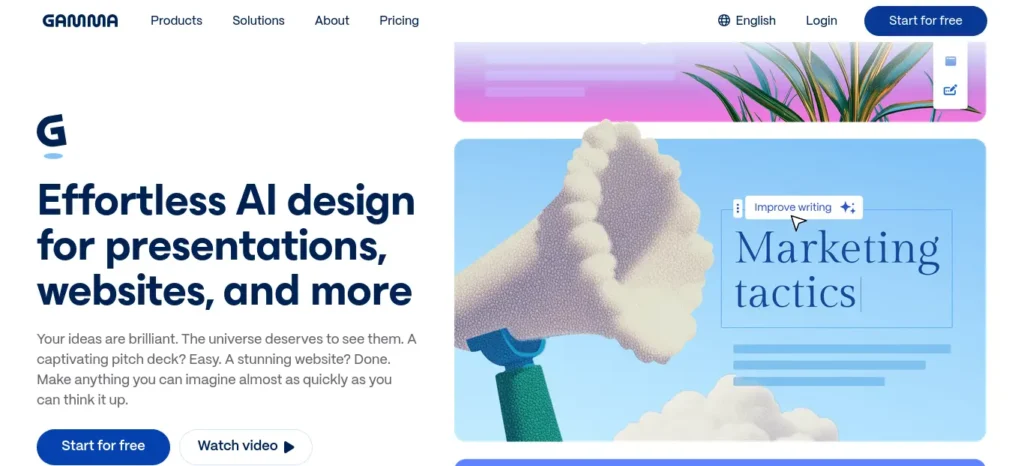
Gamma is increasingly mainstream in the productivity world but still underused by students who default to PowerPoint templates out of habit.
Free plan: $0, with 400 AI credits given once at sign-up — these do not refresh. That’s usually enough for a handful of decks, not unlimited ongoing use. Exports include PDF, PPTX, PNG, and Google Slides, with a small “Made with Gamma” badge on free decks. [Source: gamma.app/pricing, help.gamma.app]
Paid plan: Plus starts around $9/seat/month (billed annually), removing the badge and adding 1,000 monthly credits; higher tiers exist for heavier or team use.
Our take: The one detail every student misses: those 400 credits are a one-time signup bonus, not a monthly refill. Spend them on the presentation that actually matters, not on experimenting with five different styles for a low-stakes seminar.
Student use case: You’ve finished your research and just need a clean 10-slide seminar deck by tonight — paste your outline in and edit the generated draft rather than building from zero.
Choose this if: You need a presentable deck fast and don’t need many revisions.
Skip this if: You present frequently — the one-time 400 credits will run out within a few decks.
9. Otter.ai — Best for Lecture and Group-Project Transcription
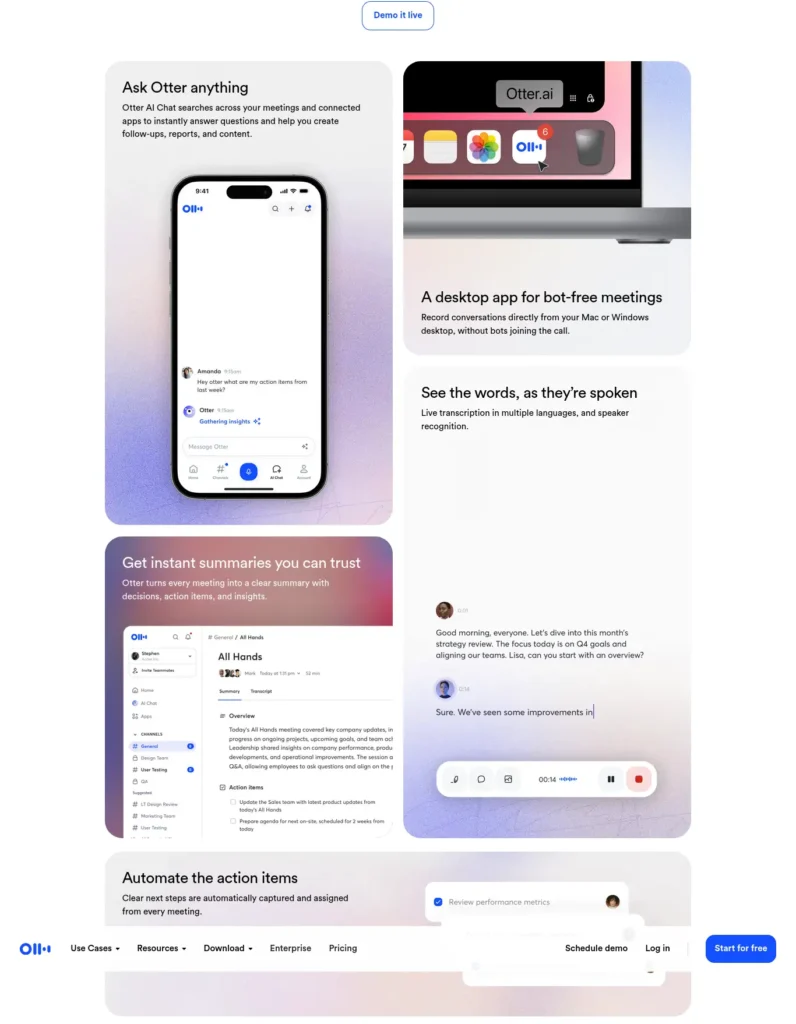
Students record lectures constantly but rarely use a proper transcription tool, instead re-listening to audio at 1.5x speed trying to find one quote.
Free plan (Basic): $0, with 300 transcription minutes per month, a 30-minute cap per single conversation, and 3 lifetime audio/video file imports. Includes live transcription, speaker identification, and Zoom/Teams/Meet integration. [Source: otter.ai/pricing]
Paid plan (Pro): From $8.33/month (₹800) billed annually, or $16.99/month billed monthly, raising the limit to 1,200 minutes and 90 minutes per conversation.
Our take: The 30-minute per-conversation cap is the trap most students hit first — a standard one-hour lecture gets cut off halfway. If your classes routinely run 60–90 minutes, budget for Pro rather than assuming the free tier will cover a full semester.
Student use case: Your group records a 70-minute project discussion. Otter transcribes it, and you can search the text for exactly who said what, instead of scrubbing through audio.
Choose this if: You regularly need searchable records of lectures, interviews, or group meetings.
Skip this if: Your recordings routinely run over 30 minutes — you’ll hit the free cap constantly.
Free AI Tools by Course and Project Type
The right stack changes depending on what you’re studying and what you’re building. Here’s how these tools map onto common Indian degree programs and assignment types.
B.Tech / engineering final-year projects: Start with ResearchRabbit to map prior work on your project topic, use Elicit to pull evidence on specific technical claims (e.g., comparing algorithm performance across studies), and use Napkin to turn your system architecture or process flow into a diagram for your report and viva. If your project involves a formal literature survey chapter, add Rayyan to screen the papers you’re citing against your inclusion criteria.
MBA students: Consensus and Elicit are useful for evidence-backed sections of case studies and dissertations (market research, behavioral studies, management theory), but neither indexes trade publications, company filings, or news the way a business-research task often needs — pair them with your library’s database access or Google for that. Gamma is genuinely useful here for case-study presentations and group project decks under time pressure.
MCA / BCA students: ResearchRabbit and Elicit work well for a technical literature review (e.g., comparing approaches in a systems or software-engineering project). Otter is worth it for project-guide meetings and viva-prep discussions where you want a searchable record of feedback rather than scribbled notes.
Thesis and dissertation-scale literature reviews: This is where Rayyan earns its place. A typical postgraduate literature review search returns far more abstracts than you can screen by memory — Rayyan’s dual-reviewer workflow with deduplication is built for exactly that scale, and it’s the one tool on this list purpose-built for a formal, defensible literature-review process rather than casual research.
Seminar and viva presentations: Napkin for individual diagrams (a process, a comparison, a timeline), Gamma when you need the whole deck assembled quickly. Neither replaces understanding your own slides well enough to answer questions on them.
Working with English-language academic material as a non-native English reader: Elicit’s paper-level summaries and Scholarcy’s structured flashcards are both useful for getting the gist of a dense English paper before a full read — but both still require you to read the original for anything you plan to cite, since summarization can flatten nuance that matters for accurate citation, especially in specialized terminology.
What Free AI Tool Stack Should a College Student Use?
Pick a combination based on what you’re actually doing, not one tool for everything.
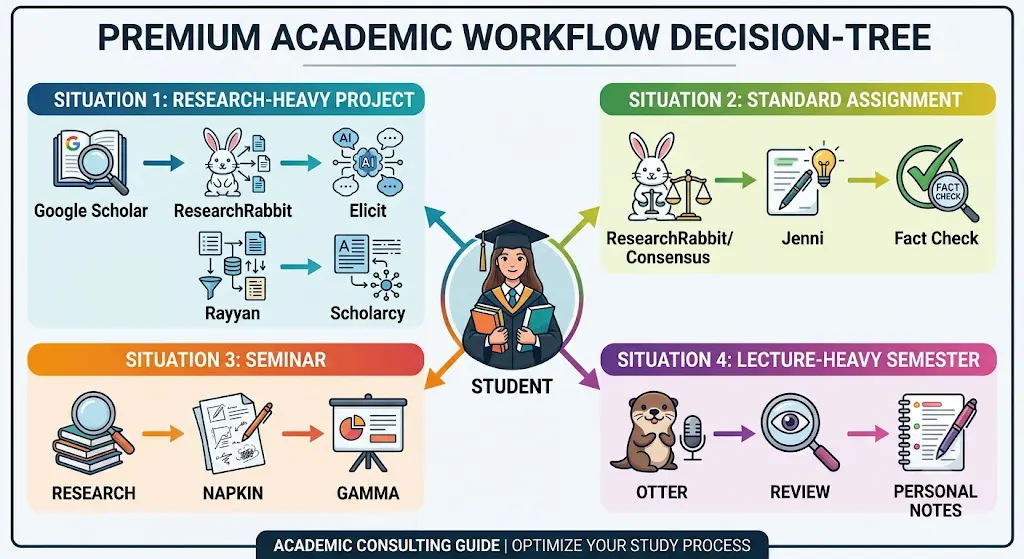
Research-heavy project (dissertation, thesis, major assignment): Google Scholar → ResearchRabbit (discover) → Elicit (summarize and question) → Rayyan (screen if the pool is large) → Scholarcy (triage the must-reads) → verify every cited claim against the original paper → write in your own words
Looking for the best AI tools for writing college assignments? Explore our detailed guide to discover the top AI writing assistants that help you research, draft, edit, and improve academic assignments faster while maintaining quality and originality.
Standard assignment or essay: ResearchRabbit or Consensus (find evidence) → Jenni AI (write with traceable citations) → manual fact-check against the original sources
Seminar or presentation: Research your content first → Napkin (turn explanations into diagrams) → Gamma (assemble the deck)
Lecture-heavy semester: Otter (transcribe) → review the transcript → build your own revision notes from it
Which Free AI Tool Should You Use? A Quick Decision Guide
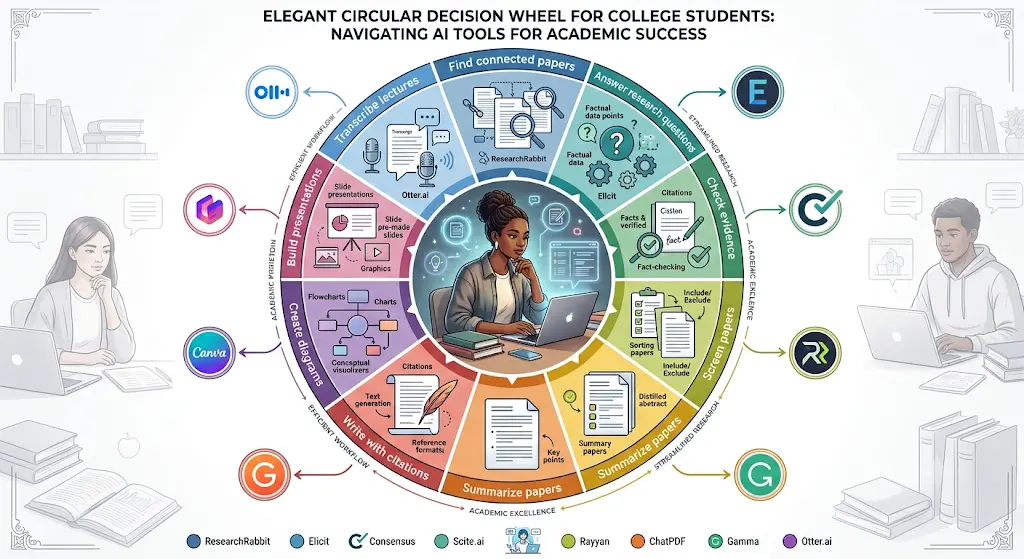
- Need to find papers connected to one you already trust? → ResearchRabbit
- Need to answer a specific research question with sources? → Elicit
- Need to check what percentage of studies support a claim? → Consensus
- Need to screen hundreds of papers against inclusion criteria? → Rayyan
- Need to skim 10+ papers fast before a deadline? → Scholarcy
- Need to write with citations you can verify? → Jenni AI
- Need a diagram from text you’ve already written? → Napkin AI
- Need a presentable deck tonight? → Gamma
- Need a lecture or meeting turned into searchable text? → Otter.ai
Is “Free” Actually Free? A Quick Reality Check
Not all “free” claims mean the same thing, and conflating them is the fastest way to get caught off guard mid-project.
- Free forever, meaningfully usable: ResearchRabbit, Consensus, Otter.ai (Basic), Napkin AI — these have real, ongoing free tiers with clear limits, not disappearing trials.
- Free with tight but usable limits: Elicit, Rayyan, Scholarcy — the free tier does real work but will need supplementing (or upgrading) for large-scale projects.
- Free credits that don’t refresh: Gamma’s 400 sign-up credits are the clearest example — budget them, don’t treat them as monthly.
- Free tier is closer to a demo: Jenni AI’s free plan is genuinely limited to evaluation-level use; expect to hit the ceiling on any real assignment.
- Not included here despite marketing itself as free-friendly: Scite advertises AI research tooling but its own pricing page currently shows only a 7-day trial ahead of a paid plan — worth knowing if you’ve seen it recommended elsewhere as a free option.
Using AI Responsibly: What Indian College Students Should Know
Tired of spending hours designing slides? Discover the best AI tools to create polished presentations in minutes—and turn your ideas into impressive slides with far less effort.
AI research tools are genuinely useful for finding, summarizing, and organizing information. They also create real risks that go beyond “don’t let AI write your essay” — here’s the fuller picture.
Hallucinated citations are common, not rare. Every AI tool on this list except the paper-search-first tools (ResearchRabbit, Elicit, Consensus) carries some risk of an AI-generated summary or citation that doesn’t accurately reflect the source, and general chatbots are considerably worse at this than the specialized tools here. Never add a citation to your bibliography without opening the actual paper and confirming it exists and says what you think it says.
Think before uploading unpublished or confidential material. If you’re uploading your own unpublished thesis draft, a professor’s unreleased dataset, or a project involving a company’s confidential data, check each tool’s data-retention and training policy first — free tiers in particular don’t always guarantee your uploads won’t be used to improve the underlying model. When in doubt, don’t upload material you don’t have clear permission to share.
Your university’s policy matters more than a general rule. As of 2026, Indian higher education doesn’t have a single, unified AI-content rule. The UGC’s 2018 Plagiarism Regulations remain the core national framework, and many institutions are informally treating an AI-detection score above roughly 20% (as flagged by tools like Turnitin) as grounds for review — but this is an institutional practice, not a fixed UGC threshold, and it varies by university and even by department. Check your own institution’s current academic-integrity policy directly rather than relying on what classmates say they’ve heard.
Disclosure protects you more than silence does. Where a policy allows AI assistance at all, disclosing which tools you used and how is consistently safer than hoping it goes unnoticed. Undisclosed AI use is what most institutional policies actually penalize — not the fact that you used a research tool.
A rough guide to appropriate vs. inappropriate use:
- Appropriate: using ResearchRabbit or Elicit to locate relevant papers; using Otter to transcribe your own recorded lecture; using Napkin to visualize an idea you’ve already written in your own words; using Scholarcy to decide which papers to read first.
- Inappropriate: submitting AI-drafted paragraphs as your final analysis without rewriting them in your own words; citing a paper an AI summarized without opening the original; uploading a supervisor’s unpublished dataset to a tool without permission; using AI output in a thesis chapter without disclosure where your institution requires it.
Don’t waste hours turning long PDFs into messy notes—learn how to use AI to transform your study materials into clear, exam-ready notes in minutes.
Frequently Asked Questions
What are the best free AI tools for Indian college students? ResearchRabbit and Elicit for finding and reading research, Consensus for evidence-based questions, Rayyan for screening large paper sets, Scholarcy for fast summaries, Jenni AI for citation-backed writing, Napkin AI and Gamma for visuals and slides, and Otter.ai for lecture transcription — each verified to have a genuinely usable free tier as of September 2026.
Which AI tool is best for a B.Tech final-year project? ResearchRabbit for mapping prior work in your project area, Elicit for pulling evidence on specific technical claims, and Napkin AI for turning your system diagram or process flow into a clean visual for your report and viva.
Which free AI tool is best for a literature review? ResearchRabbit for discovering connected papers, paired with Rayyan once your search returns more abstracts than you can reasonably screen by hand — Rayyan’s dual-reviewer workflow is specifically built for that scale.
Can ResearchRabbit replace Google Scholar? No. ResearchRabbit is a discovery and mapping layer that works best once you already have one or two seed papers; it doesn’t index everything Google Scholar does and isn’t built for a first, broad keyword search. Use Google Scholar to find your starting papers, then ResearchRabbit to expand from them.
Which tool can summarize academic PDFs? Scholarcy is built specifically for this — structured summaries and flashcards from uploaded PDFs, with a free tier capped at 10 summaries. Elicit also summarizes individual papers within its chat-with-paper feature, with a more generous free allowance.
Which AI tool is best for college presentations? Gamma when you need a full deck assembled quickly from an outline; Napkin AI when you need one specific diagram rather than an entire presentation.
Which tools are genuinely free rather than trials in disguise? ResearchRabbit, Consensus, Otter’s Basic plan, and Napkin AI all have real, ongoing free tiers as of September 2026. Scite, despite sometimes being recommended as a free research tool, currently offers only a 7-day trial on its own pricing page.
Are these AI tools actually free, or is it a trial disguised as free? Most are genuinely free with usage limits, not time-limited trials. A few, like Jenni AI’s free tier, are limited enough to feel closer to a demo, and Gamma’s free credits are a one-time allowance rather than a monthly refresh — see the “Is Free Actually Free” section above for the full breakdown.
How should students use AI without violating academic-integrity rules? Use AI tools to find, summarize, and organize research — not to generate your final analysis or written argument. Verify every AI-suggested citation against the original source, disclose AI use where your institution’s policy requires it, and check your specific university’s current academic-integrity guidelines rather than assuming a blanket national rule applies, since Indian universities currently vary significantly in how they treat AI-assisted work.
Can AI-generated assignments be submitted to college? No — submitting AI-generated text as your own original work violates most Indian universities’ academic-integrity policies, and several institutions have already rejected theses over undisclosed AI content. Use these tools for research and editing support, not as a replacement for your own writing.
Sources and Update Policy
Every pricing and free-tier figure in this article was checked directly against the provider’s own pricing or help page in September 2026:
- ResearchRabbit — researchrabbit.ai/pricing
- Elicit — elicit.com/pricing
- Consensus — help.consensus.app, consensus.app/pricing
- Rayyan — rayyan.ai/pricing, help.rayyan.ai
- Scholarcy — scholarcy.com (official pricing page)
- Jenni AI — jenni.ai/pricing
- Napkin AI — help.napkin.ai
- Gamma — gamma.app/pricing, help.gamma.app
- Otter.ai — otter.ai/pricing
- UGC academic-integrity framework — UGC (Promotion of Academic Integrity and Prevention of Plagiarism in Higher Educational Institutions) Regulations, 2018
AI product pricing changes frequently — in researching this piece, third-party trackers gave conflicting figures for nearly every tool above, sometimes by a factor of two. This article is flagged for re-verification approximately every 60 days; if you’re reading this more than a couple of months after the date above, double-check the free-tier limits on the official pages before relying on them for a deadline.
Don’t waste hours jumping between AI tools that barely help—discover these powerful AI tools for students in India that can make studying, assignments, and exam prep much easier.
Final Takeaway
The best free AI tools for Indian college students aren’t the longest list of chatbots — they’re a handful of specialized tools that each solve one real problem well: ResearchRabbit and Elicit for finding and reading research, Consensus for evidence checks, Rayyan for screening at scale, Scholarcy for fast triage, Jenni AI for citation-backed drafting, Napkin and Gamma for turning your work into something presentable, and Otter for making your lectures searchable. Start with whichever one matches the task in front of you this week, keep the free-tier limits in mind before you’re mid-deadline, check your own university’s current AI-use policy before relying on any of these for graded work, and always verify what these tools give you against the original source.
About the Author
Nandhakumar is the Founder & Content Creator at FutureFastAI, a website focused on practical AI tools, study workflows, and digital productivity for students and beginners.
He researches and develops easy-to-understand guides that help readers evaluate AI tools, understand their practical uses, and make informed decisions about using AI for learning and productivity. Content is reviewed for clarity, usefulness, accuracy, and relevance, with important product features, pricing, and availability checked against reliable sources whenever possible.
FutureFastAI’s approach is simple: AI should support learning and decision-making, not replace critical thinking, original work, or responsible research.
Editorial Policy
At FutureFastAI, we aim to publish practical, accurate, and useful content about AI tools, study workflows, and digital productivity.
Our content is researched and reviewed before publication. We prioritize information from reliable and relevant sources and check important details such as features, pricing, availability, and product information when appropriate. Articles may be updated when information changes.
We use AI tools as part of our content workflow, but published content is reviewed and edited to add human judgment, context, clarity, and practical value. We do not aim to simply reproduce or rewrite information from other websites.
Our goal is to help students and beginners make informed decisions and use AI responsibly while maintaining their own critical thinking and original work.



2 Comments