
Free AI Tools for Students No Credit Card: 8 Hidden Gems
Last updated: September 24, 2026. Free-plan details were checked against each provider’s own pages on that date.
You find an AI study tool that looks perfect. You create an account, upload your notes, pick a format, and the last screen asks for your card. You thought you had found a free tool. You had found a free trial.
Yes, free AI tools for students no credit card required do exist. But “free” rarely means unlimited. This guide covers eight lesser-known tools for notes, quizzes, planning and research, with every free limit and catch spelled out.
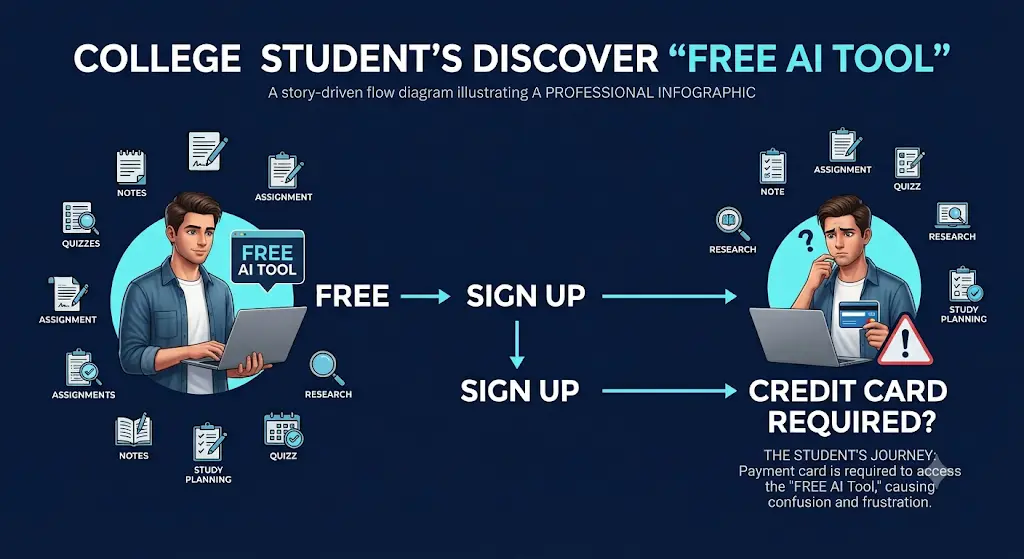
Definition: A no-credit-card AI tool lets you use its free features without entering payment-card details at signup.
If you are looking for free AI resources, do not miss Best AI Tools for Students Free in 2026: 10 Powerful Picks to Study Faster and Smarter, which features some of the most useful no-cost tools available for students.
Quick answer: which tool fits which need, and why
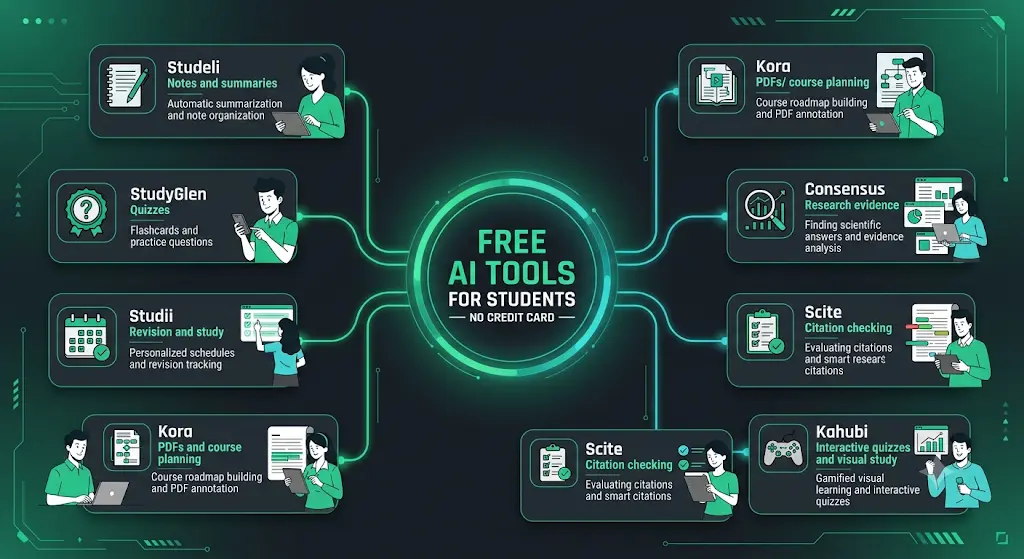
- Notes to study guides: Studeli. It converts your source material into several study formats. Free: weekly caps. Card: none stated.
- Quizzes and flashcards: StudyGlen. It generates a quiz or deck from PDFs, images, text or YouTube. Free: 1 deck a day. Card: none stated.
- Practice from lecture files: Studii. It links notes, questions and flashcards to one source. Free: 5 documents. Card: none stated.
- A study plan from a course PDF: Kora. It turns a PDF into a timed plan. Free: 1 module. Card: none stated.
- Phone-first help: StudentAI. It bundles tutoring, quizzes and citations in one app. Free: daily and reported lifetime caps. Card: none stated.
- Research papers: Consensus. It searches scholarly literature. Free: unlimited searches, capped AI analysis. Card: no statement found.
- Citation context: Scite. It analyzes how later papers cite a study. Free: 25 MCP credits a month, inside AI apps only. Card: none stated.
- A research project library: Kahubi. It holds papers, chat and drafts together. Free: 25 messages a month. Card: none stated.
Most students use AI as a simple chatbot, but the real advantage comes from following a complete workflow. Discover our AI study workflow for students and learn how to capture notes, create quizzes, schedule revision, and prepare for exams more effectively.
How Were These Free Student AI Tools Chosen?
Every tool was checked against CARD-SAFE, an editorial framework created by FutureFastAI for judging free access. It is not an industry standard. It uses plain labels, not scores.
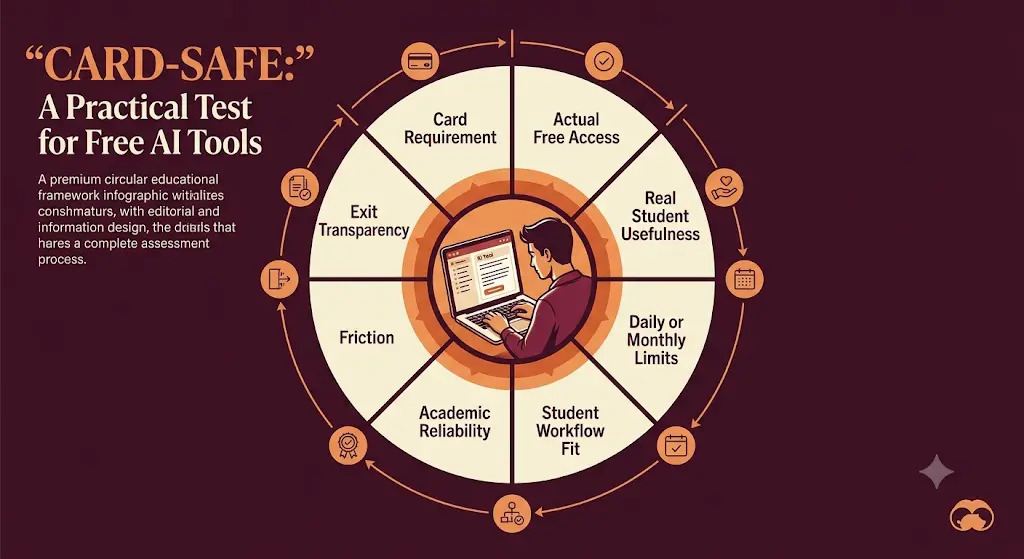
- C: Card requirement. Does signup ask for a payment card?
- A: Actual free access. Is there an ongoing free plan, or only a trial?
- R: Real student usefulness. Does it help with coursework?
- D: Daily or monthly limits. How tight is the free tier?
- S: Student workflow fit. Does it solve a real study task?
- A: Academic reliability. Does it ground answers in your source or in papers?
- F: Friction. How complicated is signup?
- E: Exit transparency. Is the paid boundary clearly explained?
Methodology in brief: Provider pricing and help pages were read on September 24, 2026. Claims that a card is not required were kept separate from claims that a free tier exists. Anything we could not confirm is marked as unconfirmed. Limits change, so treat every number as a snapshot. This article reports what providers state and is not a hands-on test. The order below is not a quality ranking.
Status labels used below:
- No card stated by provider: the provider’s own pages say signup needs no card
- Free access, limits need checking: free use is offered but caps are unclear
- Free research access: a free tier exists, but no explicit no-card statement was found
- Free tier is narrower than it looks: read the details before signing up
Rupee amounts are rounded estimates at about ₹96 per US dollar. Your bank’s rate and fees will differ.
Creating good revision notes is one of the biggest time-savers during exam preparation. Learn how to create smart revision notes with AI and turn textbooks, PDFs, and class notes into structured, exam-ready study material in minutes.
8 Free AI Tools for Students No Credit Card Needed
1. Studeli: Notes to Study Materials
Status: No card stated by provider · Provider: Studeli B.V. · Sources: pricing, privacy policy
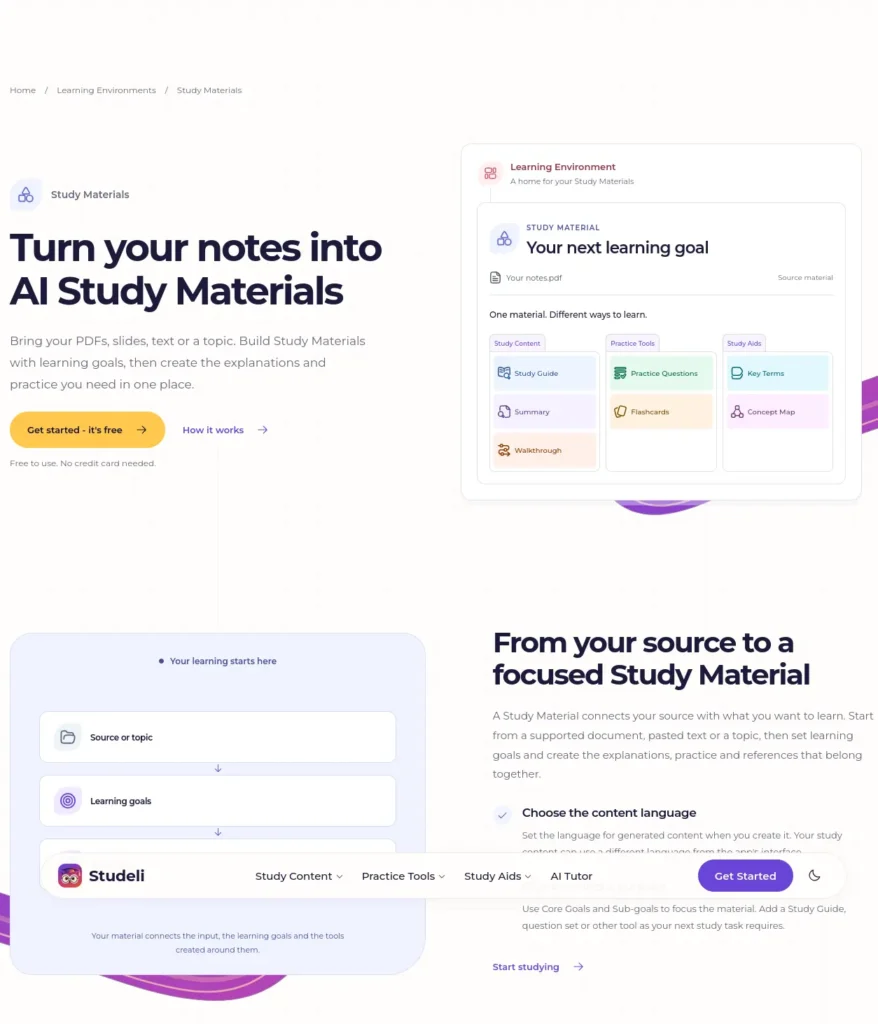
Best for: Turning notes, documents or a topic into study guides, summaries, flashcards and practice questions.
Free plan (verified Sept 24, 2026): Studeli’s site says it is free to use with no credit card needed. The pricing page lists weekly limits: 2 study guides, 2 summaries, 1 walkthrough, 5 practice-question sets (5 questions each), 2 flashcard sets, 2 key-term sets and 1 concept map, plus a preview of the AI tutor.
Paid plans: Standard and Plus exist. Audio and video upload are listed from Standard, and YouTube input only under Plus. The price figures were not readable when checked, so confirm them before upgrading.
Strengths:
- Output is built from your own material, so you can check it against the source.
- Guide, practice and flashcards live in one place.
Watch out:
- The homepage advertises audio, video and YouTube inputs, but the free plan list does not include them.
Good use: one chapter of notes, one summary, one 5-question practice set. Poor use: uploading a whole semester and expecting full revision.
Student reality: Two flashcard sets a week covers one chapter, not a syllabus.
Choose it if you study one chapter at a time.
Skip it if you process many lectures a week.
Bottom line: Studeli is an AI study platform from Studeli B.V. that turns uploaded notes and documents into study guides, summaries, flashcards and practice questions. Its free plan needs no credit card but is capped weekly, so it suits one chapter at a time.
2. StudyGlen: Quizzes and Flashcards
Status: No card stated by provider · Provider: Tuncay Technologies Ltd (UK) · Sources: pricing, privacy policy
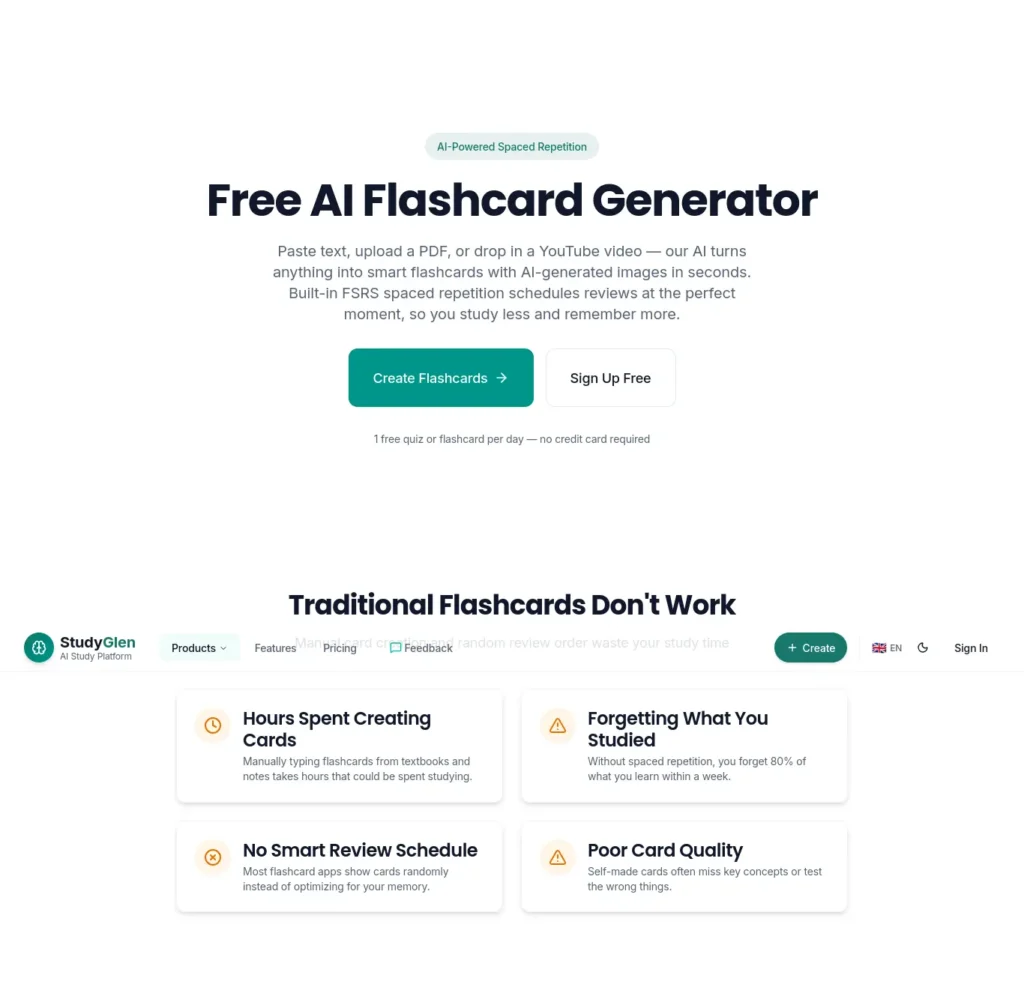
Best for: Exam preparation from PDFs, images, text or YouTube links.
Free plan (verified Sept 24, 2026): The Free Forever plan gives 1 quiz or flashcard deck a day, 1 comic as a lifetime trial and 2 question regenerations a day. StudyGlen’s site says no credit card is needed. The free tier also allows 5 Anki deck imports a day, and its free iPhone and Android apps support offline review without an account.
Paid plans: No subscription. Credits are one-time packs: Mini $4.99 for 10 (about ₹480), Starter $9.99 for 30 (about ₹960) and Plus $24.99 for 100 (about ₹2,400). Credits do not expire, and unused credits carry a 14-day refund.
Strengths:
- Flashcards use FSRS spaced repetition, a schedule that shows a card just before you forget it.
- Exports include Anki, PDF, Word and CSV.
Watch out:
- Its payment options list cards and wallets, and UPI is not among them.
Good use: one topic a day, quiz first, then flashcards from the misses.
Poor use: trying to generate five subjects in one evening.
Student reality: One deck a day sounds generous until three subjects need revising the same night.
Choose it if you revise one topic a day.
Skip it if you need many decks at once and cannot pay.
Bottom line: StudyGlen, operated by Tuncay Technologies Ltd, is an AI quiz and flashcard generator for PDFs, images, text and YouTube links. Its free plan allows one deck a day without a credit card, and paid credit packs are one-time purchases, not subscriptions.
3. Studii: Lectures to Practice Questions
Status: No card stated by provider · Provider: Studii (studii.io) · Sources: official site (check its footer for the privacy policy)
Best for: Building notes, questions and flashcards from lecture files, then chatting with the document.
Free plan (verified Sept 24, 2026): Studii’s site says the free plan covers up to 5 documents with no credit card. After you use all five you can keep studying them, but uploading more needs Pro. It accepts PDFs, DOCX files, slides, YouTube links and common audio and video formats. The site describes notes with an AI chat that answers from the document, multiple-choice and short-answer questions, flashcards and study podcasts made on request. We could not confirm separate free caps for each feature.
Paid plans: A Pro plan exists. We could not find its price on the pages we could read.
Strengths:
- Notes, questions and flashcards stay linked to the source lecture.
- The AI can grade written answers against your source, according to Studii.
Watch out:
- Studii is not the same company as StudiiAI (studiiai.com), which is a different product.
Good use: the five most important chapter files for one exam.
Poor use: uploading every slide deck as a separate document.
Student reality: Five documents disappear quickly if each lecture is its own file.
Choose it if you want practice built around a few key documents.
Skip it if you need unlimited uploads.
Bottom line: Studii is an AI study workspace that converts uploaded lectures, PDFs and slides into notes, quizzes and flashcards. Its site lists a free plan of up to five documents with no credit card, after which further uploads require the Pro plan.
4. Kora: Study Planning From a Course PDF
Status: No card stated by provider · Provider: Kora (korastudy.com) · Sources: pricing, privacy policy
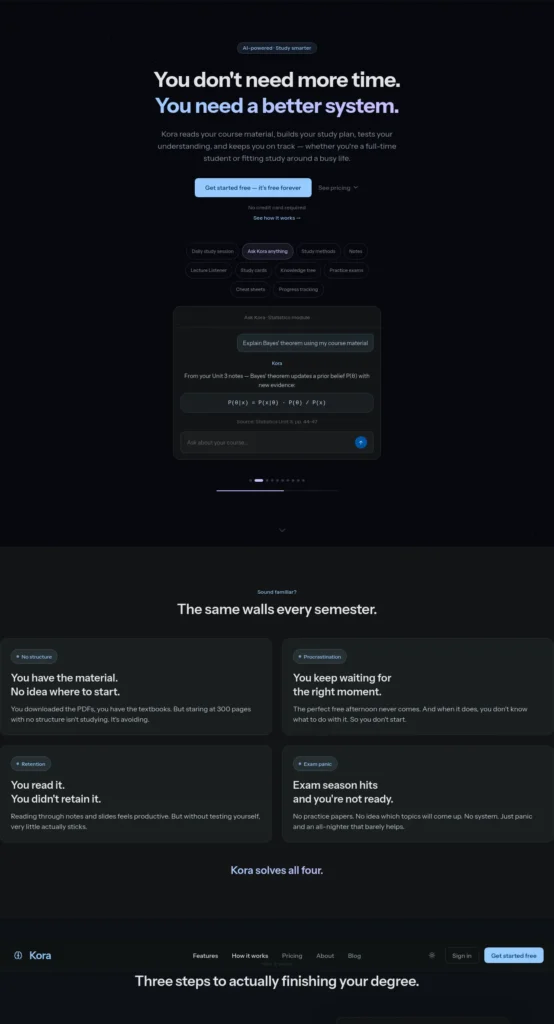
Best for: Turning a course PDF into a timed study plan.
Free plan (verified Sept 24, 2026): Kora lists its Free plan at $0 with no card needed. It includes 1 module, a PDF-to-timed-study-plan feature, 10 “Ask Kora” chat messages a month, study methods with notes, and basic progress stats.
Paid plans: The Student plan lists $4.99 a week (about ₹480), $12 a month (about ₹1,150) or $99 a year (about ₹9,500). The plan cards place AI study cards, practice exams, knowledge trees, cheat sheets and the lecture listener under this paid plan.
Strengths:
- Gives concrete session tasks from your own material, which helps with starting.
- Accepts PDF, DOCX and text files.
Watch out:
- Ten chat messages a month is very small. Several products share the name Kora; this is korastudy.com.
Good use: one course PDF, one plan, then adjust it to your real timetable.
Poor use: expecting free flashcards or practice exams.
Student reality: A plan only works if it survives your actual week, so shorten sessions that look unrealistic.
Choose it if your problem is knowing what to study when. Skip it if you want free flashcards.
Bottom line: Kora is an AI study planner that converts a course PDF into a timed study plan. Its free plan covers one module and ten chat messages a month with no card, while flashcards and practice exams are listed under the paid Student plan.
Many students struggle because they do not have a structured study schedule. If that sounds familiar, check out AI Tools for Creating a Study Timetable Automatically: 9 Powerful and Smart Solutions for Students in 2026 to learn how AI can create a personalized timetable in just a few minutes.
5. StudentAI: Phone-First Homework Help
Status: Free access, limits need checking · Provider: StudentAI (studentai.app) · Sources: official site (check its footer for pricing and privacy)
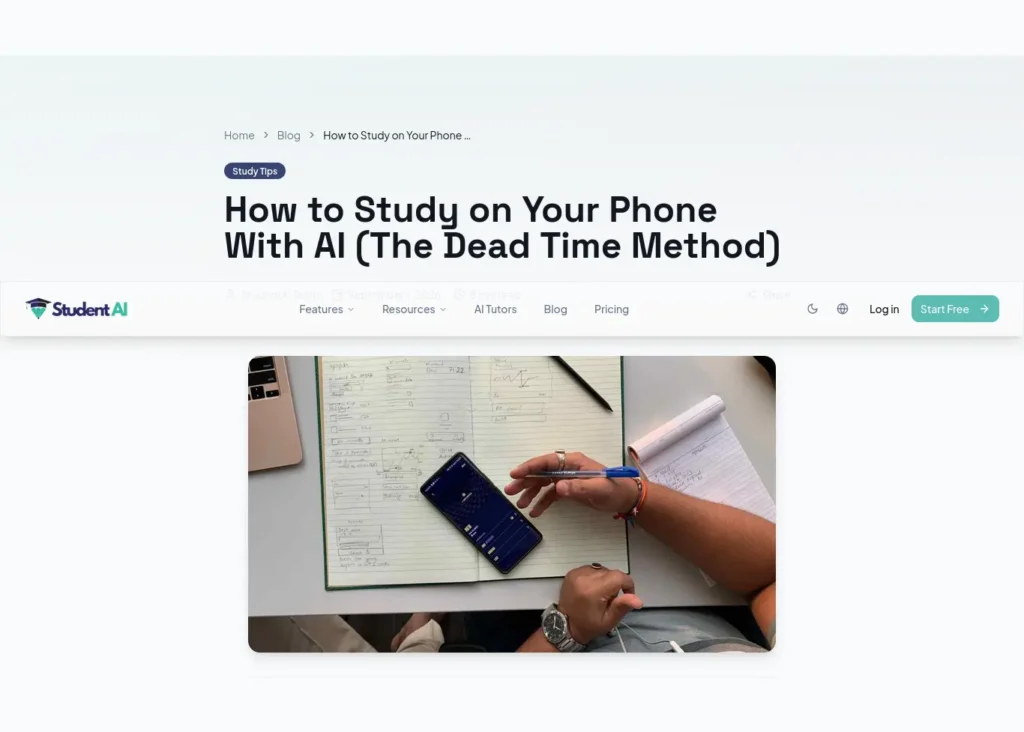
Best for: An all-round student assistant on iPhone and Android.
Free plan (verified Sept 24, 2026): StudentAI’s site says to start free with no credit card required. It lists an AI tutor, practice tests, a quiz maker that accepts notes, PDFs and YouTube links, and a citation generator for APA, MLA, Harvard and Chicago.
Free limits: The site’s demo screen shows a daily counter of 5 generations. A lifetime cap of 100 generations on the Free plan has also been reported. We could not open the pricing page to confirm either figure, so check both before relying on it.
Strengths:
- Covers several tasks in one app, including snap-a-problem help on mobile.
Watch out:
- It advertises explanations tuned to exam board and syllabus. We could not confirm coverage of Indian boards.
Good use: saving generations for practice tests before an exam.
Poor use: spending a lifetime cap on quick questions.
Student reality: If the free plan has a lifetime cap, how you spend it matters more than how much you get.
Choose it if you work mostly from your phone.
Skip it if you need documented, resetting limits.
Bottom line: StudentAI is an AI study assistant offering tutoring, practice tests, quizzes and citation generation on web and mobile. Its site says it is free to start with no credit card, but its free limits should be confirmed on the pricing page.
6. Consensus: Academic Research
Status: Free research access · Provider: Consensus · Sources: subscription plans, official site (check its footer for the privacy policy)
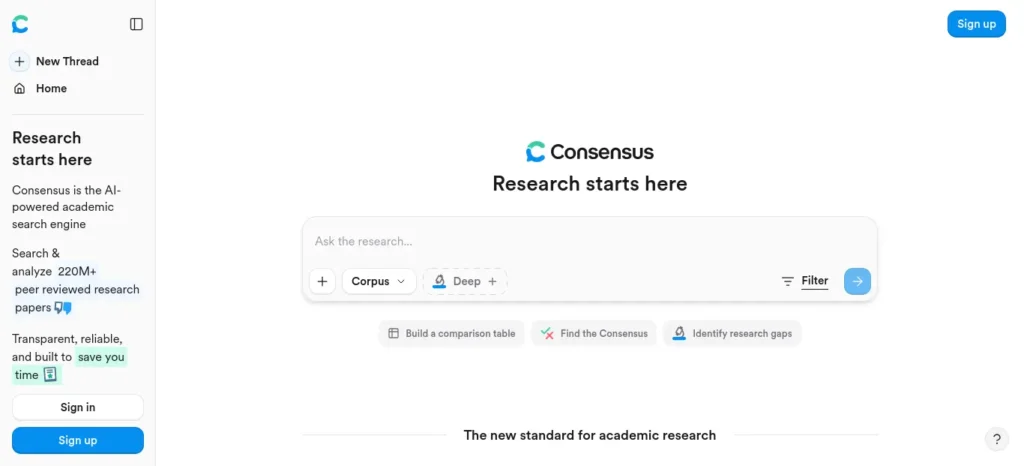
Best for: Finding what peer-reviewed papers say about a research question.
Free plan (verified Sept 24, 2026): Consensus’s help center lists the Free tier at $0: unlimited paper searches, 10 Pro messages, 3 Deep reviews and 10 Study Snapshots a month. We did not find an explicit “no credit card” line on the pages we read, so that part is unconfirmed.
Paid plans: Pro is $20 a month (about ₹1,900) or $144 a year (about ₹13,800). Deep is $65 a month.
Strengths:
- Answers link back to published papers, so you can verify them.
Watch out:
- Third-party pages quote different free limits, so trust the in-app counter.
- AI summaries can misstate a paper. Open the paper before citing it.
Good use: one focused question, then open three to five papers.
Poor use: citing the AI summary instead of the paper.
Student reality: Three Deep reviews a month means saving them for the assignment that matters.
Choose it if you need papers for an assignment or project.
Skip it if you need general web answers.
Bottom line: Consensus is an AI academic search engine that finds and summarizes findings from scholarly papers. Its help center lists a $0 tier with unlimited paper searches and monthly caps on AI analysis, so it suits occasional literature searches, not weekly deep reviews.
7. Scite: Checking How Papers Are Cited
Status: Free tier is narrower than it looks · Provider: Scite LLC, part of Research Solutions · Sources: pricing, privacy policy
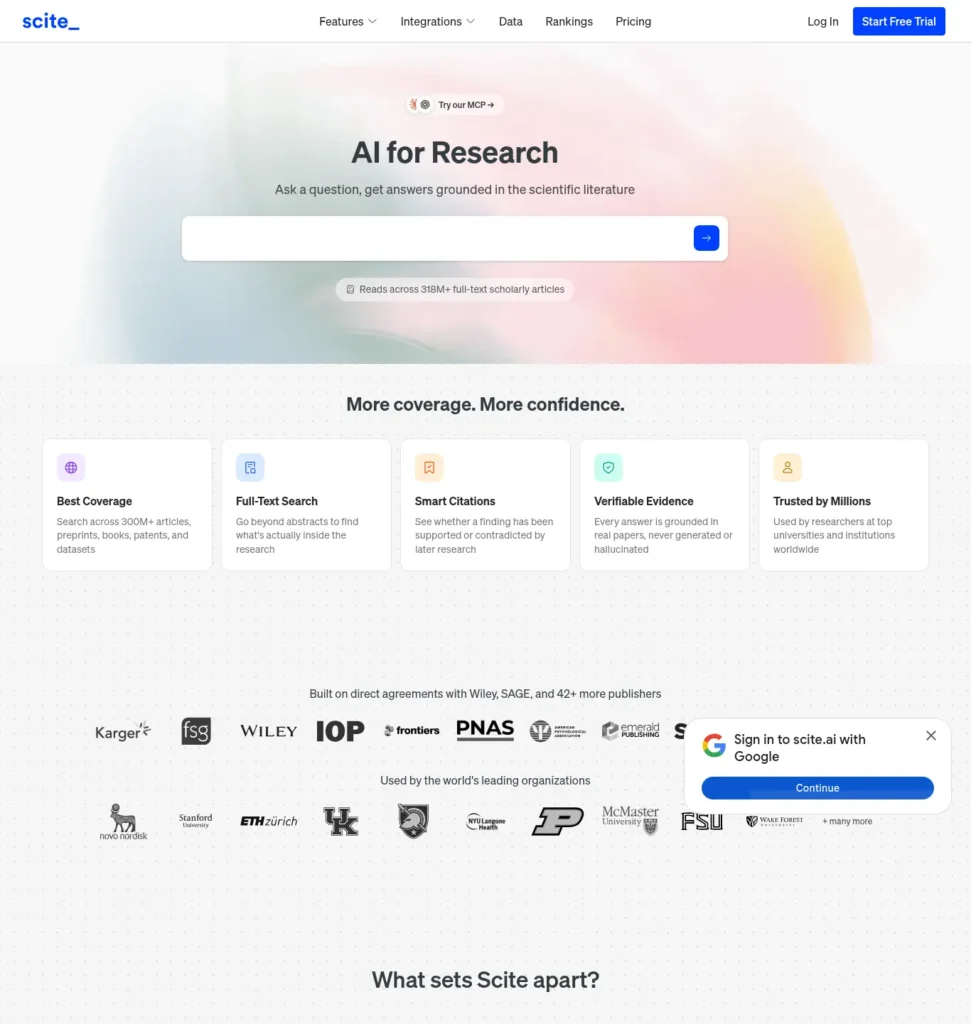
Best for: Seeing whether later research supports or contradicts a paper’s claim.
How it works: paper, then citation context, then supporting or contrasting evidence, then you inspect the original paper.
Free plan (verified Sept 24, 2026): Scite’s pricing page lists a Free plan, no credit card required, with 25 MCP credits a month. MCP is a connection standard that lets AI apps such as ChatGPT or Claude use another service. The page also states the Free plan has no Assistant or Search access.
Paid plans: Basic is $20 a month billed yearly (about ₹1,900 a month), which adds full Assistant and Search access. A 7-day trial exists, but Scite’s FAQ says you are automatically enrolled in the chosen plan unless you cancel before it ends.
Strengths:
- Focuses on citation context, which most chatbots skip.
Watch out:
- The free tier works only inside another AI app, so check that your AI plan supports connectors.
- The trial can turn into a paid charge.
Good use: checking whether a paper you plan to cite has been challenged.
Poor use: expecting free full-text search on the Scite website.
Student reality: “No card” describes the free tier, and the free tier is not the Scite website.
Choose it if you already use an AI app and want citation checks.
Skip it if you want Scite’s own search for free.
Bottom line: Scite is a citation-analysis tool that shows whether papers support or contradict earlier research. Its no-card Free plan is limited to 25 monthly credits inside connected AI apps, while the full website needs the paid Basic plan or a trial that auto-converts.
Finally, if you want a complete AI-powered learning toolkit, read AI Tools for Students Free: 10 Powerful and Smart Tools to Study Faster in 2026 for essential tools that support studying, note-taking, revision, and exam preparation.
8. Kahubi: A Research Project Workspace
Status: No card stated by provider · Provider: Kahubi · Sources: official site and pricing (check its footer for the privacy policy)
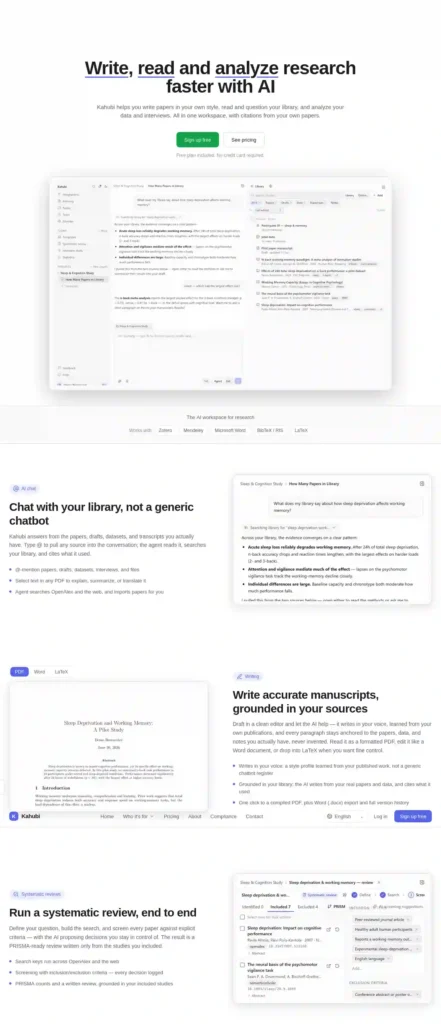
Best for: Final-year projects and dissertations that need a paper library, chat and cited writing in one place.
Free plan (verified Sept 24, 2026): Kahubi’s site says the Free plan includes 25 AI messages a month, a one-time 30-minute transcription trial, 2 projects and a 200-paper library, with no credit card required.
Paid plans: Paid plans start at $29 a month (about ₹2,800), according to the same page.
Strengths:
- Chats over your own papers and drafts and cites what it used.
Watch out:
- It is built for researchers, so a first-year student may not need it.
Good use: one real project, one library, questions about your own sources.
Poor use: exam revision.
Student reality: Twenty-five messages disappear fast if you chat casually, so save them for questions about your own papers.
Choose it if you have a real research project.
Skip it if you only need exam revision.
Bottom line: Kahubi is an AI research workspace that combines a paper library, chat over your sources and cited drafting. Its free plan offers 25 AI messages, two projects and a 200-paper library per the provider, with no credit card, and paid plans start at $29 a month.
What Does “Free” Actually Mean?
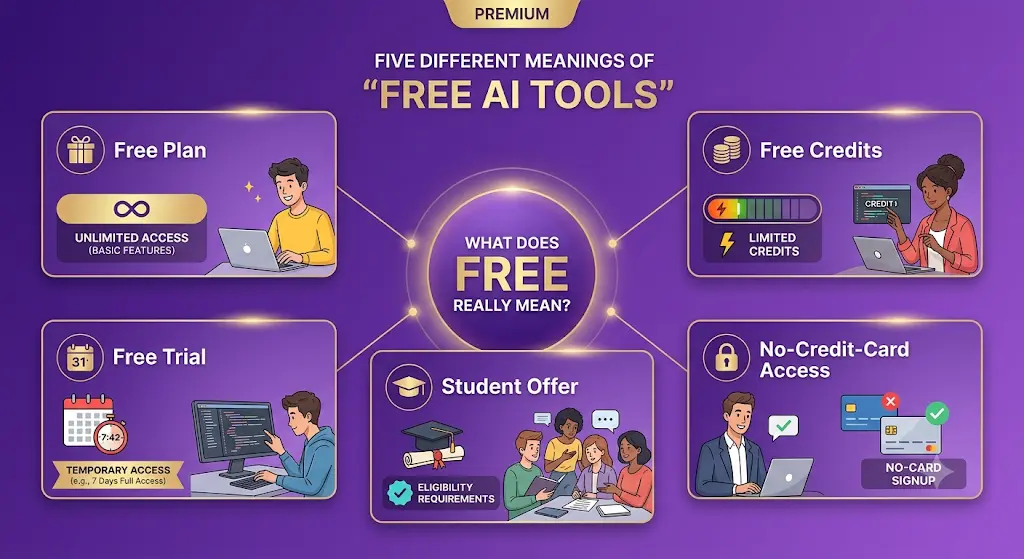
Five different things get called free. Mixing them up is how students end up paying.
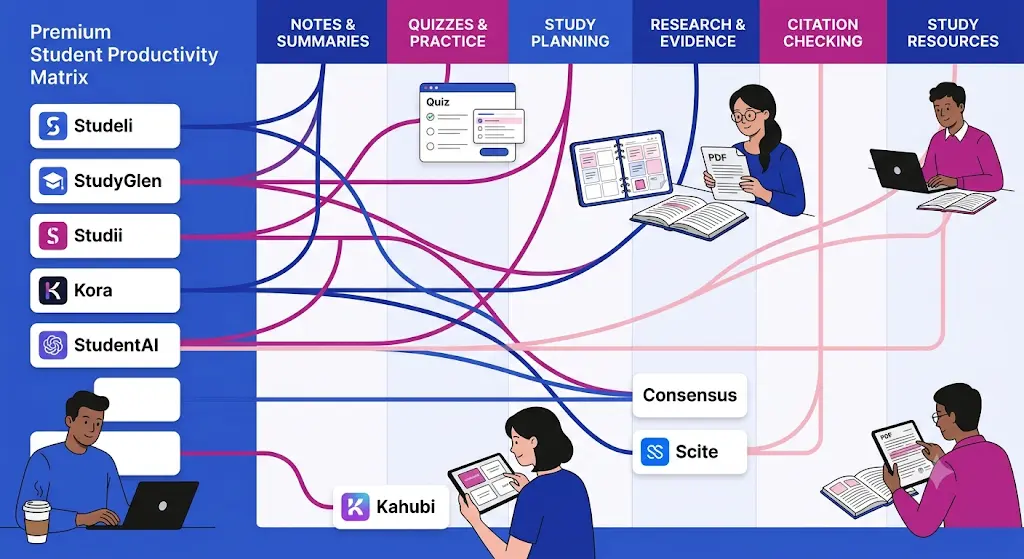
- Free plan: ongoing access with limits. It stays $0 until you choose to upgrade.
- Free credits: a fixed allowance. It may reset monthly or run out for good.
- Free trial: temporary access to paid features. Scite’s FAQ says its trial converts into a paid plan unless cancelled.
- Student offer: a free or discounted paid plan for verified students. Google’s Gemini student page says its free Google AI Pro year needs a valid form of payment at signup and charges $19.99 a month afterward unless cancelled.
- No-card free: you can use the stated free features without entering payment details.
Unlike a free trial, a free plan does not automatically become paid, and providers can still change its limits.
Struggling to remember what you studied? After improving your focus, the next step is turning your notes into interactive quizzes. Learn how to create practice tests from notes using AI to revise smarter, test yourself faster, and boost exam confidence.
How Can You Use Free Study Tools Without Letting AI Do the Thinking?
The pattern is the same for every tool: input, AI action, your check, final output.
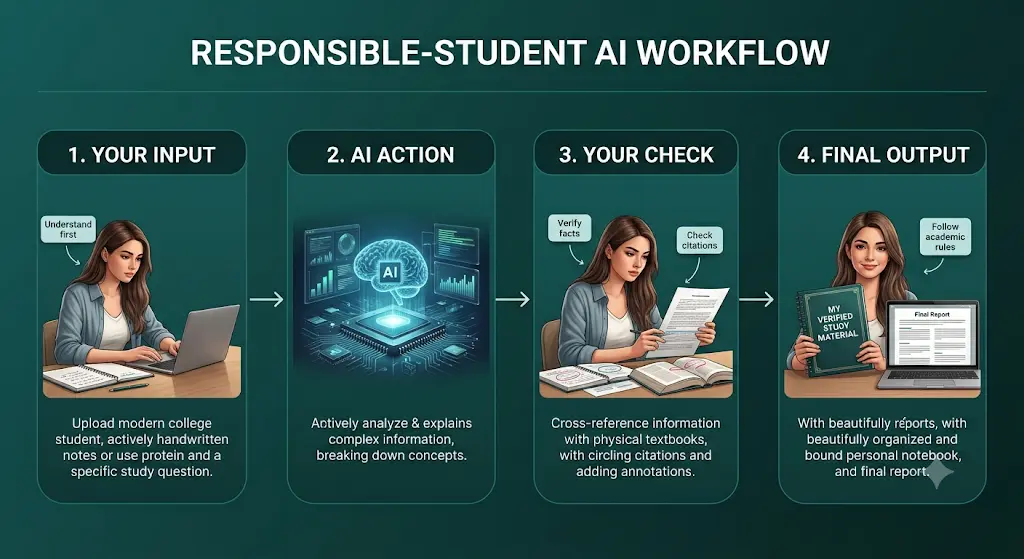
- Course PDF, Kora builds a plan, you compare it with real exam dates and shorten unrealistic blocks, you get a schedule you will follow.
- Chapter notes, Studeli or Studii writes a guide, you compare it with your textbook, you keep corrected notes.
- Same chapter, StudyGlen writes a quiz, you answer without looking, you record what you missed.
- Research question, Consensus finds papers, you open them, you write what they actually say.
- Draft sentence with a citation, Scite shows citation context, you read the cited paper, you keep, fix or drop the citation.
For research, keep the source first. Search in Consensus or Google Scholar, open the original paper, use AI to explain it, return to the paper, then write your own notes. AI helps you process evidence. The original source remains the authority.
The human and AI loop: you choose the question, AI organizes the information, you check the evidence, AI helps you practice, and you produce the final answer.
Don’t ask AI to do this blindly
- Don’t submit generated answers as your own work.
- Don’t trust a citation you have not opened.
- Don’t upload confidential documents before reading the privacy terms.
- Don’t assume the tool understands your syllabus.
- Don’t assume “free” will stay free.
Before submitting AI-assisted work, check your institution’s AI policy.
Which Copy-Paste Prompts Work With These Free AI Study Platforms?
Use these in any tool with a chat box. Replace the brackets.
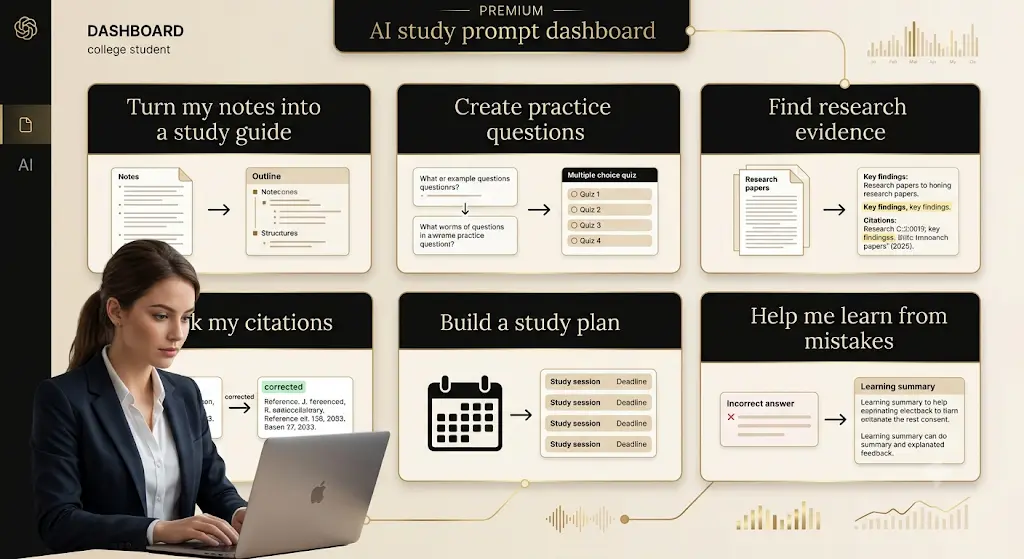
Study guide
Use only the material I uploaded. Turn this chapter into a study guide with key concepts, likely exam questions, common mistakes, and five questions I should answer without looking at my notes.
Practice questions
Write 10 questions from this chapter, mixing recall and application. Do not show answers until I reply.
Research evidence
Find evidence relevant to this question: [question]. Separate established findings from uncertain or conflicting evidence, and give me the paper title for every major claim.
Citation check
Check whether this citation supports the sentence I wrote: [sentence and citation]. If it does not, explain exactly what the source supports instead.
Study plan
My exam is on [date]. I can study [hours] on [days]. Split this syllabus into sessions with review days, and flag anything unrealistic.
Learn from a mistake
Here is my answer and the correct answer. Explain what I misunderstood, then give me one similar question.
Before you start writing your assignment, it’s important to know how to use AI for college research projects effectively. A strong research process helps you find credible sources, organize ideas, and avoid common mistakes that can lower your grades.
What Should You Check Before Signing Up?
- Is payment information required?
- What exactly is free?
- Is the limit daily, weekly, monthly or lifetime?
- Does the free plan expire?
- Can uploaded files be deleted?
- Does the tool cite sources?
- Can the provider change limits?
What About ChatGPT, Gemini, Claude and Perplexity?
They remain useful reference points. This guide focuses on tools that solve one task each, because the big chatbots are already everywhere.
- ChatGPT (OpenAI): OpenAI’s plan page lists a free plan with Study mode. Its Help Center says everyday text chats are unlimited, while uploads, images and voice have separate limits.
- Gemini (Google): Google’s student page describes the free Google AI Pro year for eligible U.S. college students aged 18+. Other sites describe country-dependent versions, so check the current terms for India.
- Claude (Anthropic): A free plan exists, with usage limits that reset on a rolling five-hour window.
- Perplexity: A free tier exists, but daily limits differ across sources, so check its help center.
Are These No-Card AI Tools Useful for Indian Students?
They can be, with a few checks.
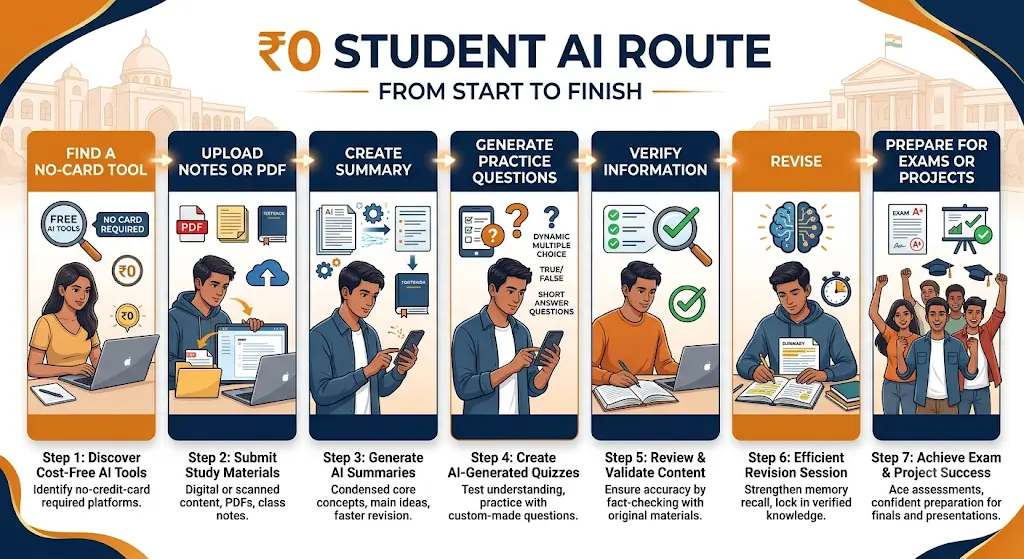
- The ₹0 route: stay on free plans and use one tool per job. The workflow at the end shows how.
- Payments: free plans need no payment. For paid upgrades, confirm your card allows international online payments. Most pricing pages do not say whether UPI works, and StudyGlen’s payment list does not include it.
- Mobile data: StudyGlen’s apps support offline review, and its quick-generate box caps PDFs and images at 20 MB. Check file-size limits before uploading on mobile data.
- NCERT and PDF workflow: feed tools one chapter at a time, using your own notes or PDFs you are allowed to upload.
- Exams and projects: a physics chapter from your coaching notes could become a practice set, and a final-year project could live in a Kahubi library. We did not verify that any tool is optimized for JEE, NEET, UPSC, GATE or CAT, so treat them as general study tools. A separate product, StudiiAI, markets itself for CBSE, ICSE, JEE, NEET and UPSC. We did not review it.
If your biggest academic-writing problem is not finding words but finding credible sources, understanding research papers, and backing up every claim, this guide to the best AI tools for academic writing for students can help you build a smarter research-to-writing workflow.
Frequently Asked Questions
What are the free AI tools for students no credit card?
Studeli, StudyGlen, Studii, Kora, StudentAI and Kahubi each state on their own sites that signup needs no credit card. Consensus lists a $0 tier but we found no explicit no-card statement. Scite’s no-card tier works only inside connected AI apps. All have limits.
What is the best way to use free AI tools without paying?
Use one tool per job, feed it one chapter or question at a time, and check limits before a deadline. Save capped features, such as Consensus Deep reviews or StudentAI generations, for the work that matters most.
Are these tools completely free?
No. Each has limits, such as Studeli’s weekly caps, StudyGlen’s one deck a day, Studii’s five documents or Kahubi’s 25 monthly messages. Paid plans add capacity. Treat them as free starting points, not unlimited services.
What is the difference between a free plan and a free trial?
A free plan is ongoing access with limits. A free trial is temporary access to paid features and may convert into a paid subscription, as Scite’s FAQ describes. Check the renewal terms before starting a trial.
Which free AI tools work from PDFs?
Studeli, Studii, StudyGlen and Kora accept PDFs. Studeli limits output weekly, Studii limits you to five documents and StudyGlen gives one deck a day. Kora’s free plan builds a study plan from the PDF, not flashcards.
Can I use AI for studying without letting it do my assignment?
Yes. Use it to explain concepts, generate practice questions, organize notes and find gaps, then write the answer yourself. Check your institution’s AI policy before submitting anything AI-assisted.
How can students verify AI-generated citations?
Open the cited paper and confirm it exists, says what the sentence claims and supports your point. A tool like Consensus can help you find papers, and Scite can show how later papers cite one. The original paper decides.
Can free-plan limits change?
Yes. Providers can change limits at any time, and sources already disagree on some figures. Consensus limits appear differently on third-party pages than in its help center. Check the pricing page before relying on a limit.
Final Takeaway: Your ₹0 Student AI Workflow
The right free tool depends on the task. Notes, research and citations each need a different one. Start with the tool that matches your immediate problem, check its current limits, and consider paying only when the free workflow becomes genuinely restrictive.
Illustrative example, not a real case: imagine a second-year engineering student, Ravi, with a project report and an exam in three weeks. A weekly loop could look like this:
- Plan: upload the syllabus PDF to Kora and get a timed plan for one module.
- Research: ask Consensus a focused question and open the papers it cites.
- Understand: turn one chapter’s notes into a guide with Studeli.
- Practice: generate the day’s quiz or flashcard deck in StudyGlen.
- Check: generate, inspect, verify each claim and citation against the real source, rewrite in your own words, and submit only after checking your institution’s AI policy.
Pick one tool from this list, sign up with your email, and run it on a single chapter before your next assignment.
The goal isn’t to use the most AI. It’s to use just enough AI to remove friction while keeping the thinking, checking and final judgment yours.
About the Author
Nandhakumar — Founder & Content Creator at FutureFastAI
Nandhakumar writes about AI tools, study workflows, and digital productivity for students and beginners at FutureFastAI. His work focuses on finding practical AI tools that solve specific student problems without unnecessary complexity or cost.
For tool and pricing guides, he checks information against official provider pages and clearly separates verified facts from information that could not be confirmed. He also highlights free-plan limits, payment requirements, source verification, and practical ways students can use AI responsibly without handing over their academic work entirely to AI.
At FutureFastAI, the goal is simple: use AI to reduce friction, not replace your thinking.
Editorial Policy
At FutureFastAI, we create practical content about AI tools, study workflows, and digital productivity for students and beginners.
Our goal is to help readers make informed decisions about AI tools without unnecessary hype, misleading claims, or exaggerated promises.
How We Research
We prioritize information from reliable and primary sources, especially official product pages, pricing pages, help centers, documentation, and company policies.
When discussing an AI tool, we aim to verify important details such as:
- Free-plan availability and limitations
- Pricing and payment requirements
- Features and supported inputs
- Usage restrictions
- Student-specific offers or eligibility
- Citation and source-verification capabilities
- Important limitations that could affect a student’s workflow
Information that cannot be independently confirmed is identified as unverified or subject to change rather than presented as fact.
Pricing and Free-Plan Information
AI tools frequently change their pricing, features, usage limits, and free plans.
When we publish pricing or free-plan information, we include a verification date whenever practical. Prices shown in Indian rupees may be approximate conversions and can differ because of exchange rates, taxes, payment fees, or regional pricing.
A tool described as “free” does not necessarily mean unlimited. We distinguish between free plans, free credits, free trials, student offers, and no-credit-card access.
Our Hands-On Testing Policy
We do not claim to have personally tested a product unless we actually tested it.
When an article is based primarily on information published by the provider, we clearly say so. We do not create fictional user experiences, fabricated test results, or invented performance claims to make an article appear more authoritative.
AI and Academic Accuracy
AI-generated information can contain mistakes, outdated information, incorrect calculations, or unsupported citations.
FutureFastAI encourages students to use AI as a learning and productivity assistant rather than as a replacement for their own judgment.
Readers should:
- Check important facts against reliable sources.
- Open and verify academic papers before citing them.
- Review AI-generated calculations and explanations.
- Follow their school’s or institution’s AI-use policies.
- Rewrite and understand work before submitting it.
- Avoid uploading sensitive or confidential material without understanding the tool’s privacy practices.
Editorial Independence
Our recommendations are based on the information available at the time of publication and the tool’s relevance to the specific student problem being discussed.
Affiliate relationships, where they exist, do not guarantee a positive recommendation. We may mention limitations, drawbacks, pricing concerns, or better alternatives when relevant.
We do not accept payment in exchange for presenting an inaccurate claim as fact.
Updates and Corrections
AI products change quickly. We periodically review important articles to check whether pricing, features, free-plan limits, availability, and other time-sensitive information remain accurate.
If we discover an important factual error, we aim to correct it promptly.
Readers can contact us if they identify outdated or incorrect information. Corrections are reviewed before changes are made.
Originality and Content Quality
FutureFastAI aims to publish original, useful content rather than simply rewriting information available elsewhere.
Our articles may include original frameworks, comparisons, workflows, prompts, practical observations, and editorial analysis where appropriate.
We avoid unnecessary keyword stuffing, repetitive sections, fabricated statistics, misleading claims, and content created solely to manipulate search rankings.
Our Approach to AI-Generated Content
AI may be used as a supporting tool during research, brainstorming, editing, or content development.
However, AI output is not treated as automatically accurate. Important claims are reviewed and verified before publication where practical.
The final responsibility for published content rests with FutureFastAI.
Our principle is simple: use AI to improve the work, not to replace human judgment.



One Comment