

Best AI Tools for Final Year Students in India: 11 Hidden Gems
It is October of your final year. Your guide wants a literature survey in three weeks, your project code runs only on your own laptop, and a viva sits on the calendar like an exam nobody wants to discuss. Opening one chatbot for everything feels natural, but a general chatbot is not built to map research papers, show how a citation was used, or review your code.
That is why the best AI tools for final year students in India are usually specialist tools, each built for one job in the project journey. This guide places 11 of them at the stage where they help most, from first idea to viva, with current free-plan details, rupee estimates, honest limitations and a clear answer to a question most listicles skip: which two or three do you actually need?
Quick Answer: Which AI tools are most useful for final-year students? The most useful AI tools for final year students in India are specialist tools matched to a project stage. ResearchRabbit, Litmaps and Elicit help find research papers. Explainpaper, Scholarcy, Scite and Consensus help you understand and check them. Paperpal polishes academic writing, Qodo reviews project code, Napkin AI creates diagrams, and NotebookLM helps you rehearse for the viva. Use them to support your own work, never to replace it, and check your college’s AI policy first.
Source of truth: AI tools should help you discover, organize, explain and rehearse information. The original academic paper, official documentation, your university’s guidelines and your own verified data remain the source of truth for every important claim. That is the one rule behind everything below, so the sections that follow keep their cautions short.
Plan details and prices were checked in October 2026 against official pricing and help pages and public listings. This guide does not claim hands-on testing, so every student scenario is labelled illustrative. Dollar prices are converted at roughly ₹96 per US dollar; card fees and taxes can change what you actually pay.
Which AI Tools for Final Year Students in India Should You Start With?
Start from the task in front of you, not from a tool name:
| If you need to… | Start with… |
| Find research papers | Elicit |
| Discover related papers | ResearchRabbit |
| Map a research area | Litmaps |
| Understand a difficult paper | Explainpaper |
| Summarize many papers quickly | Scholarcy |
| Check citation context | Scite |
| Find evidence for a question | Consensus |
| Improve academic English | Paperpal |
| Review project code | Qodo |
| Create project visuals | Napkin AI |
| Practise your viva | NotebookLM |
These 11 AI tools for final year students in India are not a shopping list. Skip ahead to Do You Actually Need 11 AI Tools? if you want the short version.
The Final-Year AI Workflow: Which Tool at Which Stage?
A final year project is not one task. It is a chain, and each link needs different help:
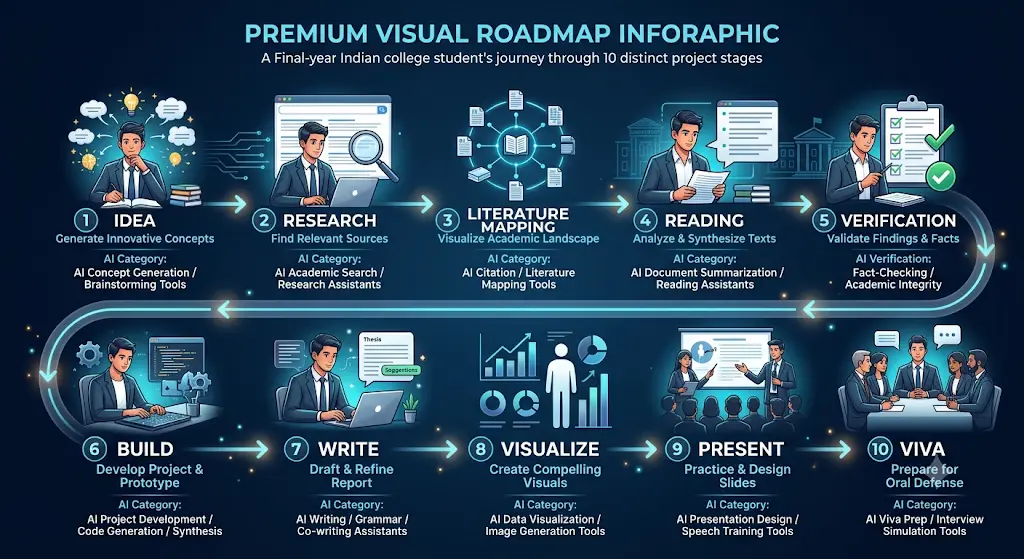
Idea → Research → Literature mapping → Reading → Verification → Build → Write → Visualize → Present → Viva
Using a single tool for the whole chain is the most common mistake when choosing AI tools for final year students in India. Here is how real problems map to the AI tools for final year students in India covered in this guide:
- “I have three good papers but don’t know what else to read.” ResearchRabbit or Litmaps expands your reading list from papers you already trust.
- “I can’t follow this methodology section.” Explainpaper explains highlighted passages in plainer language.
- “Does this paper’s claim hold up?” Scite shows whether later papers supported or challenged it.
- “My report reads awkwardly.” Paperpal improves grammar and tone without writing the research for you.
- “My code works, but I’m nervous about bugs.” Qodo reviews changes before you submit.
- “The viva is next week.” NotebookLM can generate practice questions from your own report.
If you already have five good papers, don’t start another generic search. Use those papers as your starting point and expand outward.
Why Not Use One Chatbot for Everything?
General chatbots such as ChatGPT, Gemini, Claude and Perplexity are versatile, so AI tools for final year students in India are not automatically better, and they are useful for explaining concepts, brainstorming and drafting questions. Specialist tools are often designed around a narrower workflow. The right choice depends on the task, and for many tasks a chatbot is a perfectly good starting point.
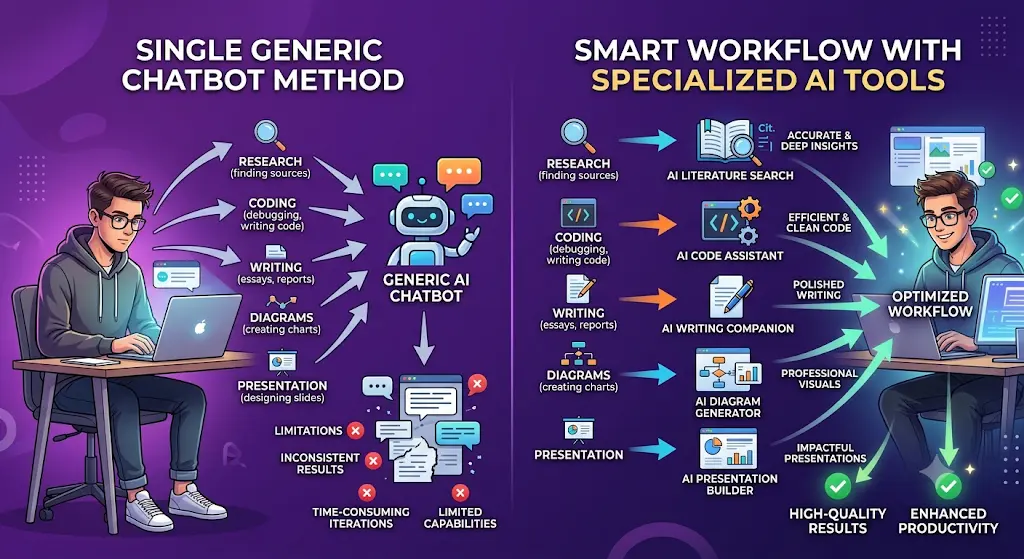
| Task | Where a specialist tool may help more |
| Literature discovery | Elicit, ResearchRabbit |
| Literature mapping | Litmaps, ResearchRabbit |
| Citation context | Scite |
| Paper explanation | Explainpaper |
| Academic editing | Paperpal |
| Code review | Qodo |
| Viva from your own documents | NotebookLM |
A chatbot can still help with each of these. What specialist tools add is a structure built for that one job, such as a citation map, a citation-context label or a document-grounded question session.
New to AI? Start with our Ultimate Beginner Guide to AI Tools for Students to discover the best AI tools for research, note-taking, writing, revision, and productivity—all explained in a beginner-friendly, step-by-step format.
AI Tools for Final Year Students in India by Project Type
“Final year” means different things in different departments. Pick the combination that matches your project.
AI Tools for Final Year Students in India: CSE, IT, BCA and MCA Projects
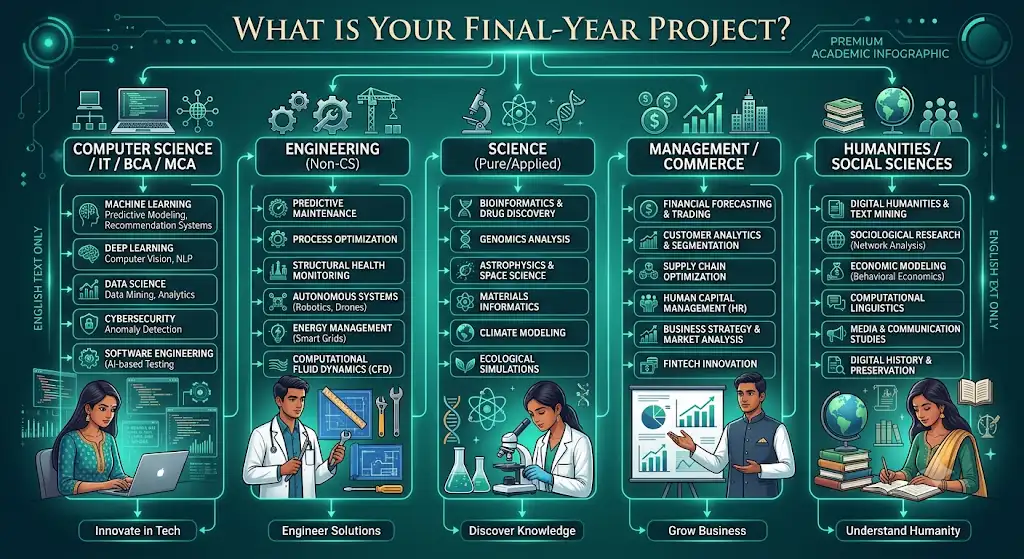
Your project has code, architecture, testing and a report.
Use Elicit or ResearchRabbit for the research behind your approach,
Qodo to review code and tests,
Napkin AI for conceptual architecture visuals, and Paperpal for the report. Keep Git history clean so you can show how the project evolved.
Before you start writing your assignment, it’s important to know how to use AI for college research projects effectively. A strong research process helps you find credible sources, organize ideas, and avoid common mistakes that can lower your grades.
AI Tools for Final Year Students in India: Engineering Projects
Technical papers, methodology and diagrams dominate. Explainpaper helps with dense methodology and notation, Litmaps shows how a technical area developed, and Napkin AI helps with process visuals. Calculations, simulations and formal circuit or UML diagrams still need your department’s expected tools.
If you’re an engineering student, don’t waste hours switching between random AI tools—see which AI tools actually fit your engineering branch, from coding and research to calculations and project work.
AI Tools for Final Year Students in India: Science Projects
Evidence matters most. Consensus helps with evidence questions, Scite with citation context, Elicit with comparing study findings, and Scholarcy with sorting a large reading pile. Interpreting your own data stays your job.
AI Tools for Final Year Students in India: Management and Commerce Projects
You may need literature, a report and a presentation. Elicit and Consensus help with research background, Paperpal with report clarity, and Napkin AI with presentation visuals. Surveys and statistical analysis need other tools that this guide does not cover.
AI Tools for Final Year Students in India: Humanities and Social Sciences Projects
Source comparison and academic writing matter most. ResearchRabbit and Litmaps help trace how a debate developed, Scite shows how studies were received, and Paperpal helps with academic English. Qualitative interpretation must come from you.
If You Are Starting Your Final-Year Project Today, What Should You Do First?
Here is a practical order of work, with the tool that fits each step:
- Define the project question with your guide. (No tool yet.)
- Search existing research. (Elicit, Consensus)
- Collect 5–10 useful seed papers. (Elicit, then your reference manager)
- Expand the literature map. (ResearchRabbit, Litmaps)
- Identify the research gap. (Litmaps, Elicit, your own reading)
- Discuss the direction with your guide. (No tool.)
- Build and document the project. (Qodo for software projects)
- Verify sources and results. (Scite, original papers)
- Prepare the presentation. (Napkin AI plus your slide software)
- Rehearse the viva. (NotebookLM)
Notice that two of ten steps need none of these AI tools for final year students in India at all. That is deliberate.
Stage 1: Finding and Mapping Research with AI Tools for Final Year Students in India
Many weak literature reviews fail here: a student searches keywords, reads the first five results and stops. Citation-based tools fix that by showing how papers connect.
1. ResearchRabbit
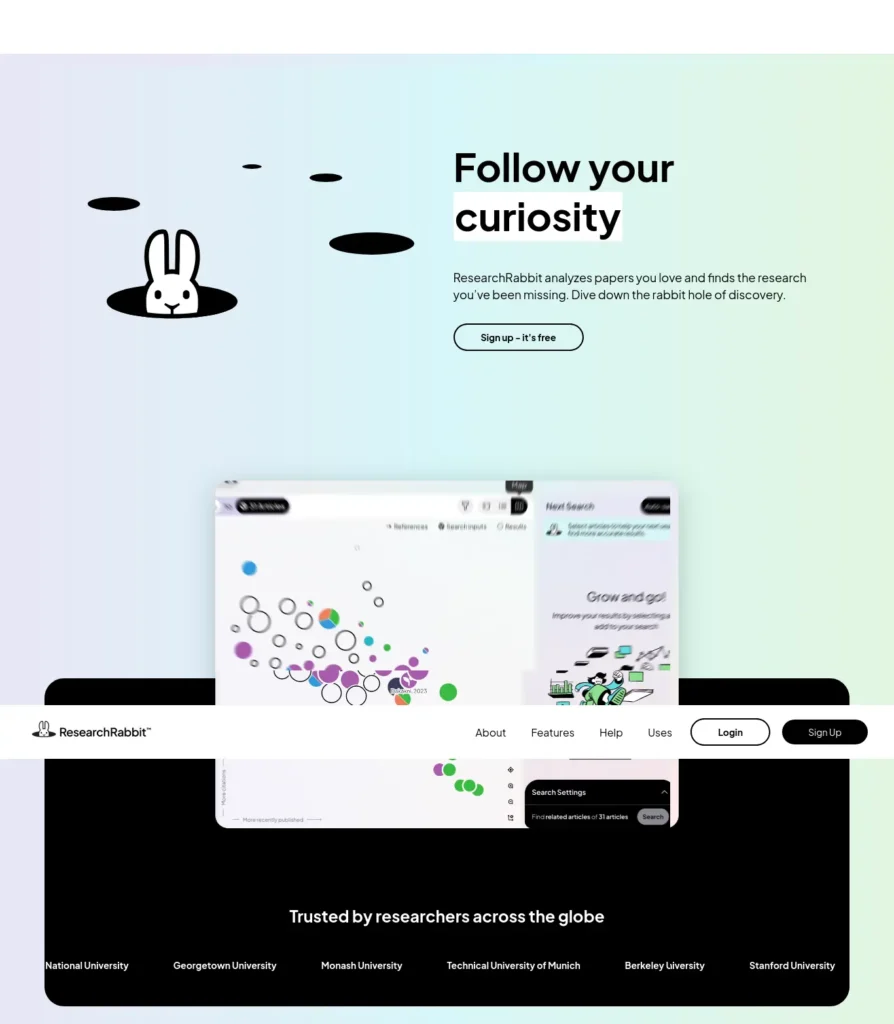
Among the AI tools for final year students in India, ResearchRabbit is a literature-discovery platform that helps students explore academic papers through citation and author relationships, which makes it useful when a project needs related research beyond an initial set of papers.
- Best for: expanding a reading list from a few seed papers; spotting influential authors.
- Ideal users: students with a handful of good papers and a thesis-style literature review ahead.
- Not ideal for: getting a literature review written for you.
- Free plan: unlimited searches and collections and up to 50 seed articles, according to current listings.
- Paid: the RR+ plan is listed from about $10 per month (roughly ₹960) on annual billing, with country-based discounts mentioned.
- Watch out: the 50-seed limit rarely matters for one project.
Comparison: ResearchRabbit is more useful for discovering relationships between papers, while Elicit is more focused on searching and extracting information from academic literature.
Example: A CSE student with five papers on crop-disease detection adds them as seeds. ResearchRabbit suggests earlier work they cite and later work that builds on them, so five papers become a structured reading list. (Illustrative.)
Official source: ResearchRabbit. Last verified: October 2026.
2. Litmaps
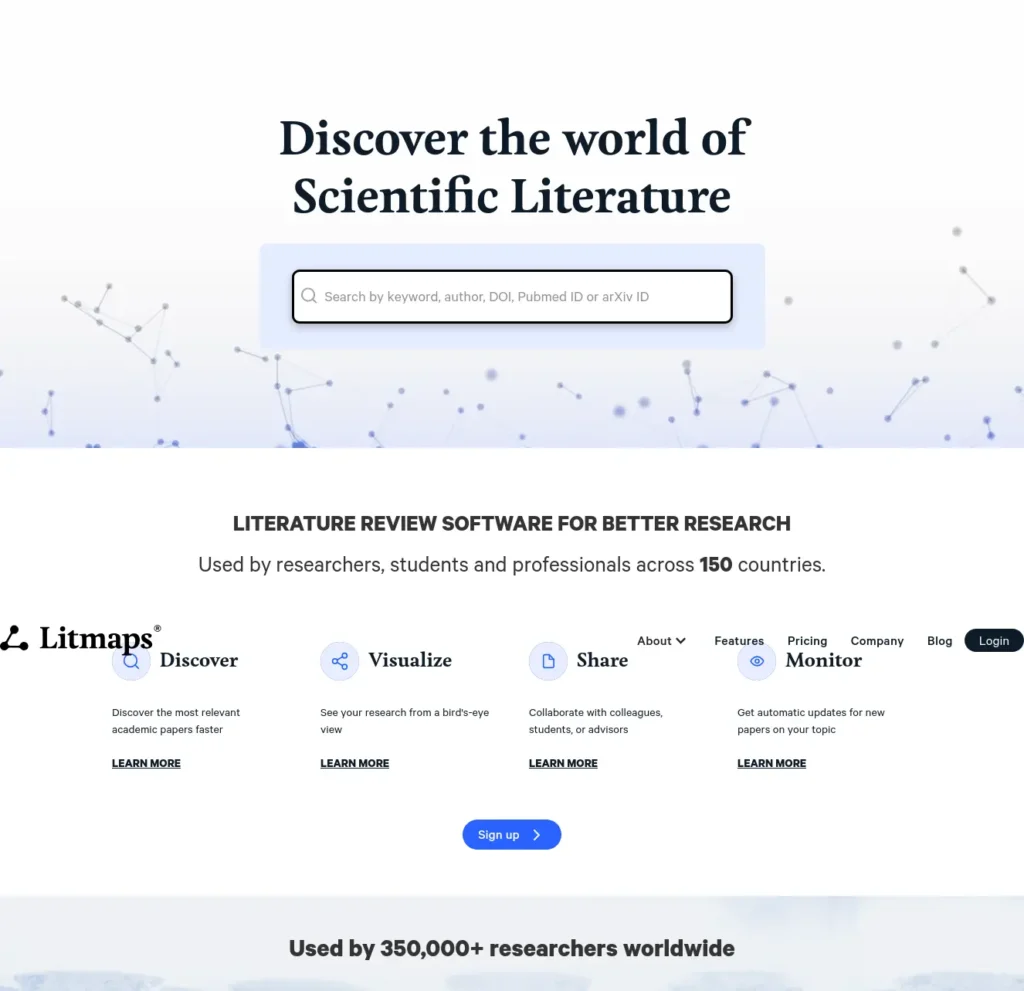
Litmaps is a literature-mapping tool, and one of the AI tools for final year students in India that suits long projects, because it visualizes how papers relate and sends alerts when new related research appears.
- Best for: seeing a research area as a map; keeping a long project up to date.
- Ideal users: students whose project runs for several months.
- Not ideal for: explaining or summarizing individual papers.
- Free plan: basic search with up to 20 inputs, 2 Litmaps and 100 articles per map, with monthly alerts.
- Paid: Litmaps Pro for students and academics is listed from about $10 per month on annual billing (roughly ₹960), with a 75% education discount and country-based pricing.
- Watch out: the free caps are tight for a full thesis.
Comparison: ResearchRabbit is stronger for exploring paper-to-paper and author links, while Litmaps is stronger for viewing one topic as a map and tracking new papers. You probably don’t need both for one undergraduate project. Start with one and add the other only if it solves a problem the first doesn’t.
Official source: Litmaps pricing. Last verified: October 2026.
3. Elicit
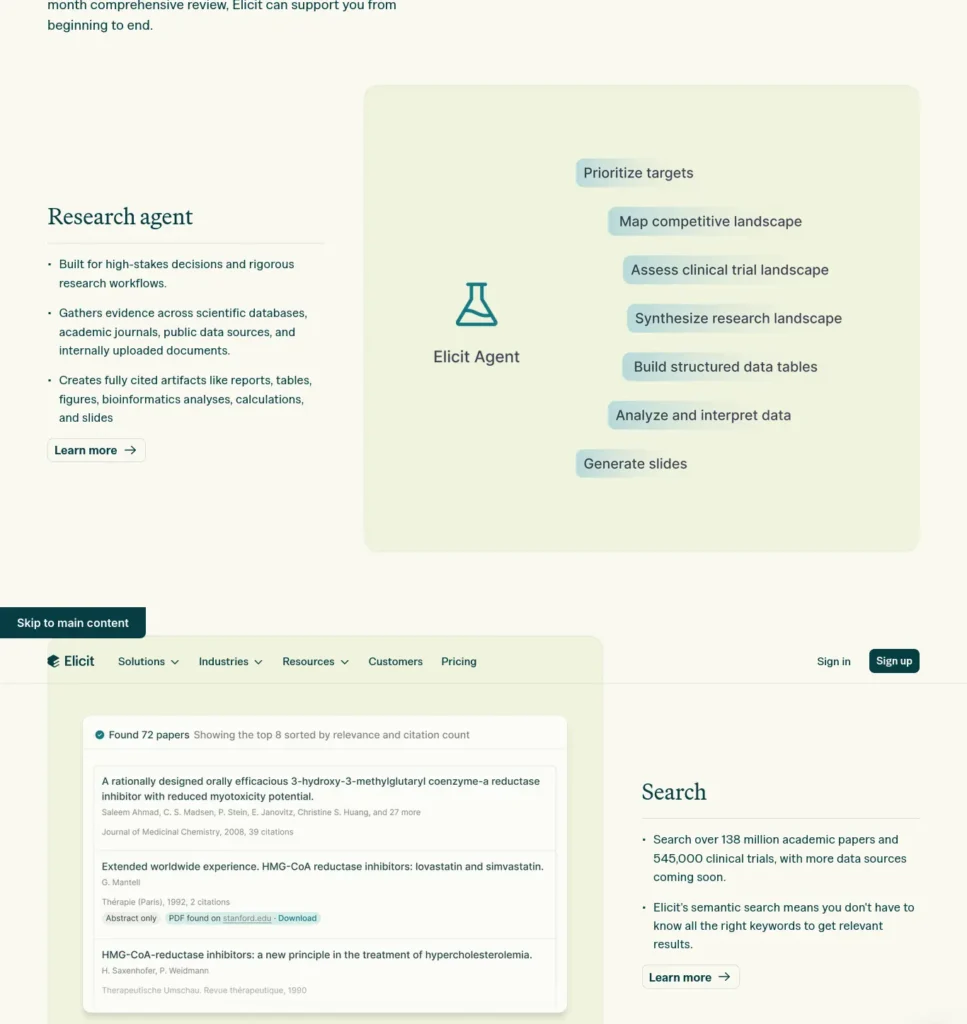
Elicit is an AI research assistant built around academic literature, and it is one of the AI tools for final year students in India that turn a plain-language research question into a set of relevant papers with structured details.
- Best for: turning a research question into a starting list of papers; comparing what studies found.
- Ideal users: students who know the question but not the literature.
- Not ideal for: serving as the only source for a claim.
- Free plan: free Basic access includes search across more than 138 million papers, source viewing, paper chat where full text is available, Zotero import and a small allowance of automated reports.
- Paid: listings disagree; entry plans appear to start around $7 to $12 per month (roughly ₹670 to ₹1,150), so confirm on the official page.
- Watch out: extracted details can contain mistakes.
Example: A BCA student asks, “What methods are used to detect fake news in Hindi text?” and uses the results as a starting list, then reads the original papers before citing. (Illustrative.)
Official source: Elicit. Last verified: October 2026.
How Can AI Help You Find a Research Gap?
A research gap is a question that existing studies leave unanswered or answer inconsistently. AI tools for final year students in India can help you notice possible gaps by letting you:
- identify themes that recur across papers
- compare the methods different studies used
- spot contradictory findings
- find areas with few papers
- trace how a topic evolved over time
- notice questions that keep appearing but remain unresolved
In practice, look at a Litmaps or ResearchRabbit map for thin clusters, then use Elicit to compare what the papers in and around that cluster actually found. Then comes the important part. AI can help you discover possible gaps, but it should not decide that a gap is genuinely novel. Confirm it by reading the relevant literature and discussing it with your faculty guide.
A Simple AI-Assisted Literature Review Workflow with AI Tools for Final Year Students in India
Here is how the tools above work together:
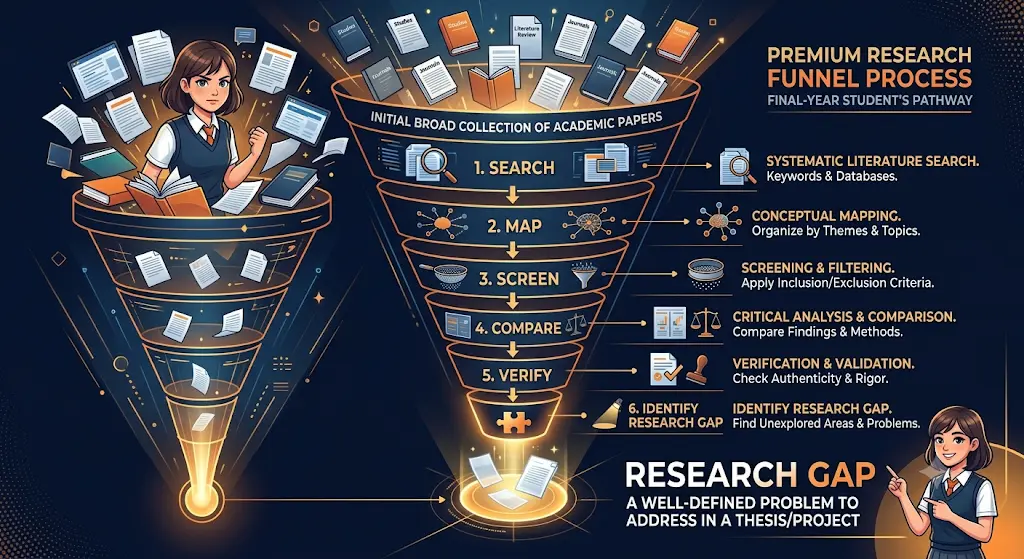
- Elicit → find relevant papers
- ResearchRabbit → discover connected research
- Litmaps → map and monitor the literature
- Scholarcy or Explainpaper → triage and understand papers
- Scite → examine citation context
- Original papers → verify findings
- Reference manager (such as Zotero) → organize citations
Great research can still become a weak assignment if you don’t know how to use it properly—see how AI tools can help you turn your verified sources into better college assignments.
Stage 2: Understanding and Verifying Papers with AI Tools for Final Year Students in India
Finding papers is half the job. The other half is understanding them and judging whether you can rely on them.

4. Explainpaper
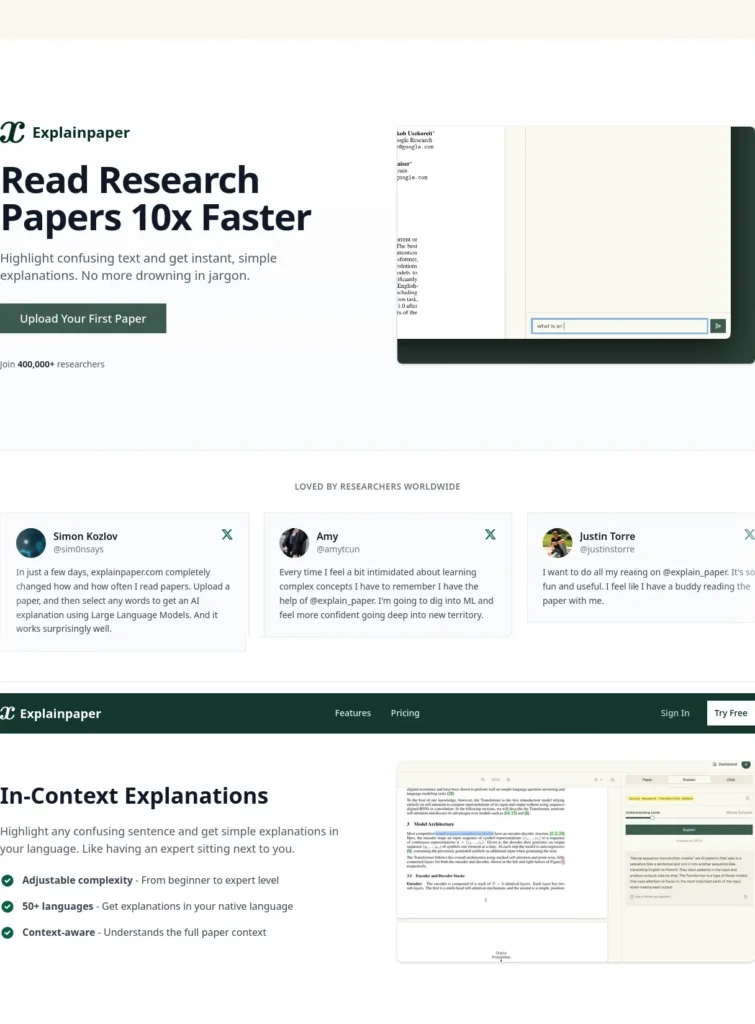
Explainpaper is an AI reading assistant that lets students upload a research paper, highlight confusing text and receive plain-language explanations with follow-up questions, which is why it appears among the most useful AI tools for final year students in India for technical reading.
- Best for: methodology sections, notation and unfamiliar terminology.
- Ideal users: engineering and science students reading papers outside their comfort zone.
- Not ideal for: replacing the paper or being cited.
- Free plan: unlimited highlight explanations and follow-up questions, per current listings.
- Paid: reported at around $12 and $20 per month (roughly ₹1,150 and ₹1,920); listings vary in age, so verify.
- Watch out: an explanation can sound confident and still be slightly off.
Comparison: Explainpaper helps with understanding difficult passages, while Scholarcy is more suitable for quickly triaging a larger collection of papers.
Example: An ECE student stuck on a signal-processing paper highlights one paragraph, asks for an explanation “for someone who has only done the basics,” then rereads the paragraph with the explanation beside it. (Illustrative.)
Official source: Explainpaper. Last verified: October 2026.
5. Scholarcy
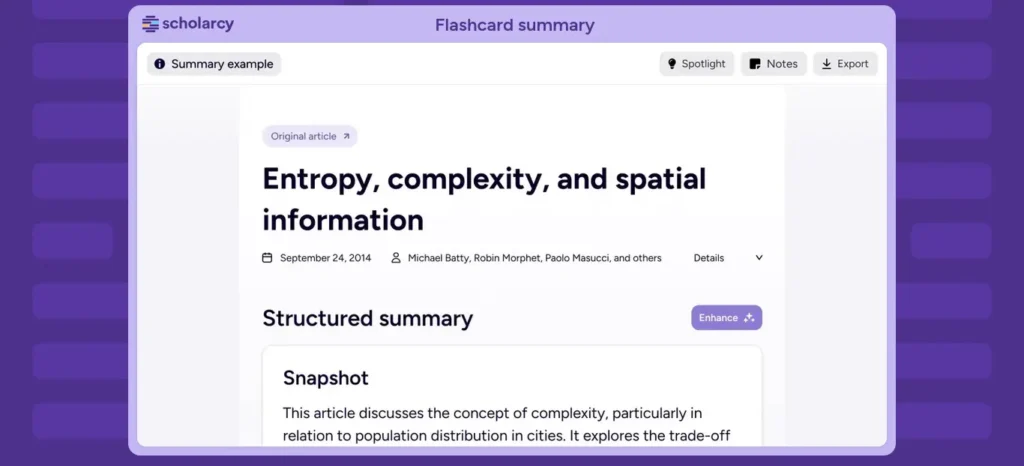
Scholarcy is a research-summary tool that turns papers and reports into structured summary cards covering key findings, concepts and methods, so students can decide what deserves a full read.
- Best for: triaging a pile of papers; building literature matrices (paid).
- Ideal users: students with 10 or more papers to organize.
- Not ideal for: equations, tables and charts, which automatic summaries often simplify.
- Free plan: very limited. The listing shows a cap of 10 summaries, and some coverage reports one per day, so treat it as a trial.
- Paid: Scholarcy Plus is listed at $9.99 per month (roughly ₹960), with a one-week trial.
- Watch out: summaries remove detail by design.
Student problem: twenty downloaded papers and one weekend. Typical use: summarize first, then read in full only the six that match your problem statement. (Illustrative.)
Official source: Scholarcy. Last verified: October 2026.
6. Scite
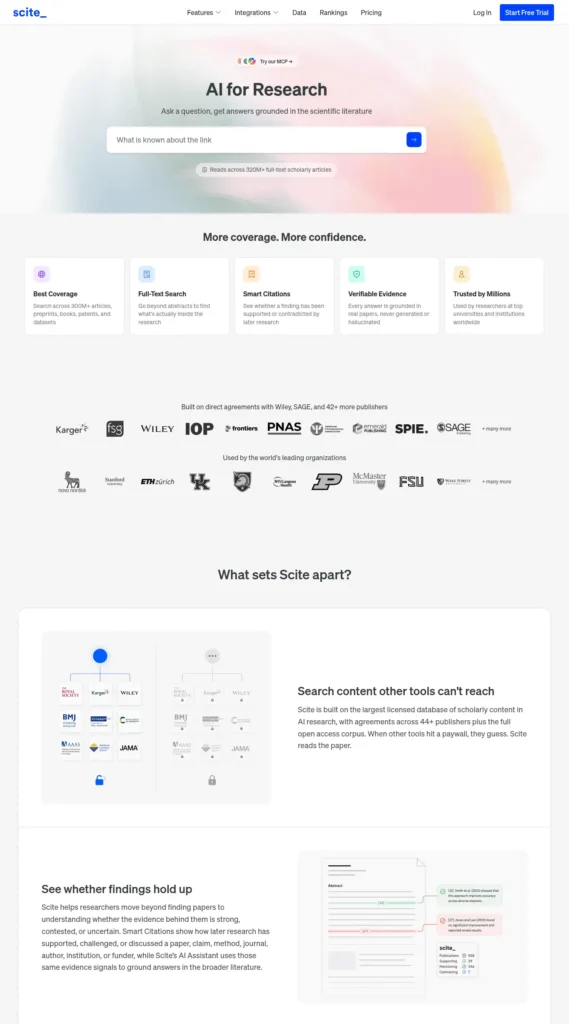
Scite is an academic research platform whose Smart Citations show whether later papers support, contrast or merely mention a cited study, making it one of the AI tools for final year students in India built for the question “Can I trust this paper for my argument?”
- Best for: judging how a paper has been received.
- Ideal users: students building a chapter around a few influential papers.
- Not ideal for: anyone who needs a permanently free tool.
- Free plan: the full platform is not permanently free. The pricing page offers a 7-day trial and a free “Connect” plan that works inside other AI tools with a small monthly credit allowance and no Assistant or search access.
- Paid: individual plans are reported at about $12 per month on annual billing or $20 monthly (roughly ₹1,150 or ₹1,920). Scite says student discounts are available when students recommend it to their institution.
- Watch out: access is the main barrier, so ask your college library whether it subscribes.
Comparison: Scite focuses on citation context, whereas ResearchRabbit focuses on literature discovery.
Final-year use case: before building a chapter on one influential paper, a student finds later studies contrasting its result and adds that disagreement to the discussion. (Illustrative.)
Official source: Scite pricing. Last verified: October 2026.
7. Consensus
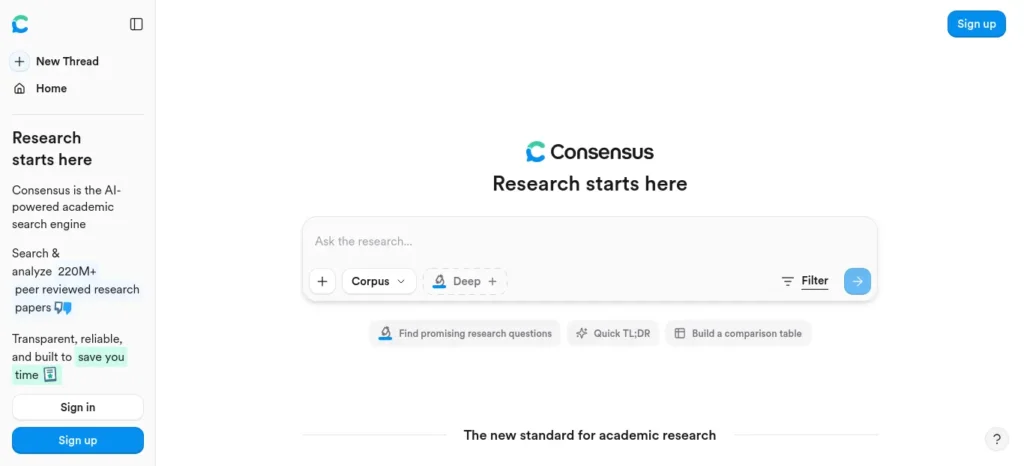
Consensus, built by Consensus NLP, is an AI search engine for scientific research that answers evidence questions from peer-reviewed papers and shows how strongly the findings agree, so it earns a place among AI tools for final year students in India working on science and health topics.
- Best for: “does X work?” questions where you need research evidence.
- Ideal users: science, nutrition and health students.
- Not ideal for: engineering design questions, opinion, or topics with few published studies.
- Free plan: unlimited paper searches plus limited Pro messages, a few Deep reviews and a monthly allowance of Study Snapshots, according to current listings.
- Paid: Pro is listed at roughly $10 to $15 per month depending on billing (about ₹960 to ₹1,440); some listings mention student discounts.
- Watch out: “most studies agree” is a signal, not proof.
Example: A B.Sc. nutrition student asks whether intermittent fasting improves blood-sugar markers, reads the linked studies and writes the answer in their own words with proper citations. (Illustrative.)
Official source: Consensus. Last verified: October 2026.
Stage 3: Writing the Project Report with AI Tools for Final Year Students in India
8. Paperpal
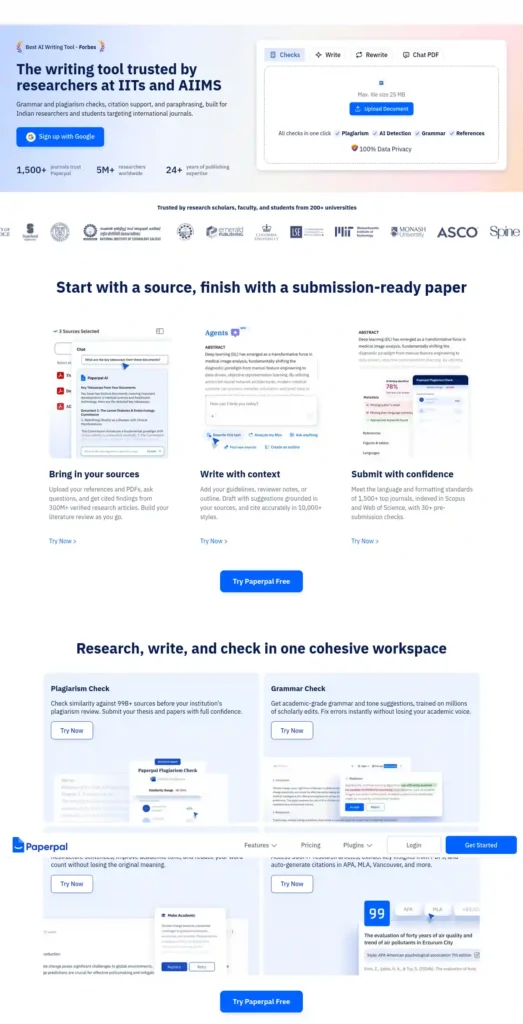
Paperpal, built by Cactus Communications, is an academic writing assistant that helps students improve grammar, clarity and style in research papers, theses and project reports, which is why it is among the AI tools for final year students in India most relevant to report writing.
- Best for: tightening academic English and working inside Word, Google Docs or Overleaf.
- Ideal users: students whose first language is not English and who are writing a long report.
- Not ideal for: inventing your methodology or generating your results.
- Free plan: 200 language suggestions per month, five AI uses per day and a monthly plagiarism-check allowance, according to current listings.
- Paid: Paperpal’s help center lists Prime at $144 per year (about $12 per month, roughly ₹13,800 upfront) or $25 monthly (roughly ₹2,400), and Pro at $348 per year or $59 monthly.
- Smart budgeting: if you need it for only one month of heavy writing, monthly billing costs less upfront than the annual plan.
- Watch out: grammar tools can flatten a technical meaning. Accept only edits that keep your intended sentence.
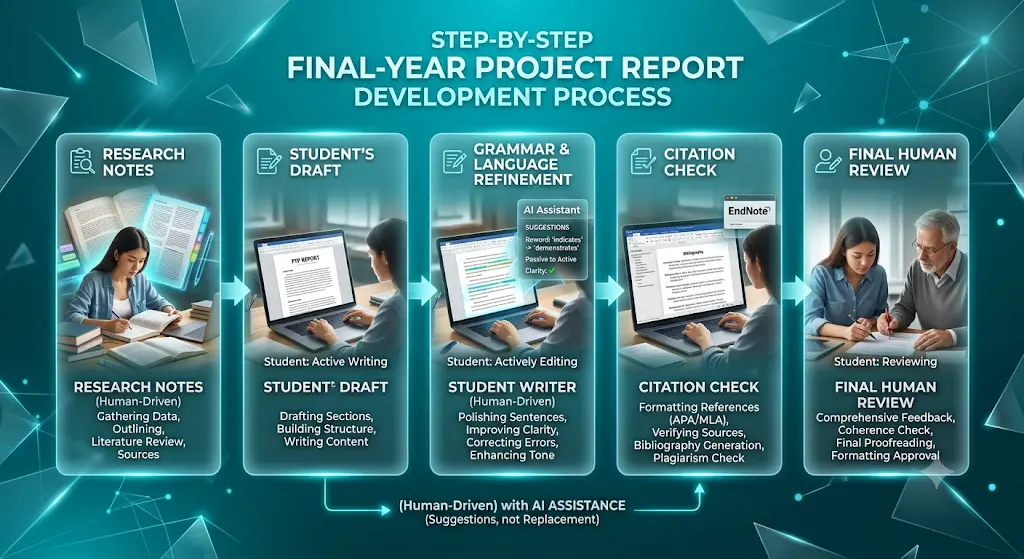
Writing ownership: use Paperpal to polish sentences you wrote, not to produce paragraphs you didn’t.
Official source: Paperpal pricing help page. Last verified: October 2026.
Stage 4: Building and Reviewing the Project with AI Tools for Final Year Students in India
9. Qodo
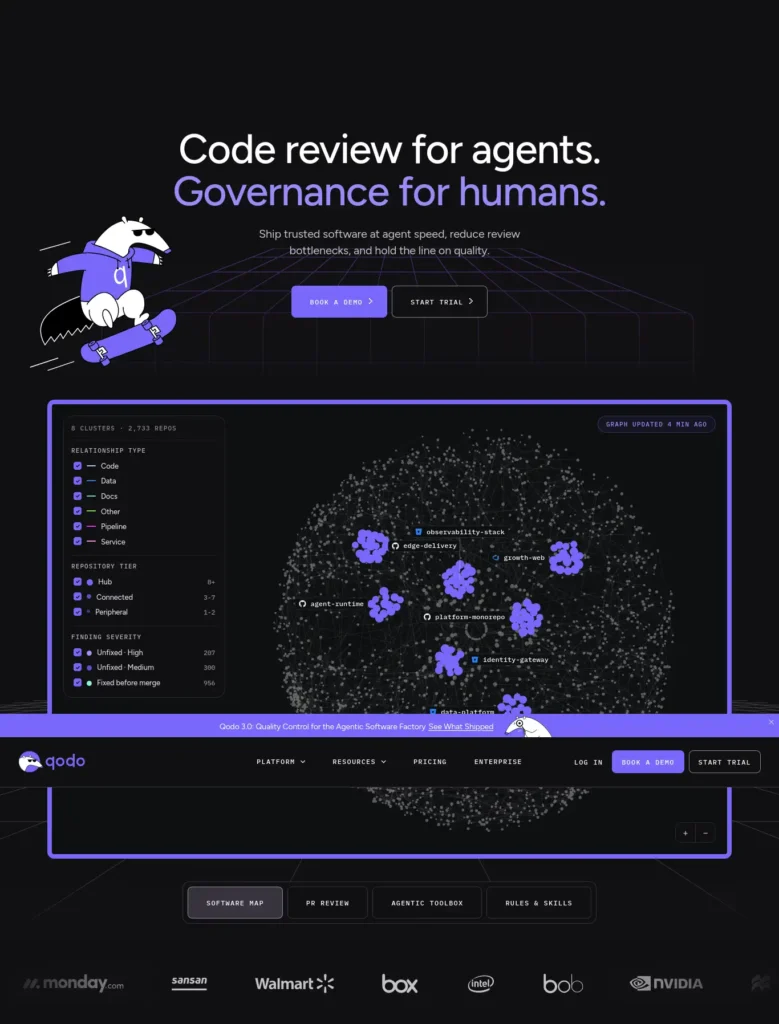
Qodo, formerly CodiumAI, is an AI code-review and testing platform that checks code quality in the IDE, command line and pull requests, which makes it one of the AI tools for final year students in India best suited to software projects.
- Best for: catching bugs, missing tests and weak spots before submission.
- Ideal users: CSE, IT, BCA and MCA students with a working codebase.
- Not ideal for: non-software projects.
- Free plan: public listings disagree. Some describe a free Developer tier with a monthly credit allowance; others say there is no permanent free tier. A 14-day free trial is widely reported, and qualified open-source projects can apply for free access.
- Paid: team plans have been listed from about $30 per month (roughly ₹2,880). Check the official site before planning around it.
- Watch out: read privacy terms before sharing code, especially anything from an internship.
Code ownership: use Qodo to review code you wrote, then make sure you can explain every function. A student finishing a Flask attendance system might find an unhandled input case, fix it and note the fix in the report. (Illustrative.)
Official source: Qodo. Last verified: October 2026.
Stage 5: Creating Diagrams and Visuals with AI Tools for Final Year Students in India
10. Napkin AI
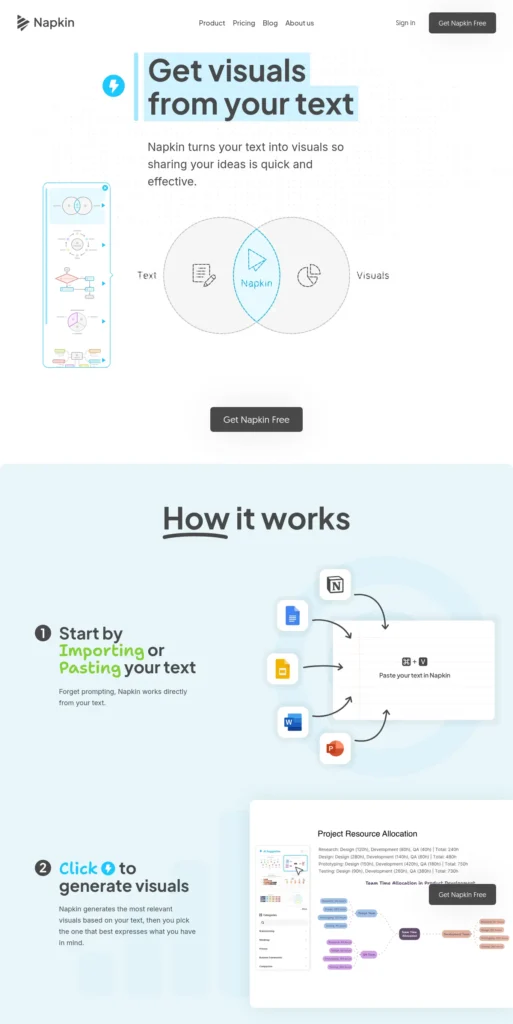
Napkin AI is a text-to-visual tool that converts written explanations into editable diagrams, flowcharts and infographics, so among AI tools for final year students in India it is the one most useful for methodology flows and presentation visuals.
- Best for: explaining a process or framework in one clean visual.
- Ideal users: students preparing a project presentation.
- Not ideal for: formal UML, ER or circuit diagrams that your department requires in a specific notation.
- Free plan: 500 AI credits per week, unlimited editing and unlimited PNG and PDF export, with Napkin branding on visuals.
- Paid: Plus is listed at $9 per month (roughly ₹865), adding PowerPoint and SVG export and removing branding.
- Watch out: credits are used per generation and longer text uses more, so convert one paragraph at a time.
Typical use: paste a four-step methodology paragraph, pick a flow layout, correct the labels, export a PNG. Check that the structure matches what you actually did. (Illustrative.)
Presentation note: no slide generator was verified for this guide, so Napkin AI is paired with whatever slide software your college already uses.
Official source: Napkin AI. Last verified: October 2026.
Looking for the best AI tools for writing college assignments? Explore our detailed guide to discover the top AI writing assistants that help you research, draft, edit, and improve academic assignments faster while maintaining quality and originality.
Stage 6: Preparing for the Viva with AI Tools for Final Year Students in India
11. NotebookLM
NotebookLM is a Google tool that answers questions using only the documents you upload, which makes it one of the AI tools for final year students in India that works well for rehearsing questions about your own report.
- Best for: practising likely examiner questions; revisiting your report and references.
- Ideal users: every student with a finished or near-finished draft.
- Not ideal for: learning a topic you have never studied, since it works only from your sources.
- Free plan: 100 notebooks, 50 sources per notebook and 50 chat questions per day, with separate daily limits for audio overviews and study tools such as quizzes and flashcards. Some coverage uses a newer name, Gemini Notebook, so look under both.
- Watch out: check Google’s privacy terms and your college’s rules before uploading unpublished work.
Copy-paste starter prompt: “Act as an external examiner for a final-year project viva. Using only my uploaded report, ask me 10 questions about the problem statement, methodology, results and limitations. Ask one at a time and wait for my answer.”
Answer out loud before you look anything up. If you can’t, that is the section to revise.
Official source: NotebookLM. Last verified: October 2026.
Do You Actually Need 11 AI Tools for Final Year Students in India?
No. Most students using AI tools for final year students in India should start with two or three tools and add another only when a specific task demands it. Here is The 3-Tool Rule for Final-Year Students: pick one research tool, one task-specific tool, and your normal academic workflow. You do not need an AI subscription stack.
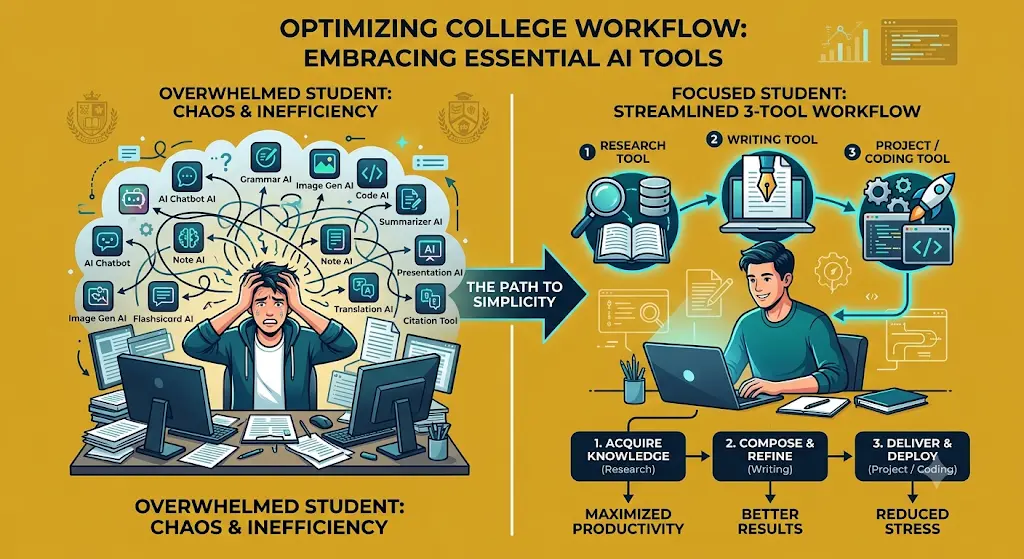
Suggested starting combinations:
- Research-heavy project: Elicit + ResearchRabbit + one verification step (Scite or the original papers).
- Software project: a research tool + Qodo + a writing tool.
- Thesis-heavy project: ResearchRabbit or Elicit + Paperpal + a reference manager.
- Presentation-heavy project: a research tool + Napkin AI + your existing slide software.
The ₹0 Final-Year Stack
If your budget is zero, this free-only path through the AI tools for final year students in India covers most of the journey: ResearchRabbit and Litmaps (free) for mapping, Elicit Basic and Consensus free for searching, Explainpaper free for reading, Paperpal free for light editing, Napkin AI free for visuals, and NotebookLM free for the viva. Treat Scite and Qodo as trials, and use them in the single week you need them.
When paying makes sense: only when a free limit blocks a specific task, such as Paperpal during your writing month. Before paying for anything, check whether your university library already provides access.
The Explainability Test
Before submitting any work built with AI tools for final year students in India, ask one question: Can I explain this without opening the AI tool? Apply it to:
- your code
- your methodology
- your graphs
- your literature claims
- your conclusions
- your diagrams
- your citations
If the answer is no, you have not finished the work yet. This test protects you in the viva, where the examiner is talking to you, not to the tool.
How to Use AI Tools for Final Year Students in India Responsibly
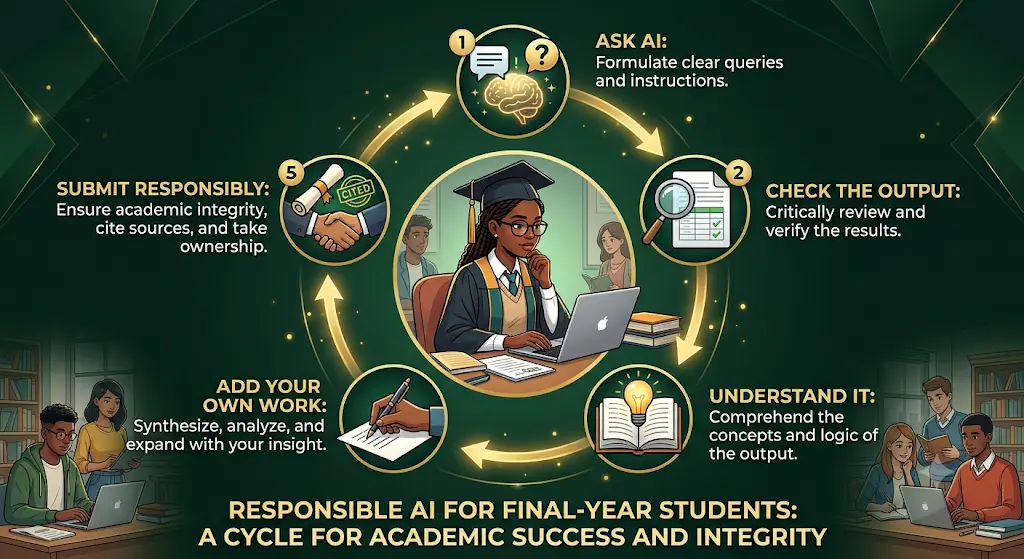
AI-Assisted Is Not the Same as AI-Generated
Generally acceptable where your college permits: brainstorming, editing your own writing, finding research, understanding papers and rehearsing the viva.
Not acceptable: submitting generated text as original work, fabricated citations, fabricated data, fabricated analysis, or unverified AI claims presented as fact.
Check each citation yourself using its DOI or the publisher’s page, because AI tools can produce references that look real but are not.
Follow Your University’s Disclosure and Privacy Rules
Policies differ between universities and even departments. If yours requires you to disclose AI assistance, use its prescribed format rather than a generic statement copied from another institution.
Be equally careful with what you upload. Internship code, client information, proprietary datasets, unpublished research and internal documents may be restricted, so read each tool’s privacy terms and ask your guide or company first.
What AI Cannot Replace
Original research, data collection, experimental validation, faculty guidance, ethical judgment and project ownership remain yours. AI can save time on reading, formatting, review and rehearsal.
India-Specific Practicalities for AI Tools for Final Year Students in India
- Money: most tools price in USD, so convert before subscribing. ResearchRabbit and Litmaps mention country-based pricing, so check at sign-up.
- College access: before paying for an academic research tool, check whether your university library already provides institutional access.
- Low-spec laptops and patchy internet: these tools run in the browser, so you don’t need to install heavy software. Download papers on good Wi-Fi and work offline when you can.
- Formatting: set your department’s required style (IEEE, APA or a university template) in your reference manager early. Paperpal integrates with Word, Google Docs and Overleaf, and several tools above connect with Zotero.
- Local research: your university repository or Shodhganga may show how Indian departments structure project work.
Tired of spending hours designing slides? Discover the best AI tools to create polished presentations in minutes—and turn your ideas into impressive slides with far less effort.
For related guides, see our pages on AI tools for students in India, AI tools for engineering students and AI tools for research projects.
Quick Decision Tree: Which of the AI Tools for Final Year Students in India Should You Use Right Now?
- No topic yet? Search your area in Elicit or Litmaps and discuss two or three options with your guide.
- Already have 5+ good papers? Expand them with ResearchRabbit instead of searching again.
- Deadline under a week? Skip new tools. Use the free plans you already know and verify your sources.
- Software project? Add Qodo for review before submission.
- Not a software project? Skip Qodo entirely.
- Budget is zero? Follow the ₹0 stack above.
- Viva coming up? Upload your finished report to NotebookLM and practise out loud.
Choose this approach if you want specialist AI tools for final year students in India at specific stages. Skip it if your college prohibits AI tools; always check first.
Related Questions About AI Tools for Final Year Students in India
What are the best AI tools for final year students in India?
The best AI tools for final year students in India depend on the task. ResearchRabbit, Litmaps and Elicit help find papers. Explainpaper, Scholarcy, Scite and Consensus help understand and check them. Paperpal helps with writing, Qodo with code review, Napkin AI with diagrams and NotebookLM with viva practice. Most of these AI tools for final year students in India have free plans or trials, with limits.
Which AI tool is best for finding research papers?
Elicit and ResearchRabbit are strong starting points. Elicit searches academic papers from natural-language questions, while ResearchRabbit finds related papers through citation and author links. Using both helps cross-check coverage.
Which AI tools help with literature reviews?
Litmaps and ResearchRabbit map a research area, Elicit compares findings, and Scholarcy summarizes papers into structured cards. None writes your review for you.
Which AI tool can explain research papers?
Explainpaper lets you upload a paper, highlight confusing passages and ask follow-up questions. It is most useful for methodology and terminology.
Can AI tools check academic citations?
Scite shows whether later papers support, contrast or only mention a cited study. It helps you evaluate how a paper has been received, but the original source still decides what the paper actually says.
Are there free AI tools for final year students?
Yes. Several AI tools for final year students in India, including ResearchRabbit, Litmaps, Elicit Basic, Explainpaper, Consensus, Paperpal, Napkin AI and NotebookLM, have free plans with limits. Scite and Qodo are better treated as trials; confirm current terms on their official pages.
Which AI tools are useful for coding projects?
Qodo helps review code and improve tests. You should still write and understand your own code, and check privacy terms before sharing anything that belongs to a company.
Can AI help with project presentations and diagrams?
Napkin AI turns written explanations into editable visuals for methodology flows and concept diagrams. For formal UML or ER diagrams, use the tool your department expects.
Can AI help students prepare for a viva?
Yes. NotebookLM can ask practice questions based on the report you upload. Answer aloud first, then compare with your report.
Is it safe to use AI for a university project, and can it write my whole report?
Using AI tools for final year students in India for searching, reading help, editing and rehearsal is generally acceptable where your college allows it, but policies vary. Do not use AI to write your entire report or invent data. The project must reflect your own understanding.
AI Tools for Final Year Students in India at a Glance
- ResearchRabbit: discovering related academic literature and expanding a paper collection.
- Litmaps: seeing a research area as a citation map and tracking new papers.
- Elicit: searching papers and comparing what studies found.
- Explainpaper: understanding difficult passages in research papers.
- Scholarcy: triaging papers through structured summaries.
- Scite: checking whether later research supports or contrasts a paper.
- Consensus: evidence-based answers to research questions.
- Paperpal: clarity and style in academic writing.
- Qodo: reviewing and testing the code you wrote.
- Napkin AI: turning a written process into a clear visual.
- NotebookLM: rehearsing viva questions from your own report.
Final Takeaway
Don’t ask which of the AI tools for final year students in India is best. Ask which one solves the problem in front of you today. Start free, add a tool only when a specific task needs it, treat the original source as the final word, and make sure you can explain every page of your project with no tool open. That is how the right AI tools for final year students in India help you finish stronger, not just faster.
Most students use AI as a simple chatbot, but the real advantage comes from following a complete workflow. Discover our AI study workflow for students and learn how to capture notes, create quizzes, schedule revision, and prepare for exams more effectively.
About the Author
Nandhakumar is the Founder & Content Creator at FutureFastAI, where he writes about AI tools, study workflows, and digital productivity for students and beginners. His work focuses on helping students understand where AI tools can be useful in research, writing, project work, presentations, and everyday learning.
At FutureFastAI, he focuses on practical, student-friendly guidance rather than simply listing AI tools. Articles are researched and updated to reflect current tool features, pricing, limitations, and responsible-use considerations.
Learn more: About FutureFastAI
Editorial Policy
FutureFastAI aims to provide accurate, practical, and easy-to-understand information about AI tools, study workflows, and digital productivity.
We research and verify important information using reliable and official sources where possible. AI tool features, pricing, and availability can change, so we update content when necessary.
We do not make false first-hand testing claims, and we clearly mention limitations when relevant. Our content is designed to help students make informed decisions and use AI responsibly.
Some articles may contain affiliate links or advertising. These do not determine our editorial content or recommendations.
If you find an error or outdated information, please contact us so we can review and update the content.
Last Updated: September 2026





One Comment