

Best AI Tools for People Who Struggle With Time Management (2026)
Open your phone right now and count how many productivity apps you’ve downloaded this year. Now count how many you actually opened today. For most people, that second number is zero — not because the apps didn’t work, but because remembering to open a new system takes exactly the kind of energy you’ve usually already spent by the time you need it.
That gap between “downloaded” and “actually used” is the real story behind most time management struggles. It’s not a discipline problem. It’s a tool problem — most systems assume you’ll remember to use them, and most days, you won’t. This guide breaks down the best AI tools for people who struggle with time management, what they cost in both USD and INR, whether the free plan is enough, and which ones aren’t worth your money.
Don’t make the mistake of managing every task manually—it quickly becomes overwhelming as your workload grows.explore AI Tools for Organizing Daily Tasks Automatically: 6 Best Picks (2026) before choosing your next productivity app.
Quick Answer: If you struggle with time management, the best AI tool depends on your actual problem. TickTick is the best free all-round choice, Reclaim.ai is ideal for automatic schedule planning, Todoist is excellent for capturing tasks quickly, Saner.ai helps people who struggle to start tasks, and Motion is best for busy professionals with constantly changing schedules. Most students can begin with a free plan and upgrade only when they outgrow the limitations.

Short on time? Here’s a quick comparison of the best AI time management tools before reading the detailed reviews below.
Our Top Picks
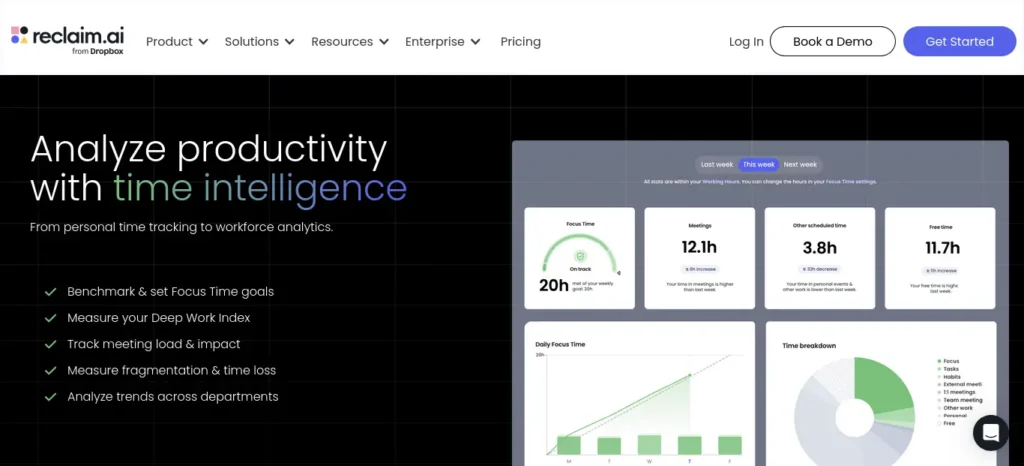
🥇 Best Overall: Reclaim.ai — Real free tier, genuine AI auto-scheduling around your classes, and a 50% student discount but confirm once a while
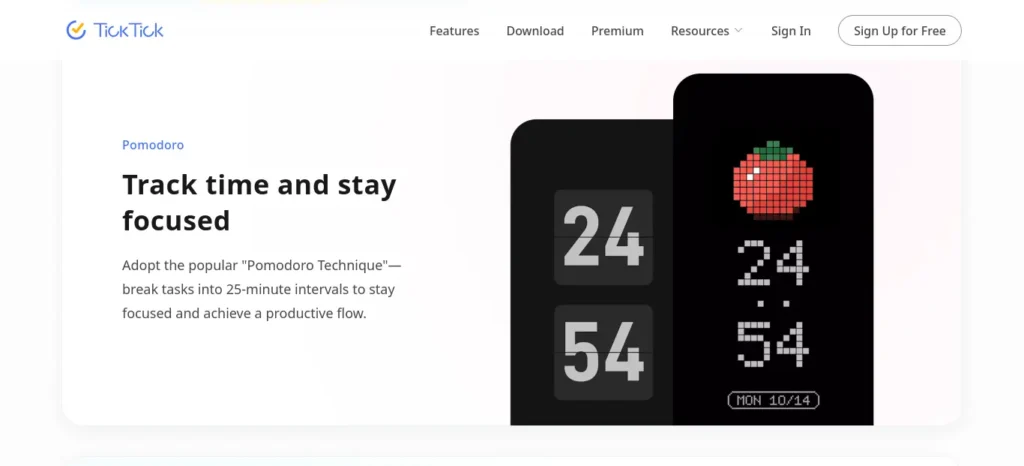
🥈 Best Free: TickTick — Tasks, calendar, Pomodoro timer, and habit tracking, all usable for free through an entire semester.
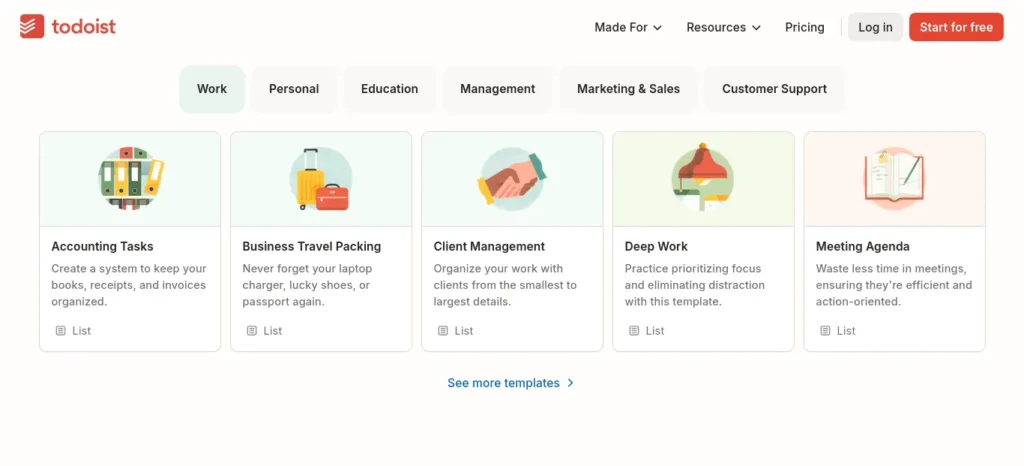
🥉 Best for Students: Todoist (with Ramble AI) — Fastest task capture, cheapest paid upgrade (~₹200–240/month with the student discount), and voice-to-task input between classes.
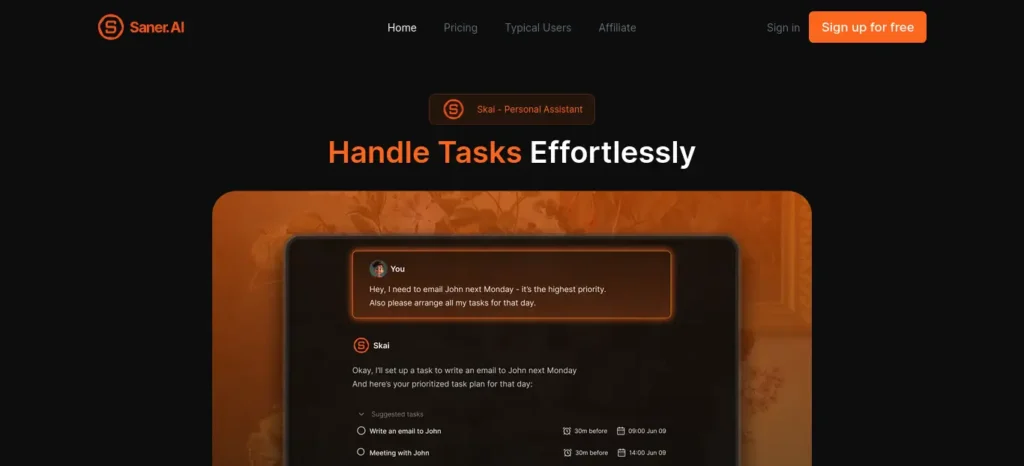
🏆 Best for ADHD: Saner.ai — Built specifically around task initiation and distraction, not generic scheduling — the right pick if starting tasks, not organizing them, is your real struggle.
🏆 Best for Professionals: Motion — The most aggressive auto-scheduling engine here, worth it once your time is worth more than the ₹1,800–2,800/month price tag.
Every tool on this list was selected for a different type of time management challenge. Some help you organize tasks automatically, while others reduce procrastination, improve focus, or build a daily schedule around your existing calendar. Choosing the right category matters more than choosing the most expensive app.
How We Chose These Tools
We evaluated each AI tool based on:
- Ease of use
- AI capabilities
- Free plan value
- Student affordability
- User reviews
- Pricing transparency
- Overall value for money
We also considered long-term usability, AI automation quality, mobile experience, student discounts, integration with popular productivity apps, and how realistic each free plan is for everyday students.
The Real Reason Timetables Fail (It’s Not Laziness)
Every small decision during your day — check phone or start assignment, do easy task or hard task first — draws from the same limited mental energy. By 3 PM, after classes, that energy is usually gone. That’s exactly when procrastination shows up, and it has nothing to do with how much you “want” to succeed.
The fix isn’t more willpower. It’s fewer decisions. This is precisely why AI tools for people who struggle with time management work better than a plain timetable — they make the next step obvious (what to do, when, for how long) so you’re not negotiating with yourself all day.
Who Actually Needs an AI Time Management Tool?
If any of this sounds familiar, you’re exactly who this guide is written for: you make a schedule but abandon it within a day, you forget deadlines even when they’re written down somewhere, or you know what to do but genuinely can’t make yourself start. These are the three most common patterns among people who struggle with time management, and each one points to a different category of tool below.
These tools are especially useful for:
• College students
• School students
• Busy professionals
• Freelancers
• Remote workers
• People with ADHD-like productivity struggles
• Competitive exam aspirants
• Anyone managing multiple deadlines
Two Different Problems Hiding Under One Label
Here’s something almost no other guide separates clearly: “time management struggles” usually means one of two very different problems.
- Problem A — Disorganization: You know what to do, but it’s scattered across your head, notes, and messages. You need a tool that organizes and schedules.
- Problem B — Task Initiation: You know exactly what to do and when, but you still can’t make yourself open the document. You need a tool that helps you start, not one that just builds a prettier calendar.
Before downloading any AI productivity app, identify which of these two problems you actually have. Many people waste money because they buy a scheduling tool when they really need help with procrastination, or vice versa.
Finding the right AI tools is only part of the equation. If distractions keep interrupting your study sessions, don’t miss our guide on AI Tools for Distracted Students, where you’ll discover powerful AI apps that block distractions, improve concentration, and help you stay focused for longer study sessions.
Buying a scheduling tool for Problem B is the single biggest reason students try an app for a week and quit — the schedule was never the missing piece.
Which AI Feature Helps You Stay on Track With Deadlines?
If you struggle with meeting deadlines, smart scheduling and automated reminders are the most useful AI-powered features to look for. They can help organize tasks around your available time, schedule work before the due date, and remind you when important tasks need attention. This is especially helpful if you often remember assignments or deadlines only when they are already close. Tools such as Reclaim.ai, Todoist, and TickTick offer different combinations of scheduling, task management, and reminder features, so choose based on whether your main problem is planning, remembering, or starting tasks.
Full Product Breakdowns: Best AI Tools for People Who Struggle With Time Management
1. TickTick — Best Free All-in-One Starter Tool
Quick Snapshot
- Official Website: ticktick.com
- Category: Task manager + calendar + focus timer + habit tracker
- Best For: Students who want one free app instead of five
- Difficulty Level: Beginner
- Platforms: Web, iOS, Android, Windows, macOS
- Current Pricing: Free / Premium ~$2.99/month (billed annually at $35.99/year)
- Approximate Price in INR: ≈ ₹280/month or ₹3,470/year (at ~₹96.5/USD, mid-July 2026 — rates fluctuate, so check the live conversion before paying)
- Free Plan Available? Yes
- Free Trial? Not needed — free tier is permanent
Prices can change without notice — always confirm on the official pricing page before buying.
Many students struggle because they do not have a structured study schedule. If that sounds familiar, check out AI Tools for Creating a Study Timetable Automatically: 9 Powerful and Smart Solutions for Students in 2026 to learn how AI can create a personalized timetable in just a few minutes.
Pricing Breakdown The Free plan gives you 9 lists, 99 tasks per list, 5 habits, and a basic calendar view — genuinely enough to run one full semester of task tracking. It’s ideal if you just need a reliable to-do list and don’t yet need deep calendar integration.
The Premium plan (~$2.99/month annual) unlocks two-way Google/Outlook calendar sync, unlimited lists, a Kanban board view, and detailed habit-tracking heatmaps. It’s worth it the moment you’re relying on your phone calendar and TickTick separately and want them merged.
Is the Free Version Actually Useful? Yes — genuinely, not just as a trial. A student can run an entire semester on the free tier: capture assignments, set basic reminders, use the built-in Pomodoro timer, and track up to 5 habits. The main thing you lose for free is calendar sync — your tasks and your actual calendar stay in two separate places, which becomes annoying once you have more than a handful of deadlines. Can a student survive on free alone? Yes, comfortably, for one semester or more.
When Should You Upgrade? Upgrade the moment you’re juggling 5+ subjects and keep missing things because your calendar and task list don’t talk to each other. If you only track a handful of assignments, stay free indefinitely.
Why Does This Tool Cost More (when you do pay)? It doesn’t cost much, which is the point — at under $3/month, you’re mainly paying for calendar sync infrastructure and expanded storage limits, not a fundamentally different AI engine.
Real-Life Student Example A student prepping for semester exams sets a countdown per subject, breaks each into daily 25-minute Pomodoro sessions, and uses the habit heatmap to see, visually, which subjects they’ve been avoiding — often the most useful feature nobody talks about.
Biggest Benefits
- Built-in Pomodoro timer → removes the need for a separate focus app → students report finishing revision blocks without switching apps to “just check one thing” → most useful for students who get pulled away mid-task.
- Habit heatmap → visually exposes avoidance patterns → seeing three blank days for one subject is more motivating than any reminder notification → most useful for students who think they’re balancing subjects evenly but aren’t.
Biggest Limitations Free tier has no real calendar sync, so you’ll manually double-check dates against your actual timetable. The interface can feel cluttered once you’re using habits, Pomodoro, and calendar together.
Value for Money: ⭐⭐⭐⭐⭐ — At under $3/month, this is one of the strongest dollar-for-dollar productivity purchases a student can make, mainly because the free tier is so usable that you’re paying for convenience, not necessity.
Should Indian Students Buy It? The free plan alone is enough for most students. If you do upgrade, ₹3,470/year is genuinely affordable compared to most subscriptions, and cheaper than a single takeaway order a month.
Buying Recommendation: ✅ Use Free Plan Only (upgrade later only if calendar sync becomes a real pain point)
Who Should Skip TickTick?
If you already rely heavily on Google Calendar and need advanced automatic scheduling instead of manual planning, Reclaim.ai may be a better choice.
Final Takeaway: If a friend asked, I’d say: start with the free plan today, no debate needed — it’s one of the rare “free tier is actually enough” tools in this whole category.
2. Reclaim.ai — Best for Automatic Schedule-Building
Quick Snapshot
Struggling to finish assignments before the deadline? Discover the best AI tools for assignment planning and deadline management that help you organize tasks, prioritize work, and submit projects on time.
- Official Website: reclaim.ai
- Category: AI calendar auto-scheduler
- Best For: Automatically time-blocking study sessions around fixed classes
- Difficulty Level: Beginner-to-intermediate (setup takes some learning)
- Platforms: Web, Google Calendar/Outlook integration, iOS, Android
- Current Pricing: Free (Lite) / Starter ~$8–10/month / Business ~$12–15/month (sources vary slightly — verify at write-time)
- Approximate Price in INR: ≈ ₹770–₹970/month for Starter (at ~₹96.5/USD)
- Free Plan Available? Yes — limited to 1 calendar sync and a few “smart meetings”
- Free Trial? Not required for the free tier; paid tiers may offer a trial — unverified
- Student Discount: 50% off for 12 months, verified for students, educators, and faculty
Prices can change without notice — always confirm on the official pricing page before buying.
Pricing Breakdown The Free (Lite) plan covers one calendar, limited smart meetings, and basic habit protection — enough to test whether auto-scheduling actually fits how you work, without paying anything.
The Starter plan (~$8–10/month, roughly half that with the student discount) unlocks unlimited tasks and habits, integrations with Todoist, Asana, and others, and unlimited calendar syncs — worth it once you’re managing coursework, a part-time job, and personal commitments across more than one calendar.
Is the Free Version Actually Useful? Yes, but with real limits: only 1 calendar sync, capped smart meetings, and one task-tool integration. It’s enough to test the concept convincingly, but a student with a busy multi-calendar life (college + part-time job + personal) will hit the ceiling within a couple of weeks. Can a student survive on free alone? For light use, yes — for a genuinely packed schedule, you’ll likely want Starter.
When Should You Upgrade? The moment you’re trying to sync more than one calendar (say, a college Google account and a personal one) or juggling a part-time job alongside classes — that’s exactly the chaos Reclaim’s automatic re-blocking is built to solve.
Why Does This Tool Cost More Than a Basic To-Do App? You’re paying for the AI engine that actually rebuilds your schedule automatically when something changes — a missed session doesn’t just sit there marked “overdue,” it gets intelligently rescheduled. That real-time recalculation is computationally heavier than a static task list, which is reflected in the price.
Real-Life Student Example A student with five subjects and weekend work hours connects their task list to Reclaim; it automatically protects the work shifts, then fills the remaining free hours with 45-minute study blocks — no manual re-planning needed when a class runs late.
Biggest Benefits
- Automatic re-blocking of missed sessions → prevents the “I already failed today” spiral → students stay consistent instead of abandoning the whole week after one bad day → most useful for students prone to procrastination guilt-spirals.
- Habit protection → recurring things like exercise or sleep don’t get silently overwritten by new tasks → most useful for students trying to build a sustainable routine, not just survive exam week.
Biggest Limitations Setup has a real learning curve compared to a plain to-do list. The free tier’s single-calendar limit is a genuine constraint for students juggling college and personal calendars separately.
Value for Money: ⭐⭐⭐⭐½ — Strong value specifically because of the verified student discount; without it, the price is reasonable but not exceptional next to TickTick.
Should Indian Students Buy It? With the 50% student discount, Starter comes to roughly ₹385–485/month — genuinely affordable for the amount of manual replanning it removes. Without the discount, it’s a “nice to have,” not a must-buy.
Buying Recommendation: ✅ Upgrade Later (start free, upgrade once you’re managing more than one calendar or a part-time job)
Who Should Skip Reclaim.ai?
If your daily schedule rarely changes and you only need a simple task list, TickTick or Todoist offers a simpler experience with less setup.
Final Takeaway: If a friend asked, I’d say: try the free plan first to see if you actually like AI scheduling your day — if you do, the student discount makes upgrading a genuinely fair deal.
3. Todoist (with Ramble AI) — Best for Fast Task Capture
Quick Snapshot
- Official Website: todoist.com
- Category: Task manager with AI voice-to-task and AI task assistance
- Best For: Students who think in quick lists rather than calendars
- Difficulty Level: Beginner
- Platforms: Web, iOS, Android, Windows, macOS, browser extensions
- Current Pricing: Free (Beginner) / Pro ~$4–5/month (billed annually) / Business ~$6–8/user/month
- Approximate Price in INR: ≈ ₹385–₹485/month for Pro (at ~₹96.5/USD)
- Free Plan Available? Yes — 5 active projects
- Free Trial? Not required for free tier
- Student Discount: 50% off Pro, reported/verified via education pricing
Prices can change without notice — always confirm on the official pricing page before buying.
Pricing Breakdown The Free (Beginner) plan gives 5 active projects, 3 filter views, and 1 week of activity history — but notably, no reminders, which is a real gap if forgetting deadlines is your specific problem.
The Pro plan (~$4–5/month annual, roughly half with the student discount) unlocks 300 projects, custom reminders, calendar layout, and the AI features: Task Assist (smart task breakdown) and Ramble (voice-to-task, launched January 2026, built on Google Gemini). Worth it as soon as forgetting deadlines is costing you more than the subscription price in stress.
Is the Free Version Actually Useful? Partially. Task capture is fast and genuinely excellent for free — but the lack of reminders means you’re relying entirely on remembering to check the app, which defeats part of the purpose for a lot of students. Can a student survive on free alone? For simple list-keeping, yes. For deadline-heavy semesters, the missing reminders are a real limitation.
When Should You Upgrade? The moment missing a reminder has actually cost you — a late assignment, a forgotten submission window. At $4–5/month (less with the student rate), that’s an easy trade against one missed deadline.
Why Does This Tool Cost More Than It Used To? Todoist raised Pro pricing in December 2025 (from $4 to $5/month annual) to fund newer AI features like Ramble, which runs on a live AI voice model — that’s genuinely more expensive infrastructure than a static reminder system.
Real-Life Student Example Walking between classes, a student dictates “read chapter 5 by Thursday, high priority” into Ramble — it’s parsed into a structured task with a due date and priority automatically, without ever opening a keyboard.
Biggest Benefits
- Natural language + voice input (Ramble) → removes the friction of manually filling out task fields → tasks actually get captured in the moment instead of “I’ll add it later” (which usually means never) → most useful for students who lose track of things said in class or during conversations.
- Task Assist → breaks an intimidating task into smaller sub-steps automatically → lowers the activation energy to start → most useful for students who freeze up on big assignments.
Biggest Limitations No reminders on the free tier is a significant gap for a “time management” tool specifically. The free plan’s 5-project cap is tight once you’re tracking multiple subjects plus personal life separately.
Value for Money: ⭐⭐⭐⭐ — Solid value, particularly with the student discount, though the free tier’s missing reminders hold it back from a full 5-star rating.
Should Indian Students Buy It? At the discounted student rate (roughly ₹190–240/month), yes — it’s one of the cheapest genuinely useful upgrades in this entire list.
Buying Recommendation: ✅ Upgrade Later (free tier for capture, upgrade once reminders become necessary)
Who Should Skip Todoist?
If your biggest problem is procrastination rather than remembering tasks, Saner.ai may provide more practical support.
Final Takeaway: If a friend asked, I’d say: use it free for a couple of weeks to see how you like the input speed — the moment you miss something because there was no reminder, the ~₹200/month upgrade pays for itself instantly.
4. Saner.ai — Best for Task Initiation & Procrastination (The Hidden Gem)
Quick Snapshot
- Official Website: saner.ai
- Category: AI assistant focused on task initiation, built around ADHD-style attention challenges
- Best For: Students whose real problem is starting tasks, not organizing them
- Difficulty Level: Beginner
- Platforms: Web, iOS, Android
- Current Pricing: Free / paid from roughly $6–8/month (sources vary — verify before publishing)
- Approximate Price in INR: ≈ ₹580–₹770/month (at ~₹96.5/USD)
- Free Plan Available? Yes
Prices can change without notice — always confirm on the official pricing page before buying.
Pricing Breakdown The Free plan covers core capture and AI-assisted task breakdown — enough to genuinely test whether the tool fits your specific struggle (starting tasks) rather than the more common struggle (organizing them).
The paid tier (~$6–8/month) adds deeper AI check-ins, expanded voice notes, and more advanced organization — worth it specifically if procrastination, not disorganization, is your core issue.
Is the Free Version Actually Useful? Yes, as a genuine test of fit. Because this tool solves a narrower, more specific problem than a general task manager, the free tier is enough to tell you quickly whether it’s actually addressing your issue. Can a student survive on free alone? Yes, if your needs are light — but this is a newer, smaller product, so expect fewer integrations than established tools.
When Should You Upgrade? When you’ve confirmed the core approach helps (breaking tasks into tiny starting actions, proactive nudges) and want deeper, more personalized check-ins.
Why Does This Tool Cost What It Does? It’s a smaller, newer product built around a specific use case rather than a mass-market feature list — you’re paying for focus on one problem done well, not breadth.
Real-Life Student Example Instead of a to-do item labeled “Write research paper” (which is intimidating enough to avoid for days), Saner.ai breaks it into “open the document and write one sentence” — a task small enough that starting doesn’t require willpower.
Biggest Benefits
- Task breakdown built for initiation, not organization → removes the intimidation factor of big vague tasks → students report actually opening the document instead of avoiding it → most useful for chronic procrastinators specifically, not just disorganized planners.
- Proactive AI check-ins → nudges happen without you having to remember to check the app → most useful for students who forget to even open their planning tool on hard days.
Biggest Limitations It’s a young product — fewer integrations than Todoist or TickTick, and a smaller support/community base if something goes wrong. It’s best treated as an add-on to a scheduling tool, not a full replacement for one.
Value for Money: ⭐⭐⭐⭐ — High value if task initiation is genuinely your problem; lower value if you actually just need a calendar, since it’s not built for that.
Should Indian Students Buy It? Try the free tier first — this is a “right tool for a specific problem” purchase, not a default recommendation for every student.
Buying Recommendation: ✅ Use Free Plan Only (upgrade only after confirming it addresses your specific struggle)
Who Should Skip Saner.ai?
If you mainly need automatic calendar scheduling or project management, choose Reclaim.ai or Motion instead.
Final Takeaway: If a friend asked, I’d say: only get this if scheduling tools haven’t worked for you before — because your actual problem might be starting, not organizing, and this is one of very few tools built for that specifically.
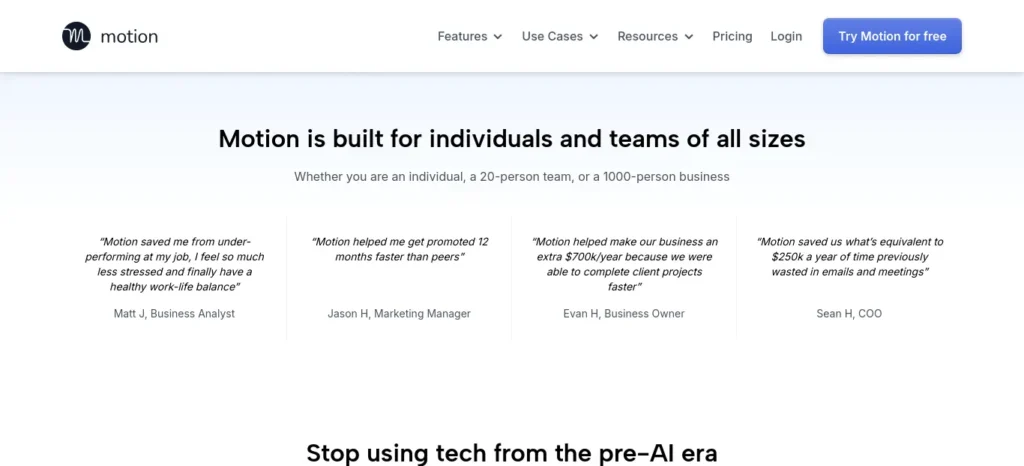
5. Motion — Best (and Most Expensive) for Total Auto-Scheduling
Quick Snapshot
- Official Website: usemotion.com
- Category: Fully automatic AI calendar
- Best For: Extremely packed schedules needing constant re-shuffling
- Difficulty Level: Intermediate — real learning curve
- Platforms: Web, iOS, Android, Windows, macOS
- Current Pricing: No permanent free plan; reported figures range $19–$29/month across sources — this is a genuine discrepancy, flagged rather than guessed at
- Approximate Price in INR: ≈ ₹1,830–₹2,800/month (at ~₹96.5/USD) — confirm the exact current tier before committing
- Free Plan Available? No
- Free Trial? Yes — 7 days (some sources note a card is required upfront; others say no card needed — verify directly before signing up)
- Student Discount: 25% reported (G2) — unverified for current terms
Prices can change without notice, and this tool in particular has conflicting reported prices across review sites — always confirm on the official pricing page before buying.
Want to reclaim at least one extra hour every single day? Check out our detailed guide on the AI tools that can save you at least one hour every day in 2026 before choosing your workflow.
Pricing Breakdown Motion has no free tier, only a 7-day trial. The individual plan (reported between $19–29/month depending on source and billing cycle) unlocks full AI auto-scheduling: it reads your tasks, deadlines, and existing calendar, then actively rebuilds your day whenever something changes — not just reminding you, but re-arranging.
Is the Free Version Actually Useful? There isn’t one — only a 7-day trial. Can a student survive using only a trial? No — you’ll need to decide within a week whether the price is justified, which is a real barrier compared to tools with permanent free tiers.
When Should You Upgrade (i.e., is it worth paying at all)? Only if your schedule is genuinely chaotic — multiple classes, a job, extracurriculars — and you’re constantly re-planning manually. If your schedule is fairly stable, this is overkill.
Why Does This Tool Cost So Much More Than TickTick or Todoist? You’re paying for the most computationally active AI engine in this list — it doesn’t just store your schedule, it continuously recalculates and moves tasks as your day changes, which is a fundamentally heavier (and more expensive to run) process than a static calendar or list.
Real-Life Student Example A student with back-to-back classes, a lab session that often runs long, and evening tutoring sets task priorities once; when the lab runs over, Motion automatically pushes the evening study block later and compresses lower-priority tasks — without the student touching the calendar.
Biggest Benefits
- Genuine automatic re-scheduling → removes the manual work of replanning every time something shifts → most useful for students with genuinely unpredictable, packed schedules — not casual users.
Biggest Limitations No free plan at all, only a short trial. Reported pricing is inconsistent across sources ($19 vs $29/month), and multiple reviewers report billing friction (trial-to-paid conversion issues) — worth reading current user reviews before committing your card.
Value for Money: ⭐⭐⭐ — Powerful, but the lack of a free tier and unclear current pricing make it a harder recommendation for most students compared to Reclaim, which does something similar with a genuine free option.
Should Indian Students Buy It? At ₹1,800–2,800/month, this is a significant recurring cost for most Indian students. Unless your schedule is unusually chaotic, Reclaim.ai’s free-to-cheap tiers solve a similar problem for far less.
Buying Recommendation: ✅ Skip It (for most students) — try Reclaim.ai’s free tier first; only consider Motion if your schedule is genuinely too chaotic for that to work.
Who Should Skip Motion?
Students with a limited budget or a predictable class schedule will usually receive better value from Reclaim.ai or TickTick.
Final Takeaway: If a friend asked, I’d say: it’s genuinely powerful, but for a student budget, try the free alternatives first — Motion is worth it only if you’ve already tried them and still need something more aggressive.
Sunsama vs Akiflow: Are They Worth It for Students?
Both are polished, well-reviewed daily planners — but neither has a free tier (trial only), and both run $16–34/month (≈ ₹1,545–₹3,280/month). They’re built for working professionals who value guided rituals (Sunsama) or maximum tool integration (Akiflow), not for a student budget. Buying Recommendation for both: ✅ Skip It — revisit after graduation if the workflow still appeals to you.
Free vs Premium AI Time Management Tools
📝 TickTick — Free
Price: Free forever
Includes:
- Basic reminders only, no calendar sync
- Limited export/integrations
- Community support
Watch Out:
No two-way calendar sync — tasks and your real calendar stay separate.
📝 TickTick — Premium
Price: ≈ ₹280/mo
Includes:
- Full habit + calendar AI
- Two-way calendar sync
- Full export/integrations, priority support (varies)
Watch Out:
Mainly worth it once you need calendar sync — not a big feature jump otherwise.
📅 Reclaim.ai — Free
Price: Free
Includes:
- 1 calendar sync, limited smart meetings
- 1 task-tool integration
- Standard support
Watch Out:
Single-calendar limit gets tight fast if you juggle college + personal calendars.
📅 Reclaim.ai — Starter
Price: ≈ ₹770–970/mo (≈ half that with the student discount)
Includes:
- Unlimited tasks/habits and calendar syncs
- Integrations with Todoist, Asana, and others
- Standard support
Watch Out:
Setup takes real time to learn — not instant like a plain to-do list.
✅ Todoist — Free
Price: Free
Includes:
- Basic task capture, email/calendar linking
- No reminders
- Community support
Watch Out:
No reminders is a real gap if forgetting deadlines is your main issue.
✅ Todoist — Pro
Price: ≈ ₹385–485/mo (≈ half that with the student discount)
Includes:
- Task Assist + Ramble AI (voice-to-task)
- Full calendar layout, custom reminders
- Full integrations, priority support (varies)
Watch Out:
Price rose in Dec 2025 — confirm current rate before subscribing.
(Links verified as live at time of writing — re-check as pricing pages update frequently.)
Common Mistakes Students Make (With AI Time Management Tools)
Even the best AI tools for people who struggle with time management can backfire if they’re set up the wrong way. Here are the mistakes that come up most often.
Installing three overlapping AI tools at once. A scheduler, a task app, and a focus timer that don’t talk to each other creates more admin, not less — pick one task app and one scheduler that integrate, not three that compete.
Trusting the AI’s first time estimate blindly. If Reclaim or Motion schedules “Write essay” as a 30-minute block and it actually takes two hours, correct it — the AI improves with your input, it doesn’t start out knowing you.
Treating the free trial like the free plan. Motion’s 7-day trial isn’t a permanent option — deciding to rely on a trial-only tool without a backup plan often means losing your setup right before exams.
Giving up after one bad week. It’s normal for the first week’s AI-generated schedule to need real adjustment — that’s expected, not a sign the tool has failed.
What Happens After 30 Days of Using an AI Time Management Tool?
Most users notice three changes after using the right AI productivity tool consistently for a month. First, they spend less time deciding what to do next. Second, missed deadlines become less frequent because reminders and schedules work automatically. Finally, planning becomes a daily habit instead of a weekly struggle.
Pro Tips Nobody Tells You
Put your hardest subject in your natural energy peak, not the “free slot” the AI suggests by default — most AI schedulers optimize for open time, not your personal energy pattern, so you may need to manually override this once.
Build in one genuine no-new-tasks buffer day (commonly Sunday) — this isn’t laziness, it’s what stops one bad day from cascading into a bad week, and it’s a setting most students never think to add.
If you’re testing Reclaim or Motion, do it during a normal week, not exam week — a chaotic week gives the AI a distorted first impression of your real patterns, and its scheduling stays sharper afterward if you start it during routine weeks.
Which AI Tool Should You Choose?
- If you’re still unsure, use this simple rule:
- Start with TickTick if you need a free productivity system.
- Choose Reclaim.ai if you already use Google Calendar every day.
- Choose Todoist if you quickly think of tasks and want to capture them instantly.
- Choose Saner.ai if procrastination is your biggest challenge.
- Choose Motion only if your calendar changes constantly and you’re willing to pay for full automation.
FAQ: Best AI Tools for People Who Struggle With Time Management
What are the best AI tools for people who struggle with time management? For most students, TickTick, Reclaim.ai, and Todoist are the strongest starting points — TickTick and Todoist cover free task management and reminders, while Reclaim.ai auto-builds your schedule around fixed classes, all without paying anything at the free tier.
Can AI actually build my daily schedule automatically? Yes — Reclaim.ai and Motion both do this by reading your tasks and existing calendar, then auto-blocking time and rescheduling automatically when plans change.
Is Reclaim.ai or Motion better for students? Reclaim.ai, mainly because of its genuine free tier and verified 50% student discount — Motion is more aggressive but has no free plan and less certain pricing.
Which AI tool helps with procrastination specifically, not just scheduling? Saner.ai, because it’s built around task initiation and breaking work into small starting actions, rather than general calendar organization.
Are AI time management tools worth paying for as a student? Often not immediately — TickTick, Todoist, and Reclaim all have usable free tiers that cover a full semester. Pay once a specific limitation (no reminders, single calendar) is actually costing you time or missed deadlines.
Most students use AI as a simple chatbot, but the real advantage comes from following a complete workflow. Discover our AI study workflow for students and learn how to capture notes, create quizzes, schedule revision, and prepare for exams more effectively.
Final Buying Advice
Don’t buy an AI tool simply because it has more features. Buy the tool that solves your biggest daily problem. The best productivity system is the one you’ll continue using six months from now, not the one with the longest feature list.
Conclusion
If you’re unsure where to start, begin with TickTick’s free plan. Once you identify whether your biggest challenge is organizing tasks or simply getting started, you can decide whether upgrading to Reclaim.ai, Todoist, or another tool is worthwhile. The best AI tool isn’t the one with the most features — it’s the one you’ll consistently use every day.
FutureFastAI Insight
An AI tool can save hours every week, but it can’t replace consistency. For people who struggle with time management, the best results usually come from picking the one tool that matches your actual problem — organizing or starting — and pairing it with a simple daily two-minute review habit.
Student Success Reminder
Consistency beats intensity. A student who shows up for 25 focused minutes daily will outperform one who plans a perfect 6-hour session that never happens.
Want to study smarter instead of studying longer? Discover how to use AI to improve academic productivity and build a simple study system that helps you stay organized, learn faster, and achieve better results.
How We Researched This Guide
This guide was built from official pricing pages, product documentation, and independent review platforms (G2, Capterra), along with comparison sites covering these tools as of July 2026. We have not personally tested every tool hands-on — where that matters, it’s flagged in the text rather than implied.
Evidence & Trust
Recommendations here are based on verified public pricing pages, feature comparisons, and user feedback available at the time of publication. Where sources disagreed (notably Motion’s pricing), that disagreement is stated directly rather than resolved by guessing.
Who This Guide Is Best For
College and school students, beginners to productivity tools, and busy learners juggling multiple subjects or a part-time job.
Who May Not Need This
Advanced professionals managing large teams, or anyone needing enterprise-grade project management — most tools here are built for individual use, not organizational scale.
Privacy Reminder
Before connecting any of these tools to your calendar, email, or task data, take a moment to check the platform’s privacy policy — avoid uploading confidential personal or academic information you’re not comfortable sharing with a third-party service.
FutureFastAI Promise
We regularly review our guides to reflect major feature updates, pricing changes, and new AI tools, so readers can make informed decisions rather than relying on outdated information.
Last Reviewed: July 17, 2026
Why You Can Trust FutureFastAI
Every recommendation in this guide is based on official product documentation, pricing pages, feature comparisons, independent user reviews, and transparent research. Whenever pricing or features differ across sources, we clearly mention the discrepancy instead of guessing. Our goal is to help students choose practical AI tools based on real value rather than marketing claims.
About the Author
Nandhakumar is the founder of FutureFastAI, where he helps students, beginners, and everyday learners discover practical AI tools for productivity and learning. He researches official product documentation, pricing, and independent reviews, then turns that into clear, beginner-friendly guides focused on real-world use cases and transparent recommendations over hype. Every guide is reviewed for accuracy and updated as tools evolve.






3 Comments