
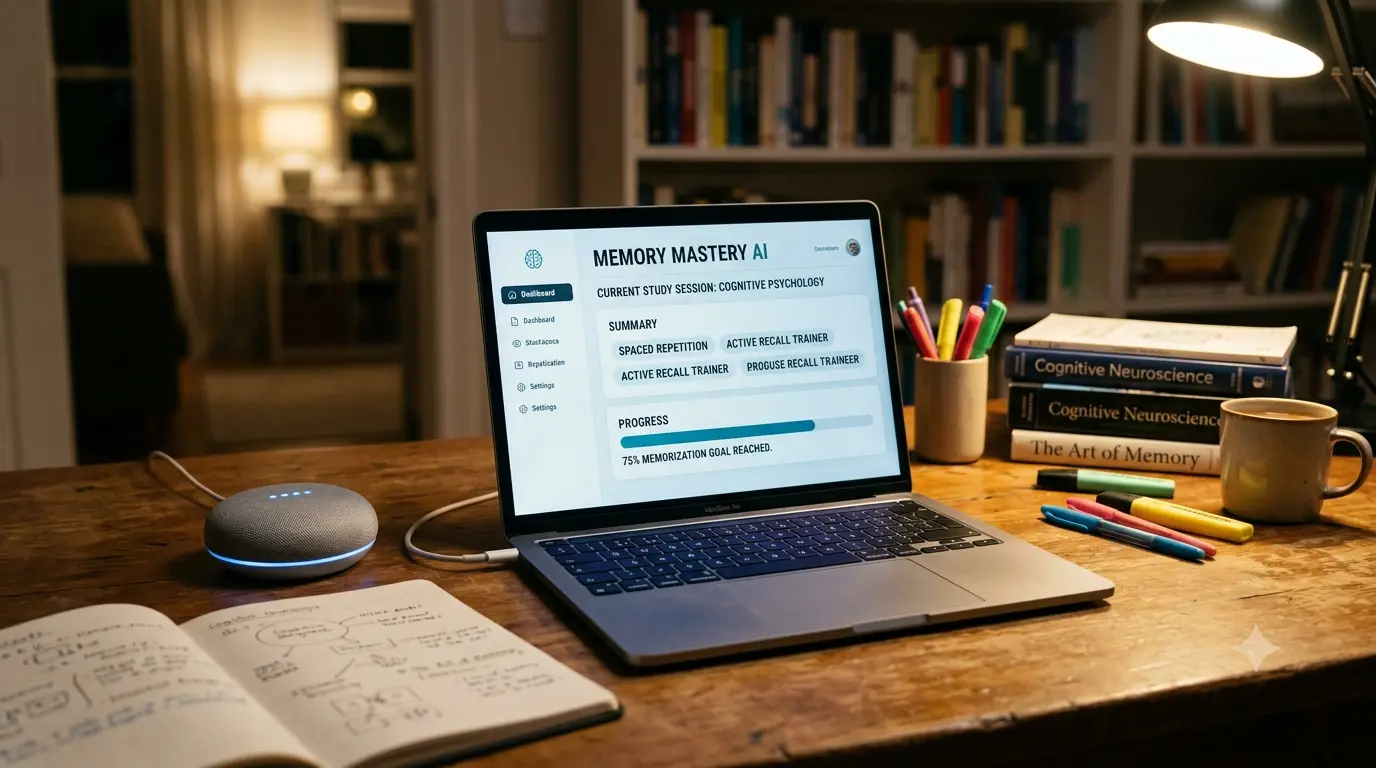
How to Improve Memory While Studying With AI: 7 Proven Methods
Quick Answer
You can genuinely improve memory while studying with AI, but only when you use it to create retrieval practice, explain difficult concepts, generate questions, give feedback, and structure spaced review. The key habit is simple: attempt to recall the answer yourself before asking AI for it. Using AI mainly to summarize chapters or hand you finished answers skips the mental effort that actually makes information stick — and recent research backs this up.

Can AI Actually Help Improve Memory While Studying?
Yes, but the honest answer has two sides, and skipping either one would be misleading.
Where AI genuinely helps: explaining a concept you don’t understand, generating retrieval-practice questions from your notes, testing what you actually remember, pointing out exactly where your reasoning broke down, and building a spaced-review schedule around your weak spots.
Where AI can quietly hurt you: if you use it to summarize a chapter instead of reading and recalling it, or to hand you a finished answer before you’ve tried the problem yourself, you skip the effortful retrieval that memory actually depends on.
This isn’t a hunch. A 2025 randomized controlled trial by researcher André Barcaui assigned 120 undergraduate students to prepare a presentation either with unrestricted ChatGPT access or with traditional research methods only. On a surprise retention test 45 days later, the traditional-study group scored noticeably higher than the AI-assisted group — roughly a 68% average versus 57%, a meaningful gap. The likely explanation is cognitive offloading: when a tool does the thinking for you, your brain never fully encodes the material.
A separate, larger 2026 randomized classroom experiment from Cambridge University Press & Assessment and Microsoft Research reached a complementary conclusion. Across 405 secondary-school students, both handwritten note-taking alone and note-taking combined with an LLM produced better comprehension and retention three days later than using the LLM by itself — even though students said they enjoyed the AI-only sessions more and felt they’d learned more from them. That gap between how much students felt they learned and how much they actually retained is worth sitting with.
Put simply: AI does not automatically improve memory. It improves memory only when it increases how much retrieving, explaining, and correcting you personally do. That single distinction is really the whole question behind how to improve memory while studying with AI — not whether you use it, but what role it plays.
What AI Can Genuinely Help With
- Explaining a difficult concept in simpler language, then adding detail once you’re ready
- Generating original questions from your own notes or textbook
- Quizzing you one question at a time and waiting for your answer
- Diagnosing exactly where your reasoning went wrong, not just marking it “incorrect”
- Structuring a spaced-review schedule so you revisit weak topics before you forget them
- Adapting difficulty as your understanding improves
What AI Should Not Do For You
- Summarize an entire chapter that you then never actually read
- Hand you a finished answer before you’ve made your own attempt
- Write your notes in full sentences you never had to compose yourself
- Solve every practice problem for you instead of checking your own solution
- Replace the moment where you sit and try to recall something without help
Why You Forget What You Study
Before fixing the problem, it helps to know why it happens. Most forgetting isn’t a memory “flaw” — it’s a predictable result of how you studied, not how much.
If you often forget what you studied after a few days, you are not alone. Our guide on AI Tools for Students Who Struggle to Remember Lessons: 7 Powerful Study Hacks for Better Learning in 2026 shares practical AI-powered methods to improve memory retention and recall.
Does This Sound Familiar?
- “I studied yesterday, but I can’t remember anything today.”
- “I understand the chapter while I’m reading it, but I freeze during the exam.”
- “I keep rereading my notes instead of actually testing myself.”
- “AI gives me the answer too quickly, before I’ve even tried.”
If any of these sound like you, you’re not doing anything wrong as a student — you’re running into a well-documented gap between feeling like you know something and actually being able to retrieve it. Closing that gap, and learning how to improve memory while studying with AI instead of around it, is what the rest of this article is built around.
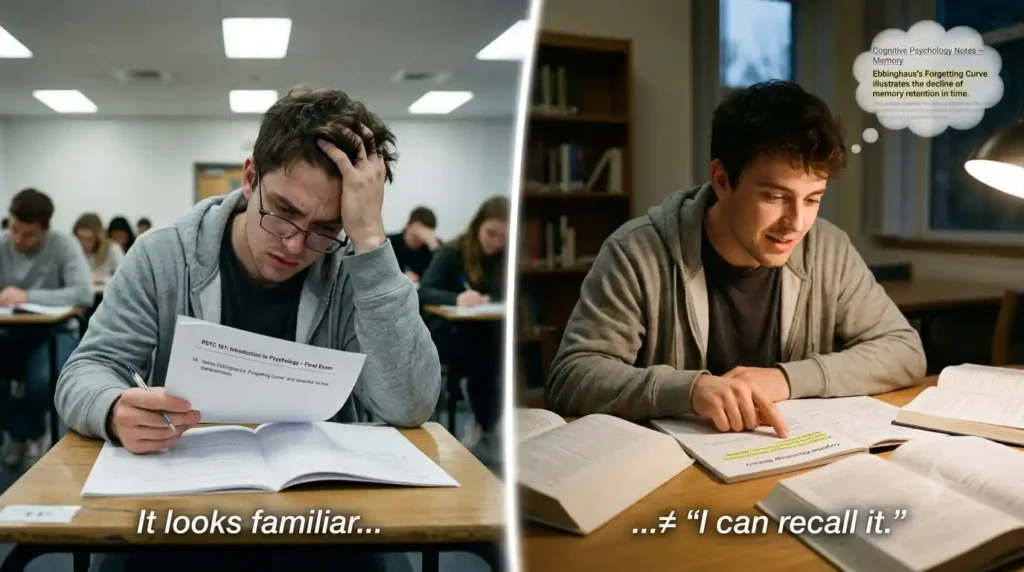
The biggest culprit is passive rereading. Reading your notes a second or third time feels productive because the material starts to look familiar. But recognizing something and being able to recall it unprompted are two very different mental skills, and rereading only trains the first one.
The one memory rule worth remembering: If you can’t retrieve it without looking, you don’t fully know it yet. Recognizing a fact when you see it again (recognition) takes far less mental work than pulling it out of memory unprompted (recall) — which is exactly why a chapter can feel “understood” right up until the exam asks you to produce the answer yourself, with nothing to recognize.
A few other common causes: cramming right before an exam instead of spacing review over days; studying without ever testing yourself; weak connections between new information and things you already understand; and simply not revisiting material once it starts fading from memory — usually within a day or two of first learning it.
The fix for nearly all of these is the same: replace passive review with active retrieval, and space that retrieval out over time. This is also where studying tends to get uncomfortable — recall feels harder than rereading precisely because it’s doing more work. That discomfort is a good sign, not a warning sign. AI’s real value is in making that retrieval easier to set up.
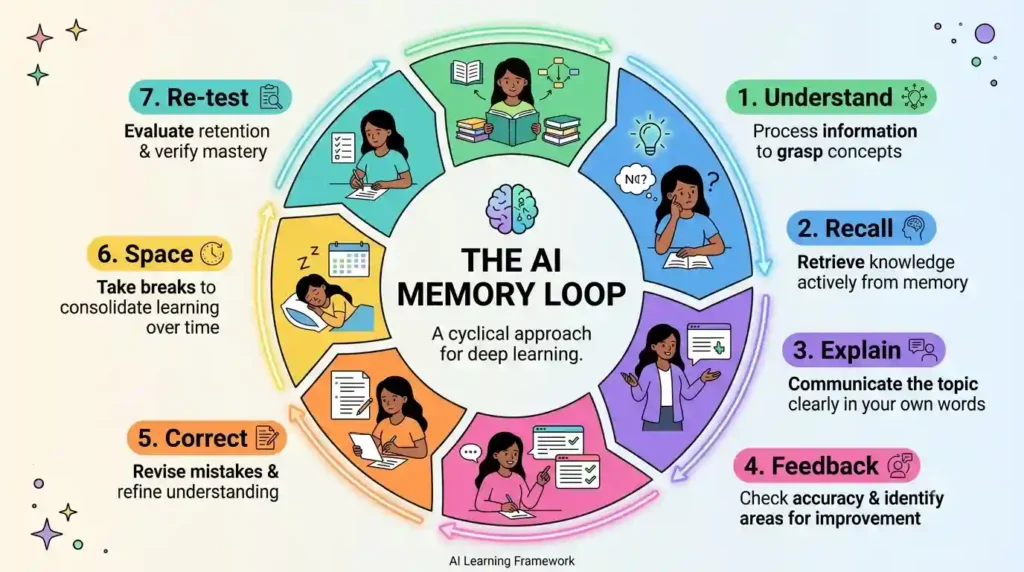
The AI Memory Loop: The Best Way to Use AI for Better Memory
This is the core framework for this entire article — a repeatable sequence that keeps AI in a supporting role instead of doing your thinking for you.
Understand → Recall → Explain → Feedback → Correct → Space → Re-test
1. Understand the Concept
Ask AI to explain the topic in plain language. This is a legitimate, low-risk use of AI — you’re not offloading memory work yet, just building a foundation.
2. Close the Notes
This is the step most students skip, and it’s the one that matters most. Put your notes, textbook, and the AI chat away completely before moving on.
3. Recall From Memory
Without looking at anything, write or say what you remember. It will feel harder and less complete than rereading — that difficulty is the point. Effortful recall is what strengthens memory; effortless rereading barely touches it.
4. Explain What You Remember
Put your recall attempt into full sentences, in your own words, as if you were teaching it to someone else. This step (sometimes called self-explanation) forces you to notice gaps that a simple “yes I remember that” feeling would have hidden.
5. Ask AI to Check Your Explanation
Now bring AI back in — not to give you the answer, but to evaluate what you wrote. A useful prompt: “Here’s my explanation of [topic] from memory. Tell me what’s missing or incorrect, but don’t just give me the full answer — point me toward what I got wrong.”
6. Identify the Knowledge Gap
Be specific about what you missed. “I forgot the whole thing” isn’t useful. “I remembered the steps but mixed up the order of two of them” is something you can actually fix.
7. Re-test Later
Come back to the same material after a delay — a day, then a few days, then a week — and repeat the recall step. This is where spaced repetition (covered next) plugs directly into the loop.
Most students use AI as a simple chatbot, but the real advantage comes from following a complete workflow. Discover our AI study workflow for students and learn how to capture notes, create quizzes, schedule revision, and prepare for exams more effectively.
Do This Today: One Complete Example
Here’s the whole loop applied at once, using a topic almost every student has studied — photosynthesis.
You read the chapter on photosynthesis → close your notes and the AI chat → write down everything you remember about the process, in your own words, without looking → ask AI to check your explanation and point out exactly what’s missing or wrong, not to rewrite it for you → correct only the specific gaps it flags, not the whole thing → tomorrow, close everything again and try to recall the same topic from scratch, this time including the parts you got wrong today.
That’s the entire loop, run once. Pick one topic from what you studied today and try it before you move on to the next section.
How to Use AI for Active Recall
Active recall is the deliberate act of retrieving information from memory instead of rereading it — and it’s consistently one of the most effective study techniques identified in learning-science research. AI is genuinely useful here, if you use it the right way.
Turn your notes into questions. Instead of asking AI to summarize your notes, ask it to generate questions from them. A summary makes you a passive reader; a question makes you retrieve.
Ask AI to quiz you one question at a time. Say explicitly: “Ask me one question, wait for my answer, then tell me if I’m right before moving to the next one.” Without this instruction, many AI tools will dump ten questions and their answers in a single response — which defeats the purpose entirely.
Use open-ended questions before multiple choice. Recognizing a correct answer among four options is a much easier mental task than producing that answer from nothing, and it can create a false sense of “I know this” that falls apart on exam day.
Ask AI to diagnose your mistakes, not just mark them wrong. Instead of “give me the answer,” try: “Tell me specifically where my reasoning broke down, not the full solution.”
Increase difficulty gradually. Move from easy recall questions to moderate application questions to exam-level problems as your confidence grows.
Copy This Prompt: Turn AI Into a Retrieval Coach
If you take only one practical thing from this section, use this prompt as-is in any AI chat:
- “Quiz me on [topic] one question at a time. Don’t reveal the answer until I attempt it. After my answer, identify the exact gap in my reasoning, give me a hint, and only then explain the full answer if I’m still stuck.”

This one instruction does most of the work of active recall for you — it forces the AI to wait for your attempt instead of rushing to help, which is the opposite of what a default AI response usually does.
How to Use AI for Spaced Repetition
Spaced repetition is a review method that revisits information at increasing intervals — reviewing sooner while a memory is fresh, then stretching the gap as it strengthens. It works because each successful retrieval after a delay makes the next one easier and more durable.
AI can act as the organizer for this, even without a dedicated flashcard app.
Build a simple review schedule. A practical starting point, not a rigid scientific formula: Day 0 (learn) → Day 1 → Day 3 → Day 7 → Day 14. Ask AI to remind you what to review on each date, based on what you studied.
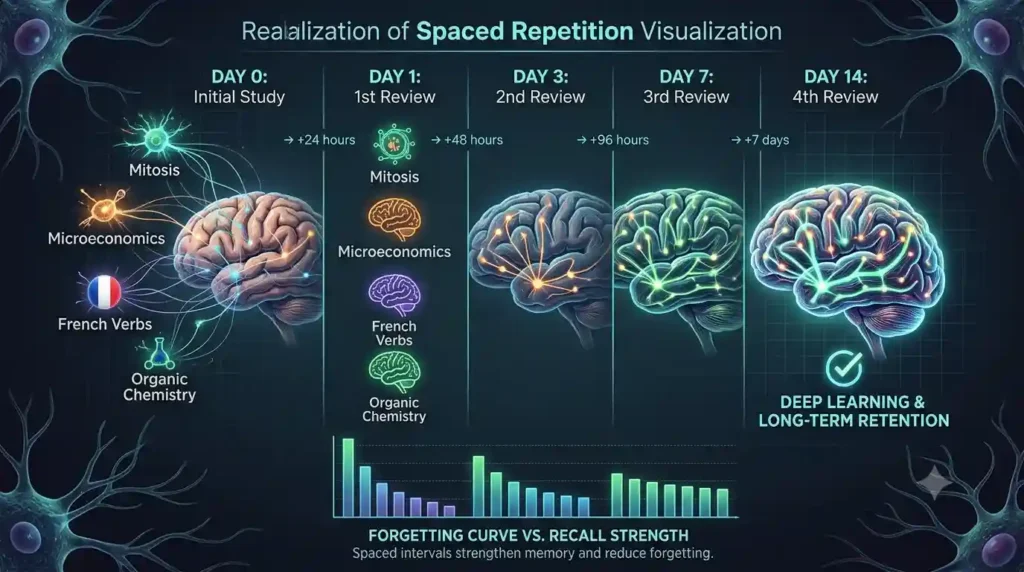
Let your performance change the schedule. If you struggled to recall a topic, review it again sooner — the next day, not next week. If recall was easy, you can safely stretch the interval further out. AI can help you decide this if you tell it honestly how each recall attempt went.
Keep review sessions short and recall-focused. A five-minute recall-and-check session on old material beats a 30-minute reread every time.
Want to study smarter instead of harder? Discover the best AI tools for creating flashcards automatically and generate personalized study cards from PDFs, notes, and lecture slides in seconds.
How to Use AI to Remember Difficult Subjects
Different subjects call for slightly different retrieval strategies. Here’s how the AI Memory Loop adapts by subject area.
For biology and life sciences: Ask AI for cause-and-effect questions about processes (e.g., “what happens if step 3 of this process fails?”) rather than definition-recall. Explain processes aloud from memory before checking a diagram.
For mathematics: Work a problem yourself first, then ask AI to check your steps and identify exactly where an error crept in — not to solve it for you. Ask for a second, structurally similar problem to test whether you understood the method or just memorized one example.
For history and social sciences: Build timelines from memory before verifying them. Ask AI for compare-and-contrast questions between two events or figures, since comparison forces deeper processing than isolated facts.
For language learning: Practice producing sentences and vocabulary from memory, then ask AI to correct and explain the correction — the correction is where the learning happens, not the mistake itself.
For engineering and technical subjects: Explain the underlying assumptions and formulas in your own words before applying them. Ask AI for troubleshooting-style questions (“what would happen if this input were doubled?”) to test real understanding rather than formula recall.
How to Study With AI Without Becoming Dependent on It
This section may be the most useful in the whole article, because dependency is the real risk that undermines everything else here. It’s also where the temptation to peek at the answer is strongest — and where a little discipline pays off the most.
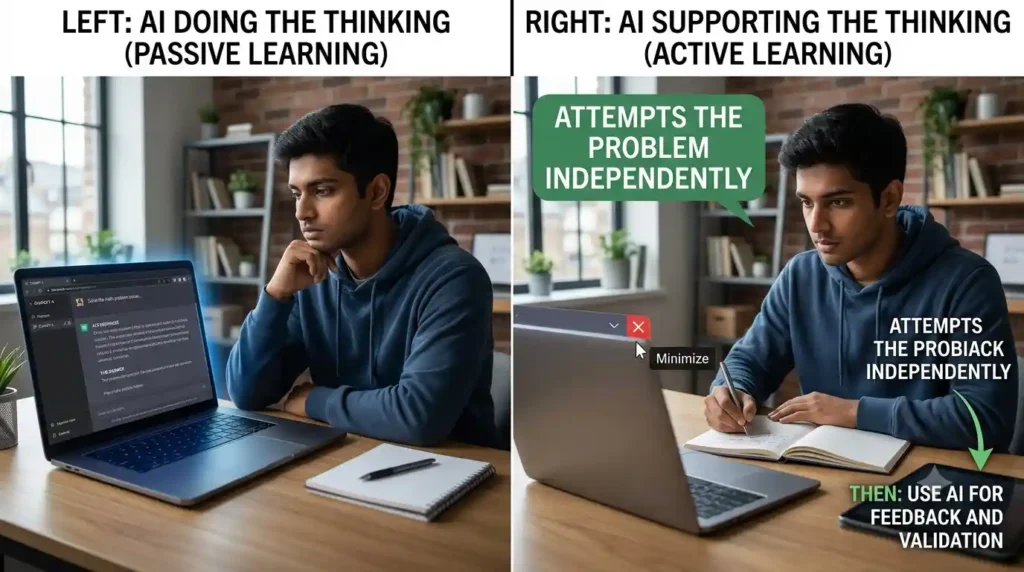
Use the “try first” rule. Attempt every question or problem yourself before opening AI. Even a wrong attempt trains your memory more than reading a correct answer does.
Use the “no answer until I try” rule. Explicitly tell the AI tool: give hints and guiding questions first, and hold back the full answer until you’ve made a genuine attempt.
Hide AI-generated answers while you’re recalling. Physically close the chat window during the recall step of the loop. Seeing the answer nearby, even out of the corner of your eye, undermines effortful retrieval.
Keep a short, human-written recall record. Before checking anything, jot down “what do I actually remember about this?” This tiny habit is what separates studying with AI from studying through AI.
Want to learn the practical ways students are already using AI in everyday learning? Read our complete guide on How Students Use AI to Study Smarter (Without Cheating) and discover 12 proven techniques to improve learning, revision, and exam preparation.
Verify anything important. AI tools can and do make mistakes, including in study contexts. OpenAI’s own documentation for its ChatGPT study-focused features explicitly warns that responses can be inconsistent or wrong and recommends double-checking important information against your course materials — advice worth taking seriously for any AI study tool, not just one brand.
The single decision rule that covers all of this: If using AI removes the mental effort you were supposed to practice at that stage, don’t use AI at that stage. Explaining a concept and organizing scattered material are usually safe to hand over. Recalling, reasoning through a problem, and self-testing usually aren’t — that’s the effort AI should be checking afterward, not doing for you upfront.
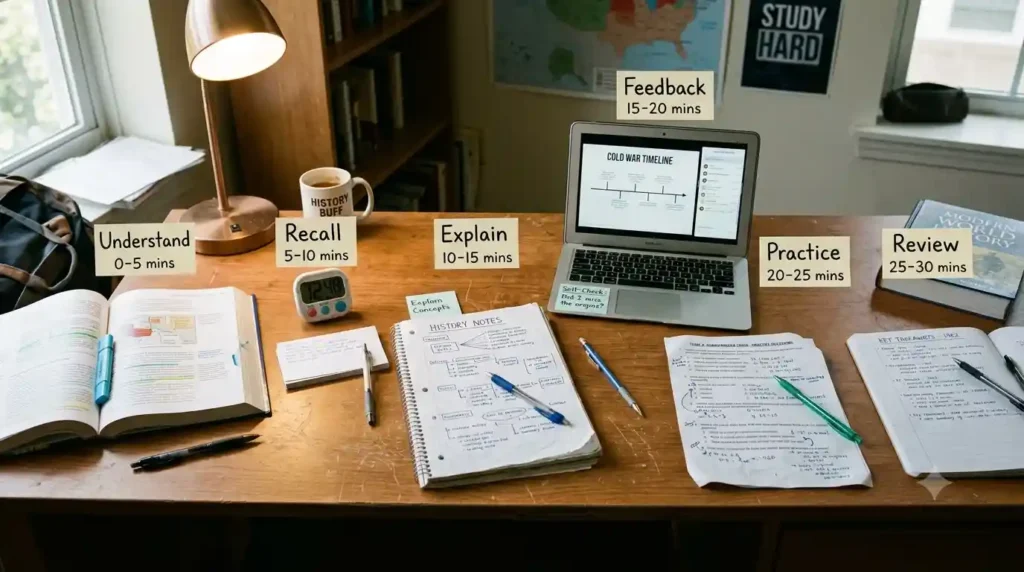
A 30-Minute AI Memory Study Session
Here’s a session structure you can start using today, built directly on the AI Memory Loop — a practical, single-sitting way to improve memory while studying with AI instead of just reading through material once.
Want to study smarter instead of studying longer? Discover how to use AI to improve academic productivity and build a simple study system that helps you stay organized, learn faster, and achieve better results.
- 0–5 minutes — Understand: Ask AI to explain the topic plainly if anything is unclear.
- 5–10 minutes — Recall: Close all materials. Write or say everything you remember, unaided.
- 10–15 minutes — Explain: Turn your recall attempt into full sentences, as if teaching it to someone else.
- 15–20 minutes — Get feedback: Ask AI to identify gaps or errors in your explanation, without giving you the full corrected version outright.
- 20–25 minutes — Targeted practice: Answer 3–5 AI-generated questions focused specifically on what you got wrong.
- 25–30 minutes — Plan the next review: Note the date you’ll revisit this topic and the specific gap you need to close.
The middle ten minutes — recall and feedback — will probably feel like the hardest part of the session. That’s normal. It’s also the part doing most of the actual work.
The Biggest AI Study Mistakes That Hurt Memory
- Asking AI to summarize everything. A summary is something you read, not something you retrieve — it barely touches long-term memory.
- Reading AI answers instead of recalling first. The recall attempt is the part that builds memory; reading the answer alone mostly builds false familiarity.
- Copying AI-generated notes verbatim. Notes you didn’t compose yourself skip the processing that makes note-taking useful in the first place.
- Relying only on multiple-choice questions. Recognition-based questions are easier and can overstate how well you actually know something.
- Never revisiting material after the first pass. Without spaced re-testing, most new information fades within days.
- Trusting AI-generated facts without verification. Especially for dates, formulas, and terminology — check against your course materials.
- Using AI before attempting a problem yourself. This removes the productive struggle that makes the eventual answer memorable.
- Studying longer instead of retrieving better. More hours spent rereading rarely beats fewer, more effortful, retrieval-based minutes.
AI vs Traditional Study Methods: What Should You Combine?
This isn’t an “AI vs. no AI” choice. The better approach is to give each part of learning to whoever does it best.
| Learning task | Let AI help with | Keep this part for yourself |
| Understanding | Explain difficult concepts and clarify confusing points | Think through the explanation instead of simply accepting it |
| Note-taking | Organize scattered information | Rewrite the important ideas in your own words |
| Recall | Ask targeted questions | Answer from memory without looking |
| Problem practice | Generate similar problems at the right difficulty | Solve them independently before checking the answer |
| Feedback | Find gaps, mistakes, or weak areas | Work out what you misunderstood and fix it |
| Revision | Build a spaced-review schedule | Actually return to the material when scheduled |
| Verification | Point you toward sources or explanations | Check important information against your course materials |
The simplest rule
Let AI reduce the friction around learning — not the thinking required for learning.
If AI explains everything, writes all your notes, answers every question, and solves every problem, studying may feel easier while your memory gets less practice.
Use AI to support the process. Keep the cognitive work yours.
Does AI Make Students Remember More or Less?
The honest answer: it depends entirely on how it’s used, and the evidence on this is still developing. Here’s what the research actually shows, broken into what was studied, what was found, and what it means for how you should study.
Study: Barcaui (2025), a randomized controlled trial with 120 undergraduate students.
Finding: Students who used unrestricted ChatGPT to prepare a presentation scored significantly lower on a surprise retention test 45 days later than students who used traditional research methods only — roughly 57% versus 68%.
What students should do: Treat unrestricted, unstructured AI use during initial learning as a retention risk. Add deliberate recall steps around it rather than letting AI carry the work uninterrupted.
Study: Kreijkes et al. (2026), a randomized classroom experiment with 405 secondary-school students (Cambridge University Press & Assessment / Microsoft Research).
Finding: Note-taking alone, and note-taking combined with an LLM, both produced better three-day comprehension and retention than using the LLM alone — even though students preferred the AI-only condition and felt it helped them more.
What students should do: Don’t let an AI chat replace note-taking; use it alongside your own notes, not instead of them. Don’t trust how “helped” a session felt as a sign of how much you actually retained.
Study: Research on AI-generated retrieval questions and feedback, separate from the two trials above.
Finding: Recall accuracy improved specifically when AI was used to generate practice questions and give feedback on attempted answers, rather than to produce finished explanations or summaries.
What students should do: Point AI at the question-and-feedback stage of studying, not the content-delivery stage — that’s where the evidence is most consistently favorable.
The practical conclusion: AI is not an automatic memory booster, and it’s not an automatic memory drain either. The deciding factor is whether it increases the amount of genuine retrieval, explanation, and correction you do — or replaces it.
How to Build Your Own AI Memory System
If you want one takeaway to actually improve memory while studying with AI, it’s this system. Strip everything above down to four repeatable steps:
1. Learn
Understand the concept, using AI to clarify if needed.
2. Recall
Attempt to retrieve it from memory, unaided.
3. Correct
Use AI feedback to identify and close specific gaps.
4. Revisit
Return after a spaced interval and recall it again.
Learn → Recall → Correct → Revisit → Recall again. Repeat for every topic you need to hold onto past exam day.
Which AI Tools Can Actually Help You Remember What You Study?
Understanding the AI Memory Loop is one thing. Running it every day is another — and this is where a dedicated tool can help, if you pick one for the right reason.
Before any tool name, one rule matters more than the rest of this section: the tool is not what improves your memory — the study behavior it creates is. The same AI feature can be used two very different ways.
- Passive workflow: Upload material → get an AI summary → read the summary → close the tab. This barely touches memory.
- Active workflow: Upload material → generate recall questions → close the source → answer from memory → get feedback → revisit later. This is what actually builds retention.
With that distinction in mind, here are five tools worth knowing about if your goal is to genuinely improve memory while studying with AI — organized by the specific problem each one solves, not by which is “best” overall. Pricing and free-tier limits below are checked as of August 2026 and can change, so confirm current details on each tool’s official site before you commit to a paid plan.
If You Forget What You Read:
ReadToRecall
Best for: students who read articles, PDFs, and lecture material but rarely do anything with it afterward.
ReadToRecall is a Chrome-extension tool that turns webpages, YouTube videos, and PDFs into flashcards and quizzes instead of another summary — a workflow that maps closely onto the AI Memory Loop: read, generate recall questions, close the source, test yourself.
- Key features: webpage/YouTube/PDF input, AI-generated flashcards and quizzes, active-recall-oriented workflow
- Free plan: around 10 summaries/month, 3 saved sessions, inputs up to 10,000 characters
- Paid plans: roughly ₹383/month (Standard) and ₹959/month (Pro, which removes the input-length cap)
- Watch out: Chrome-centric, and the free tier is limited if you study from many sources
If most of your study time goes into reading PDFs or watching lecture videos, try it on one topic first — turn that material into a few recall questions, close the source, and see how much you can actually remember.
If You Need Fast Flashcards Without the Manual Work:
Gizmo
Best for: students who avoid making flashcards because building them by hand feels like more work than studying.
Gizmo converts notes, PDFs, YouTube links, and recorded lessons into AI-generated flashcards and quizzes, then layers spaced repetition and a “Memorise” recall mode on top, plus an AI Tutor for concepts you keep missing.
- Key features: AI flashcard generation, spaced repetition, YouTube and PDF import, AI Tutor, progress tracking
- Pricing: presented as a free-access study platform; verify the current checkout page directly, since pricing structures on tools like this can shift
- Watch out: gamified elements (streaks, XP) can distract students who want a stripped-down session
A workflow worth trying: generate cards from one chapter, use Memorise mode without looking back at your notes, and bring in the AI Tutor only for cards you repeatedly get wrong.
If You Want a Real Long-Term Memory System:
RemNote
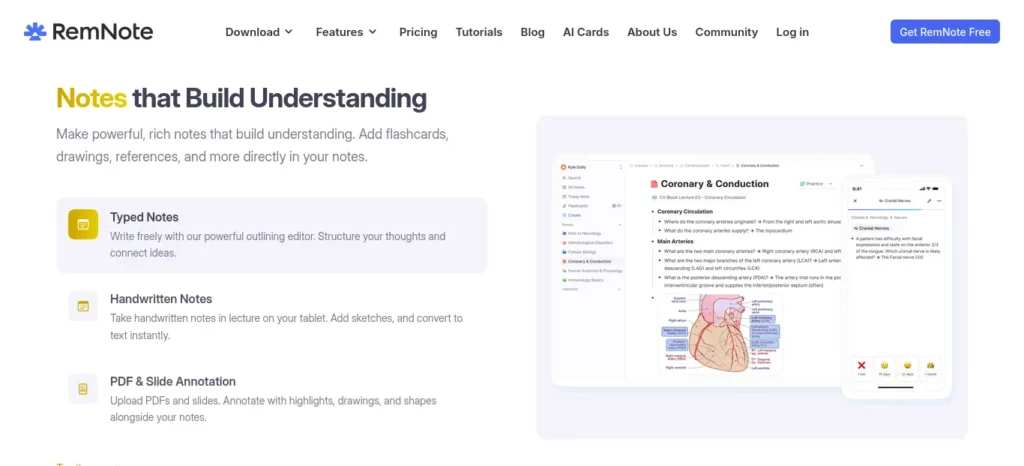
Best for: students preparing for exams weeks or months out, or working through large syllabi — common in engineering, medicine, and multi-semester subjects.
RemNote keeps your notes and AI-generated flashcards inside one system, then uses spaced-repetition scheduling to bring weak topics back before you forget them. It’s the most powerful, and least beginner-simple, tool on this list.
- Key features: notes and flashcards in one place, AI flashcard and quiz generation, AI Tutor, PDF annotation, spaced repetition, exam scheduler
- Free plan: unlimited notes and flashcards, unlimited synced devices, roughly 250 AI credits/month
- Paid plans: around ₹768/month (Pro) and ₹1,728/month (Pro + AI), with a student discount available on Pro
- Watch out: steeper learning curve than a simple flashcard app; can feel like overkill for one small topic
If your exam is weeks away rather than days away, this is worth testing precisely because it treats review as an ongoing schedule instead of a one-time session.
If You Want to Start Free:
Knowt
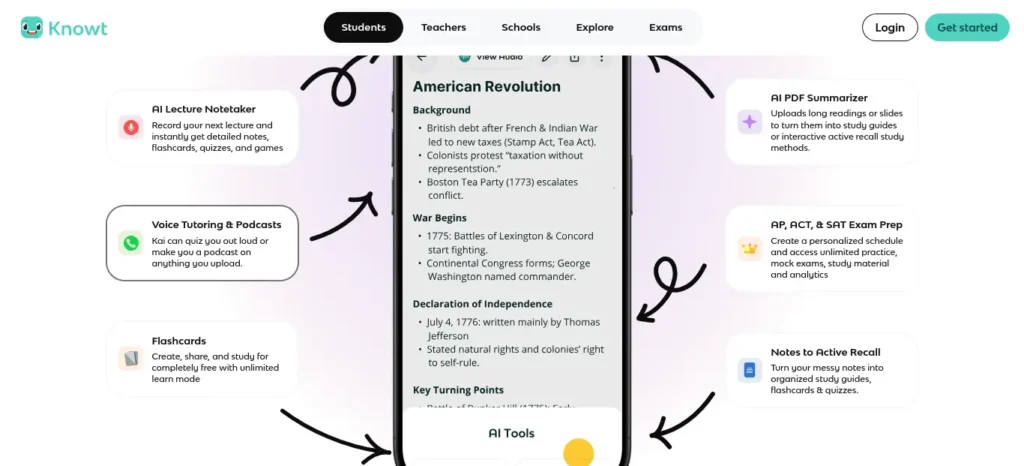
Best for: students who want to try AI-assisted retrieval practice before spending anything.
Knowt combines notes, flashcards, a Learn mode, practice tests, and spaced repetition, with a genuinely usable free tier rather than a stripped-down trial.
- Key features: unlimited flashcards and notes on the free plan, Learn mode, Test mode, spaced repetition, AI summaries and chat on paid tiers
- Free plan: unlimited notes and flashcards, several study modes included, AI usage capped and resets monthly
- Paid plan: around ₹1,199/month billed annually, or ₹2,399/month billed monthly
- Watch out: free plan includes ads, and the monthly (non-annual) paid price is relatively high
Start with one small deck built around your weakest topic before deciding whether the paid AI features are worth it for you.
If You Have a Mountain of PDFs and Lectures:
StudyFetch
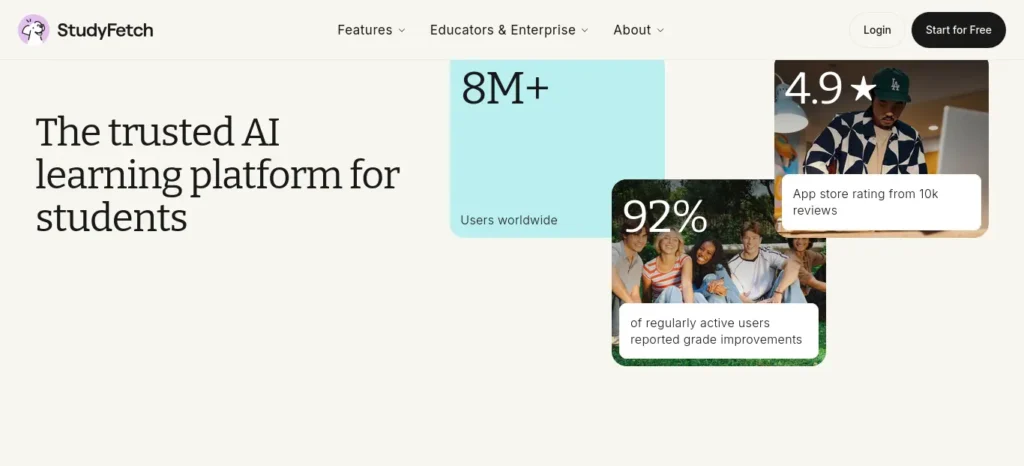
Best for: students drowning in course material — multiple PDFs, slide decks, and recorded lectures for a single subject.
StudyFetch turns uploaded slides, PDFs, recordings, and YouTube links into flashcards, quizzes, practice tests, and an AI tutor that answers questions grounded in your own material, with citations back to the source.
- Key features: broad file support, AI-generated study plans, flashcards, quizzes, practice tests, source-cited AI tutor
- Free plan: available to get started and try core tools; confirm exact limits on the live pricing page
- Watch out: the breadth of features (explainer videos, audio recaps) can encourage passive consumption if you’re not deliberate about choosing recall over watching
Upload one subject rather than your entire semester, start with a practice test, and let the results tell you what actually needs review.
Which Memory Tool Fits Your Study Style?
Don’t choose based on the number of features. Choose based on where your current study process breaks down.
| Your biggest problem | Try first | Why it fits |
| 📖 I read/watch a lot, but forget it later | ReadToRecall | Turns what you just consumed into recall questions and flashcards |
| 📝 I hate making flashcards manually | Gizmo | Creates cards and quizzes from your existing notes or learning material |
| 🧠 I need a system for months of studying | RemNote | Combines notes, flashcards, and spaced repetition into one long-term system |
| 🆓 I want to test AI-powered studying for free | Knowt | Gives you a strong starting point without requiring a paid plan |
| 📚 I have too many PDFs, slides, and lectures | StudyFetch | Turns large amounts of course material into tests, flashcards, and guided study |
A simpler way to decide
One topic → ReadToRecall or Gizmo
One semester → RemNote
Zero budget → Knowt
A mountain of course material → StudyFetch
The important question isn’t “Which tool has the most features?”
It’s “Which tool makes me retrieve what I learned instead of simply consuming it again?”
Stop rereading. Start remembering.
Download the AI Memory Study Checklist and use it every time you study with AI.
Understand → Recall → Explain → Correct → Re-test
Save it. Print it. Use it before your next study session.
Quick AI Memory Checklist for Students
- Did I understand the concept before trying to recall it?
- Did I close my notes and the AI chat before attempting recall?
- Did I try to recall the material without any help first?
- Did I explain it in my own words, not just think “I remember this”?
- Did I identify exactly what I forgot or got wrong?
- Did I correct my understanding based on specific feedback, not just a full answer?
- Did I schedule another recall session for this topic?
- Did I verify anything important against my actual course material?
How Indian Students Can Use AI for Better Memory
A few practical notes for semester exams, engineering and science-heavy subjects, and competitive-exam revision under typical time and data constraints:
- For dense engineering or science syllabi, use the AI Memory Loop per topic rather than per chapter — smaller units are easier to space and re-test.
- If you’re studying from scanned PDFs or lecture slides, ask AI to turn key sections into recall questions rather than summaries, so you’re still doing the retrieval work.
- For bilingual clarification, it’s fine to ask AI to explain a concept in a mix of English and your first language — just make sure the recall and explanation steps still happen in your own words.
- Where study time is limited before an exam, prioritize spaced re-testing of topics you already got wrong once over rereading topics you already know well.
- Whatever AI tool you use, treat it as a study partner for explanation, questioning, and feedback — not as a substitute for your textbook, your instructor, or your own notes.
If you’re an engineering student, don’t waste hours switching between random AI tools—see which AI tools actually fit your engineering branch, from coding and research to calculations and project work.
Frequently Asked Questions
Can AI help improve memory while studying? Yes, when it’s used to generate retrieval questions, explain concepts, and give feedback on your own recall attempts. It’s less helpful, and can even hurt retention, when it’s used mainly to summarize material or hand you finished answers.
How can I use AI to remember what I study? Use the AI Memory Loop: understand the concept with AI’s help, close your notes, recall the material unaided, explain it in your own words, then ask AI to check your explanation and point out specific gaps.
How can AI help with active recall? Ask it to generate questions from your notes and quiz you one question at a time, waiting for your answer before revealing anything. Favor open-ended questions over multiple choice, since recognition is easier than true recall.
Can AI create practice questions for studying? Yes — this is one of its strongest study uses. Give it your notes or textbook chapter and ask for original questions at increasing difficulty, rather than a summary of the content.
How can I use AI for spaced repetition? Ask AI to help you build a review schedule (for example, Day 0, 1, 3, 7, 14) and to remind you which topics are due for re-testing. Adjust the schedule based on how well each recall attempt actually went.
Does AI improve memory retention? Not automatically. Research has found both benefits and risks depending on how AI is used — it tends to help when it increases retrieval and feedback, and tends to hurt when it replaces the thinking and remembering you’d otherwise do yourself.
Can using AI too much hurt learning? Yes. Studies have linked unrestricted AI use during study to weaker delayed retention compared with traditional study methods, likely because offloading the thinking to AI reduces the cognitive effort needed to form durable memories.
How do I study with AI without becoming dependent on it? Attempt every question yourself first, ask AI to give hints before full answers, hide AI answers during recall practice, and verify anything important against your actual course materials.
What is the best study method for long-term memory? Active recall combined with spaced repetition is one of the most consistently supported approaches in learning science. If your goal is specifically to improve memory while studying with AI, its role is to make both of these easier to set up and sustain — generating questions, tracking gaps, scheduling review — not to replace them.
How can I use AI to prepare for exams? Use the AI Memory Loop on each topic in your syllabus, prioritizing spaced re-testing of your weakest areas over rereading material you’ve already mastered, especially in the final week before an exam.
About the Author
Nandhakumar is the creator of FutureFastAI, where he researches, tests, and compares AI tools to help students use technology more effectively. He focuses on practical, student-first guidance — from AI study workflows and productivity tools to understanding the real benefits and limitations of AI.
He also evaluates features, pricing, and free-plan limitations using official sources where possible, with an emphasis on giving students practical advice they can actually use, rather than simply recommending the latest AI tool.
That fits this article particularly well because your content isn’t just “AI can help students.” You’re actually explaining how students should use AI without weakening their own learning and memory.
Editorial Policy
At FutureFastAI, our goal is to provide practical, accurate, and useful guidance on AI tools, study methods, and productivity.
We research information from reliable sources and, where possible, verify important details such as tool features, pricing, limitations, and research findings against official or primary sources. Because AI products and pricing can change quickly, time-sensitive information is reviewed and updated when necessary.
We aim to clearly distinguish between research-backed findings, practical recommendations, and our own analysis. We do not recommend a tool simply because it is popular; we consider how useful it is for the specific problem students are trying to solve.
When an article contains affiliate links or other commercial relationships, we disclose them clearly. Our recommendations are not influenced by whether a product offers an affiliate program.
If you notice outdated, inaccurate, or unclear information, please let us know so we can review and correct it.



One Comment