

How to Build a Daily Learning System Using AI: 7 Powerful Steps (2026 Guide)
Quick Answer
If you’re wondering how to build a daily learning system using AI, the simplest approach is to pick one goal, one AI research tool (like Perplexity or ChatGPT), and one note-taking app (like NotebookLM or Notion). Spend 30–45 minutes a day: 10 minutes planning, 20 minutes learning with AI-assisted research, and 10 minutes reviewing with active recall. Add a weekly review to catch gaps and adjust. The system matters more than the tools.
Spend 30–45 minutes a day: 10 minutes planning, 20 minutes learning with AI-assisted research &
10 minutes reviewing with active recall. Add a weekly review to catch gaps and adjust. The system matters more than the tools.
1-Minute Summary
- Choose one learning goal
- Use one AI research tool
- Use one note-taking tool
- Study for 30–45 minutes
- End with active recall
- Review weekly
Best setup for beginners: ChatGPT + NotebookLM + Anki

Why Most People Fail to Learn Consistently
Imagine a mid range student spending two hours every evening watching tutorials, skimming articles, and copying notes into an app — only to forget most of it by the following week. It’s a familiar pattern for engineering students prepping for exams, professionals switching careers, and competitive exam aspirants juggling coaching classes with self-study.
The problem usually isn’t motivation. It’s that the learning has no structure. Information goes in, nothing brings it back out, and by the time it’s needed, it’s gone.
AI tools get pitched as the fix, and they can help — but only when they’re part of a repeatable process. Used without a system, AI just makes it faster to forget things, because it’s now faster to generate more information than your brain can retain.
This guide walks through a structure that avoids that trap: a repeatable daily framework that uses AI for research, organization, and revision, without making you dependent on it to think.
Here’s an illustrative example (not a real case study): imagine a second-year engineering student named Ravi, juggling three assignment deadlines and a database exam. Every night he opens ChatGPT, copies an explanation, feels like he understands it, and moves on. Two weeks later, revising for the exam, none of it comes back to him — because nothing after that first read ever tested whether it had actually stuck. The fix isn’t a better AI tool. It’s a system that forces the material back out of his head, not just into a notes app.
Want to learn the practical ways students are already using AI in everyday learning? Read our complete guide on How Students Use AI to Study Smarter (Without Cheating) and discover 12 proven techniques to improve learning, revision, and exam preparation.
What Is an AI Learning System?
An AI learning system is a repeatable daily process where AI tools handle specific jobs — research, summarization, organization, and testing — while you stay responsible for understanding, decision-making, and recall.
It’s different from “using AI to study,” which usually means opening ChatGPT when you’re stuck. A system means:
Think of it as a small production line: research in, understanding out, with checkpoints in between.
The Learning Science Behind It
The framework in this guide leans on a few established ideas from cognitive science, not just productivity trends:
- Active recall — testing yourself, rather than re-reading — produces stronger memory traces than passive review. This is why Step 5 (below) has AI quiz you instead of summarizing for you.
- Spaced repetition — reviewing material at increasing intervals, right before you’d naturally forget it — is what moves facts from short-term to long-term memory. This is Step 6.
- Cognitive load — your working memory can only hold so much new information at once. Structured notes and one-subtopic-at-a-time research (rather than dumping an entire textbook chapter into a chat) keep load manageable.
- Bloom’s Taxonomy — a framework for depth of understanding, from simply recalling a fact up to applying, analyzing, and evaluating it. AI-generated quizzes are most useful when they push past simple recall questions into “why” and “what if” questions.
- Personal Knowledge Management (PKM) — the practice of organizing what you learn into a connected, searchable system over time, rather than isolated notes you never revisit. This is the job your notebook tool (Step 4) does.
None of this is new. What’s new is that AI tools can now generate the practice questions, spaced-review prompts, and structured summaries that used to take real effort to create by hand.
Key Takeaways
- AI should organize learning, not replace thinking
- Active recall and spaced repetition are the science underneath the system
- A notebook tool (PKM) is what turns scattered notes into something reviewable over time

Benefits of an AI-Powered Daily Learning System
- Less time wasted deciding what to study. A fixed daily structure removes the “where do I even start” moment.
- Better retention. Active recall and spaced repetition — paired with AI-generated practice questions — fight the natural forgetting curve.
- Lower research time. Tools like Perplexity and NotebookLM cut down the time spent hunting for explanations across scattered sources.
- Works around a busy schedule. A 30–45 minute daily block is realistic for students juggling classes, and for professionals learning after work.
- Scales with you. The same framework works for cracking a competitive exam syllabus, picking up a new programming language, or building general AI literacy for a job switch.
None of this replaces thinking. AI can summarize a topic in seconds, but only you can decide if that summary actually makes sense, or notice when it’s subtly wrong.
Want to study smarter instead of studying longer? Discover how to use AI to improve academic productivity and build a simple study system that helps you stay organized, learn faster, and achieve better results.
Key Takeaways(important)
- An AI-powered system saves research time and improves retention — but only with a review step built in
- The daily time investment (30–45 min) is realistic for busy students and working professionals
- The same framework scales from exam prep to career-switch upskilling
Reality Check If you skip the review step, AI will make you feel productive without improving your memory. Understanding is not the same thing as recognition. The real test is whether you can explain the concept tomorrow without opening an AI tool.

The 7-Step LEARN AI Framework
This is the core framework for the rest of this guide. It’s built around five pillars — Learn, Explore, Apply, Review, Next improvement — broken into seven concrete daily and weekly actions.
7 Steps to Build a Daily Learning System Using AI:
- Set a specific learning goal
- Build a two-tool AI kit
- Research the topic with AI
- Take structured notes
- Practice active recall
- Review with spaced repetition
- Reflect and adjust weekly
Step 1: Set a Specific Learning Goal
“Learn Python” is too vague for a daily system to attach to. “Understand Python loops and write three practice programs by Friday” is something a plan can actually be built around.
Write the goal down somewhere your AI tools can see it — a pinned note in Notion, a running Claude project, or the top of a NotebookLM notebook. Specific goals also make AI research more useful, because a focused prompt returns a focused answer.
Try this prompt: “I want to understand Python for-loops well enough to write my own by Friday. Break this into 3 daily sub-goals for someone who already knows variables and if-statements.”
Try This Today (5 Minutes)
- Open ChatGPT.
- Type: “Teach me [your topic] in 5 minutes.”
- Read the explanation.
- Close the chat.
- Write three things you remember from memory.
If you can recall all three, the learning process has already started working.
Most students create a weekly plan but still waste hours because their daily study timetable isn’t optimized. Discover AI Tools for Creating a Study Timetable Automatically: 9 Powerful and Smart Solutions for Students in 2026 to build a smarter schedule that actually works.
Step 2: Build a Two-Tool AI Kit
Resist the urge to install every AI app you’ve heard of. Two tools, used consistently, beat five tools used randomly:
- One research/chat tool — ChatGPT, Claude, or Perplexity — for explanations, examples, and answering “why does this work.”
- One notebook/organization tool — NotebookLM, Notion, or Obsidian — for turning scattered research into something reviewable.
The comparison cards later in this guide help you pick based on budget and habits, not hype.
If you are looking for free AI resources, do not miss Best AI Tools for Students Free in 2026: 10 Powerful Picks to Study Faster and Smarter, which features some of the most useful no-cost tools available for students.
Step 3: Research the Topic With AI
This is the “Explore” step. Use your research tool to get a plain-language explanation before jumping into original sources — then verify against at least one primary source (official docs, a textbook, a professor’s notes) so you’re not building understanding entirely on a single AI’s phrasing.
Try this prompt: “Explain [topic] the way you’d explain it to a first-year student who has never seen it before. Use one real-world analogy, then show one worked example.”
Before you start writing your assignment, it’s important to know how to use AI for college research projects effectively. A strong research process helps you find credible sources, organize ideas, and avoid common mistakes that can lower your grades.
Step 4: Take Structured Notes
Feed your research into your notebook tool the same way, every day. NotebookLM is built for this: drop in your sources, and it can generate summaries, FAQs, and audio overviews grounded only in what you gave it — which matters, because it won’t casually mix in outside information.
Keep notes in a consistent format: one heading per subtopic, a two-line summary, and one open question you still have. That open question becomes tomorrow’s starting point.
Creating good revision notes is one of the biggest time-savers during exam preparation. Learn how to create smart revision notes with AI and turn textbooks, PDFs, and class notes into structured, exam-ready study material in minutes.
Step 5: Practice Active Recall
Active recall — testing yourself instead of re-reading — is one of the most well-supported techniques in learning science, and it’s exactly what most self-study skips. Ask your AI tool to quiz you instead of summarizing for you.
Try this prompt: “Based on what I just learned about [topic], ask me 5 questions one at a time. Don’t give the answer until I respond. Tell me what I got wrong and why.”
Struggling to remember what you studied? After improving your focus, the next step is turning your notes into interactive quizzes. Learn how to create practice tests from notes using AI to revise smarter, test yourself faster, and boost exam confidence.
Step 6: Review With Spaced Repetition
Spaced repetition — reviewing material at increasing intervals — is what actually moves information from short-term to long-term memory. Anki remains the standard free tool for this; it’s open-source, has no daily limits, and its algorithm is built specifically around spacing reviews.
You can use AI to generate the flashcards (have ChatGPT or Claude draft question-answer pairs from your notes), then let Anki handle the scheduling. This is the “AI generates, dedicated tool executes” split that tends to work best.
If keeping notes and flashcards in two separate apps is the actual reason this step keeps getting skipped, RemNote (covered in the tools section below) merges Step 4 and Step 6 into one app — worth a look if tool-switching is your specific friction point.
Want to study smarter instead of harder? Discover the best AI tools for creating flashcards automatically and generate personalized study cards from PDFs, notes, and lecture slides in seconds
Step 7: Reflect and Adjust Weekly
Every Sunday (or your equivalent), spend 15 minutes reviewing the week: What stuck? What didn’t? Where did you skip the daily block?
Try this prompt: “Here are my notes from this week: [paste notes]. What are the 3 weakest areas based on how thin or vague these notes are? Suggest what to prioritize next week.”
This step is the difference between a system that improves over time and one that quietly decays after week two.
Most students use AI as a simple chatbot, but the real advantage comes from following a complete workflow. Discover our AI study workflow for students and learn how to capture notes, create quizzes, schedule revision, and prepare for exams more effectively.
Best AI Tools for Daily Learning
No single tool covers research, notes, and revision equally well. Below is an honest breakdown of the main options in each category, verified as of July 2026. USD-to-INR figures use an approximate rate of ₹96/USD unless an official India price is stated.
AI Chat & Research Tools
ChatGPT
Best For: All-round research, explanations, and quick Q&A across almost any subject.
Strengths:
- chatgptFree plan gives access to GPT-5.5 with limited daily messages and limited Deep Research
- chatgptPlus ($20/mo, ≈₹1,920) unlocks the GPT-5.6 model family and expanded Deep Research — see OpenAI’s Help Center for current plan details
- Huge ecosystem of study-specific prompts and guides online
Watch Out:
- Free and the new Go tier ($8/mo, ≈₹768) now show ads in some regions since February 2026
- Deep Research on Plus is capped at roughly 10 runs a month — heavy researchers will hit this
Claude
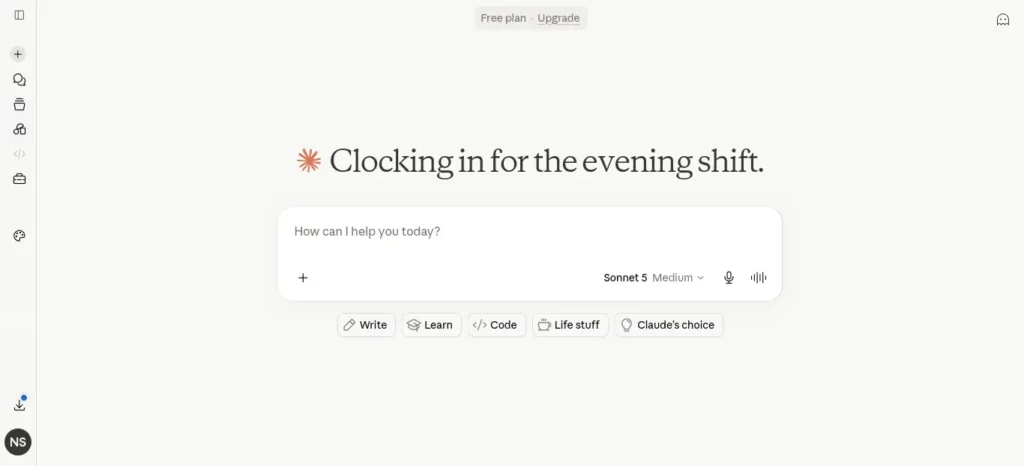
Best For: Long study sessions, working through dense material, and writing/organizing notes in one place.
Strengths:
- Free plan runs on Claude Sonnet 5 with no ads
- India-specific INR pricing launched July 2026: Pro at ₹2,000/month (annual) or ₹2,399/month (monthly), GST included — full details on Anthropic’s official pricing page
- Strong at holding long documents and messy notes in a single conversation without losing thread
Watch Out:
- Free tier usage resets on a rolling 5-hour session window, which can feel restrictive during a heavy study day
- No standing student discount beyond occasional promotions
Perplexity
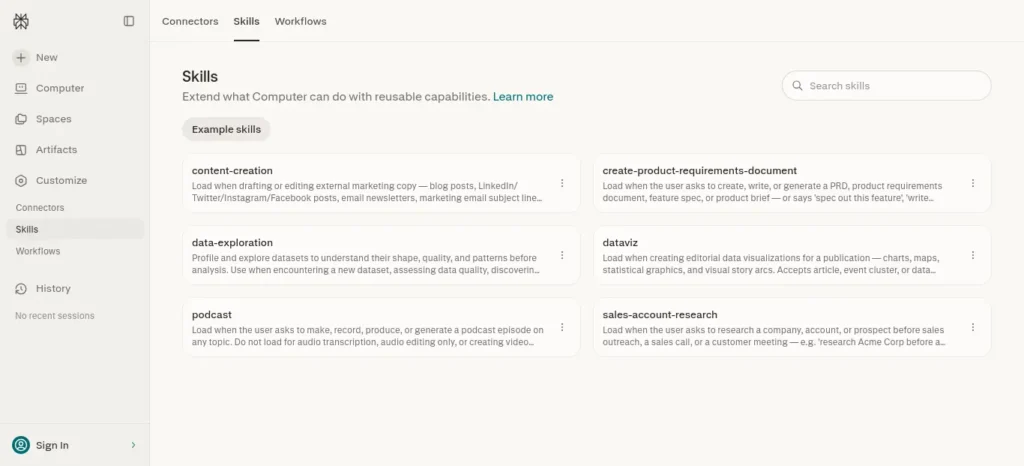
Best For: Fast, cited answers when you need to double-check a fact or find a source quickly.
Strengths:
- Free plan gives unlimited basic search with source citations
- Education Pro is $10/month (≈₹960) for verified students — half the price of standard Pro (see Perplexity’s pricing page for current terms)
- Every answer comes with clickable citations, useful for verifying AI output instead of trusting it blindly
Watch Out:
- Free plan caps the more capable “Pro search” mode to a handful of uses per day
- Better for lookup-style research than deep, structured tutoring
Google Gemini
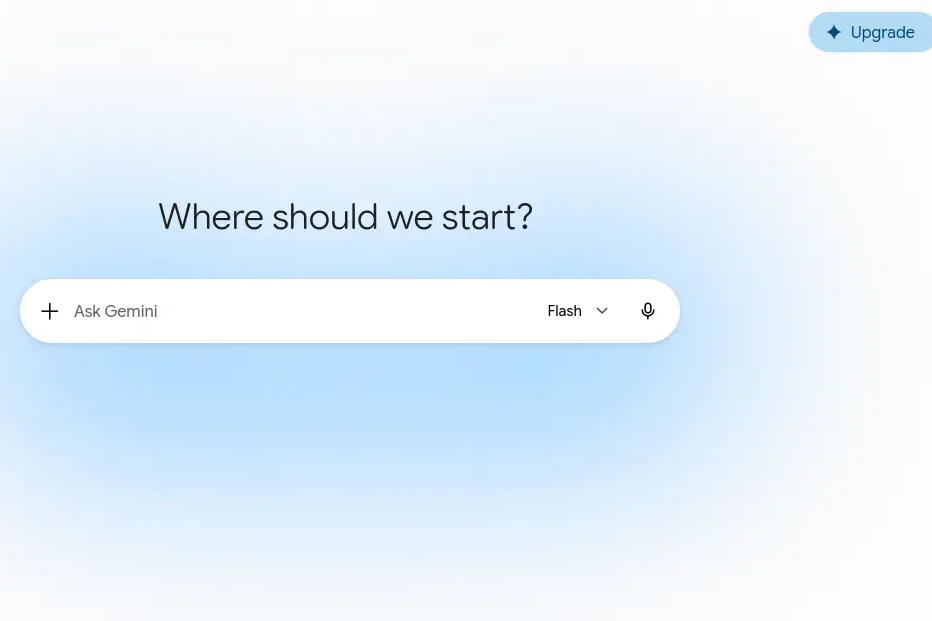
Best For: Students already living inside Gmail, Docs, and Google Classroom.
Strengths:
- Free tier is generous for everyday questions and multimodal input
- AI Pro tier is $19.99/month (≈₹1,919) with a 1M-token context window — check current tiers at Google’s official AI plans page
- Deeply integrated with Google Workspace tools many Indian colleges already use
Watch Out:
- The most capable model access was tightened on the free tier in April 2026
- Subscription naming has changed twice in 2026 (Advanced → AI Pro), which makes older guides unreliable — always check the current plan names before subscribing
Notebook & Organization Tools
NotebookLM
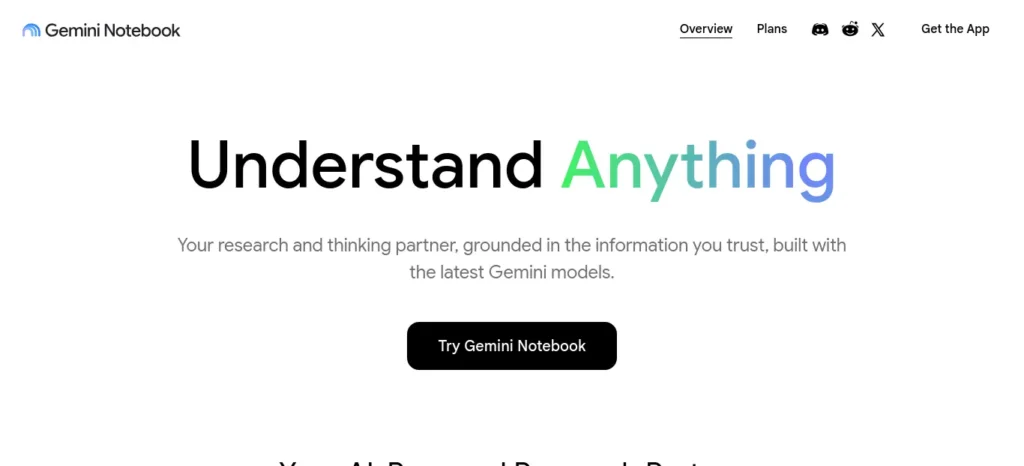
Best For: Turning a stack of PDFs, slides, or articles into summaries, quizzes, and audio recaps grounded only in your own sources.
Strengths:
- Free plan: 100 notebooks, 50 sources per notebook, 50 chats a day, audio and video overviews included, no time limit
- Answers are grounded in the sources you upload, not the open web — useful for reducing hallucinated facts
- Pro tier bundles into Google AI Pro at $19.99/month (≈₹1,919) with 300 sources per notebook and expanded Deep Research
Watch Out:
- No offline mode; files are processed on Google’s servers, so avoid uploading anything confidential
- Every source is capped at 500,000 words or 200MB, regardless of plan
Notion
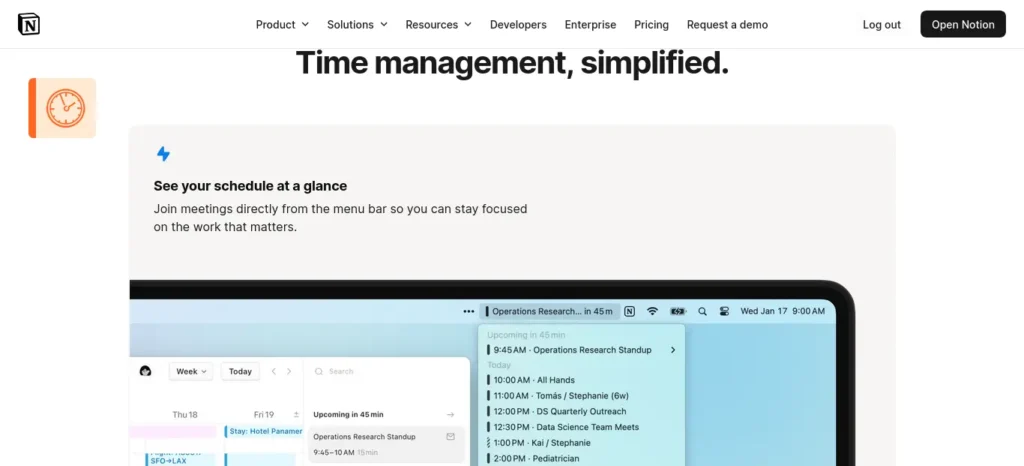
Best For: Students who want one workspace for notes, schedules, and a study tracker in the same place.
Strengths:
- Free plan is genuinely usable for solo students: unlimited pages, 10 guest collaborators, no time limit
- Plus plan is ₹768–960/month (~$8–10) if you outgrow the free tier’s file-size limits
- Doubles as a habit tracker and weekly review dashboard (see the sample schedule below)
Watch Out:
- Full Notion AI (agents, Ask Notion) now requires the Business plan at $20/user/month — the free and Plus tiers only get basic AI writing help
- No meaningful offline mode, unlike Obsidian
Obsidian
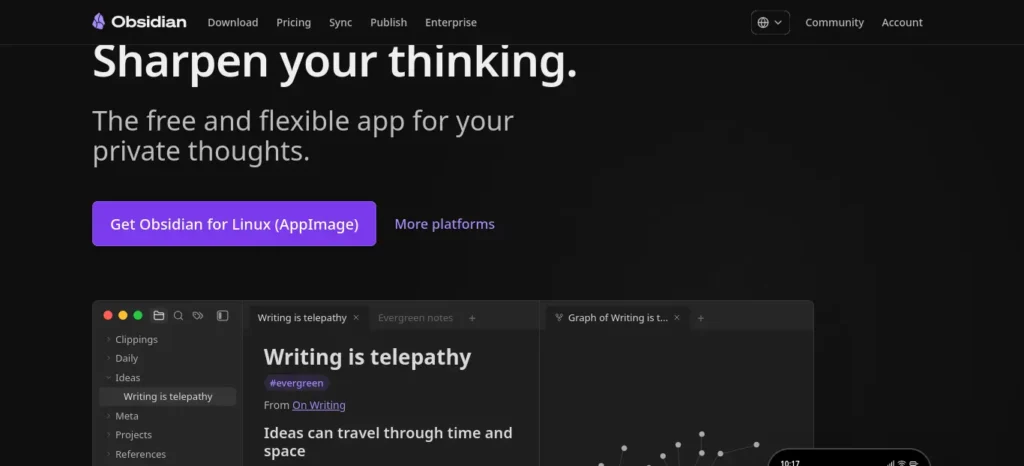
Best For: Students who want their notes stored locally, not on someone else’s server, and who like linking ideas together.
Strengths:
- Free for personal use, with no feature paywall — the core app is not a trial
- Notes are stored as local Markdown files, so you’re never locked into one company’s platform
- Optional Sync add-on (~$4/month, ≈₹384) if you want notes synced across devices
Watch Out:
- No built-in AI — you pair it with ChatGPT, Claude, or Gemini manually via copy-paste or a plugin
- Steeper learning curve than Notion for a first-time user
RemNote — The Emerging Hybrid Worth Knowing About
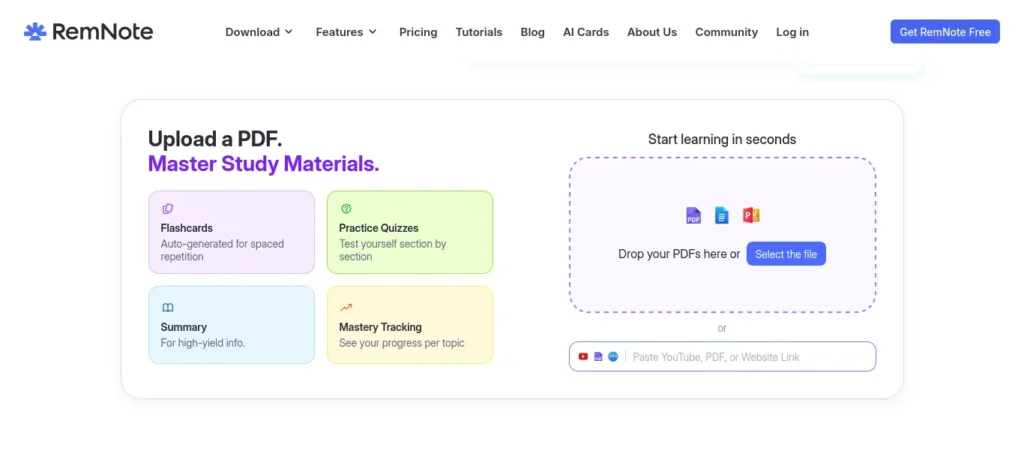
Every notebook tool above solves Step 4 (notes). None of them natively solve Step 6 (spaced repetition) — you’re expected to pair them with Anki separately. RemNote is the one tool in this space that closes that gap: notes and flashcards live in the same system, and highlighting a line inside a note can turn it into a spaced-repetition card on the spot. It’s actively maintained, has a large student user base, and solves a real friction point this guide flags directly in Common Mistakes below (tool-hopping between a notes app and a flashcard app).
Best For: Students who want note-taking and spaced-repetition review merged into one workflow, instead of copying notes into Anki separately — medical, language-learning, and exam-heavy syllabi benefit most.
Strengths:
- Free plan covers unlimited notes and flashcards, with limited PDF annotation (3 documents) and image occlusion (5 images) — enough to try the workflow properly
- Rems (RemNote’s note blocks) can be converted into spaced-repetition flashcards inline, without leaving the note
- AI features (flashcard/quiz generation from notes, PDFs, or slides) are built in, with a paid Pro+AI tier at $18/month for heavier use — see RemNote’s official pricing page for current tiers
Watch Out:
- Steeper setup time than Notion or Obsidian — it rewards students willing to build a structured system, not casual note-takers
- Free plan’s AI credits and PDF limits are tight; heavy users will hit the Pro tier ($6–10/month depending on billing and student discount) faster than with NotebookLM
When to choose RemNote instead of Notion + Anki: if the friction of maintaining two separate apps is the actual reason your review step keeps getting skipped, RemNote’s merged workflow is worth the learning curve. If you’re already comfortable running Notion and Anki side by side, there’s no need to switch.
Preparing for semester exams? Don’t miss our detailed guide on the best AI tools for students that can help you summarize notes, create flashcards, solve doubts, and revise faster before exams.
Which AI Tool Fits Your Situation?
A quick decision path if you don’t want to read every card above:
- If your priority is deep, cited research → start with Perplexity. Its citations make it easiest to verify what it tells you.
- If your priority is working through long, messy material (a full chapter, a set of lecture slides) → start with Claude or NotebookLM.
- If your priority is staying inside tools your college already uses → start with Gemini, since it’s built into Google Workspace.
- If your priority is the widest general-purpose usefulness → start with ChatGPT, since it has the largest ecosystem of guides and prompt examples.
- If your priority is owning your notes long-term, with no lock-in → pair any of the above with Obsidian instead of Notion.
- If your priority is one app instead of two for notes + review → start with RemNote instead of a Notion-plus-Anki combo.
There’s no wrong first choice here — the framework in this guide works with any of them. The point of this decision path is to stop you from spending an evening comparing tools instead of starting.
Quick Match: Goal → Tool
- Fast fact-checking → Perplexity
- Deep explanations → Claude
- General-purpose studying → ChatGPT
- Organizing PDFs & notes → NotebookLM
- Long-term note ownership → Obsidian
- Notes + spaced repetition in one app → RemNote
Free vs. Premium: What Actually Matters for Students
For nearly every persona this guide is written for — first-year students, budget-conscious learners, exam-pressured aspirants — the free tiers of ChatGPT, Claude, Perplexity, and NotebookLM are enough to run the full 7-step framework. The daily research and note-taking steps don’t need a paid plan.
Upgrade triggers worth knowing:
- You’re hitting Perplexity’s or Gemini’s daily Pro-search cap most days
- You need NotebookLM’s 300-source limit because you’re compiling an entire semester’s material into one notebook
- You want Claude’s or ChatGPT’s longer session limits for multi-hour exam-prep marathons
Start free. Upgrade only when you can point to the specific limit you’re hitting — not because a plan looks appealing.
Key Takeaways
- No single tool covers research, notes, and review equally well — pick one per job
- Free tiers cover the full 7-step framework for almost every student persona
- RemNote is worth a look specifically if app-switching is the reason your review step keeps slipping
Sample Daily Schedule (30–45 Minutes)
- 0–5 min — Plan: Open your goal note. Confirm today’s sub-goal from Step 1.
- 5–10 min — Explore: Ask your research tool (ChatGPT, Claude, or Perplexity) for a plain-language explanation and one example.
- 10–25 min — Apply: Work through the concept yourself — solve a problem, write a paragraph, or explain it out loud. Feed unclear parts back to the AI tool for a second explanation, phrased differently.
- 25–35 min — Note: Log a structured note in NotebookLM, Notion, or Obsidian: heading, two-line summary, one open question.
- 35–45 min — Recall: Either self-quiz using Step 5’s prompt, or review 10–15 Anki cards if you’ve built up a deck.
On weekends, swap the last 15 minutes for the weekly reflection prompt from Step 7.
What this looks like in real life: A student preparing for a database exam might spend 5 minutes defining the goal (“Understand normalization”), 15 minutes asking AI for examples, 10 minutes solving one question on paper, and 5 minutes creating two Anki cards. The important part is that the paper-solving happens before asking AI for the final answer.
Want to finish your study sessions faster without losing quality? Then explore How to Use AI to Study Faster: 7 Powerful Methods to Save 2 Hours Every Day in 2026 and discover smart workflows that help productive students save time every day.
Common Mistakes to Avoid
- Tool-hopping instead of tool-mastering. Switching AI apps every week resets your prompt habits and workflow each time. Pick two tools and commit for at least a month.
- Copying AI answers into notes without processing them. If you can’t explain a note in your own words, it isn’t learned — it’s just stored.
- Skipping the review step. Research without review is the single biggest reason AI-assisted learning feels productive but doesn’t stick.
- Treating AI as always correct. All of these tools can state something confidently and be wrong. Cross-check anything you’ll be tested on or rely on professionally.
- No weekly reflection. Daily systems drift without a checkpoint. Fifteen minutes on Sunday keeps the whole thing honest.
Finding the right AI tools is only part of the equation. If distractions keep interrupting your study sessions, don’t miss our guide on AI Tools for Distracted Students, where you’ll discover powerful AI apps that block distractions, improve concentration, and help you stay focused for longer study sessions.
Key Takeaways
- Most “AI didn’t help me learn” complaints trace back to a skipped review step, not a bad tool
- Two tools used consistently beat five tools used randomly
- AI confidence isn’t accuracy — cross-check anything you’ll be tested on
Advanced Tips
- Use the Feynman Technique with AI as your student. Explain a concept to ChatGPT or Claude as if it doesn’t know the topic, then ask it to point out where your explanation was unclear or incomplete.
- Build a prompt library. Save your best-performing prompts (like the ones in this guide) in a Notion or Obsidian note so you’re not rewriting them daily.
- Batch your AI research once a week for dense subjects. For subjects with a lot of overlapping theory, doing one longer Perplexity or NotebookLM research session on Sunday can be more efficient than daily fragmented lookups.
- Track a simple streak, not a perfect one. A learning habit that survives a missed day is more durable than one that demands perfection.
Want to move beyond simple AI answers? Learn how to use ChatGPT as a personal learning assistant to create study plans, generate quizzes, and master new skills faster.
Key Takeaways ( use this method )
- The Feynman Technique works especially well with AI playing the confused student
- A saved prompt library removes daily friction
- Streaks that tolerate a missed day last longer than ones that demand perfection
Beyond the Tools: What Actually Supports Learning(important)
AI tools sit on top of a foundation that has nothing to do with apps. Skipping this foundation is a common reason a well-designed AI workflow still doesn’t produce results:
- Sleep and memory. Memory consolidation — the process that turns a day’s learning into something you can recall next week — happens largely during sleep. Cramming late at night with an AI chat open can feel productive while actively working against retention.
- Deep work sessions. The 10–25 minute “Apply” block in the daily schedule below works best with your phone in another room. Switching between a chat tab and social media mid-session breaks the concentration active recall depends on.
- Habit stacking. Attach the daily learning block to something you already do without thinking — right after breakfast, right after your last class, right before you check your phone in the evening. A habit anchored to an existing routine survives busier weeks better than one that needs its own reminder.
- Reflection journals. The weekly reflection in Step 7 works even better as a running log — three lines a week, in the same note, so you can see your own progress instead of relying on memory of how the month went.
- Goal setting. Revisit Step 1’s goal every two weeks. Goals that never get updated tend to quietly stop matching what you’re actually studying.
None of this requires a subscription. It’s also the part most AI-tool roundups skip entirely, which is exactly why systems built only around apps tend to fall apart by week three.
Want to study smarter instead of studying longer? Discover how to use AI to improve academic productivity and build a simple study system that helps you stay organized, learn faster, and achieve better results.
Daily & Weekly Checklist
Save or screenshot this — it’s meant to be the part of this guide you actually come back to.
Daily (30–45 min):
- [ ] Confirm today’s sub-goal
- [ ] Research one concept with your AI tool of choice
- [ ] Apply it yourself (solve, write, or explain out loud)
- [ ] Log a structured note (heading, summary, open question)
- [ ] Self-quiz or review flashcards
Weekly:
- [ ] Run the Step 7 reflection prompt
- [ ] Turn this week’s weakest notes into new flashcards
- [ ] Adjust one thing about the system based on what didn’t work
- [ ] Update your Step 1 goal if it’s drifted
Monthly:
- [ ] Review your full flashcard deck for stale or duplicate cards
- [ ] Reassess whether your free-tier tools still fit, or whether you’ve hit a genuine upgrade trigger
- [ ] Do one full study session with zero AI tools open, to test real recall
How to Avoid AI Dependency(important)
The goal of this system is to make your thinking faster, not to replace it. A few guardrails:
- Always attempt a problem yourself before asking AI for the answer — even a wrong attempt gives you something to compare against.
- Use AI to check your reasoning, not to generate your reasoning.
- Periodically test yourself with no AI tools open at all — offline recall is the real test of whether something was learned.
India-Specific Advice
Data costs and budget matter more here than in most guides written for a global audience. A few things worth knowing:
- You can run this entire framework for free. ChatGPT, Claude, Perplexity, NotebookLM, Notion, Obsidian, RemNote, and Anki all have functional no-cost tiers that cover every step above.
- Claude’s INR pricing (launched July 2026) removes the foreign-transaction markup that used to hit Indian cards paying in USD — worth knowing if you do decide to upgrade.
- Perplexity’s Education Pro plan ($10/month, ≈₹960) is one of the cheaper verified-student upgrades if you’re already comparing GPT, Claude, and Gemini outputs regularly.
- Prefer apps with strong offline or low-data modes (Obsidian, Anki) if you’re studying on a limited data plan or in areas with patchy connectivity.
- Balance AI tools with exam-specific resources. For board exams, JEE, NEET, or UPSC prep, this framework organizes and reinforces what you learn — it doesn’t replace subject-specific coaching material.
Your 30-Day Implementation Challenge (Try this blueprint)
- Days 1–7: Pick your goal and your two-tool kit. Run the daily 30-minute block every day, even imperfectly.
- Days 8–14: Add Step 6 (spaced repetition) once you have enough notes to turn into flashcards.
- Days 15–21: Start the weekly reflection (Step 7) if you haven’t already. Adjust one thing based on what it reveals.
- Days 22–30: Test yourself with zero AI tools open for one full study session. Compare how it feels to Day 1.
By day 30, you won’t just know more — you’ll have a repeatable process that keeps working long after this specific topic is done.
Save it for later
Feeling overwhelmed by a huge syllabus before exams? Discover How to Revise an Entire Syllabus with AI and learn a step-by-step strategy to revise smarter, faster, and with less stress.

Common Myths About Learning With AI
“AI makes learning lazy.” AI can reduce busywork, but retention still depends on active recall and practice. The laziness comes from skipping Steps 5 and 6, not from using AI at all.
“More AI tools = better learning.” Most successful learners use two or three tools consistently rather than constantly switching apps. Tool-hopping resets your workflow more often than it improves it.
“AI replaces memory.” If you cannot explain a concept without AI, it has not been learned yet — it’s been outsourced. The goal of this system is the opposite: using AI so understanding sticks without it.
FAQs
What is an AI learning system?
An AI learning system is a repeatable daily routine where AI tools handle research, organization, and self-testing, while you remain responsible for understanding and decision-making. It’s the structure around the tools, not the tools themselves.
Which AI tool is best for daily learning?
There’s no single best tool — it depends on the job. Perplexity and ChatGPT are strong for research, Claude and NotebookLM are strong for working through dense material, RemNote merges notes with spaced repetition in one app, and Anki remains the standard for dedicated spaced-repetition review.
Can AI replace studying?
No. AI can explain, summarize, and quiz you, but understanding and recall still have to happen in your own head. Treat AI as a research assistant and study partner, not a substitute for doing the work.
How much time should I spend learning each day?
30–45 minutes of focused, structured time using the framework above will outperform 2 hours of unstructured tutorial-watching. Consistency matters more than duration.
How do I avoid becoming dependent on AI?
Attempt problems yourself first, use AI to check reasoning rather than generate it, and test yourself periodically with no AI tools open at all.
Is a daily learning system suitable for professionals?
Yes — the same 7-step framework works for upskilling, whether that’s learning a new tool for work, preparing for a certification, or building general AI literacy for a career switch.
Can I build an AI learning system for free?
Yes. Every tool in this guide — ChatGPT, Claude, Perplexity, NotebookLM, Notion, Obsidian, RemNote, and Anki — has a free tier capable of running the full framework.
How often should I review what I learn?
Daily active recall (Step 5) plus a spaced-repetition review (Step 6) a few times a week, with a full weekly reflection (Step 7) to catch what’s slipping.
Save This Checklist (highly recommended)
If you do only these six things for 30 days, you will have a functioning AI learning system:
- [ ] Choose one learning goal
- [ ] Choose one AI research tool
- [ ] Choose one note-taking tool
- [ ] Study for 30–45 minutes
- [ ] End with active recall
- [ ] Review weekly
Test Yourself Without AI (2 Minutes)
Close every AI tab and answer these from memory:
- What is active recall?
- What is spaced repetition?
- What are the five stages of the LEARN AI framework?
If you can answer all three without looking, this article has already taught you something — not just entertained you.
Final Takeaway
A daily learning system beats a pile of AI tools every time. Pick one goal, one research tool, one notebook tool, and run the 7-step LEARN AI framework for 30 days before judging whether it’s working. The system — not the subscription — is what makes the difference between learning that sticks and learning that evaporates by next week.
About the Author
Nandhakumar is the founder of FutureFastAI, where he researches AI tools, productivity systems, and practical learning workflows for students and professionals. His articles are based on official documentation, hands-on testing, and independent comparisons to help readers make informed decisions about AI technology.
Editorial Policy
Every FutureFastAI guide is researched using official product documentation and reputable sources whenever possible. Features, pricing, and availability are verified on the published or last updated date. Because AI products evolve rapidly, readers should always confirm current information on the official website before making purchasing decisions.





7 Comments