

Best AI Tools to Learn AI for Beginners: 7 Tools Compared
Illustrative scenario, not a real case study: Imagine a second-year student named Priya. She uses ChatGPT for assignments, but when a friend asks, “How does an AI model actually learn?”, she can’t answer. She searches for AI tools to learn AI for beginners and finds lists of chatbots. None of them teach her anything.

This guide is for people in that position. The best AI tools to learn AI for beginners let you train, test, and question a model rather than just ask it for answers. If you don’t code, start with Google Teachable Machine. If you want to write Python, start with Kaggle Learn. If you want the concepts first, start with Elements of AI. All three are free to start, and the other four tools cover the later stages.Most people give up on AI because they try everything at once. Learn the best free AI tools for beginners and start with one simple tool that builds real confidence.
The tools are organised by learning stage: experiment, understand, build, evaluate.
Quick Answer: Which of These AI Tools to Learn AI for Beginners Comes First?
If you read only one section, read this one.
- No coding, want to see AI learn: Google Teachable Machine
- No coding, want the concepts first: Elements of AI
- Ready to write Python: Kaggle Learn
- Want technical depth with exercises: Google Machine Learning Crash Course
- Want to explore language models: Hugging Face Course
- Want one focused skill, such as prompting: DeepLearning.AI Short Courses
- Want a gentle, guided project: Machine Learning for Kids
There is no single winner. The right starting point depends on your skills, device, and goal.
What Counts as One of the AI Tools to Learn AI for Beginners?
An AI learning tool teaches you how AI works through lessons, experiments, or exercises. An AI assistant gives you answers, and you can finish a whole conversation without understanding anything.
This guide covers three kinds of learning tools:
- Experiment tools let you train a simple model and watch it work.
- Concept courses explain what AI can do, and where it fails.
- Coding environments teach you to build and evaluate models with real code.
Quick definitions:
- Machine learning (ML): software that finds patterns in example data and uses them to make predictions instead of following hand-written rules.
- Model training: showing a model many labelled examples so it learns which patterns belong to which category.
- Dataset: the collection of examples a model learns from.
- Generative AI: AI that creates new content, such as text or images, from patterns learned in existing data.
- Model evaluation: testing a trained model on examples it has not seen, to check whether its predictions can be trusted.
The 7 Best AI Learning Tools for Beginners (Compared)
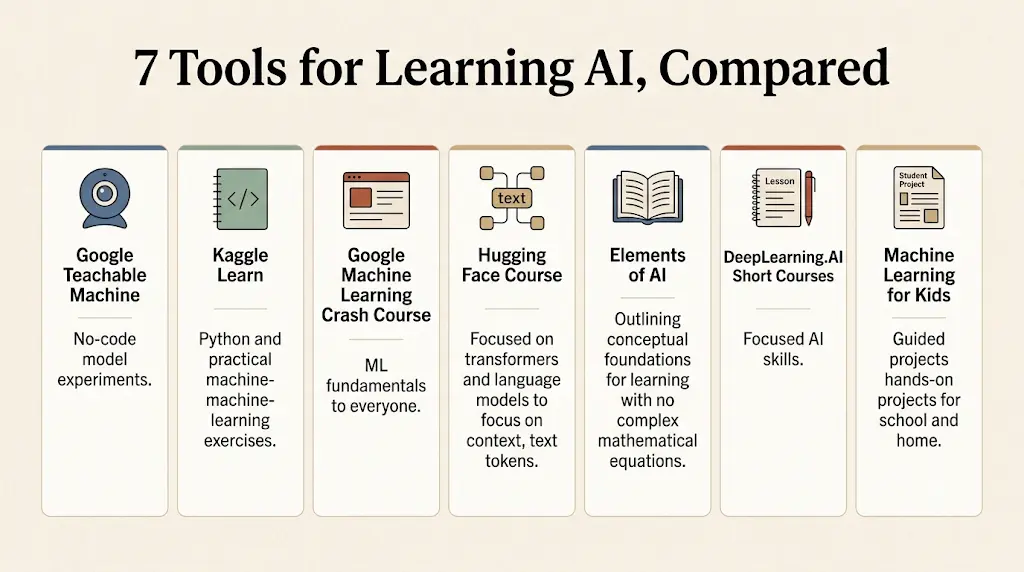
How We Selected These AI Learning Tools
This is a source-based editorial comparison. It is not a standardised hands-on benchmark, and we have not run each tool through identical tests. We compared the tools on seven criteria: beginner accessibility, practical exercises, technical depth, coding requirements, availability of free learning material, quality of official documentation, and clarity about limitations.Most beginners don’t waste money on AI—they waste time choosing the wrong tools. Discover the free AI tools that beginners can start using today
A tool’s position reflects its fit for a particular learning stage, not an objective universal ranking. We do not use user ratings, popularity statistics, or growth figures. Access conditions can change, so check each official link before you invest time.
Comparison at a Glance
| Tool | Best For | Coding | Free Access | Main Outcome | Main Limitation |
| Teachable Machine | No-code beginners | No | Free in browser | See how examples shape predictions | No maths foundations |
| Kaggle Learn | Coding learners | Yes | Listed courses free; account needed | Train and validate a first model | Fast for non-coders |
| Google ML Crash Course | Motivated beginners | Some | Free | Understand how models work | Demanding |
| Hugging Face Course | Python learners | Yes | Course free; hosted services vary | Use pretrained language models | Heavy vocabulary |
| Elements of AI | Non-technical learners | No | Free per University of Helsinki | Grasp concepts and limits | No coding practice |
| DeepLearning.AI | One focused skill | Varies | Varies by course | Learn a targeted skill | Prerequisites vary |
| ML for Kids | Guided projects | Light | Verify on live site | Link labelled examples to a simple app | Not advanced |
On a phone, scroll the table sideways or use the tool summaries below.
1. Google Teachable Machine
- Built by: Google
- Best for: Complete beginners and visual learners
- Coding needed: No, for basic experiments
- Free access: Free in the browser; check device and webcam requirements
- You’ll learn: How training examples shape a model’s predictions
- Watch out: It doesn’t teach the maths behind ML, and small or biased datasets give unreliable results
- Verdict: The best first experiment for anyone who wants to see machine learning happen.
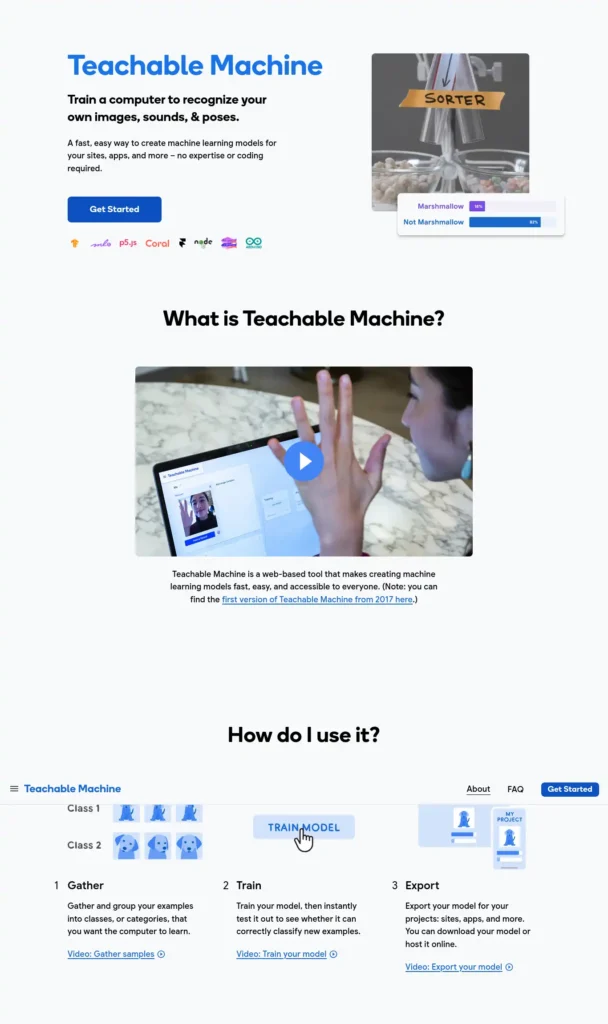
Teachable Machine lets you train image, audio, and pose classification models without writing code. You collect examples, create categories, train, and test. Official site: teachablemachine.withgoogle.com
What You Do, What You Understand, What’s Missing
Train a two-class model, then test it with objects on different backgrounds, in different lighting, and at different angles. Compare the predictions. Afterwards you should be able to explain why a model trained on narrow examples fails on varied ones. This tool won’t teach how the algorithm works internally, or how to measure accuracy rigorously.If you want AI to do more than just answer questions, discover these AI Tools for People With No Coding Skills
2. Kaggle Learn
- Built by: Kaggle (owned by Google)
- Best for: College students and aspiring data analysts willing to code
- Coding needed: Yes, starting from Python basics
- Free access: The listed Learn courses are free; you need a Kaggle account
- You’ll learn: Python, data handling, and building and validating a first model
- Watch out: The pace can feel fast for absolute beginners, and a short course is not job readiness
- Verdict: The strongest coding option, because you learn by running code on real data.
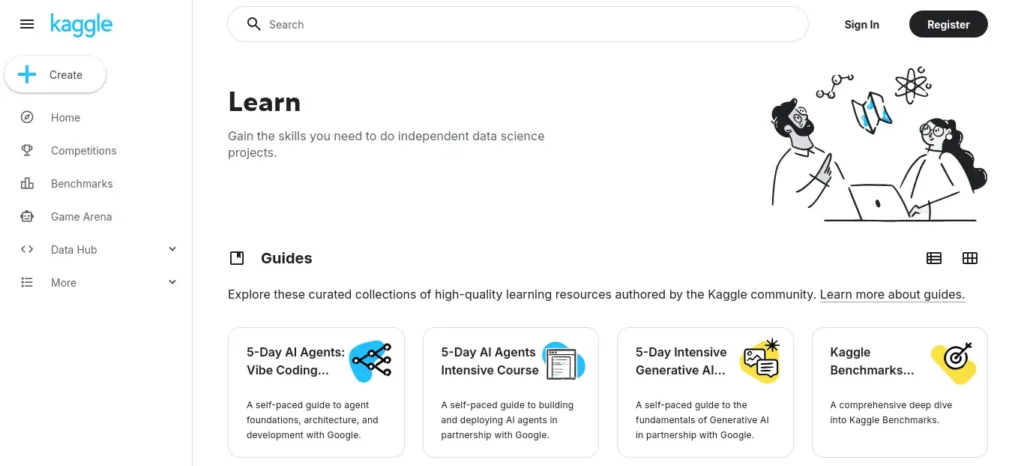
Kaggle Learn pairs short lessons with exercises, including Intro to Programming, Python, and Intro to Machine Learning. Official site: kaggle.com/learn
What You Do, What You Understand, What’s Missing
Finish a Python exercise, then use those skills to load data, train a simple model, and check it on held-back data. You should understand why validation exists. It won’t cover deep learning theory or deployment.
3. Google Machine Learning Crash Course
- Built by: Google
- Best for: Motivated beginners ready for technical depth
- Coding needed: Some exercises; basic maths helps
- Free access: Free
- You’ll learn: Core ML concepts, neural networks, embeddings, evaluation, fairness, and large language models
- Watch out: It is demanding for absolute beginners, so try a no-code experiment first
- Verdict: The best free option for understanding how models work.
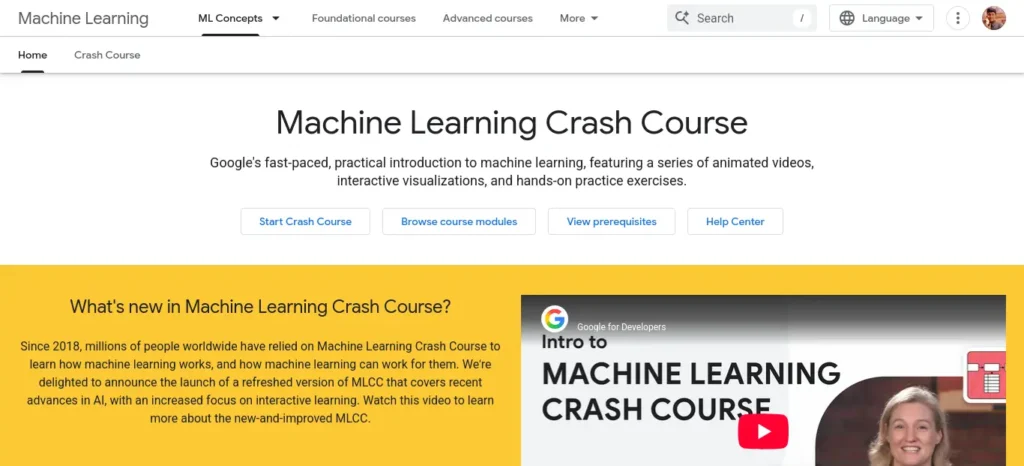
It combines explanations, videos, interactive visualizations, and exercises. Official site: developers.google.com/machine-learning/crash-course
What You Do, What You Understand, What’s Missing
Work through the evaluation lessons and ask why a model that scores well on familiar data may still fail on unseen data. That question is the habit to build. The course won’t replace a project of your own, and it assumes patience with technical terms.Using AI for the first time can feel confusing, but you don’t need to be tech-savvy—this beginner-friendly guide shows you exactly where to start.
4. Hugging Face Course
- Built by: Hugging Face
- Best for: Learners with some Python who want to explore language models
- Coding needed: Yes
- Free access: Course material is free and open-source; hosted services or extra compute may have separate limits or charges
- You’ll learn: Transformers, datasets, tokenizers, and the Hugging Face Hub
- Watch out: Heavy vocabulary can overwhelm someone who has never programmed
- Verdict: The route into the open-source tools behind modern language models.
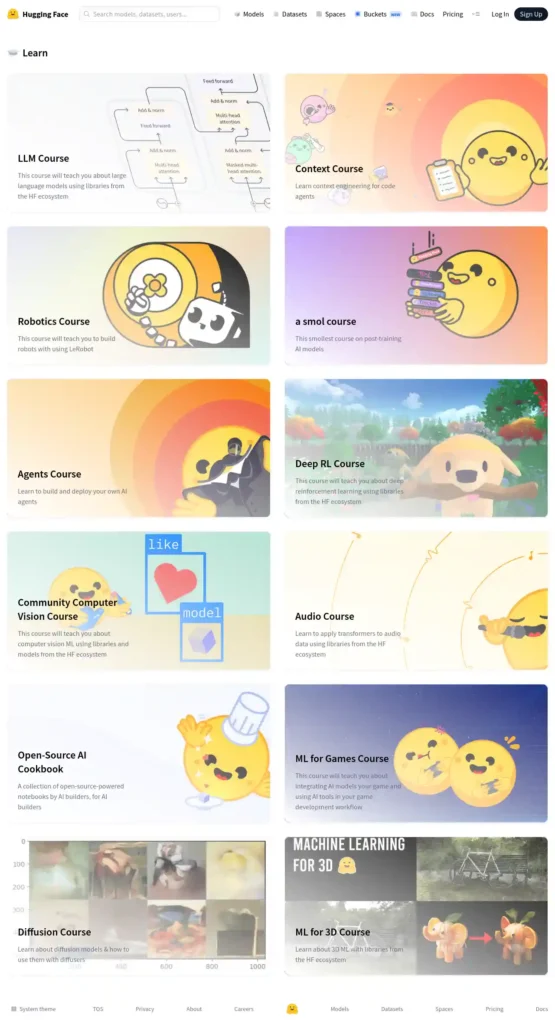
Official sites: huggingface.co/learn and the course repository on GitHub
What You Do, What You Understand, What’s Missing
Read the Transformers material, then load a pretrained model and run it on inputs of your choice. You should see the link between the concept and a working model. The course won’t teach Python basics, so complete those first.No AI experience? Start here—these beginner-friendly tools can save you hours of confusion and unnecessary effort.
5. Elements of AI
- Built by: University of Helsinki (with its course partner)
- Best for: Non-technical students and professionals
- Coding needed: No
- Free access: Described by the University of Helsinki as free and open to everyone; check the course page for certificate or assessment conditions
- You’ll learn: What AI is, what it can and can’t do, and its societal impact
- Watch out: It is conceptual and won’t replace hands-on Python practice
- Verdict: The right conceptual starting point if technical courses intimidate you.
Official sites: elementsofai.com and the University of Helsinki information page
What You Do, What You Understand, What’s Missing
Study the material, then test yourself with three questions. What is the difference between AI and machine learning? Why can a model be biased? What kinds of problems is AI poor at solving? If you can answer these in your own words, the course has done its job. It won’t teach you to build anything.
6. DeepLearning.AI Short Courses
- Built by: DeepLearning.AI
- Best for: Beginners who want one focused skill, such as prompting or generative AI apps
- Coding needed: Varies by course
- Free access: Varies. Videos, labs, graded assessments, and certificates may have different access conditions
- You’ll learn: Topic-specific skills across generative AI, prompting, and application development
- Watch out: Some courses assume prior knowledge, and “free” doesn’t always cover every assessment or certificate
- Verdict: Useful for choosing a narrow skill once you know what you want to build.
Official site: deeplearning.ai/courses
What You Do, What You Understand, What’s Missing
Choose a course by reading its prerequisites and stated outcome, not its title. Pick one whose outcome matches a project you actually want to do. Check the access terms on that course’s page before enrolling. The catalogue won’t give you a complete curriculum, so you must sequence the courses yourself. Most beginners waste more time choosing AI tools than actually using them—see which free AI tools for beginners are worth trying first, without needing any technical skills.
7. Machine Learning for Kids
- Built by: An independent educational project (see the official site)
- Best for: Younger students, teachers, and adults who want a guided project
- Coding needed: Light, with guided block-based activities
- Free access: Confirm current access terms and feature limits on the live site
- You’ll learn: How labelled examples train a model that powers a simple app
- Watch out: It isn’t an advanced curriculum, and service availability should be confirmed
- Verdict: A guided, project-led introduction.
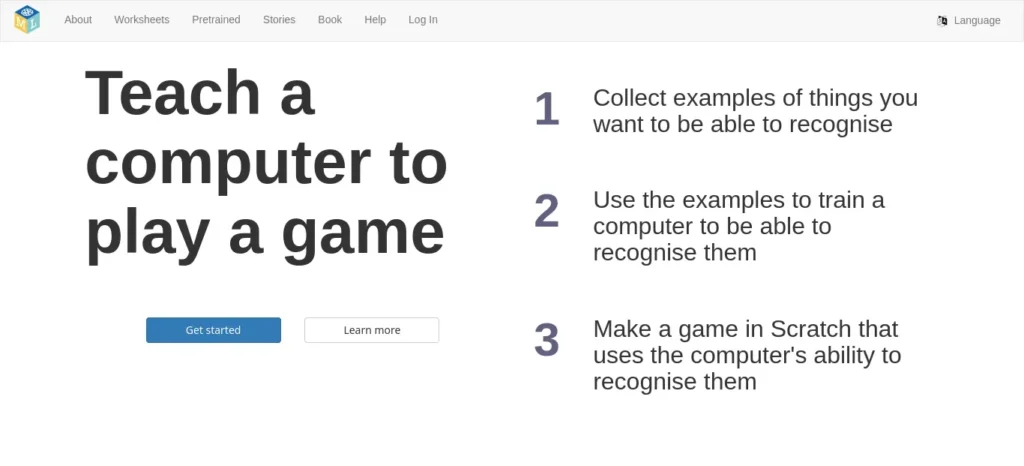
Official site: machinelearningforkids.co.uk
What You Do, What You Understand, What’s Missing
Before starting, confirm the site is active and check any account requirements. Then choose a guided project that trains a model on labelled examples and uses it in a simple program. You should understand how labels connect to predictions. It won’t prepare you for professional AI engineering.
Which of the AI Tools to Learn AI for Beginners Is Right for You?
Match the tool to your objective, current skills, device, and available time. A student who has never programmed should not start with a Python-heavy course and quit in week one.
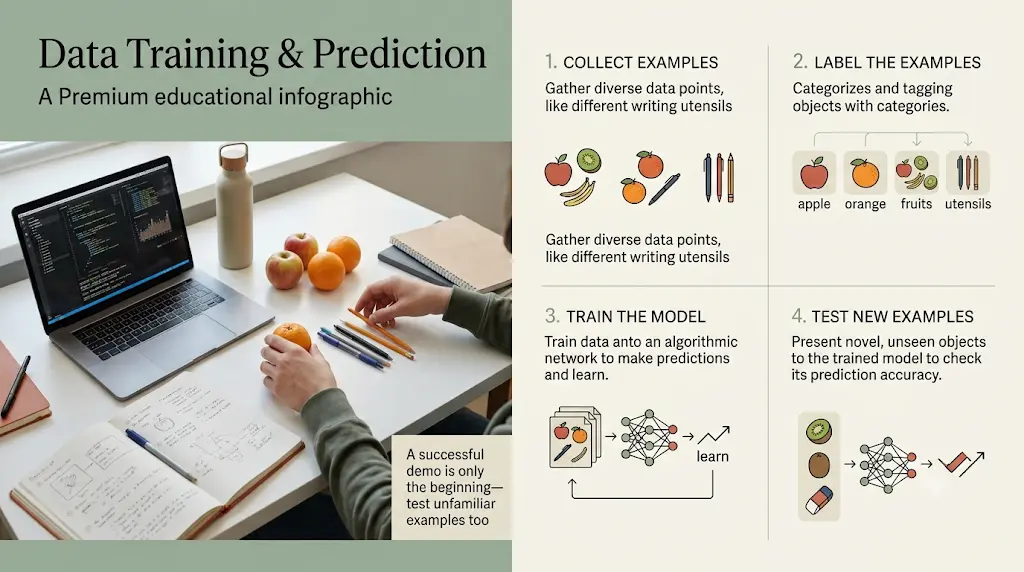
Three realistic profiles:
- A student who has never programmed: Start with Teachable Machine for a visual result, then Elements of AI to explain it. Neither needs code, so you build confidence before the technical material.
- A college learner who wants to build a model: Start with Kaggle Learn. It teaches Python and model validation through exercises, and a laptop makes it much easier.
- A learner interested in language models: Learn Python basics first, then use a focused DeepLearning.AI course or the Hugging Face Course.
These are not a compulsory sequence. You can begin with concepts, no-code experiments, or coding, depending on what motivates you.
Choose this if / skip this if:
- Choose Teachable Machine if you want a result within 20 minutes.
Skip it if you need the underlying maths.
- Choose Kaggle Learn if you’re willing to code.
Skip it if you want to avoid programming for now.
- Choose Elements of AI if you want the big picture.
Skip it if you want to build something right away.
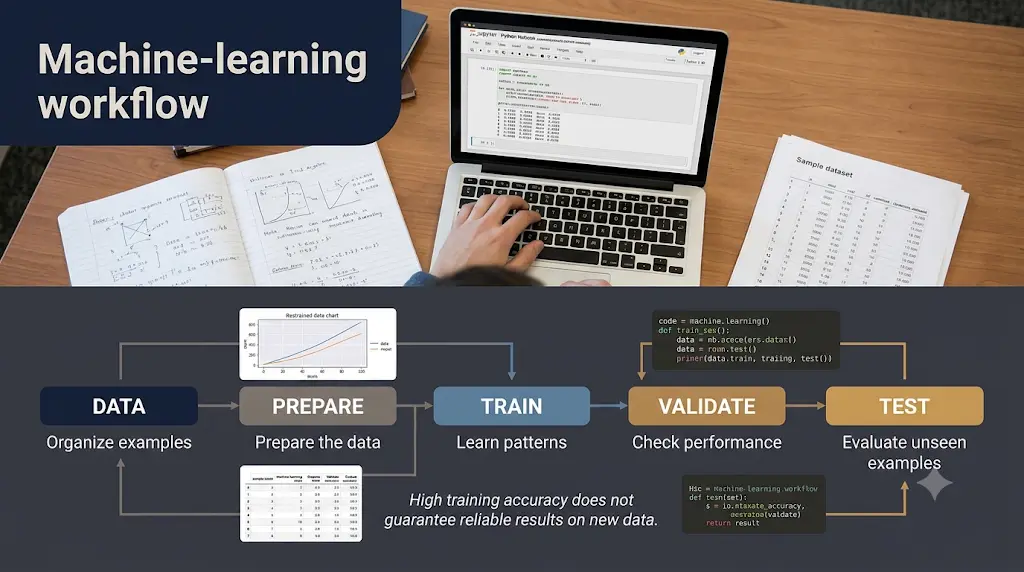
Should You Start With Concepts or Coding?
Start with concepts if technical vocabulary intimidates you, and start with coding if you learn by doing. Neither path is wrong. Concept courses like Elements of AI reduce confusion, while coding exercises on Kaggle Learn build skills you can show. Many learners alternate between the two.
Can You Learn AI Without Coding?
You can learn how AI works without coding, using Teachable Machine and Elements of AI. You cannot build custom models without some programming. Treat no-code tools as a strong first step.
Do You Need a Laptop to Learn AI?
For concepts, a phone can be enough. For coding exercises on Kaggle or Hugging Face, a laptop is far more comfortable. Teachable Machine needs a device with a working camera or microphone for its image and audio projects. Check each platform’s current device support.
Are Free Resources Enough for the Basics?
Free resources can cover foundations and small projects. They won’t make you job-ready alone, so add your own documented projects.Most students use AI as a simple chatbot, but the real advantage comes from following a complete workflow. Discover our AI study workflow for students and learn how to capture notes
Which Free AI Tools Help You Learn Machine Learning Practically?
Kaggle Learn and Google Machine Learning Crash Course are the best free options, but they teach different things. Kaggle Learn teaches you to write and run code on real data. The Crash Course teaches why models behave the way they do, using explanations and interactive exercises.
Using both works well. Study a concept in the Crash Course, then practise it in a Kaggle exercise. Pairing explanation with practice helps ideas stick.
Which Tools Should You Use to Learn Python and Generative AI?
Use Kaggle Learn for programming foundations, DeepLearning.AI for focused generative-AI skills, and the Hugging Face Course for the deeper technical path. These serve three separate needs.
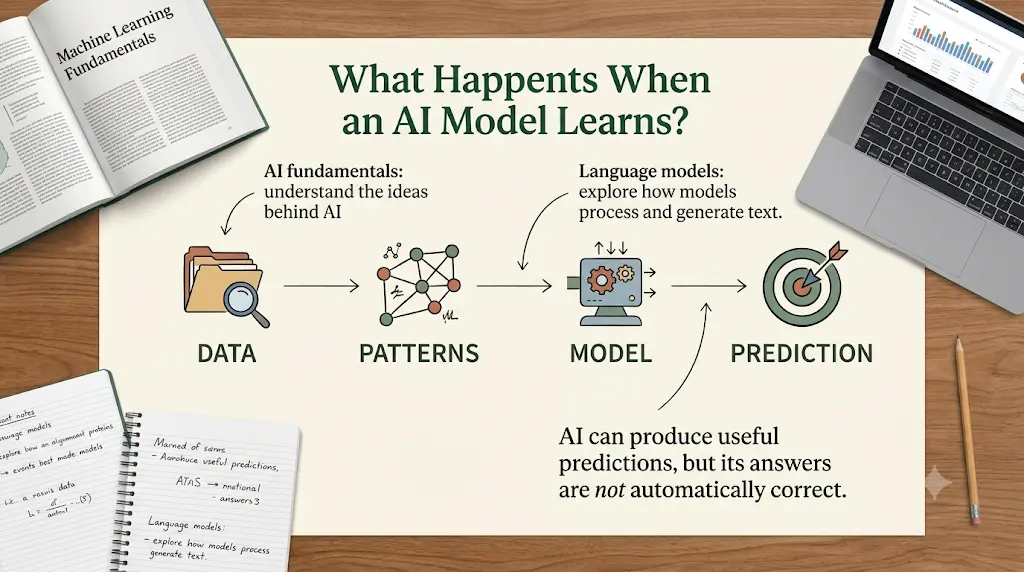
- Programming foundations: Kaggle Learn teaches Python, which most AI tools rely on.
- Focused generative-AI courses: DeepLearning.AI lets you pick one topic, such as prompting or building applications.
- The technical path: Hugging Face explains Transformers and open-source language models, and expects some Python.
Check prerequisites on each course page first.
Explore–Understand–Build–Evaluate: A Method for Learning AI
Most beginners study tools in random order. This four-stage method gives each stage a measurable outcome. It is adaptable, not a rigid rule.
Stage 1: Explore (Teachable Machine or Machine Learning for Kids)
Train a simple model and record one incorrect prediction.
Stage 2: Understand (Elements of AI or Google Machine Learning Crash Course)
Explain in your own words the difference between training examples and unseen test examples.
Stage 3: Build (Kaggle Learn, then a DeepLearning.AI course if needed)
Complete a small coding exercise and document how the model was trained.
Stage 4: Evaluate (Hugging Face Course, plus your own testing)
Test the model on different inputs and record its weaknesses.
Key idea: Evaluation is not only the last stage. Ask “How would I know this model is wrong?” at every step.
Progress Checklist
Move on when you can tick the items for your current stage:
- I trained a model and found at least one wrong prediction.
- I can explain training versus unseen data without notes.
- I completed a coding exercise and wrote down how the model was trained.
- I tested on varied inputs and listed the model’s weaknesses.
3 Beginner Projects Using These AI Tools to Learn AI for Beginners
Each project produces evidence of learning, not just a finished tutorial.
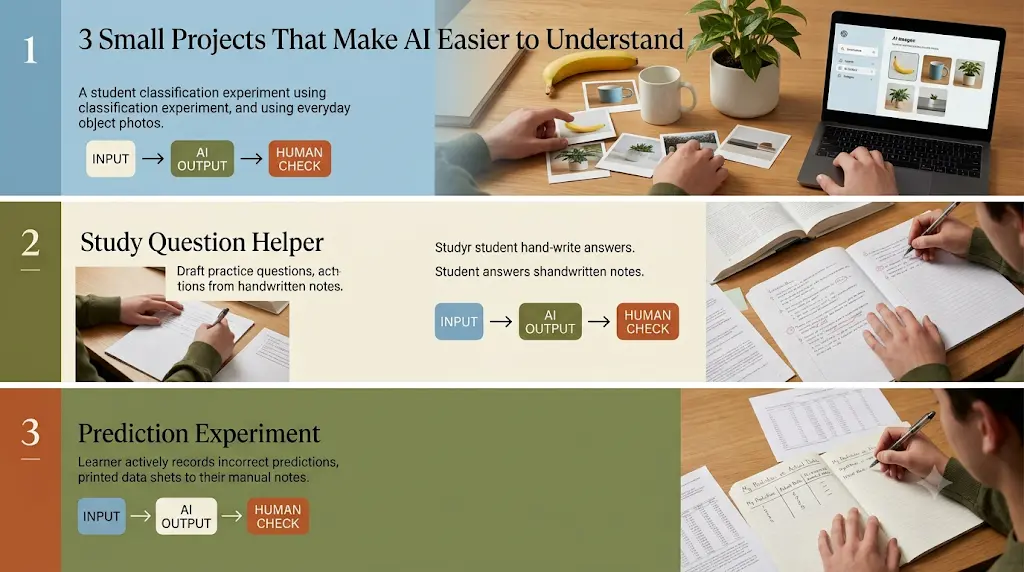
Project 1: Train a Basic Image Classifier
- Goal: Teach a model to tell two everyday objects apart.
- Tool: Google Teachable Machine
- Required knowledge: None
- Steps: Choose two objects, such as a pen and a mug. Create two classes. Record varied images of each with your webcam. Train, then test.
- Expected result: The model predicts correctly most of the time under conditions similar to training.
- Common error: Taking every photo in the same lighting and position.
- Check your understanding: Explain why varied photos changed the results.
Test with new examples that were not used during training. No particular number of photos guarantees accuracy, so judge the model by how it behaves on fresh inputs.
Project 2: Build a First Model With Python
- Goal: Train a simple model on a small dataset and measure how well it works.
- Tool: Kaggle Learn (Intro to Programming, then Intro to Machine Learning)
- Required knowledge: Basic Python, taught in the early lessons
- Steps: Complete the Python basics. Follow the Intro to Machine Learning exercise to load data, train, and validate.
- Expected result: A working model and a validation result you can explain.
- Common error: Testing on the same data the model trained on.
- Check your understanding: Explain in one sentence why you must test on unseen data.
Training data is what the model learns from. Validation data is held back to check it. A strong score on familiar examples can be misleading, because the model may have memorised them.
Project 3: Explore a Pretrained Language Model
- Goal: See how a pretrained language model behaves on different inputs.
- Tool: Hugging Face Course
- Required knowledge: Basic Python and the earlier concepts
- Steps: Follow the introductory sections on using pretrained models. Run the same task on several different inputs, including tricky ones.
- Expected result: A short list of cases where the model succeeds and fails.
- Common error: Judging the model from one or two easy examples.
- Check your understanding: Explain why you think the model got two inputs wrong.
Record several inputs, outputs, and visible errors. One experiment doesn’t prove how a model behaves in general.
Results Template
Copy this for each project:
| Task | Expected Result | Observed Result | What I Learned |
Limitation: These projects teach foundations. They won’t make you job-ready on their own.
How Can Beginners Check Whether an AI Model Is Reliable?
Test it on examples it never saw during training, and check whether those examples match how you would really use it. That is the core of model evaluation.
Four habits help:
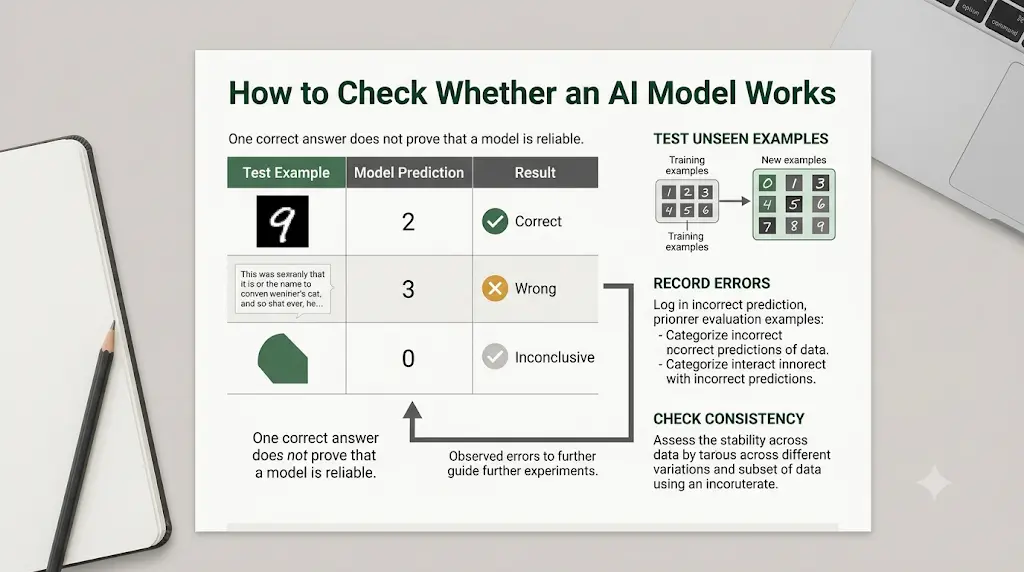
- Use unseen examples. A model can memorise training data and still fail on new inputs.
- Check representativeness. If you trained on bright indoor photos, test on the conditions you actually care about.
- Look at errors by category. One class may fail far more often than another.
- Don’t rely on accuracy alone. If 95 of 100 examples belong to one class, a model that always guesses that class looks accurate but is useless.
One wrong prediction is not proof of unreliability. Every model makes mistakes. A pattern of errors in similar situations is the real warning sign.
Example: An image classifier recognises a mug correctly under bright lighting but often fails in dim rooms. That pattern shows the training photos lacked dim conditions. The fix is more varied data and retesting.
This links directly to Projects 1 to 3. A small exercise cannot prove a model is ready for real-world use.
How Can You Use an AI Chatbot as a Tutor?
A chatbot can explain concepts and quiz you, but it can be wrong, so verify important answers against the official courses above. Use it to fill gaps, not to replace practice.
Copy this prompt into any AI assistant:
Act as my AI tutor. Explain [concept] using a familiar real-world example, ask me one question at a time, wait for my answer, identify my misconception, and give me a small exercise without revealing the solution immediately.
Privacy tip: Don’t paste confidential records or sensitive data into any AI service without understanding its data-handling terms.
How Should Beginners Choose Among AI Tools to Learn AI for Beginners?
Choose based on three things: coding comfort, time, and the outcome you want. Answer in order:
- Have you ever written code?
- No → Teachable Machine or Elements of AI.
- Yes → go to question 2.
- Do you want to build or to understand?
- Build → Kaggle Learn.
- Understand → Google Machine Learning Crash Course.
- Do you want to work with language models?
- Yes → DeepLearning.AI for one focused skill, or Hugging Face if you can code.
Screenshot this as your decision shortcut.
What Is a Realistic 30-Day AI Learning Plan?
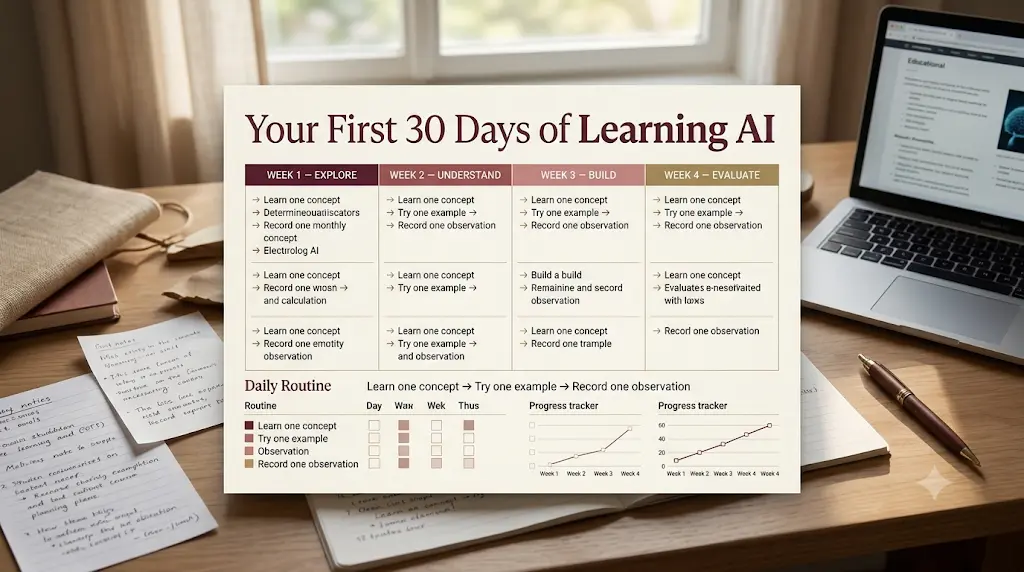
A realistic plan is about 30 to 45 minutes a day across Explore, Understand, Build, and Evaluate. Adjust it to your schedule. It is not a guarantee of job readiness.
- Days 1–5 (Explore): Complete Project 1.
- Days 6–12 (Understand): Work through the first sections of Elements of AI or the Crash Course.
- Days 13–24 (Build): Do Kaggle’s Python and Intro to Machine Learning lessons. Complete Project 2.
- Days 25–30 (Evaluate): Try Project 3, then fill in the results template and write a one-page summary of what your models got wrong.
Your first action today: open Teachable Machine and train a two-class model.
What Are the Limitations of Free AI Tools to Learn AI for Beginners?
The central limitation is depth: free tools teach foundations well, but they don’t replace sustained practice or personal projects. Other qualifications:
- Access can change. Features, accounts, and course terms may be updated.
- Certificates may differ. Free access doesn’t always include graded assessments or certificates.
- No-code tools skip the maths. Short courses don’t make you an engineer.
- Hardware matters. Coding exercises are easier on a laptop.
- AI can be wrong. Models and chatbot answers may be inaccurate or biased.
Upgrade only when a specific limitation blocks your progress.
What Should Indian Students Know Before Using These AI Tools to Learn AI?
Start with the free options, and use a laptop for coding exercises when you can. Most tools here run in a browser, so you don’t need expensive software.
- Beginning for free: Every tool here has free learning material, although access terms vary, especially for DeepLearning.AI.
- Mobile use: Reading-based courses like Elements of AI suit a phone. Verify mobile support for each platform, and don’t assume every feature works on a phone.
- Paid features: Certificates, graded assessments, and extra compute may have different access conditions. Check official pages for currency, billing period, and taxes.
- When to pay: Upgrade only when a specific limitation affects your progress.
- Certificates: A certificate is not the same as skill. A finished project, clear notes, and the ability to explain a model’s limits are stronger evidence.
- Data usage: Video-heavy lessons use more data, so use Wi-Fi when you can.
Frequently Asked Questions
What are the best AI tools to learn AI for beginners?
Google Teachable Machine is the best no-code starting point, Kaggle Learn is the best coding option, and Elements of AI is the best conceptual course. The Crash Course, Hugging Face Course, DeepLearning.AI, and Machine Learning for Kids suit specific goals and stages.
Can I learn AI without coding?
Yes, you can learn core concepts without coding using Teachable Machine and Elements of AI. Building your own models eventually requires some Python, so treat no-code tools as a first step rather than the whole journey.
Do I need a laptop to learn AI?
Not for concepts, which you can study on a phone. For coding exercises on Kaggle or Hugging Face, a laptop is much more comfortable. Check each platform’s current device support before relying on a phone.
Which free tool is best for learning machine learning?
Kaggle Learn is best for practical coding on real data. Google Machine Learning Crash Course is best for conceptual depth. Using both gives you explanation plus practice, and both are free to access.
Do I need Python before learning AI?
Not for the basics, since Teachable Machine and Elements of AI need none. You do need Python to build models. Kaggle Learn teaches it from the start, and most technical courses assume at least the basics.
Are free AI courses enough for beginners?
They are enough for foundations and small projects, but not for job readiness on their own. Add documented projects, test your models critically, and pay only when a specific benefit justifies it.
How long does it take to learn AI basics?
It depends on your starting point and study time. Many beginners can learn core concepts and finish a small project in about a month at 30 to 45 minutes a day. No timeline guarantees expertise or a job.
Final Takeaway
The best AI tools to learn AI for beginners help you move beyond reading explanations to testing models, practicing coding, and evaluating results. If you’re new to coding, start with a no-code machine-learning experiment and a beginner-friendly conceptual course. If you already know basic Python, try building a simple model and testing its predictions.
Your next step: train a simple model today, test it on examples it hasn’t seen before, and record one incorrect prediction. Then investigate why the model failed and what might improve its accuracy. This hands-on approach will help you understand not just how AI works, but also its limitations and when its predictions need to be questioned.
About the Author
Nandhakumar is the Founder and Content Creator at FutureFastAI, a platform dedicated to helping students and beginners discover practical AI tools, improve their learning workflows, and understand emerging technologies. He focuses on creating beginner-friendly, research-based guides that compare AI tools, explain their real-world applications, and highlight their limitations. His goal is to help readers make informed decisions, develop practical skills, and use AI responsibly as a learning assistant rather than a replacement for independent thinking.
Editorial Policy
At FutureFastAI, our goal is to provide accurate, practical, and beginner-friendly information about AI tools, educational technology, and productivity solutions. We aim to help students and beginners make informed decisions through clear explanations, responsible recommendations, and research-based content.
Research and Accuracy: We review official websites, product documentation, published learning resources, and other relevant sources when preparing our articles. We make reasonable efforts to verify important claims, pricing details, features, and access conditions. As AI tools evolve frequently, some information may change after publication.
Content Quality and Originality: Our articles focus on practical value, readability, and real user needs. We aim to provide original explanations, useful comparisons, actionable examples, and clear discussions of limitations rather than simply repeating information from other websites.
AI-Assisted Content: We may use AI tools to support research, brainstorming, outlining, and editing. All published content is reviewed for relevance, clarity, accuracy, and usefulness. AI-generated information is not automatically treated as factual, and we aim to avoid unsupported claims, fabricated experiences, and misleading statements.
Testing and Reviews: We distinguish between hands-on testing and research-based evaluations. When an article is based on official documentation or publicly available information rather than direct testing, we aim to communicate that distinction clearly. We do not claim personal experience or verified results without a reasonable basis.
Affiliate Disclosure and Transparency: Some articles may contain affiliate links through which FutureFastAI may earn a commission if readers make qualifying purchases, at no additional cost to them. Affiliate relationships do not determine our editorial conclusions. We aim to recommend tools based on their relevance, usefulness, accessibility, and suitability for the intended audience.
Updates and Corrections: We periodically review published content to identify outdated information, broken links, changes in tool availability, and factual errors. When necessary, we update articles to improve accuracy and usefulness. Readers can contact us to report errors or suggest corrections.
Responsible AI Use: We encourage readers to evaluate AI-generated outputs critically, protect personal information, respect intellectual property, and use AI as a support tool rather than a substitute for independent learning, judgment, or original work.
Editorial Independence: Our content is created to inform and educate readers. We aim to present benefits, limitations, and relevant alternatives fairly, without exaggerating capabilities or promising guaranteed results.
Contact: For corrections, feedback, or editorial questions, please contact us through the contact information provided on the FutureFastAI website.
Our commitment is to make AI easier to understand and more useful for students and beginners through transparent, responsible, and reader-focused content.




One Comment