

Free AI Tools That Beginners Can Start Using Today (2026 Guide)
You open Google, search for free AI tools, and land on a list of 100+ apps you’ve never heard of. Thirty minutes later, you’ve got twelve browser tabs open, three sign-up forms half-filled, and honestly? Less clarity than when you started.
If you’re looking for free AI tools for beginners, you don’t need dozens of apps to get started. You need a few simple tools that solve common tasks without requiring technical skills, expensive subscriptions, or previous AI experience.
Here’s the short version: free AI tools that beginners can start using today fall into just a handful of categories—writing, search, design, presentations, study notes, and grammar. In each category, one free tool is more than enough to help you get started. No coding. No credit card. No hour-long tutorial first.
Instead of giving you another overwhelming list, this guide helps you choose the right first tool, understand what you actually get for free, and start using AI confidently today.

Quick answer:
For most beginners, the fastest way in is ChatGPT (writing and everyday questions),
Perplexity (search with sources you can actually check),
Canva (design and images),
Gamma (presentations), and Google’s Gemini Notebook, formerly known as NotebookLM (PDFs and study notes).
All five have real, permanent free plans — not a trial that quietly expires in two weeks.
💡 Quick Tip: Don’t install every AI tool today. Pick one. Finish one real task with it. Then expand from there.
Most beginners waste hours testing the wrong AI tools before finding what actually works. Save yourself the trial and error by reading our Ultimate Beginner Guide to AI Tools for Students and build a smarter AI workflow
Why Most Beginners Feel Overwhelmed by AI Tools
The problem isn’t a shortage of AI tools. If anything, it’s the opposite.
Most “best AI tools” roundups list 50 to 100 apps with zero guidance on which one to open first, so a first-time user ends up comparing tools instead of actually using any of them. That’s the trap. You can spend an entire evening reading about AI without ever touching it.
Three things make this worse for students and early professionals specifically:
- Free-tier confusion. Every tool markets itself as “free,” but the real free plan ranges from genuinely generous to little more than a locked demo. You won’t know which until you’ve already signed up and hit a wall.
- No clear sense of what each tool is actually for. ChatGPT, Perplexity, and Gemini all look like the same “type a question, get an answer” box. They don’t solve the same problems equally well.
- Decision fatigue. Comparing every option in depth before starting anything means, in practice, you never start anything.
The fix isn’t more research. It’s fewer, better first choices — which is exactly what the rest of this guide gives you.
What Makes an AI Tool Actually Beginner-Friendly?
An AI tool is beginner-friendly when you can get useful output within your first five minutes, with no setup, no payment, and no prior AI knowledge required. That means a free plan that doesn’t ask for a credit card, a simple text-box or upload interface, and at least one task it handles well enough to make you want to come back.
Here’s the part most guides skip: ease of setup matters more than raw model power for your first tool. You can always graduate to something more advanced later. Trying to pick the “objectively best” AI tool before you’ve used any of them is how most beginners get stuck at step zero.

Free AI Tools for Beginners: 6 Tools to Start With
Free AI tools for beginners are tools that you can start using without advanced technical knowledge or an immediate paid subscription. The best starting point depends on what you actually need to do—write, research, design, study, present, or improve your writing.
- ChatGPT — your everyday writing and question-answering assistant
- Perplexity — search that gives you a direct answer with sources, not ten blue links to sort through
- Canva (Magic Studio) — turn a text prompt into a poster, slide, or social post
- Gamma — turn a topic or rough outline into a designed presentation in minutes
- Google’s Gemini Notebook (formerly NotebookLM) — upload PDFs and lecture notes, ask questions, get summaries and study guides
The rest of this guide walks through each one — plus two more worth knowing about — with honest limits and exactly what to try first.
✓ Good to Know: Most AI companies now offer permanent free plans with usage limits instead of time-limited trials. That’s a genuinely good thing for beginners — you can test a tool properly before deciding whether it’s worth paying for.
Free AI Tools That Beginners Can Start Using Today, by Category
Every tool below gets the same treatment: what the free plan actually includes, where it runs out, and who should start here first. Prices are shown in USD with an approximate INR conversion at today’s live rate of roughly ₹95/USD (checked August 2026 — rates move daily, so treat this as directional, not exact).
Best AI Writing & Everyday Assistant:
ChatGPT
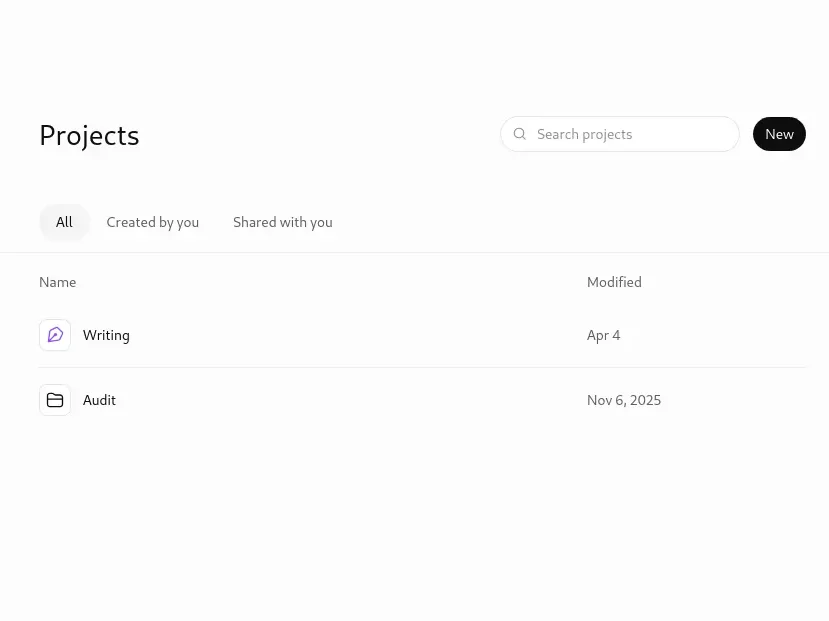
ChatGPT is an AI chatbot that answers questions, drafts writing, and explains concepts in plain language through a simple text-based conversation.
✓ Best For: First-time AI users who want one tool for writing, explaining, brainstorming, and quick research.
💡 Strengths: A genuinely capable free tier — it now defaults to OpenAI’s GPT-5.5 Instant model and includes web search, file uploads, and image generation, all features that used to sit behind a paywall.
⚠️ Watch Out: Free usage caps out at roughly 10 messages every 5 hours before it switches to a lighter fallback model. OpenAI also started showing ads to free users in the US from February 2026.
If you’ve ever stared at a blank document not knowing where to start, this is exactly the kind of task ChatGPT handles well.
Consider a second-year engineering student — call him Ravi — juggling three assignment deadlines in the same week. (This is an illustrative example, not a real case study.) Ravi opens ChatGPT free, pastes in a messy pile of notes, and asks for a clean outline. That’s the whole onboarding process. No install. No setup screen. Just a text box and a question.
What you actually get on the free plan: everyday chat on GPT-5.5 Instant, web search for current information, the ability to upload a PDF or image and ask questions about it, and basic image generation. That’s already enough to cover writing help, summarizing, coding questions, and everyday research — without spending a rupee.
Try this first: Paste a rough paragraph and ask ChatGPT to tighten it for clarity, or ask it to explain a confusing textbook concept “like I’m a first-year student.” Give it five minutes, and you’ll have a noticeably clearer version of whatever you started with.
Want to move beyond simple AI answers? Learn how to use ChatGPT as a personal learning assistant to create study plans, generate quizzes, and master new skills faster
Common mistake: Treating the first answer as final. For anything that matters — an assignment, an email to a professor — ask a follow-up question to refine it rather than copy-pasting the first draft.
Alternative: Claude’s free plan is worth trying too. It now runs on the Claude Sonnet 5 model with a 200,000-token context window — enough to discuss an entire research paper in one sitting — plus web search and document uploads. The free tier doesn’t publish an exact message cap; usage flexes with demand.
Best AI Search & Research Tool:
Perplexity
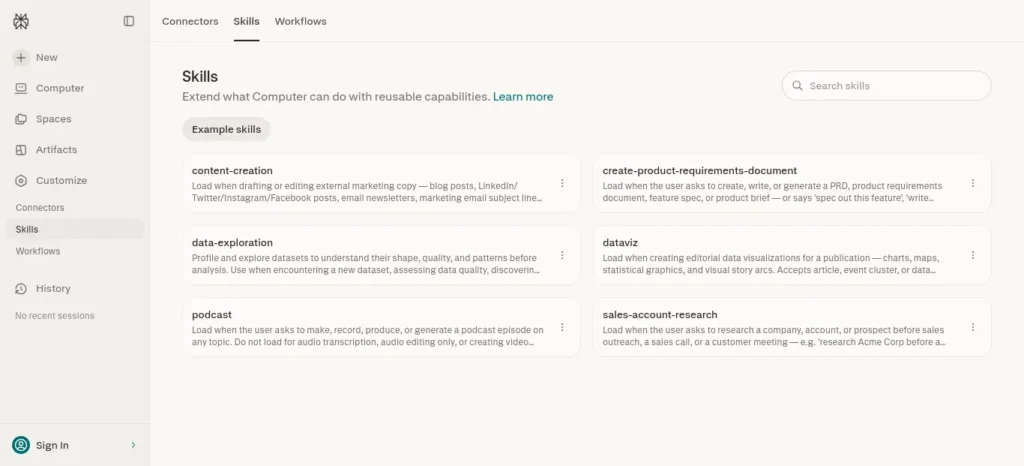
Perplexity is an AI-powered answer engine that combines real-time web search with a direct, cited response instead of a list of links.
✓ Best For: Anyone who wants a straight answer instead of scrolling through ten search results hoping one of them is right.
💡 Strengths: Unlimited standard searches on the free plan, with real-time retrieval and numbered citations on every answer. No account needed to start.
⚠️ Watch Out: The free plan caps you at roughly 5 “Pro Search” queries a day for deeper, multi-step research, and it skips image generation and meaningful file uploads.
Here’s the interesting part: Perplexity doesn’t behave like a chatbot so much as a search engine that writes you a paragraph instead of a list of links — and then shows you exactly where each fact came from.
For a student fact-checking a claim before it goes into an assignment, that citation trail is the actual value. You’re not trusting the AI blindly; you’re clicking through and verifying the source yourself. That matters because this saves you the awkward conversation later about where a “fact” actually came from.
Try this first: Ask Perplexity a question you’d normally Google — “what caused X event” or “compare Y and Z” — and check the sources it cites before you use the answer anywhere.
Common mistake: Skipping the citations. The whole point of using Perplexity over a plain chatbot is that you can verify what it tells you. Don’t waste that.
Alternative: Google’s Gemini app free tier now runs on the Gemini 3.6 Flash model with roughly 30 prompts a day, plus built-in web browsing, image analysis, and up to five Deep Research reports a month. A solid pick if you’re already living inside Gmail and Google Docs.
Did You Know? Perplexity’s free plan doesn’t require you to create an account at all if you just want to search. You only need one if you want your history saved across devices.
Best AI Image & Design Tool:
Canva (Magic Studio)
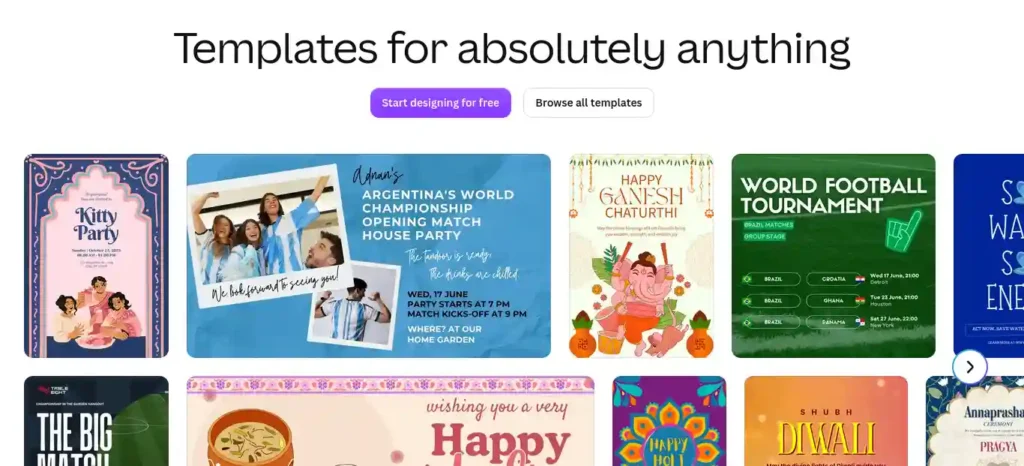
Good design used to require hours and a decent amount of skill. Now beginners can put together something genuinely usable in minutes.
Canva’s Magic Studio is a set of AI-powered design features — text-to-image generation, instant layouts, and AI copywriting — built directly into Canva’s existing design editor.
✓ Best For: Students and creators who need a poster, thumbnail, presentation slide, or social post without any design background.
💡 Strengths: A full design editor plus AI features — Magic Write for copy, Dream Lab for AI images, Magic Design for instant layouts — all bundled into one free workspace.
⚠️ Watch Out: AI features draw from a monthly credit allowance. Sources report anywhere from roughly 20–50 AI credits a month depending on which Magic Studio tools you use, so treat “free AI credits” as a rough ceiling, not an exact number. Canva added a real-time credit tracker in the app back in March 2026 — check that for your actual balance.
Canva’s real advantage for beginners isn’t that its AI is the most powerful on the market. Dedicated tools like Adobe Firefly or Midjourney generally produce sharper, more polished images. It’s that Canva puts the AI features directly inside a design canvas you probably already understand, so there’s no separate app to learn just to turn a rough idea into a finished graphic.
Try this first: Type a one-line description into Magic Design — something like “Instagram post announcing a study group” — and see the instant layout options it returns.
Common mistake: Burning through your monthly AI credits on pure experimentation. Sketch your idea in plain text first, then spend a credit once you actually know what you want.
This matters because credits don’t roll over, and running out mid-project is a frustrating way to learn that lesson.
Best AI Presentation Tool:
Gamma
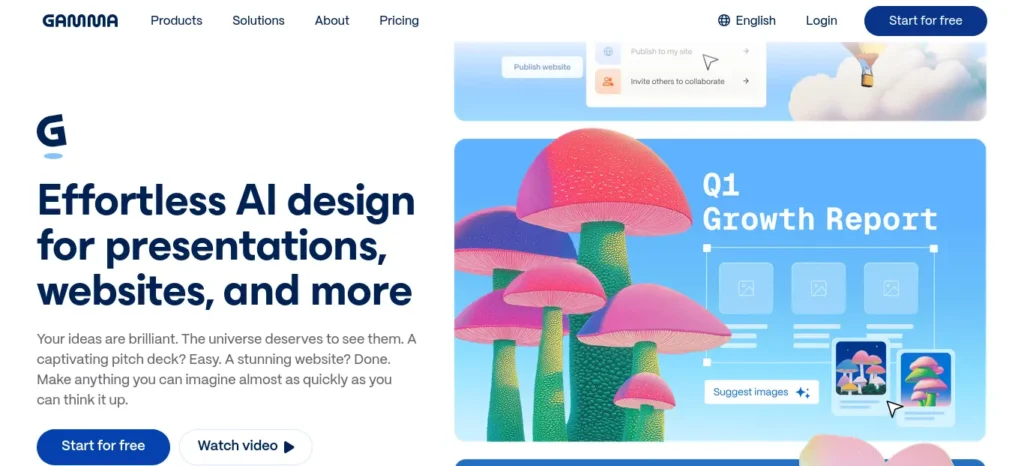
Gamma is an AI presentation generator that turns a topic, outline, or document into a fully designed slide deck.
✓ Best For: Turning a topic or rough outline into a designed slide deck in minutes instead of hours.
💡 Strengths: The free plan includes 400 one-time AI generation credits — enough for roughly 10–15 full presentation generations — and no credit card is needed to start.
⚠️ Watch Out: Those 400 credits are lifetime, not monthly, and free-tier decks carry a “Made with Gamma” watermark on the web view, PDF, and PowerPoint exports.
For a student who needs a class presentation by tomorrow, Gamma’s value is speed. Type a topic or paste an outline, and it hands back a fully designed deck — not just bullet points on a plain background, but real layout, imagery, and structure already applied.
You’ll still need to review and edit the content for accuracy. Think of the first draft as a strong starting layout, not a finished submission.
Try this first: Paste the outline of an assignment or club presentation and generate a first-draft deck. In under ten minutes, you’ll have something worth editing instead of a blank slide.
Common mistake: Regenerating the same deck over and over to get it “perfect.” Each regeneration spends more of your limited lifetime credits. Edit manually once you like the layout instead of re-prompting from scratch.
Best AI Tool for PDFs, Study Notes & Research Synthesis:
Google’s Gemini Notebook (formerly NotebookLM)
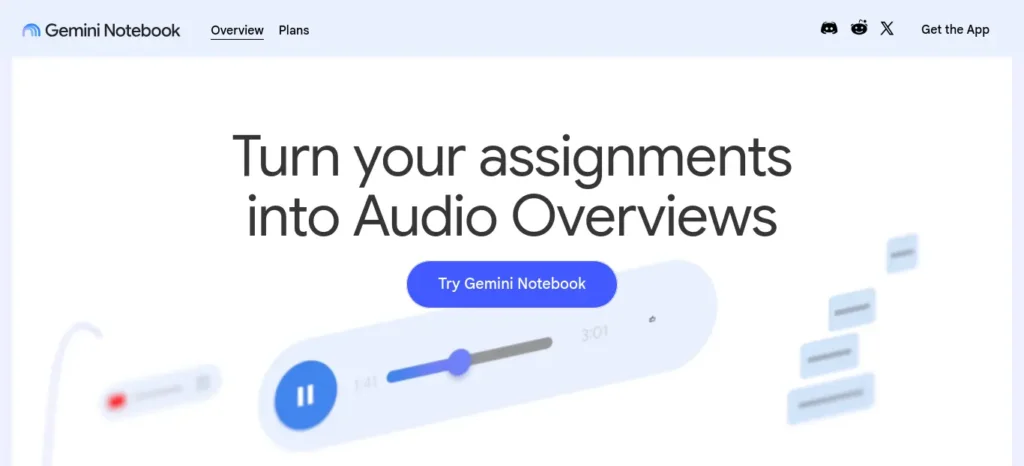
Google’s Gemini Notebook is an AI research assistant that generates summaries, quizzes, and study guides from documents you upload — nothing else.
✓ Best For: Students who need to summarize a PDF, textbook chapter, or set of lecture notes and then quiz themselves on it.
💡 Strengths: A genuinely generous permanent free tier — 100 notebooks, up to 50 sources per notebook, 50 AI chat questions a day, plus audio and video “overviews,” mind maps, flashcards, and quizzes built from your own uploaded material.
Creating good revision notes is one of the biggest time-savers during exam preparation. Learn how to create smart revision notes with AI and turn textbooks, PDFs, and class notes into structured, exam-ready study material in minutes.
⚠️ Watch Out: Google renamed the product from NotebookLM to Gemini Notebook in July 2026 — same tool, same free tier, new name — so don’t be thrown off if you see both names floating around in search results. Each source is capped at 500,000 words or 200MB.
One thing many beginners don’t realize: this is arguably the most underrated free AI tool for students specifically, because it doesn’t generate information from general training data. It only works from the documents you give it. That makes a made-up or hallucinated fact much less likely, since every answer is grounded in your actual source material.
Upload a syllabus, three chapters of a textbook, and your own lecture notes, and you can ask it to build a study guide, generate practice quiz questions, or produce an audio-style summary you can listen to while walking to class.
This matters because it saves you from rereading hundreds of pages the night before an exam, hunting for the one paragraph you half-remember.
Try this first: Upload one PDF — a chapter, a research paper, whatever you’ve got — and ask it to generate a five-question quiz on the material.
Common mistake: Uploading low-quality scanned PDFs with garbled text. The tool can only summarize what it can actually read, so a clean, text-based PDF works far better than a blurry photo of a textbook page.
⚠️ Good to Know: Features and limits on free plans change over time — sometimes quickly. Always double-check current caps on the tool’s own pricing page before you plan a workflow around a specific number.
Best AI Grammar & Writing Editor:
Grammarly
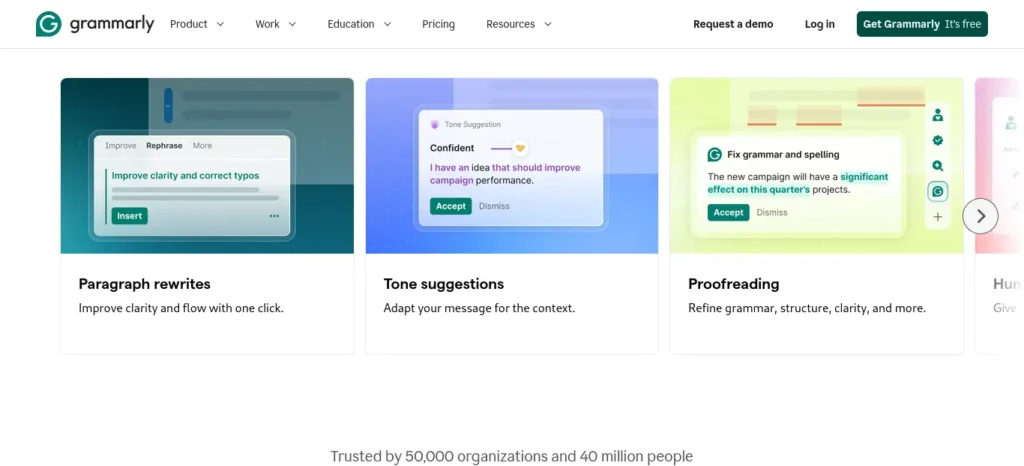
Grammarly is a writing assistant that checks grammar, spelling, and tone in real time as you type, across almost any website or app.
✓ Best For: Catching errors and awkward phrasing in emails, assignments, and applications before you hit send.
💡 Strengths: A genuinely permanent free plan — grammar and spell-checking across six languages, basic tone detection, and 100 AI prompts a month for the generative “GrammarlyGO” rewrite feature — with no expiry date.
⚠️ Watch Out: Full-sentence AI rewrites, tone adjustment, and plagiarism detection sit behind Grammarly Pro at roughly $12/month (about ₹1,140/month) billed annually. The free plan’s 100 monthly AI prompts disappear fast if you lean on it for every paragraph.
Where ChatGPT or Claude write new content from scratch, Grammarly’s job is narrower and more specific: it sits inside your existing writing — in Gmail, Google Docs, or almost any browser text box — and flags errors as you type, rather than making you copy-paste your text somewhere else first.
Try this first: Install the free browser extension and write one email the way you normally would. Watch what it flags in real time.
Common mistake: Accepting every suggestion automatically. Grammarly’s tone and rewrite prompts are useful nudges, not rules. Read each one before applying it.
Bonus: A Free Starting Point for Coding Help
If you’re a beginner who occasionally needs to understand or debug a small piece of code — not build software professionally — you probably don’t need a dedicated coding tool yet.
ChatGPT’s and Claude’s free plans both handle basic code explanation, debugging, and “what does this error even mean” questions reasonably well. Dedicated coding assistants like GitHub Copilot add real value once you’re writing code regularly inside an editor. That’s a second-tool decision, not a first one. Save it for when a general-purpose assistant genuinely starts to feel limiting.
Prompt Basics: Getting Better Answers Without Learning “Prompt Engineering”
You don’t need a course on prompt engineering to get useful output from any tool above. Three small habits do most of the work:
- Give it context, not just a question. Instead of “write an email,” try “write a short, polite email to my professor asking for a two-day extension on an assignment, mentioning I’ve been sick.” The second version needs almost no editing afterward.
- Ask for a specific format. “Summarize this in 5 bullet points” or “give me a 100-word version” gets you something usable, instead of a long paragraph you have to trim yourself later.
- Treat the first answer as a draft, not a final answer. If something feels off, say so directly — “make this more concise” or “this is too formal, make it casual” — rather than starting over from scratch every time.
One thing worth being honest about: these tools are genuinely useful for saving time on drafts, summaries, and repetitive writing. They’re a lot less useful — and arguably counterproductive — when they’re used to skip understanding something you’ll be expected to explain yourself later. A reasonable rule of thumb: use AI to get unstuck or move faster on work you already understand, and be more careful about outsourcing the parts of a task you’re actually supposed to be learning.
Want to learn the practical ways students are already using AI in everyday learning? Read our complete guide on How Students Use AI to Study Smarter (Without Cheating) and discover 12 proven techniques to improve learning, revision, and exam preparation.
Tool Combinations That Work Well Together
None of these tools need to be used in isolation.
A few pairings consistently save more time than any single tool alone:
- ChatGPT + Grammarly: Draft with ChatGPT, then run the result through Grammarly’s free extension for a final polish pass before sending or submitting anything.
- Perplexity + Google’s Gemini Notebook: Research a topic broadly with Perplexity, then upload the specific sources you want to keep into Gemini Notebook to build a structured study guide or quiz from them.
- Gamma + Canva: Generate a first-draft presentation structure quickly in Gamma, then pull individual slides into Canva when you need finer control over branding, colors, or a graphic Gamma didn’t quite nail.

The START Framework™:
How to Actually Start Using AI Tools Today
You don’t need to become an AI expert this week.
Reading about AI tools and actually using AI tools are two completely different skills, and most beginners get stuck at the first one. This simple framework — original to FutureFastAI — is built to break that pattern in under a week:
- S — Select one real task you already need to do this week (an assignment, an email, a presentation)
- T — Test exactly one tool from the list above on that task, not three or four at once
- A — Apply the output to your actual work, editing rather than copy-pasting blindly
- R — Review what worked and what didn’t before trying the tool again
- T — Track which tool earned a permanent spot in your routine after one week
The goal of START isn’t to master every tool in this guide. It’s to walk away with two or three you’ll actually keep using — nothing more, nothing less.
Before you move on, ask yourself this: do you have a learning system or just good intentions? Discover How to Build a Daily Learning System Using AI (Step-by-Step Guide) to create a simple AI-powered routine that actually sticks.
Which AI Tool Should You Start With?
Answer this one question honestly, then go open exactly that tool.
- “I need to write or explain something” → Start with ChatGPT.
- “I need to research or fact-check something” → Start with Perplexity.
- “I need a graphic, poster, or social post” → Start with Canva.
- “I need a presentation by tomorrow” → Start with Gamma.
- “I need to study from a PDF or my notes” → Start with Google’s Gemini Notebook.
- “I need to clean up an email or application before sending it” → Start with Grammarly.
Resist the urge to sign up for all six today. That first successful result is often enough to make AI feel a lot less intimidating — pick the one tool that matches your most pressing task this week, and let the rest wait until you actually need them.

Common Beginner Mistakes With Free AI Tools
Don’t worry if you’ve already made one or two of these mistakes. Almost every beginner does. The good news? They’re all easy to fix once you know what to watch for.
- Opening five tools before finishing a task in any of them. This is one of the biggest reasons beginners feel overwhelmed. Instead of comparing every option, pick one tool, complete one real task, and decide whether it actually helps before trying another.
- Trusting AI-generated facts without checking them. Even tools with citations, such as Perplexity, can occasionally misunderstand or misinterpret a source. Always verify important dates, statistics, quotes, and claims before using them in assignments, presentations, or published content.
- Burning limited free credits on experimentation. Gamma’s lifetime credits and Canva’s monthly AI allowances are limited. Spend a few minutes planning what you want to create before generating multiple versions.
- Assuming “free” means “unlimited.” Every tool in this guide has usage limits, whether that’s message caps, daily searches, or monthly AI credits. Hitting those limits is normal—understanding them helps you plan your workflow more effectively.
- Using AI to replace understanding instead of building it. AI is most valuable when it helps you learn faster, organize ideas, or overcome writer’s block. Relying on it to complete work you don’t understand often creates bigger problems later.
- Ignoring follow-up prompts. Many beginners accept the first answer they receive. In reality, the best results often come from asking follow-up questions, adding context, or requesting revisions. Treat the first response as a starting point, not the finished product.
Remember: Learning AI isn’t about finding the “perfect” tool. It’s about building the habit of choosing the right tool for the right task—and using it consistently.
The 7-Day Beginner AI Challenge
Reading about AI is easy. Building the habit of using it is where the real value begins.
Instead of trying every AI tool at once, spend just 10–15 minutes a day completing one practical task. By the end of the week, you’ll know which tools genuinely fit your workflow—and which ones you can safely ignore.
- Day 1: Open ChatGPT and complete one real writing task, such as an email, a paragraph, or an explanation you’ve been putting off.
- Day 2: Use Perplexity to research and fact-check a question you’d normally search for on Google. Compare the AI answer with the original sources.
- Day 3: Create one graphic, social media post, or presentation slide in Canva using a simple text prompt.
- Day 4: Upload a PDF to Google’s Gemini Notebook and generate a summary, study guide, or five-question quiz.
- Day 5: Combine two AI tools on a single task—for example, draft content with ChatGPT, then polish it with Grammarly.
- Day 6: Improve one of your earlier prompts by adding more context and clearer instructions. Compare the results to see how prompt quality changes the output.
- Day 7: Review your experience and choose the one or two AI tools that genuinely saved you time or improved your work. Keep using those regularly before exploring anything new.
Challenge Goal: By the end of seven days, you’ll have completed several real tasks, discovered which AI tools actually suit your needs, and built the confidence to use AI as part of your everyday routine—not just as something you read about.
Most people use AI to get quick answers, but that’s only the beginning. If you want a step-by-step workflow that combines planning, note-taking, revision, and productivity into one streamlined system, explore AI Study Workflow for Students and learn how to build an AI-powered study routine that actually lasts.
Are These AI Tools Really Free for Beginners?
Yes, the tools in this guide offer free plans, but “free” does not mean unlimited. Some limit messages, searches, AI generations, credits, file uploads, or advanced features.
For beginners, the more useful question is not whether an AI tool is completely free. It is whether its free plan gives you enough access to complete real tasks without paying immediately.
That is why this guide focuses on what you can actually do with each free plan, along with the limitations you should know before depending on a tool for regular work or study.
India-Specific Advice for Getting the Most from Free AI Tools
- Every tool in this guide works from a browser, so a mid-range Android phone is genuinely enough to get started. None of them require installing heavy desktop software.
- On a limited mobile data plan? Prioritize text-based tools (ChatGPT, Perplexity, Grammarly) over image- and video-heavy ones (Canva, Gamma) when you’re off Wi-Fi.
- Paid upgrades across all six tools are billed in USD, so your actual monthly cost in INR shifts slightly with the exchange rate and may include a foreign transaction fee from your bank or card provider. Factor that in before comparing a “$12/month” plan directly to an INR price you’ve seen elsewhere.
- These free plans aren’t limited to students, either. Freelancers, teachers, office workers, small business owners, and creators are all using the exact same tools described here — the free tier described in this guide is open to anyone with an email address, unlike some student-specific discounts (Perplexity’s now-discontinued free-year offer, for one) that have tightened verification requirements in 2026.
FAQs
What are the best free AI tools that beginners can start using today?
ChatGPT (writing), Perplexity (research), Canva (design), Gamma (presentations), and Google’s Gemini Notebook (study notes) are the five that consistently earn a permanent spot in a beginner’s toolkit — each has a real, permanent free plan rather than a time-limited trial.
Which free AI tools should beginners use first?
Start with one tool that matches your most immediate task: ChatGPT for writing and questions, Perplexity for research, Canva for design, Gamma for presentations, or Google’s Gemini Notebook for studying from PDFs. Add a second tool only after you’ve used the first one on something real.
Are these AI tools really free, or is it a trial?
Yes — all six tools covered here have a permanent free plan with no expiry date and no credit card required to sign up. What’s limited is usage, not time. Notion AI is a notable exception worth flagging: since early 2026, its free and mid-tier plans only offer a limited AI trial, with full AI features requiring the $20/month Business plan.
Do I need to know how to code to use AI tools?
No. Every tool in this guide works through a plain text box or a file upload — you type what you want in normal language, and the tool responds. None of them require any programming knowledge at all.
Which AI tool is best for writing?
ChatGPT’s free plan is the most well-rounded starting point for everyday writing, explaining, and brainstorming. Claude is a strong alternative, particularly for longer documents, thanks to its 200,000-token context window.
Which AI tool makes images?
Canva’s Magic Studio, specifically the Dream Lab feature, generates AI images for free within a monthly credit allowance. ChatGPT and Gemini also include basic image generation right inside their free chat interfaces.
Which AI tool summarizes PDFs?
Google’s Gemini Notebook (formerly NotebookLM) is purpose-built for this. Upload a PDF and ask it to summarize, quiz you, or generate a study guide — all grounded in the document you uploaded, not general knowledge pulled from elsewhere.
Which AI tool should I avoid as a total beginner?
Avoid any tool that asks for a credit card just to “start a free trial.” Those tend to convert into paid subscriptions automatically if you forget to cancel. Every tool recommended in this guide can be used without ever entering payment details.
Can AI tools replace Google Search?
Partially. Perplexity and Gemini both handle search-style questions well and cite their sources, but for navigational searches — finding a specific website, or checking a fact you’ll verify elsewhere anyway — a traditional search engine is often still faster.
How much do the paid upgrades cost?
Paid tiers across these tools generally run about $8–$20 a month (roughly ₹760–₹1,900 at today’s rate). None of them require upgrading immediately. Every free plan listed here supports real, regular use well before you’d hit a wall worth paying to remove.
Is it safe to upload my notes or assignments to these AI tools?
Treat any AI tool the way you’d treat a cloud storage service: avoid uploading anything containing sensitive personal information, and check each tool’s privacy policy if you’re working with confidential material — a group project with other people’s personal data in it, for instance.
What’s the difference between ChatGPT, Perplexity, and Gemini?
ChatGPT is a general-purpose assistant best for writing, explaining, and brainstorming. Perplexity is built specifically for cited, source-backed search answers. Gemini sits inside the Google ecosystem and works as a reasonable all-rounder if you’re already using Gmail and Docs daily.
Do I need a laptop, or can I use these tools on my phone?
Every tool in this guide has a mobile-friendly website or app, so a smartphone is enough to get started. A laptop makes longer writing or design sessions more comfortable, but it isn’t a requirement.
Most people give up on AI because they try everything at once. Learn the best free AI tools for beginners and start with one simple tool that builds real confidence.
Final Recommendation
That’s the real goal of this guide to free AI tools that beginners can start using today — not to overwhelm you with dozens of options, but to help you take one confident first step.
You don’t need to master six AI tools this month. You simply need to complete one real task with one AI tool this week. That’s exactly what the START Framework™ is designed to help you do.
Whether you need help writing, researching, designing, studying, or creating presentations, choose the tool that matches the task already on your to-do list. Open it, spend ten minutes exploring it, and use it to finish something real before moving on to another tool.
The beginners who get the most value from AI aren’t the ones who try every new app. They’re the ones who build a simple habit, learn one tool well, and gradually expand their toolkit as their needs grow.
Start with one tool. Complete one meaningful task. Build confidence through consistent use. That’s how most successful AI users begin—and it’s the fastest way to make AI genuinely useful in your everyday life.
About the Author
Nandhakumar is the founder of FutureFastAI, where he researches, tests, and reviews AI tools with a focus on beginners, students, and everyday productivity. Rather than relying solely on marketing claims, he evaluates free plans, compares features, verifies pricing and limitations against official sources, and regularly updates articles as AI tools evolve.
His goal is simple: help beginners choose the right AI tools with practical, honest, and easy-to-follow guidance—without the hype. Every guide is written to prioritize accuracy, real-world usefulness, and long-term value, following Google’s EEAT (Experience, Expertise, Authoritativeness, and Trustworthiness) principles.
Editorial Policy
At FutureFastAI, our goal is to publish accurate, practical, and trustworthy content that helps beginners confidently use AI tools in their daily work, studies, and creative projects.
Our Editorial Standards
Every article is created with the reader’s needs first. We prioritize usefulness, factual accuracy, and clarity over publishing content quickly or chasing search rankings.
Our content is guided by the following principles:
- We research information using official websites, documentation, pricing pages, product announcements, and other reliable public sources whenever possible.
- We verify features, pricing, and free-plan limitations before publication. Because AI tools change frequently, some details may change over time.
- We clearly explain both the strengths and limitations of every tool instead of recommending products uncritically.
- We avoid misleading headlines, exaggerated claims, and clickbait.
- We update important articles regularly when significant product changes occur.
Product Reviews and Recommendations
When reviewing AI tools, we evaluate them using consistent criteria, including:
- Ease of use for beginners
- Free plan value
- Core features
- Learning curve
- Practical real-world usefulness
- Limitations and trade-offs
- Overall value
Whenever possible, recommendations are based on hands-on testing combined with research from official sources.
Accuracy Commitment
We make every reasonable effort to ensure the information we publish is accurate at the time of writing. However, AI products evolve rapidly, and features, pricing, and policies may change without notice.
If you notice outdated or incorrect information, we welcome your feedback so we can review and update the content promptly.
Editorial Independence
Our recommendations are based on editorial judgment and the usefulness of a product for our readers.
Potential affiliate partnerships or advertising relationships do not influence our reviews, rankings, or recommendations. We aim to provide balanced, transparent information that helps readers make informed decisions.
Corrections and Updates
We regularly review and update important articles to reflect significant changes in AI tools, pricing, and features. When major updates are made, we revise the content accordingly to keep it accurate and relevant.
Our Mission
FutureFastAI exists to simplify AI for beginners by publishing clear, honest, and actionable guides that help people learn faster, work more efficiently, and make confident decisions about AI tools.




4 Comments