
Best AI Tools for Assignment Writing for Students: 11 Hidden Gems (2026 Guide)
Table of Contents
- Quick Answer: Best AI Tools for Assignment Writing
- Which AI Assignment Tool Should You Use First?
- The 7-Step AI Assignment Workflow
- How to Choose the Right AI Tool for Each Assignment Stage
- 11 Best AI Tools for Assignment Writing
- Best Free AI Assignment Tools and Workflows
- Best AI Tools by Assignment Type
- Best AI Assignment Tools for Different Student Types
- Best AI Tools for Indian Students
- How to Use AI for Assignments Without Cheating
- How to Check AI Citations and Research Before Submission
- 7 Things to Check Before Submitting an AI-Assisted Assignment
- Common Mistakes Students Make With AI Assignment Tools
- How to Avoid Becoming Too Dependent on AI
- FAQ: AI Tools for Assignment Writing
- Final Verdict: Use AI to Work Smarter, Not to Think Less
If you’re a student staring at a blank assignment document, the problem usually isn’t writing speed. You may be unsure where to find reliable sources, how to understand a research paper, which citation style to use, or whether the information an AI tool just gave you is actually trustworthy.
That’s why this isn’t just another list of AI writing generators. The best AI tools for assignment writing for students aren’t one single app — they’re a small set of specialist tools, each matched to a different stage of the work: finding sources, understanding papers, drafting, checking evidence, and polishing language.
The goal isn’t to let AI do your assignment for you. It’s to use AI strategically so you spend less time on repetitive work and more time thinking, researching, and producing work you actually understand. This guide maps 11 tools — most built specifically for academic work, a few of them genuine hidden gems most students haven’t heard of yet — to the real stages of an assignment, so you can pick the one that solves the problem you actually have.
Quick Answer: Best AI Tools for Assignment Writing for Students
If you just want the short version:
- Best overall for academic drafting: Jenni AI or Yomu AI
- Best for finding credible sources: Sourcely
- Best for understanding dense research papers fast: Scholarcy
- Best for checking whether a claim is actually supported: Scite
- Best for literature research and evidence synthesis: Elicit or Consensus
- Best for polishing academic English: Paperpal
- Best for proofreading and AI-content checks: Trinka
- Best all-in-one PDF-and-writing workspace: SciSpace
- Best free general-purpose fallback: ChatGPT or Perplexity — good generalists, but not built for citation accuracy or academic tone
You do not need all these tools for one assignment. Start with the task you are struggling with most. If you cannot find credible evidence, choose a research tool first. If you already have good sources but struggle with academic English, start with an editing tool. Before paying for a subscription, check the free plan and confirm that your university permits the intended use.
| Student’s need | Recommended starting point | Why |
| Find academic sources | Elicit | Research discovery and evidence synthesis |
| Find sources related to a draft | Sourcely | Source discovery based on a topic or text |
| Understand a difficult research paper | Scholarcy | Paper summaries and study flashcards |
| Explore citation context | Scite | Helps examine how publications cite research |
| Draft an academic document | Jenni AI | Academic writing assistance and citation features |
| Improve academic English | Paperpal | Academic language editing |
| Proofread technical writing | Trinka | Grammar and consistency features for academic writing |
| Work with research PDFs | SciSpace | Research discovery and PDF-based workflows |
| Get a general explanation or outline | ChatGPT | Flexible assistance for brainstorming and understanding |
| Search for evidence-based answers | Consensus | Research-oriented search and evidence summaries |
Best Free AI Tools for Assignment Writing
Students do not need a paid AI subscription to begin working on an assignment. A free research tool, a general-purpose assistant and a proofreading tool can cover many common tasks, although each has usage limits.
- For academic research: Elicit’s Basic plan offers paper search and summaries, with limits on advanced research features.
- For drafting assistance: Jenni AI’s free plan includes limited autocomplete, document uploads, AI edits and chat.
- For understanding research papers: Scholarcy’s free summarizer is an option for reviewing a limited number of papers.
- For general explanations and outlining: ChatGPT offers a free plan, subject to usage limits.
- For proofreading: Check Trinka’s current Basic plan and word limits before relying on it for a complete assignment.
Best approach for a zero-budget student: Choose one research tool and one writing or proofreading tool. Write your own argument, verify the original sources and check your institution’s AI policy before submitting the work.
Which AI assignment tool should you choose?

Which AI Assignment Tool Should You Use First?
Instead of picking one “winner,” match the tool to what’s actually slowing you down right now — this is usually the fastest way to find the best AI tools for assignment writing for students without reading every review on this page.
| Your problem | Start with |
| I don’t know where to find sources | Sourcely / Elicit |
| I have difficult research papers to get through | Scholarcy / SciSpace |
| I need to compare studies or check evidence | Elicit / Consensus |
| I need help starting my draft | Jenni AI / Yomu AI |
| My citations need checking | Scite |
| My English needs improvement | Paperpal |
| I need a final proofreading pass | Trinka |
| I want one research + PDF workspace | SciSpace |
Most students on a tight semester end up combining two or three of these — one for research, one for drafting, one for polishing — rather than relying on a single tool for everything.
Why Using One AI Tool for Everything Is a Mistake
A lot of students try to make ChatGPT (or any single chatbot) do the entire job: research, drafting, citation-checking, and proofreading. That’s usually where things go wrong, because these are genuinely different skills:
- Research discovery is not the same as writing. Finding a source and turning it into a coherent paragraph are different tasks with different failure modes.
- Citation verification is not the same as citation generation. A tool can format a citation correctly while the citation itself is wrong or invented.
- Proofreading is not the same as argument development. Clean grammar doesn’t mean your argument is sound.
- Summarization is not the same as understanding. Reading a summary can make you feel like you understand a paper without actually grasping its limitations.
- AI drafting is not the same as original thinking. Text that sounds confident isn’t the same as an argument you could defend in a viva or seminar.
Specialist tools exist precisely because each of these jobs needs a different kind of AI behavior. Understanding this distinction is arguably more useful than any individual tool recommendation in this guide.
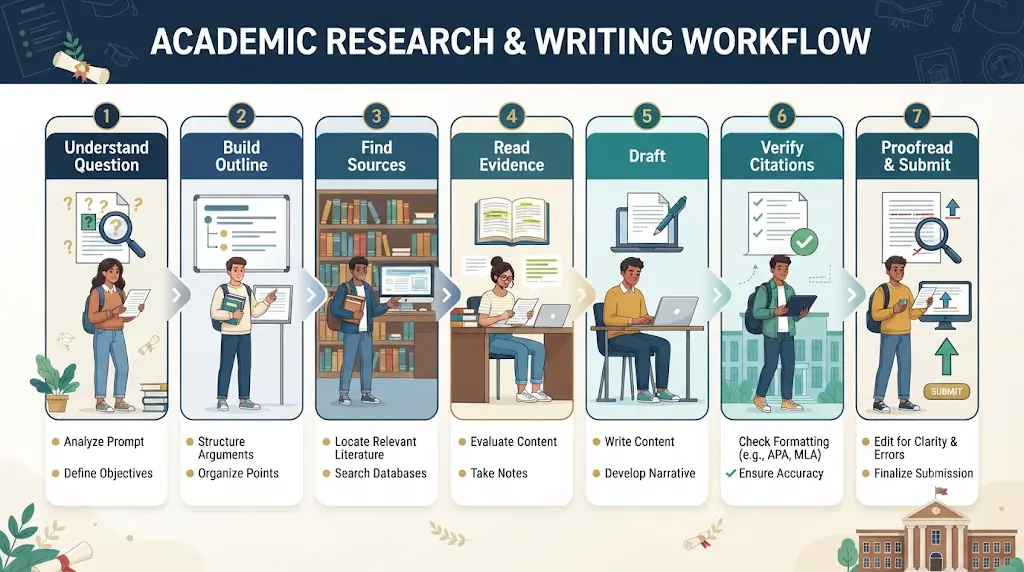
How to Use AI Tools for an Assignment: A 7 Step-by-Step Workflow
Step 1: Understand the assignment question
Identify the topic, required output, word limit, marking criteria and citation style. Ask an AI assistant to explain unfamiliar terms or identify the separate tasks in the question.
Step 2: Create your own outline
Write a preliminary argument and a rough structure before generating any text. Use AI to identify gaps or suggest alternative ways to organise the material.
Step 3: Find credible sources
Use an academic search tool to discover relevant research papers, books or institutional publications. Check whether each source is appropriate for your subject and assignment level.
Step 4: Read and compare the evidence
Read the original sources, not just AI-generated summaries. Record the main finding, research method, limitations and relevance of each source.
Step 5: Write the first draft
Develop the argument in your own words. Use AI for targeted tasks such as explaining a concept, improving transitions or identifying unsupported claims.
Step 6: Verify citations and factual claims
Open every source used in the assignment. Confirm the authors, publication details and whether the source actually supports the attached claim.
Step 7: Proofread and check your institution’s policy
Review grammar, clarity, formatting and references. Confirm that your use of AI complies with your instructor’s requirements and disclose AI assistance if required.
Final rule: AI can support research and revision, but the student remains responsible for the argument, accuracy, citations and submitted work.
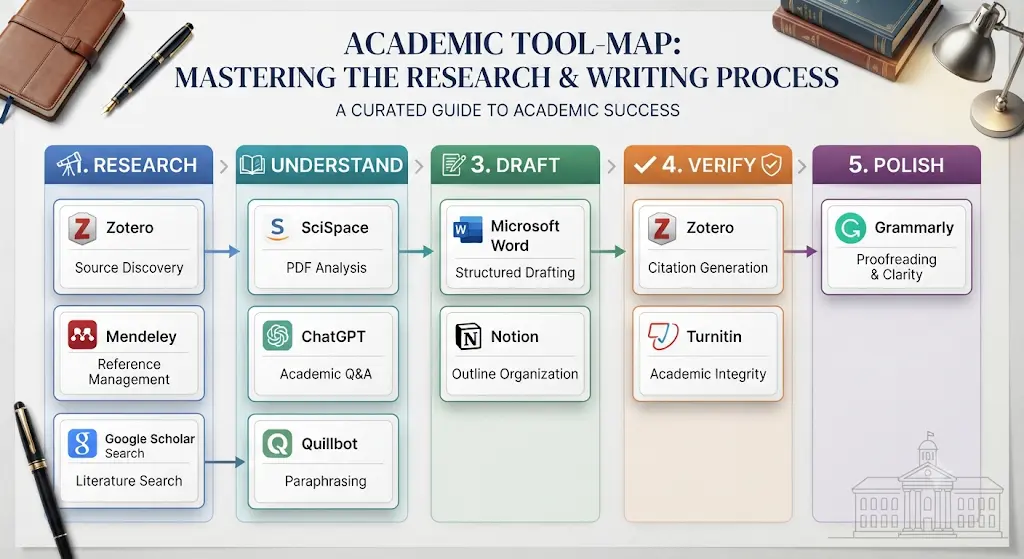
| Step | Recommended tool(s) |
| 1. Understand the question | ChatGPT / Perplexity (for explanation only) |
| 2. Build an outline | Do this yourself; AI as a sounding board |
| 3. Find sources | Sourcely, Elicit |
| 4. Read and compare evidence | Scholarcy, SciSpace, Consensus |
| 5. Draft | Jenni AI, Yomu AI |
| 6. Verify citations | Scite, manual source check |
| 7. Proofread | Paperpal, Trinka |
Step-by-Tool Quick Reference
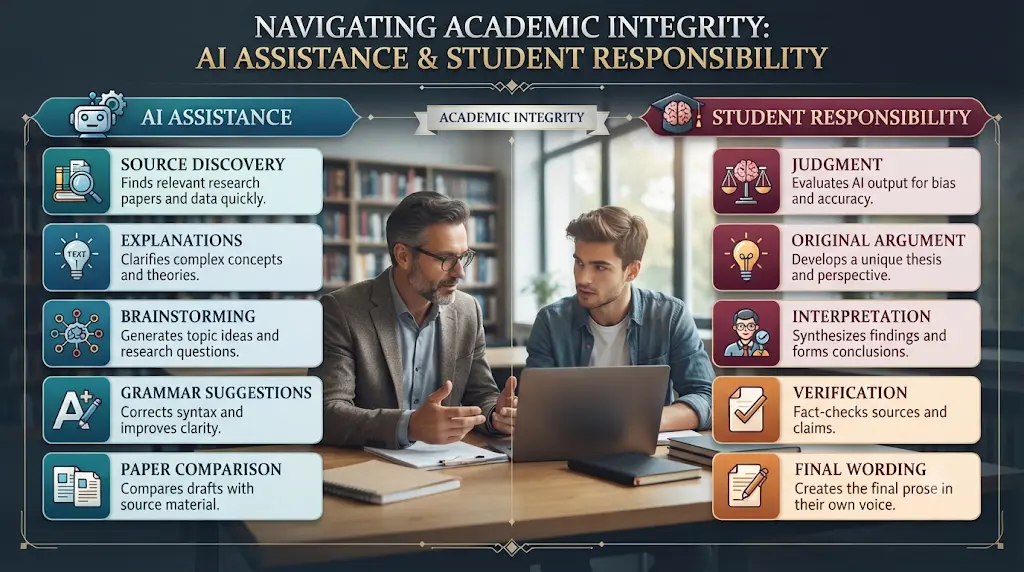
| Let AI assist with | Keep under your control |
| Finding possible sources | Deciding which sources are actually credible |
| Explaining difficult concepts | Understanding the concept yourself |
| Brainstorming ideas | Your actual argument |
| Building an outline draft | Your final structure |
| Grammar suggestions | Final wording and tone |
| Comparing papers | Your interpretation of what they mean |
| Citation discovery | Citation verification |
What to Use AI For vs What to Keep in Your Own Control
How We Evaluated These Tools
Every price, free-tier limit, and feature listed below was checked directly against each company’s official pricing page, live web search, and independent product reviews as of the verification date at the top of this article. We did not personally test every tool for weeks at a time — where hands-on use is described, it’s stated explicitly; everywhere else, the language is “based on documented features and verified pricing,” not “we tested this.”
Tools were excluded if they showed no clear sign of active maintenance, had confusing or contradictory public pricing with no way to verify it, or were essentially rebadged general-purpose chatbots with no academic-specific functionality. Free-tier limits change often, so treat every number here as a snapshot, not a permanent guarantee — always check the tool’s own pricing page before you commit.
10 Useful AI Prompts for Assignment Research and Writing
These prompts are built to assist your thinking, not generate a submission-ready assignment for you. Copy and adapt them.
1. Understand the assignment
“Break this assignment question into the exact tasks I need to complete. Do not write the answer.”
2. Find research angles
“Give me 5 research angles for this topic and explain what evidence I would need for each.”
3. Understand a paper
“Explain this research paper in simple language. Separate the research question, method, findings, limitations, and conclusion.”
4. Challenge my argument
“Act as a critical reviewer. Identify unsupported assumptions in my argument without rewriting it.”
5. Improve clarity
“Improve the grammar and clarity of this paragraph while keeping my original meaning and writing style.”
6. Compare two sources
“Compare these two sources on where they agree and disagree, and note which one has stronger supporting evidence.”
7. Check for logical gaps
“Read my argument and point out any place where a reader might reasonably ask ‘why is that true?’ without me having answered it.”
8. Build an outline, not a draft
“Suggest a logical structure for this assignment as a bullet-point outline only. Do not write full paragraphs.”
9. Simplify a citation style
“Explain the difference between APA and IEEE citation formatting using one example reference in each style.”
10. Self-check before submission
“Read this draft as if you were my professor. List the three weakest parts of the argument, not the grammar.”
How to Check an AI Citation Before Using It
AI tools occasionally invent citations that sound plausible but don’t exist, or misattribute a real finding to the wrong paper. Run every AI-suggested citation through this five-point check:
- Does the paper actually exist?
Search for it directly — don’t just trust the AI’s confident tone.
- Is the author information correct?
Check the actual byline on the source.
- Does the publication year match?
A mismatched year is a common AI slip-up.
- Does the source actually support your claim?
Open it and read the relevant section yourself.
- Can you open and read the original source?
If you can’t verify it, don’t cite it.
The rule: Never cite a paper because an AI tool says it exists. Cite it after you’ve verified the original source yourself.
Before you start writing your assignment, it’s important to know how to use AI for college research projects effectively. A strong research process helps you find credible sources, organize ideas, and avoid common mistakes that can lower your grades.
Want to turn this workflow into a simple routine? Download the free AI Assignment Checklist & Monthly Student Tracker to plan your assignments, verify sources, track your AI-assisted work, and complete a final submission check without missing the important steps.
Best Free AI Assignment Workflow for Students
If you can’t pay for anything right now, this chain covers most of the workflow without spending a rupee:
Research (Elicit) → Understand PDFs (SciSpace) → Draft assistance (Jenni AI) → Evidence check (Consensus, or Scite where free access applies) → Proofreading (Trinka)
None of these free tiers will carry you through a full dissertation, but they’re genuinely enough for a typical undergraduate assignment if you’re careful about which task you spend your limited daily or monthly credits on.
Best AI Tools for Assignment Writing — Detailed Reviews
1. Sourcely — Best for Finding Assignment Sources
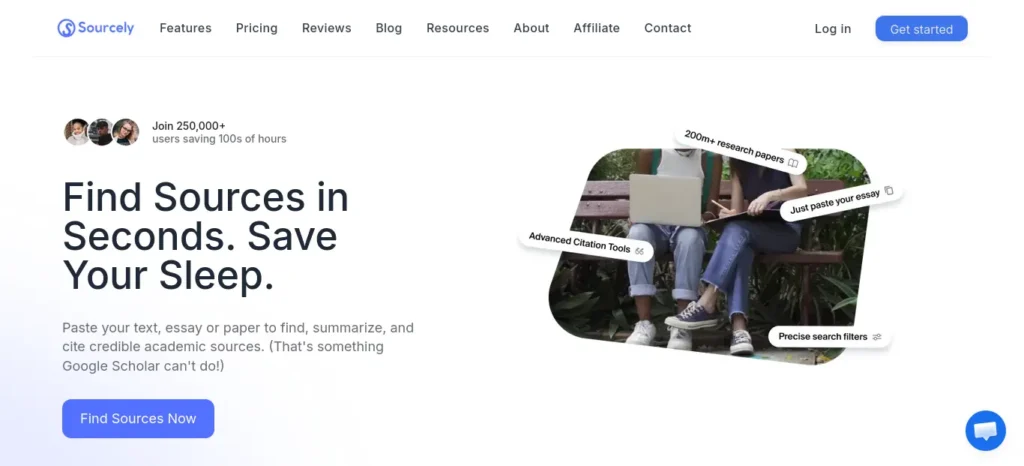
Best for: Students whose real problem is “I need three credible sources for this paragraph,” not prose generation.
Why it stands out: You paste a draft paragraph or essay topic, and Sourcely searches a large corpus of academic papers to surface sources that actually match your specific claims — instead of you guessing search terms on Google Scholar.
Best assignment moment: When you’ve already chosen your topic but don’t know which academic sources are worth opening.
Key features: Draft-to-source matching, source summaries, citation export in multiple styles, a personal source library, source credibility signals, and chat with individual sources.
Free plan: A no-signup free tier that accepts a short pasted excerpt (around 300 characters) and a limited number of searches per month — enough to test the tool, not to run a full paper.
Pricing: Ultra is $19/month (~₹1,805), and Max is $39/month (~₹3,705), both billed monthly, with a lower effective monthly rate on annual billing (roughly 50% off the annual total, per Sourcely’s pricing page). Confirm the current annual total on sourcely.net before buying — this has changed more than once in 2026.
Free alternative: Elicit, for source discovery through peer-reviewed literature search rather than draft-matching.
Limitation: It’s built for finding sources, not writing your assignment or checking whether a citation supports your specific argument in context (that’s closer to Scite’s job).
Choose this if: you’re stuck on the research step and need real, citable sources fast.
Skip this if: your assignment is short (500–800 words) and you already have your sources lined up.
2. Yomu AI — Best for Academic Writing Assistance
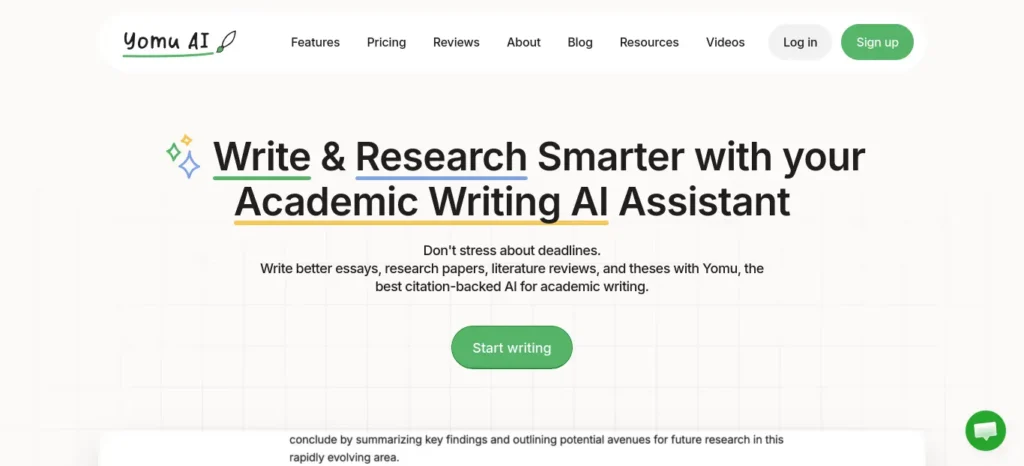
Best for: Students who want an AI writing partner built specifically around essays, papers, and citation-heavy academic documents.
Why it stands out: Yomu combines an AI document assistant, sentence-level autocomplete, and a citation tool (powered by its sister product Sourcely) inside one editor, so drafting and referencing happen in the same place instead of switching tabs.
Best assignment moment: When you know your argument but keep losing momentum mid-paragraph and need help maintaining flow without losing your own voice.
Key features: AI-written sections and autocomplete, paraphrase/expand/shorten/summarize tools, a citation generator supporting APA, MLA, Chicago, and IEEE, a plagiarism checker, and chat with your own PDFs, images, and source library.
Free plan: Yomu does not currently offer a permanent free plan — you can try a limited paid entry option, but there’s no free-forever tier like some competitors.
Pricing: Pro is $10/month billed annually ($120/year) or $21/month billed monthly, with 1,000 AI actions per month. Ultra is $17/month billed annually ($204/year) or $35/month billed monthly, with unlimited AI actions and access to more advanced models. (Verified directly on yomu.ai/pricing.)
Free alternative: Jenni AI’s free tier, for a similar citation-aware drafting experience at no cost.
Limitation: No lasting free tier means students on a zero-budget month will need to lean on the free tools it publishes separately (like its citation generators) rather than the core editor.
Choose this if: you write assignments often enough that a monthly plan pays for itself.
Skip this if: you only write one or two assignments a semester — the free alternatives below will likely cover you.
3. Jenni AI — Best for AI-Assisted Academic Drafting
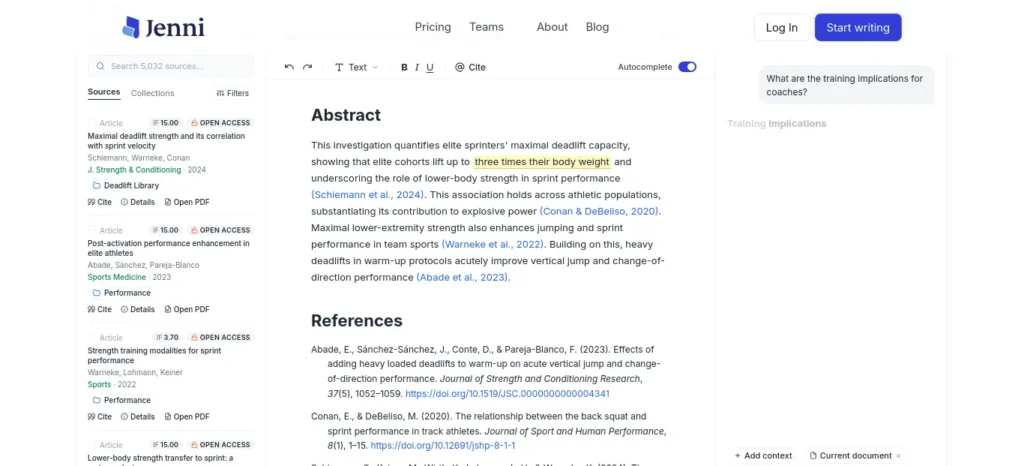
Best for: Students who want autocomplete-style drafting help with citations attached as they write, not after.
Why it stands out: Jenni’s AI Autocomplete suggests sentence continuations grounded in your uploaded sources, so you’re less likely to end up with confident-sounding text that has no real backing.
Best assignment moment: When you have your sources open in tabs but keep staring at a blank paragraph, unsure how to start connecting them.
Key features: AI autocomplete, AI chat with your PDFs, AI edits (paraphrase, expand, shorten), a writing “Reviews” pass that flags weak claims, and support for 10,000+ citation styles with unlimited citations even on the free plan.
Free plan: Genuinely usable — 10 AI autocompletes/day, 10 PDF uploads, 5 AI edits, 5 AI chat messages/day, and full citation-style support, with no credit card required.
Pricing: Plus is around $12/month on annual billing (closer to $20/month if paid monthly). Pro is $29/month with unlimited autocomplete, PDF uploads, edits, chat, and full document export. Team and institution pricing is available on request.
Free alternative: N/A — Jenni’s own free tier is already the budget option here.
Limitation: The free tier’s daily caps run out fast during an actual literature review — most regular users upgrade within the first week or two of heavy use.
Choose this if: you want citation-aware drafting help without losing track of your sources.
Skip this if: your assignment doesn’t involve heavy source use, like a reflective essay — a general writing tool may be enough.
4. Scholarcy — Best for Understanding Research Papers
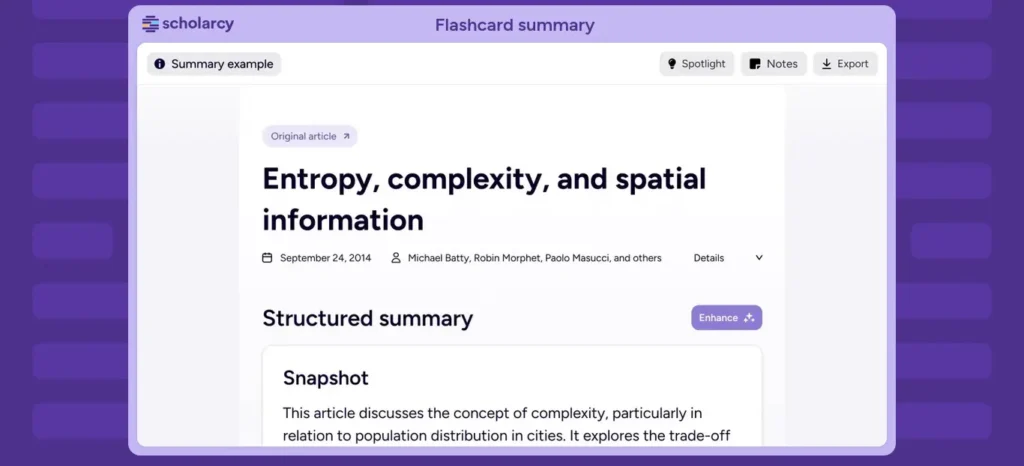
Best for: The moment you have ten papers open and thirty minutes before a seminar.
Why it stands out: Scholarcy turns a dense paper into a structured “summary flashcard” — key claims, methods, findings, and limitations pulled out automatically — so you can decide which papers deserve a full read before you commit the time.
Best assignment moment: When you’re doing a literature review and need to triage 15 papers down to the 5 that actually matter.
Key features: Automatic summary flashcards, literature matrices for comparing multiple papers at once, reference extraction, and integration with reference managers like Zotero.
Free plan: A capped number of document summaries per day — enough to triage a handful of papers, not to process an entire reading list.
Pricing: Around $9.99/month on monthly billing, or roughly $7.99/month on the annual plan. Institution-wide licensing starts far higher (in the thousands of dollars per year) and is priced separately for universities and libraries.
Free alternative: SciSpace’s free tier, for a smaller number of PDF-chat-based summaries.
Limitation: It’s an extractive summarizer, not a chat-based research assistant — it won’t answer follow-up questions about a paper the way Elicit or SciSpace can.
Choose this if: you need to decide fast which of your sources are actually worth reading in full.
Skip this if: you need to interrogate a paper with follow-up questions, not just skim its structure.
5. Scite — Best for Checking Citation Context
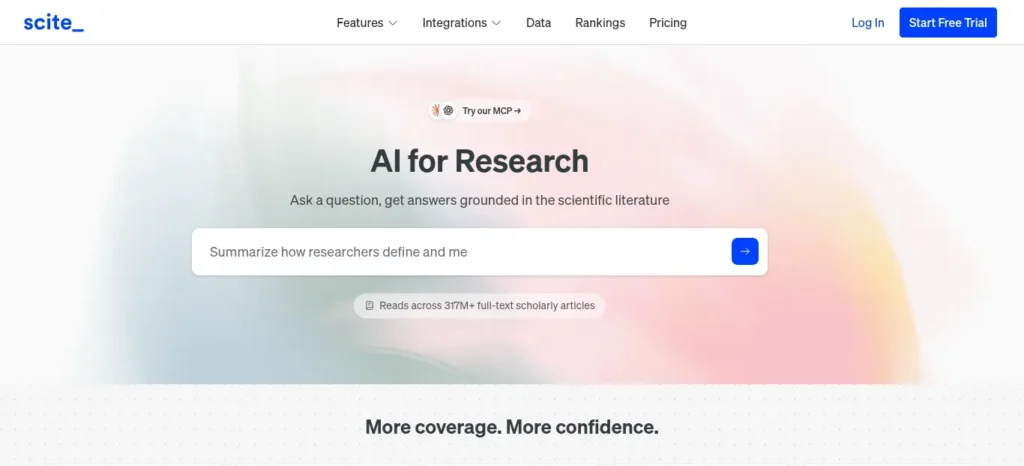
Best for: Verifying whether a source you’re about to cite actually supports the claim you’re making — or has since been contradicted by later research.
Why it stands out: Scite’s “Smart Citations” show whether other papers that cite a given study are supporting, contrasting, or merely mentioning it — a level of evidence-checking that a plain citation count can’t give you.
Best assignment moment: When your professor asks “has this finding held up?” and you need a real answer, not a guess.
Key features: Smart Citations with supporting/contrasting context, AI-generated answers grounded in scholarly sources, a Reference Check tool that flags cited papers with retractions or contradicting follow-up research, and a browser extension for PubMed and Google Scholar.
Free plan: Reports on Scite’s free access vary across sources — some list a limited free or trial tier, others report no lasting free plan. Treat this as unconfirmed and check scite.ai directly before assuming free access.
Pricing: Individual plans are reported in the $12–$20/month range depending on billing cycle, with team and enterprise tiers priced separately and by quote. Given how much public pricing pages disagree here, verify the exact current number on Scite’s own site before purchasing.
Free alternative: Consensus’s free tier, for a rougher but usable sense of scientific agreement on a topic.
Limitation: This is an evidence-verification tool, not a drafting tool — it won’t write or summarize your assignment for you.
Choose this if: you’re citing research-heavy claims and want to know if they’ve aged well.
Skip this if: your assignment is light on citations, like a personal essay or creative piece.
6. Elicit — Best for Research and Literature Discovery
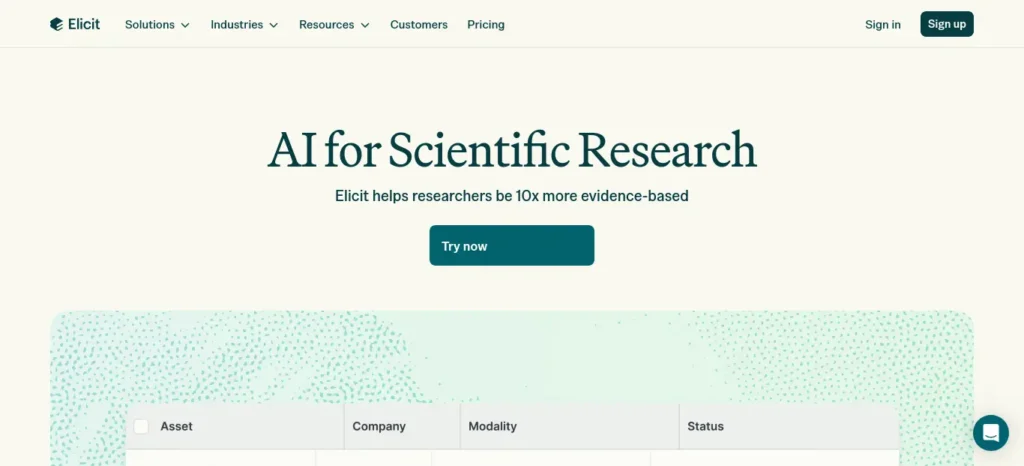
Best for: Literature reviews, structured comparisons across many papers, and “what does the research actually say about X” questions.
Why it stands out: Elicit’s free Basic plan gives unlimited search across more than 138 million papers plus AI summaries — genuinely useful for a real assignment, not just a demo.
Best assignment moment: When you’re starting a literature review from scratch and don’t yet know which papers exist on your topic.
Key features: Semantic paper search, automated research reports, data-extraction tables across multiple papers, and paper chat with full-text access.
Free plan: Basic is free and includes unlimited paper search, unlimited paper summaries, and a small number of automated research reports per month — solid for occasional to moderate research work.
Pricing: Plus is roughly $12/month (lower with annual billing). Pro is around $49/month for professional-level systematic review tools. Team pricing starts near $79/seat/month with a two-seat minimum.
Free alternative: N/A — Elicit’s own free tier is one of the strongest in this list.
Limitation: It’s built for peer-reviewed academic literature only — it won’t help with news, industry reports, or general web content, and it won’t polish your prose.
Choose this if: your assignment requires a genuine literature review or evidence synthesis across many papers.
Skip this if: you need general web sources rather than peer-reviewed literature.
7. Paperpal — Best for Academic Language Improvement
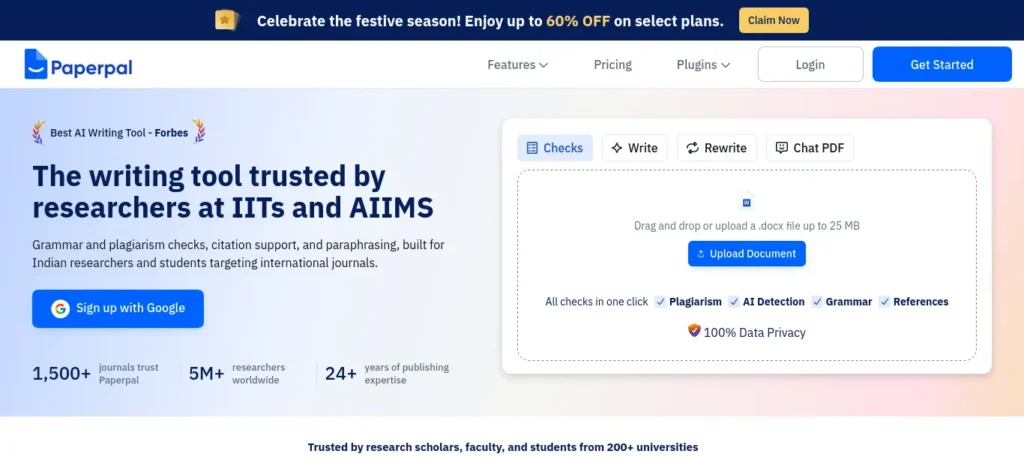
Best for: A finished draft that reads a little rough — awkward phrasing, inconsistent tense, or non-native-English patterns that make academic writing harder to follow.
Why it stands out: Built by Cactus Communications (Editage), Paperpal is trained specifically on scholarly language rather than general copywriting, so its suggestions tend to preserve technical terms and discipline-specific phrasing instead of flattening them.
Best assignment moment: When your argument and evidence are solid, but a professor’s past feedback has flagged your sentence-level clarity or tone.
Key features: Real-time language and grammar suggestions, academic paraphrasing, citation generation, plagiarism and AI-content checks, translation support, and 30+ submission-readiness checks aimed at journal manuscripts.
Free plan: 200 language suggestions per month, five AI uses per day, and a plagiarism check covering up to 7,000 words — workable for light, occasional editing.
Pricing: Prime is $25/month, or $139/year (about $11.58/month effective). Pro is $59/month, or $348/year, aimed at theses and high-stakes manuscripts with a larger plagiarism-check allowance.
Free alternative: Trinka’s free Basic plan, for a similar academic-tone grammar pass at no cost.
Limitation: It edits language, not logic — it won’t tell you if your argument or methodology is weak, only whether the sentences reading it are clear.
Choose this if: your ideas are solid but your English needs a professional-grade polish.
Skip this if: your bigger problem is structure or missing evidence, not sentence-level clarity.
8. Trinka — Best for Academic Proofreading
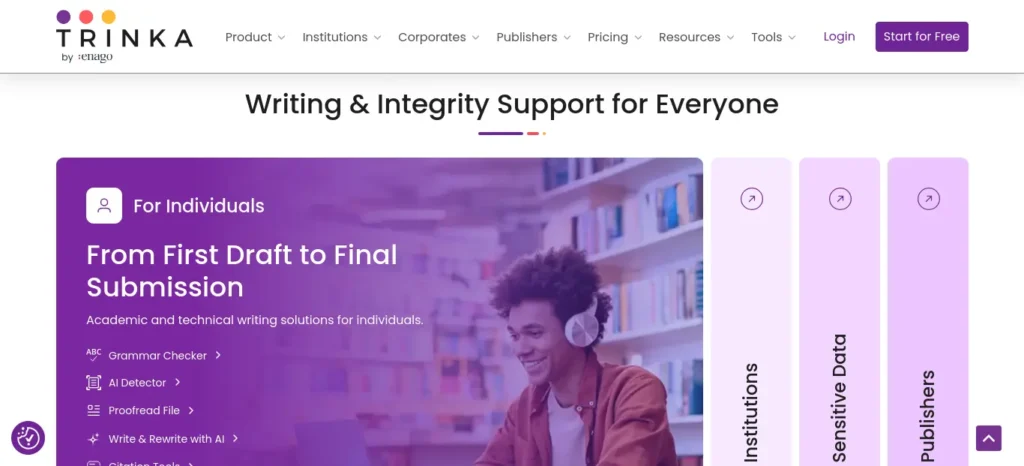
Best for: A final grammar, consistency, and originality pass before submission — especially for STEM and technical writing.
Why it stands out: Trinka’s grammar engine was built specifically around academic and scientific writing conventions, so it catches discipline-specific issues, like inconsistent terminology or awkward passive voice in a lab report, that general grammar checkers tend to miss.
Best assignment moment: The night before submission, when you need one last accuracy-focused pass without paying for a full editing suite.
Key features: Over 3,000 grammar and style checks tuned for academic tone, paraphrasing, consistency checks, a plagiarism/AI-content detector, citation formatting, and LaTeX-aware proofreading that won’t break your equations.
Free plan: The Basic plan never expires and covers grammar, paraphrasing, and consistency checks for a capped word count per month (roughly 5,000 words), plus a handful of monthly premium-feature credits.
Pricing: Premium runs around $6.67/month on annual billing (about $80/year). Premium Plus, which adds a larger plagiarism/AI-detection allowance, runs around $10.41/month annually (about $125/year). A separate confidential-data plan exists for sensitive manuscripts at a higher price point.
Free alternative: N/A — Trinka’s own free tier is already one of the most generous proofreading options here.
Limitation: Some users find its suggestions overzealous on borderline-formal writing — always review changes rather than accepting them blindly.
Choose this if: you want a dedicated final-pass proofreader that understands scientific and technical prose.
Skip this if: you need heavier drafting or research help — Trinka is a polish tool, not a starting point.
9. SciSpace — Best Research-and-Writing Workspace
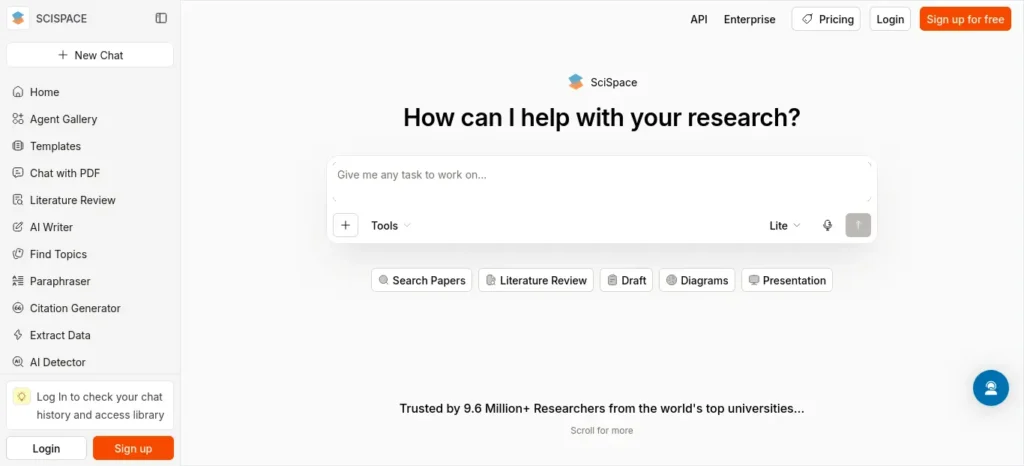
Best for: Students who want reading, PDF chat, and writing support in one place rather than juggling four separate tabs.
Why it stands out: SciSpace combines a literature-search engine, a “chat with your PDF” copilot for explaining confusing sections, and writing/formatting tools — useful when an assignment involves reading heavy papers and producing a written output from them.
Best assignment moment: When a single assignment requires both wading through unfamiliar papers and writing about them, and switching apps constantly is slowing you down.
Key features: AI-powered literature search, PDF chat that explains jargon or specific passages in plain language, citation-style formatting, and both a general Research Agent and specialized modes for different fields.
Free plan: A genuinely usable free tier with a monthly credit allowance covering basic literature search and PDF chats — good for light use, but credits run out fast with heavy research.
Pricing: Premium is about $12/month on annual billing, or $20/month billed monthly, with a larger monthly credit allowance and unlimited literature search and exports. Team and lab pricing is available separately for shared workspaces.
Free alternative: N/A — the free tier is the practical entry point for most students here.
Limitation: With research, writing, citation, and PDF tools all bundled together, it can take a little longer to find the right feature for a specific task compared to a single-purpose tool.
Choose this if: your assignment involves working through a stack of papers and writing about them, and you’d rather not switch apps constantly.
Skip this if: you only need one narrow task, like just citations, or just proofreading — a specialist tool will likely be faster.
10. Consensus — Best for Evidence-Based Questions
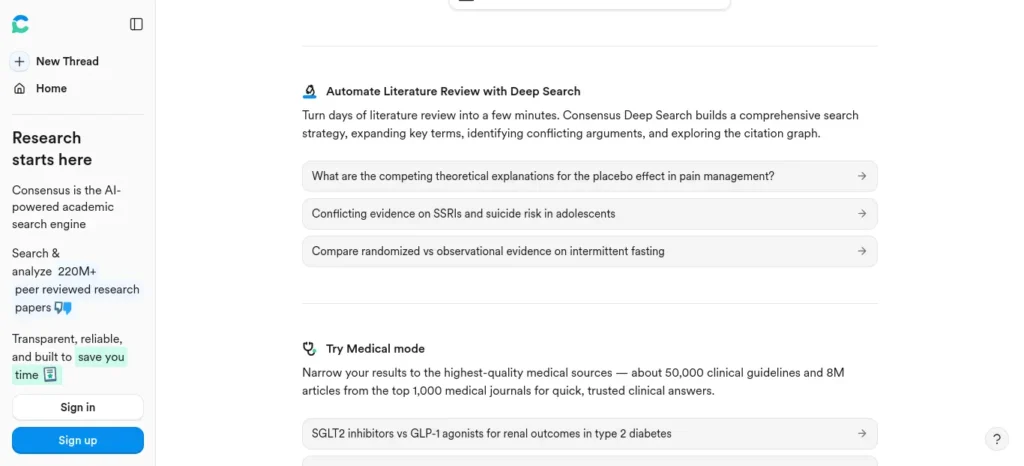
Best for: “What does the research actually say about X?” — quick, evidence-backed answers instead of a full systematic review.
Why it stands out: Consensus searches over 200 million scientific papers and returns a “Consensus Meter” showing the degree of scientific agreement on a topic, which is a fast way to sanity-check a claim before you build a paragraph around it.
Best assignment moment: When you need to quickly check whether a claim you want to make is actually backed by scientific consensus, not just one paper.
Key features: Natural-language research questions, study snapshots that break down individual papers, the Consensus Meter for gauging scientific agreement, and citation export.
Free plan: A free tier exists with a capped number of AI-powered analyses or searches per month — reports on the exact limit vary, so check the live number on consensus.app before relying on it for a big assignment.
Pricing: Premium is typically reported in the roughly $9–$10/month range on standard billing, with student discounts sometimes available — confirm the current figure directly, since third-party sources disagree slightly on the exact number.
Free alternative: Elicit’s free tier, for broader (if less agreement-focused) evidence search.
Limitation: It’s optimized for quick, evidence-based answers rather than the structured, exportable systematic-review workflow that Elicit offers — pick Elicit instead if your assignment specifically requires a formal literature review.
Choose this if: you need a fast, credible answer to a specific research question.
Skip this if: your assignment requires a structured, citation-table-style literature review — Elicit fits that better.
11. ChatGPT / Perplexity — The Mainstream Benchmark
Best for: General brainstorming, explaining concepts in plain language, and quick research questions when you don’t need academic-specific citation tooling.
Why it’s here: It would be dishonest to leave mainstream tools off a list of the best AI tools for assignment writing for students entirely. Both are genuinely useful for early-stage brainstorming, outlining, and explaining a confusing concept in plain language — and Perplexity in particular is reasonably strong at surfacing recent web sources with links attached.
Best assignment moment: The very first ten minutes, when you’re still figuring out what the assignment is even asking.
Key features: General-purpose conversational AI (ChatGPT), or AI-powered search with cited web sources (Perplexity).
Free plan: Both offer usable free tiers with daily/monthly limits on their more advanced models.
Pricing: Both currently sit around $20/month for their main paid consumer tier — check the official ChatGPT and Perplexity pricing pages directly, since these change often and regional pricing can differ.
Free alternative: N/A — both already have strong free tiers.
Limitation: Neither is purpose-built for academic citation accuracy, and neither replaces a dedicated citation tool for getting exact reference formatting right — always double-check any citation or fact either one gives you before it goes in your assignment.
Choose this if: you want a flexible generalist for brainstorming and explaining concepts.
Skip this if: you need reliable, verifiable citations for a research-heavy assignment — the specialist tools above are safer for that specific job.
AI for Assignment Research vs AI for Assignment Writing
These two categories get lumped together constantly, but they solve different problems:
- Research tools (Elicit, Consensus, Sourcely, Scholarcy, Scite) help you find, understand, and verify evidence.
- Writing and polishing tools (Jenni AI, Yomu AI, Paperpal, Trinka) help you turn that evidence into a clear, well-structured draft.
If you only pick one category, you’ll likely still get stuck — either you’ll have great sources and a clumsy draft, or a smooth draft built on weak or unverified evidence. A workable minimum is one tool from each category.
Best Free AI Tools for Assignment Writing
Breaking the free-tier landscape down by job:
Free Research Tools
Elicit’s free Basic plan gives unlimited paper search across 138+ million papers.
Free Drafting Tools
Jenni AI’s free tier supports citation-aware autocomplete and AI chat with your PDFs.
Free PDF-Understanding Tools
SciSpace’s free tier covers a monthly allowance of literature search and PDF chats.
Free Proofreading Tools
Trinka’s Basic plan never expires and covers a capped monthly word count for grammar and consistency checks.
None of these free tiers promise unlimited access — each is capped in some way — so treat this as a genuinely useful starting stack, not a permanent free replacement for every paid feature.
Best AI Tools for Assignment Writing by Assignment Type

- Essay or discussion post: Jenni AI or Yomu AI for drafting, Trinka for the final proofread
- Research paper or literature review: Elicit for evidence synthesis, Scholarcy to triage sources, Scite to check citation context
- Lab report or technical write-up: Paperpal or Trinka for discipline-aware language editing
- Case study or project report: SciSpace for reading source material, Sourcely for filling citation gaps
- Thesis or dissertation chapter: A combination of Elicit (research), Jenni AI or Yomu AI (drafting), and Paperpal or Trinka (final language pass)
Looking for the best AI tools for writing college assignments? Explore our detailed guide to discover the top AI writing assistants that help you research, draft, edit, and improve academic assignments faster while maintaining quality and originality.
Assignment-Type Workflow Chains
- Research paper: Elicit → Scholarcy → Scite → Jenni AI → Trinka
- Lab report: SciSpace → Paperpal → Trinka
- Literature review: Elicit → Scholarcy → Scite → Paperpal
- Case study: Sourcely → SciSpace → Jenni AI → Trinka
Best AI Assignment Tools by Student Type
Not every student needs the same tool — the best AI tools for assignment writing for students often depend heavily on your course and discipline:
- Engineering / B.Tech students: Yomu AI and Jenni AI for IEEE-style citation support; SciSpace for technical paper reading.
- MBA/BBA students: Paperpal and Trinka for polished business-report language; Sourcely for case-study sources.
- B.Com students: Trinka for proofreading; Scholarcy for digesting long theory readings.
- Arts & humanities students: Scholarcy and SciSpace for working through long theoretical texts.
- Science students: Elicit and Scite for evidence-heavy lab and research write-ups.
- Postgraduate students: Elicit Pro or Team plans for systematic-review-level research depth.
- Thesis/dissertation students: The full Elicit → Jenni AI/Yomu AI → Paperpal/Trinka pipeline.
- Students with limited budgets: The free-tier stack — Elicit, Jenni AI, SciSpace, and Trinka.
- International / non-native English writers: Paperpal and Trinka, both built specifically around academic English patterns.
Best AI Assignment Tools for Indian Students
For Indian students working on a tight budget, a few things matter more than they do in a US-centric review: INR affordability, free-tier limits that actually stretch across a semester, and whether a tool handles the citation styles your department expects — APA and MLA are common in humanities and management courses, while IEEE shows up constantly in engineering.You don’t need more study hours—you need a smarter learning system, and these AI tools can help you build one at home.
If you’re an engineering student, don’t waste hours switching between random AI tools—see which AI tools actually fit your engineering branch, from coding and research to calculations and project work.
How Indian Students Should Choose an AI Assignment Tool
For Indian college students, the most useful tool is not necessarily the one with the longest feature list. Consider these four factors before paying for a subscription:
- Total cost: Check the current India-specific price, billing period, taxes and cancellation conditions.
- Free-plan limits: Confirm how many documents, edits, searches or AI actions are included.
- Course requirements: Check the citation style, report format and technical requirements specified by your college or university.
- Academic integrity: Confirm whether your institution allows AI-assisted research, editing or drafting, and whether disclosure is required.
If your budget is ₹0, begin with free tools. If you regularly work with research papers, consider paying for one specialist tool only when you have identified a genuine limitation in your free workflow.
Do not buy multiple subscriptions simply because they appear in a recommendation list. A tool should solve a specific problem that matters to your coursework.Stop wasting time on repetitive tasks—discover the best AI tools for everyday tasks that can help you work smarter, simplify daily routines, and get more done with less effort.
Best AI Tools for B.Tech and Engineering Students

Engineering and B.Tech assignments often need IEEE-style citations and have to deal with technical terminology, lab reports, and sometimes LaTeX documents. Yomu AI, Jenni AI, and Sourcely all support IEEE formatting — check that specifically rather than assuming. For LaTeX-heavy technical writing, Trinka’s LaTeX-aware proofreading is worth checking out so equations aren’t mangled during a grammar pass.
Best AI Tools for MBA and BBA Students
MBA and BBA assignments typically lean on APA or Harvard style and revolve around case studies, business reports, market research, and presentations. These benefit more from Paperpal’s or Trinka’s language-polishing than from heavy citation-checking tools like Scite, since business writing is usually evaluated more on clarity and structure than on citation-context verification.
A Practical Note on Budget
For students on a real budget, starting with the free tiers of Elicit, Jenni AI, Trinka, and SciSpace covers research, drafting, and proofreading without any subscription at all — only upgrade once you can point to a specific limit, like running out of daily autocompletes mid-essay, that’s actually costing you time.
We’re not claiming any single tool is officially “best in India” — none of these companies publish India-specific benchmarks — but this free-tier-first approach is a safer, more honest way to frame it than an unverifiable superlative.
How Much Should a Student Spend on AI Assignment Tools?
You don’t need to spend anything to get started with the best AI tools for assignment writing for students — budget mainly changes how much depth and speed you get, not whether the workflow works at all.
- ₹0 budget: Use the free tiers listed above. They genuinely cover a typical undergraduate assignment.
- Low budget: Pay for one specialist tool only — pick whichever stage is actually your bottleneck.
- Regular assignment workload: Combine one research tool with one writing-or-proofreading tool.
- Thesis or dissertation workload: Consider a larger research workflow, such as Elicit Plus or Pro alongside a proofreading subscription.
The important editorial advice here: don’t pay for three AI subscriptions when one free tool already solves your immediate problem.If you want AI to do more than just answer questions, discover these AI Tools for People With No Coding Skills that can save you at least one hour every day.
Should You Use One AI Tool or Several?
- One tool: Convenient and cheaper, but limited — you’ll likely hit a wall at either the research or the writing stage.
- Two tools: Usually the sweet spot for most students — one research tool, one writing/proofreading tool.
- Three or more tools: Useful for research-heavy projects like a thesis, but unnecessary overhead for a normal weekly assignment.
Tool Selection Scorecard
Once you’ve narrowed down your options, this scorecard makes it easier to compare the best AI tools for assignment writing for students side by side, at a glance:
| Tool | Research | Writing | Citations | PDFs | Proofreading | Free option |
| Sourcely | ✓ | ✓ | Limited | |||
| Yomu AI | ✓ | ✓ | ✓ | No | ||
| Jenni AI | ✓ | ✓ | ✓ | Yes | ||
| Scholarcy | ✓ | ✓ | Limited | |||
| Scite | ✓ | ✓ | Unclear | |||
| Elicit | ✓ | ✓ | Yes | |||
| Paperpal | ✓ | ✓ | ✓ | Limited | ||
| Trinka | ✓ | ✓ | Yes | |||
| SciSpace | ✓ | ✓ | ✓ | ✓ | Yes | |
| Consensus | ✓ | Limited |
What AI Assignment Tools Still Get Wrong
Even the best AI tools for assignment writing for students can produce:
- Fabricated or mismatched citations
- Misunderstood research findings, especially with nuanced statistics
- Oversimplified arguments that skip important caveats
- Incorrect or outdated statistics
- Missing context around a study’s limitations
- Overconfident wording on claims that are actually contested
- Generic conclusions that don’t reflect your specific evidence
None of this means avoid AI — it means verify what it gives you, every time, especially anything that looks like a fact or a citation.
How to Use AI for Assignments Without Crossing the Line

There is no single universal rule here — academic-integrity policies vary by institution and even by instructor, so check your own university’s or course’s AI policy before you use any of these tools on graded work.
Generally lower-risk uses:
- Brainstorming topics or angles
- Getting a concept explained in plain language
- Building an outline you then write yourself
- Grammar and clarity feedback on your own draft
- Summarizing a paper to decide if it’s worth a full read
- Finding sources you then read and verify yourself
Higher-risk uses that commonly violate academic-integrity policies:
- Submitting an entire AI-generated assignment as your own work
- Using AI-suggested citations without checking that the source actually exists and says what the AI claims it says
- Paraphrasing AI output you don’t actually understand, just to avoid a similarity-checker flag
- Using AI to disguise text that was copied from somewhere else
- Ignoring your specific university’s or instructor’s stated AI policy
Before submitting your assignment, learn how to use AI ethically for academic writing to avoid plagiarism and create original work.
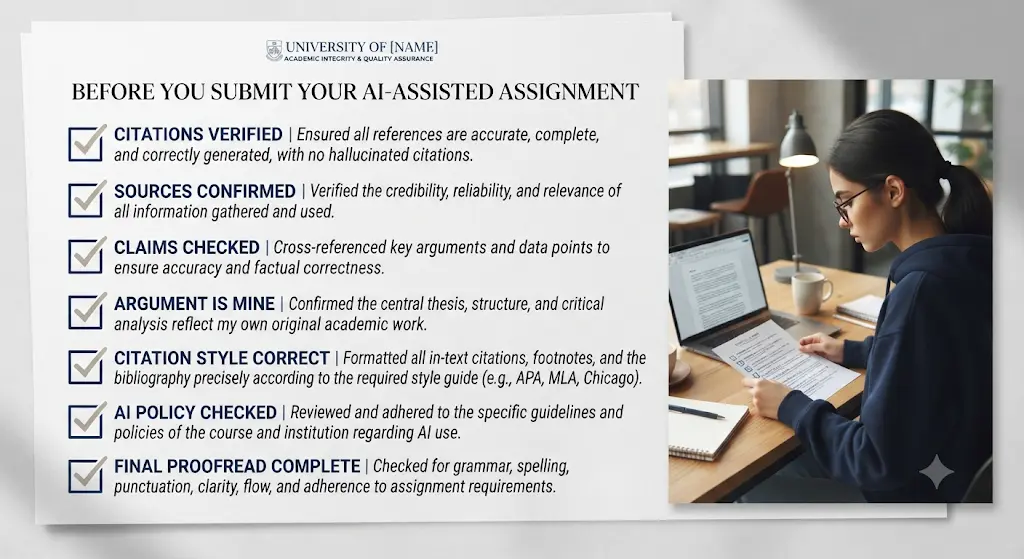
7 Things to Check Before Submitting an AI-Assisted Assignment
- Every citation exists.
- Every citation actually supports the claim it’s attached to.
- You understand every paragraph well enough to explain it out loud.
- The argument is genuinely yours, not just AI phrasing you agreed with.
- The references match the citation style your course requires.
- No AI-generated placeholder text remains anywhere in the document.
- Your university’s AI policy allows the type of assistance you actually used.
The 10-Minute Assignment Final Check
- 2 minutes: Read the question again.
- 2 minutes: Check citations.
- 2 minutes: Check factual claims.
- 2 minutes: Check grammar.
- 2 minutes: Read the conclusion and first paragraph together to make sure they still match.
What AI Should Not Do for You
Even the most academically-focused AI tool on this list has limits it shouldn’t be asked to cross. AI should not replace:
- Your argument — the specific claim you’re making and why
- Your reading — skimming a summary is not the same as understanding the source
- Your interpretation of the evidence
- Your judgment about which sources and claims are actually strong
- Your final read-through before you submit something with your name on it
Want to learn the practical ways students are already using AI in everyday learning? Read our complete guide on How Students Use AI to Study Smarter (Without Cheating) and discover 12 proven techniques to improve learning, revision, and exam preparation.
How Beginners Can Use AI for Their First Assignment
If this is your first time using AI tools for coursework, keep the sequence simple:
- Understand the question.
- Ask AI to explain unfamiliar terms in plain language.
- Find real sources — don’t skip verification just because it’s your first attempt.
- Read the sources yourself.
- Create your own outline.
- Write your draft.
- Use AI for feedback on clarity and structure.
- Verify everything before you submit.
Using AI for the first time can feel confusing, but you don’t need to be tech-savvy—this beginner-friendly guide shows you exactly where to start.
The Right Way to Think About AI in Academic Work
AI can reduce the mechanical work around an assignment. It shouldn’t replace the thinking that makes the assignment yours.
Research, reasoning, writing, and verification are all still your responsibility — AI can speed up the mechanical parts of each stage, but it can’t stand in for your own judgment about what the evidence means or why your argument holds together.Don’t waste hours jumping between AI tools that barely help—discover these powerful AI tools for students in India that can make studying, assignments, and exam prep much easier.
What Is the Safest Way to Use AI for Assignments?
Students often ask which tool is “safest” to use for coursework. The honest answer: the safest tool is less important than the way you use it. A perfectly reputable academic AI tool can still get you into trouble if you submit its output unchecked, and a general-purpose chatbot can be used safely if you verify everything it gives you.
Safer use generally means:
- Using AI for assistance, not for authorship
- Verifying every source and citation yourself
- Preserving your own reasoning and argument
- Following your specific university’s or instructor’s AI policy
- Never submitting AI-generated work without a genuine understanding of it
Best AI Tools for Assignment Research With Citations
If you specifically need research tools that come with citation support attached, the shortlist looks like this:
- Elicit — literature discovery and evidence synthesis across 138+ million papers
- Sourcely — source discovery matched to your specific draft or claim
- Scite — citation context, showing whether later research supports or contradicts a source
- Consensus — evidence-backed answers to specific research questions, with a scientific-agreement indicator
If you’re still unsure whether ChatGPT or Perplexity is the better choice for your next assignment, this side-by-side comparison can help you choose the right tool without wasting time.
Common Mistakes Students Make With AI Assignment Tools
- Trusting an AI-suggested citation without opening the actual source to confirm it says what the tool claims
- Using a general chatbot for a task a specialist tool would do more reliably, like asking ChatGPT to format IEEE citations instead of using a dedicated citation tool
- Paying for a premium plan before checking whether the free tier already covers what you actually need
- Submitting AI-polished text without reading it closely enough to know if it still represents your own understanding
- Never checking the institution’s specific AI-use policy before submitting graded work
The biggest mistake isn’t using AI—it’s using only one AI tool. Discover the hidden AI tools that most students are not using yet and transform the way you study.
Don’t Blindly Paraphrase AI Output — Here’s Why
AI paraphrasing tools are useful for clarity, but blindly accepting AI-suggested paraphrases can quietly:
- Change the original meaning of a sentence
- Remove important qualifications or caveats
- Make a claim sound stronger or more certain than the original source actually supports
- Introduce awkward or unnatural academic phrasing you wouldn’t have written yourself
Treat AI paraphrasing as a suggestion to review line by line, not a pass/fail rewrite you accept wholesale.Most beginners waste more time choosing AI tools than actually using them—see which free AI tools for beginners are worth trying first, without needing any technical skills.
How to Avoid Becoming Too Dependent on AI
- Think before prompting. Write your own initial idea first, even a rough one.
- Read the original source. Don’t outsource understanding to a summary.
- Write some sections yourself. Especially your argument, analysis, and conclusion.
- Use AI to challenge your thinking, not just to produce text.
Most people use AI to get quick answers, but that’s only the beginning. If you want a step-by-step workflow that combines planning, note-taking, revision, and productivity into one streamlined system, explore AI Study Workflow for Students and learn how to build an AI-powered study routine that actually lasts.
How Students Can Use AI to Improve Assignment Performance
“Performance” here shouldn’t mean getting AI to write faster. It’s better framed as:
- Faster research discovery
- Better source organization
- Clearer understanding of complex readings
- Stronger argument-checking before submission
- Fewer citation mistakes
- Cleaner writing
- More time left over for actual thinking
More AI Doesn’t Equal Better Grades
Using more AI tools does not automatically produce a better assignment. Better results usually come from better research, clearer reasoning, stronger evidence, and careful revision — AI can support each of those steps, but it doesn’t replace them.
AI Assignment Terms Students Should Know
- AI citation: A reference to a source, generated or suggested by an AI tool, which must still be independently verified.
- Literature review: A structured survey of existing research on a topic, usually organized by theme or method.
- Citation context: Whether a paper that cites another paper is supporting, contrasting, or simply mentioning it.
- Semantic search: Search based on meaning rather than exact keyword matching, which is how tools like Elicit and Consensus find relevant papers.
- Plagiarism: Presenting someone else’s words or ideas as your own without attribution.
- AI detection: Automated tools that estimate whether text was likely written by AI.
- Paraphrasing: Rewriting a passage in different words while preserving its original meaning.
- Source verification: Confirming that a cited source actually exists and supports the specific claim attached to it.
Our Practical Recommendation
For most students, don’t start by buying an AI writing tool. Start with research and source verification. Once you know where your evidence is coming from, choose a writing or proofreading tool only if it solves a real problem in your workflow.
FAQ
What is the best AI tool for assignment writing for students? There isn’t one single best tool — it depends on the task. Jenni AI and Yomu AI are strong for drafting with citations attached, Sourcely and Elicit are stronger for research, and Paperpal and Trinka are stronger for polishing a finished draft.
What is the best free AI tool for assignments? Elicit’s free Basic plan (unlimited paper search), Jenni AI’s free tier (citation-aware drafting), and Trinka’s free Basic plan (proofreading) together cover most of a typical assignment without any payment.
Which AI is best for college assignments? It depends on your course. Engineering assignments benefit from tools with strong IEEE citation support (Yomu AI, Jenni AI); research-heavy humanities assignments benefit more from Elicit or Scholarcy. For a typical college assignment, you usually don’t need five AI subscriptions — a research tool plus a writing-or-proofreading tool is enough for most students.
Which AI tool is best for assignment research? Elicit for structured literature review and evidence synthesis, or Consensus for quick, evidence-based answers to a specific research question.
Which AI tool is best for finding academic sources? Sourcely, which is built specifically around matching your draft’s claims to relevant academic sources.
Can I use AI to research an assignment? Yes — tools like Elicit, Consensus, and Sourcely are specifically designed to help you find and evaluate academic sources faster than a manual search, though you should still verify every source yourself.
Can AI write an assignment for me? AI can help you brainstorm, research, outline, explain concepts, and revise your writing. Most academic-integrity policies draw the line at submitting AI-generated work as entirely your own, so check your specific institution’s rules before using AI on graded work.
Is using AI for assignments allowed? It depends entirely on your institution and instructor. Some allow AI for brainstorming and editing but not for drafting; others have stricter or looser rules. Always check your specific course or university policy rather than assuming a single universal answer.
Can AI-generated citations be trusted? Not automatically. Always open the actual source an AI tool suggests and confirm it exists and says what the tool claims before using it in your assignment — AI citation tools can occasionally surface incomplete or mismatched references.
Which AI tool can summarize research papers? Scholarcy is built specifically for this, turning full papers into structured summary flashcards; SciSpace’s PDF chat is a good alternative if you also want to ask follow-up questions.
How can students use AI without cheating? Use AI for brainstorming, research discovery, outlining, and language feedback on your own draft — and avoid submitting AI-generated prose as your own final argument without substantially understanding and reworking it yourself.
How can I use AI responsibly without violating academic-integrity rules? Check your specific institution’s AI policy before you start, use AI for assistance rather than authorship, verify every citation and fact yourself, and keep your own reasoning and argument at the center of the final submission.
Which AI tool is best for academic proofreading? Trinka for a dedicated grammar, consistency, and originality pass built around academic and technical writing conventions; Paperpal if you also want deeper language-polish and translation support.
Which AI tool is best for assignment writing?
It depends on the task. Use an academic writing assistant for drafting support, a research tool for finding evidence, and a proofreading tool for language improvements. Check the current features and limits before choosing.
What is the best free AI tool for assignments?
There is no single best free tool for every assignment. Elicit offers free academic paper search and summaries, Jenni AI provides limited free drafting features, and ChatGPT has a free general-purpose plan. The right choice depends on the task and the free usage limits.
Can AI help me write a college assignment?
AI can help you understand the question, develop an outline, discover sources, review your argument and improve clarity. You should verify factual claims, write and understand your own argument, and follow your college’s AI-use rules.
Which AI tool is best for assignment research and citations?
Elicit is useful for discovering and synthesising academic literature, while Scite helps readers examine citation context. Citation formatting and source verification are separate tasks, so always check the original publication and the reference details.
Are paid AI assignment tools worth it for students?
A paid plan may be useful if you regularly hit a free-plan limit or need a specific research or editing feature. For occasional assignments, start with free access and upgrade only when the additional capability justifies the cost.
Can AI tools guarantee plagiarism-free assignments?
No. AI-generated writing can contain copied material, inaccurate citations or unsupported claims. A plagiarism checker cannot guarantee academic integrity, and an AI detector cannot definitively establish authorship. Review the sources, understand the content and follow your institution’s rules.
Are AI Assignment Tools Safe to Use?
AI assignment tools differ in how they handle uploaded documents, conversation history and account data. Before uploading a draft, research paper or university document, read the provider’s current privacy policy and terms.
Check:
- Whether uploaded files or prompts may be used to improve the service.
- How long your documents and conversation history are retained.
- Whether you can delete uploaded documents and account data.
- Whether your college permits uploading course materials or unpublished research to external services.
- Whether the tool shares information with third parties or offers specific privacy controls.
Do not assume that a free tool provides the same privacy protections as an institution-managed subscription.
Can an AI detector prove that an assignment was written by AI?
No. An AI detector’s result should not be treated as definitive proof of authorship or academic misconduct. Detector outputs can be inaccurate, and a score alone does not establish how a document was created.
Similarly, a plagiarism checker and an AI detector serve different purposes. Plagiarism checks look for text similarities or matching sources, depending on the product. AI detectors attempt to estimate whether text resembles AI-generated writing. Neither replaces a careful review of sources, drafts and the student’s own work.No AI experience? Start here—these beginner-friendly tools can save you hours of confusion and unnecessary effort.
Final Verdict: Use AI to Work Smarter, Not to Think Less
The best AI tools for assignment writing for students aren’t necessarily the ones that can generate the most words. For most students, the better tool is the one that solves the part of the assignment that’s actually slowing them down.
If you need sources, start with a research-focused tool such as Elicit or Sourcely. If you’re working through difficult papers, Scholarcy or SciSpace can save time. If you’re checking whether evidence supports a claim, Scite or Consensus can help. For drafting and language improvement, Jenni AI, Yomu AI, Paperpal, or Trinka may make more sense depending on what you need.
You also don’t need a subscription to everything on this list. For a normal college assignment, a simple free workflow can be enough: find credible sources, understand them, write your own argument, use AI for targeted assistance, verify your citations, and proofread before submitting.
Most importantly, don’t let AI become the one doing your degree for you. Use it as a research assistant, a writing coach, and a second pair of eyes — but keep the thinking, judgment, and final responsibility in your own hands.
The goal isn’t to submit an assignment faster. It’s to produce better work while becoming a better student.
About the Author
Nandhakumar is the Founder and Content Creator at FutureFastAI, a student-focused platform covering AI tools, digital productivity, and practical ways to use AI for studying and academic work.
He focuses on helping students and beginners understand AI tools without unnecessary technical jargon or hype. His approach is simple: use AI as an assistant to research, learn, organize ideas, and improve productivity—not as a replacement for independent thinking.
At FutureFastAI, Nandhakumar creates and reviews practical AI resources with an emphasis on usefulness, clear explanations, responsible AI use, and up-to-date information. When discussing AI tools, features, pricing, or free plans, the content is checked against available official information where possible, since these details can change over time.
Learn more about FutureFastAI →
Editorial Policy
FutureFastAI provides clear, accurate, and practical AI content for students and beginners.
We aim to:
- Verify information using reliable sources.
- Clearly distinguish research from personal testing.
- Promote responsible and ethical AI use.
- Make independent recommendations, including limitations.
- Disclose affiliate links and advertising.
- Update outdated information and correct errors.
- Use AI responsibly while maintaining human editorial oversight.
We do not encourage plagiarism, academic dishonesty, or misuse of AI. Readers should verify important information and follow their institution’s policies.
For corrections or feedback, please contact us through our Contact page.
Last updated: September 2026




One Comment