

9 Best AI Study Timetable Tools for Students (2026)
AI Tools for Creating a Study Timetable Automatically: 9 Powerful and Smart Solutions for Students in 2026
Introduction
Creating a study timetable sounds simple until you have multiple subjects, upcoming exams, assignments, and limited time.
A timetable can look perfect on paper and still fail because it does not account for your actual workload, weak subjects, or unexpected changes.
This is where AI study planners and timetable generators can help. Depending on the tool, AI can organize subjects, deadlines, available study hours, revision sessions, and priorities into a personalized study schedule.
Some tools focus on student planning, while others automatically schedule tasks around your calendar. In this guide, we’ll compare nine options, explain what each tool is useful for, and show you how to create a more realistic AI-assisted study timetable.
New to AI? Start with our Ultimate Beginner Guide to AI Tools for Students to discover the best AI tools for research, note-taking, writing, revision, and productivity—all explained in a beginner-friendly, step-by-step format.
Quick Answer
AI study timetable tools help students turn subjects, exam dates, available study hours, and priorities into a structured study schedule. Some tools automatically schedule tasks around your calendar, while others use AI to generate a timetable that you can adjust manually.
If you want an AI timetable generator, look for tools that can create study sessions based on your available time and priorities. If your main goal is revision, choose a tool that can also schedule repeated review sessions, weak subjects, practice, and unfinished tasks.
For example:
- AI timetable maker: Creates a daily or weekly study schedule from your subjects and available time.
- AI study planner: Helps organize subjects, assignments, exams, and study goals.
- AI revision planner: Creates revision sessions based on upcoming exams, difficult topics, or weak areas.
- AI schedule generator: Builds study sessions around your existing commitments and deadlines.
The best choice depends on whether you need simple timetable creation, automatic scheduling, revision planning, or a complete study-management system.
Important Note
Example:
AI can create an excellent study timetable, but it cannot study on your behalf. Your progress still depends on following the schedule consistently and adjusting it when your priorities change.
What You’ll Learn from your article
- How AI creates study schedules
- Best AI timetable apps
- Common mistakes
- Best practices
- How to choose the right app
- Daily workflow
“Who Should Read This Guide?”
This guide is ideal for:
- Students who struggle to create a realistic study timetable.
- School, college, and university students preparing for exams.
- Students balancing academics with part-time jobs or extracurricular activities.
- Learners who often procrastinate because they don’t know what to study first.
- Students looking for AI-powered tools to save time and stay organized.
- Anyone who wants a personalized study schedule instead of a fixed timetable.
Who This Guide Isn’t For
This guide isn’t for students looking for shortcuts or expecting AI to study for them. These tools help you plan your time more effectively, but consistent effort, active learning, and regular revision are still essential for academic success.
.
What Are AI Tools for Creating a Study Timetable Automatically?
AI tools for creating a study timetable automatically are smart applications that generate study schedules based on your needs.
Instead of creating a timetable manually, you simply enter information such as:
- Subjects
- Exam dates
- Study hours available
- Weak subjects
- Daily routine
- Learning goals
The AI then creates an optimized study plan.
Think of it like having a personal study coach available 24/7.
Can AI Create a Revision Schedule Based on Your Weak Chapters?
Yes, some AI-powered study planners can help organize revision around difficult subjects, unfinished topics, upcoming exams, and available study time. However, the exact level of automation depends on the tool.
For example, a student preparing for an exam might identify three weak areas: algebra, organic chemistry, and physics mechanics. Instead of giving each subject the same amount of study time, an AI planner can help prioritize the weaker areas and distribute additional revision sessions throughout the week.
A practical AI revision schedule might include:
- A first learning session for the weak chapter
- Practice questions after learning
- A later review session
- Additional revision before the exam
- Extra time for topics where progress remains low
This approach is more useful than simply creating the same timetable every day because the schedule reflects the student’s actual priorities.
What Information Should You Give an AI Study Planner?
For better results, provide:
- Your exam date
- Subjects and chapters
- Weak and strong topics
- Available study hours
- Existing classes or commitments
- Revision goals
- Practice-test dates
- Preferred study times
The more accurate the information you provide, the more realistic the resulting study schedule can be.
Important Limitation
AI should not automatically decide that a chapter is weak unless you provide evidence such as test scores, practice results, completed topics, or your own assessment. A timetable can only be as useful as the information used to create it.
Why Students Are Using AI for Study Planning
Students today have more distractions than ever.
Social media, games, videos, and notifications can easily break concentration.
That’s why many students are turning to AI tools for creating a study timetable automatically.
Benefits of AI Study Scheduling
- Saves time
- Reduces stress
- Creates balanced schedules
- Adjusts plans automatically
- Improves productivity
- Helps avoid procrastination
- Tracks study progress
Most importantly, AI helps students focus on studying rather than planning.
How AI Study Planning Is Different From a Normal Timetable
A traditional timetable usually tells you when to study. An AI study planner can go further by helping you decide what to study, how much time to allocate, and when to revisit a topic.
For example, instead of creating a fixed schedule such as “Mathematics from 6 PM to 7 PM every day,” an AI planner can help distribute study sessions according to exam dates, unfinished tasks, difficult chapters, and available time.
This makes an AI-generated study schedule more flexible than a timetable that never changes.
However, students should still review the schedule regularly. A timetable that looks efficient on paper may become unrealistic if classes, assignments, travel, or other responsibilities change.
What Makes a Great AI Study Timetable App?
Not every AI productivity tool is a true study timetable generator. Before choosing one, students should check whether it actually solves their scheduling problem.
1. Automatic Schedule Creation
A useful AI timetable maker should be able to turn your subjects, deadlines, available hours, and priorities into a structured schedule instead of requiring you to manually create every study session.
2. Flexible Rescheduling
Students rarely follow a timetable perfectly. Look for tools that can help reorganize unfinished tasks when your plans change.
3. Revision Support
If you are preparing for exams, the tool should make it easy to schedule revision sessions instead of focusing only on one-time tasks.
4. Weak-Subject Prioritization
A useful study planner should allow you to give more importance to difficult subjects or chapters that need additional practice.
5. Realistic Time Allocation
The schedule should account for classes, assignments, breaks, sleep, and other responsibilities. A timetable that fills every available minute is unlikely to be sustainable.
6. Reminders and Notifications
Reminders can help you start scheduled sessions and avoid forgetting important revision tasks.
7. Calendar Integration
Calendar integration can be useful for students who already have classes, appointments, internships, or other fixed commitments.
8. Progress Tracking
Progress tracking helps you identify unfinished topics and adjust your study plan instead of repeatedly following the same schedule.
9. Student-Friendly Pricing
Students should check whether the features they actually need are available on the free plan or require a paid subscription.
Best AI Tools for Creating a Study Timetable Automatically
Let’s explore some of the best tools available today.
1. Motion
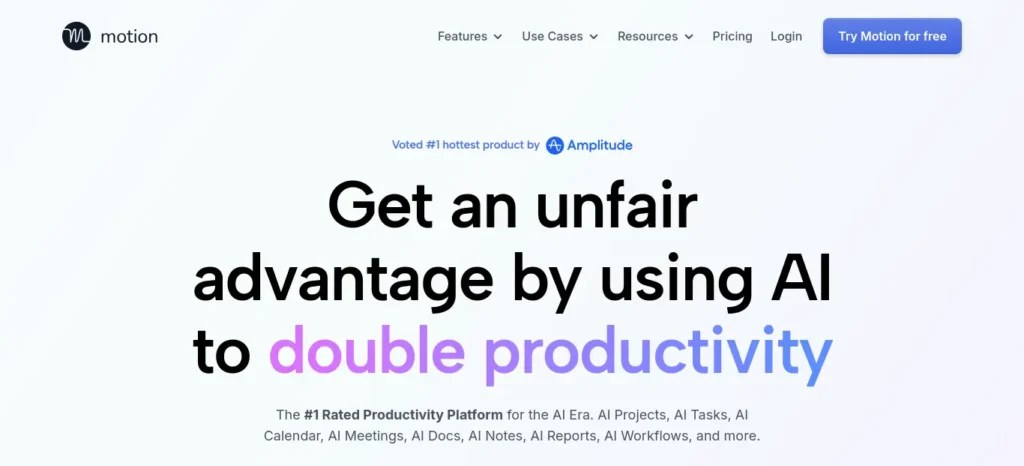
Motion is one of the most advanced AI scheduling tools.
Features
- Automatically builds study schedules
- Prioritizes urgent tasks
- Rearranges plans when tasks are missed
- Calendar integration
Best For
Students with busy schedules and multiple deadlines.
2. MyStudyLife
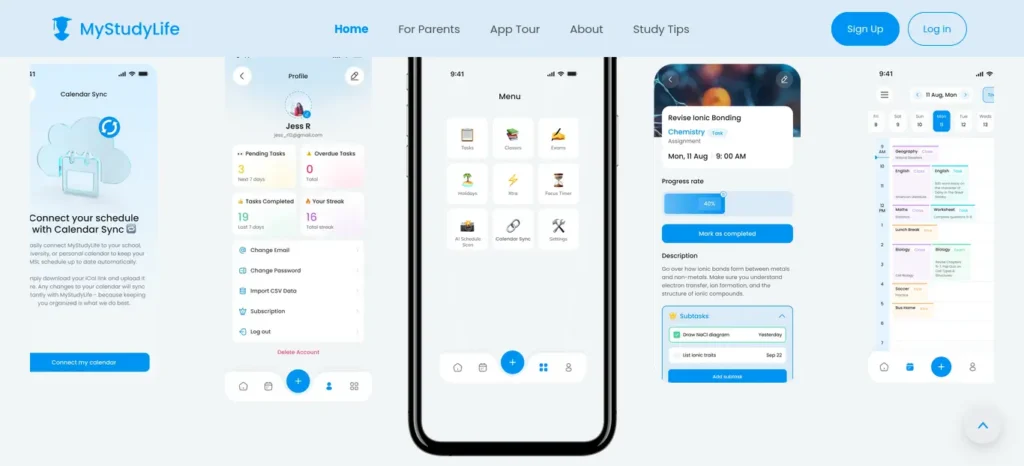
MyStudyLife is designed specifically for students.
Features
- Study planner
- Homework tracking
- Exam scheduling
- Daily reminders
Best For
School and college students.
3. Notion AI
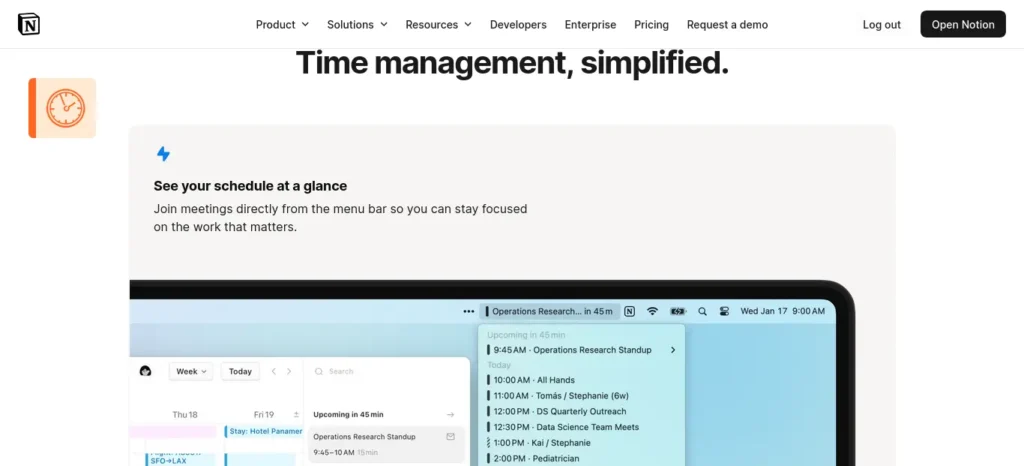
Notion AI helps students organize study plans and notes.
Features
- AI-generated study schedules
- Task management
- Goal tracking
- Subject organization
Best For
Students who like structured planning.
4. Reclaim AI
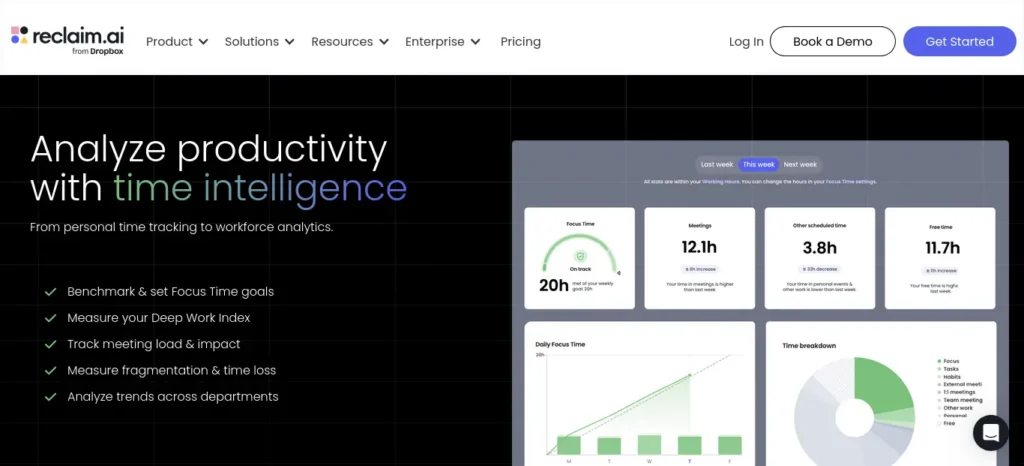
Reclaim AI automatically schedules study sessions around existing commitments.
Features
- Smart calendar scheduling
- Habit tracking
- Automatic rescheduling
Best For
Students managing studies and part-time jobs.
5. StudySmarter
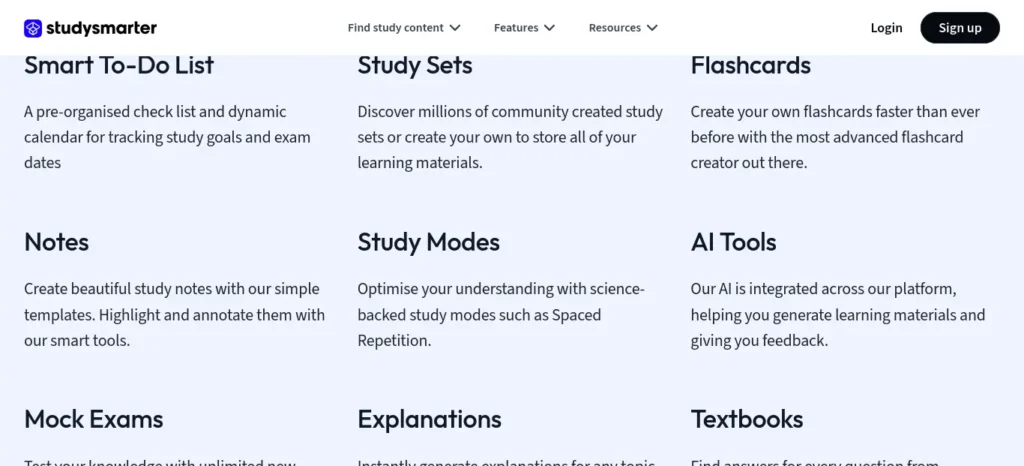
StudySmarter combines planning and learning.
Features
- Study planner
- Flashcards
- Progress tracking
- AI learning assistance
Best For
Exam preparation.
6. Todoist AI Assistant
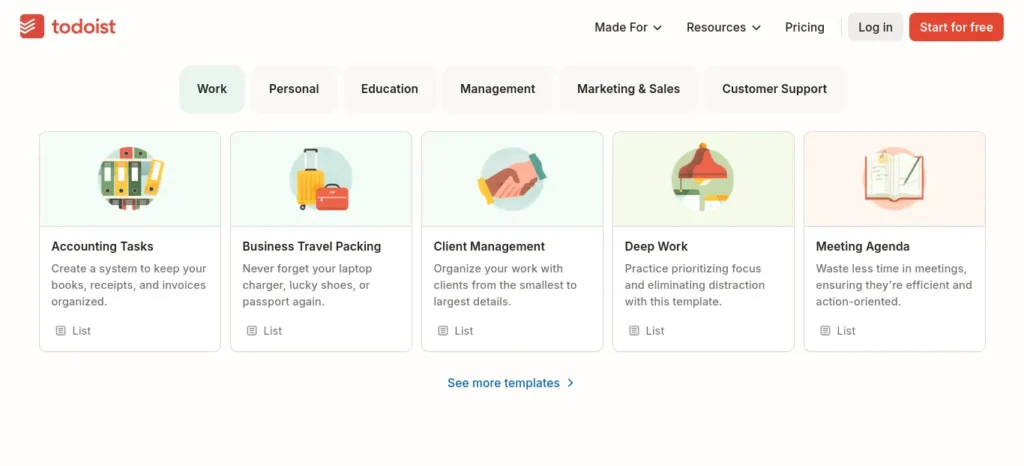
Todoist uses AI to organize tasks efficiently.
Features
- Task prioritization
- Smart planning
- Daily schedules
Best For
Students who prefer simple productivity tools.
7. Trello with AI Power-Ups
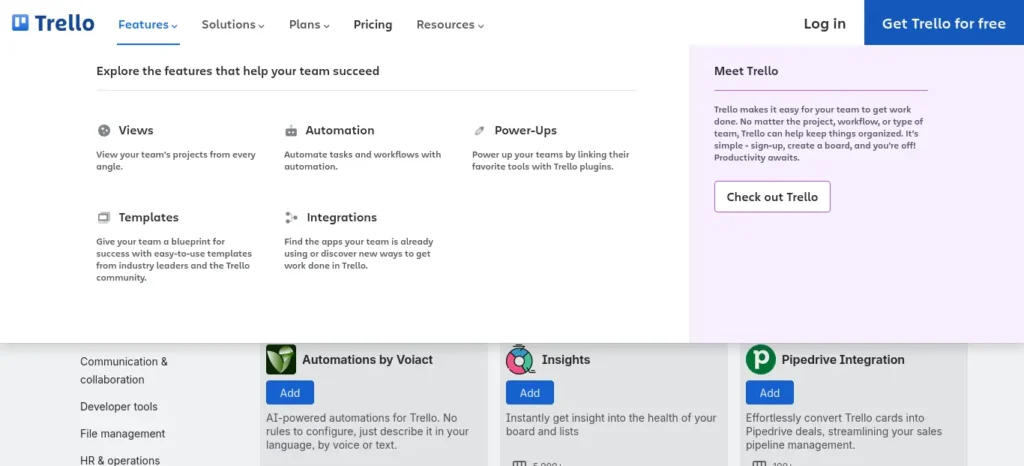
Trello becomes much smarter with AI integrations.
Features
- Visual study boards
- Task scheduling
- Progress monitoring
Best For
Visual learners.
8. ChatGPT
Many students use ChatGPT as one of the most flexible AI tools for creating a study timetable automatically.
Example Prompt
“Create a 30-day study timetable for Class 12 Physics and Mathematics with 3 study hours daily.”
Within seconds, a detailed timetable can be generated.
Best For
Customized study schedules.
Want to move beyond simple AI answers? Learn how to use ChatGPT as a personal learning assistant to create study plans, generate quizzes, and master new skills faster.
9. Google Gemini
Gemini can generate personalized study plans based on goals and exam dates.
Features
- Smart timetable creation
- Study recommendations
- Learning guidance
Best For
Students wanting AI assistance and planning in one place.
7-Day AI Study Timetable Challenge ( Personally recommending )
Want to see whether AI planning actually works? Try this simple seven-day challenge.
Day 1
List all your subjects, upcoming exams, deadlines, and available study hours.
Day 2
Use an AI tool to generate a personalized study timetable.
Day 3
Follow your schedule and track every completed study session.
Day 4
Review your progress and adjust the timetable based on what worked and what didn’t.
Day 5
Focus extra time on your weakest subject while maintaining your daily routine.
Day 6
Complete a revision session and identify topics that need more practice.
Day 7
Review your entire week, celebrate your progress, and generate your timetable for the following week.
Even one week of consistent planning can make studying feel more organized and far less stressful.
Before you move on, ask yourself this: do you have a learning system or just good intentions? Discover How to Build a Daily Learning System Using AI (Step-by-Step Guide) to create a simple AI-powered routine that actually sticks.
Which AI Study Timetable Tool Is Right for You?
Example
- If you want Simple scheduling →use MyStudyLife
- If you Busy college schedule →use Motion
- If you want AI customization →use chatgpt
- If you want Notes + planning →use Notion AI
- If you want Calendar automation →use Reclaim AI
Signs Your AI Timetable Needs Updating
Example
- You miss study sessions often.
- Deadlines change.
- You feel exhausted.
- Subjects become easier or harder.
- You consistently finish earlier than planned.
How AI Creates Personalized Study Plans
Many students wonder how these tools actually work.
The process is simple.
Step 1: Collect Information
The AI asks:
- What subjects are you studying?
- When are your exams?
- How many hours can you study daily?
Step 2: Analyze Priorities
The AI identifies:
- Weak subjects
- Important exams
- Available study time
Step 3: Generate Timetable
The system creates a schedule that balances:
- Revision
- Practice
- Breaks
- Mock tests
Step 4: Continuous Improvement
Many AI tools for creating a study timetable automatically adjust schedules when:
- You miss study sessions
- Exam dates change
- Priorities shift
This flexibility makes AI schedules more practical than traditional timetables.
Want to study smarter instead of studying longer? Discover how to use AI to improve academic productivity and build a simple study system that helps you stay organized, learn faster, and achieve better results.
What Does an AI Study Planner Need From You?
An AI study planner cannot create a useful schedule from a vague instruction such as “make me a timetable.”
Give it specific information such as:
Exam date: October 20
Subjects: Mathematics, Physics, Chemistry
Weak chapters: Calculus, Mechanics, Organic Chemistry
Available time: 3 hours on weekdays and 5 hours on weekends
Current progress: Mathematics 60%, Physics 40%, Chemistry 70%
Priority: Complete weak chapters before the first mock test
With this information, the AI can create a more structured plan that gives additional attention to unfinished or difficult areas.
This is one reason personalized study planning can be more useful than copying a generic timetable from the internet.
Practical Example
Imagine a student preparing for exams.
Subjects
- Mathematics
- Science
- English
- Social Studies
Available Time
4 hours daily
AI Generated Schedule
6:00 PM – 7:00 PM
Mathematics
7:00 PM – 7:15 PM
Break
7:15 PM – 8:15 PM
Science
8:15 PM – 8:30 PM
Break
8:30 PM – 9:30 PM
English
9:30 PM – 10:00 PM
Revision
The AI can automatically modify this schedule based on performance and progress.

Beginner Tips for Using AI Study Timetable Tools
If you’re new to AI planning, follow these tips.
Be Honest About Available Time
Do not claim you can study 10 hours if you usually study 3 hours.
Realistic plans work better.
Include Breaks
Breaks improve focus and memory.
Update Progress Regularly
Most AI tools for creating a study timetable automatically become smarter when updated.
Prioritize Weak Subjects
Spend more time improving difficult topics.
Review Weekly
Adjust plans every week for better results.
Common Mistakes to Avoid
Many students make these mistakes.
Following the Schedule Blindly
Life changes.
Use AI schedules as guides, not strict rules.
Overloading Study Hours
A timetable with too many hours often fails.
Consistency is more important.
Ignoring Sleep
Good sleep improves memory and learning.
Not Tracking Progress
Even the best AI tools for creating a study timetable automatically need feedback to improve.
Choosing Too Many Apps
Use one or two tools consistently instead of switching constantly.
The biggest mistake isn’t having too much work—it’s managing everything manually. Once your tasks are organized automatically, planning your day becomes much easier. Discover AI Tools for Organizing Daily Tasks Automatically: 6 Best Picks (2026) and build a workflow that saves time every day.
Why AI Timetables Are Better Than Traditional Timetables
| Traditional Timetable | AI Timetable |
| Manual planning | Automatic planning |
| Fixed schedule | Dynamic schedule |
| Time consuming | Fast creation |
| Hard to update | Easy adjustments |
| Generic structure | Personalized plans |
This is why AI-powered study planning is becoming increasingly popular.
How to Follow an AI Study Timetable Successfully
Creating a timetable is only the first step. The real improvement comes from following it consistently. These simple habits can help you get the most value from any AI-generated study plan.
Start Small
Avoid creating an unrealistic schedule on your first day. Begin with manageable study sessions that fit naturally into your routine, then gradually increase your study time as consistency becomes a habit.
Don’t Skip Breaks
Regular breaks help maintain concentration and reduce mental fatigue. Short breaks between study sessions often improve productivity more than studying continuously for several hours.
Review Your Timetable Weekly
Your workload, priorities, and exam dates can change over time. Spend a few minutes each week reviewing your timetable so your AI planner can continue recommending realistic study sessions.
Leave Buffer Time
Unexpected events happen. Leave small gaps in your schedule so missed sessions can be completed without disrupting your entire study plan.
Track Your Progress
Mark completed study sessions and review unfinished tasks regularly. Tracking your progress helps you stay motivated while allowing AI tools to generate better recommendations over time.
Frequently Asked Questions (FAQ)
Which is the best AI tool for creating a study timetable automatically?
Motion, ChatGPT, Notion AI, and MyStudyLife are among the best options for students.
Are AI study timetable tools free?
Many tools offer free versions with basic features. Premium plans provide advanced scheduling options.
Can AI improve exam performance?
AI cannot study for you, but it can help you manage time better and stay organized.
Is ChatGPT good for creating study schedules?
Yes. ChatGPT can generate customized study plans based on subjects, exam dates, and available study hours.
Do AI study planners adjust automatically?
Many modern AI tools for creating a study timetable automatically can automatically reschedule missed tasks and changing priorities.
Can AI create study plans for competitive exams?
Yes. Most AI study planners can generate customized schedules for competitive exams such as JEE, NEET, UPSC, SAT, GRE, IELTS, and other certification tests. Simply provide your exam date, syllabus, available study hours, and weak subjects. AI can then create a personalized timetable that balances learning, revision, mock tests, and regular breaks.
Can AI make timetables for working students?
Absolutely. Many AI scheduling tools can build study plans around part-time jobs, internships, college classes, or family commitments. If your availability changes, several AI planners can automatically adjust your timetable so you can stay consistent without rebuilding your schedule manually.
How often should I update my timetable?
Review your timetable at least once every week. You should also update it whenever your exam dates change, you complete major topics, or your daily routine shifts. Keeping your timetable up to date helps AI generate more realistic and effective study schedules.
Should I study every subject daily?
Not necessarily. Instead of studying every subject every day, prioritize difficult subjects more frequently while reviewing easier subjects at regular intervals. A balanced AI-generated timetable usually includes focused study sessions, revision days, and enough breaks to prevent burnout.
Can AI help reduce procrastination?
Yes. AI cannot eliminate procrastination on its own, but it can make getting started much easier. By breaking large goals into smaller tasks, scheduling dedicated study sessions, sending reminders, and tracking progress, AI reduces the feeling of being overwhelmed and encourages consistent study habits.
Introduction
Is there an AI that can make a study timetable?
Yes. Several AI assistants and scheduling apps can help create study timetables. Some generate a schedule from your subjects and available hours, while others can automatically schedule tasks around existing commitments.
What is the best AI for making a timetable?
There is no single timetable tool that is ideal for every student. The right option depends on whether you need a simple student planner, automatic calendar scheduling, AI-generated study plans, or revision management.
Is there an AI study schedule generator for students?
Yes. AI study schedule generators can use information such as subjects, exam dates, available study hours, and priorities to create a personalized study schedule. The level of automation varies between tools.
Can AI make a revision timetable based on weak subjects?
AI can help prioritize weak subjects when you provide information about your difficult chapters, test results, progress, or study priorities. Some scheduling tools can then help distribute additional revision sessions across your available time.
What is an AI study planner?
An AI study planner is a tool that uses artificial intelligence or automated scheduling features to help organize study tasks, subjects, deadlines, revision sessions, and available time into a structured plan.
Can an AI timetable change when I miss a study session?
Some AI scheduling tools can automatically reschedule unfinished tasks, while others require you to manually update the plan. Always check the specific tool’s scheduling and rescheduling features before relying on this functionality.
Expert Tips ( Note it for later )
- Study your most difficult subject during your highest-energy hours.
- Keep your timetable simple enough that you can actually follow it every day.
- Use AI to plan your study sessions, but rely on active recall and practice to master each topic.
- Avoid changing productivity apps every week. Consistency with one or two tools produces better results.
- Review your timetable every Sunday and prepare the following week’s study plan in advance.
- Celebrate small milestones to build long-term study consistency.
What Happens After 30 Days?
Students who consistently follow an AI-generated study timetable often notice:
- Better study consistency
- Less procrastination
- Improved time management
- Lower stress before exams
- More completed study sessions
- Better revision habits
- Increased confidence in following a daily routine
Remember, AI creates the plan—but your daily consistency is what produces real academic improvement.
Most students focus on studying harder but never measure whether they’re actually improving. If that sounds familiar, learning how to review your progress can help you spot weak areas earlier, stay motivated, and study more efficiently
Conclusion
Creating a study timetable used to take hours.
Today, AI tools for creating a study timetable automatically can build personalized schedules in minutes. They help students save time, stay organized, reduce stress, and focus on learning.
Whether you choose Motion, Notion AI, ChatGPT, Gemini, or MyStudyLife, the key is consistency. A simple timetable that you follow every day is far more powerful than a perfect timetable that you ignore.
Start using AI wisely, follow your schedule regularly, and your study sessions can become more productive than ever before.




14 Comments